Module 10
Implementing Failover Clustering
Module Overview
• Overview of Failover Clustering
• Implementing a Failover Cluster
• Configuring Highly Available Applications and
Services on a Failover Cluster
• Maintaining a Failover Cluster
• Implementing a Multisite Failover Cluster
Lesson 1: Overview of Failover Clustering
• What Is High Availability?
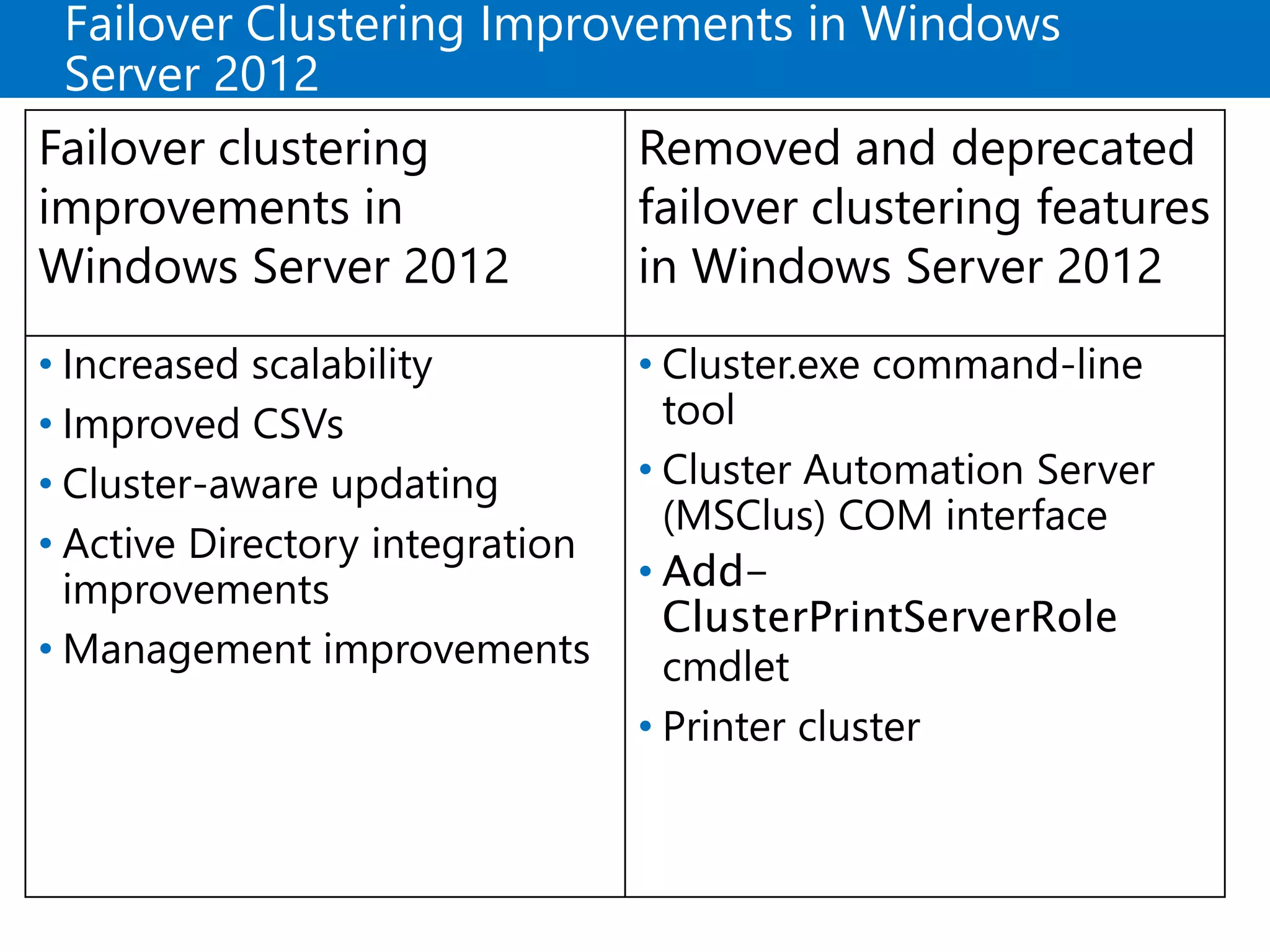
• Failover Clustering Improvements in Windows Server 2012
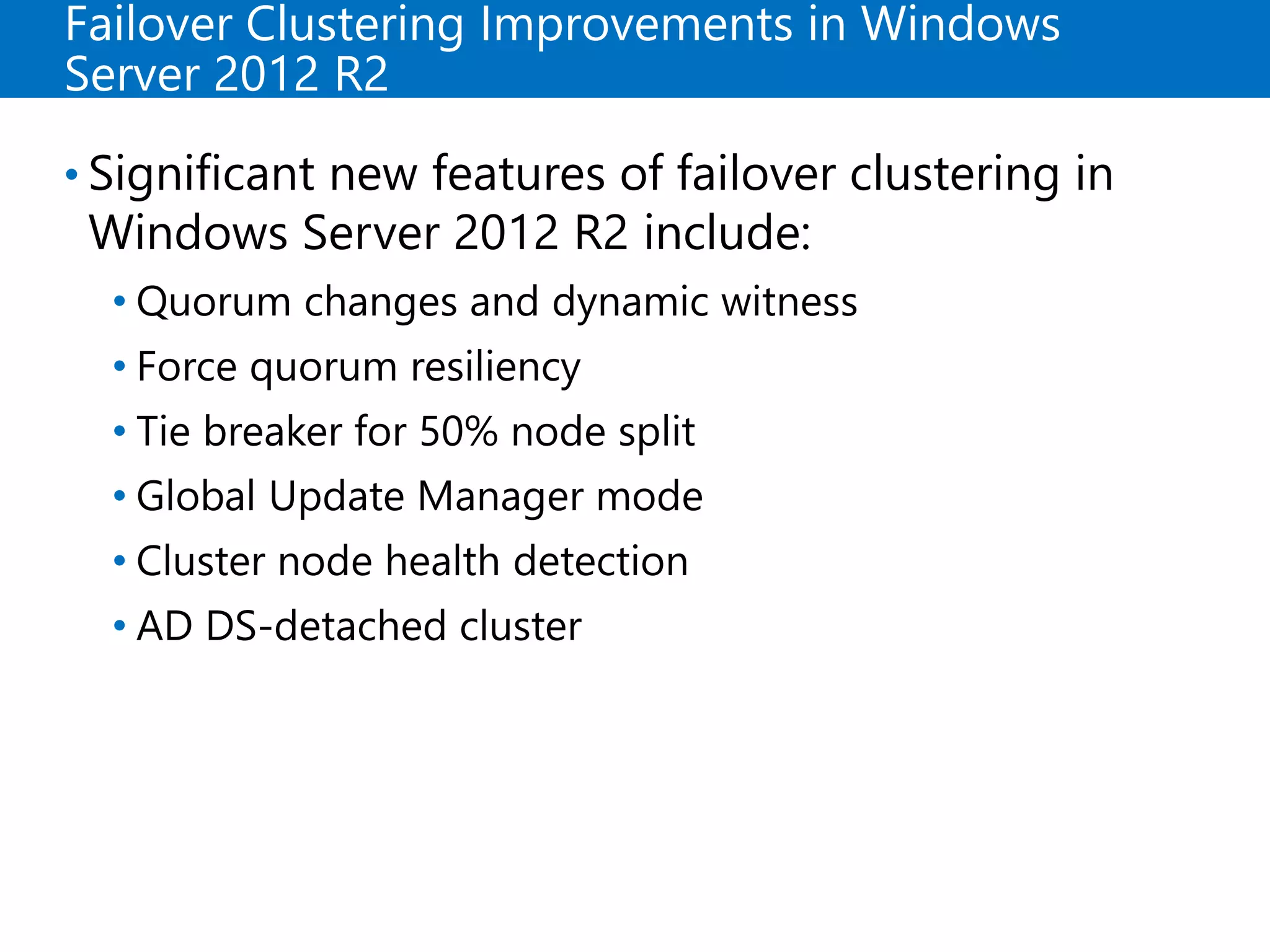
• Failover Clustering Improvements in Windows Server 2012 R2
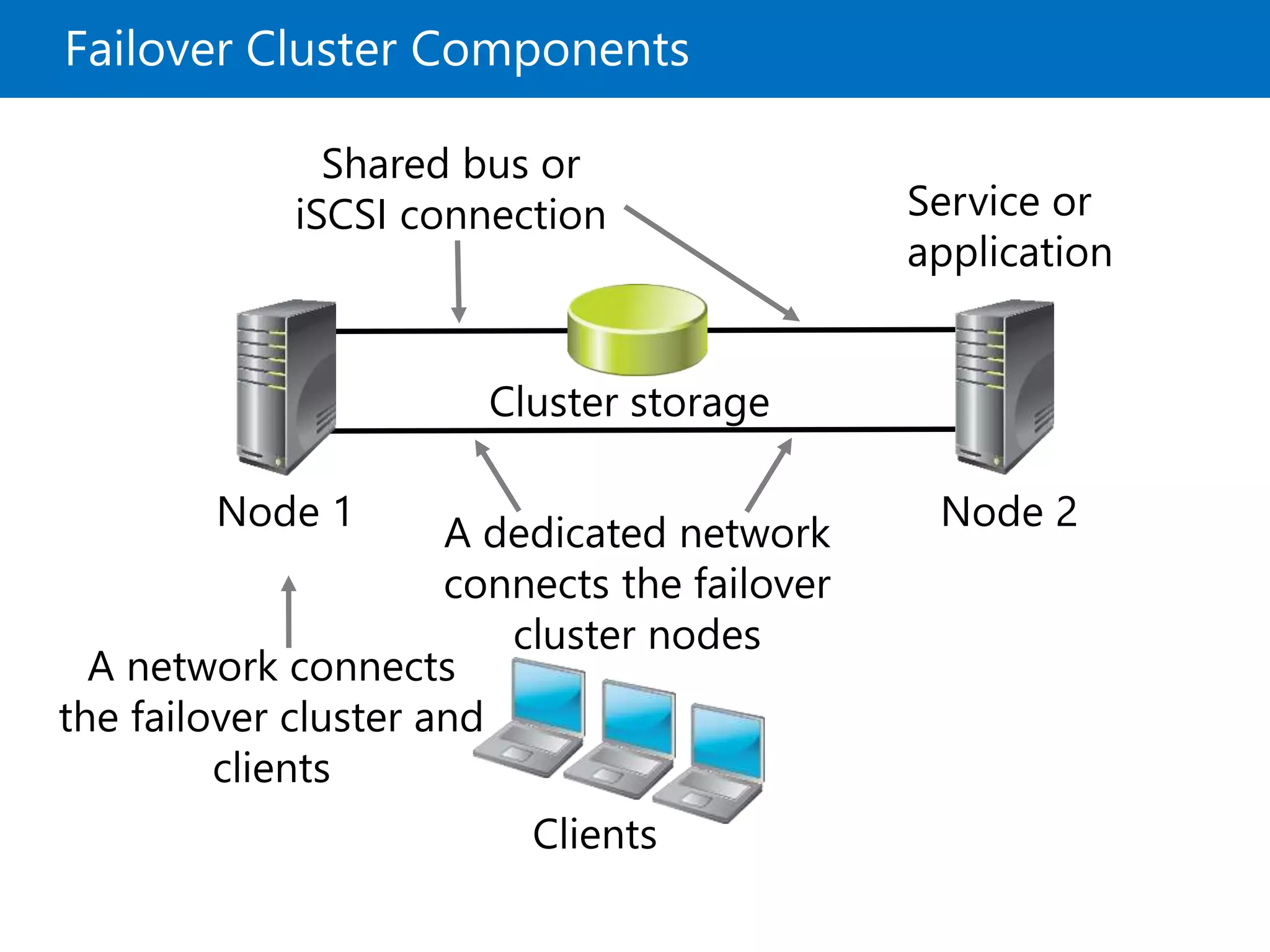
• Failover Cluster Components
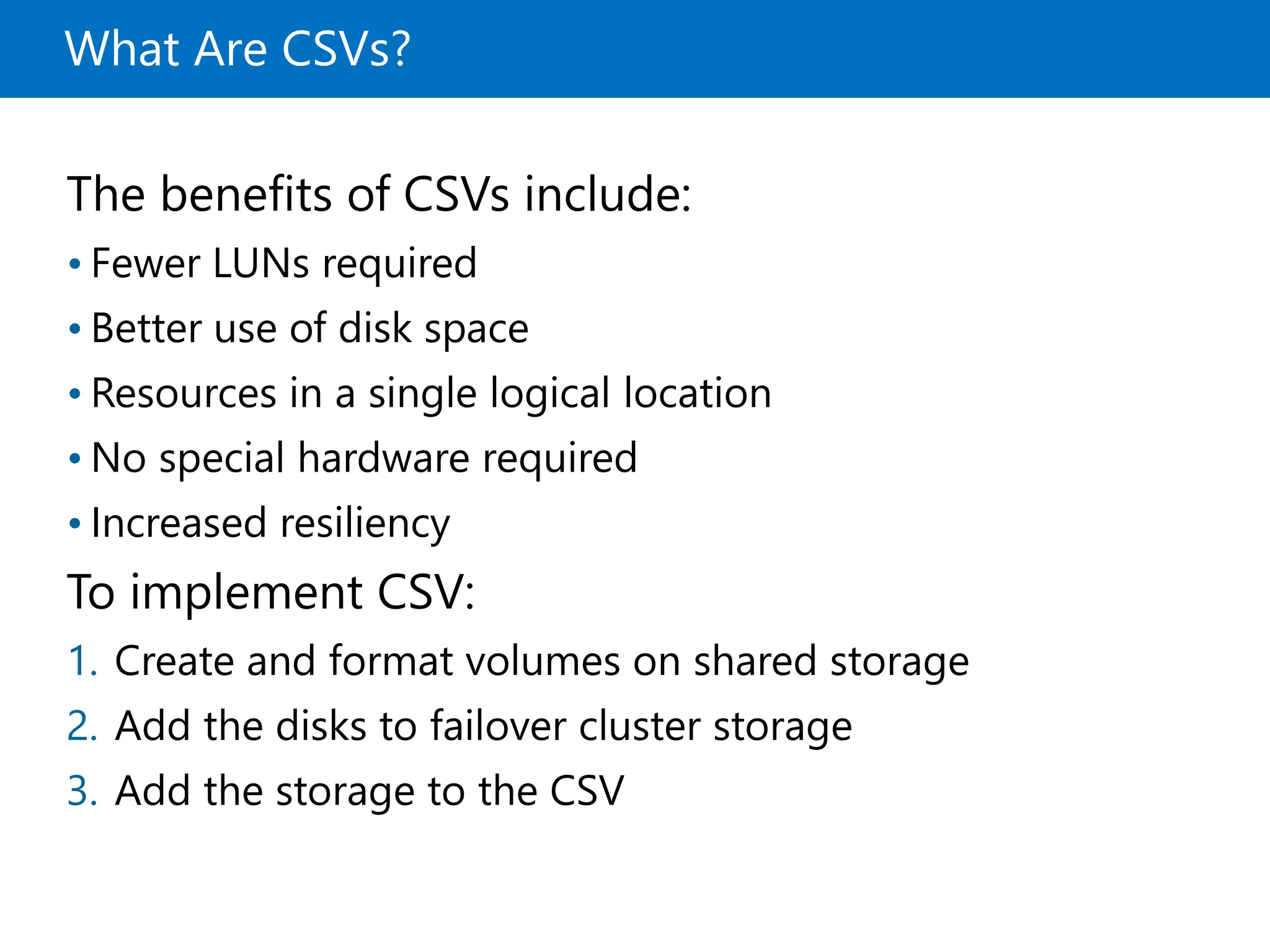
• What Are CSVs?
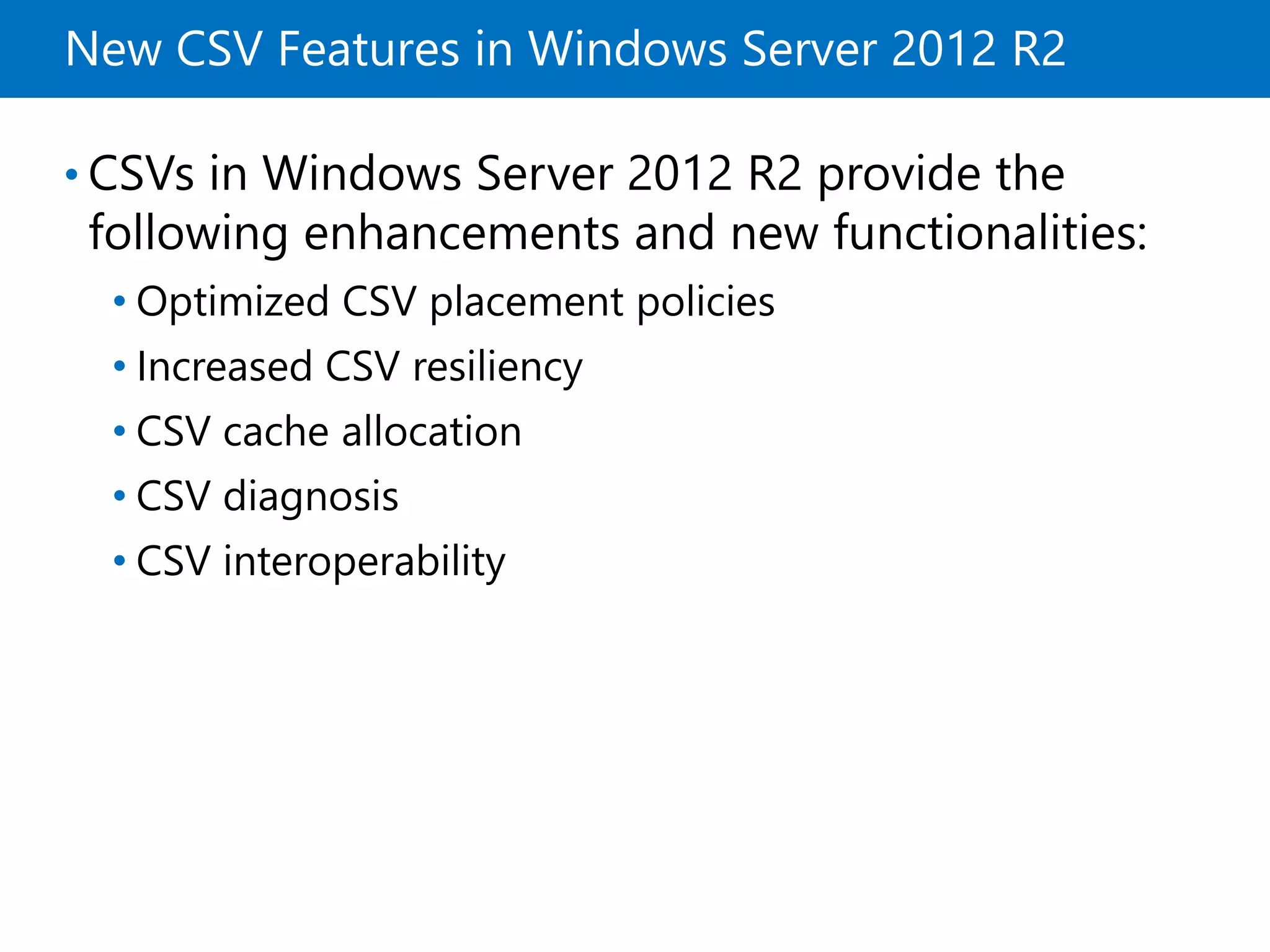
• New CSV Features in Windows Server 2012 R2
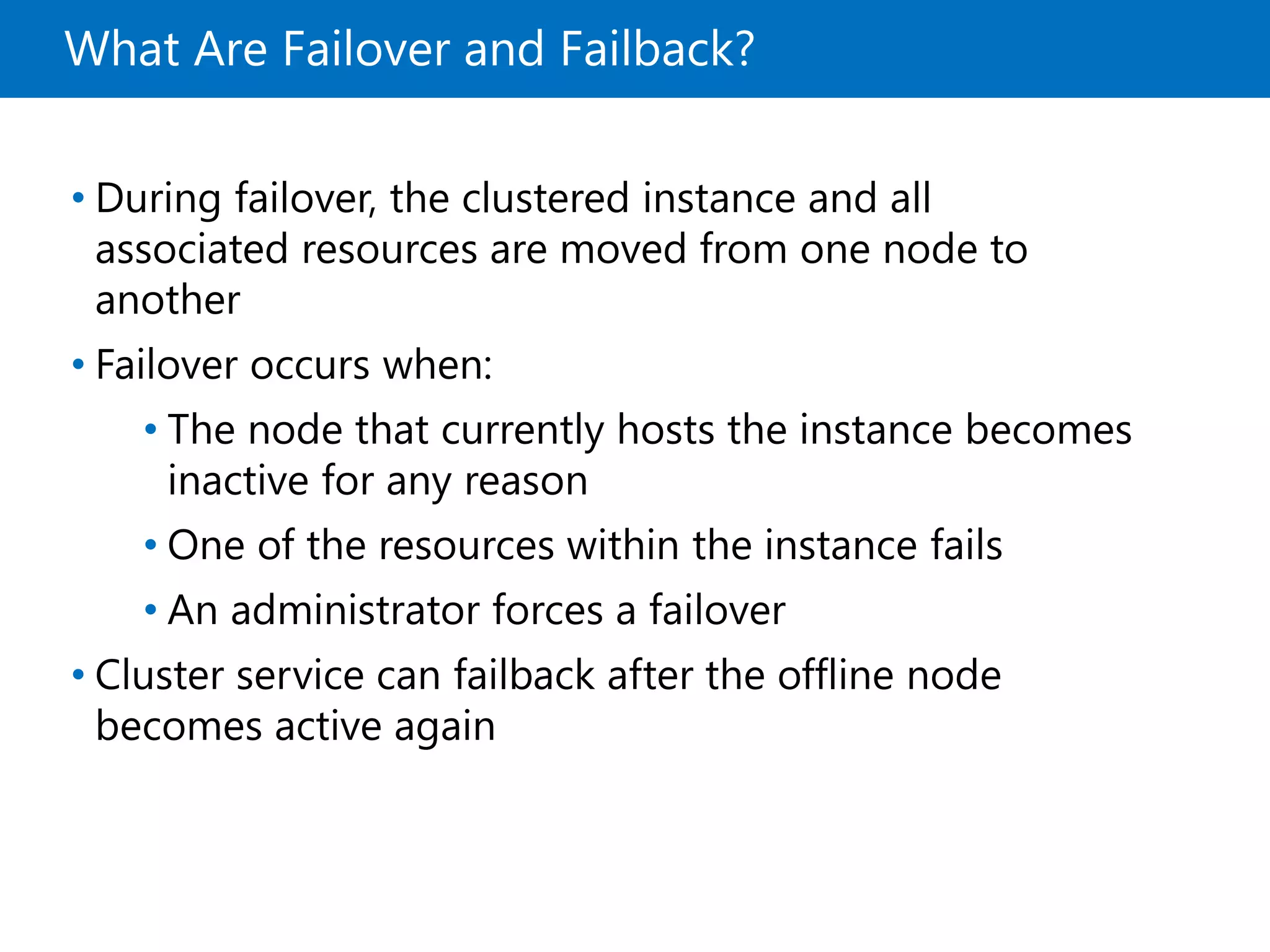
• What Are Failover and Failback?
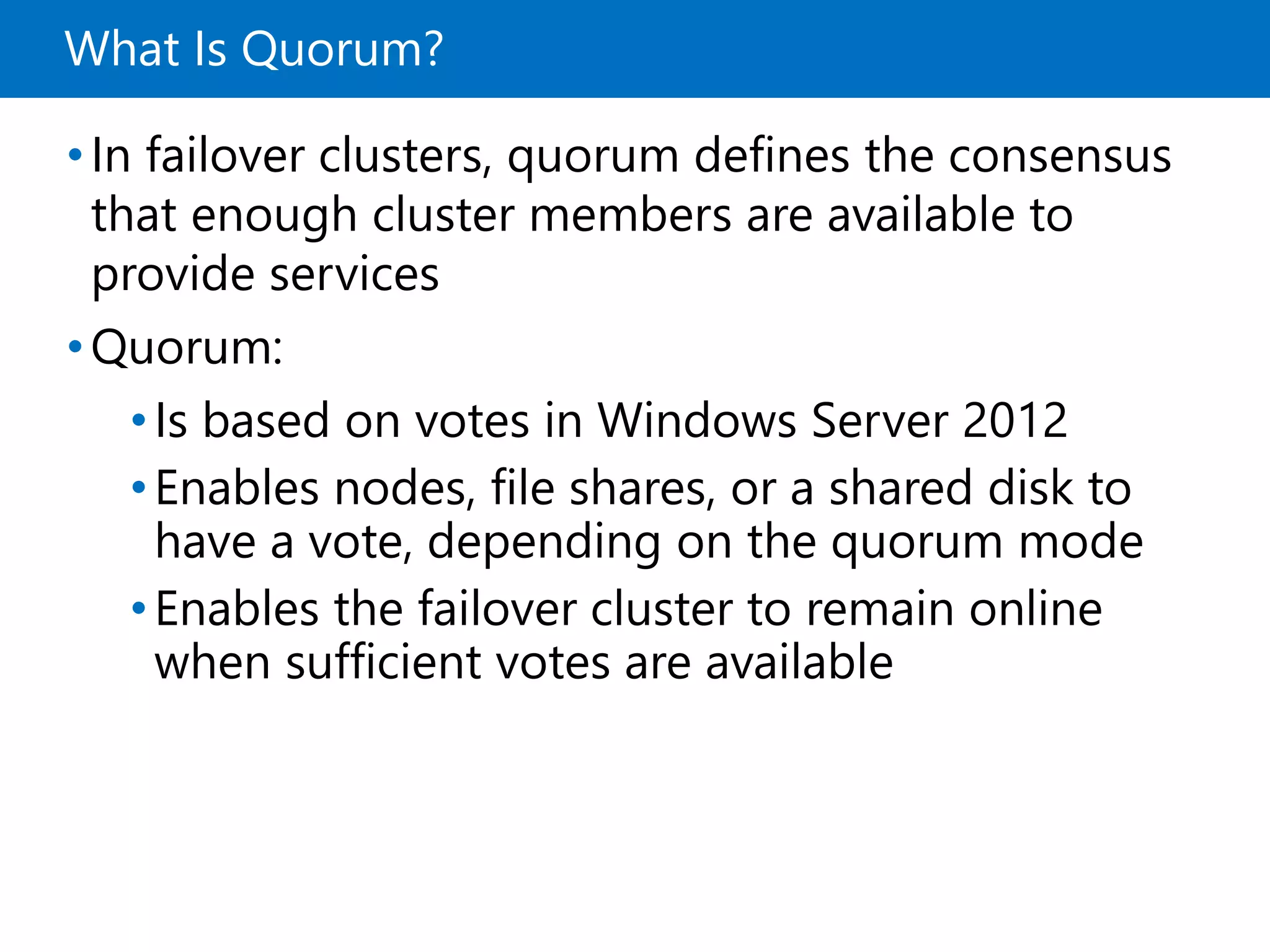
• What Is Quorum?
• Quorum Modes in Windows Server 2012 Failover Clustering
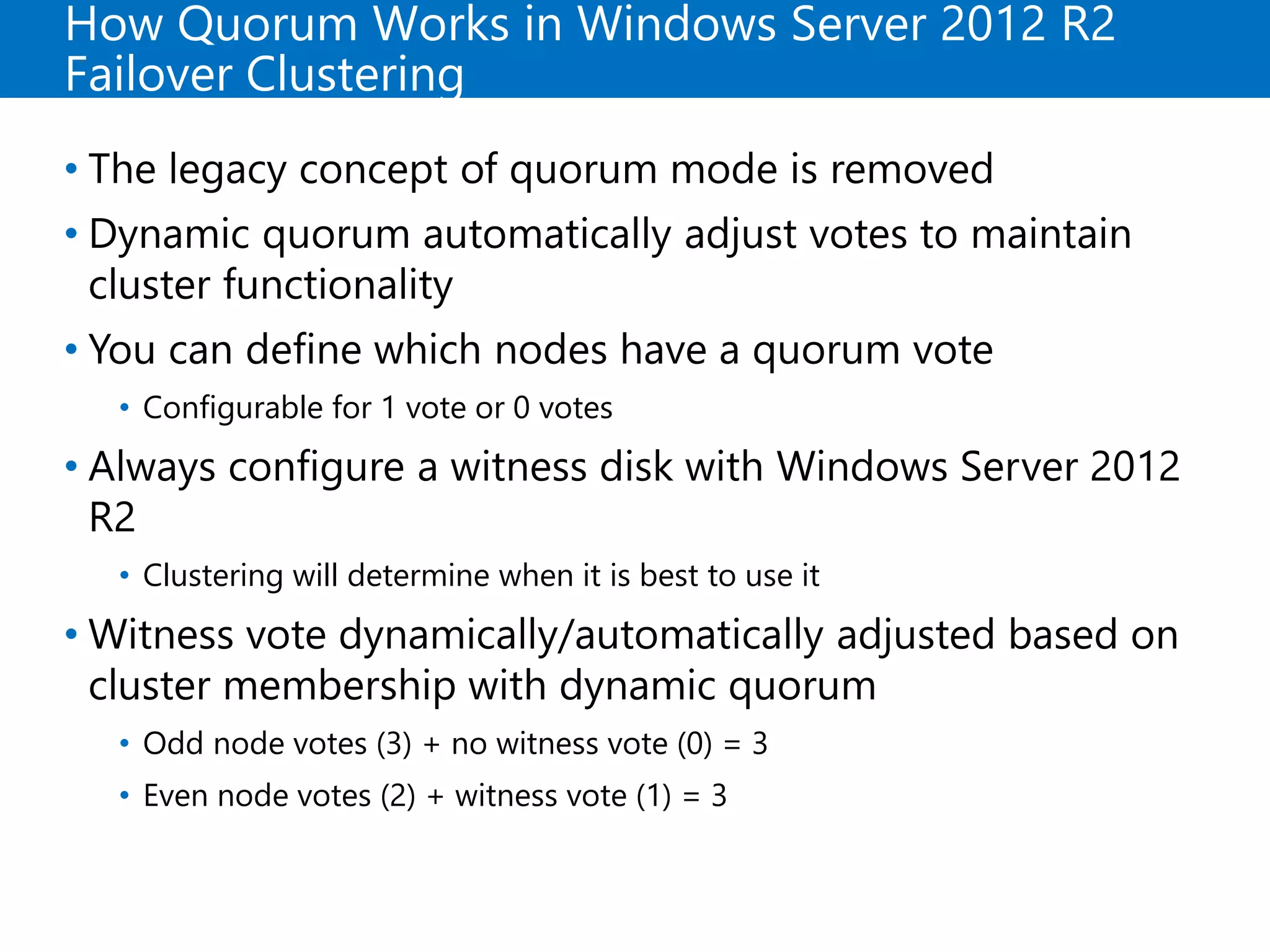
• How Quorum Works in Windows Server 2012 R2 Failover Clustering
• Failover Cluster Networks
• Failover Cluster Storage
What Is High Availability?
•Availability is a level of service expressed as a
percentage of time
•Highly-available services or systems are available
more than 99 percent of the time
•High availability requirements differ based on how
availability is measured
•Planned outages typically are not included when
calculating availability
Failover Clustering Improvements in Windows
Server 2012
Failover clustering
improvements in
Windows Server 2012
Removed and deprecated
failover clustering features
in Windows Server 2012
• Increased scalability
• Improved CSVs
• Cluster-aware updating
• Active Directory integration
improvements
• Management improvements
• Cluster.exe command-line
tool
• Cluster Automation Server
(MSClus) COM interface
• Add-
ClusterPrintServerRole
cmdlet
• Printer cluster
Failover Clustering Improvements in Windows
Server 2012 R2
• Significant new features of failover clustering in
Windows Server 2012 R2 include:
• Quorum changes and dynamic witness
• Force quorum resiliency
• Tie breaker for 50% node split
• Global Update Manager mode
• Cluster node health detection
• AD DS-detached cluster
Failover Cluster Components
Clients
Node 1 Node 2
Cluster storage
Service or
application
A dedicated network
connects the failover
cluster nodes
A network connects
the failover cluster and
clients
Shared bus or
iSCSI connection
What Are CSVs?
The benefits of CSVs include:
• Fewer LUNs required
• Better use of disk space
• Resources in a single logical location
• No special hardware required
• Increased resiliency
To implement CSV:
1. Create and format volumes on shared storage
2. Add the disks to failover cluster storage
3. Add the storage to the CSV
New CSV Features in Windows Server 2012 R2
• CSVs in Windows Server 2012 R2 provide the
following enhancements and new functionalities:
• Optimized CSV placement policies
• Increased CSV resiliency
• CSV cache allocation
• CSV diagnosis
• CSV interoperability
What Are Failover and Failback?
• During failover, the clustered instance and all
associated resources are moved from one node to
another
• Failover occurs when:
• The node that currently hosts the instance becomes
inactive for any reason
• One of the resources within the instance fails
• An administrator forces a failover
• Cluster service can failback after the offline node
becomes active again
What Is Quorum?
•In failover clusters, quorum defines the consensus
that enough cluster members are available to
provide services
•Quorum:
•Is based on votes in Windows Server 2012
•Enables nodes, file shares, or a shared disk to
have a vote, depending on the quorum mode
•Enables the failover cluster to remain online
when sufficient votes are available
Quorum Modes in Windows Server 2012 Failover
Clustering
Quorum
mode
What has the vote? When is quorum
maintained?
• Node Majority Only nodes in the
cluster have a vote
Quorum is maintained
when more than half of
the nodes are online
• Node and Disk
Majority
The nodes in the cluster
and a disk witness have
a vote
Quorum is maintained
when more than half of
the votes are online
• Node and File
Share Majority
The nodes in the cluster
and a file share witness
have a vote
Quorum is maintained
when more than half of
the votes are online
• No Majority:
Disk Only
Only the quorum-
shared disk has a vote
Quorum is maintained
when the shared disk is
online
How Quorum Works in Windows Server 2012 R2
Failover Clustering
• The legacy concept of quorum mode is removed
• Dynamic quorum automatically adjust votes to maintain
cluster functionality
• You can define which nodes have a quorum vote
• Configurable for 1 vote or 0 votes
• Always configure a witness disk with Windows Server 2012
R2
• Clustering will determine when it is best to use it
• Witness vote dynamically/automatically adjusted based on
cluster membership with dynamic quorum
• Odd node votes (3) + no witness vote (0) = 3
• Even node votes (2) + witness vote (1) = 3
Force Quorum Resiliency in Windows Server
2012 R2
• Cluster detects partitions after a manual
ForceQuorum
• ForceQuorum partition is deemed authoritative
• Partitioned nodes restarted and rejoined
• Cluster brought back into a single view of
membership
Manual Override
with ForceQuorum
Cluster
Site1 Site2
Nodes Restarted
When Site2
partition detected
Quorum Tie Breaker in Windows Server 2012 R2
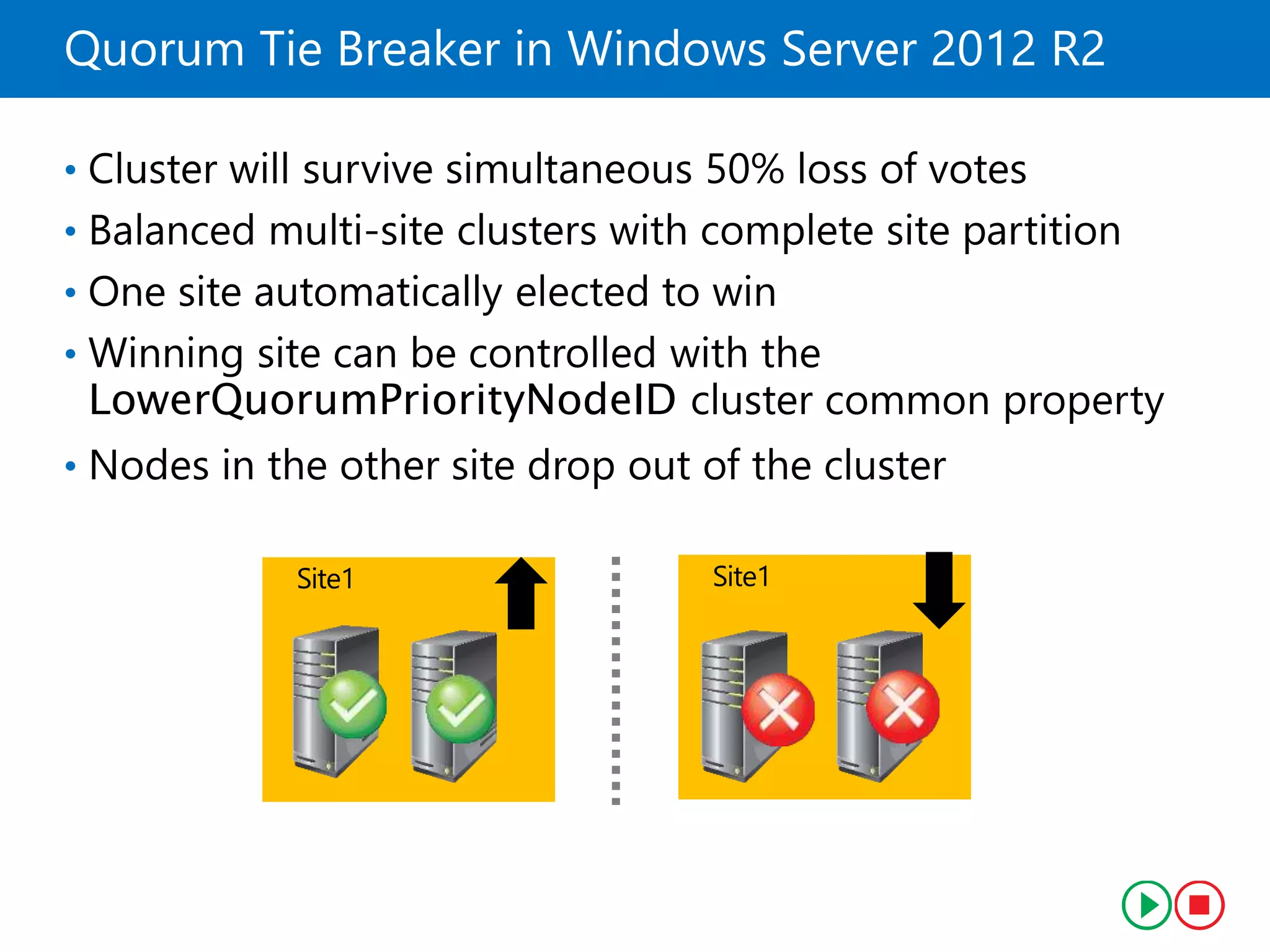
• Cluster will survive simultaneous 50% loss of votes
• Balanced multi-site clusters with complete site partition
• One site automatically elected to win
• Winning site can be controlled with the
LowerQuorumPriorityNodeID cluster common property
• Nodes in the other site drop out of the cluster
Site1 Site1
Failover Cluster Networks
Network Description
• Public network Clients use this network to connect to the clustered
service
• Private network Nodes use this network to communicate with each
other
• Public-and-private
network
Required to communicate with external storage
systems
• One network can support both client and node communications
• Multiple network cards are recommended to provide enhanced
performance and redundancy
• iSCSI storage should have a dedicated network
Failover Cluster Storage
• Failover clusters require shared storage to
provide consistent data to a virtual server after
failover
• Shared storage options include:
• Serial attached SCSI
• iSCSI
• Fibre channel
• Shared VHDX (2012 R2)
• You can also implement clustered storage
spaces to achieve high availability at storage
level
Lesson 2: Implementing a Failover Cluster
• Preparing for Failover Cluster Implementation
• Hardware Requirements for Failover Cluster
Implementation
• Network Requirements for Failover Cluster
Implementation
• Infrastructure Requirements for Failover Cluster
• Software Requirements for Failover Cluster
Implementation
• Demonstration: Validating and Configuring a
Failover Cluster
• Migrating and Upgrading Failover Clusters
Preparing for Failover Cluster Implementation
Use failover clustering when:
• High availability is required
• Scalability is not required
• Application is stateful
• Client or protocol automatically reconnects to the
application
• Application uses IP-based protocols
Hardware Requirements for Failover Cluster
Implementation
The hardware requirements for a failover
implementation include:
• Server hardware components must have the
Certified for Windows Server 2012 logo
• Server nodes should all have the same configuration and
contain the same or similar components
• All tests in the Validate a Configuration Wizard must pass
Network Requirements for Failover Cluster
Implementation
The network requirements for a failover
implementation include:
• The network hardware components must have the
Certified for Windows Server 2012 logo
• The server should be connected to multiple networks for
communication redundancy, or to a single network with
redundant hardware, to remove single points of failure
• The network adapters should be identical and have the
same IP protocol versions, speed, duplex, and flow control
capabilities
Infrastructure Requirements for Failover Cluster
• The infrastructure requirements for a failover
cluster implementation include:
• The nodes in the cluster must use DNS for name resolution
• All servers in the cluster must be in the same Active Directory
domain
• The user account that creates the cluster must have administrator
rights and permissions on all servers, and the Create Computer
Objects permission in the domain
• Failover cluster infrastructure recommendations
include:
• The same roles should be installed on each cluster node
• The AD DS role should not be installed on any of the cluster nodes
Software Requirements for Failover Cluster
Implementation
The software requirements for a failover cluster
implementation include:
• All nodes must run the same edition of Windows Server
2012, which can be any of the following:
• Windows Server 2012 Standard, Full or Server Core
installation
• Windows Server 2012 Datacenter, Full or Server Core
installation
• All nodes must run the same processor architecture (x64-
based, or Itanium architecture-based)
• All nodes should have the same service pack and updates
Demonstration: Validating and Configuring a
Failover Cluster
In this demonstration, you will see how to validate
and configure a cluster
Migrating and Upgrading Failover Clusters
You can migrate clustered roles from one cluster
to another, and you can perform migration by:
•Migrating clustered roles to a new cluster with
new servers
•Performing in-place migration with only two
nodes
The Cluster Migration Wizard migrates roles, but
not data or folders
Lesson 3: Configuring Highly Available
Applications and Services on a Failover Cluster
• Identifying Cluster Resources and Services
• The Process for Clustering Server Roles
• Demonstration: Clustering a File Server Role
• Failover Cluster Management Tasks
• Managing Cluster Nodes
• Configuring Application Failover Settings
Identifying Cluster Resources and Services
•Clustered services:
• Are services or applications that are made highly
available by installing them on a failover cluster
• Are active on one node, but can be moved to another
node
• Resources:
• Are the components that make up a clustered service
• Are moved to another node when one node fails
• Can only run on one node at a time
• Include components such as shared disks, names, and
IP addresses
The Process for Clustering Server Roles
1. Install the failover clustering feature
2. Verify the configuration and create a cluster
3. Install the role on all cluster nodes, using Server
Manager
4. Create a clustered application by using the Failover
Cluster Management snap-in
5. Configure the application
6. Test the failover
Demonstration: Clustering a File Server Role
In this demonstration, you will see how to cluster a
file server role
Failover Cluster Management Tasks
The most common management tasks include:
• Managing nodes
• Managing networks
• Managing permissions
• Configuring cluster quorum settings
• Migrating services and applications to a cluster
• Configuring new services and applications
• Removing the cluster
Managing Cluster Nodes
To manage cluster nodes, you can:
• Add nodes after you create a cluster
• Pause nodes, which prevents resources from running on that
node
• Evict nodes from a cluster, which removes the node from the
cluster configuration
All of these actions are available in the Failover
Cluster Management Actions pane
Configuring Application Failover Settings
The considerations for using preferred owners
include:
Preferred owners are set on the clustered application
Multiple preferred owners can be set in an ordered list
•Setting preferred owners gives control over:
• The order in which an application will select a node to
run on
• The applications that can be run on the same nodes in
an
Active/Active configuration
The options to modify failover and failback settings include:
Setting the number of times the cluster service will restart a
clustered application in a set period of time
Setting or preventing failback of the clustered application to
the preferred node when it becomes available
Lesson 4: Maintaining a Failover Cluster
• Monitoring Failover Clusters
• Backing Up and Restoring Failover Cluster
Configuration
• Maintaining and Troubleshooting Failover Clusters
• What Is CAU?
• Demonstration: Configuring CAU
Monitoring Failover Clusters
Some of the tools you can use to monitor clusters include:
• Event Viewer
• Performance and Reliability Monitor snap-in
• MHTML-formatted cluster configuration reports
• Tracerpt.exe
• Validate a Configuration Wizard
Backing Up and Restoring Failover Cluster
Configuration
When backing up failover clusters, keep in mind that:
• Windows Server Backup is an optional Windows Server
feature
• Backup and restore operations involve the VSS
• Third-party tools are also available to perform backups
and restores
• You must perform system-state backups
Two types of restore are:
• A non-authoritative restore completely restores a single
node in the cluster
• An authoritative restore restores the entire cluster
configuration to a point in time
Maintaining and Troubleshooting Failover
Clusters
Failover cluster troubleshooting techniques
include:
•Reviewing events in logs, such as: cluster,
hardware and storage
•Using the Validate a Configuration Wizard
•Defining a process for troubleshooting failover
clusters
•Reviewing storage configuration
•Checking for group and resource failures
What Is CAU?
• CAU:
• Automated feature specific to Windows Server 2012
• Updates nodes in a cluster with minimal or zero
downtime
• Benefits:
• Custer updating is completely automatic
• Can be scheduled
• No downtime
• CAU can work in two modes:
• Remote-updating mode
• Self-updating mode
Demonstration: Configuring CAU
In this demonstration, you will see how to configure
CAU
Lesson 5: Implementing a Multisite Failover
Cluster
• What Is a Multisite Cluster?
• Prerequisites for Implementing a Multisite Failover
Cluster
• Synchronous and Asynchronous Replication
• Selecting a Quorum Mode for Multisite Clusters
• Process for Configuring a Multisite Failover Cluster
• Challenges with Implementing a Multisite Cluster
• Multisite Failover and Failback Considerations
What Is a Multisite Cluster?
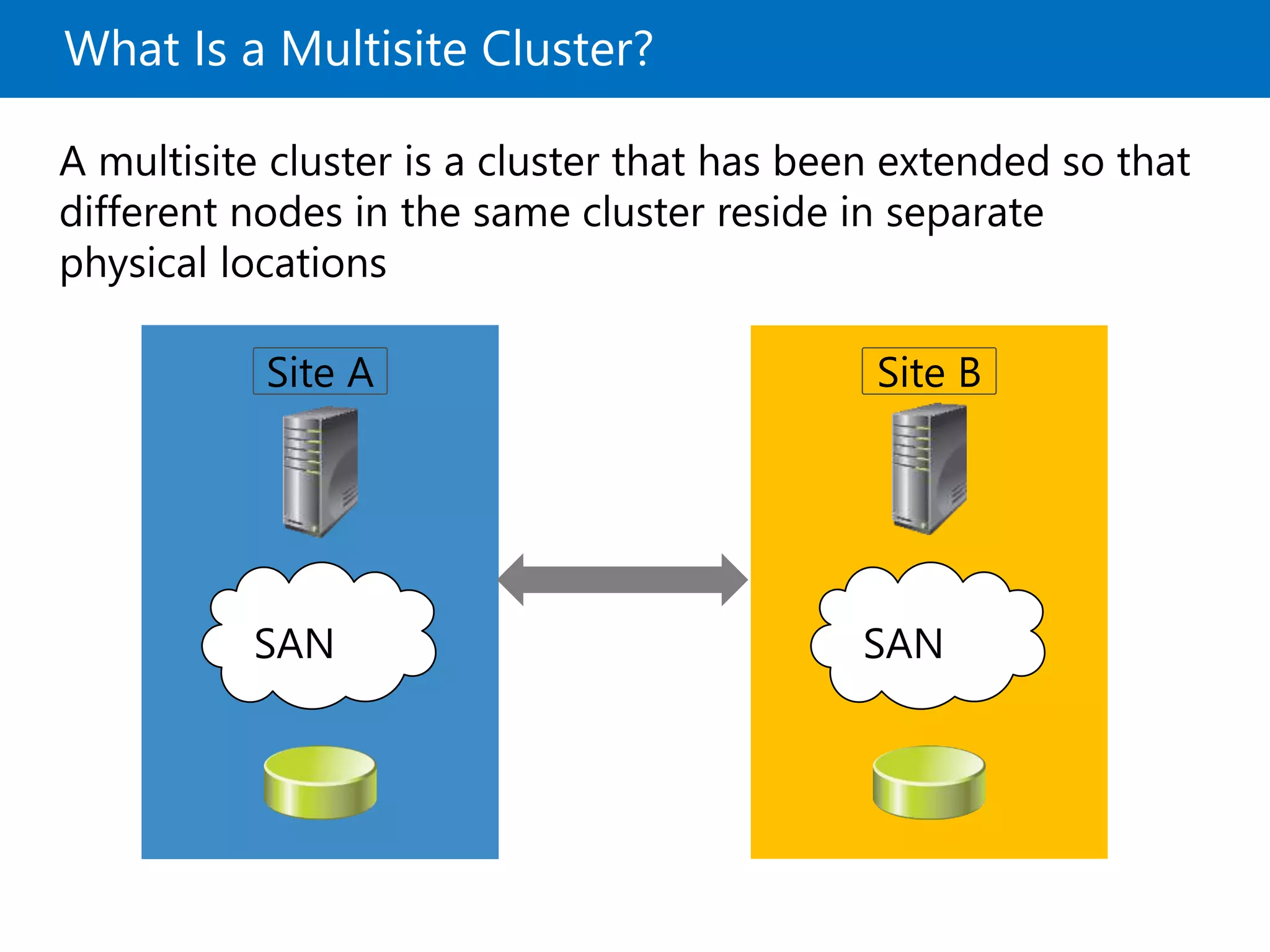
A multisite cluster is a cluster that has been extended so that
different nodes in the same cluster reside in separate
physical locations
Site A Site B
SANSAN
Prerequisites for Implementing a Multisite
Failover Cluster
To implement a multisite failover cluster, you must
provide the following:
Additional hardware to ensure enough nodes on each site
Same operating systems and service packs on each node
At least one low-latency and reliable network connection
between sites
Storage replication mechanism




Infrastructure services on each site
Synchronous and Asynchronous Replication
• In synchronous replication, the host receives a “write complete”
response from the primary storage after the data is written
successfully to both storage locations
• In asynchronous replication, the host receives a “write complete”
response from the primary storage after the data is written
successfully on the primary storage
Primary
storage
Secondary
storage
Write
complete
Replication
Data Data
Site A Site B
Write
request
Selecting a Quorum Mode for Multisite Clusters
When designing automatic failover for geographically
dispersed clusters:
• Use Node Majority or Node Majority with File
Share quorum for Windows Server 2012 and older
• Use Dynamic Quorum for Windows Server 2012 R2
• Use three locations to allow automatic failover of a
single virtual server:
• All three locations must be linked directly to
each other
• One location is only a file-share witness
Process for Configuring a Multisite Failover
Cluster
High level steps for implementing a multisite failover cluster:
1. Ensure that enough nodes are available
2. Ensure that network connections between sites is reliable
3. Provide a storage replication mechanism
4. Provide key infrastructure services on both sites
5. Validate cluster configuration
6. Configure the clustered role and quorum
7. Configure and validate failover and failback
Challenges with Implementing a Multisite Cluster
Challenge Description
Requires a
separate or third-
party data
replication
solution
• Hardware (block level) storage-based replication
• Software (file system level) host-based replication
• Application-based replication, such as Exchange 2007
Cluster Continuous Replication
Can be either
synchronous or
asynchronous
replication
• Synchronous. No acknowledgement of data changes
made in Site A until the data is successfully written to
Site B
• Asynchronous. Data changes made in Site A will
eventually be written to the storage in Site B
• Inter-node communications are time sensitive; you might need to
configure these thresholds to meet the higher WAN latency
• DNS replication might impact client reconnect times when failover is
based on hostname
• Active Directory replication latency might affect application data
availability
• Some applications might require all of the nodes to be in the same Active
Directory site
Multisite Failover and Failback Considerations
• When implementing multisite clusters in a disaster
recovery scenario, you should consider the
following:
• Failover time
• Services for failover
• Quorum maintenance
• Storage connection
• Published services and name resolution
• Client connectivity
• Failback procedure
Lab: Implementing Failover Clustering
• Exercise 1: Configuring a Failover Cluster
• Exercise 2: Deploying and Configuring a Highly Available
File Server
• Exercise 3: Validate the Deployment of the Highly Available
File Server
• Exercise 4: Configuring CAU on the Failover Cluster
Logon Information
Virtual machines: 20412C-LON-DC1
20412C-LON-SVR1
20412C-LON-SVR3
20412C-LON-SVR4
User name: AdatumAdministrator
Password: Pa$$w0rd
Estimated Time: 60 minutes
Lab Scenario
As A. Datum’s business grows, it is becoming increasingly
important that many of the applications and services on the
network are available at all times. A. Datum has many services
and applications that must be available to internal and external
users who work in different time zones around the world. Many
of these applications cannot be made redundant by using
Network Load Balancing (NLB). Therefore, you have to use a
different technology to make these applications highly available.
As one of the senior network administrators at A. Datum, you
are responsible for implementing failover clustering on the
Windows Server 2012 R2 servers to provide high availability for
network services and applications. You are also responsible for
planning the failover cluster configuration, and for deploying
applications and services on the failover cluster.
Lab Review
• What information do you have to collect as you
plan a failover cluster implementation and choose
the quorum mode?
• After running the Validate a Configuration Wizard,
how can you resolve the network communication
single point of failure?
• In what situations might it be important to enable
failback of a clustered application only during a
specific time?

MCSA 70-412 Chapter 10

  • 1.
  • 2.
    Module Overview • Overviewof Failover Clustering • Implementing a Failover Cluster • Configuring Highly Available Applications and Services on a Failover Cluster • Maintaining a Failover Cluster • Implementing a Multisite Failover Cluster
  • 3.
    Lesson 1: Overviewof Failover Clustering • What Is High Availability? • Failover Clustering Improvements in Windows Server 2012 • Failover Clustering Improvements in Windows Server 2012 R2 • Failover Cluster Components • What Are CSVs? • New CSV Features in Windows Server 2012 R2 • What Are Failover and Failback? • What Is Quorum? • Quorum Modes in Windows Server 2012 Failover Clustering • How Quorum Works in Windows Server 2012 R2 Failover Clustering • Failover Cluster Networks • Failover Cluster Storage
  • 4.
    What Is HighAvailability? •Availability is a level of service expressed as a percentage of time •Highly-available services or systems are available more than 99 percent of the time •High availability requirements differ based on how availability is measured •Planned outages typically are not included when calculating availability
  • 5.
    Failover Clustering Improvementsin Windows Server 2012 Failover clustering improvements in Windows Server 2012 Removed and deprecated failover clustering features in Windows Server 2012 • Increased scalability • Improved CSVs • Cluster-aware updating • Active Directory integration improvements • Management improvements • Cluster.exe command-line tool • Cluster Automation Server (MSClus) COM interface • Add- ClusterPrintServerRole cmdlet • Printer cluster
  • 6.
    Failover Clustering Improvementsin Windows Server 2012 R2 • Significant new features of failover clustering in Windows Server 2012 R2 include: • Quorum changes and dynamic witness • Force quorum resiliency • Tie breaker for 50% node split • Global Update Manager mode • Cluster node health detection • AD DS-detached cluster
  • 7.
    Failover Cluster Components Clients Node1 Node 2 Cluster storage Service or application A dedicated network connects the failover cluster nodes A network connects the failover cluster and clients Shared bus or iSCSI connection
  • 8.
    What Are CSVs? Thebenefits of CSVs include: • Fewer LUNs required • Better use of disk space • Resources in a single logical location • No special hardware required • Increased resiliency To implement CSV: 1. Create and format volumes on shared storage 2. Add the disks to failover cluster storage 3. Add the storage to the CSV
  • 9.
    New CSV Featuresin Windows Server 2012 R2 • CSVs in Windows Server 2012 R2 provide the following enhancements and new functionalities: • Optimized CSV placement policies • Increased CSV resiliency • CSV cache allocation • CSV diagnosis • CSV interoperability
  • 10.
    What Are Failoverand Failback? • During failover, the clustered instance and all associated resources are moved from one node to another • Failover occurs when: • The node that currently hosts the instance becomes inactive for any reason • One of the resources within the instance fails • An administrator forces a failover • Cluster service can failback after the offline node becomes active again
  • 11.
    What Is Quorum? •Infailover clusters, quorum defines the consensus that enough cluster members are available to provide services •Quorum: •Is based on votes in Windows Server 2012 •Enables nodes, file shares, or a shared disk to have a vote, depending on the quorum mode •Enables the failover cluster to remain online when sufficient votes are available
  • 12.
    Quorum Modes inWindows Server 2012 Failover Clustering Quorum mode What has the vote? When is quorum maintained? • Node Majority Only nodes in the cluster have a vote Quorum is maintained when more than half of the nodes are online • Node and Disk Majority The nodes in the cluster and a disk witness have a vote Quorum is maintained when more than half of the votes are online • Node and File Share Majority The nodes in the cluster and a file share witness have a vote Quorum is maintained when more than half of the votes are online • No Majority: Disk Only Only the quorum- shared disk has a vote Quorum is maintained when the shared disk is online
  • 13.
    How Quorum Worksin Windows Server 2012 R2 Failover Clustering • The legacy concept of quorum mode is removed • Dynamic quorum automatically adjust votes to maintain cluster functionality • You can define which nodes have a quorum vote • Configurable for 1 vote or 0 votes • Always configure a witness disk with Windows Server 2012 R2 • Clustering will determine when it is best to use it • Witness vote dynamically/automatically adjusted based on cluster membership with dynamic quorum • Odd node votes (3) + no witness vote (0) = 3 • Even node votes (2) + witness vote (1) = 3
  • 14.
    Force Quorum Resiliencyin Windows Server 2012 R2 • Cluster detects partitions after a manual ForceQuorum • ForceQuorum partition is deemed authoritative • Partitioned nodes restarted and rejoined • Cluster brought back into a single view of membership Manual Override with ForceQuorum Cluster Site1 Site2 Nodes Restarted When Site2 partition detected
  • 15.
    Quorum Tie Breakerin Windows Server 2012 R2 • Cluster will survive simultaneous 50% loss of votes • Balanced multi-site clusters with complete site partition • One site automatically elected to win • Winning site can be controlled with the LowerQuorumPriorityNodeID cluster common property • Nodes in the other site drop out of the cluster Site1 Site1
  • 16.
    Failover Cluster Networks NetworkDescription • Public network Clients use this network to connect to the clustered service • Private network Nodes use this network to communicate with each other • Public-and-private network Required to communicate with external storage systems • One network can support both client and node communications • Multiple network cards are recommended to provide enhanced performance and redundancy • iSCSI storage should have a dedicated network
  • 17.
    Failover Cluster Storage •Failover clusters require shared storage to provide consistent data to a virtual server after failover • Shared storage options include: • Serial attached SCSI • iSCSI • Fibre channel • Shared VHDX (2012 R2) • You can also implement clustered storage spaces to achieve high availability at storage level
  • 18.
    Lesson 2: Implementinga Failover Cluster • Preparing for Failover Cluster Implementation • Hardware Requirements for Failover Cluster Implementation • Network Requirements for Failover Cluster Implementation • Infrastructure Requirements for Failover Cluster • Software Requirements for Failover Cluster Implementation • Demonstration: Validating and Configuring a Failover Cluster • Migrating and Upgrading Failover Clusters
  • 19.
    Preparing for FailoverCluster Implementation Use failover clustering when: • High availability is required • Scalability is not required • Application is stateful • Client or protocol automatically reconnects to the application • Application uses IP-based protocols
  • 20.
    Hardware Requirements forFailover Cluster Implementation The hardware requirements for a failover implementation include: • Server hardware components must have the Certified for Windows Server 2012 logo • Server nodes should all have the same configuration and contain the same or similar components • All tests in the Validate a Configuration Wizard must pass
  • 21.
    Network Requirements forFailover Cluster Implementation The network requirements for a failover implementation include: • The network hardware components must have the Certified for Windows Server 2012 logo • The server should be connected to multiple networks for communication redundancy, or to a single network with redundant hardware, to remove single points of failure • The network adapters should be identical and have the same IP protocol versions, speed, duplex, and flow control capabilities
  • 22.
    Infrastructure Requirements forFailover Cluster • The infrastructure requirements for a failover cluster implementation include: • The nodes in the cluster must use DNS for name resolution • All servers in the cluster must be in the same Active Directory domain • The user account that creates the cluster must have administrator rights and permissions on all servers, and the Create Computer Objects permission in the domain • Failover cluster infrastructure recommendations include: • The same roles should be installed on each cluster node • The AD DS role should not be installed on any of the cluster nodes
  • 23.
    Software Requirements forFailover Cluster Implementation The software requirements for a failover cluster implementation include: • All nodes must run the same edition of Windows Server 2012, which can be any of the following: • Windows Server 2012 Standard, Full or Server Core installation • Windows Server 2012 Datacenter, Full or Server Core installation • All nodes must run the same processor architecture (x64- based, or Itanium architecture-based) • All nodes should have the same service pack and updates
  • 24.
    Demonstration: Validating andConfiguring a Failover Cluster In this demonstration, you will see how to validate and configure a cluster
  • 25.
    Migrating and UpgradingFailover Clusters You can migrate clustered roles from one cluster to another, and you can perform migration by: •Migrating clustered roles to a new cluster with new servers •Performing in-place migration with only two nodes The Cluster Migration Wizard migrates roles, but not data or folders
  • 26.
    Lesson 3: ConfiguringHighly Available Applications and Services on a Failover Cluster • Identifying Cluster Resources and Services • The Process for Clustering Server Roles • Demonstration: Clustering a File Server Role • Failover Cluster Management Tasks • Managing Cluster Nodes • Configuring Application Failover Settings
  • 27.
    Identifying Cluster Resourcesand Services •Clustered services: • Are services or applications that are made highly available by installing them on a failover cluster • Are active on one node, but can be moved to another node • Resources: • Are the components that make up a clustered service • Are moved to another node when one node fails • Can only run on one node at a time • Include components such as shared disks, names, and IP addresses
  • 28.
    The Process forClustering Server Roles 1. Install the failover clustering feature 2. Verify the configuration and create a cluster 3. Install the role on all cluster nodes, using Server Manager 4. Create a clustered application by using the Failover Cluster Management snap-in 5. Configure the application 6. Test the failover
  • 29.
    Demonstration: Clustering aFile Server Role In this demonstration, you will see how to cluster a file server role
  • 30.
    Failover Cluster ManagementTasks The most common management tasks include: • Managing nodes • Managing networks • Managing permissions • Configuring cluster quorum settings • Migrating services and applications to a cluster • Configuring new services and applications • Removing the cluster
  • 31.
    Managing Cluster Nodes Tomanage cluster nodes, you can: • Add nodes after you create a cluster • Pause nodes, which prevents resources from running on that node • Evict nodes from a cluster, which removes the node from the cluster configuration All of these actions are available in the Failover Cluster Management Actions pane
  • 32.
    Configuring Application FailoverSettings The considerations for using preferred owners include: Preferred owners are set on the clustered application Multiple preferred owners can be set in an ordered list •Setting preferred owners gives control over: • The order in which an application will select a node to run on • The applications that can be run on the same nodes in an Active/Active configuration The options to modify failover and failback settings include: Setting the number of times the cluster service will restart a clustered application in a set period of time Setting or preventing failback of the clustered application to the preferred node when it becomes available
  • 33.
    Lesson 4: Maintaininga Failover Cluster • Monitoring Failover Clusters • Backing Up and Restoring Failover Cluster Configuration • Maintaining and Troubleshooting Failover Clusters • What Is CAU? • Demonstration: Configuring CAU
  • 34.
    Monitoring Failover Clusters Someof the tools you can use to monitor clusters include: • Event Viewer • Performance and Reliability Monitor snap-in • MHTML-formatted cluster configuration reports • Tracerpt.exe • Validate a Configuration Wizard
  • 35.
    Backing Up andRestoring Failover Cluster Configuration When backing up failover clusters, keep in mind that: • Windows Server Backup is an optional Windows Server feature • Backup and restore operations involve the VSS • Third-party tools are also available to perform backups and restores • You must perform system-state backups Two types of restore are: • A non-authoritative restore completely restores a single node in the cluster • An authoritative restore restores the entire cluster configuration to a point in time
  • 36.
    Maintaining and TroubleshootingFailover Clusters Failover cluster troubleshooting techniques include: •Reviewing events in logs, such as: cluster, hardware and storage •Using the Validate a Configuration Wizard •Defining a process for troubleshooting failover clusters •Reviewing storage configuration •Checking for group and resource failures
  • 37.
    What Is CAU? •CAU: • Automated feature specific to Windows Server 2012 • Updates nodes in a cluster with minimal or zero downtime • Benefits: • Custer updating is completely automatic • Can be scheduled • No downtime • CAU can work in two modes: • Remote-updating mode • Self-updating mode
  • 38.
    Demonstration: Configuring CAU Inthis demonstration, you will see how to configure CAU
  • 39.
    Lesson 5: Implementinga Multisite Failover Cluster • What Is a Multisite Cluster? • Prerequisites for Implementing a Multisite Failover Cluster • Synchronous and Asynchronous Replication • Selecting a Quorum Mode for Multisite Clusters • Process for Configuring a Multisite Failover Cluster • Challenges with Implementing a Multisite Cluster • Multisite Failover and Failback Considerations
  • 40.
    What Is aMultisite Cluster? A multisite cluster is a cluster that has been extended so that different nodes in the same cluster reside in separate physical locations Site A Site B SANSAN
  • 41.
    Prerequisites for Implementinga Multisite Failover Cluster To implement a multisite failover cluster, you must provide the following: Additional hardware to ensure enough nodes on each site Same operating systems and service packs on each node At least one low-latency and reliable network connection between sites Storage replication mechanism     Infrastructure services on each site
  • 42.
    Synchronous and AsynchronousReplication • In synchronous replication, the host receives a “write complete” response from the primary storage after the data is written successfully to both storage locations • In asynchronous replication, the host receives a “write complete” response from the primary storage after the data is written successfully on the primary storage Primary storage Secondary storage Write complete Replication Data Data Site A Site B Write request
  • 43.
    Selecting a QuorumMode for Multisite Clusters When designing automatic failover for geographically dispersed clusters: • Use Node Majority or Node Majority with File Share quorum for Windows Server 2012 and older • Use Dynamic Quorum for Windows Server 2012 R2 • Use three locations to allow automatic failover of a single virtual server: • All three locations must be linked directly to each other • One location is only a file-share witness
  • 44.
    Process for Configuringa Multisite Failover Cluster High level steps for implementing a multisite failover cluster: 1. Ensure that enough nodes are available 2. Ensure that network connections between sites is reliable 3. Provide a storage replication mechanism 4. Provide key infrastructure services on both sites 5. Validate cluster configuration 6. Configure the clustered role and quorum 7. Configure and validate failover and failback
  • 45.
    Challenges with Implementinga Multisite Cluster Challenge Description Requires a separate or third- party data replication solution • Hardware (block level) storage-based replication • Software (file system level) host-based replication • Application-based replication, such as Exchange 2007 Cluster Continuous Replication Can be either synchronous or asynchronous replication • Synchronous. No acknowledgement of data changes made in Site A until the data is successfully written to Site B • Asynchronous. Data changes made in Site A will eventually be written to the storage in Site B • Inter-node communications are time sensitive; you might need to configure these thresholds to meet the higher WAN latency • DNS replication might impact client reconnect times when failover is based on hostname • Active Directory replication latency might affect application data availability • Some applications might require all of the nodes to be in the same Active Directory site
  • 46.
    Multisite Failover andFailback Considerations • When implementing multisite clusters in a disaster recovery scenario, you should consider the following: • Failover time • Services for failover • Quorum maintenance • Storage connection • Published services and name resolution • Client connectivity • Failback procedure
  • 47.
    Lab: Implementing FailoverClustering • Exercise 1: Configuring a Failover Cluster • Exercise 2: Deploying and Configuring a Highly Available File Server • Exercise 3: Validate the Deployment of the Highly Available File Server • Exercise 4: Configuring CAU on the Failover Cluster Logon Information Virtual machines: 20412C-LON-DC1 20412C-LON-SVR1 20412C-LON-SVR3 20412C-LON-SVR4 User name: AdatumAdministrator Password: Pa$$w0rd Estimated Time: 60 minutes
  • 48.
    Lab Scenario As A.Datum’s business grows, it is becoming increasingly important that many of the applications and services on the network are available at all times. A. Datum has many services and applications that must be available to internal and external users who work in different time zones around the world. Many of these applications cannot be made redundant by using Network Load Balancing (NLB). Therefore, you have to use a different technology to make these applications highly available. As one of the senior network administrators at A. Datum, you are responsible for implementing failover clustering on the Windows Server 2012 R2 servers to provide high availability for network services and applications. You are also responsible for planning the failover cluster configuration, and for deploying applications and services on the failover cluster.
  • 49.
    Lab Review • Whatinformation do you have to collect as you plan a failover cluster implementation and choose the quorum mode? • After running the Validate a Configuration Wizard, how can you resolve the network communication single point of failure? • In what situations might it be important to enable failback of a clustered application only during a specific time?

Editor's Notes

  • #2 Presentation: 80 minutes Lab: 60 minutes After completing this module, the students will be able to: Describe failover clustering concepts. Implement a failover cluster. Configure highly available applications and services on a failover cluster. Maintain a failover cluster. Implement multisite failover clustering. Required materials To teach this module, you need the Microsoft® Office PowerPoint® file 20412C_10.pptx. Important: We recommend that you use PowerPoint 2007 or a newer version to display the slides for this course. If you use PowerPoint Viewer or an older version of PowerPoint, some features of the slides might not display correctly. Preparation tasks To prepare for this module: Read all of the materials for this module. Practice performing the demonstrations. Practice performing the labs. Work through the Module Review and Takeaways section, and determine how you will use this section to reinforce student learning and promote knowledge transfer to on-the-job performance.
  • #4 Briefly describe the lesson content. Ask the students if they already have experience with clustering. If they do, you can focus on the topics that describe enhancements in Windows Server® 2012 and Windows Server® 2012 R2.
  • #5 Most of the students will be familiar with the general idea of high availability. However, they may think that high availability means systems are available 100 percent of the time, which is not always possible. Discuss why you have to calculate an acceptable uptime when you define high availability. Point out that 99 percent uptime allows for approximately 3.5 days of downtime over one year. Point out to the students that high availability is not free. Typically, high availability is expensive, and the move from 99.99 percent uptime to 99.999 percent uptime can be costly.
  • #6 Discuss the new features in Windows Server 2012 failover clustering. Tell the students that failover clustering did not change significantly, but there are improvements that they should be aware of. In addition, it is important to discuss features that have been removed.
  • #7 Describe the new features for failover clustering in Windows Server 2012 R2. Emphasize that the quorum mode of work has significantly changed, but do not spend much time on this point because there is a separate topic about quorum later in this lesson. Focus on the Global Update Manager, cluster health node detection, and Active Directory® Domain Services (AD DS)-detached cluster.
  • #8 Describe each failover clustering component. Spend some time describing cluster networks and types of networks.
  • #9 Discuss the Cluster Shared Volumes (CSV) technology and emphasize its benefits. Ask the students if they use CSV in Windows Server 2008 R2. If they already are aware of this technology, try to focus more on improvements in Windows Server 2012.
  • #10 Discuss the enhancements in CSVs.
  • #11 Explain that failover is a process in which all cluster services and resources are moved from one node to another. Emphasize that failover can be initiated by an administrator manually, if there is planned downtime of one node in a cluster, or can be initiated automatically if one node fails.
  • #12 If the students are familiar with Windows Server® 2003 clustering, they will be familiar with the shared quorum disk. Explain that in Windows Server® 2008 and Windows Server 2012, the quorum disk is optional, and that quorum can be achieved in other ways. Define quorum for a cluster as several elements that must be online for that cluster to continue running. In effect, each element can cast one vote to determine whether the cluster continues to run. The voting elements are nodes, or in some cases, a disk witness or file share witness.
  • #13 Describe the quorum modes and emphasize their differences. If the students are familiar with Microsoft Exchange Server® 2007 and Exchange Server® 2010, point out that the Node and File Share Majority is used for implementing cluster continuous replication in Exchange Server 2007 and database availability groups in Exchange Server 2010.
  • #14 Explain that quorum modes from Windows Server 2012 are not used in Windows Server 2012 R2. Describe Dynamic Quorum and how it works.
  • #15 Describe the Quorum Resiliency functionality in Windows Server 2012 R2. Describe scenarios in which you can use it.
  • #16 Explain how tie breaker works with dynamic witness functionality to maintain enough votes in the cluster. Use an example with an equal number of nodes being distributed in two sites with file share witness.
  • #17 Discuss network types in failover clustering. Explain the purpose of each network. Also emphasize why it is important to have a dedicated network for each purpose, and describe the scenarios in which you can use one network for more than one purpose.
  • #18 Discuss why shared storage is required, and review the merits of each shared-storage option.
  • #20 Discuss how you should prepare for cluster implementation. In addition to meeting various requirements for cluster implementation, it is very important to identify the scenario for cluster usage.
  • #21 Emphasize to the students that hardware requirements for clustering are not as strict as in older versions of Windows Server, but it is a best practice that you meet the requirements, especially if you are configuring clusters for production. In addition, be aware that the Validate a Configuration Wizard is very important from the aspect of a hardware check. Do not spend too much time explaining the wizard. It is discussed in more detail later in this lesson.
  • #22 Explain that networks are very important for clustering. Describe the requirements and recommendations. If you connect cluster nodes with a single network, the network passes the redundancy requirement in the Validate a Configuration Wizard. However, the report from the wizard includes a warning that the network should not have single points of failure.
  • #23 Explain that AD DS and a domain name system (DNS) are required for failover clustering. Also point out that administrator rights are needed for creating a cluster. Mention that in Windows Server 2012, there is no cluster service account— this actually changed in Windows Server 2008. Instead, the Cluster service automatically runs in a special context that provides the specific permissions and credentials necessary for the service. This resembles the local system context, but with reduced credentials. You also can mention that Kerberos is now the default authentication mechanism for clusters in Windows Server 2012.
  • #24 Describe the software requirements for a failover cluster implementation.
  • #25 Preparation Steps For this demonstration, start the 20412C-LON-DC1, 20412C-LON-SVR1, 20412C-LON-SVR3, and 20412C-LON-SVR4 virtual machines. Sign in to all virtual machines as Adatum\Administrator, with the password Pa$$w0rd. Complete the Lab Exercise 1: Task 1 and 2 before performing this demonstration. Demonstration Steps On LON-SVR3, in the Server Manager, click Tools, and then click Failover Cluster Manager. In the Failover Cluster Manager, in the console tree, ensure that Failover Cluster Manager is selected, and then under Management, click Validate Configuration and then click Next. In the Enter name field, type LON-SVR3, and then click Add. In the Enter name field, type LON-SVR4, click Add, and then click Next. Verify that Run all tests (recommended) is selected, and then click Next. In the Confirmation window, click Next. Wait for the validation tests to finish, and then in the Summary window, click View Report. Close the report window, remove the check mark next to Create the cluster now using the validated nodes, and then click Finish. On LON-SVR3, in the Failover Cluster Manager, in the Management section of the center pane, select Create Cluster. Read the Before You Begin information page. Click Next, type LON-SVR3, and then click Add. Type LON-SVR4, and then click Add. Verify the entries, and then click Next. In the Access Point for Administering the Cluster section, enter Cluster1 as the Cluster Name.
  • #26 Discuss the procedures to migrate and upgrade cluster nodes in two different scenarios.
  • #28 Describe resources and services. If it is easier for you to explain, define resources first, and then services.
  • #29 Describe the process for failover clustering file server roles.
  • #30 Preparation Steps You should have completed the previous demonstration to continue with this demonstration. You also need to install the File Server Role service on LON-SVR4 (LON-SVR3 already has the File Server Role service installed). To do that, perform the following steps : On LON-SVR4, in the Server Manager, click Dashboard, and then click Add roles and features. On the Before You Begin page, click Next. On the Select installation type page, click Next. On the Select destination server page, click Next. On the Select server roles page, expand File and Storage Services (Installed), expand File and iSCSI services, and select File Server. Click Next two times. On the Confirmation page, click Install. When the installation succeeded message appears, click Close. Demonstration Steps On LON-SVR3, open the Failover Cluster Manager, and then expand Cluster1.adatum.com. Expand Storage, and then click Disks. Verify that three cluster disks are available. Right-click Roles, and then select Configure Role. On the Before You Begin page, click Next. On the Select Role page, select File Server, and then click Next. On the File Server Type page, click File Server for general use, and then click Next. On the Client Access Point page, in the Name box, type AdatumFS, and in the Address box, type 172.16.0.130, and then click Next.
  • #31 Discuss some common administrative tasks for managing a cluster and its properties. Try to provide some real-world examples of these tasks. Describe the procedure of cluster upgrade at a high level.
  • #32 Explain the node-management tasks. Discuss scenarios in which you would use pause, evict, and add new nodes.
  • #33 Discuss the available options for configuring application failover settings. Discuss failover and failback, and the scenarios in which you should use or not use failback. Explain what a preferred owner is, and when you should use that option.
  • #35 Discuss the tools for monitoring cluster functionality and performance. Also discuss scenarios when each of these tools should be used.
  • #36 Discuss backup and restore for cluster configuration. Explain why you must have a backup of cluster configuration, and how you can perform a backup. Explain the difference between an authoritative and a non-authoritative restore.
  • #37 Discuss the guidelines for cluster troubleshooting.
  • #38 Define CAU. Describe the scenario when it is appropriate to use it, and the problems in updating cluster nodes generally. Discuss the differences between the remote updating and self-updating mode, and explain the advantages and disadvantages of each approach.
  • #39 Preparation Steps You must have completed all previous demonstrations before you start this demonstration. After you finish this demo, revert all virtual machines to their initial snapshots. Demonstration Steps On LON-DC1, in Server Manager, click Add roles and features. In the Add Roles and Features Wizard, on the Before You Begin page, click Next. On the Select installation type page, click Next. On the Select destination server page, make sure that Select server from the server pool is selected, and then click Next. On the Select server roles page, click Next. On the Select features page, in the list of features, click Failover Clustering. In Add features that are required for Failover Clustering? dialog box, click Add Features. Click Next. On the Confirm installation selections page, click Install. When installation is complete, click Close. On LON-DC1, in the Server Manager dashboard, click Tools, and then click Cluster-Aware Updating. In the Cluster-Aware Updating window, in the Connect to a failover cluster drop-down list box, select Cluster1, and then click Connect. In the Cluster Actions pane, click Preview updates for this cluster. In the Cluster1-Preview Updates window, click Generate Update Preview List. Note: You need to have an Internet connection for this step. After several minutes, updates will be shown in the list. Review updates, and then click Close. In the Cluster Actions pane, click Create or modify Updating Run Profile.
  • #41 Define multisite clusters, and describe the scenario when they should be used. Describe the main differences between single-site and multisite clusters.
  • #42 Discuss prerequisites for multisite failover clustering. Emphasize the importance of having at least one low-latency and reliable network connection between sites.
  • #43 Explain why multisite clusters need replication mechanisms. Define both types of replication and describe the differences between them.
  • #44 Explain to the students why three locations are required. If only two locations are used, then one node is isolated if there is link failure, and can never be failed over to. The site that has two nodes will always have a majority. You can use a shared disk as the quorum if synchronous replication is used. This may avoid the need to have a third location. You may also want to consider the idea that automatic failover may not be required for a geographically dispersed cluster. It may be reasonable to perform a manual failover where you reconfigure the cluster when you decide to begin using the alternative data center.
  • #45 Describe the high-level steps for implementing a multisite failover cluster.
  • #46 Discuss the main challenges for implementing multisite clusters. Explain that most challenges are related to storage and network. Mention that DNS replication might impact client reconnect times when failover is based on the hostname only.
  • #47 Discuss the important steps and components in failover and failback in a multisite cluster scenario. Emphasize that this discussion is general, and that precise steps and procedures depend heavily on the roles and services in the cluster.
  • #48 Exercise 1: Configuring a Failover Cluster A. Datum has important applications and services that the company wants to make highly available. Some of these services cannot be made redundant by using NLB. Therefore, you decided to implement failover clustering. Because iSCSI storage is set up, you decide to use the iSCSI storage for failover clustering. First, you will implement the core components for failover clustering and validate the cluster, and then create the failover cluster. Exercise 2: Deploying and Configuring a Highly Available File Server In A. Datum, File Services is one of the important services that must be highly available. After you have created a cluster infrastructure, you decide to configure a highly available file server and implement settings for failover and failback. Exercise 3: Validate the Deployment of the Highly Available File Server In the process of implementing failover cluster, you want to perform failover and failback tests. Also, you want to change the disk witness in quorum. Exercise 4: Configuring CAU on the Failover Cluster In previous Windows Server versions, implementing updates to servers with critical service was causing unwanted downtime. To enable seamless and zero-downtime cluster updating, you want to implement the CAU feature and test updates for cluster nodes. Instructor Note: Make sure that you have an Internet connection available through the MSL-TMG1 machine before you proceed with this exercise.
  • #50 Question What information do you have to collect as you plan a failover cluster implementation and choose the quorum mode? Answer You have to collect information such as the: Number of applications or services that will be deployed on the cluster. Performance requirements and characteristics for each application or service. Number of servers that must be available to meet the performance requirements. Location of the users who use the failover cluster. Type of storage used for the shared cluster storage. Question After running the Validate a Configuration Wizard, how can you resolve the network communication single point of failure? Answer You can resolve the network communication single point of failure by adding network adapters on a separate network. This provides communication redundancy between cluster nodes. Question In what situations might it be important to enable failback of a clustered application only during a specific time? Answer Setting the failback to a preferred node at a specific time is important when you have to ensure that the failback does not interfere with client connections, backup windows, or other maintenance that a failback would interrupt.