1
PROGRAMMING
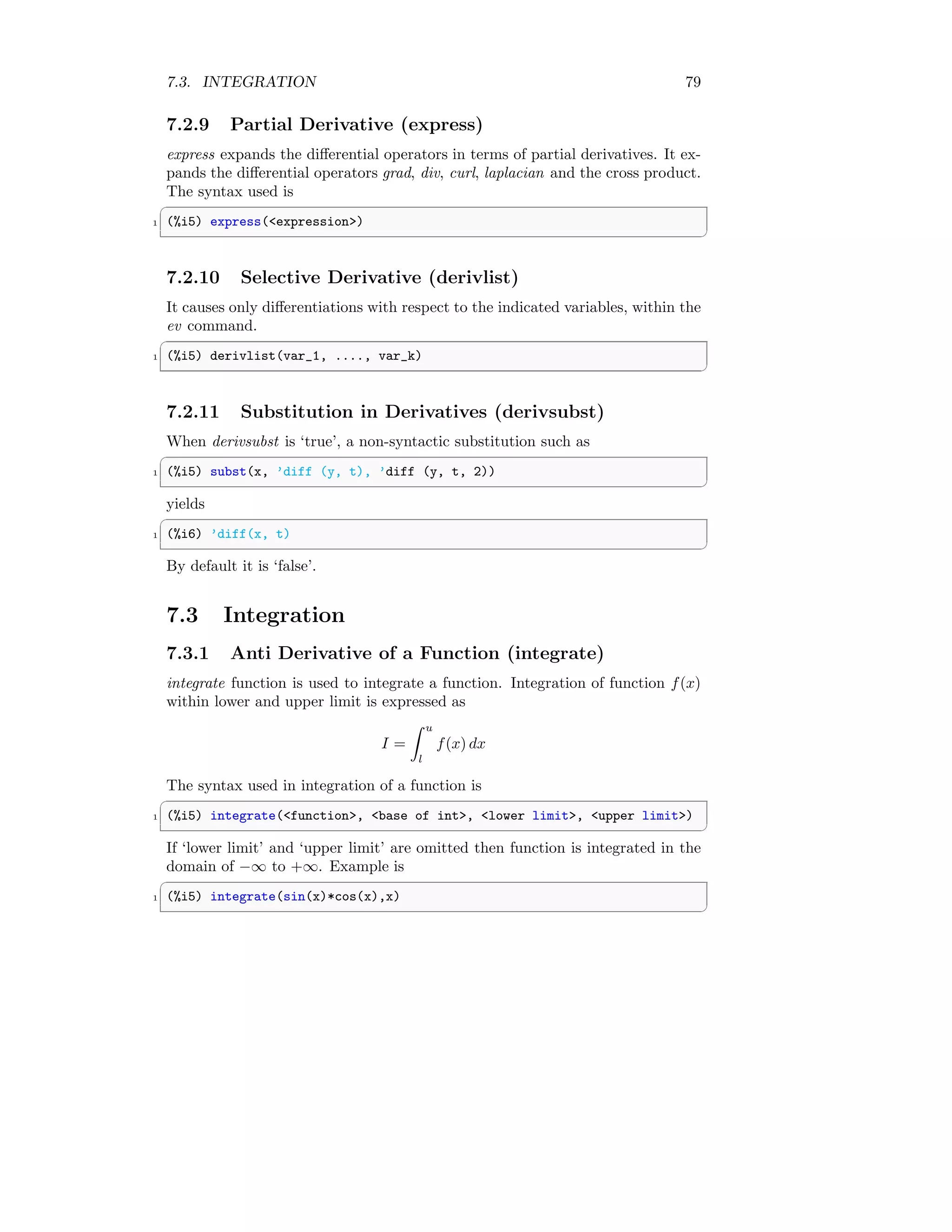
MAXIMA
Arun Umrao
www.sdmsacademy.in
DRAFT COPY - GPL LICENSING
2
Contents
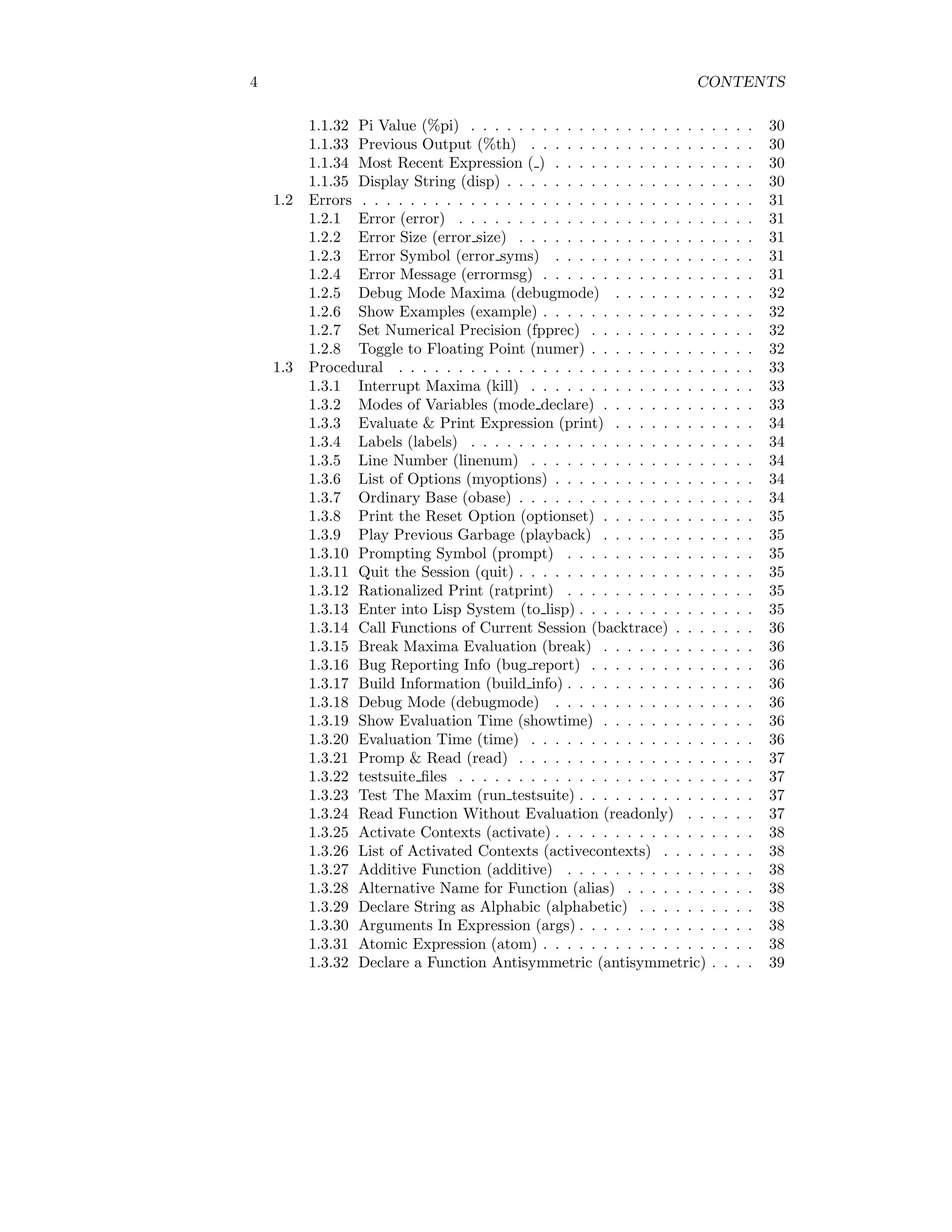
I Modelica Commands 17
1 Maxima Core 19
1.1 Mathematical . . . . . . . . . . . . . . . . . . . . . . . . . . . . . 19
1.1.1 Factorial Symbol (!) . . . . . . . . . . . . . . . . . . . . . 19
1.1.2 Double Factorial Symbol (!!) . . . . . . . . . . . . . . . . 19
1.1.3 Termination of Line (;) . . . . . . . . . . . . . . . . . . . 20
1.1.4 Negation of Expression (#) . . . . . . . . . . . . . . . . . 20
1.1.5 Evaluate Internally & No Output ($) . . . . . . . . . . . . 20
1.1.6 Do Not Execute Function (’) . . . . . . . . . . . . . . . . 20
1.1.7 Re-evaluation of Specific Input (“) . . . . . . . . . . . . . 21
1.1.8 Variable Assigning Operator (:) . . . . . . . . . . . . . . . 21
1.1.9 Operator Assigner (::) . . . . . . . . . . . . . . . . . . . . 21
1.1.10 Macro Function Definition Operator (::=) . . . . . . . . . 22
1.1.11 Function Operator (:=) . . . . . . . . . . . . . . . . . . . 22
1.1.12 Sum Operator (+) . . . . . . . . . . . . . . . . . . . . . . 23
1.1.13 Subtraction Operator (-) . . . . . . . . . . . . . . . . . . . 23
1.1.14 Product Operator (*) . . . . . . . . . . . . . . . . . . . . 24
1.1.15 Division Operator (/) . . . . . . . . . . . . . . . . . . . . 24
1.1.16 Exponential Operator (ˆ) . . . . . . . . . . . . . . . . . . 25
1.1.17 Equal Operator (=) . . . . . . . . . . . . . . . . . . . . . 26
1.1.18 Less Than Operator (<) . . . . . . . . . . . . . . . . . . . 26
1.1.19 Grater Than Operator (>) . . . . . . . . . . . . . . . . . 26
1.1.20 Less Than or Equals To Operator (<=) . . . . . . . . . . 27
1.1.21 Greater Than or Equals To Operator (>=) . . . . . . . . 27
1.1.22 Lisp Name (?) . . . . . . . . . . . . . . . . . . . . . . . . 27
1.1.23 A List ([ ... ]) . . . . . . . . . . . . . . . . . . . . . . . . . 27
1.1.24 Call Last Garbage (%) . . . . . . . . . . . . . . . . . . . . 28
1.1.25 Previous Statement (%%) . . . . . . . . . . . . . . . . . . 28
1.1.26 Exponential (%e) . . . . . . . . . . . . . . . . . . . . . . . 28
1.1.27 %e to numlog . . . . . . . . . . . . . . . . . . . . . . . . . 29
1.1.28 Negative Exponent as a Quotient (%edispflag) . . . . . . 29
1.1.29 Demoivre Mode (%emode) . . . . . . . . . . . . . . . . . 29
1.1.30 Exponential Numerical (%enumer) . . . . . . . . . . . . . 29
1.1.31 Gamma Constant (%gamma) . . . . . . . . . . . . . . . . 30
3
4 CONTENTS
1.1.32 Pi Value (%pi) . . . . . . . . . . . . . . . . . . . . . . . . 30
1.1.33 Previous Output (%th) . . . . . . . . . . . . . . . . . . . 30
1.1.34 Most Recent Expression ( ) . . . . . . . . . . . . . . . . . 30
1.1.35 Display String (disp) . . . . . . . . . . . . . . . . . . . . . 30
1.2 Errors . . . . . . . . . . . . . . . . . . . . . . . . . . . . . . . . . 31
1.2.1 Error (error) . . . . . . . . . . . . . . . . . . . . . . . . . 31
1.2.2 Error Size (error size) . . . . . . . . . . . . . . . . . . . . 31
1.2.3 Error Symbol (error syms) . . . . . . . . . . . . . . . . . 31
1.2.4 Error Message (errormsg) . . . . . . . . . . . . . . . . . . 31
1.2.5 Debug Mode Maxima (debugmode) . . . . . . . . . . . . 32
1.2.6 Show Examples (example) . . . . . . . . . . . . . . . . . . 32
1.2.7 Set Numerical Precision (fpprec) . . . . . . . . . . . . . . 32
1.2.8 Toggle to Floating Point (numer) . . . . . . . . . . . . . . 32
1.3 Procedural . . . . . . . . . . . . . . . . . . . . . . . . . . . . . . 33
1.3.1 Interrupt Maxima (kill) . . . . . . . . . . . . . . . . . . . 33
1.3.2 Modes of Variables (mode declare) . . . . . . . . . . . . . 33
1.3.3 Evaluate & Print Expression (print) . . . . . . . . . . . . 34
1.3.4 Labels (labels) . . . . . . . . . . . . . . . . . . . . . . . . 34
1.3.5 Line Number (linenum) . . . . . . . . . . . . . . . . . . . 34
1.3.6 List of Options (myoptions) . . . . . . . . . . . . . . . . . 34
1.3.7 Ordinary Base (obase) . . . . . . . . . . . . . . . . . . . . 34
1.3.8 Print the Reset Option (optionset) . . . . . . . . . . . . . 35
1.3.9 Play Previous Garbage (playback) . . . . . . . . . . . . . 35
1.3.10 Prompting Symbol (prompt) . . . . . . . . . . . . . . . . 35
1.3.11 Quit the Session (quit) . . . . . . . . . . . . . . . . . . . . 35
1.3.12 Rationalized Print (ratprint) . . . . . . . . . . . . . . . . 35
1.3.13 Enter into Lisp System (to lisp) . . . . . . . . . . . . . . . 35
1.3.14 Call Functions of Current Session (backtrace) . . . . . . . 36
1.3.15 Break Maxima Evaluation (break) . . . . . . . . . . . . . 36
1.3.16 Bug Reporting Info (bug report) . . . . . . . . . . . . . . 36
1.3.17 Build Information (build info) . . . . . . . . . . . . . . . . 36
1.3.18 Debug Mode (debugmode) . . . . . . . . . . . . . . . . . 36
1.3.19 Show Evaluation Time (showtime) . . . . . . . . . . . . . 36
1.3.20 Evaluation Time (time) . . . . . . . . . . . . . . . . . . . 36
1.3.21 Promp & Read (read) . . . . . . . . . . . . . . . . . . . . 37
1.3.22 testsuite files . . . . . . . . . . . . . . . . . . . . . . . . . 37
1.3.23 Test The Maxim (run testsuite) . . . . . . . . . . . . . . . 37
1.3.24 Read Function Without Evaluation (readonly) . . . . . . 37
1.3.25 Activate Contexts (activate) . . . . . . . . . . . . . . . . . 38
1.3.26 List of Activated Contexts (activecontexts) . . . . . . . . 38
1.3.27 Additive Function (additive) . . . . . . . . . . . . . . . . 38
1.3.28 Alternative Name for Function (alias) . . . . . . . . . . . 38
1.3.29 Declare String as Alphabic (alphabetic) . . . . . . . . . . 38
1.3.30 Arguments In Expression (args) . . . . . . . . . . . . . . . 38
1.3.31 Atomic Expression (atom) . . . . . . . . . . . . . . . . . . 38
1.3.32 Declare a Function Antisymmetric (antisymmetric) . . . . 39
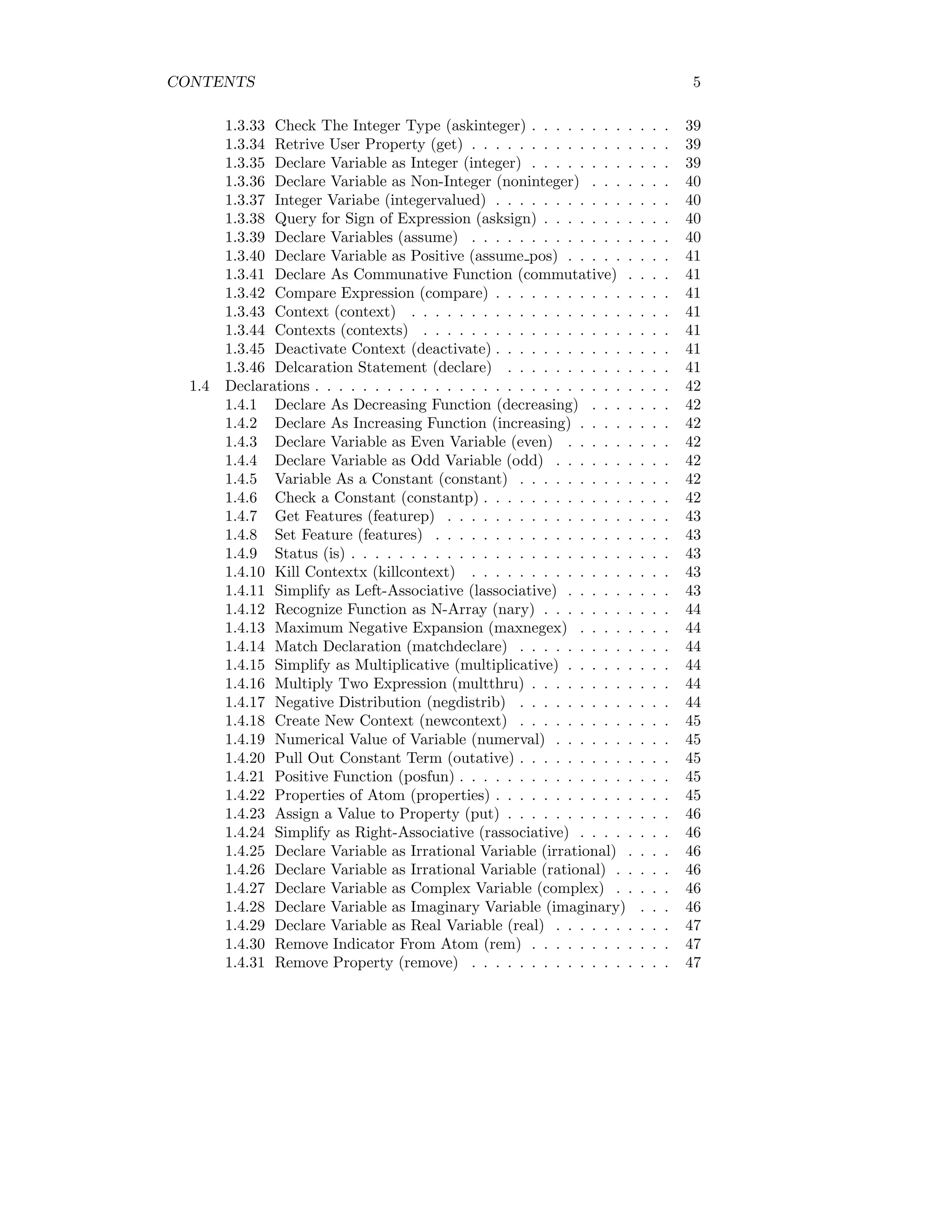
CONTENTS 5
1.3.33 Check The Integer Type (askinteger) . . . . . . . . . . . . 39
1.3.34 Retrive User Property (get) . . . . . . . . . . . . . . . . . 39
1.3.35 Declare Variable as Integer (integer) . . . . . . . . . . . . 39
1.3.36 Declare Variable as Non-Integer (noninteger) . . . . . . . 40
1.3.37 Integer Variabe (integervalued) . . . . . . . . . . . . . . . 40
1.3.38 Query for Sign of Expression (asksign) . . . . . . . . . . . 40
1.3.39 Declare Variables (assume) . . . . . . . . . . . . . . . . . 40
1.3.40 Declare Variable as Positive (assume pos) . . . . . . . . . 41
1.3.41 Declare As Communative Function (commutative) . . . . 41
1.3.42 Compare Expression (compare) . . . . . . . . . . . . . . . 41
1.3.43 Context (context) . . . . . . . . . . . . . . . . . . . . . . 41
1.3.44 Contexts (contexts) . . . . . . . . . . . . . . . . . . . . . 41
1.3.45 Deactivate Context (deactivate) . . . . . . . . . . . . . . . 41
1.3.46 Delcaration Statement (declare) . . . . . . . . . . . . . . 41
1.4 Declarations . . . . . . . . . . . . . . . . . . . . . . . . . . . . . . 42
1.4.1 Declare As Decreasing Function (decreasing) . . . . . . . 42
1.4.2 Declare As Increasing Function (increasing) . . . . . . . . 42
1.4.3 Declare Variable as Even Variable (even) . . . . . . . . . 42
1.4.4 Declare Variable as Odd Variable (odd) . . . . . . . . . . 42
1.4.5 Variable As a Constant (constant) . . . . . . . . . . . . . 42
1.4.6 Check a Constant (constantp) . . . . . . . . . . . . . . . . 42
1.4.7 Get Features (featurep) . . . . . . . . . . . . . . . . . . . 43
1.4.8 Set Feature (features) . . . . . . . . . . . . . . . . . . . . 43
1.4.9 Status (is) . . . . . . . . . . . . . . . . . . . . . . . . . . . 43
1.4.10 Kill Contextx (killcontext) . . . . . . . . . . . . . . . . . 43
1.4.11 Simplify as Left-Associative (lassociative) . . . . . . . . . 43
1.4.12 Recognize Function as N-Array (nary) . . . . . . . . . . . 44
1.4.13 Maximum Negative Expansion (maxnegex) . . . . . . . . 44
1.4.14 Match Declaration (matchdeclare) . . . . . . . . . . . . . 44
1.4.15 Simplify as Multiplicative (multiplicative) . . . . . . . . . 44
1.4.16 Multiply Two Expression (multthru) . . . . . . . . . . . . 44
1.4.17 Negative Distribution (negdistrib) . . . . . . . . . . . . . 44
1.4.18 Create New Context (newcontext) . . . . . . . . . . . . . 45
1.4.19 Numerical Value of Variable (numerval) . . . . . . . . . . 45
1.4.20 Pull Out Constant Term (outative) . . . . . . . . . . . . . 45
1.4.21 Positive Function (posfun) . . . . . . . . . . . . . . . . . . 45
1.4.22 Properties of Atom (properties) . . . . . . . . . . . . . . . 45
1.4.23 Assign a Value to Property (put) . . . . . . . . . . . . . . 46
1.4.24 Simplify as Right-Associative (rassociative) . . . . . . . . 46
1.4.25 Declare Variable as Irrational Variable (irrational) . . . . 46
1.4.26 Declare Variable as Irrational Variable (rational) . . . . . 46
1.4.27 Declare Variable as Complex Variable (complex) . . . . . 46
1.4.28 Declare Variable as Imaginary Variable (imaginary) . . . 46
1.4.29 Declare Variable as Real Variable (real) . . . . . . . . . . 47
1.4.30 Remove Indicator From Atom (rem) . . . . . . . . . . . . 47
1.4.31 Remove Property (remove) . . . . . . . . . . . . . . . . . 47
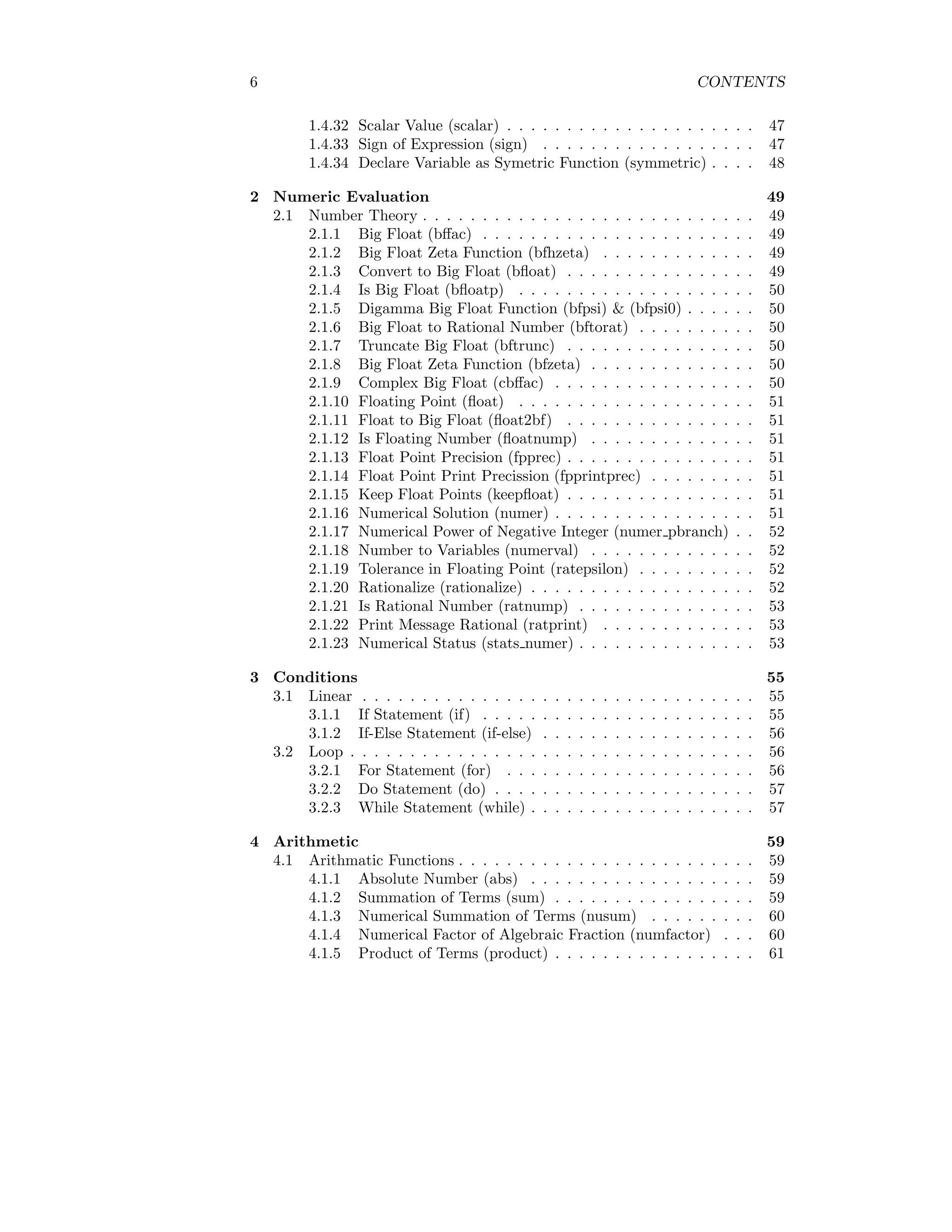
6 CONTENTS
1.4.32 Scalar Value (scalar) . . . . . . . . . . . . . . . . . . . . . 47
1.4.33 Sign of Expression (sign) . . . . . . . . . . . . . . . . . . 47
1.4.34 Declare Variable as Symetric Function (symmetric) . . . . 48
2 Numeric Evaluation 49
2.1 Number Theory . . . . . . . . . . . . . . . . . . . . . . . . . . . . 49
2.1.1 Big Float (bffac) . . . . . . . . . . . . . . . . . . . . . . . 49
2.1.2 Big Float Zeta Function (bfhzeta) . . . . . . . . . . . . . 49
2.1.3 Convert to Big Float (bfloat) . . . . . . . . . . . . . . . . 49
2.1.4 Is Big Float (bfloatp) . . . . . . . . . . . . . . . . . . . . 50
2.1.5 Digamma Big Float Function (bfpsi) & (bfpsi0) . . . . . . 50
2.1.6 Big Float to Rational Number (bftorat) . . . . . . . . . . 50
2.1.7 Truncate Big Float (bftrunc) . . . . . . . . . . . . . . . . 50
2.1.8 Big Float Zeta Function (bfzeta) . . . . . . . . . . . . . . 50
2.1.9 Complex Big Float (cbffac) . . . . . . . . . . . . . . . . . 50
2.1.10 Floating Point (float) . . . . . . . . . . . . . . . . . . . . 51
2.1.11 Float to Big Float (float2bf) . . . . . . . . . . . . . . . . 51
2.1.12 Is Floating Number (floatnump) . . . . . . . . . . . . . . 51
2.1.13 Float Point Precision (fpprec) . . . . . . . . . . . . . . . . 51
2.1.14 Float Point Print Precission (fpprintprec) . . . . . . . . . 51
2.1.15 Keep Float Points (keepfloat) . . . . . . . . . . . . . . . . 51
2.1.16 Numerical Solution (numer) . . . . . . . . . . . . . . . . . 51
2.1.17 Numerical Power of Negative Integer (numer pbranch) . . 52
2.1.18 Number to Variables (numerval) . . . . . . . . . . . . . . 52
2.1.19 Tolerance in Floating Point (ratepsilon) . . . . . . . . . . 52
2.1.20 Rationalize (rationalize) . . . . . . . . . . . . . . . . . . . 52
2.1.21 Is Rational Number (ratnump) . . . . . . . . . . . . . . . 53
2.1.22 Print Message Rational (ratprint) . . . . . . . . . . . . . 53
2.1.23 Numerical Status (stats numer) . . . . . . . . . . . . . . . 53
3 Conditions 55
3.1 Linear . . . . . . . . . . . . . . . . . . . . . . . . . . . . . . . . . 55
3.1.1 If Statement (if) . . . . . . . . . . . . . . . . . . . . . . . 55
3.1.2 If-Else Statement (if-else) . . . . . . . . . . . . . . . . . . 56
3.2 Loop . . . . . . . . . . . . . . . . . . . . . . . . . . . . . . . . . . 56
3.2.1 For Statement (for) . . . . . . . . . . . . . . . . . . . . . 56
3.2.2 Do Statement (do) . . . . . . . . . . . . . . . . . . . . . . 57
3.2.3 While Statement (while) . . . . . . . . . . . . . . . . . . . 57
4 Arithmetic 59
4.1 Arithmatic Functions . . . . . . . . . . . . . . . . . . . . . . . . . 59
4.1.1 Absolute Number (abs) . . . . . . . . . . . . . . . . . . . 59
4.1.2 Summation of Terms (sum) . . . . . . . . . . . . . . . . . 59
4.1.3 Numerical Summation of Terms (nusum) . . . . . . . . . 60
4.1.4 Numerical Factor of Algebraic Fraction (numfactor) . . . 60
4.1.5 Product of Terms (product) . . . . . . . . . . . . . . . . . 61
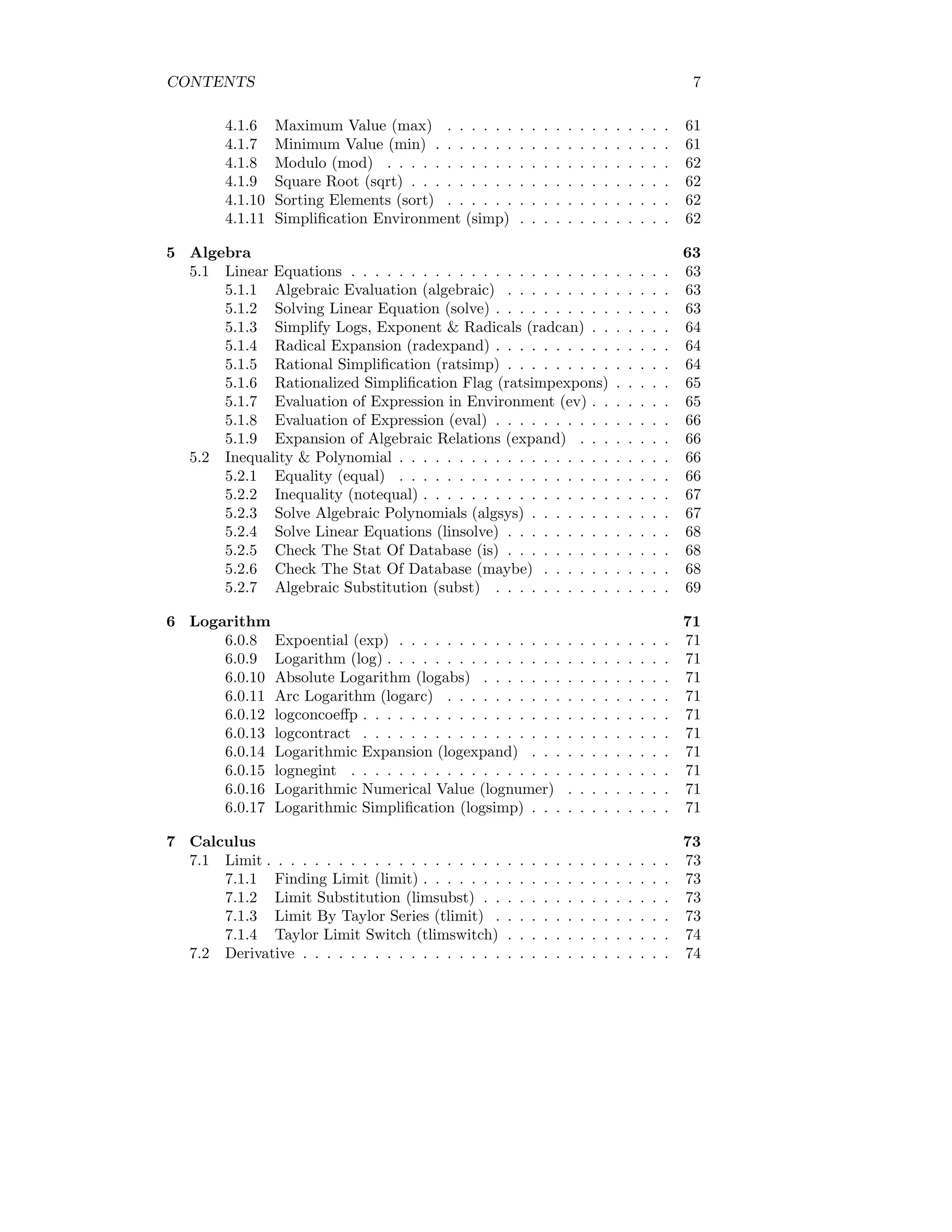
CONTENTS 7
4.1.6 Maximum Value (max) . . . . . . . . . . . . . . . . . . . 61
4.1.7 Minimum Value (min) . . . . . . . . . . . . . . . . . . . . 61
4.1.8 Modulo (mod) . . . . . . . . . . . . . . . . . . . . . . . . 62
4.1.9 Square Root (sqrt) . . . . . . . . . . . . . . . . . . . . . . 62
4.1.10 Sorting Elements (sort) . . . . . . . . . . . . . . . . . . . 62
4.1.11 Simplification Environment (simp) . . . . . . . . . . . . . 62
5 Algebra 63
5.1 Linear Equations . . . . . . . . . . . . . . . . . . . . . . . . . . . 63
5.1.1 Algebraic Evaluation (algebraic) . . . . . . . . . . . . . . 63
5.1.2 Solving Linear Equation (solve) . . . . . . . . . . . . . . . 63
5.1.3 Simplify Logs, Exponent & Radicals (radcan) . . . . . . . 64
5.1.4 Radical Expansion (radexpand) . . . . . . . . . . . . . . . 64
5.1.5 Rational Simplification (ratsimp) . . . . . . . . . . . . . . 64
5.1.6 Rationalized Simplification Flag (ratsimpexpons) . . . . . 65
5.1.7 Evaluation of Expression in Environment (ev) . . . . . . . 65
5.1.8 Evaluation of Expression (eval) . . . . . . . . . . . . . . . 66
5.1.9 Expansion of Algebraic Relations (expand) . . . . . . . . 66
5.2 Inequality & Polynomial . . . . . . . . . . . . . . . . . . . . . . . 66
5.2.1 Equality (equal) . . . . . . . . . . . . . . . . . . . . . . . 66
5.2.2 Inequality (notequal) . . . . . . . . . . . . . . . . . . . . . 67
5.2.3 Solve Algebraic Polynomials (algsys) . . . . . . . . . . . . 67
5.2.4 Solve Linear Equations (linsolve) . . . . . . . . . . . . . . 68
5.2.5 Check The Stat Of Database (is) . . . . . . . . . . . . . . 68
5.2.6 Check The Stat Of Database (maybe) . . . . . . . . . . . 68
5.2.7 Algebraic Substitution (subst) . . . . . . . . . . . . . . . 69
6 Logarithm 71
6.0.8 Expoential (exp) . . . . . . . . . . . . . . . . . . . . . . . 71
6.0.9 Logarithm (log) . . . . . . . . . . . . . . . . . . . . . . . . 71
6.0.10 Absolute Logarithm (logabs) . . . . . . . . . . . . . . . . 71
6.0.11 Arc Logarithm (logarc) . . . . . . . . . . . . . . . . . . . 71
6.0.12 logconcoeffp . . . . . . . . . . . . . . . . . . . . . . . . . . 71
6.0.13 logcontract . . . . . . . . . . . . . . . . . . . . . . . . . . 71
6.0.14 Logarithmic Expansion (logexpand) . . . . . . . . . . . . 71
6.0.15 lognegint . . . . . . . . . . . . . . . . . . . . . . . . . . . 71
6.0.16 Logarithmic Numerical Value (lognumer) . . . . . . . . . 71
6.0.17 Logarithmic Simplification (logsimp) . . . . . . . . . . . . 71
7 Calculus 73
7.1 Limit . . . . . . . . . . . . . . . . . . . . . . . . . . . . . . . . . . 73
7.1.1 Finding Limit (limit) . . . . . . . . . . . . . . . . . . . . . 73
7.1.2 Limit Substitution (limsubst) . . . . . . . . . . . . . . . . 73
7.1.3 Limit By Taylor Series (tlimit) . . . . . . . . . . . . . . . 73
7.1.4 Taylor Limit Switch (tlimswitch) . . . . . . . . . . . . . . 74
7.2 Derivative . . . . . . . . . . . . . . . . . . . . . . . . . . . . . . . 74
8 CONTENTS
7.2.1 Derivative of a Function (diff) . . . . . . . . . . . . . . . . 74
7.2.2 Partial Drivative (gradef) . . . . . . . . . . . . . . . . . . 76
7.2.3 Total Differential (del) . . . . . . . . . . . . . . . . . . . . 76
7.2.4 Dependence of Function (depends) . . . . . . . . . . . . . 77
7.2.5 Show Dependencies (dependencies) . . . . . . . . . . . . . 77
7.2.6 Notation of Derivative (derivabbrev) . . . . . . . . . . . . 77
7.2.7 Value of Function at a Point (atvalue) . . . . . . . . . . . 78
7.2.8 Degree of Derivative (derivdegree) . . . . . . . . . . . . . 78
7.2.9 Partial Derivative (express) . . . . . . . . . . . . . . . . . 79
7.2.10 Selective Derivative (derivlist) . . . . . . . . . . . . . . . . 79
7.2.11 Substitution in Derivatives (derivsubst) . . . . . . . . . . 79
7.3 Integration . . . . . . . . . . . . . . . . . . . . . . . . . . . . . . 79
7.3.1 Anti Derivative of a Function (integrate) . . . . . . . . . . 79
7.3.2 Changing The Variable (changevar) . . . . . . . . . . . . 80
7.3.3 Double Integration (dblint) . . . . . . . . . . . . . . . . . 80
8 Ordinary Differential Equation 83
8.1 Boundary Value Problems . . . . . . . . . . . . . . . . . . . . . . 83
8.1.1 Boundary Value Problem (bc2) . . . . . . . . . . . . . . . 83
8.1.2 Linear Ordinary Differential Equations (desolve) . . . . . 84
8.1.3 Initial Value Problem of First Order (ic1) . . . . . . . . . 84
8.1.4 Initial Value Problem of Second Order (ic2) . . . . . . . . 85
8.2 ODE . . . . . . . . . . . . . . . . . . . . . . . . . . . . . . . . . . 85
8.2.1 Ordinary Deferential Equation of Second Order (ode2) . . 85
9 Trigonometric 87
9.1 Trigonometric Functions . . . . . . . . . . . . . . . . . . . . . . . 87
9.1.1 Sine (sin) . . . . . . . . . . . . . . . . . . . . . . . . . . . 87
9.1.2 Cosine (cos) . . . . . . . . . . . . . . . . . . . . . . . . . . 87
9.1.3 Tangent (tan) . . . . . . . . . . . . . . . . . . . . . . . . . 88
9.1.4 Cotangent (cot) . . . . . . . . . . . . . . . . . . . . . . . . 88
9.1.5 Secant (sec) . . . . . . . . . . . . . . . . . . . . . . . . . . 89
9.1.6 Cosecant (cosec) . . . . . . . . . . . . . . . . . . . . . . . 89
9.2 Hyperbolic Trigonometric Functions . . . . . . . . . . . . . . . . 89
9.2.1 Hyperbolic Sine (sinh) . . . . . . . . . . . . . . . . . . . . 89
9.2.2 Hyperbolic Cosine (cosh) . . . . . . . . . . . . . . . . . . 90
9.2.3 Hyperbolic Tangent (tanh) . . . . . . . . . . . . . . . . . 90
9.2.4 Hyperbolic Cotangent (coth) . . . . . . . . . . . . . . . . 90
9.2.5 Hyperbolic Secant (sech) . . . . . . . . . . . . . . . . . . 91
9.2.6 Hyperbolic Cosecant (csch) . . . . . . . . . . . . . . . . . 91
9.3 Inverse Trigonometric Functions . . . . . . . . . . . . . . . . . . 91
9.3.1 Inverse Sine (asin) . . . . . . . . . . . . . . . . . . . . . . 91
9.3.2 Inverse Cosine (acos) . . . . . . . . . . . . . . . . . . . . . 91
9.3.3 Inverse Tangent (atan) . . . . . . . . . . . . . . . . . . . . 92
9.3.4 Inverse Tangent Type Two (atan2) . . . . . . . . . . . . . 92
9.3.5 Inverse Cotangent (acot) . . . . . . . . . . . . . . . . . . . 92
CONTENTS 9
9.3.6 Inverse Secant (asec) . . . . . . . . . . . . . . . . . . . . . 93
9.3.7 Inverse Cosecant (acsc) . . . . . . . . . . . . . . . . . . . 93
9.4 Inverse Hyperbolic Trigonometric Functions . . . . . . . . . . . . 93
9.4.1 Inverse Hyperbolic Sine (asinh) . . . . . . . . . . . . . . . 93
9.4.2 Inverse Hyperbolic Cosine (acosh) . . . . . . . . . . . . . 94
9.4.3 Inverse Hyperbolic Tangent (atanh) . . . . . . . . . . . . 94
9.4.4 Inverse Hyperbolic Cotangent (acoth) . . . . . . . . . . . 95
9.4.5 Inverse Hyperbolic Secant (asech) . . . . . . . . . . . . . 95
9.4.6 Inverse Hyperbolic Cosecant (acsch) . . . . . . . . . . . . 95
9.5 Trigonometric Identities . . . . . . . . . . . . . . . . . . . . . . . 96
9.5.1 Half Angle (halfangles) . . . . . . . . . . . . . . . . . . . 96
9.5.2 Expansion of Trigonometric Functions (trigexpand) . . . . 96
9.5.3 Sum of Arguments (trigexpandplus) . . . . . . . . . . . . 97
9.5.4 Product of Arguments (trigexpandtimes) . . . . . . . . . 97
9.5.5 Inverse Sequence Flag (triginverses) . . . . . . . . . . . . 98
9.5.6 Expansion of Rational Fractions (trigrat) . . . . . . . . . 98
9.5.7 Reduce Trigonometric Expressions (trigreduce) . . . . . . 99
9.5.8 Negative Arguments Simplification (trigsign) . . . . . . . 99
9.5.9 Trigonometric Simplification (trigsimp) . . . . . . . . . . 99
9.5.10 Demoivre Expansion (demoivre) . . . . . . . . . . . . . . 99
10 Matrix 101
10.1 Mathematical Operaton . . . . . . . . . . . . . . . . . . . . . . . 101
10.1.1 Matrix (matrix) . . . . . . . . . . . . . . . . . . . . . . . 101
10.1.2 Scalar Addition of Matrices (+) . . . . . . . . . . . . . . . 101
10.1.3 Scalar Subtraction of Matrices (-) . . . . . . . . . . . . . 102
10.1.4 Scalar Multiplication of Matrices (*) . . . . . . . . . . . . 102
10.1.5 Scalar Division of Matrix (/) . . . . . . . . . . . . . . . . 103
10.1.6 Exponent of Matrix (ˆ) . . . . . . . . . . . . . . . . . . . 103
10.1.7 Matrix Dot Product (.) . . . . . . . . . . . . . . . . . . . 104
10.2 Inverse of Matrix . . . . . . . . . . . . . . . . . . . . . . . . . . . 105
10.2.1 Invert of Matrix Elements (Aˆ-1) . . . . . . . . . . . . . . 105
10.2.2 Inverse of a Matrix (Aˆˆ-1) . . . . . . . . . . . . . . . . . 105
10.2.3 Append Columns (addcol) . . . . . . . . . . . . . . . . . . 105
10.2.4 Append Rows (addrow) . . . . . . . . . . . . . . . . . . . 106
10.2.5 Ajoint of Matrix (adjoint) . . . . . . . . . . . . . . . . . . 106
10.2.6 Augmented Matrix (augcoefmatrix) . . . . . . . . . . . . 106
10.2.7 Cauchy Matrix (cauchy matrix) . . . . . . . . . . . . . . . 107
10.2.8 Characteristics Polynomial (charpoly) . . . . . . . . . . . 108
10.2.9 Coefficient Matrix (coefmatrix) . . . . . . . . . . . . . . . 108
10.2.10Columns of Matrix (col) . . . . . . . . . . . . . . . . . . . 108
10.2.11Column Vectors (columnvector) . . . . . . . . . . . . . . . 109
10.2.12Copy Matrix (copymatrix) . . . . . . . . . . . . . . . . . . 109
10.2.13Determinant Of Matrix (determinant) . . . . . . . . . . . 109
10.2.14Determinant As Fraction (detout) . . . . . . . . . . . . . 109
10.2.15Diagonal Matrix (diagmatrix) . . . . . . . . . . . . . . . . 110
10 CONTENTS
10.2.16Do All Matrix Operations (doallmxops) . . . . . . . . . . 110
10.2.17Do Exponent Operations (domxexpt) . . . . . . . . . . . 110
10.2.18Do Matrix-Matrix Operations (domxmxops) . . . . . . . . 110
10.2.19Do Matrix Products (domxnctimes) . . . . . . . . . . . . 110
10.2.20Do Not Factorize (dontfactor) . . . . . . . . . . . . . . . . 110
10.2.21Do Scalar Matrix Operations (doscmxops) . . . . . . . . . 111
10.2.22Do Scalar Matrix Operation as Matrix (doscmxplus) . . . 111
10.2.23Product of Zero & Non-Scalar Term (dot0nscsimp) . . . . 111
10.2.24Product of Zero & Scalar Term (dot0simp) . . . . . . . . 111
10.2.25Product of One & Other Term (dot1simp) . . . . . . . . . 111
10.2.26Associative of Dot Product (dotassoc) . . . . . . . . . . . 111
10.2.27Product of Constant & Other Term (dotconstrules) . . . . 111
10.2.28Distribution in Dot Product (dotdistrib) . . . . . . . . . . 111
10.2.29Simplified to Exponent (dotexptsimp) . . . . . . . . . . . 111
10.2.30Zero Exponsnt (dotident) . . . . . . . . . . . . . . . . . . 112
10.2.31Dot Screw Rules (dotscrules) . . . . . . . . . . . . . . . . 112
10.3 Matrix Characteristics . . . . . . . . . . . . . . . . . . . . . . . . 112
10.3.1 Echelon Form of Matrix (echelon) . . . . . . . . . . . . . 112
10.3.2 Eigenvalues (eivals) . . . . . . . . . . . . . . . . . . . . . . 112
10.3.3 Eigenvectors (eivects) . . . . . . . . . . . . . . . . . . . . 113
10.3.4 Except Matrix (ematrix) . . . . . . . . . . . . . . . . . . . 113
10.3.5 User Matrix (entermatrix) . . . . . . . . . . . . . . . . . . 113
10.3.6 Generate Matrix (genmatrix) . . . . . . . . . . . . . . . . 114
10.3.7 Identity Matrix (ident) . . . . . . . . . . . . . . . . . . . . 114
10.3.8 Inverse Matrix (invert) . . . . . . . . . . . . . . . . . . . . 114
10.3.9 List Elements of Matrix (list matrix entries) . . . . . . . 115
10.3.10Left Side Delimiter (lmxchar) . . . . . . . . . . . . . . . . 115
10.3.11Right Side Delimiter (rmxchar) . . . . . . . . . . . . . . . 115
10.3.12Adjoin Matrix (adjoin) . . . . . . . . . . . . . . . . . . . . 115
10.3.13Transpose of a Matrix (transpose) . . . . . . . . . . . . . 115
10.3.14Mapping of Matrix (matrixmap) . . . . . . . . . . . . . . 116
10.3.15Expression As Matrix (matrixp) . . . . . . . . . . . . . . 116
10.3.16Trace of Matrix (mattrace) . . . . . . . . . . . . . . . . . 116
10.3.17Minor of Matrix (minor) . . . . . . . . . . . . . . . . . . . 116
10.3.18Determinant of Matrix (newdet) . . . . . . . . . . . . . . 117
10.3.19Permanent of Matrix (permanent) . . . . . . . . . . . . . 117
10.3.20Rank of Matrix (rank) . . . . . . . . . . . . . . . . . . . . 117
10.3.21Rationalize to Matrix (ratmx) . . . . . . . . . . . . . . . . 117
10.3.22Row of Matrix (row) . . . . . . . . . . . . . . . . . . . . . 117
10.3.23Solve To Scalar Matrix (scalarmatrixp) . . . . . . . . . . 118
10.3.24Sub Matrix (submatrix) . . . . . . . . . . . . . . . . . . . 118
10.3.25Triangularization of Matrix (triangularize) . . . . . . . . . 118
10.3.26Zero Matix (zeromatrix) . . . . . . . . . . . . . . . . . . . 118
10.3.27Matrix Element Transpose (matrix element transpose) . . 118
10.3.28Matrix Element Multiplication (matrix element mult) . . 119
10.3.29Matrix Element Addition (matrix element add) . . . . . . 119
CONTENTS 11
10.4 Solution of Matrix . . . . . . . . . . . . . . . . . . . . . . . . . . 119
11 Array 121
12 Special Functions 123
12.1 airy . . . . . . . . . . . . . . . . . . . . . . . . . . . . . . . . . . 123
12.1.1 airy ai . . . . . . . . . . . . . . . . . . . . . . . . . . . . . 123
12.1.2 airy bi . . . . . . . . . . . . . . . . . . . . . . . . . . . . . 123
12.1.3 airy dai . . . . . . . . . . . . . . . . . . . . . . . . . . . . 123
12.1.4 airy dbi . . . . . . . . . . . . . . . . . . . . . . . . . . . . 123
12.2 Bessel Function . . . . . . . . . . . . . . . . . . . . . . . . . . . . 123
12.2.1 Bessel Function of First Kind (bessel j) . . . . . . . . . . 123
12.2.2 Bessel Function of Second Kind (bessel y) . . . . . . . . . 124
12.2.3 Hyperbolic Bessel Function of First Kind (bessel i) . . . . 124
12.2.4 Hyperbolic Bessel Function of Second Kind (bessel k) . . 125
12.2.5 Expansion of Bessel Function (besselexpand) . . . . . . . 125
12.3 Beta Function (beta) . . . . . . . . . . . . . . . . . . . . . . . . . 125
12.4 Gamma Function (gamma) . . . . . . . . . . . . . . . . . . . . . 126
12.5 Euler Function (euler) . . . . . . . . . . . . . . . . . . . . . . . . 126
12.6 Error Function (erf) . . . . . . . . . . . . . . . . . . . . . . . . . 127
12.7 Laplace Transform (laplace) . . . . . . . . . . . . . . . . . . . . . 127
12.7.1 Inverse Laplace Transform (ilt) . . . . . . . . . . . . . . . 127
12.8 Lagrange Polynomial (lagrange) . . . . . . . . . . . . . . . . . . . 128
12.9 Laguerre Polynomial (laguerre) . . . . . . . . . . . . . . . . . . . 128
12.10Legendre Polynomial . . . . . . . . . . . . . . . . . . . . . . . . . 128
12.10.1Legendre Polynomial of First Kind(legendre p) . . . . . . 129
12.10.2Legendre Polynomial of Second Kind(legendre q) . . . . . 129
12.11Jacobians . . . . . . . . . . . . . . . . . . . . . . . . . . . . . . . 130
12.11.1jacobi . . . . . . . . . . . . . . . . . . . . . . . . . . . . . 130
12.11.2jacobi cd . . . . . . . . . . . . . . . . . . . . . . . . . . . 130
12.11.3jacobi cn . . . . . . . . . . . . . . . . . . . . . . . . . . . 130
12.11.4jacobi cs . . . . . . . . . . . . . . . . . . . . . . . . . . . . 130
12.11.5jacobi dc . . . . . . . . . . . . . . . . . . . . . . . . . . . 130
12.11.6jacobi dn . . . . . . . . . . . . . . . . . . . . . . . . . . . 130
12.11.7jacobi ds . . . . . . . . . . . . . . . . . . . . . . . . . . . 130
12.11.8jacobi nc . . . . . . . . . . . . . . . . . . . . . . . . . . . 130
12.11.9jacobi nd . . . . . . . . . . . . . . . . . . . . . . . . . . . 130
12.11.10
jacobi ns . . . . . . . . . . . . . . . . . . . . . . . . . . . 130
12.11.11
jacobi p . . . . . . . . . . . . . . . . . . . . . . . . . . . . 130
12.11.12
jacobi sc . . . . . . . . . . . . . . . . . . . . . . . . . . . . 130
12.11.13
jacobi sd . . . . . . . . . . . . . . . . . . . . . . . . . . . 130
12.11.14
jacobi sn . . . . . . . . . . . . . . . . . . . . . . . . . . . 130
12.11.15
inverse jacobi cd . . . . . . . . . . . . . . . . . . . . . . . 130
12.11.16
inverse jacobi cn . . . . . . . . . . . . . . . . . . . . . . . 130
12.11.17
inverse jacobi cs . . . . . . . . . . . . . . . . . . . . . . . 130
12.11.18
inverse jacobi dc . . . . . . . . . . . . . . . . . . . . . . . 130
12 CONTENTS
12.11.19
inverse jacobi dn . . . . . . . . . . . . . . . . . . . . . . . 130
12.11.20
inverse jacobi ds . . . . . . . . . . . . . . . . . . . . . . . 130
12.11.21
inverse jacobi nc . . . . . . . . . . . . . . . . . . . . . . . 130
12.11.22
inverse jacobi nd . . . . . . . . . . . . . . . . . . . . . . . 130
12.11.23
inverse jacobi ns . . . . . . . . . . . . . . . . . . . . . . . 130
12.11.24
inverse jacobi sc . . . . . . . . . . . . . . . . . . . . . . . 130
12.11.25
inverse jacobi sd . . . . . . . . . . . . . . . . . . . . . . . 130
12.11.26
inverse jacobi sn . . . . . . . . . . . . . . . . . . . . . . . 130
12.12fourier . . . . . . . . . . . . . . . . . . . . . . . . . . . . . . . . . 130
12.12.1fourint . . . . . . . . . . . . . . . . . . . . . . . . . . . . . 130
12.12.2fourintcos . . . . . . . . . . . . . . . . . . . . . . . . . . . 130
12.12.3fourintsin . . . . . . . . . . . . . . . . . . . . . . . . . . . 130
12.12.4foursimp . . . . . . . . . . . . . . . . . . . . . . . . . . . . 130
12.12.5foursin . . . . . . . . . . . . . . . . . . . . . . . . . . . . . 130
12.13elliptic . . . . . . . . . . . . . . . . . . . . . . . . . . . . . . . . . 130
12.13.1elliptic e . . . . . . . . . . . . . . . . . . . . . . . . . . . . 130
12.13.2elliptic ec . . . . . . . . . . . . . . . . . . . . . . . . . . . 130
12.13.3elliptic eu . . . . . . . . . . . . . . . . . . . . . . . . . . . 130
12.13.4elliptic f . . . . . . . . . . . . . . . . . . . . . . . . . . . . 130
12.13.5elliptic kc . . . . . . . . . . . . . . . . . . . . . . . . . . . 130
12.13.6elliptic pi . . . . . . . . . . . . . . . . . . . . . . . . . . . 130
13 Graphics 131
13.1 Contour Plot (contour plot) . . . . . . . . . . . . . . . . . . . . . 131
13.2 Plotting 2D Plot (plot2d) . . . . . . . . . . . . . . . . . . . . . . 132
13.3 Three Dimensional Plotting (plot3d) . . . . . . . . . . . . . . . . 133
13.4 Finding Plot Options (plot options) . . . . . . . . . . . . . . . . 133
13.5 Set Plot Options (set plot option) . . . . . . . . . . . . . . . . . 135
13.6 Spherical To Cartesian (spherical to xyz) . . . . . . . . . . . . . 136
14 Binary Operations 137
14.1 AND Operation (and) . . . . . . . . . . . . . . . . . . . . . . . . 137
14.2 OR Operation (or) . . . . . . . . . . . . . . . . . . . . . . . . . . 137
14.3 NOT Operation (not) . . . . . . . . . . . . . . . . . . . . . . . . 137
15 File Operations 139
15.1 Reading . . . . . . . . . . . . . . . . . . . . . . . . . . . . . . . . 139
15.1.1 Append Console Transcript to File (appendfile) . . . . . . 139
15.1.2 Read File & Evaluate (batch) . . . . . . . . . . . . . . . . 139
15.1.3 Type of File (file type) . . . . . . . . . . . . . . . . . . . . 139
15.1.4 Evaluation From File From Directory (load) . . . . . . . . 140
15.1.5 Evaluation From File (loadfile) . . . . . . . . . . . . . . . 140
15.1.6 File Load Path Name (load pathname) . . . . . . . . . . . 140
15.1.7 File Load Print Message (loadprint) . . . . . . . . . . . . 140
15.1.8 Show File Contents In Console (printfile) . . . . . . . . . 140
15.1.9 Evaluates Expression From File (batchload) . . . . . . . . 140
CONTENTS 13
15.2 Writing . . . . . . . . . . . . . . . . . . . . . . . . . . . . . . . . 141
15.2.1 Write Transcript in File (writefile) . . . . . . . . . . . . . 141
15.2.2 Write Expressions to File (stringout) . . . . . . . . . . . . 141
15.2.3 file output append . . . . . . . . . . . . . . . . . . . . . . 141
15.2.4 Write Output To a File (with stdout) . . . . . . . . . . . 141
15.2.5 Save A File (save) . . . . . . . . . . . . . . . . . . . . . . 142
15.2.6 Close Opened File (closefile) . . . . . . . . . . . . . . . . 142
15.3 Search . . . . . . . . . . . . . . . . . . . . . . . . . . . . . . . . . 143
15.3.1 file search . . . . . . . . . . . . . . . . . . . . . . . . . . . 143
15.3.2 file search demo . . . . . . . . . . . . . . . . . . . . . . . 143
15.3.3 file search maxima . . . . . . . . . . . . . . . . . . . . . . 143
15.3.4 file search usage . . . . . . . . . . . . . . . . . . . . . . . 143
15.3.5 file search lisp . . . . . . . . . . . . . . . . . . . . . . . . . 143
15.3.6 file search tests . . . . . . . . . . . . . . . . . . . . . . . . 144
15.3.7 file type lisp . . . . . . . . . . . . . . . . . . . . . . . . . . 144
15.4 Path . . . . . . . . . . . . . . . . . . . . . . . . . . . . . . . . . . 144
15.4.1 file type maxima . . . . . . . . . . . . . . . . . . . . . . . 144
15.4.2 pathname directory . . . . . . . . . . . . . . . . . . . . . 144
15.4.3 pathname name . . . . . . . . . . . . . . . . . . . . . . . 144
15.4.4 pathname type . . . . . . . . . . . . . . . . . . . . . . . . 145
16 Polynomial 147
16.1 Roots . . . . . . . . . . . . . . . . . . . . . . . . . . . . . . . . . 147
16.1.1 All Roots of Polynomial (allroots) . . . . . . . . . . . . . 147
16.1.2 All Big Float Roots of Polynomial (bfallroots) . . . . . . 147
16.1.3 All Roots Within Limits (nroots) . . . . . . . . . . . . . . 148
16.1.4 Nth Root of Base (nthroot) . . . . . . . . . . . . . . . . . 148
16.1.5 Real Roots (realroots) . . . . . . . . . . . . . . . . . . . . 148
16.2 Factor . . . . . . . . . . . . . . . . . . . . . . . . . . . . . . . . . 149
16.2.1 Separation of Coefficients (bothcoef) . . . . . . . . . . . . 149
16.2.2 Coefficient of Term (coeff) . . . . . . . . . . . . . . . . . . 149
16.2.3 Divide Expression (divide) . . . . . . . . . . . . . . . . . . 149
16.2.4 Eliminate Variables (eliminate) . . . . . . . . . . . . . . . 150
16.2.5 Factor of Expression (factor) . . . . . . . . . . . . . . . . 150
16.2.6 Rearrange Factors (factorout) . . . . . . . . . . . . . . . . 151
16.2.7 Rearrange Factors of Sum (factorsum) . . . . . . . . . . . 151
16.2.8 Greatest Common Divisor (gcd) . . . . . . . . . . . . . . 151
16.2.9 Greatest Common Divisor (gcdex) . . . . . . . . . . . . . 152
16.2.10Gaussian Factor (gfactor) . . . . . . . . . . . . . . . . . . 152
16.2.11Highest Power (hipow) . . . . . . . . . . . . . . . . . . . . 152
16.2.12Lowest Power (lopow) . . . . . . . . . . . . . . . . . . . . 152
16.2.13Return The Coefficient (ratcoef) . . . . . . . . . . . . . . 152
16.2.14Remainder (remainder) . . . . . . . . . . . . . . . . . . . 153
16.3 Expansion . . . . . . . . . . . . . . . . . . . . . . . . . . . . . . . 153
16.3.1 rat . . . . . . . . . . . . . . . . . . . . . . . . . . . . . . . 153
16.3.2 Return Denominator (ratdenom) . . . . . . . . . . . . . . 153
14 CONTENTS
16.3.3 Expand Ratio (ratdenomdivide) . . . . . . . . . . . . . . 153
16.3.4 Derivative of Rational Number (ratdiff) . . . . . . . . . . 153
16.3.5 Rational Expansion (ratexpand) . . . . . . . . . . . . . . 153
16.3.6 Rational Factor (ratfac) . . . . . . . . . . . . . . . . . . . 153
16.3.7 Is Rational (ratp) . . . . . . . . . . . . . . . . . . . . . . . 153
16.3.8 Rational Simplification (ratsimp) . . . . . . . . . . . . . . 154
16.3.9 Simplify Rational Exponent (ratsimpexpons) . . . . . . . 154
16.3.10Rational Substitution (ratsubst) . . . . . . . . . . . . . . 154
16.3.11Resultant (resultant) . . . . . . . . . . . . . . . . . . . . . 154
17 power series 155
17.1 Binomial Series . . . . . . . . . . . . . . . . . . . . . . . . . . . . 155
17.1.1 Define Taylor Function (deftaylor) . . . . . . . . . . . . . 155
17.1.2 Max Taylor Order (maxtayorder) . . . . . . . . . . . . . . 155
17.1.3 Power Series (powerseries) . . . . . . . . . . . . . . . . . . 155
17.1.4 Taylor Series (taylor) . . . . . . . . . . . . . . . . . . . . . 156
17.1.5 taylor logexpand . . . . . . . . . . . . . . . . . . . . . . . 156
17.1.6 taylor order coefficients . . . . . . . . . . . . . . . . . . . 157
17.1.7 taylor simplifier . . . . . . . . . . . . . . . . . . . . . . . . 157
17.1.8 taylor truncate polynomials . . . . . . . . . . . . . . . . . 157
17.1.9 Depth of Taylor Terms (taylordepth) . . . . . . . . . . . . 157
17.1.10Info of Taylor Series (taylorinfo) . . . . . . . . . . . . . . 157
17.1.11Check Series as Taylor (taylorp) . . . . . . . . . . . . . . 157
17.1.12Print Power Series Message (verbose) . . . . . . . . . . . 157
17.1.13Integer to Poisson (intopois) . . . . . . . . . . . . . . . . 157
17.1.14outofpois . . . . . . . . . . . . . . . . . . . . . . . . . . . 158
17.2 Poisson Series . . . . . . . . . . . . . . . . . . . . . . . . . . . . . 158
17.2.1 Poisson Differentiation (poisdiff) . . . . . . . . . . . . . . 158
17.2.2 Poisson Exponent (poisexpt) . . . . . . . . . . . . . . . . 158
17.2.3 Poisson Integration (poisint) . . . . . . . . . . . . . . . . 158
17.2.4 Poisson Limit (poislim) . . . . . . . . . . . . . . . . . . . 158
17.2.5 Poisson Plus (poisplus) . . . . . . . . . . . . . . . . . . . 159
17.2.6 Poisson Simplification (poissimp) . . . . . . . . . . . . . . 159
17.2.7 Poisson Substitution (poissubst) . . . . . . . . . . . . . . 159
17.2.8 Poisson Multiplicaiton (poistimes) . . . . . . . . . . . . . 159
17.2.9 Print Poisson Series (printpois) . . . . . . . . . . . . . . . 159
18 Sets 161
18.1 Properties of Sets . . . . . . . . . . . . . . . . . . . . . . . . . . . 161
18.1.1 Distinct Elements of The Set (cardinality) . . . . . . . . . 161
18.1.2 Disjoin of Sets (disjoin) . . . . . . . . . . . . . . . . . . . 161
18.1.3 Disjoint Sets (disjointp) . . . . . . . . . . . . . . . . . . . 162
18.1.4 Element of a Set (elementp) . . . . . . . . . . . . . . . . . 162
18.1.5 Empty Set (emptyp) . . . . . . . . . . . . . . . . . . . . . 162
18.1.6 External Subset (extremal subset) . . . . . . . . . . . . . 162
18.1.7 flatten . . . . . . . . . . . . . . . . . . . . . . . . . . . . . 162
CONTENTS 15
18.1.8 full listify . . . . . . . . . . . . . . . . . . . . . . . . . . . 162
18.1.9 List From a Set (listify) . . . . . . . . . . . . . . . . . . . 162
18.1.10Construct a Set (makeset) . . . . . . . . . . . . . . . . . . 163
18.1.11Partition of Set (partition set) . . . . . . . . . . . . . . . 163
18.1.12Ordered Permutations of a Set (permutations) . . . . . . 163
18.1.13Random Permutation (random permutation) . . . . . . . 163
18.1.14Check Set Equality (setequalp) . . . . . . . . . . . . . . . 164
18.1.15Check For argument as Set (setp) . . . . . . . . . . . . . 164
18.2 Operations On Sets . . . . . . . . . . . . . . . . . . . . . . . . . . 164
18.2.1 Maximum Element Value of a Set (lmax) . . . . . . . . . 164
18.2.2 Minimum Element Value of a Set (lmin) . . . . . . . . . . 164
18.2.3 Sub Set (subset) . . . . . . . . . . . . . . . . . . . . . . . 165
18.2.4 Predicate Subset (subsetp) . . . . . . . . . . . . . . . . . 165
18.2.5 Symmentric Difference (symmdifference) . . . . . . . . . . 165
18.2.6 Subtraction of Sets (setdifference) . . . . . . . . . . . . . 165
18.2.7 Cartesian Product (cartesian product) . . . . . . . . . . . 165
18.2.8 Intersection of Sets (intersection) . . . . . . . . . . . . . . 166
18.2.9 Power Set (powerset) . . . . . . . . . . . . . . . . . . . . . 166
18.2.10Union Of Sets (union) . . . . . . . . . . . . . . . . . . . . 166
19 Statistics 167
19.1 Plotting . . . . . . . . . . . . . . . . . . . . . . . . . . . . . . . . 167
19.1.1 Bar Plot of Data (barsplot) . . . . . . . . . . . . . . . . . 167
19.1.2 Error Box Plot of Data (boxplot) . . . . . . . . . . . . . . 168
19.1.3 Stem Plot (stemplot) . . . . . . . . . . . . . . . . . . . . . 168
19.1.4 Pie Chart (piechart) . . . . . . . . . . . . . . . . . . . . . 168
19.1.5 Scatterin Plot of Data (scatterplot) . . . . . . . . . . . . . 168
19.1.6 Asterisk Plot of Data (starplot) . . . . . . . . . . . . . . . 168
19.1.7 Histogram Plot (histogram) . . . . . . . . . . . . . . . . . 168
19.2 Regression & Correlation . . . . . . . . . . . . . . . . . . . . . . 168
19.2.1 Building a Sample (build sample) . . . . . . . . . . . . . . 168
19.2.2 Correlation (cor) . . . . . . . . . . . . . . . . . . . . . . . 168
19.2.3 Covariance Matrix (cov) . . . . . . . . . . . . . . . . . . . 168
19.2.4 Covariance of Type One (cov1) . . . . . . . . . . . . . . . 169
19.2.5 Coefficient Variation (cv) . . . . . . . . . . . . . . . . . . 169
19.2.6 List Correlation (list correlations) . . . . . . . . . . . . . 169
19.3 Mean, Median & Deviation . . . . . . . . . . . . . . . . . . . . . 169
19.3.1 Average or Mean (mean) . . . . . . . . . . . . . . . . . . 169
19.3.2 Mean Deviation (mean deviation) . . . . . . . . . . . . . 170
19.3.3 Median (median) . . . . . . . . . . . . . . . . . . . . . . . 170
19.3.4 Deviation from Median (median deviation) . . . . . . . . 171
19.3.5 Continuous Frequency (continuous freq) . . . . . . . . . . 171
19.3.6 Discrete Frequency (discrete freq) . . . . . . . . . . . . . 171
19.3.7 Geometric Means (geometric mean) . . . . . . . . . . . . 171
19.3.8 Harmonic Mean (harmonic mean) . . . . . . . . . . . . . 172
19.3.9 Range of Data (range) . . . . . . . . . . . . . . . . . . . . 172
16 CONTENTS
19.3.10Maximum Value of Sample List (smax) . . . . . . . . . . 172
19.3.11Minimum Value of Sample List (smin) . . . . . . . . . . . 173
19.3.12Standard Deviation (std) . . . . . . . . . . . . . . . . . . 173
19.3.13Standard Deviation Type One (std1) . . . . . . . . . . . . 173
19.3.14Transforming Samples (tranform sample) . . . . . . . . . 173
19.3.15Variance (var) . . . . . . . . . . . . . . . . . . . . . . . . 173
19.3.16Variance of Type One (var1) . . . . . . . . . . . . . . . . 174
19.4 Skew, Kurosis & Moment . . . . . . . . . . . . . . . . . . . . . . 174
19.4.1 Skewness of Data (skewness) . . . . . . . . . . . . . . . . 174
19.4.2 Pearson Skewness (pearson skewness) . . . . . . . . . . . 175
19.4.3 Quartile Skewness (quartile skewness) . . . . . . . . . . . 175
19.4.4 Kurtosis (kurtosis) . . . . . . . . . . . . . . . . . . . . . . 175
19.4.5 noncentral moment . . . . . . . . . . . . . . . . . . . . . . 176
19.4.6 Central Moment of Data (central moment) . . . . . . . . 176
Part I
Maxima Commands
17
Chapter 1
Maxima Core
1.1 Mathematical
1.1.1 Factorial Symbol (!)
It represents to the factorial operator. A n! represents the factorial of n in form
of n × (n − 1) × . . . × 3 × 2 × 1. Factorial of negative number is infinity.
✞
1 (%i1) 5!
✆
The output is
✞
(%o1) 120
✆
Factorial of a fraction number in three place precision is
✞
1 (%i1) 0.5!
✆
The output is
✞
(%o1) 0.886
✆
Factorial of 0.5! is
√
π/2.
1.1.2 Double Factorial Symbol (!!)
It represents to the double factorial operator. A n!! represents the factorial
in form of n × (n − 2) × . . . × 5 × 3 × 1. If n is an odd number otherwise
n × (n − 2) × . . . × 4 × 2 if n is an even number.
✞
1 (%i1) 5!!
✆
The output is
✞
(%o1) 15
✆
19
20 CHAPTER 1. MAXIMA CORE
1.1.3 Termination of Line (;)
Symbol ‘;’ (colon) is used to terminate a line in Maxima console. Every thing
written after the symbol ‘;’ is treated as comments and it is skipped by Maxima
during evaluation of transcript.
✞
1 (%i1) 5!!; double factorial
✆
The output is
✞
(%o1) 15
✆
1.1.4 Negation of Expression (#)
# represents negation of syntactic equality. Note that because of the rules for
evaluation of predicate expressions “not a = b” is equivalent tois(a # b) instead
of “a # b”.
1.1.5 Evaluate Internally & No Output ($)
$ restrict the evaluation of expression internally and the result is not printed in
output console. This operator is always post fixed to transcripts. The syntax is
✞
1 (%i1) <transcript> $
✆
For example
✞
1 (%i1) matrix([1,2],[3,4])$
✆
will be evaluated internally and there is no output in console. Remember that
this symbol must not followed by any string or digits or comments.
1.1.6 Do Not Execute Function (’)
If a function is prefixed with (’) then function is not executed. It just returns
the argument.
✞
1 (%i1) ’integrate(x,x)
✆
The output is
(%o1)
Z
x dx
and function without prefix with (’)
✞
1 (%i2) integrate(x,x)
✆
1.1. MATHEMATICAL 21
The output is
(%o2)
x2
2
1.1.7 Re-evaluation of Specific Input (“)
The double single quote (“) provides re-evaluation of specific input once again.
For example, to evaluate the first input (%i1) once again as fourth input (%i4),
use syntax like
✞
1 (%i4) ’’%i1
✆
Example is
✞
1 (%i2) integrate(x, x);
(%i3) integrate(x^2, x);
3 (%i4) integrate(x^3, x);
(%i5) ’’%i2
✆
The output is
(%o2)
x2
2
(%o3)
x3
3
(%o4)
x4
4
(%o5)
x2
2
1.1.8 Variable Assigning Operator (:)
It assign a value to a variable.
✞
(%i4) a:2
✆
It sets ‘2’ to variable ‘a’.
1.1.9 Operator Assigner (::)
:: is similar to the : but it differs to : by evaluation method. : evaluates only
left hand side but :: evaluates left hand side as well as right hand side.
22 CHAPTER 1. MAXIMA CORE
✞
1 (%i4) y:[a,b,c];%initializing operators
(%i5) y::[10,11,12];%initializing values
3 (%i6) a;%call operator ’a’
✆
✞
(%o4) 10
✆
1.1.10 Macro Function Definition Operator (::=)
::= defines a function which quotes its arguments, and the expression which it
returns is evaluated in the context from which the macro was called.
✞
1 (%i4) g(x) ::= x/99;
(%i5) g(9999);
✆
✞
(%o5) 101
✆
1.1.11 Function Operator (:=)
:= is used to initialize a function. := never evaluates the function body. The
syntax for function operator is like
✞
1 (%i4) <function name>(<independent variable>):=<function body>
✆
For example
✞
1 (%i4) f(x):=sin(x)
✆
(%o4) f(x) := sin(x)
To call the function use following syntax.
✞
1 (%i4) f(<independent variable value>)
✆
If user defined function body consists in-build functions then result is just sym-
bolic otherwise it gives numeric result. For example
✞
1 (%i4) f(x):=sin(x);
(%i5) f(10);
✆
(%o5) sin(10)
To get the numerical result rather than symbolic result then the syntax becomes
like
1.1. MATHEMATICAL 23
✞
(%i4) f(x):=sin(x);
2 (%i5) ev(f(10),numer);
✆
✞
(%o5) -0.54402111088937
✆
define is also used to define a function. Its syntax is
✞
1 (%i4) define(<user define function>, <function body>);
✆
1.1.12 Sum Operator (+)
It is arithmetic additive symbol. It is used to add two or more variables. If
variables are previously assigned the values then variables are replaced by their
corresponding values and resultant sum is printed in output otherwise symbolic
addition is obtained at output. It performs algebraic sum operation. It is
commutative operator and can be used in an array. Maxima sorts operands
before applying ‘+’ operator. Among ‘+’, ‘-’, ‘/’ and ‘*’, it has third highest
priority during arithmetic calculations. Scope of operator must be specified by
using parenthesis brackets.
✞
1 (%i4) 10+11
✆
✞
(%o4) 21
✆
Another example is
✞
1 (%i4) a:10;
(%i5) a+b
✆
(%o5) b + 10
1.1.13 Subtraction Operator (-)
It is arithmetic subtraction symbol. It is used to subtract two or more variables.
If variables are previously assigned values then variables are replaced by their
corresponding values and resultant subtraction is printed in output otherwise
symbolic subtraction is obtained at output. It performs algebraic subtraction
operation. It is not a commutative operator. Among ‘+’, ‘-’, ‘/’ and ‘*’, it has
fourth highest priority during arithmetic calculations. Scope of operator must
be specified by using parenthesis brackets.
✞
(%i4) 10-11
✆
24 CHAPTER 1. MAXIMA CORE
(%o4) − 1
Another example is
✞
1 (%i4) a:10;
(%i5) a-b
✆
(%o5) − b + 10
1.1.14 Product Operator (*)
It is arithmetic multiplicative symbol. It is used to multiply two or more vari-
ables. If variables are previously assigned with values then variables are replaced
by their corresponding values and resultant multiplication is printed in output
otherwise symbolic multiplication is obtained at output. It is commutative op-
erator and can be used in an array. Maxima sorts operands before applying ‘*’
operator. Among ‘+’, ‘-’, ‘/’ and ‘*’, it has second highest priority during arith-
metic calculations. Scope of operator must be specified by using parenthesis
brackets.
✞
(%i4) 10*11
✆
(%o4) 110
Another example is
✞
1 (%i4) a:10;
(%i5) a*b
✆
(%o5) 10 b
1.1.15 Division Operator (/)
It is arithmetic division symbol. It is used to divide two variables. If variables
are previously assigned with values then variables are replaced by their corre-
sponding values and resultant division is printed in output otherwise symbolic
division is obtained at output. It is not a commutative operator. Among ‘+’,
1.1. MATHEMATICAL 25
‘-’, ‘/’ and ‘*’, it has highest priority during arithmetic calculations. Scope of
operator must be specified by using parenthesis brackets.
✞
(%i4) 100/10
✆
(%o4) 10
Another example is
✞
1 (%i4) a:10;
(%i5) a/b
✆
(%o5)
10
b
1.1.16 Exponential Operator (ˆ)
It is arithmetic exponential symbol. It is used to raise the power by a number
over the base value. It is binary and non-commutative operator. Grouping of
terms is required to limit the scope of the operator otherwise its scope is limited
to the succeeding terms only. If base and exponent are symbols then symbolic
output is obtained and if base and exponent are assigned numerical value then
variables are replaced by their corresponding numerical values.
✞
(%i4) 10^2
✆
(%o4) 100
Another example is
✞
1 (%i4) 10^(2^2);
✆
(%o4) 10000
✞
1 (%i5) a^b;
✆
(%o5) ab
26 CHAPTER 1. MAXIMA CORE
1.1.17 Equal Operator (=)
= denotes an equation. It also represents to the equal boolean operator. In
algebraic equations, equal sign indicates that left hand side is equal to the right
hand side for specific values of independent variable. For example
2x + 3y = 10
If we choose x = 2 and y = 2 then left hand side of above equation is equal to
the right hand side of the equation. Symbolically, if a = b then values a and b
are equal.
1.1.18 Less Than Operator (<)
It is mathematical operator that tells whether the left hand side is lesser than
the right hand side term.
✞
1 (%i4) is(a < b);
✆
✞
(%o4) unknown
✆
If terms are purely number then answer is either “true’ or ‘false’.
✞
1 (%i4) is(1 < 2);
✆
✞
(%o4) true
✆
1.1.19 Grater Than Operator (>)
It is mathematical operator that tells whether the left hand side is greater than
the right hand side term.
✞
1 (%i4) is(a > b);
✆
✞
(%o4) unknown
✆
If terms are purely number then answer is either “true’ or ‘false’.
✞
1 (%i4) is(1 > 2);
✆
✞
(%o4) false
✆
1.1. MATHEMATICAL 27
1.1.20 Less Than or Equals To Operator (<=)
It is mathematical operator that tells whether the left hand side is lesser than
or equals to the right hand side term.
✞
1 (%i4) is(a <= b);
✆
✞
(%o4) unknown
✆
If terms are purely number then answer is either “true’ or ‘false’.
✞
1 (%i4) is(1 <= 2);
✆
✞
(%o4) true
✆
1.1.21 Greater Than or Equals To Operator (>=)
It is mathematical operator that tells whether the left hand side is greater than
or equals to the right hand side term.
✞
1 (%i4) is(a >= b);
✆
✞
(%o4) unknown
✆
If terms are purely number then answer is either “true’ or ‘false’.
✞
1 (%i4) is(1 >= 2);
✆
✞
(%o4) false
✆
1.1.22 Lisp Name (?)
The function name which is prefixed by ‘?’ signifies that the name is a Lisp
name, not a Maxima name.
1.1.23 A List ([ ... ])
[ ... ] represents the beginning and end of a list or vector.
✞
1 (%i4) y:[a,b,c];%initializing operators as a list
(%i5) y::[10,11,12];%initializing values as a list
3 (%i6) a;%call operator ’a’ from operator list
✆
✞
(%o4) 10
✆
28 CHAPTER 1. MAXIMA CORE
1.1.24 Call Last Garbage (%)
Symbolic computation, tends to create a good deal of garbage (temporary or
intermediate results that are eventually not used), and effective handling of it
can be crucial to successful completion of some programs. Symbol % is used for
calling last garbage.
✞
1 (%i1) x^2+2$
(%i2) x^2-2$
3 (%i3) solve(%); % calling last garbage
✆
(%o3) [x = −
√
2 x =
√
2]
If % is suffixed by garbage handle like ‘i1’, ‘i2’ or ‘o1’, ‘o2’ etc then specific
garbage can be called.
✞
1 (%i1) x^2+2$
(%i2) x^2-2$
3 (%i3) solve(%i1); % calling first garbage
✆
(%o3) [x = −
√
2i, x =
√
2i]
1.1.25 Previous Statement (%%)
In compound statements, namely block, lambda, or (s1, ..., sn), %% is the value
of the previous statement.
1.1.26 Exponential (%e)
It represents to the exponential base. The series expansion of ‘%e’ is
ex
= 1 +
x
1!
+
x2
2!
+
x3
3!
+ . . .
If x = 1 then above series becomes
e = 1 +
1
1!
+
1
2!
+
1
3!
+ . . .
The numerical value of ‘%e’ lies between 2 < %e < 3 and actually it is ap-
proximately equals to ‘2.718281828459045’. Remember whenever you need to
substitute ‘%e’ with its numerical value, set ‘%enumer’ to true by using the
following syntax
✞
1 (%i1) %enumer:true;
✆
1.1. MATHEMATICAL 29
1.1.27 %e to numlog
When %e to numlog is ‘true’, r some rational number, and x some expression,
%e(r log x)
will be simplified into xr
.
y = er log x
Taking logarithm both side with natural base
loge y = loge er log x
or
loge y = log xr
Taking antilogarithm
y = xr
It should be noted that the radcan command also does the same transformation,
and more complicated transformations of this as well. The logcontract command
“contracts” expressions containing logarithms. By default it is ‘false’.
1.1.28 Negative Exponent as a Quotient (%edispflag)
When %edispflag is ‘true’, Maxima displays %e to a negative exponent as a
quotient. For example, %e−x
is displayed as 1/%ex
. By default it is ‘false’.
1.1.29 Demoivre Mode (%emode)
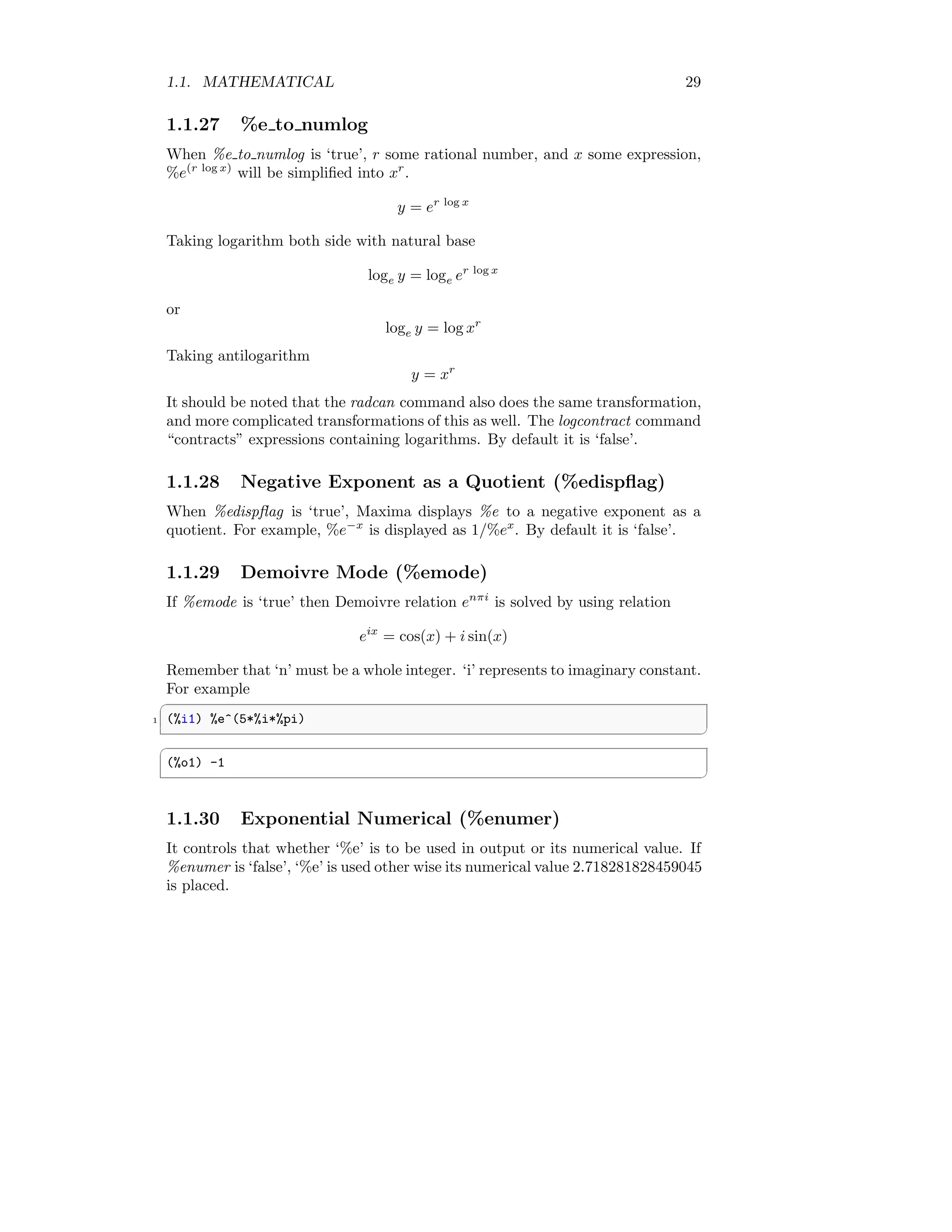
If %emode is ‘true’ then Demoivre relation enπi
is solved by using relation
eix
= cos(x) + i sin(x)
Remember that ‘n’ must be a whole integer. ‘i’ represents to imaginary constant.
For example
✞
1 (%i1) %e^(5*%i*%pi)
✆
✞
(%o1) -1
✆
1.1.30 Exponential Numerical (%enumer)
It controls that whether ‘%e’ is to be used in output or its numerical value. If
%enumer is ‘false’, ‘%e’ is used other wise its numerical value 2.718281828459045
is placed.
30 CHAPTER 1. MAXIMA CORE
1.1.31 Gamma Constant (%gamma)
It is an Euler-Mascheroni constant. Its numerical value is 0.5772156649015329.
It is defined as the limiting difference between the harmonic series and the
natural logarithm
γ = lim
n→∞
n
X
k=1
1
k
− ln(n)
!
=
Z ∞
1

1
⌊x⌋
−
1
x

dx
Here, ⌊x⌋ represents the floor function.
1.1.32 Pi Value (%pi)
%pi represents to the exponential value and symbolically it is equal to π. Nu-
merical value of π is 3.141592653589793 approximately.
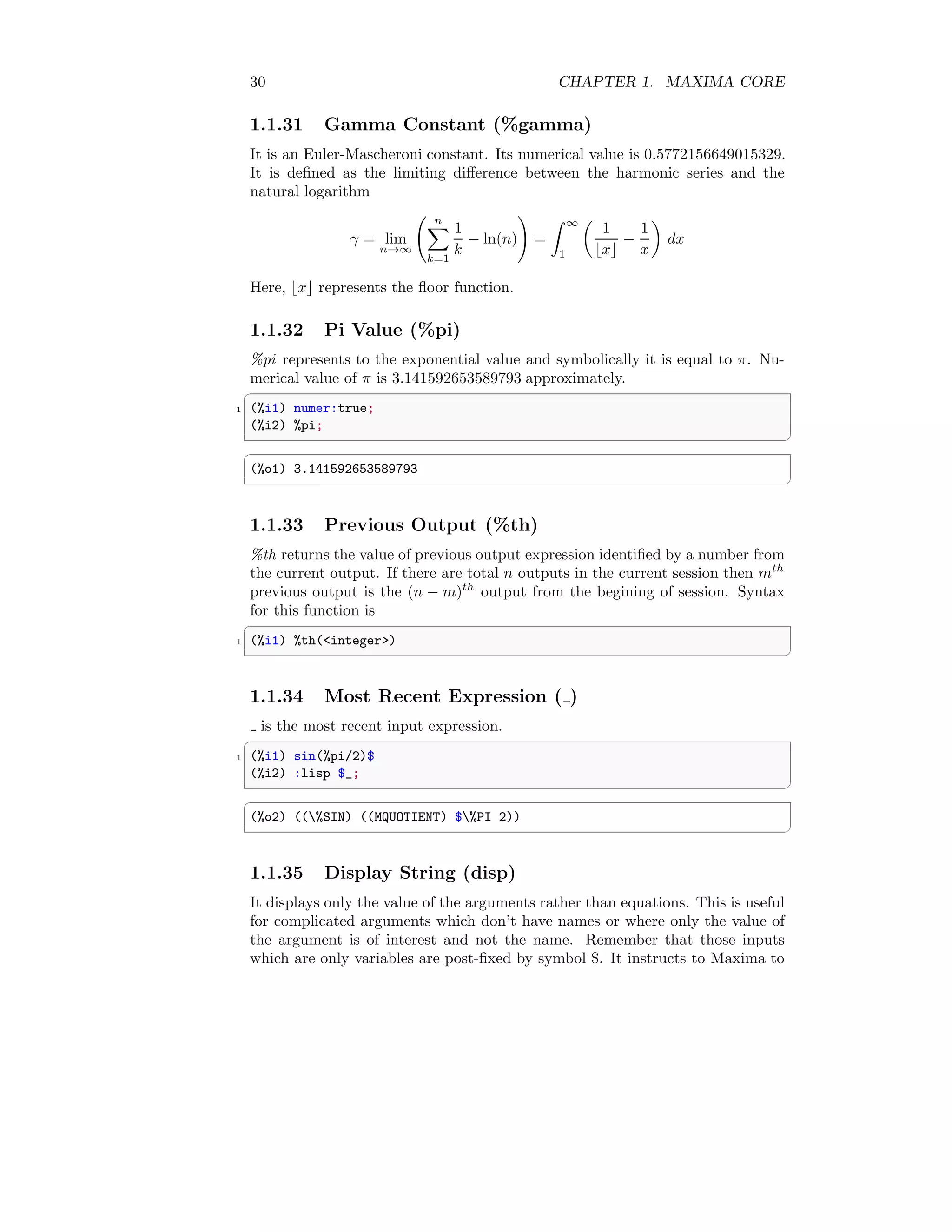
✞
1 (%i1) numer:true;
(%i2) %pi;
✆
✞
(%o1) 3.141592653589793
✆
1.1.33 Previous Output (%th)
%th returns the value of previous output expression identified by a number from
the current output. If there are total n outputs in the current session then mth
previous output is the (n − m)th
output from the begining of session. Syntax
for this function is
✞
1 (%i1) %th(integer)
✆
1.1.34 Most Recent Expression ( )
is the most recent input expression.
✞
1 (%i1) sin(%pi/2)$
(%i2) :lisp $_;
✆
✞
(%o2) ((%SIN) ((MQUOTIENT) $%PI 2))
✆
1.1.35 Display String (disp)
It displays only the value of the arguments rather than equations. This is useful
for complicated arguments which don’t have names or where only the value of
the argument is of interest and not the name. Remember that those inputs
which are only variables are post-fixed by symbol $. It instructs to Maxima to
1.2. ERRORS 31
accept the input as key-value like arguments rather than execute it and show
output. The key-value syntax may be in form of ‘key=value’ or ‘key:value’. If
disp executed successfully, “done” is returns as output by Maxima.
✞
1 (%i1) b[1,2]:x-x^2$
(%i2) x:123$
3 (%i3) disp(x, b[1,2], sin(1.0));
✆
✞
123
x-x^2
0.8414709848078965
(%o3) done
✆
1.2 Errors
1.2.1 Error (error)
The variable error is set to a list describing the error. The first element of error
is a format string, which merges all the strings among the arguments supplied
to error function and the remaining elements are the values of any non-string
arguments. Syntax for error function is
✞
(%i1) error(expr_1, ..., expr_n)
✆
1.2.2 Error Size (error size)
error size modifies error messages according to the size of expressions which
appear in them. If the size of an expression (as determined by the Lisp func-
tion ERROR-SIZE) is greater than error size, the expression is replaced in the
message by a symbol, and the symbol is assigned the expression. The symbols
are taken from the list error syms. The default value of error size is ‘10’.
1.2.3 Error Symbol (error syms)
In error messages, expressions larger than error size are replaced by symbols,
and the symbols are set to the expressions. The symbols are taken from the
list error syms. The first too-large expression is replaced by error syms[1], the
second by error syms[2], and so on.
1.2.4 Error Message (errormsg)
Reprints the most recent error message. The variable error holds the message,
and errormsg formats and prints it.
32 CHAPTER 1. MAXIMA CORE
1.2.5 Debug Mode Maxima (debugmode)
By default, Maxima does not debugs to any errors and mistakes. To set the
debug mode true use debugmode function like
✞
1 (%i4) debugmode(true)
✆
It returns ‘true’ if debug mode is set to true otherwise returns false.
1.2.6 Show Examples (example)
It returns the method for using a function whose name is supplied as an argu-
ment. To see all the listed functions for function example use it like
✞
1 (%i1) example();
✆
To see the example of nroots use it like
✞
1 (%i1) example(nroots);
✆
It returns the method of use of function nroots. At the end of successful execu-
tion of example function, “done” is printed in output console.
1.2.7 Set Numerical Precision (fpprec)
fpprec is used to set the decimal places of decimal numbers ie precision of nu-
merical output. The syntax is
✞
1 (%i1) fpprec : integer for decimal places;
✆
For example
✞
1 (%i1) fpprec : 16
✆
Now the outputs will have sixteen decimal places. If we want to get result upto
five decimal places then set precision to five like
✞
1 (%i1) fpprec : 5
✆
1.2.8 Toggle to Floating Point (numer)
By defalut numer is ‘false’ and the symbols are used in calculations of expression.
If numer is ‘true’ then variables or symbols in expression which have numerical
values are replaced by their values. The syntax is used like
✞
1 (%i1) numer:true % for setting true value
(%i2) numer:false % for setting false value
✆
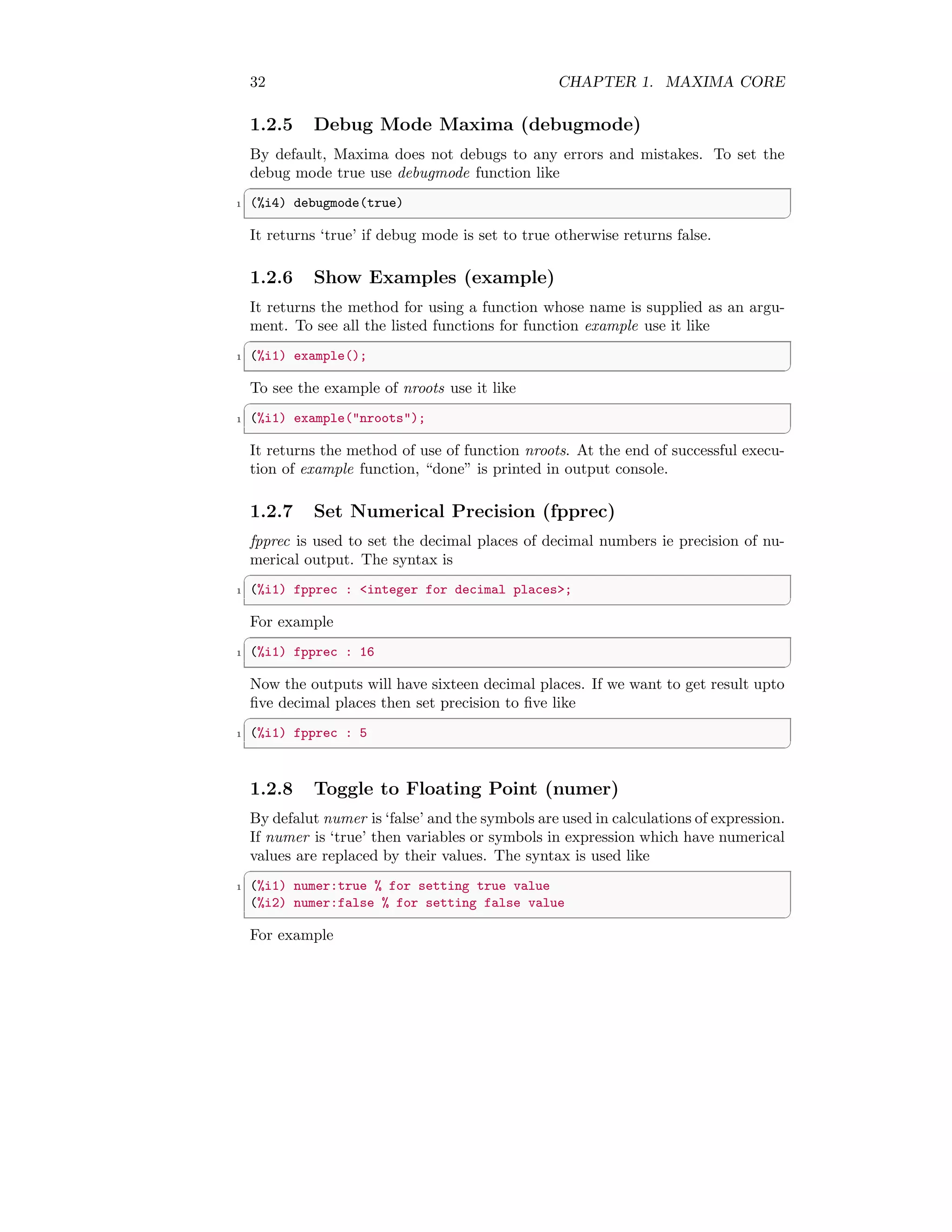
For example
1.3. PROCEDURAL 33
✞
(%i1) numer:true;
2 (%i2) %e
✆
✞
(%o2) 2.718281828459045
✆
If numer is set to ‘false’ then result is symbolic.
✞
1 (%i1) numer:false;
(%i2) %e
✆
✞
(%o2) %e
✆
1.3 Procedural
1.3.1 Interrupt Maxima (kill)
It removes all bindings (value, function, array, or rule) from the arguments. An
argument may be a symbol or a single array element. The syntax is
✞
1 (%i1) kill(symbol)
(%i2) kill([array element 1, array element 2, ...)
3 (%i3) kill(labels)
(%i4) kill(integers)
5 (%i5) kill(all)%kills all values, function, array or rules
✆
1.3.2 Modes of Variables (mode declare)
mode declare is used to declare the modes of variables and functions for subse-
quent translation or compilation of functions. mode declare is typically placed
at the beginning of definition of a function, at the beginning of a Maxima script,
or executed at the interactive prompt. The syntax used is
✞
1 (%i1) mode_declare ([y_1, y_2, ...], fixnum)%Or
✆
or
✞
1 (%i2) mode_declare (y_1, mode_1, ... y_n, mode_n])
✆
The ‘fixnum’ are “float”, “bignum” etc. For example,
✞
1 (%i1) F(x):=(mode_declare([x], float), x+2.0)
✆
This converts independent variable x as floating value and as well as function
F(x) = x + 2.0 into floating function.
34 CHAPTER 1. MAXIMA CORE
1.3.3 Evaluate  Print Expression (print)
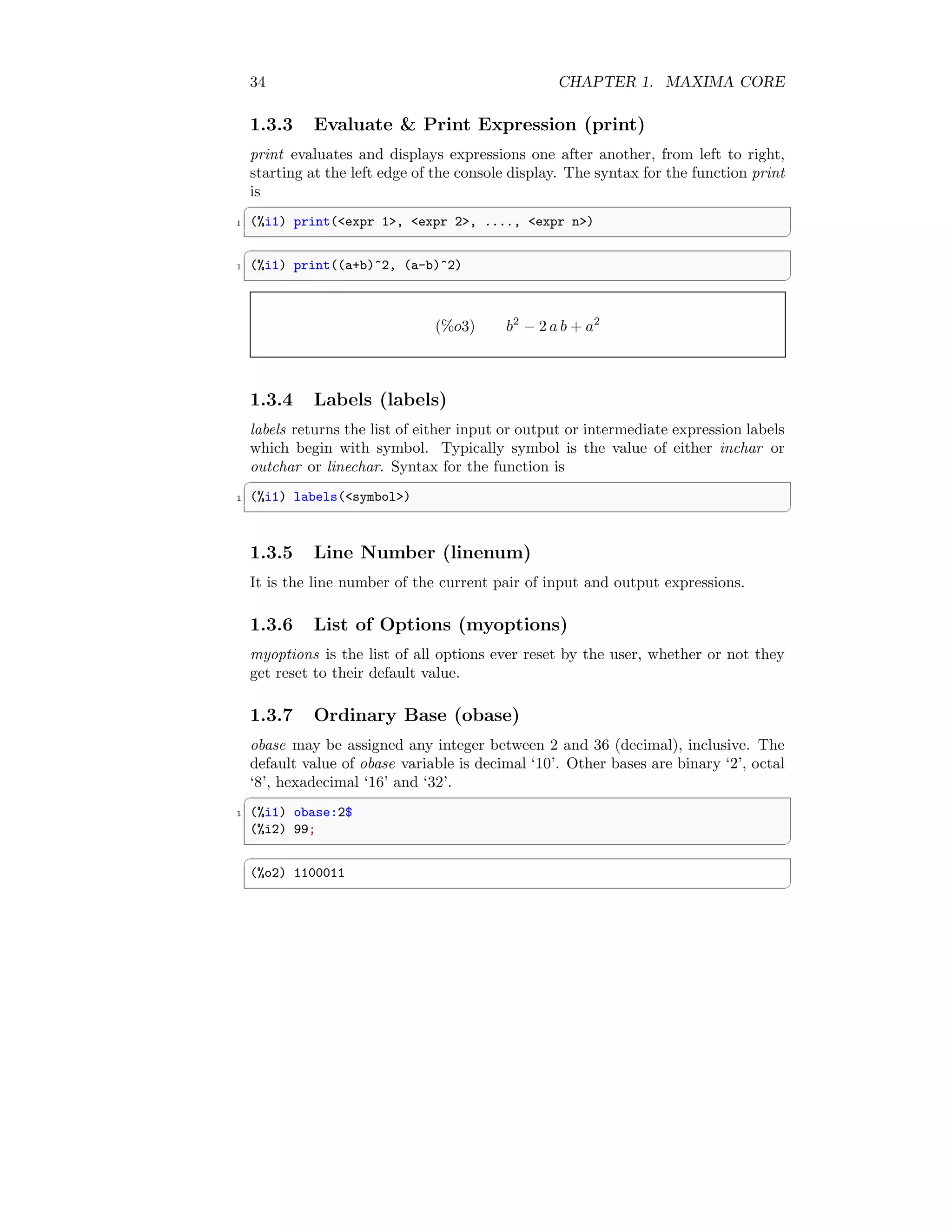
print evaluates and displays expressions one after another, from left to right,
starting at the left edge of the console display. The syntax for the function print
is
✞
1 (%i1) print(expr 1, expr 2, ...., expr n)
✆
✞
1 (%i1) print((a+b)^2, (a-b)^2)
✆
(%o3) b2
− 2 a b + a2
1.3.4 Labels (labels)
labels returns the list of either input or output or intermediate expression labels
which begin with symbol. Typically symbol is the value of either inchar or
outchar or linechar. Syntax for the function is
✞
1 (%i1) labels(symbol)
✆
1.3.5 Line Number (linenum)
It is the line number of the current pair of input and output expressions.
1.3.6 List of Options (myoptions)
myoptions is the list of all options ever reset by the user, whether or not they
get reset to their default value.
1.3.7 Ordinary Base (obase)
obase may be assigned any integer between 2 and 36 (decimal), inclusive. The
default value of obase variable is decimal ‘10’. Other bases are binary ‘2’, octal
‘8’, hexadecimal ‘16’ and ‘32’.
✞
1 (%i1) obase:2$
(%i2) 99;
✆
✞
(%o2) 1100011
✆
1.3. PROCEDURAL 35
1.3.8 Print the Reset Option (optionset)
When optionset is ‘true’, Maxima print outs a message whenever a Maxima
option is reset. This is useful if the user is doubtful of the spelling of some
option and wants to make sure that the variable he assigned a value to was
truly an option variable. The default value is ‘false’.
1.3.9 Play Previous Garbage (playback)
It prints the previously collected garbage by the Maxima. The syntax is
✞
1 (%i1) playback ([inputs, outputs], grind, time, slow)
✆
Argument “slow” is useful in conjunction with save or stringout when creating a
secondary-storage file in order to pick out useful expressions. Argument “time”
displays the computation time for each expression. Argument “grind” displays
input expressions in the same format as the “grind”. Output expressions are
not affected by the “grind” option.
1.3.10 Prompting Symbol (prompt)
prompt is the prompt symbol of the demo function, playback (slow) mode and
the Maxima break loop. The default value is ‘ ’.
1.3.11 Quit the Session (quit)
quit terminates the current Maxima session. It is used like quit().
1.3.12 Rationalized Print (ratprint)
When ratprint is true, a message informing the user about the conversion of
floating point numbers into rational numbers is displayed. The default value is
‘true’.
1.3.13 Enter into Lisp System (to lisp)
to lisp variable let to enter into Lisp system of Maxima. It enables to initiated
new variable, function etc in Maxima that can be used later in Maxima after
returning to Maxima. To return to Maxima,
✞
1 (%i1) to_maxima;
✆
variable is used (including parenthesis brackets).
36 CHAPTER 1. MAXIMA CORE
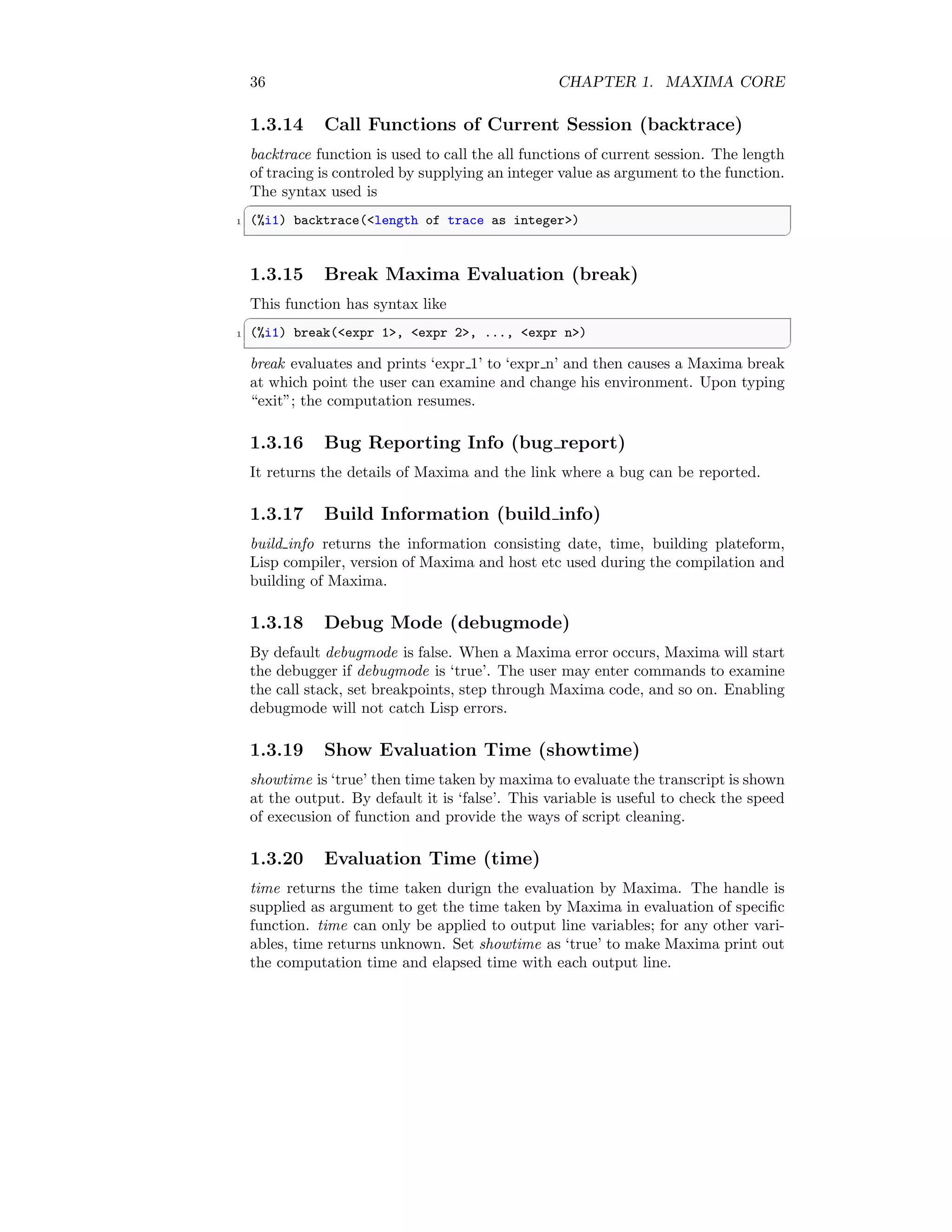
1.3.14 Call Functions of Current Session (backtrace)
backtrace function is used to call the all functions of current session. The length
of tracing is controled by supplying an integer value as argument to the function.
The syntax used is
✞
1 (%i1) backtrace(length of trace as integer)
✆
1.3.15 Break Maxima Evaluation (break)
This function has syntax like
✞
1 (%i1) break(expr 1, expr 2, ..., expr n)
✆
break evaluates and prints ‘expr 1’ to ‘expr n’ and then causes a Maxima break
at which point the user can examine and change his environment. Upon typing
“exit”; the computation resumes.
1.3.16 Bug Reporting Info (bug report)
It returns the details of Maxima and the link where a bug can be reported.
1.3.17 Build Information (build info)
build info returns the information consisting date, time, building plateform,
Lisp compiler, version of Maxima and host etc used during the compilation and
building of Maxima.
1.3.18 Debug Mode (debugmode)
By default debugmode is false. When a Maxima error occurs, Maxima will start
the debugger if debugmode is ‘true’. The user may enter commands to examine
the call stack, set breakpoints, step through Maxima code, and so on. Enabling
debugmode will not catch Lisp errors.
1.3.19 Show Evaluation Time (showtime)
showtime is ‘true’ then time taken by maxima to evaluate the transcript is shown
at the output. By default it is ‘false’. This variable is useful to check the speed
of execusion of function and provide the ways of script cleaning.
1.3.20 Evaluation Time (time)
time returns the time taken durign the evaluation by Maxima. The handle is
supplied as argument to get the time taken by Maxima in evaluation of specific
function. time can only be applied to output line variables; for any other vari-
ables, time returns unknown. Set showtime as ‘true’ to make Maxima print out
the computation time and elapsed time with each output line.
1.3. PROCEDURAL 37
✞
1 (%i1) integrate(x,x)
(%i2) time(%o1);
✆
✞
(%o2) [0.0]
✆
1.3.21 Promp  Read (read)
read first prints the statement and then ask for one input in the console. The
expression entered in the console is read by Maxima and returns the evaluated
result of the expression in the console. The expression entered into the console
muste be terminated by dollar sign(‘$’).
✞
1 (%i1) a=10;
(%i2) f:read(Enter new value)$
3 Enter new value 2^a$
(%i3) f;
✆
✞
(%o3) 1024
✆
1.3.22 testsuite files
Similar to the run testsuite to check the test pass of a file.
✞
1 (%i1) testsuite_files();
✆
1.3.23 Test The Maxim (run testsuite)
run testsuite tests producing the desired answer are considered “passes” as are
tests that do not produce the desired answer, but are marked as known bugs.
✞
1 (%i1) run_testsuite();
✆
1.3.24 Read Function Without Evaluation (readonly)
If readonlyfunction is used in place of readfunction with similar syntax, then it
returns the expression to console without evaluation.
✞
1 (%i1) a=10;
(%i2) f:readonly(Enter new value)$
3 Enter new value 2^a$
(%i3) f;
✆
(
38 CHAPTER 1. MAXIMA CORE
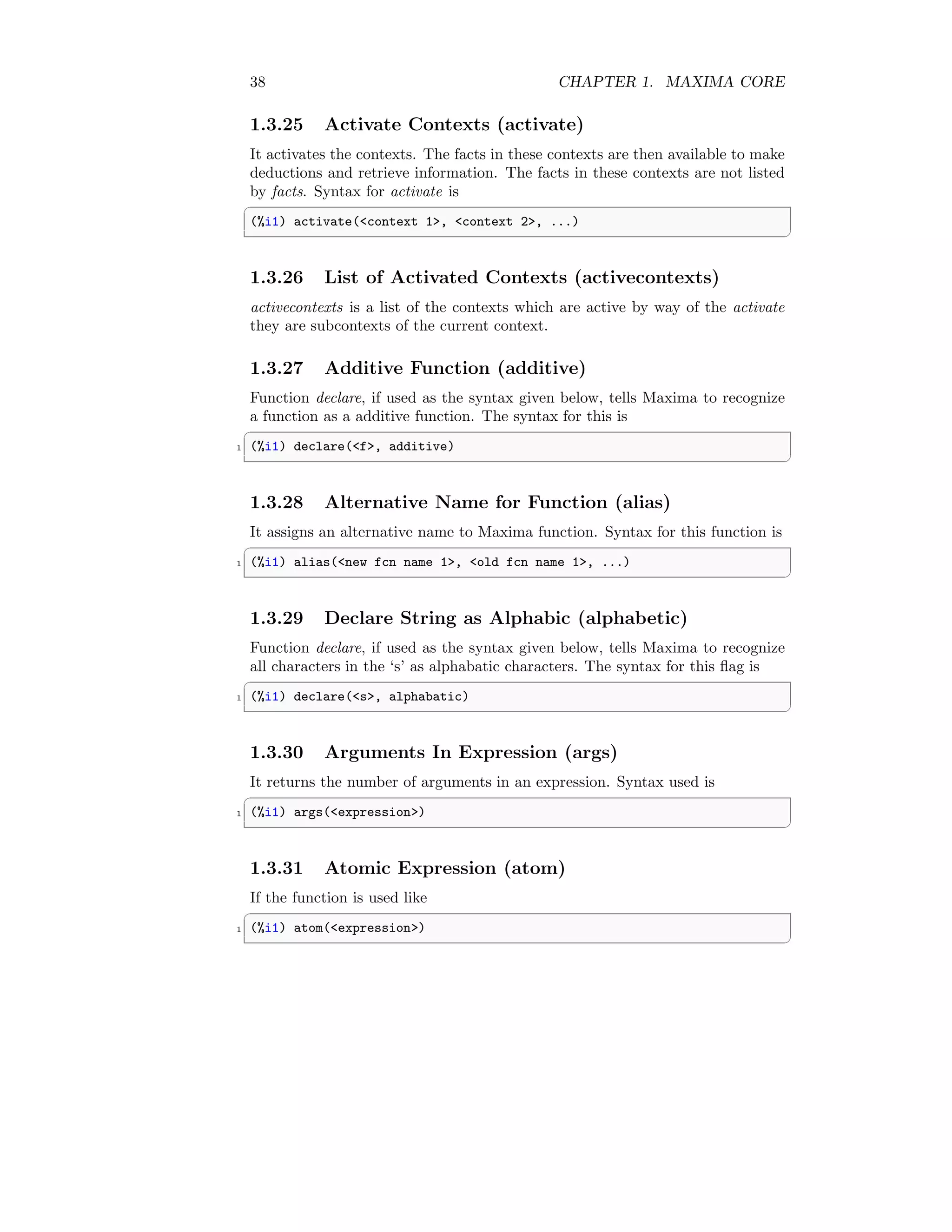
1.3.25 Activate Contexts (activate)
It activates the contexts. The facts in these contexts are then available to make
deductions and retrieve information. The facts in these contexts are not listed
by facts. Syntax for activate is
✞
(%i1) activate(context 1, context 2, ...)
✆
1.3.26 List of Activated Contexts (activecontexts)
activecontexts is a list of the contexts which are active by way of the activate
they are subcontexts of the current context.
1.3.27 Additive Function (additive)
Function declare, if used as the syntax given below, tells Maxima to recognize
a function as a additive function. The syntax for this is
✞
1 (%i1) declare(f, additive)
✆
1.3.28 Alternative Name for Function (alias)
It assigns an alternative name to Maxima function. Syntax for this function is
✞
1 (%i1) alias(new fcn name 1, old fcn name 1, ...)
✆
1.3.29 Declare String as Alphabic (alphabetic)
Function declare, if used as the syntax given below, tells Maxima to recognize
all characters in the ‘s’ as alphabatic characters. The syntax for this flag is
✞
1 (%i1) declare(s, alphabatic)
✆
1.3.30 Arguments In Expression (args)
It returns the number of arguments in an expression. Syntax used is
✞
1 (%i1) args(expression)
✆
1.3.31 Atomic Expression (atom)
If the function is used like
✞
1 (%i1) atom(expression)
✆
1.3. PROCEDURAL 39
and Maxima returns ‘true’ then ‘expression’ is atomic (i.e. a number, name or
string) otherwise ‘expression’ is non atomic. Thus
✞
1 (%i1) atom(5)
✆
is true while
✞
1 (%i1) atom(a[1])
✆
and
✞
1 (%i2) atom(sin(x))
✆
are ‘false’ (assuming a[1] and x are unbound).
1.3.32 Declare a Function Antisymmetric (antisymmet-
ric)
Function declare, if used as the syntax given below, tells Maxima to recognize
a function as an antisymmetric function. The syntax for this flag is
✞
1 (%i1) declare(f, antisymmetric)
✆
Here function ‘f’ will assumed as an antisymmetric function.
1.3.33 Check The Integer Type (askinteger)
✞
1 (%i1) askinteger(expression, integer type)
✆
attempts to determine from the assume database whether expression is an in-
teger or not. There are three categories of ‘integer type’ - (i) “odd”, (ii) “even”
and (iii) “integer”.
1.3.34 Retrive User Property (get)
✞
1 (%i1) get(a, i)
✆
It retrieves the user property indicated by i associated with atom a or returns
‘false’ if a doesn’t have property i.
1.3.35 Declare Variable as Integer (integer)
Function declare, if used as the syntax given below, tells Maxima to recognize
a variable as an integer. The syntax for this flag is
✞
1 (%i1) declare(var, integer)
✆
Here variable ‘var’ will assumed as an integer.
40 CHAPTER 1. MAXIMA CORE
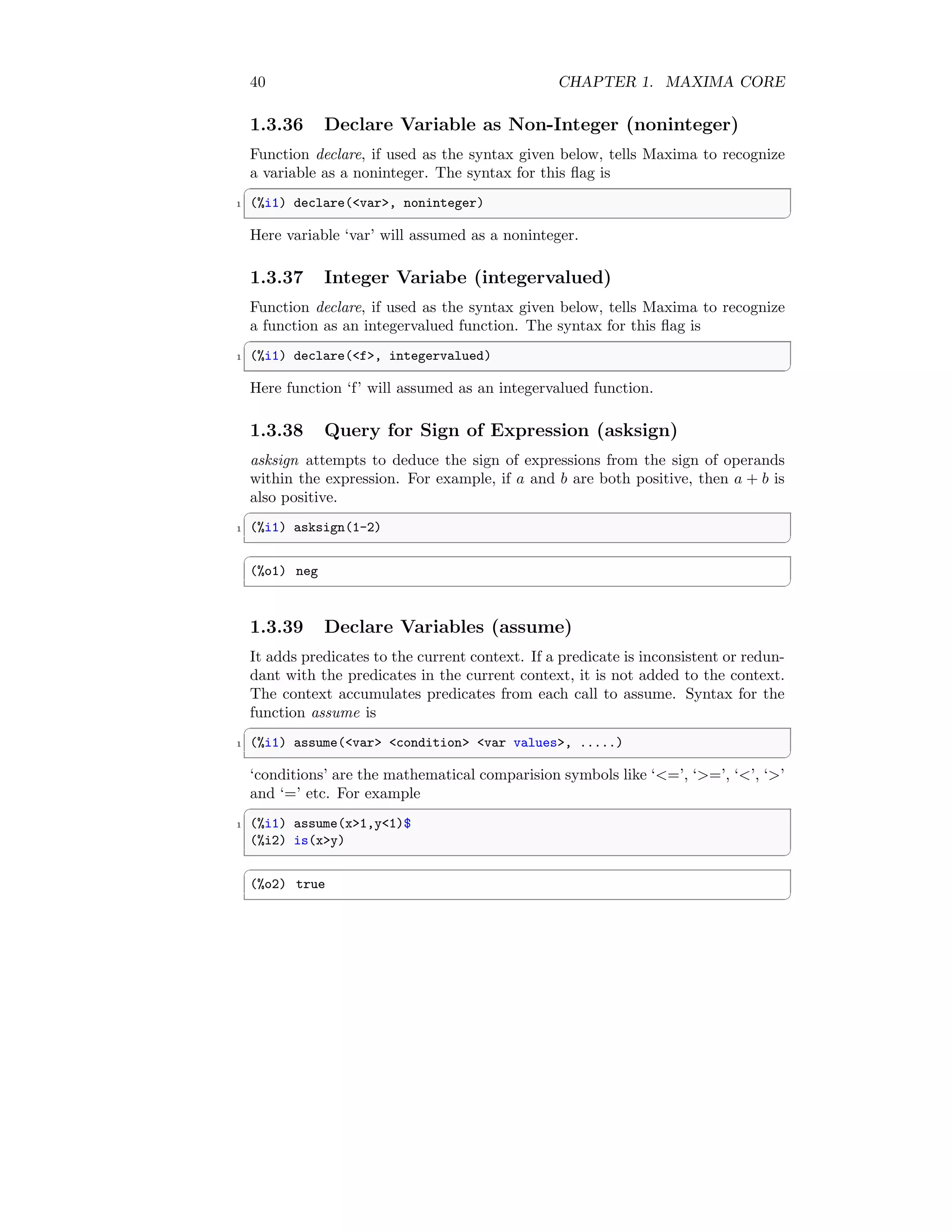
1.3.36 Declare Variable as Non-Integer (noninteger)
Function declare, if used as the syntax given below, tells Maxima to recognize
a variable as a noninteger. The syntax for this flag is
✞
1 (%i1) declare(var, noninteger)
✆
Here variable ‘var’ will assumed as a noninteger.
1.3.37 Integer Variabe (integervalued)
Function declare, if used as the syntax given below, tells Maxima to recognize
a function as an integervalued function. The syntax for this flag is
✞
1 (%i1) declare(f, integervalued)
✆
Here function ‘f’ will assumed as an integervalued function.
1.3.38 Query for Sign of Expression (asksign)
asksign attempts to deduce the sign of expressions from the sign of operands
within the expression. For example, if a and b are both positive, then a + b is
also positive.
✞
1 (%i1) asksign(1-2)
✆
✞
(%o1) neg
✆
1.3.39 Declare Variables (assume)
It adds predicates to the current context. If a predicate is inconsistent or redun-
dant with the predicates in the current context, it is not added to the context.
The context accumulates predicates from each call to assume. Syntax for the
function assume is
✞
1 (%i1) assume(var condition var values, .....)
✆
‘conditions’ are the mathematical comparision symbols like ‘=’, ‘=’, ‘’, ‘’
and ‘=’ etc. For example
✞
1 (%i1) assume(x1,y1)$
(%i2) is(xy)
✆
✞
(%o2) true
✆
1.3. PROCEDURAL 41
1.3.40 Declare Variable as Positive (assume pos)
When assume pos is ‘true’ and the sign of a parameter x cannot be determined
from the current context or other considerations, sign and asksign (x) return
‘true’. By default it is ‘false’.
1.3.41 Declare As Communative Function (commutative)
Function declare, if used as the syntax given below, tells the simplifier that
function is a commutative function. The syntax for this is
✞
1 (%i1) declare(f, commutative)
✆
1.3.42 Compare Expression (compare)
It returns the comparative result according to the comparative relation between
two supplied arguments to the function compare. Syntax for this function is
✞
1 (%i1) compare(expr 1, expr 2)
✆
If Maxima is unable to compare then it returns “unknown”.
1.3.43 Context (context)
context names the collection of facts maintained by assume, forget. Binding con-
text to a name ‘foo’ changes the current context to ‘foo’. If the specified context
‘foo’ does not yet exist, it is created automatically by a call to newcontext. The
specified context is activated automatically. By default it is “initial”.
1.3.44 Contexts (contexts)
contexts is a list of the contexts which currently exist, including the currently
active context. By default its value is [“initial”, “global”].
1.3.45 Deactivate Context (deactivate)
deactivate deactivates the contexts supplied to the function as its arguments.
✞
1 (%i1) deactivate(context 1, context 2, .....)
✆
1.3.46 Delcaration Statement (declare)
It assigns the atom or list of atoms the property or list of properties respectively.
It is used like
✞
1 (%i1) declare(atom, property)
✆
42 CHAPTER 1. MAXIMA CORE
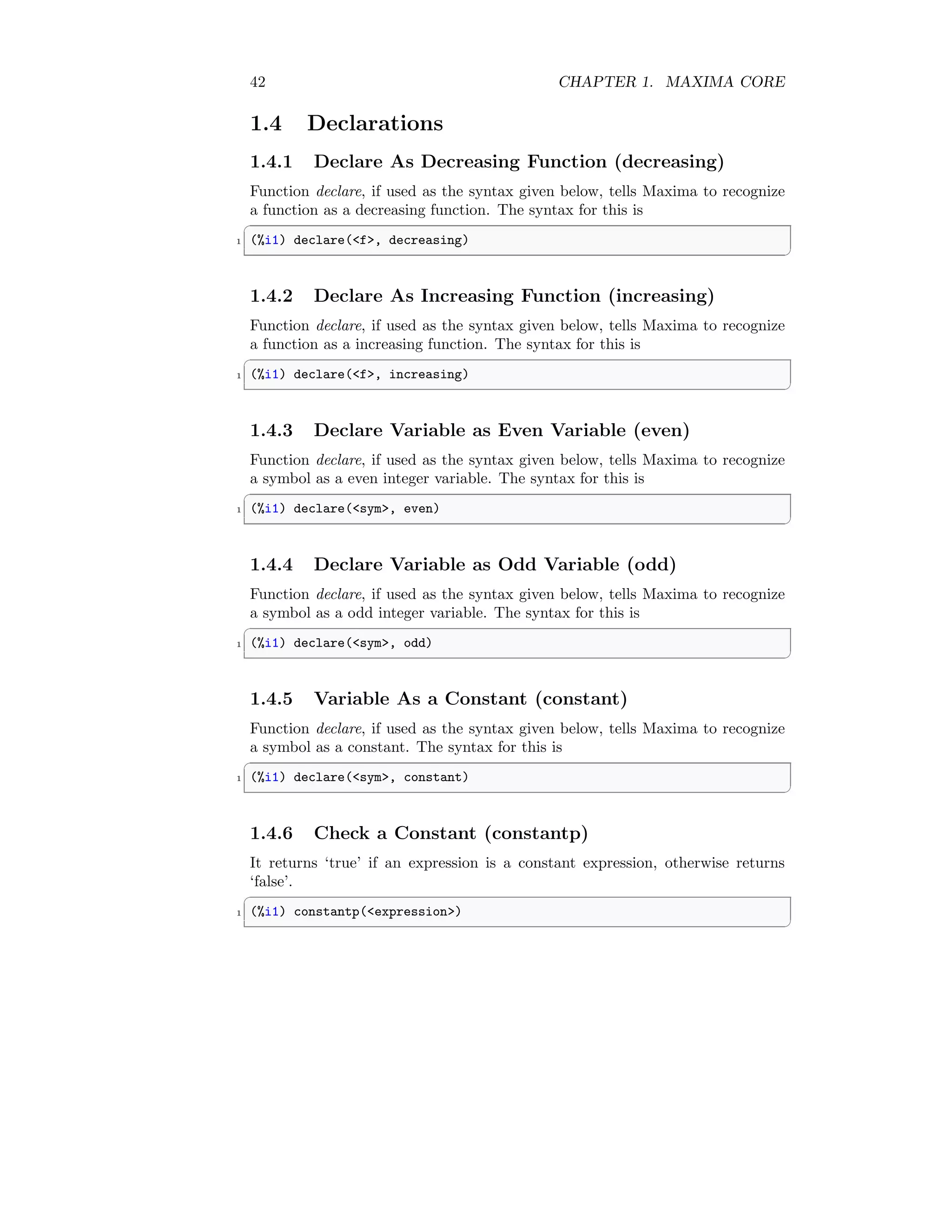
1.4 Declarations
1.4.1 Declare As Decreasing Function (decreasing)
Function declare, if used as the syntax given below, tells Maxima to recognize
a function as a decreasing function. The syntax for this is
✞
1 (%i1) declare(f, decreasing)
✆
1.4.2 Declare As Increasing Function (increasing)
Function declare, if used as the syntax given below, tells Maxima to recognize
a function as a increasing function. The syntax for this is
✞
1 (%i1) declare(f, increasing)
✆
1.4.3 Declare Variable as Even Variable (even)
Function declare, if used as the syntax given below, tells Maxima to recognize
a symbol as a even integer variable. The syntax for this is
✞
1 (%i1) declare(sym, even)
✆
1.4.4 Declare Variable as Odd Variable (odd)
Function declare, if used as the syntax given below, tells Maxima to recognize
a symbol as a odd integer variable. The syntax for this is
✞
1 (%i1) declare(sym, odd)
✆
1.4.5 Variable As a Constant (constant)
Function declare, if used as the syntax given below, tells Maxima to recognize
a symbol as a constant. The syntax for this is
✞
1 (%i1) declare(sym, constant)
✆
1.4.6 Check a Constant (constantp)
It returns ‘true’ if an expression is a constant expression, otherwise returns
‘false’.
✞
1 (%i1) constantp(expression)
✆
1.4. DECLARATIONS 43
1.4.7 Get Features (featurep)
It attempts to determine whether the object has the feature on the basis of the
facts in the current database. If so, it returns ‘true’, else ‘false’.
✞
1 (%i1) featurep(object name, feature name)
✆
1.4.8 Set Feature (features)
Maxima recognizes certain mathematical properties of functions and variables.
These are called ”features”. The syntax
✞
1 (%i1) declare(x, foo)
✆
gives the property foo to the function or variable x. The declare function used
like
✞
1 (%i1) declare(feature name, feature)
✆
declares a new feature. features is a list of mathematical features.
1.4.9 Status (is)
is asks whether the predicate expression is provable from the facts in the as-
sume database. If predicted expression is provable, it returns ‘true’ otherwise it
returns ‘false’.
✞
1 (%i1) 12$ % it is true as 1 is always less than 2.
(%i2) is(12) % ask the prediction, result is true
✆
✞
(%o2) true
✆
1.4.10 Kill Contextx (killcontext)
It kills the contenxt from the Maxima. Syntax is
✞
1 (%i1) killcontext(context 1, ...)
✆
1.4.11 Simplify as Left-Associative (lassociative)
Function declare, if used as the syntax given below, tells to simplifier that the
function is a left-associative. The syntax for this is
✞
1 (%i1) declare(expr, lassociative)
✆
44 CHAPTER 1. MAXIMA CORE
1.4.12 Recognize Function as N-Array (nary)
Function declare, if used as the syntax given below, tells Maxima to recognize
a function as n-array function. The syntax for this is
✞
1 (%i1) declare(f, nary)
✆
1.4.13 Maximum Negative Expansion (maxnegex)
maxnegex is the largest negative exponent which will be expanded by the expand
command. By default its value is ‘1000’.
1.4.14 Match Declaration (matchdeclare)
Associates a predicate with a variable so that variable matches expressions for
which the predicate returns anything other than false. Syntax is
✞
1 (%i1) matchdeclare(var, predicate)
✆
1.4.15 Simplify as Multiplicative (multiplicative)
Function declare, if used as the syntax given below, tells Maxima to expand an
expression as a multiplicative. The syntax for this is
✞
1 (%i1) declare(expr, multiplicative)
✆
1.4.16 Multiply Two Expression (multthru)
This function multiply two or more expressions with each other. multthru does
not expand exponentiated sums if present in the expressions. This function is
the fastest way to distribute products (commutative or noncommutative) over
sums.
✞
1 (%i1) multthru(expr 1, expr 2)
✆
1.4.17 Negative Distribution (negdistrib)
If this variable is set to ‘true’ this negative coefficient of an expression is dis-
tributed to the all terms of the expression. By default it is ‘true’.
✞
1 (%i1) -(a+b)
✆
(%o1) − b − a
Now, setting negdistrib as ‘false’.
1.4. DECLARATIONS 45
✞
1 (%i1) negdistrib:false$
(%i2) -(a+b)
✆
(%o2) − (b + a)
1.4.18 Create New Context (newcontext)
It creates a new contenxt in the Maxima. Syntax is
✞
(%i1) newcontext(context)
✆
1.4.19 Numerical Value of Variable (numerval)
It declares that a variable have numerical value.
✞
1 (%i1) numerval(var 1, num 1, ....., var n, num n)
✆
1.4.20 Pull Out Constant Term (outative)
Function declare, if used as the syntax given below, tells Maxima to pull out
the constant term from the expression as coefficient. The syntax for this is
✞
1 (%i1) declare(f, outative)
✆
1.4.21 Positive Function (posfun)
Function declare, if used as the syntax given below, tells Maxima to recognize
a function f to be a positive function.
✞
1 (%i1) is (f(x)  0)
✆
yields ‘true’.
✞
1 (%i1) declare(f, posfun)
✆
1.4.22 Properties of Atom (properties)
Returns a list of the names of all the properties associated with the atom. It is
used like
✞
1 (%i1) properties(atom name)
✆
46 CHAPTER 1. MAXIMA CORE
1.4.23 Assign a Value to Property (put)
put assigns value to the property (specified by indicator) of atom. ‘indicator’
may be the name of any property, not just a system-defined property. The
syntax used is
✞
1 (%i1) put(atom, value, indicator)
✆
1.4.24 Simplify as Right-Associative (rassociative)
Function declare, if used as the syntax given below, tells to simplifier that the
function is a a right-associative. The syntax for this is
✞
1 (%i1) declare(expr, rassociative)
✆
1.4.25 Declare Variable as Irrational Variable (irrational)
Function declare, if used as the syntax given below, tells Maxima to recognize
a variable as an irrational variable. The syntax for this flag is
✞
1 (%i1) declare(var, irrational)
✆
Here variable ‘var’ will assumed as an irrational variable.
1.4.26 Declare Variable as Irrational Variable (rational)
Function declare, if used as the syntax given below, tells Maxima to recognize
a variable as a rational variable. The syntax for this flag is
✞
1 (%i1) declare(var, rational)
✆
Here variable ‘var’ will assumed as a rational variable.
1.4.27 Declare Variable as Complex Variable (complex)
Function declare, if used as the syntax given below, tells Maxima to recognize
a variable as a complex variable. The syntax for this flag is
✞
1 (%i1) declare(var, complex)
✆
Here variable ‘var’ will assumed as a complex variable.
1.4.28 Declare Variable as Imaginary Variable (imaginary)
Function declare, if used as the syntax given below, tells Maxima to recognize
a variable as an imaginary variable. The syntax for this flag is
✞
1 (%i1) declare(var, imaginary)
✆
Here variable ‘var’ will assumed as an imaginary variable.
1.4. DECLARATIONS 47
1.4.29 Declare Variable as Real Variable (real)
Function declare, if used as the syntax given below, tells Maxima to recognize
a variable as a real variable The syntax for this flag is
✞
1 (%i1) declare(var, real)
✆
Here variable ‘var’ will assumed as a real variable.
1.4.30 Remove Indicator From Atom (rem)
The syntax for the rem is
✞
1 (%i1) rem(atom, indicator)
✆
It removes the property indicated by ‘indicator’ from ‘atom’. rem reverses the
effect of put. rem returns done if atom had an indicator property when rem was
called, or ‘false’ if it had no such property.
1.4.31 Remove Property (remove)
It removes the properties from the atom. It has syntax like
✞
1 (%i1) rem(atom vector, property vector)
✆
If “all’ is used as argument in place of ‘atom vector’ then ‘property vector’ will
be removed from all atoms.
1.4.32 Scalar Value (scalar)
Function declare, if used as the syntax given below, tells Maxima to recognize
a variable as a scalar variable. The syntax for this flag is
✞
1 (%i1) declare(var, scalar)
✆
Here variable ‘var’ will assumed as a scalar variable.
1.4.33 Sign of Expression (sign)
sign attempts to deduce the sign of expressions from the sign of operands within
the expression. For example, if a and b are both positive, then a + b is also
positive.
✞
1 (%i1) sign(1-2)
✆
✞
(%o1) neg
✆
48 CHAPTER 1. MAXIMA CORE
1.4.34 Declare Variable as Symetric Function (symmetric)
Function declare, if used as the syntax given below, tells Maxima to recognize
a function as a symmetric function. The syntax for this flag is
✞
1 (%i1) declare(f, symmetric)
✆
Here function ‘f’ will assumed as a symmetric function.
Chapter 2
Numeric Evaluation
2.1 Number Theory
2.1.1 Big Float (bffac)
bffac is acronym of “Bigfloat” version of the factorial function. The syntax for
the function is
✞
1 (%i1) bffac(expression, integer)
✆
The second argument ‘integer’ is how many digits to retain and return, it’s a
good idea to request a couple of extra.
2.1.2 Big Float Zeta Function (bfhzeta)
bfhzeta returns the Hurwitz zeta function for the arguments s and h. The return
value is a big float (bfloat); n is the number of digits in the return value. The
Hurwitz zeta function is defined as
zeta(s, h) =
∞
X
n=0
1
(n + h)s
To use this function, “bffac” should be loaded at first. The syntax for this
function is
✞
1 (%i1) bfhzeta(expr s, expr h, num of return digit n)
✆
2.1.3 Convert to Big Float (bfloat)
It converts all numbers and functions of numbers in expression to bigfloat num-
bers. The number of significant digits in the resulting bigfloats is specified by
the global variable fpprec.
✞
1 (%i1) bfloat(expression)
✆
49
50 CHAPTER 2. NUMERIC EVALUATION
2.1.4 Is Big Float (bfloatp)
Returns ‘true’ if expression is a bigfloat number, otherwise ‘false’.
✞
1 (%i1) bfloatp(expression)
✆
2.1.5 Digamma Big Float Function (bfpsi)  (bfpsi0)
bfpsi is the polygamma function of real argument z and integer order n. bfpsi0
is the digamma function. The syntax is
✞
1 (%i1) bfpsi0 (z, fpprec)
✆
or
✞
1 (%i1) bfpsi (0, z, fpprec)
✆
These functions are same and return bigfloat values. fpprec is the bigfloat
precision of the return value.
2.1.6 Big Float to Rational Number (bftorat)
bftorat controls the conversion of bfloats to rational numbers. When bftorat
is ‘false’, ratepsilon conversion take place. When bftorat is ‘true’, generated
rational number generated will accurately represent the bfloat. By default it is
‘false’.
2.1.7 Truncate Big Float (bftrunc)
bftrunc causes trailing zeroes in non-zero bigfloat numbers not to be displayed.
Thus, if bftrunc is ‘false’, bfloat(1) displays as 1.000000000000000B0. Otherwise,
this is displayed as 1.0B0. By default it is ‘true’.
2.1.8 Big Float Zeta Function (bfzeta)
It returns the Riemann zeta function for the argument s. The return value is a
big float (bfloat); n is the number of digits in the return value. The syntax is
✞
1 (%i1) bfzeta(s, n)
✆
2.1.9 Complex Big Float (cbffac)
It returns complex big float and needs to load bffac. The syntax is
✞
1 (%i1) cbffac(complex number, precision points)
✆
2.1. NUMBER THEORY 51
2.1.10 Floating Point (float)
It converts integers, rational numbers and bigfloats in expression to floating
point numbers.
2.1.11 Float to Big Float (float2bf)
When float2bf is ‘false’, a warning message is printed when a floating point
number is converted into a bigfloat number. By default it is ‘true’.
2.1.12 Is Floating Number (floatnump)
It returns ‘true’ if expression is a floating point number, otherwise ‘false’. The
syntax is
✞
1 (%i1) floatnump(expression)
✆
2.1.13 Float Point Precision (fpprec)
fpprec is the number of significant digits for arithmetic on bigfloat numbers.
fpprec does not affect computations on ordinary floating point numbers. By
default its value is ‘16’. It is used like
✞
1 (%i1) fpprec:integer less than 16
✆
2.1.14 Float Point Print Precission (fpprintprec)
fpprintprec is the number of digits to print when printing an ordinary float or
bigfloat number. For ordinary floating point numbers, when fpprintprec has a
value between ‘2’ and ‘16’ (inclusive), the number of digits printed is equal to
fpprintprec. Otherwise, fpprintprec is ‘0’, or greater than ‘16’, and the number
of digits printed is ‘16’. By default its value is ‘0’.
✞
1 (%i1) fpprintprec:integer 2 to 16  0
✆
2.1.15 Keep Float Points (keepfloat)
By default it is ‘false’. When keepfloat is ‘true’, prevents floating point numbers
from being rationalized when expressions which contain them are converted to
canonical rational expression (CRE) form.
2.1.16 Numerical Solution (numer)
numer causes some mathematical functions (including exponentiation) with nu-
merical arguments to be evaluated in floating point. It causes variables in ex-
pression which have been given numerals to be replaced by their values. It also
sets the float.
52 CHAPTER 2. NUMERIC EVALUATION
2.1.17 Numerical Power of Negative Integer (numer pbranch)
By default, this variable is ‘false’. The option variable numer pbranch controls
the numerical evaluation of the power of a negative integer, rational, or floating
point number. When numer pbranch is ‘true’ and the exponent is a floating
point number or the option variable numer the numerical result returns us-
ing the principal branch, otherwise a simplified, but not an evaluated result is
returned.
✞
1 (%i1) (-2)^0.75;
✆
✞
(%o1) (-2)^0.75
✆
✞
1 (%i2) (-2)^0.75,numer_pbranch:true;
✆
✞
(%o2) 1.189207115002721*%i-1.189207115002721
✆
2.1.18 Number to Variables (numerval)
This function assigns the numerical values to the variables. Syntax used like
✞
1 (%i1) numerval (var_1, val_1, ..., var_n, val_n)
✆
2.1.19 Tolerance in Floating Point (ratepsilon)
ratepsilon is the tolerance used in the conversion of floating point numbers
to rational numbers, when the option variable bftorat. By default its value is
2.0e−15
.
2.1.20 Rationalize (rationalize)
Convert all double floats and big floats in the Maxima expression to their exact
rational equivalents. If you are not familiar with the binary representation of
floating point numbers, you might be surprised that
✞
1 (%i1) rationalize (0.1)
✆
does not equal 1/10. This behavior isn’t special to Maxima. The number 1/10
is a repeating, not a terminating, binary representation.
✞
1 (%i1) rationalize(0.1)
✆
The output is
(%o1)
3602879701896397
36028797018963968
2.1. NUMBER THEORY 53
2.1.21 Is Rational Number (ratnump)
Returns ‘true’ if expression is a literal integer or ratio of literal integers, other-
wise ‘false’.
2.1.22 Print Message Rational (ratprint)
When ratprint is ‘true’, a message informing the user of the conversion of floating
point numbers to rational numbers is displayed. By default it is ‘true’.
2.1.23 Numerical Status (stats numer)
If stats numer is ‘true’, inference statistical functions return their results in
floating point numbers. If it is ‘false’, results are given in symbolic and rational
format.
54 CHAPTER 2. NUMERIC EVALUATION
Chapter 3
Conditions
Following conditions can be used in Maxima.
3.1 Linear
3.1.1 If Statement (if)
if is a conditional statement. The syntax for function if is like
✞
1 (%i2) if  condition 
then
3 body if condition true
else
5 body if condition false
✆
✞
1 (%i2) f(x) := if x=1 then (x+1)$
(%i2) f(3)
✆
(%o1) false
The output is false as x 6= 1. Again
✞
(%i2) f(x) : = if x=1 then (x+1)$
2 (%i2) f(1)
✆
(%o1) 2
55
56 CHAPTER 3. CONDITIONS
3.1.2 If-Else Statement (if-else)
if-else is a conditional statement where function body for ‘true’ and ‘false’ con-
ditions are given and only ‘true’ case is printed in output. Syntax for if-else
condition is
✞
(%i2) if  condition 
2 then
body if condition true
4 else
body if condition false
✆
✞
1 (%i2) f(x) : = if x=1 then (x+1) else (x-1)$
(%i2) f(3)
✆
(%o1) 2
3.2 Loop
3.2.1 For Statement (for)
It is loop operator. The syntax for for loop is
✞
(%i1) for initial var
2 thru
bounding limit
4 step
integer
6 do
function body;
✆
For example
✞
1 (%i1) for i:1 thru 10 step 3 do print(2*i);
✆
✞
2
8
14
20
(%o1) done
✆
while statement can be applied with for function.
✞
1 (%i1) for i: 1 while i = 10 do s: s+i;
✆
✞
(%o1) 55
✆
3.2. LOOP 57
3.2.2 Do Statement (do)
The do statement is used for performing iteration.
✞
1 (%i1) for i: 1 while i = 10 do s: s+i;
✆
✞
(%o1) 55
✆
3.2.3 While Statement (while)
It allow the iteration to be performed until the require condition is satisfied.
Generally while statement comes with do statement.
✞
1 (%i1) for i: 1 while i = 10 do s: s+i;
✆
✞
(%o1) 55
✆
58 CHAPTER 3. CONDITIONS
Chapter 4
Arithmetic
Arithmetical functions are followings.
4.1 Arithmatic Functions
4.1.1 Absolute Number (abs)
abs returns the absolute value of an supplied number. If x = 1.20152 then its
absolute value is 1.201. Similarly if x = −1.20152, then its absolute value is
1.201.
✞
1 (%i1) abs(1.20152);
✆
✞
(%o1) 1.201
✆
✞
1 (%i1) abs(-1.20152);
✆
✞
(%o1) 1.201
✆
4.1.2 Summation of Terms (sum)
sum is used for sum evaluation of a series. Syntax for sum is
✞
1 (%i1) sum(expression, variable, initial value, final value)
✆
Summation
n
X
i=1
i2
is expanded as
n
X
i=1
i2
= 12
+ 22
+ 32
+ . . . + n2
59
60 CHAPTER 4. ARITHMETIC
If either initial or final value is symbol, then output is just symbolic representa-
tion of summation. The sum of a series of square of first ‘n’ integers is evaluated
as
✞
1 (%i1) sum(x^2, x, a, b)
✆
The output is
(%o1)
b
X
x=a
x2
If initial  final values are integers then
✞
1 (%i1) sum(x^2,x,1,10)
✆
The output is
✞
(%o1) 385
✆
4.1.3 Numerical Summation of Terms (nusum)
nusum is used for numerical sum evaluation of a series. Syntax for nusum is
✞
1 (%i1) nusum(expression, variable, initial value, final value)
✆
The numerical sum of a series of square of first ‘n’ integers is evaluated as
✞
1 (%i1) nusum(x^2,x,1,n)
✆
The output is
(%o1)
n (n + 1) (2 n + 1)
6
This output is in symbolic form.
4.1.4 Numerical Factor of Algebraic Fraction (numfactor)
It returns the numerical factor from an algrebraic fraction.
✞
1 (%i1) numfactor(15/8 * %e);
✆
The output is
(%o1)
15
8
4.1. ARITHMATIC FUNCTIONS 61
4.1.5 Product of Terms (product)
product is used for product evaluation of a series. Syntax for product is
✞
1 (%i1) product(expression, variable, initial value, final value)
✆
Product
n
Y
i=1
i2
is expanded as
n
Y
i=1
i2
= 12
× 22
× 32
× . . . × n2
If either initial or final value is symbol, then output is just symbolic representa-
tion of product. The product of a series of square of first ‘n’ integers is evaluated
as
✞
1 (%i1) product(x^2, x, a, b)
✆
The output is
(%o1)
b
Y
x=a
x2
If initial  final values are integers then
✞
1 (%i1) product(x^2, x, 1, 5)
✆
✞
(%o1) 14400
✆
4.1.6 Maximum Value (max)
max returns the maximum value of supplied arguments as vector or matrix.
✞
1 (%i1) max(20,15,47,85,0,-2)
✆
✞
(%o1) 85
✆
4.1.7 Minimum Value (min)
min returns the minimum value of supplied arguments as vector or matrix.
✞
1 (%i1) min(20,15,47,85,0,-2)
✆
✞
(%o1) -2
✆
62 CHAPTER 4. ARITHMETIC
4.1.8 Modulo (mod)
It returns the modulo of two expressions as shown in the syntax of this function.
✞
1 (%i1) mod(expression 1, expression 2)
✆
Modulo between two pure integer values is given by
✞
1 (%i1) mod(10,3)
✆
✞
(%o1) 1
✆
Modulo for algebraic relations
✞
1 (%i1) mod(a^3-b^3,a-b);
✆
(
4.1.9 Square Root (sqrt)
It returns the square root of given number.
✞
1 (%i1) numer:true;
(%i2) sqrt(10)
✆
✞
(%o2) 3.16227766016838
✆
4.1.10 Sorting Elements (sort)
4.1.11 Simplification Environment (simp)
When simp is used as an evflag with a value ‘false’, the simplification is sup-
pressed only during the evaluation phase of an expression. The flag can not
suppress the simplification which follows the evaluation phase. The simplifi-
cation is switched off globally. The expression sin(1.0) is not simplified to its
numerical value. The simp-flag switches the simplification on is
✞
1 (%i4) simp:true;
✆
✞
(%o4) true
✆
✞
1 (%i5) x:sin(1.0),simp:false;
✆
✞
(%o5) 0.8414709848078965
✆
Chapter 5
Algebra
This section includes the functions can be used in algebra.
5.1 Linear Equations
5.1.1 Algebraic Evaluation (algebraic)
By default algebraic is ‘false’. It must be set ‘true’ in order to simplify the
algebraic numbers.
5.1.2 Solving Linear Equation (solve)
A linear equation can be solved by using solve function. An algebraic equation,
f(x) = 0 of a variable x, would be arranged in form of f(x) = 0 before getting
the roots of the equation. If equation is in form of f(x) = a then it should be
arranged as f(x) − a = 0 before supplying it as argument to the solve function.
The synopsis of the solve function is
✞
1 (%i1) solve([linear algebraic equation],[variable])
✆
Example is
✞
1 (%i1) solve([x^2-x+1=0],[x])
✆
The output is
(%o1)

x = −
√
3 i − 1
2
, x =
√
3 i + 1
2
#
If we have to solve more than one function then syntax for solve becomes
✞
1 (%i11) x+y=1
✆
63
64 CHAPTER 5. ALGEBRA
(%o11) x + y = 1
✞
1 (%i12) x-y=2
✆
(%o12) x − y = 2
✞
1 (%i13) solve([%o11,%o12])
✆
(%o12)

y = −
1
2
, x =
3
2

5.1.3 Simplify Logs, Exponent  Radicals (radcan)
radcan simplifies expressions, which contain logs, exponentials and radicals. For
a somewhat larger class of expressions, radcan produces a regular form. Two
equivalent expressions in this class do not necessarily have the same appearance,
but their difference can be simplified by radcan to zero. For example

log(x + x2
) − log(x)
a
[log(1 + x)]
a/2
= [log(x + 1)]
a/2
Maxima code is
✞
1 (%i3) radcan((log(x+x^2)-log(x))^a/log(1+x)^(a/2));
✆
(%o3) log (x + 1)
a
2
5.1.4 Radical Expansion (radexpand)
By default it is ‘true’. It controls the expansion of radicals. When it is ‘true’
for all, factors are pulled outside to the radicals. For example, when radexpand
is ‘true’,
√
4x2 becomes 2x as a coefficient of the expression.
5.1.5 Rational Simplification (ratsimp)
It is abbrevation of “rational simplification”. It simplifies the expression and all
of its subexpressions, including the arguments to non-rational functions. The
5.1. LINEAR EQUATIONS 65
result is returned as the quotient of two polynomials in a recursive form. The
syntax used is
✞
1 (%i3) ratsimp(expression, arg 1, arg 2, ... , arg n)
✆
For example
✞
1 (%i3) sin(x)/x + exp((1+log(x))^2 - log(x));
✆
(%o3)
sin (x)
x
+
e(log(x)+1)2
x
✞
1 (%i3) sin(x)/x + exp((1+log(x))^2 - log(x));
(%i4) ratsimp(%);
✆
(%o4)
sin (x) + x2
elog(x)2
+1
x
5.1.6 Rationalized Simplification Flag (ratsimpexpons)
By default it is ‘false’. When ratsimpexpons is true, ratsimp is applied to the
exponents of expressions during simplification.
5.1.7 Evaluation of Expression in Environment (ev)
It evals an expression in the environment as specified by the user in form of
arg1, arg2, . . ., argn. In all of these arguments, at least one must be from the
environments simp, noeval, diff, integrate, expand, detout, derivlist, float, numer,
pred, eval or other valid function names. The syntax used for this function is
✞
(%i3) ev(expression, arg 1, arg 2, ... , arg n)
✆
A function f(x) = x2
+2, is to be derivated with respect to independent variable
‘x’ by using the ev function is
✞
1 (%i3) x+1;
(%i4) ev(%,1);
✆
(%o4) 2
66 CHAPTER 5. ALGEBRA
5.1.8 Evaluation of Expression (eval)
It is used as an argument in the function ev to cause an extra evaluation of
expression or relation.
5.1.9 Expansion of Algebraic Relations (expand)
expand expands to the algebraic relations consisiting product of sum of two
or more independent variables. Exponents of sum of two or more variables or
algebraic constants are splited in simplified terms and numerical constants are
made corresponding coefficients of their respective terms. The syntax used is
✞
(%i3) expand(expression)
✆
For example
✞
1 (%i3) (a+b)^2;
(%i4) expand(%);
✆
(%o4) b2
+ 2ab + a2
Another form of the syntax of expand is
✞
(%i3) expand(expression, mpnum, maximum power of denominator)
✆
Here ‘mpnum’ limits the expansion of those terms whose exponent is less than or
equal to ‘mpnum’ in the numerator. Similarly ‘mpden’ limits the expansion of
those terms whose exponent is less than or equal to ‘mpden’ in the denominator.
This limitation is applicable when power of exponents is positive. It is helpful
to expand the specific radicals in the rational algebraic expression. For example
✞
1 (%i3) (a+b)^2;
(%i4) expand(%, 1);
✆
Does not exapanded as the exponent of numerator is ‘2’ that is greater than
the ‘mpnum’ value ‘1’. Remember if there is negative exponents of a radical
value in rational expressions then their power is made positive by changing their
position from the numerator to denominator and vice versa.
5.2 Inequality  Polynomial
5.2.1 Equality (equal)
equal compares two expressions, whether two expressions are equal or not. The
stat of comparison is returned when it is asked by using function is. It is used
for true state. If the condition is ‘true’, then the function is proven by facts and
assumed in database.
5.2. INEQUALITY  POLYNOMIAL 67
✞
(%i3) equal(x, x^2);
2 (%i4) is(%);
✆
(%o4) unknown
✞
(%i3) equal(x*x,x^2);
2 (%i4) is(%);
✆
(%o4) true
5.2.2 Inequality (notequal)
notequal compares two expressions, whether two expressions are equal or not.
The stat of comparison is returned when it is asked by using function is. It is
used for false state.
✞
(%i3) notqual(x, x^2);
2 (%i4) is(%);
✆
(%o4) unknown
✞
(%i3) notequal(x*x,x^2);
2 (%i4) is(%);
✆
(%o4) false
5.2.3 Solve Algebraic Polynomials (algsys)
algsys used to solve the simultaneous polynomial equations for the list of the
variables. All the polynomial equations and list of variables to be supplied as
arguments to the function must be in vector form. The syntax used is
✞
(%i3) algsys([s^3+1], [s]);
✆
68 CHAPTER 5. ALGEBRA
(%o3)
s = −1
s =
√
3 i + 1
2
s = −
√
3 i − 1
2
5.2.4 Solve Linear Equations (linsolve)
linsolve is used to solve the simultaneous linear equations for the list of variables.
The expressions must be polynomials in the variables and may be equations.
All the linear equations and list of variables to be supplied as arguments to the
function must be in vector form. The syntax used is
✞
1 (%i3) linsolve([2*x+8*y-4*z=10, 2*x+y+4*z=8, x-8*y-z=-20], [x, y, z]);
✆
(%o3) x = −
45
89
y =
198
89
z =
151
89
5.2.5 Check The Stat Of Database (is)
is attempts to determine whether the predicate expression is provable from the
facts in the assume database. If the proven state from the facts is not assumed
then it returns the status ‘unknown’.
✞
1 (%i3) notequal(x*x, x^2);
(%i4) is(%);
✆
(%o4) false
5.2.6 Check The Stat Of Database (maybe)
maybe similar to is, attempts to determine whether the predicate expression
is provable from the facts in the assume database. If state is not assumed in
database, it returns ‘unknown’ result.
✞
(%i3) notequal(x, x^2);
2 (%i4) maybe(%);
✆
5.2. INEQUALITY  POLYNOMIAL 69
(%o4) unknown
✞
(%i5) notequal(x*x, x^2);
2 (%i6) maybe(%);
✆
(%o6) false
5.2.7 Algebraic Substitution (subst)
This function substitutes old variable by new variable. The syntax for this
function is
✞
(%i3) subst(new var, old var, expression);
✆
For example
✞
1 (%i5) subst(y, x, x^n-a^n);
✆
(%o6) yn
− an
70 CHAPTER 5. ALGEBRA
Chapter 6
Logarithm
6.0.8 Expoential (exp)
It represents to the exponential base. The syntax used for this function is
✞
1 (%i5) exp(a constant or number)
✆
It is similar to the %ex
where ‘x’ is a constant or a number. If %enumer set
true then numerical value of %ex
is placed in place of %ex
.
6.0.9 Logarithm (log)
6.0.10 Absolute Logarithm (logabs)
6.0.11 Arc Logarithm (logarc)
6.0.12 logconcoeffp
6.0.13 logcontract
6.0.14 Logarithmic Expansion (logexpand)
6.0.15 lognegint
6.0.16 Logarithmic Numerical Value (lognumer)
6.0.17 Logarithmic Simplification (logsimp)
71
72 CHAPTER 6. LOGARITHM
Chapter 7
Calculus
Following function are useful for calculus.
7.1 Limit
7.1.1 Finding Limit (limit)
Function limit is used to find a limit of a function at a point either in positive
direction or in negative direction. The syntax used is
✞
1 (%i5) limit(
function,
3 independent variable,
limit point,
5 direction
)
✆
The values of ‘direction’ are “plus” for a limit from above, “minus” for a limit
from below. For example
✞
(%i5) limit (sin(x)/x, x, 0, plus);
✆
✞
(%o5) 1
✆
7.1.2 Limit Substitution (limsubst)
It prevents limit from attempting substitutions on unknown forms. By default
it is ‘false’. The substitution is allowed if limsubst is set to ‘true’.
7.1.3 Limit By Taylor Series (tlimit)
For using the Taylor series expansion to find the limit use function tlimit. The
syntax of function tlimit is identical to the function limit.
73
74 CHAPTER 7. CALCULUS
✞
1 (%i5) tlimit(
function,
3 independent variable,
limit point,
5 direction
)
✆
For example
✞
(%i5) tlimit (sin(x)/x, x, 0, plus);
✆
✞
(%o5) 1
✆
7.1.4 Taylor Limit Switch (tlimswitch)
By default it is ‘true’. When tlimswitch is ‘true’, the limit command will use a
Taylor series expansion if the limit of the input expression cannot be computed
directly. When tlimswitch is ‘false’ and the limit of input expression cannot be
computed directly, limit will return an unevaluated limit expression.
7.2 Derivative
7.2.1 Derivative of a Function (diff)
diff is used to get derivative of a function with respect to an independent vari-
able. The syntax used is
✞
1 (%i5) diff(
function,
3 independent variable,
order of diff
5 )
✆
If ‘order of diff’ is omitted then only first order derivative is calculated. Example
is
✞
1 (%i5) diff(sin(x)*cos(x),x)
✆
(%o5) cos2
(x) − sin2
(x)
A muti-variable and multi-order differentiation of a function is performed by
using following syntax.
7.2. DERIVATIVE 75
✞
1 (%i5) diff(
function,
3 var 1,
order var 1,
5 var 2,
order var 2, ...
7 )
✆
Example is
✞
1 (%i5) ’diff(sin(x)*cos(y),x,2,y,2);
✆
(%o5)
d4
dx2 dy2
[sin(x) cos(y)]
If ‘independent variable’ is not provided then the result contains
✞
1 del(independent variable)
✆
that represents to the differential of ‘independent variable’ and return value is
so called “total differential”. For example
y = cos(x) × sin(x)
Its total derivative is
dy = cos2
(x) − sin2
(x)

dx
Single variable example in Maxima is
✞
1 (%i5) diff(sin(x)*cos(x))
✆
(%o5) (cos2
(x) − sin2
(x)) del(x)
A multivariable example is
✞
1 (%i5) diff(sin(x)*cos(y))
✆
(%o5) cos(x) cos(y) del(x) − sin(x) sin(y) del(y)
diff function can be used with integrate function to evaluate relation for “deriva-
tive of integral” written as
d
dx
Z b(x)
a(x)
f(t) dt
Maxima example is given like
76 CHAPTER 7. CALCULUS
✞
1 (%i5) diff(
integrate(
3 cos(t),
t,
5 0,
x^2
7 ),
x,
9 1
);
✆
(%o5) 2x cos(x2
)
7.2.2 Partial Drivative (gradef)
7.2.3 Total Differential (del)
If ‘independent variable’ is not provided then the result contains del(¡independent
variable¿) that represents to the differential of ‘independent variable’ and return
value is so called “total differential”. Single variable example is
✞
(%i5) diff(sin(x)*cos(x))
✆
(%o5) (cos2
(x) − sin2
(x)) del(x)
A multivariable example is
✞
1 (%i5) diff(sin(x)*cos(y))
✆
(%o5) cos(x) cos(y) del(x) − sin(x) sin(y) del(y)
A functional defferentiation can be obtained by using function diff like the
syntax.
✞
1 (%i5) depends([f,g],u);
(%i5) diff(f*g,u);
✆
(%o5) f

d
d u
g

+

d
d u
f

g
7.2. DERIVATIVE 77
7.2.4 Dependence of Function (depends)
Suppose f and g are two independent functions and they are dependend of
u then the function will be like f(u) and g(u). Here functions f and g are
dependent to variable u. To define the dependency of function to independent
variable, depends function is used like the syntax
✞
(%i5) depends(function, dependent variable)
✆
Functions may be dependent to one or more variables. The syntax will be
modified like
✞
1 (%i5) depends(
[function 1,function 2],
3 [dependent var 1, dependent var 2]
)
✆
Here functions and independent variables are in vector form. A combination
of vector and scalar for functions and independent variables can also be used.
Single function and single variable xample is
✞
(%i5) depends (f, x);
✆
(%o5) [f(x)]
Multi-functions and multi-variables example is
✞
1 (%i5) depends ([r, s], [u, v, w]);
✆
(%o5) [r(u, v, w), s(u, v, w)]
7.2.5 Show Dependencies (dependencies)
It returns the previously defined dependent functions. The syntax used is
✞
1 (%i5) dependencies;
✆
7.2.6 Notation of Derivative (derivabbrev)
When derivabbrev is ‘true’, symbolic derivatives are displayed as subscripts.
Otherwise, derivatives are displayed in the Leibniz notation dy/dx.
✞
1 (%i4) derivabbrev:true;
(%i5) diff(f(x),x)
✆
78 CHAPTER 7. CALCULUS
(%o5) f(x)x
7.2.7 Value of Function at a Point (atvalue)
atvalue assigned a value to function when condition is met. The syntax used is
✞
(%i5) atvalue(function, conditions, rep value)
✆
This function is used to assign boundary values to a function. For example,
when x = 0 and y = 0 then assign function f(x, y) value ‘a’. The syntax is
✞
1 (%i5) atvalue(f(x,y), [x=0,y=0], a)
✆
(%o5) a
If ‘rep value’ is not a constant value and it is expression consisting independent
variables ‘x’ and ‘y’ then first independent variable of function is represented
as ‘@1’ and second indpenedent variable is represented as ‘@2’ and so on. For
example
✞
1 (%i5) atvalue(f(x,y), [x=0,y=0], x+y)% first var = x  second var =y
✆
(%o5) @2 + @1
Example of three variables function with two variables condition and replace-
ment value.
✞
1 (%i5) atvalue(f(x,z,y), [x=0,y=0], x+y) % first var = x  third var =y
✆
(%o5) @3 + @1
7.2.8 Degree of Derivative (derivdegree)
Returns the highest degree of derivative of dependent variable y with respect to
the independent variable x occuring in expression. The syntax used is
✞
1 (%i5) atvalue(expression, dependent var, independent var)
✆
Here ‘expression’ may be a function name or a differential equation.
7.3. INTEGRATION 79
7.2.9 Partial Derivative (express)
express expands the differential operators in terms of partial derivatives. It ex-
pands the differential operators grad, div, curl, laplacian and the cross product.
The syntax used is
✞
1 (%i5) express(expression)
✆
7.2.10 Selective Derivative (derivlist)
It causes only differentiations with respect to the indicated variables, within the
ev command.
✞
1 (%i5) derivlist(var_1, ...., var_k)
✆
7.2.11 Substitution in Derivatives (derivsubst)
When derivsubst is ‘true’, a non-syntactic substitution such as
✞
1 (%i5) subst(x, ’diff (y, t), ’diff (y, t, 2))
✆
yields
✞
1 (%i6) ’diff(x, t)
✆
By default it is ‘false’.
7.3 Integration
7.3.1 Anti Derivative of a Function (integrate)
integrate function is used to integrate a function. Integration of function f(x)
within lower and upper limit is expressed as
I =
Z u
l
f(x) dx
The syntax used in integration of a function is
✞
1 (%i5) integrate(function, base of int, lower limit, upper limit)
✆
If ‘lower limit’ and ‘upper limit’ are omitted then function is integrated in the
domain of −∞ to +∞. Example is
✞
1 (%i5) integrate(sin(x)*cos(x),x)
✆
80 CHAPTER 7. CALCULUS
(%o5) − 0.5 cos2
(x)
If limits are supplied then
✞
1 (%i5) integrate(sin(x)*cos(x),x,1,2)
✆
✞
(%o5) 0.059374196079117
✆
7.3.2 Changing The Variable (changevar)
Let a function is given by f(x) where x is independent variable and function is
dependent on the x. Now the independent variable, x can be substituted by a
new variable y, given as function f(x, y) = 0, using this function like.
✞
1 (%i3) changevar(expr, f(x,y), new var y, old var x)
✆
For example, substitution of old variable x with new variable y according to the
relation y = x + 1 in integral
Z 1
0
√
x + 1 − 1
x
dx
is
✞
1 (%i3) ’integrate((sqrt(x+1)-1)/x,x,0,1)$
(%i4) changevar(%, -y+x+1, y, x);
✆
Output after substituting the variable, new integration form will be
(%o4)
Z 2
1
1
√
y + 1
dy
7.3.3 Double Integration (dblint)
Double integration of a two variable function f(x, y) is given by
Idbl =
Z ux
lx
Z u(x)
l(x)
f(x, y) dy dx
Double integration is area covered by a function and a line within the fixed
boundary limits. The syntax for double integration in Maxima is
✞
(%i5) dblint(function of x  y, l(x), u(x), lx, ux)
✆
7.3. INTEGRATION 81
Here, l(x) is lower limit of y as a function of x and u(x) is upper limit of y
as a function of x. Similarly lx is lower limit of x and ux is upper limit of x.
Example is
✞
1 (%i5) f(x,y):=x*y;
(%i6) l(x):=1.0;
3 (%i7) u(x):=x;
(%i8) dblint(’f,’l,’u,0.0,1.0);
✆
✞
(%o8) -0.125
✆
82 CHAPTER 7. CALCULUS
Chapter 8
Ordinary Differential
Equation
An ordinary differential equation (ODE) is an equality involving a function and
its derivatives. An ODE of order n is an equation of the form
F

x, y, y′
, ..., y(n)

= 0
where y is a function of x, y′
= dy/dx is the first derivative of y with respect to
x, and y(n)
= dn
y/dxn
is the nth
derivative of y with respect to x. Nonhomo-
geneous ordinary differential equations can be solved if the general solution to
the homogenous version is known, in which case the undetermined coefficients
method or variation of parameters can be used to find the particular solution.
Many ordinary differential equations can be solved exactly in Maxima using
dsolve function, and numerically by enabling numer variable. An ODE of order
n is said to be linear if it is of the form
an(x) y(n)
+ a(n−1)(x) y(n−1)
+ ... + a1(x) y
′
+ a0(x)y = Q(x)
A linear ODE where Q(x) = 0 is said to be homogeneous.
8.1 Boundary Value Problems
8.1.1 Boundary Value Problem (bc2)
bc2 is acronym of boundary value problem for second order differential equation.
It receives five arguments. The syntax used for bc2 is
✞
1 (%i5) bc2(solution, x_1, y_1, x_2, y_2)
✆
First argument ‘solution’ is the solution of second order differential equation.
It has two constants those are obtained by substituting the initial and final
boundary values (x1, y1) and (x2, y2) respectively. For example
83
84 CHAPTER 8. ORDINARY DIFFERENTIAL EQUATION
✞
1 (%i5) bc2(y=x+%k1+%k2, x=0, y=1, x=1, y=2);
✆
(%o5) y = x + 1
8.1.2 Linear Ordinary Differential Equations (desolve)
The function desolve solves systems of linear ordinary differential equations
using Laplace transform. The syntax used is
✞
1 (%i5) desolve ([eqn_1, ..., eqn_n], [x_1, ..., x_n])
✆
For example
✞
1 (%i5)
✆
(%o5)
8.1.3 Initial Value Problem of First Order (ic1)
A first-order ordinary differential equation is either in form of
dy
dx
= F(x, y)
or in form of
dy
dx
+ p(x) y = q(x)
and its solution is
y =
R h
e
R
p(x) dx
i
q(x) dx + c
e
R
p(x) dx
To get the constant value ‘c’, we substitute the initial values in the solution of
first order differential equation. The value of ‘c’ is again put into the solution
of first order equation and finally it gives the final solution. The function ic1
solves initial value problem of first order differential equation. It accepts three
arguments. ‘solution’ is the solution of first order differential equation. It has
one constant whose value is obtained by substituting initial boundary values
(x1, y1). The syntax used is
✞
1 (%i5) ic1 (solution, x_1, y_1)
✆
For example
8.2. ODE 85
8.1.4 Initial Value Problem of Second Order (ic2)
A second-order linear ODE with variable coefficients
d2
y
dx2
+ p(x)
dy
dx
+ q(x)y = 0
Solution of this equation is
?
The function ic2 solves initial value problem of second order differential equa-
tion. It accepts four arguments. ‘solution’ is the solution of second order differ-
ential equation. It has one constant, k, and one derivative of dependent variable
with respect to independent variable, dy/dx, after first anti-derivative of second
order differential equation. Before performing second anti-derivative to get final
solution of second order differential equation, constant k is obtained by sub-
stituting the initial boundary values and derivative value, [dy/dx]x1,y1
at the
initial boundary value in the ‘solution’. The syntax used is
✞
1 (%i5) ic2 (solution, x_1, y_1, deriv x_1 y_1)
✆
For example
8.2 ODE
8.2.1 Ordinary Deferential Equation of Second Order (ode2)
The function ode2 solves an ordinary differential equation (ODE) of first or
second order. It receives three arguments, ‘solution’, ‘dependent variable’ and
‘independent variable’. The syntax used is
✞
1 (%i5) ode2 (equation, dependent variable, independent variable)
✆
For example
✞
1 (%i5) ode2(’diff(y,x) -y = 1, y,x);
✆
(%o5) y = %c − e−x

ex
86 CHAPTER 8. ORDINARY DIFFERENTIAL EQUATION
Chapter 9
Trigonometric
Following trigonometric functions and relations are useful for mathematical so-
lutions.
9.1 Trigonometric Functions
9.1.1 Sine (sin)
sin is acronym of “sine”. It computes the sine of supplied argument in radian.
The principal domain of sine is −
π
2
≤ x ≤
π
2
. General domain of sine is all real
numbers. If argument is outside the principal domain then Maxima computes
nothing. Sine function is given by
y = sin(x)
Here x is argument/angle and measured in radian.
✞
1 (%i5) sin(10)
✆
✞
(%o5) sin(10)
✆
✞
1 (%i5) sin(3.14)
✆
✞
(%o5) 0.0015926529164868
✆
9.1.2 Cosine (cos)
cos is acronym of “cosine”. It computes the cosine of supplied argument in
radian. The principal domain of cosine is 0 ≤ x ≤ π. General domain of cosine
is all real numbers. If supplied argument is outside the domain then Maxima
computes nothing.
87
88 CHAPTER 9. TRIGONOMETRIC
✞
1 (%i5) cos(10)
✆
✞
(%o5) cos(10)
✆
✞
1 (%i5) cos(0)
✆
(%o5) 1
9.1.3 Tangent (tan)
tan is acronym of “tangent”. It computes the tangent of supplied argument in
radian. The principal domain of tangent is −
π
2
 x 
π
2
. General domain of
tangent is all real numbers except the odd integer multiple of π/2. If supplied
argument is outside the domain then Maxima computes nothing.
✞
1 (%i5) tan(10)
✆
✞
(%o5) tan(10)
✆
✞
1 (%i5) tan(3.14)
✆
(%o5) − 0.0015926549364072
9.1.4 Cotangent (cot)
cot is acronym of “cotangent”. It computes the cotangent of supplied argument
in radian. The principal domain of secant is 0  x  π. General domain
of cotangent is all real numbers except the integer multiple of π. If supplied
argument is outside the domain then Maxima computes nothing.
✞
1 (%i5) cot(10)
✆
✞
(%o5) cot(10)
✆
✞
1 (%i5) cot(%pi/2)
✆
(%o5) 0
9.2. HYPERBOLIC TRIGONOMETRIC FUNCTIONS 89
9.1.5 Secant (sec)
sec is acronym of “secant”. It computes the secant of supplied argument in
radian. The principal domain of secant is 0 ≤ x ≤ π, x 6=
π
2
. General domain
of secant is all real numbers except the odd integer multiple of π/2. If supplied
argument is outside the domain then Maxima computes nothing.
✞
1 (%i5) sec(10)
✆
✞
(%o5) sec(10)
✆
✞
1 (%i5) sec(0)
✆
(%o5) 1
9.1.6 Cosecant (cosec)
cosec is acronym of “cosecant”. It computes the cosecant of supplied argument
in radian. The principal domain of cosecant is −
π
2
≤ x ≤
π
2
, x 6= 0. General
domain of cosecant is all real numbers except the integer multiple of π. If
supplied argument is outside the domain then Maxima computes nothing.
✞
1 (%i5) csc(10)
✆
✞
(%o5) csc(10)
✆
✞
1 (%i5) csc(%pi/2)
✆
(%o5) 1
9.2 Hyperbolic Trigonometric Functions
9.2.1 Hyperbolic Sine (sinh)
sin is acronym of ‘hyperbolic sine”. It computes the hyperbolic sine of supplied
argument in radian. The principal domain of hyperbolic sine is R. If supplied
number is outside the domain then Maxima computes nothing.
✞
1 (%i5) sinh(10)
✆
90 CHAPTER 9. TRIGONOMETRIC
✞
(%o5) sinh(10)
✆
✞
1 (%i5) sinh(3.14)
✆
✞
(%o5) 11.53029203041011
✆
9.2.2 Hyperbolic Cosine (cosh)
cosh is acronym of “hyperbolic cosine”. It computes the hyperbolic cosine of
supplied argument in radian. The principal domain of hyperbolic cosine is R.
If supplied argument is outside the domain then Maxima computes nothing.
✞
1 (%i5) cosh(10)
✆
✞
(%o5) cosh(10)
✆
✞
1 (%i5) cosh(0)
✆
(%o5) 1
9.2.3 Hyperbolic Tangent (tanh)
tanh is acronym of “hyperbolic tangent”. It computes the hyperbolic tangent
of supplied argument in radian. The principal domain of hyperbolic tangent is
R. If supplied argument is outside the domain then Maxima computes nothing.
✞
1 (%i5) tanh(10)
✆
✞
(%o5) tanh(10)
✆
✞
1 (%i5) tanh(3.14)
✆
(%o5) 0.99626020494583
9.2.4 Hyperbolic Cotangent (coth)
The principal domain of hyperbolic cotangent is R − {0}.
9.3. INVERSE TRIGONOMETRIC FUNCTIONS 91
9.2.5 Hyperbolic Secant (sech)
sech is acronym of “hyperbolic secant”. It computes the hyperbolic secant of
supplied argument in radian. The principal domain of hyperbolic secant is R.
If supplied argument is outside the domain then Maxima computes nothing.
✞
1 (%i5) sech(10)
✆
✞
(%o5) sech(10)
✆
✞
1 (%i5) sech(0)
✆
(%o5) 1
9.2.6 Hyperbolic Cosecant (csch)
The principal domain of hyperbolic cosecant is R − {0}.
9.3 Inverse Trigonometric Functions
9.3.1 Inverse Sine (asin)
asin is acronym of “inverse of sine”. It computes the sine inverse of supplied
number. The principal domain of inverse sine is [−1, 1]. If supplied number is
outside the domain then Maxima computes nothing.
✞
1 (%i5) asin(10)
✆
✞
(%o5) asin(10)
✆
✞
1 (%i5) asin(1)
✆
(%o5)
π
2
9.3.2 Inverse Cosine (acos)
acos is acronym of “inverse of cosine”. It computes the cosine inverse of supplied
number. The principal domain of inverse cosine is [−1, 1]. If supplied number
is outside the domain then Maxima computes nothing.
92 CHAPTER 9. TRIGONOMETRIC
✞
1 (%i5) acos(10)
✆
✞
(%o5) acos(10)
✆
✞
1 (%i5) acos(0)
✆
(%o5)
π
2
9.3.3 Inverse Tangent (atan)
atan is acronym of “inverse of tangent”. It computes the tangent inverse of
supplied number. The principal domain of inverse tangent is R. If supplied
number is outside the domain then Maxima computes nothing.
✞
1 (%i5) atan(10)
✆
✞
(%o5) atan(10)
✆
✞
1 (%i5) atan(3.14)
✆
(%o5) 1.262480664599468
9.3.4 Inverse Tangent Type Two (atan2)
atan2 yields the value of atan(y/x) in the interval −π to π. If supplied number
is outside the domain then Maxima computes nothing.
9.3.5 Inverse Cotangent (acot)
acot is acronym of “inverse of cotangent”. It computes the cotangent inverse of
supplied number. The principal domain of inverse cotangent is R. If supplied
number is outside the domain then Maxima computes nothing.
✞
1 (%i5) acot(10)
✆
✞
(%o5) acot(10)
✆
✞
1 (%i5) acot(0.5)
✆
9.4. INVERSE HYPERBOLIC TRIGONOMETRIC FUNCTIONS 93
(%o5) 1.10714871779409
9.3.6 Inverse Secant (asec)
asec is acronym of “inverse of secant”. It computes the secant inverse of supplied
number. Theprincipal domain of inverse secant is R − (−1, 1). If supplied
number is outside the domain then Maxima computes nothing.
✞
1 (%i5) asec(10)
✆
✞
(%o5) asec(10)
✆
✞
1 (%i5) asec(1)
✆
(%o5) 2.993222846126381i
9.3.7 Inverse Cosecant (acsc)
acsc is acronym of “inverse of cosecant”. It computes the cosecant inverse of
supplied number. The principal domain of inverse cosecant is R − (−1, 1). If
supplied number is outside the domain then Maxima computes nothing.
✞
1 (%i5) acsc(10)
✆
✞
(%o5) acsc(10)
✆
✞
1 (%i5) acsc(1)
✆
(%o5)
π
2
9.4 Inverse Hyperbolic Trigonometric Functions
9.4.1 Inverse Hyperbolic Sine (asinh)
asinh is acronym of “inverse of hyperbolic sine”. It computes the hyperbolic
sine inverse of supplied number. The principal domain of inverse hyperbolic
sine is −∞  x  ∞. If supplied number is outside the domain then Maxima
computes nothing.
94 CHAPTER 9. TRIGONOMETRIC
✞
1 (%i5) asinh(10)
✆
✞
(%o5) asinh(10)
✆
✞
1 (%i5) asinh(0.1)
✆
(%o5) 0.099834078899208
9.4.2 Inverse Hyperbolic Cosine (acosh)
acosh is acronym of “inverse of hyperbolic cosine”. It computes the cosine hy-
perbolic inverse of supplied number. The principal domain of inverse hyperbolic
cosine is 1 ≤ x  ∞. If supplied number is outside the domain and zero then
Maxima computes nothing.
✞
1 (%i5) acosh(0)
✆
✞
(%o5) acosh(0)
✆
✞
1 (%i5) acosh(0.5)
✆
(%o5) 1.047197551196598i− 1.1102230246251565 × 10⁻¹⁶
9.4.3 Inverse Hyperbolic Tangent (atanh)
atanh is acronym of “inverse of hyperbolic tangent”. It computes the hyperbolic
tangent inverse of supplied number. The principal domain of inverse hyperbolic
tangent is −1  x  1. If supplied number is outside the domain then Maxima
computes nothing.
✞
1 (%i5) atanh(10)
✆
✞
(%o5) atanh(10)
✆
✞
1 (%i5) atanh(3.14)
✆
(%o5) 0.32994497940173 − 1.570796326794897i
9.4. INVERSE HYPERBOLIC TRIGONOMETRIC FUNCTIONS 95
9.4.4 Inverse Hyperbolic Cotangent (acoth)
acosh is acronym of “inverse of hyperbolic cotangent”. It computes the cotan-
gent hyperbolic inverse of supplied number. Theprincipal domain of inverse
hyperbolic cotangent is {−∞  x  −1} ∪ {1  x  ∞}. If supplied number is
outside the domain and zero then Maxima computes nothing.
✞
1 (%i5) acoth(0)
✆
✞
(%o5) acoth(0)
✆
✞
1 (%i5) acoth(0.5)
✆
(%o5) 0.54930614433405− 1.570796326794897i
9.4.5 Inverse Hyperbolic Secant (asech)
asech is acronym of “inverse of hyperbolic secant”. It computes the hyperbolic
secant inverse of supplied number. The principal domain of inverse hyperbolic
secant is 0  x ≤ 1. If supplied number is outside the domain then Maxima
computes nothing.
✞
1 (%i5) asech(10)
✆
✞
(%o5) asech(10)
✆
✞
1 (%i5) asech(0.1)
✆
(%o5) 2.993222846126381
9.4.6 Inverse Hyperbolic Cosecant (acsch)
acsch is acronym of “inverse of hyperbolic cosecant”. It computes the cose-
cant hyperbolic inverse of supplied number. The principal domain of inverse
hyperbolic cosecant is −∞  x  ∞, x 6= 0. If supplied number is outside the
domain and zero then Maxima computes nothing.
✞
1 (%i5) acsch(0)
✆
✞
(%o5) acsch(0)
✆
96 CHAPTER 9. TRIGONOMETRIC
✞
1 (%i5) acsch(0.9)
✆
(%o5) 0.95780044920067
9.5 Trigonometric Identities
9.5.1 Half Angle (halfangles)
The default value of variable halfangles is ‘false’. If it is set to true then trigono-
metric functions having half angles (x/2) as arguments are expands in form of
angle (x) arguments.
✞
1 (%i5) halfangles;
(%i6) sin(x/2);
✆
(%o6) sin(x/2)
✞
(%i5) halfangles:true;
2 (%i6) sin(x/2);
✆
(%o6)
(−1)
floor( x
2 π ) √
1 − cos x
√
2
9.5.2 Expansion of Trigonometric Functions (trigexpand)
If trigexpand is true then trigonometric expressions are expanded in the form of
sin and cos or %e. This function can be used either in form of flag or in form
of function. In flag form, the default value of trigexpand is ‘false’. For example
✞
(%i5) trigexpand:true;
2 (%i6) sin(3*x);
✆
(%o6) 3 cos2
(x) sin(x) − sin3
(x)
By using function directly like
9.5. TRIGONOMETRIC IDENTITIES 97
✞
(%i5) trigexpand(sin(3*x));
✆
(%o5) 3 cos2
(x) sin(x) − sin3
(x)
9.5.3 Sum of Arguments (trigexpandplus)
By default trigexpandplus is set to ‘true’. If it is ‘true’ then expansion for
trigonometirc operator for “summation” of arguments is take place. If it is
‘false’ then trigexpand does not expand the trigonometric expression having
arguments in “sum” form. For example
✞
1 (%i4) trigexpandplus:false;
(%i5) trigexpand(sin(x+y));
✆
(%o5) sin(y + x)
If trigexpandplus is set to ‘true’ or by default it is ‘true’ then
✞
(%i4) trigexpandplus:true;
2 (%i5) trigexpand(sin(x+y));
✆
(%o5) cos(x) sin(y) + sin(x) cos(y)
9.5.4 Product of Arguments (trigexpandtimes)
By default trigexpandtimes is set to ‘true’. If it is ‘true’ then expansion for
trigonometirc opertors for “product” of arguments is take place. If it is ‘false’
then trigexpand does not expand the trigonometric expressions. For example
✞
(%i4) trigexpandtimes:false;
2 (%i5) trigexpand(sin(3*y));
✆
(%o5) sin(3y)
If trigexpandtimes is set to ‘true’ or by default it is ‘true’ then
✞
(%i4) trigexpandtimes:true;
2 (%i5) trigexpand(sin(3*y));
✆
98 CHAPTER 9. TRIGONOMETRIC
(%o5) 3 cos2
(y) sin(y) − sin3
(y)
9.5.5 Inverse Sequence Flag (triginverses)
triginverses controls the sequence of function and arcfunction in simplification
of trigonometric inverse function. It is flag function. By default its value is
‘true’. It has three values.
1. If triginverses is set to “all” then trigonometric operation in sequence
sin(sin−1
(x)) ≈ sin(arcsin(x))
and
sin−1
(sin(x)) ≈ arcsin(sin(x))
simplified to x. The same is applicable to all trigonometric operators (cos,
tan, cot, sec and csc).
2. If triginverses set to ‘true’ then sequence like
sin−1
(sin(x)) ≈ arcsin(sin(x))
is set turned off.
3. If triginverses set to ‘false’ then both sequences
sin(sin−1
(x)) ≈ sin(arcsin(x))
and
sin−1
(sin(x)) ≈ arcsin(sin(x))
are set turned off.
9.5.6 Expansion of Rational Fractions (trigrat)
This function performs canonical simplified of a trigonometrical expression. The
expression is a rational fraction of several sine, cosine or tangent. These argu-
ments are in linear form in some variables and π/n, where n integer. The
result is a simplified fraction with linear numerator and denominator in sine
and cosine.
✞
(%i5) trigrat(sin(3*a)/sin(a+%pi/3));
✆
(%o5) − sin2
(a) + 2
√
3 cos(a) sin(a) + cos2
(a) − 1
9.5. TRIGONOMETRIC IDENTITIES 99
9.5.7 Reduce Trigonometric Expressions (trigreduce)
It combines the products and powers of trigonometric and hyperbolic ‘sine’ and
‘cosine’ of argument ‘x’ into those of multiplies of ‘x’. It also tries to eliminate
these functions when they occur in denominators. If ‘x’ is omitted then all
variables in trigonometric relations or expressions are used. The syntax used is
✞
1 (%i5) trigreduce(expression of x, variable x)
✆
or
✞
1 (%i6) trigreduce(multi-variables expression)
✆
For example
✞
1 (%i5) trigreduce(-sin(x)^2+2*cos(x)^2+x);
✆
(%o5)
cos(2 x)
2
+ 2

cos(2 x)
2
+
1
2

+ x −
1
2
9.5.8 Negative Arguments Simplification (trigsign)
If trigsing is ‘true’ (by default it is ‘true’) then trigonometric functions like
sin(−x) becomes − sin(x). In otherwords it controls the expansion of trigono-
metric operators having negative arguments. It is flag operator.
9.5.9 Trigonometric Simplification (trigsimp)
This function includes the trigonometric identity
cos2
(x) + sin2
(x) = 1
and
cosh2
(x) − sinh2
(x) = 1
to further reduce the result obtained from the application of function like tri-
greduce, ratsimp, and radcan etc. The syntax for the function is
✞
1 (%i6) trigsimp(trigonometric expression)
✆
9.5.10 Demoivre Expansion (demoivre)
The function demoivre converts one expression without setting the global vari-
able demoivre. When the variable demoivre is ‘true’, complex exponentials are
converted into equivalent expressions in terms of circular functions. If demoivre
is set ‘false’ then
100 CHAPTER 9. TRIGONOMETRIC
✞
1 (%i6) exp (a + b*%i)
✆
(%o6) e(i∗b+a)
If demoivre is set ‘true’ then
✞
1 (%i5) demoivre:true;
(%i6) exp (a + b*%i)
✆
(%o5) ea
(i sin(b) + cos(b))
The default value of demoivre is false.
Chapter 10
Matrix
Following functions are useful for matrices.
10.1 Mathematical Operaton
10.1.1 Matrix (matrix)
The function matrix constructs a matrix of order m × n where m is number of
rows and n is number of columns. The syntax for function matrix is
✞
(%io) A:matrix([row 1], [row 2], ..., [row n]);
✆
For example
✞
1 (%i1) A:matrix([1,2,3],[2,1,3],[4,7,4]);
✆
(%o1)


1 2 3
2 1 3
4 7 4


10.1.2 Scalar Addition of Matrices (+)
The operator + adds two matrices element by element wise. If A = Pij and
B = Qij are two matrices then the addition of two matrices will be
Cij = A + B = Pij + Qij
In addition of two matrices corresponding elements are added together and
output is a matrix. Addition operation is performed only if two matrices are of
same order.
101
102 CHAPTER 10. MATRIX
✞
1 (%i1) A:matrix([1,2,3],[2,1,3],[4,7,4]);
(%i2) B:matrix([1,2,3],[2,1,3],[4,7,4]);
3 (%i3) A+B;
✆
(%o3)


2 4 6
4 2 6
8 14 8


10.1.3 Scalar Subtraction of Matrices (-)
The operator - subtract two matrices element by element wise. If A = Pij and
B = Qij are two matrices then the subtraction of matrix B from A will be
Cij = A − B = Pij − Qij
In subtraction of matrix B from matrix A, corresponding elements are sub-
tracted with each other and result is a matrix. Subtraction operation is per-
formed only if two matrices are of same order.
✞
1 (%i1) A:matrix([2,2,3],[2,4,3],[4,7,4]);
(%i2) B:matrix([1,2,3],[2,1,3],[4,7,4]);
3 (%i3) A-B;
✆
(%o3)


1 0 0
0 3 0
0 0 0


10.1.4 Scalar Multiplication of Matrices (*)
The operator * multiply two matrices element by element wise. If A = Pij and
B = Qij are two matrices then the multiplication of matrix B to A will be
Cij = A ∗ B = Pij ∗ Qij
In scalar multiplication of matrix B to matrix A, corresponding elements are
multiply with each other and result is a matrix. Multiplication operation is
performed only if two matrices are of same order.
✞
1 (%i1) A:matrix([2,2,3],[2,4,3],[4,7,4]);
(%i2) B:matrix([1,2,3],[2,1,3],[4,7,4]);
3 (%i3) A*B;
✆
10.1. MATHEMATICAL OPERATON 103
(%o3)


2 4 9
4 4 9
16 49 16


10.1.5 Scalar Division of Matrix (/)
The operator / divides two matrices element by element wise. If A = Pij and
B = Qij are two matrices then the division of matrix A by matrix B will be
Cij = A/B = Pij/Qij
In scalar division of matrix A by matrix B is performed by dividing elements of
A by corresponding elements of B. Division operation is performed only if two
matrices are of same order.
✞
1 (%i1) A:matrix([2,2,3],[2,4,3],[4,7,4]);
(%i2) B:matrix([1,2,3],[2,1,3],[4,7,4]);
3 (%i3) A/B;
✆
(%o3)


2 1 1
1 4 1
1 1 1


10.1.6 Exponent of Matrix (ˆ)
The operator ˆ raises power of element of one matrix to the base of another
matrix element by element wise. If A = Pij and B = Qij are two matrices then
the exponent AB
will be
Cij = AB
= Pij
Qij
Exponent operation is performed only if two matrices are of same order.
✞
1 (%i1) A:matrix([2,2,3],[2,4,3],[4,7,4]);
(%i2) B:matrix([1,2,3],[2,1,3],[4,7,4]);
3 (%i3) A^B;
✆
(%o3)


2 2 3
2 4 3
4 7 4






1 2 3
2 1 3
4 7 4




104 CHAPTER 10. MATRIX
If exponent power is not a matrix but is a number then all elements of base
matrix are raised to the power by the number.
✞
1 (%i1) A:matrix([2,2,3],[2,4,3],[4,7,4]);
(%i2) A^2;
✆
(%o3)


4 4 9
4 16 9
16 49 16


If exponent operator is ˆˆ then exponent is noncommutative matrix exponenti-
ation. A scalar base to a matrix power is carried out element by element.
10.1.7 Matrix Dot Product (.)
The dot operator,is for non-commutative multiplication of two matrices. When
“.” is preceded and followed by spaces e.g. A · B, then it distinguishes plainly
from a decimal point in a floating point number. If two vectors are ~
A = 1î +
2ĵ + 3k̂ and ~
B = 3î + 4ĵ + 5k̂ then A · B is given by
A · B = (1î + 2ĵ + 3k̂) · (3î + 4ĵ + 5k̂)
On simplification
A · B = 26
In dot product, both lists or vectors or non-commutative matrices should be of
same order. An example is
✞
(%i5) a:[1,2,3];
2 (%i6) b:[3,4,5];
(%i7) a . b;
✆
(%o7) 26
Another example
✞
1 (%i5) a:[1,2,3];
(%i6) b:[8,9];
3 (%i7) a . b;
✆
✞
(%o7) MULTIPLYMATRICES: attempt to multiply nonconformable matrices.
✆
10.2. INVERSE OF MATRIX 105
10.2 Inverse of Matrix
10.2.1 Invert of Matrix Elements (Aˆ-1)
If exponent power is −1 over a matrix then elementwise inversion of elements
of the matrix are take place. If Aij is an element of a matrix A then A−1
is a
matrix of the elements 1/Aij.
✞
1 (%i1) A:matrix([2,2,3],[2,4,3],[4,7,4]);
(%i2) A^-1;
✆
(%o3)


1/2 1/2 1/3
1/2 1/4 1/3
1/4 1/7 1/4


10.2.2 Inverse of a Matrix (Aˆˆ-1)
Noncommutative exponential ˆˆ is followed by ‘−1’ to a matrix is matrix inver-
sion. If A is a square matrix then Aˆˆ-1 is matrix inverse.
✞
(%i1) A:matrix([2,2,3],[2,4,3],[4,7,4]);
2 (%i2) A^^-1;
✆
(%o3)


5/8 −13/8 3/4
−1/2 1/2 0
1/4 3/4 −1/2


10.2.3 Append Columns (addcol)
addcol appends one or more lists or matrix, Bp×q, in given matrix Am×n as
columns of matrix Am×n. Row size of matrix Bp×q ie p should be equal to the
row size of matrix Am×n ie m.
✞
(%i5) A:matrix([1,2,3],[4,1,2],[5,4,2]);
2 (%i6) B:matrix([2,1,3],[3,1,2],[3,4,4]);
(%i7) addcol(A,B)
✆
(%o7)


1 2 3 2 1 3
4 1 2 3 1 2
5 4 2 3 4 4


106 CHAPTER 10. MATRIX
10.2.4 Append Rows (addrow)
addrow appends one or more lists or matrix, Bp×q, in given matrix Am×n as
rows of matrix Am×n. Column size of matrix Bp×q ie q should be equal to the
column size of matrix Am×n ie n.
✞
1 (%i5) A:matrix([1,2,3],[4,1,2],[5,4,2]);
(%i6) B:matrix([2,1,3],[3,1,2],[3,4,4]);
3 (%i7) addrow(A,B)
✆
(%o7)








1 2 3
4 1 2
5 4 2
2 1 3
3 1 2
3 4 4








10.2.5 Ajoint of Matrix (adjoint)
adjoint returns the adjoint of a matrix A. The adjoint matrix is the transpose
of the matrix of co-factors of A. Co-factor about an element Aij is the (−1)i+j
times determinant of sub-matrix found by removing ith
row and jth
column.
For obtaining adjoint matrix, the matrix must be a square matrix.
✞
1 (%i5) A:matrix([1,2,3],[4,1,2],[5,4,2]);
(%i6) adjoint(A)
✆
(%o6)


−6 8 1
2 −13 10
11 6 −7


10.2.6 Augmented Matrix (augcoefmatrix)
augcoefmatrix returns the augmented coefficient matrix for the variables x1, x2,
. . ., xn of the system of linear equations eqn1, . . ., eqnm. This is the coeffi-
cient matrix with a column adjoined for the constant terms in each equation.
In otherwords, each equation forms one row of the matrix and its coefficients
construct columns for that row. The syntax is
✞
(%i6) augcoefmatrix(
2 equaion lists,
[first variable, second variable]
4 );
✆
10.2. INVERSE OF MATRIX 107
✞
(%i5) A:[2*x + 3*y =4, -x + 6*y =10]$
2 (%i6) augcoefmatrix(A, [x,y]);
✆
(%o6)

2 3 −4
−1 6 −10

10.2.7 Cauchy Matrix (cauchy matrix)
cauchy matrix returns a n × m Cauchy matrix with the elements
a[i, j] = 1/(xi + yi)
The second argument of cauchy matrix is optional. In this case Cauchy matrix
with the elements
a[i, j] = 1/(xi + xi)
The syntax for Cauchy matrix is
✞
(%i6) cauchy_matrix([x_1, x_2, ..., x_m],[y_1, y_2, ..., y_n]);
✆
or
✞
1 (%i6) cauchy_matrix([x_1, x_2, ..., x_n]);
✆
For example, With two input arguments for Cauchy matrix
✞
1 (%i5) cauchy_matrix([a,b],[c,d])
✆
(%o5)



1
c + a
1
d + a
1
c + b
1
d + b



A single argument Cauchy matrix
✞
1 (%i5) cauchy_matrix([a,b])
✆
(%o5)



1
2 a
1
b + a
1
b + a
1
2 b



108 CHAPTER 10. MATRIX
10.2.8 Characteristics Polynomial (charpoly)
charpoly returns the characteristic polynomial of the matrix A with respect to
variable x. The characteristics polynomial of a matrix A is given by
|A − λI|
The Maxima syntax equivalent to charpoly is
✞
1 (%i5) determinant(A - diagmatrix(length(A), x))
✆
✞
1 (%i5) matrix([1,2],[3,4])$
(%i6) charpoly(%,x);
✆
✞
(%o5) (1-x)(4-x)-6
✆
10.2.9 Coefficient Matrix (coefmatrix)
coefmatrix returns the coefficient matrix for the variables x1, x2, . . ., xm of the
system of linear equations eqn1, . . ., eqnm. In otherwords, each equation forms
one row of the matrix and its coefficients construct columns for that row. The
syntax is
✞
1 (%i6) coefmatrix(
equaion lists,
3 [first variable, second variable]
);
✆
✞
(%i5) A:[2*x + 3*y =4, -x + 6*y =10]$
2 (%i6) coefmatrix(A, [x,y]);
✆
(%o6)

2 3
−1 6

It differs to the augcoefmatrix as it ignores the linear equation equality value.
10.2.10 Columns of Matrix (col)
col returns the ith
column from a matrix A. The value of i must be less than
or equal to the size of column of the matrix A. The return value is a matrix.
The syntax for the function col is
✞
(%i1) col(matrix, column number);
✆
10.2. INVERSE OF MATRIX 109
10.2.11 Column Vectors (columnvector)
It returns the column vector of size provided as argument to the function colum-
nvector. The syntax used is
✞
1 (%i1) columnvector(number of rows);
✆
Another function covect can also be used for the same purpose.
10.2.12 Copy Matrix (copymatrix)
It returns a copy of the matrix A. This is the only way to make a copy aside
from copying A element by element. The syntax used is
✞
1 (%i1) copymatrix(matrix name);
✆
10.2.13 Determinant Of Matrix (determinant)
determinant computes the determinant value of a matrix A. Symbolically it is
represented by |A|.
✞
1 (%i1) A:matrix([2,1,1],[1,2,4],[1,3,4]);
(%i2) determinant(A);
✆
✞
(%o2) -7
✆
10.2.14 Determinant As Fraction (detout)
By default the variable detout is ‘false’. When detout is ‘true’, the determinant
of a matrix whose inverse is computed is factored out of the inverse. For this
switch to have an effect of doallmxops and doscmxops and these switches should
be set to ‘false’.
✞
1 (%i5) A:matrix([1,2,3],[4,1,2],[5,4,2])$
(%i6) detout: true$
3 (%i7) doallmxops: false$
(%i8) doscmxops: false$
5 (%i6) invert(A);
✆
(%o7)


−6 8 1
2 −13 10
11 6 −7


31
110 CHAPTER 10. MATRIX
10.2.15 Diagonal Matrix (diagmatrix)
It returns a diagonal matrix of size n × n with the diagonal elements all equal
to x. The syntax is
✞
1 (%i1) diagmatrix(square matrix size, diagonal variable x)
✆
For example
✞
1 (%i5) diagmatrix(3,a)
✆
(%o5)


a 0 0
0 a 0
0 0 a


10.2.16 Do All Matrix Operations (doallmxops)
When doallmxops is ‘true’, all operations relating to matrices are carried out.
When it is ‘false’ then the setting of the individual dot switches govern which
operations are performed. By default doallmxops is ‘true’.
10.2.17 Do Exponent Operations (domxexpt)
When domxexpt is ‘true’, a matrix exponential, exp(A) where A is a matrix, is
interpreted as a matrix with element [i, j] equals to exp (M[i, j]). Otherwise
exp(A) evaluates to exp (ev(A)). domxexpt affects all expressions of the form
basepower
where ‘base’ is an expression assumed scalar or constant, and ‘power’
is a list or matrix.
10.2.18 Do Matrix-Matrix Operations (domxmxops)
When domxmxops is ‘true’, all matrix-matrix or matrix-list operations are car-
ried out (but not scalar-matrix operations); if this switch is ‘false’ such opera-
tions are not carried out. By default it is “false’.
10.2.19 Do Matrix Products (domxnctimes)
When domxnctimes is ‘true’, non-commutative products of matrices are carried
out. By default it is “false’.
10.2.20 Do Not Factorize (dontfactor)
dontfactor may be set to a list of variables with respect to which factoring is
not to occur.
10.2. INVERSE OF MATRIX 111
10.2.21 Do Scalar Matrix Operations (doscmxops)
When doscmxops is ‘true’, scalar-matrix operations are carried out. By default
it is ‘false’.
10.2.22 Do Scalar Matrix Operation as Matrix (doscmx-
plus)
When doscmxplus is ‘true’, scalar-matrix operations yield a matrix result. This
switch is not subsumed under doallmxops. By default it is ‘false’.
10.2.23 Product of Zero  Non-Scalar Term (dot0nscsimp)
By default dot0nscsimp is ‘true’. When dot0nscsimp is ‘true’, a non-commutative
product of zero and a nonscalar term is simplified to a commutative product.
10.2.24 Product of Zero  Scalar Term (dot0simp)
By default it is ‘true’. When dot0simp is ‘true’, a non-commutative product of
zero and a scalar term is simplified to a commutative product.
10.2.25 Product of One  Other Term (dot1simp)
By default it is ‘true’. When dot1simp is ‘true’, a non-commutative product of
one and another term is simplified to a commutative product.
10.2.26 Associative of Dot Product (dotassoc)
By default it is ‘true’. When dotassoc is ‘true’, an expression (A·B)·C simplifies
to A · (B · C).
10.2.27 Product of Constant  Other Term (dotconstrules)
By default it is ‘true’. When dotconstrules is ‘true’, a non-commutative product
of a constant and another term is simplified to a commutative product.
10.2.28 Distribution in Dot Product (dotdistrib)
By default it is ‘false’. When dotdistrib is ‘true’, an expression A · (B + C)
simplifies to A · B + A · C.
10.2.29 Simplified to Exponent (dotexptsimp)
By default it is ‘true’. When dotexptsimp is ‘true’, an expression A·A simplifies
to Aˆˆ2.
112 CHAPTER 10. MATRIX
10.2.30 Zero Exponsnt (dotident)
Default value of dotident is ‘1’. dotident is the value returned by Xˆˆ0.
10.2.31 Dot Screw Rules (dotscrules)
By default dotscrules is ‘false’. When dotscrules is true, an expression A · C or
C · A simplifies to C ∗ A and A · (C ∗ B) simplifies to C ∗ (A · B).
10.3 Matrix Characteristics
10.3.1 Echelon Form of Matrix (echelon)
echelon computes and returns the echelon form of a matrix by using Gaussian
row elimination method. The echelon form is computed from matrix A by
elementary row operations such that the first non-zero element in each row in
the resulting matrix is one and the column elements under the first one in each
row are all zero. The matrix used in this function is of the form of m × n. The
syntax used is
✞
1 (%i2) echelon(matrix name);
✆
For example
✞
1 (%i1) A:matrix([2,0,0],[2,2,4],[2,2,4])$
(%i2) echelon(A);
✆
(%o2)


1 0 0
0 1 2
0 0 0


10.3.2 Eigenvalues (eivals)
The eigenvalue equation for a matrix A is
Av − λv = 0
which is equivalent to
(A − λI)v = 0
where I is the n×n identity matrix. All possible values of λ are called eigenvalues
of the given matrix. The function eivals evaluates the eigenvalues of the given
matrix. This function returns two list of values. The first sublist of the return
value is the list of eigenvalues of the matrix, and the second sublist is the list of
the multiplicities of the eigenvalues in the corresponding order.
10.3. MATRIX CHARACTERISTICS 113
✞
(%i1) A:matrix([2,0,0],[2,2,4],[2,2,4]);
2 (%i2) eivals(A);
✆
✞
(%o2) [[0,2,6], [1,1,1]]
✆
10.3.3 Eigenvectors (eivects)
Computes eigenvectors of the matrix A. The return value is a list of two ele-
ments. The first is a list of the eigenvalues of A and a list of the multiplicities
of the eigenvalues. The second is a list of lists of eigenvectors. There is one list
of eigenvectors for each eigenvalue. There may be one or more eigenvectors in
each list.
✞
1 (%i1) A:matrix([2,0,0],[2,2,4],[2,2,4])$
(%i2) eivals(A)$
3 (%i3) eivects(A);
✆
✞
(%o2) [[0,1,-1/2],[1,-1/2,-1/2],[0,1,1]]
✆
10.3.4 Except Matrix (ematrix)
The syntax used in ematrix is
✞
1 (%i1) ematrix(rows, cols, value, row pos, col pos)
✆
It constructs a matrix A whose all values are zero except that Aij = x. Where
x, i and j represents to the ‘value’, ‘row pos’ and ‘col pos’ respectively. For
example
✞
1 (%i1) ematrix(3,3,a,2,2)
✆
(%o1)


0 0 0
0 a 0
0 0 0


10.3.5 User Matrix (entermatrix)
entermatrix returns a matrix of size m × n by accepting elements from the user
interactively. The syntax is
✞
1 (%i1) entermatrix(rows, cols)
✆
After pressing enter key, total elements equals to m × n are asked to enter by
user in the console and laterly a matrix is returned using these entered elements.
This function is useful to create a matrix of own choice.
114 CHAPTER 10. MATRIX
10.3.6 Generate Matrix (genmatrix)
genmatrix generates a matrix of given size by using a function. The syntax of
function genmatrix is
✞
1 (%i2) genmatrix(gen function, rows, cols)
✆
For example
✞
1 (%i1) h[i,j]:=i+j$
(%i2) genmatrix(h,3,3)
✆
(%o2)


2 3 4
3 4 5
4 5 6


10.3.7 Identity Matrix (ident)
ident stands for identity matrix. It generates a square matrix of size n whose
other than diagonal elements are zero. Syntax for ident is
✞
(%i1} ident(square matrix size)
✆
10.3.8 Inverse Matrix (invert)
invert returns the inverse matrix of square matrix A. If A is normal square
matrix then inverse matrix is A−1
and relation between normal square matrix
and inverse matrix is A · A−1
= I. A matrix is invertible if |A| 6= 0 or constant
terms in its characteristics polynomial is not zero.
✞
1 (%i5) A:matrix([1,2,3],[4,1,2],[5,4,2])$
(%i6) invert(A)
✆
(%o6)







−
6
31
8
31
1
31
2
31
−
13
31
10
31
11
31
6
31
−
7
31







10.3. MATRIX CHARACTERISTICS 115
10.3.9 List Elements of Matrix (list matrix entries)
It returns the elements of a matrix A in form of list.
✞
(%i1) A:matrix([2,0,0],[2,2,4],[2,2,4])$
2 (%i2) list_matrix_entries(A);
✆
✞
(%o2) [2, 0, 0, 2, 2, 4, 2, 2, 4]
✆
10.3.10 Left Side Delimiter (lmxchar)
This variable sets the left side delimiter of the matrix. Default value is ‘[’. New
left side matrix delimiter is set by using this variable like
✞
1 (%i1) lmxchar: | % A vertical line
✆
10.3.11 Right Side Delimiter (rmxchar)
This variable sets the right side delimiter of the matrix. Default value is ‘]’.
New right side matrix delimiter is set by using this variable like
✞
1 (%i1) rmxchar: | % A vertical line
✆
10.3.12 Adjoin Matrix (adjoin)
It returns the union of the set A with matrix or list B. adjoin complains if A
is not a literal set. adjoin and union are equivalent; however, adjoin may be
somewhat faster than union.
✞
1 (%i5) adjoin (c, {a, b});
(%i6) adjoin (a, {a, b});
✆
✞
(%o5) {a, b, c}
(%o6) {a, b}
✆
10.3.13 Transpose of a Matrix (transpose)
Transpose of a matrix is the replacement of rows with columns or vice verse. It
is represented by A′
. Determinant of matrix A and its transpose are equal.
✞
(%i5) A:matrix([1,2,3],[4,1,2],[5,4,2]);
2 (%i6) transpose(A)
✆
116 CHAPTER 10. MATRIX
(%o6)


1 4 5
2 1 4
3 2 2


10.3.14 Mapping of Matrix (matrixmap)
10.3.15 Expression As Matrix (matrixp)
Returns ‘true’ if the expression is a matrix. Syntax for the function matrixp is
✞
(%i1) matrixp(matrix name)
✆
10.3.16 Trace of Matrix (mattrace)
mattrace returns the trace of the square matrix A. Tracing of a matrix is the
sum of all elements in main diagonal of the matrix A. To evaluate tracing of
matrix, first load the “nchrpl” macro.
✞
1 (%i4) load (nchrpl);
(%i5) A:matrix([1,2,3],[4,1,2],[5,4,2]);
3 (%i6) mattrace(A);
✆
✞
(%o6) 4
✆
10.3.17 Minor of Matrix (minor)
minor returns the Mij minor of a matrix A. The syntax used is
✞
1 (%i6) minor(matrix, row, column);
✆
Minor Mij, of a matrix A is obtained by removing ith
row and jth
column. For
example
✞
1 (%i5) A:matrix([1,2,3],[4,1,2],[5,4,2]);
(%i6) minor(A,1,1)
✆
(%o6)

1 2
4 2
10.3. MATRIX CHARACTERISTICS 117
10.3.18 Determinant of Matrix (newdet)
newdet computes the determinant of the matrix A by the Johnson-Gentleman
tree minor algorithm. newdet returns the result in CRE form.
10.3.19 Permanent of Matrix (permanent)
permanent computes the permanent of the matrix A by the Johnson-Gentleman
tree minor algorithm. A permanent is like a determinant but with no sign
changes. permanent returns the result in CRE form.
10.3.20 Rank of Matrix (rank)
Rank of a matrix is the number of non zero rows of a matrix when it is simplified
in echelon form. Rank of matrix
A =

1 2
4 2

is ‘2’ while rank of matrix
A =


1 2 3
1 1 4
0 0 0


is also ‘2’ though matrices A and B are of different orders. The syntax for
function rank is
✞
(%i3) rank(matrix)
✆
✞
1 (%i1) A:matrix([2,2,3],[2,4,3],[4,7,4]);
(%i2) rank(A);
✆
✞
(%o2) 3
✆
10.3.21 Rationalize to Matrix (ratmx)
When ratmx is ‘false’, determinant and matrix addition, subtraction, and mul-
tiplication are performed in the representation of the matrix elements and cause
the result of matrix inversion to be left in general representation.
10.3.22 Row of Matrix (row)
row returns the jth
row from a matrix A. The value of j must be less than or
equal to the size of row of the matrix A. The return value is a matrix. The
syntax for the function row is
✞
1 (%i1) row(matrix, row number);
✆
118 CHAPTER 10. MATRIX
10.3.23 Solve To Scalar Matrix (scalarmatrixp)
By default it is ‘true’. When scalarmatrixp is ‘true’, then whenever a 1 × 1
matrix is produced as a result of computing the dot product of matrices it is
simplified to a scalar, namely the sole element of the matrix.
10.3.24 Sub Matrix (submatrix)
submatrix returns the sub matrix from a given matrix by deleting rows and
columns supplied as arguments. Syntax for this function is
✞
1 (%i1) submatrix(
row number as integers,
3 matrix,
col number as integers
5 );
✆
For example
✞
1 (%i5) A:matrix([1,2,3],[4,1,2],[5,4,2]);
(%i6) submatrix(1,A,1)
✆
(%o6)

1 4
2 2

10.3.25 Triangularization of Matrix (triangularize)
triangularize returns the upper triangular form of the matrix A, as produced
by Gaussian elimination. The return value is the same as echelon, except that
the leading nonzero coefficient in each row is not normalized to 1. Syntax for
the function is
✞
(%i1) triangularize(matrix);
✆
10.3.26 Zero Matix (zeromatrix)
zeromatrix returns a matrix of size m × n whose all elements are zeros. Syntax
for this function is
✞
1 (%i1) zeromatrix(rows, cols)
✆
10.3.27 Matrix Element Transpose (matrix element transpose)
matrix element transpose is the operation applied to each element of a matrix
when it is transposed. Default value of matrix element transpose is ‘false’.
10.4. SOLUTION OF MATRIX 119
10.3.28 Matrix Element Multiplication (matrix element mult)
matrix element mult is the operation invoked in place of multiplication in a ma-
trix multiplication. matrix element mult can be assigned any binary operator.
Default value is “*”.
10.3.29 Matrix Element Addition (matrix element add)
matrix element add is the operation invoked in place of addition in a matrix
multiplication. matrix element add can be assigned any n-ary operator. The
default value is “+”.
10.4 Solution of Matrix
120 CHAPTER 10. MATRIX
Chapter 11
Array
array function creates an array having user defined elements. The syntax for
the function array is
✞
1 (%i1) array(array name, dim 1, ..., dim n)
✆
and it creates one array having ‘n’ elements. More than one arrays can be
created if array function is syntaxed as
✞
1 (%i1) array([arr name 1, ..., arr name n], dim 1, ..., dim n)
✆
and it creates ‘n’ arrays having same elements.
121
122 CHAPTER 11. ARRAY
Chapter 12
Special Functions
Following functions are known as special functions.
12.1 airy
12.1.1 airy ai
12.1.2 airy bi
12.1.3 airy dai
12.1.4 airy dbi
12.2 Bessel Function
Bessel function are classified in four forms those are given below.
12.2.1 Bessel Function of First Kind (bessel j)
Bessel functions are the canonical solutions y(x) of Bessel’s differential equation
x2 d2
y
dx2
+ x
dy
dx
+ (x2
− α2
)y = 0
for an arbitrary complex number α (the order of the Bessel function). The most
important cases for α are as integer or half-integer. Bessel functions of the first
kind, denoted as Jα(x), are solutions of Bessel’s differential equation that are
finite at the origin (x = 0) for integer or positive α, and diverge as x approaches
zero for negative non-integer α. It is possible to define the function by its Taylor
series expansion around x = 0
Jα(x) =
∞
X
m=0
(−1)m
m! Γ(m + α + 1)
x
2
2m+α
123
124 CHAPTER 12. SPECIAL FUNCTIONS
where Γ(z) is the gamma function. The syntax for Bessel function of first kind
is
✞
1 (%i5) ans = bessel_j (alpha, x)
✆
The example is
✞
1 (%i5) bessel_j(1.5,2)
✆
✞
(%o5) 0.49129377868716
✆
12.2.2 Bessel Function of Second Kind (bessel y)
The Bessel functions of the second kind, denoted by Yα(x) are solutions of the
Bessel differential equation that have a singularity at the origin (x = 0). These
are sometimes called Weber functions after Heinrich Martin Weber, and also
Neumann functions after Carl Neumann.
Yα(x) =
Jα(x) cos(απ) − J−α(x)
sin(απ)
✞
1 (%i5) ans = bessel_y (alpha, x)
✆
The example is
✞
1 (%i5) bessel_y(1.5,2)
✆
✞
(%o5) -0.3956232813587
✆
12.2.3 Hyperbolic Bessel Function of First Kind (bessel i)
This is modified form of Bessel function (hyperbolic Bessel functions) of first
kind.
Iα(x) = i−α
Jα(ix) =
∞
X
m=0
1
m!Γ(m + α + 1)
x
2
2m+α
The syntax is
✞
1 (%i5) ans = bessel_i (alpha, x)
✆
Example is
✞
1 (%i5) bessel_i(1.5,2)
✆
✞
(%o5) 1.09947318863311
✆
12.3. BETA FUNCTION (BETA) 125
12.2.4 Hyperbolic Bessel Function of Second Kind (bessel k)
This is modified form of Bessel function (hyperbolic Bessel functions) of second
kind.
Kα(x) =
π
2
I−α(x) − Iα(x)
sin(απ)
The syntax is
✞
1 (%i5) ans = bessel_k (alpha, x)
✆
Example is
✞
1 (%i5) bessel_k(1.5,2)
✆
✞
(%o5) 0.17990665795209
✆
12.2.5 Expansion of Bessel Function (besselexpand)
If variable ‘x’ is not a number and order is half of an odd integer1
then evaluation
of bessel functions is not perfomed due to besselexpand is ‘false’ by default. For
example
✞
1 (%i5) bessel_k(3/2,x)
✆
✞
(%o5) bessel_k(3/2,x)
✆
If besselexpand is set to ‘true’ then the bessel function is expanded in terms of
other elementary functions. For example
✞
1 (%i4) besselexpand:true;
(%i5) bessel_k(3/2,x)
✆
(%o6)
√
π 1
x + 1

e−x
√
2
√
x
When besselexpand is set to ‘true’, Bessel function returns a new identity that
can be used to evaluate various results by putting the value of ‘x’.
12.3 Beta Function (beta)
A beta function is defined as
B(a, b) =
Γa Γb
Γ(a + b)
1
remember in rational p/q form
126 CHAPTER 12. SPECIAL FUNCTIONS
✞
(%i6) beta(1,2)
✆
(%o6)
1
2
12.4 Gamma Function (gamma)
A Gamma function is represented by
Γ(z) =
Z ∞
0
tz−1
e−t
dt
The syntax is
✞
1 (%i6) gamma(a number or fraction)
✆
The normalized gamma function
γ(x, a) =
1
Γ(a)
Z x
0
ta−1
e−t
dt
is computed by using the function gammainc in the syntax like
✞
1 (%i6) gamma(0.25)
✆
✞
(%o6) 3.625609908221908
✆
12.5 Euler Function (euler)
Returns the nth
Euler number for nonnegative integer ‘n’. The syntax used is
✞
1 (%i6) euler(a non-negative number)
✆
Example is
✞
1 (%i6) euler(10)
✆
✞
(%o6) -50521
✆
12.6. ERROR FUNCTION (ERF) 127
12.6 Error Function (erf)
It computes the error function according to the relation
erf(z) =
2
√
π
Z z
0
e−t2
dt
The syntax is
✞
1 (%i6) erf(a number or fraction)
✆
✞
1 (%i6) erf(0.25)
✆
✞
(%o6) 0.27632639016824
✆
12.7 Laplace Transform (laplace)
Laplace transform of a function f(x) is given by
L[f(x)] =
Z ∞
0
f(x) e−sx
dx
Where ‘x’ is old variable and ‘s’ is new variable. Function laplace returns the
laplace transformation of a function. The syntax used is
✞
1 (%i6) laplace(expression or function, old variable, new variable)
✆
Example is
✞
1 (%i4) laplace(sin(t), t, s);
✆
(%o4)
1
s2 + 1
12.7.1 Inverse Laplace Transform (ilt)
Function ilt is abbreviation of “inverse Laplace Transformation”. It is use to
get the inverse of Laplace Transform function. The syntax is
✞
1 (%i6) ilt(expression or function, new variable, old variable)
✆
Example is
✞
1 (%i4) ilt(1/(x^2+1), s, t);
✆
128 CHAPTER 12. SPECIAL FUNCTIONS
(%o4) sin(t)
12.8 Lagrange Polynomial (lagrange)
12.9 Laguerre Polynomial (laguerre)
A Laguerre equation, of type
x
d2
y
dx2
+ (1 − x)
dy
dx
+ n y = 0
is a second-order linear differential equation. This equation has nonsingular
solutions only if n is a non-negative integer. The associated Laguerre polynomial
is
Ln(x) =
ex
n!
dn
dxn
e−x
xn

=
( d
dx − 1)n
n!
xn
Laguerre polynomials are represented as Ln(x). Function laguerre returns the
Laguerre polynomial. The syntax used is
✞
1 (%i6) laguerre(degree n, independent variable x)
✆
Example is
✞
1 (%i4) laguerre(2, x);
✆
(%o4)
x2
2
− 2 x + 1
12.10 Legendre Polynomial
A Legendre equation is given by
d
dx

(1 − x2
)
dy
dx

+ n(n + 1)y = 0 n  0, |x|  1
and associated polynomial is given by
y = APn(x) + BQn(x) |x|  1
Where Pn(x) is given by
Pn(x) =
1
2nn!
dn
dxn

(x2
− 1)n
12.10. LEGENDRE POLYNOMIAL 129
and it is Legendre polynomial of first kind. Qn(x) is given by
Qn(x) =
1
2
Pn(x) ln

1 + x
1 − x

and it is Legendre polynomial of second kind. There are two kinds of Legendre
Polynomials.
12.10.1 Legendre Polynomial of First Kind(legendre p)
The first kind of Legendre polynomial is obtained by using function legendre p
like
✞
1 (%i6) legendre_p(degree n, independent variable x)
✆
Example is
✞
1 (%i4) legendre_p(2, x);
✆
(%o4)
3 x2
− 1
2
12.10.2 Legendre Polynomial of Second Kind(legendre q)
The second kind of Legendre polynomial is obtained by using function legendre q
like
✞
1 (%i6) legendre_q(degree n, independent variable x)
✆
Example is
✞
1 (%i4) legendre_q(2, x);
✆
(%o4)
3 x2
− 1

log

−x+1
x−1

− 6 x
4
130 CHAPTER 12. SPECIAL FUNCTIONS
12.11 Jacobians
12.11.1 jacobi
12.11.2 jacobi cd
12.11.3 jacobi cn
12.11.4 jacobi cs
12.11.5 jacobi dc
12.11.6 jacobi dn
12.11.7 jacobi ds
12.11.8 jacobi nc
12.11.9 jacobi nd
12.11.10 jacobi ns
12.11.11 jacobi p
12.11.12 jacobi sc
12.11.13 jacobi sd
12.11.14 jacobi sn
12.11.15 inverse jacobi cd
12.11.16 inverse jacobi cn
12.11.17 inverse jacobi cs
12.11.18 inverse jacobi dc
12.11.19 inverse jacobi dn
12.11.20 inverse jacobi ds
12.11.21 inverse jacobi nc
12.11.22 inverse jacobi nd
12.11.23 inverse jacobi ns
12.11.24 inverse jacobi sc
12.11.25 inverse jacobi sd
12.11.26 inverse jacobi sn
12.12 fourier
12.12.1 fourint
12.12.2 fourintcos
12.12.3 fourintsin
12.12.4 foursimp
12.12.5 foursin
12.13 elliptic
Chapter 13
Graphics
13.1 Contour Plot (contour plot)
It plots the contours (curves of equal value) of expression over the surface region.
Two dimensional contour plot syntax is like
✞
1 (%i6) contour_plot(expression, range 1, range 2, ...., [options])
✆
Remember that the options are given like
✞
1 [option keyword, option value 1, option value 2]
✆
Plotting of circle is given by
✞
1 (%i6) contour_plot(x^2 + y^2, [x, -4, 4], [y, -4, 4])
✆
To set off the legends from the plot, use option [legend, false] like
✞
1 (%i6) contour_plot(x^2 + y^2, [x, -4, 4], [y, -4, 4],[legend, false])
✆
131
132 CHAPTER 13. GRAPHICS
−4
−3
−2
−1
0
1
2
3
4
−4 −3 −2 −1 0 1 2 3 4
(a)
x
2
+ y
2
16
09
04
−4
−3
−2
−1
0
1
2
3
4
−4 −3 −2 −1 0 1 2 3 4
(b)
Figure 13.1: (a) Contour plot of function f(x) = x2
+ y2
with radii of 2, 3 and
4 moving from inner to outer. (b) Same contour plot of function f(x without
legends.
13.2 Plotting 2D Plot (plot2d)
plot2d displays a plot of one or more expressions as a function of one variable
or parameter. There are three ways of using of plot2d function.
✞
1 (%i6) plot2d(
expr,
3 range 1,
[options]
5 ) % For single plot range
✆
or
✞
1 (%i7) plot2d(
[expr 1, expr 2...],
3 [options]
) % For multiple plot without range range
✆
or
✞
(%i8) plot2d(
2 [expr 1, expr 2...],
range 1,
4 [options]
) % For multiple plot with range
✆
There are two methods of two dimensional plot. First is “discrete” and second
is “parametric”. “Discrete” method can be used in two ways like
✞
1 (%i6) plot2d(expr, [discrete, [x1, y1], [x2, y2], ...], [options])
✆
13.3. THREE DIMENSIONAL PLOTTING (PLOT3D) 133
or
✞
1 (%i7) plot2d(
expr,
3 [discrete, [[x1, x2, ....], [y1, y2, ...]]],
[options]
5 )
✆
First method uses coordinate style while second method uses ‘x’  ‘y’ coordi-
nates separately. “Parametric” method is used like
✞
1 (%i6) plot2d(
[parametric,
3 x expr,
y expr,
5 t range,
[options]]
7 )
✆
Example is
✞
1 (%i6) plot2d([sin(x)], [x,-5,5]);
✆
13.3 Three Dimensional Plotting (plot3d)
plot3d plots a three dimensional plots. The function for three dimensional plot
is given by
z = f(x, y)
Here, third dimension ‘z’ is calculated by using two dimensional value ‘x,’ and
‘y’. The syntax for the plot3d is
✞
1 (%i6) plot3d(
[expr 1, expr 2, ... ],
3 x range,
y range,
5 [options]
)
✆
13.4 Finding Plot Options (plot options)
This variable shows the list of all options used in plotting. The description of
these options is given below.
1. grid represents to the mess lines along x-axis and y-axis mutually perpen-
dicular to each others. The syntax for grid is like
✞
[grid, integer, integer]
✆
134 CHAPTER 13. GRAPHICS
2. axes are set either ‘true’ or ‘false’. If axis keyword is set to ‘true’ then
axes are visible in the plot otherwise invisible in the plot. The syntax for
axes is like
✞
1 [axes, true]% for showing axes in plot
[axes, false]% for hiding axes in plot
3 [axes, sumbols]% for user defined symbolic axes names
✆
3. color sets the color of plot lines and plot points. There are seven primary
colors “blue”, “red”, “green”, “magenta”, “black” and “cyan”, The syntax
used is
✞
1 [color, color name]
✆
4. point type sets the plotting points in various forms. The point types are
“bullet”, “circle”, “plus”, “times”, “asterisk”, “box”, “square”, “triangle”,
“delta”, “wedge”, “nabla”, “diamond” and “lozenge”. The syntax used is
✞
1 [point_type, type name]
✆
5. style sets the style of plotting. The styles are “points” and “lines”. The
syntax used is
✞
1 [style, style name]
✆
6. If legends is set ‘true’ then plot legends are shown in the plot figure oth-
erwise legends are not shown in the plot figure. User can assign legends
name by assigning a string value. The syntax used is
✞
1 [legends, legends name]%user define name
[legends, true]%show legends
3 [legends, false]%hide legends
✆
7. xlabel represents the label name along the x-axis. The syntax used is
✞
1 [xlabel, label name]%user define label name
✆
8. ylabel represents the label name along the y-axis. The syntax used is
✞
1 [ylabel, label name]%user define label name
✆
9. zlabel represents the label name along the z-axis. The syntax used is
✞
1 [zlabel, label name]%user define label name
✆
10. If box is set ‘true’ then box is shown around the plot figure and if box is
set ‘false’ then box around the plot figure is invisible. The syntax is
13.5. SET PLOT OPTIONS (SET PLOT OPTION) 135
✞
1 [box, true]%show box around plot figure
[box, false]%hide box around plot figure
✆
11. spherical to xyz converts spherical coordinates into cartesian coordinates.
The syntax is
✞
[transform_xy, spherical_to_xyz]
✆
12. If colorbox is set ‘true’ then color box is shown around the plot figure and
if colorbox is set ‘false’ then color box around the plot figure is invisible.
The syntax is
✞
1 [colorbox, true]%show color box around plot figure
[colorbox, false]%hide color box around plot figure
✆
13. If logx is present in the option then x-axis is converts into logarithm scale.
The syntax is
✞
[logx]%logarithmic scaled x-axis
✆
14. nticks controls the number of plot points in the plot2d or plot3d plotting
function. The syntax is
✞
1 [nticks, integer]%plot points
✆
15. Axes ranges are controlled by ‘x’, ‘y’ and ‘z’ keyword. The syntax is
✞
1 [x, minimum value, maximum value]%x range
[y, minimum value, maximum value]%y range
3 [z, minimum value, maximum value]%z range
✆
16. elevation  azimuth are used to control the viewing point to a three
dimensional plot. The syntax is
✞
1 [elevation, integer value from 0 to 360]%elevation
[azimuth, integer value from 0 to 360]%azimuth
✆
13.5 Set Plot Options (set plot option)
This function is used to set the plot options. The syntax used is
✞
(%i11) set_plot_option([option keyword, opt value 1, opt value 2,
...])
✆
136 CHAPTER 13. GRAPHICS
13.6 Spherical To Cartesian (spherical to xyz)
This variable is used to transform Spherical coordinates into Cartesian coordi-
nates.
Chapter 14
Binary Operations
14.1 AND Operation (and)
and is an n − ary infix operator; its operands are Boolean expressions, and its
result is a Boolean value. It returns ‘true’ if all are ‘true’ logically. The global
flag prederror operand cannot be determined to be ‘true’ or ‘false’. and prints
an error message when prederror is ‘true’. Otherwise, operands which do not
evaluate to ‘true’ or ‘false’ are accepted, and the result is a boolean expression.
X Y Z
14.2 OR Operation (or)
or is an n − ary infix operator; its operands are Boolean expressions, and its
result is a Boolean value. It returns ‘true’ if either of all is ‘true’ logically. The
global flag prederror operand cannot be determined to be ‘true’ or ‘false’. or
prints an error message when prederror is ‘true’. Otherwise, operands which
do not evaluate to ‘true’ or ‘false’ are accepted, and the result is a Boolean
expression.
X Y Z
14.3 NOT Operation (not)
not not is a prefix operator; its operand is a Boolean expression, and its result
is a Boolean value. It inverts the supplied argument. The global flag prederror
operand cannot be determined to be ‘true’ or ‘false’. not prints an error message
when prederror is ‘true’. Otherwise, operands which do not evaluate to ‘true’
or ‘false’ are accepted, and the result is a Boolean expression.
137
138 CHAPTER 14. BINARY OPERATIONS
X Y Z
Chapter 15
File Operations
Following functions are useful for file operations.
15.1 Reading
Now open the file ‘filename’ and see what is stored.
15.1.1 Append Console Transcript to File (appendfile)
appendfile appends the console transcript to a file. The syntax used is
✞
1 (%i11) appendfile(filename)
✆
During the appending, previous contents of the file ‘filename’ are not erased.
appendfile must be closed by closefile at the end of session.
15.1.2 Read File  Evaluate (batch)
This function reads file and evaluates all the expressions. Scope of the function is
limited to those files which contains standard Maxima expressions and functions
or files written by the Maxima function writefile. Syntax of the function is
✞
1 (%i11) batch(filename)
✆
15.1.3 Type of File (file type)
file type returns a guess about the content of ‘filename’, based on the ‘filename’
extension. ‘filename’ need not refer to an actual file; no attempt is made to
open the file and inspect the content. The syntax used is
✞
1 (%i11) file_type(filename)
✆
139
140 CHAPTER 15. FILE OPERATIONS
15.1.4 Evaluation From File From Directory (load)
load evaluates expressions in ‘filename’, thus bringing variables, functions, and
other objects into Maxima. The synax used is
✞
1 (%i11) load(filename)
✆
15.1.5 Evaluation From File (loadfile)
loadfile evaluates Lisp expressions in filename. loadfile does not invoke file search,
as much of the path as needed to find the file. loadfile can process files created
by save, translate file or compile file. The syntax used is
✞
1 (%i11) loadfile(filename)
✆
15.1.6 File Load Path Name (load pathname)
This variable tells the path from where a file was loaded by using the function
load. If, previously no file was loaded then it returns ‘false’ value.
15.1.7 File Load Print Message (loadprint)
By default it is ‘true’. loadprint tells whether to print a message when a file is
loaded.
1. When loadprint is ‘true’, always print a message.
2. When loadprint is “loadfile”, print a message only if a file is loaded by the
function loadfile.
3. When loadprint is “autoload”, print a message only if a file is automatically
loaded.
4. When loadprint is ‘false’, never print a message.
15.1.8 Show File Contents In Console (printfile)
printfile reads a file and puts all the contents of the file into Maxima console.
The syntax for the function is
✞
1 (%i11) printfile(filename, all)
✆
15.1.9 Evaluates Expression From File (batchload)
batchload reads Maxima expressions from filename and evaluates them, with-
out displaying the input or output expressions and without assigning labels to
output expressions. The syntax used is
✞
1 (%i11) batchload(filename)
✆
15.2. WRITING 141
15.2 Writing
15.2.1 Write Transcript in File (writefile)
writefile creats and starts a hook to write a transcript of the Maxima session
to the file specified as ‘filename’. All interaction between the user and Maxima
is then recorded in this file, just as it appears on the console. Remember that
the contents written to file can not be loaded back to Maxima. After the end of
interaction, the file must be closed by using function closefile. The syntax for
starting of writting of a file is
✞
1 (%i1) writefile(filename)
✆
After initiation of hook, do some thing in Maxima and then use the function
closefile like
✞
1 (%i10) closefile(filename)
✆
15.2.2 Write Expressions to File (stringout)
stringout writes the expressions to the file in the same form as they are written
in console.
✞
1 (%i1) stringout(filename,options)
✆
The given options are “input”, “functions” and “values”. If option is “input”
then all the inputs in the current session are written to the file name. Similarly,
options “functions” is for functions of the current session and “values” is for all
values of the current session to write in the file. For example
✞
1 (%i2) stringout(filename,input)
✆
Writes all the inputs of current session to the file name ‘filename’. Expressions
can be directly written to the file by using syntax
✞
1 (%i3) stringout(filename, expr 1, expr 2, ....)
✆
15.2.3 file output append
file output append governs whether file output functions append or truncate
their output file. When file output append is ‘true’, such functions append to
their output file. Otherwise, the output file is truncated. By default it is ‘false’.
15.2.4 Write Output To a File (with stdout)
It evaluates expressions and writes output to a file or output stream. The
evaluated expressions are not written to the output. Output may be generated
by function print, display or grind. In otherwords, expression may be arguments
of print function. The syntax used is
142 CHAPTER 15. FILE OPERATIONS
✞
1 (%i11) with_stdout(file name, expr_1, expr_2, expr_3, ...)
✆
For Example
✞
1 (%i11) with_stdout(c.txt, print(integrate(x,x)) )
✆
It will write the output of the integration of function ‘x’ with respect to ‘x’ in
the file “c.txt”. To see the output, use printfile function like
✞
1 (%i11) printfile(c.txt)
✆
There will the output of the integration of function ‘x’ with respect to ‘x’ in the
console.
15.2.5 Save A File (save)
save function is used to save contents into a file in the current directory or path.
If ‘filename’ is absolute path then file is saved in the directory of given path. If
‘filename’ is relative path then file is saved in current path. There are two main
methods of using save function.
✞
1 (%i1) save (filename, values, functions, labels, ...)
✆
If ‘values’, ‘functions’ etc are processing identifications like (%i1), (%o1) etc
then these specific input output values will be saved in the file. If save function
is used like
✞
1 (%i1) save (filename, all)
✆
Then whole session will be saved in the file. For example
✞
1 (%i7) save(a.txt,%i5,%o2);
✆
and see the file ‘a.txt’ in current working directory. Similarly second method is
✞
1 (%i8) save(a.txt, all);
✆
Contents written to a file by save function can be reloaded by using function
loadfile.
15.2.6 Close Opened File (closefile)
closefile closes the previously opened file by function writefile. Syntax is
✞
1 (%i10) closefile(filename)
✆
15.3. SEARCH 143
15.3 Search
15.3.1 file search
file search function searches the path or file name and returns the path or file
name if found. If file is not found then it returns ‘false’. The syntax is
✞
1 (%i11) file_search(filename, pathlist)
✆
If argument ‘pathlist’ is omitted then file serach scope is for current directory and
if ‘pathlist’ argument is supplied then file search is restricted to that ‘pathlist’
only. For example
✞
1 (%i11) file_search(/)
✆
The output is
✞
(%o11) false
✆
15.3.2 file search demo
This variable shows the path of files of demo directoies. The syntax is
✞
1 (%i11) file_search_demo;
✆
15.3.3 file search maxima
This variable shows the path of files where Maxima is installed. The syntax is
✞
1 (%i11) file_search_maxima;
✆
The file names are expressed in form of $$${ext 1, ext 2, ext 3,...}.
15.3.4 file search usage
This variable shows the files of user’s document. The syntax is
✞
1 (%i11) file_search_usage;
✆
The file names are expressed in form of $$${ext 1, ext 2, ext 3,...}.
15.3.5 file search lisp
This variable shows the files of lisp’s directories. The syntax is
✞
1 (%i11) file_search_lisp;
✆
The file names are expressed in form of $$${ext 1, ext 2, ext 3,...}.
144 CHAPTER 15. FILE OPERATIONS
15.3.6 file search tests
This variable shows the files of tests directories. The syntax is
✞
1 (%i11) file_search_tests;
✆
The file names are expressed in form of $$${ext 1, ext 2, ext 3,...}.
15.3.7 file type lisp
This variable returns the list of lisp’s extensions.
15.4 Path
15.4.1 file type maxima
This variable returns the list of Maxima’s extensions.
15.4.2 pathname directory
pathname directory returns the directory path from the supplied path name.
The syntax is
✞
1 (%i11) pathname_directory(pathname)
✆
For example
✞
1 (%i7) pathname_directory(C:/server/a.txt)
✆
✞
(%o7) C:/server/
✆
15.4.3 pathname name
pathname name returns the name of file from the supplied path name. The
syntax is
✞
1 (%i11) pathname_name(pathname)
✆
For example
✞
1 (%i7) pathname_name(C:/server/a.txt)
✆
✞
(%o7) a
✆
15.4. PATH 145
15.4.4 pathname type
pathname type returns the extension of file from the supplied path name. The
syntax is
✞
1 (%i11) pathname_type(pathname)
✆
For example
✞
1 (%i7) pathname_type(C:/server/a.txt)
✆
✞
(%o7) txt
✆
146 CHAPTER 15. FILE OPERATIONS
Chapter 16
Polynomial
An algebraic relation whose degree is more than two are known as polynomials.
For example
F(x) = ax3
+ bx2
+ cx + d
is a polynomial of third degree.
16.1 Roots
16.1.1 All Roots of Polynomial (allroots)
This command computes all roots, either complex or real, of a polynomial. The
precision value of roots depends on the fpprec value. For example
✞
1 (%i7) f:x^2-2*x+2$
(%i8) allroots(f);
✆
✞
(%o8) [ x = 1.0i + 1.0, x = 1.0 - 1.0i ]
✆
16.1.2 All Big Float Roots of Polynomial (bfallroots)
This command computes all roots, either complex or real, of a polynomial. The
roots are big floats. For example
✞
1 (%i7) f:x^2-13*x+2$
(%i8) bfallroots(f);
✆
✞
(%o8) [x = 1.557112297752398b-1, x = 1.284428877022476b1 ]
✆
147
148 CHAPTER 16. POLYNOMIAL
16.1.3 All Roots Within Limits (nroots)
It returns the all of real roots of the real univariate polynomial ranges between
self open interval of (min, max]. The syntax for this function is
✞
1 (%i1) nroots(function, minimum limit, maximum limit)
✆
For example
✞
1 (%i7) f:x^3-4*x+2$
(%i8) nroots(f);
✆
✞
(%o8) 2
✆
16.1.4 Nth Root of Base (nthroot)
If p is number whose nth
root is q as q = n
√
p then
qn
= P
In Maxima, nthroot is used like
✞
1 (%i1) nthroot(base, nth root)
✆
For example
✞
1 (%i8) nthroot(16,4);
✆
✞
(%o8) 2
✆
If there is no perfect nthroot of ‘base’ then there will be a warning message that
“base is not a false-th power”. To see this message, execute following example.
✞
1 (%i9) nthroot(15,4);
✆
16.1.5 Real Roots (realroots)
It computes the roots of a uni-variable polynomial and returns only real roots.
A tolerance value can be supplied as argument for rationalization of the real
root. Remember that the coeffiecients of polynomial should be literal numbers
not symbol constants such as %pi. Syntax used for this function is
✞
1 (%i1) realroots(expression, tolerance)
✆
✞
1 (%i7) f:x^2-4*x+2$
(%i8) realroots(f);
✆
16.2. FACTOR 149
(%o8)

x =
19655731
33554432
, x =
114561997
33554432

16.2 Factor
16.2.1 Separation of Coefficients (bothcoef)
It returns a list whose first member is the coefficient of x in expression and
whose second member is the remaining part of expression. Assume an expression
A ∗ x + B. If it is called in function bothcoef as
✞
(%i1) bothcoef(A*x + B, x)
✆
then it will return a list of both coefficients as
✞
(%o1) [A, B]
✆
16.2.2 Coefficient of Term (coeff)
The syntax for coeff is
✞
1 (%i1) coeff(expression, variable of expression, degree of term)
✆
The scope of coeff is list, vector and matrix. If degree of term is not supplied
as argument, then by default it is assumed as ‘1’.
✞
1 (%i1) coeff(2*x^2+1, x);
coeff(2*x^2+1, x, 1);
3 coeff(2*x^2+1, x, 2);
✆
✞
(%o1) 0
(%o2) 0
(%o3) 2
✆
16.2.3 Divide Expression (divide)
This function dives first expression by second expression assuming third argu-
ment as a eliminating variable. The syntax for this function is
✞
1 (%i1) divide(expression 1, expression 2, main variable)
✆
It returns a list of two values, first is quotient and second is remainder.
✞
1 (%i1) divide(x-y,x+y);
✆
150 CHAPTER 16. POLYNOMIAL
✞
(%o1) [-1, 2x]
✆
Similarly
✞
1 (%i1) divide(x-y,x+y,x);
✆
✞
(%o1) [-1, 2y]
✆
16.2.4 Eliminate Variables (eliminate)
It eliminates one or more variables from two or more multi-variable algebraic
relations. This function consists two lists of expression and variables. Syntax is
✞
1 (%i1) eliminate([expr 1, expr 2, ...],[var 1, var 2, ...])
✆
For example
✞
1 (%i1) f1:x^2*y-3*z+y$
(%i2) f2:x-z*y+4*z$
3 (%i3) eliminate([f1,f2], [y,z]);
✆
(%o3)
√
4 x4 + 3 x3 + 8 x2 + 3 x + 4 + 2 x2
+ 2
3
#
16.2.5 Factor of Expression (factor)
It returns the factor of a polynomial or a number. It is used like
✞
1 (%i1) factor(expression, minimum poly)
✆
It factor expression over the field of rationals with an element adjoined whose
minimum polynomial is ‘minimum poly’. It checks following flags before factor-
ing.
1. If factorflag is ‘false’ suppresses the factoring of integer factors of rational
expressions.
2. If dontfactor may be set to a list of variables with respect to which fac-
toring is not to occur.
3. If savefactors is ‘true’ causes the factors of an expression which is a product
of factors to be saved by certain functions in order to speed up later
factorizations of expressions containing some of the same factors.
4. If berlefact is ‘false’ then the Kronecker factoring algorithm will be used
otherwise the Berlekamp algorithm, which is the default, will be used.
16.2. FACTOR 151
5. If intfaclim ia ‘true’ Maxima will give up factorization of integers if no
factor is found after trial divisions and Pollard’s rho method. If set to
‘false’ complete factorization of the integer will be attempted.
16.2.6 Rearrange Factors (factorout)
It rearranges the expression in form of sum of terms for a given variable. The
syntax used is
✞
1 (%i1) factorout(expression, variable)
✆
16.2.7 Rearrange Factors of Sum (factorsum)
It tries to group terms in factors of expression which are sums into groups of
terms such that their sum is factorable. factorsum can recover the result of
✞
1 (%i1) expand((x + y)^2 + (z + w)^2)
✆
but it can’t recover
✞
1 (%i1) expand((x + 1)^2 + (x + y)^2)
✆
because the terms have variables in common. Syntax for this function is
✞
1 (%i1) factorsum(expression)
✆
16.2.8 Greatest Common Divisor (gcd)
It returns the greatest common divisor of two univariable polynomials. Syntax
for this function is
✞
1 (%i1) gcd(poly 1, poly 2, var)
✆
Here ‘var’ is that variable for which greatest common divisor will be computed.
If ‘var’ is not supplied as argument to the gcd then first variable will be consider
as ‘var’. If there is greatest common divisor of two expression then it is returned
other wise ‘1’ is returned for all ‘var’. For example
✞
1 (%i1) f: x^2+y*x+c$
(%i2) g: x*y + x + c$
3 (%i3) gcd(f,g);
✆
✞
(%o3) 1
✆
Again
✞
1 (%i1) f: x^2 + 2*x + 1$
(%i2) g: x^3 + 1$
3 (%i3) gcd(f,g);
✆
152 CHAPTER 16. POLYNOMIAL
✞
(%o3) x+1
✆
16.2.9 Greatest Common Divisor (gcdex)
It returns a list [a, b, u] where u is the greatest common divisor of univariable
polynomials f and g, and u is equal to a ∗ f + b ∗ g. The syntax is
✞
1 (%i3) gcdex(poly 1, poly 2, var);
✆
An example is
✞
1 (%i1) f: x^2 + 2*x + 1$
(%i2) g: x^3 + 1$
3 (%i3) gcdex(f,g);
✆
✞
(%o3) [-y+2, 1, 3*y+3]
✆
If the two polynomials are integer values then function igcdex is used.
16.2.10 Gaussian Factor (gfactor)
gfactor computes factors of an expression over the Gaussian integer.
✞
1 (%i3) gfactor(polynomial);
✆
16.2.11 Highest Power (hipow)
It returns the highest exponent of variable ‘x’ of a univariable polynomial. This
function is used like
✞
1 (%i1) hipow(expression, variable)
✆
16.2.12 Lowest Power (lopow)
It returns the lowest exponent of variable ‘x’ of a univariable polynomial. This
function is used like
✞
1 (%i1) lopow(expression, variable)
✆
16.2.13 Return The Coefficient (ratcoef)
ratcoef returns the coefficient of x having power n when used like
✞
1 (%i1) ratcoef(expression, variable, power)
✆
16.3. EXPANSION 153
16.2.14 Remainder (remainder)
It returns the remainder of the polynomial ‘poly 1’ when divided by polynomial
‘poly 2’. This function is used as
✞
1 (%i1) remainder(poly 1, poly 2)
✆
16.3 Expansion
16.3.1 rat
16.3.2 Return Denominator (ratdenom)
ratdenom returns the denominator of the expression.
16.3.3 Expand Ratio (ratdenomdivide)
When ratdenomdivide is ‘true’, ratexpand expands a ratio in which the numera-
tor is a sum into a sum of ratios, all having a common denominator. Otherwise,
ratexpand collapses a sum of ratios into a single ratio, the numerator of which
is the sum of the numerators of each ratio.
16.3.4 Derivative of Rational Number (ratdiff)
It differentiates the rational expression with respect to x. expression must be a
ratio of polynomials or a polynomial in x. The argument x may be a variable or a
subexpression of an expression. The result is equivalent to diff, although perhaps
in a different form. ratdiff may be faster than diff, for rational expressions.
16.3.5 Rational Expansion (ratexpand)
It expands expression by multiplying out products of sums and exponentiated
sums, combining fractions over a common denominator, cancelling the greatest
common divisor of the numerator and denominator, then splitting the numerator
(if a sum) into its respective terms divided by the denominator.
16.3.6 Rational Factor (ratfac)
When ratfac is ‘true’, canonical rational expressions (CRE) are manipulated in
a partially factored form.
16.3.7 Is Rational (ratp)
It returns ‘true’ if an expression is a rational expression.
154 CHAPTER 16. POLYNOMIAL
16.3.8 Rational Simplification (ratsimp)
It simplifies to the rational function. The result is returned as the quotient of
two polynomials in a recursive form, that is, the coefficients of the main variable
are polynomials in the other variables.
16.3.9 Simplify Rational Exponent (ratsimpexpons)
When it is set to “true’ ratsimp simplify the rational function by using expo-
nents.
16.3.10 Rational Substitution (ratsubst)
ratsubst is used like
✞
1 (%i1) ratsubst(a, b, c)
✆
ratsubst substitutes ‘a’ for ‘b’ in ‘c’ and returns the resulting expression. ‘b’
may be a sum, product, power, etc.
16.3.11 Resultant (resultant)
The function resultant computes the resultant of the two polynomials ‘poly 1’
and ‘poly 2’, eliminating the variable ‘x’. This function is used as
✞
1 (%i1) resultant(poly 1, poly 2, variable)
✆
Chapter 17
power series
In this section, Taylor series  Poisson series are explained.
17.1 Binomial Series
17.1.1 Define Taylor Function (deftaylor)
deftaylor defines a function as Taylor function. The syntax for the function is
✞
1 (%i1) deftaylor(
f,
3 function expression,
subscript var,
5 init value,
final value
7 )
✆
A Taylor function may be algebraic or trigonometric expression.
17.1.2 Max Taylor Order (maxtayorder)
When maxtayorder is ‘true’, then during algebraic manipulation of Taylor series,
taylor tries to retain as many terms as are known to be correct. By default it
is ‘true’.
17.1.3 Power Series (powerseries)
If f(x) is given by a convergent power series in an open interval centered at b
in the complex plane, it is said to be analytic in this interval. Thus for x in this
description, f is given by a convergent power series
f(x) =
∞
X
n=0
an(x − b)n
155
156 CHAPTER 17. POWER SERIES
powerseries converts a Taylor function in a series notation.
✞
1 (%i1) powerseries(f, variable, pole point)
✆
17.1.4 Taylor Series (taylor)
The Taylor series of a real or complex-valued function f(x) that is infinitely
differentiable at a real or complex number a is the power series
f(a) +
f′
(a)
1!
(x − a) +
f′′
(a)
2!
(x − a)2
+
f(3)
(a)
3!
(x − a)3
+ · · ·
which can be written in the more compact sigma notation as
∞
X
n=0
f(n)
(a)
n!
(x − a)n
where n! denotes the factorial of n and f(n)
(a) denotes the nth
derivative of f
evaluated at the point a. The derivative of f of the zero order is f itself and
(x − a)0
and 0! are both 1. When a = 0, the series is also called a Maclaurin
series. The function taylor expands the expression in a truncated Taylor or
Laurent series of the variable ‘x’ around the point ‘a’, containing terms through
(x − a)n
. Its syntax is
✞
1 (%i1) taylor(
f,
3 variable,
pole point,
5 upto terms having power n
)
✆
For example
✞
(%i2) taylor((sqrt(x)), x, a, 4)
✆
(%o2) /T/
√
a +
√
a (x − a)
2 a
−
(x − a)2
8
√
a a
+
(x − a)3
16
√
a a2
−
5 (x − a)4
128
√
a a3
+ ...
17.1.5 taylor logexpand
It is flag that controls the expansion of logarithmic function. If it is ‘true’ then
all logarithms are expanded fully so that zero-recognition problems involving
logarithmic identities do not disturb the expansion process. If it is ‘false’ then
expansion of necessary logarithms take place to obtain a formal power series.
By default it is ‘true’.
17.1. BINOMIAL SERIES 157
17.1.6 taylor order coefficients
This flag controls the ordering of coefficients in a Taylor series. By default it is
‘true’.
17.1.7 taylor simplifier
taylor calls this function to simplify the coefficients of the power series expres-
sion. Syntax for this function is
✞
1 (%i1) taylor_simplifier(expression)
✆
17.1.8 taylor truncate polynomials
When taylor truncate polynomials is ‘true’, polynomials are truncated based
upon the input truncation levels. Otherwise, polynomials input for taylor are
considered to have infinite precision. By default this flag is set to ‘true’.
17.1.9 Depth of Taylor Terms (taylordepth)
If there are not nonzero terms, taylor doubles the degree of the expansion of g(x)
so long as the degree of the expansion is less than or equal to n × 2taylordepth
.
17.1.10 Info of Taylor Series (taylorinfo)
Returns information about the Taylor series expression.
17.1.11 Check Series as Taylor (taylorp)
Returns ‘true’ if expr is a Taylor series, and ‘false’ otherwise.
17.1.12 Print Power Series Message (verbose)
When verbose is ‘true’, powerseries prints progress messages. By default it is
‘false’.
17.1.13 Integer to Poisson (intopois)
It converts an integer into poisson encoding. Syntax for it is
✞
1 (%i1) verbose(expression)
✆
158 CHAPTER 17. POWER SERIES
17.1.14 outofpois
The syntax for this function is
✞
1 (%i1) outofpois(A)
✆
Converts A from Poisson encoding to general representation. If A is not in
Poisson form, outofpois carries out the conversion, i.e., the return value is
✞
1 (%i1) outofpois(intopois ($$A$$))
✆
This function is thus a canonical simplified for sums of powers of sine and cosine
terms of a particular type.
17.2 Poisson Series
17.2.1 Poisson Differentiation (poisdiff)
The syntax for this function is
✞
1 (%i1) poisdiff(A, B)
✆
Differentiates ‘A’ with respect to ‘B’.
17.2.2 Poisson Exponent (poisexpt)
The syntax for this function is
✞
1 (%i1) poisexpt(A, B)
✆
Functionally identical to intopois(AˆB). ‘B’ must be a positive integer.
17.2.3 Poisson Integration (poisint)
The syntax for this function is
✞
1 (%i1) poisint(A, B)
✆
Integrates in a similarly restricted sense (to poisdiff). Non-periodic terms in ‘B’
are dropped if ‘B’ is in the trig arguments.
17.2.4 Poisson Limit (poislim)
poislim determines the domain of the coefficients in the arguments of the trig
functions.
17.2. POISSON SERIES 159
17.2.5 Poisson Plus (poisplus)
The syntax for this function is
✞
1 (%i1) poisplus(A, B)
✆
It is functionally identical to intopois(A + B).
17.2.6 Poisson Simplification (poissimp)
The syntax for this function is
✞
1 (%i1) poissimp(A)
✆
This function converts ‘A’ into a Poisson series for ‘A’ in general representation.
17.2.7 Poisson Substitution (poissubst)
The syntax for this function is
✞
1 (%i1) poissubst(A, B, c)
✆
This function substitutes ‘A’ for ‘B’ in ‘C’. ‘C’ is a Poisson series.
17.2.8 Poisson Multiplicaiton (poistimes)
The syntax for this function is
✞
1 (%i1) poistimest(A, B)
✆
It is functionally identical to intopois(A*B).
17.2.9 Print Poisson Series (printpois)
The syntax for this function is
✞
1 (%i1) printpois()
✆
This function prints a Poisson series in a readable format. In common with
outofpois, it will convert a into a Poisson encoding first, if necessary.
160 CHAPTER 17. POWER SERIES
Chapter 18
Sets
In this section, use of Maxima in Set is explained.
18.1 Properties of Sets
18.1.1 Distinct Elements of The Set (cardinality)
It returns the number of distinct elements of the set ‘A’. Syntax of the function
is
✞
1 (%i1) cardinality(set handle)
✆
Example is
✞
1 (%i4) A: {1,2,4,8,6,5,8,4,7}$
(%i5) cardinality(A);
✆
✞
(%o5) 7
✆
18.1.2 Disjoin of Sets (disjoin)
The syntax for disjoin function is
✞
1 (%i1) disjoin(Set A, Set B)
✆
disjoin returns the set ‘B’ without the member of set ‘A’. If ‘A’ is not a member
of ‘B’, return ‘B’ unchanged. Example is
✞
1 (%i4) A: {8,7}$
(%i5) B: {2,4}$
3 (%i6) disjoin(A, B);
✆
✞
(%o6) {2,4}
✆
161
162 CHAPTER 18. SETS
18.1.3 Disjoint Sets (disjointp)
It returns ‘true’ if and only if both sets are disjoint.
18.1.4 Element of a Set (elementp)
It returns ‘true’ if and only if element ‘x’ is a member of set ‘A’ when this
function is used like
✞
1 (%i1) elementp(element, Set A)
✆
Example is
✞
1 (%i5) A: {2,4}$
(%i6) elementp(2, A);
✆
✞
(%o6) true
✆
18.1.5 Empty Set (emptyp)
It returns “true’ if and only if a set is an empty set.
✞
1 (%i1) emptyp(Set A)
✆
18.1.6 External Subset (extremal subset)
The syntax for this function is
✞
1 (%i1) extremal_subset(Set A, f, predicate)
✆
It returns the subset of ‘A’ for which the function ‘f’ takes on predicate values.
The predicate value is either “minimum” or “maximum”.
18.1.7 flatten
18.1.8 full listify
18.1.9 List From a Set (listify)
It returns a list containing the members of ‘A’ when ‘A’ is a set. Otherwise,
listify returns ‘A’. Syntax for this function is
✞
1 (%i1) listify(A)
✆
Example is
✞
1 (%i5) A: {2,4,6}$
(%i6) listify(A);
✆
✞
(%o6) [2,4,6]
✆
18.1. PROPERTIES OF SETS 163
18.1.10 Construct a Set (makeset)
✞
1 (%i1) makeset(expression, x, s)
✆
Returns a set with members generated from the expression, where ‘x’ is a list
of variables in expression, and ‘s’ is a set or list of lists. To generate each set
member, expression is evaluated with the variables ‘x’ bound in parallel to a
member of ‘s’. For example
✞
1 (%i1) makeset(j/k, [j,k], [[1,a],[3,v],[6,j],[a,b]])
✆
(%o1)

1
a
,
a
b
,
6
j
,
3
v

Again
✞
1 (%i1) makeset(k/j, [j,k], [[1,a],[3,v],[6,j],[a,b]])
✆
(%o1)

a,
b
a
,
j
6
,
v
3

18.1.11 Partition of Set (partition set)
partition set returns a list of two sets. The first set comprises the elements
of ‘A’ for which ‘predicate’ evaluates to ‘false’, and the second comprises any
other elements of set ‘A’. partition set does not apply to the return value of
‘predicate’. Syntax for this function is
✞
1 (%i1) partition_set(A, predicate)
✆
18.1.12 Ordered Permutations of a Set (permutations)
This command returns a set of all distinct permutations of the members of the
list or set ‘A’. Each permutation is a list, not a set. When ‘A’ is a list, duplicate
members of ‘A’ are included in the permutations. The syntax of the function is
✞
1 (%i1) permutations(A)
✆
18.1.13 Random Permutation (random permutation)
random permutation returns random permutations of the set or list ‘A’, as con-
structed by the Knuth shuffle algorithm.
164 CHAPTER 18. SETS
18.1.14 Check Set Equality (setequalp)
✞
1 (%i1) setequalp(A, B)
✆
returns ‘true’ if sets ‘A’ and ‘B’ have the same number of elements and is(x =
y) is true for ‘x’ in the elements of ‘A’ and ‘y’ in the elements of ‘B’.
18.1.15 Check For argument as Set (setp)
This function returns ‘true’ if argument is a Maxima set. Syntax for this function
is
✞
1 (%i1) setp(Set A)
✆
18.2 Operations On Sets
18.2.1 Maximum Element Value of a Set (lmax)
It returns the element wich has maximum value in a list or in a set. The syntax
is
✞
1 (%i1) lmax(A)
✆
When ‘A’ is not a list or a set, Maxima shows error. Example is
✞
1 (%i5) A: {2,4,6}$
(%i6) lmax(A);
✆
✞
(%o6) 6
✆
18.2.2 Minimum Element Value of a Set (lmin)
It returns the element wich has minimum value in a list or in a set. The syntax
is
✞
1 (%i1) lmin(A)
✆
When ‘A’ is not a list or a set, Maxima shows error. Example is
✞
1 (%i5) A: {2,4,6}$
(%i6) lmin(A);
✆
✞
(%o6) 2
✆
18.2. OPERATIONS ON SETS 165
18.2.3 Sub Set (subset)
The syntax for this function is
✞
1 (%i1) subset(Set A, predicate)
✆
The argument ‘predicate’ controls the elemetns of subset being extracted from
the set ‘A’. Few examples of ‘predicate’ are “atom”, “evenp”, “oddp”, “min”,
“max” etc. For example
✞
1 (%i1) subset({1,2,3,4,5,6}, evenp)
✆
✞
(%o1) [2, 4, 6]
✆
18.2.4 Predicate Subset (subsetp)
It returns ‘true’ if ‘A’ is a sub set of ‘B’ when this fucntion is used like
✞
1 (%i1) subsetp(A, B)
✆
18.2.5 Symmentric Difference (symmdifference)
It returns the symmetric difference of set ‘B’ from set ‘A’ if used like
✞
1 (%i1) symmdifference(A, B)
✆
18.2.6 Subtraction of Sets (setdifference)
Returns a set containing the elements in the set ‘A’ that are not in the set ‘B’.
Syntax for this function is
✞
1 (%i1) setdifference(A, B)
✆
18.2.7 Cartesian Product (cartesian product)
It returns the set of list of cartesian product of two sets. Syntax for this function
is
✞
1 (%i1) cartesian_product(Set A, Set B)
✆
Example is
✞
1 (%i4) A: {8,7}$
(%i5) B: {2,4}$
3 (%i6) cartesian_product(A, B);
✆
✞
(%o6) {[7,2],[7,4],[8,2],[8,4]}
✆
166 CHAPTER 18. SETS
18.2.8 Intersection of Sets (intersection)
This function returns a set containing the elements that are common to the sets
‘A1’ through ‘An’. intersection complains if any argument is not a literal set.
This function is used like
✞
1 (%i1) intersection(Set A, Set B, ...., Set Z)
✆
Example is
✞
1 (%i4) A: {2,4,6}$
(%i5) B: {3,4}$
3 (%i6) intersection(A, B);
✆
✞
(%o6) {4}
✆
18.2.9 Power Set (powerset)
The function
✞
1 (%i1) powerset(A)
✆
returns the set of all subsets of the set ‘A’. If cardinality of the set ‘A’ is n then
powerset(A) has 2n
members. The cardinality of the set is calculated by
using the function cardinality as
✞
1 (%i1) cardinality(A)
✆
18.2.10 Union Of Sets (union)
It returns the union of two or more sets. This function is used like
✞
1 (%i1) union(Set A, Set B, ...., Set Z)
✆
Example is
✞
1 (%i4) A: {2,4,6}$
(%i5) B: {3,4}$
3 (%i6) union(A, B);
✆
✞
(%o6) {2,3,4,6}
✆
Chapter 19
Statistics
Package “descriptive” contains a set of functions for making descriptive sta-
tistical computations and graphing. Following functions, commands, flags and
variables are defined in this package and to use it, first load the “descriptive”
packege by using the syntax of function load like
✞
1 (%i1) load(descriptive)$
✆
19.1 Plotting
19.1.1 Bar Plot of Data (barsplot)
It plots bars diagrams for discrete statistical variables, both for one or multiple
samples. Syntax for this function is
✞
1 (%i1) barsplot(data 1, ..., data n, option 1, ...., option n);
✆
Options, those can be used in bar plots are
1. box width : width of bar rectangles.
2. grouping : indicates how multiple samples are shown. Valid values are:
“clustered” and “stacked”.
3. groups gap : a positive integer number representing the gap between two
consecutive groups of bars.
4. bars colors : a list of colors for multiple samples. When there are more
samples than specified colors, the extra necesary colors are chosen at ran-
dom.
5. frequency : indicates the scale of the ordinates. Possible values are: “ab-
solute”, “relative”, and “percent”.
167
168 CHAPTER 19. STATISTICS
6. ordering : possible values are “orderlessp” or “ordergreatp”, indicating
how statistical outcomes should be ordered on the x-axis.
7. sample keys : a list with the strings to be used in the legend. When the
list length is other than 0 or the number of samples, an error message is
returned.
8. start at : indicates where the plot begins to be plotted on the x axis.
All global draw options, except xtics, which is internally assigned by barsplot.
If, there is requirement for custom values for this option or build a complex
scenes, use barsplot description as in following example
✞
1 (%i1) load (descriptive)$
(%i2) list 1:makelist(rules of list)$
3 (%i3) list 2:makelist(rules of list)$
(%i4) bp descr 1 : barsplot_description(list 1, option values)$
5 (%i5) bp descr 2 : barsplot_description(list 2, option values)$
(%i6) draw(gr2d(bp descr 1), gr2d(bp descr 2))$
✆
19.1.2 Error Box Plot of Data (boxplot)
19.1.3 Stem Plot (stemplot)
19.1.4 Pie Chart (piechart)
19.1.5 Scatterin Plot of Data (scatterplot)
19.1.6 Asterisk Plot of Data (starplot)
19.1.7 Histogram Plot (histogram)
19.2 Regression  Correlation
19.2.1 Building a Sample (build sample)
19.2.2 Correlation (cor)
19.2.3 Covariance Matrix (cov)
The covariance matrix of the multivariate sample, defined as
S =
1
n
n
X
j=1
(Xj − X̄)(Xj − X̄)′
Where Xj is the element of the jth
row of a matrix. Syntax for this command
is
19.3. MEAN, MEDIAN  DEVIATION 169
✞
(%i1) load (descriptive)$
2 (%i2) m:a matrix$
(%i3) cov(m)
✆
For example
✞
1 (%i4) s: matrix([1,2,4],[8,6,5],[8,4,7])$
(%i5) cov(s);
✆
(%o4)










98
9
14
3
28
9
14
3
8
3
2
3
28
9
2
3
14
9










19.2.4 Covariance of Type One (cov1)
The covariance matrix of the multivariate sample, defined as
S1 =
1
n − 1
n
X
j=1
(Xj − X̄)(Xj − X̄)′
Where Xj is the element of the jth
row of a matrix.
19.2.5 Coefficient Variation (cv)
The variation coefficient is the quotient between the sample standard deviation
(std) and the mean. It is obtained by function cv. Syntax for this function is
✞
(%i4) cv(list or matrix)
✆
19.2.6 List Correlation (list correlations)
19.3 Mean, Median  Deviation
19.3.1 Average or Mean (mean)
The mean of samples of data is given by
x̄ =
1
n
n
X
i=1
xi
Syntax for mean is
170 CHAPTER 19. STATISTICS
✞
1 (%i1) load (descriptive)$
(%i2) s:makelist(rules of list)$
3 (%i3) mean(s), numer;
✆
For example
✞
1 (%i4) s: [1,2,4,8,6,5,8,4,7]$
(%i5) mean(s), numer;
✆
✞
(%o4) 5
✆
The samples may be in a list or in a matrix form.
19.3.2 Mean Deviation (mean deviation)
The mean deviation of samples of data is given by
dm =
1
n
n
X
i=1
|xi − x̄|
Syntax for mean deviation is
✞
1 (%i1) load (descriptive)$
(%i2) s:makelist(rules of list)$
3 (%i3) mean_deviation(s), numer;
✆
For example
✞
1 (%i4) s: [1,2,4,8,6,5,8,4,7]$
(%i5) mean_deviation(s), numer;
✆
✞
(%o4) 2
✆
The samples may be in a list or in a matrix form.
19.3.3 Median (median)
Once the sample is ordered, if the sample size is odd the median is the central
value, otherwise it is the mean of the two central values.
✞
1 (%i1) load (descriptive)$
(%i2) s:makelist(rules of list)$
3 (%i3) median(s), numer;
✆
For example
✞
1 (%i4) s: [1,2,4,8,6,5,8,4,7]$
(%i5) median(s), numer;
✆
✞
(%o4) 5
✆
19.3. MEAN, MEDIAN  DEVIATION 171
19.3.4 Deviation from Median (median deviation)
The median deviation of samples of data is given by
Dm =
1
n
n
X
i=1
|xi − med|
Syntax for mean deviation is
✞
1 (%i1) load (descriptive)$
(%i2) s:makelist(rules of list)$
3 (%i3) median_deviation(s), numer;
✆
For example
✞
1 (%i4) s: [1,2,4,8,6,5,8,4,7]$
(%i5) median_deviation(s), numer;
✆
✞
(%o4) 2
✆
The samples may be in a list or in a matrix form.
19.3.5 Continuous Frequency (continuous freq)
19.3.6 Discrete Frequency (discrete freq)
19.3.7 Geometric Means (geometric mean)
Geometric mean of given sample statistical data of length n is given by
GM =
n
Y
i=1
xi
!1/n
The syntax used for this commmand is
✞
1 (%i1) load (descriptive)$
(%i2) list 1:makelist(rules of list)$
3 (%i3) geometric_mean(list 1), numer;
✆
For example
✞
1 (%i4) s: [1,2,4,8,6,5,8,4,7]$
(%i5) geometric_mean(s), numer;
✆
✞
(%o4) 4.226198741306655
✆
The samples may be in a list or in a matrix form.
172 CHAPTER 19. STATISTICS
19.3.8 Harmonic Mean (harmonic mean)
Harmonic mean of given sample statistical data of length n is given by
HM =
n
Pn
i=1
1
xi
The syntax used for this commmand is
✞
1 (%i1) load (descriptive)$
(%i2) list 1:makelist(rules of list)$
3 (%i3) harmonic_mean(list 1), numer;
✆
For example
✞
1 (%i4) s: [1,2,4,8,6,5,8,4,7]$
(%i5) harmonic_mean(s), numer;
✆
✞
(%o4) 3.261432269197584
✆
The samples may be in a list or in a matrix form.
19.3.9 Range of Data (range)
The range is the difference between the extreme values of a list or a matrix.
Syntax for range is
✞
1 (%i1) load (descriptive)$
(%i2) list 1:makelist(rules of list)$
3 (%i3) range(list 1), numer;
✆
For example
✞
1 (%i4) s: [1,2,4,8,6,5,8,4,7]$
(%i5) range(s), numer;
✆
✞
(%o4) 6
✆
19.3.10 Maximum Value of Sample List (smax)
It returns the maximum value of a sample list or matrix. When the argument
is a matrix, smax returns a list containing the maximum values of the columns,
which are associated to statistical variables. Syntax for the smax is
✞
1 (%i1) load (descriptive)$
(%i2) list 1:makelist(rules of list)$
3 (%i3) smax(list 1), numer;
✆
19.3. MEAN, MEDIAN  DEVIATION 173
19.3.11 Minimum Value of Sample List (smin)
It returns the minimum value of a sample list or matrix. When the argument
is a matrix, smin returns a list containing the minimum values of the columns,
which are associated to statistical variables. Syntax for the smax is
✞
1 (%i1) load (descriptive)$
(%i2) list 1:makelist(rules of list)$
3 (%i3) smin(list 1), numer;
✆
19.3.12 Standard Deviation (std)
This is the the square root of variance when variance is calculated with denom-
inator n.
SD =
√
σn
19.3.13 Standard Deviation Type One (std1)
This is the the square root of variance when variance is calculated with denom-
inator n − 1.
SD =
√
σn−1
19.3.14 Transforming Samples (tranform sample)
The syntax for this function is
✞
1 (%i1) load (descriptive)$
(%i2) tranform_sample (matrix, varlist, exprlist)
✆
It transforms the sample matrix, where each column is called according to
‘varlist’, following expressions in ‘exprlist’.
19.3.15 Variance (var)
This is sample variance, defined as
σ =
1
n
n
X
i=1
(xi − x̄)2
Syntax for the var is
✞
(%i1) load (descriptive)$
2 (%i2) list 1:makelist(rules of list)$
(%i3) var(list 1), numer;
✆
The sample may be a list or a matrix. For example
✞
1 (%i4) s: [1,2,4,8,6,5,8,4,7]$
(%i5) var(s), numer;
✆
174 CHAPTER 19. STATISTICS
✞
(%o4) 5.555555555555555
✆
19.3.16 Variance of Type One (var1)
This is sample variance, defined as
σ =
1
n − 1
n
X
i=1
(xi − x̄)2
Syntax for the var is
✞
1 (%i1) load (descriptive)$
(%i2) list 1:makelist(rules of list)$
3 (%i3) var1(list 1), numer;
✆
The sample may be a list or a matrix. For example
✞
1 (%i4) s: [1,2,4,8,6,5,8,4,7]$
(%i5) var1(s), numer;
✆
✞
(%o4) 6.25
✆
19.4 Skew, Kurosis  Moment
19.4.1 Skewness of Data (skewness)
The coeffcient of skewness of given sample statistical data of length n is given
by
ks =
1
n s3
n
X
i=1
(xi − x̄)3
The syntax used for this commmand is
✞
1 (%i1) load (descriptive)$
(%i2) list 1:makelist(rules of list)$
3 (%i3) skewness(list 1), numer;
✆
For example
✞
1 (%i4) s: [1,2,4,8,6,5,8,4,7]$
(%i5) skewness(s), numer;
✆
✞
(%o4) -0.25455844122716
✆
The samples may be in a list or in a matrix form.
19.4. SKEW, KUROSIS  MOMENT 175
19.4.2 Pearson Skewness (pearson skewness)
Coefficient of Pearson’s Skewness is given by
Ps =
3(x̄ − med)
s
Here med is median of the list. The sample data here may be in form of a
matrix. Syntax for this function is
✞
1 (%i1) load (descriptive)$
(%i2) list 1:makelist(rules of list)$
3 (%i3) pearson_skewness(list 1), numer;
✆
For example
✞
1 (%i4) s: [2,2,4,8,6,5,8,4,7]$
(%i5) pearson_skewness(s), numer;
✆
✞
(%o4) 0.14396315014974
✆
19.4.3 Quartile Skewness (quartile skewness)
The coeffcient of quartile skewness of given sample statistical data of length n
is given by
Qs =
C3/4 − 2C1/2 + C1/4
C3/4 − C1/4
Where Cp is the p−quantile of sample list. The syntax used for this commmand
is
✞
1 (%i1) load (descriptive)$
(%i2) list 1:makelist(rules of list)$
3 (%i3) quartile_skewness(list 1), numer;
✆
For example
✞
1 (%i4) s: [1,2,4,8,6,5,8,4,7]$
(%i5) quartile_skewness(s), numer;
✆
✞
(%o4) 0.33333333333333
✆
The samples may be in a list or in a matrix form.
19.4.4 Kurtosis (kurtosis)
The coeffcient of kurtosis of given sample statistical data of length n is given by
k =
1
n s4
n
X
i=1
(xi − x̄)4
− 3
The syntax used for this commmand is
176 CHAPTER 19. STATISTICS
✞
1 (%i1) load (descriptive)$
(%i2) list 1:makelist(rules of list)$
3 (%i3) kurtosis(list 1), numer;
✆
For example
✞
1 (%i4) s: [1,2,4,8,6,5,8,4,7]$
(%i5) kurtosis(s), numer;
✆
✞
(%o4) -1.1352
✆
The samples may be in a list or in a matrix form.
19.4.5 noncentral moment
19.4.6 Central Moment of Data (central moment)
Central moment of order k of given statistical data about mean or average value
is given by
µ =
1
n
n
X
i=1
(xi − x̄)k
The syntax used for this commmand is
✞
1 (%i1) load (descriptive)$
(%i2) list 1:makelist(rules of list)$
3 (%i3) central_moment(list 1, order k)
✆
For example
✞
1 (%i4) s: [1,2,4,8,6,5,8,4,7]$
(%i5) central_moment(s, 2);
✆
✞
(%o4) 50/9
✆
The samples may be in a list or in a matrix form.

Maxima CAS an introduction

  • 1.
  • 2.
  • 3.
    Contents I Modelica Commands17 1 Maxima Core 19 1.1 Mathematical . . . . . . . . . . . . . . . . . . . . . . . . . . . . . 19 1.1.1 Factorial Symbol (!) . . . . . . . . . . . . . . . . . . . . . 19 1.1.2 Double Factorial Symbol (!!) . . . . . . . . . . . . . . . . 19 1.1.3 Termination of Line (;) . . . . . . . . . . . . . . . . . . . 20 1.1.4 Negation of Expression (#) . . . . . . . . . . . . . . . . . 20 1.1.5 Evaluate Internally & No Output ($) . . . . . . . . . . . . 20 1.1.6 Do Not Execute Function (’) . . . . . . . . . . . . . . . . 20 1.1.7 Re-evaluation of Specific Input (“) . . . . . . . . . . . . . 21 1.1.8 Variable Assigning Operator (:) . . . . . . . . . . . . . . . 21 1.1.9 Operator Assigner (::) . . . . . . . . . . . . . . . . . . . . 21 1.1.10 Macro Function Definition Operator (::=) . . . . . . . . . 22 1.1.11 Function Operator (:=) . . . . . . . . . . . . . . . . . . . 22 1.1.12 Sum Operator (+) . . . . . . . . . . . . . . . . . . . . . . 23 1.1.13 Subtraction Operator (-) . . . . . . . . . . . . . . . . . . . 23 1.1.14 Product Operator (*) . . . . . . . . . . . . . . . . . . . . 24 1.1.15 Division Operator (/) . . . . . . . . . . . . . . . . . . . . 24 1.1.16 Exponential Operator (ˆ) . . . . . . . . . . . . . . . . . . 25 1.1.17 Equal Operator (=) . . . . . . . . . . . . . . . . . . . . . 26 1.1.18 Less Than Operator (<) . . . . . . . . . . . . . . . . . . . 26 1.1.19 Grater Than Operator (>) . . . . . . . . . . . . . . . . . 26 1.1.20 Less Than or Equals To Operator (<=) . . . . . . . . . . 27 1.1.21 Greater Than or Equals To Operator (>=) . . . . . . . . 27 1.1.22 Lisp Name (?) . . . . . . . . . . . . . . . . . . . . . . . . 27 1.1.23 A List ([ ... ]) . . . . . . . . . . . . . . . . . . . . . . . . . 27 1.1.24 Call Last Garbage (%) . . . . . . . . . . . . . . . . . . . . 28 1.1.25 Previous Statement (%%) . . . . . . . . . . . . . . . . . . 28 1.1.26 Exponential (%e) . . . . . . . . . . . . . . . . . . . . . . . 28 1.1.27 %e to numlog . . . . . . . . . . . . . . . . . . . . . . . . . 29 1.1.28 Negative Exponent as a Quotient (%edispflag) . . . . . . 29 1.1.29 Demoivre Mode (%emode) . . . . . . . . . . . . . . . . . 29 1.1.30 Exponential Numerical (%enumer) . . . . . . . . . . . . . 29 1.1.31 Gamma Constant (%gamma) . . . . . . . . . . . . . . . . 30 3
  • 4.
    4 CONTENTS 1.1.32 PiValue (%pi) . . . . . . . . . . . . . . . . . . . . . . . . 30 1.1.33 Previous Output (%th) . . . . . . . . . . . . . . . . . . . 30 1.1.34 Most Recent Expression ( ) . . . . . . . . . . . . . . . . . 30 1.1.35 Display String (disp) . . . . . . . . . . . . . . . . . . . . . 30 1.2 Errors . . . . . . . . . . . . . . . . . . . . . . . . . . . . . . . . . 31 1.2.1 Error (error) . . . . . . . . . . . . . . . . . . . . . . . . . 31 1.2.2 Error Size (error size) . . . . . . . . . . . . . . . . . . . . 31 1.2.3 Error Symbol (error syms) . . . . . . . . . . . . . . . . . 31 1.2.4 Error Message (errormsg) . . . . . . . . . . . . . . . . . . 31 1.2.5 Debug Mode Maxima (debugmode) . . . . . . . . . . . . 32 1.2.6 Show Examples (example) . . . . . . . . . . . . . . . . . . 32 1.2.7 Set Numerical Precision (fpprec) . . . . . . . . . . . . . . 32 1.2.8 Toggle to Floating Point (numer) . . . . . . . . . . . . . . 32 1.3 Procedural . . . . . . . . . . . . . . . . . . . . . . . . . . . . . . 33 1.3.1 Interrupt Maxima (kill) . . . . . . . . . . . . . . . . . . . 33 1.3.2 Modes of Variables (mode declare) . . . . . . . . . . . . . 33 1.3.3 Evaluate & Print Expression (print) . . . . . . . . . . . . 34 1.3.4 Labels (labels) . . . . . . . . . . . . . . . . . . . . . . . . 34 1.3.5 Line Number (linenum) . . . . . . . . . . . . . . . . . . . 34 1.3.6 List of Options (myoptions) . . . . . . . . . . . . . . . . . 34 1.3.7 Ordinary Base (obase) . . . . . . . . . . . . . . . . . . . . 34 1.3.8 Print the Reset Option (optionset) . . . . . . . . . . . . . 35 1.3.9 Play Previous Garbage (playback) . . . . . . . . . . . . . 35 1.3.10 Prompting Symbol (prompt) . . . . . . . . . . . . . . . . 35 1.3.11 Quit the Session (quit) . . . . . . . . . . . . . . . . . . . . 35 1.3.12 Rationalized Print (ratprint) . . . . . . . . . . . . . . . . 35 1.3.13 Enter into Lisp System (to lisp) . . . . . . . . . . . . . . . 35 1.3.14 Call Functions of Current Session (backtrace) . . . . . . . 36 1.3.15 Break Maxima Evaluation (break) . . . . . . . . . . . . . 36 1.3.16 Bug Reporting Info (bug report) . . . . . . . . . . . . . . 36 1.3.17 Build Information (build info) . . . . . . . . . . . . . . . . 36 1.3.18 Debug Mode (debugmode) . . . . . . . . . . . . . . . . . 36 1.3.19 Show Evaluation Time (showtime) . . . . . . . . . . . . . 36 1.3.20 Evaluation Time (time) . . . . . . . . . . . . . . . . . . . 36 1.3.21 Promp & Read (read) . . . . . . . . . . . . . . . . . . . . 37 1.3.22 testsuite files . . . . . . . . . . . . . . . . . . . . . . . . . 37 1.3.23 Test The Maxim (run testsuite) . . . . . . . . . . . . . . . 37 1.3.24 Read Function Without Evaluation (readonly) . . . . . . 37 1.3.25 Activate Contexts (activate) . . . . . . . . . . . . . . . . . 38 1.3.26 List of Activated Contexts (activecontexts) . . . . . . . . 38 1.3.27 Additive Function (additive) . . . . . . . . . . . . . . . . 38 1.3.28 Alternative Name for Function (alias) . . . . . . . . . . . 38 1.3.29 Declare String as Alphabic (alphabetic) . . . . . . . . . . 38 1.3.30 Arguments In Expression (args) . . . . . . . . . . . . . . . 38 1.3.31 Atomic Expression (atom) . . . . . . . . . . . . . . . . . . 38 1.3.32 Declare a Function Antisymmetric (antisymmetric) . . . . 39
  • 5.
    CONTENTS 5 1.3.33 CheckThe Integer Type (askinteger) . . . . . . . . . . . . 39 1.3.34 Retrive User Property (get) . . . . . . . . . . . . . . . . . 39 1.3.35 Declare Variable as Integer (integer) . . . . . . . . . . . . 39 1.3.36 Declare Variable as Non-Integer (noninteger) . . . . . . . 40 1.3.37 Integer Variabe (integervalued) . . . . . . . . . . . . . . . 40 1.3.38 Query for Sign of Expression (asksign) . . . . . . . . . . . 40 1.3.39 Declare Variables (assume) . . . . . . . . . . . . . . . . . 40 1.3.40 Declare Variable as Positive (assume pos) . . . . . . . . . 41 1.3.41 Declare As Communative Function (commutative) . . . . 41 1.3.42 Compare Expression (compare) . . . . . . . . . . . . . . . 41 1.3.43 Context (context) . . . . . . . . . . . . . . . . . . . . . . 41 1.3.44 Contexts (contexts) . . . . . . . . . . . . . . . . . . . . . 41 1.3.45 Deactivate Context (deactivate) . . . . . . . . . . . . . . . 41 1.3.46 Delcaration Statement (declare) . . . . . . . . . . . . . . 41 1.4 Declarations . . . . . . . . . . . . . . . . . . . . . . . . . . . . . . 42 1.4.1 Declare As Decreasing Function (decreasing) . . . . . . . 42 1.4.2 Declare As Increasing Function (increasing) . . . . . . . . 42 1.4.3 Declare Variable as Even Variable (even) . . . . . . . . . 42 1.4.4 Declare Variable as Odd Variable (odd) . . . . . . . . . . 42 1.4.5 Variable As a Constant (constant) . . . . . . . . . . . . . 42 1.4.6 Check a Constant (constantp) . . . . . . . . . . . . . . . . 42 1.4.7 Get Features (featurep) . . . . . . . . . . . . . . . . . . . 43 1.4.8 Set Feature (features) . . . . . . . . . . . . . . . . . . . . 43 1.4.9 Status (is) . . . . . . . . . . . . . . . . . . . . . . . . . . . 43 1.4.10 Kill Contextx (killcontext) . . . . . . . . . . . . . . . . . 43 1.4.11 Simplify as Left-Associative (lassociative) . . . . . . . . . 43 1.4.12 Recognize Function as N-Array (nary) . . . . . . . . . . . 44 1.4.13 Maximum Negative Expansion (maxnegex) . . . . . . . . 44 1.4.14 Match Declaration (matchdeclare) . . . . . . . . . . . . . 44 1.4.15 Simplify as Multiplicative (multiplicative) . . . . . . . . . 44 1.4.16 Multiply Two Expression (multthru) . . . . . . . . . . . . 44 1.4.17 Negative Distribution (negdistrib) . . . . . . . . . . . . . 44 1.4.18 Create New Context (newcontext) . . . . . . . . . . . . . 45 1.4.19 Numerical Value of Variable (numerval) . . . . . . . . . . 45 1.4.20 Pull Out Constant Term (outative) . . . . . . . . . . . . . 45 1.4.21 Positive Function (posfun) . . . . . . . . . . . . . . . . . . 45 1.4.22 Properties of Atom (properties) . . . . . . . . . . . . . . . 45 1.4.23 Assign a Value to Property (put) . . . . . . . . . . . . . . 46 1.4.24 Simplify as Right-Associative (rassociative) . . . . . . . . 46 1.4.25 Declare Variable as Irrational Variable (irrational) . . . . 46 1.4.26 Declare Variable as Irrational Variable (rational) . . . . . 46 1.4.27 Declare Variable as Complex Variable (complex) . . . . . 46 1.4.28 Declare Variable as Imaginary Variable (imaginary) . . . 46 1.4.29 Declare Variable as Real Variable (real) . . . . . . . . . . 47 1.4.30 Remove Indicator From Atom (rem) . . . . . . . . . . . . 47 1.4.31 Remove Property (remove) . . . . . . . . . . . . . . . . . 47
  • 6.
    6 CONTENTS 1.4.32 ScalarValue (scalar) . . . . . . . . . . . . . . . . . . . . . 47 1.4.33 Sign of Expression (sign) . . . . . . . . . . . . . . . . . . 47 1.4.34 Declare Variable as Symetric Function (symmetric) . . . . 48 2 Numeric Evaluation 49 2.1 Number Theory . . . . . . . . . . . . . . . . . . . . . . . . . . . . 49 2.1.1 Big Float (bffac) . . . . . . . . . . . . . . . . . . . . . . . 49 2.1.2 Big Float Zeta Function (bfhzeta) . . . . . . . . . . . . . 49 2.1.3 Convert to Big Float (bfloat) . . . . . . . . . . . . . . . . 49 2.1.4 Is Big Float (bfloatp) . . . . . . . . . . . . . . . . . . . . 50 2.1.5 Digamma Big Float Function (bfpsi) & (bfpsi0) . . . . . . 50 2.1.6 Big Float to Rational Number (bftorat) . . . . . . . . . . 50 2.1.7 Truncate Big Float (bftrunc) . . . . . . . . . . . . . . . . 50 2.1.8 Big Float Zeta Function (bfzeta) . . . . . . . . . . . . . . 50 2.1.9 Complex Big Float (cbffac) . . . . . . . . . . . . . . . . . 50 2.1.10 Floating Point (float) . . . . . . . . . . . . . . . . . . . . 51 2.1.11 Float to Big Float (float2bf) . . . . . . . . . . . . . . . . 51 2.1.12 Is Floating Number (floatnump) . . . . . . . . . . . . . . 51 2.1.13 Float Point Precision (fpprec) . . . . . . . . . . . . . . . . 51 2.1.14 Float Point Print Precission (fpprintprec) . . . . . . . . . 51 2.1.15 Keep Float Points (keepfloat) . . . . . . . . . . . . . . . . 51 2.1.16 Numerical Solution (numer) . . . . . . . . . . . . . . . . . 51 2.1.17 Numerical Power of Negative Integer (numer pbranch) . . 52 2.1.18 Number to Variables (numerval) . . . . . . . . . . . . . . 52 2.1.19 Tolerance in Floating Point (ratepsilon) . . . . . . . . . . 52 2.1.20 Rationalize (rationalize) . . . . . . . . . . . . . . . . . . . 52 2.1.21 Is Rational Number (ratnump) . . . . . . . . . . . . . . . 53 2.1.22 Print Message Rational (ratprint) . . . . . . . . . . . . . 53 2.1.23 Numerical Status (stats numer) . . . . . . . . . . . . . . . 53 3 Conditions 55 3.1 Linear . . . . . . . . . . . . . . . . . . . . . . . . . . . . . . . . . 55 3.1.1 If Statement (if) . . . . . . . . . . . . . . . . . . . . . . . 55 3.1.2 If-Else Statement (if-else) . . . . . . . . . . . . . . . . . . 56 3.2 Loop . . . . . . . . . . . . . . . . . . . . . . . . . . . . . . . . . . 56 3.2.1 For Statement (for) . . . . . . . . . . . . . . . . . . . . . 56 3.2.2 Do Statement (do) . . . . . . . . . . . . . . . . . . . . . . 57 3.2.3 While Statement (while) . . . . . . . . . . . . . . . . . . . 57 4 Arithmetic 59 4.1 Arithmatic Functions . . . . . . . . . . . . . . . . . . . . . . . . . 59 4.1.1 Absolute Number (abs) . . . . . . . . . . . . . . . . . . . 59 4.1.2 Summation of Terms (sum) . . . . . . . . . . . . . . . . . 59 4.1.3 Numerical Summation of Terms (nusum) . . . . . . . . . 60 4.1.4 Numerical Factor of Algebraic Fraction (numfactor) . . . 60 4.1.5 Product of Terms (product) . . . . . . . . . . . . . . . . . 61
  • 7.
    CONTENTS 7 4.1.6 MaximumValue (max) . . . . . . . . . . . . . . . . . . . 61 4.1.7 Minimum Value (min) . . . . . . . . . . . . . . . . . . . . 61 4.1.8 Modulo (mod) . . . . . . . . . . . . . . . . . . . . . . . . 62 4.1.9 Square Root (sqrt) . . . . . . . . . . . . . . . . . . . . . . 62 4.1.10 Sorting Elements (sort) . . . . . . . . . . . . . . . . . . . 62 4.1.11 Simplification Environment (simp) . . . . . . . . . . . . . 62 5 Algebra 63 5.1 Linear Equations . . . . . . . . . . . . . . . . . . . . . . . . . . . 63 5.1.1 Algebraic Evaluation (algebraic) . . . . . . . . . . . . . . 63 5.1.2 Solving Linear Equation (solve) . . . . . . . . . . . . . . . 63 5.1.3 Simplify Logs, Exponent & Radicals (radcan) . . . . . . . 64 5.1.4 Radical Expansion (radexpand) . . . . . . . . . . . . . . . 64 5.1.5 Rational Simplification (ratsimp) . . . . . . . . . . . . . . 64 5.1.6 Rationalized Simplification Flag (ratsimpexpons) . . . . . 65 5.1.7 Evaluation of Expression in Environment (ev) . . . . . . . 65 5.1.8 Evaluation of Expression (eval) . . . . . . . . . . . . . . . 66 5.1.9 Expansion of Algebraic Relations (expand) . . . . . . . . 66 5.2 Inequality & Polynomial . . . . . . . . . . . . . . . . . . . . . . . 66 5.2.1 Equality (equal) . . . . . . . . . . . . . . . . . . . . . . . 66 5.2.2 Inequality (notequal) . . . . . . . . . . . . . . . . . . . . . 67 5.2.3 Solve Algebraic Polynomials (algsys) . . . . . . . . . . . . 67 5.2.4 Solve Linear Equations (linsolve) . . . . . . . . . . . . . . 68 5.2.5 Check The Stat Of Database (is) . . . . . . . . . . . . . . 68 5.2.6 Check The Stat Of Database (maybe) . . . . . . . . . . . 68 5.2.7 Algebraic Substitution (subst) . . . . . . . . . . . . . . . 69 6 Logarithm 71 6.0.8 Expoential (exp) . . . . . . . . . . . . . . . . . . . . . . . 71 6.0.9 Logarithm (log) . . . . . . . . . . . . . . . . . . . . . . . . 71 6.0.10 Absolute Logarithm (logabs) . . . . . . . . . . . . . . . . 71 6.0.11 Arc Logarithm (logarc) . . . . . . . . . . . . . . . . . . . 71 6.0.12 logconcoeffp . . . . . . . . . . . . . . . . . . . . . . . . . . 71 6.0.13 logcontract . . . . . . . . . . . . . . . . . . . . . . . . . . 71 6.0.14 Logarithmic Expansion (logexpand) . . . . . . . . . . . . 71 6.0.15 lognegint . . . . . . . . . . . . . . . . . . . . . . . . . . . 71 6.0.16 Logarithmic Numerical Value (lognumer) . . . . . . . . . 71 6.0.17 Logarithmic Simplification (logsimp) . . . . . . . . . . . . 71 7 Calculus 73 7.1 Limit . . . . . . . . . . . . . . . . . . . . . . . . . . . . . . . . . . 73 7.1.1 Finding Limit (limit) . . . . . . . . . . . . . . . . . . . . . 73 7.1.2 Limit Substitution (limsubst) . . . . . . . . . . . . . . . . 73 7.1.3 Limit By Taylor Series (tlimit) . . . . . . . . . . . . . . . 73 7.1.4 Taylor Limit Switch (tlimswitch) . . . . . . . . . . . . . . 74 7.2 Derivative . . . . . . . . . . . . . . . . . . . . . . . . . . . . . . . 74
  • 8.
    8 CONTENTS 7.2.1 Derivativeof a Function (diff) . . . . . . . . . . . . . . . . 74 7.2.2 Partial Drivative (gradef) . . . . . . . . . . . . . . . . . . 76 7.2.3 Total Differential (del) . . . . . . . . . . . . . . . . . . . . 76 7.2.4 Dependence of Function (depends) . . . . . . . . . . . . . 77 7.2.5 Show Dependencies (dependencies) . . . . . . . . . . . . . 77 7.2.6 Notation of Derivative (derivabbrev) . . . . . . . . . . . . 77 7.2.7 Value of Function at a Point (atvalue) . . . . . . . . . . . 78 7.2.8 Degree of Derivative (derivdegree) . . . . . . . . . . . . . 78 7.2.9 Partial Derivative (express) . . . . . . . . . . . . . . . . . 79 7.2.10 Selective Derivative (derivlist) . . . . . . . . . . . . . . . . 79 7.2.11 Substitution in Derivatives (derivsubst) . . . . . . . . . . 79 7.3 Integration . . . . . . . . . . . . . . . . . . . . . . . . . . . . . . 79 7.3.1 Anti Derivative of a Function (integrate) . . . . . . . . . . 79 7.3.2 Changing The Variable (changevar) . . . . . . . . . . . . 80 7.3.3 Double Integration (dblint) . . . . . . . . . . . . . . . . . 80 8 Ordinary Differential Equation 83 8.1 Boundary Value Problems . . . . . . . . . . . . . . . . . . . . . . 83 8.1.1 Boundary Value Problem (bc2) . . . . . . . . . . . . . . . 83 8.1.2 Linear Ordinary Differential Equations (desolve) . . . . . 84 8.1.3 Initial Value Problem of First Order (ic1) . . . . . . . . . 84 8.1.4 Initial Value Problem of Second Order (ic2) . . . . . . . . 85 8.2 ODE . . . . . . . . . . . . . . . . . . . . . . . . . . . . . . . . . . 85 8.2.1 Ordinary Deferential Equation of Second Order (ode2) . . 85 9 Trigonometric 87 9.1 Trigonometric Functions . . . . . . . . . . . . . . . . . . . . . . . 87 9.1.1 Sine (sin) . . . . . . . . . . . . . . . . . . . . . . . . . . . 87 9.1.2 Cosine (cos) . . . . . . . . . . . . . . . . . . . . . . . . . . 87 9.1.3 Tangent (tan) . . . . . . . . . . . . . . . . . . . . . . . . . 88 9.1.4 Cotangent (cot) . . . . . . . . . . . . . . . . . . . . . . . . 88 9.1.5 Secant (sec) . . . . . . . . . . . . . . . . . . . . . . . . . . 89 9.1.6 Cosecant (cosec) . . . . . . . . . . . . . . . . . . . . . . . 89 9.2 Hyperbolic Trigonometric Functions . . . . . . . . . . . . . . . . 89 9.2.1 Hyperbolic Sine (sinh) . . . . . . . . . . . . . . . . . . . . 89 9.2.2 Hyperbolic Cosine (cosh) . . . . . . . . . . . . . . . . . . 90 9.2.3 Hyperbolic Tangent (tanh) . . . . . . . . . . . . . . . . . 90 9.2.4 Hyperbolic Cotangent (coth) . . . . . . . . . . . . . . . . 90 9.2.5 Hyperbolic Secant (sech) . . . . . . . . . . . . . . . . . . 91 9.2.6 Hyperbolic Cosecant (csch) . . . . . . . . . . . . . . . . . 91 9.3 Inverse Trigonometric Functions . . . . . . . . . . . . . . . . . . 91 9.3.1 Inverse Sine (asin) . . . . . . . . . . . . . . . . . . . . . . 91 9.3.2 Inverse Cosine (acos) . . . . . . . . . . . . . . . . . . . . . 91 9.3.3 Inverse Tangent (atan) . . . . . . . . . . . . . . . . . . . . 92 9.3.4 Inverse Tangent Type Two (atan2) . . . . . . . . . . . . . 92 9.3.5 Inverse Cotangent (acot) . . . . . . . . . . . . . . . . . . . 92
  • 9.
    CONTENTS 9 9.3.6 InverseSecant (asec) . . . . . . . . . . . . . . . . . . . . . 93 9.3.7 Inverse Cosecant (acsc) . . . . . . . . . . . . . . . . . . . 93 9.4 Inverse Hyperbolic Trigonometric Functions . . . . . . . . . . . . 93 9.4.1 Inverse Hyperbolic Sine (asinh) . . . . . . . . . . . . . . . 93 9.4.2 Inverse Hyperbolic Cosine (acosh) . . . . . . . . . . . . . 94 9.4.3 Inverse Hyperbolic Tangent (atanh) . . . . . . . . . . . . 94 9.4.4 Inverse Hyperbolic Cotangent (acoth) . . . . . . . . . . . 95 9.4.5 Inverse Hyperbolic Secant (asech) . . . . . . . . . . . . . 95 9.4.6 Inverse Hyperbolic Cosecant (acsch) . . . . . . . . . . . . 95 9.5 Trigonometric Identities . . . . . . . . . . . . . . . . . . . . . . . 96 9.5.1 Half Angle (halfangles) . . . . . . . . . . . . . . . . . . . 96 9.5.2 Expansion of Trigonometric Functions (trigexpand) . . . . 96 9.5.3 Sum of Arguments (trigexpandplus) . . . . . . . . . . . . 97 9.5.4 Product of Arguments (trigexpandtimes) . . . . . . . . . 97 9.5.5 Inverse Sequence Flag (triginverses) . . . . . . . . . . . . 98 9.5.6 Expansion of Rational Fractions (trigrat) . . . . . . . . . 98 9.5.7 Reduce Trigonometric Expressions (trigreduce) . . . . . . 99 9.5.8 Negative Arguments Simplification (trigsign) . . . . . . . 99 9.5.9 Trigonometric Simplification (trigsimp) . . . . . . . . . . 99 9.5.10 Demoivre Expansion (demoivre) . . . . . . . . . . . . . . 99 10 Matrix 101 10.1 Mathematical Operaton . . . . . . . . . . . . . . . . . . . . . . . 101 10.1.1 Matrix (matrix) . . . . . . . . . . . . . . . . . . . . . . . 101 10.1.2 Scalar Addition of Matrices (+) . . . . . . . . . . . . . . . 101 10.1.3 Scalar Subtraction of Matrices (-) . . . . . . . . . . . . . 102 10.1.4 Scalar Multiplication of Matrices (*) . . . . . . . . . . . . 102 10.1.5 Scalar Division of Matrix (/) . . . . . . . . . . . . . . . . 103 10.1.6 Exponent of Matrix (ˆ) . . . . . . . . . . . . . . . . . . . 103 10.1.7 Matrix Dot Product (.) . . . . . . . . . . . . . . . . . . . 104 10.2 Inverse of Matrix . . . . . . . . . . . . . . . . . . . . . . . . . . . 105 10.2.1 Invert of Matrix Elements (Aˆ-1) . . . . . . . . . . . . . . 105 10.2.2 Inverse of a Matrix (Aˆˆ-1) . . . . . . . . . . . . . . . . . 105 10.2.3 Append Columns (addcol) . . . . . . . . . . . . . . . . . . 105 10.2.4 Append Rows (addrow) . . . . . . . . . . . . . . . . . . . 106 10.2.5 Ajoint of Matrix (adjoint) . . . . . . . . . . . . . . . . . . 106 10.2.6 Augmented Matrix (augcoefmatrix) . . . . . . . . . . . . 106 10.2.7 Cauchy Matrix (cauchy matrix) . . . . . . . . . . . . . . . 107 10.2.8 Characteristics Polynomial (charpoly) . . . . . . . . . . . 108 10.2.9 Coefficient Matrix (coefmatrix) . . . . . . . . . . . . . . . 108 10.2.10Columns of Matrix (col) . . . . . . . . . . . . . . . . . . . 108 10.2.11Column Vectors (columnvector) . . . . . . . . . . . . . . . 109 10.2.12Copy Matrix (copymatrix) . . . . . . . . . . . . . . . . . . 109 10.2.13Determinant Of Matrix (determinant) . . . . . . . . . . . 109 10.2.14Determinant As Fraction (detout) . . . . . . . . . . . . . 109 10.2.15Diagonal Matrix (diagmatrix) . . . . . . . . . . . . . . . . 110
  • 10.
    10 CONTENTS 10.2.16Do AllMatrix Operations (doallmxops) . . . . . . . . . . 110 10.2.17Do Exponent Operations (domxexpt) . . . . . . . . . . . 110 10.2.18Do Matrix-Matrix Operations (domxmxops) . . . . . . . . 110 10.2.19Do Matrix Products (domxnctimes) . . . . . . . . . . . . 110 10.2.20Do Not Factorize (dontfactor) . . . . . . . . . . . . . . . . 110 10.2.21Do Scalar Matrix Operations (doscmxops) . . . . . . . . . 111 10.2.22Do Scalar Matrix Operation as Matrix (doscmxplus) . . . 111 10.2.23Product of Zero & Non-Scalar Term (dot0nscsimp) . . . . 111 10.2.24Product of Zero & Scalar Term (dot0simp) . . . . . . . . 111 10.2.25Product of One & Other Term (dot1simp) . . . . . . . . . 111 10.2.26Associative of Dot Product (dotassoc) . . . . . . . . . . . 111 10.2.27Product of Constant & Other Term (dotconstrules) . . . . 111 10.2.28Distribution in Dot Product (dotdistrib) . . . . . . . . . . 111 10.2.29Simplified to Exponent (dotexptsimp) . . . . . . . . . . . 111 10.2.30Zero Exponsnt (dotident) . . . . . . . . . . . . . . . . . . 112 10.2.31Dot Screw Rules (dotscrules) . . . . . . . . . . . . . . . . 112 10.3 Matrix Characteristics . . . . . . . . . . . . . . . . . . . . . . . . 112 10.3.1 Echelon Form of Matrix (echelon) . . . . . . . . . . . . . 112 10.3.2 Eigenvalues (eivals) . . . . . . . . . . . . . . . . . . . . . . 112 10.3.3 Eigenvectors (eivects) . . . . . . . . . . . . . . . . . . . . 113 10.3.4 Except Matrix (ematrix) . . . . . . . . . . . . . . . . . . . 113 10.3.5 User Matrix (entermatrix) . . . . . . . . . . . . . . . . . . 113 10.3.6 Generate Matrix (genmatrix) . . . . . . . . . . . . . . . . 114 10.3.7 Identity Matrix (ident) . . . . . . . . . . . . . . . . . . . . 114 10.3.8 Inverse Matrix (invert) . . . . . . . . . . . . . . . . . . . . 114 10.3.9 List Elements of Matrix (list matrix entries) . . . . . . . 115 10.3.10Left Side Delimiter (lmxchar) . . . . . . . . . . . . . . . . 115 10.3.11Right Side Delimiter (rmxchar) . . . . . . . . . . . . . . . 115 10.3.12Adjoin Matrix (adjoin) . . . . . . . . . . . . . . . . . . . . 115 10.3.13Transpose of a Matrix (transpose) . . . . . . . . . . . . . 115 10.3.14Mapping of Matrix (matrixmap) . . . . . . . . . . . . . . 116 10.3.15Expression As Matrix (matrixp) . . . . . . . . . . . . . . 116 10.3.16Trace of Matrix (mattrace) . . . . . . . . . . . . . . . . . 116 10.3.17Minor of Matrix (minor) . . . . . . . . . . . . . . . . . . . 116 10.3.18Determinant of Matrix (newdet) . . . . . . . . . . . . . . 117 10.3.19Permanent of Matrix (permanent) . . . . . . . . . . . . . 117 10.3.20Rank of Matrix (rank) . . . . . . . . . . . . . . . . . . . . 117 10.3.21Rationalize to Matrix (ratmx) . . . . . . . . . . . . . . . . 117 10.3.22Row of Matrix (row) . . . . . . . . . . . . . . . . . . . . . 117 10.3.23Solve To Scalar Matrix (scalarmatrixp) . . . . . . . . . . 118 10.3.24Sub Matrix (submatrix) . . . . . . . . . . . . . . . . . . . 118 10.3.25Triangularization of Matrix (triangularize) . . . . . . . . . 118 10.3.26Zero Matix (zeromatrix) . . . . . . . . . . . . . . . . . . . 118 10.3.27Matrix Element Transpose (matrix element transpose) . . 118 10.3.28Matrix Element Multiplication (matrix element mult) . . 119 10.3.29Matrix Element Addition (matrix element add) . . . . . . 119
  • 11.
    CONTENTS 11 10.4 Solutionof Matrix . . . . . . . . . . . . . . . . . . . . . . . . . . 119 11 Array 121 12 Special Functions 123 12.1 airy . . . . . . . . . . . . . . . . . . . . . . . . . . . . . . . . . . 123 12.1.1 airy ai . . . . . . . . . . . . . . . . . . . . . . . . . . . . . 123 12.1.2 airy bi . . . . . . . . . . . . . . . . . . . . . . . . . . . . . 123 12.1.3 airy dai . . . . . . . . . . . . . . . . . . . . . . . . . . . . 123 12.1.4 airy dbi . . . . . . . . . . . . . . . . . . . . . . . . . . . . 123 12.2 Bessel Function . . . . . . . . . . . . . . . . . . . . . . . . . . . . 123 12.2.1 Bessel Function of First Kind (bessel j) . . . . . . . . . . 123 12.2.2 Bessel Function of Second Kind (bessel y) . . . . . . . . . 124 12.2.3 Hyperbolic Bessel Function of First Kind (bessel i) . . . . 124 12.2.4 Hyperbolic Bessel Function of Second Kind (bessel k) . . 125 12.2.5 Expansion of Bessel Function (besselexpand) . . . . . . . 125 12.3 Beta Function (beta) . . . . . . . . . . . . . . . . . . . . . . . . . 125 12.4 Gamma Function (gamma) . . . . . . . . . . . . . . . . . . . . . 126 12.5 Euler Function (euler) . . . . . . . . . . . . . . . . . . . . . . . . 126 12.6 Error Function (erf) . . . . . . . . . . . . . . . . . . . . . . . . . 127 12.7 Laplace Transform (laplace) . . . . . . . . . . . . . . . . . . . . . 127 12.7.1 Inverse Laplace Transform (ilt) . . . . . . . . . . . . . . . 127 12.8 Lagrange Polynomial (lagrange) . . . . . . . . . . . . . . . . . . . 128 12.9 Laguerre Polynomial (laguerre) . . . . . . . . . . . . . . . . . . . 128 12.10Legendre Polynomial . . . . . . . . . . . . . . . . . . . . . . . . . 128 12.10.1Legendre Polynomial of First Kind(legendre p) . . . . . . 129 12.10.2Legendre Polynomial of Second Kind(legendre q) . . . . . 129 12.11Jacobians . . . . . . . . . . . . . . . . . . . . . . . . . . . . . . . 130 12.11.1jacobi . . . . . . . . . . . . . . . . . . . . . . . . . . . . . 130 12.11.2jacobi cd . . . . . . . . . . . . . . . . . . . . . . . . . . . 130 12.11.3jacobi cn . . . . . . . . . . . . . . . . . . . . . . . . . . . 130 12.11.4jacobi cs . . . . . . . . . . . . . . . . . . . . . . . . . . . . 130 12.11.5jacobi dc . . . . . . . . . . . . . . . . . . . . . . . . . . . 130 12.11.6jacobi dn . . . . . . . . . . . . . . . . . . . . . . . . . . . 130 12.11.7jacobi ds . . . . . . . . . . . . . . . . . . . . . . . . . . . 130 12.11.8jacobi nc . . . . . . . . . . . . . . . . . . . . . . . . . . . 130 12.11.9jacobi nd . . . . . . . . . . . . . . . . . . . . . . . . . . . 130 12.11.10 jacobi ns . . . . . . . . . . . . . . . . . . . . . . . . . . . 130 12.11.11 jacobi p . . . . . . . . . . . . . . . . . . . . . . . . . . . . 130 12.11.12 jacobi sc . . . . . . . . . . . . . . . . . . . . . . . . . . . . 130 12.11.13 jacobi sd . . . . . . . . . . . . . . . . . . . . . . . . . . . 130 12.11.14 jacobi sn . . . . . . . . . . . . . . . . . . . . . . . . . . . 130 12.11.15 inverse jacobi cd . . . . . . . . . . . . . . . . . . . . . . . 130 12.11.16 inverse jacobi cn . . . . . . . . . . . . . . . . . . . . . . . 130 12.11.17 inverse jacobi cs . . . . . . . . . . . . . . . . . . . . . . . 130 12.11.18 inverse jacobi dc . . . . . . . . . . . . . . . . . . . . . . . 130
  • 12.
    12 CONTENTS 12.11.19 inverse jacobidn . . . . . . . . . . . . . . . . . . . . . . . 130 12.11.20 inverse jacobi ds . . . . . . . . . . . . . . . . . . . . . . . 130 12.11.21 inverse jacobi nc . . . . . . . . . . . . . . . . . . . . . . . 130 12.11.22 inverse jacobi nd . . . . . . . . . . . . . . . . . . . . . . . 130 12.11.23 inverse jacobi ns . . . . . . . . . . . . . . . . . . . . . . . 130 12.11.24 inverse jacobi sc . . . . . . . . . . . . . . . . . . . . . . . 130 12.11.25 inverse jacobi sd . . . . . . . . . . . . . . . . . . . . . . . 130 12.11.26 inverse jacobi sn . . . . . . . . . . . . . . . . . . . . . . . 130 12.12fourier . . . . . . . . . . . . . . . . . . . . . . . . . . . . . . . . . 130 12.12.1fourint . . . . . . . . . . . . . . . . . . . . . . . . . . . . . 130 12.12.2fourintcos . . . . . . . . . . . . . . . . . . . . . . . . . . . 130 12.12.3fourintsin . . . . . . . . . . . . . . . . . . . . . . . . . . . 130 12.12.4foursimp . . . . . . . . . . . . . . . . . . . . . . . . . . . . 130 12.12.5foursin . . . . . . . . . . . . . . . . . . . . . . . . . . . . . 130 12.13elliptic . . . . . . . . . . . . . . . . . . . . . . . . . . . . . . . . . 130 12.13.1elliptic e . . . . . . . . . . . . . . . . . . . . . . . . . . . . 130 12.13.2elliptic ec . . . . . . . . . . . . . . . . . . . . . . . . . . . 130 12.13.3elliptic eu . . . . . . . . . . . . . . . . . . . . . . . . . . . 130 12.13.4elliptic f . . . . . . . . . . . . . . . . . . . . . . . . . . . . 130 12.13.5elliptic kc . . . . . . . . . . . . . . . . . . . . . . . . . . . 130 12.13.6elliptic pi . . . . . . . . . . . . . . . . . . . . . . . . . . . 130 13 Graphics 131 13.1 Contour Plot (contour plot) . . . . . . . . . . . . . . . . . . . . . 131 13.2 Plotting 2D Plot (plot2d) . . . . . . . . . . . . . . . . . . . . . . 132 13.3 Three Dimensional Plotting (plot3d) . . . . . . . . . . . . . . . . 133 13.4 Finding Plot Options (plot options) . . . . . . . . . . . . . . . . 133 13.5 Set Plot Options (set plot option) . . . . . . . . . . . . . . . . . 135 13.6 Spherical To Cartesian (spherical to xyz) . . . . . . . . . . . . . 136 14 Binary Operations 137 14.1 AND Operation (and) . . . . . . . . . . . . . . . . . . . . . . . . 137 14.2 OR Operation (or) . . . . . . . . . . . . . . . . . . . . . . . . . . 137 14.3 NOT Operation (not) . . . . . . . . . . . . . . . . . . . . . . . . 137 15 File Operations 139 15.1 Reading . . . . . . . . . . . . . . . . . . . . . . . . . . . . . . . . 139 15.1.1 Append Console Transcript to File (appendfile) . . . . . . 139 15.1.2 Read File & Evaluate (batch) . . . . . . . . . . . . . . . . 139 15.1.3 Type of File (file type) . . . . . . . . . . . . . . . . . . . . 139 15.1.4 Evaluation From File From Directory (load) . . . . . . . . 140 15.1.5 Evaluation From File (loadfile) . . . . . . . . . . . . . . . 140 15.1.6 File Load Path Name (load pathname) . . . . . . . . . . . 140 15.1.7 File Load Print Message (loadprint) . . . . . . . . . . . . 140 15.1.8 Show File Contents In Console (printfile) . . . . . . . . . 140 15.1.9 Evaluates Expression From File (batchload) . . . . . . . . 140
  • 13.
    CONTENTS 13 15.2 Writing. . . . . . . . . . . . . . . . . . . . . . . . . . . . . . . . 141 15.2.1 Write Transcript in File (writefile) . . . . . . . . . . . . . 141 15.2.2 Write Expressions to File (stringout) . . . . . . . . . . . . 141 15.2.3 file output append . . . . . . . . . . . . . . . . . . . . . . 141 15.2.4 Write Output To a File (with stdout) . . . . . . . . . . . 141 15.2.5 Save A File (save) . . . . . . . . . . . . . . . . . . . . . . 142 15.2.6 Close Opened File (closefile) . . . . . . . . . . . . . . . . 142 15.3 Search . . . . . . . . . . . . . . . . . . . . . . . . . . . . . . . . . 143 15.3.1 file search . . . . . . . . . . . . . . . . . . . . . . . . . . . 143 15.3.2 file search demo . . . . . . . . . . . . . . . . . . . . . . . 143 15.3.3 file search maxima . . . . . . . . . . . . . . . . . . . . . . 143 15.3.4 file search usage . . . . . . . . . . . . . . . . . . . . . . . 143 15.3.5 file search lisp . . . . . . . . . . . . . . . . . . . . . . . . . 143 15.3.6 file search tests . . . . . . . . . . . . . . . . . . . . . . . . 144 15.3.7 file type lisp . . . . . . . . . . . . . . . . . . . . . . . . . . 144 15.4 Path . . . . . . . . . . . . . . . . . . . . . . . . . . . . . . . . . . 144 15.4.1 file type maxima . . . . . . . . . . . . . . . . . . . . . . . 144 15.4.2 pathname directory . . . . . . . . . . . . . . . . . . . . . 144 15.4.3 pathname name . . . . . . . . . . . . . . . . . . . . . . . 144 15.4.4 pathname type . . . . . . . . . . . . . . . . . . . . . . . . 145 16 Polynomial 147 16.1 Roots . . . . . . . . . . . . . . . . . . . . . . . . . . . . . . . . . 147 16.1.1 All Roots of Polynomial (allroots) . . . . . . . . . . . . . 147 16.1.2 All Big Float Roots of Polynomial (bfallroots) . . . . . . 147 16.1.3 All Roots Within Limits (nroots) . . . . . . . . . . . . . . 148 16.1.4 Nth Root of Base (nthroot) . . . . . . . . . . . . . . . . . 148 16.1.5 Real Roots (realroots) . . . . . . . . . . . . . . . . . . . . 148 16.2 Factor . . . . . . . . . . . . . . . . . . . . . . . . . . . . . . . . . 149 16.2.1 Separation of Coefficients (bothcoef) . . . . . . . . . . . . 149 16.2.2 Coefficient of Term (coeff) . . . . . . . . . . . . . . . . . . 149 16.2.3 Divide Expression (divide) . . . . . . . . . . . . . . . . . . 149 16.2.4 Eliminate Variables (eliminate) . . . . . . . . . . . . . . . 150 16.2.5 Factor of Expression (factor) . . . . . . . . . . . . . . . . 150 16.2.6 Rearrange Factors (factorout) . . . . . . . . . . . . . . . . 151 16.2.7 Rearrange Factors of Sum (factorsum) . . . . . . . . . . . 151 16.2.8 Greatest Common Divisor (gcd) . . . . . . . . . . . . . . 151 16.2.9 Greatest Common Divisor (gcdex) . . . . . . . . . . . . . 152 16.2.10Gaussian Factor (gfactor) . . . . . . . . . . . . . . . . . . 152 16.2.11Highest Power (hipow) . . . . . . . . . . . . . . . . . . . . 152 16.2.12Lowest Power (lopow) . . . . . . . . . . . . . . . . . . . . 152 16.2.13Return The Coefficient (ratcoef) . . . . . . . . . . . . . . 152 16.2.14Remainder (remainder) . . . . . . . . . . . . . . . . . . . 153 16.3 Expansion . . . . . . . . . . . . . . . . . . . . . . . . . . . . . . . 153 16.3.1 rat . . . . . . . . . . . . . . . . . . . . . . . . . . . . . . . 153 16.3.2 Return Denominator (ratdenom) . . . . . . . . . . . . . . 153
  • 14.
    14 CONTENTS 16.3.3 ExpandRatio (ratdenomdivide) . . . . . . . . . . . . . . 153 16.3.4 Derivative of Rational Number (ratdiff) . . . . . . . . . . 153 16.3.5 Rational Expansion (ratexpand) . . . . . . . . . . . . . . 153 16.3.6 Rational Factor (ratfac) . . . . . . . . . . . . . . . . . . . 153 16.3.7 Is Rational (ratp) . . . . . . . . . . . . . . . . . . . . . . . 153 16.3.8 Rational Simplification (ratsimp) . . . . . . . . . . . . . . 154 16.3.9 Simplify Rational Exponent (ratsimpexpons) . . . . . . . 154 16.3.10Rational Substitution (ratsubst) . . . . . . . . . . . . . . 154 16.3.11Resultant (resultant) . . . . . . . . . . . . . . . . . . . . . 154 17 power series 155 17.1 Binomial Series . . . . . . . . . . . . . . . . . . . . . . . . . . . . 155 17.1.1 Define Taylor Function (deftaylor) . . . . . . . . . . . . . 155 17.1.2 Max Taylor Order (maxtayorder) . . . . . . . . . . . . . . 155 17.1.3 Power Series (powerseries) . . . . . . . . . . . . . . . . . . 155 17.1.4 Taylor Series (taylor) . . . . . . . . . . . . . . . . . . . . . 156 17.1.5 taylor logexpand . . . . . . . . . . . . . . . . . . . . . . . 156 17.1.6 taylor order coefficients . . . . . . . . . . . . . . . . . . . 157 17.1.7 taylor simplifier . . . . . . . . . . . . . . . . . . . . . . . . 157 17.1.8 taylor truncate polynomials . . . . . . . . . . . . . . . . . 157 17.1.9 Depth of Taylor Terms (taylordepth) . . . . . . . . . . . . 157 17.1.10Info of Taylor Series (taylorinfo) . . . . . . . . . . . . . . 157 17.1.11Check Series as Taylor (taylorp) . . . . . . . . . . . . . . 157 17.1.12Print Power Series Message (verbose) . . . . . . . . . . . 157 17.1.13Integer to Poisson (intopois) . . . . . . . . . . . . . . . . 157 17.1.14outofpois . . . . . . . . . . . . . . . . . . . . . . . . . . . 158 17.2 Poisson Series . . . . . . . . . . . . . . . . . . . . . . . . . . . . . 158 17.2.1 Poisson Differentiation (poisdiff) . . . . . . . . . . . . . . 158 17.2.2 Poisson Exponent (poisexpt) . . . . . . . . . . . . . . . . 158 17.2.3 Poisson Integration (poisint) . . . . . . . . . . . . . . . . 158 17.2.4 Poisson Limit (poislim) . . . . . . . . . . . . . . . . . . . 158 17.2.5 Poisson Plus (poisplus) . . . . . . . . . . . . . . . . . . . 159 17.2.6 Poisson Simplification (poissimp) . . . . . . . . . . . . . . 159 17.2.7 Poisson Substitution (poissubst) . . . . . . . . . . . . . . 159 17.2.8 Poisson Multiplicaiton (poistimes) . . . . . . . . . . . . . 159 17.2.9 Print Poisson Series (printpois) . . . . . . . . . . . . . . . 159 18 Sets 161 18.1 Properties of Sets . . . . . . . . . . . . . . . . . . . . . . . . . . . 161 18.1.1 Distinct Elements of The Set (cardinality) . . . . . . . . . 161 18.1.2 Disjoin of Sets (disjoin) . . . . . . . . . . . . . . . . . . . 161 18.1.3 Disjoint Sets (disjointp) . . . . . . . . . . . . . . . . . . . 162 18.1.4 Element of a Set (elementp) . . . . . . . . . . . . . . . . . 162 18.1.5 Empty Set (emptyp) . . . . . . . . . . . . . . . . . . . . . 162 18.1.6 External Subset (extremal subset) . . . . . . . . . . . . . 162 18.1.7 flatten . . . . . . . . . . . . . . . . . . . . . . . . . . . . . 162
  • 15.
    CONTENTS 15 18.1.8 fulllistify . . . . . . . . . . . . . . . . . . . . . . . . . . . 162 18.1.9 List From a Set (listify) . . . . . . . . . . . . . . . . . . . 162 18.1.10Construct a Set (makeset) . . . . . . . . . . . . . . . . . . 163 18.1.11Partition of Set (partition set) . . . . . . . . . . . . . . . 163 18.1.12Ordered Permutations of a Set (permutations) . . . . . . 163 18.1.13Random Permutation (random permutation) . . . . . . . 163 18.1.14Check Set Equality (setequalp) . . . . . . . . . . . . . . . 164 18.1.15Check For argument as Set (setp) . . . . . . . . . . . . . 164 18.2 Operations On Sets . . . . . . . . . . . . . . . . . . . . . . . . . . 164 18.2.1 Maximum Element Value of a Set (lmax) . . . . . . . . . 164 18.2.2 Minimum Element Value of a Set (lmin) . . . . . . . . . . 164 18.2.3 Sub Set (subset) . . . . . . . . . . . . . . . . . . . . . . . 165 18.2.4 Predicate Subset (subsetp) . . . . . . . . . . . . . . . . . 165 18.2.5 Symmentric Difference (symmdifference) . . . . . . . . . . 165 18.2.6 Subtraction of Sets (setdifference) . . . . . . . . . . . . . 165 18.2.7 Cartesian Product (cartesian product) . . . . . . . . . . . 165 18.2.8 Intersection of Sets (intersection) . . . . . . . . . . . . . . 166 18.2.9 Power Set (powerset) . . . . . . . . . . . . . . . . . . . . . 166 18.2.10Union Of Sets (union) . . . . . . . . . . . . . . . . . . . . 166 19 Statistics 167 19.1 Plotting . . . . . . . . . . . . . . . . . . . . . . . . . . . . . . . . 167 19.1.1 Bar Plot of Data (barsplot) . . . . . . . . . . . . . . . . . 167 19.1.2 Error Box Plot of Data (boxplot) . . . . . . . . . . . . . . 168 19.1.3 Stem Plot (stemplot) . . . . . . . . . . . . . . . . . . . . . 168 19.1.4 Pie Chart (piechart) . . . . . . . . . . . . . . . . . . . . . 168 19.1.5 Scatterin Plot of Data (scatterplot) . . . . . . . . . . . . . 168 19.1.6 Asterisk Plot of Data (starplot) . . . . . . . . . . . . . . . 168 19.1.7 Histogram Plot (histogram) . . . . . . . . . . . . . . . . . 168 19.2 Regression & Correlation . . . . . . . . . . . . . . . . . . . . . . 168 19.2.1 Building a Sample (build sample) . . . . . . . . . . . . . . 168 19.2.2 Correlation (cor) . . . . . . . . . . . . . . . . . . . . . . . 168 19.2.3 Covariance Matrix (cov) . . . . . . . . . . . . . . . . . . . 168 19.2.4 Covariance of Type One (cov1) . . . . . . . . . . . . . . . 169 19.2.5 Coefficient Variation (cv) . . . . . . . . . . . . . . . . . . 169 19.2.6 List Correlation (list correlations) . . . . . . . . . . . . . 169 19.3 Mean, Median & Deviation . . . . . . . . . . . . . . . . . . . . . 169 19.3.1 Average or Mean (mean) . . . . . . . . . . . . . . . . . . 169 19.3.2 Mean Deviation (mean deviation) . . . . . . . . . . . . . 170 19.3.3 Median (median) . . . . . . . . . . . . . . . . . . . . . . . 170 19.3.4 Deviation from Median (median deviation) . . . . . . . . 171 19.3.5 Continuous Frequency (continuous freq) . . . . . . . . . . 171 19.3.6 Discrete Frequency (discrete freq) . . . . . . . . . . . . . 171 19.3.7 Geometric Means (geometric mean) . . . . . . . . . . . . 171 19.3.8 Harmonic Mean (harmonic mean) . . . . . . . . . . . . . 172 19.3.9 Range of Data (range) . . . . . . . . . . . . . . . . . . . . 172
  • 16.
    16 CONTENTS 19.3.10Maximum Valueof Sample List (smax) . . . . . . . . . . 172 19.3.11Minimum Value of Sample List (smin) . . . . . . . . . . . 173 19.3.12Standard Deviation (std) . . . . . . . . . . . . . . . . . . 173 19.3.13Standard Deviation Type One (std1) . . . . . . . . . . . . 173 19.3.14Transforming Samples (tranform sample) . . . . . . . . . 173 19.3.15Variance (var) . . . . . . . . . . . . . . . . . . . . . . . . 173 19.3.16Variance of Type One (var1) . . . . . . . . . . . . . . . . 174 19.4 Skew, Kurosis & Moment . . . . . . . . . . . . . . . . . . . . . . 174 19.4.1 Skewness of Data (skewness) . . . . . . . . . . . . . . . . 174 19.4.2 Pearson Skewness (pearson skewness) . . . . . . . . . . . 175 19.4.3 Quartile Skewness (quartile skewness) . . . . . . . . . . . 175 19.4.4 Kurtosis (kurtosis) . . . . . . . . . . . . . . . . . . . . . . 175 19.4.5 noncentral moment . . . . . . . . . . . . . . . . . . . . . . 176 19.4.6 Central Moment of Data (central moment) . . . . . . . . 176
  • 17.
  • 19.
    Chapter 1 Maxima Core 1.1Mathematical 1.1.1 Factorial Symbol (!) It represents to the factorial operator. A n! represents the factorial of n in form of n × (n − 1) × . . . × 3 × 2 × 1. Factorial of negative number is infinity. ✞ 1 (%i1) 5! ✆ The output is ✞ (%o1) 120 ✆ Factorial of a fraction number in three place precision is ✞ 1 (%i1) 0.5! ✆ The output is ✞ (%o1) 0.886 ✆ Factorial of 0.5! is √ π/2. 1.1.2 Double Factorial Symbol (!!) It represents to the double factorial operator. A n!! represents the factorial in form of n × (n − 2) × . . . × 5 × 3 × 1. If n is an odd number otherwise n × (n − 2) × . . . × 4 × 2 if n is an even number. ✞ 1 (%i1) 5!! ✆ The output is ✞ (%o1) 15 ✆ 19
  • 20.
    20 CHAPTER 1.MAXIMA CORE 1.1.3 Termination of Line (;) Symbol ‘;’ (colon) is used to terminate a line in Maxima console. Every thing written after the symbol ‘;’ is treated as comments and it is skipped by Maxima during evaluation of transcript. ✞ 1 (%i1) 5!!; double factorial ✆ The output is ✞ (%o1) 15 ✆ 1.1.4 Negation of Expression (#) # represents negation of syntactic equality. Note that because of the rules for evaluation of predicate expressions “not a = b” is equivalent tois(a # b) instead of “a # b”. 1.1.5 Evaluate Internally & No Output ($) $ restrict the evaluation of expression internally and the result is not printed in output console. This operator is always post fixed to transcripts. The syntax is ✞ 1 (%i1) <transcript> $ ✆ For example ✞ 1 (%i1) matrix([1,2],[3,4])$ ✆ will be evaluated internally and there is no output in console. Remember that this symbol must not followed by any string or digits or comments. 1.1.6 Do Not Execute Function (’) If a function is prefixed with (’) then function is not executed. It just returns the argument. ✞ 1 (%i1) ’integrate(x,x) ✆ The output is (%o1) Z x dx and function without prefix with (’) ✞ 1 (%i2) integrate(x,x) ✆
  • 21.
    1.1. MATHEMATICAL 21 Theoutput is (%o2) x2 2 1.1.7 Re-evaluation of Specific Input (“) The double single quote (“) provides re-evaluation of specific input once again. For example, to evaluate the first input (%i1) once again as fourth input (%i4), use syntax like ✞ 1 (%i4) ’’%i1 ✆ Example is ✞ 1 (%i2) integrate(x, x); (%i3) integrate(x^2, x); 3 (%i4) integrate(x^3, x); (%i5) ’’%i2 ✆ The output is (%o2) x2 2 (%o3) x3 3 (%o4) x4 4 (%o5) x2 2 1.1.8 Variable Assigning Operator (:) It assign a value to a variable. ✞ (%i4) a:2 ✆ It sets ‘2’ to variable ‘a’. 1.1.9 Operator Assigner (::) :: is similar to the : but it differs to : by evaluation method. : evaluates only left hand side but :: evaluates left hand side as well as right hand side.
  • 22.
    22 CHAPTER 1.MAXIMA CORE ✞ 1 (%i4) y:[a,b,c];%initializing operators (%i5) y::[10,11,12];%initializing values 3 (%i6) a;%call operator ’a’ ✆ ✞ (%o4) 10 ✆ 1.1.10 Macro Function Definition Operator (::=) ::= defines a function which quotes its arguments, and the expression which it returns is evaluated in the context from which the macro was called. ✞ 1 (%i4) g(x) ::= x/99; (%i5) g(9999); ✆ ✞ (%o5) 101 ✆ 1.1.11 Function Operator (:=) := is used to initialize a function. := never evaluates the function body. The syntax for function operator is like ✞ 1 (%i4) <function name>(<independent variable>):=<function body> ✆ For example ✞ 1 (%i4) f(x):=sin(x) ✆ (%o4) f(x) := sin(x) To call the function use following syntax. ✞ 1 (%i4) f(<independent variable value>) ✆ If user defined function body consists in-build functions then result is just sym- bolic otherwise it gives numeric result. For example ✞ 1 (%i4) f(x):=sin(x); (%i5) f(10); ✆ (%o5) sin(10) To get the numerical result rather than symbolic result then the syntax becomes like
  • 23.
    1.1. MATHEMATICAL 23 ✞ (%i4)f(x):=sin(x); 2 (%i5) ev(f(10),numer); ✆ ✞ (%o5) -0.54402111088937 ✆ define is also used to define a function. Its syntax is ✞ 1 (%i4) define(<user define function>, <function body>); ✆ 1.1.12 Sum Operator (+) It is arithmetic additive symbol. It is used to add two or more variables. If variables are previously assigned the values then variables are replaced by their corresponding values and resultant sum is printed in output otherwise symbolic addition is obtained at output. It performs algebraic sum operation. It is commutative operator and can be used in an array. Maxima sorts operands before applying ‘+’ operator. Among ‘+’, ‘-’, ‘/’ and ‘*’, it has third highest priority during arithmetic calculations. Scope of operator must be specified by using parenthesis brackets. ✞ 1 (%i4) 10+11 ✆ ✞ (%o4) 21 ✆ Another example is ✞ 1 (%i4) a:10; (%i5) a+b ✆ (%o5) b + 10 1.1.13 Subtraction Operator (-) It is arithmetic subtraction symbol. It is used to subtract two or more variables. If variables are previously assigned values then variables are replaced by their corresponding values and resultant subtraction is printed in output otherwise symbolic subtraction is obtained at output. It performs algebraic subtraction operation. It is not a commutative operator. Among ‘+’, ‘-’, ‘/’ and ‘*’, it has fourth highest priority during arithmetic calculations. Scope of operator must be specified by using parenthesis brackets. ✞ (%i4) 10-11 ✆
  • 24.
    24 CHAPTER 1.MAXIMA CORE (%o4) − 1 Another example is ✞ 1 (%i4) a:10; (%i5) a-b ✆ (%o5) − b + 10 1.1.14 Product Operator (*) It is arithmetic multiplicative symbol. It is used to multiply two or more vari- ables. If variables are previously assigned with values then variables are replaced by their corresponding values and resultant multiplication is printed in output otherwise symbolic multiplication is obtained at output. It is commutative op- erator and can be used in an array. Maxima sorts operands before applying ‘*’ operator. Among ‘+’, ‘-’, ‘/’ and ‘*’, it has second highest priority during arith- metic calculations. Scope of operator must be specified by using parenthesis brackets. ✞ (%i4) 10*11 ✆ (%o4) 110 Another example is ✞ 1 (%i4) a:10; (%i5) a*b ✆ (%o5) 10 b 1.1.15 Division Operator (/) It is arithmetic division symbol. It is used to divide two variables. If variables are previously assigned with values then variables are replaced by their corre- sponding values and resultant division is printed in output otherwise symbolic division is obtained at output. It is not a commutative operator. Among ‘+’,
  • 25.
    1.1. MATHEMATICAL 25 ‘-’,‘/’ and ‘*’, it has highest priority during arithmetic calculations. Scope of operator must be specified by using parenthesis brackets. ✞ (%i4) 100/10 ✆ (%o4) 10 Another example is ✞ 1 (%i4) a:10; (%i5) a/b ✆ (%o5) 10 b 1.1.16 Exponential Operator (ˆ) It is arithmetic exponential symbol. It is used to raise the power by a number over the base value. It is binary and non-commutative operator. Grouping of terms is required to limit the scope of the operator otherwise its scope is limited to the succeeding terms only. If base and exponent are symbols then symbolic output is obtained and if base and exponent are assigned numerical value then variables are replaced by their corresponding numerical values. ✞ (%i4) 10^2 ✆ (%o4) 100 Another example is ✞ 1 (%i4) 10^(2^2); ✆ (%o4) 10000 ✞ 1 (%i5) a^b; ✆ (%o5) ab
  • 26.
    26 CHAPTER 1.MAXIMA CORE 1.1.17 Equal Operator (=) = denotes an equation. It also represents to the equal boolean operator. In algebraic equations, equal sign indicates that left hand side is equal to the right hand side for specific values of independent variable. For example 2x + 3y = 10 If we choose x = 2 and y = 2 then left hand side of above equation is equal to the right hand side of the equation. Symbolically, if a = b then values a and b are equal. 1.1.18 Less Than Operator (<) It is mathematical operator that tells whether the left hand side is lesser than the right hand side term. ✞ 1 (%i4) is(a < b); ✆ ✞ (%o4) unknown ✆ If terms are purely number then answer is either “true’ or ‘false’. ✞ 1 (%i4) is(1 < 2); ✆ ✞ (%o4) true ✆ 1.1.19 Grater Than Operator (>) It is mathematical operator that tells whether the left hand side is greater than the right hand side term. ✞ 1 (%i4) is(a > b); ✆ ✞ (%o4) unknown ✆ If terms are purely number then answer is either “true’ or ‘false’. ✞ 1 (%i4) is(1 > 2); ✆ ✞ (%o4) false ✆
  • 27.
    1.1. MATHEMATICAL 27 1.1.20Less Than or Equals To Operator (<=) It is mathematical operator that tells whether the left hand side is lesser than or equals to the right hand side term. ✞ 1 (%i4) is(a <= b); ✆ ✞ (%o4) unknown ✆ If terms are purely number then answer is either “true’ or ‘false’. ✞ 1 (%i4) is(1 <= 2); ✆ ✞ (%o4) true ✆ 1.1.21 Greater Than or Equals To Operator (>=) It is mathematical operator that tells whether the left hand side is greater than or equals to the right hand side term. ✞ 1 (%i4) is(a >= b); ✆ ✞ (%o4) unknown ✆ If terms are purely number then answer is either “true’ or ‘false’. ✞ 1 (%i4) is(1 >= 2); ✆ ✞ (%o4) false ✆ 1.1.22 Lisp Name (?) The function name which is prefixed by ‘?’ signifies that the name is a Lisp name, not a Maxima name. 1.1.23 A List ([ ... ]) [ ... ] represents the beginning and end of a list or vector. ✞ 1 (%i4) y:[a,b,c];%initializing operators as a list (%i5) y::[10,11,12];%initializing values as a list 3 (%i6) a;%call operator ’a’ from operator list ✆ ✞ (%o4) 10 ✆
  • 28.
    28 CHAPTER 1.MAXIMA CORE 1.1.24 Call Last Garbage (%) Symbolic computation, tends to create a good deal of garbage (temporary or intermediate results that are eventually not used), and effective handling of it can be crucial to successful completion of some programs. Symbol % is used for calling last garbage. ✞ 1 (%i1) x^2+2$ (%i2) x^2-2$ 3 (%i3) solve(%); % calling last garbage ✆ (%o3) [x = − √ 2 x = √ 2] If % is suffixed by garbage handle like ‘i1’, ‘i2’ or ‘o1’, ‘o2’ etc then specific garbage can be called. ✞ 1 (%i1) x^2+2$ (%i2) x^2-2$ 3 (%i3) solve(%i1); % calling first garbage ✆ (%o3) [x = − √ 2i, x = √ 2i] 1.1.25 Previous Statement (%%) In compound statements, namely block, lambda, or (s1, ..., sn), %% is the value of the previous statement. 1.1.26 Exponential (%e) It represents to the exponential base. The series expansion of ‘%e’ is ex = 1 + x 1! + x2 2! + x3 3! + . . . If x = 1 then above series becomes e = 1 + 1 1! + 1 2! + 1 3! + . . . The numerical value of ‘%e’ lies between 2 < %e < 3 and actually it is ap- proximately equals to ‘2.718281828459045’. Remember whenever you need to substitute ‘%e’ with its numerical value, set ‘%enumer’ to true by using the following syntax ✞ 1 (%i1) %enumer:true; ✆
  • 29.
    1.1. MATHEMATICAL 29 1.1.27%e to numlog When %e to numlog is ‘true’, r some rational number, and x some expression, %e(r log x) will be simplified into xr . y = er log x Taking logarithm both side with natural base loge y = loge er log x or loge y = log xr Taking antilogarithm y = xr It should be noted that the radcan command also does the same transformation, and more complicated transformations of this as well. The logcontract command “contracts” expressions containing logarithms. By default it is ‘false’. 1.1.28 Negative Exponent as a Quotient (%edispflag) When %edispflag is ‘true’, Maxima displays %e to a negative exponent as a quotient. For example, %e−x is displayed as 1/%ex . By default it is ‘false’. 1.1.29 Demoivre Mode (%emode) If %emode is ‘true’ then Demoivre relation enπi is solved by using relation eix = cos(x) + i sin(x) Remember that ‘n’ must be a whole integer. ‘i’ represents to imaginary constant. For example ✞ 1 (%i1) %e^(5*%i*%pi) ✆ ✞ (%o1) -1 ✆ 1.1.30 Exponential Numerical (%enumer) It controls that whether ‘%e’ is to be used in output or its numerical value. If %enumer is ‘false’, ‘%e’ is used other wise its numerical value 2.718281828459045 is placed.
  • 30.
    30 CHAPTER 1.MAXIMA CORE 1.1.31 Gamma Constant (%gamma) It is an Euler-Mascheroni constant. Its numerical value is 0.5772156649015329. It is defined as the limiting difference between the harmonic series and the natural logarithm γ = lim n→∞ n X k=1 1 k − ln(n) ! = Z ∞ 1 1 ⌊x⌋ − 1 x dx Here, ⌊x⌋ represents the floor function. 1.1.32 Pi Value (%pi) %pi represents to the exponential value and symbolically it is equal to π. Nu- merical value of π is 3.141592653589793 approximately. ✞ 1 (%i1) numer:true; (%i2) %pi; ✆ ✞ (%o1) 3.141592653589793 ✆ 1.1.33 Previous Output (%th) %th returns the value of previous output expression identified by a number from the current output. If there are total n outputs in the current session then mth previous output is the (n − m)th output from the begining of session. Syntax for this function is ✞ 1 (%i1) %th(integer) ✆ 1.1.34 Most Recent Expression ( ) is the most recent input expression. ✞ 1 (%i1) sin(%pi/2)$ (%i2) :lisp $_; ✆ ✞ (%o2) ((%SIN) ((MQUOTIENT) $%PI 2)) ✆ 1.1.35 Display String (disp) It displays only the value of the arguments rather than equations. This is useful for complicated arguments which don’t have names or where only the value of the argument is of interest and not the name. Remember that those inputs which are only variables are post-fixed by symbol $. It instructs to Maxima to
  • 31.
    1.2. ERRORS 31 acceptthe input as key-value like arguments rather than execute it and show output. The key-value syntax may be in form of ‘key=value’ or ‘key:value’. If disp executed successfully, “done” is returns as output by Maxima. ✞ 1 (%i1) b[1,2]:x-x^2$ (%i2) x:123$ 3 (%i3) disp(x, b[1,2], sin(1.0)); ✆ ✞ 123 x-x^2 0.8414709848078965 (%o3) done ✆ 1.2 Errors 1.2.1 Error (error) The variable error is set to a list describing the error. The first element of error is a format string, which merges all the strings among the arguments supplied to error function and the remaining elements are the values of any non-string arguments. Syntax for error function is ✞ (%i1) error(expr_1, ..., expr_n) ✆ 1.2.2 Error Size (error size) error size modifies error messages according to the size of expressions which appear in them. If the size of an expression (as determined by the Lisp func- tion ERROR-SIZE) is greater than error size, the expression is replaced in the message by a symbol, and the symbol is assigned the expression. The symbols are taken from the list error syms. The default value of error size is ‘10’. 1.2.3 Error Symbol (error syms) In error messages, expressions larger than error size are replaced by symbols, and the symbols are set to the expressions. The symbols are taken from the list error syms. The first too-large expression is replaced by error syms[1], the second by error syms[2], and so on. 1.2.4 Error Message (errormsg) Reprints the most recent error message. The variable error holds the message, and errormsg formats and prints it.
  • 32.
    32 CHAPTER 1.MAXIMA CORE 1.2.5 Debug Mode Maxima (debugmode) By default, Maxima does not debugs to any errors and mistakes. To set the debug mode true use debugmode function like ✞ 1 (%i4) debugmode(true) ✆ It returns ‘true’ if debug mode is set to true otherwise returns false. 1.2.6 Show Examples (example) It returns the method for using a function whose name is supplied as an argu- ment. To see all the listed functions for function example use it like ✞ 1 (%i1) example(); ✆ To see the example of nroots use it like ✞ 1 (%i1) example(nroots); ✆ It returns the method of use of function nroots. At the end of successful execu- tion of example function, “done” is printed in output console. 1.2.7 Set Numerical Precision (fpprec) fpprec is used to set the decimal places of decimal numbers ie precision of nu- merical output. The syntax is ✞ 1 (%i1) fpprec : integer for decimal places; ✆ For example ✞ 1 (%i1) fpprec : 16 ✆ Now the outputs will have sixteen decimal places. If we want to get result upto five decimal places then set precision to five like ✞ 1 (%i1) fpprec : 5 ✆ 1.2.8 Toggle to Floating Point (numer) By defalut numer is ‘false’ and the symbols are used in calculations of expression. If numer is ‘true’ then variables or symbols in expression which have numerical values are replaced by their values. The syntax is used like ✞ 1 (%i1) numer:true % for setting true value (%i2) numer:false % for setting false value ✆ For example
  • 33.
    1.3. PROCEDURAL 33 ✞ (%i1)numer:true; 2 (%i2) %e ✆ ✞ (%o2) 2.718281828459045 ✆ If numer is set to ‘false’ then result is symbolic. ✞ 1 (%i1) numer:false; (%i2) %e ✆ ✞ (%o2) %e ✆ 1.3 Procedural 1.3.1 Interrupt Maxima (kill) It removes all bindings (value, function, array, or rule) from the arguments. An argument may be a symbol or a single array element. The syntax is ✞ 1 (%i1) kill(symbol) (%i2) kill([array element 1, array element 2, ...) 3 (%i3) kill(labels) (%i4) kill(integers) 5 (%i5) kill(all)%kills all values, function, array or rules ✆ 1.3.2 Modes of Variables (mode declare) mode declare is used to declare the modes of variables and functions for subse- quent translation or compilation of functions. mode declare is typically placed at the beginning of definition of a function, at the beginning of a Maxima script, or executed at the interactive prompt. The syntax used is ✞ 1 (%i1) mode_declare ([y_1, y_2, ...], fixnum)%Or ✆ or ✞ 1 (%i2) mode_declare (y_1, mode_1, ... y_n, mode_n]) ✆ The ‘fixnum’ are “float”, “bignum” etc. For example, ✞ 1 (%i1) F(x):=(mode_declare([x], float), x+2.0) ✆ This converts independent variable x as floating value and as well as function F(x) = x + 2.0 into floating function.
  • 34.
    34 CHAPTER 1.MAXIMA CORE 1.3.3 Evaluate Print Expression (print) print evaluates and displays expressions one after another, from left to right, starting at the left edge of the console display. The syntax for the function print is ✞ 1 (%i1) print(expr 1, expr 2, ...., expr n) ✆ ✞ 1 (%i1) print((a+b)^2, (a-b)^2) ✆ (%o3) b2 − 2 a b + a2 1.3.4 Labels (labels) labels returns the list of either input or output or intermediate expression labels which begin with symbol. Typically symbol is the value of either inchar or outchar or linechar. Syntax for the function is ✞ 1 (%i1) labels(symbol) ✆ 1.3.5 Line Number (linenum) It is the line number of the current pair of input and output expressions. 1.3.6 List of Options (myoptions) myoptions is the list of all options ever reset by the user, whether or not they get reset to their default value. 1.3.7 Ordinary Base (obase) obase may be assigned any integer between 2 and 36 (decimal), inclusive. The default value of obase variable is decimal ‘10’. Other bases are binary ‘2’, octal ‘8’, hexadecimal ‘16’ and ‘32’. ✞ 1 (%i1) obase:2$ (%i2) 99; ✆ ✞ (%o2) 1100011 ✆
  • 35.
    1.3. PROCEDURAL 35 1.3.8Print the Reset Option (optionset) When optionset is ‘true’, Maxima print outs a message whenever a Maxima option is reset. This is useful if the user is doubtful of the spelling of some option and wants to make sure that the variable he assigned a value to was truly an option variable. The default value is ‘false’. 1.3.9 Play Previous Garbage (playback) It prints the previously collected garbage by the Maxima. The syntax is ✞ 1 (%i1) playback ([inputs, outputs], grind, time, slow) ✆ Argument “slow” is useful in conjunction with save or stringout when creating a secondary-storage file in order to pick out useful expressions. Argument “time” displays the computation time for each expression. Argument “grind” displays input expressions in the same format as the “grind”. Output expressions are not affected by the “grind” option. 1.3.10 Prompting Symbol (prompt) prompt is the prompt symbol of the demo function, playback (slow) mode and the Maxima break loop. The default value is ‘ ’. 1.3.11 Quit the Session (quit) quit terminates the current Maxima session. It is used like quit(). 1.3.12 Rationalized Print (ratprint) When ratprint is true, a message informing the user about the conversion of floating point numbers into rational numbers is displayed. The default value is ‘true’. 1.3.13 Enter into Lisp System (to lisp) to lisp variable let to enter into Lisp system of Maxima. It enables to initiated new variable, function etc in Maxima that can be used later in Maxima after returning to Maxima. To return to Maxima, ✞ 1 (%i1) to_maxima; ✆ variable is used (including parenthesis brackets).
  • 36.
    36 CHAPTER 1.MAXIMA CORE 1.3.14 Call Functions of Current Session (backtrace) backtrace function is used to call the all functions of current session. The length of tracing is controled by supplying an integer value as argument to the function. The syntax used is ✞ 1 (%i1) backtrace(length of trace as integer) ✆ 1.3.15 Break Maxima Evaluation (break) This function has syntax like ✞ 1 (%i1) break(expr 1, expr 2, ..., expr n) ✆ break evaluates and prints ‘expr 1’ to ‘expr n’ and then causes a Maxima break at which point the user can examine and change his environment. Upon typing “exit”; the computation resumes. 1.3.16 Bug Reporting Info (bug report) It returns the details of Maxima and the link where a bug can be reported. 1.3.17 Build Information (build info) build info returns the information consisting date, time, building plateform, Lisp compiler, version of Maxima and host etc used during the compilation and building of Maxima. 1.3.18 Debug Mode (debugmode) By default debugmode is false. When a Maxima error occurs, Maxima will start the debugger if debugmode is ‘true’. The user may enter commands to examine the call stack, set breakpoints, step through Maxima code, and so on. Enabling debugmode will not catch Lisp errors. 1.3.19 Show Evaluation Time (showtime) showtime is ‘true’ then time taken by maxima to evaluate the transcript is shown at the output. By default it is ‘false’. This variable is useful to check the speed of execusion of function and provide the ways of script cleaning. 1.3.20 Evaluation Time (time) time returns the time taken durign the evaluation by Maxima. The handle is supplied as argument to get the time taken by Maxima in evaluation of specific function. time can only be applied to output line variables; for any other vari- ables, time returns unknown. Set showtime as ‘true’ to make Maxima print out the computation time and elapsed time with each output line.
  • 37.
    1.3. PROCEDURAL 37 ✞ 1(%i1) integrate(x,x) (%i2) time(%o1); ✆ ✞ (%o2) [0.0] ✆ 1.3.21 Promp Read (read) read first prints the statement and then ask for one input in the console. The expression entered in the console is read by Maxima and returns the evaluated result of the expression in the console. The expression entered into the console muste be terminated by dollar sign(‘$’). ✞ 1 (%i1) a=10; (%i2) f:read(Enter new value)$ 3 Enter new value 2^a$ (%i3) f; ✆ ✞ (%o3) 1024 ✆ 1.3.22 testsuite files Similar to the run testsuite to check the test pass of a file. ✞ 1 (%i1) testsuite_files(); ✆ 1.3.23 Test The Maxim (run testsuite) run testsuite tests producing the desired answer are considered “passes” as are tests that do not produce the desired answer, but are marked as known bugs. ✞ 1 (%i1) run_testsuite(); ✆ 1.3.24 Read Function Without Evaluation (readonly) If readonlyfunction is used in place of readfunction with similar syntax, then it returns the expression to console without evaluation. ✞ 1 (%i1) a=10; (%i2) f:readonly(Enter new value)$ 3 Enter new value 2^a$ (%i3) f; ✆ (
  • 38.
    38 CHAPTER 1.MAXIMA CORE 1.3.25 Activate Contexts (activate) It activates the contexts. The facts in these contexts are then available to make deductions and retrieve information. The facts in these contexts are not listed by facts. Syntax for activate is ✞ (%i1) activate(context 1, context 2, ...) ✆ 1.3.26 List of Activated Contexts (activecontexts) activecontexts is a list of the contexts which are active by way of the activate they are subcontexts of the current context. 1.3.27 Additive Function (additive) Function declare, if used as the syntax given below, tells Maxima to recognize a function as a additive function. The syntax for this is ✞ 1 (%i1) declare(f, additive) ✆ 1.3.28 Alternative Name for Function (alias) It assigns an alternative name to Maxima function. Syntax for this function is ✞ 1 (%i1) alias(new fcn name 1, old fcn name 1, ...) ✆ 1.3.29 Declare String as Alphabic (alphabetic) Function declare, if used as the syntax given below, tells Maxima to recognize all characters in the ‘s’ as alphabatic characters. The syntax for this flag is ✞ 1 (%i1) declare(s, alphabatic) ✆ 1.3.30 Arguments In Expression (args) It returns the number of arguments in an expression. Syntax used is ✞ 1 (%i1) args(expression) ✆ 1.3.31 Atomic Expression (atom) If the function is used like ✞ 1 (%i1) atom(expression) ✆
  • 39.
    1.3. PROCEDURAL 39 andMaxima returns ‘true’ then ‘expression’ is atomic (i.e. a number, name or string) otherwise ‘expression’ is non atomic. Thus ✞ 1 (%i1) atom(5) ✆ is true while ✞ 1 (%i1) atom(a[1]) ✆ and ✞ 1 (%i2) atom(sin(x)) ✆ are ‘false’ (assuming a[1] and x are unbound). 1.3.32 Declare a Function Antisymmetric (antisymmet- ric) Function declare, if used as the syntax given below, tells Maxima to recognize a function as an antisymmetric function. The syntax for this flag is ✞ 1 (%i1) declare(f, antisymmetric) ✆ Here function ‘f’ will assumed as an antisymmetric function. 1.3.33 Check The Integer Type (askinteger) ✞ 1 (%i1) askinteger(expression, integer type) ✆ attempts to determine from the assume database whether expression is an in- teger or not. There are three categories of ‘integer type’ - (i) “odd”, (ii) “even” and (iii) “integer”. 1.3.34 Retrive User Property (get) ✞ 1 (%i1) get(a, i) ✆ It retrieves the user property indicated by i associated with atom a or returns ‘false’ if a doesn’t have property i. 1.3.35 Declare Variable as Integer (integer) Function declare, if used as the syntax given below, tells Maxima to recognize a variable as an integer. The syntax for this flag is ✞ 1 (%i1) declare(var, integer) ✆ Here variable ‘var’ will assumed as an integer.
  • 40.
    40 CHAPTER 1.MAXIMA CORE 1.3.36 Declare Variable as Non-Integer (noninteger) Function declare, if used as the syntax given below, tells Maxima to recognize a variable as a noninteger. The syntax for this flag is ✞ 1 (%i1) declare(var, noninteger) ✆ Here variable ‘var’ will assumed as a noninteger. 1.3.37 Integer Variabe (integervalued) Function declare, if used as the syntax given below, tells Maxima to recognize a function as an integervalued function. The syntax for this flag is ✞ 1 (%i1) declare(f, integervalued) ✆ Here function ‘f’ will assumed as an integervalued function. 1.3.38 Query for Sign of Expression (asksign) asksign attempts to deduce the sign of expressions from the sign of operands within the expression. For example, if a and b are both positive, then a + b is also positive. ✞ 1 (%i1) asksign(1-2) ✆ ✞ (%o1) neg ✆ 1.3.39 Declare Variables (assume) It adds predicates to the current context. If a predicate is inconsistent or redun- dant with the predicates in the current context, it is not added to the context. The context accumulates predicates from each call to assume. Syntax for the function assume is ✞ 1 (%i1) assume(var condition var values, .....) ✆ ‘conditions’ are the mathematical comparision symbols like ‘=’, ‘=’, ‘’, ‘’ and ‘=’ etc. For example ✞ 1 (%i1) assume(x1,y1)$ (%i2) is(xy) ✆ ✞ (%o2) true ✆
  • 41.
    1.3. PROCEDURAL 41 1.3.40Declare Variable as Positive (assume pos) When assume pos is ‘true’ and the sign of a parameter x cannot be determined from the current context or other considerations, sign and asksign (x) return ‘true’. By default it is ‘false’. 1.3.41 Declare As Communative Function (commutative) Function declare, if used as the syntax given below, tells the simplifier that function is a commutative function. The syntax for this is ✞ 1 (%i1) declare(f, commutative) ✆ 1.3.42 Compare Expression (compare) It returns the comparative result according to the comparative relation between two supplied arguments to the function compare. Syntax for this function is ✞ 1 (%i1) compare(expr 1, expr 2) ✆ If Maxima is unable to compare then it returns “unknown”. 1.3.43 Context (context) context names the collection of facts maintained by assume, forget. Binding con- text to a name ‘foo’ changes the current context to ‘foo’. If the specified context ‘foo’ does not yet exist, it is created automatically by a call to newcontext. The specified context is activated automatically. By default it is “initial”. 1.3.44 Contexts (contexts) contexts is a list of the contexts which currently exist, including the currently active context. By default its value is [“initial”, “global”]. 1.3.45 Deactivate Context (deactivate) deactivate deactivates the contexts supplied to the function as its arguments. ✞ 1 (%i1) deactivate(context 1, context 2, .....) ✆ 1.3.46 Delcaration Statement (declare) It assigns the atom or list of atoms the property or list of properties respectively. It is used like ✞ 1 (%i1) declare(atom, property) ✆
  • 42.
    42 CHAPTER 1.MAXIMA CORE 1.4 Declarations 1.4.1 Declare As Decreasing Function (decreasing) Function declare, if used as the syntax given below, tells Maxima to recognize a function as a decreasing function. The syntax for this is ✞ 1 (%i1) declare(f, decreasing) ✆ 1.4.2 Declare As Increasing Function (increasing) Function declare, if used as the syntax given below, tells Maxima to recognize a function as a increasing function. The syntax for this is ✞ 1 (%i1) declare(f, increasing) ✆ 1.4.3 Declare Variable as Even Variable (even) Function declare, if used as the syntax given below, tells Maxima to recognize a symbol as a even integer variable. The syntax for this is ✞ 1 (%i1) declare(sym, even) ✆ 1.4.4 Declare Variable as Odd Variable (odd) Function declare, if used as the syntax given below, tells Maxima to recognize a symbol as a odd integer variable. The syntax for this is ✞ 1 (%i1) declare(sym, odd) ✆ 1.4.5 Variable As a Constant (constant) Function declare, if used as the syntax given below, tells Maxima to recognize a symbol as a constant. The syntax for this is ✞ 1 (%i1) declare(sym, constant) ✆ 1.4.6 Check a Constant (constantp) It returns ‘true’ if an expression is a constant expression, otherwise returns ‘false’. ✞ 1 (%i1) constantp(expression) ✆
  • 43.
    1.4. DECLARATIONS 43 1.4.7Get Features (featurep) It attempts to determine whether the object has the feature on the basis of the facts in the current database. If so, it returns ‘true’, else ‘false’. ✞ 1 (%i1) featurep(object name, feature name) ✆ 1.4.8 Set Feature (features) Maxima recognizes certain mathematical properties of functions and variables. These are called ”features”. The syntax ✞ 1 (%i1) declare(x, foo) ✆ gives the property foo to the function or variable x. The declare function used like ✞ 1 (%i1) declare(feature name, feature) ✆ declares a new feature. features is a list of mathematical features. 1.4.9 Status (is) is asks whether the predicate expression is provable from the facts in the as- sume database. If predicted expression is provable, it returns ‘true’ otherwise it returns ‘false’. ✞ 1 (%i1) 12$ % it is true as 1 is always less than 2. (%i2) is(12) % ask the prediction, result is true ✆ ✞ (%o2) true ✆ 1.4.10 Kill Contextx (killcontext) It kills the contenxt from the Maxima. Syntax is ✞ 1 (%i1) killcontext(context 1, ...) ✆ 1.4.11 Simplify as Left-Associative (lassociative) Function declare, if used as the syntax given below, tells to simplifier that the function is a left-associative. The syntax for this is ✞ 1 (%i1) declare(expr, lassociative) ✆
  • 44.
    44 CHAPTER 1.MAXIMA CORE 1.4.12 Recognize Function as N-Array (nary) Function declare, if used as the syntax given below, tells Maxima to recognize a function as n-array function. The syntax for this is ✞ 1 (%i1) declare(f, nary) ✆ 1.4.13 Maximum Negative Expansion (maxnegex) maxnegex is the largest negative exponent which will be expanded by the expand command. By default its value is ‘1000’. 1.4.14 Match Declaration (matchdeclare) Associates a predicate with a variable so that variable matches expressions for which the predicate returns anything other than false. Syntax is ✞ 1 (%i1) matchdeclare(var, predicate) ✆ 1.4.15 Simplify as Multiplicative (multiplicative) Function declare, if used as the syntax given below, tells Maxima to expand an expression as a multiplicative. The syntax for this is ✞ 1 (%i1) declare(expr, multiplicative) ✆ 1.4.16 Multiply Two Expression (multthru) This function multiply two or more expressions with each other. multthru does not expand exponentiated sums if present in the expressions. This function is the fastest way to distribute products (commutative or noncommutative) over sums. ✞ 1 (%i1) multthru(expr 1, expr 2) ✆ 1.4.17 Negative Distribution (negdistrib) If this variable is set to ‘true’ this negative coefficient of an expression is dis- tributed to the all terms of the expression. By default it is ‘true’. ✞ 1 (%i1) -(a+b) ✆ (%o1) − b − a Now, setting negdistrib as ‘false’.
  • 45.
    1.4. DECLARATIONS 45 ✞ 1(%i1) negdistrib:false$ (%i2) -(a+b) ✆ (%o2) − (b + a) 1.4.18 Create New Context (newcontext) It creates a new contenxt in the Maxima. Syntax is ✞ (%i1) newcontext(context) ✆ 1.4.19 Numerical Value of Variable (numerval) It declares that a variable have numerical value. ✞ 1 (%i1) numerval(var 1, num 1, ....., var n, num n) ✆ 1.4.20 Pull Out Constant Term (outative) Function declare, if used as the syntax given below, tells Maxima to pull out the constant term from the expression as coefficient. The syntax for this is ✞ 1 (%i1) declare(f, outative) ✆ 1.4.21 Positive Function (posfun) Function declare, if used as the syntax given below, tells Maxima to recognize a function f to be a positive function. ✞ 1 (%i1) is (f(x) 0) ✆ yields ‘true’. ✞ 1 (%i1) declare(f, posfun) ✆ 1.4.22 Properties of Atom (properties) Returns a list of the names of all the properties associated with the atom. It is used like ✞ 1 (%i1) properties(atom name) ✆
  • 46.
    46 CHAPTER 1.MAXIMA CORE 1.4.23 Assign a Value to Property (put) put assigns value to the property (specified by indicator) of atom. ‘indicator’ may be the name of any property, not just a system-defined property. The syntax used is ✞ 1 (%i1) put(atom, value, indicator) ✆ 1.4.24 Simplify as Right-Associative (rassociative) Function declare, if used as the syntax given below, tells to simplifier that the function is a a right-associative. The syntax for this is ✞ 1 (%i1) declare(expr, rassociative) ✆ 1.4.25 Declare Variable as Irrational Variable (irrational) Function declare, if used as the syntax given below, tells Maxima to recognize a variable as an irrational variable. The syntax for this flag is ✞ 1 (%i1) declare(var, irrational) ✆ Here variable ‘var’ will assumed as an irrational variable. 1.4.26 Declare Variable as Irrational Variable (rational) Function declare, if used as the syntax given below, tells Maxima to recognize a variable as a rational variable. The syntax for this flag is ✞ 1 (%i1) declare(var, rational) ✆ Here variable ‘var’ will assumed as a rational variable. 1.4.27 Declare Variable as Complex Variable (complex) Function declare, if used as the syntax given below, tells Maxima to recognize a variable as a complex variable. The syntax for this flag is ✞ 1 (%i1) declare(var, complex) ✆ Here variable ‘var’ will assumed as a complex variable. 1.4.28 Declare Variable as Imaginary Variable (imaginary) Function declare, if used as the syntax given below, tells Maxima to recognize a variable as an imaginary variable. The syntax for this flag is ✞ 1 (%i1) declare(var, imaginary) ✆ Here variable ‘var’ will assumed as an imaginary variable.
  • 47.
    1.4. DECLARATIONS 47 1.4.29Declare Variable as Real Variable (real) Function declare, if used as the syntax given below, tells Maxima to recognize a variable as a real variable The syntax for this flag is ✞ 1 (%i1) declare(var, real) ✆ Here variable ‘var’ will assumed as a real variable. 1.4.30 Remove Indicator From Atom (rem) The syntax for the rem is ✞ 1 (%i1) rem(atom, indicator) ✆ It removes the property indicated by ‘indicator’ from ‘atom’. rem reverses the effect of put. rem returns done if atom had an indicator property when rem was called, or ‘false’ if it had no such property. 1.4.31 Remove Property (remove) It removes the properties from the atom. It has syntax like ✞ 1 (%i1) rem(atom vector, property vector) ✆ If “all’ is used as argument in place of ‘atom vector’ then ‘property vector’ will be removed from all atoms. 1.4.32 Scalar Value (scalar) Function declare, if used as the syntax given below, tells Maxima to recognize a variable as a scalar variable. The syntax for this flag is ✞ 1 (%i1) declare(var, scalar) ✆ Here variable ‘var’ will assumed as a scalar variable. 1.4.33 Sign of Expression (sign) sign attempts to deduce the sign of expressions from the sign of operands within the expression. For example, if a and b are both positive, then a + b is also positive. ✞ 1 (%i1) sign(1-2) ✆ ✞ (%o1) neg ✆
  • 48.
    48 CHAPTER 1.MAXIMA CORE 1.4.34 Declare Variable as Symetric Function (symmetric) Function declare, if used as the syntax given below, tells Maxima to recognize a function as a symmetric function. The syntax for this flag is ✞ 1 (%i1) declare(f, symmetric) ✆ Here function ‘f’ will assumed as a symmetric function.
  • 49.
    Chapter 2 Numeric Evaluation 2.1Number Theory 2.1.1 Big Float (bffac) bffac is acronym of “Bigfloat” version of the factorial function. The syntax for the function is ✞ 1 (%i1) bffac(expression, integer) ✆ The second argument ‘integer’ is how many digits to retain and return, it’s a good idea to request a couple of extra. 2.1.2 Big Float Zeta Function (bfhzeta) bfhzeta returns the Hurwitz zeta function for the arguments s and h. The return value is a big float (bfloat); n is the number of digits in the return value. The Hurwitz zeta function is defined as zeta(s, h) = ∞ X n=0 1 (n + h)s To use this function, “bffac” should be loaded at first. The syntax for this function is ✞ 1 (%i1) bfhzeta(expr s, expr h, num of return digit n) ✆ 2.1.3 Convert to Big Float (bfloat) It converts all numbers and functions of numbers in expression to bigfloat num- bers. The number of significant digits in the resulting bigfloats is specified by the global variable fpprec. ✞ 1 (%i1) bfloat(expression) ✆ 49
  • 50.
    50 CHAPTER 2.NUMERIC EVALUATION 2.1.4 Is Big Float (bfloatp) Returns ‘true’ if expression is a bigfloat number, otherwise ‘false’. ✞ 1 (%i1) bfloatp(expression) ✆ 2.1.5 Digamma Big Float Function (bfpsi) (bfpsi0) bfpsi is the polygamma function of real argument z and integer order n. bfpsi0 is the digamma function. The syntax is ✞ 1 (%i1) bfpsi0 (z, fpprec) ✆ or ✞ 1 (%i1) bfpsi (0, z, fpprec) ✆ These functions are same and return bigfloat values. fpprec is the bigfloat precision of the return value. 2.1.6 Big Float to Rational Number (bftorat) bftorat controls the conversion of bfloats to rational numbers. When bftorat is ‘false’, ratepsilon conversion take place. When bftorat is ‘true’, generated rational number generated will accurately represent the bfloat. By default it is ‘false’. 2.1.7 Truncate Big Float (bftrunc) bftrunc causes trailing zeroes in non-zero bigfloat numbers not to be displayed. Thus, if bftrunc is ‘false’, bfloat(1) displays as 1.000000000000000B0. Otherwise, this is displayed as 1.0B0. By default it is ‘true’. 2.1.8 Big Float Zeta Function (bfzeta) It returns the Riemann zeta function for the argument s. The return value is a big float (bfloat); n is the number of digits in the return value. The syntax is ✞ 1 (%i1) bfzeta(s, n) ✆ 2.1.9 Complex Big Float (cbffac) It returns complex big float and needs to load bffac. The syntax is ✞ 1 (%i1) cbffac(complex number, precision points) ✆
  • 51.
    2.1. NUMBER THEORY51 2.1.10 Floating Point (float) It converts integers, rational numbers and bigfloats in expression to floating point numbers. 2.1.11 Float to Big Float (float2bf) When float2bf is ‘false’, a warning message is printed when a floating point number is converted into a bigfloat number. By default it is ‘true’. 2.1.12 Is Floating Number (floatnump) It returns ‘true’ if expression is a floating point number, otherwise ‘false’. The syntax is ✞ 1 (%i1) floatnump(expression) ✆ 2.1.13 Float Point Precision (fpprec) fpprec is the number of significant digits for arithmetic on bigfloat numbers. fpprec does not affect computations on ordinary floating point numbers. By default its value is ‘16’. It is used like ✞ 1 (%i1) fpprec:integer less than 16 ✆ 2.1.14 Float Point Print Precission (fpprintprec) fpprintprec is the number of digits to print when printing an ordinary float or bigfloat number. For ordinary floating point numbers, when fpprintprec has a value between ‘2’ and ‘16’ (inclusive), the number of digits printed is equal to fpprintprec. Otherwise, fpprintprec is ‘0’, or greater than ‘16’, and the number of digits printed is ‘16’. By default its value is ‘0’. ✞ 1 (%i1) fpprintprec:integer 2 to 16 0 ✆ 2.1.15 Keep Float Points (keepfloat) By default it is ‘false’. When keepfloat is ‘true’, prevents floating point numbers from being rationalized when expressions which contain them are converted to canonical rational expression (CRE) form. 2.1.16 Numerical Solution (numer) numer causes some mathematical functions (including exponentiation) with nu- merical arguments to be evaluated in floating point. It causes variables in ex- pression which have been given numerals to be replaced by their values. It also sets the float.
  • 52.
    52 CHAPTER 2.NUMERIC EVALUATION 2.1.17 Numerical Power of Negative Integer (numer pbranch) By default, this variable is ‘false’. The option variable numer pbranch controls the numerical evaluation of the power of a negative integer, rational, or floating point number. When numer pbranch is ‘true’ and the exponent is a floating point number or the option variable numer the numerical result returns us- ing the principal branch, otherwise a simplified, but not an evaluated result is returned. ✞ 1 (%i1) (-2)^0.75; ✆ ✞ (%o1) (-2)^0.75 ✆ ✞ 1 (%i2) (-2)^0.75,numer_pbranch:true; ✆ ✞ (%o2) 1.189207115002721*%i-1.189207115002721 ✆ 2.1.18 Number to Variables (numerval) This function assigns the numerical values to the variables. Syntax used like ✞ 1 (%i1) numerval (var_1, val_1, ..., var_n, val_n) ✆ 2.1.19 Tolerance in Floating Point (ratepsilon) ratepsilon is the tolerance used in the conversion of floating point numbers to rational numbers, when the option variable bftorat. By default its value is 2.0e−15 . 2.1.20 Rationalize (rationalize) Convert all double floats and big floats in the Maxima expression to their exact rational equivalents. If you are not familiar with the binary representation of floating point numbers, you might be surprised that ✞ 1 (%i1) rationalize (0.1) ✆ does not equal 1/10. This behavior isn’t special to Maxima. The number 1/10 is a repeating, not a terminating, binary representation. ✞ 1 (%i1) rationalize(0.1) ✆ The output is (%o1) 3602879701896397 36028797018963968
  • 53.
    2.1. NUMBER THEORY53 2.1.21 Is Rational Number (ratnump) Returns ‘true’ if expression is a literal integer or ratio of literal integers, other- wise ‘false’. 2.1.22 Print Message Rational (ratprint) When ratprint is ‘true’, a message informing the user of the conversion of floating point numbers to rational numbers is displayed. By default it is ‘true’. 2.1.23 Numerical Status (stats numer) If stats numer is ‘true’, inference statistical functions return their results in floating point numbers. If it is ‘false’, results are given in symbolic and rational format.
  • 54.
    54 CHAPTER 2.NUMERIC EVALUATION
  • 55.
    Chapter 3 Conditions Following conditionscan be used in Maxima. 3.1 Linear 3.1.1 If Statement (if) if is a conditional statement. The syntax for function if is like ✞ 1 (%i2) if condition then 3 body if condition true else 5 body if condition false ✆ ✞ 1 (%i2) f(x) := if x=1 then (x+1)$ (%i2) f(3) ✆ (%o1) false The output is false as x 6= 1. Again ✞ (%i2) f(x) : = if x=1 then (x+1)$ 2 (%i2) f(1) ✆ (%o1) 2 55
  • 56.
    56 CHAPTER 3.CONDITIONS 3.1.2 If-Else Statement (if-else) if-else is a conditional statement where function body for ‘true’ and ‘false’ con- ditions are given and only ‘true’ case is printed in output. Syntax for if-else condition is ✞ (%i2) if condition 2 then body if condition true 4 else body if condition false ✆ ✞ 1 (%i2) f(x) : = if x=1 then (x+1) else (x-1)$ (%i2) f(3) ✆ (%o1) 2 3.2 Loop 3.2.1 For Statement (for) It is loop operator. The syntax for for loop is ✞ (%i1) for initial var 2 thru bounding limit 4 step integer 6 do function body; ✆ For example ✞ 1 (%i1) for i:1 thru 10 step 3 do print(2*i); ✆ ✞ 2 8 14 20 (%o1) done ✆ while statement can be applied with for function. ✞ 1 (%i1) for i: 1 while i = 10 do s: s+i; ✆ ✞ (%o1) 55 ✆
  • 57.
    3.2. LOOP 57 3.2.2Do Statement (do) The do statement is used for performing iteration. ✞ 1 (%i1) for i: 1 while i = 10 do s: s+i; ✆ ✞ (%o1) 55 ✆ 3.2.3 While Statement (while) It allow the iteration to be performed until the require condition is satisfied. Generally while statement comes with do statement. ✞ 1 (%i1) for i: 1 while i = 10 do s: s+i; ✆ ✞ (%o1) 55 ✆
  • 58.
    58 CHAPTER 3.CONDITIONS
  • 59.
    Chapter 4 Arithmetic Arithmetical functionsare followings. 4.1 Arithmatic Functions 4.1.1 Absolute Number (abs) abs returns the absolute value of an supplied number. If x = 1.20152 then its absolute value is 1.201. Similarly if x = −1.20152, then its absolute value is 1.201. ✞ 1 (%i1) abs(1.20152); ✆ ✞ (%o1) 1.201 ✆ ✞ 1 (%i1) abs(-1.20152); ✆ ✞ (%o1) 1.201 ✆ 4.1.2 Summation of Terms (sum) sum is used for sum evaluation of a series. Syntax for sum is ✞ 1 (%i1) sum(expression, variable, initial value, final value) ✆ Summation n X i=1 i2 is expanded as n X i=1 i2 = 12 + 22 + 32 + . . . + n2 59
  • 60.
    60 CHAPTER 4.ARITHMETIC If either initial or final value is symbol, then output is just symbolic representa- tion of summation. The sum of a series of square of first ‘n’ integers is evaluated as ✞ 1 (%i1) sum(x^2, x, a, b) ✆ The output is (%o1) b X x=a x2 If initial final values are integers then ✞ 1 (%i1) sum(x^2,x,1,10) ✆ The output is ✞ (%o1) 385 ✆ 4.1.3 Numerical Summation of Terms (nusum) nusum is used for numerical sum evaluation of a series. Syntax for nusum is ✞ 1 (%i1) nusum(expression, variable, initial value, final value) ✆ The numerical sum of a series of square of first ‘n’ integers is evaluated as ✞ 1 (%i1) nusum(x^2,x,1,n) ✆ The output is (%o1) n (n + 1) (2 n + 1) 6 This output is in symbolic form. 4.1.4 Numerical Factor of Algebraic Fraction (numfactor) It returns the numerical factor from an algrebraic fraction. ✞ 1 (%i1) numfactor(15/8 * %e); ✆ The output is (%o1) 15 8
  • 61.
    4.1. ARITHMATIC FUNCTIONS61 4.1.5 Product of Terms (product) product is used for product evaluation of a series. Syntax for product is ✞ 1 (%i1) product(expression, variable, initial value, final value) ✆ Product n Y i=1 i2 is expanded as n Y i=1 i2 = 12 × 22 × 32 × . . . × n2 If either initial or final value is symbol, then output is just symbolic representa- tion of product. The product of a series of square of first ‘n’ integers is evaluated as ✞ 1 (%i1) product(x^2, x, a, b) ✆ The output is (%o1) b Y x=a x2 If initial final values are integers then ✞ 1 (%i1) product(x^2, x, 1, 5) ✆ ✞ (%o1) 14400 ✆ 4.1.6 Maximum Value (max) max returns the maximum value of supplied arguments as vector or matrix. ✞ 1 (%i1) max(20,15,47,85,0,-2) ✆ ✞ (%o1) 85 ✆ 4.1.7 Minimum Value (min) min returns the minimum value of supplied arguments as vector or matrix. ✞ 1 (%i1) min(20,15,47,85,0,-2) ✆ ✞ (%o1) -2 ✆
  • 62.
    62 CHAPTER 4.ARITHMETIC 4.1.8 Modulo (mod) It returns the modulo of two expressions as shown in the syntax of this function. ✞ 1 (%i1) mod(expression 1, expression 2) ✆ Modulo between two pure integer values is given by ✞ 1 (%i1) mod(10,3) ✆ ✞ (%o1) 1 ✆ Modulo for algebraic relations ✞ 1 (%i1) mod(a^3-b^3,a-b); ✆ ( 4.1.9 Square Root (sqrt) It returns the square root of given number. ✞ 1 (%i1) numer:true; (%i2) sqrt(10) ✆ ✞ (%o2) 3.16227766016838 ✆ 4.1.10 Sorting Elements (sort) 4.1.11 Simplification Environment (simp) When simp is used as an evflag with a value ‘false’, the simplification is sup- pressed only during the evaluation phase of an expression. The flag can not suppress the simplification which follows the evaluation phase. The simplifi- cation is switched off globally. The expression sin(1.0) is not simplified to its numerical value. The simp-flag switches the simplification on is ✞ 1 (%i4) simp:true; ✆ ✞ (%o4) true ✆ ✞ 1 (%i5) x:sin(1.0),simp:false; ✆ ✞ (%o5) 0.8414709848078965 ✆
  • 63.
    Chapter 5 Algebra This sectionincludes the functions can be used in algebra. 5.1 Linear Equations 5.1.1 Algebraic Evaluation (algebraic) By default algebraic is ‘false’. It must be set ‘true’ in order to simplify the algebraic numbers. 5.1.2 Solving Linear Equation (solve) A linear equation can be solved by using solve function. An algebraic equation, f(x) = 0 of a variable x, would be arranged in form of f(x) = 0 before getting the roots of the equation. If equation is in form of f(x) = a then it should be arranged as f(x) − a = 0 before supplying it as argument to the solve function. The synopsis of the solve function is ✞ 1 (%i1) solve([linear algebraic equation],[variable]) ✆ Example is ✞ 1 (%i1) solve([x^2-x+1=0],[x]) ✆ The output is (%o1) x = − √ 3 i − 1 2 , x = √ 3 i + 1 2 # If we have to solve more than one function then syntax for solve becomes ✞ 1 (%i11) x+y=1 ✆ 63
  • 64.
    64 CHAPTER 5.ALGEBRA (%o11) x + y = 1 ✞ 1 (%i12) x-y=2 ✆ (%o12) x − y = 2 ✞ 1 (%i13) solve([%o11,%o12]) ✆ (%o12) y = − 1 2 , x = 3 2 5.1.3 Simplify Logs, Exponent Radicals (radcan) radcan simplifies expressions, which contain logs, exponentials and radicals. For a somewhat larger class of expressions, radcan produces a regular form. Two equivalent expressions in this class do not necessarily have the same appearance, but their difference can be simplified by radcan to zero. For example log(x + x2 ) − log(x) a [log(1 + x)] a/2 = [log(x + 1)] a/2 Maxima code is ✞ 1 (%i3) radcan((log(x+x^2)-log(x))^a/log(1+x)^(a/2)); ✆ (%o3) log (x + 1) a 2 5.1.4 Radical Expansion (radexpand) By default it is ‘true’. It controls the expansion of radicals. When it is ‘true’ for all, factors are pulled outside to the radicals. For example, when radexpand is ‘true’, √ 4x2 becomes 2x as a coefficient of the expression. 5.1.5 Rational Simplification (ratsimp) It is abbrevation of “rational simplification”. It simplifies the expression and all of its subexpressions, including the arguments to non-rational functions. The
  • 65.
    5.1. LINEAR EQUATIONS65 result is returned as the quotient of two polynomials in a recursive form. The syntax used is ✞ 1 (%i3) ratsimp(expression, arg 1, arg 2, ... , arg n) ✆ For example ✞ 1 (%i3) sin(x)/x + exp((1+log(x))^2 - log(x)); ✆ (%o3) sin (x) x + e(log(x)+1)2 x ✞ 1 (%i3) sin(x)/x + exp((1+log(x))^2 - log(x)); (%i4) ratsimp(%); ✆ (%o4) sin (x) + x2 elog(x)2 +1 x 5.1.6 Rationalized Simplification Flag (ratsimpexpons) By default it is ‘false’. When ratsimpexpons is true, ratsimp is applied to the exponents of expressions during simplification. 5.1.7 Evaluation of Expression in Environment (ev) It evals an expression in the environment as specified by the user in form of arg1, arg2, . . ., argn. In all of these arguments, at least one must be from the environments simp, noeval, diff, integrate, expand, detout, derivlist, float, numer, pred, eval or other valid function names. The syntax used for this function is ✞ (%i3) ev(expression, arg 1, arg 2, ... , arg n) ✆ A function f(x) = x2 +2, is to be derivated with respect to independent variable ‘x’ by using the ev function is ✞ 1 (%i3) x+1; (%i4) ev(%,1); ✆ (%o4) 2
  • 66.
    66 CHAPTER 5.ALGEBRA 5.1.8 Evaluation of Expression (eval) It is used as an argument in the function ev to cause an extra evaluation of expression or relation. 5.1.9 Expansion of Algebraic Relations (expand) expand expands to the algebraic relations consisiting product of sum of two or more independent variables. Exponents of sum of two or more variables or algebraic constants are splited in simplified terms and numerical constants are made corresponding coefficients of their respective terms. The syntax used is ✞ (%i3) expand(expression) ✆ For example ✞ 1 (%i3) (a+b)^2; (%i4) expand(%); ✆ (%o4) b2 + 2ab + a2 Another form of the syntax of expand is ✞ (%i3) expand(expression, mpnum, maximum power of denominator) ✆ Here ‘mpnum’ limits the expansion of those terms whose exponent is less than or equal to ‘mpnum’ in the numerator. Similarly ‘mpden’ limits the expansion of those terms whose exponent is less than or equal to ‘mpden’ in the denominator. This limitation is applicable when power of exponents is positive. It is helpful to expand the specific radicals in the rational algebraic expression. For example ✞ 1 (%i3) (a+b)^2; (%i4) expand(%, 1); ✆ Does not exapanded as the exponent of numerator is ‘2’ that is greater than the ‘mpnum’ value ‘1’. Remember if there is negative exponents of a radical value in rational expressions then their power is made positive by changing their position from the numerator to denominator and vice versa. 5.2 Inequality Polynomial 5.2.1 Equality (equal) equal compares two expressions, whether two expressions are equal or not. The stat of comparison is returned when it is asked by using function is. It is used for true state. If the condition is ‘true’, then the function is proven by facts and assumed in database.
  • 67.
    5.2. INEQUALITY POLYNOMIAL 67 ✞ (%i3) equal(x, x^2); 2 (%i4) is(%); ✆ (%o4) unknown ✞ (%i3) equal(x*x,x^2); 2 (%i4) is(%); ✆ (%o4) true 5.2.2 Inequality (notequal) notequal compares two expressions, whether two expressions are equal or not. The stat of comparison is returned when it is asked by using function is. It is used for false state. ✞ (%i3) notqual(x, x^2); 2 (%i4) is(%); ✆ (%o4) unknown ✞ (%i3) notequal(x*x,x^2); 2 (%i4) is(%); ✆ (%o4) false 5.2.3 Solve Algebraic Polynomials (algsys) algsys used to solve the simultaneous polynomial equations for the list of the variables. All the polynomial equations and list of variables to be supplied as arguments to the function must be in vector form. The syntax used is ✞ (%i3) algsys([s^3+1], [s]); ✆
  • 68.
    68 CHAPTER 5.ALGEBRA (%o3) s = −1 s = √ 3 i + 1 2 s = − √ 3 i − 1 2 5.2.4 Solve Linear Equations (linsolve) linsolve is used to solve the simultaneous linear equations for the list of variables. The expressions must be polynomials in the variables and may be equations. All the linear equations and list of variables to be supplied as arguments to the function must be in vector form. The syntax used is ✞ 1 (%i3) linsolve([2*x+8*y-4*z=10, 2*x+y+4*z=8, x-8*y-z=-20], [x, y, z]); ✆ (%o3) x = − 45 89 y = 198 89 z = 151 89 5.2.5 Check The Stat Of Database (is) is attempts to determine whether the predicate expression is provable from the facts in the assume database. If the proven state from the facts is not assumed then it returns the status ‘unknown’. ✞ 1 (%i3) notequal(x*x, x^2); (%i4) is(%); ✆ (%o4) false 5.2.6 Check The Stat Of Database (maybe) maybe similar to is, attempts to determine whether the predicate expression is provable from the facts in the assume database. If state is not assumed in database, it returns ‘unknown’ result. ✞ (%i3) notequal(x, x^2); 2 (%i4) maybe(%); ✆
  • 69.
    5.2. INEQUALITY POLYNOMIAL 69 (%o4) unknown ✞ (%i5) notequal(x*x, x^2); 2 (%i6) maybe(%); ✆ (%o6) false 5.2.7 Algebraic Substitution (subst) This function substitutes old variable by new variable. The syntax for this function is ✞ (%i3) subst(new var, old var, expression); ✆ For example ✞ 1 (%i5) subst(y, x, x^n-a^n); ✆ (%o6) yn − an
  • 70.
  • 71.
    Chapter 6 Logarithm 6.0.8 Expoential(exp) It represents to the exponential base. The syntax used for this function is ✞ 1 (%i5) exp(a constant or number) ✆ It is similar to the %ex where ‘x’ is a constant or a number. If %enumer set true then numerical value of %ex is placed in place of %ex . 6.0.9 Logarithm (log) 6.0.10 Absolute Logarithm (logabs) 6.0.11 Arc Logarithm (logarc) 6.0.12 logconcoeffp 6.0.13 logcontract 6.0.14 Logarithmic Expansion (logexpand) 6.0.15 lognegint 6.0.16 Logarithmic Numerical Value (lognumer) 6.0.17 Logarithmic Simplification (logsimp) 71
  • 72.
    72 CHAPTER 6.LOGARITHM
  • 73.
    Chapter 7 Calculus Following functionare useful for calculus. 7.1 Limit 7.1.1 Finding Limit (limit) Function limit is used to find a limit of a function at a point either in positive direction or in negative direction. The syntax used is ✞ 1 (%i5) limit( function, 3 independent variable, limit point, 5 direction ) ✆ The values of ‘direction’ are “plus” for a limit from above, “minus” for a limit from below. For example ✞ (%i5) limit (sin(x)/x, x, 0, plus); ✆ ✞ (%o5) 1 ✆ 7.1.2 Limit Substitution (limsubst) It prevents limit from attempting substitutions on unknown forms. By default it is ‘false’. The substitution is allowed if limsubst is set to ‘true’. 7.1.3 Limit By Taylor Series (tlimit) For using the Taylor series expansion to find the limit use function tlimit. The syntax of function tlimit is identical to the function limit. 73
  • 74.
    74 CHAPTER 7.CALCULUS ✞ 1 (%i5) tlimit( function, 3 independent variable, limit point, 5 direction ) ✆ For example ✞ (%i5) tlimit (sin(x)/x, x, 0, plus); ✆ ✞ (%o5) 1 ✆ 7.1.4 Taylor Limit Switch (tlimswitch) By default it is ‘true’. When tlimswitch is ‘true’, the limit command will use a Taylor series expansion if the limit of the input expression cannot be computed directly. When tlimswitch is ‘false’ and the limit of input expression cannot be computed directly, limit will return an unevaluated limit expression. 7.2 Derivative 7.2.1 Derivative of a Function (diff) diff is used to get derivative of a function with respect to an independent vari- able. The syntax used is ✞ 1 (%i5) diff( function, 3 independent variable, order of diff 5 ) ✆ If ‘order of diff’ is omitted then only first order derivative is calculated. Example is ✞ 1 (%i5) diff(sin(x)*cos(x),x) ✆ (%o5) cos2 (x) − sin2 (x) A muti-variable and multi-order differentiation of a function is performed by using following syntax.
  • 75.
    7.2. DERIVATIVE 75 ✞ 1(%i5) diff( function, 3 var 1, order var 1, 5 var 2, order var 2, ... 7 ) ✆ Example is ✞ 1 (%i5) ’diff(sin(x)*cos(y),x,2,y,2); ✆ (%o5) d4 dx2 dy2 [sin(x) cos(y)] If ‘independent variable’ is not provided then the result contains ✞ 1 del(independent variable) ✆ that represents to the differential of ‘independent variable’ and return value is so called “total differential”. For example y = cos(x) × sin(x) Its total derivative is dy = cos2 (x) − sin2 (x) dx Single variable example in Maxima is ✞ 1 (%i5) diff(sin(x)*cos(x)) ✆ (%o5) (cos2 (x) − sin2 (x)) del(x) A multivariable example is ✞ 1 (%i5) diff(sin(x)*cos(y)) ✆ (%o5) cos(x) cos(y) del(x) − sin(x) sin(y) del(y) diff function can be used with integrate function to evaluate relation for “deriva- tive of integral” written as d dx Z b(x) a(x) f(t) dt Maxima example is given like
  • 76.
    76 CHAPTER 7.CALCULUS ✞ 1 (%i5) diff( integrate( 3 cos(t), t, 5 0, x^2 7 ), x, 9 1 ); ✆ (%o5) 2x cos(x2 ) 7.2.2 Partial Drivative (gradef) 7.2.3 Total Differential (del) If ‘independent variable’ is not provided then the result contains del(¡independent variable¿) that represents to the differential of ‘independent variable’ and return value is so called “total differential”. Single variable example is ✞ (%i5) diff(sin(x)*cos(x)) ✆ (%o5) (cos2 (x) − sin2 (x)) del(x) A multivariable example is ✞ 1 (%i5) diff(sin(x)*cos(y)) ✆ (%o5) cos(x) cos(y) del(x) − sin(x) sin(y) del(y) A functional defferentiation can be obtained by using function diff like the syntax. ✞ 1 (%i5) depends([f,g],u); (%i5) diff(f*g,u); ✆ (%o5) f d d u g + d d u f g
  • 77.
    7.2. DERIVATIVE 77 7.2.4Dependence of Function (depends) Suppose f and g are two independent functions and they are dependend of u then the function will be like f(u) and g(u). Here functions f and g are dependent to variable u. To define the dependency of function to independent variable, depends function is used like the syntax ✞ (%i5) depends(function, dependent variable) ✆ Functions may be dependent to one or more variables. The syntax will be modified like ✞ 1 (%i5) depends( [function 1,function 2], 3 [dependent var 1, dependent var 2] ) ✆ Here functions and independent variables are in vector form. A combination of vector and scalar for functions and independent variables can also be used. Single function and single variable xample is ✞ (%i5) depends (f, x); ✆ (%o5) [f(x)] Multi-functions and multi-variables example is ✞ 1 (%i5) depends ([r, s], [u, v, w]); ✆ (%o5) [r(u, v, w), s(u, v, w)] 7.2.5 Show Dependencies (dependencies) It returns the previously defined dependent functions. The syntax used is ✞ 1 (%i5) dependencies; ✆ 7.2.6 Notation of Derivative (derivabbrev) When derivabbrev is ‘true’, symbolic derivatives are displayed as subscripts. Otherwise, derivatives are displayed in the Leibniz notation dy/dx. ✞ 1 (%i4) derivabbrev:true; (%i5) diff(f(x),x) ✆
  • 78.
    78 CHAPTER 7.CALCULUS (%o5) f(x)x 7.2.7 Value of Function at a Point (atvalue) atvalue assigned a value to function when condition is met. The syntax used is ✞ (%i5) atvalue(function, conditions, rep value) ✆ This function is used to assign boundary values to a function. For example, when x = 0 and y = 0 then assign function f(x, y) value ‘a’. The syntax is ✞ 1 (%i5) atvalue(f(x,y), [x=0,y=0], a) ✆ (%o5) a If ‘rep value’ is not a constant value and it is expression consisting independent variables ‘x’ and ‘y’ then first independent variable of function is represented as ‘@1’ and second indpenedent variable is represented as ‘@2’ and so on. For example ✞ 1 (%i5) atvalue(f(x,y), [x=0,y=0], x+y)% first var = x second var =y ✆ (%o5) @2 + @1 Example of three variables function with two variables condition and replace- ment value. ✞ 1 (%i5) atvalue(f(x,z,y), [x=0,y=0], x+y) % first var = x third var =y ✆ (%o5) @3 + @1 7.2.8 Degree of Derivative (derivdegree) Returns the highest degree of derivative of dependent variable y with respect to the independent variable x occuring in expression. The syntax used is ✞ 1 (%i5) atvalue(expression, dependent var, independent var) ✆ Here ‘expression’ may be a function name or a differential equation.
  • 79.
    7.3. INTEGRATION 79 7.2.9Partial Derivative (express) express expands the differential operators in terms of partial derivatives. It ex- pands the differential operators grad, div, curl, laplacian and the cross product. The syntax used is ✞ 1 (%i5) express(expression) ✆ 7.2.10 Selective Derivative (derivlist) It causes only differentiations with respect to the indicated variables, within the ev command. ✞ 1 (%i5) derivlist(var_1, ...., var_k) ✆ 7.2.11 Substitution in Derivatives (derivsubst) When derivsubst is ‘true’, a non-syntactic substitution such as ✞ 1 (%i5) subst(x, ’diff (y, t), ’diff (y, t, 2)) ✆ yields ✞ 1 (%i6) ’diff(x, t) ✆ By default it is ‘false’. 7.3 Integration 7.3.1 Anti Derivative of a Function (integrate) integrate function is used to integrate a function. Integration of function f(x) within lower and upper limit is expressed as I = Z u l f(x) dx The syntax used in integration of a function is ✞ 1 (%i5) integrate(function, base of int, lower limit, upper limit) ✆ If ‘lower limit’ and ‘upper limit’ are omitted then function is integrated in the domain of −∞ to +∞. Example is ✞ 1 (%i5) integrate(sin(x)*cos(x),x) ✆
  • 80.
    80 CHAPTER 7.CALCULUS (%o5) − 0.5 cos2 (x) If limits are supplied then ✞ 1 (%i5) integrate(sin(x)*cos(x),x,1,2) ✆ ✞ (%o5) 0.059374196079117 ✆ 7.3.2 Changing The Variable (changevar) Let a function is given by f(x) where x is independent variable and function is dependent on the x. Now the independent variable, x can be substituted by a new variable y, given as function f(x, y) = 0, using this function like. ✞ 1 (%i3) changevar(expr, f(x,y), new var y, old var x) ✆ For example, substitution of old variable x with new variable y according to the relation y = x + 1 in integral Z 1 0 √ x + 1 − 1 x dx is ✞ 1 (%i3) ’integrate((sqrt(x+1)-1)/x,x,0,1)$ (%i4) changevar(%, -y+x+1, y, x); ✆ Output after substituting the variable, new integration form will be (%o4) Z 2 1 1 √ y + 1 dy 7.3.3 Double Integration (dblint) Double integration of a two variable function f(x, y) is given by Idbl = Z ux lx Z u(x) l(x) f(x, y) dy dx Double integration is area covered by a function and a line within the fixed boundary limits. The syntax for double integration in Maxima is ✞ (%i5) dblint(function of x y, l(x), u(x), lx, ux) ✆
  • 81.
    7.3. INTEGRATION 81 Here,l(x) is lower limit of y as a function of x and u(x) is upper limit of y as a function of x. Similarly lx is lower limit of x and ux is upper limit of x. Example is ✞ 1 (%i5) f(x,y):=x*y; (%i6) l(x):=1.0; 3 (%i7) u(x):=x; (%i8) dblint(’f,’l,’u,0.0,1.0); ✆ ✞ (%o8) -0.125 ✆
  • 82.
    82 CHAPTER 7.CALCULUS
  • 83.
    Chapter 8 Ordinary Differential Equation Anordinary differential equation (ODE) is an equality involving a function and its derivatives. An ODE of order n is an equation of the form F x, y, y′ , ..., y(n) = 0 where y is a function of x, y′ = dy/dx is the first derivative of y with respect to x, and y(n) = dn y/dxn is the nth derivative of y with respect to x. Nonhomo- geneous ordinary differential equations can be solved if the general solution to the homogenous version is known, in which case the undetermined coefficients method or variation of parameters can be used to find the particular solution. Many ordinary differential equations can be solved exactly in Maxima using dsolve function, and numerically by enabling numer variable. An ODE of order n is said to be linear if it is of the form an(x) y(n) + a(n−1)(x) y(n−1) + ... + a1(x) y ′ + a0(x)y = Q(x) A linear ODE where Q(x) = 0 is said to be homogeneous. 8.1 Boundary Value Problems 8.1.1 Boundary Value Problem (bc2) bc2 is acronym of boundary value problem for second order differential equation. It receives five arguments. The syntax used for bc2 is ✞ 1 (%i5) bc2(solution, x_1, y_1, x_2, y_2) ✆ First argument ‘solution’ is the solution of second order differential equation. It has two constants those are obtained by substituting the initial and final boundary values (x1, y1) and (x2, y2) respectively. For example 83
  • 84.
    84 CHAPTER 8.ORDINARY DIFFERENTIAL EQUATION ✞ 1 (%i5) bc2(y=x+%k1+%k2, x=0, y=1, x=1, y=2); ✆ (%o5) y = x + 1 8.1.2 Linear Ordinary Differential Equations (desolve) The function desolve solves systems of linear ordinary differential equations using Laplace transform. The syntax used is ✞ 1 (%i5) desolve ([eqn_1, ..., eqn_n], [x_1, ..., x_n]) ✆ For example ✞ 1 (%i5) ✆ (%o5) 8.1.3 Initial Value Problem of First Order (ic1) A first-order ordinary differential equation is either in form of dy dx = F(x, y) or in form of dy dx + p(x) y = q(x) and its solution is y = R h e R p(x) dx i q(x) dx + c e R p(x) dx To get the constant value ‘c’, we substitute the initial values in the solution of first order differential equation. The value of ‘c’ is again put into the solution of first order equation and finally it gives the final solution. The function ic1 solves initial value problem of first order differential equation. It accepts three arguments. ‘solution’ is the solution of first order differential equation. It has one constant whose value is obtained by substituting initial boundary values (x1, y1). The syntax used is ✞ 1 (%i5) ic1 (solution, x_1, y_1) ✆ For example
  • 85.
    8.2. ODE 85 8.1.4Initial Value Problem of Second Order (ic2) A second-order linear ODE with variable coefficients d2 y dx2 + p(x) dy dx + q(x)y = 0 Solution of this equation is ? The function ic2 solves initial value problem of second order differential equa- tion. It accepts four arguments. ‘solution’ is the solution of second order differ- ential equation. It has one constant, k, and one derivative of dependent variable with respect to independent variable, dy/dx, after first anti-derivative of second order differential equation. Before performing second anti-derivative to get final solution of second order differential equation, constant k is obtained by sub- stituting the initial boundary values and derivative value, [dy/dx]x1,y1 at the initial boundary value in the ‘solution’. The syntax used is ✞ 1 (%i5) ic2 (solution, x_1, y_1, deriv x_1 y_1) ✆ For example 8.2 ODE 8.2.1 Ordinary Deferential Equation of Second Order (ode2) The function ode2 solves an ordinary differential equation (ODE) of first or second order. It receives three arguments, ‘solution’, ‘dependent variable’ and ‘independent variable’. The syntax used is ✞ 1 (%i5) ode2 (equation, dependent variable, independent variable) ✆ For example ✞ 1 (%i5) ode2(’diff(y,x) -y = 1, y,x); ✆ (%o5) y = %c − e−x ex
  • 86.
    86 CHAPTER 8.ORDINARY DIFFERENTIAL EQUATION
  • 87.
    Chapter 9 Trigonometric Following trigonometricfunctions and relations are useful for mathematical so- lutions. 9.1 Trigonometric Functions 9.1.1 Sine (sin) sin is acronym of “sine”. It computes the sine of supplied argument in radian. The principal domain of sine is − π 2 ≤ x ≤ π 2 . General domain of sine is all real numbers. If argument is outside the principal domain then Maxima computes nothing. Sine function is given by y = sin(x) Here x is argument/angle and measured in radian. ✞ 1 (%i5) sin(10) ✆ ✞ (%o5) sin(10) ✆ ✞ 1 (%i5) sin(3.14) ✆ ✞ (%o5) 0.0015926529164868 ✆ 9.1.2 Cosine (cos) cos is acronym of “cosine”. It computes the cosine of supplied argument in radian. The principal domain of cosine is 0 ≤ x ≤ π. General domain of cosine is all real numbers. If supplied argument is outside the domain then Maxima computes nothing. 87
  • 88.
    88 CHAPTER 9.TRIGONOMETRIC ✞ 1 (%i5) cos(10) ✆ ✞ (%o5) cos(10) ✆ ✞ 1 (%i5) cos(0) ✆ (%o5) 1 9.1.3 Tangent (tan) tan is acronym of “tangent”. It computes the tangent of supplied argument in radian. The principal domain of tangent is − π 2 x π 2 . General domain of tangent is all real numbers except the odd integer multiple of π/2. If supplied argument is outside the domain then Maxima computes nothing. ✞ 1 (%i5) tan(10) ✆ ✞ (%o5) tan(10) ✆ ✞ 1 (%i5) tan(3.14) ✆ (%o5) − 0.0015926549364072 9.1.4 Cotangent (cot) cot is acronym of “cotangent”. It computes the cotangent of supplied argument in radian. The principal domain of secant is 0 x π. General domain of cotangent is all real numbers except the integer multiple of π. If supplied argument is outside the domain then Maxima computes nothing. ✞ 1 (%i5) cot(10) ✆ ✞ (%o5) cot(10) ✆ ✞ 1 (%i5) cot(%pi/2) ✆ (%o5) 0
  • 89.
    9.2. HYPERBOLIC TRIGONOMETRICFUNCTIONS 89 9.1.5 Secant (sec) sec is acronym of “secant”. It computes the secant of supplied argument in radian. The principal domain of secant is 0 ≤ x ≤ π, x 6= π 2 . General domain of secant is all real numbers except the odd integer multiple of π/2. If supplied argument is outside the domain then Maxima computes nothing. ✞ 1 (%i5) sec(10) ✆ ✞ (%o5) sec(10) ✆ ✞ 1 (%i5) sec(0) ✆ (%o5) 1 9.1.6 Cosecant (cosec) cosec is acronym of “cosecant”. It computes the cosecant of supplied argument in radian. The principal domain of cosecant is − π 2 ≤ x ≤ π 2 , x 6= 0. General domain of cosecant is all real numbers except the integer multiple of π. If supplied argument is outside the domain then Maxima computes nothing. ✞ 1 (%i5) csc(10) ✆ ✞ (%o5) csc(10) ✆ ✞ 1 (%i5) csc(%pi/2) ✆ (%o5) 1 9.2 Hyperbolic Trigonometric Functions 9.2.1 Hyperbolic Sine (sinh) sin is acronym of ‘hyperbolic sine”. It computes the hyperbolic sine of supplied argument in radian. The principal domain of hyperbolic sine is R. If supplied number is outside the domain then Maxima computes nothing. ✞ 1 (%i5) sinh(10) ✆
  • 90.
    90 CHAPTER 9.TRIGONOMETRIC ✞ (%o5) sinh(10) ✆ ✞ 1 (%i5) sinh(3.14) ✆ ✞ (%o5) 11.53029203041011 ✆ 9.2.2 Hyperbolic Cosine (cosh) cosh is acronym of “hyperbolic cosine”. It computes the hyperbolic cosine of supplied argument in radian. The principal domain of hyperbolic cosine is R. If supplied argument is outside the domain then Maxima computes nothing. ✞ 1 (%i5) cosh(10) ✆ ✞ (%o5) cosh(10) ✆ ✞ 1 (%i5) cosh(0) ✆ (%o5) 1 9.2.3 Hyperbolic Tangent (tanh) tanh is acronym of “hyperbolic tangent”. It computes the hyperbolic tangent of supplied argument in radian. The principal domain of hyperbolic tangent is R. If supplied argument is outside the domain then Maxima computes nothing. ✞ 1 (%i5) tanh(10) ✆ ✞ (%o5) tanh(10) ✆ ✞ 1 (%i5) tanh(3.14) ✆ (%o5) 0.99626020494583 9.2.4 Hyperbolic Cotangent (coth) The principal domain of hyperbolic cotangent is R − {0}.
  • 91.
    9.3. INVERSE TRIGONOMETRICFUNCTIONS 91 9.2.5 Hyperbolic Secant (sech) sech is acronym of “hyperbolic secant”. It computes the hyperbolic secant of supplied argument in radian. The principal domain of hyperbolic secant is R. If supplied argument is outside the domain then Maxima computes nothing. ✞ 1 (%i5) sech(10) ✆ ✞ (%o5) sech(10) ✆ ✞ 1 (%i5) sech(0) ✆ (%o5) 1 9.2.6 Hyperbolic Cosecant (csch) The principal domain of hyperbolic cosecant is R − {0}. 9.3 Inverse Trigonometric Functions 9.3.1 Inverse Sine (asin) asin is acronym of “inverse of sine”. It computes the sine inverse of supplied number. The principal domain of inverse sine is [−1, 1]. If supplied number is outside the domain then Maxima computes nothing. ✞ 1 (%i5) asin(10) ✆ ✞ (%o5) asin(10) ✆ ✞ 1 (%i5) asin(1) ✆ (%o5) π 2 9.3.2 Inverse Cosine (acos) acos is acronym of “inverse of cosine”. It computes the cosine inverse of supplied number. The principal domain of inverse cosine is [−1, 1]. If supplied number is outside the domain then Maxima computes nothing.
  • 92.
    92 CHAPTER 9.TRIGONOMETRIC ✞ 1 (%i5) acos(10) ✆ ✞ (%o5) acos(10) ✆ ✞ 1 (%i5) acos(0) ✆ (%o5) π 2 9.3.3 Inverse Tangent (atan) atan is acronym of “inverse of tangent”. It computes the tangent inverse of supplied number. The principal domain of inverse tangent is R. If supplied number is outside the domain then Maxima computes nothing. ✞ 1 (%i5) atan(10) ✆ ✞ (%o5) atan(10) ✆ ✞ 1 (%i5) atan(3.14) ✆ (%o5) 1.262480664599468 9.3.4 Inverse Tangent Type Two (atan2) atan2 yields the value of atan(y/x) in the interval −π to π. If supplied number is outside the domain then Maxima computes nothing. 9.3.5 Inverse Cotangent (acot) acot is acronym of “inverse of cotangent”. It computes the cotangent inverse of supplied number. The principal domain of inverse cotangent is R. If supplied number is outside the domain then Maxima computes nothing. ✞ 1 (%i5) acot(10) ✆ ✞ (%o5) acot(10) ✆ ✞ 1 (%i5) acot(0.5) ✆
  • 93.
    9.4. INVERSE HYPERBOLICTRIGONOMETRIC FUNCTIONS 93 (%o5) 1.10714871779409 9.3.6 Inverse Secant (asec) asec is acronym of “inverse of secant”. It computes the secant inverse of supplied number. Theprincipal domain of inverse secant is R − (−1, 1). If supplied number is outside the domain then Maxima computes nothing. ✞ 1 (%i5) asec(10) ✆ ✞ (%o5) asec(10) ✆ ✞ 1 (%i5) asec(1) ✆ (%o5) 2.993222846126381i 9.3.7 Inverse Cosecant (acsc) acsc is acronym of “inverse of cosecant”. It computes the cosecant inverse of supplied number. The principal domain of inverse cosecant is R − (−1, 1). If supplied number is outside the domain then Maxima computes nothing. ✞ 1 (%i5) acsc(10) ✆ ✞ (%o5) acsc(10) ✆ ✞ 1 (%i5) acsc(1) ✆ (%o5) π 2 9.4 Inverse Hyperbolic Trigonometric Functions 9.4.1 Inverse Hyperbolic Sine (asinh) asinh is acronym of “inverse of hyperbolic sine”. It computes the hyperbolic sine inverse of supplied number. The principal domain of inverse hyperbolic sine is −∞ x ∞. If supplied number is outside the domain then Maxima computes nothing.
  • 94.
    94 CHAPTER 9.TRIGONOMETRIC ✞ 1 (%i5) asinh(10) ✆ ✞ (%o5) asinh(10) ✆ ✞ 1 (%i5) asinh(0.1) ✆ (%o5) 0.099834078899208 9.4.2 Inverse Hyperbolic Cosine (acosh) acosh is acronym of “inverse of hyperbolic cosine”. It computes the cosine hy- perbolic inverse of supplied number. The principal domain of inverse hyperbolic cosine is 1 ≤ x ∞. If supplied number is outside the domain and zero then Maxima computes nothing. ✞ 1 (%i5) acosh(0) ✆ ✞ (%o5) acosh(0) ✆ ✞ 1 (%i5) acosh(0.5) ✆ (%o5) 1.047197551196598i− 1.1102230246251565 × 10⁻¹⁶ 9.4.3 Inverse Hyperbolic Tangent (atanh) atanh is acronym of “inverse of hyperbolic tangent”. It computes the hyperbolic tangent inverse of supplied number. The principal domain of inverse hyperbolic tangent is −1 x 1. If supplied number is outside the domain then Maxima computes nothing. ✞ 1 (%i5) atanh(10) ✆ ✞ (%o5) atanh(10) ✆ ✞ 1 (%i5) atanh(3.14) ✆ (%o5) 0.32994497940173 − 1.570796326794897i
  • 95.
    9.4. INVERSE HYPERBOLICTRIGONOMETRIC FUNCTIONS 95 9.4.4 Inverse Hyperbolic Cotangent (acoth) acosh is acronym of “inverse of hyperbolic cotangent”. It computes the cotan- gent hyperbolic inverse of supplied number. Theprincipal domain of inverse hyperbolic cotangent is {−∞ x −1} ∪ {1 x ∞}. If supplied number is outside the domain and zero then Maxima computes nothing. ✞ 1 (%i5) acoth(0) ✆ ✞ (%o5) acoth(0) ✆ ✞ 1 (%i5) acoth(0.5) ✆ (%o5) 0.54930614433405− 1.570796326794897i 9.4.5 Inverse Hyperbolic Secant (asech) asech is acronym of “inverse of hyperbolic secant”. It computes the hyperbolic secant inverse of supplied number. The principal domain of inverse hyperbolic secant is 0 x ≤ 1. If supplied number is outside the domain then Maxima computes nothing. ✞ 1 (%i5) asech(10) ✆ ✞ (%o5) asech(10) ✆ ✞ 1 (%i5) asech(0.1) ✆ (%o5) 2.993222846126381 9.4.6 Inverse Hyperbolic Cosecant (acsch) acsch is acronym of “inverse of hyperbolic cosecant”. It computes the cose- cant hyperbolic inverse of supplied number. The principal domain of inverse hyperbolic cosecant is −∞ x ∞, x 6= 0. If supplied number is outside the domain and zero then Maxima computes nothing. ✞ 1 (%i5) acsch(0) ✆ ✞ (%o5) acsch(0) ✆
  • 96.
    96 CHAPTER 9.TRIGONOMETRIC ✞ 1 (%i5) acsch(0.9) ✆ (%o5) 0.95780044920067 9.5 Trigonometric Identities 9.5.1 Half Angle (halfangles) The default value of variable halfangles is ‘false’. If it is set to true then trigono- metric functions having half angles (x/2) as arguments are expands in form of angle (x) arguments. ✞ 1 (%i5) halfangles; (%i6) sin(x/2); ✆ (%o6) sin(x/2) ✞ (%i5) halfangles:true; 2 (%i6) sin(x/2); ✆ (%o6) (−1) floor( x 2 π ) √ 1 − cos x √ 2 9.5.2 Expansion of Trigonometric Functions (trigexpand) If trigexpand is true then trigonometric expressions are expanded in the form of sin and cos or %e. This function can be used either in form of flag or in form of function. In flag form, the default value of trigexpand is ‘false’. For example ✞ (%i5) trigexpand:true; 2 (%i6) sin(3*x); ✆ (%o6) 3 cos2 (x) sin(x) − sin3 (x) By using function directly like
  • 97.
    9.5. TRIGONOMETRIC IDENTITIES97 ✞ (%i5) trigexpand(sin(3*x)); ✆ (%o5) 3 cos2 (x) sin(x) − sin3 (x) 9.5.3 Sum of Arguments (trigexpandplus) By default trigexpandplus is set to ‘true’. If it is ‘true’ then expansion for trigonometirc operator for “summation” of arguments is take place. If it is ‘false’ then trigexpand does not expand the trigonometric expression having arguments in “sum” form. For example ✞ 1 (%i4) trigexpandplus:false; (%i5) trigexpand(sin(x+y)); ✆ (%o5) sin(y + x) If trigexpandplus is set to ‘true’ or by default it is ‘true’ then ✞ (%i4) trigexpandplus:true; 2 (%i5) trigexpand(sin(x+y)); ✆ (%o5) cos(x) sin(y) + sin(x) cos(y) 9.5.4 Product of Arguments (trigexpandtimes) By default trigexpandtimes is set to ‘true’. If it is ‘true’ then expansion for trigonometirc opertors for “product” of arguments is take place. If it is ‘false’ then trigexpand does not expand the trigonometric expressions. For example ✞ (%i4) trigexpandtimes:false; 2 (%i5) trigexpand(sin(3*y)); ✆ (%o5) sin(3y) If trigexpandtimes is set to ‘true’ or by default it is ‘true’ then ✞ (%i4) trigexpandtimes:true; 2 (%i5) trigexpand(sin(3*y)); ✆
  • 98.
    98 CHAPTER 9.TRIGONOMETRIC (%o5) 3 cos2 (y) sin(y) − sin3 (y) 9.5.5 Inverse Sequence Flag (triginverses) triginverses controls the sequence of function and arcfunction in simplification of trigonometric inverse function. It is flag function. By default its value is ‘true’. It has three values. 1. If triginverses is set to “all” then trigonometric operation in sequence sin(sin−1 (x)) ≈ sin(arcsin(x)) and sin−1 (sin(x)) ≈ arcsin(sin(x)) simplified to x. The same is applicable to all trigonometric operators (cos, tan, cot, sec and csc). 2. If triginverses set to ‘true’ then sequence like sin−1 (sin(x)) ≈ arcsin(sin(x)) is set turned off. 3. If triginverses set to ‘false’ then both sequences sin(sin−1 (x)) ≈ sin(arcsin(x)) and sin−1 (sin(x)) ≈ arcsin(sin(x)) are set turned off. 9.5.6 Expansion of Rational Fractions (trigrat) This function performs canonical simplified of a trigonometrical expression. The expression is a rational fraction of several sine, cosine or tangent. These argu- ments are in linear form in some variables and π/n, where n integer. The result is a simplified fraction with linear numerator and denominator in sine and cosine. ✞ (%i5) trigrat(sin(3*a)/sin(a+%pi/3)); ✆ (%o5) − sin2 (a) + 2 √ 3 cos(a) sin(a) + cos2 (a) − 1
  • 99.
    9.5. TRIGONOMETRIC IDENTITIES99 9.5.7 Reduce Trigonometric Expressions (trigreduce) It combines the products and powers of trigonometric and hyperbolic ‘sine’ and ‘cosine’ of argument ‘x’ into those of multiplies of ‘x’. It also tries to eliminate these functions when they occur in denominators. If ‘x’ is omitted then all variables in trigonometric relations or expressions are used. The syntax used is ✞ 1 (%i5) trigreduce(expression of x, variable x) ✆ or ✞ 1 (%i6) trigreduce(multi-variables expression) ✆ For example ✞ 1 (%i5) trigreduce(-sin(x)^2+2*cos(x)^2+x); ✆ (%o5) cos(2 x) 2 + 2 cos(2 x) 2 + 1 2 + x − 1 2 9.5.8 Negative Arguments Simplification (trigsign) If trigsing is ‘true’ (by default it is ‘true’) then trigonometric functions like sin(−x) becomes − sin(x). In otherwords it controls the expansion of trigono- metric operators having negative arguments. It is flag operator. 9.5.9 Trigonometric Simplification (trigsimp) This function includes the trigonometric identity cos2 (x) + sin2 (x) = 1 and cosh2 (x) − sinh2 (x) = 1 to further reduce the result obtained from the application of function like tri- greduce, ratsimp, and radcan etc. The syntax for the function is ✞ 1 (%i6) trigsimp(trigonometric expression) ✆ 9.5.10 Demoivre Expansion (demoivre) The function demoivre converts one expression without setting the global vari- able demoivre. When the variable demoivre is ‘true’, complex exponentials are converted into equivalent expressions in terms of circular functions. If demoivre is set ‘false’ then
  • 100.
    100 CHAPTER 9.TRIGONOMETRIC ✞ 1 (%i6) exp (a + b*%i) ✆ (%o6) e(i∗b+a) If demoivre is set ‘true’ then ✞ 1 (%i5) demoivre:true; (%i6) exp (a + b*%i) ✆ (%o5) ea (i sin(b) + cos(b)) The default value of demoivre is false.
  • 101.
    Chapter 10 Matrix Following functionsare useful for matrices. 10.1 Mathematical Operaton 10.1.1 Matrix (matrix) The function matrix constructs a matrix of order m × n where m is number of rows and n is number of columns. The syntax for function matrix is ✞ (%io) A:matrix([row 1], [row 2], ..., [row n]); ✆ For example ✞ 1 (%i1) A:matrix([1,2,3],[2,1,3],[4,7,4]); ✆ (%o1)   1 2 3 2 1 3 4 7 4   10.1.2 Scalar Addition of Matrices (+) The operator + adds two matrices element by element wise. If A = Pij and B = Qij are two matrices then the addition of two matrices will be Cij = A + B = Pij + Qij In addition of two matrices corresponding elements are added together and output is a matrix. Addition operation is performed only if two matrices are of same order. 101
  • 102.
    102 CHAPTER 10.MATRIX ✞ 1 (%i1) A:matrix([1,2,3],[2,1,3],[4,7,4]); (%i2) B:matrix([1,2,3],[2,1,3],[4,7,4]); 3 (%i3) A+B; ✆ (%o3)   2 4 6 4 2 6 8 14 8   10.1.3 Scalar Subtraction of Matrices (-) The operator - subtract two matrices element by element wise. If A = Pij and B = Qij are two matrices then the subtraction of matrix B from A will be Cij = A − B = Pij − Qij In subtraction of matrix B from matrix A, corresponding elements are sub- tracted with each other and result is a matrix. Subtraction operation is per- formed only if two matrices are of same order. ✞ 1 (%i1) A:matrix([2,2,3],[2,4,3],[4,7,4]); (%i2) B:matrix([1,2,3],[2,1,3],[4,7,4]); 3 (%i3) A-B; ✆ (%o3)   1 0 0 0 3 0 0 0 0   10.1.4 Scalar Multiplication of Matrices (*) The operator * multiply two matrices element by element wise. If A = Pij and B = Qij are two matrices then the multiplication of matrix B to A will be Cij = A ∗ B = Pij ∗ Qij In scalar multiplication of matrix B to matrix A, corresponding elements are multiply with each other and result is a matrix. Multiplication operation is performed only if two matrices are of same order. ✞ 1 (%i1) A:matrix([2,2,3],[2,4,3],[4,7,4]); (%i2) B:matrix([1,2,3],[2,1,3],[4,7,4]); 3 (%i3) A*B; ✆
  • 103.
    10.1. MATHEMATICAL OPERATON103 (%o3)   2 4 9 4 4 9 16 49 16   10.1.5 Scalar Division of Matrix (/) The operator / divides two matrices element by element wise. If A = Pij and B = Qij are two matrices then the division of matrix A by matrix B will be Cij = A/B = Pij/Qij In scalar division of matrix A by matrix B is performed by dividing elements of A by corresponding elements of B. Division operation is performed only if two matrices are of same order. ✞ 1 (%i1) A:matrix([2,2,3],[2,4,3],[4,7,4]); (%i2) B:matrix([1,2,3],[2,1,3],[4,7,4]); 3 (%i3) A/B; ✆ (%o3)   2 1 1 1 4 1 1 1 1   10.1.6 Exponent of Matrix (ˆ) The operator ˆ raises power of element of one matrix to the base of another matrix element by element wise. If A = Pij and B = Qij are two matrices then the exponent AB will be Cij = AB = Pij Qij Exponent operation is performed only if two matrices are of same order. ✞ 1 (%i1) A:matrix([2,2,3],[2,4,3],[4,7,4]); (%i2) B:matrix([1,2,3],[2,1,3],[4,7,4]); 3 (%i3) A^B; ✆ (%o3)   2 2 3 2 4 3 4 7 4       1 2 3 2 1 3 4 7 4    
  • 104.
    104 CHAPTER 10.MATRIX If exponent power is not a matrix but is a number then all elements of base matrix are raised to the power by the number. ✞ 1 (%i1) A:matrix([2,2,3],[2,4,3],[4,7,4]); (%i2) A^2; ✆ (%o3)   4 4 9 4 16 9 16 49 16   If exponent operator is ˆˆ then exponent is noncommutative matrix exponenti- ation. A scalar base to a matrix power is carried out element by element. 10.1.7 Matrix Dot Product (.) The dot operator,is for non-commutative multiplication of two matrices. When “.” is preceded and followed by spaces e.g. A · B, then it distinguishes plainly from a decimal point in a floating point number. If two vectors are ~ A = 1î + 2ĵ + 3k̂ and ~ B = 3î + 4ĵ + 5k̂ then A · B is given by A · B = (1î + 2ĵ + 3k̂) · (3î + 4ĵ + 5k̂) On simplification A · B = 26 In dot product, both lists or vectors or non-commutative matrices should be of same order. An example is ✞ (%i5) a:[1,2,3]; 2 (%i6) b:[3,4,5]; (%i7) a . b; ✆ (%o7) 26 Another example ✞ 1 (%i5) a:[1,2,3]; (%i6) b:[8,9]; 3 (%i7) a . b; ✆ ✞ (%o7) MULTIPLYMATRICES: attempt to multiply nonconformable matrices. ✆
  • 105.
    10.2. INVERSE OFMATRIX 105 10.2 Inverse of Matrix 10.2.1 Invert of Matrix Elements (Aˆ-1) If exponent power is −1 over a matrix then elementwise inversion of elements of the matrix are take place. If Aij is an element of a matrix A then A−1 is a matrix of the elements 1/Aij. ✞ 1 (%i1) A:matrix([2,2,3],[2,4,3],[4,7,4]); (%i2) A^-1; ✆ (%o3)   1/2 1/2 1/3 1/2 1/4 1/3 1/4 1/7 1/4   10.2.2 Inverse of a Matrix (Aˆˆ-1) Noncommutative exponential ˆˆ is followed by ‘−1’ to a matrix is matrix inver- sion. If A is a square matrix then Aˆˆ-1 is matrix inverse. ✞ (%i1) A:matrix([2,2,3],[2,4,3],[4,7,4]); 2 (%i2) A^^-1; ✆ (%o3)   5/8 −13/8 3/4 −1/2 1/2 0 1/4 3/4 −1/2   10.2.3 Append Columns (addcol) addcol appends one or more lists or matrix, Bp×q, in given matrix Am×n as columns of matrix Am×n. Row size of matrix Bp×q ie p should be equal to the row size of matrix Am×n ie m. ✞ (%i5) A:matrix([1,2,3],[4,1,2],[5,4,2]); 2 (%i6) B:matrix([2,1,3],[3,1,2],[3,4,4]); (%i7) addcol(A,B) ✆ (%o7)   1 2 3 2 1 3 4 1 2 3 1 2 5 4 2 3 4 4  
  • 106.
    106 CHAPTER 10.MATRIX 10.2.4 Append Rows (addrow) addrow appends one or more lists or matrix, Bp×q, in given matrix Am×n as rows of matrix Am×n. Column size of matrix Bp×q ie q should be equal to the column size of matrix Am×n ie n. ✞ 1 (%i5) A:matrix([1,2,3],[4,1,2],[5,4,2]); (%i6) B:matrix([2,1,3],[3,1,2],[3,4,4]); 3 (%i7) addrow(A,B) ✆ (%o7)         1 2 3 4 1 2 5 4 2 2 1 3 3 1 2 3 4 4         10.2.5 Ajoint of Matrix (adjoint) adjoint returns the adjoint of a matrix A. The adjoint matrix is the transpose of the matrix of co-factors of A. Co-factor about an element Aij is the (−1)i+j times determinant of sub-matrix found by removing ith row and jth column. For obtaining adjoint matrix, the matrix must be a square matrix. ✞ 1 (%i5) A:matrix([1,2,3],[4,1,2],[5,4,2]); (%i6) adjoint(A) ✆ (%o6)   −6 8 1 2 −13 10 11 6 −7   10.2.6 Augmented Matrix (augcoefmatrix) augcoefmatrix returns the augmented coefficient matrix for the variables x1, x2, . . ., xn of the system of linear equations eqn1, . . ., eqnm. This is the coeffi- cient matrix with a column adjoined for the constant terms in each equation. In otherwords, each equation forms one row of the matrix and its coefficients construct columns for that row. The syntax is ✞ (%i6) augcoefmatrix( 2 equaion lists, [first variable, second variable] 4 ); ✆
  • 107.
    10.2. INVERSE OFMATRIX 107 ✞ (%i5) A:[2*x + 3*y =4, -x + 6*y =10]$ 2 (%i6) augcoefmatrix(A, [x,y]); ✆ (%o6) 2 3 −4 −1 6 −10 10.2.7 Cauchy Matrix (cauchy matrix) cauchy matrix returns a n × m Cauchy matrix with the elements a[i, j] = 1/(xi + yi) The second argument of cauchy matrix is optional. In this case Cauchy matrix with the elements a[i, j] = 1/(xi + xi) The syntax for Cauchy matrix is ✞ (%i6) cauchy_matrix([x_1, x_2, ..., x_m],[y_1, y_2, ..., y_n]); ✆ or ✞ 1 (%i6) cauchy_matrix([x_1, x_2, ..., x_n]); ✆ For example, With two input arguments for Cauchy matrix ✞ 1 (%i5) cauchy_matrix([a,b],[c,d]) ✆ (%o5)    1 c + a 1 d + a 1 c + b 1 d + b    A single argument Cauchy matrix ✞ 1 (%i5) cauchy_matrix([a,b]) ✆ (%o5)    1 2 a 1 b + a 1 b + a 1 2 b   
  • 108.
    108 CHAPTER 10.MATRIX 10.2.8 Characteristics Polynomial (charpoly) charpoly returns the characteristic polynomial of the matrix A with respect to variable x. The characteristics polynomial of a matrix A is given by |A − λI| The Maxima syntax equivalent to charpoly is ✞ 1 (%i5) determinant(A - diagmatrix(length(A), x)) ✆ ✞ 1 (%i5) matrix([1,2],[3,4])$ (%i6) charpoly(%,x); ✆ ✞ (%o5) (1-x)(4-x)-6 ✆ 10.2.9 Coefficient Matrix (coefmatrix) coefmatrix returns the coefficient matrix for the variables x1, x2, . . ., xm of the system of linear equations eqn1, . . ., eqnm. In otherwords, each equation forms one row of the matrix and its coefficients construct columns for that row. The syntax is ✞ 1 (%i6) coefmatrix( equaion lists, 3 [first variable, second variable] ); ✆ ✞ (%i5) A:[2*x + 3*y =4, -x + 6*y =10]$ 2 (%i6) coefmatrix(A, [x,y]); ✆ (%o6) 2 3 −1 6 It differs to the augcoefmatrix as it ignores the linear equation equality value. 10.2.10 Columns of Matrix (col) col returns the ith column from a matrix A. The value of i must be less than or equal to the size of column of the matrix A. The return value is a matrix. The syntax for the function col is ✞ (%i1) col(matrix, column number); ✆
  • 109.
    10.2. INVERSE OFMATRIX 109 10.2.11 Column Vectors (columnvector) It returns the column vector of size provided as argument to the function colum- nvector. The syntax used is ✞ 1 (%i1) columnvector(number of rows); ✆ Another function covect can also be used for the same purpose. 10.2.12 Copy Matrix (copymatrix) It returns a copy of the matrix A. This is the only way to make a copy aside from copying A element by element. The syntax used is ✞ 1 (%i1) copymatrix(matrix name); ✆ 10.2.13 Determinant Of Matrix (determinant) determinant computes the determinant value of a matrix A. Symbolically it is represented by |A|. ✞ 1 (%i1) A:matrix([2,1,1],[1,2,4],[1,3,4]); (%i2) determinant(A); ✆ ✞ (%o2) -7 ✆ 10.2.14 Determinant As Fraction (detout) By default the variable detout is ‘false’. When detout is ‘true’, the determinant of a matrix whose inverse is computed is factored out of the inverse. For this switch to have an effect of doallmxops and doscmxops and these switches should be set to ‘false’. ✞ 1 (%i5) A:matrix([1,2,3],[4,1,2],[5,4,2])$ (%i6) detout: true$ 3 (%i7) doallmxops: false$ (%i8) doscmxops: false$ 5 (%i6) invert(A); ✆ (%o7)   −6 8 1 2 −13 10 11 6 −7   31
  • 110.
    110 CHAPTER 10.MATRIX 10.2.15 Diagonal Matrix (diagmatrix) It returns a diagonal matrix of size n × n with the diagonal elements all equal to x. The syntax is ✞ 1 (%i1) diagmatrix(square matrix size, diagonal variable x) ✆ For example ✞ 1 (%i5) diagmatrix(3,a) ✆ (%o5)   a 0 0 0 a 0 0 0 a   10.2.16 Do All Matrix Operations (doallmxops) When doallmxops is ‘true’, all operations relating to matrices are carried out. When it is ‘false’ then the setting of the individual dot switches govern which operations are performed. By default doallmxops is ‘true’. 10.2.17 Do Exponent Operations (domxexpt) When domxexpt is ‘true’, a matrix exponential, exp(A) where A is a matrix, is interpreted as a matrix with element [i, j] equals to exp (M[i, j]). Otherwise exp(A) evaluates to exp (ev(A)). domxexpt affects all expressions of the form basepower where ‘base’ is an expression assumed scalar or constant, and ‘power’ is a list or matrix. 10.2.18 Do Matrix-Matrix Operations (domxmxops) When domxmxops is ‘true’, all matrix-matrix or matrix-list operations are car- ried out (but not scalar-matrix operations); if this switch is ‘false’ such opera- tions are not carried out. By default it is “false’. 10.2.19 Do Matrix Products (domxnctimes) When domxnctimes is ‘true’, non-commutative products of matrices are carried out. By default it is “false’. 10.2.20 Do Not Factorize (dontfactor) dontfactor may be set to a list of variables with respect to which factoring is not to occur.
  • 111.
    10.2. INVERSE OFMATRIX 111 10.2.21 Do Scalar Matrix Operations (doscmxops) When doscmxops is ‘true’, scalar-matrix operations are carried out. By default it is ‘false’. 10.2.22 Do Scalar Matrix Operation as Matrix (doscmx- plus) When doscmxplus is ‘true’, scalar-matrix operations yield a matrix result. This switch is not subsumed under doallmxops. By default it is ‘false’. 10.2.23 Product of Zero Non-Scalar Term (dot0nscsimp) By default dot0nscsimp is ‘true’. When dot0nscsimp is ‘true’, a non-commutative product of zero and a nonscalar term is simplified to a commutative product. 10.2.24 Product of Zero Scalar Term (dot0simp) By default it is ‘true’. When dot0simp is ‘true’, a non-commutative product of zero and a scalar term is simplified to a commutative product. 10.2.25 Product of One Other Term (dot1simp) By default it is ‘true’. When dot1simp is ‘true’, a non-commutative product of one and another term is simplified to a commutative product. 10.2.26 Associative of Dot Product (dotassoc) By default it is ‘true’. When dotassoc is ‘true’, an expression (A·B)·C simplifies to A · (B · C). 10.2.27 Product of Constant Other Term (dotconstrules) By default it is ‘true’. When dotconstrules is ‘true’, a non-commutative product of a constant and another term is simplified to a commutative product. 10.2.28 Distribution in Dot Product (dotdistrib) By default it is ‘false’. When dotdistrib is ‘true’, an expression A · (B + C) simplifies to A · B + A · C. 10.2.29 Simplified to Exponent (dotexptsimp) By default it is ‘true’. When dotexptsimp is ‘true’, an expression A·A simplifies to Aˆˆ2.
  • 112.
    112 CHAPTER 10.MATRIX 10.2.30 Zero Exponsnt (dotident) Default value of dotident is ‘1’. dotident is the value returned by Xˆˆ0. 10.2.31 Dot Screw Rules (dotscrules) By default dotscrules is ‘false’. When dotscrules is true, an expression A · C or C · A simplifies to C ∗ A and A · (C ∗ B) simplifies to C ∗ (A · B). 10.3 Matrix Characteristics 10.3.1 Echelon Form of Matrix (echelon) echelon computes and returns the echelon form of a matrix by using Gaussian row elimination method. The echelon form is computed from matrix A by elementary row operations such that the first non-zero element in each row in the resulting matrix is one and the column elements under the first one in each row are all zero. The matrix used in this function is of the form of m × n. The syntax used is ✞ 1 (%i2) echelon(matrix name); ✆ For example ✞ 1 (%i1) A:matrix([2,0,0],[2,2,4],[2,2,4])$ (%i2) echelon(A); ✆ (%o2)   1 0 0 0 1 2 0 0 0   10.3.2 Eigenvalues (eivals) The eigenvalue equation for a matrix A is Av − λv = 0 which is equivalent to (A − λI)v = 0 where I is the n×n identity matrix. All possible values of λ are called eigenvalues of the given matrix. The function eivals evaluates the eigenvalues of the given matrix. This function returns two list of values. The first sublist of the return value is the list of eigenvalues of the matrix, and the second sublist is the list of the multiplicities of the eigenvalues in the corresponding order.
  • 113.
    10.3. MATRIX CHARACTERISTICS113 ✞ (%i1) A:matrix([2,0,0],[2,2,4],[2,2,4]); 2 (%i2) eivals(A); ✆ ✞ (%o2) [[0,2,6], [1,1,1]] ✆ 10.3.3 Eigenvectors (eivects) Computes eigenvectors of the matrix A. The return value is a list of two ele- ments. The first is a list of the eigenvalues of A and a list of the multiplicities of the eigenvalues. The second is a list of lists of eigenvectors. There is one list of eigenvectors for each eigenvalue. There may be one or more eigenvectors in each list. ✞ 1 (%i1) A:matrix([2,0,0],[2,2,4],[2,2,4])$ (%i2) eivals(A)$ 3 (%i3) eivects(A); ✆ ✞ (%o2) [[0,1,-1/2],[1,-1/2,-1/2],[0,1,1]] ✆ 10.3.4 Except Matrix (ematrix) The syntax used in ematrix is ✞ 1 (%i1) ematrix(rows, cols, value, row pos, col pos) ✆ It constructs a matrix A whose all values are zero except that Aij = x. Where x, i and j represents to the ‘value’, ‘row pos’ and ‘col pos’ respectively. For example ✞ 1 (%i1) ematrix(3,3,a,2,2) ✆ (%o1)   0 0 0 0 a 0 0 0 0   10.3.5 User Matrix (entermatrix) entermatrix returns a matrix of size m × n by accepting elements from the user interactively. The syntax is ✞ 1 (%i1) entermatrix(rows, cols) ✆ After pressing enter key, total elements equals to m × n are asked to enter by user in the console and laterly a matrix is returned using these entered elements. This function is useful to create a matrix of own choice.
  • 114.
    114 CHAPTER 10.MATRIX 10.3.6 Generate Matrix (genmatrix) genmatrix generates a matrix of given size by using a function. The syntax of function genmatrix is ✞ 1 (%i2) genmatrix(gen function, rows, cols) ✆ For example ✞ 1 (%i1) h[i,j]:=i+j$ (%i2) genmatrix(h,3,3) ✆ (%o2)   2 3 4 3 4 5 4 5 6   10.3.7 Identity Matrix (ident) ident stands for identity matrix. It generates a square matrix of size n whose other than diagonal elements are zero. Syntax for ident is ✞ (%i1} ident(square matrix size) ✆ 10.3.8 Inverse Matrix (invert) invert returns the inverse matrix of square matrix A. If A is normal square matrix then inverse matrix is A−1 and relation between normal square matrix and inverse matrix is A · A−1 = I. A matrix is invertible if |A| 6= 0 or constant terms in its characteristics polynomial is not zero. ✞ 1 (%i5) A:matrix([1,2,3],[4,1,2],[5,4,2])$ (%i6) invert(A) ✆ (%o6)        − 6 31 8 31 1 31 2 31 − 13 31 10 31 11 31 6 31 − 7 31       
  • 115.
    10.3. MATRIX CHARACTERISTICS115 10.3.9 List Elements of Matrix (list matrix entries) It returns the elements of a matrix A in form of list. ✞ (%i1) A:matrix([2,0,0],[2,2,4],[2,2,4])$ 2 (%i2) list_matrix_entries(A); ✆ ✞ (%o2) [2, 0, 0, 2, 2, 4, 2, 2, 4] ✆ 10.3.10 Left Side Delimiter (lmxchar) This variable sets the left side delimiter of the matrix. Default value is ‘[’. New left side matrix delimiter is set by using this variable like ✞ 1 (%i1) lmxchar: | % A vertical line ✆ 10.3.11 Right Side Delimiter (rmxchar) This variable sets the right side delimiter of the matrix. Default value is ‘]’. New right side matrix delimiter is set by using this variable like ✞ 1 (%i1) rmxchar: | % A vertical line ✆ 10.3.12 Adjoin Matrix (adjoin) It returns the union of the set A with matrix or list B. adjoin complains if A is not a literal set. adjoin and union are equivalent; however, adjoin may be somewhat faster than union. ✞ 1 (%i5) adjoin (c, {a, b}); (%i6) adjoin (a, {a, b}); ✆ ✞ (%o5) {a, b, c} (%o6) {a, b} ✆ 10.3.13 Transpose of a Matrix (transpose) Transpose of a matrix is the replacement of rows with columns or vice verse. It is represented by A′ . Determinant of matrix A and its transpose are equal. ✞ (%i5) A:matrix([1,2,3],[4,1,2],[5,4,2]); 2 (%i6) transpose(A) ✆
  • 116.
    116 CHAPTER 10.MATRIX (%o6)   1 4 5 2 1 4 3 2 2   10.3.14 Mapping of Matrix (matrixmap) 10.3.15 Expression As Matrix (matrixp) Returns ‘true’ if the expression is a matrix. Syntax for the function matrixp is ✞ (%i1) matrixp(matrix name) ✆ 10.3.16 Trace of Matrix (mattrace) mattrace returns the trace of the square matrix A. Tracing of a matrix is the sum of all elements in main diagonal of the matrix A. To evaluate tracing of matrix, first load the “nchrpl” macro. ✞ 1 (%i4) load (nchrpl); (%i5) A:matrix([1,2,3],[4,1,2],[5,4,2]); 3 (%i6) mattrace(A); ✆ ✞ (%o6) 4 ✆ 10.3.17 Minor of Matrix (minor) minor returns the Mij minor of a matrix A. The syntax used is ✞ 1 (%i6) minor(matrix, row, column); ✆ Minor Mij, of a matrix A is obtained by removing ith row and jth column. For example ✞ 1 (%i5) A:matrix([1,2,3],[4,1,2],[5,4,2]); (%i6) minor(A,1,1) ✆ (%o6) 1 2 4 2
  • 117.
    10.3. MATRIX CHARACTERISTICS117 10.3.18 Determinant of Matrix (newdet) newdet computes the determinant of the matrix A by the Johnson-Gentleman tree minor algorithm. newdet returns the result in CRE form. 10.3.19 Permanent of Matrix (permanent) permanent computes the permanent of the matrix A by the Johnson-Gentleman tree minor algorithm. A permanent is like a determinant but with no sign changes. permanent returns the result in CRE form. 10.3.20 Rank of Matrix (rank) Rank of a matrix is the number of non zero rows of a matrix when it is simplified in echelon form. Rank of matrix A = 1 2 4 2 is ‘2’ while rank of matrix A =   1 2 3 1 1 4 0 0 0   is also ‘2’ though matrices A and B are of different orders. The syntax for function rank is ✞ (%i3) rank(matrix) ✆ ✞ 1 (%i1) A:matrix([2,2,3],[2,4,3],[4,7,4]); (%i2) rank(A); ✆ ✞ (%o2) 3 ✆ 10.3.21 Rationalize to Matrix (ratmx) When ratmx is ‘false’, determinant and matrix addition, subtraction, and mul- tiplication are performed in the representation of the matrix elements and cause the result of matrix inversion to be left in general representation. 10.3.22 Row of Matrix (row) row returns the jth row from a matrix A. The value of j must be less than or equal to the size of row of the matrix A. The return value is a matrix. The syntax for the function row is ✞ 1 (%i1) row(matrix, row number); ✆
  • 118.
    118 CHAPTER 10.MATRIX 10.3.23 Solve To Scalar Matrix (scalarmatrixp) By default it is ‘true’. When scalarmatrixp is ‘true’, then whenever a 1 × 1 matrix is produced as a result of computing the dot product of matrices it is simplified to a scalar, namely the sole element of the matrix. 10.3.24 Sub Matrix (submatrix) submatrix returns the sub matrix from a given matrix by deleting rows and columns supplied as arguments. Syntax for this function is ✞ 1 (%i1) submatrix( row number as integers, 3 matrix, col number as integers 5 ); ✆ For example ✞ 1 (%i5) A:matrix([1,2,3],[4,1,2],[5,4,2]); (%i6) submatrix(1,A,1) ✆ (%o6) 1 4 2 2 10.3.25 Triangularization of Matrix (triangularize) triangularize returns the upper triangular form of the matrix A, as produced by Gaussian elimination. The return value is the same as echelon, except that the leading nonzero coefficient in each row is not normalized to 1. Syntax for the function is ✞ (%i1) triangularize(matrix); ✆ 10.3.26 Zero Matix (zeromatrix) zeromatrix returns a matrix of size m × n whose all elements are zeros. Syntax for this function is ✞ 1 (%i1) zeromatrix(rows, cols) ✆ 10.3.27 Matrix Element Transpose (matrix element transpose) matrix element transpose is the operation applied to each element of a matrix when it is transposed. Default value of matrix element transpose is ‘false’.
  • 119.
    10.4. SOLUTION OFMATRIX 119 10.3.28 Matrix Element Multiplication (matrix element mult) matrix element mult is the operation invoked in place of multiplication in a ma- trix multiplication. matrix element mult can be assigned any binary operator. Default value is “*”. 10.3.29 Matrix Element Addition (matrix element add) matrix element add is the operation invoked in place of addition in a matrix multiplication. matrix element add can be assigned any n-ary operator. The default value is “+”. 10.4 Solution of Matrix
  • 120.
  • 121.
    Chapter 11 Array array functioncreates an array having user defined elements. The syntax for the function array is ✞ 1 (%i1) array(array name, dim 1, ..., dim n) ✆ and it creates one array having ‘n’ elements. More than one arrays can be created if array function is syntaxed as ✞ 1 (%i1) array([arr name 1, ..., arr name n], dim 1, ..., dim n) ✆ and it creates ‘n’ arrays having same elements. 121
  • 122.
  • 123.
    Chapter 12 Special Functions Followingfunctions are known as special functions. 12.1 airy 12.1.1 airy ai 12.1.2 airy bi 12.1.3 airy dai 12.1.4 airy dbi 12.2 Bessel Function Bessel function are classified in four forms those are given below. 12.2.1 Bessel Function of First Kind (bessel j) Bessel functions are the canonical solutions y(x) of Bessel’s differential equation x2 d2 y dx2 + x dy dx + (x2 − α2 )y = 0 for an arbitrary complex number α (the order of the Bessel function). The most important cases for α are as integer or half-integer. Bessel functions of the first kind, denoted as Jα(x), are solutions of Bessel’s differential equation that are finite at the origin (x = 0) for integer or positive α, and diverge as x approaches zero for negative non-integer α. It is possible to define the function by its Taylor series expansion around x = 0 Jα(x) = ∞ X m=0 (−1)m m! Γ(m + α + 1) x 2 2m+α 123
  • 124.
    124 CHAPTER 12.SPECIAL FUNCTIONS where Γ(z) is the gamma function. The syntax for Bessel function of first kind is ✞ 1 (%i5) ans = bessel_j (alpha, x) ✆ The example is ✞ 1 (%i5) bessel_j(1.5,2) ✆ ✞ (%o5) 0.49129377868716 ✆ 12.2.2 Bessel Function of Second Kind (bessel y) The Bessel functions of the second kind, denoted by Yα(x) are solutions of the Bessel differential equation that have a singularity at the origin (x = 0). These are sometimes called Weber functions after Heinrich Martin Weber, and also Neumann functions after Carl Neumann. Yα(x) = Jα(x) cos(απ) − J−α(x) sin(απ) ✞ 1 (%i5) ans = bessel_y (alpha, x) ✆ The example is ✞ 1 (%i5) bessel_y(1.5,2) ✆ ✞ (%o5) -0.3956232813587 ✆ 12.2.3 Hyperbolic Bessel Function of First Kind (bessel i) This is modified form of Bessel function (hyperbolic Bessel functions) of first kind. Iα(x) = i−α Jα(ix) = ∞ X m=0 1 m!Γ(m + α + 1) x 2 2m+α The syntax is ✞ 1 (%i5) ans = bessel_i (alpha, x) ✆ Example is ✞ 1 (%i5) bessel_i(1.5,2) ✆ ✞ (%o5) 1.09947318863311 ✆
  • 125.
    12.3. BETA FUNCTION(BETA) 125 12.2.4 Hyperbolic Bessel Function of Second Kind (bessel k) This is modified form of Bessel function (hyperbolic Bessel functions) of second kind. Kα(x) = π 2 I−α(x) − Iα(x) sin(απ) The syntax is ✞ 1 (%i5) ans = bessel_k (alpha, x) ✆ Example is ✞ 1 (%i5) bessel_k(1.5,2) ✆ ✞ (%o5) 0.17990665795209 ✆ 12.2.5 Expansion of Bessel Function (besselexpand) If variable ‘x’ is not a number and order is half of an odd integer1 then evaluation of bessel functions is not perfomed due to besselexpand is ‘false’ by default. For example ✞ 1 (%i5) bessel_k(3/2,x) ✆ ✞ (%o5) bessel_k(3/2,x) ✆ If besselexpand is set to ‘true’ then the bessel function is expanded in terms of other elementary functions. For example ✞ 1 (%i4) besselexpand:true; (%i5) bessel_k(3/2,x) ✆ (%o6) √ π 1 x + 1 e−x √ 2 √ x When besselexpand is set to ‘true’, Bessel function returns a new identity that can be used to evaluate various results by putting the value of ‘x’. 12.3 Beta Function (beta) A beta function is defined as B(a, b) = Γa Γb Γ(a + b) 1 remember in rational p/q form
  • 126.
    126 CHAPTER 12.SPECIAL FUNCTIONS ✞ (%i6) beta(1,2) ✆ (%o6) 1 2 12.4 Gamma Function (gamma) A Gamma function is represented by Γ(z) = Z ∞ 0 tz−1 e−t dt The syntax is ✞ 1 (%i6) gamma(a number or fraction) ✆ The normalized gamma function γ(x, a) = 1 Γ(a) Z x 0 ta−1 e−t dt is computed by using the function gammainc in the syntax like ✞ 1 (%i6) gamma(0.25) ✆ ✞ (%o6) 3.625609908221908 ✆ 12.5 Euler Function (euler) Returns the nth Euler number for nonnegative integer ‘n’. The syntax used is ✞ 1 (%i6) euler(a non-negative number) ✆ Example is ✞ 1 (%i6) euler(10) ✆ ✞ (%o6) -50521 ✆
  • 127.
    12.6. ERROR FUNCTION(ERF) 127 12.6 Error Function (erf) It computes the error function according to the relation erf(z) = 2 √ π Z z 0 e−t2 dt The syntax is ✞ 1 (%i6) erf(a number or fraction) ✆ ✞ 1 (%i6) erf(0.25) ✆ ✞ (%o6) 0.27632639016824 ✆ 12.7 Laplace Transform (laplace) Laplace transform of a function f(x) is given by L[f(x)] = Z ∞ 0 f(x) e−sx dx Where ‘x’ is old variable and ‘s’ is new variable. Function laplace returns the laplace transformation of a function. The syntax used is ✞ 1 (%i6) laplace(expression or function, old variable, new variable) ✆ Example is ✞ 1 (%i4) laplace(sin(t), t, s); ✆ (%o4) 1 s2 + 1 12.7.1 Inverse Laplace Transform (ilt) Function ilt is abbreviation of “inverse Laplace Transformation”. It is use to get the inverse of Laplace Transform function. The syntax is ✞ 1 (%i6) ilt(expression or function, new variable, old variable) ✆ Example is ✞ 1 (%i4) ilt(1/(x^2+1), s, t); ✆
  • 128.
    128 CHAPTER 12.SPECIAL FUNCTIONS (%o4) sin(t) 12.8 Lagrange Polynomial (lagrange) 12.9 Laguerre Polynomial (laguerre) A Laguerre equation, of type x d2 y dx2 + (1 − x) dy dx + n y = 0 is a second-order linear differential equation. This equation has nonsingular solutions only if n is a non-negative integer. The associated Laguerre polynomial is Ln(x) = ex n! dn dxn e−x xn = ( d dx − 1)n n! xn Laguerre polynomials are represented as Ln(x). Function laguerre returns the Laguerre polynomial. The syntax used is ✞ 1 (%i6) laguerre(degree n, independent variable x) ✆ Example is ✞ 1 (%i4) laguerre(2, x); ✆ (%o4) x2 2 − 2 x + 1 12.10 Legendre Polynomial A Legendre equation is given by d dx (1 − x2 ) dy dx + n(n + 1)y = 0 n 0, |x| 1 and associated polynomial is given by y = APn(x) + BQn(x) |x| 1 Where Pn(x) is given by Pn(x) = 1 2nn! dn dxn (x2 − 1)n
  • 129.
    12.10. LEGENDRE POLYNOMIAL129 and it is Legendre polynomial of first kind. Qn(x) is given by Qn(x) = 1 2 Pn(x) ln 1 + x 1 − x and it is Legendre polynomial of second kind. There are two kinds of Legendre Polynomials. 12.10.1 Legendre Polynomial of First Kind(legendre p) The first kind of Legendre polynomial is obtained by using function legendre p like ✞ 1 (%i6) legendre_p(degree n, independent variable x) ✆ Example is ✞ 1 (%i4) legendre_p(2, x); ✆ (%o4) 3 x2 − 1 2 12.10.2 Legendre Polynomial of Second Kind(legendre q) The second kind of Legendre polynomial is obtained by using function legendre q like ✞ 1 (%i6) legendre_q(degree n, independent variable x) ✆ Example is ✞ 1 (%i4) legendre_q(2, x); ✆ (%o4) 3 x2 − 1 log −x+1 x−1 − 6 x 4
  • 130.
    130 CHAPTER 12.SPECIAL FUNCTIONS 12.11 Jacobians 12.11.1 jacobi 12.11.2 jacobi cd 12.11.3 jacobi cn 12.11.4 jacobi cs 12.11.5 jacobi dc 12.11.6 jacobi dn 12.11.7 jacobi ds 12.11.8 jacobi nc 12.11.9 jacobi nd 12.11.10 jacobi ns 12.11.11 jacobi p 12.11.12 jacobi sc 12.11.13 jacobi sd 12.11.14 jacobi sn 12.11.15 inverse jacobi cd 12.11.16 inverse jacobi cn 12.11.17 inverse jacobi cs 12.11.18 inverse jacobi dc 12.11.19 inverse jacobi dn 12.11.20 inverse jacobi ds 12.11.21 inverse jacobi nc 12.11.22 inverse jacobi nd 12.11.23 inverse jacobi ns 12.11.24 inverse jacobi sc 12.11.25 inverse jacobi sd 12.11.26 inverse jacobi sn 12.12 fourier 12.12.1 fourint 12.12.2 fourintcos 12.12.3 fourintsin 12.12.4 foursimp 12.12.5 foursin 12.13 elliptic
  • 131.
    Chapter 13 Graphics 13.1 ContourPlot (contour plot) It plots the contours (curves of equal value) of expression over the surface region. Two dimensional contour plot syntax is like ✞ 1 (%i6) contour_plot(expression, range 1, range 2, ...., [options]) ✆ Remember that the options are given like ✞ 1 [option keyword, option value 1, option value 2] ✆ Plotting of circle is given by ✞ 1 (%i6) contour_plot(x^2 + y^2, [x, -4, 4], [y, -4, 4]) ✆ To set off the legends from the plot, use option [legend, false] like ✞ 1 (%i6) contour_plot(x^2 + y^2, [x, -4, 4], [y, -4, 4],[legend, false]) ✆ 131
  • 132.
    132 CHAPTER 13.GRAPHICS −4 −3 −2 −1 0 1 2 3 4 −4 −3 −2 −1 0 1 2 3 4 (a) x 2 + y 2 16 09 04 −4 −3 −2 −1 0 1 2 3 4 −4 −3 −2 −1 0 1 2 3 4 (b) Figure 13.1: (a) Contour plot of function f(x) = x2 + y2 with radii of 2, 3 and 4 moving from inner to outer. (b) Same contour plot of function f(x without legends. 13.2 Plotting 2D Plot (plot2d) plot2d displays a plot of one or more expressions as a function of one variable or parameter. There are three ways of using of plot2d function. ✞ 1 (%i6) plot2d( expr, 3 range 1, [options] 5 ) % For single plot range ✆ or ✞ 1 (%i7) plot2d( [expr 1, expr 2...], 3 [options] ) % For multiple plot without range range ✆ or ✞ (%i8) plot2d( 2 [expr 1, expr 2...], range 1, 4 [options] ) % For multiple plot with range ✆ There are two methods of two dimensional plot. First is “discrete” and second is “parametric”. “Discrete” method can be used in two ways like ✞ 1 (%i6) plot2d(expr, [discrete, [x1, y1], [x2, y2], ...], [options]) ✆
  • 133.
    13.3. THREE DIMENSIONALPLOTTING (PLOT3D) 133 or ✞ 1 (%i7) plot2d( expr, 3 [discrete, [[x1, x2, ....], [y1, y2, ...]]], [options] 5 ) ✆ First method uses coordinate style while second method uses ‘x’ ‘y’ coordi- nates separately. “Parametric” method is used like ✞ 1 (%i6) plot2d( [parametric, 3 x expr, y expr, 5 t range, [options]] 7 ) ✆ Example is ✞ 1 (%i6) plot2d([sin(x)], [x,-5,5]); ✆ 13.3 Three Dimensional Plotting (plot3d) plot3d plots a three dimensional plots. The function for three dimensional plot is given by z = f(x, y) Here, third dimension ‘z’ is calculated by using two dimensional value ‘x,’ and ‘y’. The syntax for the plot3d is ✞ 1 (%i6) plot3d( [expr 1, expr 2, ... ], 3 x range, y range, 5 [options] ) ✆ 13.4 Finding Plot Options (plot options) This variable shows the list of all options used in plotting. The description of these options is given below. 1. grid represents to the mess lines along x-axis and y-axis mutually perpen- dicular to each others. The syntax for grid is like ✞ [grid, integer, integer] ✆
  • 134.
    134 CHAPTER 13.GRAPHICS 2. axes are set either ‘true’ or ‘false’. If axis keyword is set to ‘true’ then axes are visible in the plot otherwise invisible in the plot. The syntax for axes is like ✞ 1 [axes, true]% for showing axes in plot [axes, false]% for hiding axes in plot 3 [axes, sumbols]% for user defined symbolic axes names ✆ 3. color sets the color of plot lines and plot points. There are seven primary colors “blue”, “red”, “green”, “magenta”, “black” and “cyan”, The syntax used is ✞ 1 [color, color name] ✆ 4. point type sets the plotting points in various forms. The point types are “bullet”, “circle”, “plus”, “times”, “asterisk”, “box”, “square”, “triangle”, “delta”, “wedge”, “nabla”, “diamond” and “lozenge”. The syntax used is ✞ 1 [point_type, type name] ✆ 5. style sets the style of plotting. The styles are “points” and “lines”. The syntax used is ✞ 1 [style, style name] ✆ 6. If legends is set ‘true’ then plot legends are shown in the plot figure oth- erwise legends are not shown in the plot figure. User can assign legends name by assigning a string value. The syntax used is ✞ 1 [legends, legends name]%user define name [legends, true]%show legends 3 [legends, false]%hide legends ✆ 7. xlabel represents the label name along the x-axis. The syntax used is ✞ 1 [xlabel, label name]%user define label name ✆ 8. ylabel represents the label name along the y-axis. The syntax used is ✞ 1 [ylabel, label name]%user define label name ✆ 9. zlabel represents the label name along the z-axis. The syntax used is ✞ 1 [zlabel, label name]%user define label name ✆ 10. If box is set ‘true’ then box is shown around the plot figure and if box is set ‘false’ then box around the plot figure is invisible. The syntax is
  • 135.
    13.5. SET PLOTOPTIONS (SET PLOT OPTION) 135 ✞ 1 [box, true]%show box around plot figure [box, false]%hide box around plot figure ✆ 11. spherical to xyz converts spherical coordinates into cartesian coordinates. The syntax is ✞ [transform_xy, spherical_to_xyz] ✆ 12. If colorbox is set ‘true’ then color box is shown around the plot figure and if colorbox is set ‘false’ then color box around the plot figure is invisible. The syntax is ✞ 1 [colorbox, true]%show color box around plot figure [colorbox, false]%hide color box around plot figure ✆ 13. If logx is present in the option then x-axis is converts into logarithm scale. The syntax is ✞ [logx]%logarithmic scaled x-axis ✆ 14. nticks controls the number of plot points in the plot2d or plot3d plotting function. The syntax is ✞ 1 [nticks, integer]%plot points ✆ 15. Axes ranges are controlled by ‘x’, ‘y’ and ‘z’ keyword. The syntax is ✞ 1 [x, minimum value, maximum value]%x range [y, minimum value, maximum value]%y range 3 [z, minimum value, maximum value]%z range ✆ 16. elevation azimuth are used to control the viewing point to a three dimensional plot. The syntax is ✞ 1 [elevation, integer value from 0 to 360]%elevation [azimuth, integer value from 0 to 360]%azimuth ✆ 13.5 Set Plot Options (set plot option) This function is used to set the plot options. The syntax used is ✞ (%i11) set_plot_option([option keyword, opt value 1, opt value 2, ...]) ✆
  • 136.
    136 CHAPTER 13.GRAPHICS 13.6 Spherical To Cartesian (spherical to xyz) This variable is used to transform Spherical coordinates into Cartesian coordi- nates.
  • 137.
    Chapter 14 Binary Operations 14.1AND Operation (and) and is an n − ary infix operator; its operands are Boolean expressions, and its result is a Boolean value. It returns ‘true’ if all are ‘true’ logically. The global flag prederror operand cannot be determined to be ‘true’ or ‘false’. and prints an error message when prederror is ‘true’. Otherwise, operands which do not evaluate to ‘true’ or ‘false’ are accepted, and the result is a boolean expression. X Y Z 14.2 OR Operation (or) or is an n − ary infix operator; its operands are Boolean expressions, and its result is a Boolean value. It returns ‘true’ if either of all is ‘true’ logically. The global flag prederror operand cannot be determined to be ‘true’ or ‘false’. or prints an error message when prederror is ‘true’. Otherwise, operands which do not evaluate to ‘true’ or ‘false’ are accepted, and the result is a Boolean expression. X Y Z 14.3 NOT Operation (not) not not is a prefix operator; its operand is a Boolean expression, and its result is a Boolean value. It inverts the supplied argument. The global flag prederror operand cannot be determined to be ‘true’ or ‘false’. not prints an error message when prederror is ‘true’. Otherwise, operands which do not evaluate to ‘true’ or ‘false’ are accepted, and the result is a Boolean expression. 137
  • 138.
    138 CHAPTER 14.BINARY OPERATIONS X Y Z
  • 139.
    Chapter 15 File Operations Followingfunctions are useful for file operations. 15.1 Reading Now open the file ‘filename’ and see what is stored. 15.1.1 Append Console Transcript to File (appendfile) appendfile appends the console transcript to a file. The syntax used is ✞ 1 (%i11) appendfile(filename) ✆ During the appending, previous contents of the file ‘filename’ are not erased. appendfile must be closed by closefile at the end of session. 15.1.2 Read File Evaluate (batch) This function reads file and evaluates all the expressions. Scope of the function is limited to those files which contains standard Maxima expressions and functions or files written by the Maxima function writefile. Syntax of the function is ✞ 1 (%i11) batch(filename) ✆ 15.1.3 Type of File (file type) file type returns a guess about the content of ‘filename’, based on the ‘filename’ extension. ‘filename’ need not refer to an actual file; no attempt is made to open the file and inspect the content. The syntax used is ✞ 1 (%i11) file_type(filename) ✆ 139
  • 140.
    140 CHAPTER 15.FILE OPERATIONS 15.1.4 Evaluation From File From Directory (load) load evaluates expressions in ‘filename’, thus bringing variables, functions, and other objects into Maxima. The synax used is ✞ 1 (%i11) load(filename) ✆ 15.1.5 Evaluation From File (loadfile) loadfile evaluates Lisp expressions in filename. loadfile does not invoke file search, as much of the path as needed to find the file. loadfile can process files created by save, translate file or compile file. The syntax used is ✞ 1 (%i11) loadfile(filename) ✆ 15.1.6 File Load Path Name (load pathname) This variable tells the path from where a file was loaded by using the function load. If, previously no file was loaded then it returns ‘false’ value. 15.1.7 File Load Print Message (loadprint) By default it is ‘true’. loadprint tells whether to print a message when a file is loaded. 1. When loadprint is ‘true’, always print a message. 2. When loadprint is “loadfile”, print a message only if a file is loaded by the function loadfile. 3. When loadprint is “autoload”, print a message only if a file is automatically loaded. 4. When loadprint is ‘false’, never print a message. 15.1.8 Show File Contents In Console (printfile) printfile reads a file and puts all the contents of the file into Maxima console. The syntax for the function is ✞ 1 (%i11) printfile(filename, all) ✆ 15.1.9 Evaluates Expression From File (batchload) batchload reads Maxima expressions from filename and evaluates them, with- out displaying the input or output expressions and without assigning labels to output expressions. The syntax used is ✞ 1 (%i11) batchload(filename) ✆
  • 141.
    15.2. WRITING 141 15.2Writing 15.2.1 Write Transcript in File (writefile) writefile creats and starts a hook to write a transcript of the Maxima session to the file specified as ‘filename’. All interaction between the user and Maxima is then recorded in this file, just as it appears on the console. Remember that the contents written to file can not be loaded back to Maxima. After the end of interaction, the file must be closed by using function closefile. The syntax for starting of writting of a file is ✞ 1 (%i1) writefile(filename) ✆ After initiation of hook, do some thing in Maxima and then use the function closefile like ✞ 1 (%i10) closefile(filename) ✆ 15.2.2 Write Expressions to File (stringout) stringout writes the expressions to the file in the same form as they are written in console. ✞ 1 (%i1) stringout(filename,options) ✆ The given options are “input”, “functions” and “values”. If option is “input” then all the inputs in the current session are written to the file name. Similarly, options “functions” is for functions of the current session and “values” is for all values of the current session to write in the file. For example ✞ 1 (%i2) stringout(filename,input) ✆ Writes all the inputs of current session to the file name ‘filename’. Expressions can be directly written to the file by using syntax ✞ 1 (%i3) stringout(filename, expr 1, expr 2, ....) ✆ 15.2.3 file output append file output append governs whether file output functions append or truncate their output file. When file output append is ‘true’, such functions append to their output file. Otherwise, the output file is truncated. By default it is ‘false’. 15.2.4 Write Output To a File (with stdout) It evaluates expressions and writes output to a file or output stream. The evaluated expressions are not written to the output. Output may be generated by function print, display or grind. In otherwords, expression may be arguments of print function. The syntax used is
  • 142.
    142 CHAPTER 15.FILE OPERATIONS ✞ 1 (%i11) with_stdout(file name, expr_1, expr_2, expr_3, ...) ✆ For Example ✞ 1 (%i11) with_stdout(c.txt, print(integrate(x,x)) ) ✆ It will write the output of the integration of function ‘x’ with respect to ‘x’ in the file “c.txt”. To see the output, use printfile function like ✞ 1 (%i11) printfile(c.txt) ✆ There will the output of the integration of function ‘x’ with respect to ‘x’ in the console. 15.2.5 Save A File (save) save function is used to save contents into a file in the current directory or path. If ‘filename’ is absolute path then file is saved in the directory of given path. If ‘filename’ is relative path then file is saved in current path. There are two main methods of using save function. ✞ 1 (%i1) save (filename, values, functions, labels, ...) ✆ If ‘values’, ‘functions’ etc are processing identifications like (%i1), (%o1) etc then these specific input output values will be saved in the file. If save function is used like ✞ 1 (%i1) save (filename, all) ✆ Then whole session will be saved in the file. For example ✞ 1 (%i7) save(a.txt,%i5,%o2); ✆ and see the file ‘a.txt’ in current working directory. Similarly second method is ✞ 1 (%i8) save(a.txt, all); ✆ Contents written to a file by save function can be reloaded by using function loadfile. 15.2.6 Close Opened File (closefile) closefile closes the previously opened file by function writefile. Syntax is ✞ 1 (%i10) closefile(filename) ✆
  • 143.
    15.3. SEARCH 143 15.3Search 15.3.1 file search file search function searches the path or file name and returns the path or file name if found. If file is not found then it returns ‘false’. The syntax is ✞ 1 (%i11) file_search(filename, pathlist) ✆ If argument ‘pathlist’ is omitted then file serach scope is for current directory and if ‘pathlist’ argument is supplied then file search is restricted to that ‘pathlist’ only. For example ✞ 1 (%i11) file_search(/) ✆ The output is ✞ (%o11) false ✆ 15.3.2 file search demo This variable shows the path of files of demo directoies. The syntax is ✞ 1 (%i11) file_search_demo; ✆ 15.3.3 file search maxima This variable shows the path of files where Maxima is installed. The syntax is ✞ 1 (%i11) file_search_maxima; ✆ The file names are expressed in form of $$${ext 1, ext 2, ext 3,...}. 15.3.4 file search usage This variable shows the files of user’s document. The syntax is ✞ 1 (%i11) file_search_usage; ✆ The file names are expressed in form of $$${ext 1, ext 2, ext 3,...}. 15.3.5 file search lisp This variable shows the files of lisp’s directories. The syntax is ✞ 1 (%i11) file_search_lisp; ✆ The file names are expressed in form of $$${ext 1, ext 2, ext 3,...}.
  • 144.
    144 CHAPTER 15.FILE OPERATIONS 15.3.6 file search tests This variable shows the files of tests directories. The syntax is ✞ 1 (%i11) file_search_tests; ✆ The file names are expressed in form of $$${ext 1, ext 2, ext 3,...}. 15.3.7 file type lisp This variable returns the list of lisp’s extensions. 15.4 Path 15.4.1 file type maxima This variable returns the list of Maxima’s extensions. 15.4.2 pathname directory pathname directory returns the directory path from the supplied path name. The syntax is ✞ 1 (%i11) pathname_directory(pathname) ✆ For example ✞ 1 (%i7) pathname_directory(C:/server/a.txt) ✆ ✞ (%o7) C:/server/ ✆ 15.4.3 pathname name pathname name returns the name of file from the supplied path name. The syntax is ✞ 1 (%i11) pathname_name(pathname) ✆ For example ✞ 1 (%i7) pathname_name(C:/server/a.txt) ✆ ✞ (%o7) a ✆
  • 145.
    15.4. PATH 145 15.4.4pathname type pathname type returns the extension of file from the supplied path name. The syntax is ✞ 1 (%i11) pathname_type(pathname) ✆ For example ✞ 1 (%i7) pathname_type(C:/server/a.txt) ✆ ✞ (%o7) txt ✆
  • 146.
    146 CHAPTER 15.FILE OPERATIONS
  • 147.
    Chapter 16 Polynomial An algebraicrelation whose degree is more than two are known as polynomials. For example F(x) = ax3 + bx2 + cx + d is a polynomial of third degree. 16.1 Roots 16.1.1 All Roots of Polynomial (allroots) This command computes all roots, either complex or real, of a polynomial. The precision value of roots depends on the fpprec value. For example ✞ 1 (%i7) f:x^2-2*x+2$ (%i8) allroots(f); ✆ ✞ (%o8) [ x = 1.0i + 1.0, x = 1.0 - 1.0i ] ✆ 16.1.2 All Big Float Roots of Polynomial (bfallroots) This command computes all roots, either complex or real, of a polynomial. The roots are big floats. For example ✞ 1 (%i7) f:x^2-13*x+2$ (%i8) bfallroots(f); ✆ ✞ (%o8) [x = 1.557112297752398b-1, x = 1.284428877022476b1 ] ✆ 147
  • 148.
    148 CHAPTER 16.POLYNOMIAL 16.1.3 All Roots Within Limits (nroots) It returns the all of real roots of the real univariate polynomial ranges between self open interval of (min, max]. The syntax for this function is ✞ 1 (%i1) nroots(function, minimum limit, maximum limit) ✆ For example ✞ 1 (%i7) f:x^3-4*x+2$ (%i8) nroots(f); ✆ ✞ (%o8) 2 ✆ 16.1.4 Nth Root of Base (nthroot) If p is number whose nth root is q as q = n √ p then qn = P In Maxima, nthroot is used like ✞ 1 (%i1) nthroot(base, nth root) ✆ For example ✞ 1 (%i8) nthroot(16,4); ✆ ✞ (%o8) 2 ✆ If there is no perfect nthroot of ‘base’ then there will be a warning message that “base is not a false-th power”. To see this message, execute following example. ✞ 1 (%i9) nthroot(15,4); ✆ 16.1.5 Real Roots (realroots) It computes the roots of a uni-variable polynomial and returns only real roots. A tolerance value can be supplied as argument for rationalization of the real root. Remember that the coeffiecients of polynomial should be literal numbers not symbol constants such as %pi. Syntax used for this function is ✞ 1 (%i1) realroots(expression, tolerance) ✆ ✞ 1 (%i7) f:x^2-4*x+2$ (%i8) realroots(f); ✆
  • 149.
    16.2. FACTOR 149 (%o8) x= 19655731 33554432 , x = 114561997 33554432 16.2 Factor 16.2.1 Separation of Coefficients (bothcoef) It returns a list whose first member is the coefficient of x in expression and whose second member is the remaining part of expression. Assume an expression A ∗ x + B. If it is called in function bothcoef as ✞ (%i1) bothcoef(A*x + B, x) ✆ then it will return a list of both coefficients as ✞ (%o1) [A, B] ✆ 16.2.2 Coefficient of Term (coeff) The syntax for coeff is ✞ 1 (%i1) coeff(expression, variable of expression, degree of term) ✆ The scope of coeff is list, vector and matrix. If degree of term is not supplied as argument, then by default it is assumed as ‘1’. ✞ 1 (%i1) coeff(2*x^2+1, x); coeff(2*x^2+1, x, 1); 3 coeff(2*x^2+1, x, 2); ✆ ✞ (%o1) 0 (%o2) 0 (%o3) 2 ✆ 16.2.3 Divide Expression (divide) This function dives first expression by second expression assuming third argu- ment as a eliminating variable. The syntax for this function is ✞ 1 (%i1) divide(expression 1, expression 2, main variable) ✆ It returns a list of two values, first is quotient and second is remainder. ✞ 1 (%i1) divide(x-y,x+y); ✆
  • 150.
    150 CHAPTER 16.POLYNOMIAL ✞ (%o1) [-1, 2x] ✆ Similarly ✞ 1 (%i1) divide(x-y,x+y,x); ✆ ✞ (%o1) [-1, 2y] ✆ 16.2.4 Eliminate Variables (eliminate) It eliminates one or more variables from two or more multi-variable algebraic relations. This function consists two lists of expression and variables. Syntax is ✞ 1 (%i1) eliminate([expr 1, expr 2, ...],[var 1, var 2, ...]) ✆ For example ✞ 1 (%i1) f1:x^2*y-3*z+y$ (%i2) f2:x-z*y+4*z$ 3 (%i3) eliminate([f1,f2], [y,z]); ✆ (%o3) √ 4 x4 + 3 x3 + 8 x2 + 3 x + 4 + 2 x2 + 2 3 # 16.2.5 Factor of Expression (factor) It returns the factor of a polynomial or a number. It is used like ✞ 1 (%i1) factor(expression, minimum poly) ✆ It factor expression over the field of rationals with an element adjoined whose minimum polynomial is ‘minimum poly’. It checks following flags before factor- ing. 1. If factorflag is ‘false’ suppresses the factoring of integer factors of rational expressions. 2. If dontfactor may be set to a list of variables with respect to which fac- toring is not to occur. 3. If savefactors is ‘true’ causes the factors of an expression which is a product of factors to be saved by certain functions in order to speed up later factorizations of expressions containing some of the same factors. 4. If berlefact is ‘false’ then the Kronecker factoring algorithm will be used otherwise the Berlekamp algorithm, which is the default, will be used.
  • 151.
    16.2. FACTOR 151 5.If intfaclim ia ‘true’ Maxima will give up factorization of integers if no factor is found after trial divisions and Pollard’s rho method. If set to ‘false’ complete factorization of the integer will be attempted. 16.2.6 Rearrange Factors (factorout) It rearranges the expression in form of sum of terms for a given variable. The syntax used is ✞ 1 (%i1) factorout(expression, variable) ✆ 16.2.7 Rearrange Factors of Sum (factorsum) It tries to group terms in factors of expression which are sums into groups of terms such that their sum is factorable. factorsum can recover the result of ✞ 1 (%i1) expand((x + y)^2 + (z + w)^2) ✆ but it can’t recover ✞ 1 (%i1) expand((x + 1)^2 + (x + y)^2) ✆ because the terms have variables in common. Syntax for this function is ✞ 1 (%i1) factorsum(expression) ✆ 16.2.8 Greatest Common Divisor (gcd) It returns the greatest common divisor of two univariable polynomials. Syntax for this function is ✞ 1 (%i1) gcd(poly 1, poly 2, var) ✆ Here ‘var’ is that variable for which greatest common divisor will be computed. If ‘var’ is not supplied as argument to the gcd then first variable will be consider as ‘var’. If there is greatest common divisor of two expression then it is returned other wise ‘1’ is returned for all ‘var’. For example ✞ 1 (%i1) f: x^2+y*x+c$ (%i2) g: x*y + x + c$ 3 (%i3) gcd(f,g); ✆ ✞ (%o3) 1 ✆ Again ✞ 1 (%i1) f: x^2 + 2*x + 1$ (%i2) g: x^3 + 1$ 3 (%i3) gcd(f,g); ✆
  • 152.
    152 CHAPTER 16.POLYNOMIAL ✞ (%o3) x+1 ✆ 16.2.9 Greatest Common Divisor (gcdex) It returns a list [a, b, u] where u is the greatest common divisor of univariable polynomials f and g, and u is equal to a ∗ f + b ∗ g. The syntax is ✞ 1 (%i3) gcdex(poly 1, poly 2, var); ✆ An example is ✞ 1 (%i1) f: x^2 + 2*x + 1$ (%i2) g: x^3 + 1$ 3 (%i3) gcdex(f,g); ✆ ✞ (%o3) [-y+2, 1, 3*y+3] ✆ If the two polynomials are integer values then function igcdex is used. 16.2.10 Gaussian Factor (gfactor) gfactor computes factors of an expression over the Gaussian integer. ✞ 1 (%i3) gfactor(polynomial); ✆ 16.2.11 Highest Power (hipow) It returns the highest exponent of variable ‘x’ of a univariable polynomial. This function is used like ✞ 1 (%i1) hipow(expression, variable) ✆ 16.2.12 Lowest Power (lopow) It returns the lowest exponent of variable ‘x’ of a univariable polynomial. This function is used like ✞ 1 (%i1) lopow(expression, variable) ✆ 16.2.13 Return The Coefficient (ratcoef) ratcoef returns the coefficient of x having power n when used like ✞ 1 (%i1) ratcoef(expression, variable, power) ✆
  • 153.
    16.3. EXPANSION 153 16.2.14Remainder (remainder) It returns the remainder of the polynomial ‘poly 1’ when divided by polynomial ‘poly 2’. This function is used as ✞ 1 (%i1) remainder(poly 1, poly 2) ✆ 16.3 Expansion 16.3.1 rat 16.3.2 Return Denominator (ratdenom) ratdenom returns the denominator of the expression. 16.3.3 Expand Ratio (ratdenomdivide) When ratdenomdivide is ‘true’, ratexpand expands a ratio in which the numera- tor is a sum into a sum of ratios, all having a common denominator. Otherwise, ratexpand collapses a sum of ratios into a single ratio, the numerator of which is the sum of the numerators of each ratio. 16.3.4 Derivative of Rational Number (ratdiff) It differentiates the rational expression with respect to x. expression must be a ratio of polynomials or a polynomial in x. The argument x may be a variable or a subexpression of an expression. The result is equivalent to diff, although perhaps in a different form. ratdiff may be faster than diff, for rational expressions. 16.3.5 Rational Expansion (ratexpand) It expands expression by multiplying out products of sums and exponentiated sums, combining fractions over a common denominator, cancelling the greatest common divisor of the numerator and denominator, then splitting the numerator (if a sum) into its respective terms divided by the denominator. 16.3.6 Rational Factor (ratfac) When ratfac is ‘true’, canonical rational expressions (CRE) are manipulated in a partially factored form. 16.3.7 Is Rational (ratp) It returns ‘true’ if an expression is a rational expression.
  • 154.
    154 CHAPTER 16.POLYNOMIAL 16.3.8 Rational Simplification (ratsimp) It simplifies to the rational function. The result is returned as the quotient of two polynomials in a recursive form, that is, the coefficients of the main variable are polynomials in the other variables. 16.3.9 Simplify Rational Exponent (ratsimpexpons) When it is set to “true’ ratsimp simplify the rational function by using expo- nents. 16.3.10 Rational Substitution (ratsubst) ratsubst is used like ✞ 1 (%i1) ratsubst(a, b, c) ✆ ratsubst substitutes ‘a’ for ‘b’ in ‘c’ and returns the resulting expression. ‘b’ may be a sum, product, power, etc. 16.3.11 Resultant (resultant) The function resultant computes the resultant of the two polynomials ‘poly 1’ and ‘poly 2’, eliminating the variable ‘x’. This function is used as ✞ 1 (%i1) resultant(poly 1, poly 2, variable) ✆
  • 155.
    Chapter 17 power series Inthis section, Taylor series Poisson series are explained. 17.1 Binomial Series 17.1.1 Define Taylor Function (deftaylor) deftaylor defines a function as Taylor function. The syntax for the function is ✞ 1 (%i1) deftaylor( f, 3 function expression, subscript var, 5 init value, final value 7 ) ✆ A Taylor function may be algebraic or trigonometric expression. 17.1.2 Max Taylor Order (maxtayorder) When maxtayorder is ‘true’, then during algebraic manipulation of Taylor series, taylor tries to retain as many terms as are known to be correct. By default it is ‘true’. 17.1.3 Power Series (powerseries) If f(x) is given by a convergent power series in an open interval centered at b in the complex plane, it is said to be analytic in this interval. Thus for x in this description, f is given by a convergent power series f(x) = ∞ X n=0 an(x − b)n 155
  • 156.
    156 CHAPTER 17.POWER SERIES powerseries converts a Taylor function in a series notation. ✞ 1 (%i1) powerseries(f, variable, pole point) ✆ 17.1.4 Taylor Series (taylor) The Taylor series of a real or complex-valued function f(x) that is infinitely differentiable at a real or complex number a is the power series f(a) + f′ (a) 1! (x − a) + f′′ (a) 2! (x − a)2 + f(3) (a) 3! (x − a)3 + · · · which can be written in the more compact sigma notation as ∞ X n=0 f(n) (a) n! (x − a)n where n! denotes the factorial of n and f(n) (a) denotes the nth derivative of f evaluated at the point a. The derivative of f of the zero order is f itself and (x − a)0 and 0! are both 1. When a = 0, the series is also called a Maclaurin series. The function taylor expands the expression in a truncated Taylor or Laurent series of the variable ‘x’ around the point ‘a’, containing terms through (x − a)n . Its syntax is ✞ 1 (%i1) taylor( f, 3 variable, pole point, 5 upto terms having power n ) ✆ For example ✞ (%i2) taylor((sqrt(x)), x, a, 4) ✆ (%o2) /T/ √ a + √ a (x − a) 2 a − (x − a)2 8 √ a a + (x − a)3 16 √ a a2 − 5 (x − a)4 128 √ a a3 + ... 17.1.5 taylor logexpand It is flag that controls the expansion of logarithmic function. If it is ‘true’ then all logarithms are expanded fully so that zero-recognition problems involving logarithmic identities do not disturb the expansion process. If it is ‘false’ then expansion of necessary logarithms take place to obtain a formal power series. By default it is ‘true’.
  • 157.
    17.1. BINOMIAL SERIES157 17.1.6 taylor order coefficients This flag controls the ordering of coefficients in a Taylor series. By default it is ‘true’. 17.1.7 taylor simplifier taylor calls this function to simplify the coefficients of the power series expres- sion. Syntax for this function is ✞ 1 (%i1) taylor_simplifier(expression) ✆ 17.1.8 taylor truncate polynomials When taylor truncate polynomials is ‘true’, polynomials are truncated based upon the input truncation levels. Otherwise, polynomials input for taylor are considered to have infinite precision. By default this flag is set to ‘true’. 17.1.9 Depth of Taylor Terms (taylordepth) If there are not nonzero terms, taylor doubles the degree of the expansion of g(x) so long as the degree of the expansion is less than or equal to n × 2taylordepth . 17.1.10 Info of Taylor Series (taylorinfo) Returns information about the Taylor series expression. 17.1.11 Check Series as Taylor (taylorp) Returns ‘true’ if expr is a Taylor series, and ‘false’ otherwise. 17.1.12 Print Power Series Message (verbose) When verbose is ‘true’, powerseries prints progress messages. By default it is ‘false’. 17.1.13 Integer to Poisson (intopois) It converts an integer into poisson encoding. Syntax for it is ✞ 1 (%i1) verbose(expression) ✆
  • 158.
    158 CHAPTER 17.POWER SERIES 17.1.14 outofpois The syntax for this function is ✞ 1 (%i1) outofpois(A) ✆ Converts A from Poisson encoding to general representation. If A is not in Poisson form, outofpois carries out the conversion, i.e., the return value is ✞ 1 (%i1) outofpois(intopois ($$A$$)) ✆ This function is thus a canonical simplified for sums of powers of sine and cosine terms of a particular type. 17.2 Poisson Series 17.2.1 Poisson Differentiation (poisdiff) The syntax for this function is ✞ 1 (%i1) poisdiff(A, B) ✆ Differentiates ‘A’ with respect to ‘B’. 17.2.2 Poisson Exponent (poisexpt) The syntax for this function is ✞ 1 (%i1) poisexpt(A, B) ✆ Functionally identical to intopois(AˆB). ‘B’ must be a positive integer. 17.2.3 Poisson Integration (poisint) The syntax for this function is ✞ 1 (%i1) poisint(A, B) ✆ Integrates in a similarly restricted sense (to poisdiff). Non-periodic terms in ‘B’ are dropped if ‘B’ is in the trig arguments. 17.2.4 Poisson Limit (poislim) poislim determines the domain of the coefficients in the arguments of the trig functions.
  • 159.
    17.2. POISSON SERIES159 17.2.5 Poisson Plus (poisplus) The syntax for this function is ✞ 1 (%i1) poisplus(A, B) ✆ It is functionally identical to intopois(A + B). 17.2.6 Poisson Simplification (poissimp) The syntax for this function is ✞ 1 (%i1) poissimp(A) ✆ This function converts ‘A’ into a Poisson series for ‘A’ in general representation. 17.2.7 Poisson Substitution (poissubst) The syntax for this function is ✞ 1 (%i1) poissubst(A, B, c) ✆ This function substitutes ‘A’ for ‘B’ in ‘C’. ‘C’ is a Poisson series. 17.2.8 Poisson Multiplicaiton (poistimes) The syntax for this function is ✞ 1 (%i1) poistimest(A, B) ✆ It is functionally identical to intopois(A*B). 17.2.9 Print Poisson Series (printpois) The syntax for this function is ✞ 1 (%i1) printpois() ✆ This function prints a Poisson series in a readable format. In common with outofpois, it will convert a into a Poisson encoding first, if necessary.
  • 160.
    160 CHAPTER 17.POWER SERIES
  • 161.
    Chapter 18 Sets In thissection, use of Maxima in Set is explained. 18.1 Properties of Sets 18.1.1 Distinct Elements of The Set (cardinality) It returns the number of distinct elements of the set ‘A’. Syntax of the function is ✞ 1 (%i1) cardinality(set handle) ✆ Example is ✞ 1 (%i4) A: {1,2,4,8,6,5,8,4,7}$ (%i5) cardinality(A); ✆ ✞ (%o5) 7 ✆ 18.1.2 Disjoin of Sets (disjoin) The syntax for disjoin function is ✞ 1 (%i1) disjoin(Set A, Set B) ✆ disjoin returns the set ‘B’ without the member of set ‘A’. If ‘A’ is not a member of ‘B’, return ‘B’ unchanged. Example is ✞ 1 (%i4) A: {8,7}$ (%i5) B: {2,4}$ 3 (%i6) disjoin(A, B); ✆ ✞ (%o6) {2,4} ✆ 161
  • 162.
    162 CHAPTER 18.SETS 18.1.3 Disjoint Sets (disjointp) It returns ‘true’ if and only if both sets are disjoint. 18.1.4 Element of a Set (elementp) It returns ‘true’ if and only if element ‘x’ is a member of set ‘A’ when this function is used like ✞ 1 (%i1) elementp(element, Set A) ✆ Example is ✞ 1 (%i5) A: {2,4}$ (%i6) elementp(2, A); ✆ ✞ (%o6) true ✆ 18.1.5 Empty Set (emptyp) It returns “true’ if and only if a set is an empty set. ✞ 1 (%i1) emptyp(Set A) ✆ 18.1.6 External Subset (extremal subset) The syntax for this function is ✞ 1 (%i1) extremal_subset(Set A, f, predicate) ✆ It returns the subset of ‘A’ for which the function ‘f’ takes on predicate values. The predicate value is either “minimum” or “maximum”. 18.1.7 flatten 18.1.8 full listify 18.1.9 List From a Set (listify) It returns a list containing the members of ‘A’ when ‘A’ is a set. Otherwise, listify returns ‘A’. Syntax for this function is ✞ 1 (%i1) listify(A) ✆ Example is ✞ 1 (%i5) A: {2,4,6}$ (%i6) listify(A); ✆ ✞ (%o6) [2,4,6] ✆
  • 163.
    18.1. PROPERTIES OFSETS 163 18.1.10 Construct a Set (makeset) ✞ 1 (%i1) makeset(expression, x, s) ✆ Returns a set with members generated from the expression, where ‘x’ is a list of variables in expression, and ‘s’ is a set or list of lists. To generate each set member, expression is evaluated with the variables ‘x’ bound in parallel to a member of ‘s’. For example ✞ 1 (%i1) makeset(j/k, [j,k], [[1,a],[3,v],[6,j],[a,b]]) ✆ (%o1) 1 a , a b , 6 j , 3 v Again ✞ 1 (%i1) makeset(k/j, [j,k], [[1,a],[3,v],[6,j],[a,b]]) ✆ (%o1) a, b a , j 6 , v 3 18.1.11 Partition of Set (partition set) partition set returns a list of two sets. The first set comprises the elements of ‘A’ for which ‘predicate’ evaluates to ‘false’, and the second comprises any other elements of set ‘A’. partition set does not apply to the return value of ‘predicate’. Syntax for this function is ✞ 1 (%i1) partition_set(A, predicate) ✆ 18.1.12 Ordered Permutations of a Set (permutations) This command returns a set of all distinct permutations of the members of the list or set ‘A’. Each permutation is a list, not a set. When ‘A’ is a list, duplicate members of ‘A’ are included in the permutations. The syntax of the function is ✞ 1 (%i1) permutations(A) ✆ 18.1.13 Random Permutation (random permutation) random permutation returns random permutations of the set or list ‘A’, as con- structed by the Knuth shuffle algorithm.
  • 164.
    164 CHAPTER 18.SETS 18.1.14 Check Set Equality (setequalp) ✞ 1 (%i1) setequalp(A, B) ✆ returns ‘true’ if sets ‘A’ and ‘B’ have the same number of elements and is(x = y) is true for ‘x’ in the elements of ‘A’ and ‘y’ in the elements of ‘B’. 18.1.15 Check For argument as Set (setp) This function returns ‘true’ if argument is a Maxima set. Syntax for this function is ✞ 1 (%i1) setp(Set A) ✆ 18.2 Operations On Sets 18.2.1 Maximum Element Value of a Set (lmax) It returns the element wich has maximum value in a list or in a set. The syntax is ✞ 1 (%i1) lmax(A) ✆ When ‘A’ is not a list or a set, Maxima shows error. Example is ✞ 1 (%i5) A: {2,4,6}$ (%i6) lmax(A); ✆ ✞ (%o6) 6 ✆ 18.2.2 Minimum Element Value of a Set (lmin) It returns the element wich has minimum value in a list or in a set. The syntax is ✞ 1 (%i1) lmin(A) ✆ When ‘A’ is not a list or a set, Maxima shows error. Example is ✞ 1 (%i5) A: {2,4,6}$ (%i6) lmin(A); ✆ ✞ (%o6) 2 ✆
  • 165.
    18.2. OPERATIONS ONSETS 165 18.2.3 Sub Set (subset) The syntax for this function is ✞ 1 (%i1) subset(Set A, predicate) ✆ The argument ‘predicate’ controls the elemetns of subset being extracted from the set ‘A’. Few examples of ‘predicate’ are “atom”, “evenp”, “oddp”, “min”, “max” etc. For example ✞ 1 (%i1) subset({1,2,3,4,5,6}, evenp) ✆ ✞ (%o1) [2, 4, 6] ✆ 18.2.4 Predicate Subset (subsetp) It returns ‘true’ if ‘A’ is a sub set of ‘B’ when this fucntion is used like ✞ 1 (%i1) subsetp(A, B) ✆ 18.2.5 Symmentric Difference (symmdifference) It returns the symmetric difference of set ‘B’ from set ‘A’ if used like ✞ 1 (%i1) symmdifference(A, B) ✆ 18.2.6 Subtraction of Sets (setdifference) Returns a set containing the elements in the set ‘A’ that are not in the set ‘B’. Syntax for this function is ✞ 1 (%i1) setdifference(A, B) ✆ 18.2.7 Cartesian Product (cartesian product) It returns the set of list of cartesian product of two sets. Syntax for this function is ✞ 1 (%i1) cartesian_product(Set A, Set B) ✆ Example is ✞ 1 (%i4) A: {8,7}$ (%i5) B: {2,4}$ 3 (%i6) cartesian_product(A, B); ✆ ✞ (%o6) {[7,2],[7,4],[8,2],[8,4]} ✆
  • 166.
    166 CHAPTER 18.SETS 18.2.8 Intersection of Sets (intersection) This function returns a set containing the elements that are common to the sets ‘A1’ through ‘An’. intersection complains if any argument is not a literal set. This function is used like ✞ 1 (%i1) intersection(Set A, Set B, ...., Set Z) ✆ Example is ✞ 1 (%i4) A: {2,4,6}$ (%i5) B: {3,4}$ 3 (%i6) intersection(A, B); ✆ ✞ (%o6) {4} ✆ 18.2.9 Power Set (powerset) The function ✞ 1 (%i1) powerset(A) ✆ returns the set of all subsets of the set ‘A’. If cardinality of the set ‘A’ is n then powerset(A) has 2n members. The cardinality of the set is calculated by using the function cardinality as ✞ 1 (%i1) cardinality(A) ✆ 18.2.10 Union Of Sets (union) It returns the union of two or more sets. This function is used like ✞ 1 (%i1) union(Set A, Set B, ...., Set Z) ✆ Example is ✞ 1 (%i4) A: {2,4,6}$ (%i5) B: {3,4}$ 3 (%i6) union(A, B); ✆ ✞ (%o6) {2,3,4,6} ✆
  • 167.
    Chapter 19 Statistics Package “descriptive”contains a set of functions for making descriptive sta- tistical computations and graphing. Following functions, commands, flags and variables are defined in this package and to use it, first load the “descriptive” packege by using the syntax of function load like ✞ 1 (%i1) load(descriptive)$ ✆ 19.1 Plotting 19.1.1 Bar Plot of Data (barsplot) It plots bars diagrams for discrete statistical variables, both for one or multiple samples. Syntax for this function is ✞ 1 (%i1) barsplot(data 1, ..., data n, option 1, ...., option n); ✆ Options, those can be used in bar plots are 1. box width : width of bar rectangles. 2. grouping : indicates how multiple samples are shown. Valid values are: “clustered” and “stacked”. 3. groups gap : a positive integer number representing the gap between two consecutive groups of bars. 4. bars colors : a list of colors for multiple samples. When there are more samples than specified colors, the extra necesary colors are chosen at ran- dom. 5. frequency : indicates the scale of the ordinates. Possible values are: “ab- solute”, “relative”, and “percent”. 167
  • 168.
    168 CHAPTER 19.STATISTICS 6. ordering : possible values are “orderlessp” or “ordergreatp”, indicating how statistical outcomes should be ordered on the x-axis. 7. sample keys : a list with the strings to be used in the legend. When the list length is other than 0 or the number of samples, an error message is returned. 8. start at : indicates where the plot begins to be plotted on the x axis. All global draw options, except xtics, which is internally assigned by barsplot. If, there is requirement for custom values for this option or build a complex scenes, use barsplot description as in following example ✞ 1 (%i1) load (descriptive)$ (%i2) list 1:makelist(rules of list)$ 3 (%i3) list 2:makelist(rules of list)$ (%i4) bp descr 1 : barsplot_description(list 1, option values)$ 5 (%i5) bp descr 2 : barsplot_description(list 2, option values)$ (%i6) draw(gr2d(bp descr 1), gr2d(bp descr 2))$ ✆ 19.1.2 Error Box Plot of Data (boxplot) 19.1.3 Stem Plot (stemplot) 19.1.4 Pie Chart (piechart) 19.1.5 Scatterin Plot of Data (scatterplot) 19.1.6 Asterisk Plot of Data (starplot) 19.1.7 Histogram Plot (histogram) 19.2 Regression Correlation 19.2.1 Building a Sample (build sample) 19.2.2 Correlation (cor) 19.2.3 Covariance Matrix (cov) The covariance matrix of the multivariate sample, defined as S = 1 n n X j=1 (Xj − X̄)(Xj − X̄)′ Where Xj is the element of the jth row of a matrix. Syntax for this command is
  • 169.
    19.3. MEAN, MEDIAN DEVIATION 169 ✞ (%i1) load (descriptive)$ 2 (%i2) m:a matrix$ (%i3) cov(m) ✆ For example ✞ 1 (%i4) s: matrix([1,2,4],[8,6,5],[8,4,7])$ (%i5) cov(s); ✆ (%o4)           98 9 14 3 28 9 14 3 8 3 2 3 28 9 2 3 14 9           19.2.4 Covariance of Type One (cov1) The covariance matrix of the multivariate sample, defined as S1 = 1 n − 1 n X j=1 (Xj − X̄)(Xj − X̄)′ Where Xj is the element of the jth row of a matrix. 19.2.5 Coefficient Variation (cv) The variation coefficient is the quotient between the sample standard deviation (std) and the mean. It is obtained by function cv. Syntax for this function is ✞ (%i4) cv(list or matrix) ✆ 19.2.6 List Correlation (list correlations) 19.3 Mean, Median Deviation 19.3.1 Average or Mean (mean) The mean of samples of data is given by x̄ = 1 n n X i=1 xi Syntax for mean is
  • 170.
    170 CHAPTER 19.STATISTICS ✞ 1 (%i1) load (descriptive)$ (%i2) s:makelist(rules of list)$ 3 (%i3) mean(s), numer; ✆ For example ✞ 1 (%i4) s: [1,2,4,8,6,5,8,4,7]$ (%i5) mean(s), numer; ✆ ✞ (%o4) 5 ✆ The samples may be in a list or in a matrix form. 19.3.2 Mean Deviation (mean deviation) The mean deviation of samples of data is given by dm = 1 n n X i=1 |xi − x̄| Syntax for mean deviation is ✞ 1 (%i1) load (descriptive)$ (%i2) s:makelist(rules of list)$ 3 (%i3) mean_deviation(s), numer; ✆ For example ✞ 1 (%i4) s: [1,2,4,8,6,5,8,4,7]$ (%i5) mean_deviation(s), numer; ✆ ✞ (%o4) 2 ✆ The samples may be in a list or in a matrix form. 19.3.3 Median (median) Once the sample is ordered, if the sample size is odd the median is the central value, otherwise it is the mean of the two central values. ✞ 1 (%i1) load (descriptive)$ (%i2) s:makelist(rules of list)$ 3 (%i3) median(s), numer; ✆ For example ✞ 1 (%i4) s: [1,2,4,8,6,5,8,4,7]$ (%i5) median(s), numer; ✆ ✞ (%o4) 5 ✆
  • 171.
    19.3. MEAN, MEDIAN DEVIATION 171 19.3.4 Deviation from Median (median deviation) The median deviation of samples of data is given by Dm = 1 n n X i=1 |xi − med| Syntax for mean deviation is ✞ 1 (%i1) load (descriptive)$ (%i2) s:makelist(rules of list)$ 3 (%i3) median_deviation(s), numer; ✆ For example ✞ 1 (%i4) s: [1,2,4,8,6,5,8,4,7]$ (%i5) median_deviation(s), numer; ✆ ✞ (%o4) 2 ✆ The samples may be in a list or in a matrix form. 19.3.5 Continuous Frequency (continuous freq) 19.3.6 Discrete Frequency (discrete freq) 19.3.7 Geometric Means (geometric mean) Geometric mean of given sample statistical data of length n is given by GM = n Y i=1 xi !1/n The syntax used for this commmand is ✞ 1 (%i1) load (descriptive)$ (%i2) list 1:makelist(rules of list)$ 3 (%i3) geometric_mean(list 1), numer; ✆ For example ✞ 1 (%i4) s: [1,2,4,8,6,5,8,4,7]$ (%i5) geometric_mean(s), numer; ✆ ✞ (%o4) 4.226198741306655 ✆ The samples may be in a list or in a matrix form.
  • 172.
    172 CHAPTER 19.STATISTICS 19.3.8 Harmonic Mean (harmonic mean) Harmonic mean of given sample statistical data of length n is given by HM = n Pn i=1 1 xi The syntax used for this commmand is ✞ 1 (%i1) load (descriptive)$ (%i2) list 1:makelist(rules of list)$ 3 (%i3) harmonic_mean(list 1), numer; ✆ For example ✞ 1 (%i4) s: [1,2,4,8,6,5,8,4,7]$ (%i5) harmonic_mean(s), numer; ✆ ✞ (%o4) 3.261432269197584 ✆ The samples may be in a list or in a matrix form. 19.3.9 Range of Data (range) The range is the difference between the extreme values of a list or a matrix. Syntax for range is ✞ 1 (%i1) load (descriptive)$ (%i2) list 1:makelist(rules of list)$ 3 (%i3) range(list 1), numer; ✆ For example ✞ 1 (%i4) s: [1,2,4,8,6,5,8,4,7]$ (%i5) range(s), numer; ✆ ✞ (%o4) 6 ✆ 19.3.10 Maximum Value of Sample List (smax) It returns the maximum value of a sample list or matrix. When the argument is a matrix, smax returns a list containing the maximum values of the columns, which are associated to statistical variables. Syntax for the smax is ✞ 1 (%i1) load (descriptive)$ (%i2) list 1:makelist(rules of list)$ 3 (%i3) smax(list 1), numer; ✆
  • 173.
    19.3. MEAN, MEDIAN DEVIATION 173 19.3.11 Minimum Value of Sample List (smin) It returns the minimum value of a sample list or matrix. When the argument is a matrix, smin returns a list containing the minimum values of the columns, which are associated to statistical variables. Syntax for the smax is ✞ 1 (%i1) load (descriptive)$ (%i2) list 1:makelist(rules of list)$ 3 (%i3) smin(list 1), numer; ✆ 19.3.12 Standard Deviation (std) This is the the square root of variance when variance is calculated with denom- inator n. SD = √ σn 19.3.13 Standard Deviation Type One (std1) This is the the square root of variance when variance is calculated with denom- inator n − 1. SD = √ σn−1 19.3.14 Transforming Samples (tranform sample) The syntax for this function is ✞ 1 (%i1) load (descriptive)$ (%i2) tranform_sample (matrix, varlist, exprlist) ✆ It transforms the sample matrix, where each column is called according to ‘varlist’, following expressions in ‘exprlist’. 19.3.15 Variance (var) This is sample variance, defined as σ = 1 n n X i=1 (xi − x̄)2 Syntax for the var is ✞ (%i1) load (descriptive)$ 2 (%i2) list 1:makelist(rules of list)$ (%i3) var(list 1), numer; ✆ The sample may be a list or a matrix. For example ✞ 1 (%i4) s: [1,2,4,8,6,5,8,4,7]$ (%i5) var(s), numer; ✆
  • 174.
    174 CHAPTER 19.STATISTICS ✞ (%o4) 5.555555555555555 ✆ 19.3.16 Variance of Type One (var1) This is sample variance, defined as σ = 1 n − 1 n X i=1 (xi − x̄)2 Syntax for the var is ✞ 1 (%i1) load (descriptive)$ (%i2) list 1:makelist(rules of list)$ 3 (%i3) var1(list 1), numer; ✆ The sample may be a list or a matrix. For example ✞ 1 (%i4) s: [1,2,4,8,6,5,8,4,7]$ (%i5) var1(s), numer; ✆ ✞ (%o4) 6.25 ✆ 19.4 Skew, Kurosis Moment 19.4.1 Skewness of Data (skewness) The coeffcient of skewness of given sample statistical data of length n is given by ks = 1 n s3 n X i=1 (xi − x̄)3 The syntax used for this commmand is ✞ 1 (%i1) load (descriptive)$ (%i2) list 1:makelist(rules of list)$ 3 (%i3) skewness(list 1), numer; ✆ For example ✞ 1 (%i4) s: [1,2,4,8,6,5,8,4,7]$ (%i5) skewness(s), numer; ✆ ✞ (%o4) -0.25455844122716 ✆ The samples may be in a list or in a matrix form.
  • 175.
    19.4. SKEW, KUROSIS MOMENT 175 19.4.2 Pearson Skewness (pearson skewness) Coefficient of Pearson’s Skewness is given by Ps = 3(x̄ − med) s Here med is median of the list. The sample data here may be in form of a matrix. Syntax for this function is ✞ 1 (%i1) load (descriptive)$ (%i2) list 1:makelist(rules of list)$ 3 (%i3) pearson_skewness(list 1), numer; ✆ For example ✞ 1 (%i4) s: [2,2,4,8,6,5,8,4,7]$ (%i5) pearson_skewness(s), numer; ✆ ✞ (%o4) 0.14396315014974 ✆ 19.4.3 Quartile Skewness (quartile skewness) The coeffcient of quartile skewness of given sample statistical data of length n is given by Qs = C3/4 − 2C1/2 + C1/4 C3/4 − C1/4 Where Cp is the p−quantile of sample list. The syntax used for this commmand is ✞ 1 (%i1) load (descriptive)$ (%i2) list 1:makelist(rules of list)$ 3 (%i3) quartile_skewness(list 1), numer; ✆ For example ✞ 1 (%i4) s: [1,2,4,8,6,5,8,4,7]$ (%i5) quartile_skewness(s), numer; ✆ ✞ (%o4) 0.33333333333333 ✆ The samples may be in a list or in a matrix form. 19.4.4 Kurtosis (kurtosis) The coeffcient of kurtosis of given sample statistical data of length n is given by k = 1 n s4 n X i=1 (xi − x̄)4 − 3 The syntax used for this commmand is
  • 176.
    176 CHAPTER 19.STATISTICS ✞ 1 (%i1) load (descriptive)$ (%i2) list 1:makelist(rules of list)$ 3 (%i3) kurtosis(list 1), numer; ✆ For example ✞ 1 (%i4) s: [1,2,4,8,6,5,8,4,7]$ (%i5) kurtosis(s), numer; ✆ ✞ (%o4) -1.1352 ✆ The samples may be in a list or in a matrix form. 19.4.5 noncentral moment 19.4.6 Central Moment of Data (central moment) Central moment of order k of given statistical data about mean or average value is given by µ = 1 n n X i=1 (xi − x̄)k The syntax used for this commmand is ✞ 1 (%i1) load (descriptive)$ (%i2) list 1:makelist(rules of list)$ 3 (%i3) central_moment(list 1, order k) ✆ For example ✞ 1 (%i4) s: [1,2,4,8,6,5,8,4,7]$ (%i5) central_moment(s, 2); ✆ ✞ (%o4) 50/9 ✆ The samples may be in a list or in a matrix form.