29th November 2014 
Polymer 
Lego for the web
~ whoami 
Maurizio Mangione 
@granze 
Lead Frontend 
Developer 
Milano JS 
Founder
Polymer?
Web components?
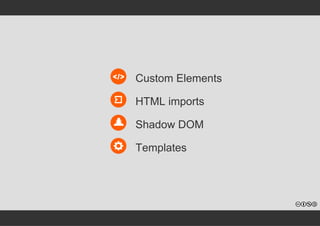
Custom Elements 
HTML imports 
Shadow DOM 
Templates
Custom elements 
Create new HTML elements
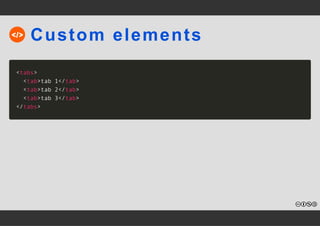
Custom elements 
<tabs> 
<tab>tab 1</tab> 
<tab>tab 2</tab> 
<tab>tab 3</tab> 
</tabs>
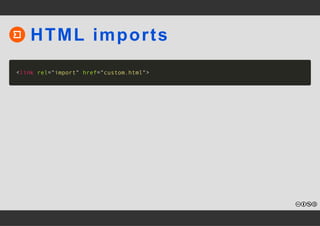
HTML imports 
Load custom element 
definitions and resources
HTML imports 
<link rel="import" href="custom.html">
Shadow DOM 
Scoped CSS + encapsulated 
markup
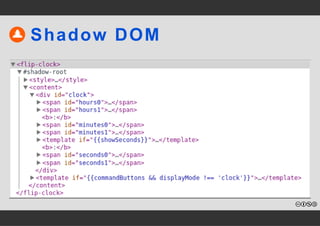
Shadow DOM
Templates 
Native templating in the 
browser
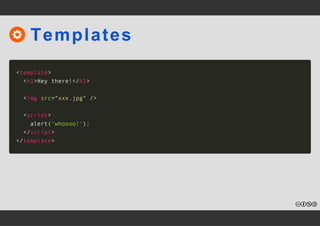
Templates 
<template> 
<h1>Hey there!</h1> 
<img src="xxx.jpg" /> 
<script> 
alert('whoooo!'); 
</script> 
</template>
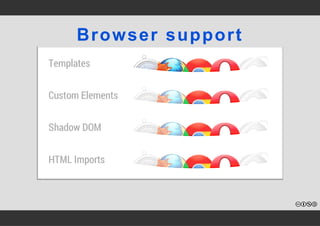
Browser support
webcomponents.js
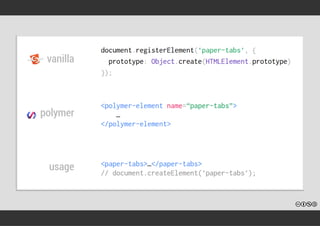
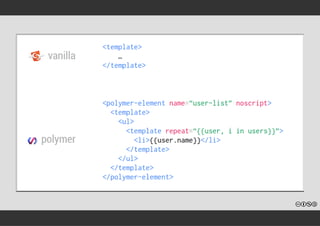
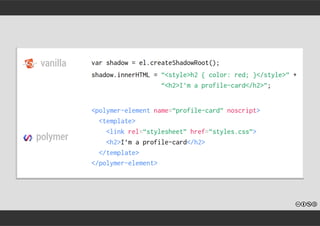
Polymer vs Vanilla
Special features
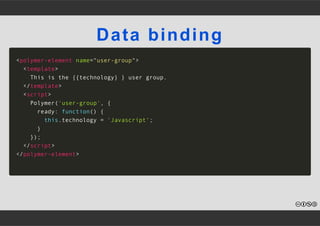
Data binding 
<polymer-element name="user-group"> 
<template> 
This is the {{technology} } user group. 
</template> 
<script> 
Polymer('user-group', { 
ready: function() { 
this.technology = 'Javascript'; 
} 
}); 
</script> 
</polymer-element>
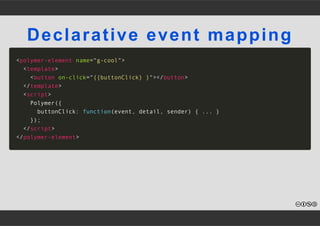
Declarative event mapping 
<polymer-element name="g-cool"> 
<template> 
<button on-click="{{buttonClick} }"></button> 
</template> 
<script> 
Polymer({ 
buttonClick: function(event, detail, sender) { ... } 
}); 
</script> 
</polymer-element>
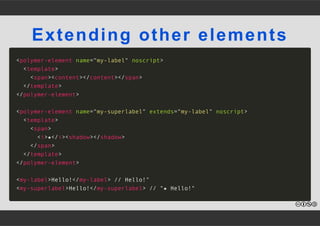
Extending other elements 
<polymer-element name="my-label" noscript> 
<template> 
<span><content></content></span> 
</template> 
</polymer-element> 
<polymer-element name="my-superlabel" extends="my-label" noscript> 
<template> 
<span> 
<i>★</i><shadow></shadow> 
</span> 
</template> 
</polymer-element> 
<my-label>Hello!</my-label> // Hello!" 
<my-superlabel>Hello!</my-superlabel> // "★ Hello!"
Observing properties 
<polymer-element name="g-cool" attributes="better best"> 
<script> 
Polymer({ 
better: '', 
best: '', 
betterChanged: function(oldValue, newValue) { 
... 
}, 
bestChanged: function(oldValue, newValue) { 
... 
} 
}); 
</script> 
</polymer-element>
Tools
Yeoman 
npm install ­g 
generator­polymer
Bower 
bower install Polymer/core­ajax
Vulcanize 
npm install ­g 
vulcanize npm install ­D 
gulp­vulcanize 
npm install ­D 
grunt­vulcanize
Useful components
Google web components 
Paper elements 
Core elements
Do you want more?
Lab Hands­on 
@ 
Codemotion 
11:40 ­13: 
10
Keep in touch! 
@granze 
Slides made with Applause http://bit.ly/applause­slides

Polymer - Lego for the web!