Department of Electrical Engineering
HCET
Aditi Tiwari
To MATLAB
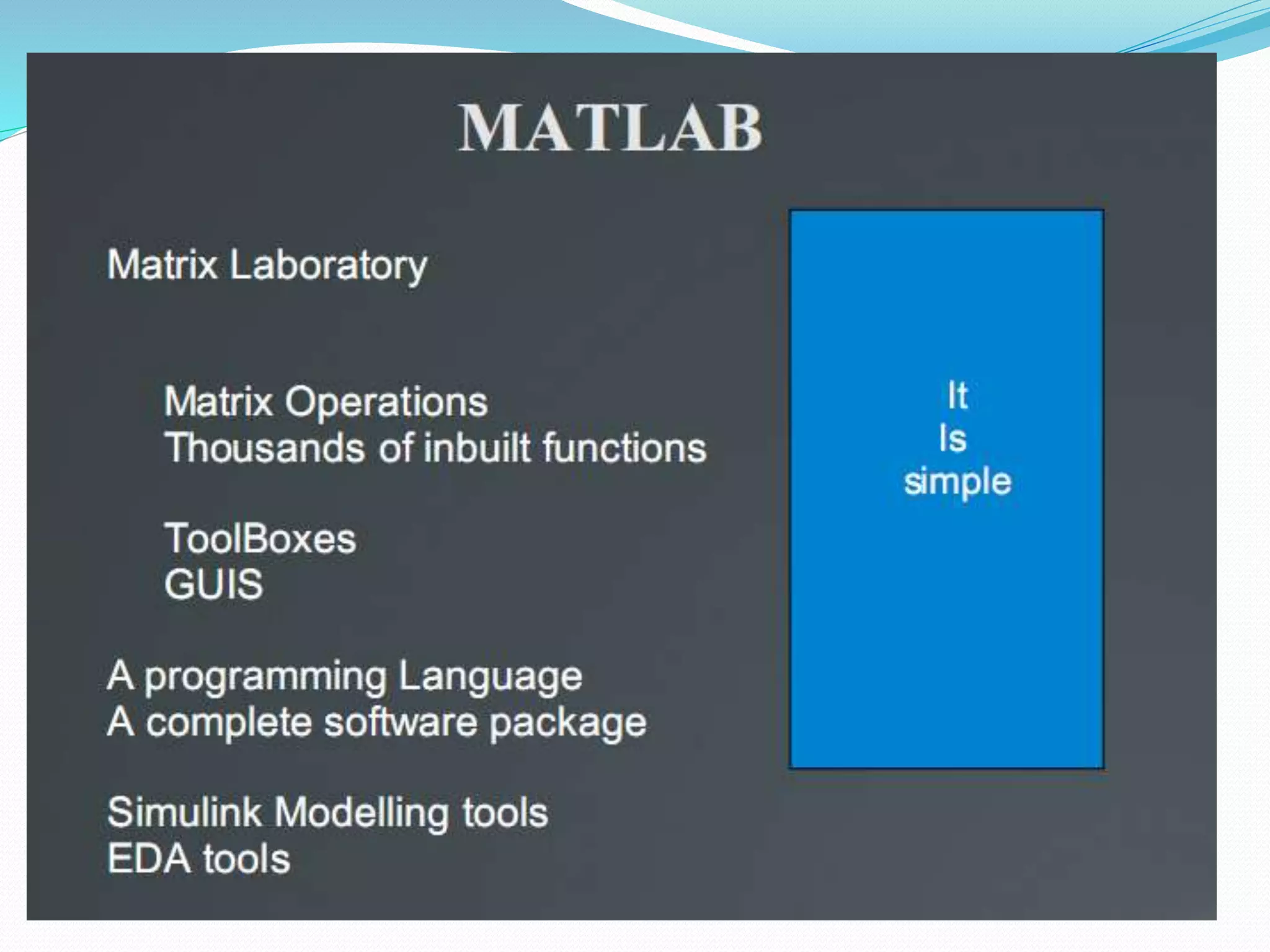
What is MATLAB?
 MATrix LABoratory
 Does Matrix Operations
 Thousands of inbuilt functions
 ToolBoxes
 GUIS
 A programming Language
 A complete software package
 Simulink Modeling tools
 EDA tools
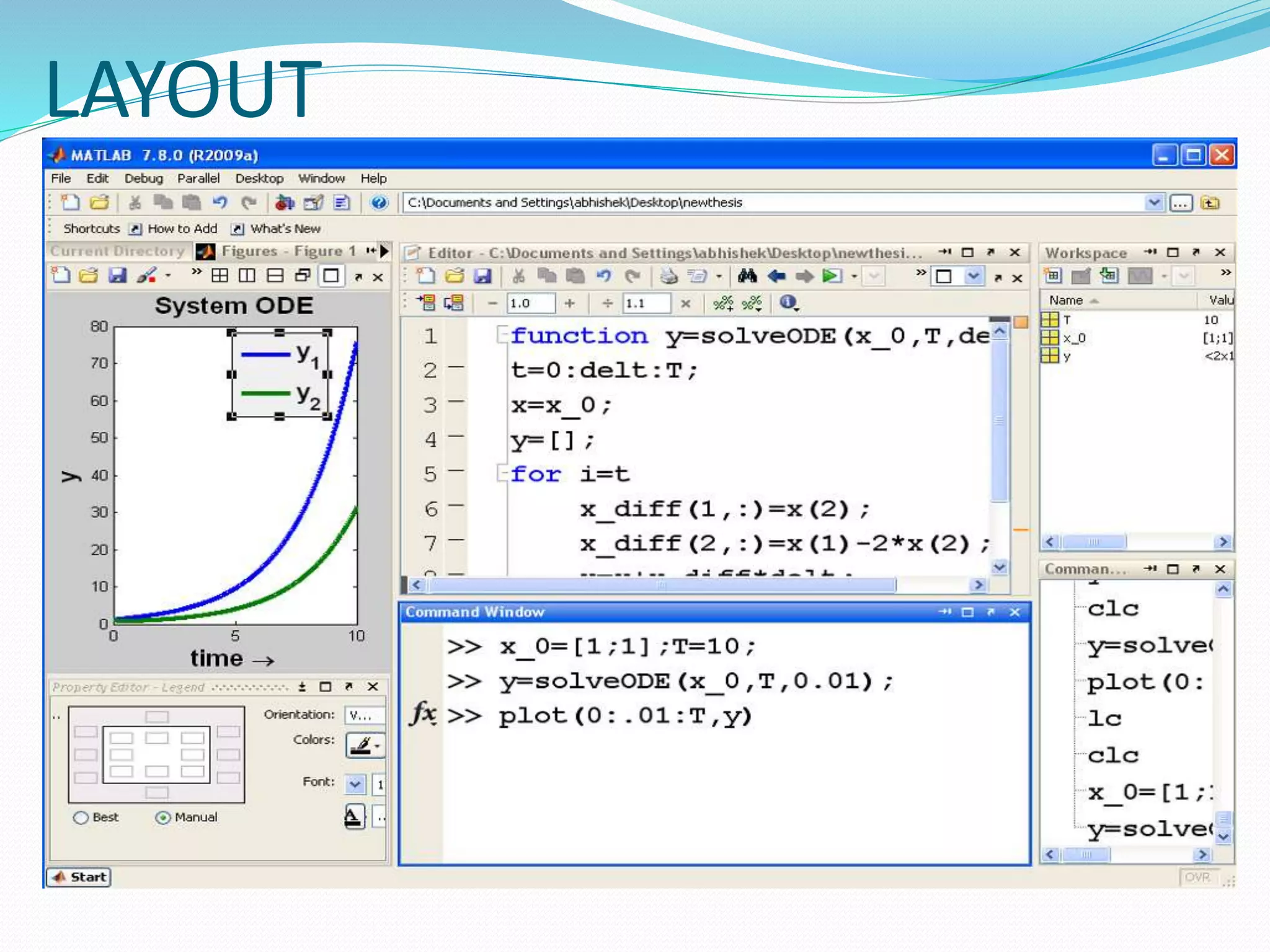
LAYOUT
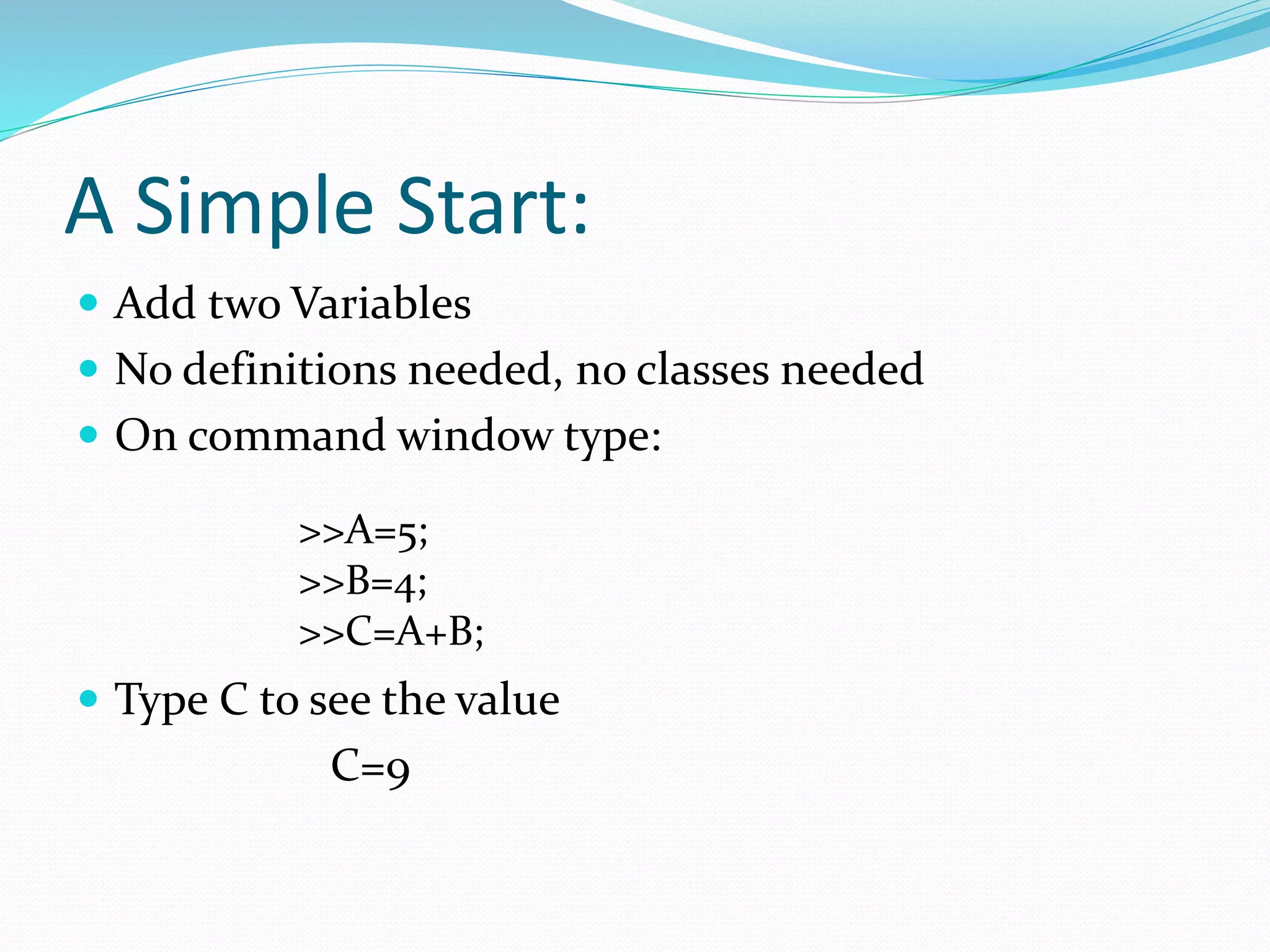
A Simple Start:
 Add two Variables
 No definitions needed, no classes needed
 On command window type:
 Type C to see the value
C=9
>>A=5;
>>B=4;
>>C=A+B;
Editors:
 Editors are used to store codes
 Code is nothing but just a set of lines
 M Files are used in MATLAB having extension .m
 Types:
 Script File
 Set of code lines
 Function File
 A code implementing some functions like sin, cos exp (they
are inbuilt)
Defining Matrices:
 Just write all the entries separated by the space or
comma and enclosed in a bracket []
 A=[1 2 3 2]
Or
 A=[1,2,3,2]
 For column matrix, put semicolon ; in between
 A=[1;2;3;2]
Importance of Matrix:
 Not just as a transformation
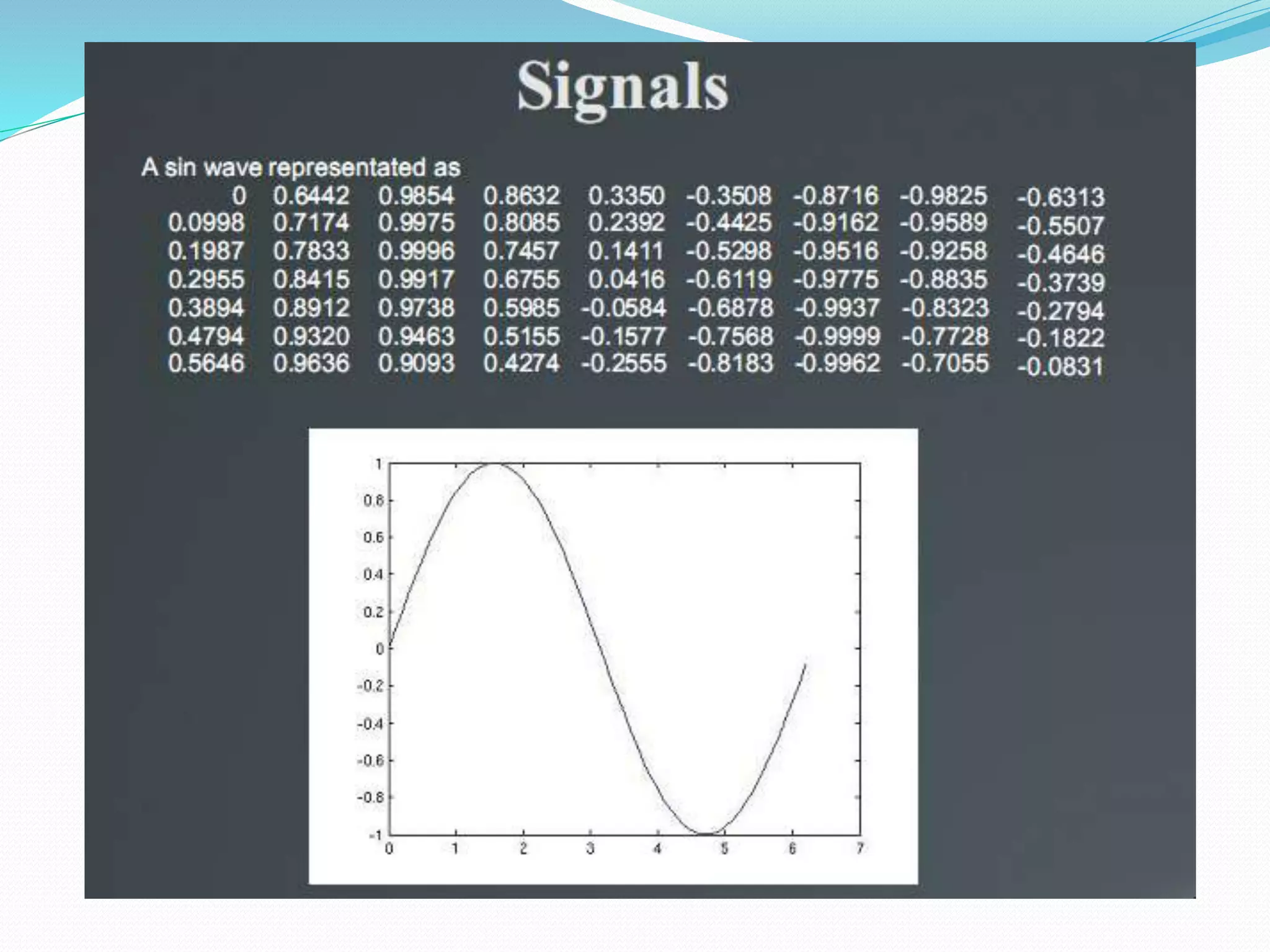
 Also set of data or samples
 Electrical Signals
 Performance outputs
 Images
 Also as model representation
 Polynomials
 Transfer functions
 Neural Networks
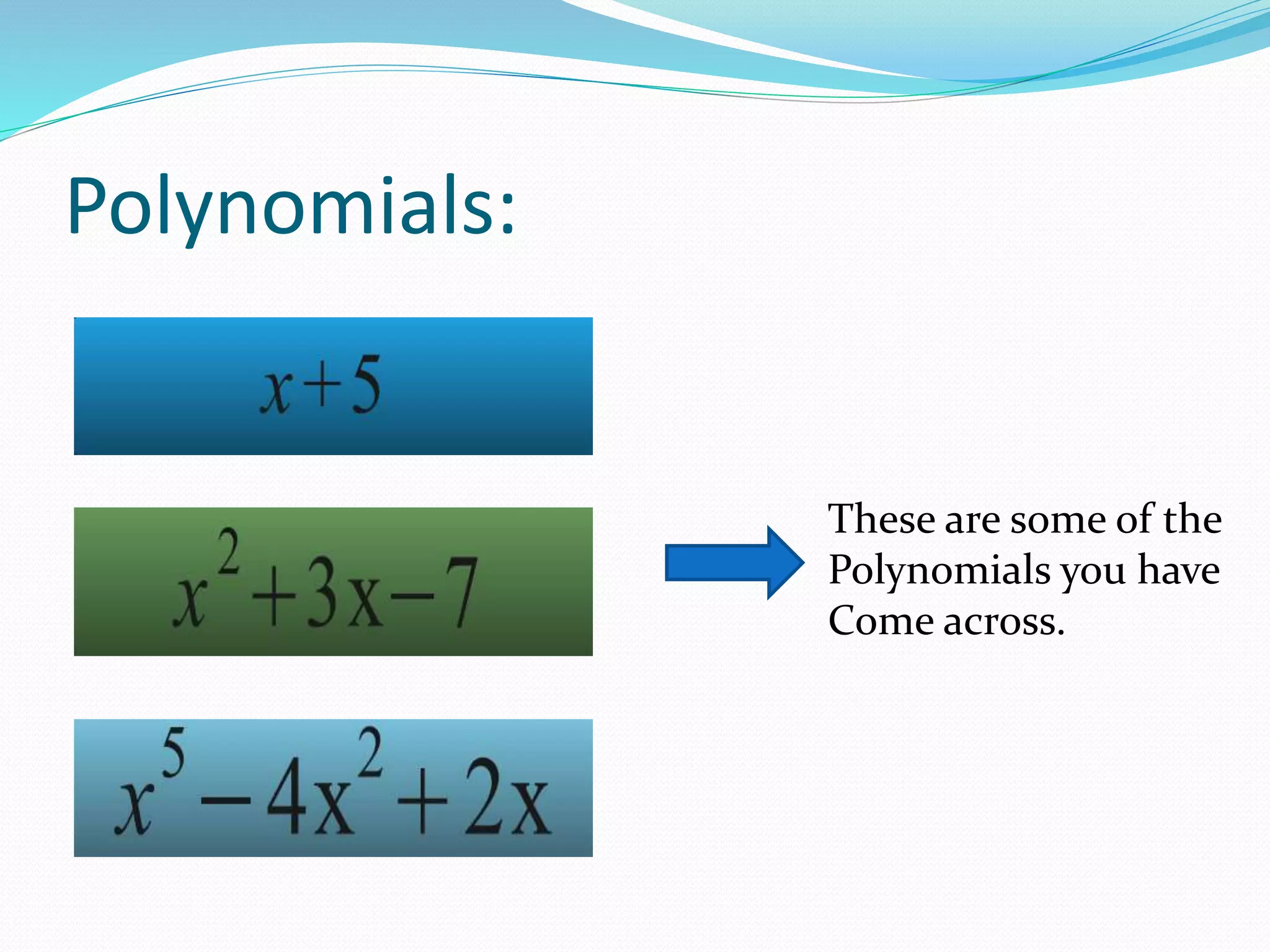
Polynomials:
These are some of the
Polynomials you have
Come across.
Polynomials in MATLAB
 A polynomial can be represented in the form of
coefficients. For example, if you want to write
 You have to just write [1 2 2 5]
 Each number represents the value of coefficients.
 This will be represented as [1 0 2 5]
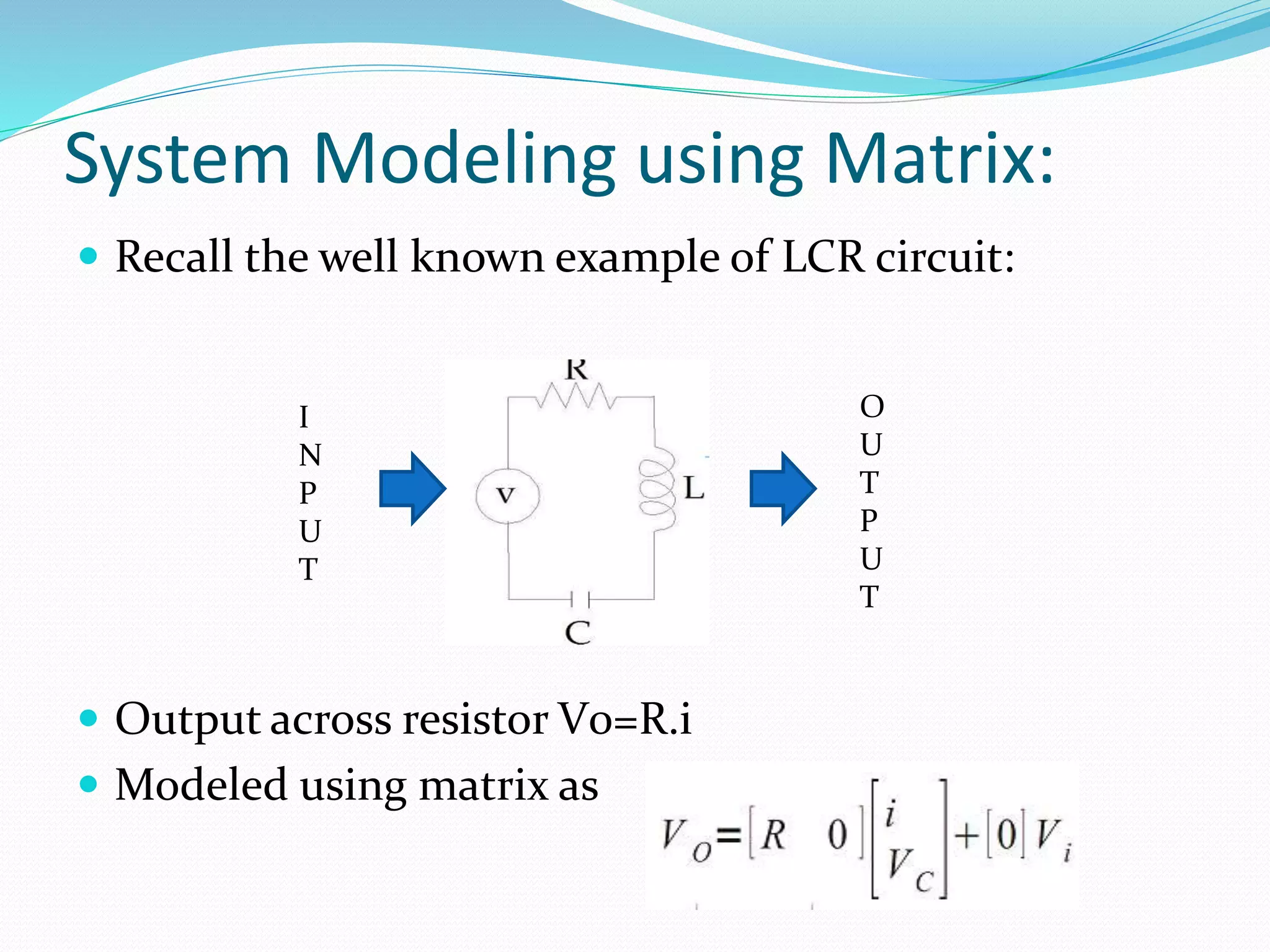
System Modeling using Matrix:
 Recall the well known example of LCR circuit:
 Output across resistor V0=R.i
 Modeled using matrix as
I
N
P
U
T
O
U
T
P
U
T
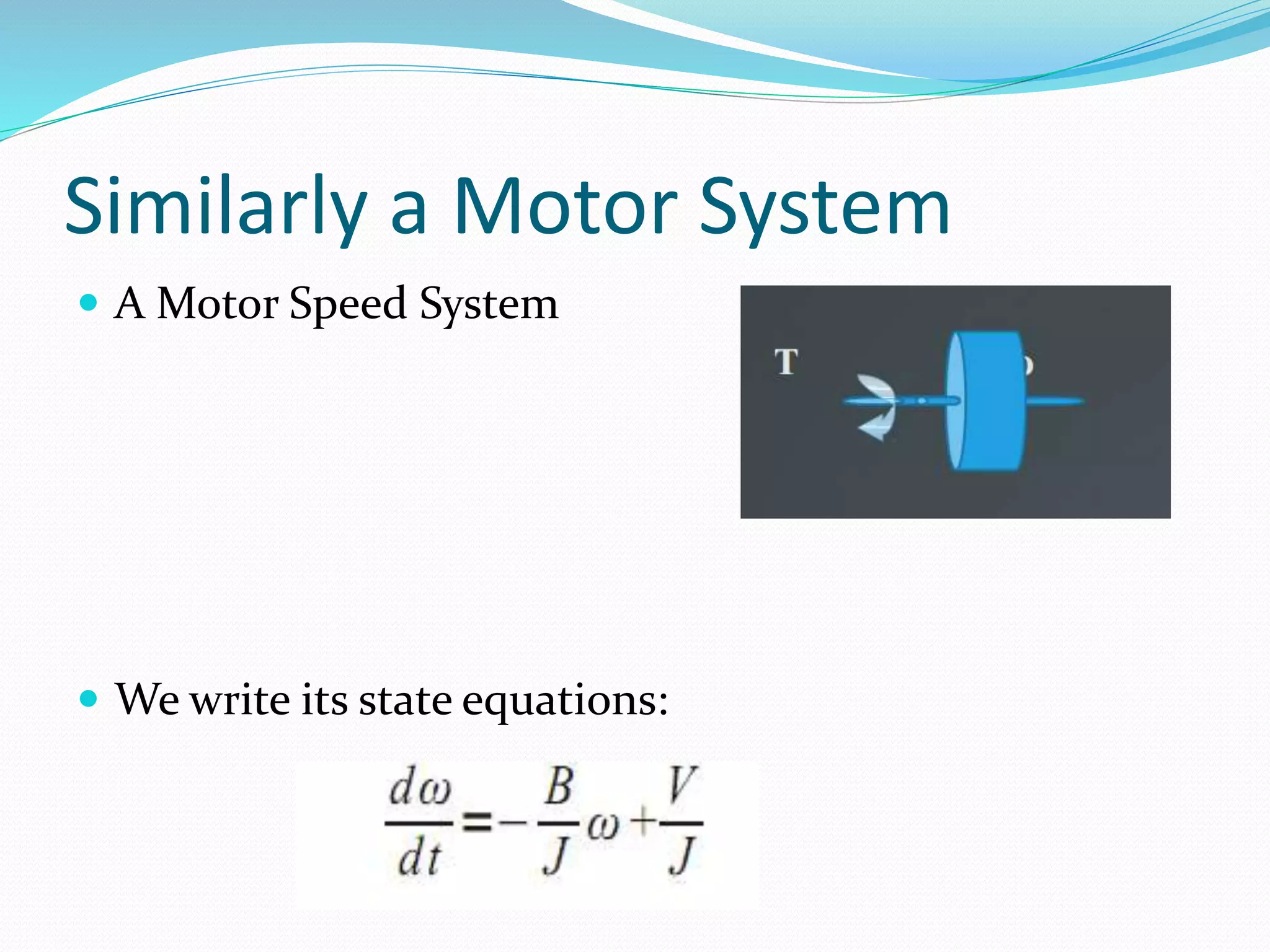
Similarly a Motor System
 A Motor Speed System
 We write its state equations:
Transfer Functions
 Polynomials
 [K2]
 [1 2 K2]
Neural Systems
 Systems modeled as a set of transformation with
neurons as Weight matrixes
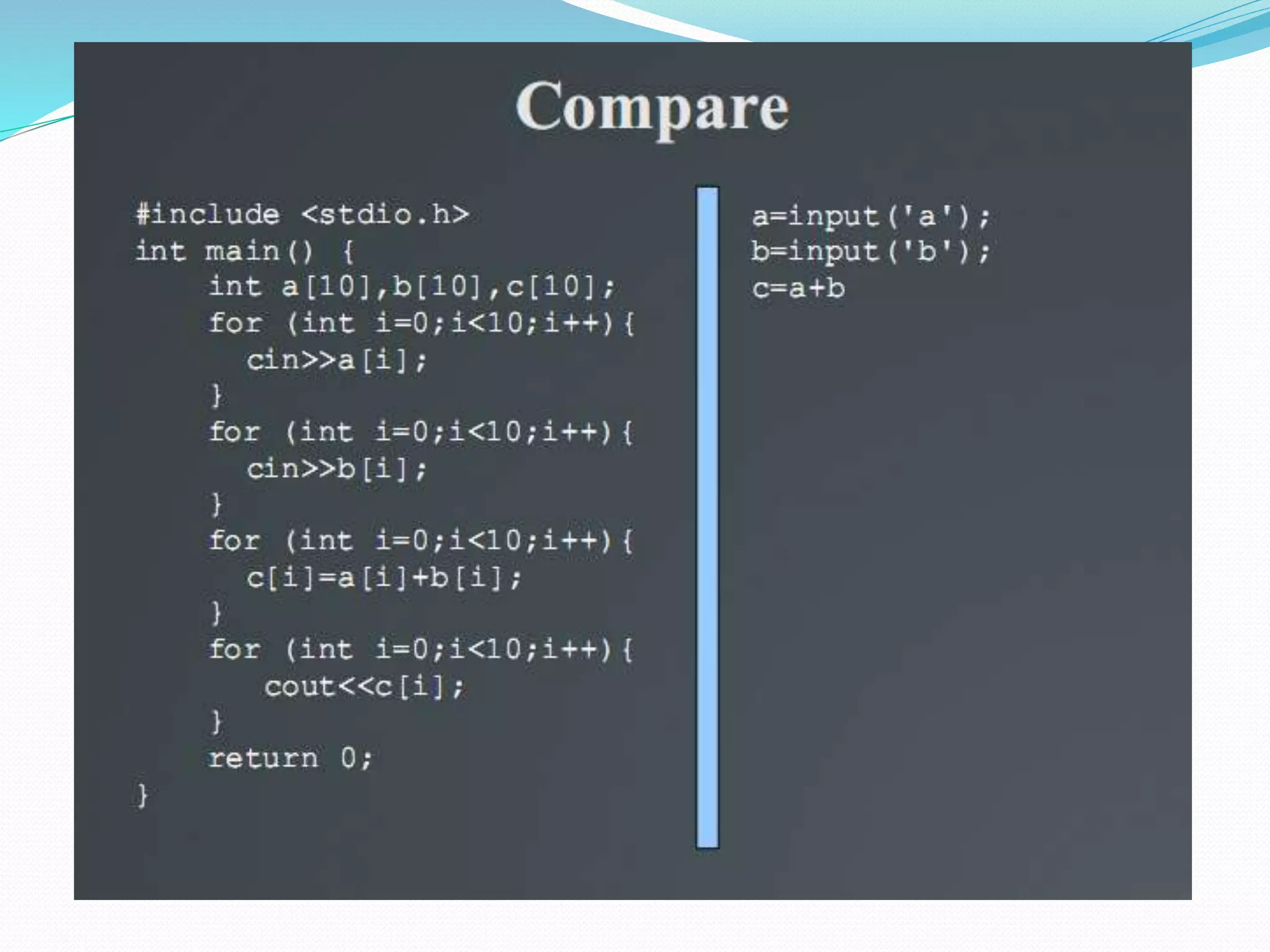
Problems with Other Programming
Languages
 No Matrix operations
 For Loops everywhere
 Lots of unnecessary lines
with MALTAB
Define Matrixs
 Mix , and ; to make 2 D matrix
A=[1 2 3 2; 1 3 2 1;2 3 6 1]
 Make A 1 to 10 Matrix
A=[1 2 3 4 5 6 7 8 9 10];
 Make 1 to 100
 Tired??
 Use colon :Which mean “TO”
A=[1:100];
Colon (:) = TO
[1:4]
 Gives a vector from 1 to 4
1 2 3 4
[1:0.5:4]
 Gives a vector from 1 to 4 with step 0.5
1 1.5 2 2.5 3 3.5 4
[0:0.1:2*pi]
 Gives a vector containing 0 to 2π
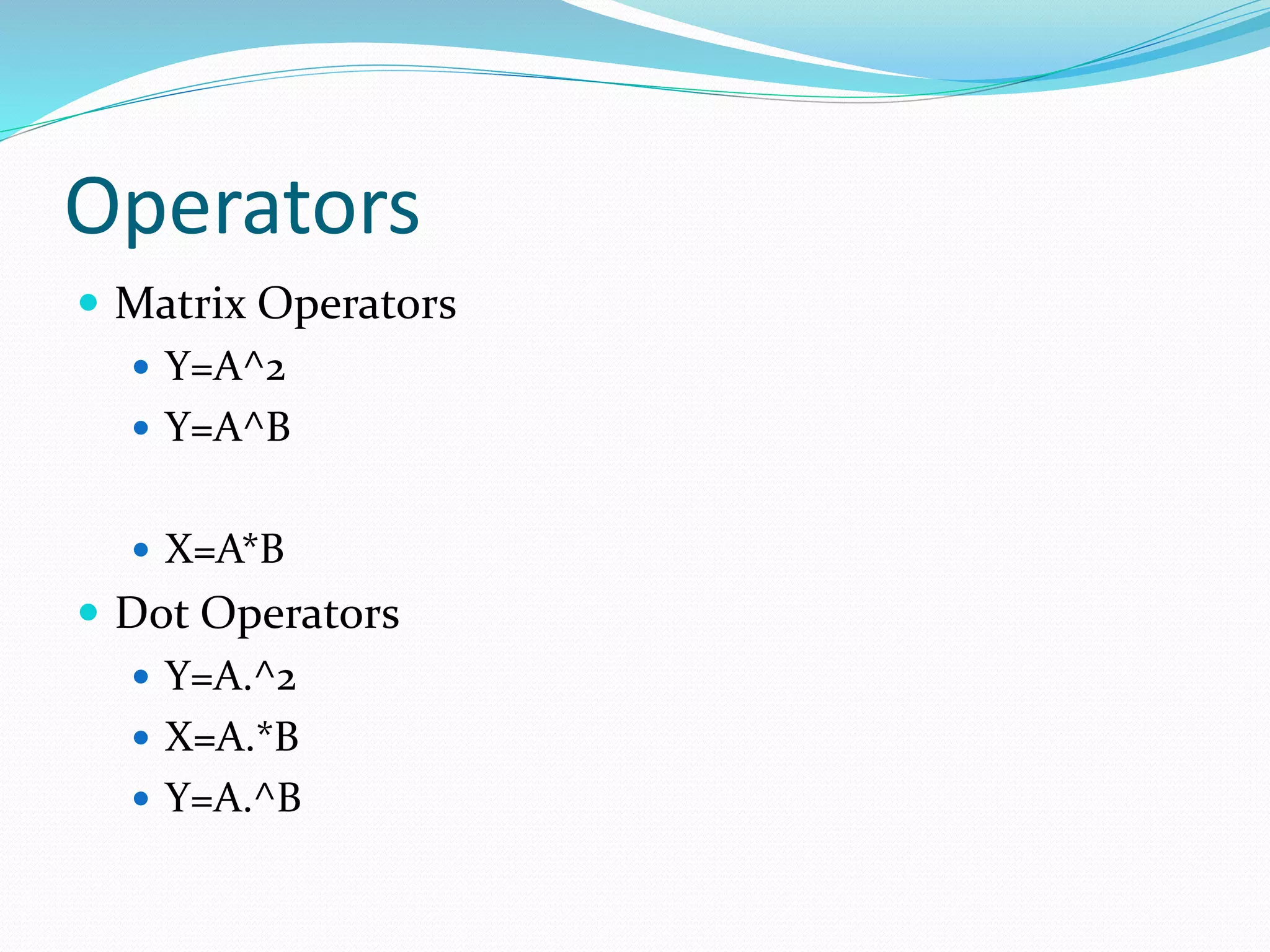
Operators
 Matrix Operators
 Y=A^2
 Y=A^B
 X=A*B
 Dot Operators
 Y=A.^2
 X=A.*B
 Y=A.^B
Functions
Subscripting
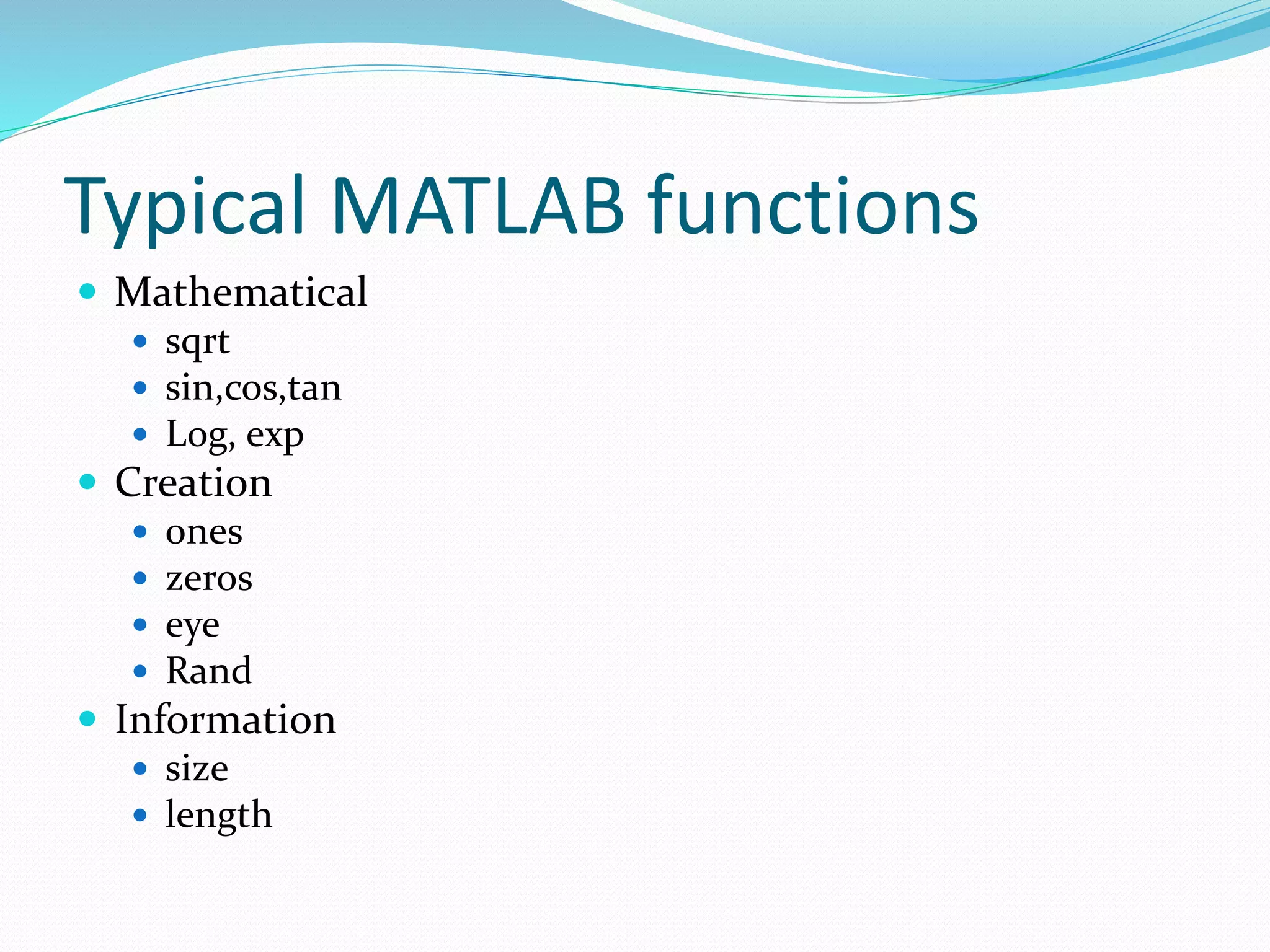
Typical MATLAB functions
 Mathematical
 sqrt
 sin,cos,tan
 Log, exp
 Creation
 ones
 zeros
 eye
 Rand
 Information
 size
 length
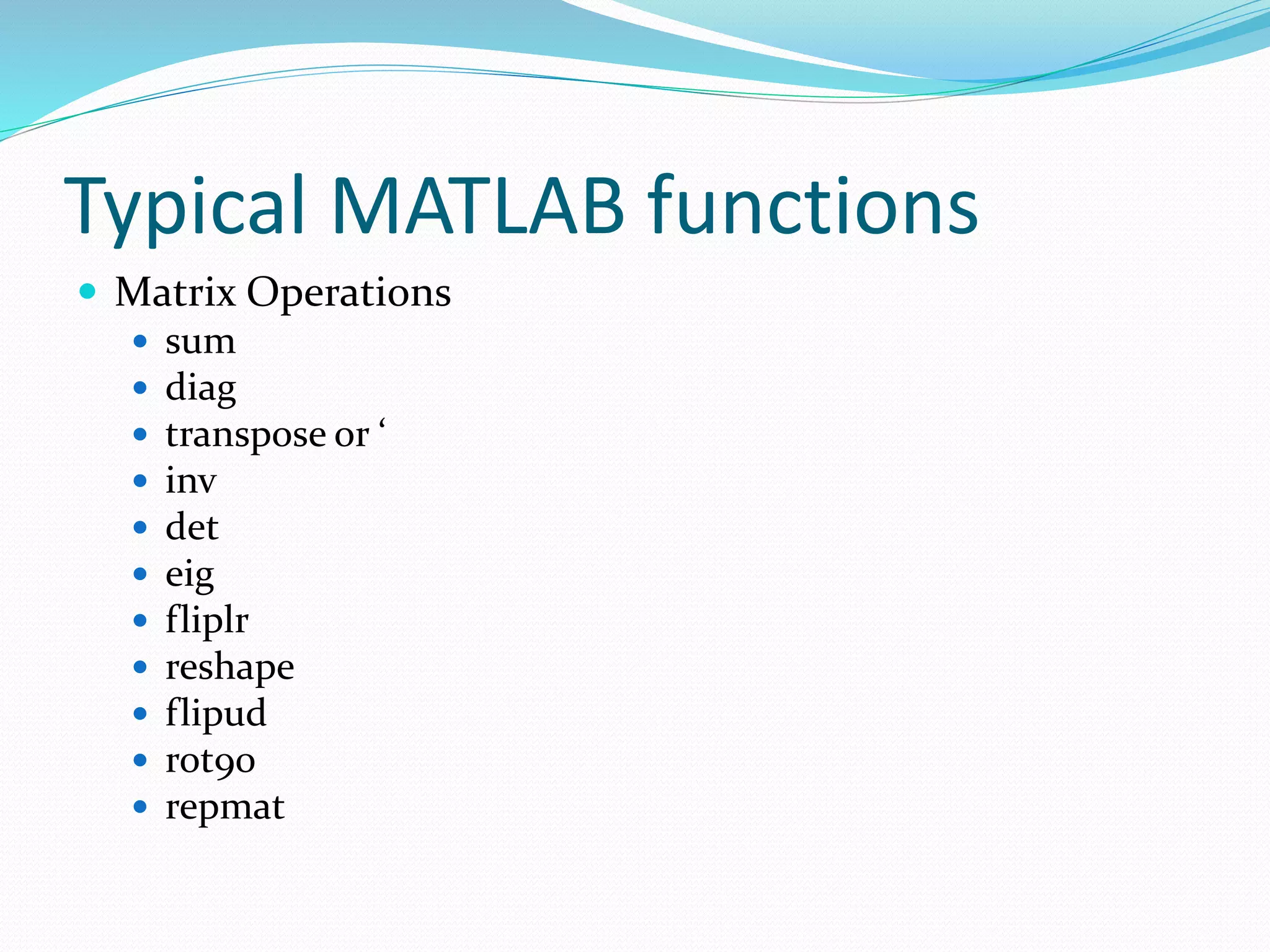
Typical MATLAB functions
 Matrix Operations
 sum
 diag
 transpose or ‘
 inv
 det
 eig
 fliplr
 reshape
 flipud
 rot90
 repmat
Concatenation of Matrices
 Suppose A, B, C are matrices
 If we write [A B] or [A,B]
 If we write [A;B]
 Similarly [A B C] and [A;B;C]
 [[A B];C]
 Crete a with size 4x5
 With elements from 3to7
 uGP
Arn-1
N=[1:20]
Y=2*(1/2).^(N-1)

matlab

  • 1.
    Department of ElectricalEngineering HCET Aditi Tiwari
  • 2.
  • 3.
    What is MATLAB? MATrix LABoratory  Does Matrix Operations  Thousands of inbuilt functions  ToolBoxes  GUIS  A programming Language  A complete software package  Simulink Modeling tools  EDA tools
  • 4.
  • 5.
    A Simple Start: Add two Variables  No definitions needed, no classes needed  On command window type:  Type C to see the value C=9 >>A=5; >>B=4; >>C=A+B;
  • 6.
    Editors:  Editors areused to store codes  Code is nothing but just a set of lines  M Files are used in MATLAB having extension .m  Types:  Script File  Set of code lines  Function File  A code implementing some functions like sin, cos exp (they are inbuilt)
  • 7.
    Defining Matrices:  Justwrite all the entries separated by the space or comma and enclosed in a bracket []  A=[1 2 3 2] Or  A=[1,2,3,2]  For column matrix, put semicolon ; in between  A=[1;2;3;2]
  • 8.
    Importance of Matrix: Not just as a transformation  Also set of data or samples  Electrical Signals  Performance outputs  Images  Also as model representation  Polynomials  Transfer functions  Neural Networks
  • 9.
    Polynomials: These are someof the Polynomials you have Come across.
  • 10.
    Polynomials in MATLAB A polynomial can be represented in the form of coefficients. For example, if you want to write  You have to just write [1 2 2 5]  Each number represents the value of coefficients.  This will be represented as [1 0 2 5]
  • 11.
    System Modeling usingMatrix:  Recall the well known example of LCR circuit:  Output across resistor V0=R.i  Modeled using matrix as I N P U T O U T P U T
  • 12.
    Similarly a MotorSystem  A Motor Speed System  We write its state equations:
  • 13.
  • 14.
    Neural Systems  Systemsmodeled as a set of transformation with neurons as Weight matrixes
  • 16.
    Problems with OtherProgramming Languages  No Matrix operations  For Loops everywhere  Lots of unnecessary lines
  • 19.
  • 20.
    Define Matrixs  Mix, and ; to make 2 D matrix A=[1 2 3 2; 1 3 2 1;2 3 6 1]  Make A 1 to 10 Matrix A=[1 2 3 4 5 6 7 8 9 10];  Make 1 to 100  Tired??  Use colon :Which mean “TO” A=[1:100];
  • 21.
    Colon (:) =TO [1:4]  Gives a vector from 1 to 4 1 2 3 4 [1:0.5:4]  Gives a vector from 1 to 4 with step 0.5 1 1.5 2 2.5 3 3.5 4 [0:0.1:2*pi]  Gives a vector containing 0 to 2π
  • 22.
    Operators  Matrix Operators Y=A^2  Y=A^B  X=A*B  Dot Operators  Y=A.^2  X=A.*B  Y=A.^B
  • 23.
  • 24.
    Typical MATLAB functions Mathematical  sqrt  sin,cos,tan  Log, exp  Creation  ones  zeros  eye  Rand  Information  size  length
  • 25.
    Typical MATLAB functions Matrix Operations  sum  diag  transpose or ‘  inv  det  eig  fliplr  reshape  flipud  rot90  repmat
  • 26.
    Concatenation of Matrices Suppose A, B, C are matrices  If we write [A B] or [A,B]  If we write [A;B]  Similarly [A B C] and [A;B;C]  [[A B];C]
  • 27.
     Crete awith size 4x5  With elements from 3to7  uGP Arn-1 N=[1:20] Y=2*(1/2).^(N-1)