MAS.500 - Software Module - Rahul Bhargava 
Software Dev 
Strategies 
2014.11.12
Data Structures 
Testing 
Managing Complexity 
Source Code Management 
Licences 
Algorithms
Data Structures
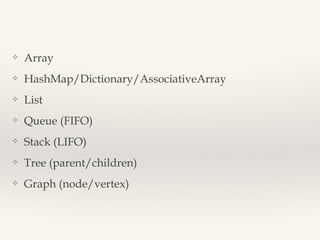
❖ Array 
❖ HashMap/Dictionary/AssociativeArray 
❖ List 
❖ Queue (FIFO) 
❖ Stack (LIFO) 
❖ Tree (parent/children) 
❖ Graph (node/vertex)
Testing
Approaches 
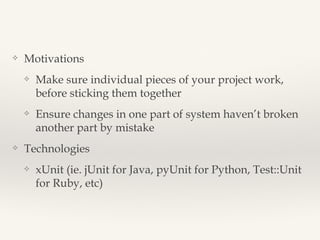
❖ Motivations 
❖ Make sure individual pieces of your project work, before sticking 
them together 
❖ Ensure changes in one part of system haven’t broken another part 
by mistake 
❖ Strategies 
❖ Unit Testing, Functional Testing, Integration Testing 
❖ Technologies 
❖ xUnit (ie. jUnit for Java, pyUnit for Python, Test::Unit for Ruby, etc)
Unit Test Anatomy 
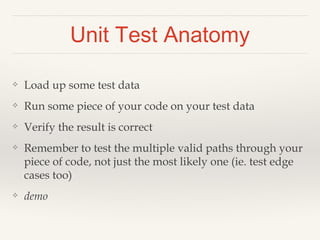
❖ Load up some test data 
❖ Run some piece of your code on your test data 
❖ Verify the result is correct 
❖ Remember to test the multiple valid paths through your 
piece of code, not just the most likely one (ie. test edge 
cases too) 
❖ demo
Strategies 
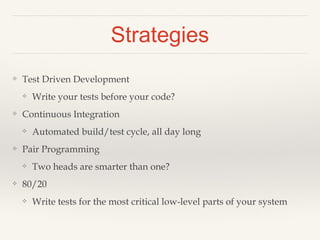
❖ Test Driven Development 
❖ Write your tests before your code? 
❖ Continuous Integration 
❖ Automated build/test cycle, all day long 
❖ Pair Programming 
❖ Two heads are smarter than one? 
❖ 80/20 
❖ Write tests for the most critical low-level parts of your system
Managing Complexity
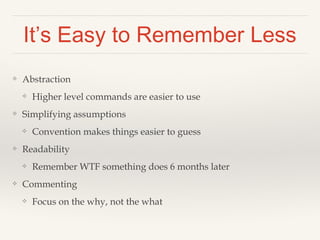
It’s Easy to Remember Less 
❖ Abstraction 
❖ Higher level commands are easier to use 
❖ Simplifying assumptions 
❖ Convention makes things easier to guess 
❖ Readability 
❖ Remember WTF something does 6 months later 
❖ Commenting 
❖ Focus on the why, not the what
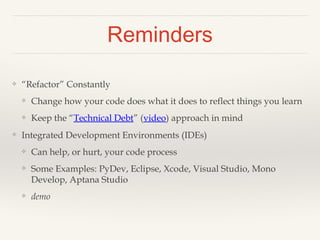
Reminders 
❖ “Refactor” Constantly 
❖ Change how your code does what it does to reflect things you learn 
❖ Keep the “Technical Debt” (video) approach in mind 
❖ Text Editors, Integrated Development Environments (IDEs) 
❖ Can help, or hurt, your code process 
❖ Some Examples: PyDev, Eclipse, Xcode, Visual Studio, Mono 
Develop, Aptana Studio 
❖ IDE demos
Source Code Management
SCM 
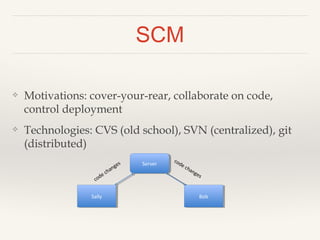
❖ Motivations: cover-your-rear, collaborate on code, 
control deployment 
❖ Technologies: CVS (old school), SVN (centralized), git 
(distributed) 
Server 
Sally Bob
SCM: Process 
git (with a server) 
• Clone repository to your computer (only 
once) 
• Change code 
• Commit changes locally 
• Pull changes from server 
• Merge any conflicts 
• Commit fixes locally 
• Push all commits back to server 
Learn More: 
git-scm.com/book/en/Getting- 
Started-Git-Basics 
SVN 
• Checkout code to your computer (only 
once) 
• Change code 
• Update code to get any changes from the 
server 
• Merge conflicts 
• Commit changes back to server 
Learn More: 
http://svnbook.red-bean. 
com/en/1.6/svn.basic.in-action. 
html 
…lets not relive the dark days of CVS…
SCM: Example 
❖ Setup 
❖ With git you usually have to set up SSH keys first for authentication 
❖ Clone the project to get the repository from the server to your computer 
❖ git clone git@github.com:username/project.git 
❖ Process 
❖ Make your changes (for example, edit README.txt) 
❖ Stage the changes that you want to commit 
❖ git add README.txt 
❖ Commit the changes 
❖ git commit –m “Better instructions” 
❖ Push the changes to the main branch (master) on the server (origin) 
❖ git push origin master
DEMO
Handling Conflicts 
❖ Structuring your source files well helps avoid conflicts 
❖ Using MVC can help (see later slides) 
❖ Uh oh, we both changed same part of the README.txt! 
❖ When if happens, open the file and find the conflict: 
❖ <<<<<<<< HEAD:README.txt 
❖ My code here 
❖ ================= 
❖ Other person’s new code here 
❖ >>>>>>>>>>> [their_version]:README.txt 
❖ Pick which version to keep and delete the other stuff 
❖ Read more in the gitbook 
❖ git-scm.com/book/en/Git-Branching-Basic-Branching-and-Merging#Basic-Merge-Conflicts
SCM: Tags and Branches 
❖ Tags - take a snapshot of your repository at a certain 
point in time 
❖ Useful for deploying specific snapshots of code that 
you know work to a server/demo-box 
❖ Branches – work on side projects without affecting your 
main development 
❖ git makes merging branches easier, but should still be 
done carefully
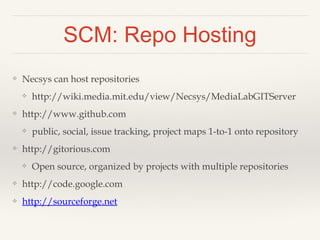
SCM: Repo Hosting 
❖ Necsys can host repositories 
❖ http://wiki.media.mit.edu/view/Necsys/MediaLabGITServer 
❖ http://www.github.com 
❖ public, social, issue tracking, project maps 1-to-1 onto repository 
❖ mit has an enterprise site license (http://github.mit.edu/) 
❖ http://gitorious.com 
❖ Open source, organized by projects with multiple repositories 
❖ http://code.google.com 
❖ http://sourceforge.net
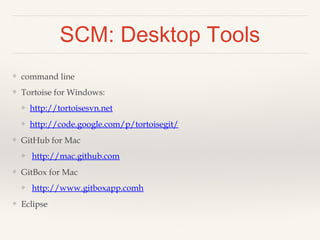
SCM: Desktop Tools 
❖ command line 
❖ Tortoise for Windows: 
❖ http://tortoisesvn.net 
❖ http://code.google.com/p/tortoisegit/ 
❖ GitHub for Mac 
❖ http://mac.github.com 
❖ GitBox for Mac 
❖ http://www.gitboxapp.comh 
❖ Eclipse
SCM: GitHub 
❖ online hosting 
❖ ssh keys
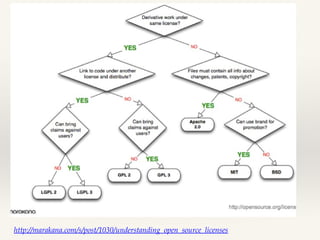
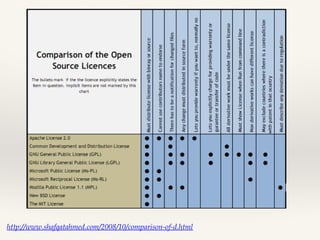
Licences
http://marakana.com/s/post/1030/understanding_open_source_licenses
http://www.shafqatahmed.com/2008/10/comparison-of-d.html
Algorithms
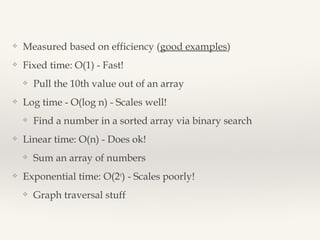
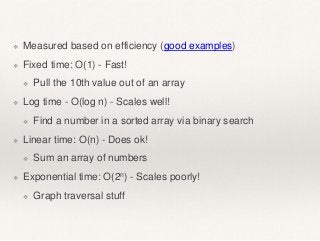
❖ Measured based on efficiency (good examples) 
❖ Fixed time: O(1) - Fast! 
❖ Pull the 10th value out of an array 
❖ Log time - O(log n) - Scales well! 
❖ Find a number in a sorted array via binary search 
❖ Linear time: O(n) - Does ok! 
❖ Sum an array of numbers 
❖ Exponential time: O(2n) - Scales poorly! 
❖ Graph traversal stuff
Homework 
❖ see course outline: bit.ly/mas500f14

[Mas 500] Software Development Strategies

  • 1.
    MAS.500 - SoftwareModule - Rahul Bhargava Software Dev Strategies 2014.11.12
  • 2.
    Data Structures Testing Managing Complexity Source Code Management Licences Algorithms
  • 3.
  • 4.
    ❖ Array ❖HashMap/Dictionary/AssociativeArray ❖ List ❖ Queue (FIFO) ❖ Stack (LIFO) ❖ Tree (parent/children) ❖ Graph (node/vertex)
  • 5.
  • 6.
    Approaches ❖ Motivations ❖ Make sure individual pieces of your project work, before sticking them together ❖ Ensure changes in one part of system haven’t broken another part by mistake ❖ Strategies ❖ Unit Testing, Functional Testing, Integration Testing ❖ Technologies ❖ xUnit (ie. jUnit for Java, pyUnit for Python, Test::Unit for Ruby, etc)
  • 7.
    Unit Test Anatomy ❖ Load up some test data ❖ Run some piece of your code on your test data ❖ Verify the result is correct ❖ Remember to test the multiple valid paths through your piece of code, not just the most likely one (ie. test edge cases too) ❖ demo
  • 8.
    Strategies ❖ TestDriven Development ❖ Write your tests before your code? ❖ Continuous Integration ❖ Automated build/test cycle, all day long ❖ Pair Programming ❖ Two heads are smarter than one? ❖ 80/20 ❖ Write tests for the most critical low-level parts of your system
  • 9.
  • 10.
    It’s Easy toRemember Less ❖ Abstraction ❖ Higher level commands are easier to use ❖ Simplifying assumptions ❖ Convention makes things easier to guess ❖ Readability ❖ Remember WTF something does 6 months later ❖ Commenting ❖ Focus on the why, not the what
  • 11.
    Reminders ❖ “Refactor”Constantly ❖ Change how your code does what it does to reflect things you learn ❖ Keep the “Technical Debt” (video) approach in mind ❖ Text Editors, Integrated Development Environments (IDEs) ❖ Can help, or hurt, your code process ❖ Some Examples: PyDev, Eclipse, Xcode, Visual Studio, Mono Develop, Aptana Studio ❖ IDE demos
  • 12.
  • 13.
    SCM ❖ Motivations:cover-your-rear, collaborate on code, control deployment ❖ Technologies: CVS (old school), SVN (centralized), git (distributed) Server Sally Bob
  • 14.
    SCM: Process git(with a server) • Clone repository to your computer (only once) • Change code • Commit changes locally • Pull changes from server • Merge any conflicts • Commit fixes locally • Push all commits back to server Learn More: git-scm.com/book/en/Getting- Started-Git-Basics SVN • Checkout code to your computer (only once) • Change code • Update code to get any changes from the server • Merge conflicts • Commit changes back to server Learn More: http://svnbook.red-bean. com/en/1.6/svn.basic.in-action. html …lets not relive the dark days of CVS…
  • 15.
    SCM: Example ❖Setup ❖ With git you usually have to set up SSH keys first for authentication ❖ Clone the project to get the repository from the server to your computer ❖ git clone git@github.com:username/project.git ❖ Process ❖ Make your changes (for example, edit README.txt) ❖ Stage the changes that you want to commit ❖ git add README.txt ❖ Commit the changes ❖ git commit –m “Better instructions” ❖ Push the changes to the main branch (master) on the server (origin) ❖ git push origin master
  • 16.
  • 17.
    Handling Conflicts ❖Structuring your source files well helps avoid conflicts ❖ Using MVC can help (see later slides) ❖ Uh oh, we both changed same part of the README.txt! ❖ When if happens, open the file and find the conflict: ❖ <<<<<<<< HEAD:README.txt ❖ My code here ❖ ================= ❖ Other person’s new code here ❖ >>>>>>>>>>> [their_version]:README.txt ❖ Pick which version to keep and delete the other stuff ❖ Read more in the gitbook ❖ git-scm.com/book/en/Git-Branching-Basic-Branching-and-Merging#Basic-Merge-Conflicts
  • 18.
    SCM: Tags andBranches ❖ Tags - take a snapshot of your repository at a certain point in time ❖ Useful for deploying specific snapshots of code that you know work to a server/demo-box ❖ Branches – work on side projects without affecting your main development ❖ git makes merging branches easier, but should still be done carefully
  • 19.
    SCM: Repo Hosting ❖ Necsys can host repositories ❖ http://wiki.media.mit.edu/view/Necsys/MediaLabGITServer ❖ http://www.github.com ❖ public, social, issue tracking, project maps 1-to-1 onto repository ❖ mit has an enterprise site license (http://github.mit.edu/) ❖ http://gitorious.com ❖ Open source, organized by projects with multiple repositories ❖ http://code.google.com ❖ http://sourceforge.net
  • 20.
    SCM: Desktop Tools ❖ command line ❖ Tortoise for Windows: ❖ http://tortoisesvn.net ❖ http://code.google.com/p/tortoisegit/ ❖ GitHub for Mac ❖ http://mac.github.com ❖ GitBox for Mac ❖ http://www.gitboxapp.comh ❖ Eclipse
  • 21.
    SCM: GitHub ❖online hosting ❖ ssh keys
  • 22.
  • 23.
  • 24.
  • 25.
  • 26.
    ❖ Measured basedon efficiency (good examples) ❖ Fixed time: O(1) - Fast! ❖ Pull the 10th value out of an array ❖ Log time - O(log n) - Scales well! ❖ Find a number in a sorted array via binary search ❖ Linear time: O(n) - Does ok! ❖ Sum an array of numbers ❖ Exponential time: O(2n) - Scales poorly! ❖ Graph traversal stuff
  • 27.
    Homework ❖ seecourse outline: bit.ly/mas500f14