MARKETING
ANALYTICS
FOR EVERYONE?
Meet Google Data Studio!
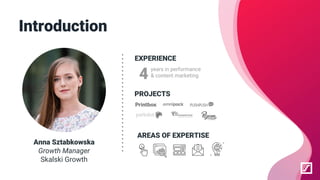
Introduction
Anna Sztabkowska
Growth Manager
Skalski Growth
EXPERIENCE
years in performance
& content marketing
PROJECTS
AREAS OF EXPERTISE
4
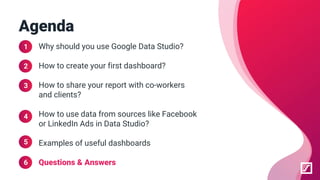
Why should you use Google Data Studio?
How to create your first dashboard?
How to share your report with co-workers
and clients?
How to use data from sources like Facebook
or LinkedIn Ads in Data Studio?
Examples of useful dashboards
Questions & Answers
Agenda
1
2
3
4
5
6
WHY SHOULD YOU USE
GOOGLE DATA STUDIO?
1
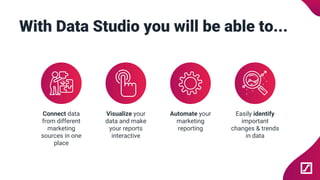
With Data Studio you will be able to...
Connect data
from different
marketing
sources in one
place
Visualize your
data and make
your reports
interactive
Automate your
marketing
reporting
Easily identify
important
changes & trends
in data
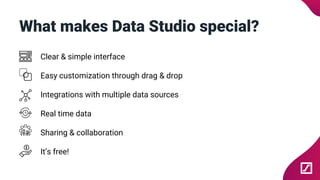
What makes Data Studio special?
Clear & simple interface
Easy customization through drag & drop
Integrations with multiple data sources
Real time data
Sharing & collaboration
It’s free!
HOW TO CREATE YOUR
FIRST DASHBOARD?
2
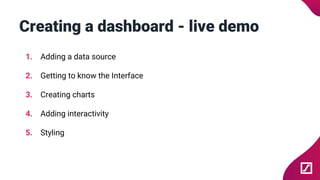
Creating a dashboard - live demo
1. Adding a data source
2. Getting to know the Interface
3. Creating charts
4. Adding interactivity
5. Styling
HOW TO SHARE
YOUR REPORT?
3
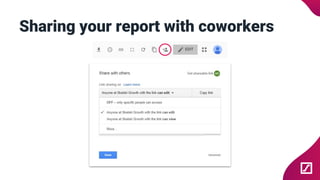
Sharing your report with coworkers
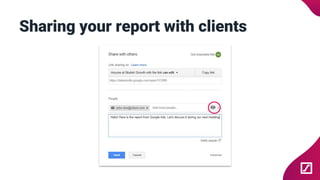
Sharing your report with clients
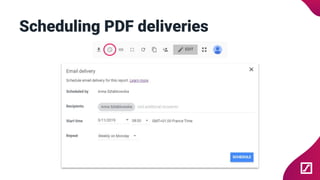
Scheduling PDF deliveries
HOW TO USE DATA
FROM NON-GOOGLE
SOURCES?
4
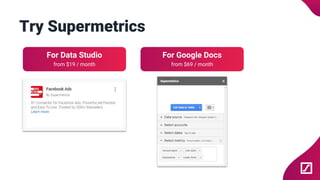
Try Supermetrics
For Data Studio
from $19 / month
For Google Docs
from $69 / month
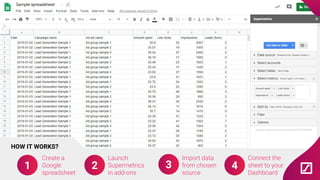
Create a
Google
spreadsheet
2
Launch
Supermetrics
in add-ons
3
Import data
from chosen
source
4
Connect the
sheet to your
Dashboard
HOW IT WORKS?
1
SAMPLE DASHBOARDS
5
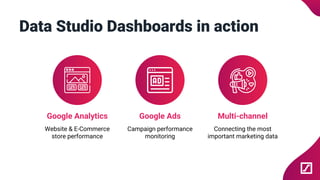
Data Studio Dashboards in action
Google Analytics
Website & E-Commerce
store performance
Google Ads
Campaign performance
monitoring
Multi-channel
Connecting the most
important marketing data
ANY QUESTIONS?
6
THANK YOU
Anna Sztabkowska
Growth Manager
anna@skalskigrowth.com

Marketing analytics for everyone? Meet Google Data Studio!