Map Layout
Labeling
Objectives
• Understand general cartographic concepts about
labeling
• Be able to select appropriate font style, size, color,
and placement of labels for features on a map
What, Where, Who?
Three ideas to keep in mind:
• The data – WHAT?
• The area – WHERE?
• The audience – WHO?
How the data is presented directly affects how
the data is interpreted.
A map that is simple to interpret can be the hardest to make!
Key Considerations for Labelling
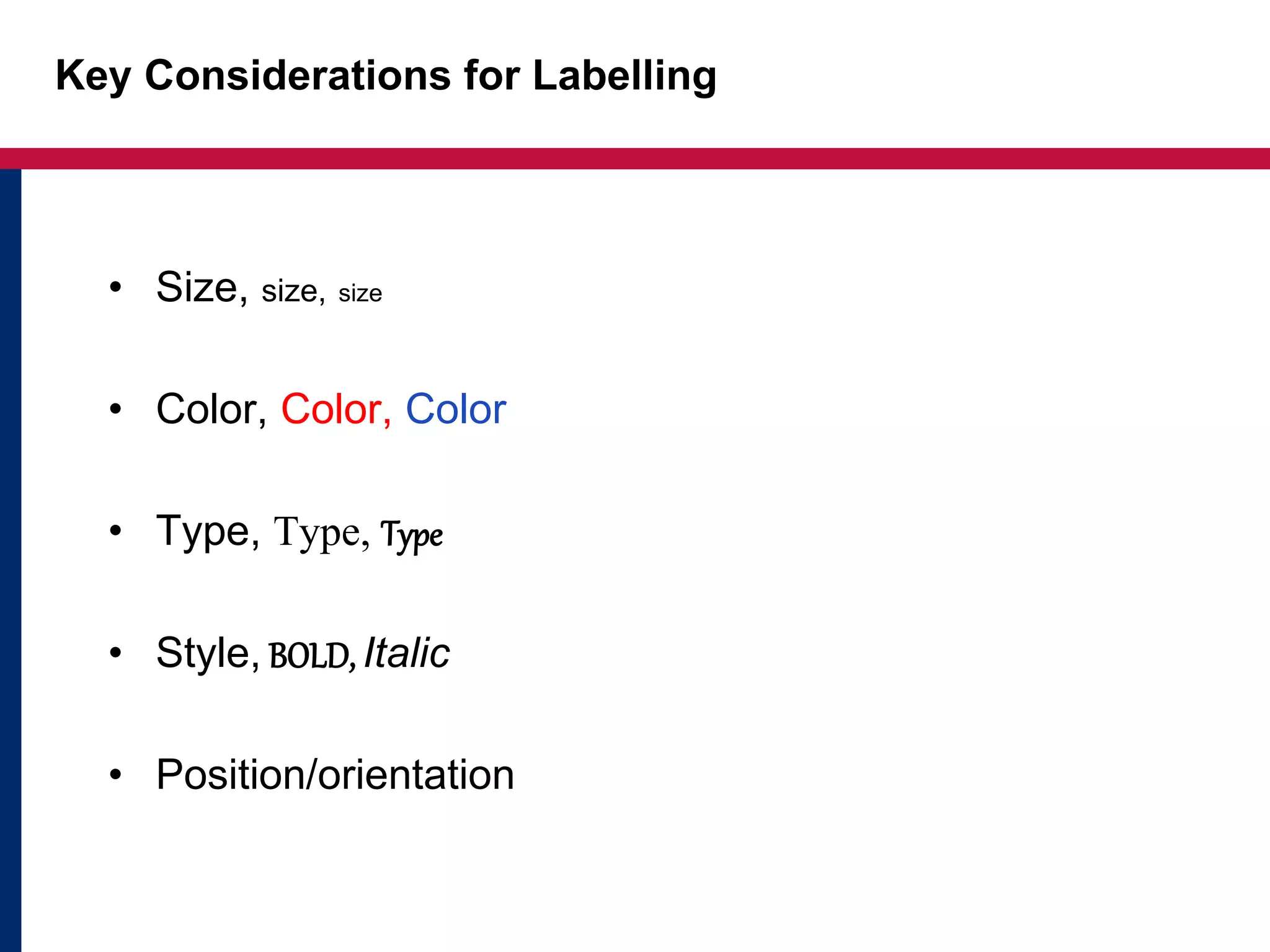
• Size, size, size
• Color, Color, Color
• Type, Type, Type
• Style, BOLD, Italic
• Position/orientation
Placement/Orientation
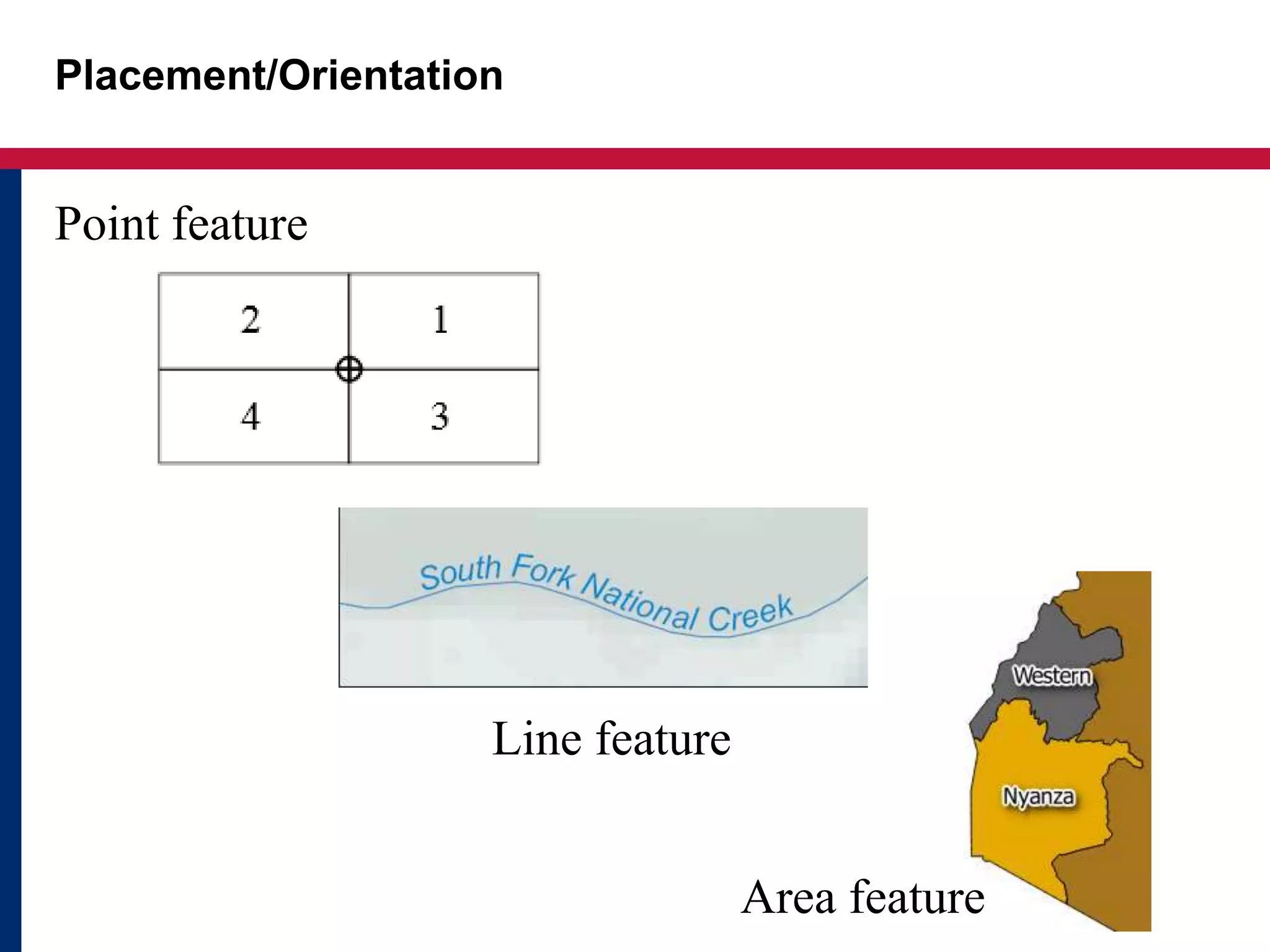
Point feature
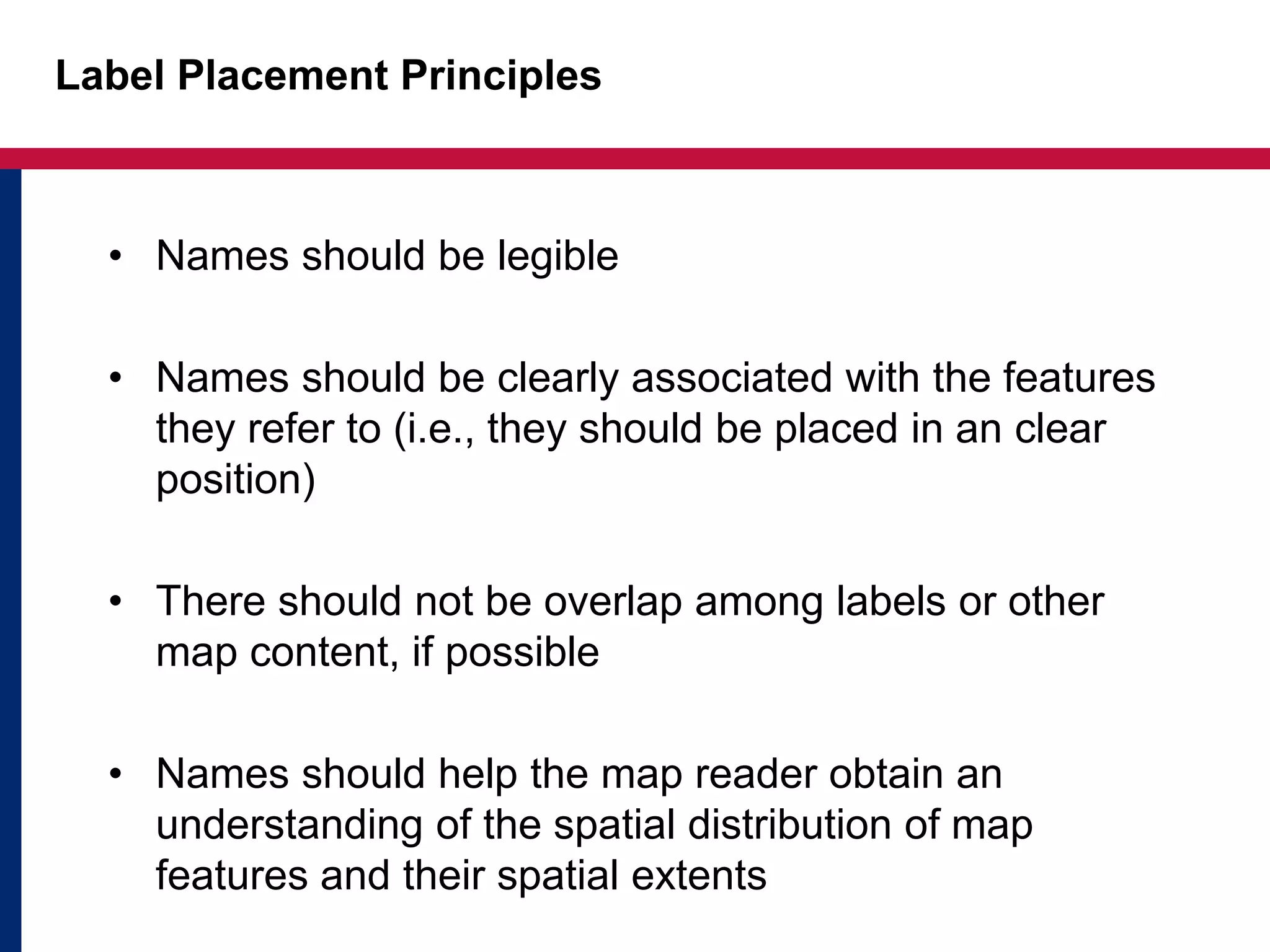
Line feature
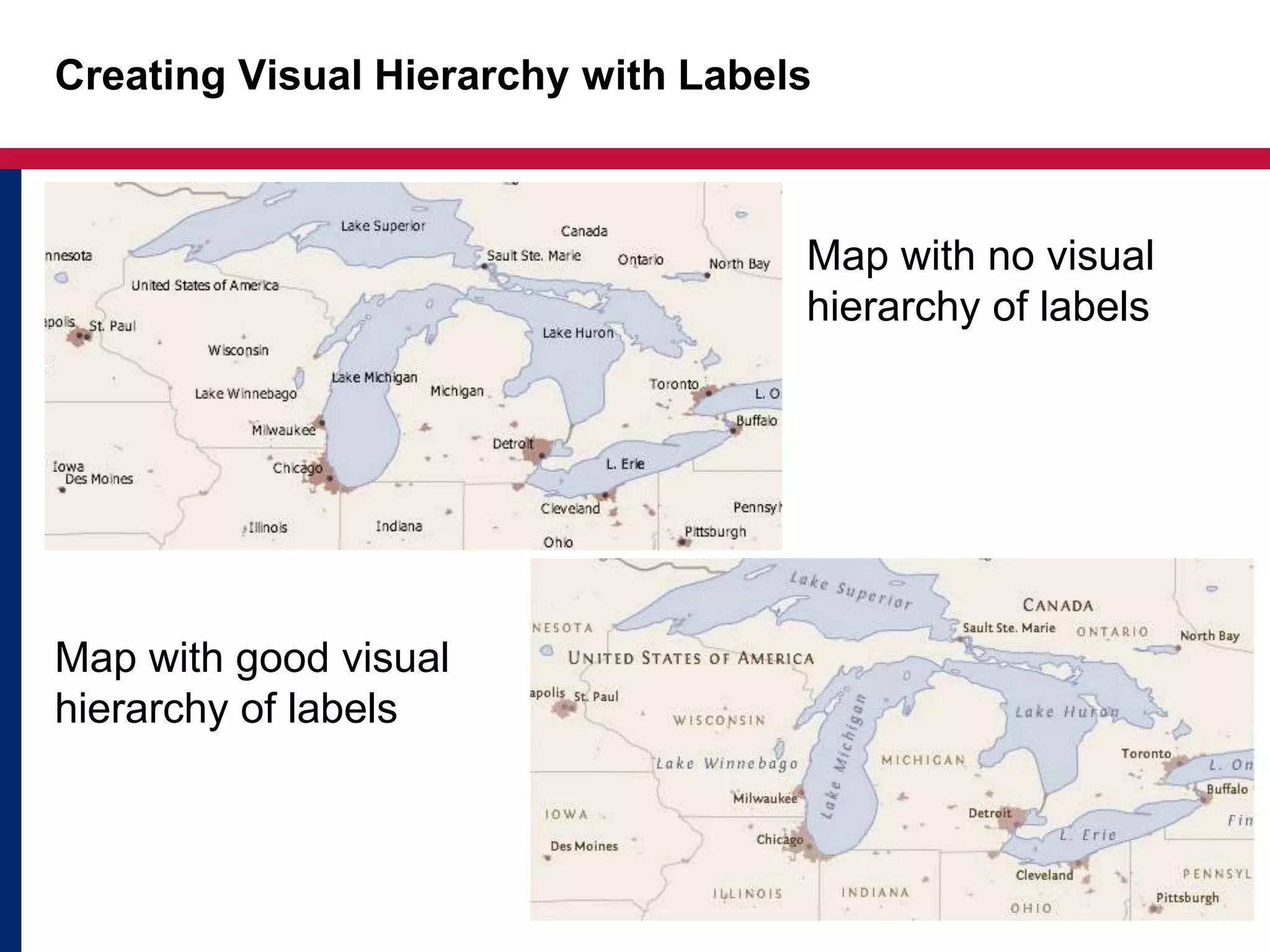
Area feature
Label Placement Principles
• Names should be legible
• Names should be clearly associated with the features
they refer to (i.e., they should be placed in an clear
position)
• There should not be overlap among labels or other
map content, if possible
• Names should help the map reader obtain an
understanding of the spatial distribution of map
features and their spatial extents
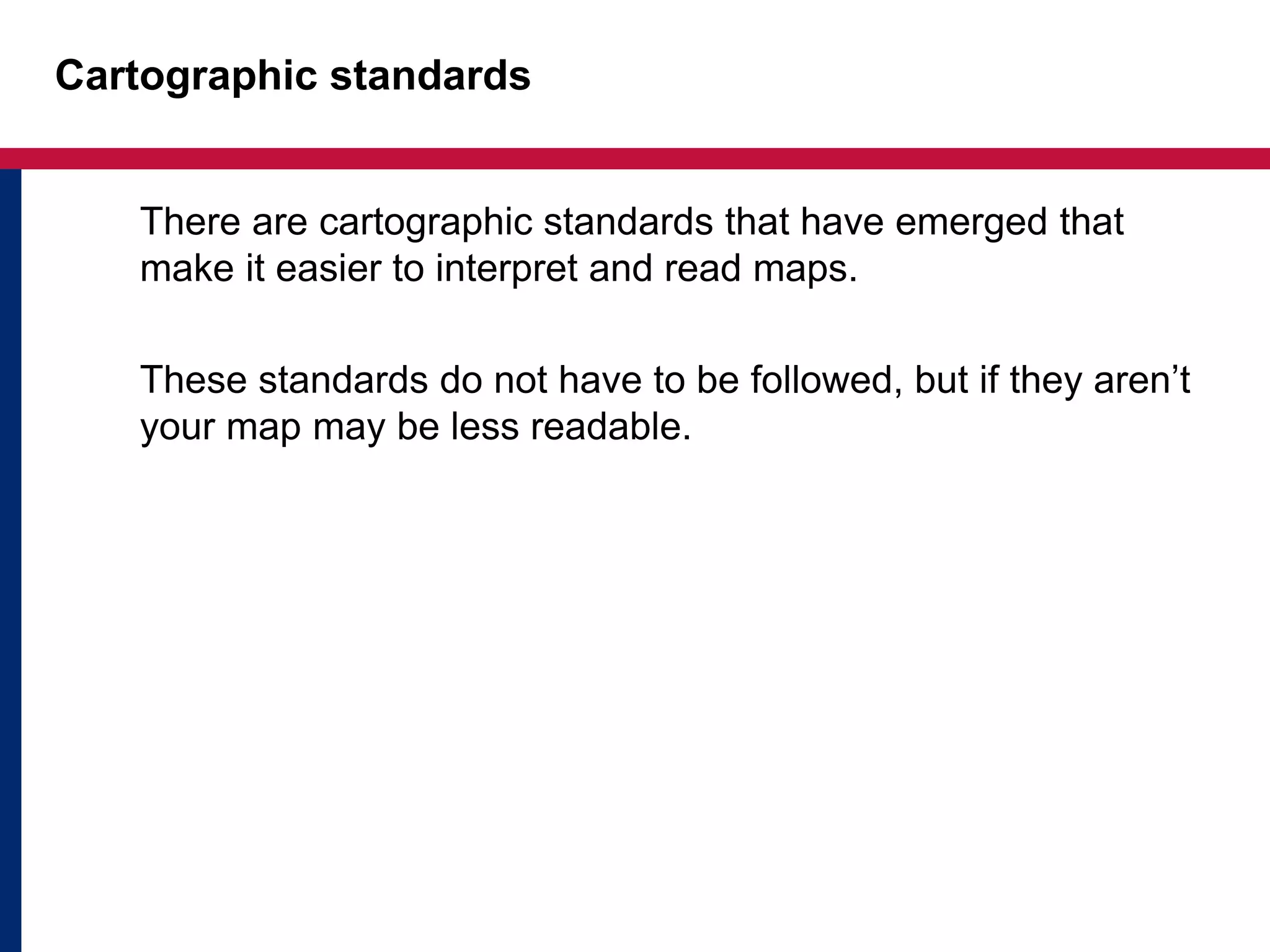
Creating Visual Hierarchy with Labels
Map with no visual
hierarchy of labels
Map with good visual
hierarchy of labels
Cartographic standards
There are cartographic standards that have emerged that
make it easier to interpret and read maps.
These standards do not have to be followed, but if they aren’t
your map may be less readable.
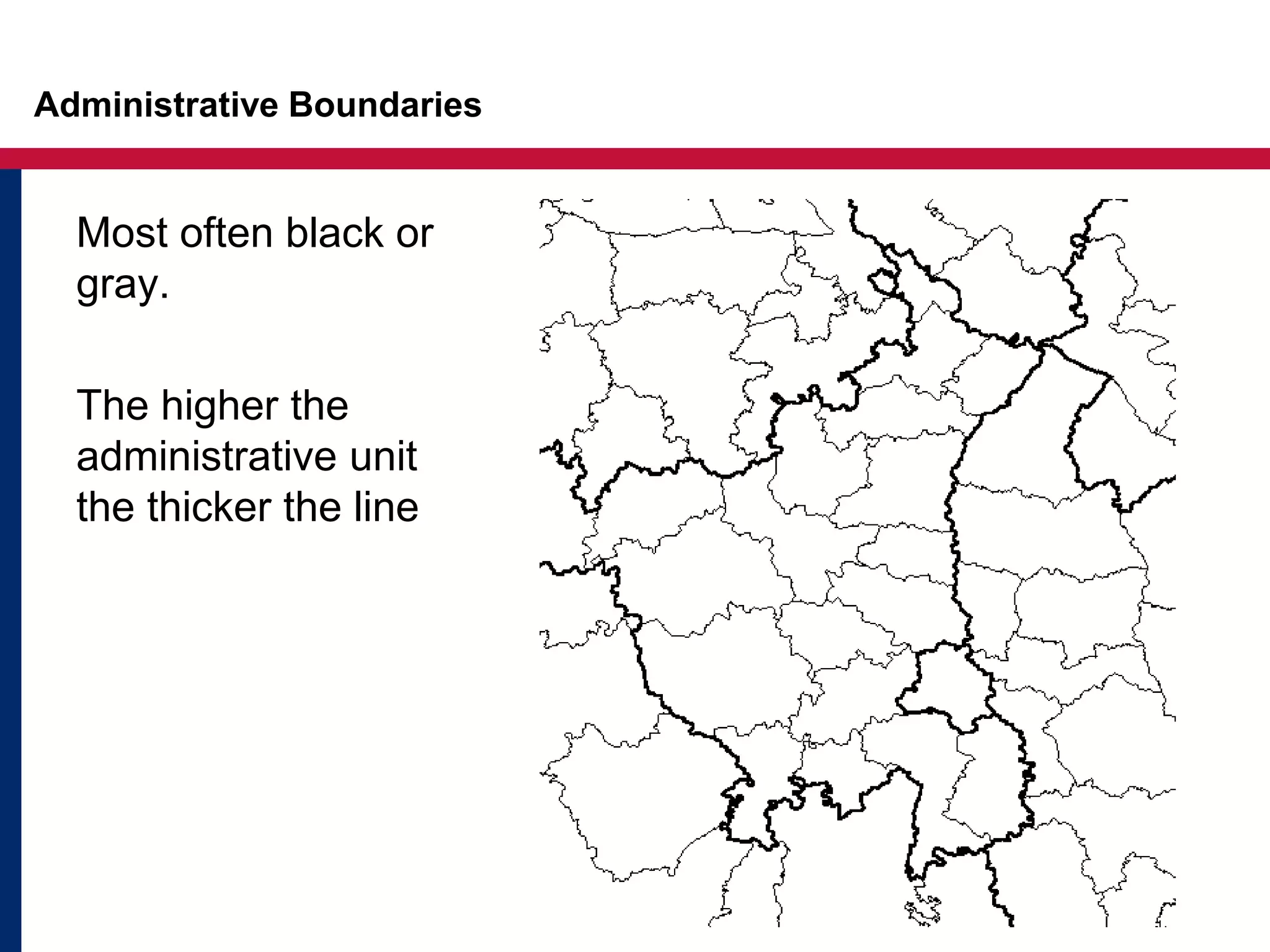
Administrative Boundaries
Most often black or
gray.
The higher the
administrative unit
the thicker the line
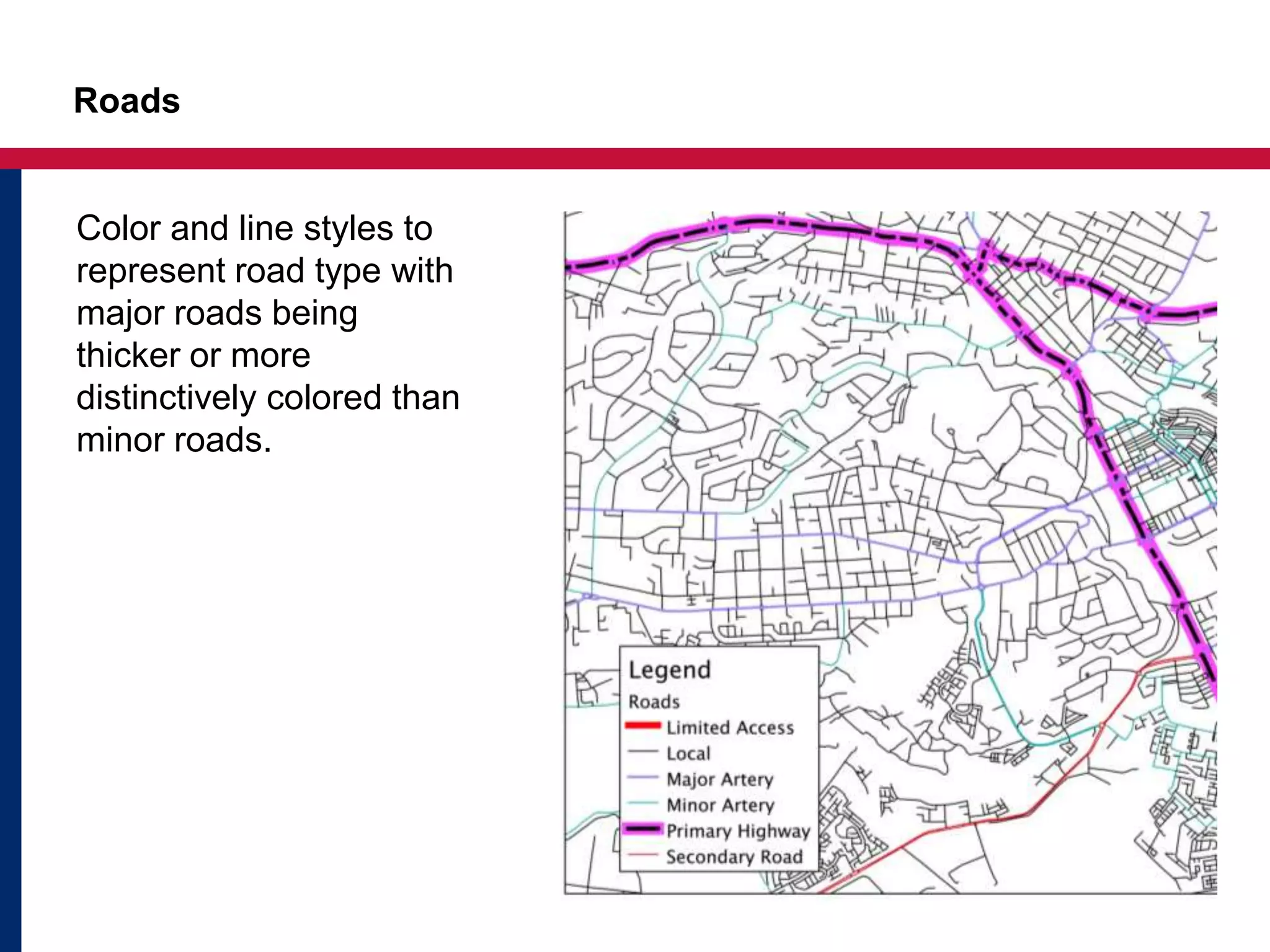
Roads
Color and line styles to
represent road type with
major roads being
thicker or more
distinctively colored than
minor roads.
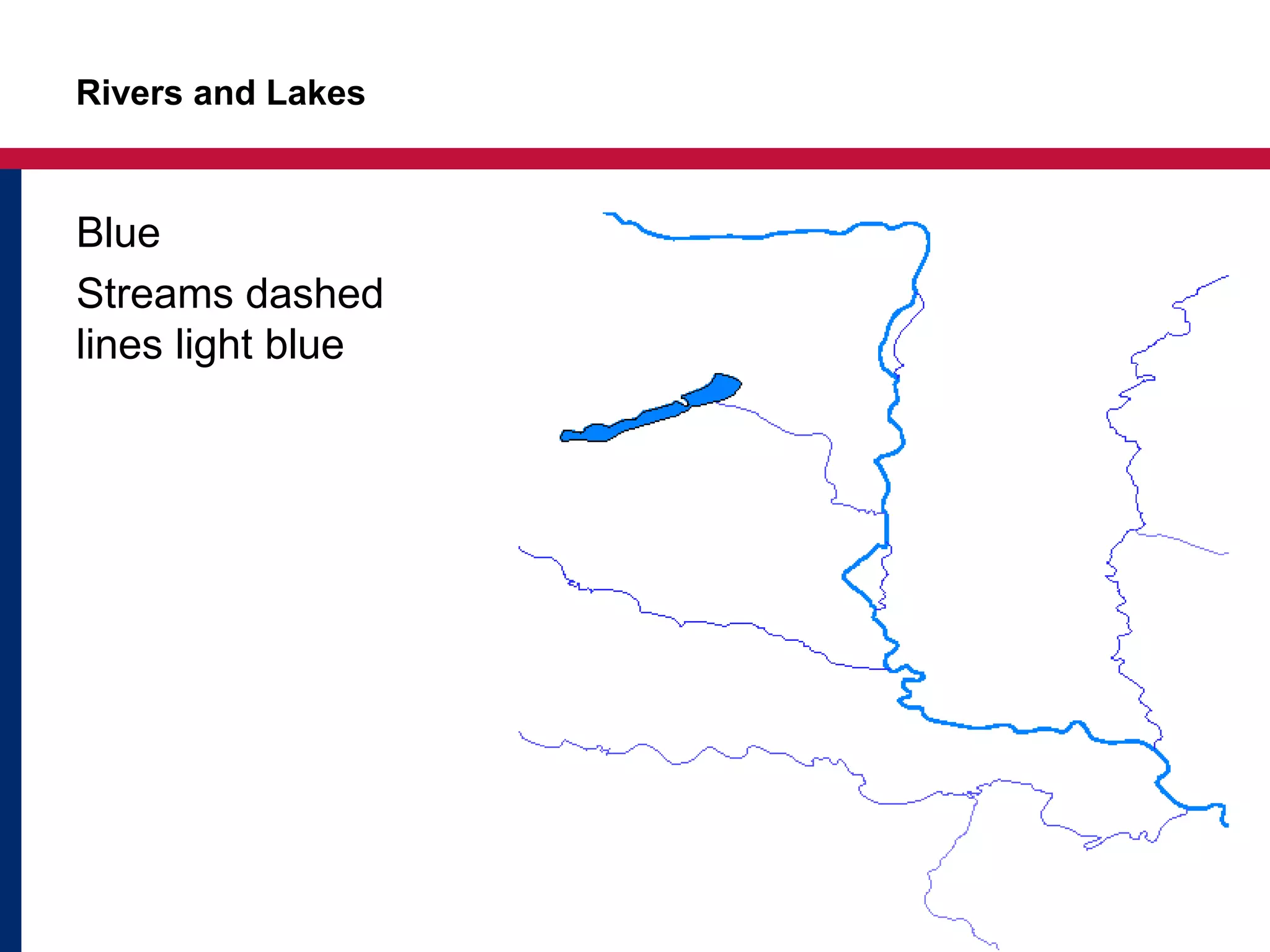
Rivers and Lakes
Blue
Streams dashed
lines light blue
Key Points
• Labels are an important part of the map design
process
• Always ask yourself the 3W before deciding how to
label your features.
• Key considerations for labels include: size, color,
type, style, and orientation
• Following cartographic standards will make your map
more readable
Questions?

Map_Layout_Labelling

  • 1.
  • 2.
    Objectives • Understand generalcartographic concepts about labeling • Be able to select appropriate font style, size, color, and placement of labels for features on a map
  • 3.
    What, Where, Who? Threeideas to keep in mind: • The data – WHAT? • The area – WHERE? • The audience – WHO? How the data is presented directly affects how the data is interpreted. A map that is simple to interpret can be the hardest to make!
  • 4.
    Key Considerations forLabelling • Size, size, size • Color, Color, Color • Type, Type, Type • Style, BOLD, Italic • Position/orientation
  • 5.
  • 6.
    Label Placement Principles •Names should be legible • Names should be clearly associated with the features they refer to (i.e., they should be placed in an clear position) • There should not be overlap among labels or other map content, if possible • Names should help the map reader obtain an understanding of the spatial distribution of map features and their spatial extents
  • 7.
    Creating Visual Hierarchywith Labels Map with no visual hierarchy of labels Map with good visual hierarchy of labels
  • 8.
    Cartographic standards There arecartographic standards that have emerged that make it easier to interpret and read maps. These standards do not have to be followed, but if they aren’t your map may be less readable.
  • 9.
    Administrative Boundaries Most oftenblack or gray. The higher the administrative unit the thicker the line
  • 10.
    Roads Color and linestyles to represent road type with major roads being thicker or more distinctively colored than minor roads.
  • 11.
    Rivers and Lakes Blue Streamsdashed lines light blue
  • 12.
    Key Points • Labelsare an important part of the map design process • Always ask yourself the 3W before deciding how to label your features. • Key considerations for labels include: size, color, type, style, and orientation • Following cartographic standards will make your map more readable
  • 13.

Editor's Notes

  • #3 In this short presentation, we will take a look at standard cartographic practices when labeling features followed by a demonstration of how to add labels in QGIS.
  • #4 Labeling is an important part of the entire map design process because it impacts the final appearance of the map and the map’s message. Poor or careless label treatments can interfere with the user’s ability to read the map and can ruin the cartographic quality of the map. Three factors to consider when choosing how to label your data include: 1. what kind of data are you mapping and the purpose the map; 2. where in the world the map will focus on; 3. who is the audience/map reader? What: What kind of data are you mapping? Many thematic maps do not require much labeling because it is often not necessary to label the enumeration units or symbols the data is represented within. Reference maps, on the other hand, may require a lot of labeling to help orient the map reader. Where: what area are you mapping. Sometimes cartographers face difficult problems in placing labels due to the geography of what we are mapping. In densely populated regions, for example, it may be very difficult to label all of the cities that are relevant to a particular map problem because there simply is not enough space on the page. Who: Who will be using your map? Policy makers, ordinary citizens? Do they have a background on what you’re mapping? Are they familiar with the area you are mapping?
  • #5 Labeling has historically been one of the most time-consuming components of mapmaking. Despite advances in automatic labeling, it is still quite a time consuming but very important part of map design process. When we label, we need to consider 4 main things: size, color, type, and position. Variation in font type size, style , color all communicate aspects of map data and help create visual hierarchy within a map and give a map a “look and feel.” For example, part of the reason National Geographic maps have a common recognizable look is because they consistently use a particular type of font and colors in the their maps. Size: When you are choosing type sizes for different feature classes, a rule of thumb is to use a difference of at least 2 points for different classes. For example, you could use a larger type size for cities with populations over 200,000 and a smaller type size for cities with populations of less than 200,000 people. Labels should not be smaller than around 6-7pts for print maps / 9-10pts for maps displayed on screen. Color: Color variation in labels is used to denote different kinds of features as opposed to different levels. Labels for rivers are usually in blue and black for roads. The difference in color helps map readers differentiate the different kinds of features on your map. Type: There are two major font types: sarif and sans serf. Serif fonts (like Times New Roman) have finishing strokes on letters. Sans serif fonts (like Arial), on the other hand, do not have these finishing strokes. Sans serif is clean and modern look whereas serif has a more classic. Thus, the type of font or typeface that you chose can make a map feel formal, informal, historical, modern. You can combine one serif and one sans serif font, but don't use more than one sans serif font on the map. Style: Uppercase text is more difficult to read than mixed case type, so it is generally a good idea to use this type characteristic sparingly. River labels are usually in blue and italized. Position/orientation: NEXT SLIDE
  • #6 How you orient your label in relation to features depends on the type of feature you are mapping: point, line, or area. Points are usually arranged so that they are parallel with other text on the page. The preferred position is upper right, then upper left, then lower right, then lower left. Labels for Line features are typically rotated and curved to follow the shape of the line. Labels for Area features should be centered inside the polygon as much as possible.
  • #7 The Swiss cartographer Eduard Imhof described several general principles for positioning names on maps: 1. Names should be legible. 2. Names should be clearly associated with the features they refer to. 3. There should not be overlap between names and other map content, if possible. 4. Names should help the map reader obtain an understanding of the spatial distribution of map features and their spatial extents
  • #9 Over time cartographic standards have emerged for representation of features on a map. I’ll walk through some of them. Of course, it is not necessary to follow these standards, however if they aren’t your map may be less readable.
  • #10 Administrative boundaries can be differentiated by using line weights and colors. Generally, the higher the administrative unit the thicker the line.
  • #11 There are many different ways roads can be represented. Mapmakers often use color and line styles to represent road types. Generally, major roads have thicker line weights or more distinctive styling than minor roads.
  • #12 Rivers and lakes are somewhat obvious – blue is generally the color of choice for water.
  • #13  In summary, labeling is an important part of the entire map design process because it impacts the final appearance of the map and the map’s message. What kind of data you are mapping, where you are mapping, and who the map’s audience are all factors that need to be considered before deciding how to label features. Key considerations for labels include: size, color, style, and orientation. Cartographic standards have been developed that are proven to increase map readability.