Downloaded 51 times
![18
3. Menu
3.1 File
3.1.1 New
This function deletes the current model as well as all settings pertaining to it. In
addition, the camera will be returned to its original position and the grid will be
turned on.
3.1.2 Load Model
This function loads a new model from a data carrier. The current model and all
settings will be overwritten.
3.1.3 Load Additional Model
This function loads an additional model to the already existing one from a data
carrier. The current model and all settings remain. All parts that are additionally
loaded will be automatically selected.
3.1.4 Save Model
This function saves the model with all pertinent settings to a data carrier. If you have
not yet assigned a file name, a dialogue box will open first asking you to do so.
Otherwise, the model will be saved automatically under the file name that is already
in place.
3.1.5 Save Model As …
This function saves the model with all pertinent settings to a data carrier. A dialogue
box asking you to assign a file name will open in any case – even if a file name was
specified before
3.1.6 Save Image As …
This function saves the contents of the 3D window as a bitmap (.bmp) to a data
carrier. The size of the image will be determined by the size of the 3D window. If you
desire a different image size, you must set the size of the 3D window before saving
the image (Menu: View -> Set Image Size).
3.1.7 Export RAW File Format (*.raw)
This function exports the 3D model displayed in the 3D window in the RAW format.
However, only the parts that are visible at that time will be exported!
The file format reads as follows:
[NAME]
[X1 Y1 Z1] [X2 Y2 Z2] [X3 Y3 Z3]](https://image.slidesharecdn.com/manualfischertechnikdesigner-120507051912-phpapp02/85/Manual-Fischertechnik-Designer-18-320.jpg)
![19
…
[NAME]
[X1 Y1 Z1] [X2 Y2 Z2] [X3 Y3 Z3]
…
Note: The brackets will not be exported; instead, the individual values will be separated
only by a space. One line describes all coordinates of a polygon (triangle). Colours and
normal vectors will not be exported.
3.1.8 Export VRML File Format (*.wrl)
This function exports the 3D model displayed in the 3D window in the VRML format
(version 1.0). However, only the parts that are visible at that time will be exported! In
addition, all hoses and materials will be incorporated.
3.1.9 Export POV-Ray Format (*.pov)
This function exports the 3D model displayed in the 3D window in the POV-Ray format.
However, only the parts that are visible at that time will be exported! In addition, all
materials, lights and the position of the camera will be included. Furthermore, metal
parts will be given a reflecting surface. POV-Ray is a powerful “raytracer” that can be
downloaded from the Internet at no cost.
3.1.10 Print Parts Overview
This function allows you to print out an overview of the individual parts used in the
current model. After selecting this function, a print preview screen appears first
where you can set the print parameters and start the print job. The name of the
model will be printed in the header. The name must be entered in the model
information window before you start the print job (Menu: View Model
Information).
3.1.11 Print Price Calculation
This function allows you to print a price calculation for the current model. After
selecting this function, a print preview screen appears first where you can set the
print parameters and start the print job. The prices are always based on the current
prices charged for the individual parts by “LPE Technische Medien GmbH”. No price
will be printed for parts that can no longer be supplied.
3.1.12 Systems Settings
Here you will find all those program options that can be changed by the user.](https://image.slidesharecdn.com/manualfischertechnikdesigner-120507051912-phpapp02/85/Manual-Fischertechnik-Designer-19-320.jpg)
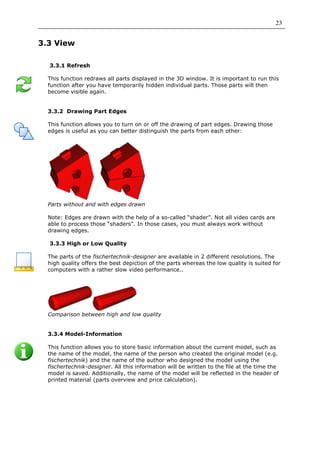
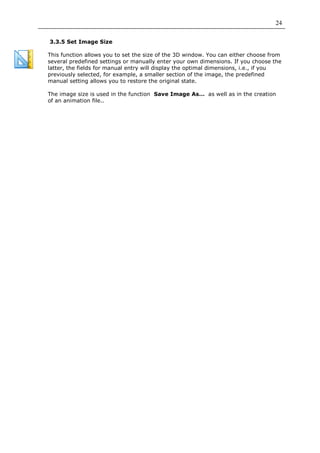
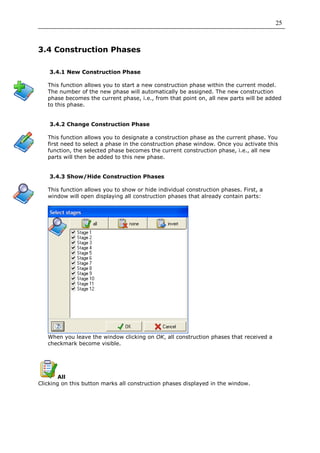
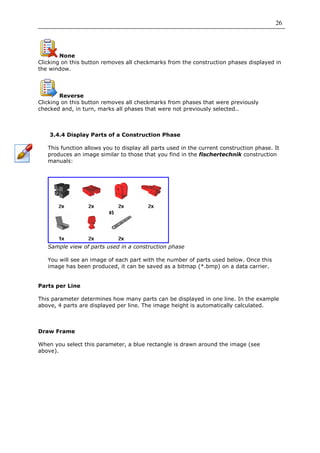

This document provides a 3 sentence summary of the user manual for the fischertechnik-designer software: The user manual outlines how to install the fischertechnik-designer software and introduces the main components of the interface, including the toolbar, parts library, construction phase overview, 3D window, and animation tools. Detailed instructions are provided on how to construct fischertechnik models using the software by selecting parts from the library and connecting them using their matching connectors in the 3D window. The manual also describes the various menu and tool options for editing, viewing, constructing, animating, and simulating the kinematics of fischertechnik models created in the software.


