MANAGING MYSQL 
WITH ANSIBLE 
Ben Mildren 
04/11/14
About me – Ben Mildren 
• rDBA Technical Lead, Percona 
– Percona Managed Services 
• Around 15 years RDBMS experience 
• Previous roles include: 
– Team Technical Lead, Pythian 
– Senior Database Administrator, Nokia 
Email: ben.mildren@percona.com 
LinkedIn: benmildren 
Twitter: @productiondba 
Slideshare: benmildren 
2
What will we be covering today? 
1 What? 
What is 
Ansible? 
2 How? 
Usage and 
concepts 
3 Demo! 
Practical 
Examples 
3
What problem are we looking to solve? 
4 
Provisioning? 
Configuration Management? 
Application Deployment? 
Orchestration? 
Automation? 
www.ansible.com/blog/2013/11/29/ansibles-architecture-beyond-configuration-management
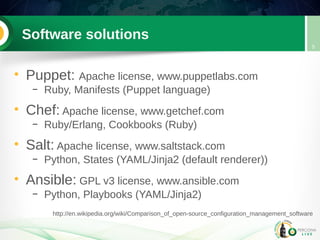
Software solutions 
• Puppet: Apache license, www.puppetlabs.com 
– Ruby, Manifests (Puppet language) 
• Chef: Apache license, www.getchef.com 
– Ruby/Erlang, Cookbooks (Ruby) 
• Salt: Apache license, www.saltstack.com 
– Python, States (YAML/Jinja2 (default renderer)) 
• Ansible: GPL v3 license, www.ansible.com 
– Python, Playbooks (YAML/Jinja2) 
5 
http://en.wikipedia.org/wiki/Comparison_of_open-source_configuration_management_software
Why did we choose Ansible? 
• Simple, Readable 
• Declaritive, Idempotent 
• Uses SSH 
• Agentless 
6
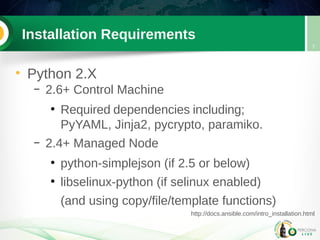
Installation Requirements 
• Python 2.X 
– 2.6+ Control Machine 
● Required dependencies including; 
PyYAML, Jinja2, pycrypto, paramiko. 
– 2.4+ Managed Node 
● python-simplejson (if 2.5 or below) 
● libselinux-python (if selinux enabled) 
(and using copy/file/template functions) 
7 
http://docs.ansible.com/intro_installation.html
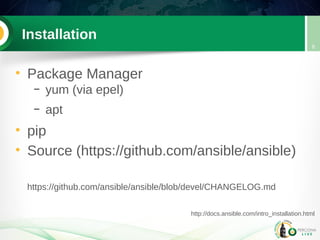
Installation 
• Package Manager 
– yum (via epel) 
– apt 
• pip 
• Source (https://github.com/ansible/ansible) 
https://github.com/ansible/ansible/blob/devel/CHANGELOG.md 
8 
http://docs.ansible.com/intro_installation.html
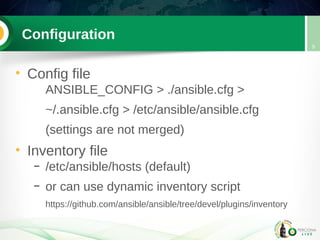
Configuration 
• Config file 
ANSIBLE_CONFIG > ./ansible.cfg > 
~/.ansible.cfg > /etc/ansible/ansible.cfg 
(settings are not merged) 
• Inventory file 
– /etc/ansible/hosts (default) 
– or can use dynamic inventory script 
https://github.com/ansible/ansible/tree/devel/plugins/inventory 
9
Inventory File 
• INI format 
– Hosts / Groups 
– Groups of Groups 
– Host and Group variables 
10
Inventory File 
• Example: 
[fra_cluster] 
mysql01 
mysql02 
[deu_cluster] 
mysql03 
mysql04 
[euro_clusters:children] 
fra_cluster 
deu_cluster 
11
Ad-Hoc Commands 
• ansible <host-pattern> [options] 
<host-pattern> → inventory file 
/etc/ansible/hosts (default) 
-i PATH, --inventory=PATH 
[options] 
typically module (-m) & arguments (-a) 
also connectivity, logging, etc 
12
Modules 
• ad-hoc default == command module 
• ansible-doc 
-l, --list 
-s, --snippet [module] 
[module] 
• can develop custom modules 
– Potentially any language, JSON output 
13 
http://docs.ansible.com/modules_by_category.html
Working with MySQL 
• MySQL Specific Modules 
– mysql_db 
– mysql_user 
– mysql_replication 
– mysql_variables 
14
Working with MySQL 
• Other useful modules 
– package manager (yum / apt) 
– service 
– file 
– template 
15
Templates 
• jinja2 formatted 
– variables, conditionals, loops, etc.. 
[mysqld] 
### General options 
user = mysql 
pid-file = {{ mysql_run_dir }}/mysqld.pid 
socket = {{ mysql_run_dir }}/mysqld.sock 
datadir = {{ mysql_data_dir }} 
tmpdir = {{ mysql_tmp_dir }} 
16 
http://jinja.pocoo.org/docs/dev/templates/
Enter the playbook! 
• Written in YAML 
• Consists of one or more “plays” 
– Target section 
– Variable section 
– Task section 
– Handlers section 
• Executed using ansible-playbook 
17
Enter the playbook! 
• conditionals 
• loops 
• async / poll 
• tags 
• error handling 
18
Facts 
• setup 
• will also run ohai and/or facter if installed 
• can be disabled for performance if not 
required 
• set_fact module 
19
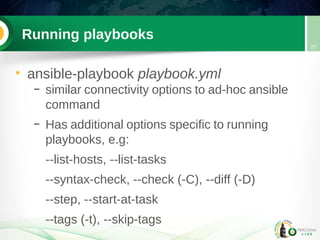
Running playbooks 
• ansible-playbook playbook.yml 
– similar connectivity options to ad-hoc ansible 
command 
– Has additional options specific to running 
playbooks, e.g: 
--list-hosts, --list-tasks 
--syntax-check, --check (-C), --diff (-D) 
--step, --start-at-task 
--tags (-t), --skip-tags 
20
Role play 
• Include files 
• Directory Structure 
• Dependencies & Defaults 
• ansible-galaxy 
– init 
– install, list, info, remove 
21
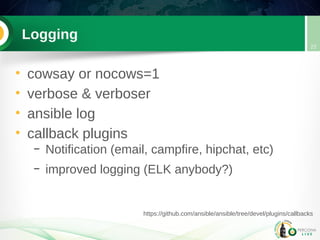
Logging 
• cowsay or nocows=1 
• verbose & verboser 
• ansible log 
• callback plugins 
– Notification (email, campfire, hipchat, etc) 
– improved logging (ELK anybody?) 
22 
https://github.com/ansible/ansible/tree/devel/plugins/callbacks
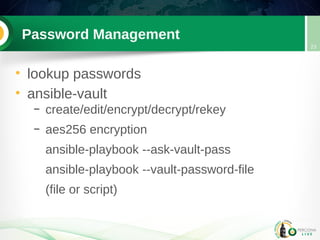
Password Management 
• lookup passwords 
• ansible-vault 
– create/edit/encrypt/decrypt/rekey 
– aes256 encryption 
ansible-playbook --ask-vault-pass 
ansible-playbook --vault-password-file 
(file or script) 
23
Performance 
• Connectivity 
– fireball (deprecated) 
– accelerated mode 
– pipelining 
• forking 
• ansible-pull? 
24
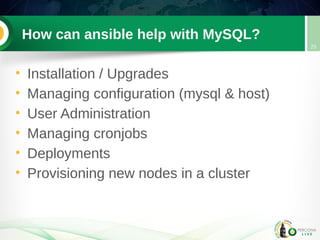
How can ansible help with MySQL? 
• Installation / Upgrades 
• Managing configuration (mysql & host) 
• User Administration 
• Managing cronjobs 
• Deployments 
• Provisioning new nodes in a cluster 
25
Demo & Questions 
• Pray to the demo gods.... 
• Questions? 
26

Managing MySQL with Ansible

  • 1.
    MANAGING MYSQL WITHANSIBLE Ben Mildren 04/11/14
  • 2.
    About me –Ben Mildren • rDBA Technical Lead, Percona – Percona Managed Services • Around 15 years RDBMS experience • Previous roles include: – Team Technical Lead, Pythian – Senior Database Administrator, Nokia Email: ben.mildren@percona.com LinkedIn: benmildren Twitter: @productiondba Slideshare: benmildren 2
  • 3.
    What will webe covering today? 1 What? What is Ansible? 2 How? Usage and concepts 3 Demo! Practical Examples 3
  • 4.
    What problem arewe looking to solve? 4 Provisioning? Configuration Management? Application Deployment? Orchestration? Automation? www.ansible.com/blog/2013/11/29/ansibles-architecture-beyond-configuration-management
  • 5.
    Software solutions •Puppet: Apache license, www.puppetlabs.com – Ruby, Manifests (Puppet language) • Chef: Apache license, www.getchef.com – Ruby/Erlang, Cookbooks (Ruby) • Salt: Apache license, www.saltstack.com – Python, States (YAML/Jinja2 (default renderer)) • Ansible: GPL v3 license, www.ansible.com – Python, Playbooks (YAML/Jinja2) 5 http://en.wikipedia.org/wiki/Comparison_of_open-source_configuration_management_software
  • 6.
    Why did wechoose Ansible? • Simple, Readable • Declaritive, Idempotent • Uses SSH • Agentless 6
  • 7.
    Installation Requirements •Python 2.X – 2.6+ Control Machine ● Required dependencies including; PyYAML, Jinja2, pycrypto, paramiko. – 2.4+ Managed Node ● python-simplejson (if 2.5 or below) ● libselinux-python (if selinux enabled) (and using copy/file/template functions) 7 http://docs.ansible.com/intro_installation.html
  • 8.
    Installation • PackageManager – yum (via epel) – apt • pip • Source (https://github.com/ansible/ansible) https://github.com/ansible/ansible/blob/devel/CHANGELOG.md 8 http://docs.ansible.com/intro_installation.html
  • 9.
    Configuration • Configfile ANSIBLE_CONFIG > ./ansible.cfg > ~/.ansible.cfg > /etc/ansible/ansible.cfg (settings are not merged) • Inventory file – /etc/ansible/hosts (default) – or can use dynamic inventory script https://github.com/ansible/ansible/tree/devel/plugins/inventory 9
  • 10.
    Inventory File •INI format – Hosts / Groups – Groups of Groups – Host and Group variables 10
  • 11.
    Inventory File •Example: [fra_cluster] mysql01 mysql02 [deu_cluster] mysql03 mysql04 [euro_clusters:children] fra_cluster deu_cluster 11
  • 12.
    Ad-Hoc Commands •ansible <host-pattern> [options] <host-pattern> → inventory file /etc/ansible/hosts (default) -i PATH, --inventory=PATH [options] typically module (-m) & arguments (-a) also connectivity, logging, etc 12
  • 13.
    Modules • ad-hocdefault == command module • ansible-doc -l, --list -s, --snippet [module] [module] • can develop custom modules – Potentially any language, JSON output 13 http://docs.ansible.com/modules_by_category.html
  • 14.
    Working with MySQL • MySQL Specific Modules – mysql_db – mysql_user – mysql_replication – mysql_variables 14
  • 15.
    Working with MySQL • Other useful modules – package manager (yum / apt) – service – file – template 15
  • 16.
    Templates • jinja2formatted – variables, conditionals, loops, etc.. [mysqld] ### General options user = mysql pid-file = {{ mysql_run_dir }}/mysqld.pid socket = {{ mysql_run_dir }}/mysqld.sock datadir = {{ mysql_data_dir }} tmpdir = {{ mysql_tmp_dir }} 16 http://jinja.pocoo.org/docs/dev/templates/
  • 17.
    Enter the playbook! • Written in YAML • Consists of one or more “plays” – Target section – Variable section – Task section – Handlers section • Executed using ansible-playbook 17
  • 18.
    Enter the playbook! • conditionals • loops • async / poll • tags • error handling 18
  • 19.
    Facts • setup • will also run ohai and/or facter if installed • can be disabled for performance if not required • set_fact module 19
  • 20.
    Running playbooks •ansible-playbook playbook.yml – similar connectivity options to ad-hoc ansible command – Has additional options specific to running playbooks, e.g: --list-hosts, --list-tasks --syntax-check, --check (-C), --diff (-D) --step, --start-at-task --tags (-t), --skip-tags 20
  • 21.
    Role play •Include files • Directory Structure • Dependencies & Defaults • ansible-galaxy – init – install, list, info, remove 21
  • 22.
    Logging • cowsayor nocows=1 • verbose & verboser • ansible log • callback plugins – Notification (email, campfire, hipchat, etc) – improved logging (ELK anybody?) 22 https://github.com/ansible/ansible/tree/devel/plugins/callbacks
  • 23.
    Password Management •lookup passwords • ansible-vault – create/edit/encrypt/decrypt/rekey – aes256 encryption ansible-playbook --ask-vault-pass ansible-playbook --vault-password-file (file or script) 23
  • 24.
    Performance • Connectivity – fireball (deprecated) – accelerated mode – pipelining • forking • ansible-pull? 24
  • 25.
    How can ansiblehelp with MySQL? • Installation / Upgrades • Managing configuration (mysql & host) • User Administration • Managing cronjobs • Deployments • Provisioning new nodes in a cluster 25
  • 26.
    Demo & Questions • Pray to the demo gods.... • Questions? 26