



Make your
presentations
social
@njoshi8
#impact
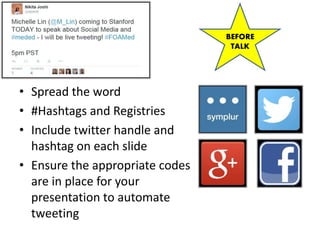
• Spread the word
• #Hashtags and Registries
• Include twitter handle and
hashtag on each slide
• Ensure the appropriate codes
are in place for your
presentation to automate
tweeting
BEFORE
TALK
BEFORE
TALK
BEFORE
TALK
DURING
TALK
Engagement!
Experiment!
https://www.polleverywhere.com/njoshi8
Text: njoshi8 to 37607
DURING
TALK
What is your preferred method to
overcome presentation jitters?
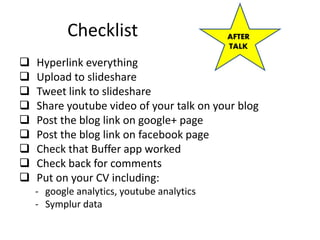
Checklist
 Hyperlink everything
 Upload to slideshare
 Tweet link to slideshare
 Share youtube video of your talk on your blog
 Post the blog link on google+ page
 Post the blog link on facebook page
 Check that Buffer app worked
 Check back for comments
 Put on your CV including:
- google analytics, youtube analytics
- Symplur data
AFTER
TALK
AFTER
TALK
AFTER
TALK
TO GIVE
TALK
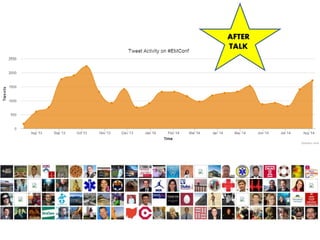
#EMConf
#engagement

Making your Presentations Social

Editor's Notes

  • #4 Social media guarantees that your words will have a much larger impact than just reaching those sitting in the room while you present. 
  • #7 Before Your Talk Use hashtags – either make up your own or use a common one; put the hashtag on every slide Register your hashtag (symplur) Tweet to social media followers in the time leading up to your talk that you will be doing this. Facebook now also uses hashtags
  • #8 Before Your Talk Use hashtags – either make up your own or use a common one; put the hashtag on every slide Register your hashtag (symplur) Include your twitter handle on each slide Tweet to social media followers in the time leading up to your talk that you will be doing this. Facebook now also uses hashtags What is symplur
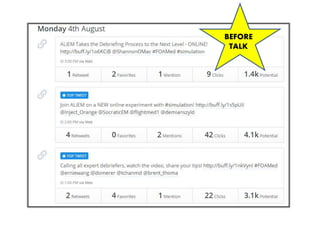
  • #9 Buffer App to time out your tweets, send out key points, send out reference links, send out PDFs, hyperlinks to your website, to your slideshare
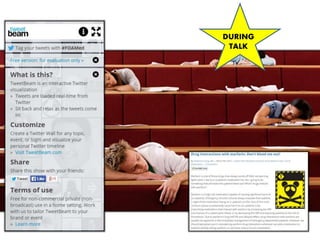
  • #11 Incorporate live twitter feed with your hashtag Tweet each slide as you go through it Make your points tweetable (same concept of 5-6 words per slide) Engage crowd through social media – or have a friend monitor the social media feeds Refer the crowd to your blog for handouts during your talk Use social media to enhance the question and answer section Tweet each slide as you go through it Instructions for keynote: https://code.google.com/p/keynotetweet/ http://iteachem.net/2013/09/how-to-live-tweet-foamed-from-keynote/
  • #12 Engage those who are not present to participate through social media
  • #13  Poll Title: What is your preferred method to overcome presentation jitters? https://www.polleverywhere.com/free_text_polls/vzNgjdv5P80NhHW