Log4j Logging Mechanism Java Tech Sessions By  Kunal  Dabir
Agenda Logging, why ? Logging Methods / Alternatives Log4J Basics Loggers, Appenders & Layouts Log4j Configuration & Optimization Demonstration & Discussion
Logging, why? Logging is easier than debugging Logging is faster than debugging Logging can work in environments where debugging is not supported Can work in production environments Logs can be referenced anytime in future as the data is stored
Logging Methods Console Logging File Logging Database Logging Email/SMS Notifications Log to a socket Many others…
Logging Methods, How? The evil System.out.println() Custom Solution to Log to various datastores, eg text files, db, etc… Use Standard APIs, eg. Log4j,  Avlon Logkit, Java’s standard logging mechanism.
Log4j Basics Who will log the messages? The Loggers What decides the priority of a message? Level Where will it be logged? Decided by Appender In what format will it be logged? Decided by Layout
Logger Responsible for Logging Accessed through java code Configured Externally Every Logger has a name Prioritize messages based on level TRACE, DEBUG, INFO, WARN, ERROR & FATAL Usually named following dot convention like java classes do. Eg com.foo.bar.ClassName Follows inheritance based on name
Logger Hierarchy Named Hierarchy   “ A logger is said to be an  ancestor  of another logger if its name followed by a dot is a prefix of the  descendant  logger name. A logger is said to be a  parent  of a  child  logger if there are no ancestors between itself and the descendant logger.”  http://logging.apache.org/log4j/1.2/manual.html
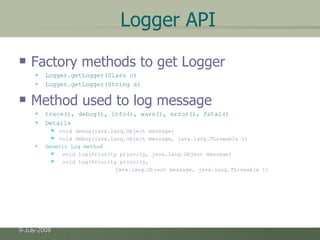
Logger API Factory methods to get Logger Logger.getLogger(Class c) Logger.getLogger(String s) Method used to log message trace(), debug(), info(), warn(), error(), fatal() Details void debug(java.lang.Object message)  void debug(java.lang.Object message, java.lang.Throwable t)  Generic Log method void log(Priority priority, java.lang.Object message)  void log(Priority priority,  java.lang.Object message, java.lang.Throwable t)
Root Logger The root logger resides at the top of the logger hierarchy. It is exceptional in two ways:  it always exists,  it cannot be retrieved by name. Logger.getRootLogger()
Appender Appenders put the log messages to their actual destinations. No programatic change is require to configure appenders Can add multiple appenders to a Logger. Each appender has its Layout. ConsoleAppender, DailyRollingFileAppender, FileAppender, JDBCAppender, JMSAppender, NTEventLogAppender, RollingFileAppender, SMTPAppender, SocketAppender, SyslogAppender, TelnetAppender
Layout Used to customize the format of log output. Eg. HTMLLayout, PatternLayout, SimpleLayout, XMLLayout  Most commonly used is PatternLayout Uses C-like syntax to format. Eg. "%-5p [%t]: %m%n DEBUG [main]: Message 1 WARN [main]: Message 2
Log4j Configuration Programatic Configuration BasicConfigurator PropertyConfigurator
Log4j Optimization & Best Practises User logger as private static variable Only one instance per class Name logger after class name Don’t use too many appenders Don’t use time-consuming conversion patterns (see javadoc) Use Logger.isDebugEnabled() if need be Prioritize messages with proper levels
Resources http://logging.apache.org/log4j/1.2/index.html http://www.vipan.com/htdocs/log4jhelp.html http://logging.apache.org/log4j/1.2/manual.html
Demonstration & Discussion A simple demo application using eclipse.
Thank You !

Log4j Logging Mechanism

  • 1.
    Log4j Logging MechanismJava Tech Sessions By Kunal Dabir
  • 2.
    Agenda Logging, why? Logging Methods / Alternatives Log4J Basics Loggers, Appenders & Layouts Log4j Configuration & Optimization Demonstration & Discussion
  • 3.
    Logging, why? Loggingis easier than debugging Logging is faster than debugging Logging can work in environments where debugging is not supported Can work in production environments Logs can be referenced anytime in future as the data is stored
  • 4.
    Logging Methods ConsoleLogging File Logging Database Logging Email/SMS Notifications Log to a socket Many others…
  • 5.
    Logging Methods, How?The evil System.out.println() Custom Solution to Log to various datastores, eg text files, db, etc… Use Standard APIs, eg. Log4j, Avlon Logkit, Java’s standard logging mechanism.
  • 6.
    Log4j Basics Whowill log the messages? The Loggers What decides the priority of a message? Level Where will it be logged? Decided by Appender In what format will it be logged? Decided by Layout
  • 7.
    Logger Responsible forLogging Accessed through java code Configured Externally Every Logger has a name Prioritize messages based on level TRACE, DEBUG, INFO, WARN, ERROR & FATAL Usually named following dot convention like java classes do. Eg com.foo.bar.ClassName Follows inheritance based on name
  • 8.
    Logger Hierarchy NamedHierarchy “ A logger is said to be an ancestor of another logger if its name followed by a dot is a prefix of the descendant logger name. A logger is said to be a parent of a child logger if there are no ancestors between itself and the descendant logger.” http://logging.apache.org/log4j/1.2/manual.html
  • 9.
    Logger API Factorymethods to get Logger Logger.getLogger(Class c) Logger.getLogger(String s) Method used to log message trace(), debug(), info(), warn(), error(), fatal() Details void debug(java.lang.Object message) void debug(java.lang.Object message, java.lang.Throwable t) Generic Log method void log(Priority priority, java.lang.Object message) void log(Priority priority, java.lang.Object message, java.lang.Throwable t)
  • 10.
    Root Logger Theroot logger resides at the top of the logger hierarchy. It is exceptional in two ways: it always exists, it cannot be retrieved by name. Logger.getRootLogger()
  • 11.
    Appender Appenders putthe log messages to their actual destinations. No programatic change is require to configure appenders Can add multiple appenders to a Logger. Each appender has its Layout. ConsoleAppender, DailyRollingFileAppender, FileAppender, JDBCAppender, JMSAppender, NTEventLogAppender, RollingFileAppender, SMTPAppender, SocketAppender, SyslogAppender, TelnetAppender
  • 12.
    Layout Used tocustomize the format of log output. Eg. HTMLLayout, PatternLayout, SimpleLayout, XMLLayout Most commonly used is PatternLayout Uses C-like syntax to format. Eg. "%-5p [%t]: %m%n DEBUG [main]: Message 1 WARN [main]: Message 2
  • 13.
    Log4j Configuration ProgramaticConfiguration BasicConfigurator PropertyConfigurator
  • 14.
    Log4j Optimization &Best Practises User logger as private static variable Only one instance per class Name logger after class name Don’t use too many appenders Don’t use time-consuming conversion patterns (see javadoc) Use Logger.isDebugEnabled() if need be Prioritize messages with proper levels
  • 15.
  • 16.
    Demonstration & DiscussionA simple demo application using eclipse.
  • 17.