LoadRunnerWalkthrough
Bhuvaneswari Subramani
Raghu Ramaswamy
Agenda
–Introduction
–LoadRunner LoadTesting Process
–Components of LoadRunner
–Architecture of LoadRunner
Introduction
to LoadRunner
– LoadRunner is a software performance testing tool.
– HP Enterprise acquired LoadRunner from Mercury
Interactive in Nov 2006.
– HP Enterprise sold LoadRunner to Micro Focus in Sep
2017.
– LoadRunner and Performance Centre are renamed by
Micro Focus as LoadRunner Professional and
LoadRunner Enterprise.
History of LoadRunner
Protocol,
Version &
License
– Supports more than 30 protocols
– Latest version of LoadRunner is 2021 R1
– License
– Paid: LoadRunner Enterprise is a licensed performance
testing tool.
– Free: LoadRunner Professional has free trail versions with
maximum of 50Vusers for a month.
LoadRunner Protocols and License
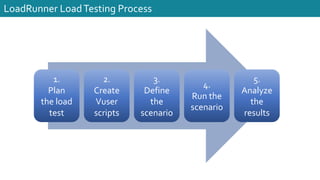
LoadRunner LoadTesting Process
1.
Plan
the load
test
2.
Create
Vuser
scripts
3.
Define
the
scenario
4.
Run the
scenario
5.
Analyze
the
results
LoadRunner
Components
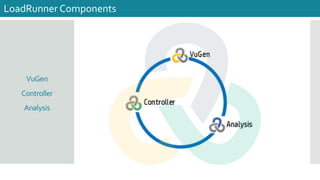
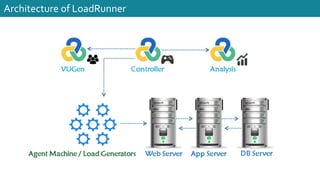
VuGen
Controller
Analysis
LoadRunner Components
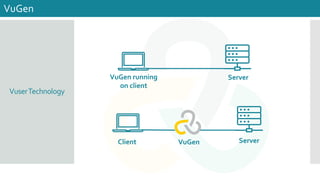
VuserTechnology
VuGen
VuGen running
on client
Server
Client Server
VuGen
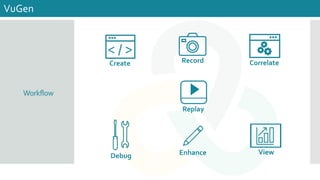
Workflow
VuGen
< / >
Create Record Correlate
Replay
Debug Enhance View
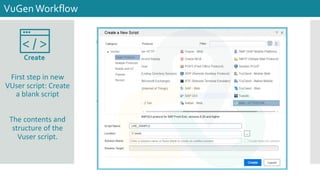
First step in new
VUser script: Create
a blank script
The contents and
structure of the
Vuser script.
VuGenWorkflow
< / >
Create
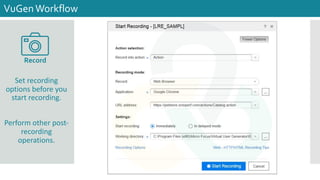
Set recording
options before you
start recording.
Perform other post-
recording
operations.
VuGenWorkflow
Record
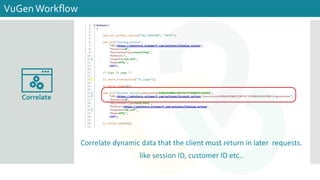
Correlate dynamic data that the client must return in later requests.
like session ID, customer ID etc..
VuGenWorkflow
Correlate
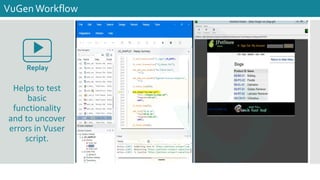
Helps to test
basic
functionality
and to uncover
errors in Vuser
script.
VuGenWorkflow
Replay
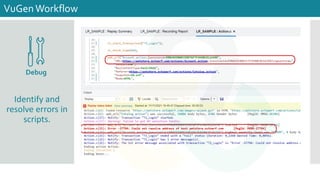
Identify and
resolve errors in
scripts.
VuGenWorkflow
Debug
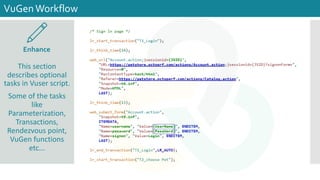
This section
describes optional
tasks in Vuser script.
Some of the tasks
like
Parameterization,
Transactions,
Rendezvous point,
VuGen functions
etc...
VuGenWorkflow
Enhance
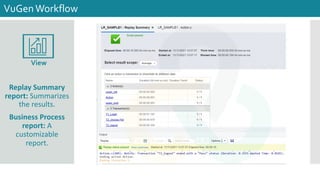
Replay Summary
report: Summarizes
the results.
Business Process
report: A
customizable
report.
VuGenWorkflow
View
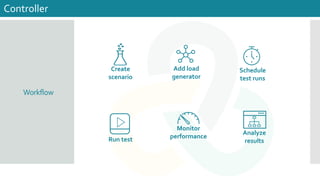
Workflow
Controller
Create
scenario
Add load
generator
Schedule
test runs
Run test
Monitor
performance
Analyze
results
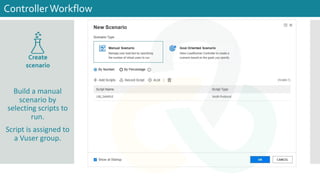
Build a manual
scenario by
selecting scripts to
run.
Script is assigned to
a Vuser group.
ControllerWorkflow
Create
scenario
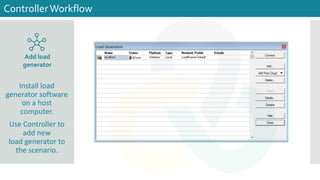
Install load
generator software
on a host
computer.
Use Controller to
add new
load generator to
the scenario.
ControllerWorkflow
Add load
generator
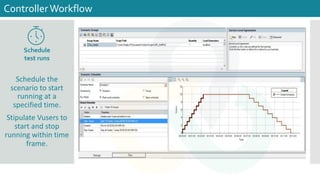
Schedule the
scenario to start
running at a
specified time.
Stipulate Vusers to
start and stop
running within time
frame.
ControllerWorkflow
Schedule
test runs
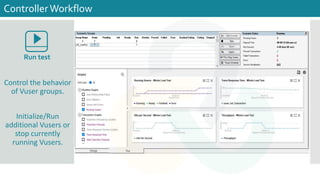
Control the behavior
of Vuser groups.
Initialize/Run
additional Vusers or
stop currently
running Vusers.
ControllerWorkflow
Run test
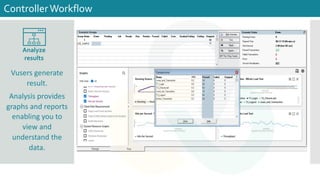
Vusers generate
result.
Analysis provides
graphs and reports
enabling you to
view and
understand the
data.
ControllerWorkflow
Analyze
results
Architecture of LoadRunner
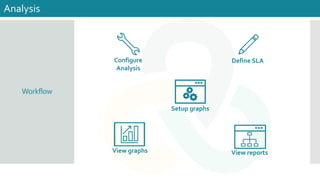
Workflow
Analysis
Define SLA
View reports
Setup graphs
View graphs
Configure
Analysis
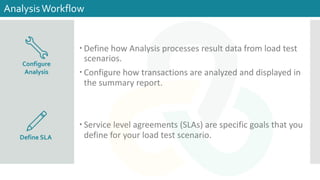
– Define how Analysis processes result data from load test
scenarios.
– Configure how transactions are analyzed and displayed in
the summary report.
– Service level agreements (SLAs) are specific goals that you
define for your load test scenario.
AnalysisWorkflow
Define SLA
Configure
Analysis
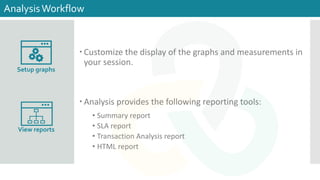
– Customize the display of the graphs and measurements in
your session.
– Analysis provides the following reporting tools:
• Summary report
• SLA report
• Transaction Analysis report
• HTML report
AnalysisWorkflow
Setup graphs
View reports
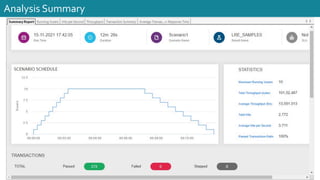
Analysis Summary
VuGenWorkflow Demo
Reference Links
Application Link
LoadRunner Help center
LoadRunner Free Trail Download
Pdf link
LoadRunner Download Procedure
Thank you!!
https://bhuvana.pro/
/bhuvanas
@installjournal
/Raghu

LoadRunner walkthrough