JMeter Workshop
Kannan Periyasamy
Bhuvaneswari Subramani
Agenda
§Overview
§Components of JMeter
§Order of Component Execution
§Simple JMeterTest
§Analysis and Report Preparation
§Troubleshooting JMeter
§QA
JMeter Overview
– The Apache JMeter™ is the opensource Performance testing tool.
– JMeter supports different applications/server/protocol types
– JMeter can be run in “distributed mode” to generate thousands of user
load.
– Easy continuous Integration through 3rd party tools like Maven,
Gradle and Jenkins.
– JMeter latest version : 5.4.1
Overview
Components of JMeter
Components
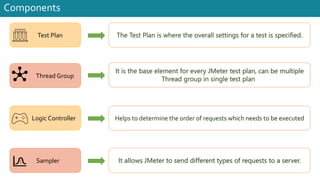
Test Plan
Thread Group
Logic Controller
The Test Plan is where the overall settings for a test is specified.
Sampler
It is the base element for every JMeter test plan, can be multiple
Thread group in single test plan
Helps to determine the order of requests which needs to be executed
It allows JMeter to send different types of requests to a server.
Components
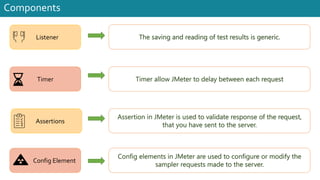
The saving and reading of test results is generic.
Timer allow JMeter to delay between each request
Assertion in JMeter is used to validate response of the request,
that you have sent to the server.
Config elements in JMeter are used to configure or modify the
sampler requests made to the server.
Listener
Timer
Assertions
Config Element
Components
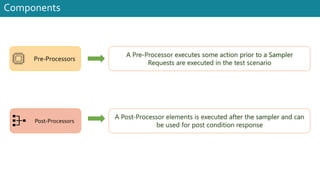
A Pre-Processor executes some action prior to a Sampler
Requests are executed in the test scenario
A Post-Processor elements is executed after the sampler and can
be used for post condition response
Pre-Processors
Post-Processors
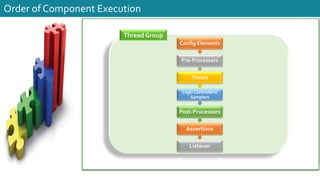
Order ofComponent Execution
Order of Component Execution
Thread Group
Config Elements
Pre-Processors
Timers
Logic Controllers/
Samplers
Post-Processors
Assertions
Listener
Simple JMeterTest
Pre-Requisites
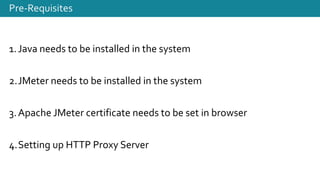
1.Java needs to be installed in the system
2.JMeter needs to be installed in the system
3.Apache JMeter certificate needs to be set in browser
4.Setting up HTTP Proxy Server
Analysis and Report Preparation
jj
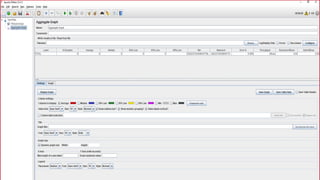
AnalysisandReportPreparation
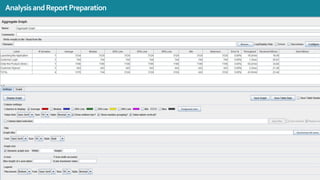
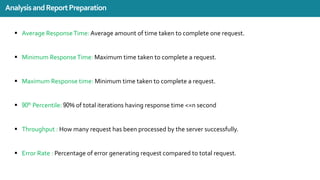
§ Average ResponseTime: Average amount of time taken to complete one request.
§ Minimum ResponseTime: Maximum time taken to complete a request.
§ Maximum Response time: Minimum time taken to complete a request.
§ 90th Percentile: 90% of total iterations having response time <=n second
§ Throughput : How many request has been processed by the server successfully.
§ Error Rate : Percentage of error generating request compared to total request.
AnalysisandReportPreparation
Troubleshooting JMeter
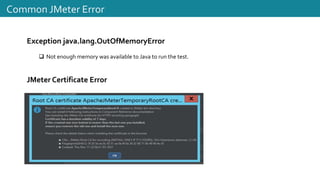
Exception java.lang.OutOfMemoryError
q Not enough memory was available to Java to run the test.
JMeter Certificate Error
Common JMeter Error
jj
Reference Link
https://jmeter.apache.org/
https://jmeter.apache.org/download_jmeter.cgi
https://www.oracle.com/java/technologies/downloads/
Q&A
Thank you!!
https://bhuvana.pro/
/bhuvanas
@installjournal
/pkannan
Kannan Periyasamy

Jmeter Walkthrough