Apache Performance Tuning
Part 2: Scaling Out
Sander Temme <sander@temme.net>
Agenda
• Introduction
• Redundancy in Hardware
• Building Out: Separate Tiers
• Building Out: Load Balancing
• Caching Content
• Conclusion
Introduction
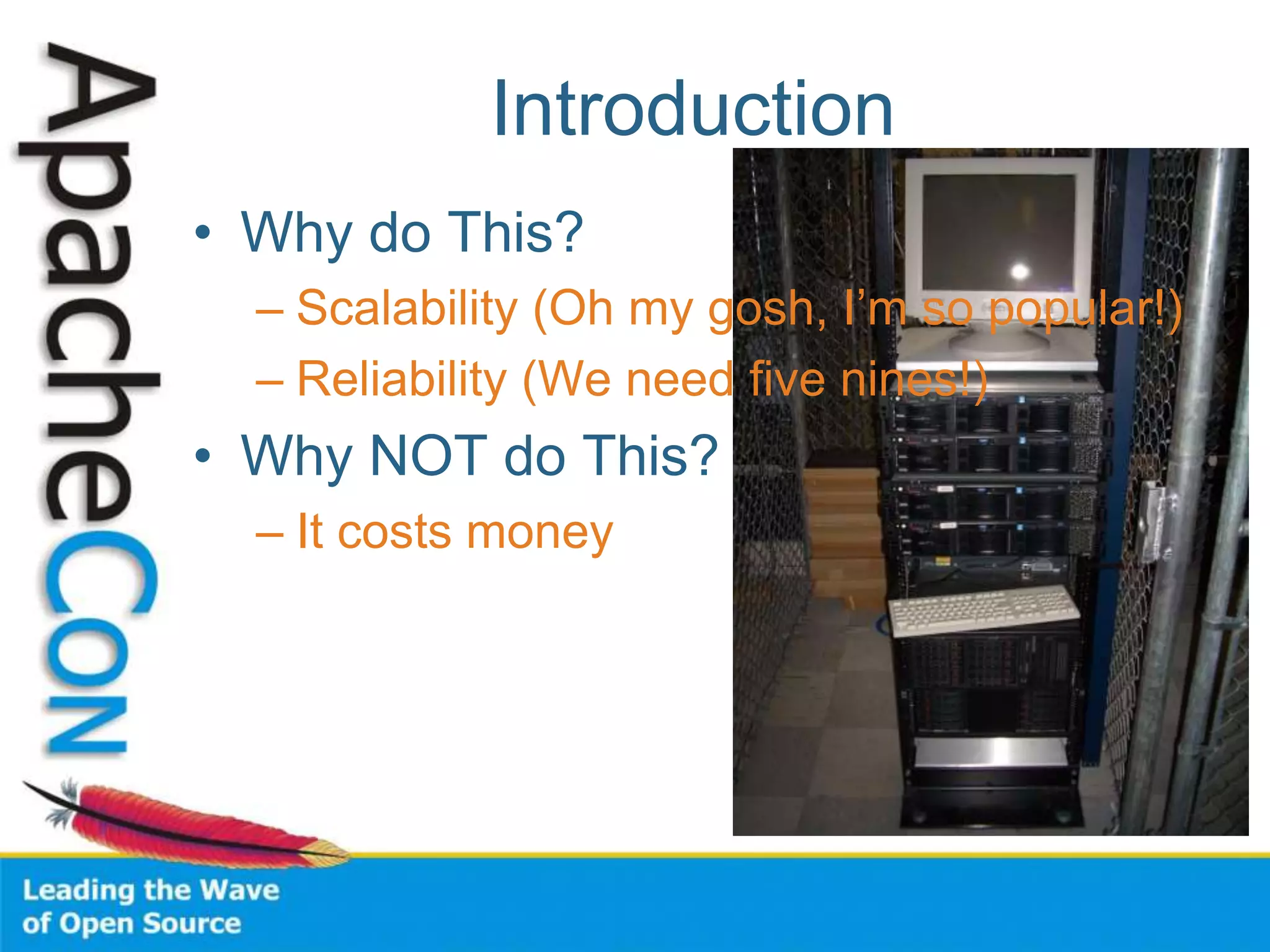
• Why do This?
– Scalability (Oh my gosh, I’m so popular!)
– Reliability (We need five nines!)
• Why NOT do This?
– It costs money
Redundancy in Hardware
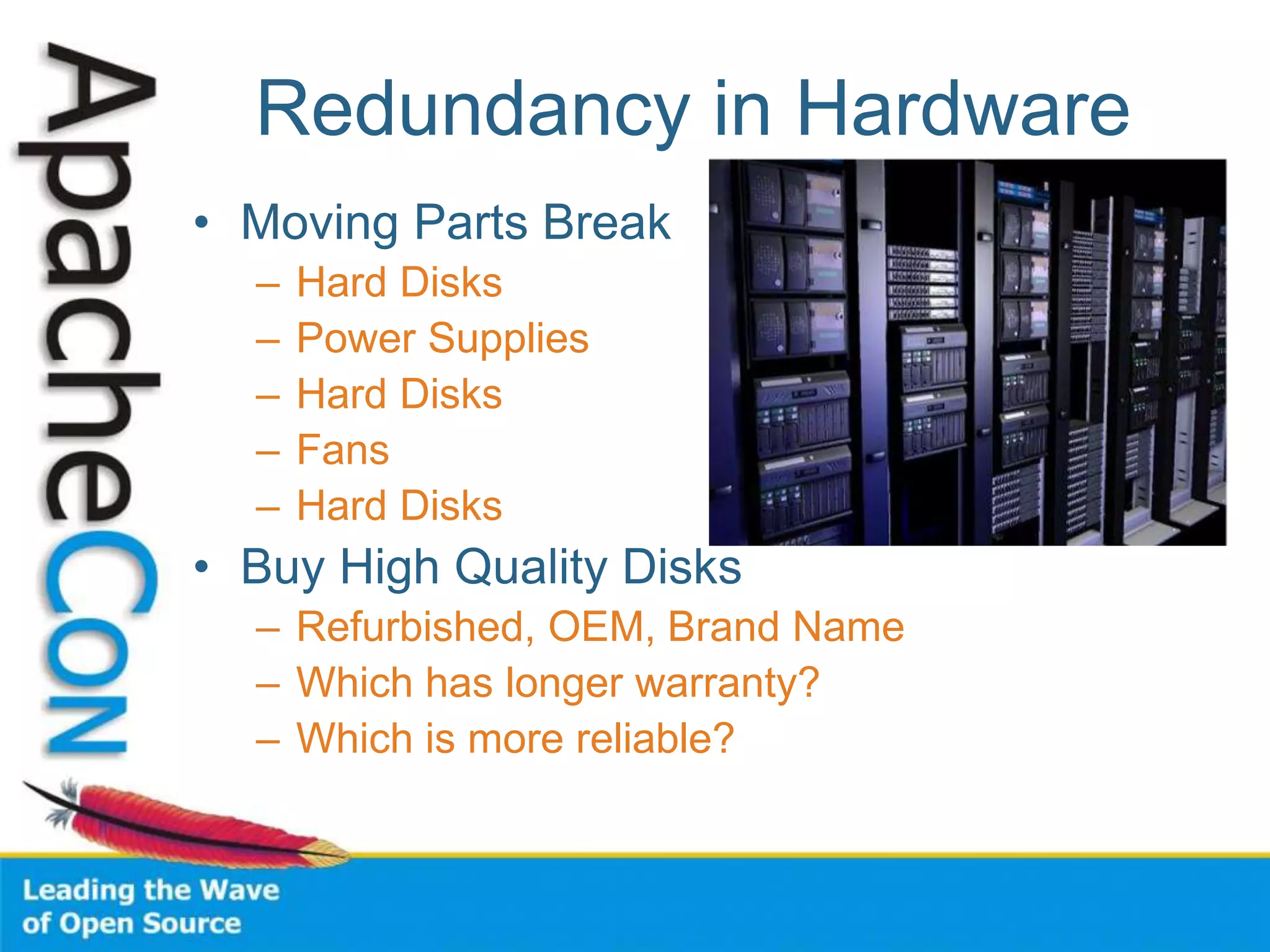
• Moving Parts Break
– Hard Disks
– Power Supplies
– Hard Disks
– Fans
– Hard Disks
• Buy High Quality Disks
– Refurbished, OEM, Brand Name
– Which has longer warranty?
– Which is more reliable?
Server Configuration
• Mirror those Disks
– Install the RAID utility
– Have it warn you
– RAID is no good if you don’t learn of
failures!
• Redundant Power Supplies
– On different circuits
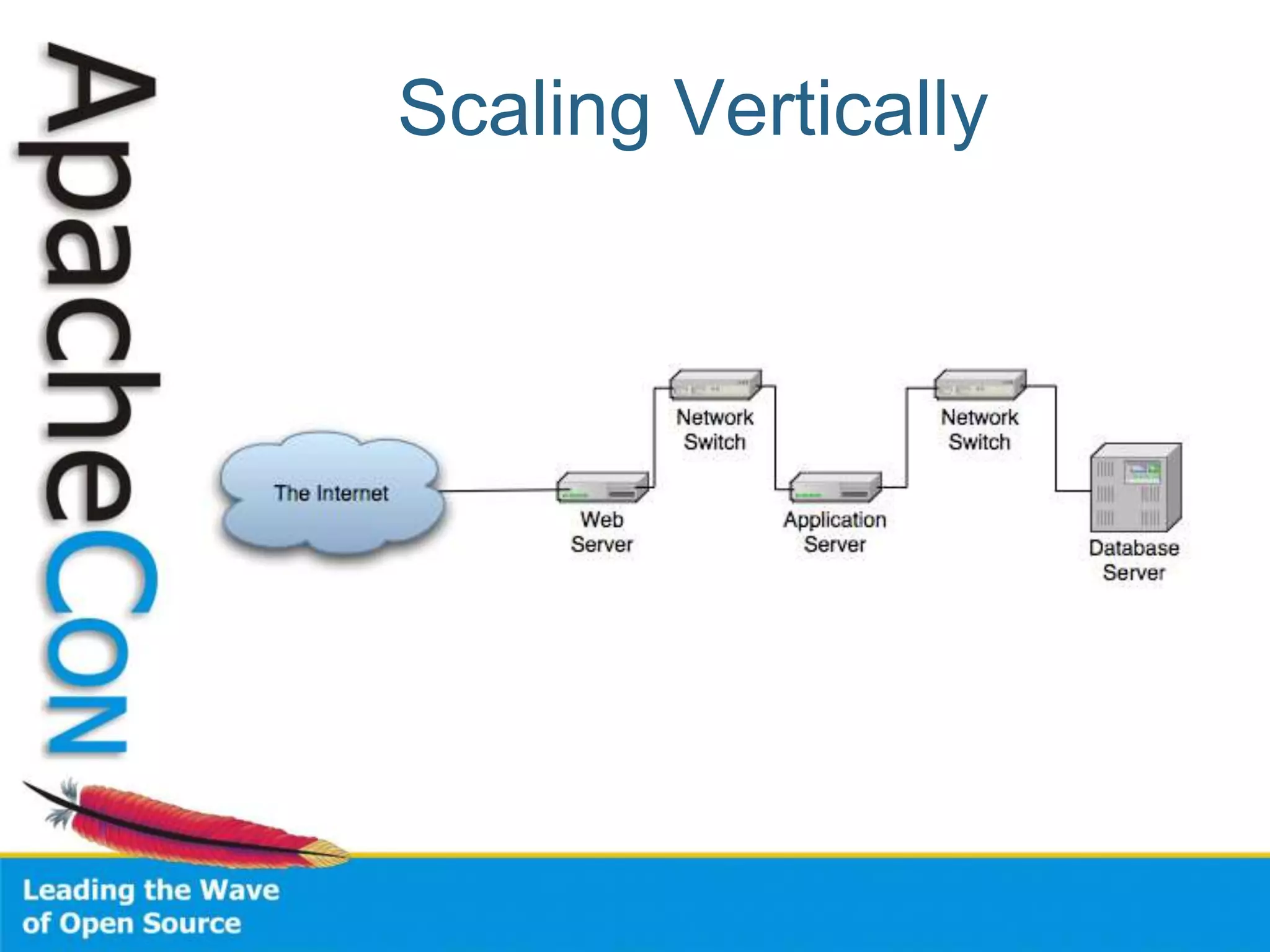
Scaling Vertically
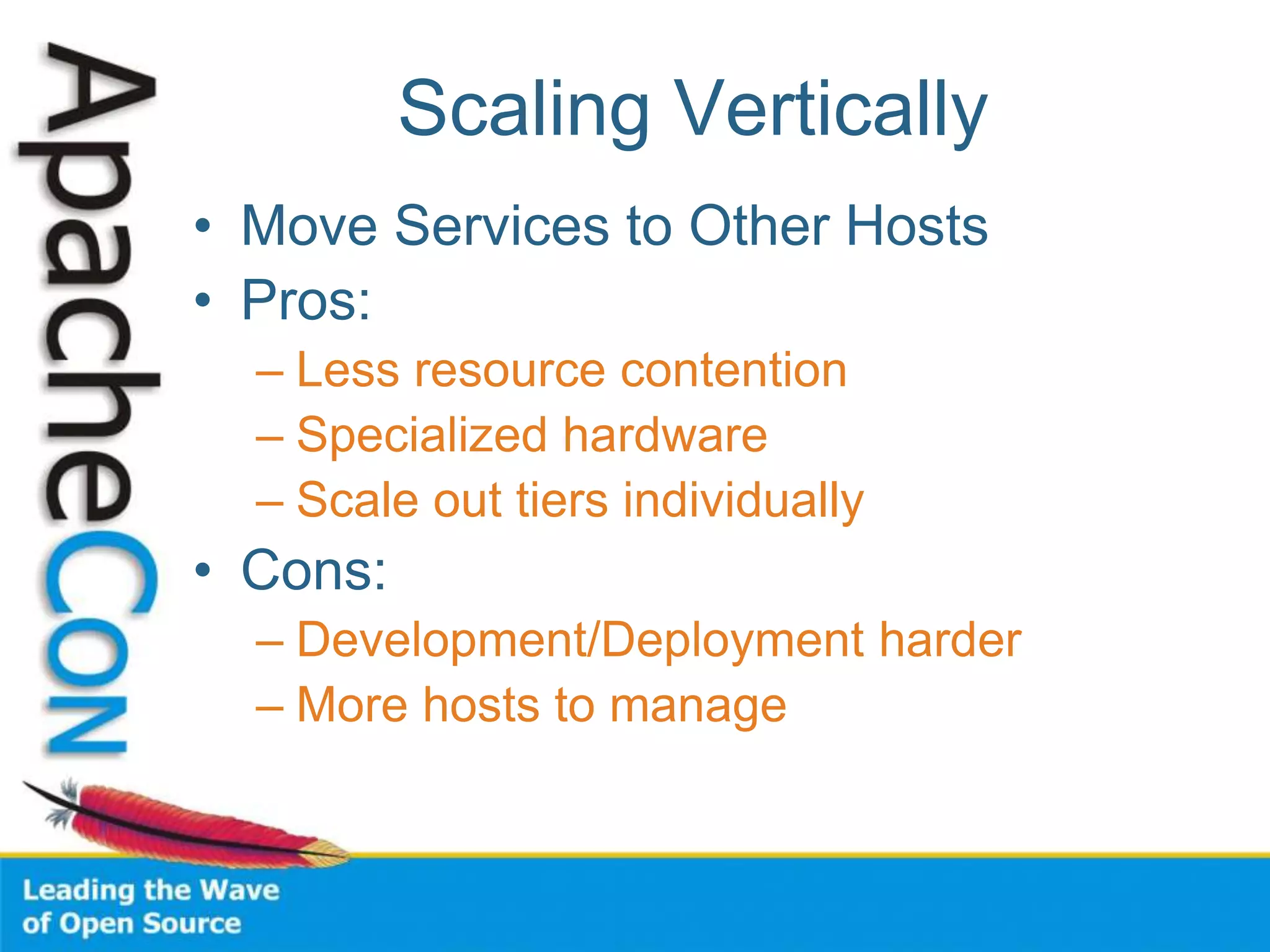
Scaling Vertically
• Move Services to Other Hosts
• Pros:
– Less resource contention
– Specialized hardware
– Scale out tiers individually
• Cons:
– Development/Deployment harder
– More hosts to manage
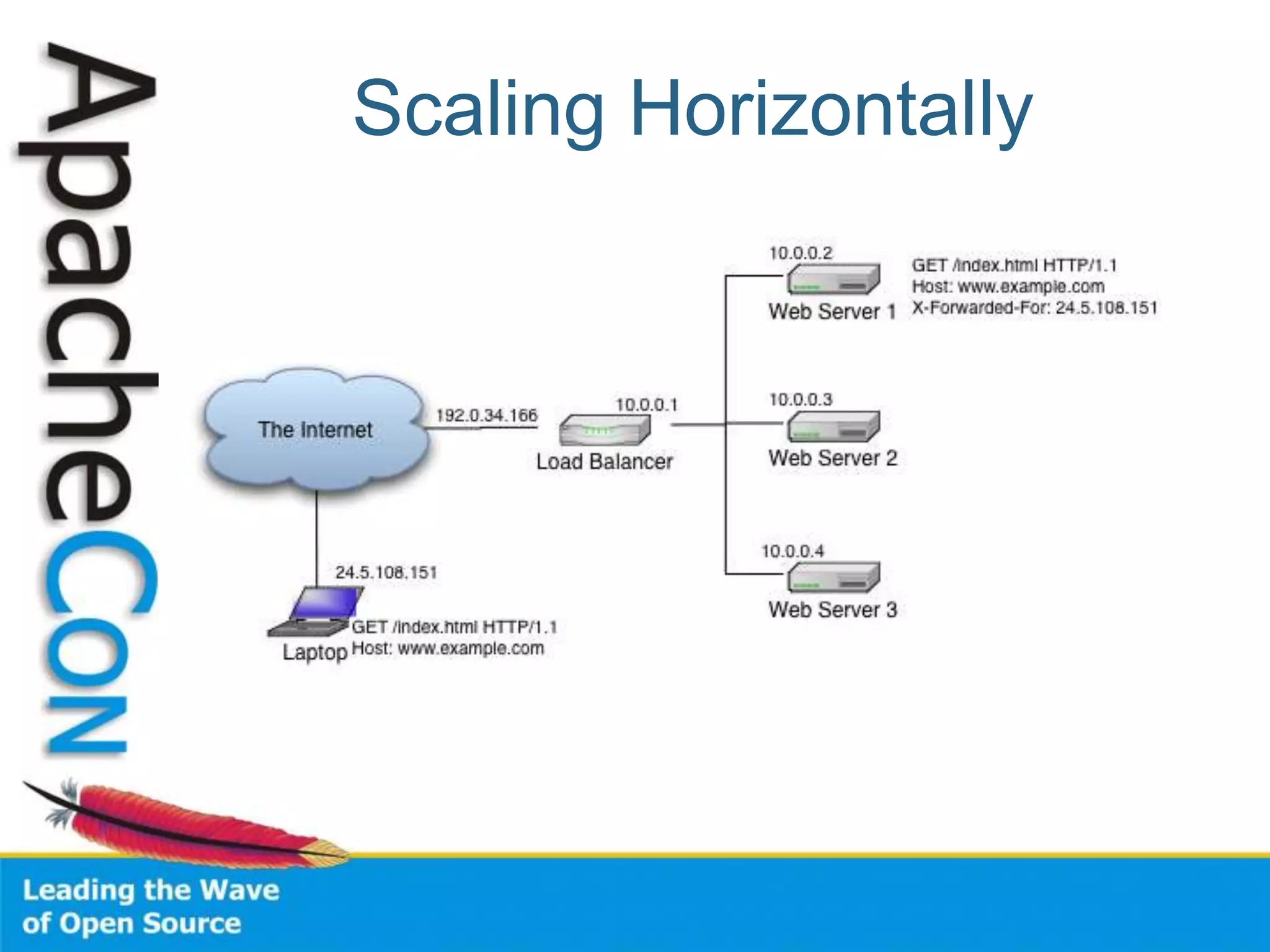
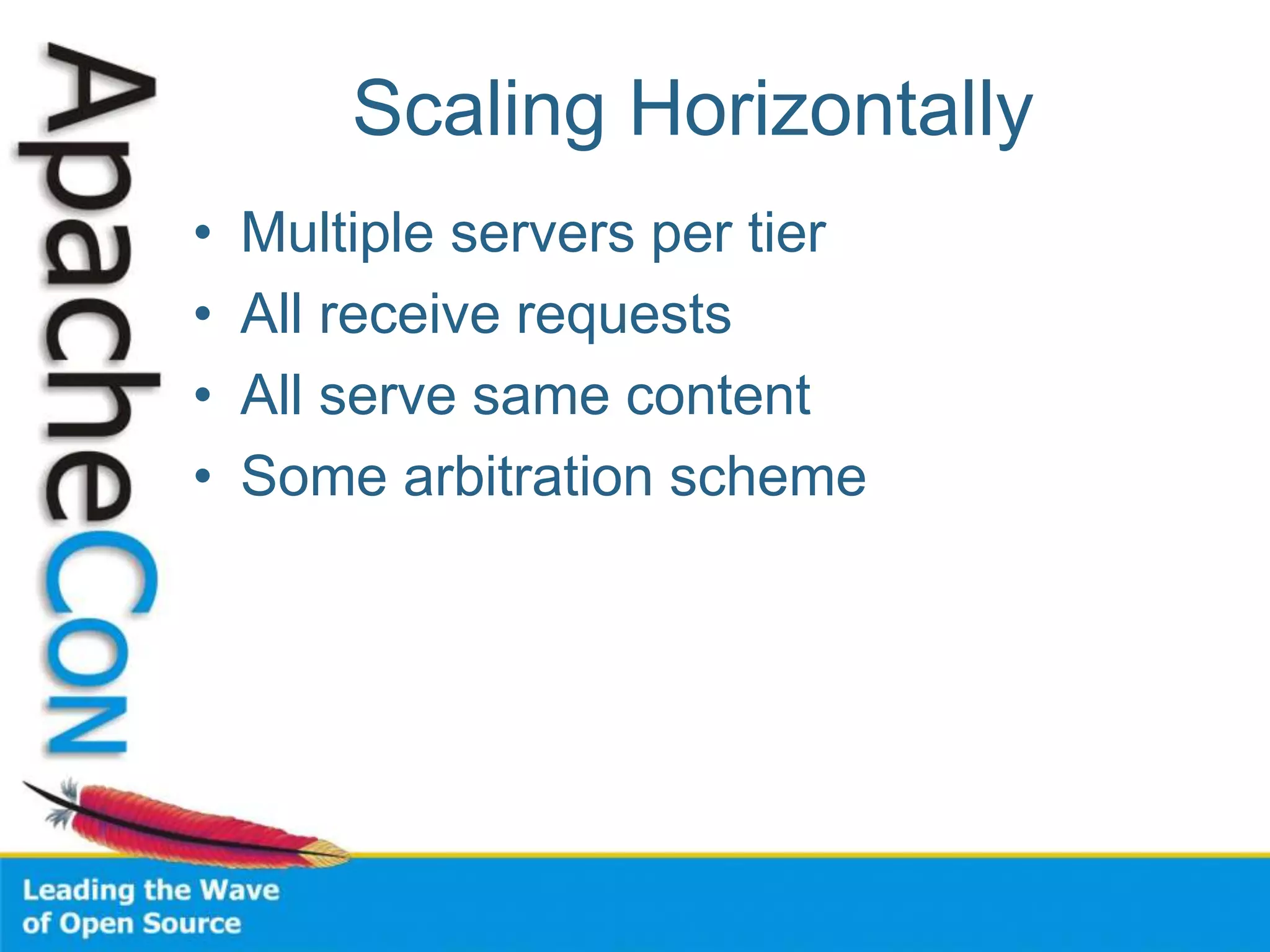
Scaling Horizontally
• Multiple servers per tier
• All receive requests
• All serve same content
• Some arbitration scheme
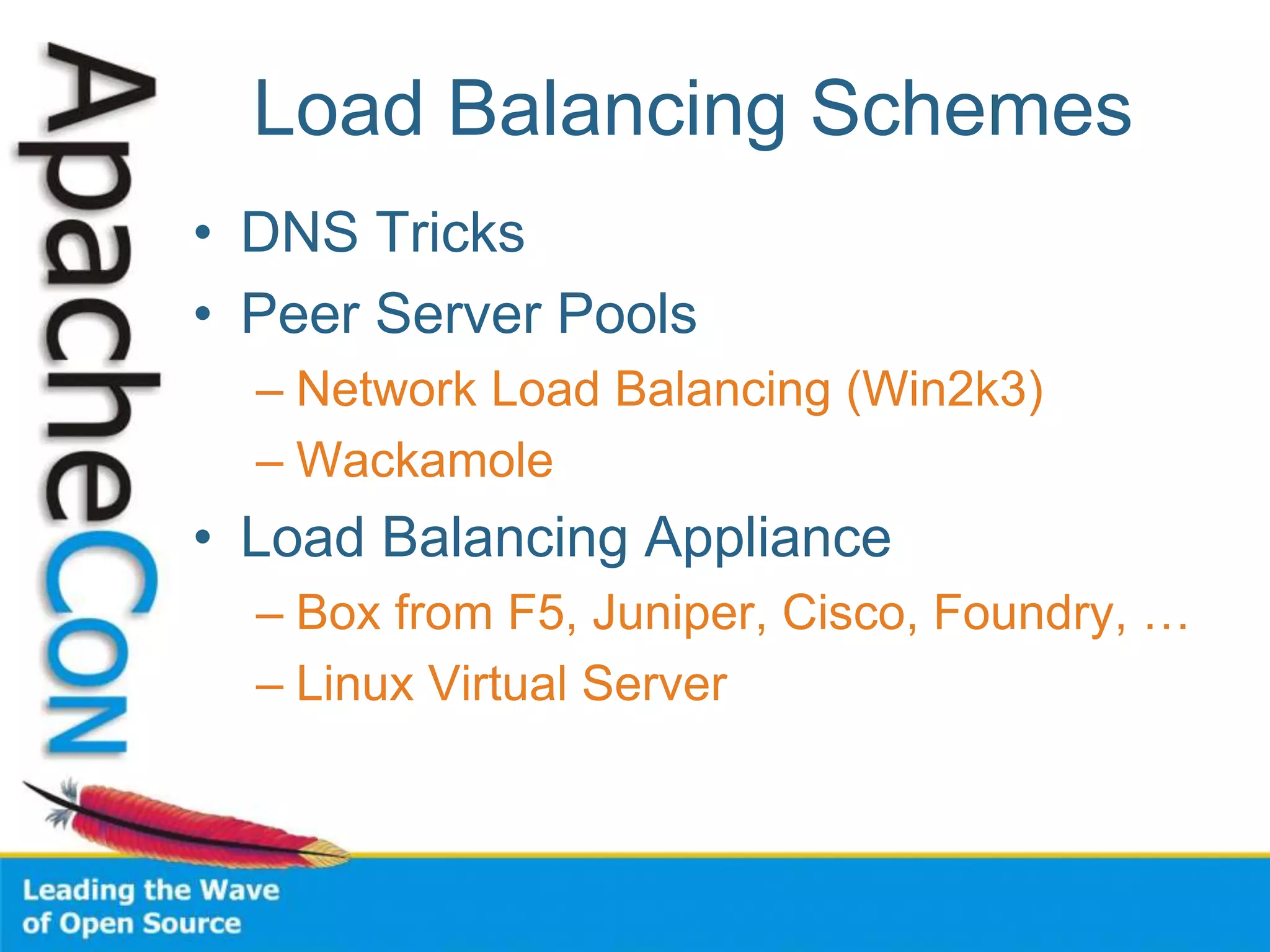
Load Balancing Schemes
• DNS Tricks
• Peer Server Pools
– Network Load Balancing (Win2k3)
– Wackamole
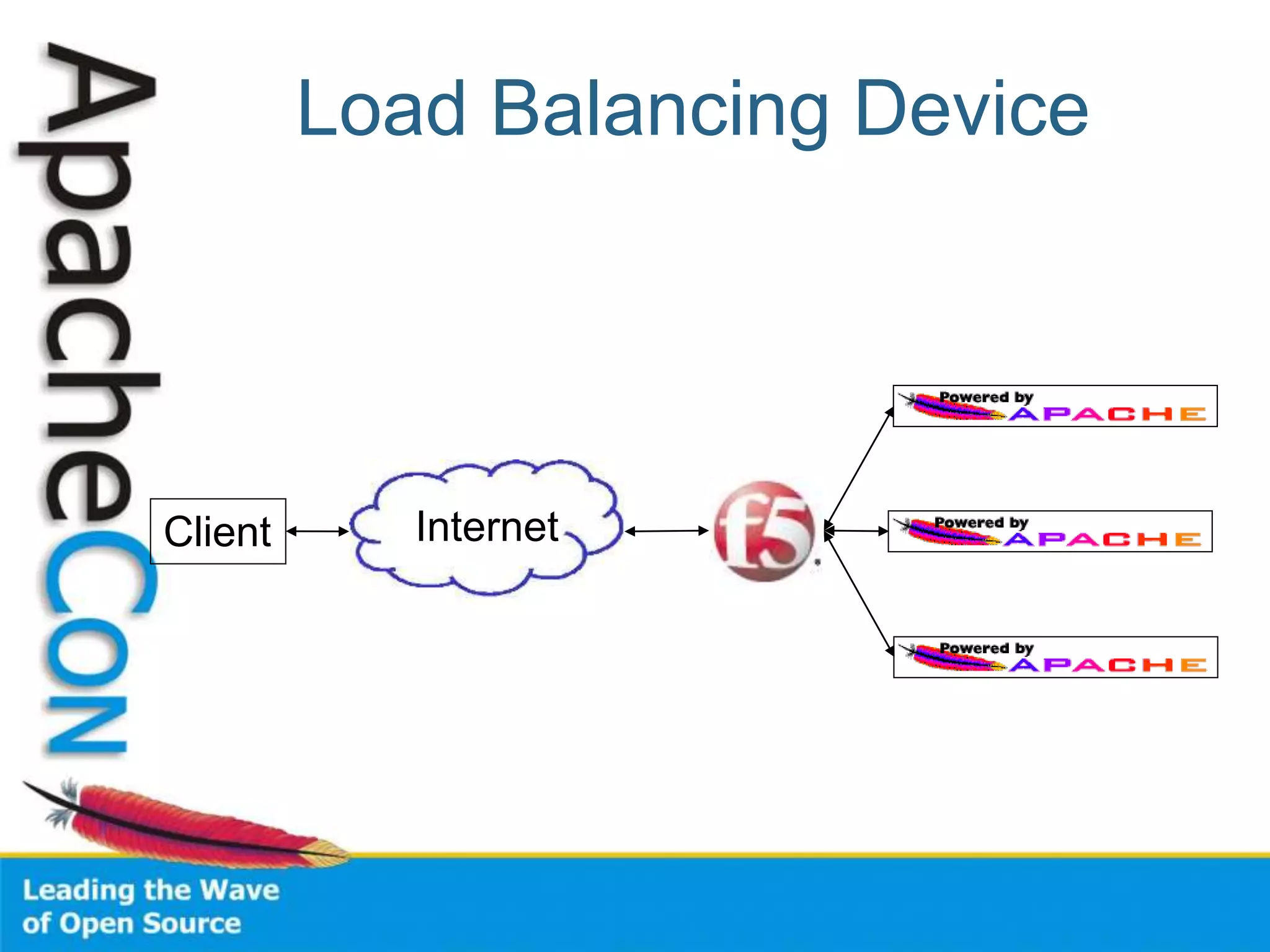
• Load Balancing Appliance
– Box from F5, Juniper, Cisco, Foundry, …
– Linux Virtual Server
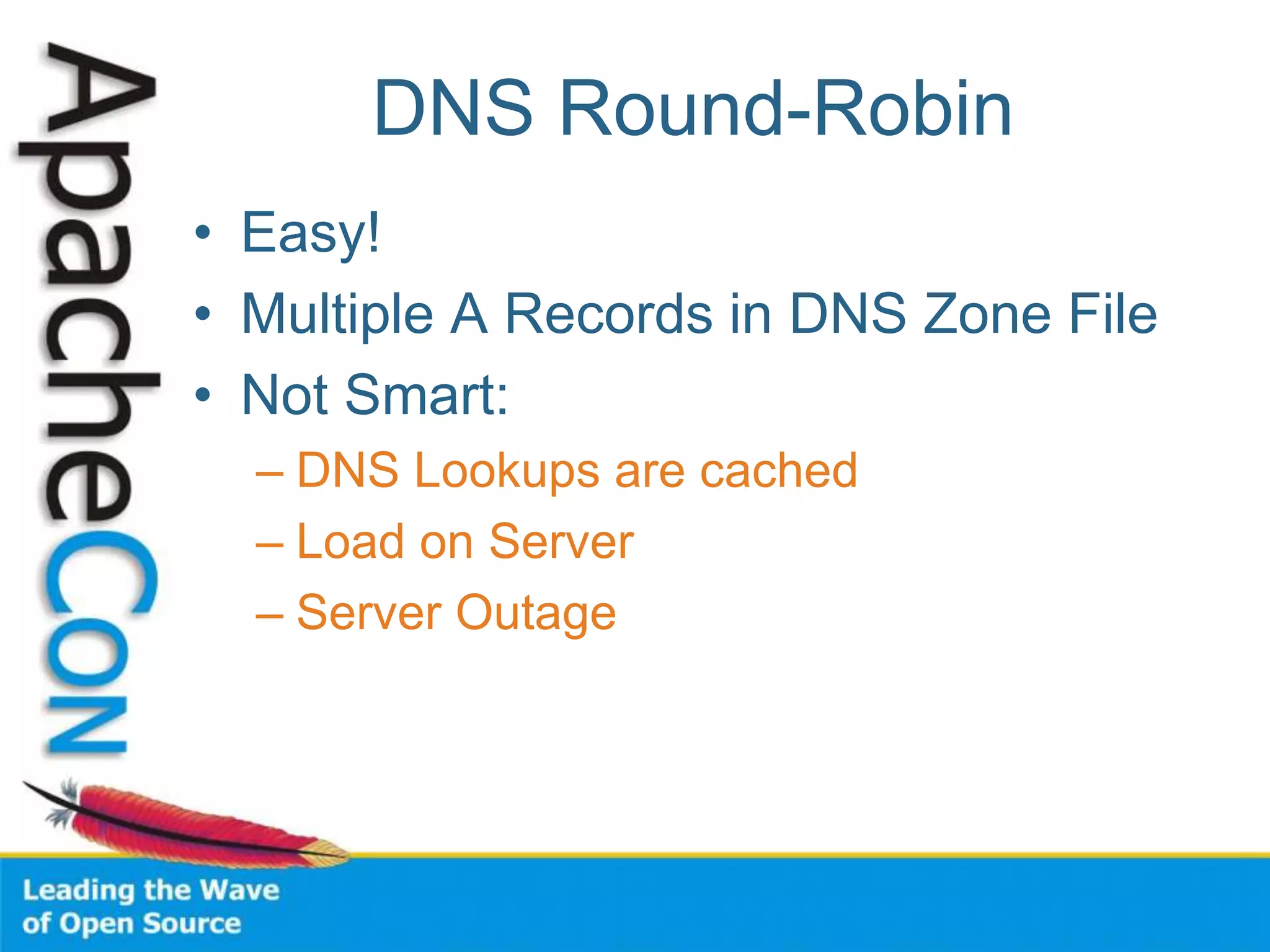
DNS Round-Robin
• Easy!
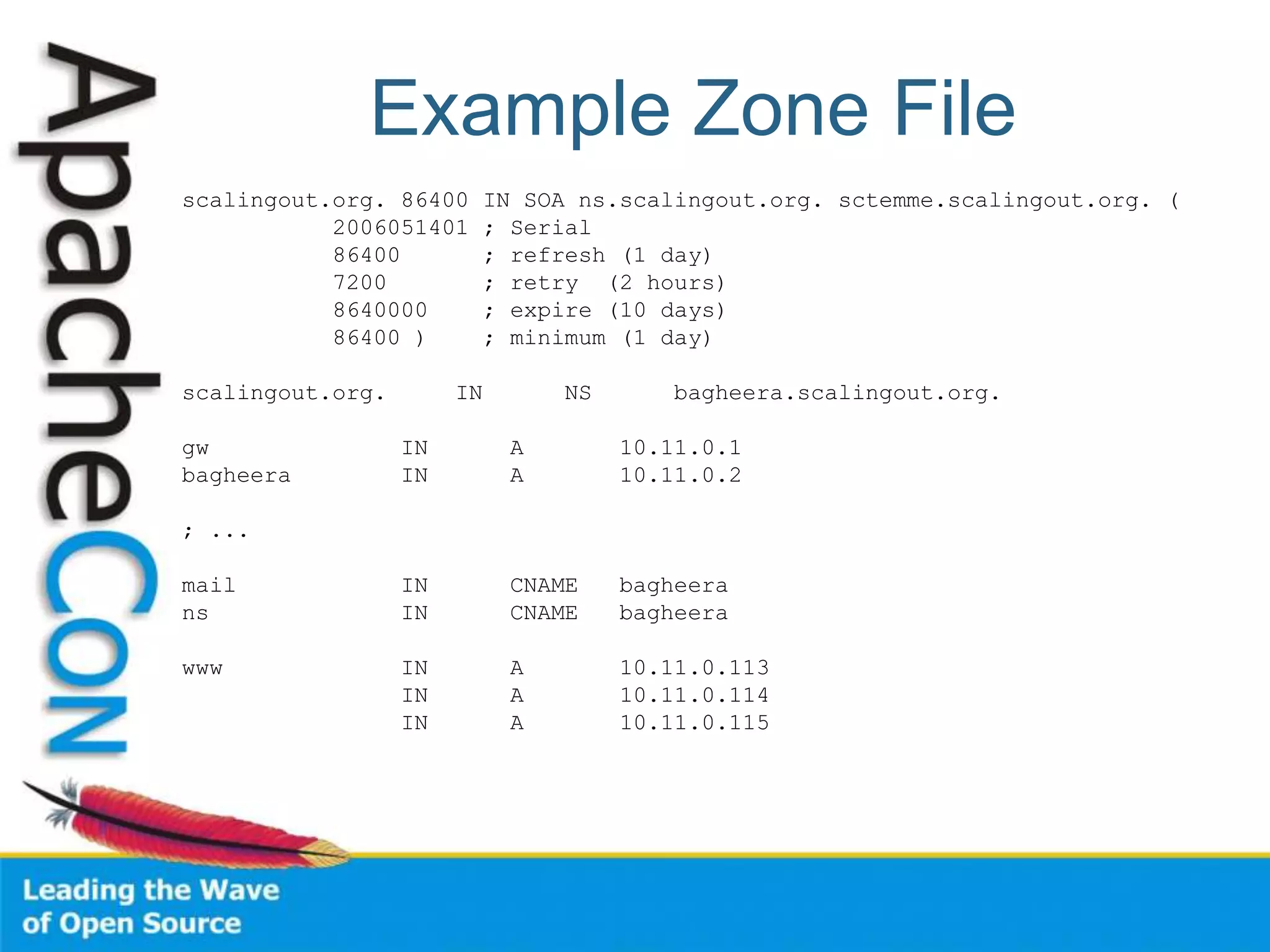
• Multiple A Records in DNS Zone File
• Not Smart:
– DNS Lookups are cached
– Load on Server
– Server Outage
Example Zone File
scalingout.org. 86400 IN SOA ns.scalingout.org. sctemme.scalingout.org. (
2006051401 ; Serial
86400 ; refresh (1 day)
7200 ; retry (2 hours)
8640000 ; expire (10 days)
86400 ) ; minimum (1 day)
scalingout.org. IN NS bagheera.scalingout.org.
gw IN A 10.11.0.1
bagheera IN A 10.11.0.2
; ...
mail IN CNAME bagheera
ns IN CNAME bagheera
www IN A 10.11.0.113
IN A 10.11.0.114
IN A 10.11.0.115
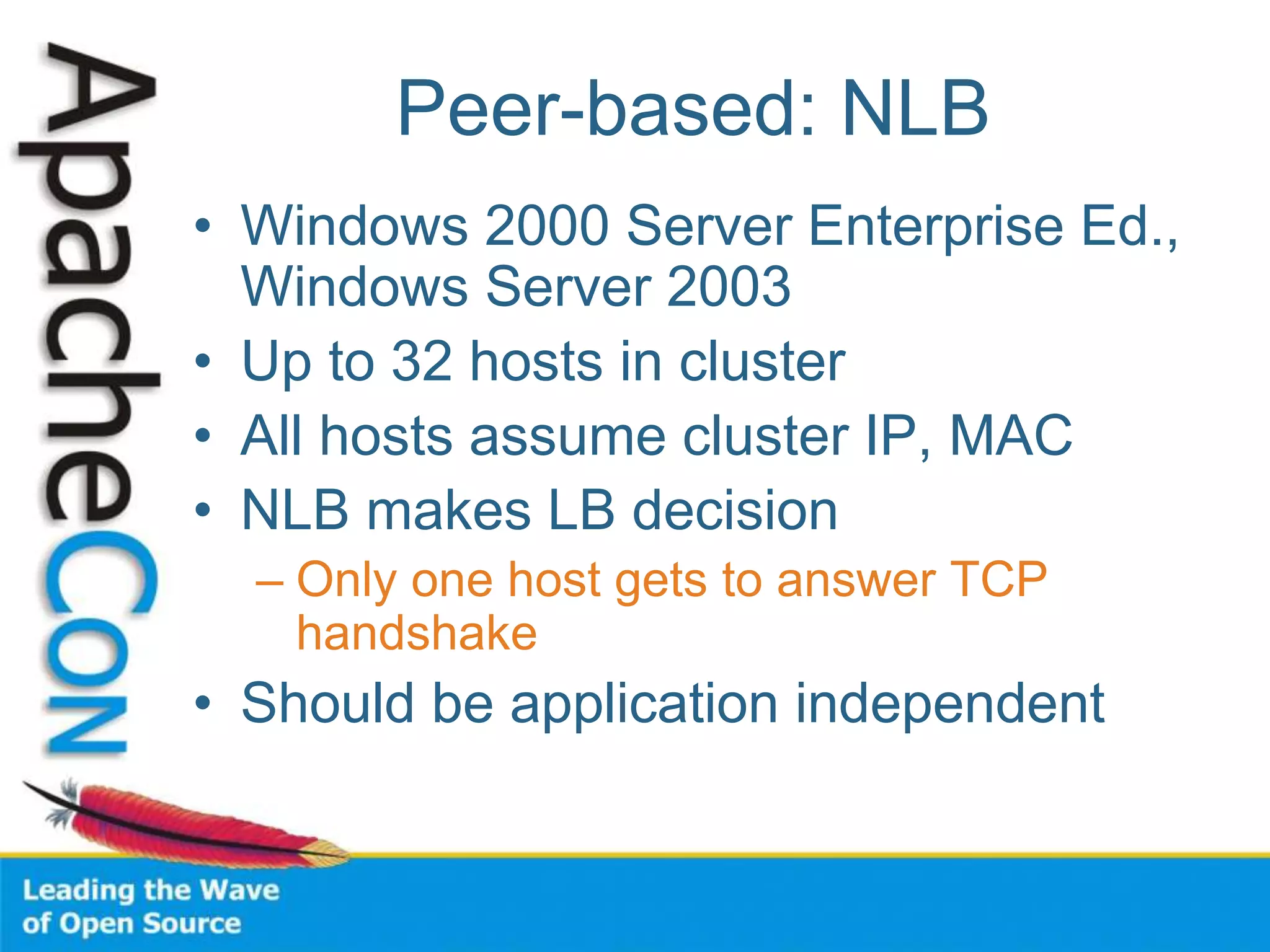
Peer-based: NLB
• Windows 2000 Server Enterprise Ed.,
Windows Server 2003
• Up to 32 hosts in cluster
• All hosts assume cluster IP, MAC
• NLB makes LB decision
– Only one host gets to answer TCP
handshake
• Should be application independent
Peer-based: Wackamole
• High Availability Solution
• When Host Fails
– Other hosts take over its IP addresses
– Distribute IP addresses among cluster
– Every IP address reliably available
• No Load Balancing!
– Use with RR DNS (or something)
http://www.backhand.org/wackamole/
Load Balancing Device
Client Internet
Load Balancing
• One Load Balancer
• Many Web Servers
• Choice of Balancing Schemes
– Round-robin, Least Used, …
• Reliability
– Heartbeats, unavailable servers don’t
receive requests
• Feature War
Linux Virtual Server
• Free, Open Source, etc.
• IP Virtual Server module in kernel
• Lots of auxiliary modules
– Like a box of Legos
– May come with Your Distribution
• Do It Yourself
http://www.linuxvirtualserver.org/
Example: mod_proxy_balancer
• New in Apache HTTP Server 2.2
• Part of mod_proxy
• Two Load Balancing Methods
– By number of requests
– By number of bytes
• Detects failed backends
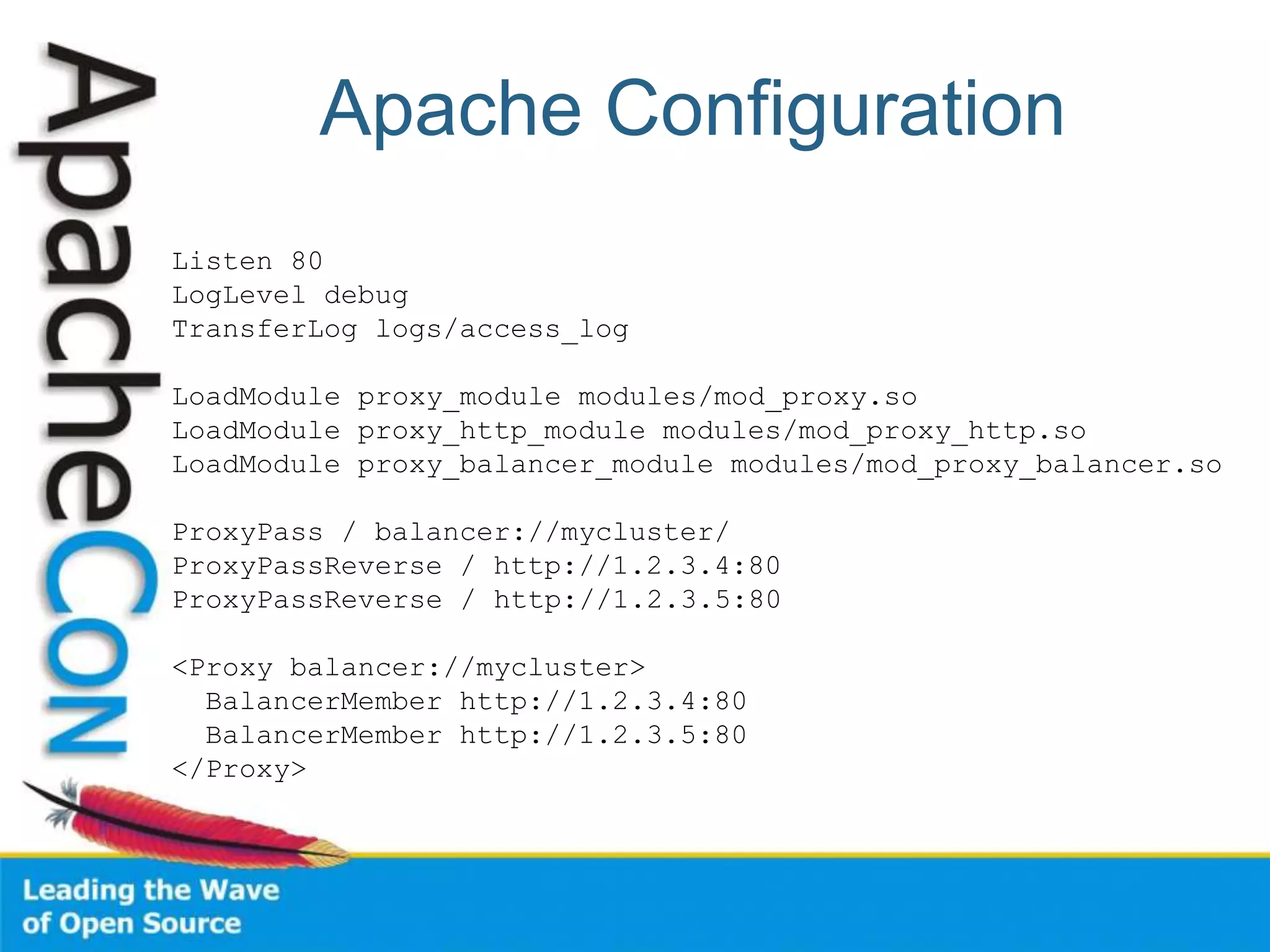
Apache Configuration
Listen 80
LogLevel debug
TransferLog logs/access_log
LoadModule proxy_module modules/mod_proxy.so
LoadModule proxy_http_module modules/mod_proxy_http.so
LoadModule proxy_balancer_module modules/mod_proxy_balancer.so
ProxyPass / balancer://mycluster/
ProxyPassReverse / http://1.2.3.4:80
ProxyPassReverse / http://1.2.3.5:80
<Proxy balancer://mycluster>
BalancerMember http://1.2.3.4:80
BalancerMember http://1.2.3.5:80
</Proxy>
Example: Tomcat, mod_jk
• Apache + mod_jk
• Multiple Tomcat servers
• Balancer Worker
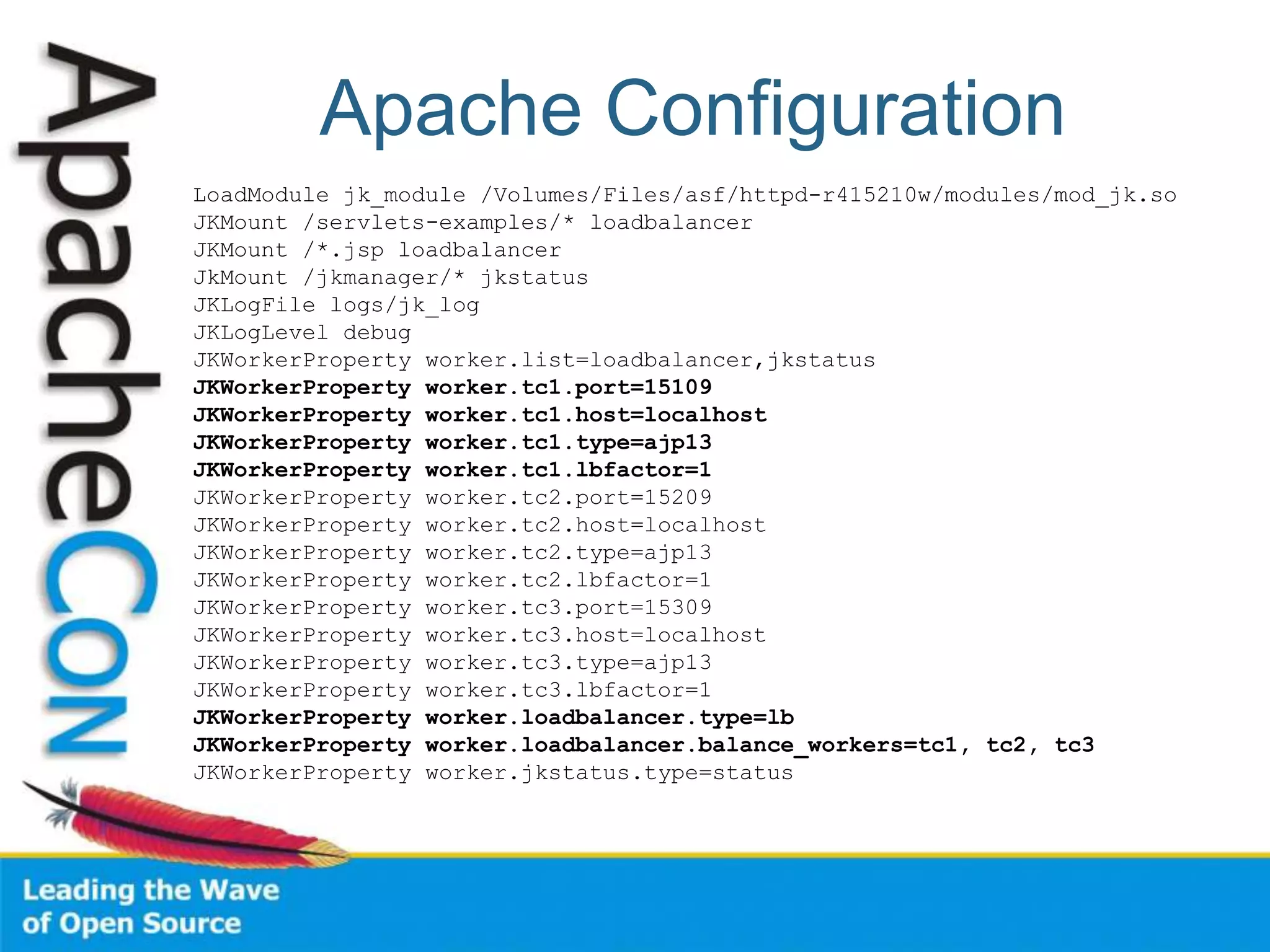
Apache Configuration
LoadModule jk_module /Volumes/Files/asf/httpd-r415210w/modules/mod_jk.so
JKMount /servlets-examples/* loadbalancer
JKMount /*.jsp loadbalancer
JkMount /jkmanager/* jkstatus
JKLogFile logs/jk_log
JKLogLevel debug
JKWorkerProperty worker.list=loadbalancer,jkstatus
JKWorkerProperty worker.tc1.port=15109
JKWorkerProperty worker.tc1.host=localhost
JKWorkerProperty worker.tc1.type=ajp13
JKWorkerProperty worker.tc1.lbfactor=1
JKWorkerProperty worker.tc2.port=15209
JKWorkerProperty worker.tc2.host=localhost
JKWorkerProperty worker.tc2.type=ajp13
JKWorkerProperty worker.tc2.lbfactor=1
JKWorkerProperty worker.tc3.port=15309
JKWorkerProperty worker.tc3.host=localhost
JKWorkerProperty worker.tc3.type=ajp13
JKWorkerProperty worker.tc3.lbfactor=1
JKWorkerProperty worker.loadbalancer.type=lb
JKWorkerProperty worker.loadbalancer.balance_workers=tc1, tc2, tc3
JKWorkerProperty worker.jkstatus.type=status
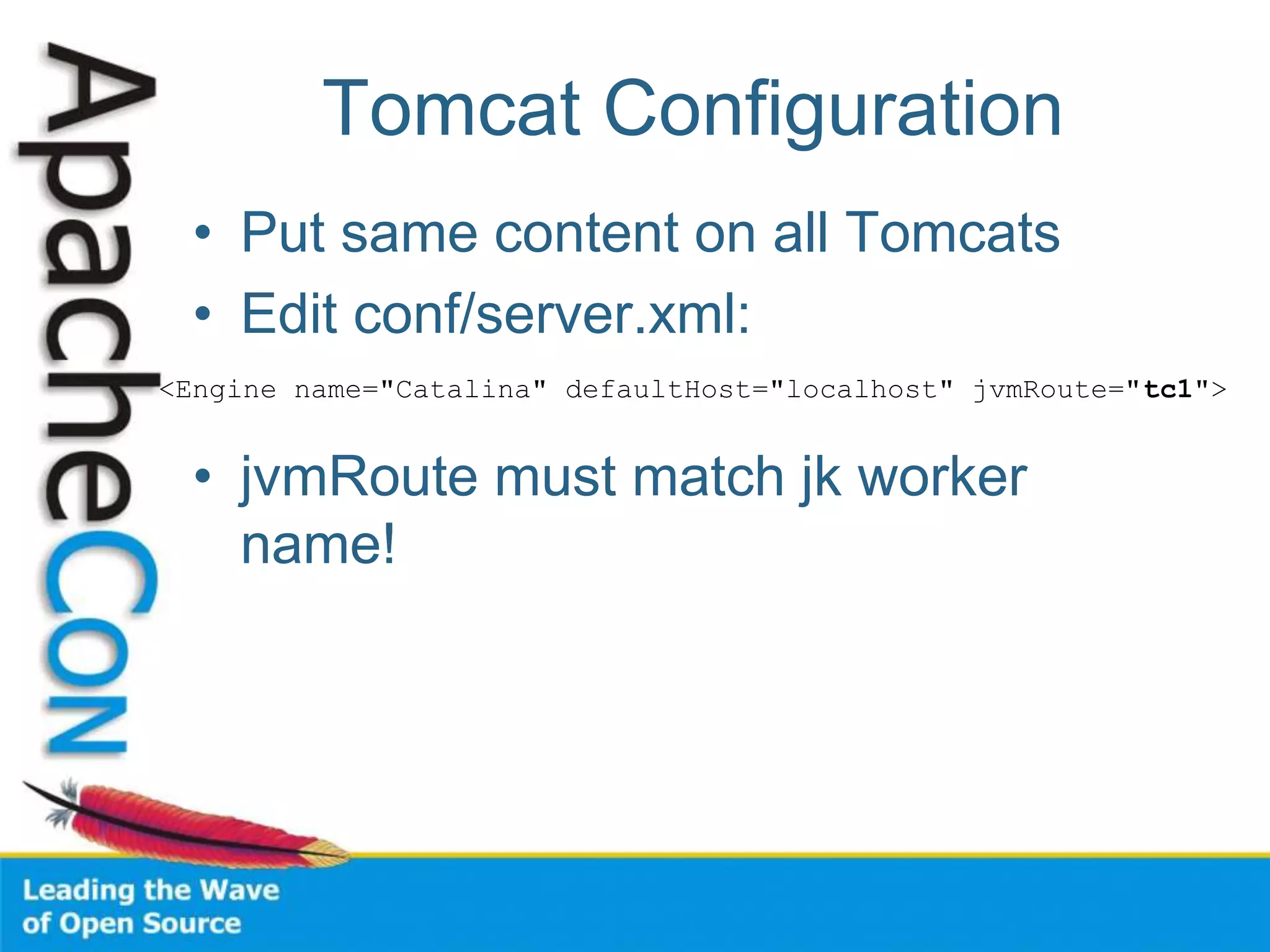
Tomcat Configuration
• Put same content on all Tomcats
• Edit conf/server.xml:
• jvmRoute must match jk worker
name!
<Engine name="Catalina" defaultHost="localhost" jvmRoute="tc1">
Problem: Session State
• HTTP is Stateless
• Apps use Sessions
– Cookies
– URL Encoding
• Session created on single server
– Broken by Load Balancing
– PHP: sessions stored on disk
Solutions: Session State
• “Sticky” routing on Load Balancer
• Store State in DB
• Put benign State in Cookie
– But don’t trust the client too much
• Replicate Sessions on Back-end
Tomcat Session Replication
• Share HttpSession objects across
instances
• One instance dies, session lives on
• Apache will route requests to other
instance
• Uses IP Multicast
Session Replication Config
• Uncomment <Cluster> element in
server.xml
• Put empty <distributable /> element in
<web-app> element in web.xml
Caching Content
• Dynamic Content is Expensive
• Static Content Relatively Cheap
• Several Approaches:
– Dynamic caching
– Pre-rendering popular pages
(index.rss…)
27
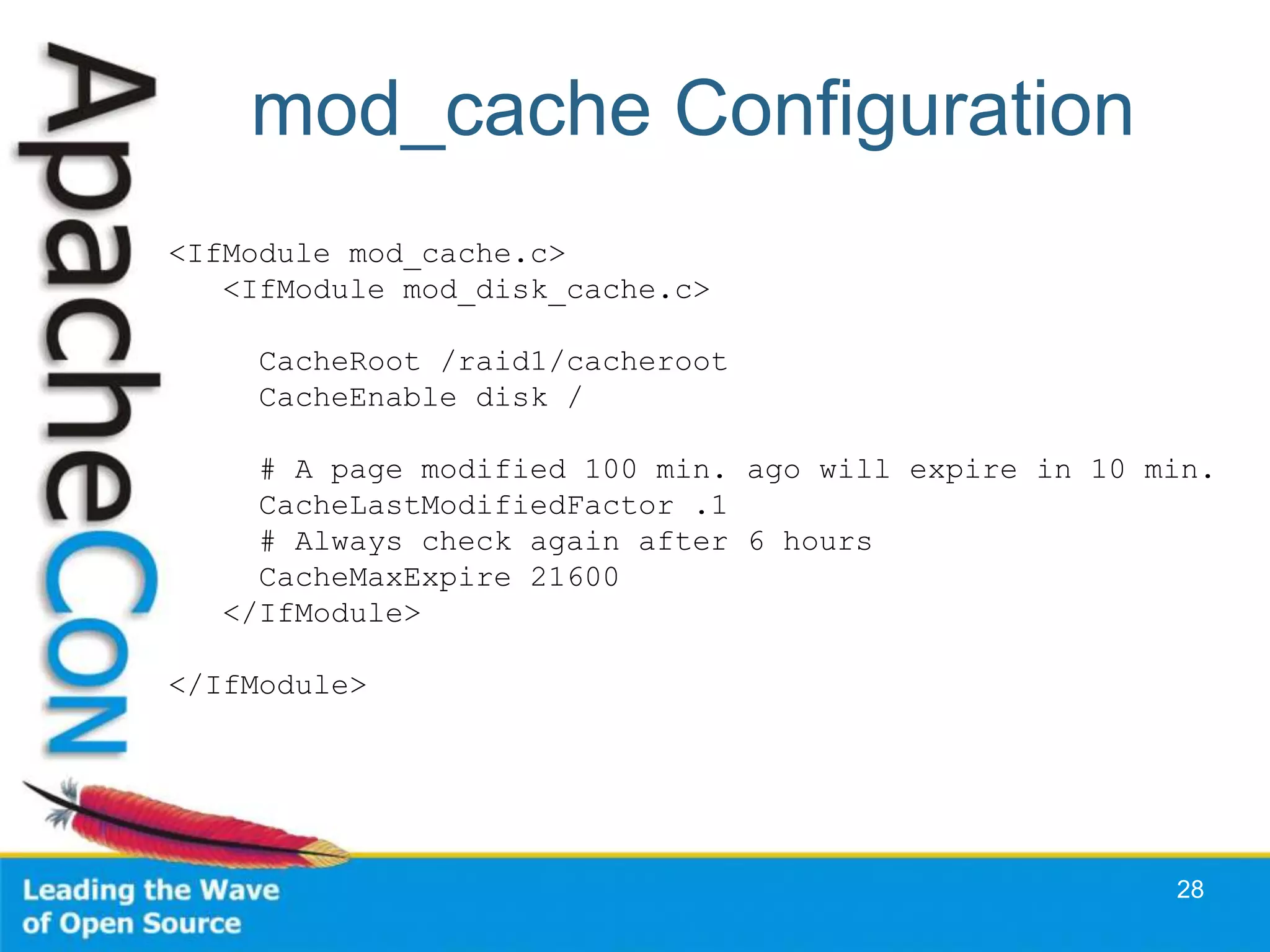
mod_cache Configuration
28
<IfModule mod_cache.c>
<IfModule mod_disk_cache.c>
CacheRoot /raid1/cacheroot
CacheEnable disk /
# A page modified 100 min. ago will expire in 10 min.
CacheLastModifiedFactor .1
# Always check again after 6 hours
CacheMaxExpire 21600
</IfModule>
</IfModule>
Make Popular Pages Static
• RSS Feeds
• Popular catalog queries
• … (Check your access log)
29
Static Page Substitution
30
<Directory "/home/sctemme/inst/blog/httpd/htdocs">
Options +Indexes
Order allow,deny
Allow from all
RewriteEngine on
RewriteCond %{REQUEST_FILENAME} !-f
RewriteCond %{REQUEST_FILENAME} !-d
RewriteRule ^(.*)$ /cgi-bin/blosxom.cgi/$1 [L,QSA]
</Directory>
Tuning the Database Tier
• Not my area (sorry)
• Give Money to Oracle Consultants
– (or MySQL) (or …)
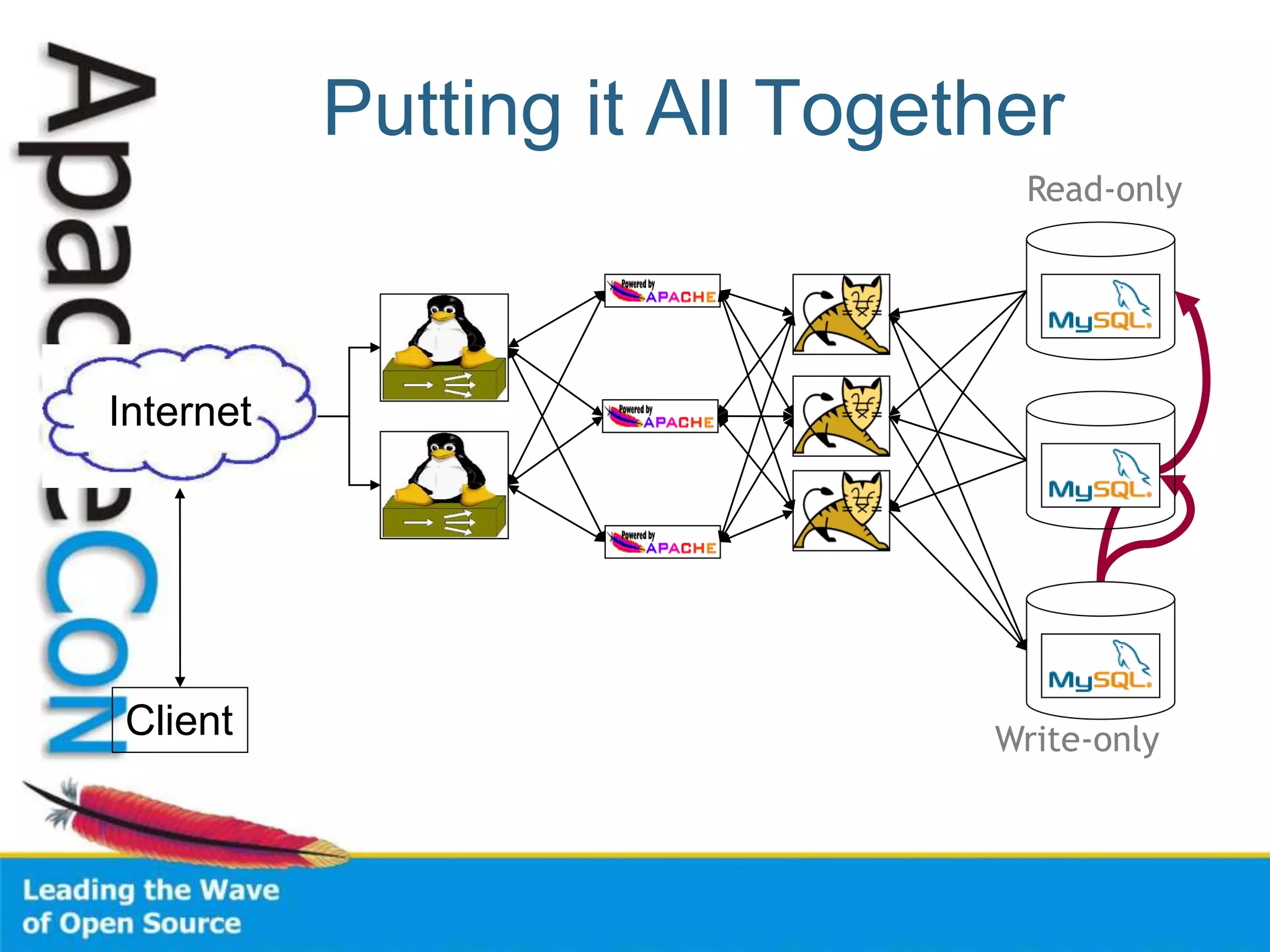
• Tip: Separate Read and Write
Operations
– Replicate from Write db to Read db
– Read db data slightly stale
• Does it matter?
Putting it All Together
Client
Internet
Read-only
Write-only
Monitoring the Farm
• Monitor for outages
– More boxes, more failure
– HA can mask failures
• Monitor for performance
– Utilization
– Trends
Monitoring Solutions
• Nagios
– Check services, hosts for outage
– Highly configurable, extendable
– Worth your time investment
• Ganglia
– Monitor for performance
– See Brad Nicholes’s session
Monitoring Caveats
• Takes Time, Effort
– Highly flexible products
• You can’t fix it
– If you don’t know it’s broken
• You can’t tune it
– If you don’t know the bottlenecks
Conference Roadmap
• Monitoring 2.0 - Zenoss, the next level of IT
management (Training)
• Apache Performance Tuning Part 1:
Scaling Up
• Load-balancing with Apache HTTPD 2.2
and later
• Scaling the download infrastructure with
your success
• Break My Site
Current Version
http://people.apache.org/~sctemme/ApconEU2008/
Thank You

Performance out

  • 1.
    Apache Performance Tuning Part2: Scaling Out Sander Temme <sander@temme.net>
  • 2.
    Agenda • Introduction • Redundancyin Hardware • Building Out: Separate Tiers • Building Out: Load Balancing • Caching Content • Conclusion
  • 3.
    Introduction • Why doThis? – Scalability (Oh my gosh, I’m so popular!) – Reliability (We need five nines!) • Why NOT do This? – It costs money
  • 4.
    Redundancy in Hardware •Moving Parts Break – Hard Disks – Power Supplies – Hard Disks – Fans – Hard Disks • Buy High Quality Disks – Refurbished, OEM, Brand Name – Which has longer warranty? – Which is more reliable?
  • 5.
    Server Configuration • Mirrorthose Disks – Install the RAID utility – Have it warn you – RAID is no good if you don’t learn of failures! • Redundant Power Supplies – On different circuits
  • 6.
  • 7.
    Scaling Vertically • MoveServices to Other Hosts • Pros: – Less resource contention – Specialized hardware – Scale out tiers individually • Cons: – Development/Deployment harder – More hosts to manage
  • 8.
  • 9.
    Scaling Horizontally • Multipleservers per tier • All receive requests • All serve same content • Some arbitration scheme
  • 10.
    Load Balancing Schemes •DNS Tricks • Peer Server Pools – Network Load Balancing (Win2k3) – Wackamole • Load Balancing Appliance – Box from F5, Juniper, Cisco, Foundry, … – Linux Virtual Server
  • 11.
    DNS Round-Robin • Easy! •Multiple A Records in DNS Zone File • Not Smart: – DNS Lookups are cached – Load on Server – Server Outage
  • 12.
    Example Zone File scalingout.org.86400 IN SOA ns.scalingout.org. sctemme.scalingout.org. ( 2006051401 ; Serial 86400 ; refresh (1 day) 7200 ; retry (2 hours) 8640000 ; expire (10 days) 86400 ) ; minimum (1 day) scalingout.org. IN NS bagheera.scalingout.org. gw IN A 10.11.0.1 bagheera IN A 10.11.0.2 ; ... mail IN CNAME bagheera ns IN CNAME bagheera www IN A 10.11.0.113 IN A 10.11.0.114 IN A 10.11.0.115
  • 13.
    Peer-based: NLB • Windows2000 Server Enterprise Ed., Windows Server 2003 • Up to 32 hosts in cluster • All hosts assume cluster IP, MAC • NLB makes LB decision – Only one host gets to answer TCP handshake • Should be application independent
  • 14.
    Peer-based: Wackamole • HighAvailability Solution • When Host Fails – Other hosts take over its IP addresses – Distribute IP addresses among cluster – Every IP address reliably available • No Load Balancing! – Use with RR DNS (or something) http://www.backhand.org/wackamole/
  • 15.
  • 16.
    Load Balancing • OneLoad Balancer • Many Web Servers • Choice of Balancing Schemes – Round-robin, Least Used, … • Reliability – Heartbeats, unavailable servers don’t receive requests • Feature War
  • 17.
    Linux Virtual Server •Free, Open Source, etc. • IP Virtual Server module in kernel • Lots of auxiliary modules – Like a box of Legos – May come with Your Distribution • Do It Yourself http://www.linuxvirtualserver.org/
  • 18.
    Example: mod_proxy_balancer • Newin Apache HTTP Server 2.2 • Part of mod_proxy • Two Load Balancing Methods – By number of requests – By number of bytes • Detects failed backends
  • 19.
    Apache Configuration Listen 80 LogLeveldebug TransferLog logs/access_log LoadModule proxy_module modules/mod_proxy.so LoadModule proxy_http_module modules/mod_proxy_http.so LoadModule proxy_balancer_module modules/mod_proxy_balancer.so ProxyPass / balancer://mycluster/ ProxyPassReverse / http://1.2.3.4:80 ProxyPassReverse / http://1.2.3.5:80 <Proxy balancer://mycluster> BalancerMember http://1.2.3.4:80 BalancerMember http://1.2.3.5:80 </Proxy>
  • 20.
    Example: Tomcat, mod_jk •Apache + mod_jk • Multiple Tomcat servers • Balancer Worker
  • 21.
    Apache Configuration LoadModule jk_module/Volumes/Files/asf/httpd-r415210w/modules/mod_jk.so JKMount /servlets-examples/* loadbalancer JKMount /*.jsp loadbalancer JkMount /jkmanager/* jkstatus JKLogFile logs/jk_log JKLogLevel debug JKWorkerProperty worker.list=loadbalancer,jkstatus JKWorkerProperty worker.tc1.port=15109 JKWorkerProperty worker.tc1.host=localhost JKWorkerProperty worker.tc1.type=ajp13 JKWorkerProperty worker.tc1.lbfactor=1 JKWorkerProperty worker.tc2.port=15209 JKWorkerProperty worker.tc2.host=localhost JKWorkerProperty worker.tc2.type=ajp13 JKWorkerProperty worker.tc2.lbfactor=1 JKWorkerProperty worker.tc3.port=15309 JKWorkerProperty worker.tc3.host=localhost JKWorkerProperty worker.tc3.type=ajp13 JKWorkerProperty worker.tc3.lbfactor=1 JKWorkerProperty worker.loadbalancer.type=lb JKWorkerProperty worker.loadbalancer.balance_workers=tc1, tc2, tc3 JKWorkerProperty worker.jkstatus.type=status
  • 22.
    Tomcat Configuration • Putsame content on all Tomcats • Edit conf/server.xml: • jvmRoute must match jk worker name! <Engine name="Catalina" defaultHost="localhost" jvmRoute="tc1">
  • 23.
    Problem: Session State •HTTP is Stateless • Apps use Sessions – Cookies – URL Encoding • Session created on single server – Broken by Load Balancing – PHP: sessions stored on disk
  • 24.
    Solutions: Session State •“Sticky” routing on Load Balancer • Store State in DB • Put benign State in Cookie – But don’t trust the client too much • Replicate Sessions on Back-end
  • 25.
    Tomcat Session Replication •Share HttpSession objects across instances • One instance dies, session lives on • Apache will route requests to other instance • Uses IP Multicast
  • 26.
    Session Replication Config •Uncomment <Cluster> element in server.xml • Put empty <distributable /> element in <web-app> element in web.xml
  • 27.
    Caching Content • DynamicContent is Expensive • Static Content Relatively Cheap • Several Approaches: – Dynamic caching – Pre-rendering popular pages (index.rss…) 27
  • 28.
    mod_cache Configuration 28 <IfModule mod_cache.c> <IfModulemod_disk_cache.c> CacheRoot /raid1/cacheroot CacheEnable disk / # A page modified 100 min. ago will expire in 10 min. CacheLastModifiedFactor .1 # Always check again after 6 hours CacheMaxExpire 21600 </IfModule> </IfModule>
  • 29.
    Make Popular PagesStatic • RSS Feeds • Popular catalog queries • … (Check your access log) 29
  • 30.
    Static Page Substitution 30 <Directory"/home/sctemme/inst/blog/httpd/htdocs"> Options +Indexes Order allow,deny Allow from all RewriteEngine on RewriteCond %{REQUEST_FILENAME} !-f RewriteCond %{REQUEST_FILENAME} !-d RewriteRule ^(.*)$ /cgi-bin/blosxom.cgi/$1 [L,QSA] </Directory>
  • 31.
    Tuning the DatabaseTier • Not my area (sorry) • Give Money to Oracle Consultants – (or MySQL) (or …) • Tip: Separate Read and Write Operations – Replicate from Write db to Read db – Read db data slightly stale • Does it matter?
  • 32.
    Putting it AllTogether Client Internet Read-only Write-only
  • 33.
    Monitoring the Farm •Monitor for outages – More boxes, more failure – HA can mask failures • Monitor for performance – Utilization – Trends
  • 34.
    Monitoring Solutions • Nagios –Check services, hosts for outage – Highly configurable, extendable – Worth your time investment • Ganglia – Monitor for performance – See Brad Nicholes’s session
  • 35.
    Monitoring Caveats • TakesTime, Effort – Highly flexible products • You can’t fix it – If you don’t know it’s broken • You can’t tune it – If you don’t know the bottlenecks
  • 36.
    Conference Roadmap • Monitoring2.0 - Zenoss, the next level of IT management (Training) • Apache Performance Tuning Part 1: Scaling Up • Load-balancing with Apache HTTPD 2.2 and later • Scaling the download infrastructure with your success • Break My Site
  • 37.
  • 38.