Pros and cons of open-source LMSsLearning Management Systems
While all learning management systems “claim” to be easy to use, open source systems are often times some of the easiest to learn to use. In addition, because there is limited support, many times there is a wealth of “how to” documents and support tutorials provided to assist in course development.Pro: Ease of Use
A learning management system can provide When the same learning management systems is used across courses/subjects, there is a minimal amount of time spent orientation students to the online environment of their course.Pro: Common Interface
A learning management system can provide instant feedback to a student. If a student is practicing for a test, he can enter responses to questions, and the system can immediately tell him whether he got a question correct, and the potential reasons for a wrong answer. The student can also get his grade for a homework assignment or a test as soon as he finishes the task.Pro: Instant Results
Because the learning management system can easily grade true-or-false and multiple-choice questions, it reduces the time the professor needs for grading. The learning management system can also store important documents such as the course syllabus, so a student who loses her copy does not have to ask the professor for another copy.Pro: Educator Convenience
A learning management system restricts academic sharing. In many courses, only the current students can see the links to papers, discussions in course forums, and responses from the professor, unlike a web page the professor posts that the public can visit. The course closes at the end of the semester, so students can't go back and refresh their knowledge.Pro:  Academic Discussion
Setting up a learning management system is expensive. Proprietary learning management systems often cost the school a license fee each year. If the school uses an open learning management system, it will have to purchase computer equipment to host the system, and it may need to hire extra information technology employees to keep the system functioning and provide technical support to teachers.Pro: Cost
A learning management system offers several types of communication tools. The system can host its own web forum, mail service and chat client. Using the learning management system ensures that each student can easily access all of these tools without installing additional software programs, and that all students are using compatible communications methods.Pro: Learning Tools
Vendor lock-in is a problem with learning management systems. A course module that operates on one vendor's learning management system may not function on another's. If teachers and students get used to using one learning management system, they may complain if the school decides to switch to another one.Pro: Lock-In
There is a lot of really great content that is “off limits” on unprotected Internet spaces such as web pages. However, many copyright laws allow for resources to be used in education as long as they are behind a password protected system such as an LMSPro: copyright
can be restrictive in many ways
often the tools don’t work how you want them to
the navigation and look and feel is usually somewhat predetermined
sometimes it leads to the technology driving the learning rather than how it should be with the learning driving the technology
sometimes makes it hard to share
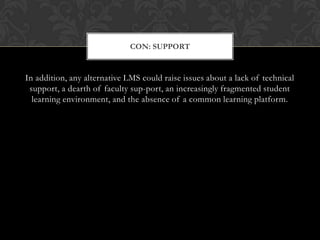
limited support, if any
Advertisements displayed in the LMSCons

Learning Management Systems: The pros and cons of open-source LMSs

  • 1.
    Pros and consof open-source LMSsLearning Management Systems
  • 2.
    While all learningmanagement systems “claim” to be easy to use, open source systems are often times some of the easiest to learn to use. In addition, because there is limited support, many times there is a wealth of “how to” documents and support tutorials provided to assist in course development.Pro: Ease of Use
  • 3.
    A learning managementsystem can provide When the same learning management systems is used across courses/subjects, there is a minimal amount of time spent orientation students to the online environment of their course.Pro: Common Interface
  • 4.
    A learning managementsystem can provide instant feedback to a student. If a student is practicing for a test, he can enter responses to questions, and the system can immediately tell him whether he got a question correct, and the potential reasons for a wrong answer. The student can also get his grade for a homework assignment or a test as soon as he finishes the task.Pro: Instant Results
  • 5.
    Because the learningmanagement system can easily grade true-or-false and multiple-choice questions, it reduces the time the professor needs for grading. The learning management system can also store important documents such as the course syllabus, so a student who loses her copy does not have to ask the professor for another copy.Pro: Educator Convenience
  • 6.
    A learning managementsystem restricts academic sharing. In many courses, only the current students can see the links to papers, discussions in course forums, and responses from the professor, unlike a web page the professor posts that the public can visit. The course closes at the end of the semester, so students can't go back and refresh their knowledge.Pro: Academic Discussion
  • 7.
    Setting up alearning management system is expensive. Proprietary learning management systems often cost the school a license fee each year. If the school uses an open learning management system, it will have to purchase computer equipment to host the system, and it may need to hire extra information technology employees to keep the system functioning and provide technical support to teachers.Pro: Cost
  • 8.
    A learning managementsystem offers several types of communication tools. The system can host its own web forum, mail service and chat client. Using the learning management system ensures that each student can easily access all of these tools without installing additional software programs, and that all students are using compatible communications methods.Pro: Learning Tools
  • 9.
    Vendor lock-in isa problem with learning management systems. A course module that operates on one vendor's learning management system may not function on another's. If teachers and students get used to using one learning management system, they may complain if the school decides to switch to another one.Pro: Lock-In
  • 10.
    There is alot of really great content that is “off limits” on unprotected Internet spaces such as web pages. However, many copyright laws allow for resources to be used in education as long as they are behind a password protected system such as an LMSPro: copyright
  • 11.
    can be restrictivein many ways
  • 12.
    often the toolsdon’t work how you want them to
  • 13.
    the navigation andlook and feel is usually somewhat predetermined
  • 14.
    sometimes it leadsto the technology driving the learning rather than how it should be with the learning driving the technology
  • 15.
    sometimes makes ithard to share
  • 16.
  • 17.