N
am
bi R
Linux Terminal commands for Devops
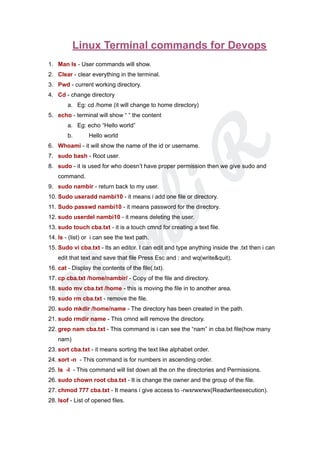
1. Man ls - User commands will show.
2. Clear - clear everything in the terminal.
3. Pwd - current working directory.
4. Cd - change directory
a. Eg: cd /home (it will change to home directory)
5. echo - terminal will show “ “ the content
a. Eg: echo “Hello world”
b. Hello world
6. Whoami - it will show the name of the id or username.
7. sudo bash - Root user.
8. sudo - it is used for who doesn’t have proper permission then we give sudo and
command.
9. sudo nambir - return back to my user.
10. Sudo useradd nambi10 - it means i add one file or directory.
11. Sudo passwd nambi10 - it means password for the directory.
12. sudo userdel nambi10 - it means deleting the user.
13. sudo touch cba.txt - it is a touch cmnd for creating a text file.
14. ls - (list) or i can see the text path.
15. Sudo vi cba.txt - Its an editor. I can edit and type anything inside the .txt then i can
edit that text and save that file Press Esc and : and wq(write&quit).
16. cat - Display the contents of the file(.txt).
17. cp cba.txt /home/nambir/ - Copy of the file and directory.
18. sudo mv cba.txt /home - this is moving the file in to another area.
19. sudo rm cba.txt - remove the file.
20. sudo mkdir /home/name - The directory has been created in the path.
21. sudo rmdir name - This cmnd will remove the directory.
22. grep nam cba.txt - This command is i can see the “nam” in cba.txt file(how many
nam)
23. sort cba.txt - it means sorting the text like alphabet order.
24. sort -n - This command is for numbers in ascending order.
25. ls -l - This command will list down all the on the directories and Permissions.
26. sudo chown root cba.txt - It is change the owner and the group of the file.
27. chmod 777 cba.txt - It means i give access to -rwxrwxrwx(Readwriteexecution).
28. lsof - List of opened files.
N
am
bi R
29. lsof -u username - It means list of opened files in the User.
30. Id nambir - it will show all the id of the user.
31. tar -cvf filename foldername - zip a file
32. tar -xvf filename - Unzip a file in Devops.
33. cut -c1-2 cba.txt - It means cut the -c(column1 and -2 means cut 2 nd column).
34. Cut -c1 - Then the first colum will cut.
35. sed ‘s /word/newword/’ cba.txt - Editing text it will change the word.
36. Uniq filename - I want to delete all the duplicates from a file.
37. watch -d free-m -
38. eval - -help - it is used to arguments as a shell command.
39. history 5 - It means it will show the history of the last 5 commands.
40. dd if = /dev/hda of = /dev/hdb - moving all the disk files to another disk.
41. free -g - Displays the memory in Gigabytes.
42. ssh masters-ip & ssh slave-ip & ssh-keygen -t rsa - It is known as a secure
shell.
43. ip address & ip link - It will show all the ip & all the link.
44. ifconfig -a & ifconfig -s -It will show all the interfaces & Short list.
45. ifconfig - it will show the ip address of the m/c.
46. Netstat -a & netstat -at - it will show various network conn,routing tabl,interface
stats, & tcp ports are available.
47. nslookup google.com - it will the ip and all the details of the domain.
48. curl options URL -Downloaded file on the local M/C in the parameters.
49. awk -
50. tr cba.txt | tr “[a-z]” “[A-Z]” - It will change everything in the file from Lower to
Upper case.
51. env -envir variables in the sys.
52. sudo apt-get install softwarename -It will install the software in to the system.
53. sudo df -h -Disk usage cmd.

Linux Terminal commands for Devops.pdf

  • 1.
    N am bi R Linux Terminalcommands for Devops 1. Man ls - User commands will show. 2. Clear - clear everything in the terminal. 3. Pwd - current working directory. 4. Cd - change directory a. Eg: cd /home (it will change to home directory) 5. echo - terminal will show “ “ the content a. Eg: echo “Hello world” b. Hello world 6. Whoami - it will show the name of the id or username. 7. sudo bash - Root user. 8. sudo - it is used for who doesn’t have proper permission then we give sudo and command. 9. sudo nambir - return back to my user. 10. Sudo useradd nambi10 - it means i add one file or directory. 11. Sudo passwd nambi10 - it means password for the directory. 12. sudo userdel nambi10 - it means deleting the user. 13. sudo touch cba.txt - it is a touch cmnd for creating a text file. 14. ls - (list) or i can see the text path. 15. Sudo vi cba.txt - Its an editor. I can edit and type anything inside the .txt then i can edit that text and save that file Press Esc and : and wq(write&quit). 16. cat - Display the contents of the file(.txt). 17. cp cba.txt /home/nambir/ - Copy of the file and directory. 18. sudo mv cba.txt /home - this is moving the file in to another area. 19. sudo rm cba.txt - remove the file. 20. sudo mkdir /home/name - The directory has been created in the path. 21. sudo rmdir name - This cmnd will remove the directory. 22. grep nam cba.txt - This command is i can see the “nam” in cba.txt file(how many nam) 23. sort cba.txt - it means sorting the text like alphabet order. 24. sort -n - This command is for numbers in ascending order. 25. ls -l - This command will list down all the on the directories and Permissions. 26. sudo chown root cba.txt - It is change the owner and the group of the file. 27. chmod 777 cba.txt - It means i give access to -rwxrwxrwx(Readwriteexecution). 28. lsof - List of opened files.
  • 2.
    N am bi R 29. lsof-u username - It means list of opened files in the User. 30. Id nambir - it will show all the id of the user. 31. tar -cvf filename foldername - zip a file 32. tar -xvf filename - Unzip a file in Devops. 33. cut -c1-2 cba.txt - It means cut the -c(column1 and -2 means cut 2 nd column). 34. Cut -c1 - Then the first colum will cut. 35. sed ‘s /word/newword/’ cba.txt - Editing text it will change the word. 36. Uniq filename - I want to delete all the duplicates from a file. 37. watch -d free-m - 38. eval - -help - it is used to arguments as a shell command. 39. history 5 - It means it will show the history of the last 5 commands. 40. dd if = /dev/hda of = /dev/hdb - moving all the disk files to another disk. 41. free -g - Displays the memory in Gigabytes. 42. ssh masters-ip & ssh slave-ip & ssh-keygen -t rsa - It is known as a secure shell. 43. ip address & ip link - It will show all the ip & all the link. 44. ifconfig -a & ifconfig -s -It will show all the interfaces & Short list. 45. ifconfig - it will show the ip address of the m/c. 46. Netstat -a & netstat -at - it will show various network conn,routing tabl,interface stats, & tcp ports are available. 47. nslookup google.com - it will the ip and all the details of the domain. 48. curl options URL -Downloaded file on the local M/C in the parameters. 49. awk - 50. tr cba.txt | tr “[a-z]” “[A-Z]” - It will change everything in the file from Lower to Upper case. 51. env -envir variables in the sys. 52. sudo apt-get install softwarename -It will install the software in to the system. 53. sudo df -h -Disk usage cmd.