Perintah Dasar Terminal Kali Linux
A
 apropos : Search Help manual pages (man -k)
 apt-get : Search for and install software packages
(Debian/Ubuntu)
 aptitude : Search for and install software packages
(Debian/Ubuntu)
 aspell : Spell Checker
 awk : Find and Replace text, database sort/validate/index
B
 basename : Strip directory and suffix from filenames
 bash : GNU Bourne-Again SHell
 bc : Arbitrary precision calculator language
 bg : Send to background
 break : Exit from a loop
 builtin : Run a shell builtin
 bzip2 : Compress or decompress named file(s)
C
 cal : Display a calendar
 case : Conditionally perform a command
 cat : Concatenate and print (display) the content of files
 cd : Change Directory
 cfdisk : Partition table manipulator for Linux
 chgrp : Change group ownership
 chmod : Change access permissions
 chown : Change file owner and group
 chroot : Run a command with a different root directory
 chkconfig : System services (runlevel)
 cksum : Print CRC checksum and byte counts
 clear : Clear terminal screen
 cmp : Compare two files
 comm : Compare two sorted files line by line
 command : Run a command – ignoring shell functions •
 continue : Resume the next iteration of a loop •
 cp : Copy one or more files to another location
 cron : Daemon to execute scheduled commands
 crontab : Schedule a command to run at a later time
 csplit : Split a file into context-determined pieces
 cut : Divide a file into several parts
D
 date : Display or change the date & time
 dc : Desk Calculator
 dd : Convert and copy a file, write disk headers, boot records
 ddrescue : Data recovery tool
 declare : Declare variables and give them attributes •
 df : Display free disk space
 diff : Display the differences between two files
 diff3 : Show differences among three files
 dig : DNS lookup
 dir : Briefly list directory contents
 dircolors : Colour setup for `ls’
 dirname : Convert a full pathname to just a path
 dirs : Display list of remembered directories
 dmesg : Print kernel & driver messages
 du : Estimate file space usage
E
 echo : Display message on screen •
 egrep : Search file(s) for lines that match an extended expression
 eject : Eject removable media
 enable : Enable and disable builtin shell commands •
 env : Environment variables
 ethtool : Ethernet card settings
 eval : Evaluate several commands/arguments
 exec : Execute a command
 exit : Exit the shell
 expect : Automate arbitrary applications accessed over a terminal
 expand : Convert tabs to spaces
 export : Set an environment variable
 expr : Evaluate expressions
F
 false : Do nothing, unsuccessfully
 fdformat : Low-level format a floppy disk
 fdisk : Partition table manipulator for Linux
 fg : Send job to foreground
 fgrep : Search file(s) for lines that match a fixed string
 file : Determine file type
 find : Search for files that meet a desired criteria
 fmt : Reformat paragraph text
 fold : Wrap text to fit a specified width.
 for : Expand words, and execute commands
 format : Format disks or tapes
 free : Display memory usage
 fsck : File system consistency check and repair
 ftp : File Transfer Protocol
 function : Define Function Macros
 fuser : Identify/kill the process that is accessing a fileG
 gawk : Find and Replace text within file(s)
 getopts : Parse positional parameters
 grep : Search file(s) for lines that match a given pattern
 groupadd : Add a user security group
 groupdel : Delete a group
 groupmod : Modify a group
 groups : Print group names a user is in
 gzip : Compress or decompress named file(s)
H
 hash : Remember the full pathname of a name argument
 head : Output the first part of file(s)
 help : Display help for a built-in command
 history : Command History
 hostname : Print or set system name
I
 iconv : Convert the character set of a file
 id : Print user and group id’s
 if : Conditionally perform a command
 ifconfig : Configure a network interface
 ifdown : Stop a network interface
 ifup : Start a network interface up
 import : Capture an X server screen and save the image to file
 install : Copy files and set attributes
J
 jobs : List active jobs
 join : Join lines on a common field
K
 kill : Stop a process from running
 killall : Kill processes by name
L
 less : Display output one screen at a time
 let : Perform arithmetic on shell variables
 ln : Create a symbolic link to a file
 local : Create variables
 locate : Find files
 logname : Print current login name
 logout : Exit a login shell
 look : Display lines beginning with a given string
 lpc : Line printer control program
 lpr : Off line print
 lprint : Print a file
 lprintd : Abort a print job
 lprintq : List the print queue
 lprm : Remove jobs from the print queue
 ls : List information about file(s)
 lsof : List open files
M
 make : Recompile a group of programs
 man : Help manual
 mkdir : Create new folder(s)
 mkfifo : Make FIFOs (named pipes)
 mkisofs : Create an hybrid ISO9660/JOLIET/HFS filesystem
 mknod : Make block or character special files
 more : Display output one screen at a time
 mount : Mount a file system
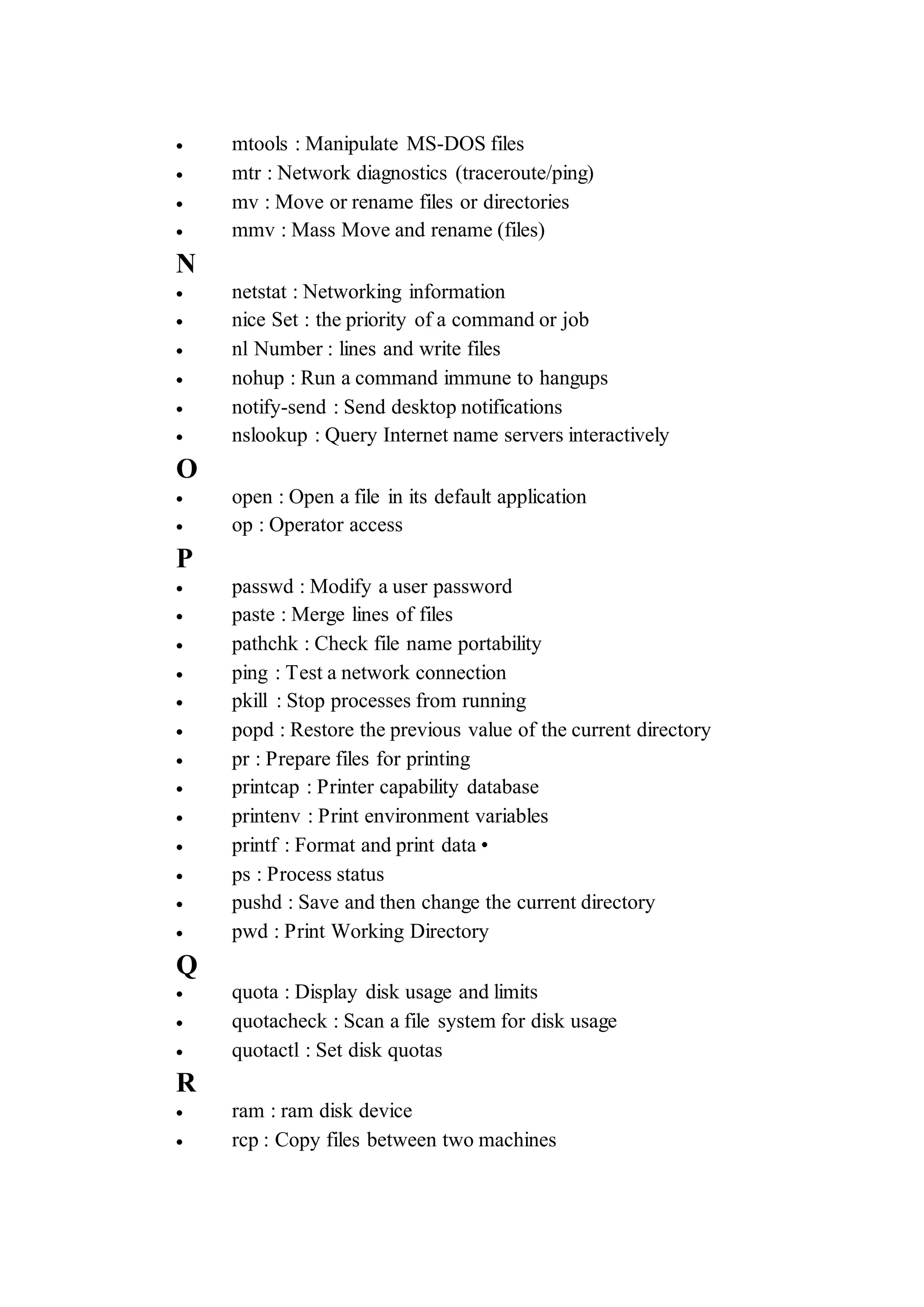
 mtools : Manipulate MS-DOS files
 mtr : Network diagnostics (traceroute/ping)
 mv : Move or rename files or directories
 mmv : Mass Move and rename (files)
N
 netstat : Networking information
 nice Set : the priority of a command or job
 nl Number : lines and write files
 nohup : Run a command immune to hangups
 notify-send : Send desktop notifications
 nslookup : Query Internet name servers interactively
O
 open : Open a file in its default application
 op : Operator access
P
 passwd : Modify a user password
 paste : Merge lines of files
 pathchk : Check file name portability
 ping : Test a network connection
 pkill : Stop processes from running
 popd : Restore the previous value of the current directory
 pr : Prepare files for printing
 printcap : Printer capability database
 printenv : Print environment variables
 printf : Format and print data •
 ps : Process status
 pushd : Save and then change the current directory
 pwd : Print Working Directory
Q
 quota : Display disk usage and limits
 quotacheck : Scan a file system for disk usage
 quotactl : Set disk quotas
R
 ram : ram disk device
 rcp : Copy files between two machines
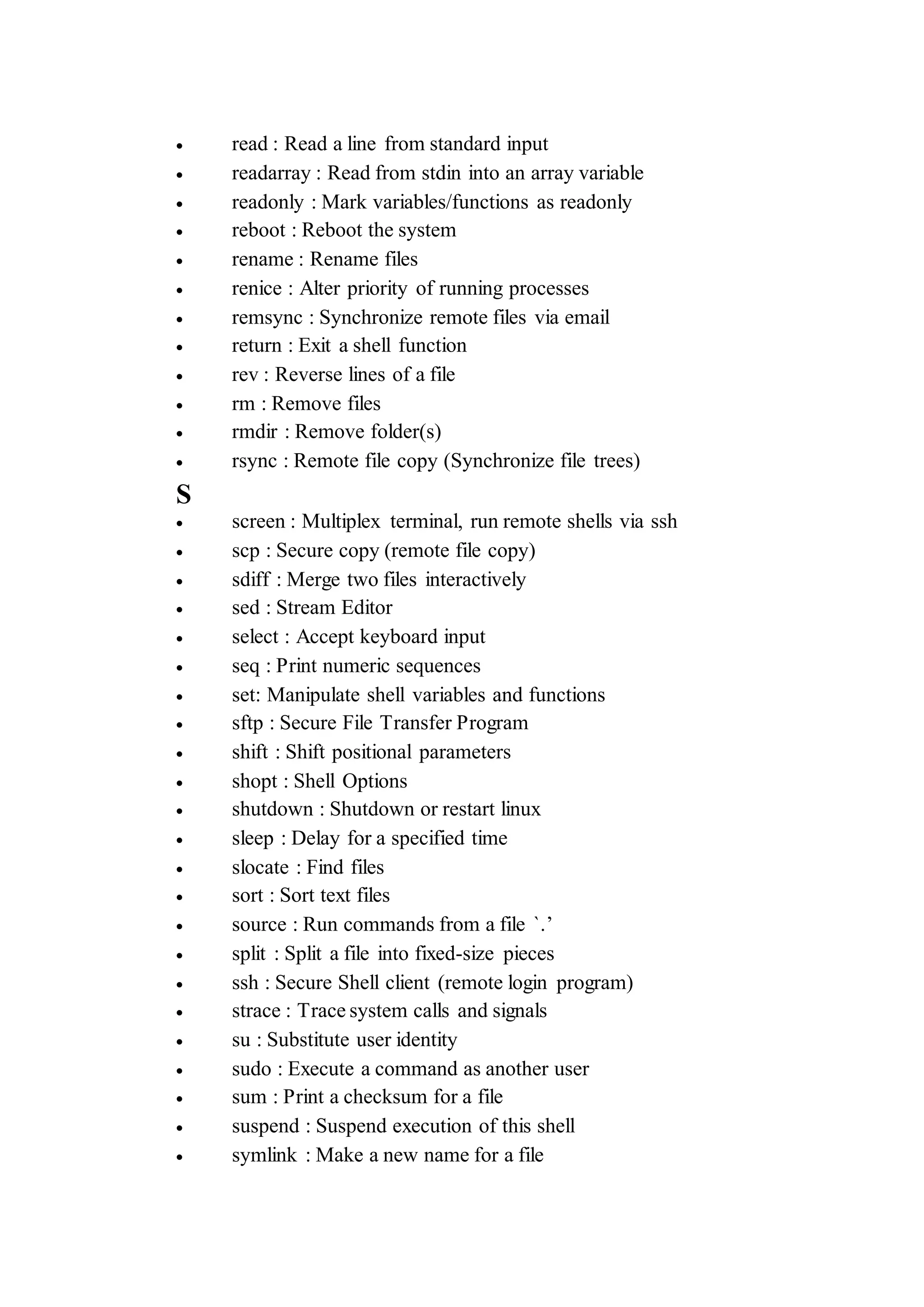
 read : Read a line from standard input
 readarray : Read from stdin into an array variable
 readonly : Mark variables/functions as readonly
 reboot : Reboot the system
 rename : Rename files
 renice : Alter priority of running processes
 remsync : Synchronize remote files via email
 return : Exit a shell function
 rev : Reverse lines of a file
 rm : Remove files
 rmdir : Remove folder(s)
 rsync : Remote file copy (Synchronize file trees)
S
 screen : Multiplex terminal, run remote shells via ssh
 scp : Secure copy (remote file copy)
 sdiff : Merge two files interactively
 sed : Stream Editor
 select : Accept keyboard input
 seq : Print numeric sequences
 set: Manipulate shell variables and functions
 sftp : Secure File Transfer Program
 shift : Shift positional parameters
 shopt : Shell Options
 shutdown : Shutdown or restart linux
 sleep : Delay for a specified time
 slocate : Find files
 sort : Sort text files
 source : Run commands from a file `.’
 split : Split a file into fixed-size pieces
 ssh : Secure Shell client (remote login program)
 strace : Trace system calls and signals
 su : Substitute user identity
 sudo : Execute a command as another user
 sum : Print a checksum for a file
 suspend : Suspend execution of this shell
 symlink : Make a new name for a file
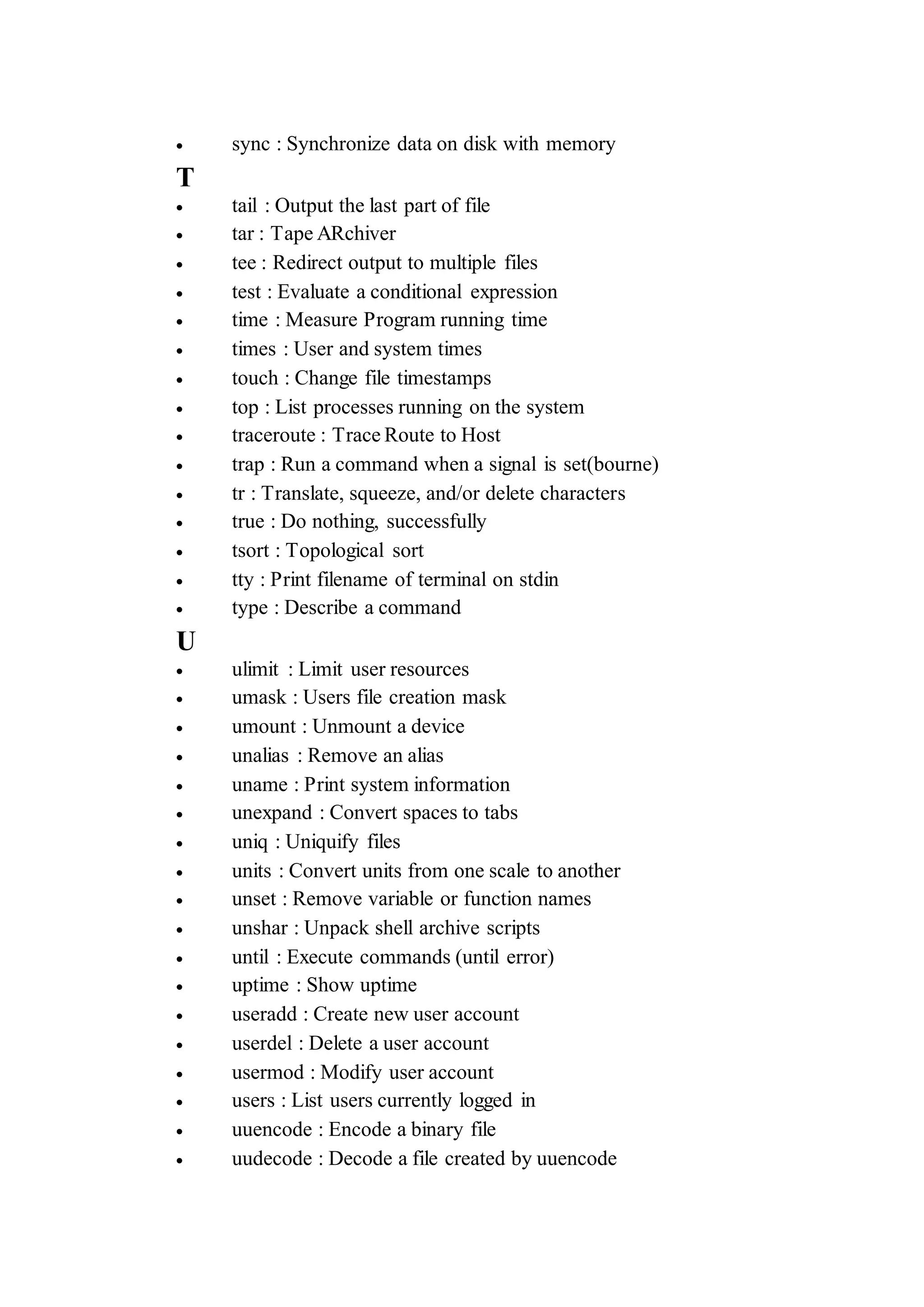
 sync : Synchronize data on disk with memory
T
 tail : Output the last part of file
 tar : Tape ARchiver
 tee : Redirect output to multiple files
 test : Evaluate a conditional expression
 time : Measure Program running time
 times : User and system times
 touch : Change file timestamps
 top : List processes running on the system
 traceroute : Trace Route to Host
 trap : Run a command when a signal is set(bourne)
 tr : Translate, squeeze, and/or delete characters
 true : Do nothing, successfully
 tsort : Topological sort
 tty : Print filename of terminal on stdin
 type : Describe a command
U
 ulimit : Limit user resources
 umask : Users file creation mask
 umount : Unmount a device
 unalias : Remove an alias
 uname : Print system information
 unexpand : Convert spaces to tabs
 uniq : Uniquify files
 units : Convert units from one scale to another
 unset : Remove variable or function names
 unshar : Unpack shell archive scripts
 until : Execute commands (until error)
 uptime : Show uptime
 useradd : Create new user account
 userdel : Delete a user account
 usermod : Modify user account
 users : List users currently logged in
 uuencode : Encode a binary file
 uudecode : Decode a file created by uuencode
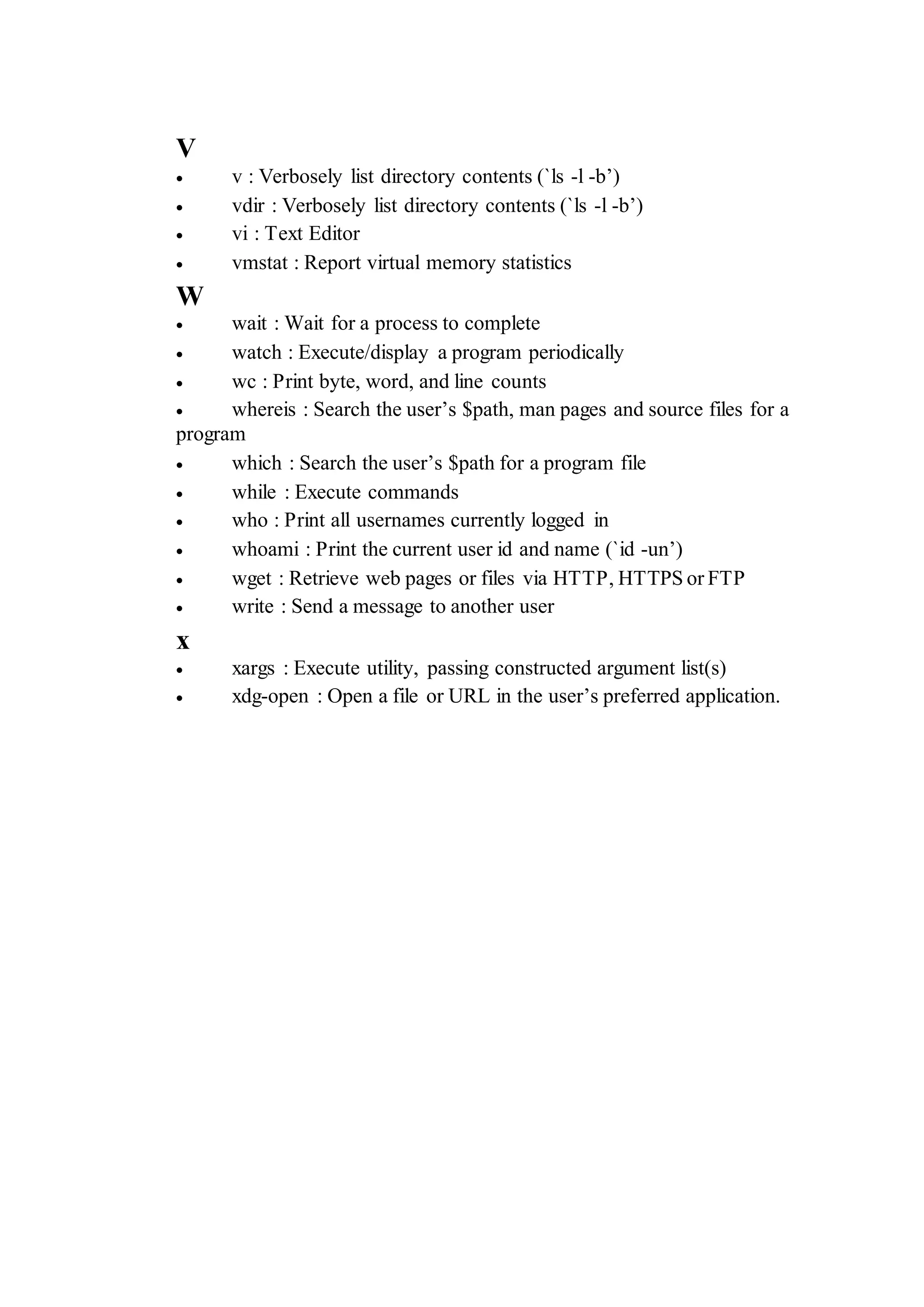
V
 v : Verbosely list directory contents (`ls -l -b’)
 vdir : Verbosely list directory contents (`ls -l -b’)
 vi : Text Editor
 vmstat : Report virtual memory statistics
W
 wait : Wait for a process to complete
 watch : Execute/display a program periodically
 wc : Print byte, word, and line counts
 whereis : Search the user’s $path, man pages and source files for a
program
 which : Search the user’s $path for a program file
 while : Execute commands
 who : Print all usernames currently logged in
 whoami : Print the current user id and name (`id -un’)
 wget : Retrieve web pages or files via HTTP, HTTPS or FTP
 write : Send a message to another user
x
 xargs : Execute utility, passing constructed argument list(s)
 xdg-open : Open a file or URL in the user’s preferred application.

Perintah dasar terminal kali linux

  • 1.
    Perintah Dasar TerminalKali Linux A  apropos : Search Help manual pages (man -k)  apt-get : Search for and install software packages (Debian/Ubuntu)  aptitude : Search for and install software packages (Debian/Ubuntu)  aspell : Spell Checker  awk : Find and Replace text, database sort/validate/index B  basename : Strip directory and suffix from filenames  bash : GNU Bourne-Again SHell  bc : Arbitrary precision calculator language  bg : Send to background  break : Exit from a loop  builtin : Run a shell builtin  bzip2 : Compress or decompress named file(s) C  cal : Display a calendar  case : Conditionally perform a command  cat : Concatenate and print (display) the content of files  cd : Change Directory  cfdisk : Partition table manipulator for Linux  chgrp : Change group ownership  chmod : Change access permissions  chown : Change file owner and group  chroot : Run a command with a different root directory  chkconfig : System services (runlevel)  cksum : Print CRC checksum and byte counts  clear : Clear terminal screen  cmp : Compare two files  comm : Compare two sorted files line by line  command : Run a command – ignoring shell functions •  continue : Resume the next iteration of a loop •  cp : Copy one or more files to another location
  • 2.
     cron :Daemon to execute scheduled commands  crontab : Schedule a command to run at a later time  csplit : Split a file into context-determined pieces  cut : Divide a file into several parts D  date : Display or change the date & time  dc : Desk Calculator  dd : Convert and copy a file, write disk headers, boot records  ddrescue : Data recovery tool  declare : Declare variables and give them attributes •  df : Display free disk space  diff : Display the differences between two files  diff3 : Show differences among three files  dig : DNS lookup  dir : Briefly list directory contents  dircolors : Colour setup for `ls’  dirname : Convert a full pathname to just a path  dirs : Display list of remembered directories  dmesg : Print kernel & driver messages  du : Estimate file space usage E  echo : Display message on screen •  egrep : Search file(s) for lines that match an extended expression  eject : Eject removable media  enable : Enable and disable builtin shell commands •  env : Environment variables  ethtool : Ethernet card settings  eval : Evaluate several commands/arguments  exec : Execute a command  exit : Exit the shell  expect : Automate arbitrary applications accessed over a terminal  expand : Convert tabs to spaces  export : Set an environment variable  expr : Evaluate expressions F  false : Do nothing, unsuccessfully
  • 3.
     fdformat :Low-level format a floppy disk  fdisk : Partition table manipulator for Linux  fg : Send job to foreground  fgrep : Search file(s) for lines that match a fixed string  file : Determine file type  find : Search for files that meet a desired criteria  fmt : Reformat paragraph text  fold : Wrap text to fit a specified width.  for : Expand words, and execute commands  format : Format disks or tapes  free : Display memory usage  fsck : File system consistency check and repair  ftp : File Transfer Protocol  function : Define Function Macros  fuser : Identify/kill the process that is accessing a fileG  gawk : Find and Replace text within file(s)  getopts : Parse positional parameters  grep : Search file(s) for lines that match a given pattern  groupadd : Add a user security group  groupdel : Delete a group  groupmod : Modify a group  groups : Print group names a user is in  gzip : Compress or decompress named file(s) H  hash : Remember the full pathname of a name argument  head : Output the first part of file(s)  help : Display help for a built-in command  history : Command History  hostname : Print or set system name I  iconv : Convert the character set of a file  id : Print user and group id’s  if : Conditionally perform a command  ifconfig : Configure a network interface  ifdown : Stop a network interface
  • 4.
     ifup :Start a network interface up  import : Capture an X server screen and save the image to file  install : Copy files and set attributes J  jobs : List active jobs  join : Join lines on a common field K  kill : Stop a process from running  killall : Kill processes by name L  less : Display output one screen at a time  let : Perform arithmetic on shell variables  ln : Create a symbolic link to a file  local : Create variables  locate : Find files  logname : Print current login name  logout : Exit a login shell  look : Display lines beginning with a given string  lpc : Line printer control program  lpr : Off line print  lprint : Print a file  lprintd : Abort a print job  lprintq : List the print queue  lprm : Remove jobs from the print queue  ls : List information about file(s)  lsof : List open files M  make : Recompile a group of programs  man : Help manual  mkdir : Create new folder(s)  mkfifo : Make FIFOs (named pipes)  mkisofs : Create an hybrid ISO9660/JOLIET/HFS filesystem  mknod : Make block or character special files  more : Display output one screen at a time  mount : Mount a file system
  • 5.
     mtools :Manipulate MS-DOS files  mtr : Network diagnostics (traceroute/ping)  mv : Move or rename files or directories  mmv : Mass Move and rename (files) N  netstat : Networking information  nice Set : the priority of a command or job  nl Number : lines and write files  nohup : Run a command immune to hangups  notify-send : Send desktop notifications  nslookup : Query Internet name servers interactively O  open : Open a file in its default application  op : Operator access P  passwd : Modify a user password  paste : Merge lines of files  pathchk : Check file name portability  ping : Test a network connection  pkill : Stop processes from running  popd : Restore the previous value of the current directory  pr : Prepare files for printing  printcap : Printer capability database  printenv : Print environment variables  printf : Format and print data •  ps : Process status  pushd : Save and then change the current directory  pwd : Print Working Directory Q  quota : Display disk usage and limits  quotacheck : Scan a file system for disk usage  quotactl : Set disk quotas R  ram : ram disk device  rcp : Copy files between two machines
  • 6.
     read :Read a line from standard input  readarray : Read from stdin into an array variable  readonly : Mark variables/functions as readonly  reboot : Reboot the system  rename : Rename files  renice : Alter priority of running processes  remsync : Synchronize remote files via email  return : Exit a shell function  rev : Reverse lines of a file  rm : Remove files  rmdir : Remove folder(s)  rsync : Remote file copy (Synchronize file trees) S  screen : Multiplex terminal, run remote shells via ssh  scp : Secure copy (remote file copy)  sdiff : Merge two files interactively  sed : Stream Editor  select : Accept keyboard input  seq : Print numeric sequences  set: Manipulate shell variables and functions  sftp : Secure File Transfer Program  shift : Shift positional parameters  shopt : Shell Options  shutdown : Shutdown or restart linux  sleep : Delay for a specified time  slocate : Find files  sort : Sort text files  source : Run commands from a file `.’  split : Split a file into fixed-size pieces  ssh : Secure Shell client (remote login program)  strace : Trace system calls and signals  su : Substitute user identity  sudo : Execute a command as another user  sum : Print a checksum for a file  suspend : Suspend execution of this shell  symlink : Make a new name for a file
  • 7.
     sync :Synchronize data on disk with memory T  tail : Output the last part of file  tar : Tape ARchiver  tee : Redirect output to multiple files  test : Evaluate a conditional expression  time : Measure Program running time  times : User and system times  touch : Change file timestamps  top : List processes running on the system  traceroute : Trace Route to Host  trap : Run a command when a signal is set(bourne)  tr : Translate, squeeze, and/or delete characters  true : Do nothing, successfully  tsort : Topological sort  tty : Print filename of terminal on stdin  type : Describe a command U  ulimit : Limit user resources  umask : Users file creation mask  umount : Unmount a device  unalias : Remove an alias  uname : Print system information  unexpand : Convert spaces to tabs  uniq : Uniquify files  units : Convert units from one scale to another  unset : Remove variable or function names  unshar : Unpack shell archive scripts  until : Execute commands (until error)  uptime : Show uptime  useradd : Create new user account  userdel : Delete a user account  usermod : Modify user account  users : List users currently logged in  uuencode : Encode a binary file  uudecode : Decode a file created by uuencode
  • 8.
    V  v :Verbosely list directory contents (`ls -l -b’)  vdir : Verbosely list directory contents (`ls -l -b’)  vi : Text Editor  vmstat : Report virtual memory statistics W  wait : Wait for a process to complete  watch : Execute/display a program periodically  wc : Print byte, word, and line counts  whereis : Search the user’s $path, man pages and source files for a program  which : Search the user’s $path for a program file  while : Execute commands  who : Print all usernames currently logged in  whoami : Print the current user id and name (`id -un’)  wget : Retrieve web pages or files via HTTP, HTTPS or FTP  write : Send a message to another user x  xargs : Execute utility, passing constructed argument list(s)  xdg-open : Open a file or URL in the user’s preferred application.