The Basics
Leveraging LinkedIn To Grow Towne Park
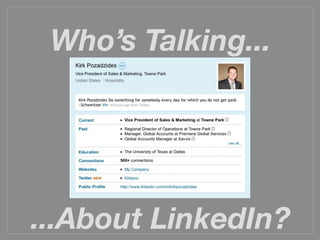
Who’s Talking...


...About LinkedIn?
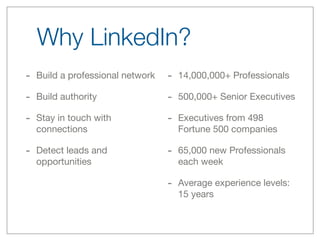
Why LinkedIn?
- Build a professional network   - 14,000,000+ Professionals
- Build authority                - 500,000+ Senior Executives
- Stay in touch with             - Executives from 498
  connections                      Fortune 500 companies

- Detect leads and               - 65,000 new Professionals
  opportunities                    each week

                                 - Average experience levels:
                                   15 years
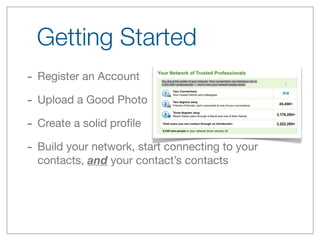
Getting Started
- Register an Account
- Upload a Good Photo
- Create a solid profile
- Build your network, start connecting to your
  contacts, and your contact’s contacts
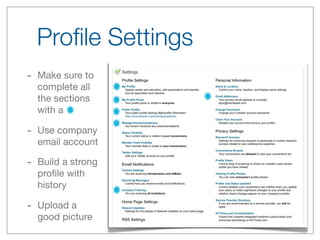
Profile Settings
-   Make sure to
    complete all
    the sections
    with a

-   Use company
    email account

-   Build a strong
    profile with
    history

-   Upload a
    good picture
Suggestions
1. DON’T USE CAPS
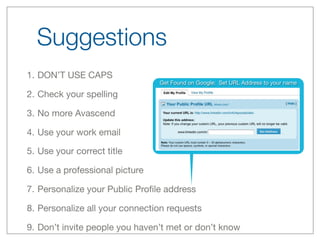
                                Get Found on Google: Set URL Address to your name

2. Check your spelling

3. No more Avascend

4. Use your work email

5. Use your correct title

6. Use a professional picture

7. Personalize your Public Profile address

8. Personalize all your connection requests

9. Don’t invite people you haven’t met or don’t know
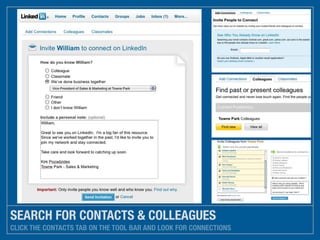
SEARCH FOR CONTACTS & COLLEAGUES
CLICK THE CONTACTS TAB ON THE TOOL BAR AND LOOK FOR CONNECTIONS
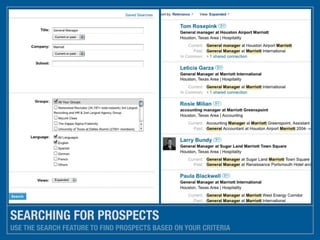
SEARCHING FOR PROSPECTS
USE THE SEARCH FEATURE TO FIND PROSPECTS BASED ON YOUR CRITERIA
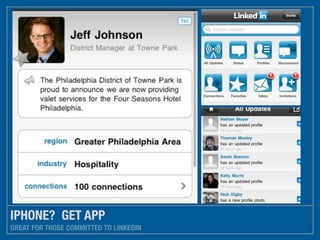
IPHONE? GET APP
GREAT FOR THOSE COMMITTED TO LINKEDIN
Action Items
- Register at LinkedIn
- Update your profile and add a photo
- Change your URL to firstnamelastname
- Connect with Kirk Pozadzides
- Request connection from your clients
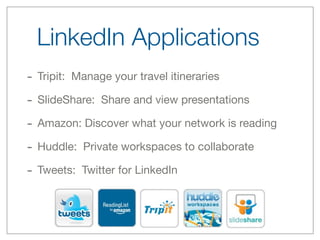
LinkedIn Applications
- Tripit: Manage your travel itineraries
- SlideShare: Share and view presentations
- Amazon: Discover what your network is reading
- Huddle: Private workspaces to collaborate
- Tweets: Twitter for LinkedIn
GOT QUESTIONS?
PROJECT


          EMAIL ME OR VISIT: HTTP://LEARN.LINKEDIN.COM
DATE                     CLIENT
          2/2/10                  KPOZ@TOWNEPARK.COM

LinkedIn Basics

  • 1.
  • 2.
  • 3.
    Why LinkedIn? - Builda professional network - 14,000,000+ Professionals - Build authority - 500,000+ Senior Executives - Stay in touch with - Executives from 498 connections Fortune 500 companies - Detect leads and - 65,000 new Professionals opportunities each week - Average experience levels: 15 years
  • 4.
    Getting Started - Registeran Account - Upload a Good Photo - Create a solid profile - Build your network, start connecting to your contacts, and your contact’s contacts
  • 5.
    Profile Settings - Make sure to complete all the sections with a - Use company email account - Build a strong profile with history - Upload a good picture
  • 6.
    Suggestions 1. DON’T USECAPS Get Found on Google: Set URL Address to your name 2. Check your spelling 3. No more Avascend 4. Use your work email 5. Use your correct title 6. Use a professional picture 7. Personalize your Public Profile address 8. Personalize all your connection requests 9. Don’t invite people you haven’t met or don’t know
  • 7.
    SEARCH FOR CONTACTS& COLLEAGUES CLICK THE CONTACTS TAB ON THE TOOL BAR AND LOOK FOR CONNECTIONS
  • 8.
    SEARCHING FOR PROSPECTS USETHE SEARCH FEATURE TO FIND PROSPECTS BASED ON YOUR CRITERIA
  • 9.
    IPHONE? GET APP GREATFOR THOSE COMMITTED TO LINKEDIN
  • 10.
    Action Items - Registerat LinkedIn - Update your profile and add a photo - Change your URL to firstnamelastname - Connect with Kirk Pozadzides - Request connection from your clients
  • 11.
    LinkedIn Applications - Tripit:Manage your travel itineraries - SlideShare: Share and view presentations - Amazon: Discover what your network is reading - Huddle: Private workspaces to collaborate - Tweets: Twitter for LinkedIn
  • 12.
    GOT QUESTIONS? PROJECT EMAIL ME OR VISIT: HTTP://LEARN.LINKEDIN.COM DATE CLIENT 2/2/10 KPOZ@TOWNEPARK.COM