Presented by:
Rajeshwari singh
B.Tech(C.S) V sem
BTBTC12628
GIT + hub
• Git is an open source
version control system .
• Started by Linus Trovalds.
GIT
• The effective centre of an
activity , region or a
network.
HUB
Continued….
 GitHub is a Git repository web-based hosting
service offers all of the distributed revision
control and source code management
(SCM) functionality of Git as well as
adding its own features.
 GitHub is the best place to share code
with friends, co-workers, classmates, and
complete strangers.
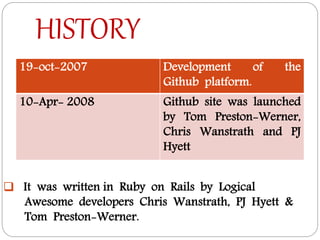
HISTORY
19-oct-2007 Development of the
Github platform.
10-Apr- 2008 Github site was launched
by Tom Preston-Werner,
Chris Wanstrath and PJ
Hyett
 It was written in Ruby on Rails by Logical
Awesome developers Chris Wanstrath, PJ Hyett &
Tom Preston-Werner.
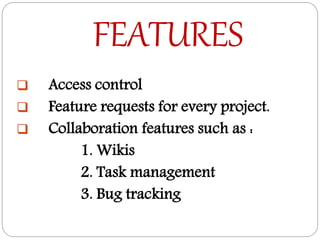
FEATURES
 Access control
 Feature requests for every project.
 Collaboration features such as :
1. Wikis
2. Task management
3. Bug tracking
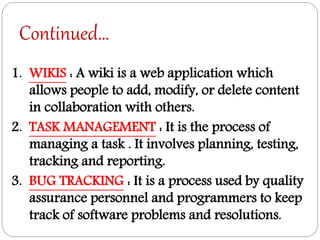
Continued…
1. WIKIS : A wiki is a web application which
allows people to add, modify, or delete content
in collaboration with others.
2. TASK MANAGEMENT : It is the process of
managing a task . It involves planning, testing,
tracking and reporting.
3. BUG TRACKING : It is a process used by quality
assurance personnel and programmers to keep
track of software problems and resolutions.
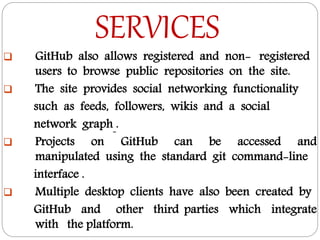
SERVICES
 GitHub also allows registered and non- registered
users to browse public repositories on the site.
 The site provides social networking functionality
such as feeds, followers, wikis and a social
network graph .
 Projects on GitHub can be accessed and
manipulated using the standard git command-line
interface .
 Multiple desktop clients have also been created by
GitHub and other third parties which integrate
with the platform.
wHAT IS REPOSITORY?
 A place where data is stored and
maintained.
 A repository can be a place where multiple
databases or files are located for distribution
over a network.
 This location is directly accessible to the user
without having to travel across a network.
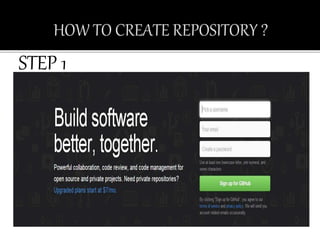
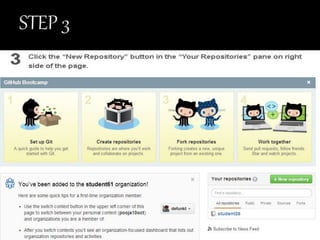
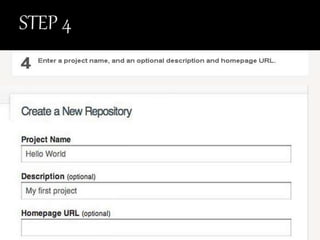
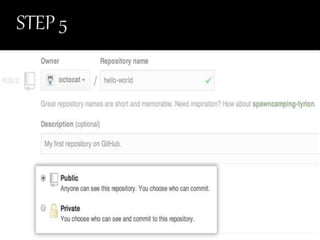
STEP 1
FORK A REPOSITORY
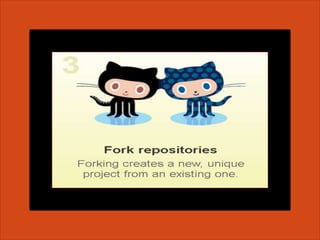
A fork is a copy of a repository. Forking a repository allows
you to freely experiment with changes without affecting
the original project.
Propose changes to someone else project
A great example of using forks to propose changes is for bug fixes.
Rather than logging an issue for a bug you've found, you can:
-Fork the repository.
-Make the fix.
-Submit a pull request to the project owner.
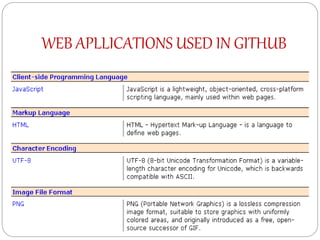
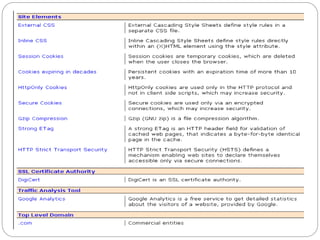
WEB APLLICATIONS USED IN GITHUB
WHAT MORE YOU CAN DO ON GITHUB?
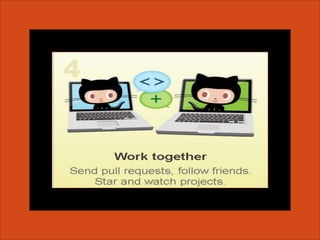
1. Follow A Friend - When you follow someone, you'll get
notifications on your dashboard about their GitHub
activity.
2. Watch A Project - At some point you may want to stay up-
to-date with a specific project, this easy to do using
github.
3. PULL REQUEST - You may find yourself wanting to
contribute to someone else project, whether to add
features or to fix bugs. After making changes, you can let
the original owner know about them by sending a pull
request.
Continued…
4. ISSUES - When you are collaborating on a project with
someone, you sometimes come across problems that need
to be fixed. To keep track of these problems, each Github
repository has a section called Issues.
5. Organization - With an organization you can establish
teams with special permissions, have a public
organization profile, and keep track of activity within the
organization.
6. EXPLORE - Discover interesting projects from across
Github in the Explore and Trending sections.
WHAT MAKE GITHUB SO POWERFUL?
The three features :
1. FORK -The flagship functionality of GitHub is “forking”
– copying a repository from one user’s account to
another.
2. PULL - If you make changes you’d like to share, you can
send a notification called a “pull request” to the original
owner.
3. MERGE - That user can then, with a click of a button,
merge the changes found in your repo with the original
repo.
uses
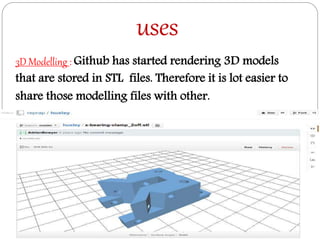
3D Modelling : Github has started rendering 3D models
that are stored in STL files. Therefore it is lot easier to
share those modelling files with other.
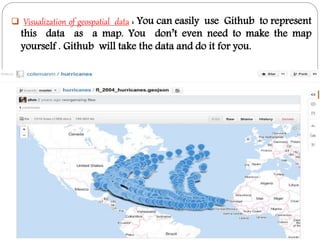
 Visualization of geospatial data : You can easily use Github to represent
this data as a map. You don’t even need to make the map
yourself . Github will take the data and do it for you.
Continued..
 Medical research : Collaboration is a vital part
for effective medical research, and posting those results
on GitHub could make that a lot easier.
ADVANTAGES
 Keeping track of changes : Using version
control you have a neat record of all the changes you
made, at the time you made them.
 Faster Response : The quicker you make your code
publicly available, the quicker you can gain feedback
and people to help you.
 Easier for people to make contributions .
 Better alternative to SVN branches.
DISADVANTAGES
 Can't attach files to issues.
 Some contributors would need to learn git.
 Moving sites makes us harder to find.
CONCLUSION
Build software better, together
This is a small sampling of what you can do with GitHub.
But there is an infinite number of ways where Github’s
features can be helpful to you. GitHub is known for its
usefulness to programmers, it’s also very handy for various
other applications because of the collaborative spirit
inherent in the Github community. So keep sharing code
on Github and
REFERENCES
 http://w3techs.com/sites/info/github.com- last seen
31/9/2014
 http://www.howtogeek.com/180167/htg-explains-
what-is-github-and-what-do-geeks-use-it-for/-last
seen 2/10/2014
 http://www.webopedia.com/TERM/R/repository.html-
last seen 2/10/2014
 https://help.github.com/articles/creating-a-new-
repository/ last seen 6/10/2014
 http://www.techopedia.com/definition/23341/data-
repository-last seen 5/10/2014
GITHUB

GITHUB

  • 1.
  • 3.
    GIT + hub •Git is an open source version control system . • Started by Linus Trovalds. GIT • The effective centre of an activity , region or a network. HUB
  • 4.
    Continued….  GitHub isa Git repository web-based hosting service offers all of the distributed revision control and source code management (SCM) functionality of Git as well as adding its own features.  GitHub is the best place to share code with friends, co-workers, classmates, and complete strangers.
  • 5.
    HISTORY 19-oct-2007 Development ofthe Github platform. 10-Apr- 2008 Github site was launched by Tom Preston-Werner, Chris Wanstrath and PJ Hyett  It was written in Ruby on Rails by Logical Awesome developers Chris Wanstrath, PJ Hyett & Tom Preston-Werner.
  • 6.
    FEATURES  Access control Feature requests for every project.  Collaboration features such as : 1. Wikis 2. Task management 3. Bug tracking
  • 7.
    Continued… 1. WIKIS :A wiki is a web application which allows people to add, modify, or delete content in collaboration with others. 2. TASK MANAGEMENT : It is the process of managing a task . It involves planning, testing, tracking and reporting. 3. BUG TRACKING : It is a process used by quality assurance personnel and programmers to keep track of software problems and resolutions.
  • 8.
    SERVICES  GitHub alsoallows registered and non- registered users to browse public repositories on the site.  The site provides social networking functionality such as feeds, followers, wikis and a social network graph .  Projects on GitHub can be accessed and manipulated using the standard git command-line interface .  Multiple desktop clients have also been created by GitHub and other third parties which integrate with the platform.
  • 9.
    wHAT IS REPOSITORY? A place where data is stored and maintained.  A repository can be a place where multiple databases or files are located for distribution over a network.  This location is directly accessible to the user without having to travel across a network.
  • 11.
  • 18.
    FORK A REPOSITORY Afork is a copy of a repository. Forking a repository allows you to freely experiment with changes without affecting the original project. Propose changes to someone else project A great example of using forks to propose changes is for bug fixes. Rather than logging an issue for a bug you've found, you can: -Fork the repository. -Make the fix. -Submit a pull request to the project owner.
  • 19.
  • 22.
    WHAT MORE YOUCAN DO ON GITHUB? 1. Follow A Friend - When you follow someone, you'll get notifications on your dashboard about their GitHub activity. 2. Watch A Project - At some point you may want to stay up- to-date with a specific project, this easy to do using github. 3. PULL REQUEST - You may find yourself wanting to contribute to someone else project, whether to add features or to fix bugs. After making changes, you can let the original owner know about them by sending a pull request.
  • 23.
    Continued… 4. ISSUES -When you are collaborating on a project with someone, you sometimes come across problems that need to be fixed. To keep track of these problems, each Github repository has a section called Issues. 5. Organization - With an organization you can establish teams with special permissions, have a public organization profile, and keep track of activity within the organization. 6. EXPLORE - Discover interesting projects from across Github in the Explore and Trending sections.
  • 24.
    WHAT MAKE GITHUBSO POWERFUL? The three features : 1. FORK -The flagship functionality of GitHub is “forking” – copying a repository from one user’s account to another. 2. PULL - If you make changes you’d like to share, you can send a notification called a “pull request” to the original owner. 3. MERGE - That user can then, with a click of a button, merge the changes found in your repo with the original repo.
  • 25.
    uses 3D Modelling :Github has started rendering 3D models that are stored in STL files. Therefore it is lot easier to share those modelling files with other.
  • 26.
     Visualization ofgeospatial data : You can easily use Github to represent this data as a map. You don’t even need to make the map yourself . Github will take the data and do it for you.
  • 27.
    Continued..  Medical research: Collaboration is a vital part for effective medical research, and posting those results on GitHub could make that a lot easier.
  • 28.
    ADVANTAGES  Keeping trackof changes : Using version control you have a neat record of all the changes you made, at the time you made them.  Faster Response : The quicker you make your code publicly available, the quicker you can gain feedback and people to help you.  Easier for people to make contributions .  Better alternative to SVN branches.
  • 29.
    DISADVANTAGES  Can't attachfiles to issues.  Some contributors would need to learn git.  Moving sites makes us harder to find.
  • 30.
    CONCLUSION Build software better,together This is a small sampling of what you can do with GitHub. But there is an infinite number of ways where Github’s features can be helpful to you. GitHub is known for its usefulness to programmers, it’s also very handy for various other applications because of the collaborative spirit inherent in the Github community. So keep sharing code on Github and
  • 31.
    REFERENCES  http://w3techs.com/sites/info/github.com- lastseen 31/9/2014  http://www.howtogeek.com/180167/htg-explains- what-is-github-and-what-do-geeks-use-it-for/-last seen 2/10/2014  http://www.webopedia.com/TERM/R/repository.html- last seen 2/10/2014  https://help.github.com/articles/creating-a-new- repository/ last seen 6/10/2014  http://www.techopedia.com/definition/23341/data- repository-last seen 5/10/2014