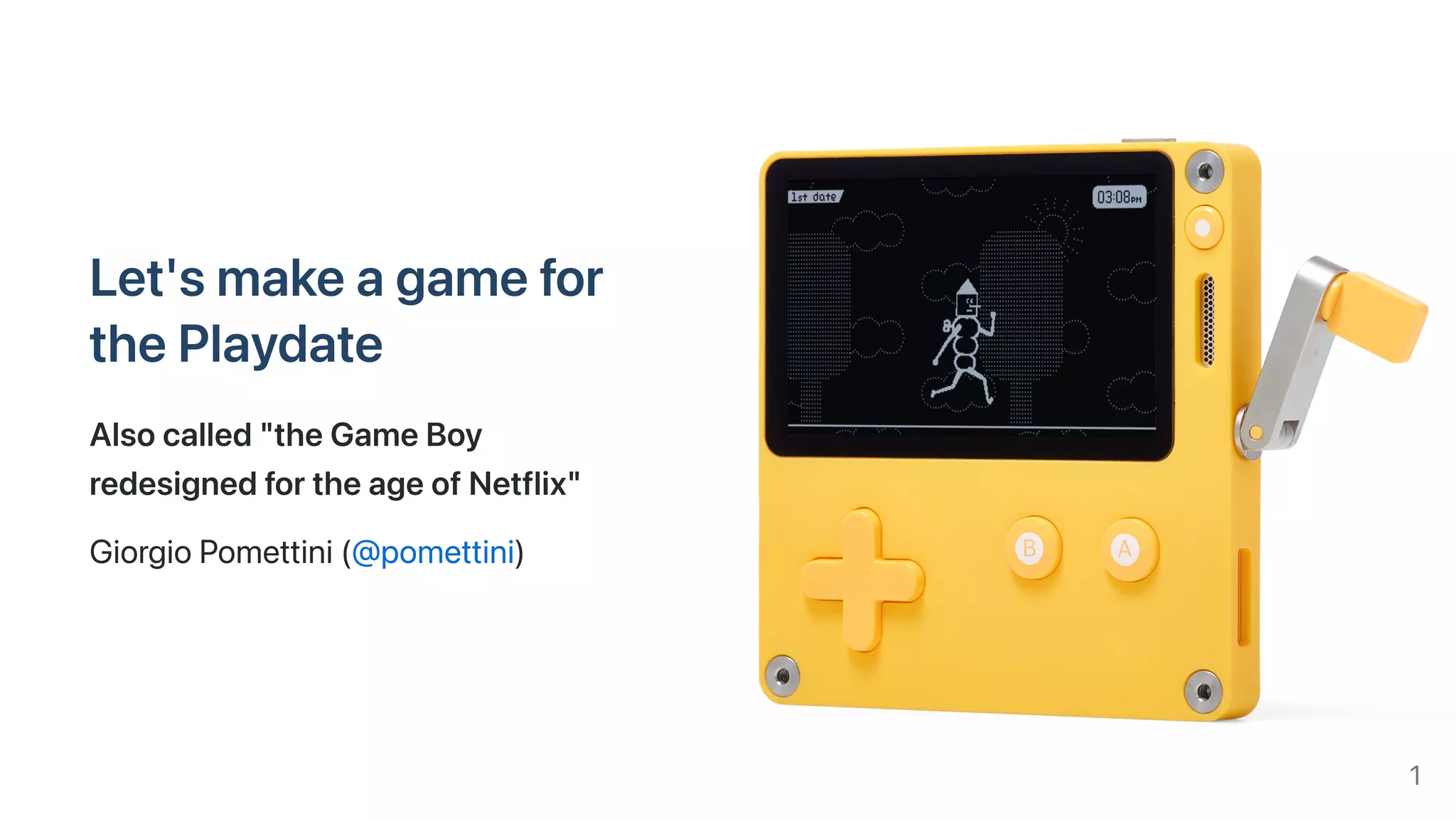
Let'smakeagamefor
thePlaydate
Alsocalled"theGameBoy
redesignedfortheageofNetflix"
GiorgioPomettini(@pomettini)
1
What'sinthistalk
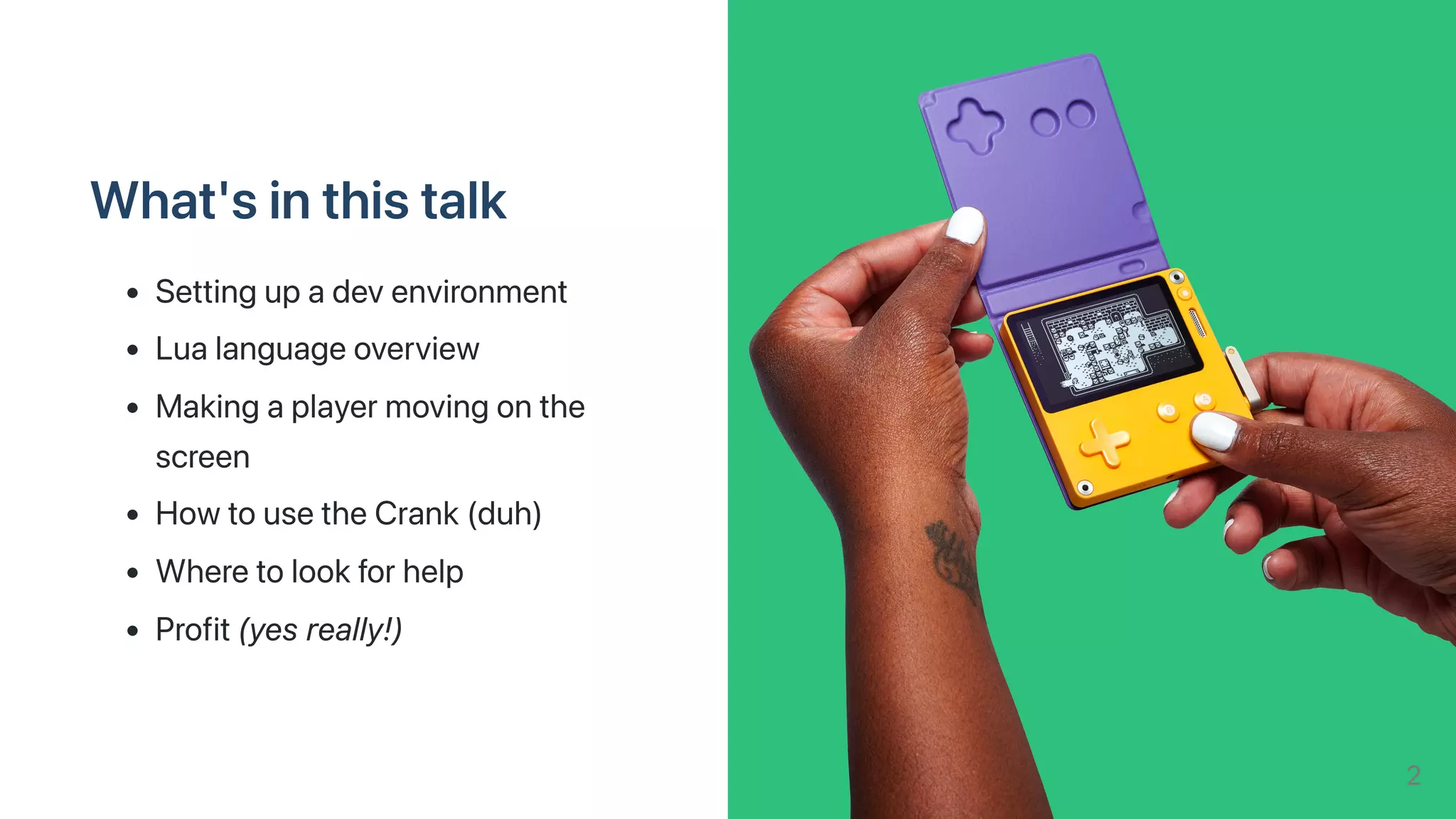
Settingupadevenvironment
Lualanguageoverview
Makingaplayermovingonthe
screen
HowtousetheCrank(duh)
Wheretolookforhelp
Profit(yesreally!)
2
Briefhistory
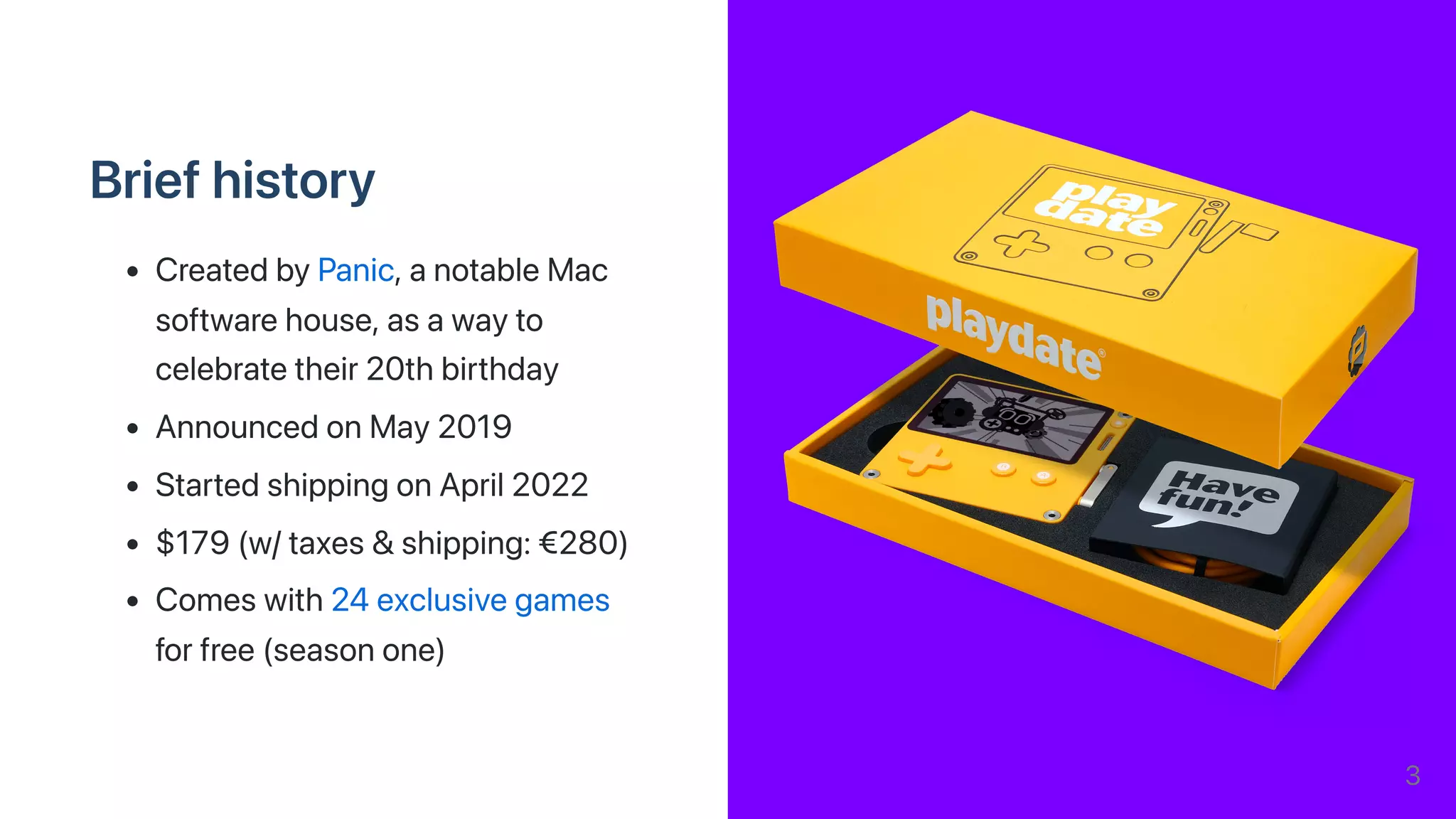
CreatedbyPanic,anotableMac
softwarehouse,asawayto
celebratetheir20thbirthday
AnnouncedonMay2019
StartedshippingonApril2022
$179(w/taxes&shipping:€280)
Comeswith24exclusivegames
forfree(seasonone)
3
Techspecs
Display
Monochrome1-bitmemoryLCDdisplay,400x240pxresolution(similartoane-ink)
Refreshedat30fpsbydefault,maximum50fps
Controls
Eight-wayd-pad,twoprimarybuttons
Collapsiblecrank,accelerometer
Sound:Internalspeaker,microphone,headphonejack
Connectivity:Wi-Fi,Bluetooth
Memory&Storage:16MB(yes,megabytes!)RAM,4GBflashstorage
4
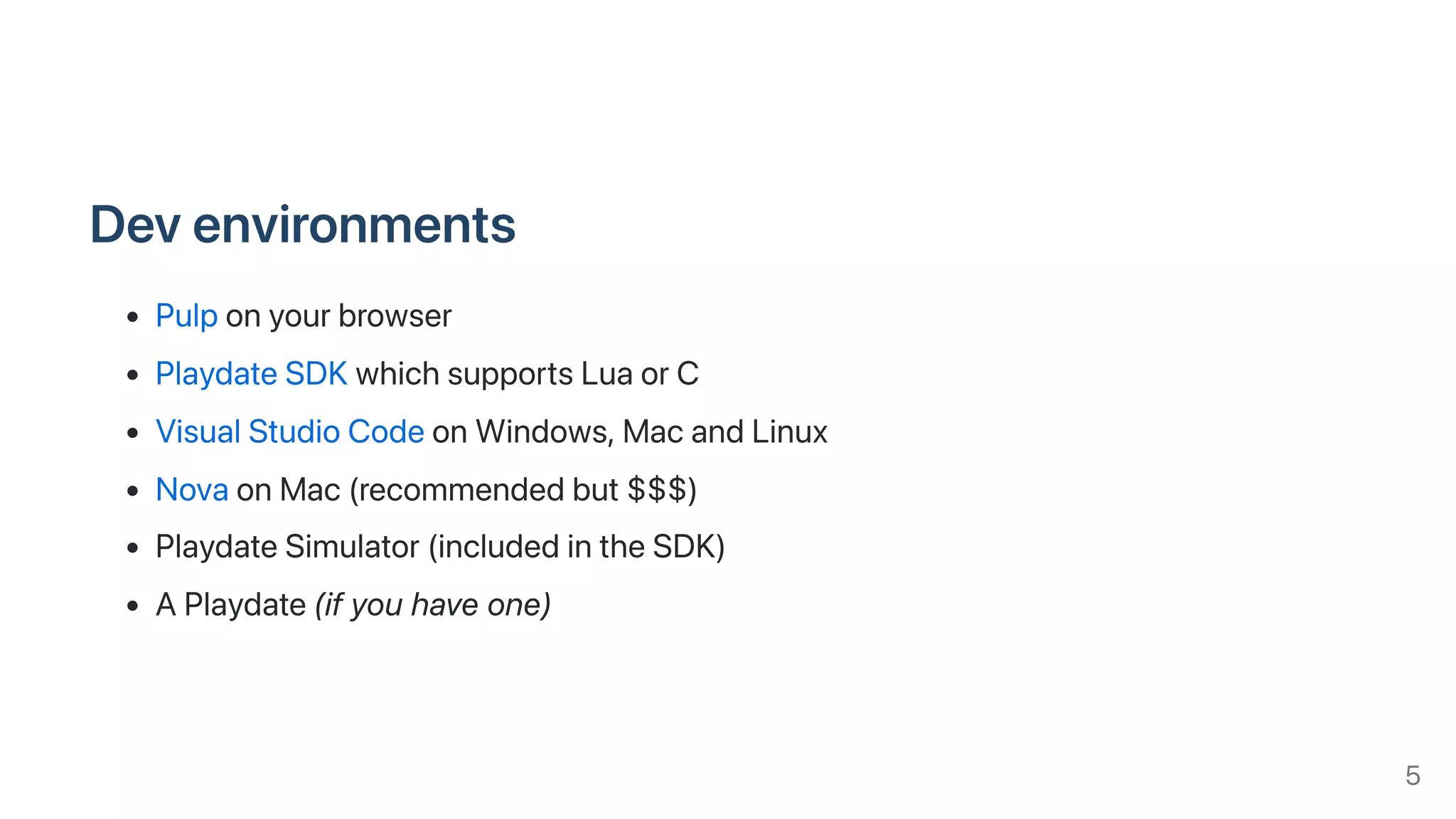
Devenvironments
Pulponyourbrowser
PlaydateSDKwhichsupportsLuaorC
VisualStudioCodeonWindows,MacandLinux
NovaonMac(recommendedbut$$$)
PlaydateSimulator(includedintheSDK)
APlaydate(ifyouhaveone)
5
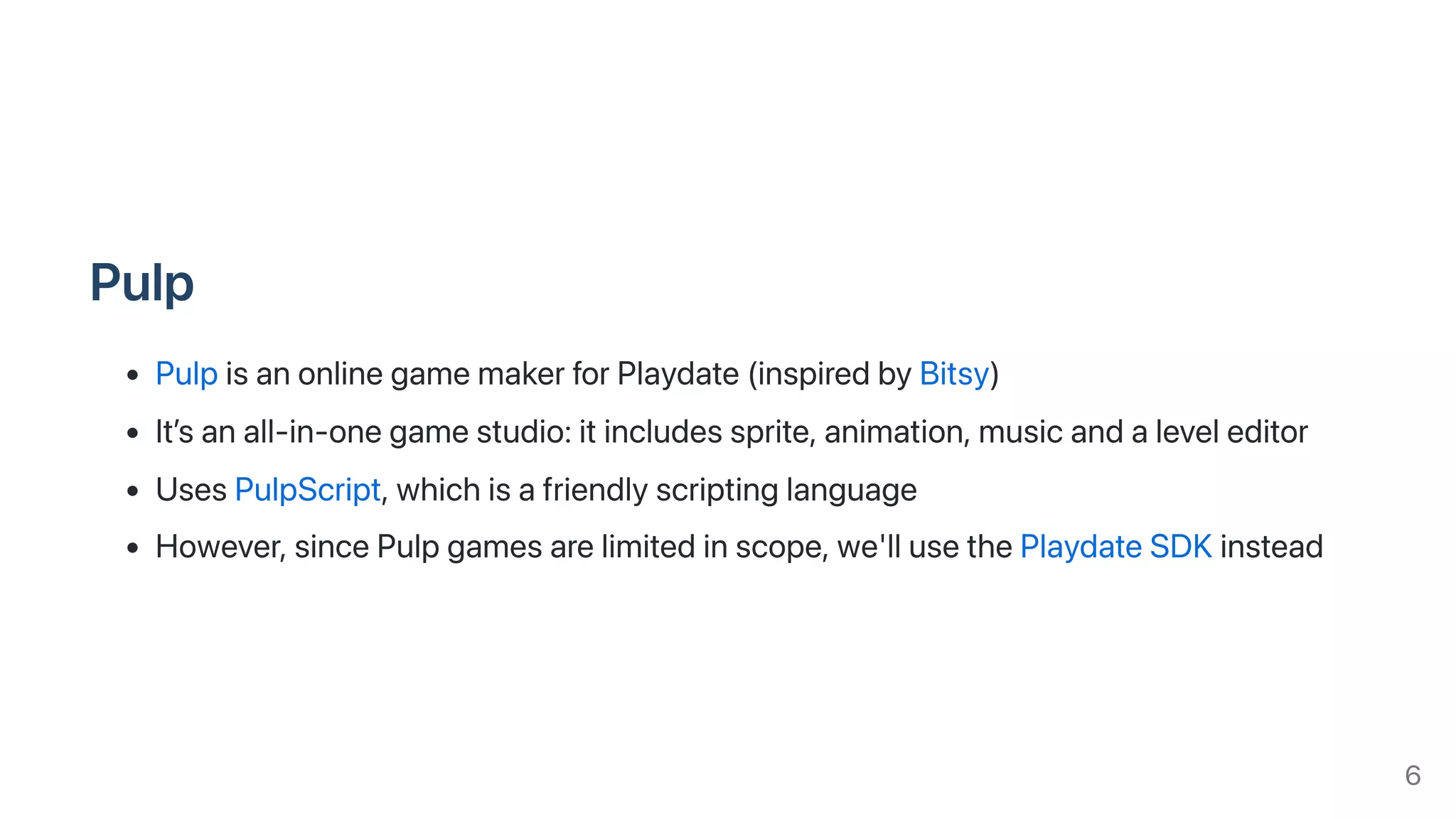
Pulp
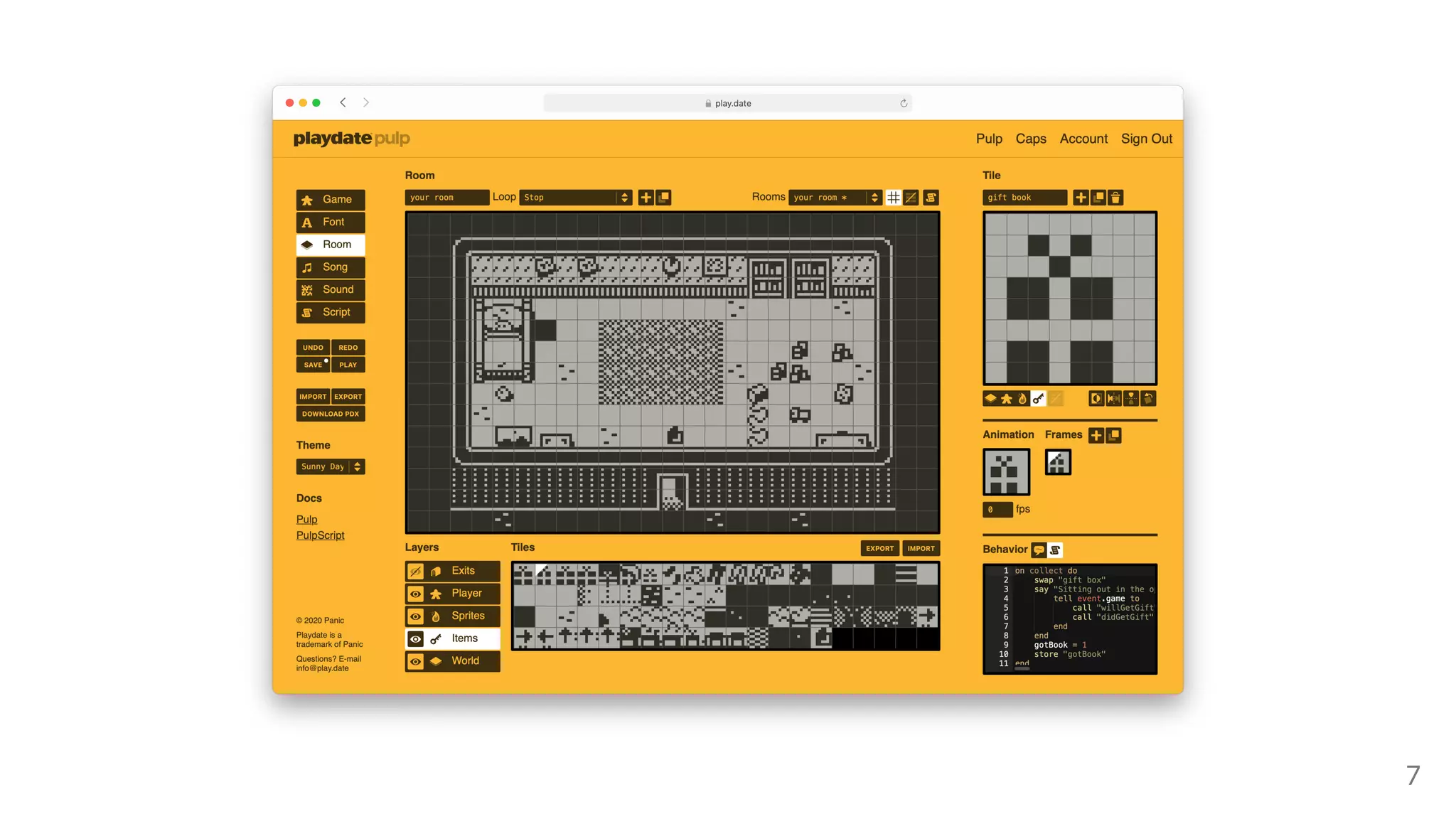
PulpisanonlinegamemakerforPlaydate(inspiredbyBitsy)
It’sanall-in-onegamestudio:itincludessprite,animation,musicandaleveleditor
UsesPulpScript,whichisafriendlyscriptinglanguage
However,sincePulpgamesarelimitedinscope,we'llusethePlaydateSDKinstead
6
7
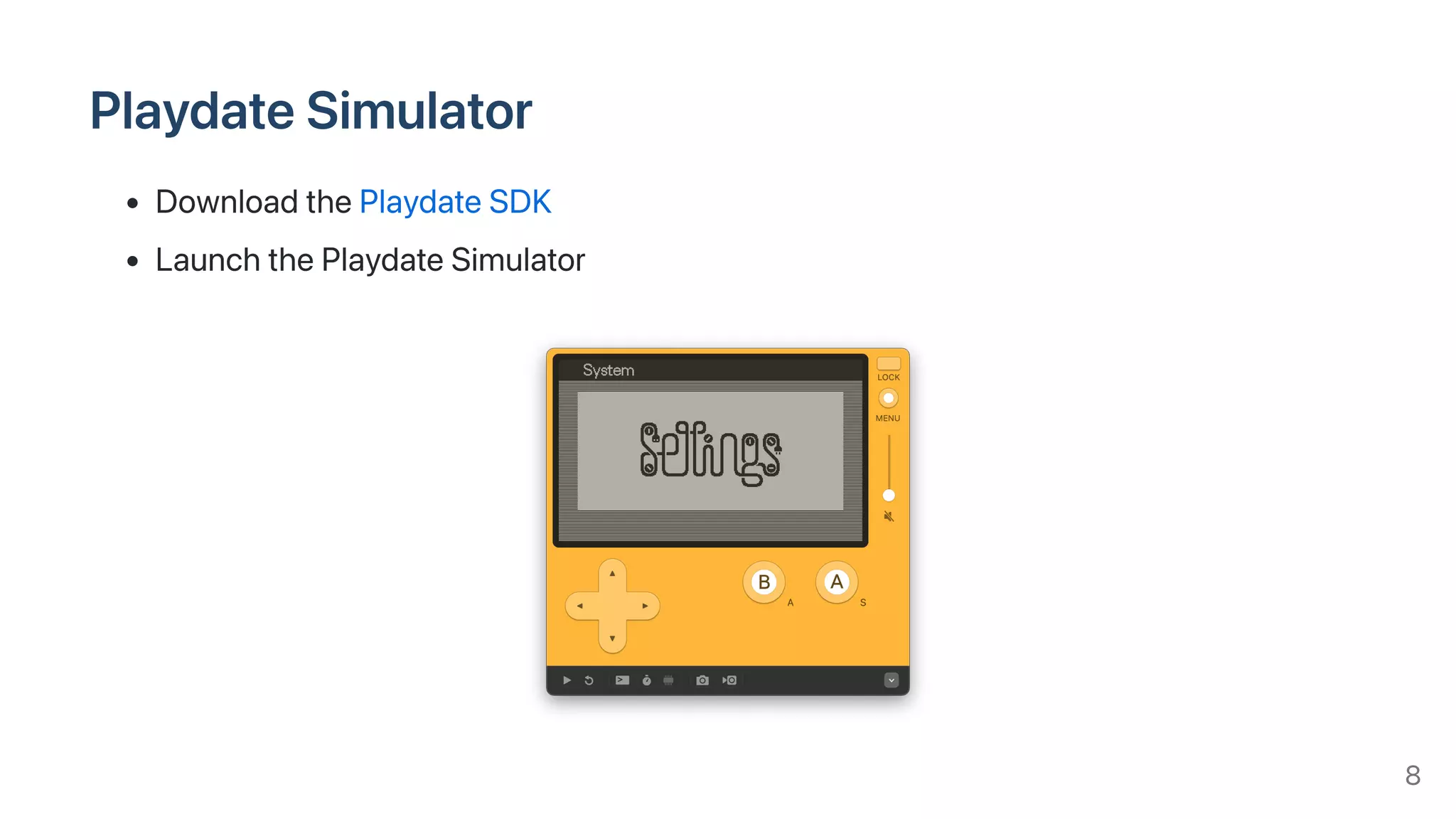
PlaydateSimulator
DownloadthePlaydateSDK
LaunchthePlaydateSimulator
8
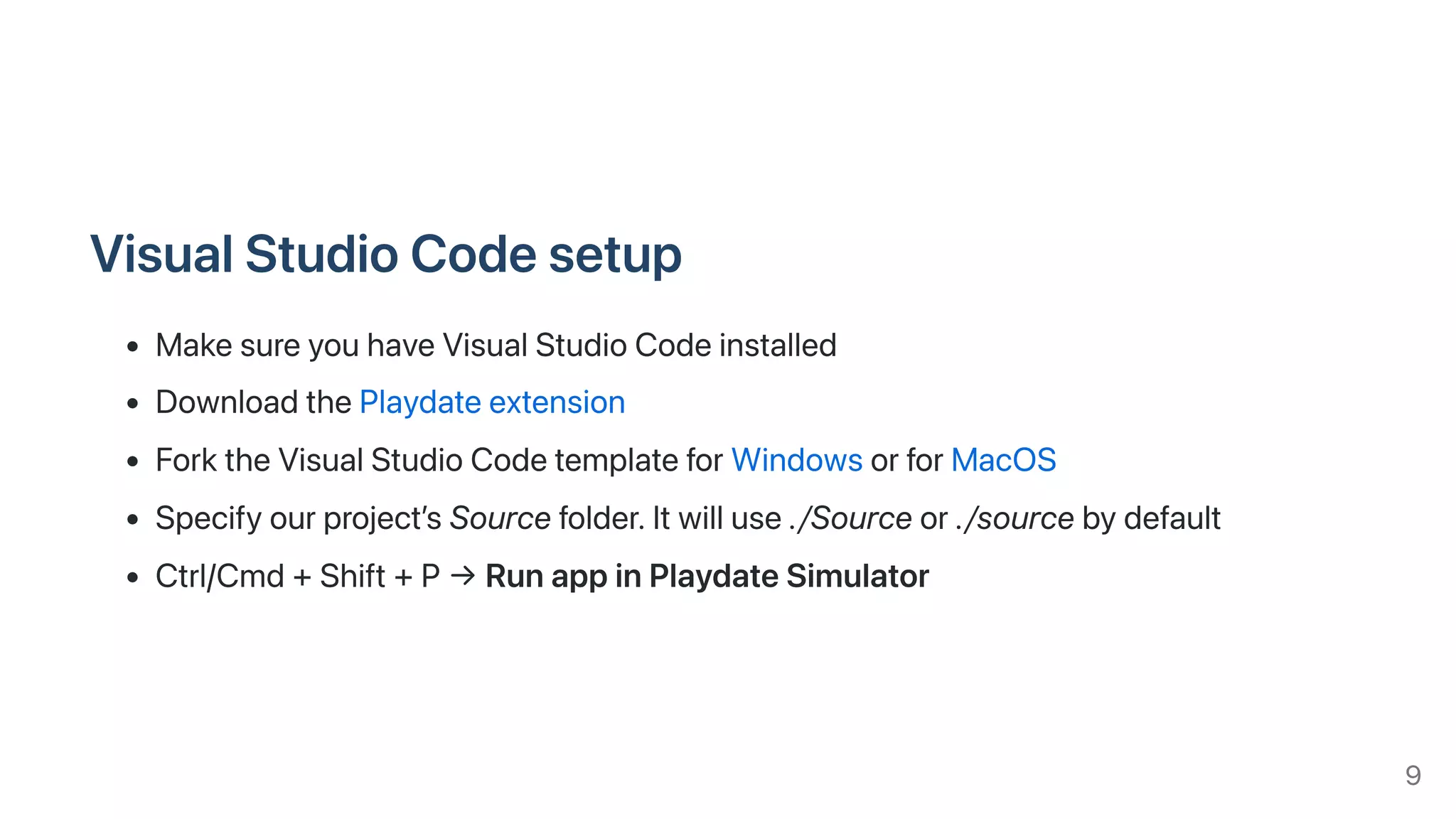
VisualStudioCodesetup
MakesureyouhaveVisualStudioCodeinstalled
DownloadthePlaydateextension
ForktheVisualStudioCodetemplateforWindowsorforMacOS
Specifyourproject’sSourcefolder.Itwilluse./Sourceor./sourcebydefault
Ctrl/Cmd+Shift+P→RunappinPlaydateSimulator
9
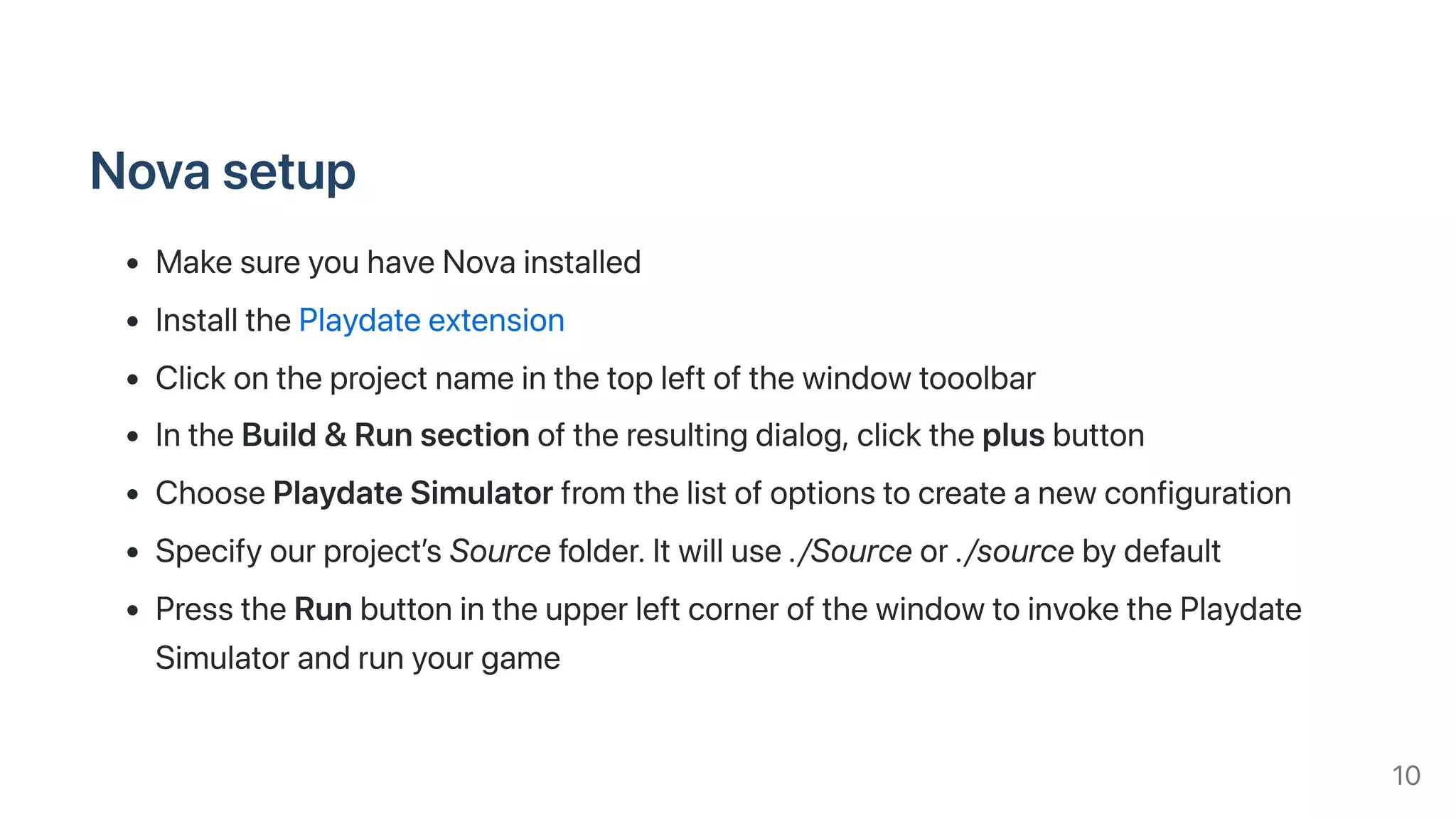
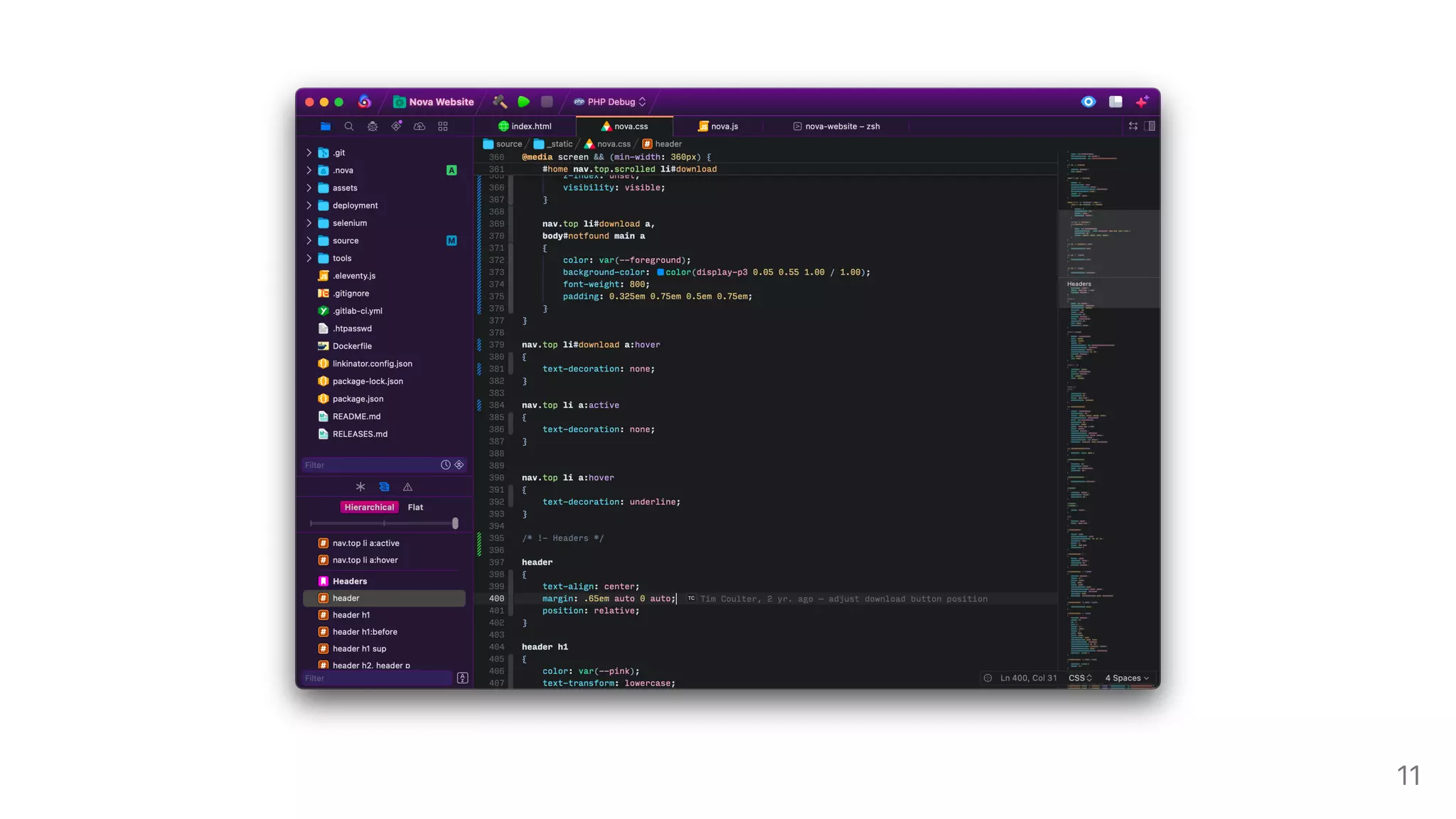
Novasetup
MakesureyouhaveNovainstalled
InstallthePlaydateextension
Clickontheprojectnameinthetopleftofthewindowtooolbar
IntheBuild&Runsectionoftheresultingdialog,clicktheplusbutton
ChoosePlaydateSimulatorfromthelistofoptionstocreateanewconfiguration
Specifyourproject’sSourcefolder.Itwilluse./Sourceor./sourcebydefault
PresstheRunbuttonintheupperleftcornerofthewindowtoinvokethePlaydate
Simulatorandrunyourgame
10
11
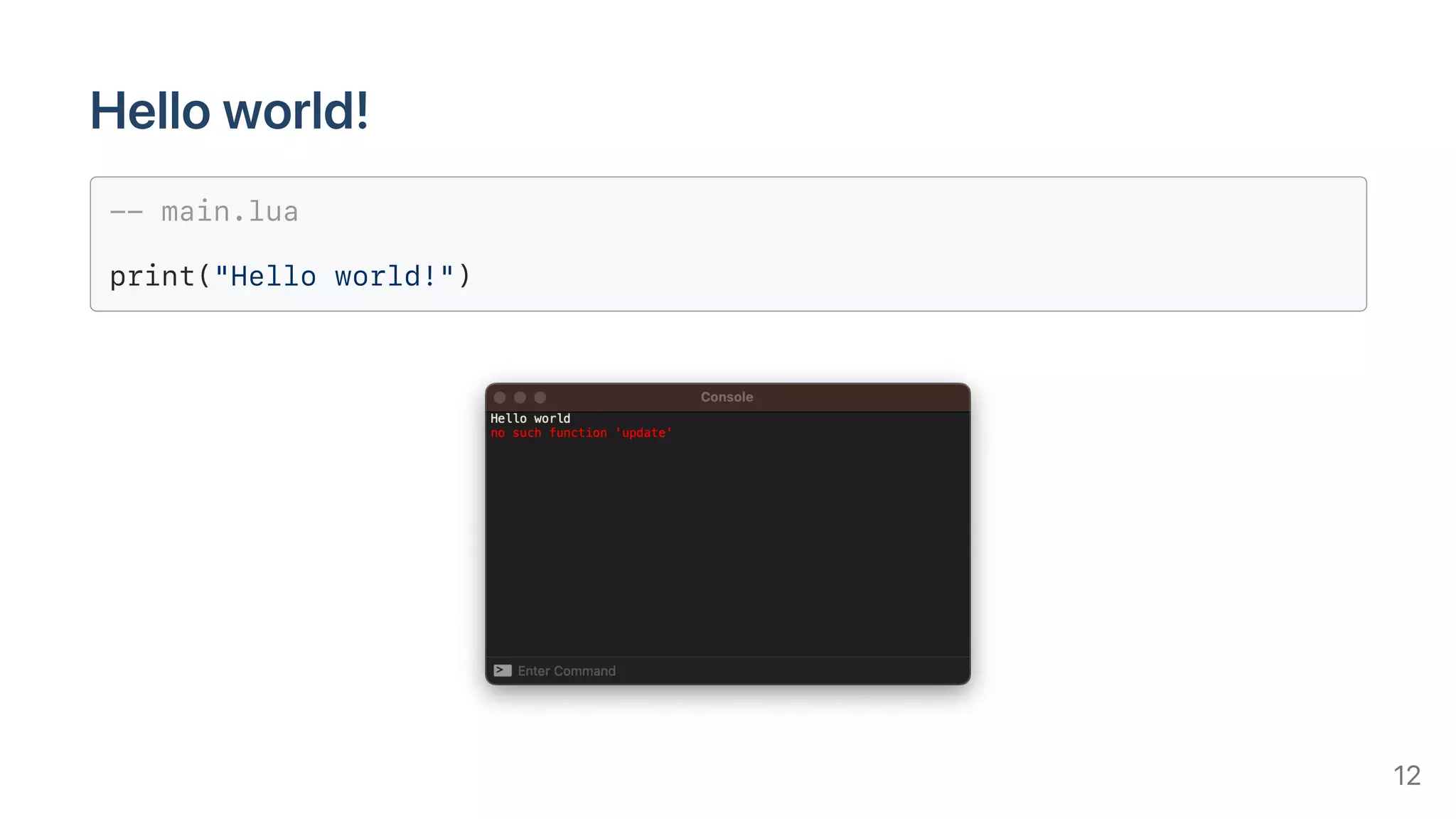
Helloworld!
-- main.lua
print("Hello world!")
12
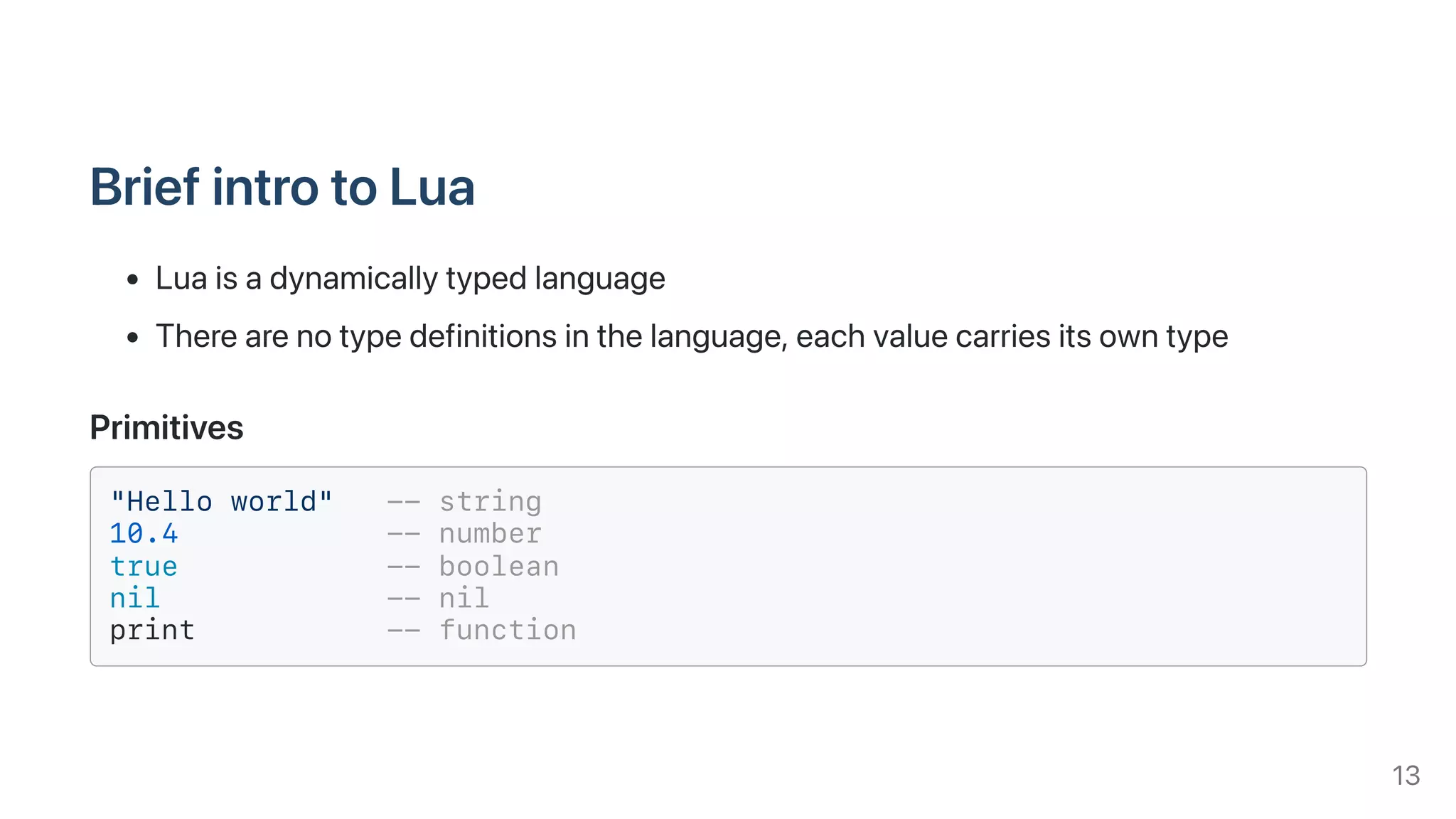
BriefintrotoLua
Luaisadynamicallytypedlanguage
Therearenotypedefinitionsinthelanguage,eachvaluecarriesitsowntype
Primitives
"Hello world" -- string
10.4 -- number
true -- boolean
nil -- nil
print -- function
13
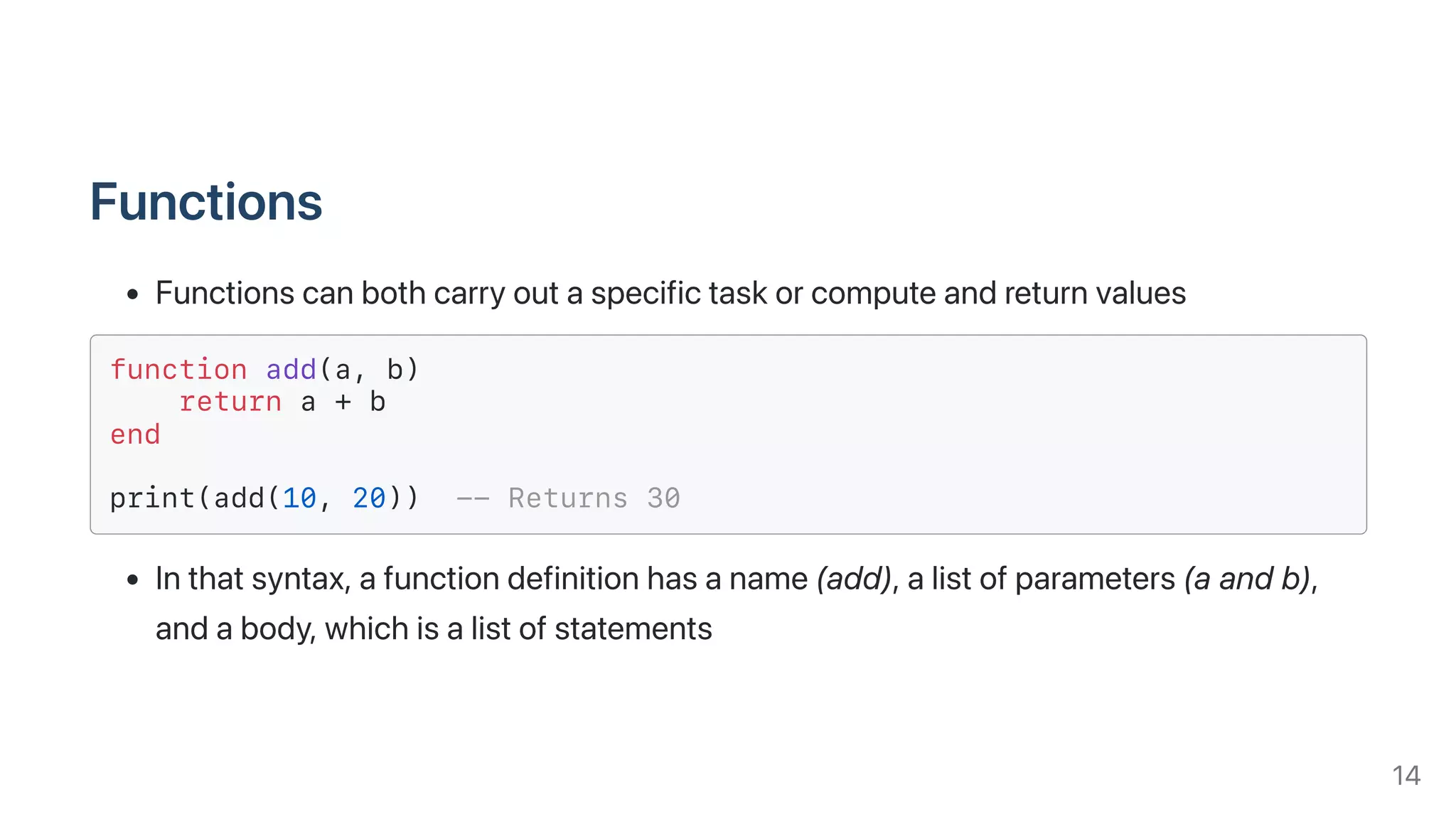
Functions
Functionscanbothcarryoutaspecifictaskorcomputeandreturnvalues
function add(a, b)
return a + b
end
print(add(10, 20)) -- Returns 30
Inthatsyntax,afunctiondefinitionhasaname(add),alistofparameters(aandb),
andabody,whichisalistofstatements
14
Tables
Thetabletypeareassociativearrays
AssociativearraysaresimilartoPHParraysorJavascriptobjects,theyarekey/value
containersthatcanalsobeusedaslists
Tableshavenofixedsize,youcanaddasmanyelementsasyouwanttoatable
dynamically
-- Create a table and store its reference in `player'
player = {}
player["hp"] = 100
print(player["hp"]) -- Prints 100
print(player.hp) -- Prints 100 (Same as above)
15
Tables
Eachtablemaystorevalueswithdifferenttypesofindicesanditgrowsasitneedsto
accommodatenewentries
a = {}
a[10] = "Hello"
a["x"] = "World"
print(a[10]) -- Prints "Hello"
print(a.x) -- Prints "World"
print(a[20]) -- Prints nil (undefined)
Tablefieldsevaluatetoniliftheyarenotinitialized
16
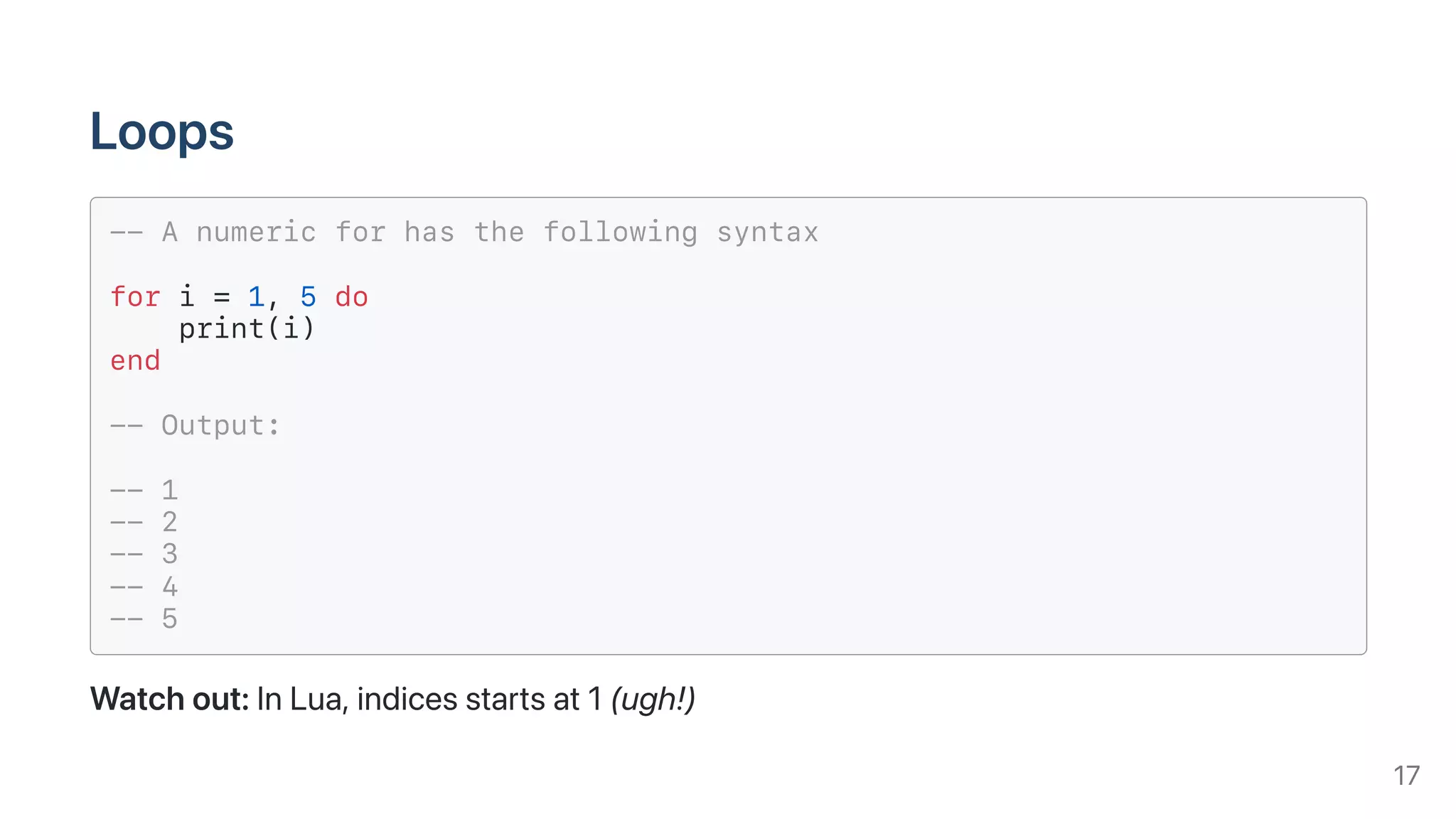
Loops
-- A numeric for has the following syntax
for i = 1, 5 do
print(i)
end
-- Output:
-- 1
-- 2
-- 3
-- 4
-- 5
Watchout:InLua,indicesstartsat1(ugh!)
17
Loops
ThebasicLualibraryprovidespairs,ahandyfunctionthatallowsyoutoiterateover
theelementsofatable
a = {}
a[10] = "Hello"
a["x"] = "World"
for key, value in pairs(a) do
print(key .. " - " .. value) -- Concats strings with ..
end
-- Output:
-- 10 - Hello
-- x - World
18
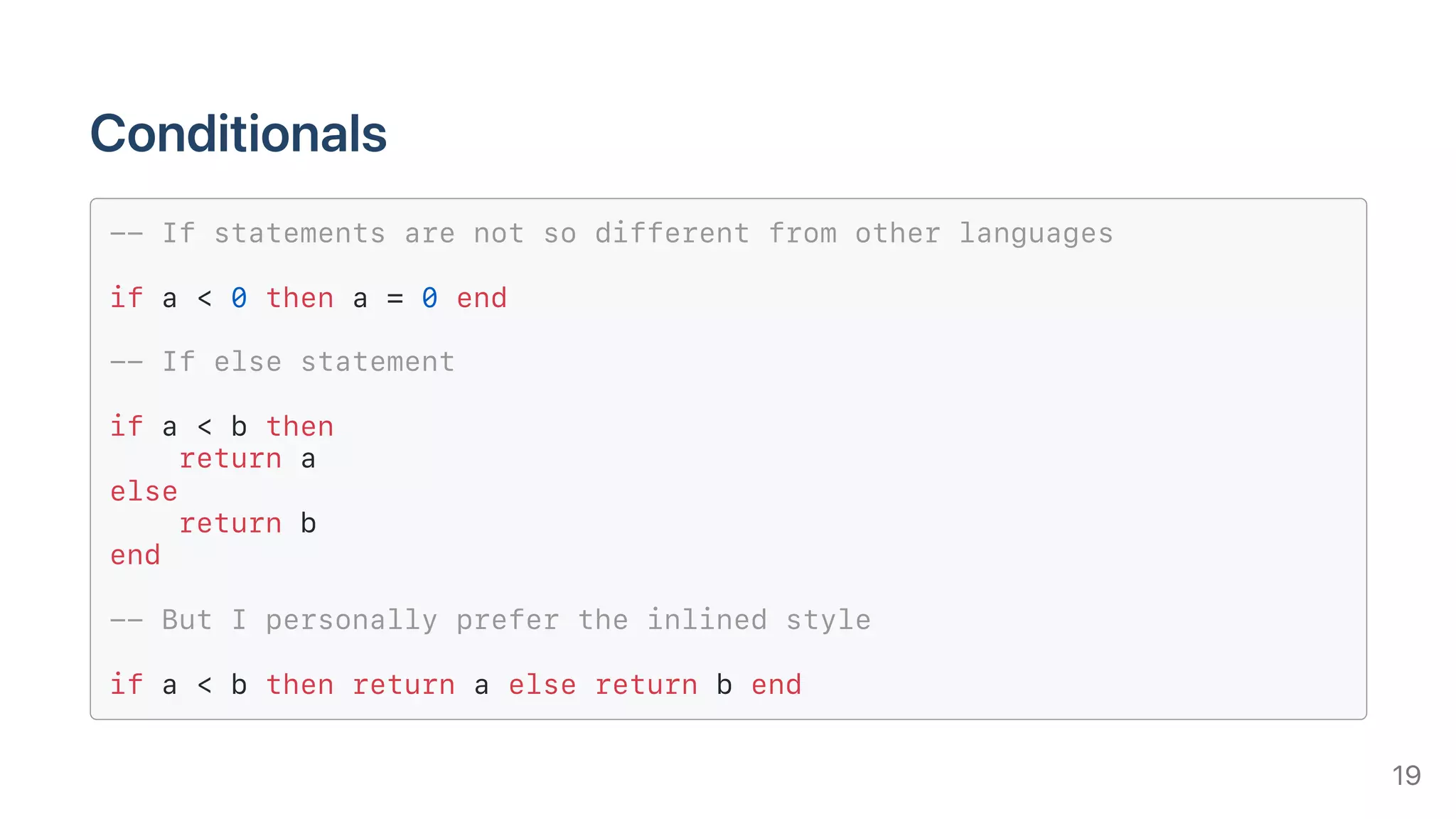
Conditionals
-- If statements are not so different from other languages
if a < 0 then a = 0 end
-- If else statement
if a < b then
return a
else
return b
end
-- But I personally prefer the inlined style
if a < b then return a else return b end
19
Scoping
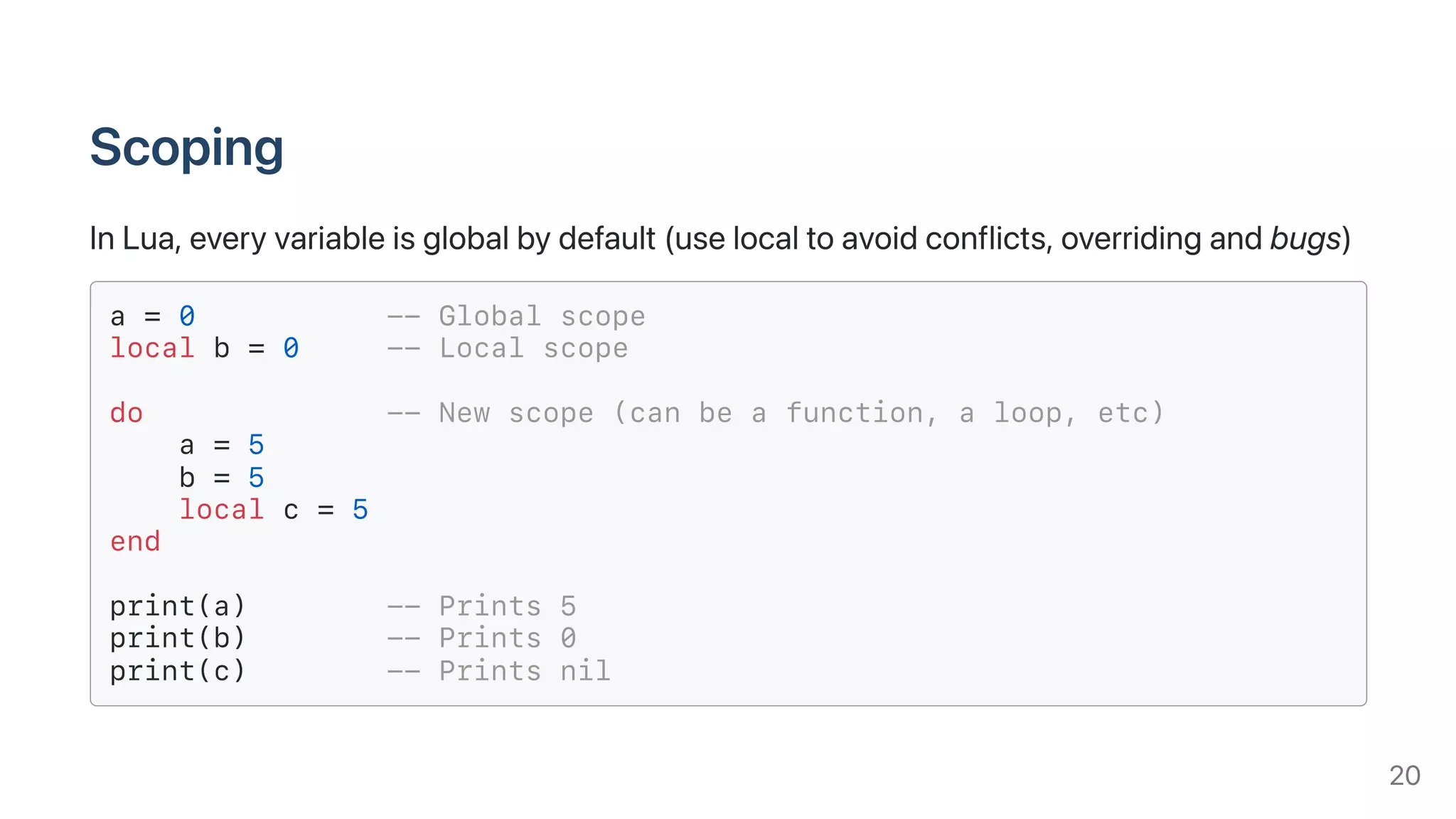
InLua,everyvariableisglobalbydefault(uselocaltoavoidconflicts,overridingandbugs)
a = 0 -- Global scope
local b = 0 -- Local scope
do -- New scope (can be a function, a loop, etc)
a = 5
b = 5
local c = 5
end
print(a) -- Prints 5
print(b) -- Prints 0
print(c) -- Prints nil
20
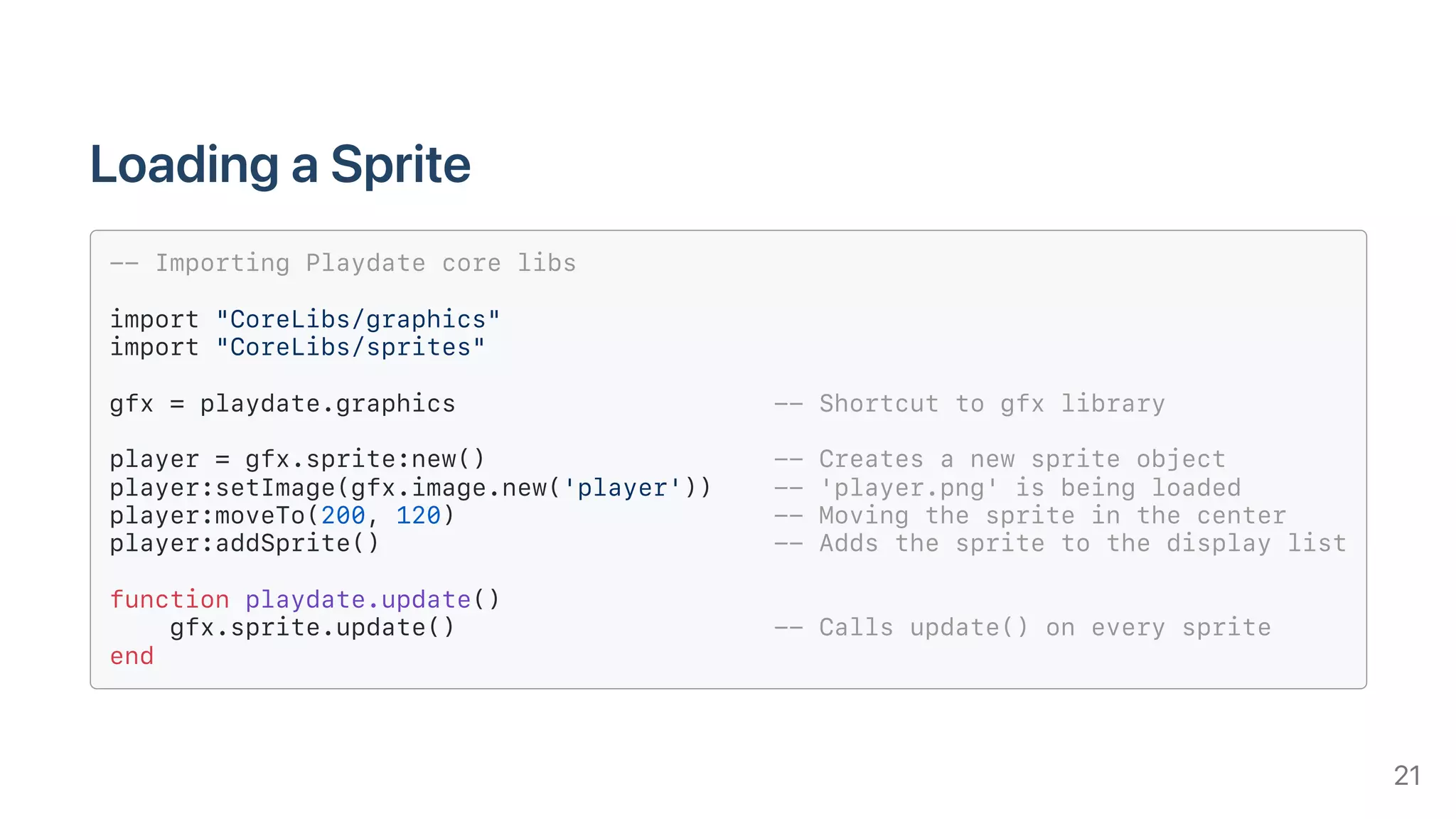
LoadingaSprite
-- Importing Playdate core libs
import "CoreLibs/graphics"
import "CoreLibs/sprites"
gfx = playdate.graphics -- Shortcut to gfx library
player = gfx.sprite:new() -- Creates a new sprite object
player:setImage(gfx.image.new('player')) -- 'player.png' is being loaded
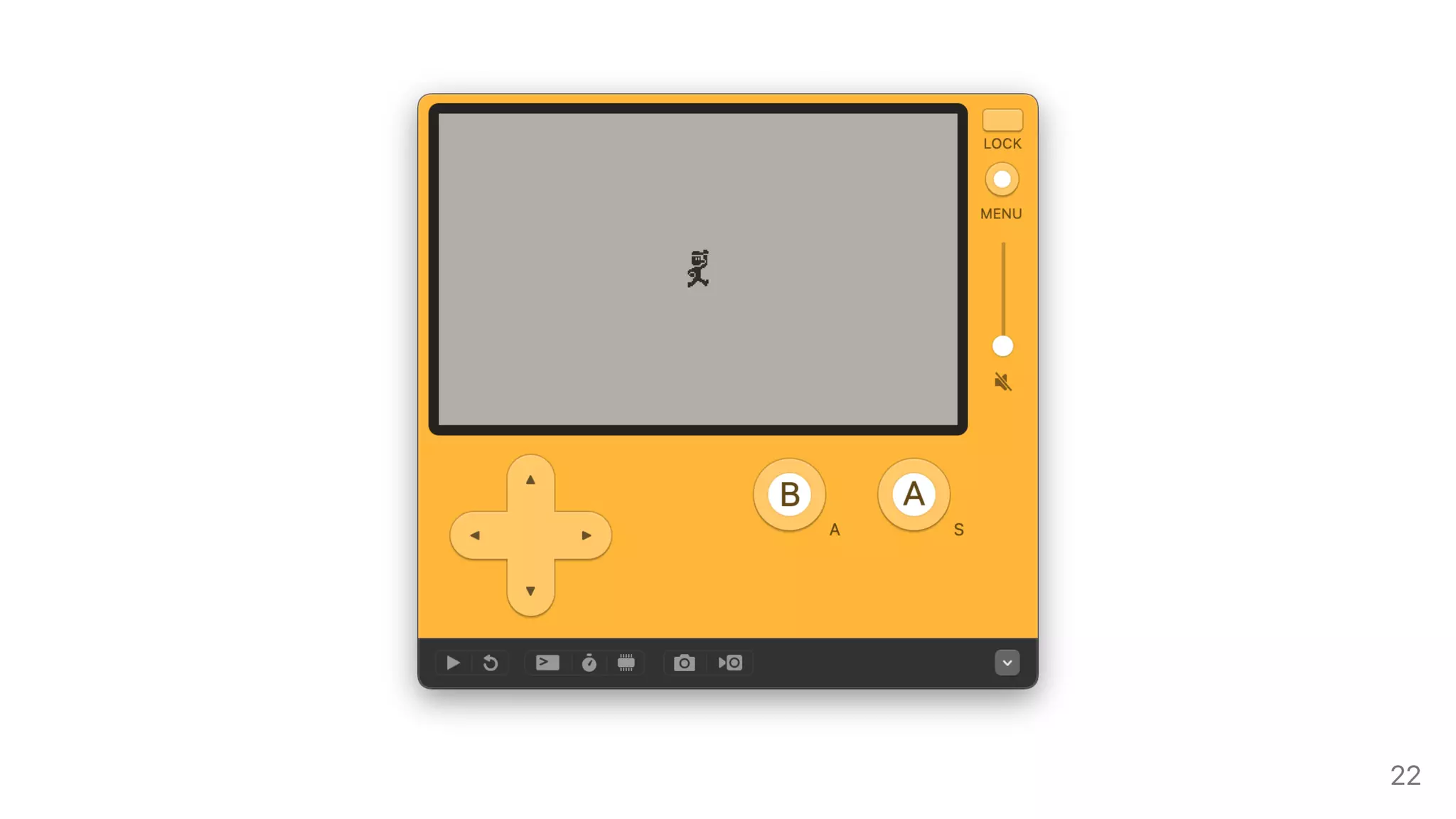
player:moveTo(200, 120) -- Moving the sprite in the center
player:addSprite() -- Adds the sprite to the display list
function playdate.update()
gfx.sprite.update() -- Calls update() on every sprite
end
21
22
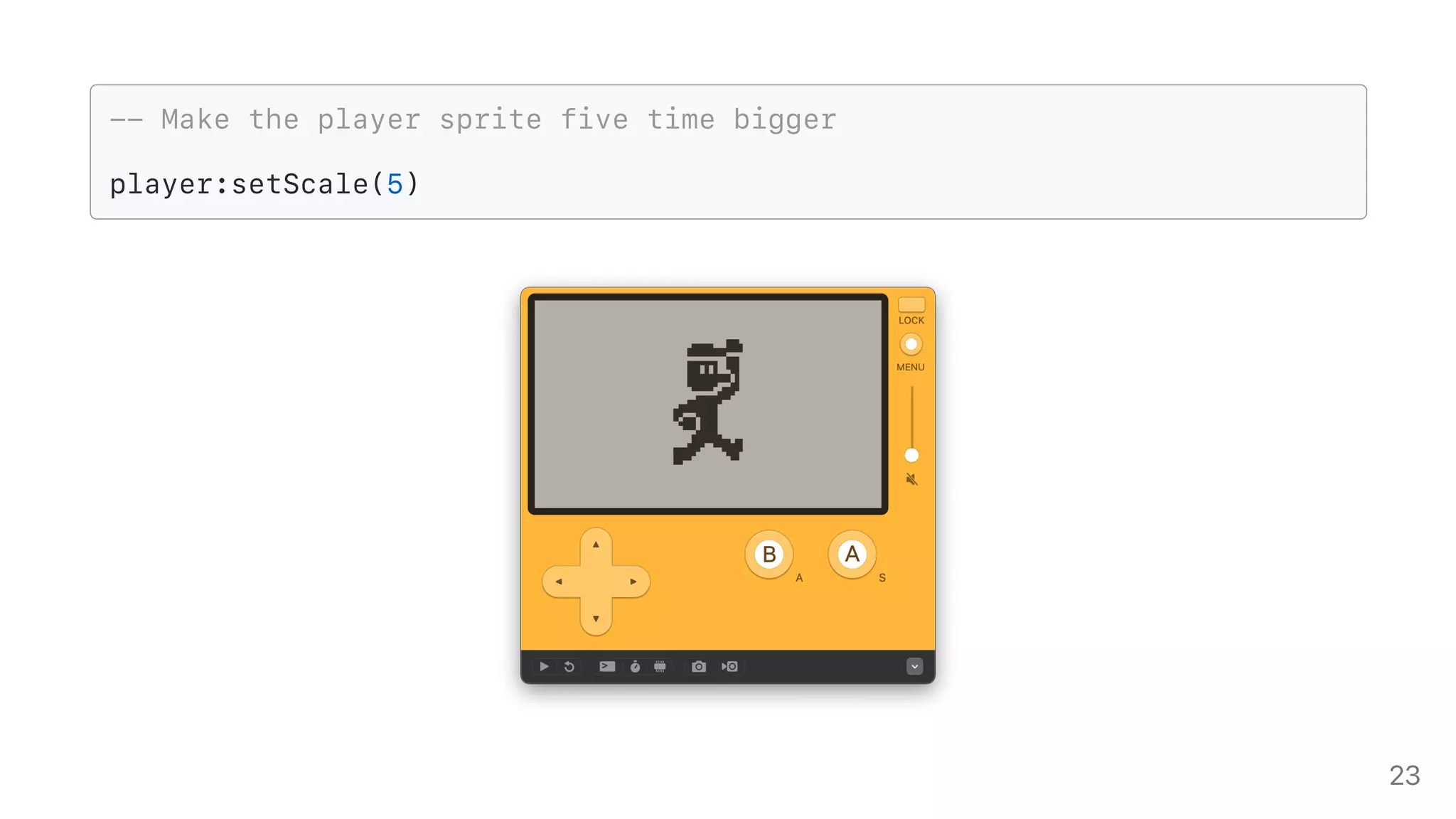
-- Make the player sprite five time bigger
player:setScale(5)
23
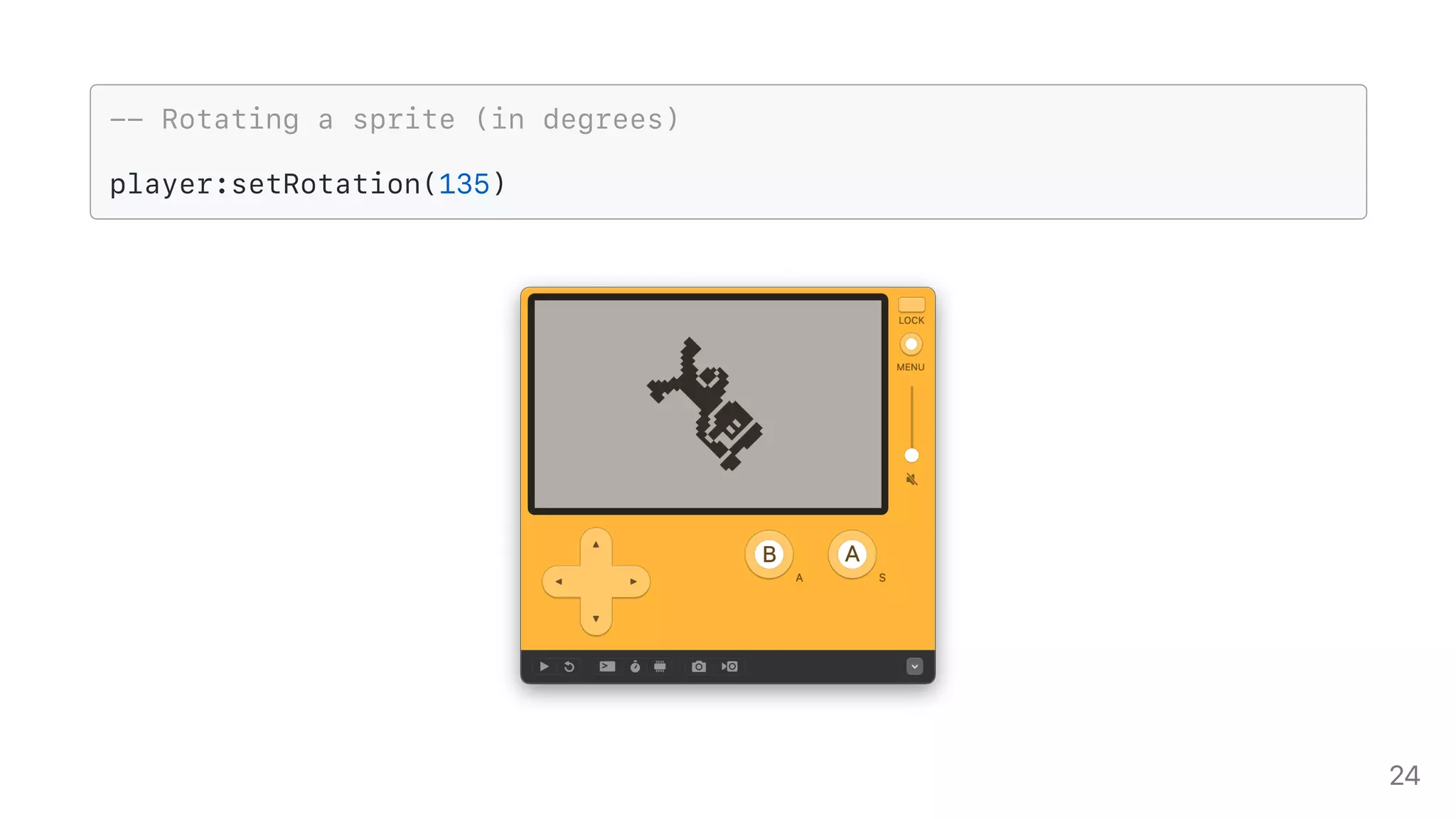
-- Rotating a sprite (in degrees)
player:setRotation(135)
24
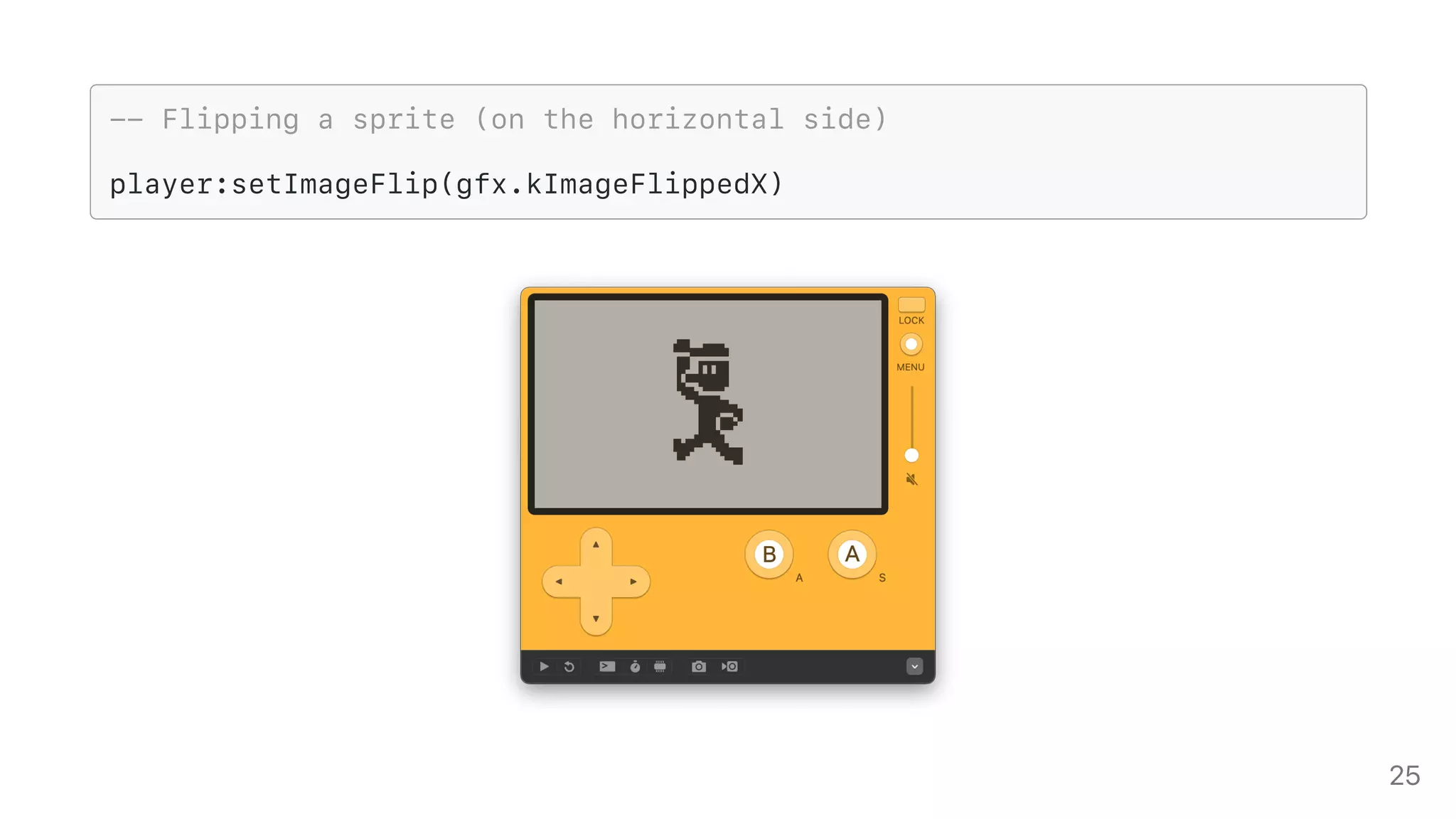
-- Flipping a sprite (on the horizontal side)
player:setImageFlip(gfx.kImageFlippedX)
25
TransformingaSprite
-- Setting the z-index for the sprite (high value = draw first)
player:setZIndex(10)
-- Sprites that aren’t visible don’t get their draw() method called
player:setVisible(false)
Formoresprite-relatedmethodshavealookattheirInsidePlaydatesection
26
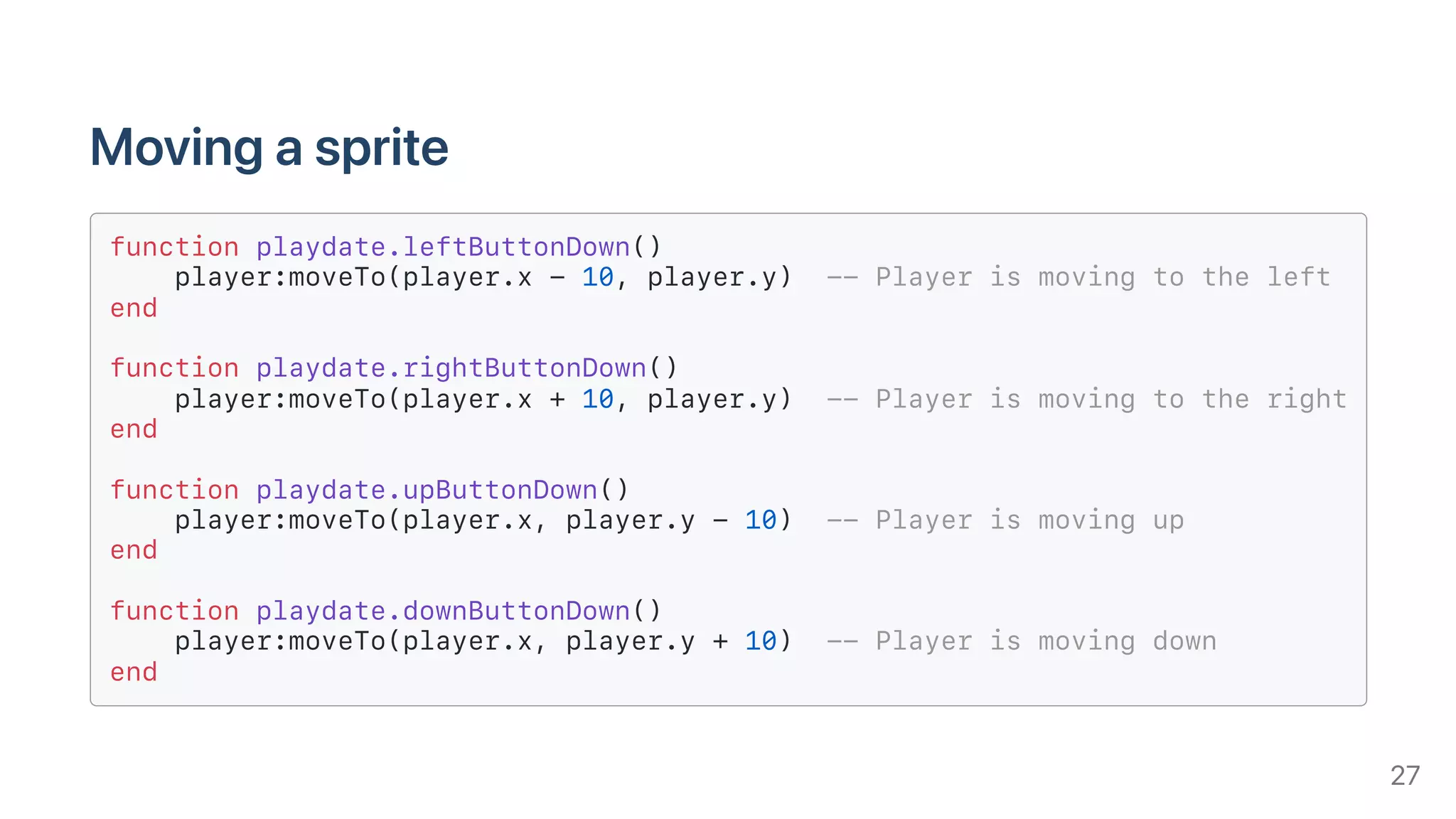
Movingasprite
function playdate.leftButtonDown()
player:moveTo(player.x - 10, player.y) -- Player is moving to the left
end
function playdate.rightButtonDown()
player:moveTo(player.x + 10, player.y) -- Player is moving to the right
end
function playdate.upButtonDown()
player:moveTo(player.x, player.y - 10) -- Player is moving up
end
function playdate.downButtonDown()
player:moveTo(player.x, player.y + 10) -- Player is moving down
end
27
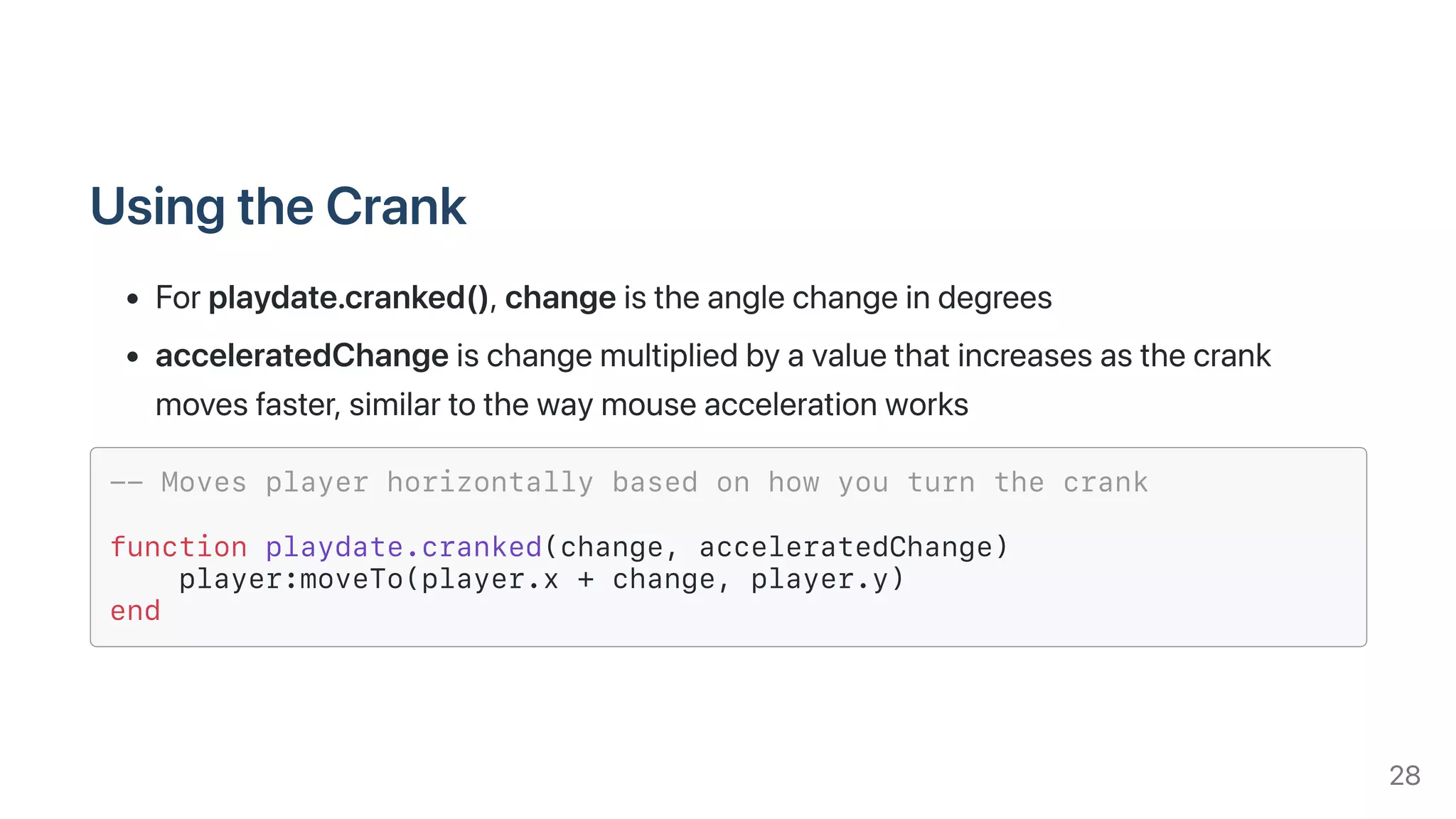
UsingtheCrank
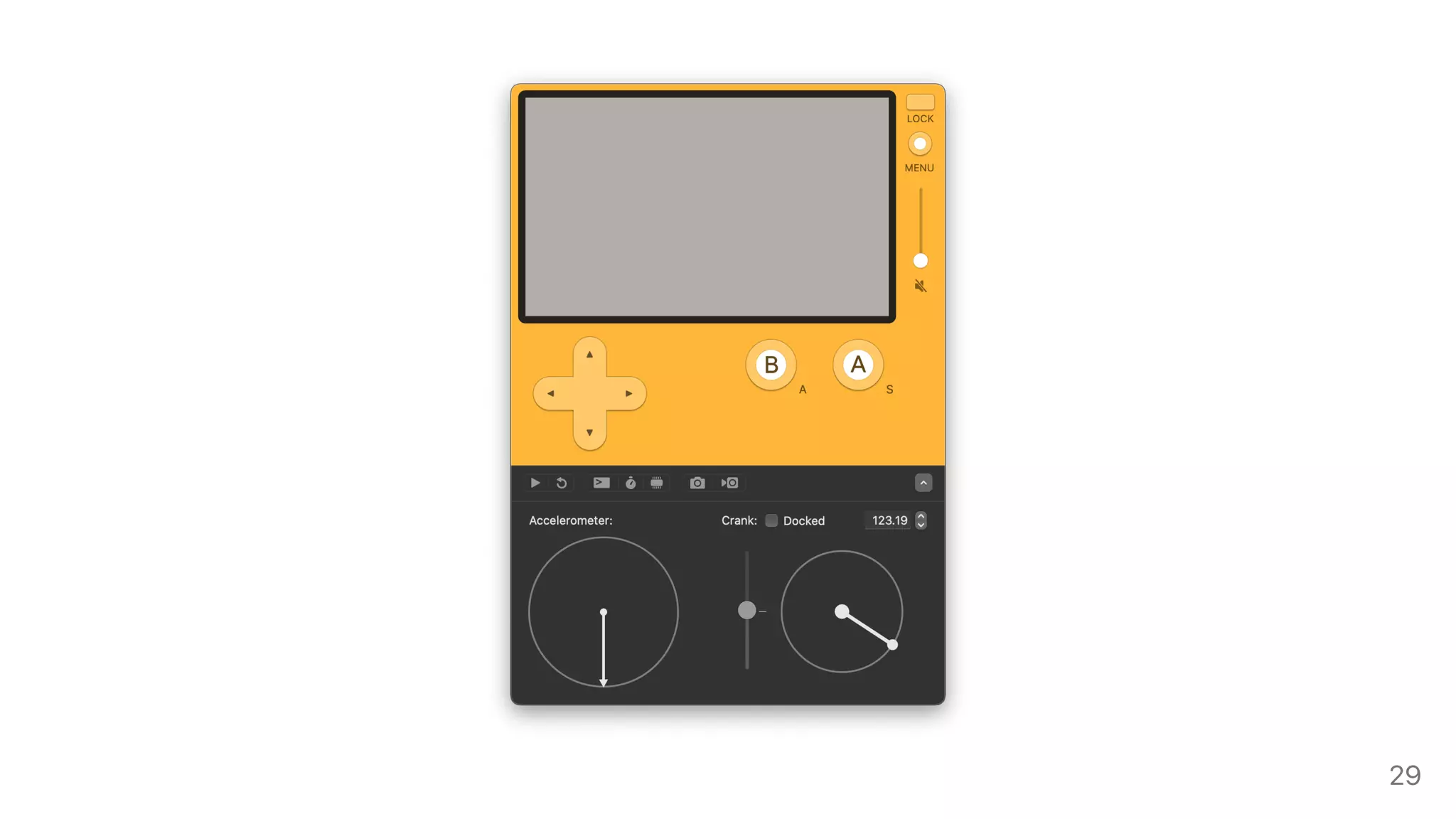
Forplaydate.cranked(),changeistheanglechangeindegrees
acceleratedChangeischangemultipliedbyavaluethatincreasesasthecrank
movesfaster,similartothewaymouseaccelerationworks
-- Moves player horizontally based on how you turn the crank
function playdate.cranked(change, acceleratedChange)
player:moveTo(player.x + change, player.y)
end
28
29
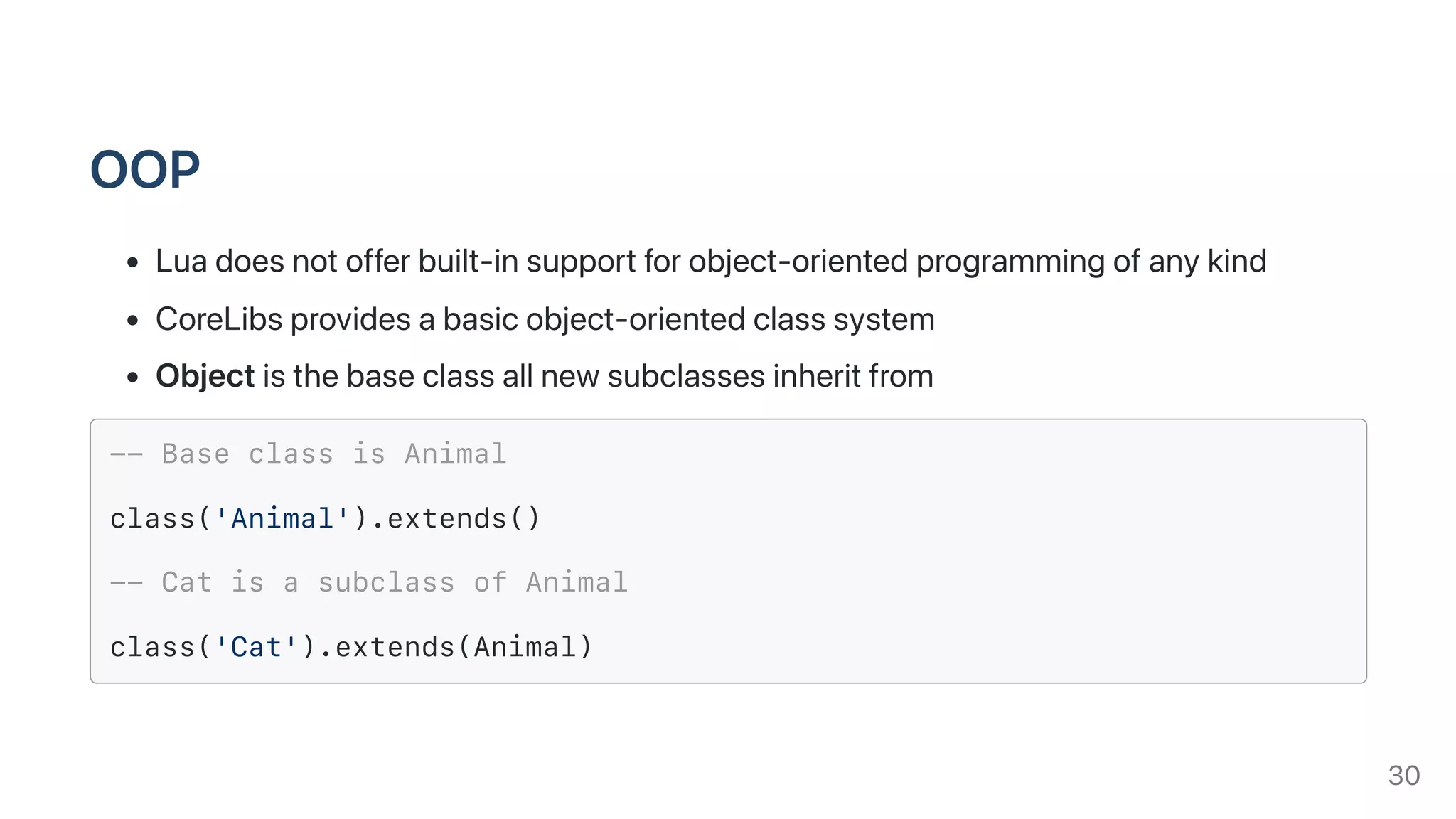
OOP
Luadoesnotofferbuilt-insupportforobject-orientedprogrammingofanykind
CoreLibsprovidesabasicobject-orientedclasssystem
Objectisthebaseclassallnewsubclassesinheritfrom
-- Base class is Animal
class('Animal').extends()
-- Cat is a subclass of Animal
class('Cat').extends(Animal)
30
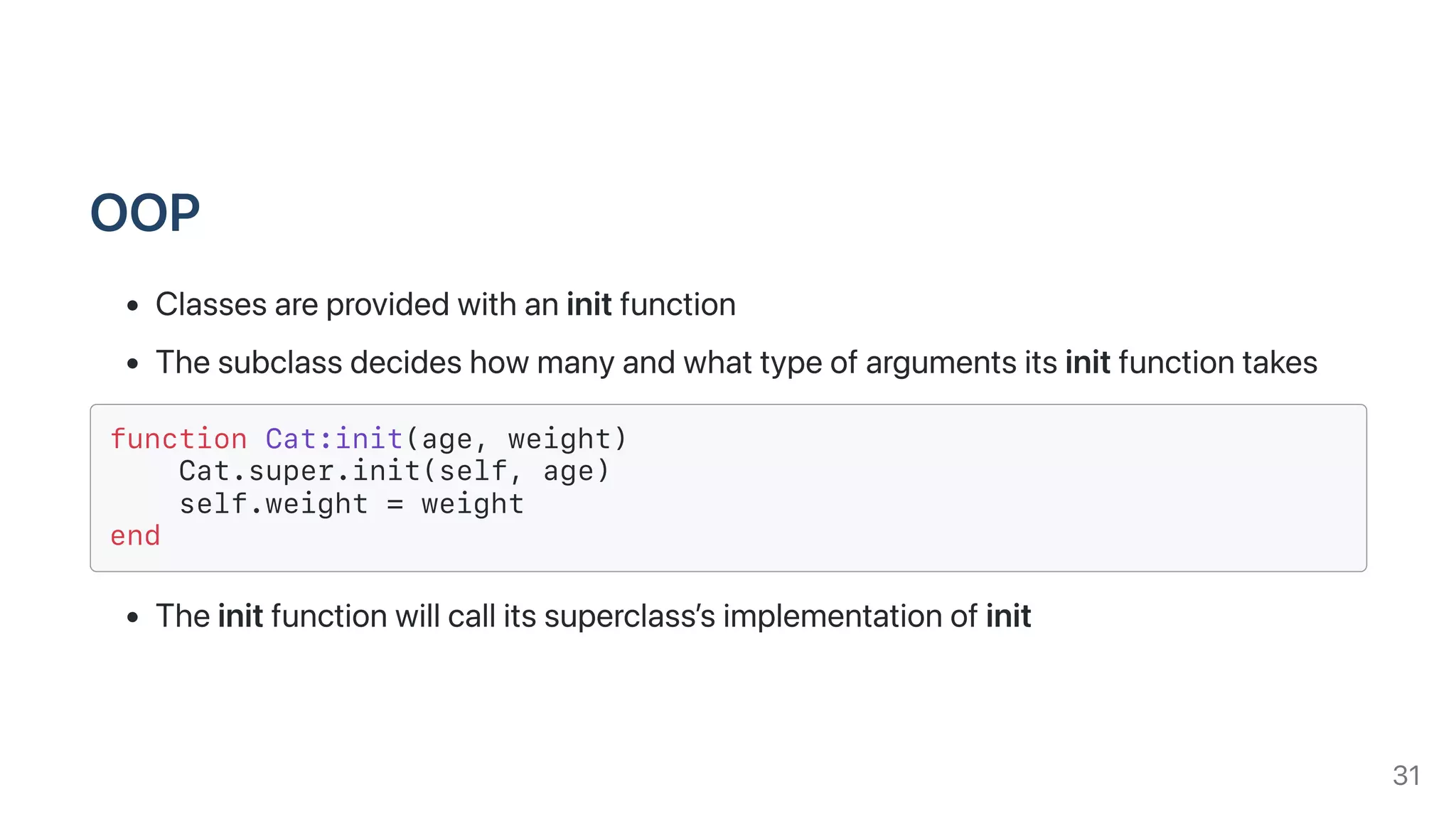
OOP
Classesareprovidedwithaninitfunction
Thesubclassdecideshowmanyandwhattypeofargumentsitsinitfunctiontakes
function Cat:init(age, weight)
Cat.super.init(self, age)
self.weight = weight
end
Theinitfunctionwillcallitssuperclass’simplementationofinit
31
OOP
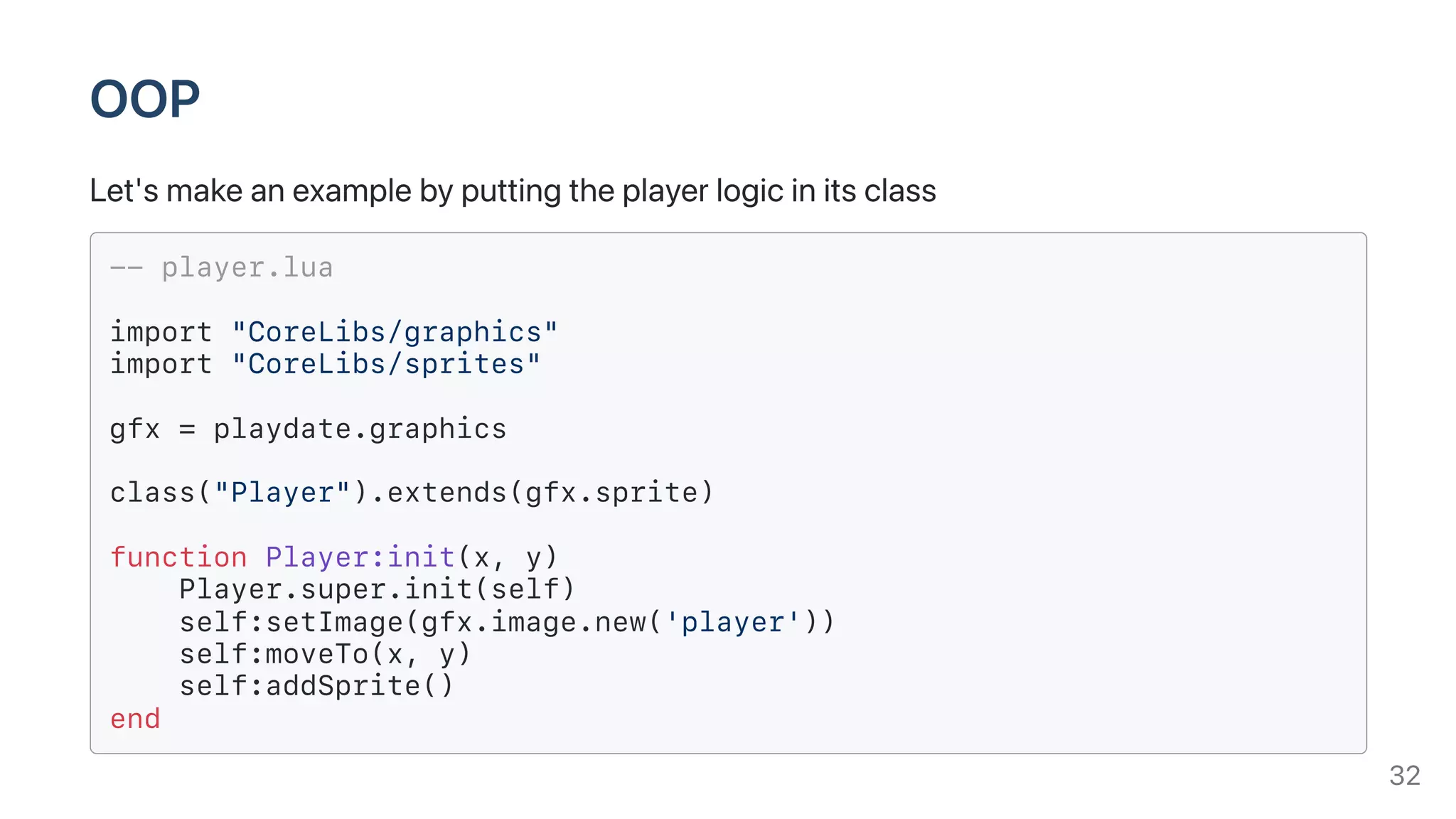
Let'smakeanexamplebyputtingtheplayerlogicinitsclass
-- player.lua
import "CoreLibs/graphics"
import "CoreLibs/sprites"
gfx = playdate.graphics
class("Player").extends(gfx.sprite)
function Player:init(x, y)
Player.super.init(self)
self:setImage(gfx.image.new('player'))
self:moveTo(x, y)
self:addSprite()
end
32
OOP
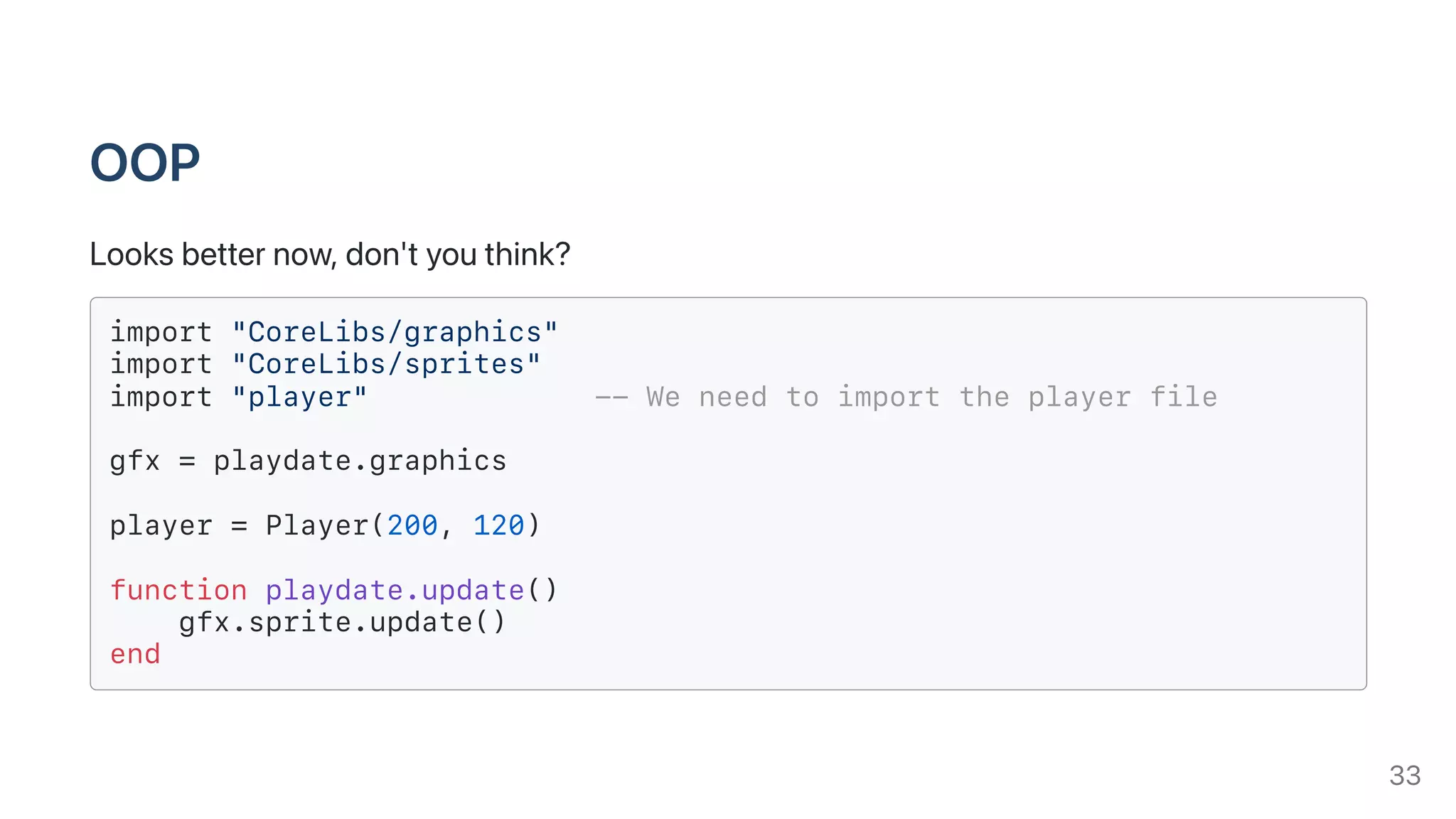
Looksbetternow,don'tyouthink?
import "CoreLibs/graphics"
import "CoreLibs/sprites"
import "player" -- We need to import the player file
gfx = playdate.graphics
player = Player(200, 120)
function playdate.update()
gfx.sprite.update()
end
33
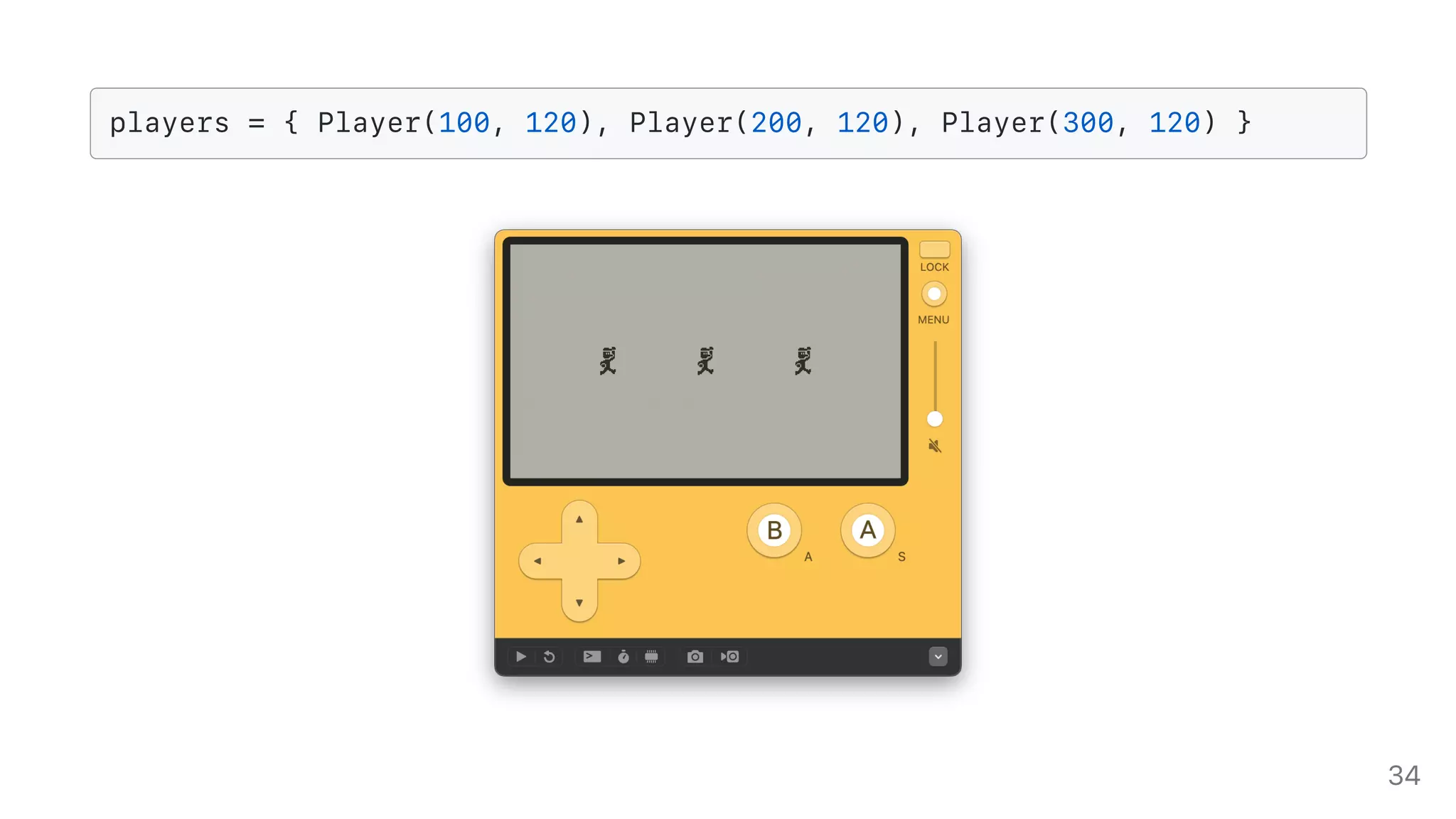
players = { Player(100, 120), Player(200, 120), Player(300, 120) }
34
Documentation
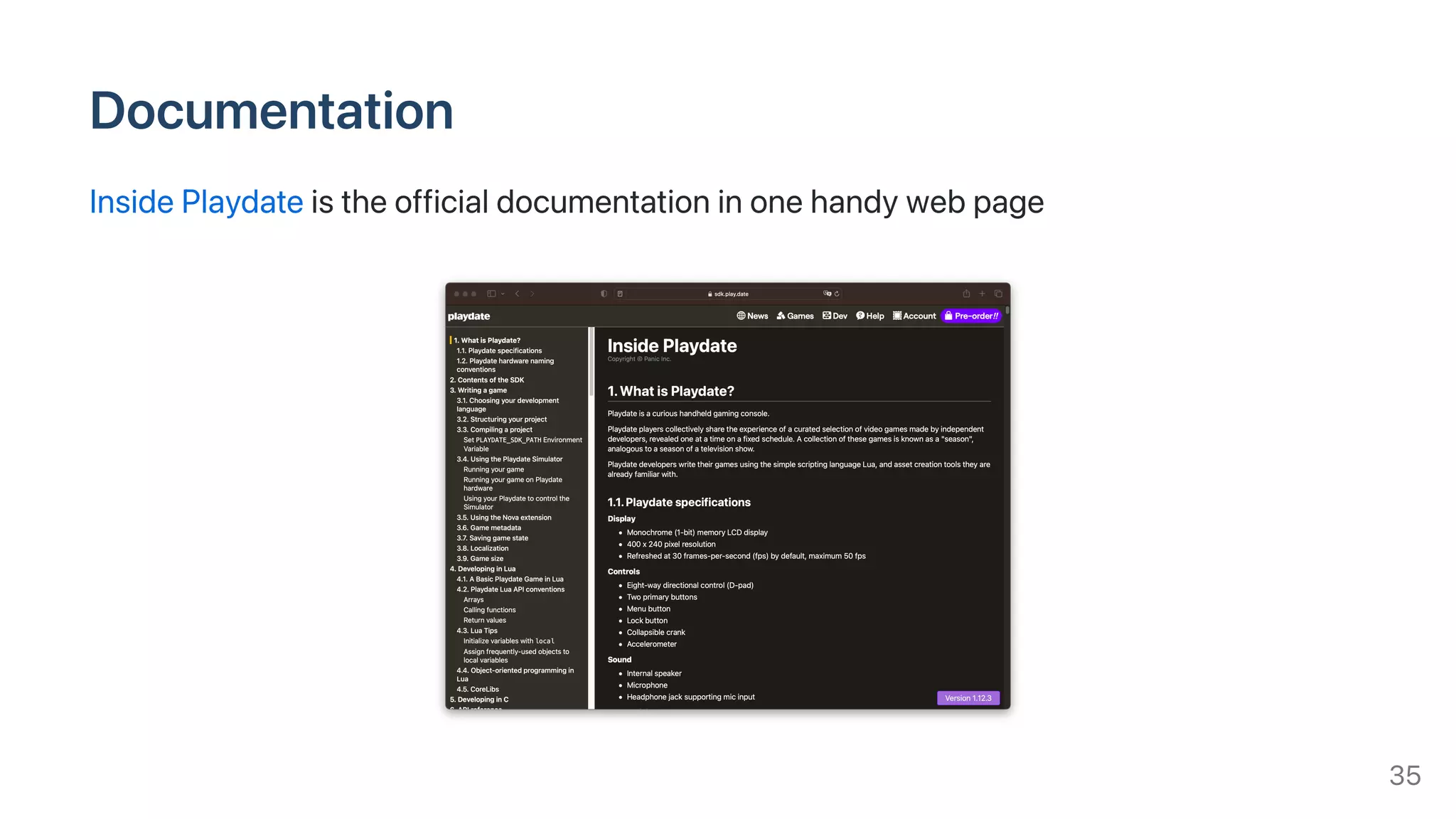
InsidePlaydateistheofficialdocumentationinonehandywebpage
35
Wheretoputyourgame
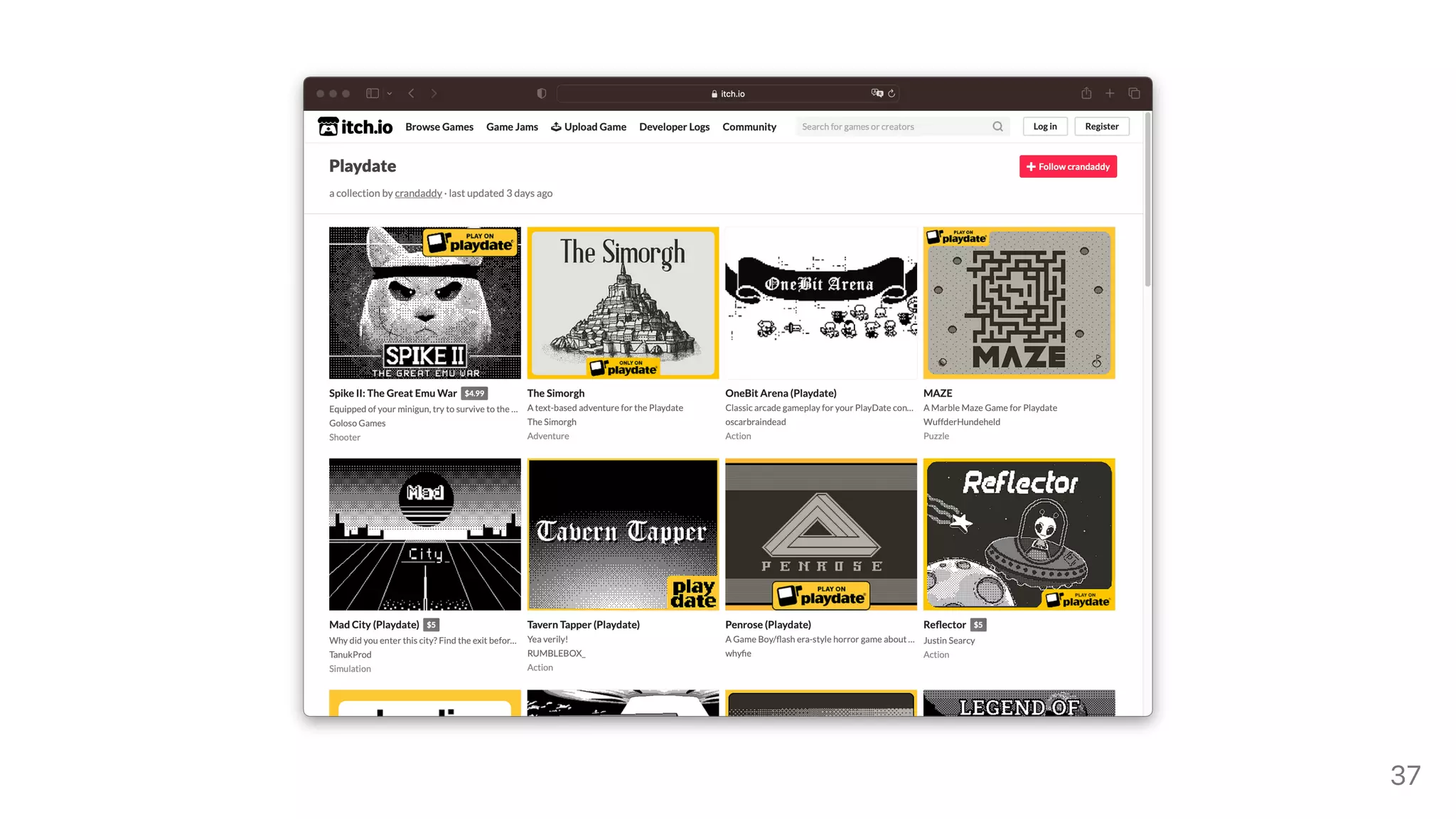
UnfortunatelyPlaydatedoesn'thaveastore(yet)so
Youcanself-hostitonyourwebsiteor
Putitorsellitonwebsitessuchasitch.io
PS:Panicisofferingfundingforgames,checktheGamePitchFormformoreinfo
36
37
Wheretolookforhelp
PlaydateDeveloperForum
PlaydateSquadakathemostactiveDiscordserver
/r/PlaydateConsoleand/r/PlaydateDeveloper
Andifyouwanttolearnmore
SquidGodDevforexcellentvideotutorials
AwesomePlaydatecrowd-sourcedawesomeness
/PlaydateSDK/Examplefolder
38
Demo
Sourcecode
39
ThingsIdidn'tcover(yet)
Collisions
Audio
Accelerometer
Fonts
Debugging
Deployingonarealdevice(maybeforpart2?)
ButyoucanfindallyouranswersonInsidePlaydate
40
Thankyou!
Slidesavailableathttps://github.com/Pomettini/Slides
Questions?
41

Let's make a game for the Playdate