GameSalad
Fastest way to create cross platform games
Hybrid Game Development Conference
Digital World 2015
About Me
M. Mizanur Rahman
CEO of Informatix Technologies & TechMasters
CSM, CSP and ZCE
Novice mobile game developer
http://booleandreams.wordpress.com
What is Game Salad?
• GameSalad Creator is an authoring tool
developed by GameSalad, Inc.
• Aimed primarily at non-programmers for
making games in a drag-and-drop fashion
• You do not need to know any programming for
creating games using GameSalad!
Are you serious? No programming!!
• Yes, you heard it right. You do not need to
know any programming or scripting
knowledge to build games
• Anyone can build games with GameSalad
• How is that possible? Let’s explore
Supported Platforms
• Web
• iOS
• Android
• Mac Desktop
• HTML5
• Windows 8
• Tizen
• Kindle/Nook
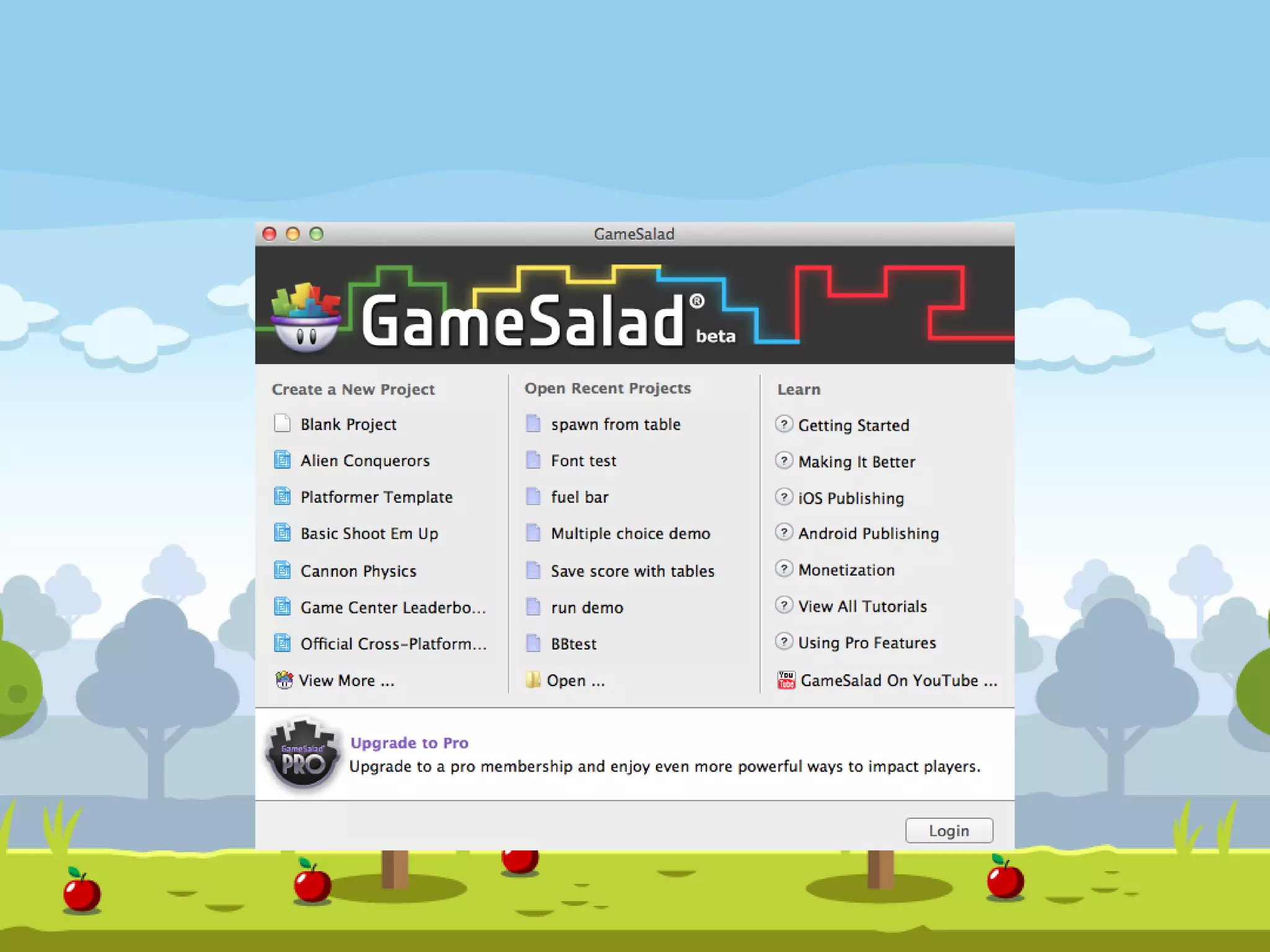
Download GameSalad Creator
• Go to www.gamesalad.com
• Download GameSalad Creator and it’s Free!
• It will work in Windows and Mac
• Install the creator and open it
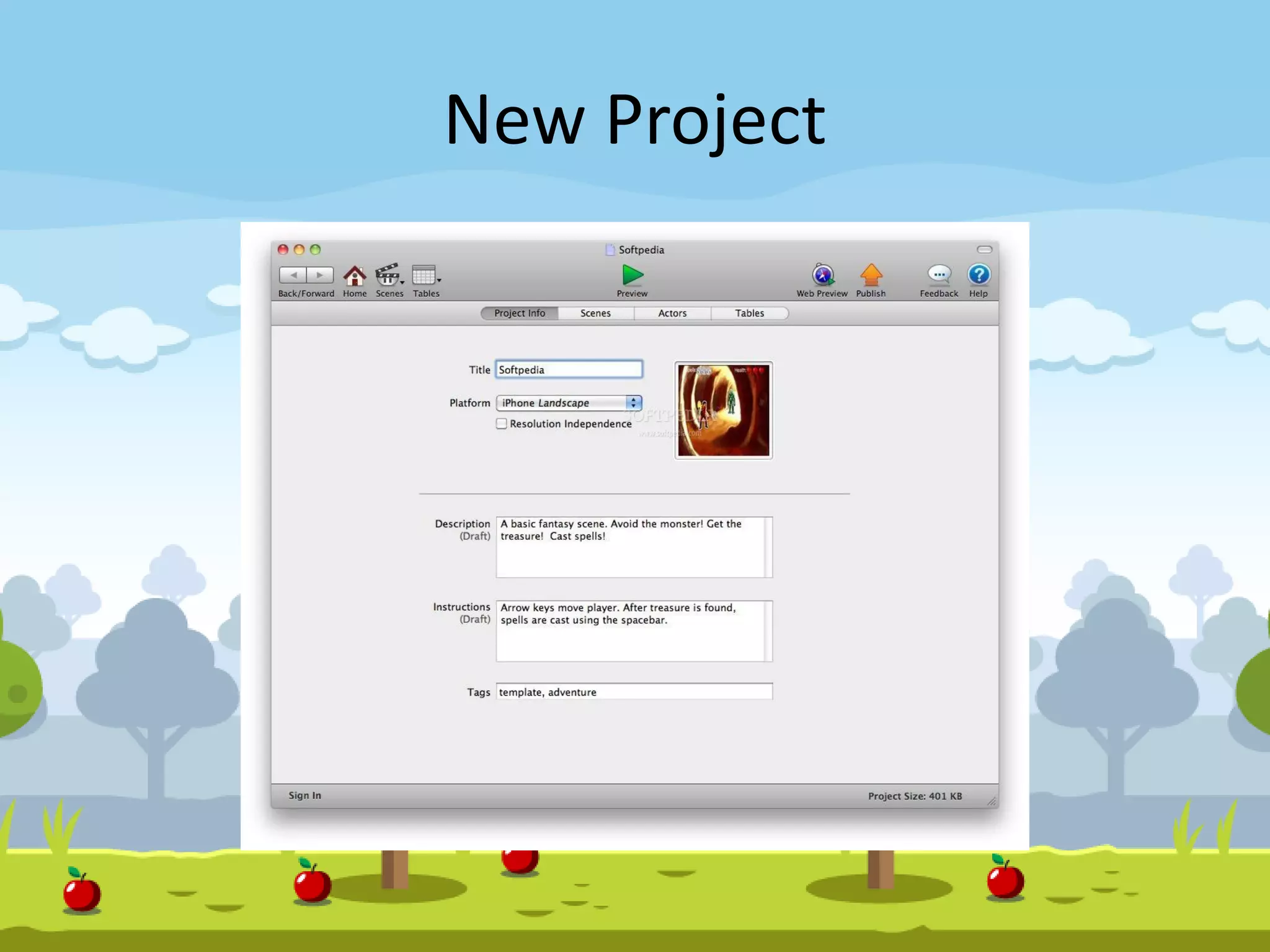
New Project
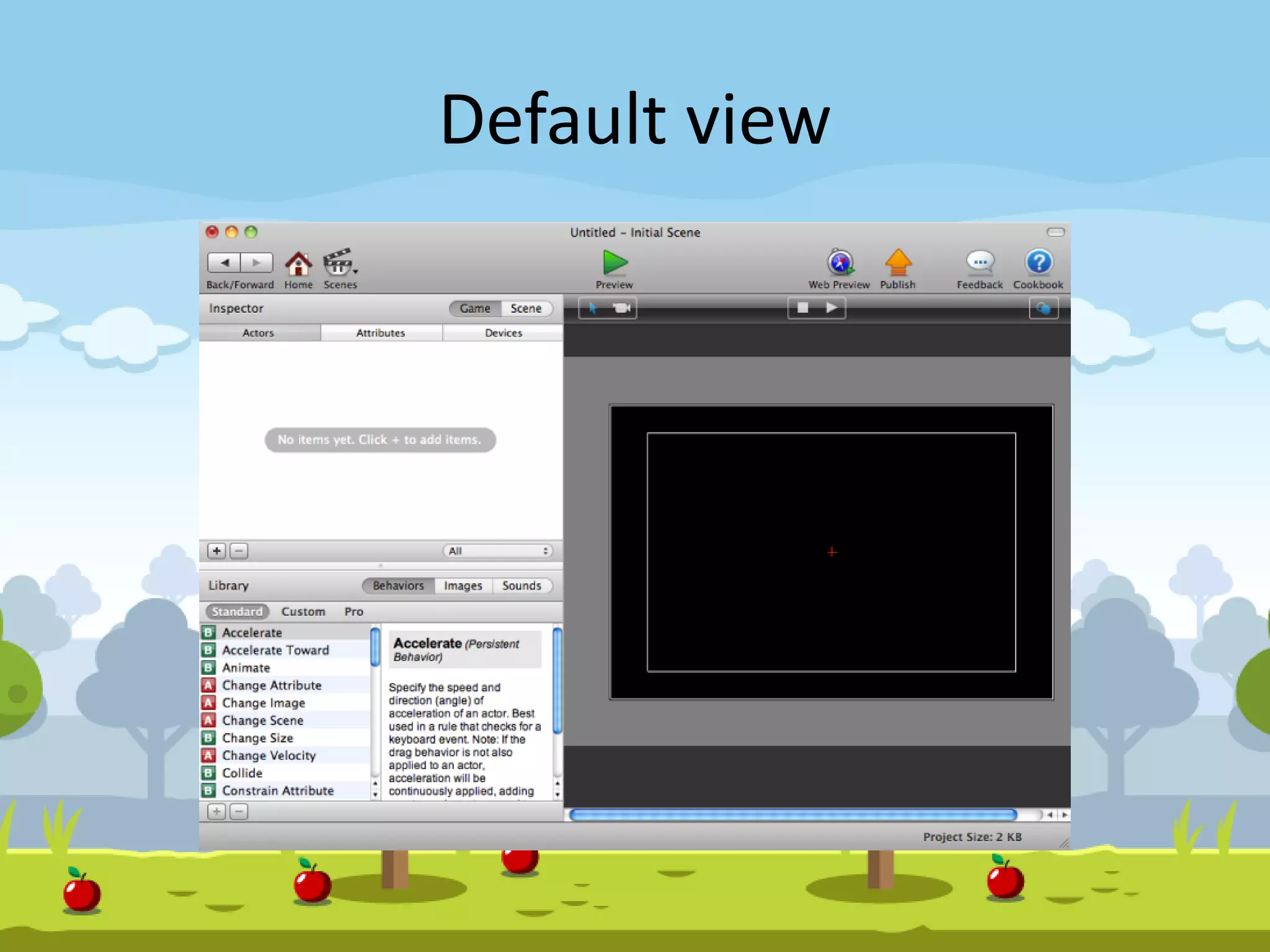
Default view
Understanding GameSalad
• Scenes
• Actors
• Behaviors
Scenes
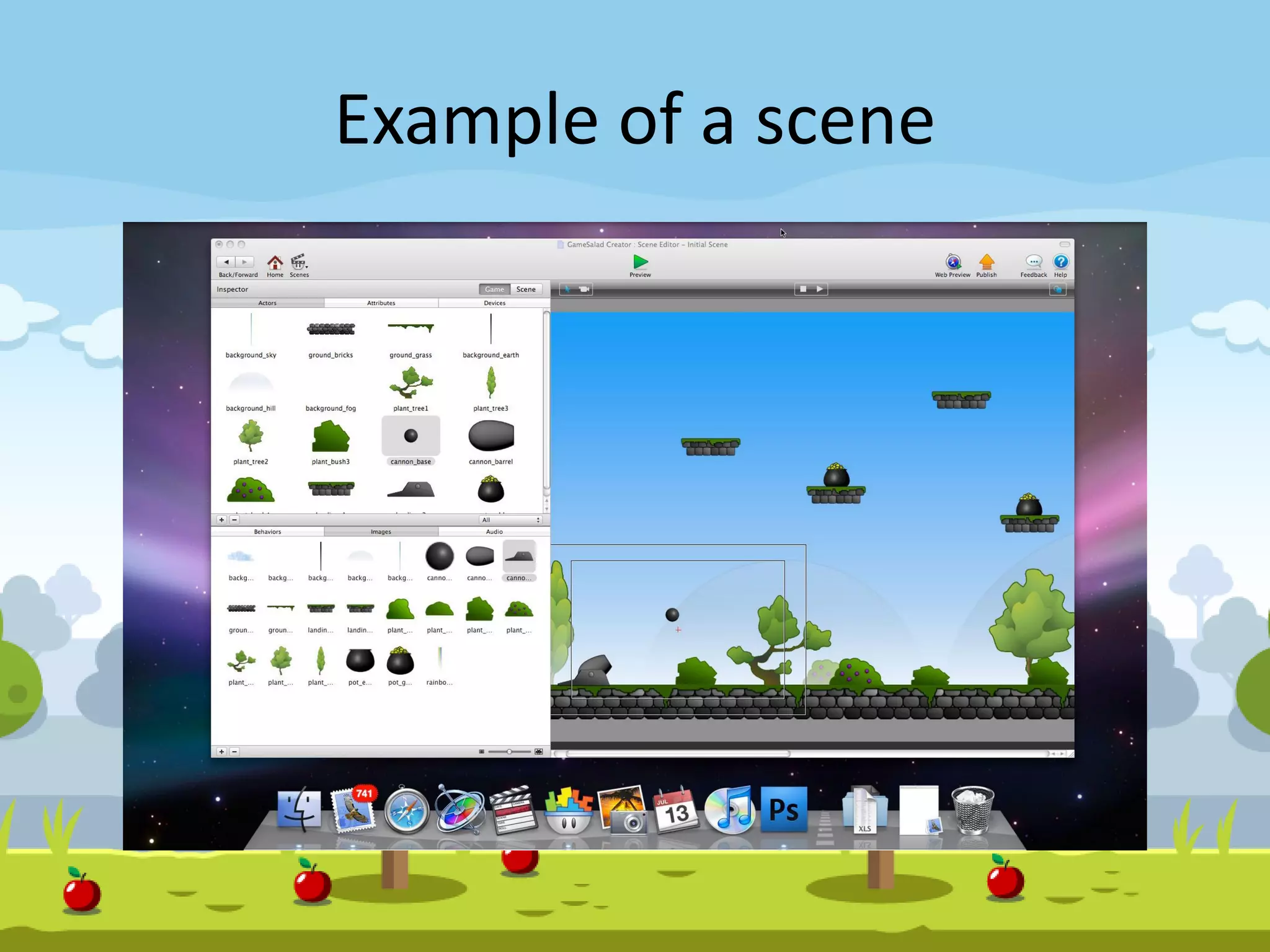
• Scenes are the building blocks of your game
• Contains the objects of game and provide an
essential way to organize different sections
• Example: Game Splash screen, Thank you screen,
actual game play, different stage of the game
• It is possible to split each scene into layers (like
photoshop)
• Allows to group objects within scene and arrange
them in front of or behind other layers/objects
Example of a scene
Scenes can be modified through
• Name
• Time
• Width & Height
• WrapX & WrapY
• Color
• Camera
Origin
Size
Tracking Area
Rotation
Actors
• Actors represent the visible objects within
game
• Actor can be an simple object/ obstacle/
characters which are shown on screen
• Actors can be controlled through user
motions/actions
• Actors can be hidden as well!
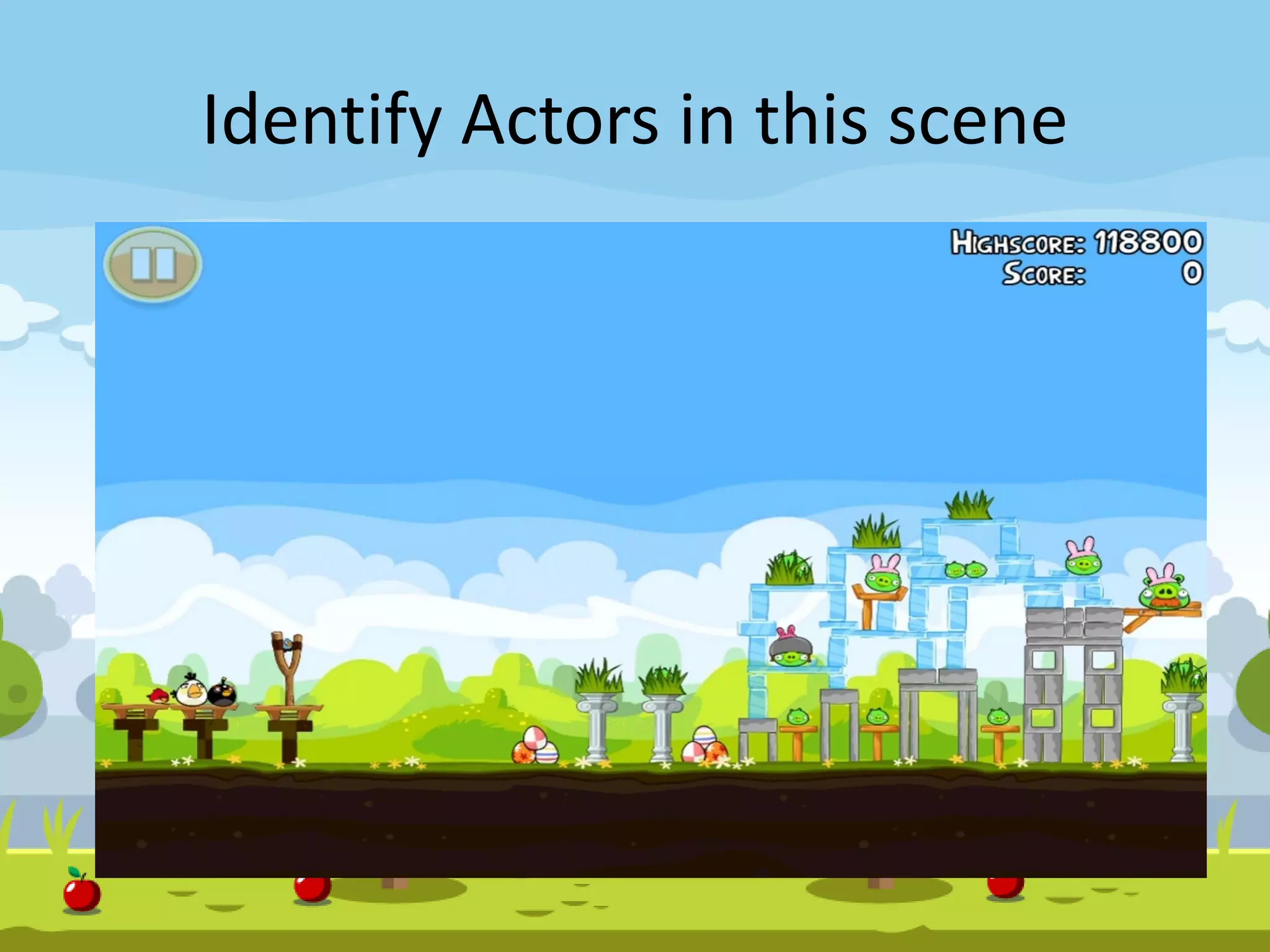
Identify Actors in this scene
Actor type
• Prototype: Master actor. The birds of angry
bird game or the bricks,obstacles are
prototype
• Instances: different birds are used in different
level of the game as instance of Prototype
actor
• Any change in prototype actor, will affect
instances
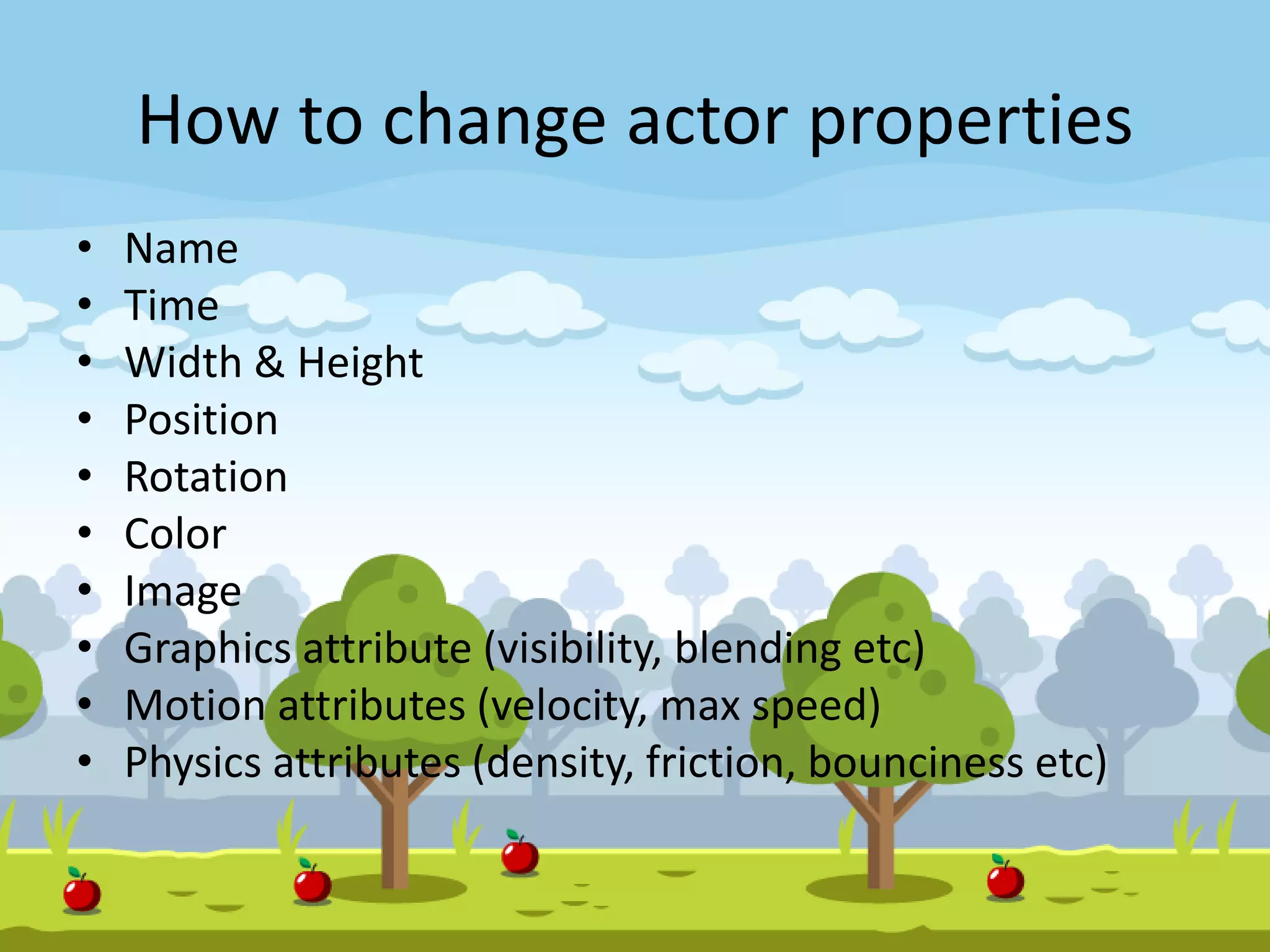
How to change actor properties
• Name
• Time
• Width & Height
• Position
• Rotation
• Color
• Image
• Graphics attribute (visibility, blending etc)
• Motion attributes (velocity, max speed)
• Physics attributes (density, friction, bounciness etc)
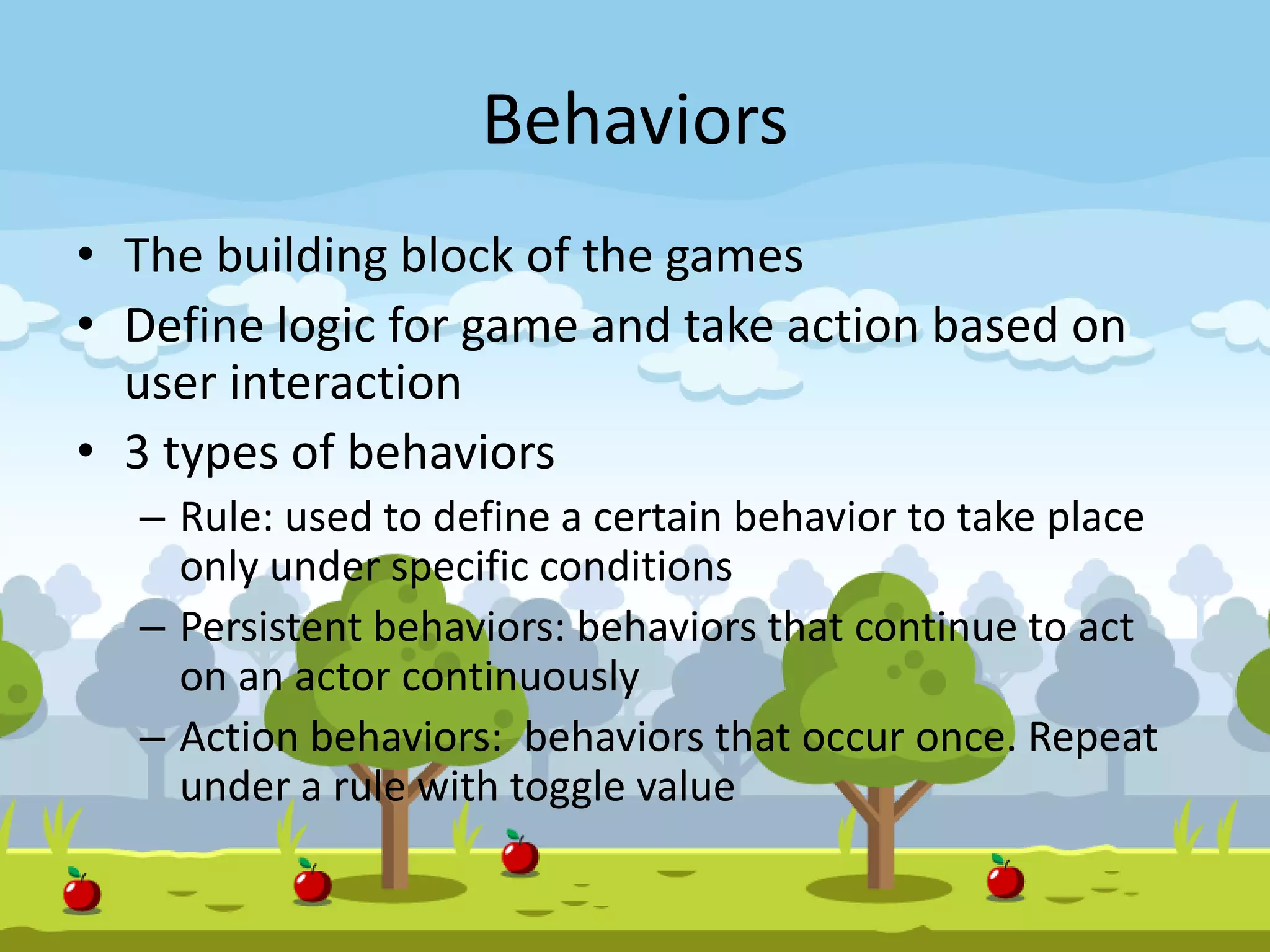
Behaviors
• The building block of the games
• Define logic for game and take action based on
user interaction
• 3 types of behaviors
– Rule: used to define a certain behavior to take place
only under specific conditions
– Persistent behaviors: behaviors that continue to act
on an actor continuously
– Action behaviors: behaviors that occur once. Repeat
under a rule with toggle value
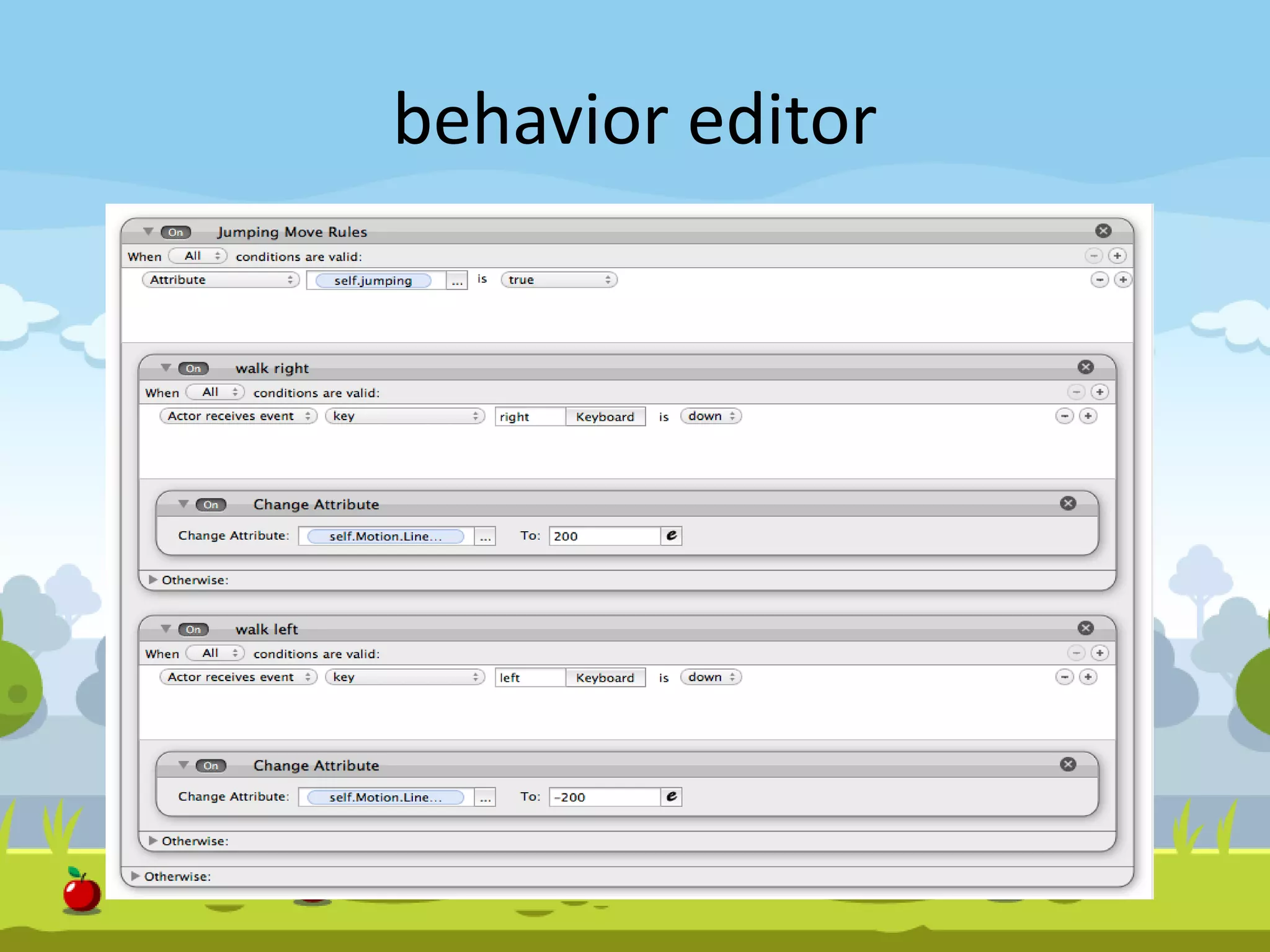
behavior editor
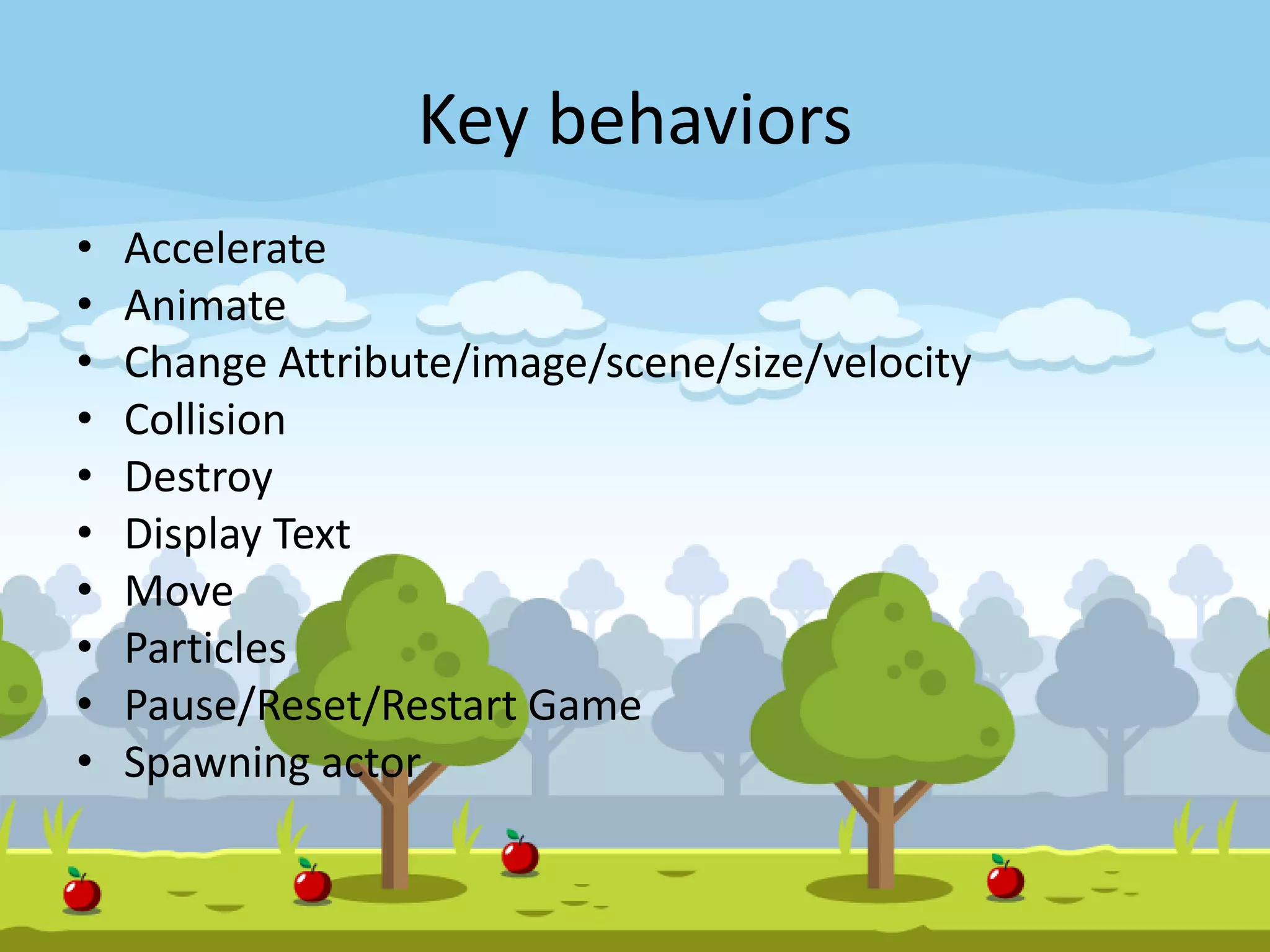
Key behaviors
• Accelerate
• Animate
• Change Attribute/image/scene/size/velocity
• Collision
• Destroy
• Display Text
• Move
• Particles
• Pause/Reset/Restart Game
• Spawning actor
How games are saved in your machine
• Pure XML files
– Actors, behaviors, scenes, images, musics are
saved in separate folder
– Everything is defined in XML files
– You can modify XML files directly if you know what
you are doing
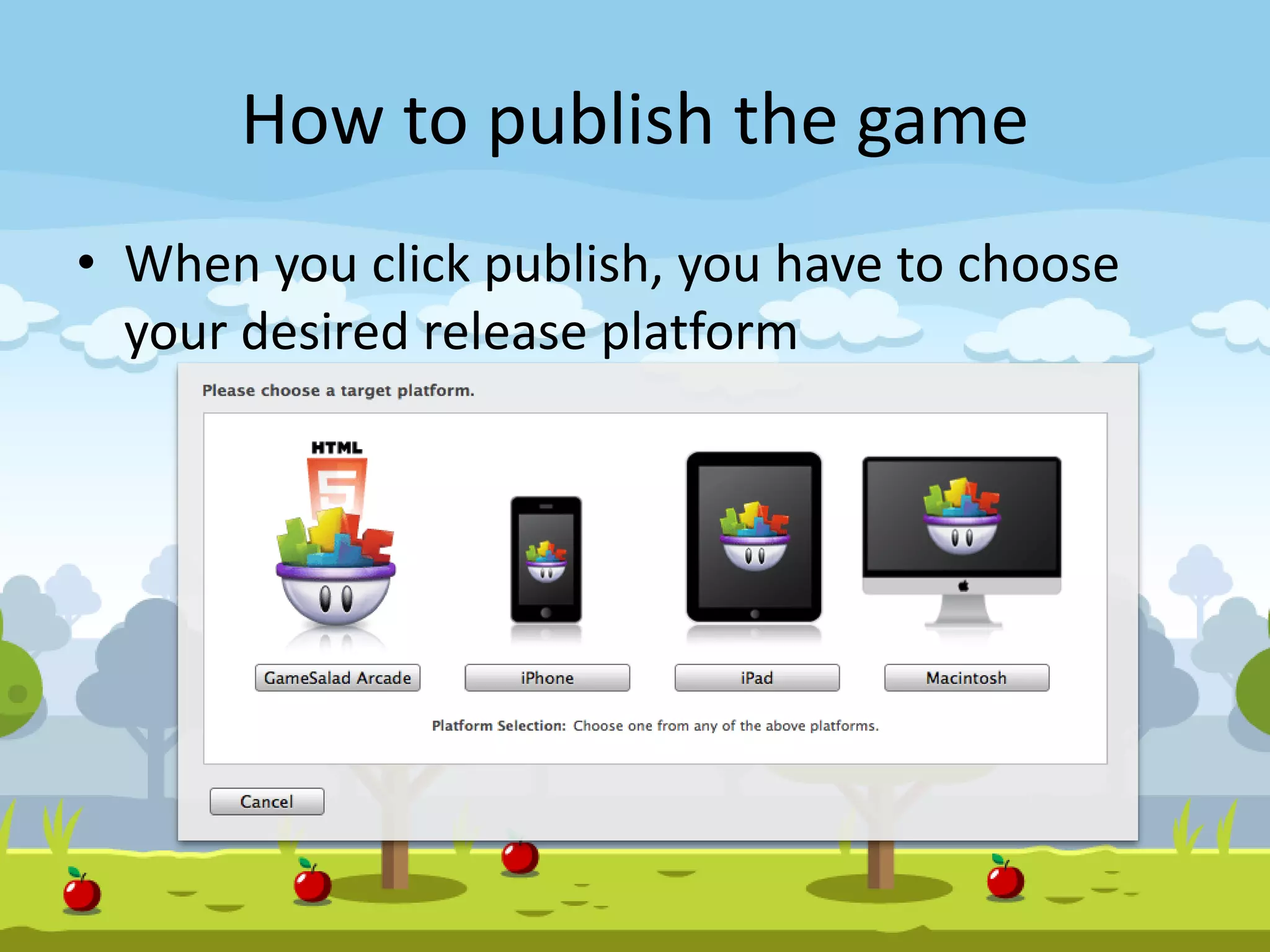
How to publish the game
• When you click publish, you have to choose
your desired release platform
Publishing in AppStore
• High speed internet connection
• 512 by 512 PNG icon image
• Xcode 4.2
• Valid Provisioning Profile and Keychain
Certificates
• At least 1 PNG screenshot of appropriate
resolution (Can be taken in Creator with the
Screenshot option, during Preview)
• Splash-screen PNG (optional)
Publishing on Google Play
• High speed internet connection
• Pro membership at GameSalad
• 512 by 512 PNG icon image
• Valid Keystore Key Signing Tools installed
(Keytool, Jarsigner, Zipalign)
• At least 1 PNG screenshot of appropriate
resolution (Can be taken in Creator with the
Screenshot option, during Preview)
• Splash-screen PNG (optional)
How does the XML changes to App
• XML and assets are uploaded to GameSalad
server
• They build your game app for your desired
platform
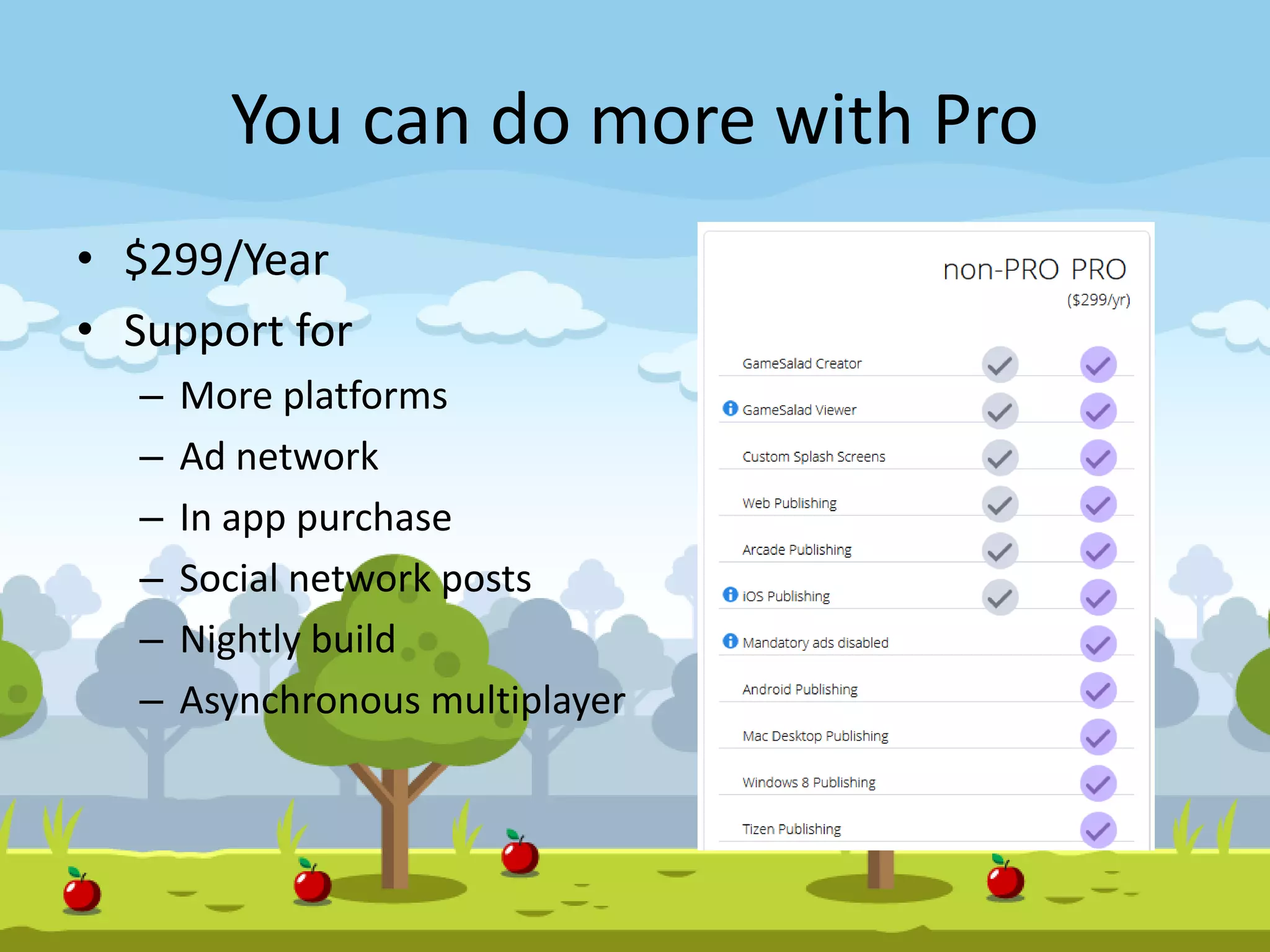
You can do more with Pro
• $299/Year
• Support for
– More platforms
– Ad network
– In app purchase
– Social network posts
– Nightly build
– Asynchronous multiplayer
Questions!!!
• Download some sample games from online
• Go through tutorials online
• Start building games….

Hybrid Game Development with GameSalad

  • 1.
    GameSalad Fastest way tocreate cross platform games Hybrid Game Development Conference Digital World 2015
  • 2.
    About Me M. MizanurRahman CEO of Informatix Technologies & TechMasters CSM, CSP and ZCE Novice mobile game developer http://booleandreams.wordpress.com
  • 3.
    What is GameSalad? • GameSalad Creator is an authoring tool developed by GameSalad, Inc. • Aimed primarily at non-programmers for making games in a drag-and-drop fashion • You do not need to know any programming for creating games using GameSalad!
  • 4.
    Are you serious?No programming!! • Yes, you heard it right. You do not need to know any programming or scripting knowledge to build games • Anyone can build games with GameSalad • How is that possible? Let’s explore
  • 5.
    Supported Platforms • Web •iOS • Android • Mac Desktop • HTML5 • Windows 8 • Tizen • Kindle/Nook
  • 6.
    Download GameSalad Creator •Go to www.gamesalad.com • Download GameSalad Creator and it’s Free! • It will work in Windows and Mac • Install the creator and open it
  • 8.
  • 9.
  • 10.
  • 11.
    Scenes • Scenes arethe building blocks of your game • Contains the objects of game and provide an essential way to organize different sections • Example: Game Splash screen, Thank you screen, actual game play, different stage of the game • It is possible to split each scene into layers (like photoshop) • Allows to group objects within scene and arrange them in front of or behind other layers/objects
  • 12.
  • 13.
    Scenes can bemodified through • Name • Time • Width & Height • WrapX & WrapY • Color • Camera Origin Size Tracking Area Rotation
  • 14.
    Actors • Actors representthe visible objects within game • Actor can be an simple object/ obstacle/ characters which are shown on screen • Actors can be controlled through user motions/actions • Actors can be hidden as well!
  • 15.
  • 16.
    Actor type • Prototype:Master actor. The birds of angry bird game or the bricks,obstacles are prototype • Instances: different birds are used in different level of the game as instance of Prototype actor • Any change in prototype actor, will affect instances
  • 17.
    How to changeactor properties • Name • Time • Width & Height • Position • Rotation • Color • Image • Graphics attribute (visibility, blending etc) • Motion attributes (velocity, max speed) • Physics attributes (density, friction, bounciness etc)
  • 18.
    Behaviors • The buildingblock of the games • Define logic for game and take action based on user interaction • 3 types of behaviors – Rule: used to define a certain behavior to take place only under specific conditions – Persistent behaviors: behaviors that continue to act on an actor continuously – Action behaviors: behaviors that occur once. Repeat under a rule with toggle value
  • 19.
  • 20.
    Key behaviors • Accelerate •Animate • Change Attribute/image/scene/size/velocity • Collision • Destroy • Display Text • Move • Particles • Pause/Reset/Restart Game • Spawning actor
  • 21.
    How games aresaved in your machine • Pure XML files – Actors, behaviors, scenes, images, musics are saved in separate folder – Everything is defined in XML files – You can modify XML files directly if you know what you are doing
  • 22.
    How to publishthe game • When you click publish, you have to choose your desired release platform
  • 23.
    Publishing in AppStore •High speed internet connection • 512 by 512 PNG icon image • Xcode 4.2 • Valid Provisioning Profile and Keychain Certificates • At least 1 PNG screenshot of appropriate resolution (Can be taken in Creator with the Screenshot option, during Preview) • Splash-screen PNG (optional)
  • 24.
    Publishing on GooglePlay • High speed internet connection • Pro membership at GameSalad • 512 by 512 PNG icon image • Valid Keystore Key Signing Tools installed (Keytool, Jarsigner, Zipalign) • At least 1 PNG screenshot of appropriate resolution (Can be taken in Creator with the Screenshot option, during Preview) • Splash-screen PNG (optional)
  • 25.
    How does theXML changes to App • XML and assets are uploaded to GameSalad server • They build your game app for your desired platform
  • 26.
    You can domore with Pro • $299/Year • Support for – More platforms – Ad network – In app purchase – Social network posts – Nightly build – Asynchronous multiplayer
  • 27.
    Questions!!! • Download somesample games from online • Go through tutorials online • Start building games….