Access Module 1
Creating a Database
Creating a Table Object in Datasheet View
Student Learning Outcomes:
SLO#1: Create a DATABASE file.
SLO#2: Create a TABLE OBJECT in DATASHEET View.
SLO#3: Enter FIELD NAMES and Select DATA TYPES
SLO#4: Enter RECORDS in Datasheet View
SLO#5: COPY records from one database file to another
database file
What is a Database?
A database is an collection of data that is
organized to be:
 easily accessed,
 managed and updated,
 and range from relational databases to
cloud databases.
Microsoft Access Database
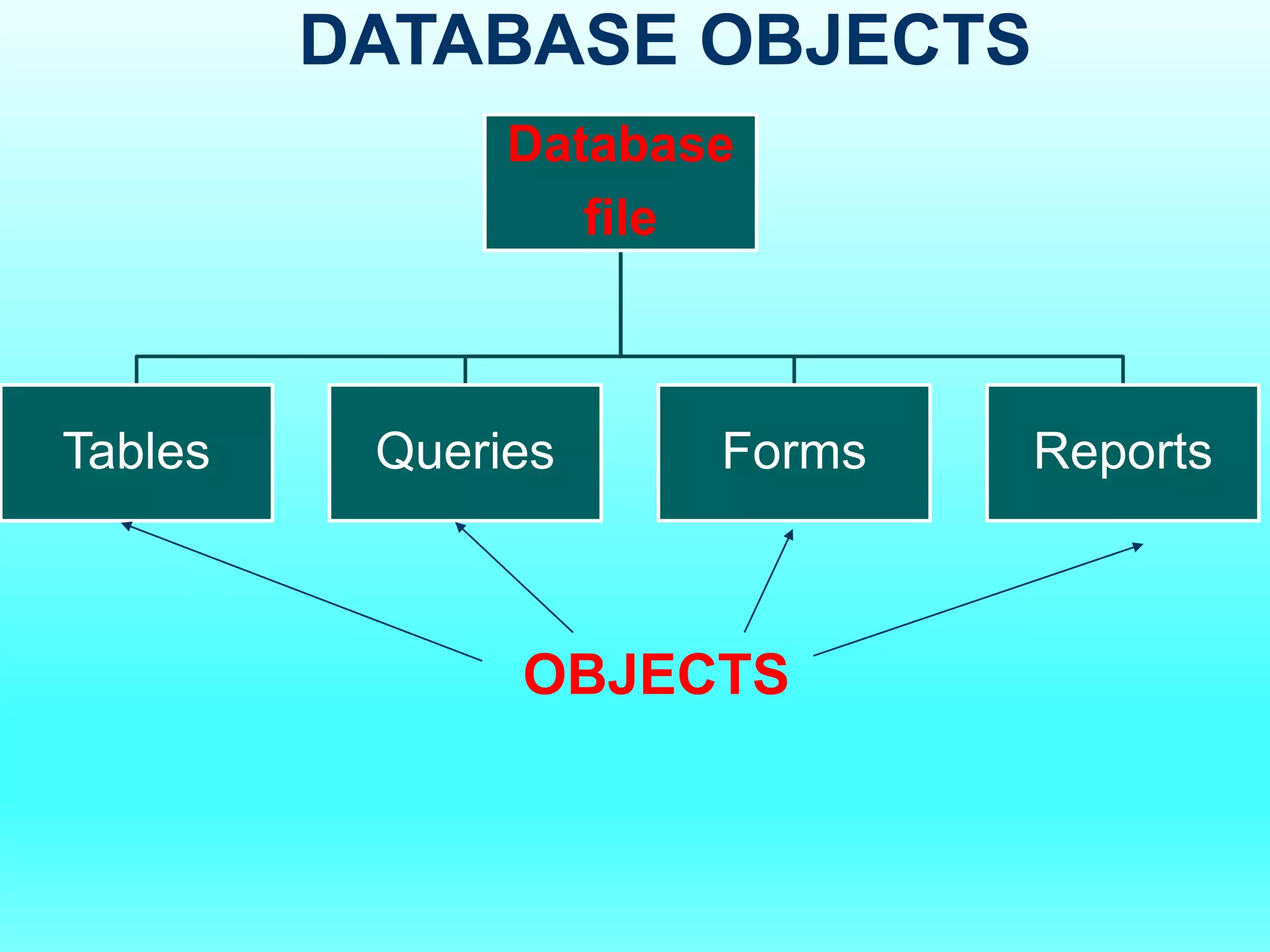
Stores the collection of data as the following
OBJECTS in:
 Tables
 Queries
 Forms
 Reports
Database
file
Tables Queries Forms Reports
DATABASE OBJECTS
OBJECTS
How does the following use a
database?
 Nissan Motors
 Payless Supermarkets
 American Medical Clinic
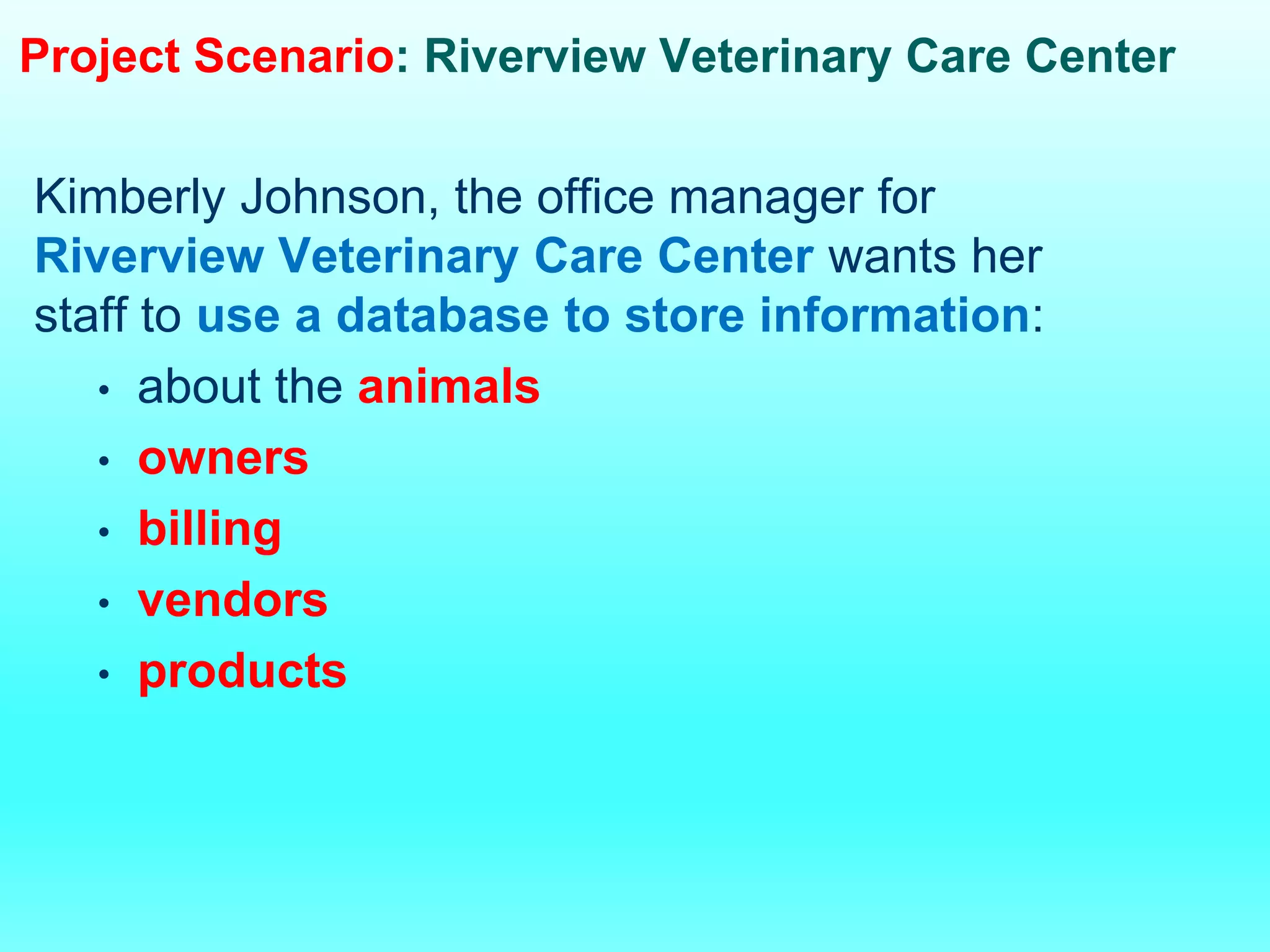
Project Scenario: Riverview Veterinary Care Center
Kimberly Johnson, the office manager for
Riverview Veterinary Care Center wants her
staff to use a database to store information:
• about the animals
• owners
• billing
• vendors
• products
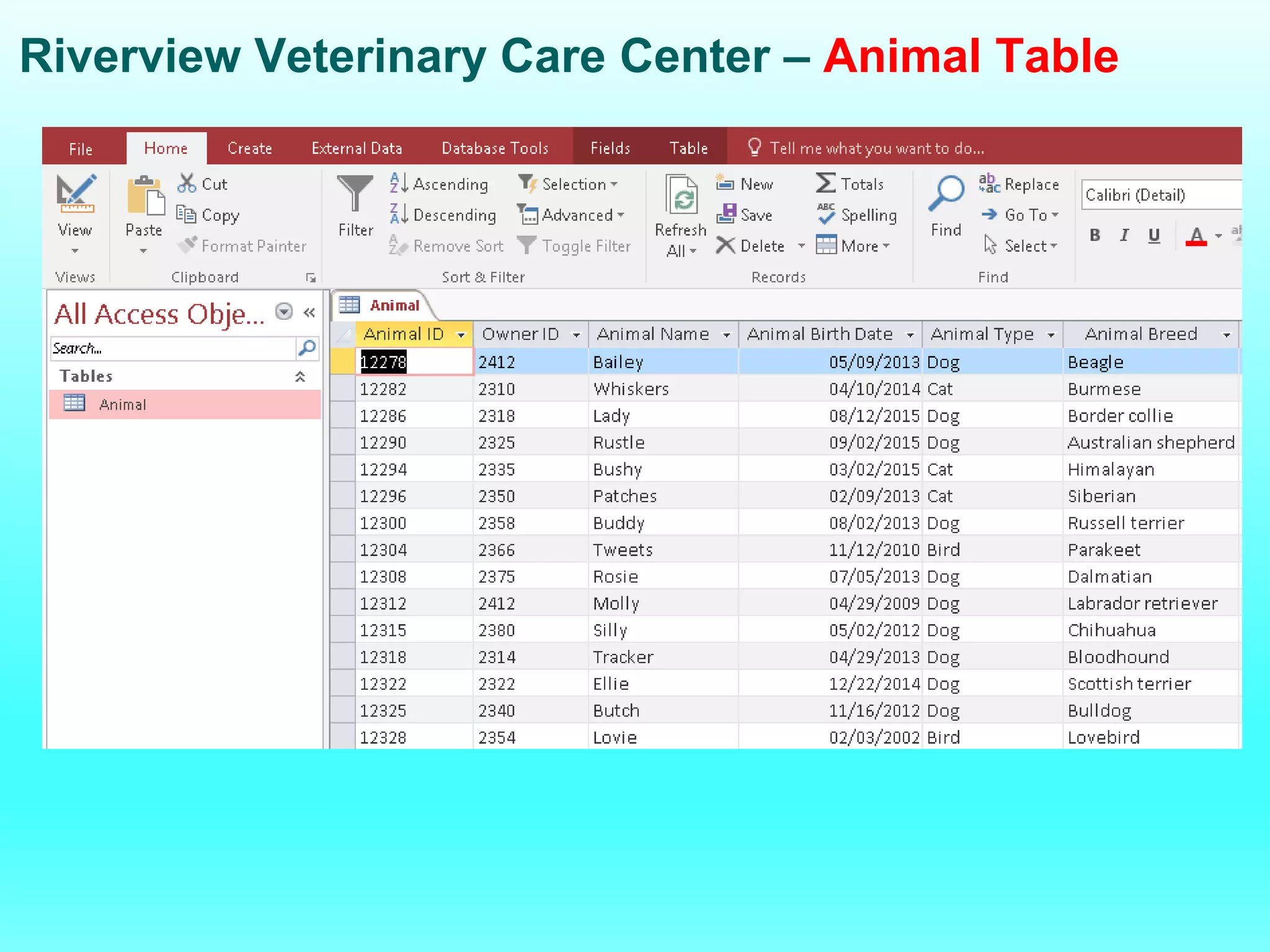
Riverview Veterinary Care Center – Animal Table
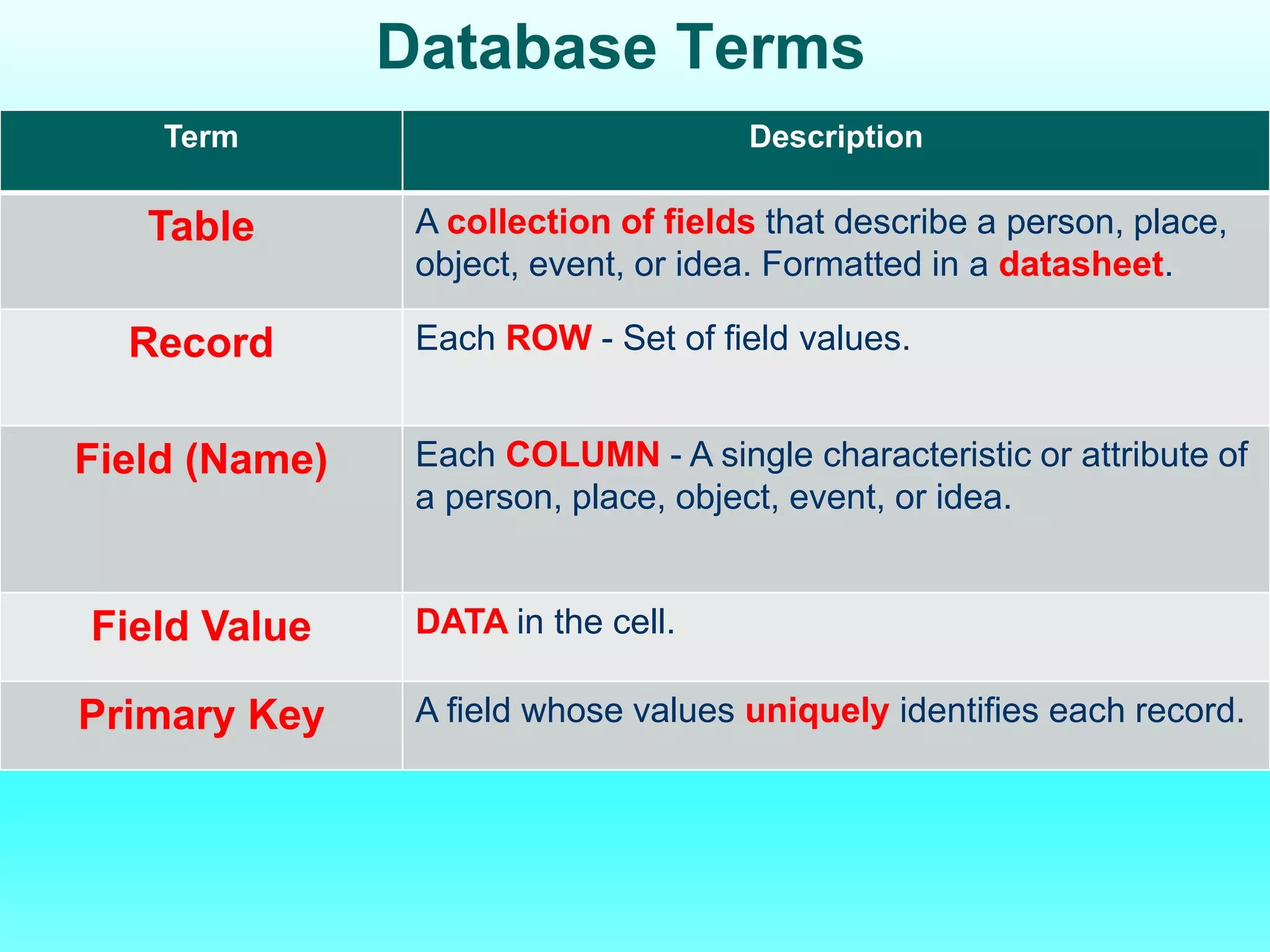
Database Terms
Term Description
Table A collection of fields that describe a person, place,
object, event, or idea. Formatted in a datasheet.
Record Each ROW - Set of field values.
Field (Name) Each COLUMN - A single characteristic or attribute of
a person, place, object, event, or idea.
Field Value DATA in the cell.
Primary Key A field whose values uniquely identifies each record.
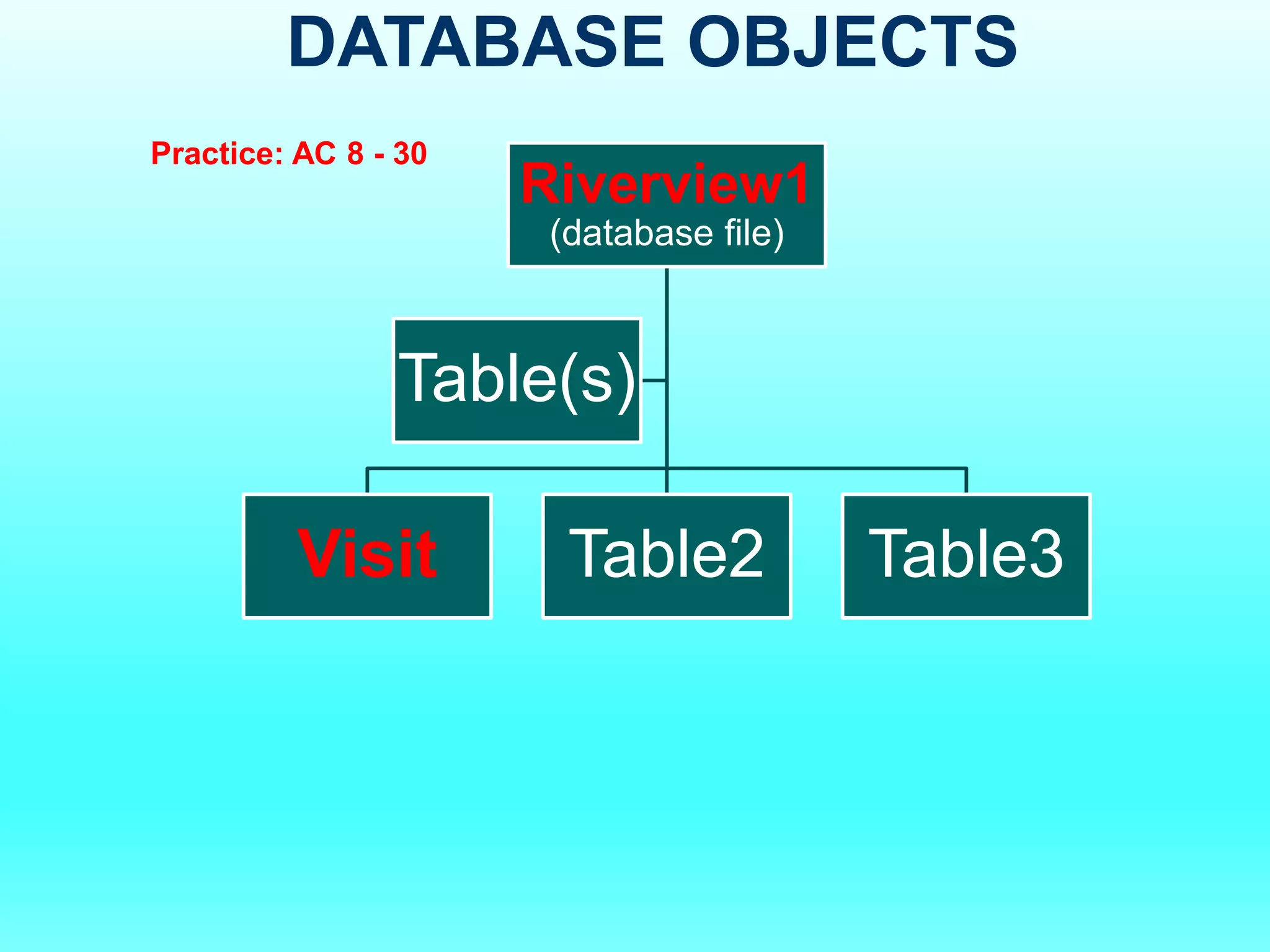
DATABASE OBJECTS
Riverview1
(database file)
Visit Table2 Table3
Table(s)
Practice: AC 8 - 30
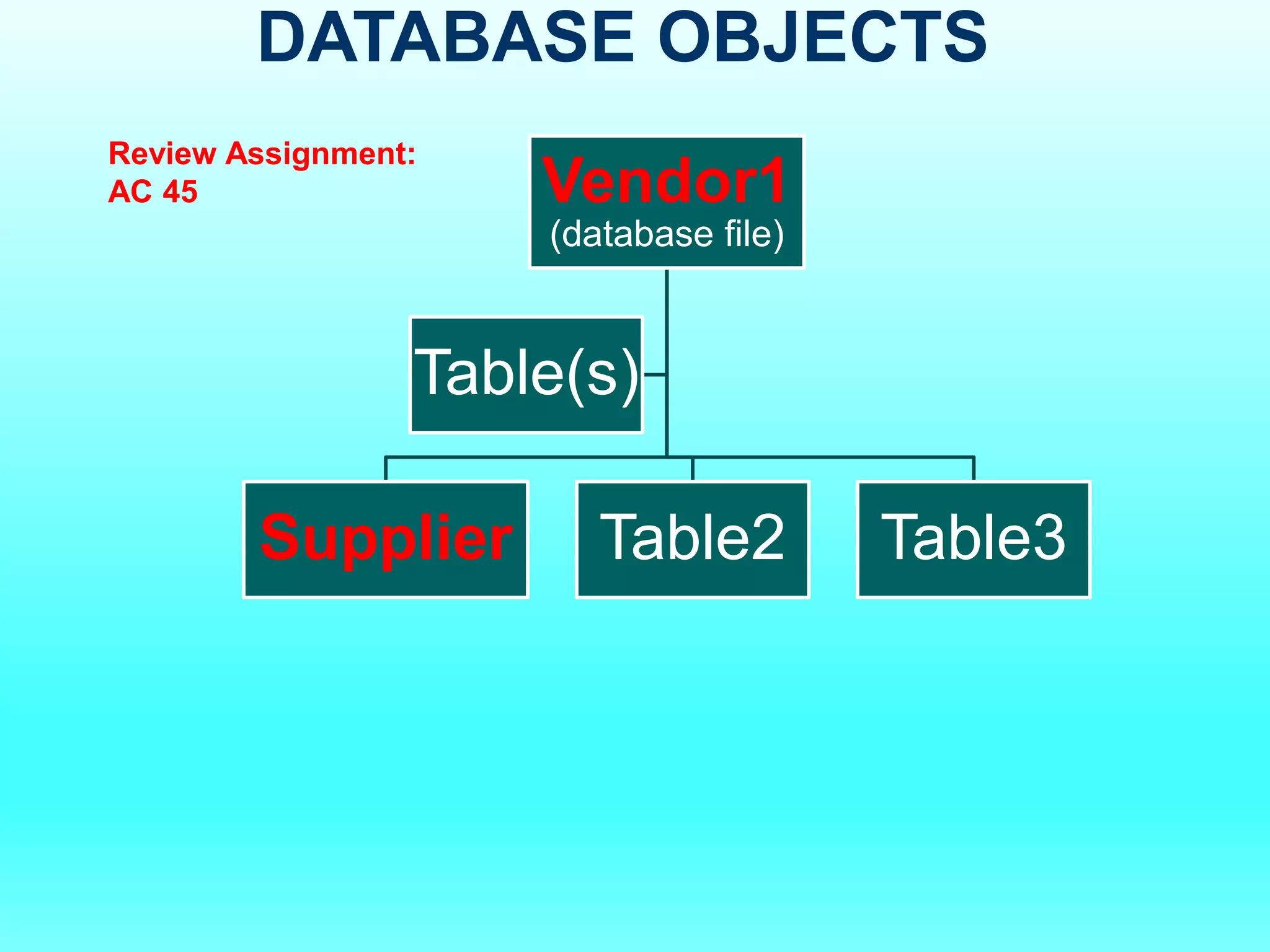
DATABASE OBJECTS
Vendor1
(database file)
Supplier Table2 Table3
Table(s)
Review Assignment:
AC 45
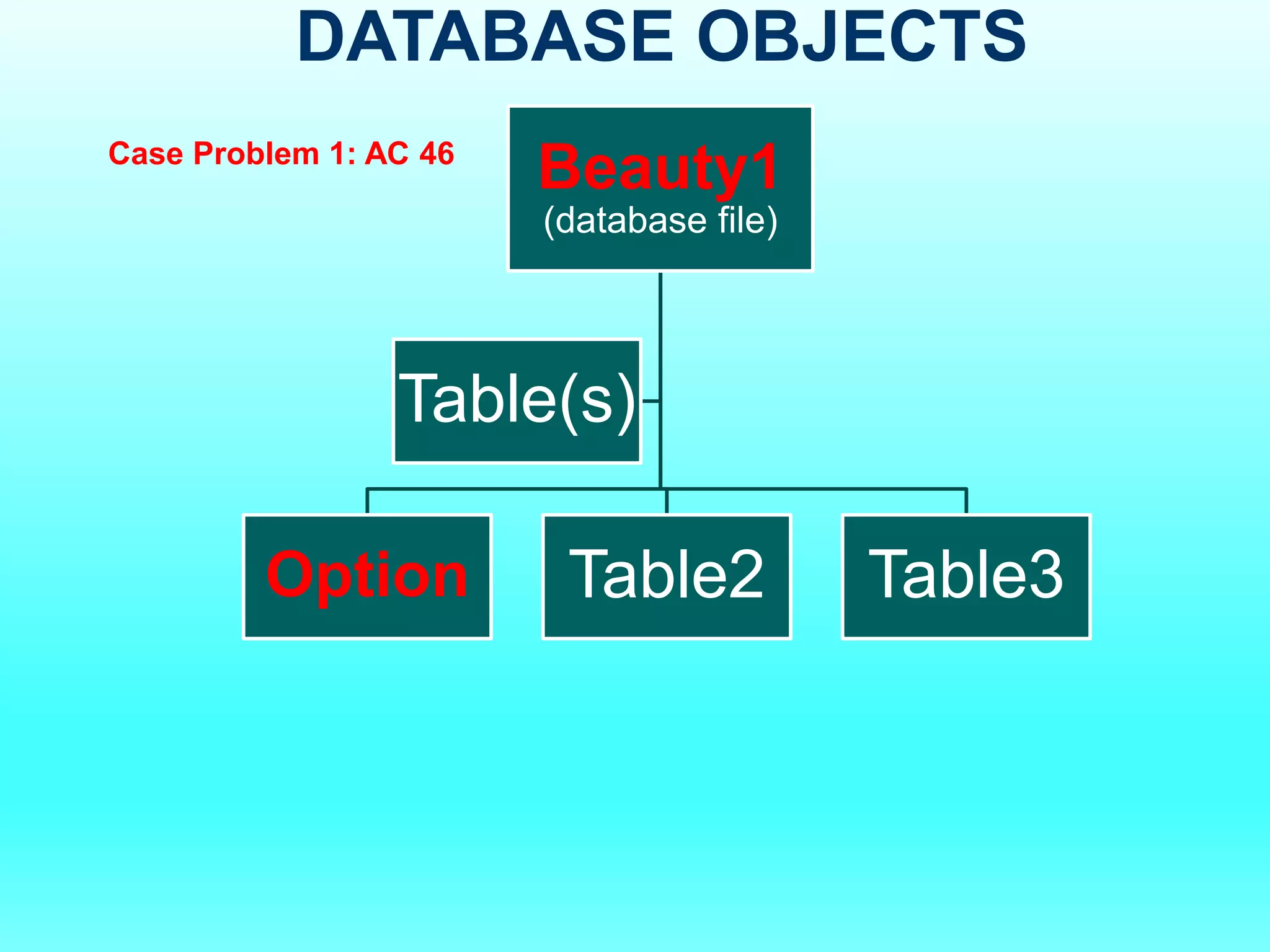
DATABASE OBJECTS
Beauty1
(database file)
Option Table2 Table3
Table(s)
Case Problem 1: AC 46

LESSON 1- MICROSOFT ACCESS CREATING DATABASE.pdf