EMPOWERMENT
TECHNOLOGY
Aloguinsan National High
School
DIAGNOSTIC TEST
Aloguinsan National High
School
REACT
•WHAT CAN YOU SAY ABOUT
THE VIDEO?
•HOW DID IT STARTED?
- Is often called the information superhighway.
- Become a major source of information.
- Major means of communication and platforms for
information-based services.
- Electronic mail or e-mail
- Internet Relay Chat (IRC) or chat
- Online games, social network & blogging
- World Wide Web (WWW)
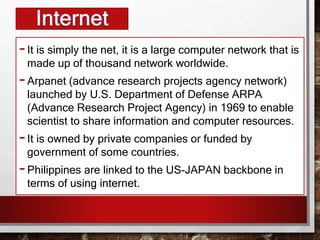
-It is simply the net, it is a large computer network that is
made up of thousand network worldwide.
-Arpanet (advance research projects agency network)
launched by U.S. Department of Defense ARPA
(Advance Research Project Agency) in 1969 to enable
scientist to share information and computer resources.
-It is owned by private companies or funded by
government of some countries.
-Philippines are linked to the US-JAPAN backbone in
terms of using internet.
ICT IN THE CONTEXT OF
GLOBAL COMMUNICATION
Plays important part in our lives and in all aspects in our society
• EDUCATION
• TELECOMMUNICATIONS
• COMMERCE
• SPORTS AND RECREATION
• ARTS, DESIGN, AND MUSIC
• MEDIA AND VISUAL ARTS
• HEALTH SERVICES
• SCIENCE AND RESEARCH
• TRAVEL AND HOTEL BOOKINGS
• BUSINESS AND ACCOUNTING
• MANUFACTURING INDUSTRIES
• BANKING
• MATHEMATICS
• ENGINEERING AND ARCHITECTURE
• AGRICULTURE
ICT IN THE CONTEXT OF
GLOBAL COMMUNICATION
ICT (INFO. & COMM. TECH.)
• ICT deals with the use of different
communication technologies such as
mobile phones, telephone, internet,
etc. To locate, save, send, and edit
information.
• Example: when we make a video
call, we use internet.
HISTORY
•On March 29, 1994, 10:18 A.M. Dr. John Brule, a
professor emeritus in Electrical And Computer
Engineering at the Syracuse University announced :
“We’re in,” , during the First International E-mail
Conference at the University of San Carlos
Technological Center in Talamban, Cebu City. This
signified that Philnet’s 64 kbit/s connection was live.
•This is considered as the day that Philippines is
finally connected to the International Web.
HISTORY
•Early that morning March 29, 1994, 1:15 A.M.: Benjie Tan,
established the Philippine’s first connection to the internet at
a PLDT Network Center in Makati City. He the posted the
first short message to the Usenet newsgroup
soc.culture.filipino that a link is already live.
•The Philippine router, a Cisco 7000 router was attached via
the services of PLDT and Sprint Communications to
Sprintlink’s router at Stockton Ca.
•The gateway to the world for the Philippines will be via
NASA Ames Research Center.
•For now, a 64K serial link is the information highway to the
rest of the internet world.”
ICT IN THE PHILIPPINES
• Philippines as the “ICT HUB OF
ASIA”.
• Huge growth of ICT related jobs
around the country, one of which is
call center or BPO (Business
Process Outsourcing) centers.
ICT IN THE PHILIPPINES
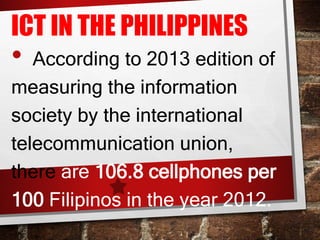
• According to 2013 edition of
measuring the information
society by the international
telecommunication union,
there are 106.8 cellphones per
100 Filipinos in the year 2012.
ICT IN THE PHILIPPINES
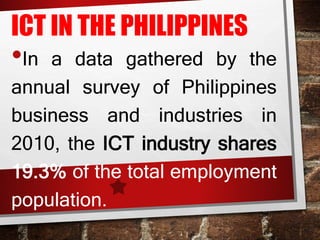
•In a data gathered by the
annual survey of Philippines
business and industries in
2010, the ICT industry shares
19.3% of the total employment
population.
ICT IN THE PHILIPPINES
•Time magazines declared
Makati City, Philippines- Rank
1 as the “Selfiest Cities
Around The World, and Rank
9 is Cebu City.
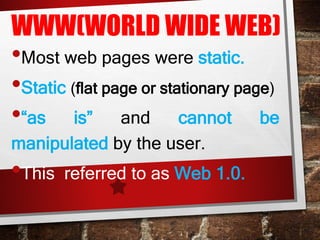
WWW(WORLD WIDE WEB)
•Most web pages were static.
•Static (flat page or stationary page)
•“as is” and cannot be
manipulated by the user.
•This referred to as Web 1.0.
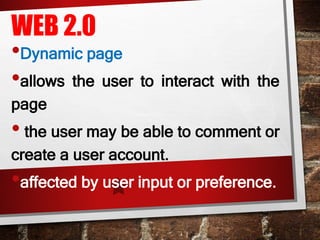
WEB 2.0
•Dynamic page
•allows the user to interact with the
page
• the user may be able to comment or
create a user account.
•affected by user input or preference.
EXAMPLE OF WEB 2.0
•SOCIAL NETWORKING SITES
•BLOGS
•WIKIS
•VIDEO SHARING SITES
KEY FEATURES OF
WEB 2.0
• Folksonomy – allows users to
categorize and classify/arrange
information using freely chosen
keywords (e.g. Tagging).
•Twitter, Instagram, Facebook
•start with a pound sign (#) or
hashtag.
EXAMPLES OF WEB
3.0 APPLICATIONS
•are Wolfram Alpha and Apple's Siri,
•Google, Yahoo!, and Bing
•which can summarize large amounts
of information into knowledge and
useful actions for people.
TRENDS IN ICT
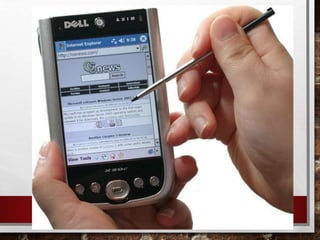
3. MOBILE TECHNOLOGIES – THE
POPULARITIES OF
SMARTPHONES AND TABLETS
HAS TAKEN A MAJOR RISE OVER
THE YEARS. THIS IS LARGELY
BECAUSE OF THE DEVICES
CAPABILITY TO DO THE TASKS
THAT WERE ORIGINALLY FOUND
IN PCS.
3. MOBILE TECHNOLOGIES – SEVERAL
OF THESE DEVICES ARE CAPABLE OF
USING HIGH-SPEED INTERNET.
TODAY THE LATEST MODEL DEVICES
USE 4G NETWORKING(LTE), WHICH
IS CURRENTLY THE FASTEST MOBILE
NETWORK.
MOBILE OS
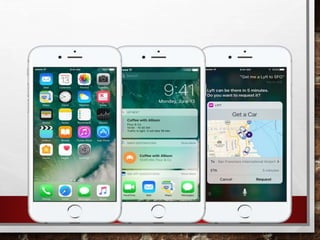
IOS – use in apple devices
such as iphone and ipad.
ANDROID – an open source os
developed by Google. Being open
source means mobile phone
companies use this OS for free.
MOBILE OS
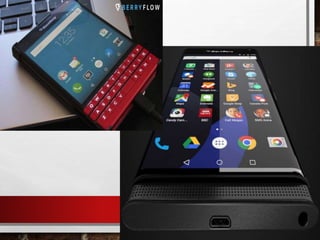
BLACKBERRY OS – use
in blackberry devices.
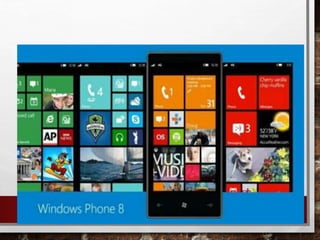
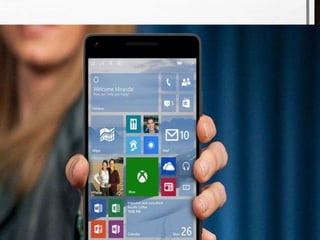
WINDOWS PHONE OS –
a closed source and
proprietary operating system
developed by Microsoft.
MOBILE OS
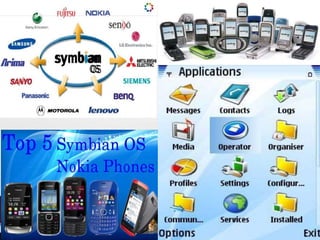
SYMBIAN – the original
smartphone OS; used by Nokia
devices.
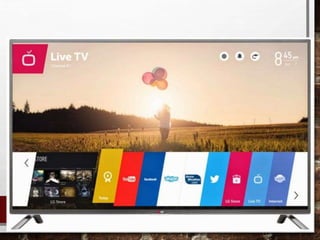
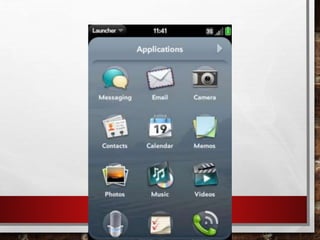
WEBOS – originally used in
smartphones; now used in
smart TVs.
MOBILE OS
WINDOWS MOBILE –
developed by Microsoft for
smartphones and pocket PCs.
TRENDS IN ICT
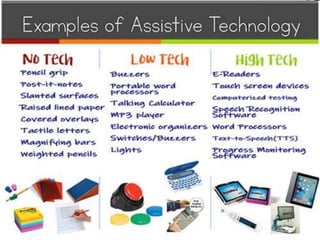
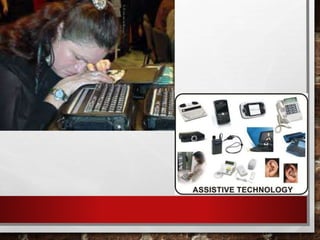
4. ASSISTIVE MEDIA – is a non-
profit service designed to help
people who have visual and
reading impairments. a database
of audio recordings is used to
read to the user.
KEY TERMS:
• WEB 1.0 – static websites without
interactivity.
• WEB 2.0 – websites that contain
dynamic content.
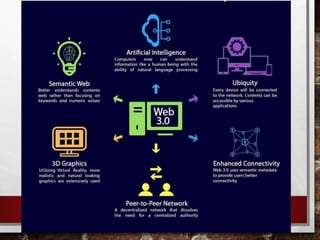
• WEB 3.0 – a concept of the World
Wide Web that is designed to cater to
the individual user.
•STATIC – refers to the web that are
the same regardless of the user.
• DYNAMIC – refers to the web that are
affected by user input or preference.
• FOLKSONOMY – allows user to
categorize and classify/arrange
information.
• HASHTAG # – used to “categorize”
posts in a website.
•CONVERGENCE – the synergy of
technological advancements to work a
similar goal or task.
• SOCIAL MEDIA – websites,
applications or online channels that
enable users to co-create, discuss,
modify, and exchange user-
generated content.
ASSESSMENT
TRUE OR FALSE
1) Web 2.0 is classified as dynamic
webpage.
2) People magazine conducted the research
on “the selfiest cities in the world”.
3) Web 2.0 introduced static web pages that
allow users to interact with the web page.
4) Folksonomy allows user to categorize and
locate information.
5) Technological convergence is the synergy of
technological advancement to work on a similar
goal or task.
6) According to Nielsen, users who use the
internet spend more time in social media sites
than in any other type of site.
TRUE OR FALSE
7) Blogging sites are sites that focus on short
updates from the user.
8) Android is a mobile operating system for
apple devices.
9) Assistive media is a nonprofit service
designed to help people who have visual
and reading impairments.
10)ICT deals with the use of different
communication and technology to locate,
send, save & edit information.
11)Semantic web means that the page is
stationary or flat page.
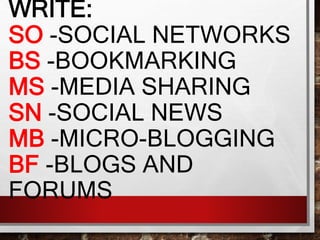
WRITE:
SO -SOCIAL NETWORKS
BS -BOOKMARKING
MS -MEDIA SHARING
SN -SOCIAL NEWS
MB -MICRO-BLOGGING
BF -BLOGS AND
FORUMS
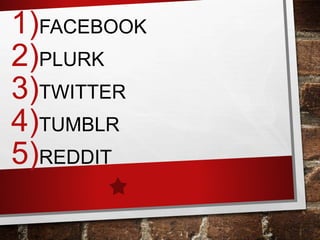
1)FACEBOOK
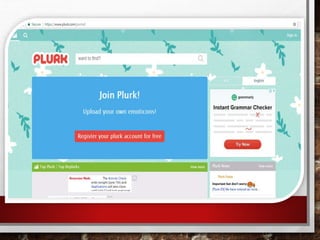
2)PLURK
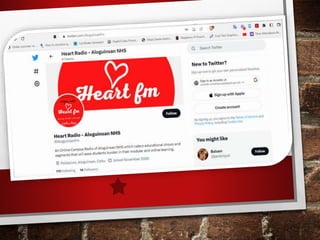
3)TWITTER
4)TUMBLR
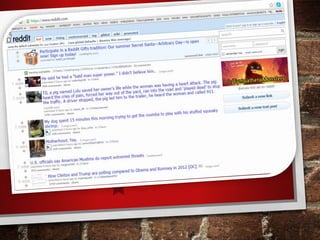
5)REDDIT
WRITE:
SO -SOCIAL NETWORKS
BS -BOOKMARKING
MS -MEDIA SHARING
SN -SOCIAL NEWS
MB -MICRO-BLOGGING
BF -BLOGS AND
FORUMS
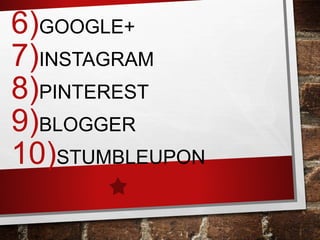
6)GOOGLE+
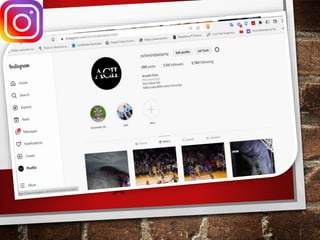
7)INSTAGRAM
8)PINTEREST
9)BLOGGER
10)STUMBLEUPON
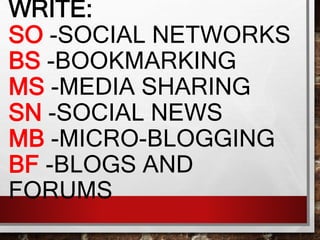
WRITE:
SO -SOCIAL NETWORKS
BS -BOOKMARKING
MS -MEDIA SHARING
SN -SOCIAL NEWS
MB -MICRO-BLOGGING
BF -BLOGS AND
FORUMS
11)WORDPRESS
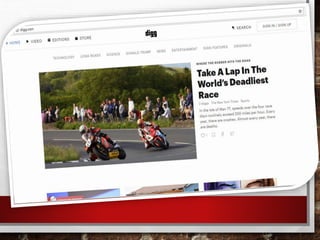
12)DIGG
13)YOUTUBE
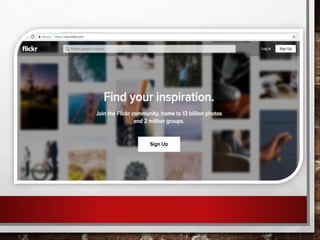
14)FLICKER
ENUMERATION.
1.KEY FEATURES OF WEB 2.0 (1-4)
2.GIVE 3 EXAMPLES OF WEB 3.0 (5-7)
ANSWER KEY
PART I : ANSWER KEY
1) T
2) F
3) F
4) T
5) T
6) T
7) F
8) F
9) T
10)T
11)F
1. SO
2. MB
3. MB
4. BF
5. SN
6. SO
7. MS
8. BS
9. BF
10. BS
11. BF
12. SN
13. MS
14. MS
PRAYER
Lord our God, we thank you that in spite
of all the evil, we may look toward the good and
toward a change for the better. For your love,
your Spirit of love, can be with us. In spite of all
that has gone wrong, we can change. Through
genuine faith we can become worthy in your
sight. Everything can turn to the good. In Jesus
Name. Amen.
•WHAT ARE THE WEBSITES YOU USUALLY
VISIT?
•WHY DO YOU VISIT THOSE INTERNET
SITES?
•HOW OFTEN?
Online Systems, Functions, and
Platforms
•Platform
– “programmed”
- are online websites created to aid
users in creating web content
- ability to program, modify, and access
the application remotely using the internet
ROLE OF ONLINE PLATFORMS
•The key in delivering benefits to
consumers and businesses: online
platforms are bringing together
consumers and producers, allowing
trades that would otherwise not
happen.
PLATFORM
•“If you can program it, then it’s
a platform. If you can’t, then
it’s not.” – MARC
ANDREESSEN
FORMULA TRANSLATING SYSTEM
(FORTRAN)
•The first successful commercial
programming language compiler
•Helped humans give instructions and
interact with computer without
alternating the hardware of computer
FORMULA TRANSLATING SYSTEM
(FORTRAN)
•is the oldest high-level programming
language.
•Designed by John Backus for IBM in
the late 1950s,
•for scientific applications that require
extensive mathematical computations.
•This offline feature was
broken when TIM
BERNERS- LEE introduced
the WORLD WIDE WEB.
ONLINE PLATFORMS
-Are categorized as follows:
-Social media
-Search engines
-Communication services
-Payment systems
-Advertising platform
-Creative content outlets
ONLINE PLATFORMS
-The diversity of online platforms in
terms of activity, sector, business
model, and size is striking. Platforms
range from small websites with a
local reach to worldwide companies
generating billions of revenues.
They offer varied services such as:
1. Internet search engines (Google,
Yahoo, Bing), 2. online market places
(eBay, Booking.com, Asos, Allegro,
Amazon),
3. video-sharing platforms (e.g.
Dailymotion, Vimeo, YouTube)
ONLINE PLATFORMS
They offer varied services such as:
4. music and video platforms (e.g.
Deezer, Spotify, Netflix, Canal Play),
5. social networks (e.g. Facebook,
Twitter),
6. collaborative economy platforms
(AirBnB, Uber, BlaBlaCar, Ulule,
Crowdcube),
7. online gaming (Steam), etc.
ONLINE PLATFORMS
EXAMPLES OF ONLINE PLATFORMS
AND APPLICATIONS
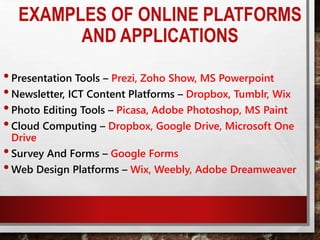
•Presentation Tools – Prezi, Zoho Show, MS Powerpoint
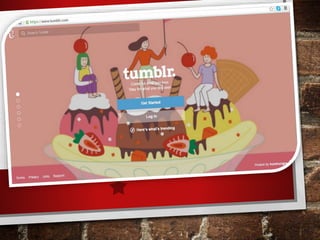
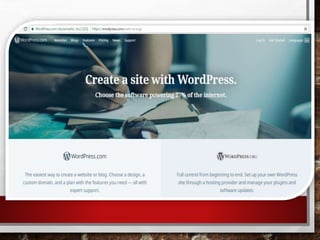
•Newsletter, ICT Content Platforms – Dropbox, Tumblr, Wix
•Photo Editing Tools – Picasa, Adobe Photoshop, MS Paint
•Cloud Computing – Dropbox, Google Drive, Microsoft One
Drive
•Survey And Forms – Google Forms
•Web Design Platforms – Wix, Weebly, Adobe Dreamweaver
ONLINE PLATFORMS AND
APPLICATIONS QUIZ
HOW SAFE ARE YOU ONLINE?
Safety, Security, and Ethics
Internet is powerful tool
for learning and
communicating with
people.
Dangers on the Internet
Email Spam - junk email, unsolicited
email sent from one source with identical
message sent to multiple recipients
Email Spoofing - deceitful email practice in
which the sender address is changed, so that it
would appear to have come from a different
source
Dangers on the Internet
Phishing - getting of confidential
information such as passwords and usernames,
and credit card details. Usually done by email.
Pharming - attack on website which directs
all traffic to that website to another fictitious
website
Dangers on the Internet
Spyware - computer program covertly
installed to collect information or take control
over the computer
Computer worm - computer program that
replicates itself through network
Dangers on the Internet
Trojan horse - malicious software
{malware} fronting to perform a good task but
performs undesirable function, entering the
computer without user’s consent
Computer virus - program duplicates itself
and then infects the computer. It can be
transferred by the use of diskette, CD, Flash
drives, memory cards, and others.
Dangers on the Internet
Hacker - a person who is able to enter and
control other people’s computer without
authorization.
Firewalls - are able to prevent entry by
hackers.
1. Have You Tweaked Your
Social Media Settings?
In Facebook's privacy
settings you can control who
can view your wall, tag you in
photos, message you, and so on.
You can lock your Twitter and
Instagram accounts so only
approved people can follow you.
1. Have You Tweaked Your
Social Media Settings?
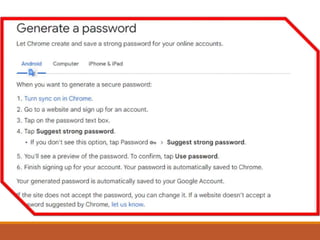
* Create a strong and
secure password –
combination of uppercase
and lowercase letters,
symbols, and numbers.
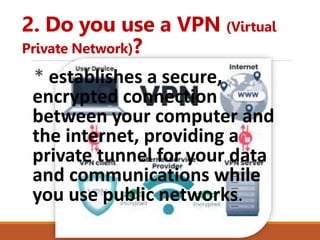
2. Do you use a VPN (Virtual
Private Network)?
* establishes a secure,
encrypted connection
between your computer and
the internet, providing a
private tunnel for your data
and communications while
you use public networks.
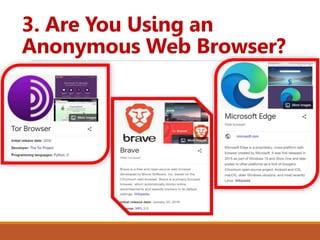
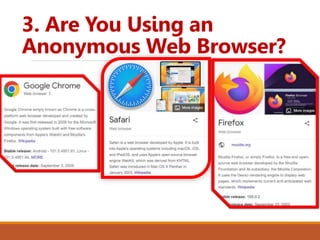
3. Are You Using an
Anonymous Web Browser?
3. Are You Using an
Anonymous Web Browser?
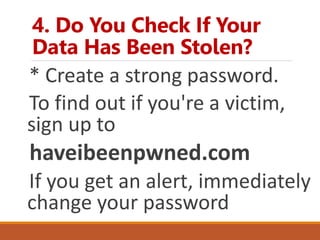
4. Do You Check If Your
Data Has Been Stolen?
* Create a strong password.
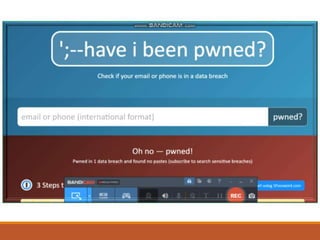
To find out if you're a victim,
sign up to
haveibeenpwned.com
If you get an alert, immediately
change your password
If your Facebook account is
hacked?
•Report it to
facebook.com/hacked
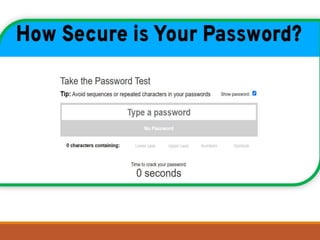
To test how secure is your
password?
•Go to
www.passwordmonster.com
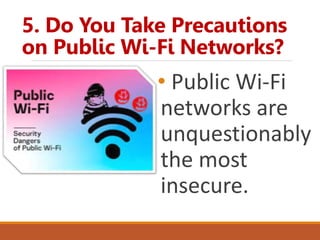
5. Do You Take Precautions
on Public Wi-Fi Networks?
• Public Wi-Fi
networks are
unquestionably
the most
insecure.
ONLINE ETHICS &
ETIQUETTE
 Netiquette is a made-up word from
the words net and etiquette.
 It describes the rules of conduct for
respectful and appropriate
communication on the internet.
 Netiquette is often referred to as
etiquette for the internet.
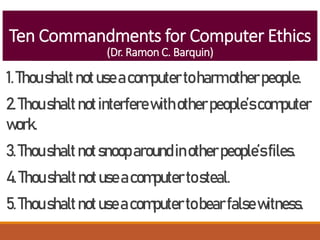
Ten Commandments for Computer Ethics
(Dr. Ramon C. Barquin)
1.Thoushaltnotuseacomputertoharmotherpeople.
2.Thoushalt notinterferewithotherpeople’scomputer
work.
3.Thoushalt notsnooparoundinotherpeople’sfiles.
4.Thoushaltnotuseacomputertosteal.
5.Thoushaltnotuseacomputertobearfalsewitness.
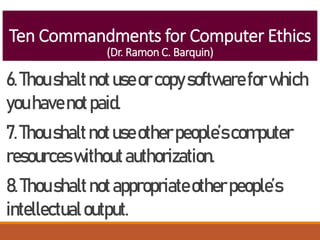
Ten Commandments for Computer Ethics
(Dr. Ramon C. Barquin)
6.Thoushaltnotuseorcopysoftwareforwhich
youhavenotpaid.
7.Thoushaltnotuseotherpeople’scomputer
resourceswithoutauthorization.
8.Thoushaltnotappropriateotherpeople’s
intellectualoutput.
Ten Commandments for Computer Ethics
(Dr. Ramon C. Barquin)
9.Thoushaltthinkaboutthesocial
consequencesoftheprogramyouwrite.
10.Thoushaltuseacomputerinwaysthat
showconsiderationandrespect.
Lesson Recap
1.Whatisphishing?
2.Whatisacomputervirus?
3.Whatdoyoumeanbynetiquette?
4.Howtobeethicalonline?
5.Doyouconsideryourselfasmartonline?
INDIVIDUALLY, DO THE FOLLOWING:
•IDENTIFY A COMMUNITY PROBLEM
THAT NEED TO BE ADDRESSED IN
TERMS OF TECHNOLOGY
EMPOWERMENT.
•DEVELOP A PLAN USING A CHOSEN
PLATFORM TO ADDRESS THE
PROBLEM.

Lesson 1- Current State in ICT [Autosaved].pptx

  • 2.
  • 3.
  • 6.
    REACT •WHAT CAN YOUSAY ABOUT THE VIDEO? •HOW DID IT STARTED?
  • 7.
    - Is oftencalled the information superhighway. - Become a major source of information. - Major means of communication and platforms for information-based services. - Electronic mail or e-mail - Internet Relay Chat (IRC) or chat - Online games, social network & blogging - World Wide Web (WWW)
  • 8.
    -It is simplythe net, it is a large computer network that is made up of thousand network worldwide. -Arpanet (advance research projects agency network) launched by U.S. Department of Defense ARPA (Advance Research Project Agency) in 1969 to enable scientist to share information and computer resources. -It is owned by private companies or funded by government of some countries. -Philippines are linked to the US-JAPAN backbone in terms of using internet.
  • 10.
    ICT IN THECONTEXT OF GLOBAL COMMUNICATION Plays important part in our lives and in all aspects in our society • EDUCATION • TELECOMMUNICATIONS • COMMERCE • SPORTS AND RECREATION • ARTS, DESIGN, AND MUSIC • MEDIA AND VISUAL ARTS • HEALTH SERVICES
  • 11.
    • SCIENCE ANDRESEARCH • TRAVEL AND HOTEL BOOKINGS • BUSINESS AND ACCOUNTING • MANUFACTURING INDUSTRIES • BANKING • MATHEMATICS • ENGINEERING AND ARCHITECTURE • AGRICULTURE ICT IN THE CONTEXT OF GLOBAL COMMUNICATION
  • 12.
    ICT (INFO. &COMM. TECH.) • ICT deals with the use of different communication technologies such as mobile phones, telephone, internet, etc. To locate, save, send, and edit information. • Example: when we make a video call, we use internet.
  • 13.
    HISTORY •On March 29,1994, 10:18 A.M. Dr. John Brule, a professor emeritus in Electrical And Computer Engineering at the Syracuse University announced : “We’re in,” , during the First International E-mail Conference at the University of San Carlos Technological Center in Talamban, Cebu City. This signified that Philnet’s 64 kbit/s connection was live. •This is considered as the day that Philippines is finally connected to the International Web.
  • 14.
    HISTORY •Early that morningMarch 29, 1994, 1:15 A.M.: Benjie Tan, established the Philippine’s first connection to the internet at a PLDT Network Center in Makati City. He the posted the first short message to the Usenet newsgroup soc.culture.filipino that a link is already live. •The Philippine router, a Cisco 7000 router was attached via the services of PLDT and Sprint Communications to Sprintlink’s router at Stockton Ca. •The gateway to the world for the Philippines will be via NASA Ames Research Center. •For now, a 64K serial link is the information highway to the rest of the internet world.”
  • 15.
    ICT IN THEPHILIPPINES • Philippines as the “ICT HUB OF ASIA”. • Huge growth of ICT related jobs around the country, one of which is call center or BPO (Business Process Outsourcing) centers.
  • 16.
    ICT IN THEPHILIPPINES • According to 2013 edition of measuring the information society by the international telecommunication union, there are 106.8 cellphones per 100 Filipinos in the year 2012.
  • 17.
    ICT IN THEPHILIPPINES •In a data gathered by the annual survey of Philippines business and industries in 2010, the ICT industry shares 19.3% of the total employment population.
  • 18.
    ICT IN THEPHILIPPINES •Time magazines declared Makati City, Philippines- Rank 1 as the “Selfiest Cities Around The World, and Rank 9 is Cebu City.
  • 19.
    WWW(WORLD WIDE WEB) •Mostweb pages were static. •Static (flat page or stationary page) •“as is” and cannot be manipulated by the user. •This referred to as Web 1.0.
  • 20.
    WEB 2.0 •Dynamic page •allowsthe user to interact with the page • the user may be able to comment or create a user account. •affected by user input or preference.
  • 21.
    EXAMPLE OF WEB2.0 •SOCIAL NETWORKING SITES •BLOGS •WIKIS •VIDEO SHARING SITES
  • 22.
  • 23.
    • Folksonomy –allows users to categorize and classify/arrange information using freely chosen keywords (e.g. Tagging). •Twitter, Instagram, Facebook •start with a pound sign (#) or hashtag.
  • 30.
    EXAMPLES OF WEB 3.0APPLICATIONS •are Wolfram Alpha and Apple's Siri, •Google, Yahoo!, and Bing •which can summarize large amounts of information into knowledge and useful actions for people.
  • 55.
    TRENDS IN ICT 3.MOBILE TECHNOLOGIES – THE POPULARITIES OF SMARTPHONES AND TABLETS HAS TAKEN A MAJOR RISE OVER THE YEARS. THIS IS LARGELY BECAUSE OF THE DEVICES CAPABILITY TO DO THE TASKS THAT WERE ORIGINALLY FOUND IN PCS.
  • 56.
    3. MOBILE TECHNOLOGIES– SEVERAL OF THESE DEVICES ARE CAPABLE OF USING HIGH-SPEED INTERNET. TODAY THE LATEST MODEL DEVICES USE 4G NETWORKING(LTE), WHICH IS CURRENTLY THE FASTEST MOBILE NETWORK.
  • 57.
    MOBILE OS IOS –use in apple devices such as iphone and ipad. ANDROID – an open source os developed by Google. Being open source means mobile phone companies use this OS for free.
  • 59.
    MOBILE OS BLACKBERRY OS– use in blackberry devices. WINDOWS PHONE OS – a closed source and proprietary operating system developed by Microsoft.
  • 62.
    MOBILE OS SYMBIAN –the original smartphone OS; used by Nokia devices. WEBOS – originally used in smartphones; now used in smart TVs.
  • 66.
    MOBILE OS WINDOWS MOBILE– developed by Microsoft for smartphones and pocket PCs.
  • 69.
    TRENDS IN ICT 4.ASSISTIVE MEDIA – is a non- profit service designed to help people who have visual and reading impairments. a database of audio recordings is used to read to the user.
  • 72.
    KEY TERMS: • WEB1.0 – static websites without interactivity. • WEB 2.0 – websites that contain dynamic content. • WEB 3.0 – a concept of the World Wide Web that is designed to cater to the individual user. •STATIC – refers to the web that are the same regardless of the user.
  • 73.
    • DYNAMIC –refers to the web that are affected by user input or preference. • FOLKSONOMY – allows user to categorize and classify/arrange information. • HASHTAG # – used to “categorize” posts in a website. •CONVERGENCE – the synergy of technological advancements to work a similar goal or task.
  • 74.
    • SOCIAL MEDIA– websites, applications or online channels that enable users to co-create, discuss, modify, and exchange user- generated content.
  • 75.
  • 76.
    TRUE OR FALSE 1)Web 2.0 is classified as dynamic webpage. 2) People magazine conducted the research on “the selfiest cities in the world”. 3) Web 2.0 introduced static web pages that allow users to interact with the web page.
  • 77.
    4) Folksonomy allowsuser to categorize and locate information. 5) Technological convergence is the synergy of technological advancement to work on a similar goal or task. 6) According to Nielsen, users who use the internet spend more time in social media sites than in any other type of site. TRUE OR FALSE
  • 78.
    7) Blogging sitesare sites that focus on short updates from the user. 8) Android is a mobile operating system for apple devices. 9) Assistive media is a nonprofit service designed to help people who have visual and reading impairments.
  • 79.
    10)ICT deals withthe use of different communication and technology to locate, send, save & edit information. 11)Semantic web means that the page is stationary or flat page.
  • 80.
    WRITE: SO -SOCIAL NETWORKS BS-BOOKMARKING MS -MEDIA SHARING SN -SOCIAL NEWS MB -MICRO-BLOGGING BF -BLOGS AND FORUMS
  • 81.
  • 82.
    WRITE: SO -SOCIAL NETWORKS BS-BOOKMARKING MS -MEDIA SHARING SN -SOCIAL NEWS MB -MICRO-BLOGGING BF -BLOGS AND FORUMS
  • 83.
  • 84.
    WRITE: SO -SOCIAL NETWORKS BS-BOOKMARKING MS -MEDIA SHARING SN -SOCIAL NEWS MB -MICRO-BLOGGING BF -BLOGS AND FORUMS
  • 85.
  • 86.
    ENUMERATION. 1.KEY FEATURES OFWEB 2.0 (1-4) 2.GIVE 3 EXAMPLES OF WEB 3.0 (5-7)
  • 87.
  • 88.
    PART I :ANSWER KEY 1) T 2) F 3) F 4) T 5) T 6) T 7) F 8) F 9) T 10)T 11)F
  • 89.
  • 90.
    5. SN 6. SO 7.MS 8. BS 9. BF
  • 91.
    10. BS 11. BF 12.SN 13. MS 14. MS
  • 92.
    PRAYER Lord our God,we thank you that in spite of all the evil, we may look toward the good and toward a change for the better. For your love, your Spirit of love, can be with us. In spite of all that has gone wrong, we can change. Through genuine faith we can become worthy in your sight. Everything can turn to the good. In Jesus Name. Amen.
  • 93.
    •WHAT ARE THEWEBSITES YOU USUALLY VISIT? •WHY DO YOU VISIT THOSE INTERNET SITES? •HOW OFTEN?
  • 94.
    Online Systems, Functions,and Platforms •Platform – “programmed” - are online websites created to aid users in creating web content - ability to program, modify, and access the application remotely using the internet
  • 95.
    ROLE OF ONLINEPLATFORMS •The key in delivering benefits to consumers and businesses: online platforms are bringing together consumers and producers, allowing trades that would otherwise not happen.
  • 96.
    PLATFORM •“If you canprogram it, then it’s a platform. If you can’t, then it’s not.” – MARC ANDREESSEN
  • 97.
    FORMULA TRANSLATING SYSTEM (FORTRAN) •Thefirst successful commercial programming language compiler •Helped humans give instructions and interact with computer without alternating the hardware of computer
  • 98.
    FORMULA TRANSLATING SYSTEM (FORTRAN) •isthe oldest high-level programming language. •Designed by John Backus for IBM in the late 1950s, •for scientific applications that require extensive mathematical computations.
  • 99.
    •This offline featurewas broken when TIM BERNERS- LEE introduced the WORLD WIDE WEB.
  • 100.
    ONLINE PLATFORMS -Are categorizedas follows: -Social media -Search engines -Communication services -Payment systems -Advertising platform -Creative content outlets
  • 101.
    ONLINE PLATFORMS -The diversityof online platforms in terms of activity, sector, business model, and size is striking. Platforms range from small websites with a local reach to worldwide companies generating billions of revenues.
  • 102.
    They offer variedservices such as: 1. Internet search engines (Google, Yahoo, Bing), 2. online market places (eBay, Booking.com, Asos, Allegro, Amazon), 3. video-sharing platforms (e.g. Dailymotion, Vimeo, YouTube) ONLINE PLATFORMS
  • 103.
    They offer variedservices such as: 4. music and video platforms (e.g. Deezer, Spotify, Netflix, Canal Play), 5. social networks (e.g. Facebook, Twitter), 6. collaborative economy platforms (AirBnB, Uber, BlaBlaCar, Ulule, Crowdcube), 7. online gaming (Steam), etc. ONLINE PLATFORMS
  • 104.
    EXAMPLES OF ONLINEPLATFORMS AND APPLICATIONS •Presentation Tools – Prezi, Zoho Show, MS Powerpoint •Newsletter, ICT Content Platforms – Dropbox, Tumblr, Wix •Photo Editing Tools – Picasa, Adobe Photoshop, MS Paint •Cloud Computing – Dropbox, Google Drive, Microsoft One Drive •Survey And Forms – Google Forms •Web Design Platforms – Wix, Weebly, Adobe Dreamweaver
  • 105.
  • 106.
    HOW SAFE AREYOU ONLINE?
  • 108.
    Safety, Security, andEthics Internet is powerful tool for learning and communicating with people.
  • 109.
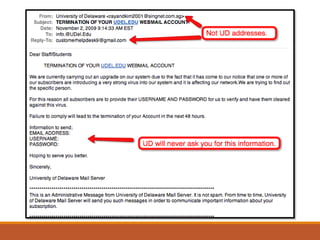
    Dangers on theInternet Email Spam - junk email, unsolicited email sent from one source with identical message sent to multiple recipients Email Spoofing - deceitful email practice in which the sender address is changed, so that it would appear to have come from a different source
  • 111.
    Dangers on theInternet Phishing - getting of confidential information such as passwords and usernames, and credit card details. Usually done by email. Pharming - attack on website which directs all traffic to that website to another fictitious website
  • 112.
    Dangers on theInternet Spyware - computer program covertly installed to collect information or take control over the computer Computer worm - computer program that replicates itself through network
  • 113.
    Dangers on theInternet Trojan horse - malicious software {malware} fronting to perform a good task but performs undesirable function, entering the computer without user’s consent Computer virus - program duplicates itself and then infects the computer. It can be transferred by the use of diskette, CD, Flash drives, memory cards, and others.
  • 114.
    Dangers on theInternet Hacker - a person who is able to enter and control other people’s computer without authorization. Firewalls - are able to prevent entry by hackers.
  • 117.
    1. Have YouTweaked Your Social Media Settings? In Facebook's privacy settings you can control who can view your wall, tag you in photos, message you, and so on. You can lock your Twitter and Instagram accounts so only approved people can follow you.
  • 118.
    1. Have YouTweaked Your Social Media Settings? * Create a strong and secure password – combination of uppercase and lowercase letters, symbols, and numbers.
  • 119.
    2. Do youuse a VPN (Virtual Private Network)? * establishes a secure, encrypted connection between your computer and the internet, providing a private tunnel for your data and communications while you use public networks.
  • 120.
    3. Are YouUsing an Anonymous Web Browser?
  • 121.
    3. Are YouUsing an Anonymous Web Browser?
  • 122.
    4. Do YouCheck If Your Data Has Been Stolen? * Create a strong password. To find out if you're a victim, sign up to haveibeenpwned.com If you get an alert, immediately change your password
  • 125.
    If your Facebookaccount is hacked? •Report it to facebook.com/hacked
  • 126.
    To test howsecure is your password? •Go to www.passwordmonster.com
  • 128.
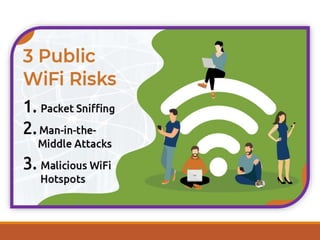
    5. Do YouTake Precautions on Public Wi-Fi Networks? • Public Wi-Fi networks are unquestionably the most insecure.
  • 130.
    ONLINE ETHICS & ETIQUETTE Netiquette is a made-up word from the words net and etiquette.  It describes the rules of conduct for respectful and appropriate communication on the internet.  Netiquette is often referred to as etiquette for the internet.
  • 131.
    Ten Commandments forComputer Ethics (Dr. Ramon C. Barquin) 1.Thoushaltnotuseacomputertoharmotherpeople. 2.Thoushalt notinterferewithotherpeople’scomputer work. 3.Thoushalt notsnooparoundinotherpeople’sfiles. 4.Thoushaltnotuseacomputertosteal. 5.Thoushaltnotuseacomputertobearfalsewitness.
  • 132.
    Ten Commandments forComputer Ethics (Dr. Ramon C. Barquin) 6.Thoushaltnotuseorcopysoftwareforwhich youhavenotpaid. 7.Thoushaltnotuseotherpeople’scomputer resourceswithoutauthorization. 8.Thoushaltnotappropriateotherpeople’s intellectualoutput.
  • 133.
    Ten Commandments forComputer Ethics (Dr. Ramon C. Barquin) 9.Thoushaltthinkaboutthesocial consequencesoftheprogramyouwrite. 10.Thoushaltuseacomputerinwaysthat showconsiderationandrespect.
  • 134.
  • 135.
    INDIVIDUALLY, DO THEFOLLOWING: •IDENTIFY A COMMUNITY PROBLEM THAT NEED TO BE ADDRESSED IN TERMS OF TECHNOLOGY EMPOWERMENT. •DEVELOP A PLAN USING A CHOSEN PLATFORM TO ADDRESS THE PROBLEM.

Editor's Notes

  • #9 Arpanet is its predecessor/beggings
  • #28 Semantic Web technologies enable people to create data stores on the Web, build vocabularies, and write rules for handling data.
  • #35 For example, besides using your personal computer to create word documents, you can now use your smartphone.
  • #95 Platforms are programs created by developers that can be reprogrammed or modified by outside users. The demand in computational function and administrative facilities in computing machines intended to perform different application give birth to the field of platform development and creation. The first effort of humans to create development platforms and online platforms can be traced back to the start of programmable computers.
  • #99 Today, the C language has largely displaced FORTRAN.
  • #100 The sudden demand for online information grew. The direction of platform development was altered and online platform development gained popularity. Furthermore, the development of content was offered not just to developers but for the general public as well.
  • #101 The online platform in the use of ICT makes it easier for users to interact, to collect, and use the data from the users’ interactions for their own particular needs.
  • #102 The online platform in the use of ICT makes it easier for users to interact, to collect, and use the data from the users’ interactions for their own particular needs.
  • #111 Email Spam
  • #120 a service that helps you stay private online. MakeUseOf recommends ExpressVPN and CyberGhost.
  • #121 a service that helps you stay private online.
  • #122 a service that helps you stay private online.