1
Data Communication,
Computer Network and
Internet
2
Data Communication
Data Communication
The term telecommunication means communication at a
distance. The word data refers to information presented in
whatever form is agreed upon by the parties creating and
using the data. Data communications are the exchange of
data between two devices via some form of transmission
medium such as a wire cable.
3
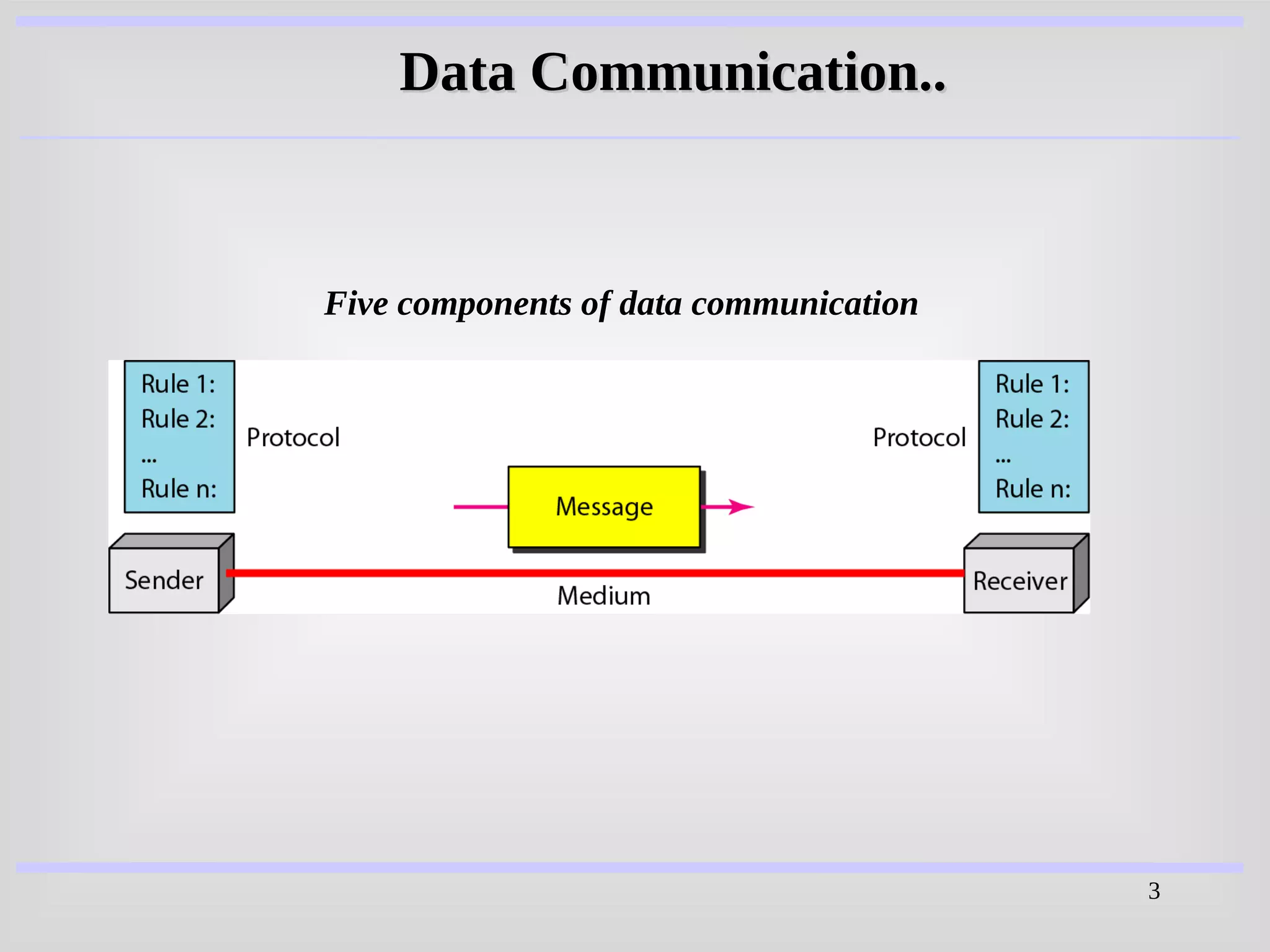
Five components of data communication
Data Communication..
4
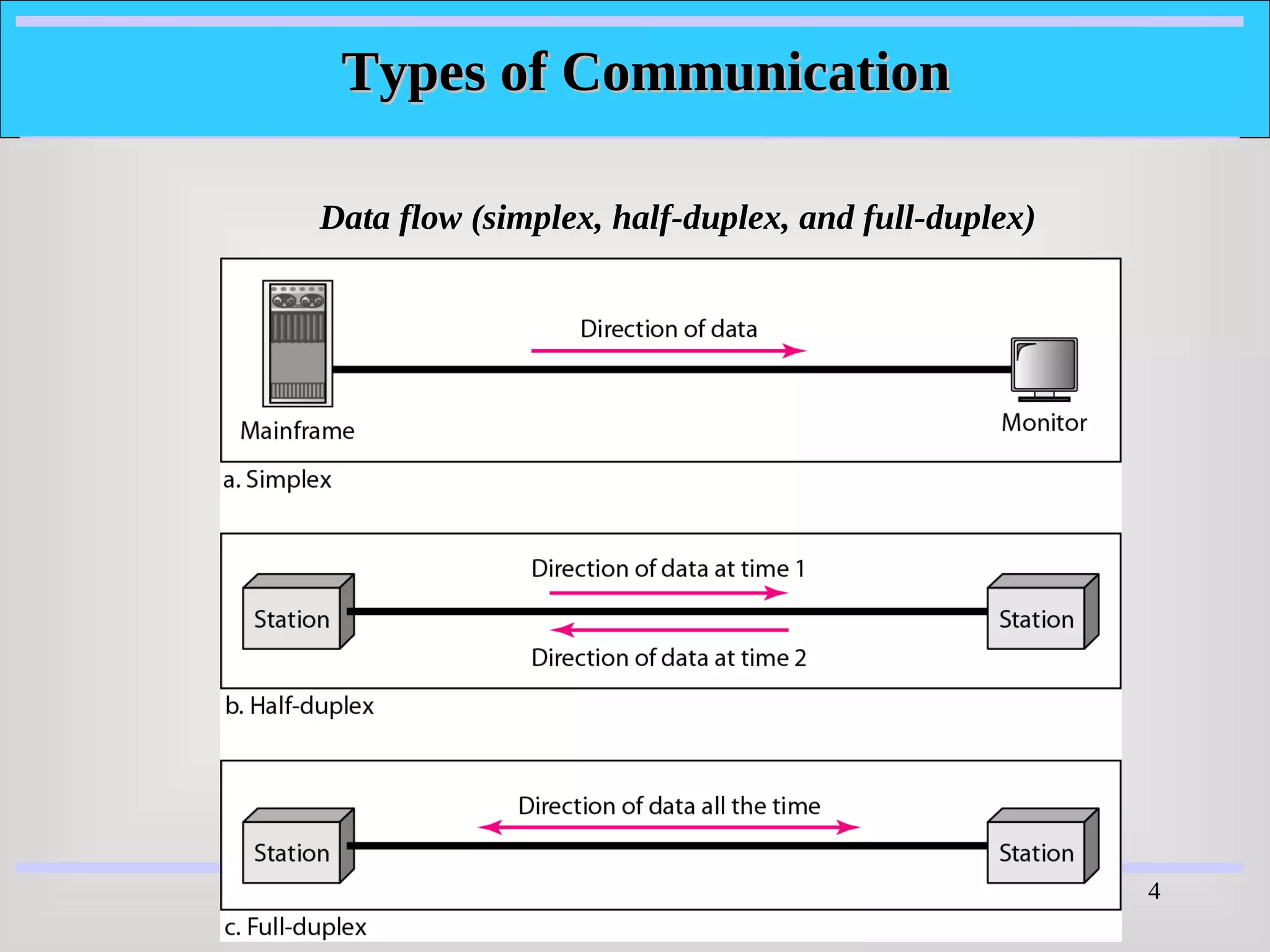
Data flow (simplex, half-duplex, and full-duplex)
Types of Communication
5
NETWORKS
NETWORKS
A
A network
network is a set of devices (often referred to as
is a set of devices (often referred to as nodes
nodes)
)
connected by communication
connected by communication links
links. A node can be a
. A node can be a
computer, printer, or any other device capable of sending
and/or receiving data generated by other nodes on the
network.
network.
6
Computer Network
There are three types of Computer Network
i) LAN (Local Area Network)
ii) MAN (Metropolitan Area Network)
iii) WAN (Wide Area Network)
7
Computer Network
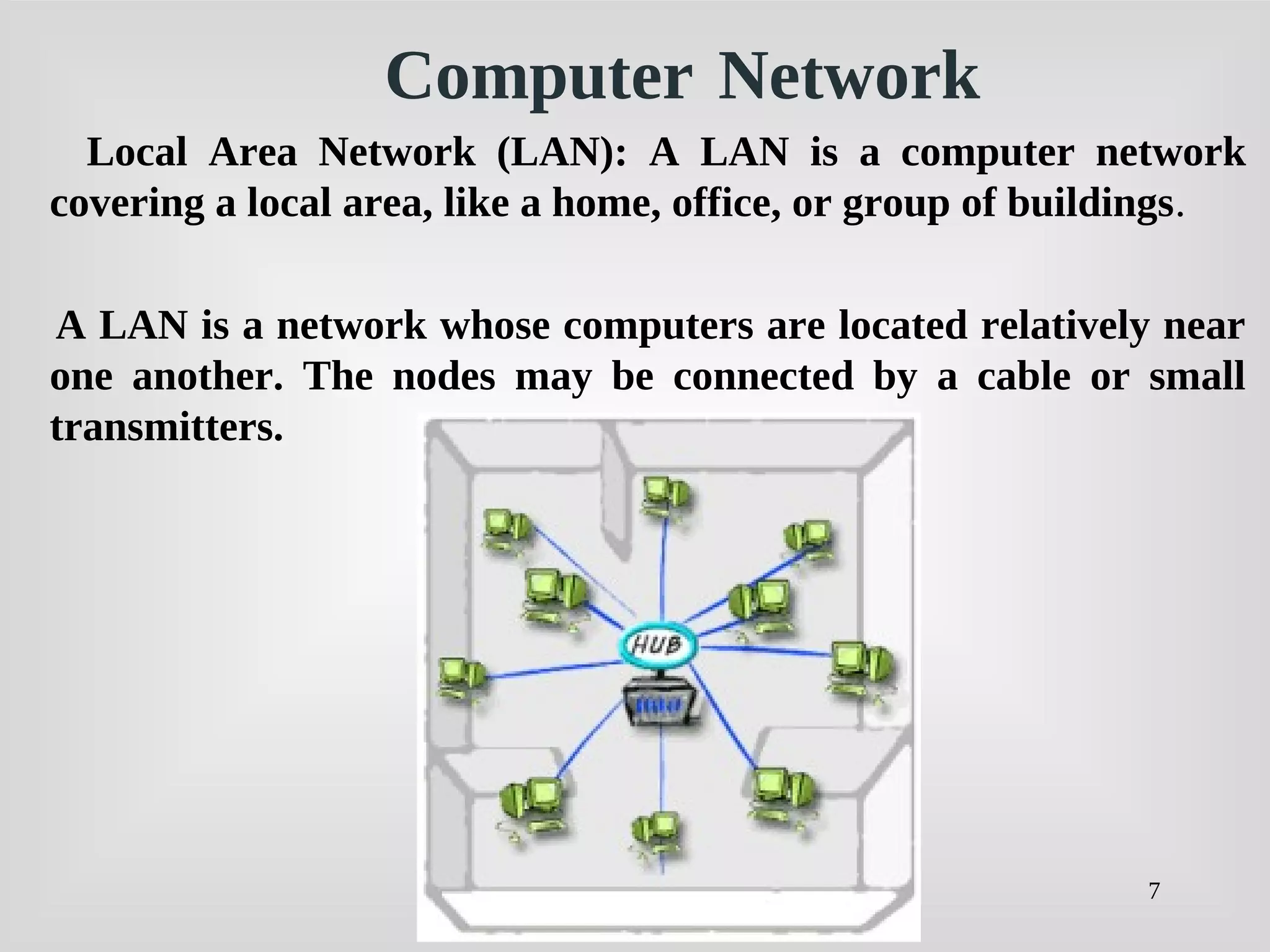
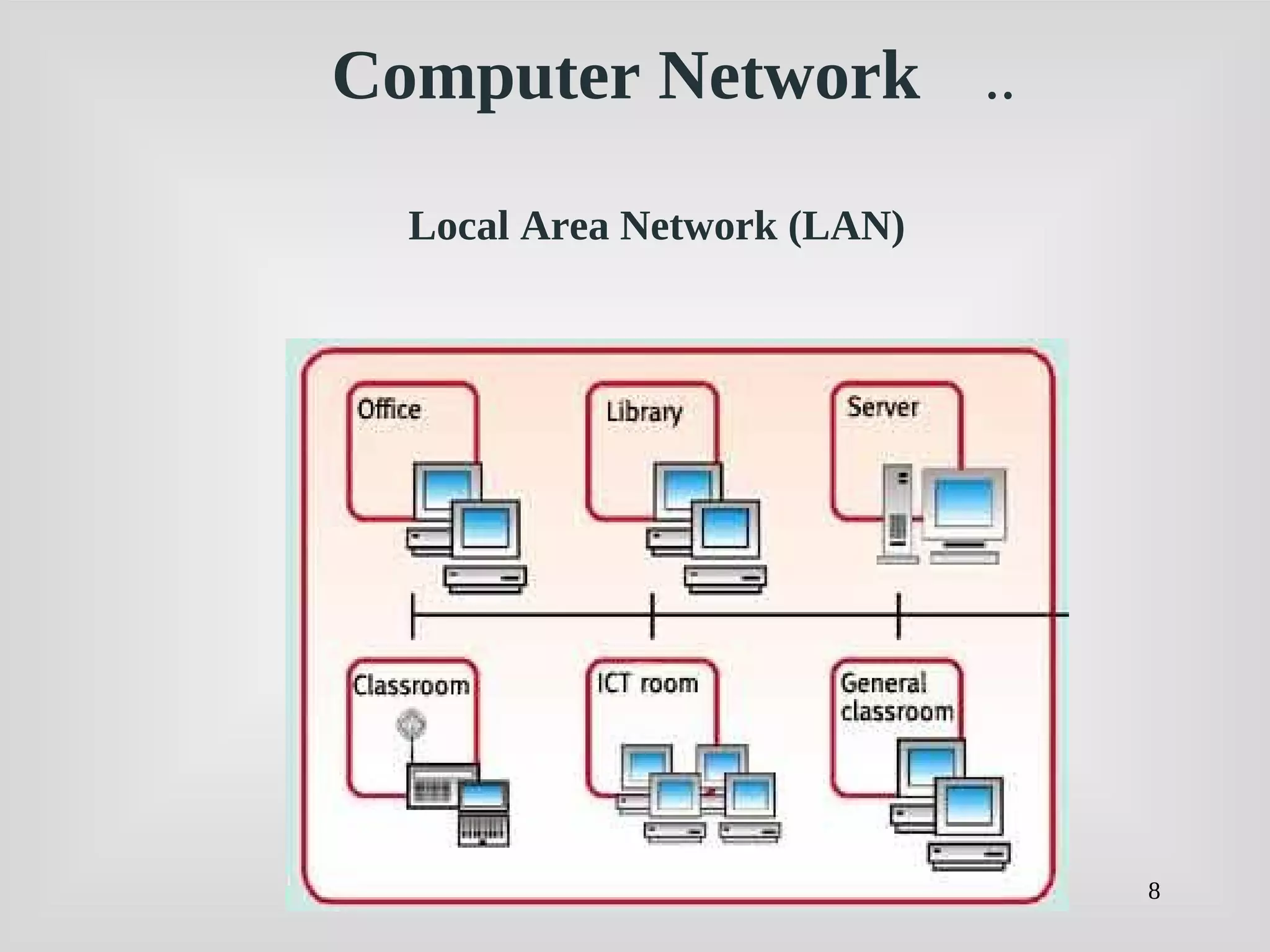
Local Area Network (LAN): A LAN is a computer network
covering a local area, like a home, office, or group of buildings.
A LAN is a network whose computers are located relatively near
one another. The nodes may be connected by a cable or small
transmitters.
8
Local Area Network (LAN)
Computer Network ..
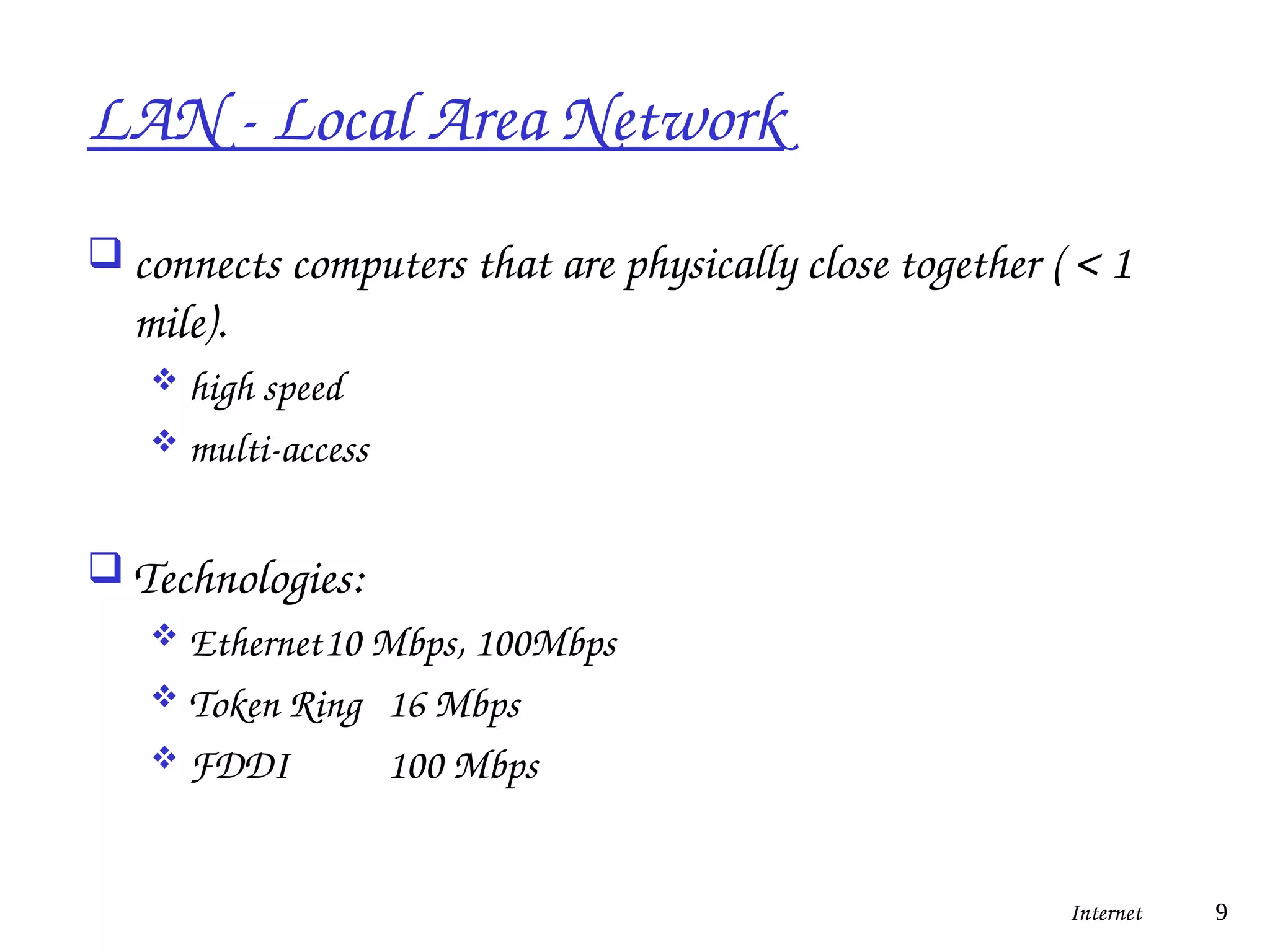
LAN - Local Area Network
 connects computers that are physically close together ( < 1
mile).
 high speed
 multi-access
 Technologies:
 Ethernet10 Mbps, 100Mbps
 Token Ring 16 Mbps
 FDDI 100 Mbps
Internet 9
10
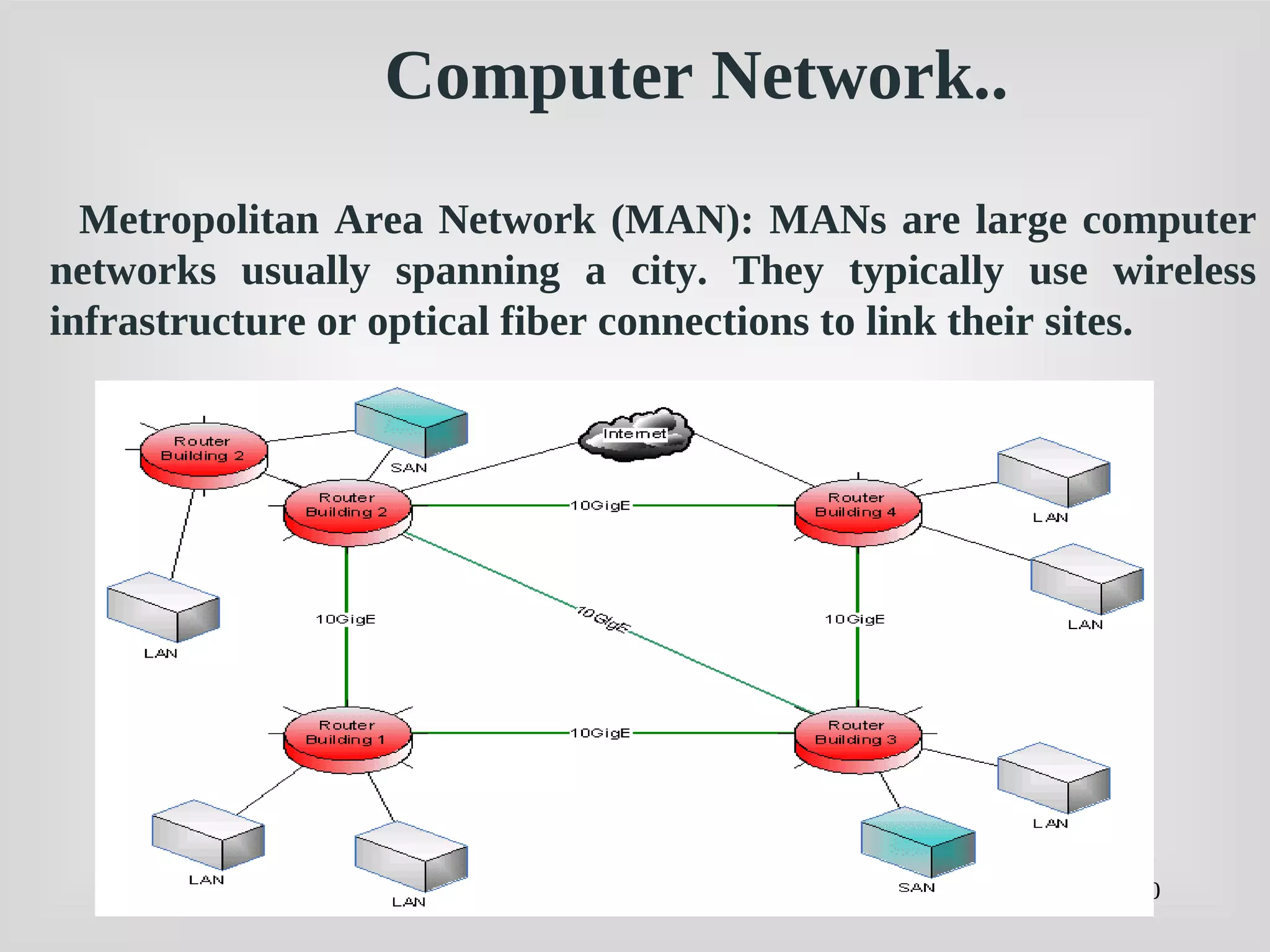
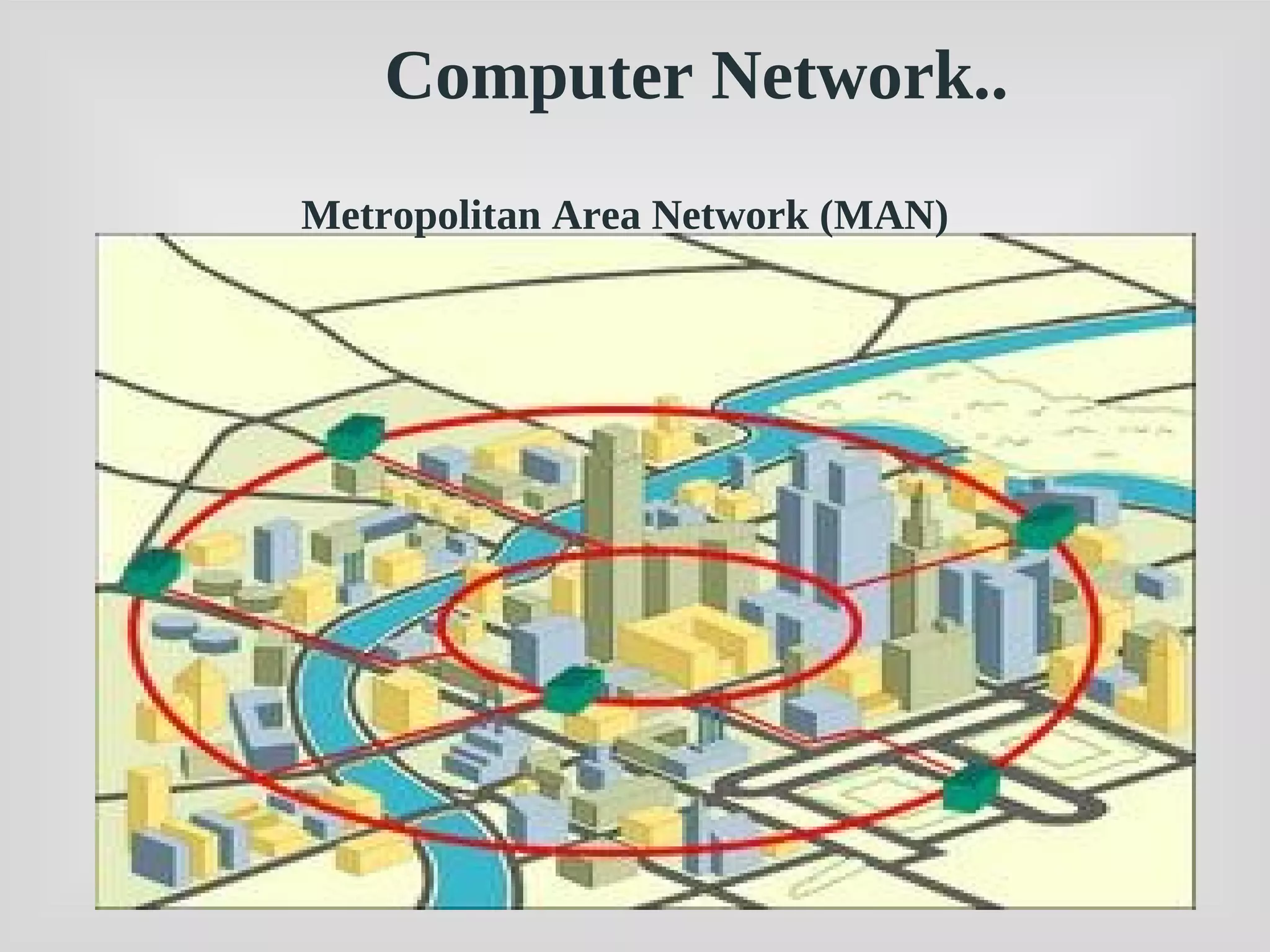
Metropolitan Area Network (MAN): MANs are large computer
networks usually spanning a city. They typically use wireless
infrastructure or optical fiber connections to link their sites.
Computer Network..
11
Metropolitan Area Network (MAN)
Computer Network..
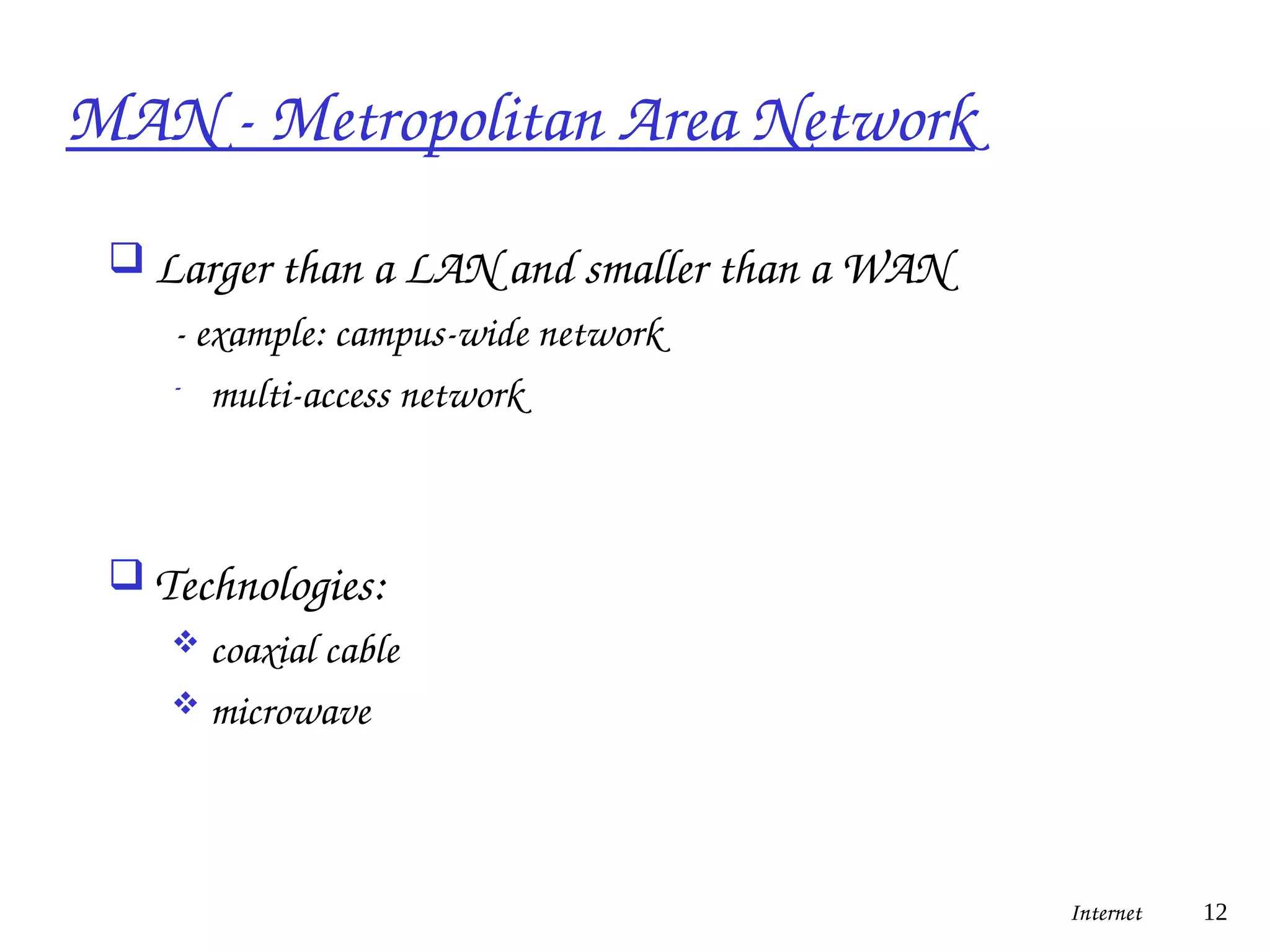
MAN - Metropolitan Area Network
 Larger than a LAN and smaller than a WAN
- example: campus-wide network
- multi-access network
 Technologies:
 coaxial cable
 microwave
Internet 12
13
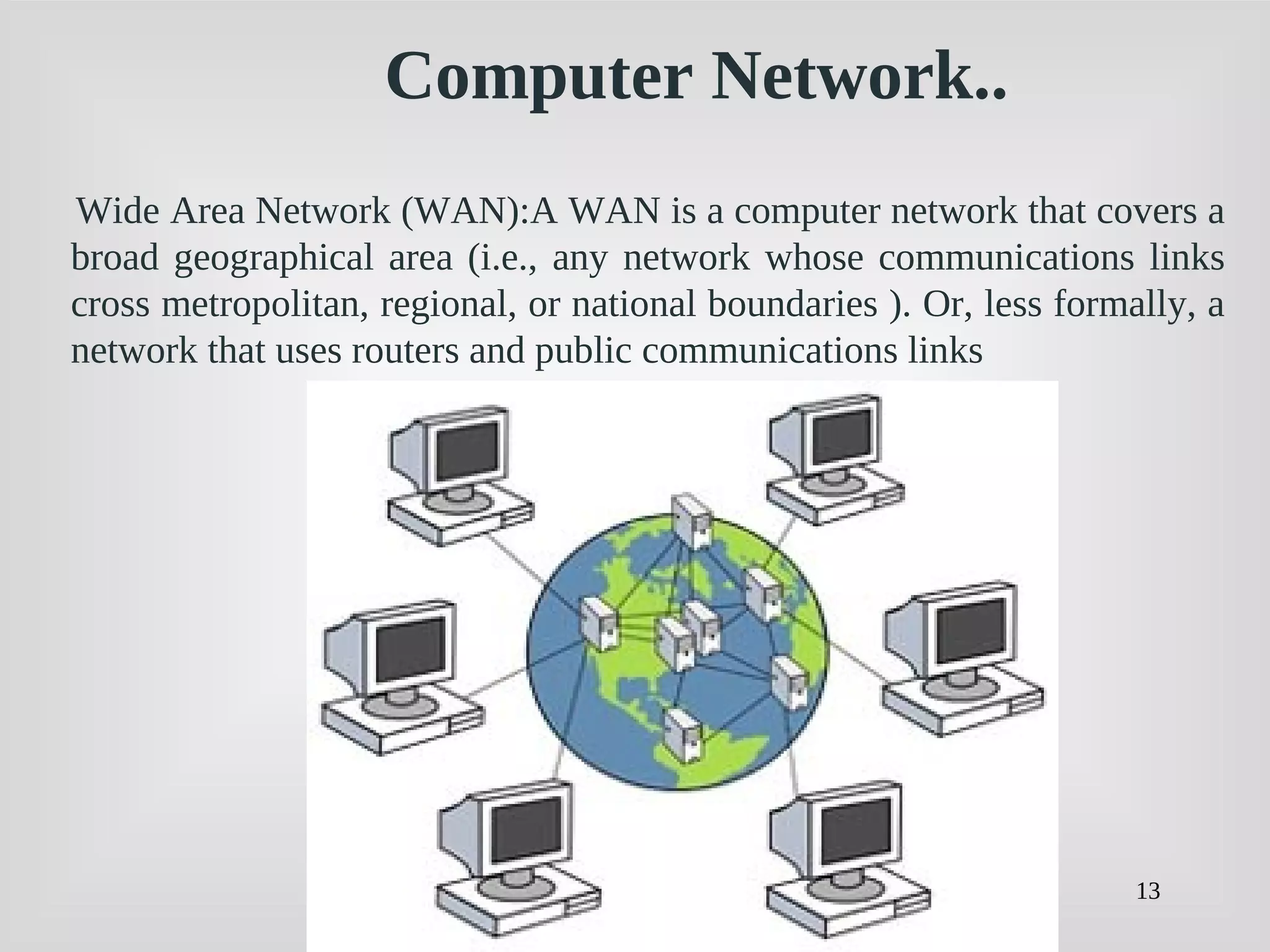
Wide Area Network (WAN):A WAN is a computer network that covers a
broad geographical area (i.e., any network whose communications links
cross metropolitan, regional, or national boundaries ). Or, less formally, a
network that uses routers and public communications links
Computer Network..
14
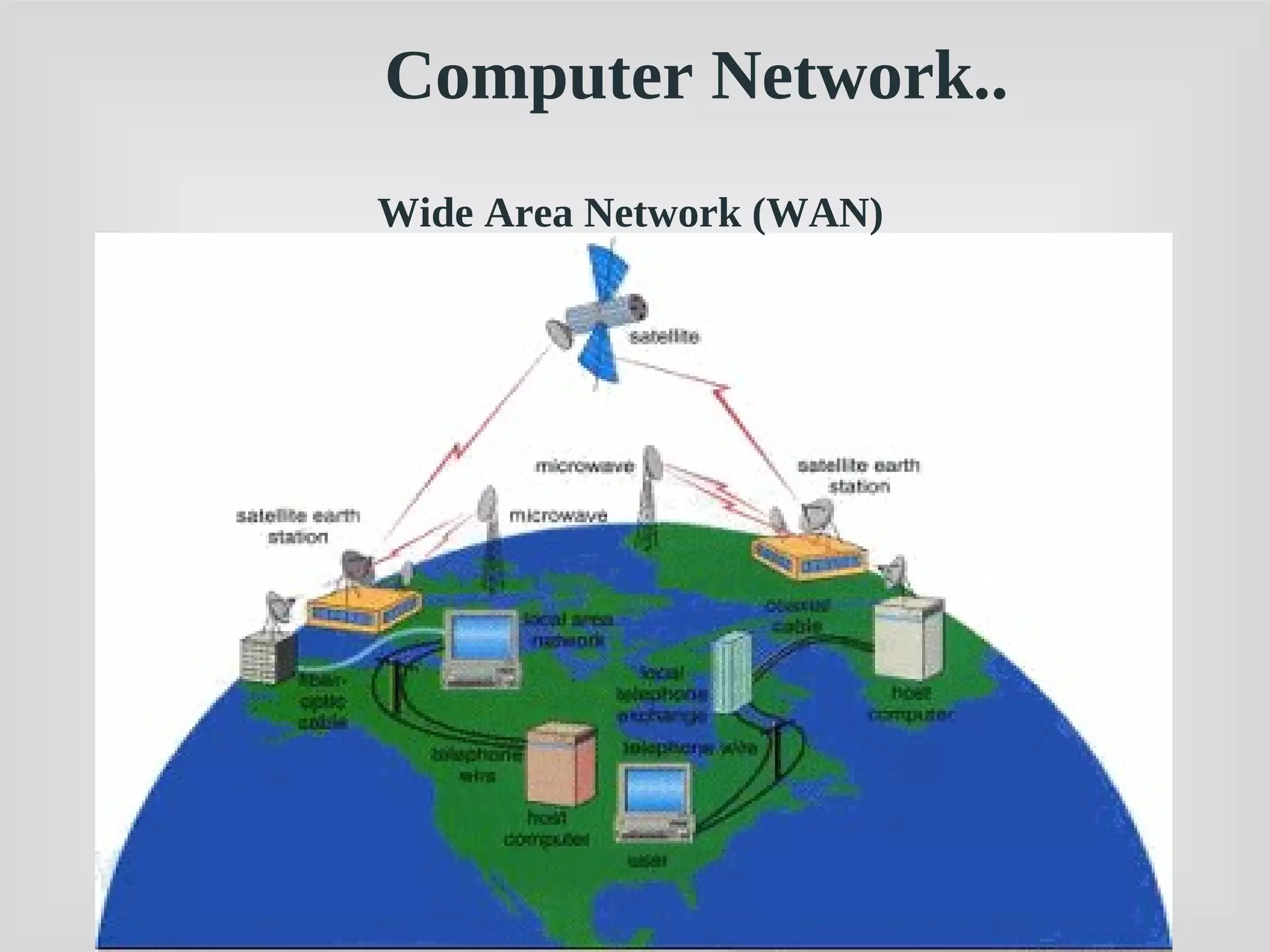
Wide Area Network (WAN)
Computer Network..
WAN - Wide Area Network
 connects computers that are physically far apart. “long-
haul network”.
 typically slower than a LAN.
 typically less reliable than a LAN.
 point-to-point
 Technologies:
 telephone lines
 Satellite communications
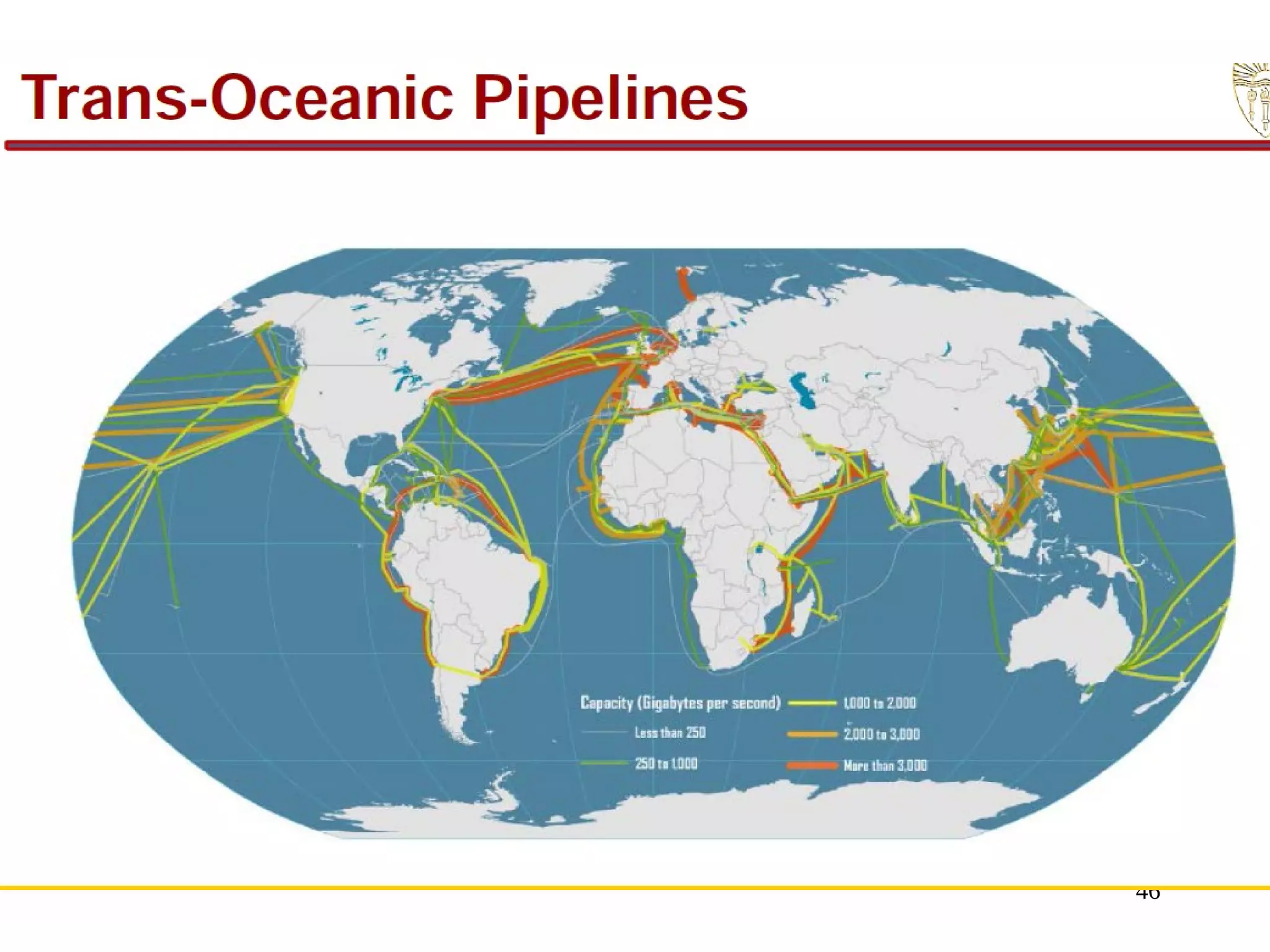
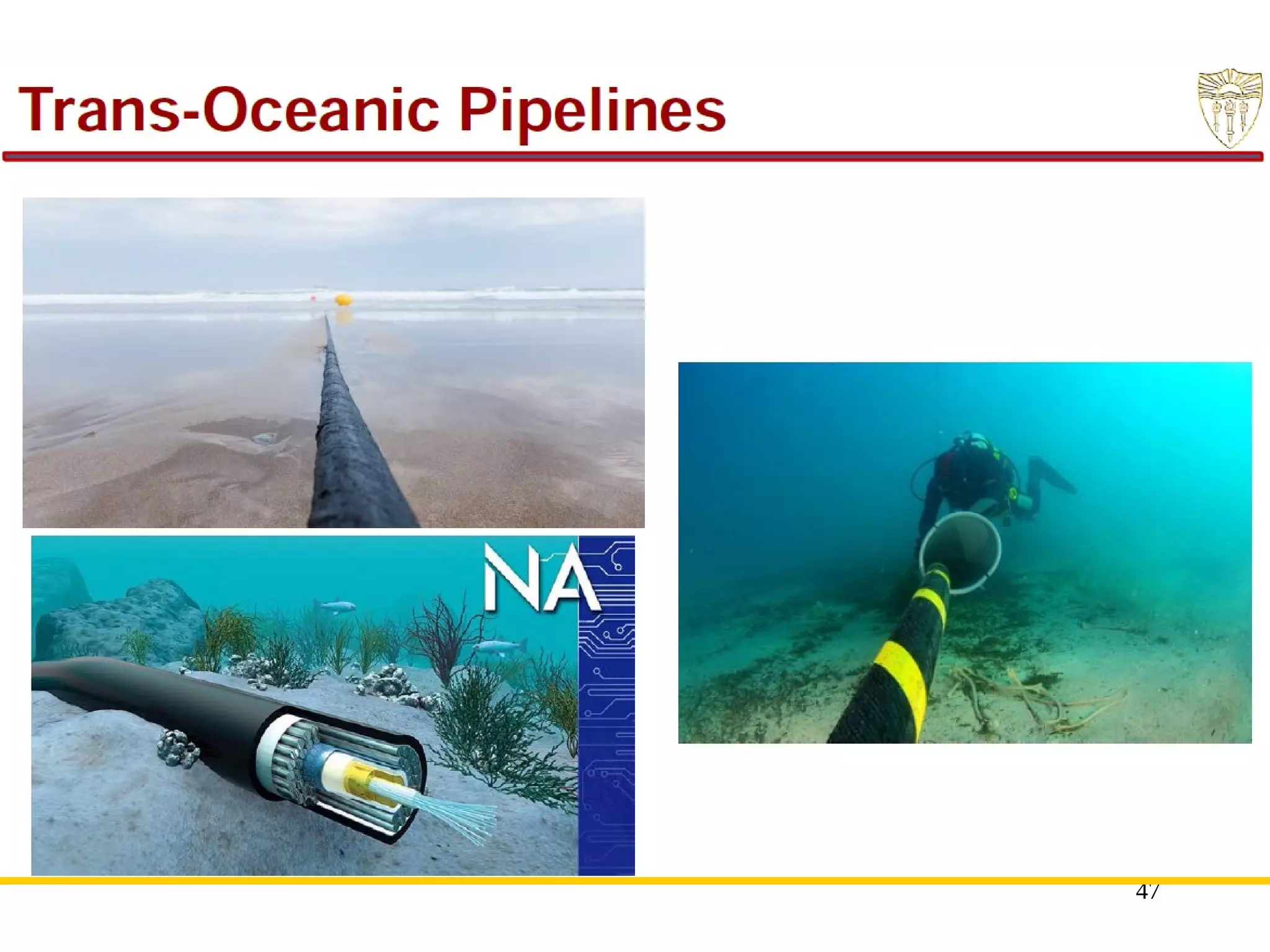
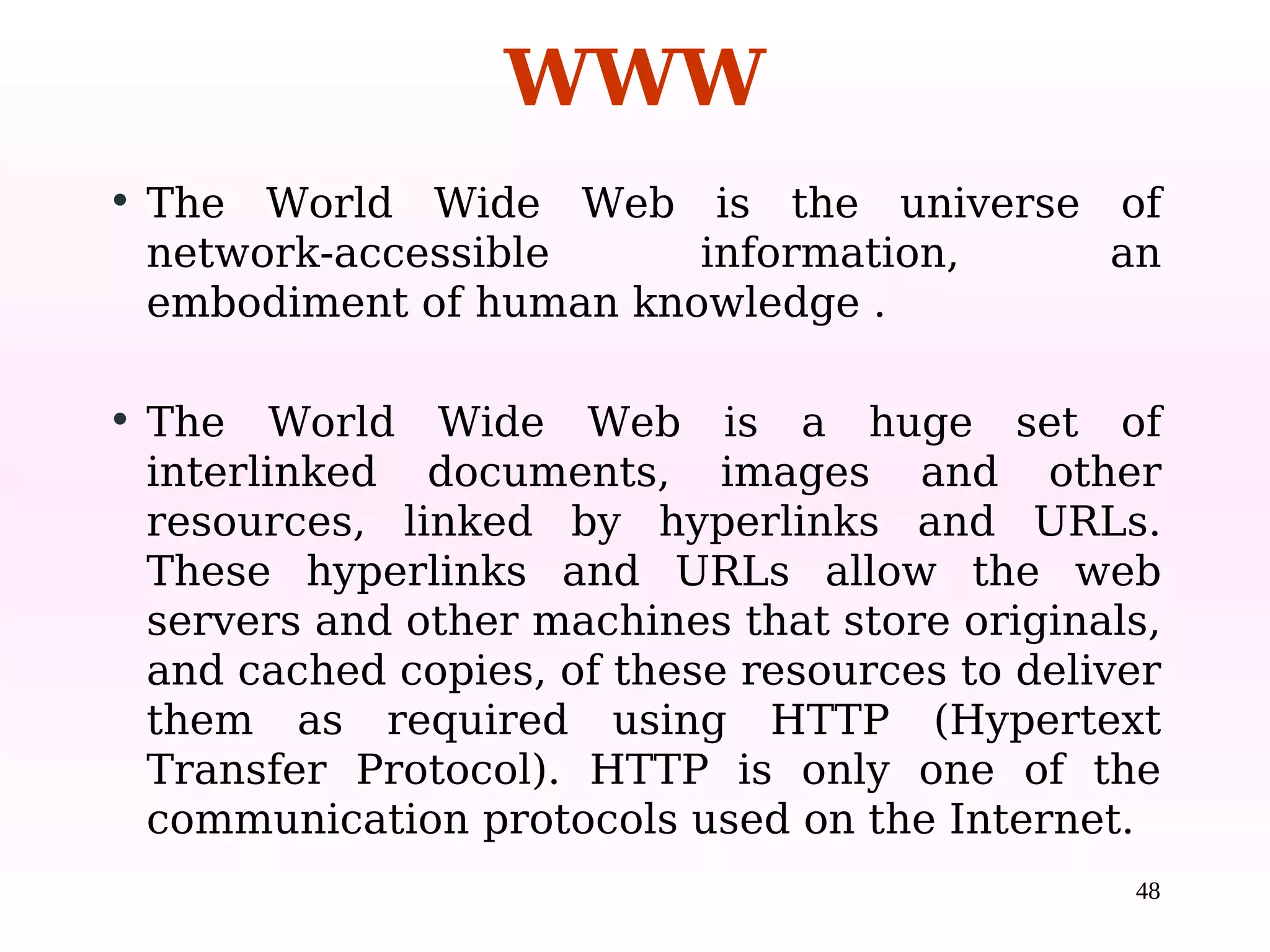
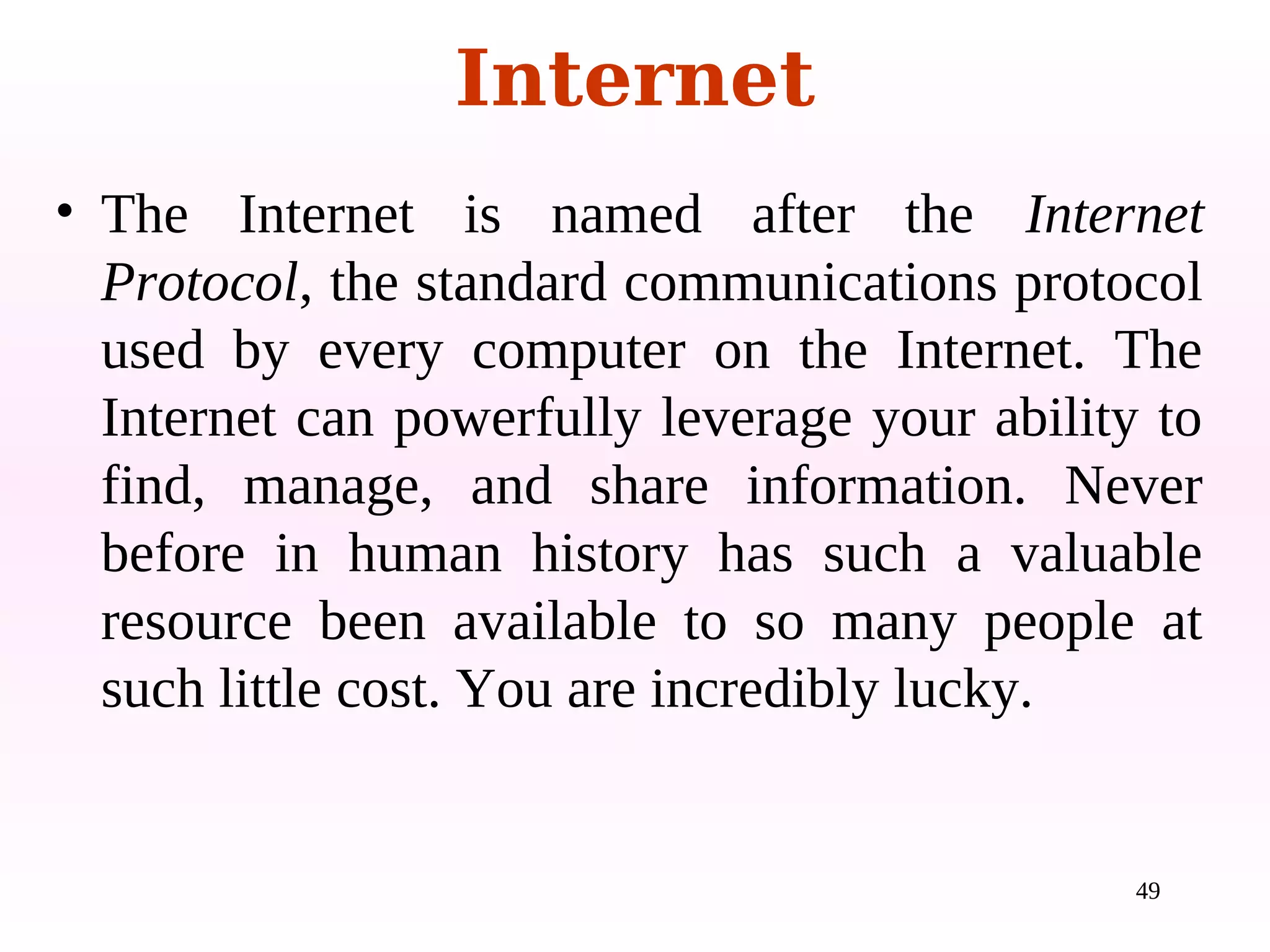
 Trans Oceanic Cable
Internet 15
16
• Simultaneous Access
• Shared Peripheral Devices
• Personal Communication
• Easier Backup
A network is a set of technologies (including hardware,
software and cabling or some other means) that can be used
to connect computers together, enabling them to
communicate, exchange information, and share resources.
The main benefits of using a network are:
The Uses of a Network
17
Network Media
1.Guided Media
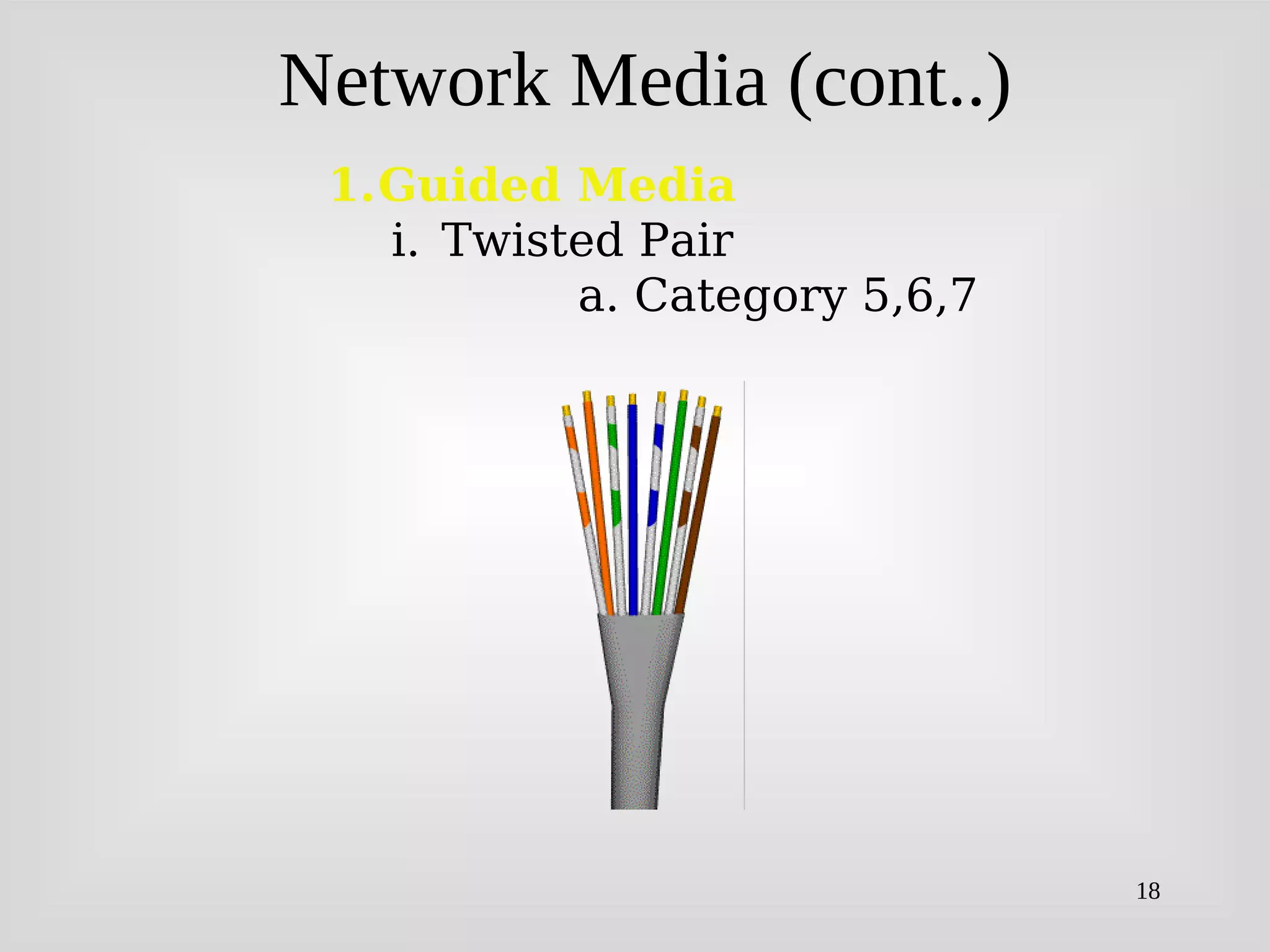
i. Twisted Pair
a. Category 5,6,7
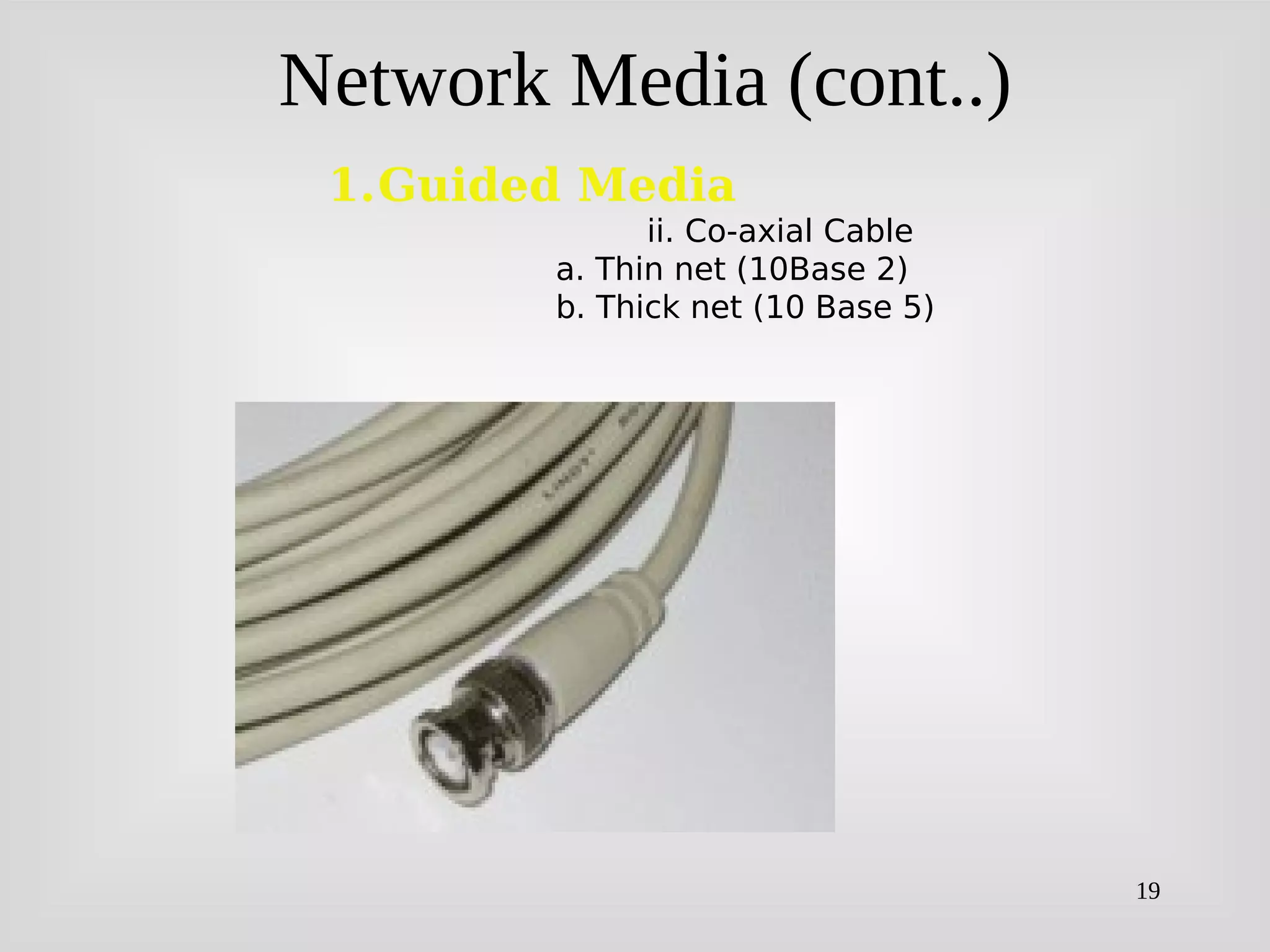
ii. Co-axial Cable
a. Thin net
b. Thick net
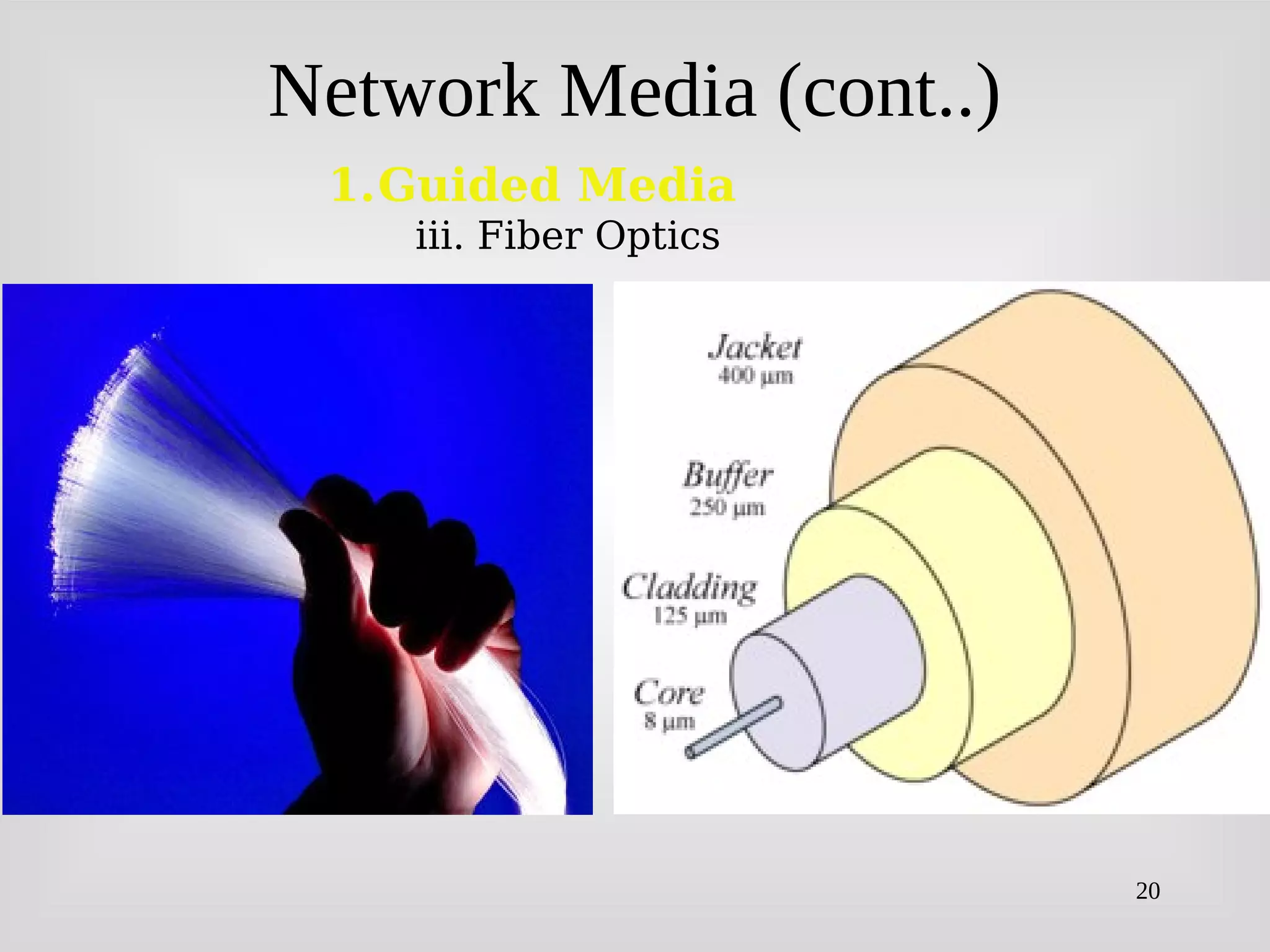
iii. Fiber Optic
2.Unguided Media
i. Microwave
a. Terrestrial
b. Satellite
ii. Radio Wave
iii.Broadcast
18
Network Media (cont..)
1.Guided Media
i. Twisted Pair
a. Category 5,6,7
19
Network Media (cont..)
1.Guided Media
ii. Co-axial Cable
a. Thin net (10Base 2)
b. Thick net (10 Base 5)
20
Network Media (cont..)
1.Guided Media
iii. Fiber Optics
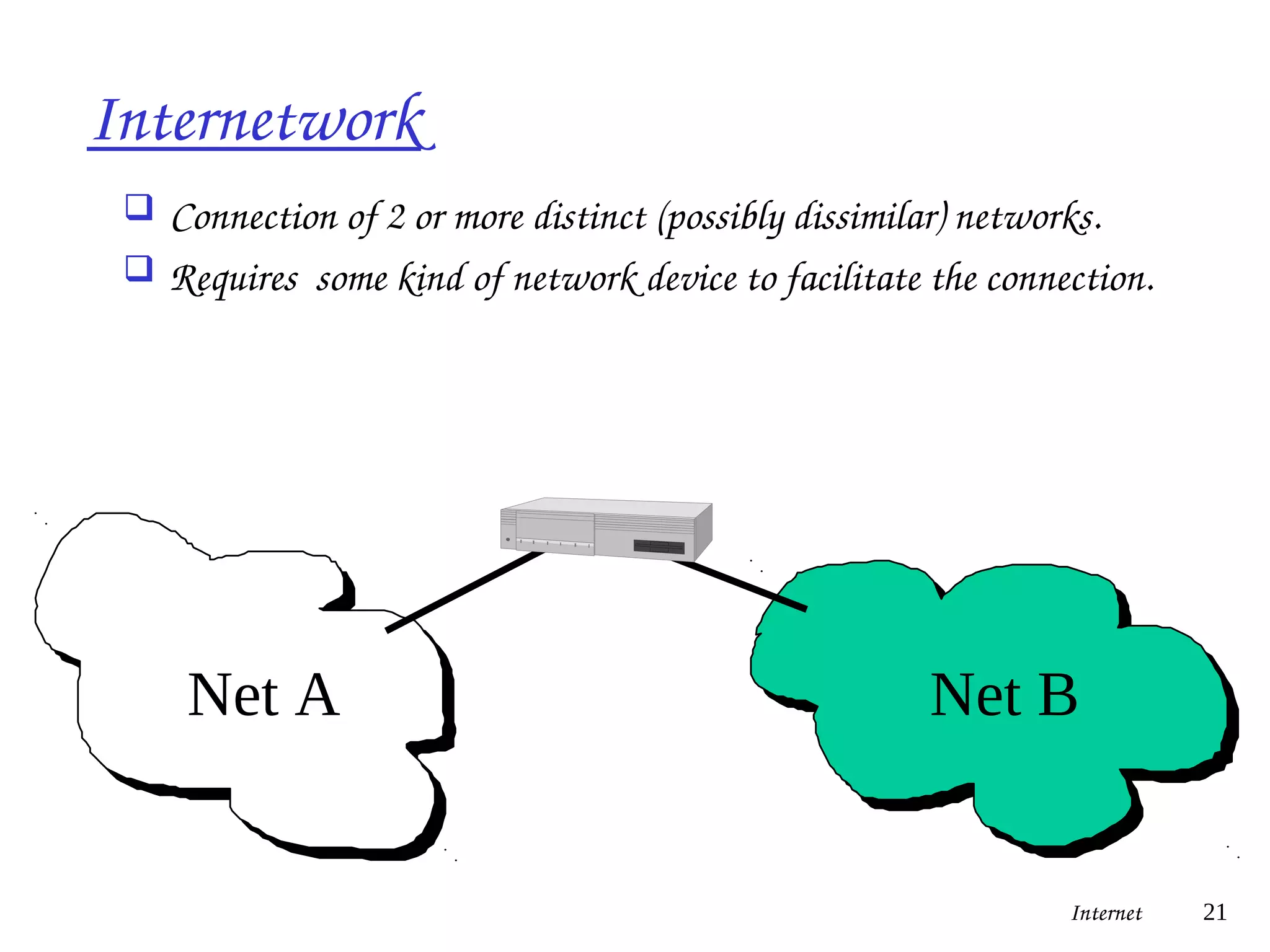
Internetwork
 Connection of 2 or more distinct (possibly dissimilar) networks.
 Requires some kind of network device to facilitate the connection.
Net A Net B
Internet 21
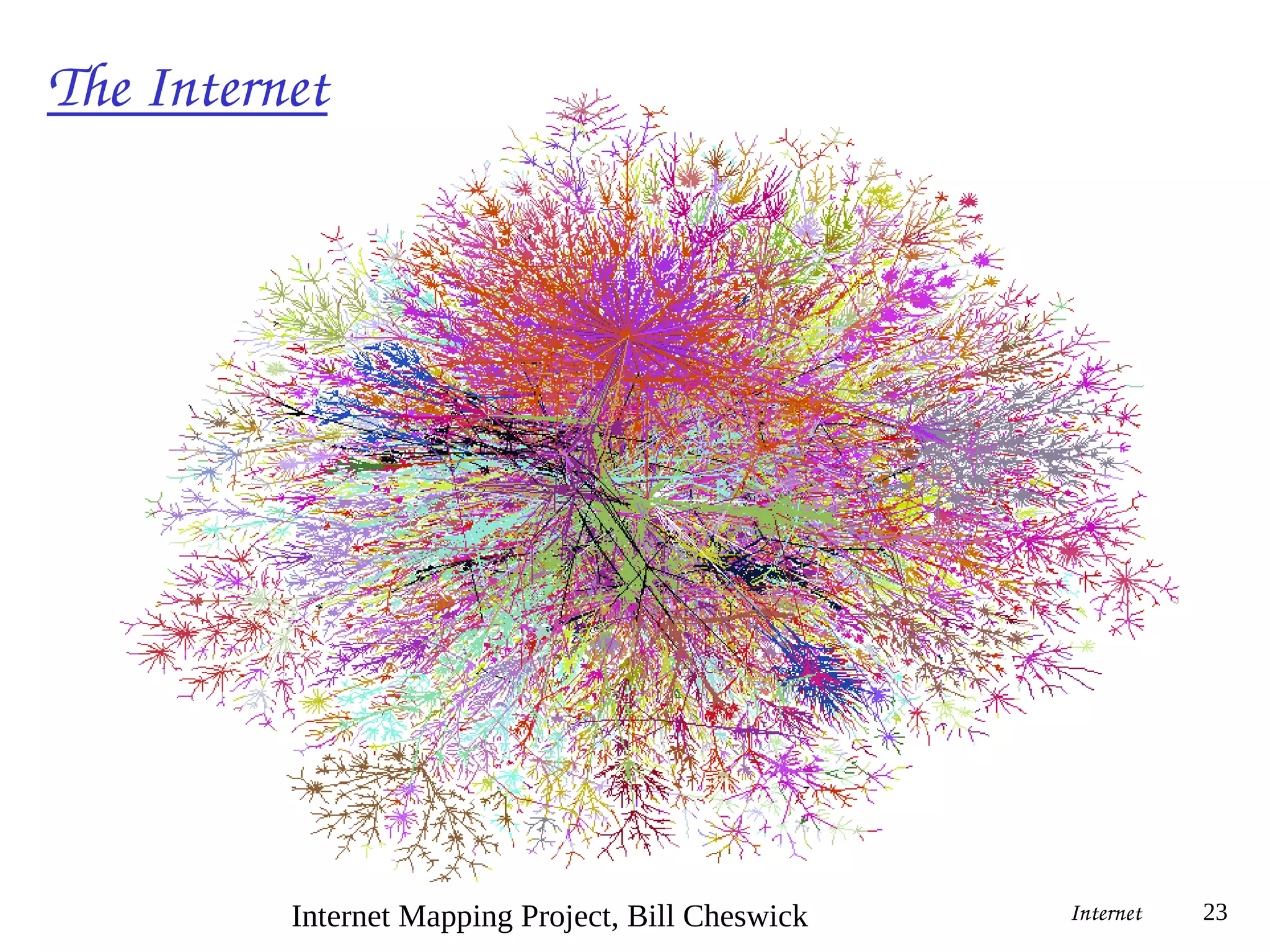
The Internet
 millions of connected
computing devices: hosts =
end systems
 running network apps
 communication links
 fiber, copper, radio, satellite
 routers: forward
packets (chunks of data)
Internet 22
Home network
Institutional network
Mobile network
Global ISP
Regional ISP
router
PC
server
wireless
laptop
cellular
handheld
wired
links
access
points
The Internet
Internet 23
Internet Mapping Project, Bill Cheswick
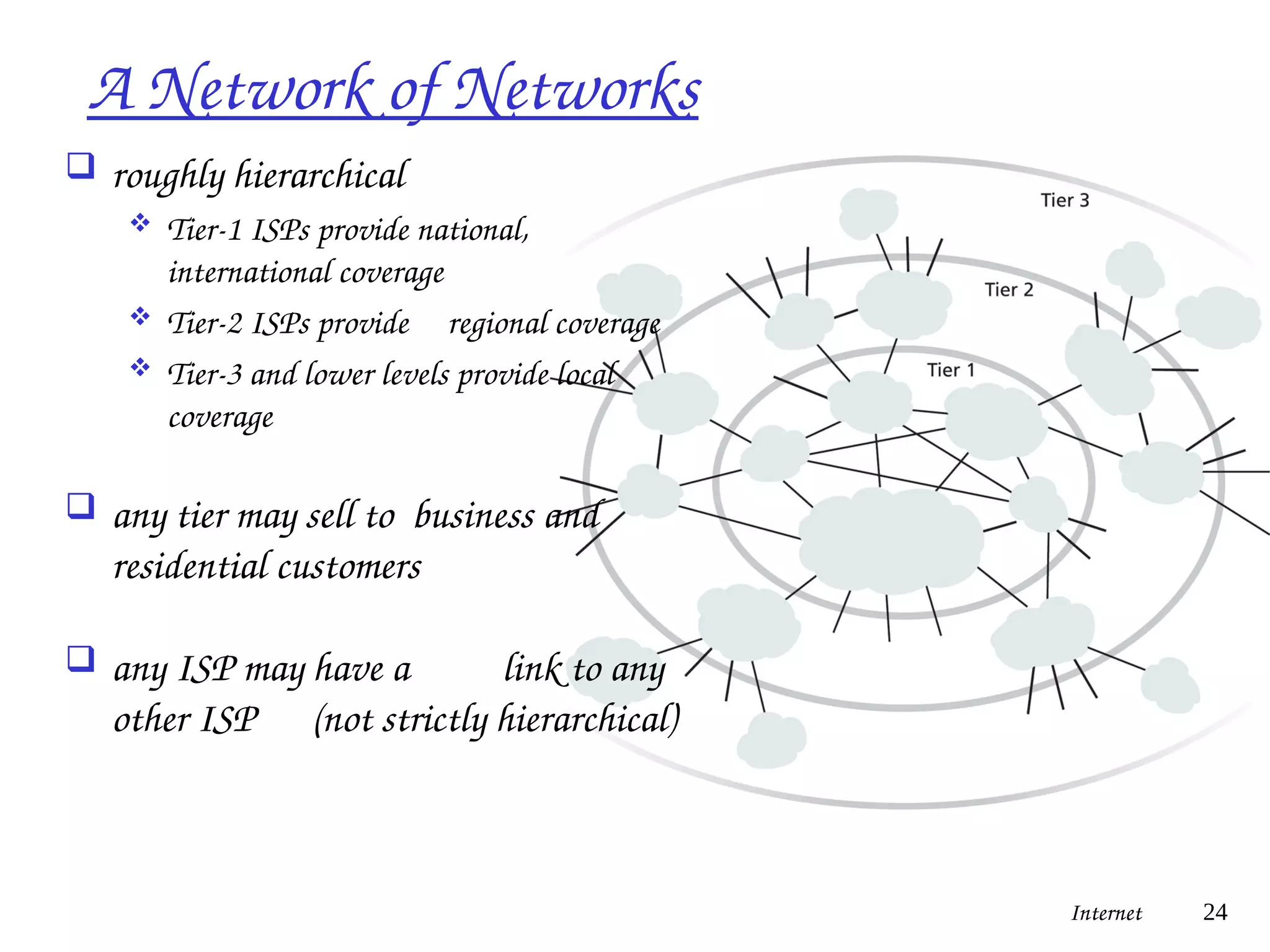
A Network of Networks
 roughly hierarchical
 Tier-1 ISPs provide national,
international coverage
 Tier-2 ISPs provide regional coverage
 Tier-3 and lower levels provide local
coverage
 any tier may sell to business and
residential customers
 any ISP may have a link to any
other ISP (not strictly hierarchical)
Internet 24
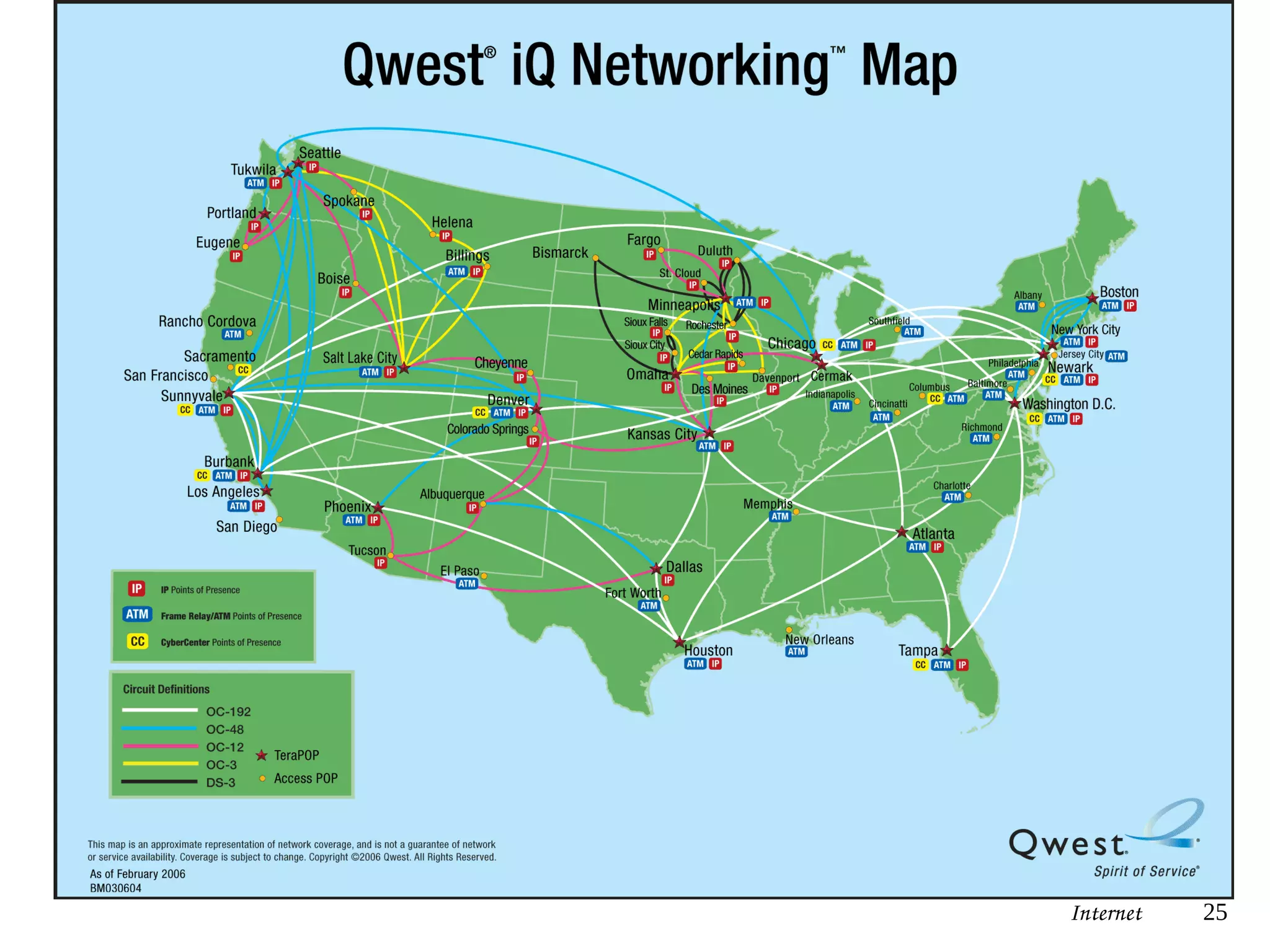
Internet 25
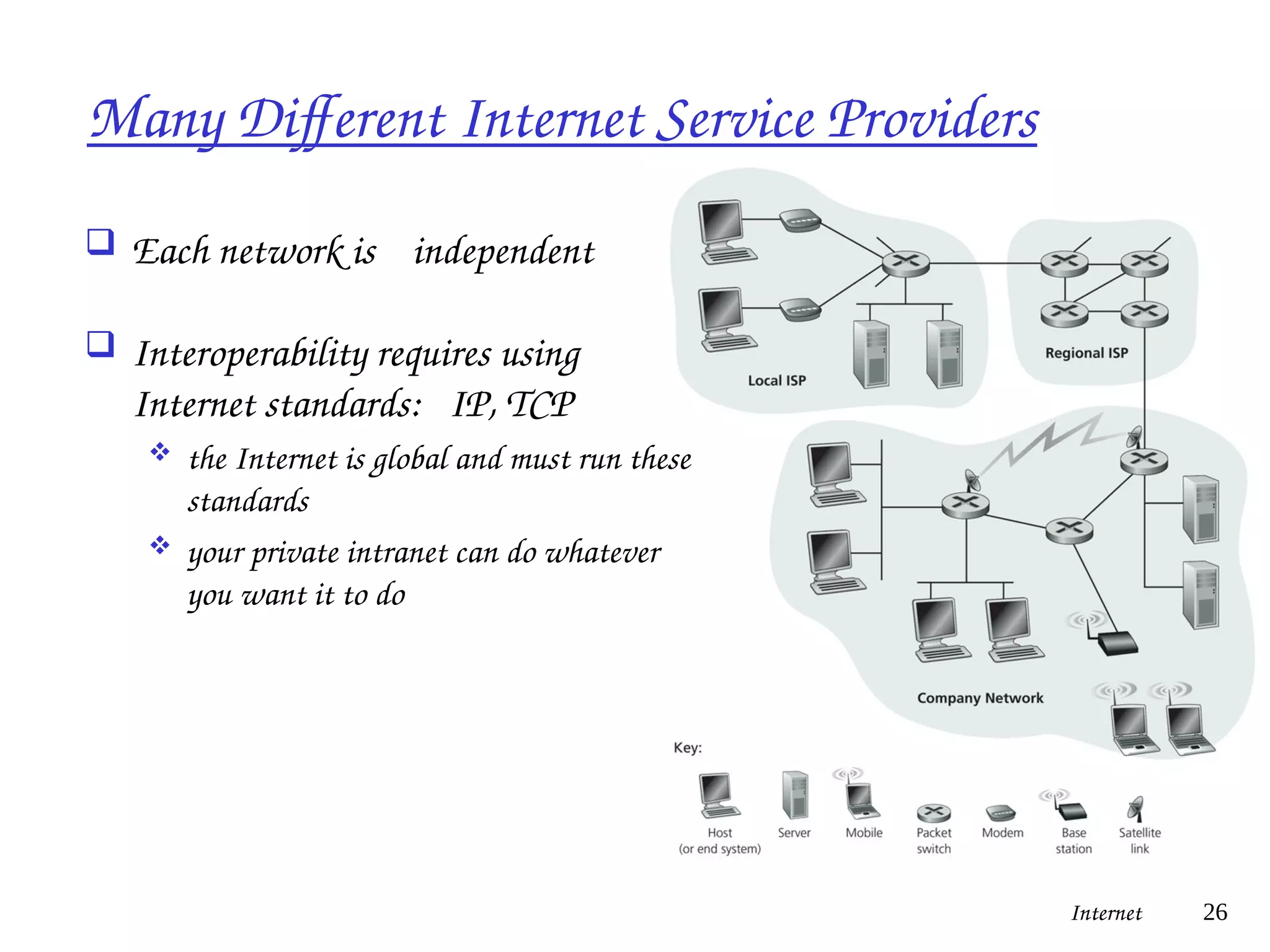
Many Different Internet Service Providers
 Each network is independent
 Interoperability requires using
Internet standards: IP, TCP
 the Internet is global and must run these
standards
 your private intranet can do whatever
you want it to do
Internet 26
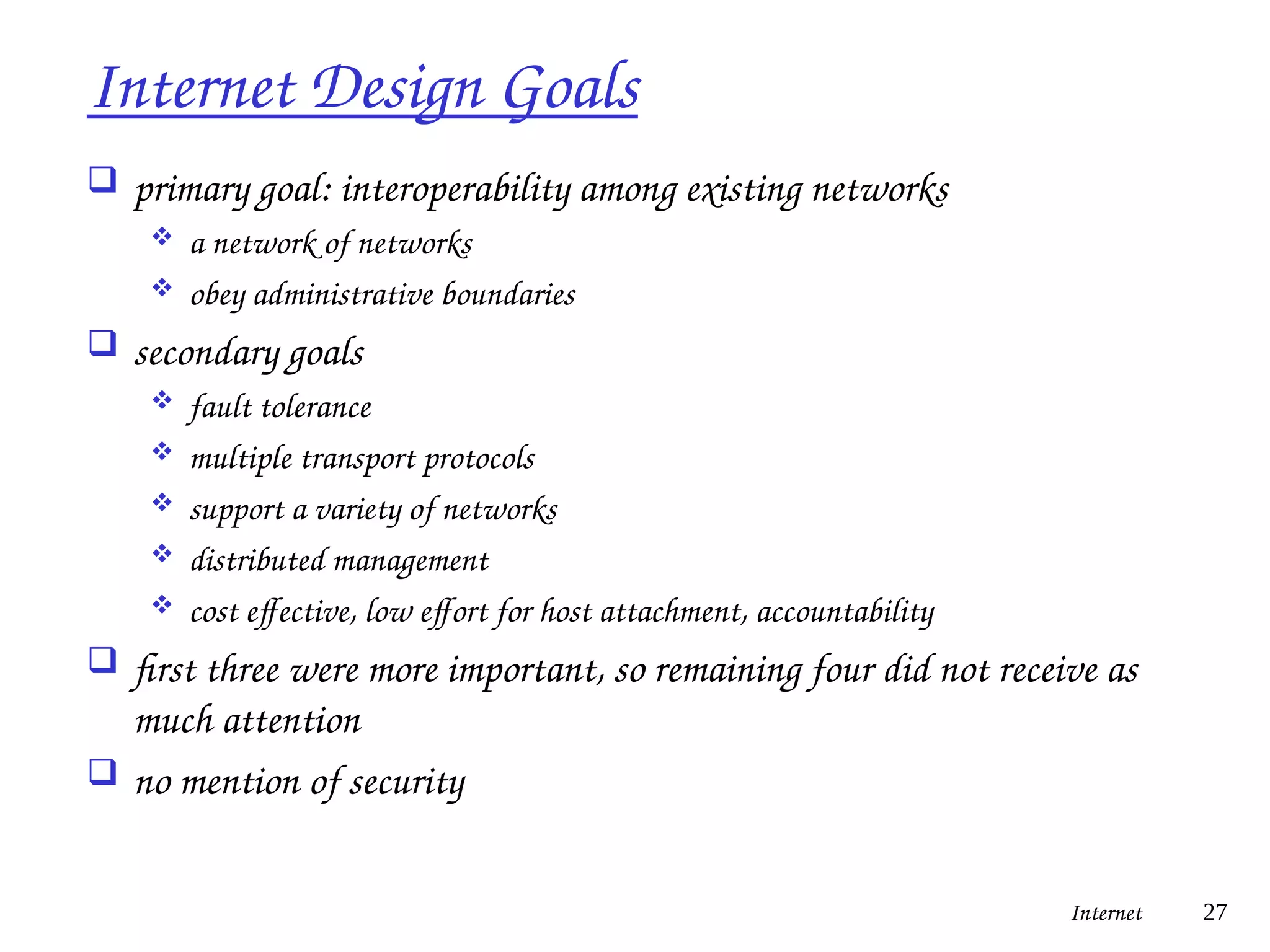
Internet Design Goals
 primary goal: interoperability among existing networks
 a network of networks
 obey administrative boundaries
 secondary goals
 fault tolerance
 multiple transport protocols
 support a variety of networks
 distributed management
 cost effective, low effort for host attachment, accountability
 first three were more important, so remaining four did not receive as
much attention
 no mention of security
Internet 27
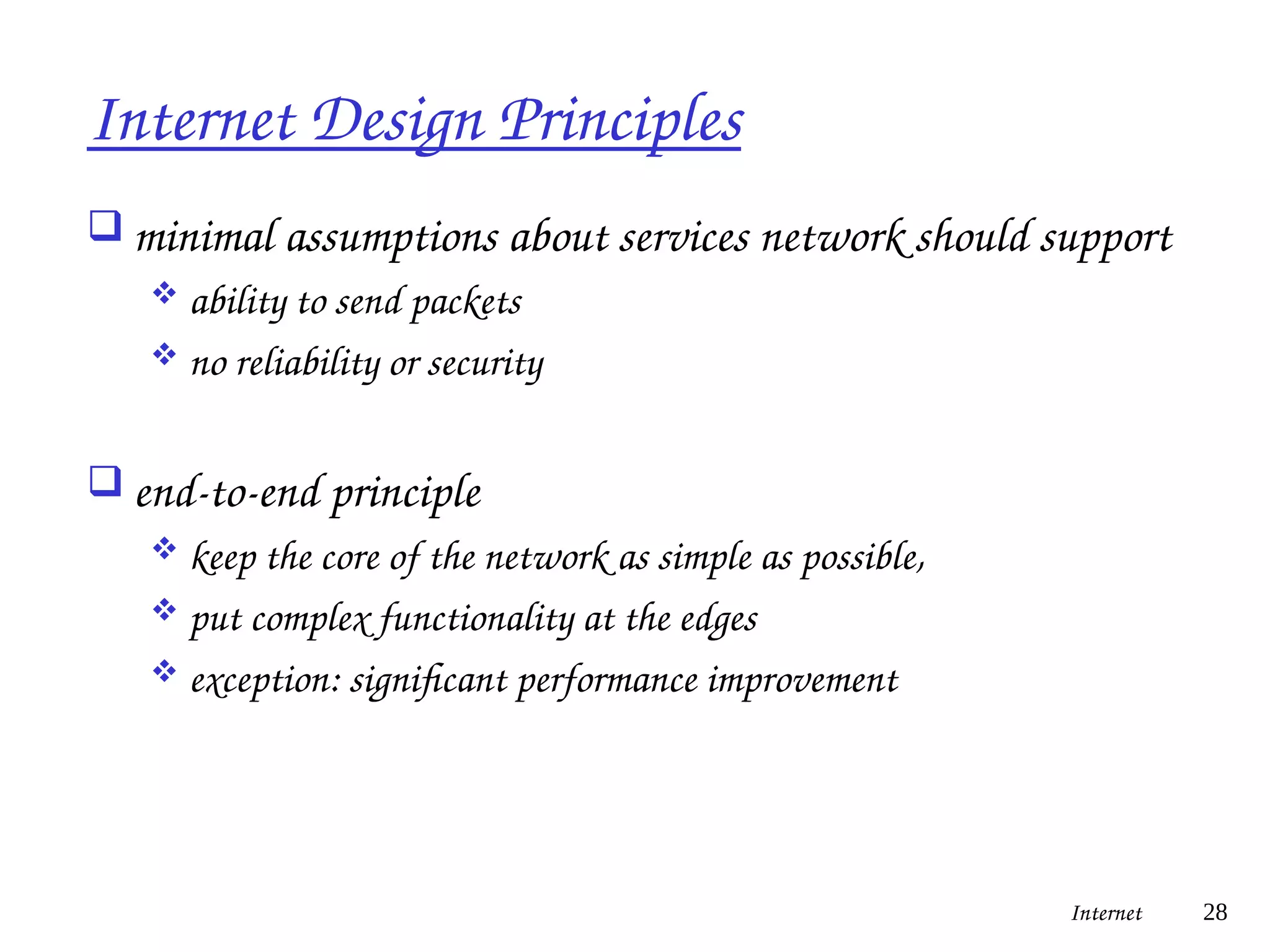
Internet Design Principles
 minimal assumptions about services network should support
 ability to send packets
 no reliability or security
 end-to-end principle
 keep the core of the network as simple as possible,
 put complex functionality at the edges
 exception: significant performance improvement
Internet 28
Network Models
 Using a formal model allows us to deal with various aspects
of Networks abstractly.
 We will look at a popular model (OSI reference model).
 The OSI reference model is a layered model.
Internet 29
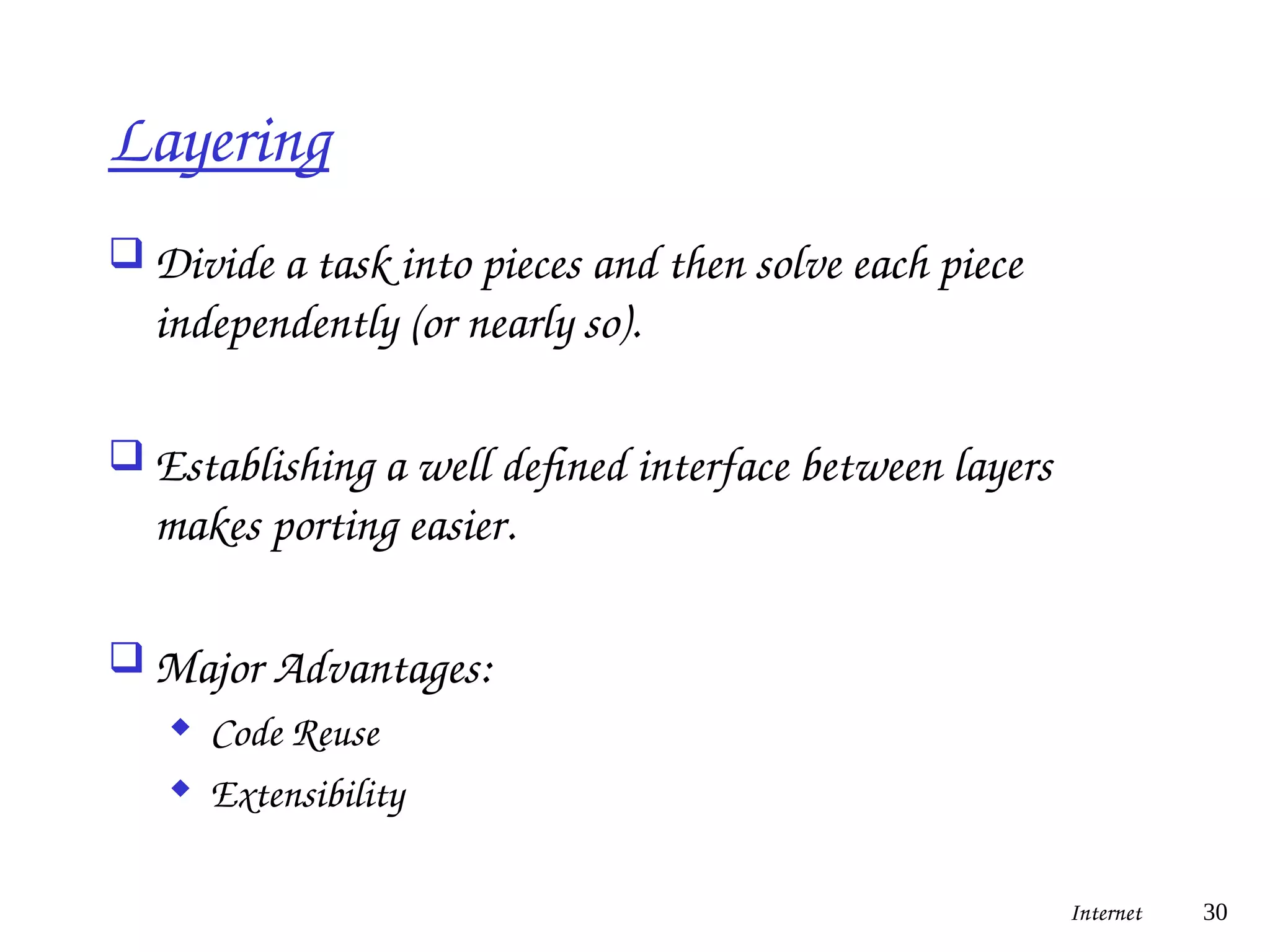
Layering
 Divide a task into pieces and then solve each piece
independently (or nearly so).
 Establishing a well defined interface between layers
makes porting easier.
 Major Advantages:
 Code Reuse
 Extensibility
Internet 30
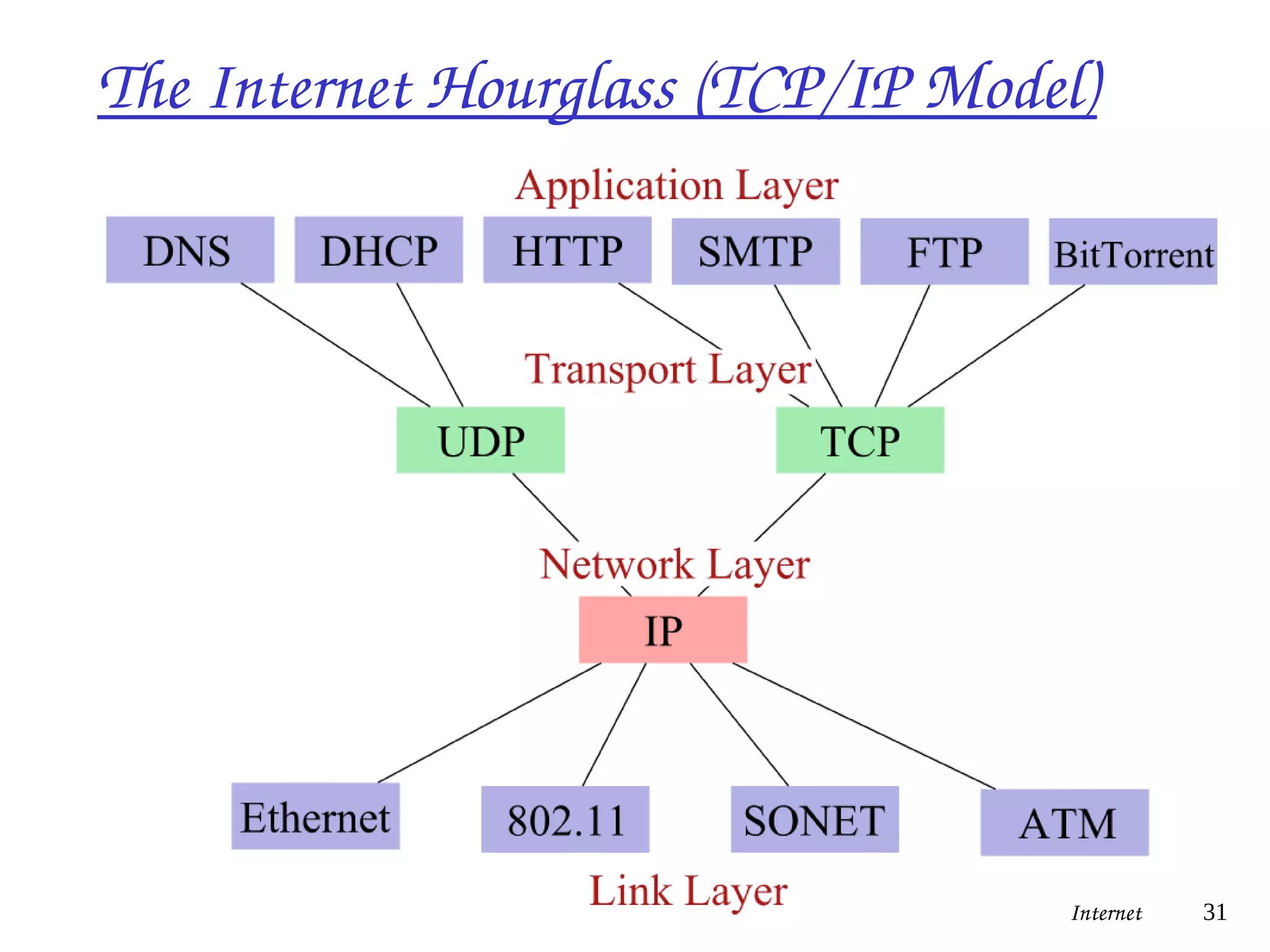
The Internet Hourglass (TCP/IP Model)
Internet 31
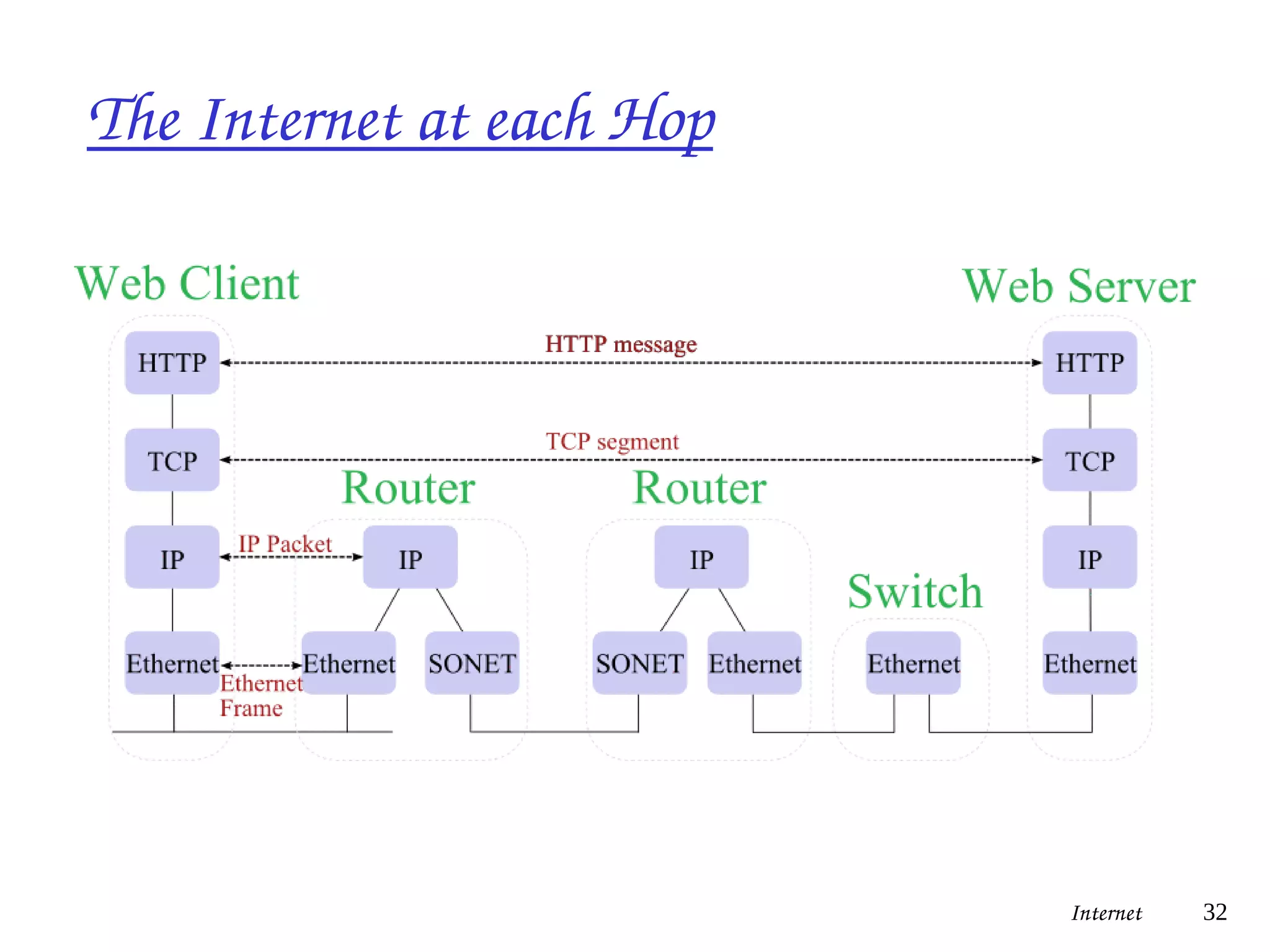
The Internet at each Hop
Internet 32
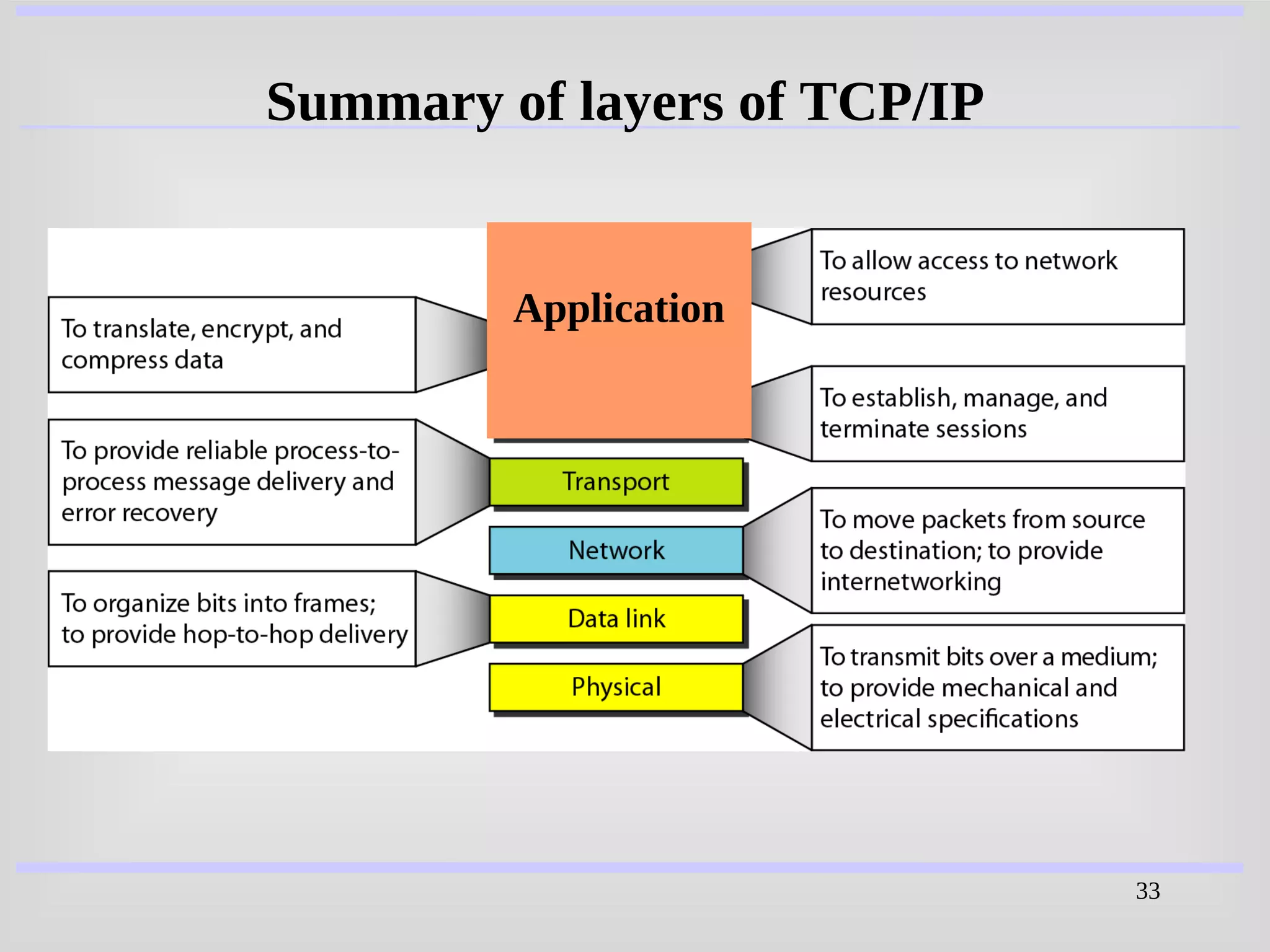
33
Summary of layers of TCP/IP
Application
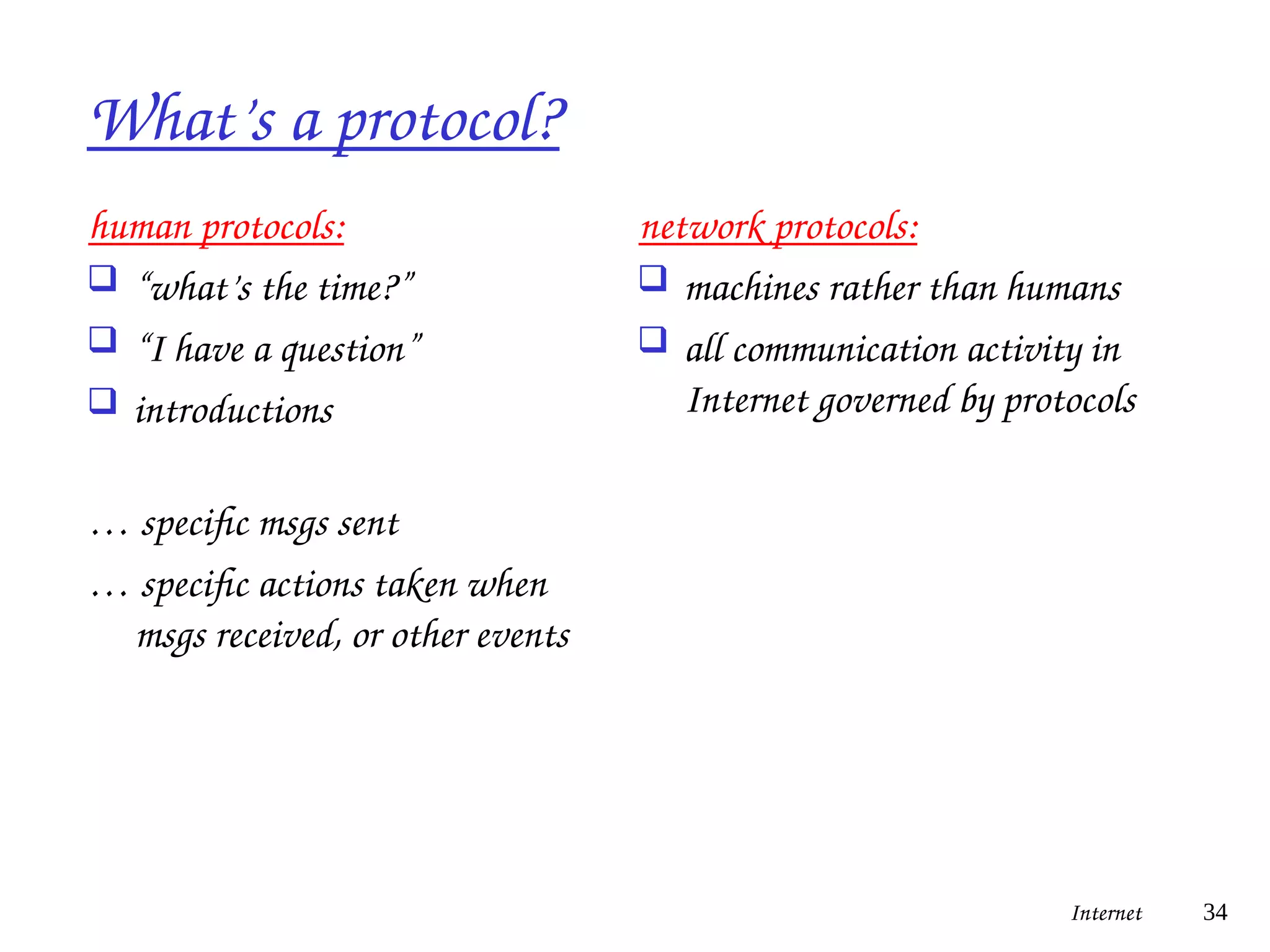
What’s a protocol?
human protocols:
 “what’s the time?”
 “I have a question”
 introductions
… specific msgs sent
… specific actions taken when
msgs received, or other events
network protocols:
 machines rather than humans
 all communication activity in
Internet governed by protocols
Internet 34
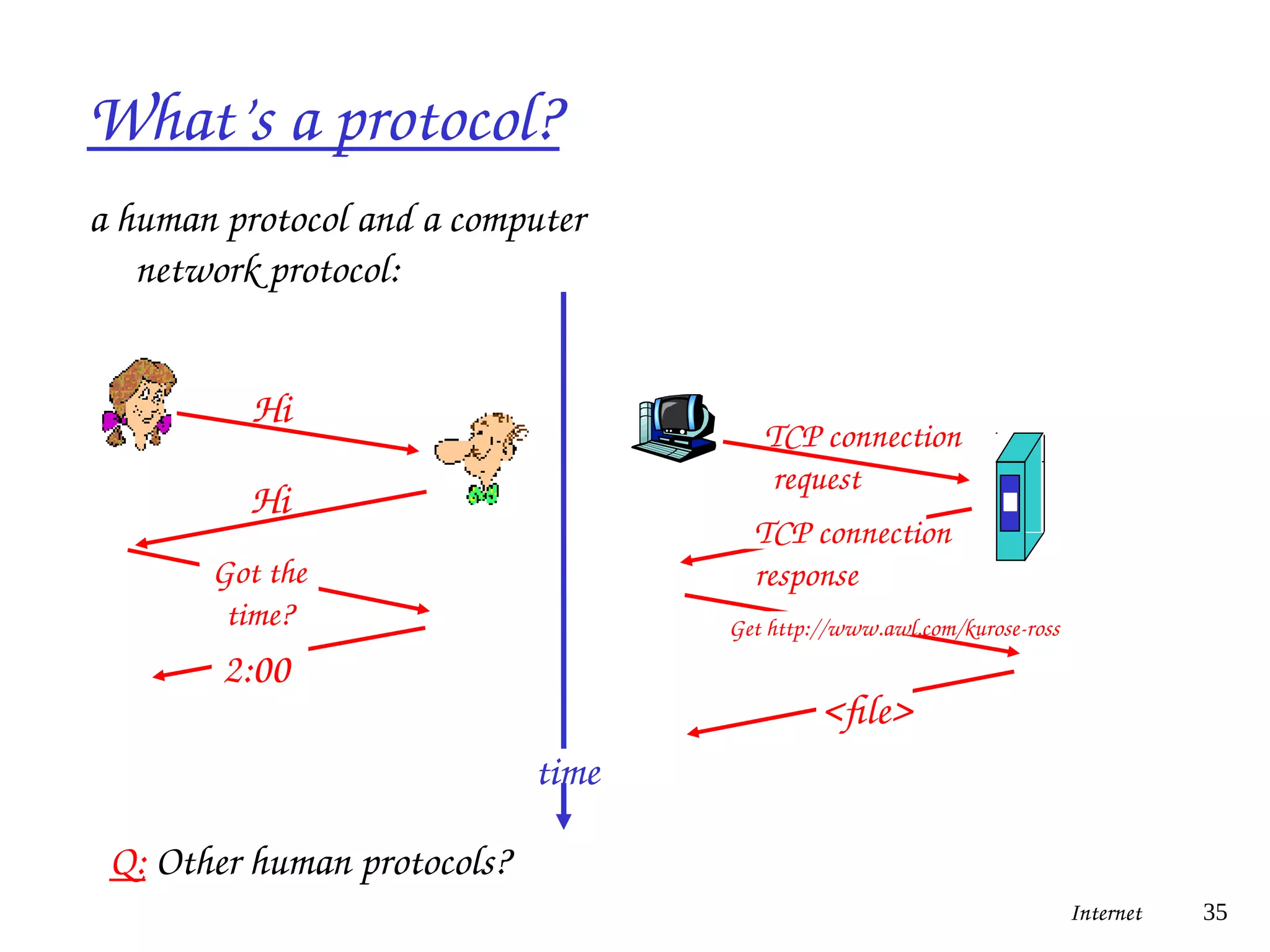
What’s a protocol?
a human protocol and a computer
network protocol:
Internet 35
Q: Other human protocols?
Hi
Hi
Got the
time?
2:00
TCP connection
request
TCP connection
response
Get http://www.awl.com/kurose-ross
<file>
time
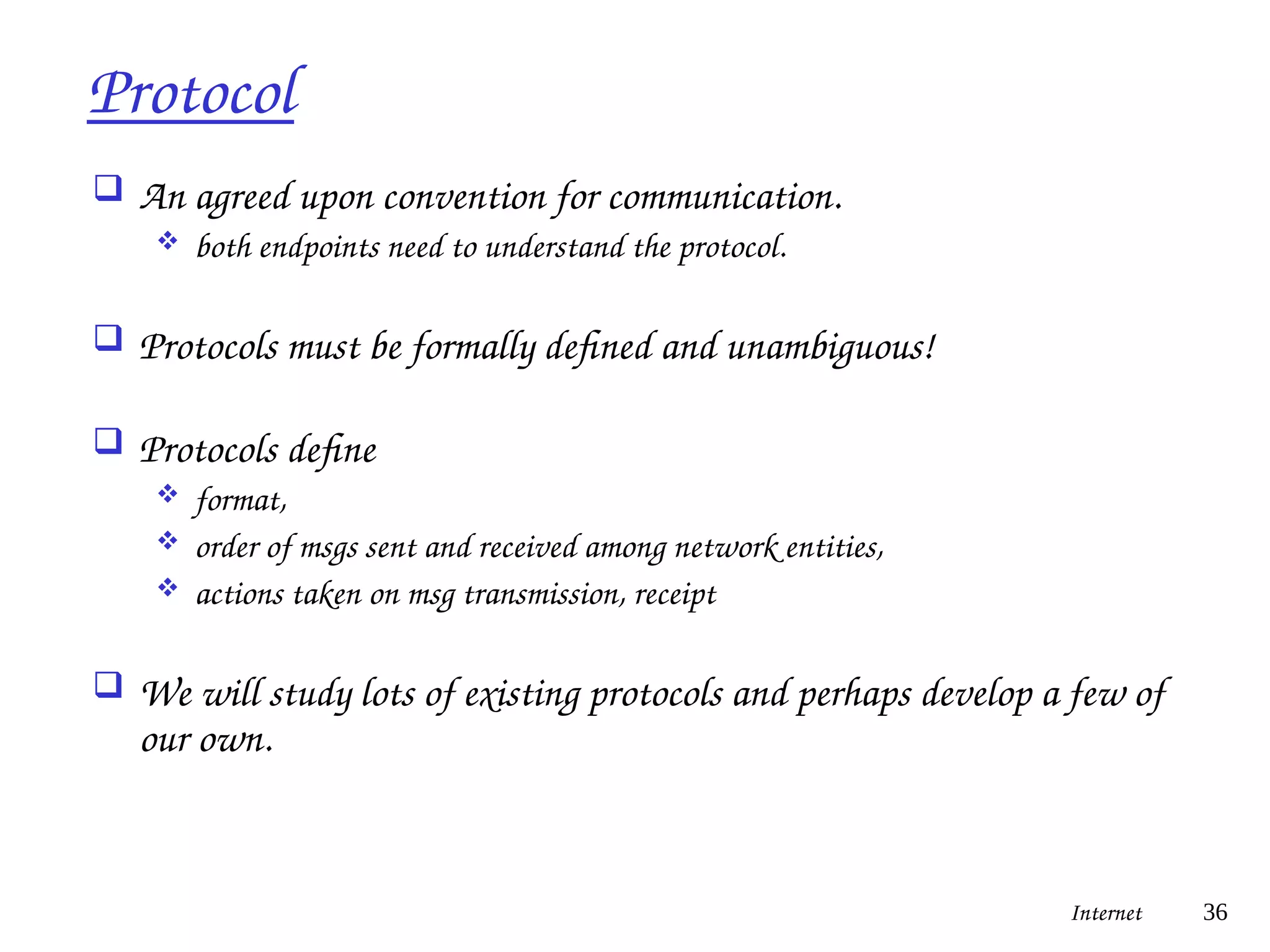
Protocol
 An agreed upon convention for communication.
 both endpoints need to understand the protocol.
 Protocols must be formally defined and unambiguous!
 Protocols define
 format,
 order of msgs sent and received among network entities,
 actions taken on msg transmission, receipt
 We will study lots of existing protocols and perhaps develop a few of
our own.
Internet 36
Programs & Processes
 A program is an executable file.
 A process or task is an instance of a program that is being
executed.
 A single program can generate multiple processes.
Internet 37
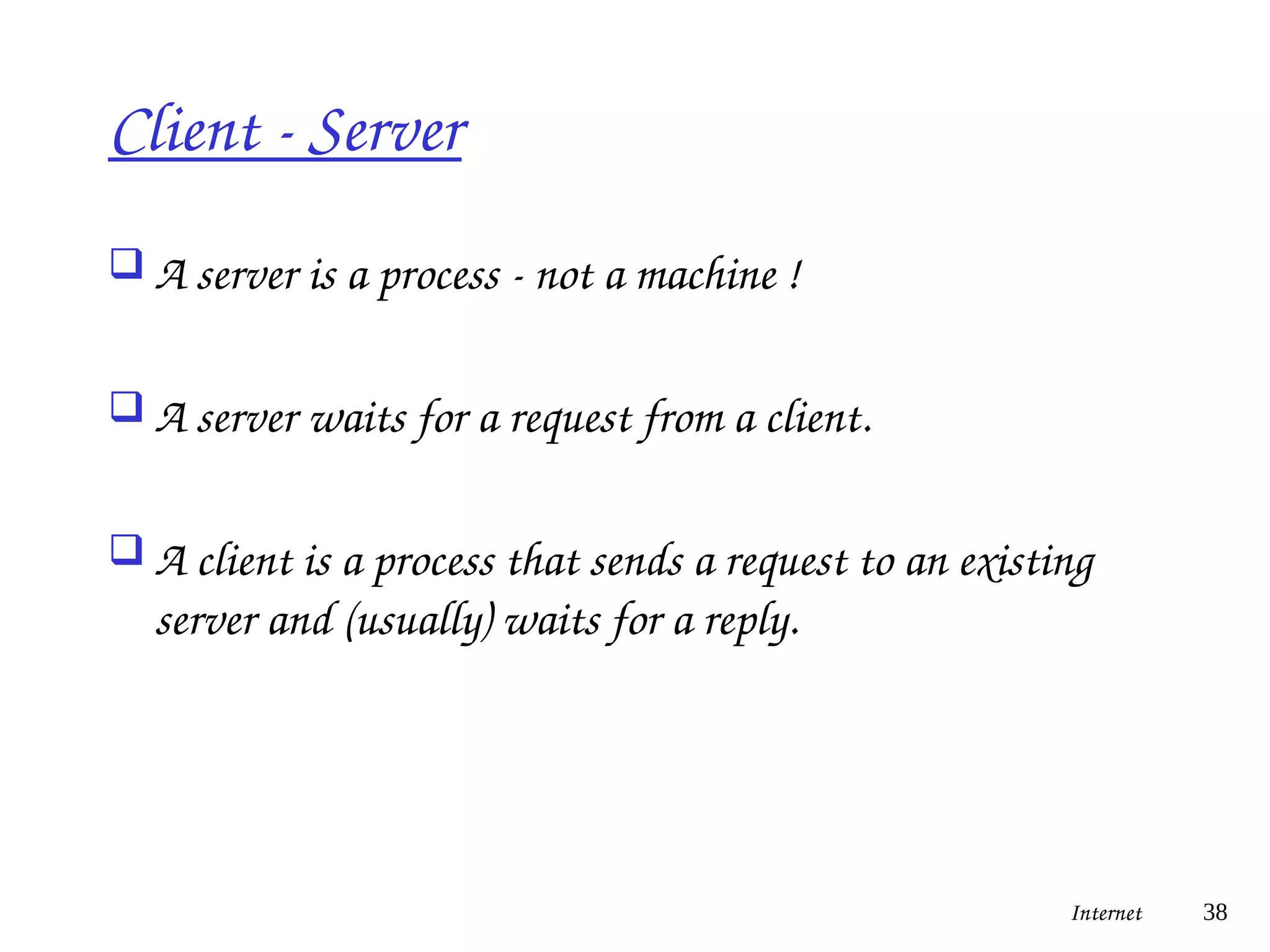
Client - Server
 A server is a process - not a machine !
 A server waits for a request from a client.
 A client is a process that sends a request to an existing
server and (usually) waits for a reply.
Internet 38
Client - Server Examples
 Server returns the time-of-day.
 Server returns a document.
 Server prints a file for client.
 Server does a disk read or write.
 Server records a transaction.
Internet 39
Thought Exercise
 Come up with an example of a layered
system.
Internet 40
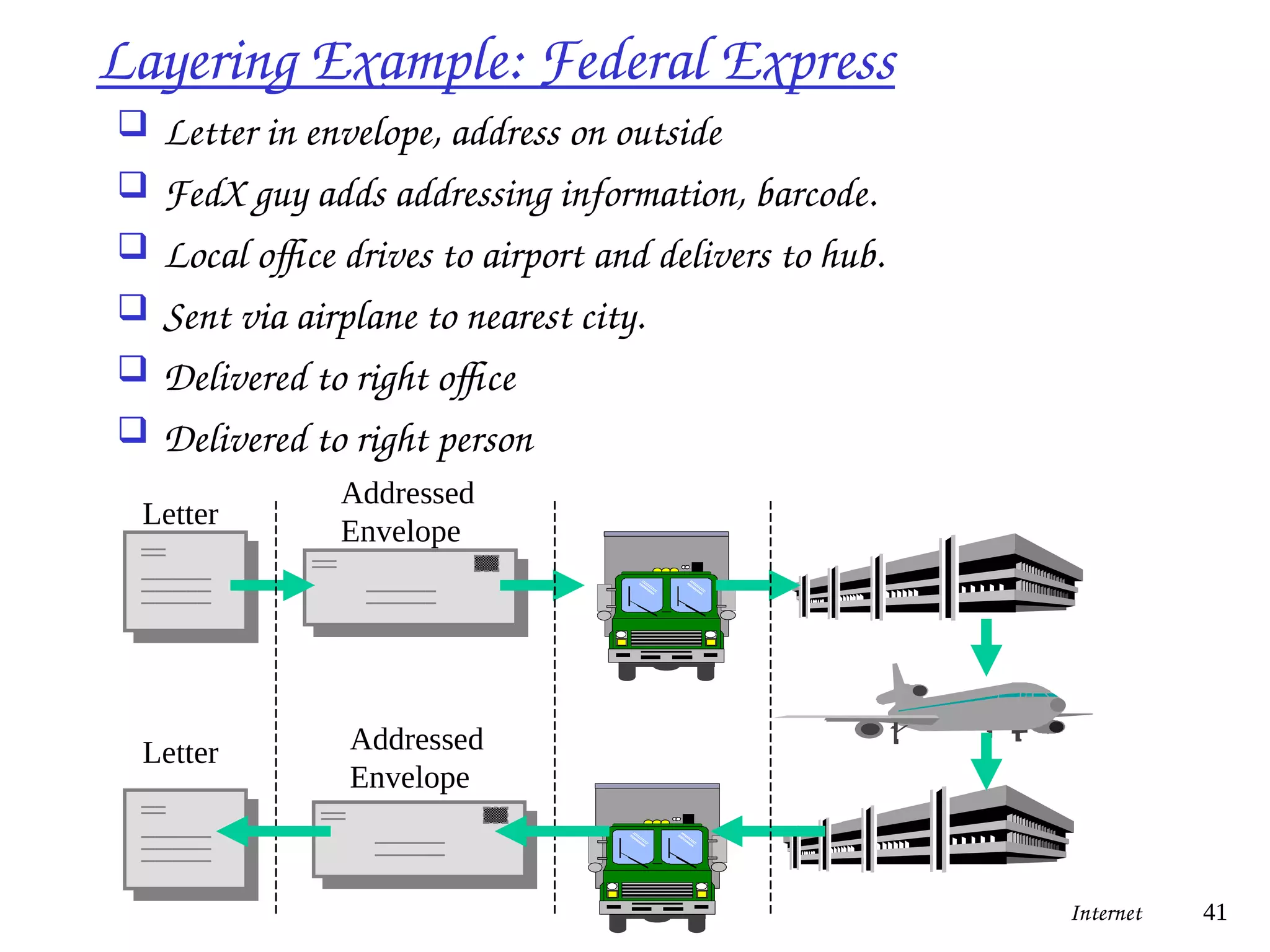
Layering Example: Federal Express
 Letter in envelope, address on outside
 FedX guy adds addressing information, barcode.
 Local office drives to airport and delivers to hub.
 Sent via airplane to nearest city.
 Delivered to right office
 Delivered to right person
Letter
Letter
Addressed
Envelope
Addressed
Envelope
Internet 41
42
43
44
45
46
47
48
• The World Wide Web is the universe of
network-accessible information, an
embodiment of human knowledge .
• The World Wide Web is a huge set of
interlinked documents, images and other
resources, linked by hyperlinks and URLs.
These hyperlinks and URLs allow the web
servers and other machines that store originals,
and cached copies, of these resources to deliver
them as required using HTTP (Hypertext
Transfer Protocol). HTTP is only one of the
communication protocols used on the Internet.
WWW
49
• The Internet is named after the Internet
Protocol, the standard communications protocol
used by every computer on the Internet. The
Internet can powerfully leverage your ability to
find, manage, and share information. Never
before in human history has such a valuable
resource been available to so many people at
such little cost. You are incredibly lucky.
Internet
50
• The concept of sending electronic text messages
between parties in a way analogous to mailing letters
or memos predates the creation of the Internet. Even
today it can be important to distinguish between
Internet and internal e-mail systems. Internet e-mail
may travel and be stored unencrypted on many other
networks and machines out of both the sender's and
the recipient's control. During this time it is quite
possible for the content to be read and even tampered
with by third parties, if anyone considers it important
enough.
E-Mail
51
• Webinar: Web+ Seminar, one-to-many
interactive communication
• Webcast: Web+ Broadcast, one-to-many non-
interactive communication/streamZ
• Zoom, Google Meet, Cisco WebEx, Microsoft
Teams: Cloud-based video conferencing
service
Contemporary

Lecture16.pdf

  • 1.
  • 2.
    2 Data Communication Data Communication Theterm telecommunication means communication at a The term telecommunication means communication at a distance. The word data refers to information presented in distance. The word data refers to information presented in whatever form is agreed upon by the parties creating and whatever form is agreed upon by the parties creating and using the data. Data communications are the exchange of using the data. Data communications are the exchange of data between two devices via some form of transmission data between two devices via some form of transmission medium such as a wire cable. medium such as a wire cable.
  • 3.
    3 Five components ofdata communication Data Communication.. Data Communication..
  • 4.
    4 Data flow (simplex,half-duplex, and full-duplex) Types of Communication Types of Communication
  • 5.
    5 NETWORKS NETWORKS A A network network isa set of devices (often referred to as is a set of devices (often referred to as nodes nodes) ) connected by communication connected by communication links links. A node can be a . A node can be a computer, printer, or any other device capable of sending computer, printer, or any other device capable of sending and/or receiving data generated by other nodes on the and/or receiving data generated by other nodes on the network. network.
  • 6.
    6 Computer Network There arethree types of Computer Network i) LAN (Local Area Network) ii) MAN (Metropolitan Area Network) iii) WAN (Wide Area Network)
  • 7.
    7 Computer Network Local AreaNetwork (LAN): A LAN is a computer network covering a local area, like a home, office, or group of buildings. A LAN is a network whose computers are located relatively near one another. The nodes may be connected by a cable or small transmitters.
  • 8.
    8 Local Area Network(LAN) Computer Network ..
  • 9.
    LAN - LocalArea Network  connects computers that are physically close together ( < 1 mile).  high speed  multi-access  Technologies:  Ethernet10 Mbps, 100Mbps  Token Ring 16 Mbps  FDDI 100 Mbps Internet 9
  • 10.
    10 Metropolitan Area Network(MAN): MANs are large computer networks usually spanning a city. They typically use wireless infrastructure or optical fiber connections to link their sites. Computer Network..
  • 11.
    11 Metropolitan Area Network(MAN) Computer Network..
  • 12.
    MAN - MetropolitanArea Network  Larger than a LAN and smaller than a WAN - example: campus-wide network - multi-access network  Technologies:  coaxial cable  microwave Internet 12
  • 13.
    13 Wide Area Network(WAN):A WAN is a computer network that covers a broad geographical area (i.e., any network whose communications links cross metropolitan, regional, or national boundaries ). Or, less formally, a network that uses routers and public communications links Computer Network..
  • 14.
    14 Wide Area Network(WAN) Computer Network..
  • 15.
    WAN - WideArea Network  connects computers that are physically far apart. “long- haul network”.  typically slower than a LAN.  typically less reliable than a LAN.  point-to-point  Technologies:  telephone lines  Satellite communications  Trans Oceanic Cable Internet 15
  • 16.
    16 • Simultaneous Access •Shared Peripheral Devices • Personal Communication • Easier Backup A network is a set of technologies (including hardware, software and cabling or some other means) that can be used to connect computers together, enabling them to communicate, exchange information, and share resources. The main benefits of using a network are: The Uses of a Network
  • 17.
    17 Network Media 1.Guided Media i.Twisted Pair a. Category 5,6,7 ii. Co-axial Cable a. Thin net b. Thick net iii. Fiber Optic 2.Unguided Media i. Microwave a. Terrestrial b. Satellite ii. Radio Wave iii.Broadcast
  • 18.
    18 Network Media (cont..) 1.GuidedMedia i. Twisted Pair a. Category 5,6,7
  • 19.
    19 Network Media (cont..) 1.GuidedMedia ii. Co-axial Cable a. Thin net (10Base 2) b. Thick net (10 Base 5)
  • 20.
    20 Network Media (cont..) 1.GuidedMedia iii. Fiber Optics
  • 21.
    Internetwork  Connection of2 or more distinct (possibly dissimilar) networks.  Requires some kind of network device to facilitate the connection. Net A Net B Internet 21
  • 22.
    The Internet  millionsof connected computing devices: hosts = end systems  running network apps  communication links  fiber, copper, radio, satellite  routers: forward packets (chunks of data) Internet 22 Home network Institutional network Mobile network Global ISP Regional ISP router PC server wireless laptop cellular handheld wired links access points
  • 23.
    The Internet Internet 23 InternetMapping Project, Bill Cheswick
  • 24.
    A Network ofNetworks  roughly hierarchical  Tier-1 ISPs provide national, international coverage  Tier-2 ISPs provide regional coverage  Tier-3 and lower levels provide local coverage  any tier may sell to business and residential customers  any ISP may have a link to any other ISP (not strictly hierarchical) Internet 24
  • 25.
  • 26.
    Many Different InternetService Providers  Each network is independent  Interoperability requires using Internet standards: IP, TCP  the Internet is global and must run these standards  your private intranet can do whatever you want it to do Internet 26
  • 27.
    Internet Design Goals primary goal: interoperability among existing networks  a network of networks  obey administrative boundaries  secondary goals  fault tolerance  multiple transport protocols  support a variety of networks  distributed management  cost effective, low effort for host attachment, accountability  first three were more important, so remaining four did not receive as much attention  no mention of security Internet 27
  • 28.
    Internet Design Principles minimal assumptions about services network should support  ability to send packets  no reliability or security  end-to-end principle  keep the core of the network as simple as possible,  put complex functionality at the edges  exception: significant performance improvement Internet 28
  • 29.
    Network Models  Usinga formal model allows us to deal with various aspects of Networks abstractly.  We will look at a popular model (OSI reference model).  The OSI reference model is a layered model. Internet 29
  • 30.
    Layering  Divide atask into pieces and then solve each piece independently (or nearly so).  Establishing a well defined interface between layers makes porting easier.  Major Advantages:  Code Reuse  Extensibility Internet 30
  • 31.
    The Internet Hourglass(TCP/IP Model) Internet 31
  • 32.
    The Internet ateach Hop Internet 32
  • 33.
    33 Summary of layersof TCP/IP Application
  • 34.
    What’s a protocol? humanprotocols:  “what’s the time?”  “I have a question”  introductions … specific msgs sent … specific actions taken when msgs received, or other events network protocols:  machines rather than humans  all communication activity in Internet governed by protocols Internet 34
  • 35.
    What’s a protocol? ahuman protocol and a computer network protocol: Internet 35 Q: Other human protocols? Hi Hi Got the time? 2:00 TCP connection request TCP connection response Get http://www.awl.com/kurose-ross <file> time
  • 36.
    Protocol  An agreedupon convention for communication.  both endpoints need to understand the protocol.  Protocols must be formally defined and unambiguous!  Protocols define  format,  order of msgs sent and received among network entities,  actions taken on msg transmission, receipt  We will study lots of existing protocols and perhaps develop a few of our own. Internet 36
  • 37.
    Programs & Processes A program is an executable file.  A process or task is an instance of a program that is being executed.  A single program can generate multiple processes. Internet 37
  • 38.
    Client - Server A server is a process - not a machine !  A server waits for a request from a client.  A client is a process that sends a request to an existing server and (usually) waits for a reply. Internet 38
  • 39.
    Client - ServerExamples  Server returns the time-of-day.  Server returns a document.  Server prints a file for client.  Server does a disk read or write.  Server records a transaction. Internet 39
  • 40.
    Thought Exercise  Comeup with an example of a layered system. Internet 40
  • 41.
    Layering Example: FederalExpress  Letter in envelope, address on outside  FedX guy adds addressing information, barcode.  Local office drives to airport and delivers to hub.  Sent via airplane to nearest city.  Delivered to right office  Delivered to right person Letter Letter Addressed Envelope Addressed Envelope Internet 41
  • 42.
  • 43.
  • 44.
  • 45.
  • 46.
  • 47.
  • 48.
    48 • The WorldWide Web is the universe of network-accessible information, an embodiment of human knowledge . • The World Wide Web is a huge set of interlinked documents, images and other resources, linked by hyperlinks and URLs. These hyperlinks and URLs allow the web servers and other machines that store originals, and cached copies, of these resources to deliver them as required using HTTP (Hypertext Transfer Protocol). HTTP is only one of the communication protocols used on the Internet. WWW
  • 49.
    49 • The Internetis named after the Internet Protocol, the standard communications protocol used by every computer on the Internet. The Internet can powerfully leverage your ability to find, manage, and share information. Never before in human history has such a valuable resource been available to so many people at such little cost. You are incredibly lucky. Internet
  • 50.
    50 • The conceptof sending electronic text messages between parties in a way analogous to mailing letters or memos predates the creation of the Internet. Even today it can be important to distinguish between Internet and internal e-mail systems. Internet e-mail may travel and be stored unencrypted on many other networks and machines out of both the sender's and the recipient's control. During this time it is quite possible for the content to be read and even tampered with by third parties, if anyone considers it important enough. E-Mail
  • 51.
    51 • Webinar: Web+Seminar, one-to-many interactive communication • Webcast: Web+ Broadcast, one-to-many non- interactive communication/streamZ • Zoom, Google Meet, Cisco WebEx, Microsoft Teams: Cloud-based video conferencing service Contemporary