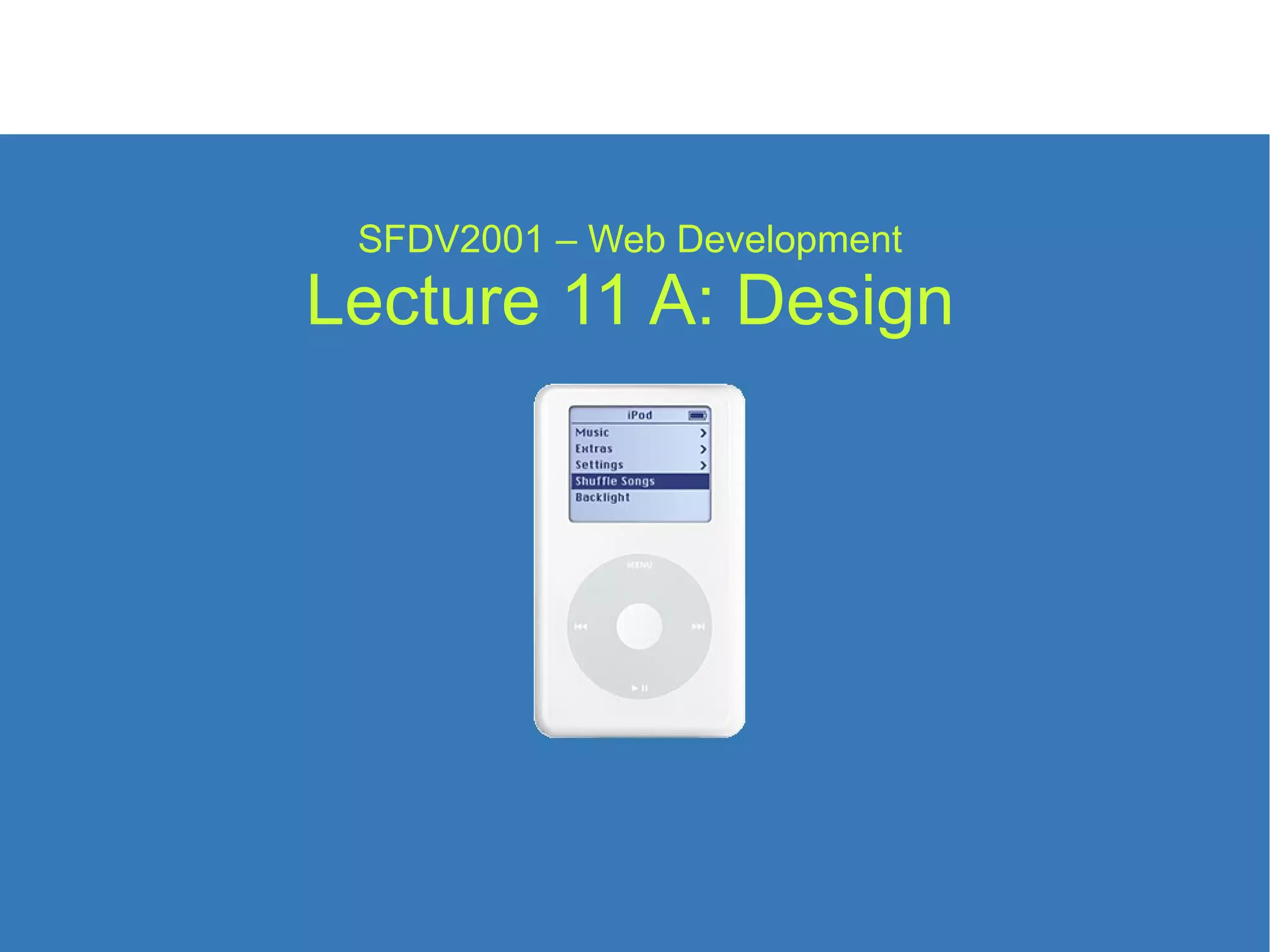
SFDV2001 – Web Development Lecture 11 A: Design
What is Design Design is  not  art, it is not manufacturing or construction. Design is about the customer not the designer. Design is the process of finding solutions to problems. For the web these problems usually start with the need to convey information, and produce a visually appealing page that people will return to. (SFDV2001:18) Design Design is the art of gradually applying constraints until only one solution remains
Style vs Content There is a debate between style and content. Some designers:  believe that style is more important than the content.  want to show off, making “cool” websites. Some tech people believe: presentation is irrelevant. that more information is always better. Large organisation have rules about  types of content. style of presentation. No simple solution to this argument. (SFDV2001:18) Design
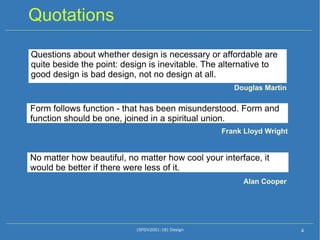
Quotations Questions about whether design is necessary or affordable are quite beside the point: design is inevitable. The alternative to good design is bad design, not no design at all. (SFDV2001:18) Design Form follows function - that has been misunderstood. Form and function should be one, joined in a spiritual union. No matter how beautiful, no matter how cool your interface, it would be better if there were less of it. Douglas Martin Frank Lloyd Wright Alan Cooper
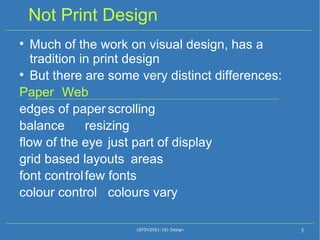
Not Print Design Much of the work on visual design, has a tradition in print design But there are some very distinct differences: Paper Web edges of paper scrolling balance resizing flow of the eye just part of display grid based layouts areas font control few fonts colour control colours vary (SFDV2001:18) Design
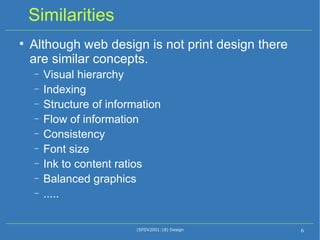
Similarities Although web design is not print design there are similar concepts. Visual hierarchy Indexing Structure of information Flow of information Consistency Font size Ink to content ratios Balanced graphics ..... (SFDV2001:18) Design
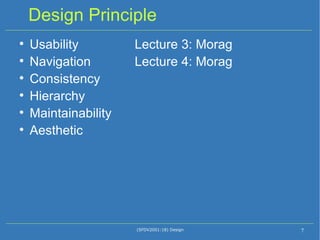
Design Principle Usability  Lecture 3: Morag Navigation  Lecture 4: Morag Consistency Hierarchy Maintainability Aesthetic (SFDV2001:18) Design
Process Design is a process (SFDV2001:18) Design
Usability Jacob Nielsen – “The usability guy” Usability as the principle design constraint. Clean, consistent, easy to use. "Ultimately, users visit your website for its content. Everything else is just the backdrop.“ Conveying information is the principle goal of 95% of web pages. The interface has to be usable to find content Usability testing. Usability is the key concept to keep in mind while balancing other constraints. (SFDV2001:18) Design
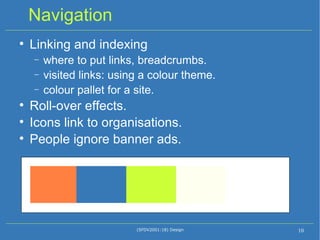
Navigation Linking and indexing where to put links, breadcrumbs. visited links: using a colour theme. colour pallet for a site. Roll-over effects. Icons link to organisations. People ignore banner ads. (SFDV2001:18) Design
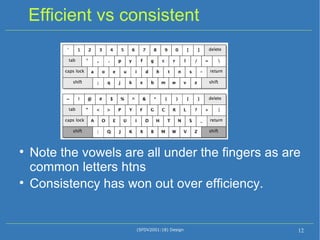
Consistency Cognitive load. The mental cost of working out something new. Familiarity detectors linked to pleasure centres in the brain. More efficient is not always better. Keyboards – Qwerty vs Dvorák Consistency vs performance Coherence of site. Meeting expectations. (SFDV2001:18) Design 99% of the time, people are on other web sites
Efficient vs consistent Note the vowels are all under the fingers as are common letters htns  Consistency has won out over efficiency. (SFDV2001:18) Design
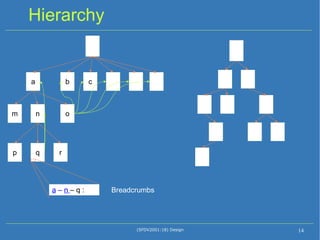
Hierarchy Humans love to group things Animals, people, objects,  ... Improves understanding. Improves recovery of information. Humans find it easy to learn things provided in a hierarchy. Broad and shallow Web sites need to be shallow as depth takes time. Sitemap.  Breadcrumbs. Sibling links viewable, usually on the left. (SFDV2001:18) Design
Hierarchy (SFDV2001:18) Design a b c m o n p r q a  –  n  – q : Breadcrumbs
Grids and Alignment Lining things up Humans have vertical and horizontal line detectors in our brains Alignment familiar from word processors Grid layout - print media Most print media has a strong grid Discord If things are out of alignment people feel unsure about relationships Proximity and alignment used as hints to the hierarchy  (SFDV2001:18) Design
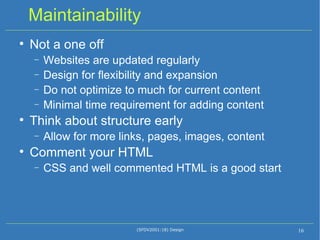
Maintainability Not a one off Websites are updated regularly Design for flexibility and expansion Do not optimize to much for current content Minimal time requirement for adding content Think about structure early Allow for more links, pages, images, content Comment your HTML CSS and well commented HTML is a good start (SFDV2001:18) Design
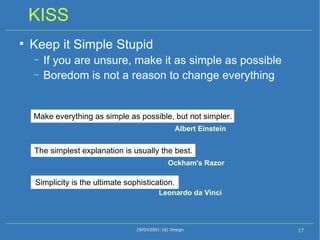
KISS Keep it Simple Stupid If you are unsure, make it as simple as possible Boredom is not a reason to change everything (SFDV2001:18) Design Simplicity is the ultimate sophistication.  Leonardo da Vinci  The simplest explanation is usually the best.  Ockham's Razor Make everything as simple as possible, but not simpler.  Albert Einstein
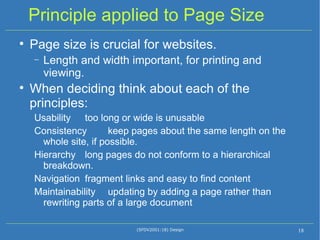
Principle applied to Page Size Page size is crucial for websites. Length and width important, for printing and viewing. When deciding think about each of the principles: Usability  too long or wide is unusable Consistency  keep pages about the same length on the whole site, if possible. Hierarchy  long pages do not conform to a hierarchical breakdown. Navigation  fragment links and easy to find content Maintainability  updating by adding a page rather than rewriting parts of a large document (SFDV2001:18) Design
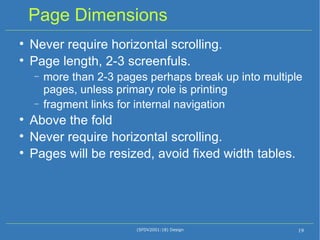
Page Dimensions Never require horizontal scrolling. Page length, 2-3 screenfuls. more than 2-3 pages perhaps break up into multiple pages, unless primary role is printing fragment links for internal navigation Above the fold Never require horizontal scrolling. Pages will be resized, avoid fixed width tables. (SFDV2001:18) Design
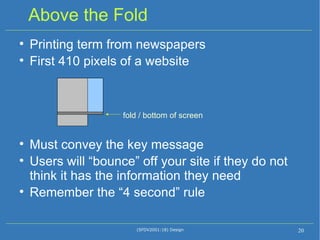
Above the Fold Printing term from newspapers First 410 pixels of a website Must convey the key message Users will “bounce” off your site if they do not think it has the information they need Remember the “4 second” rule (SFDV2001:18) Design fold / bottom of screen
Aesthetic Design eye Process of design / redesign Part of function is to be pleasurable to use beauty is part of pleasure some things do the job, but are ugly and so people do not use them Car design F1 cars – all about function – beautiful form Lada – functional but not very pretty, perhaps (SFDV2001:18) Design
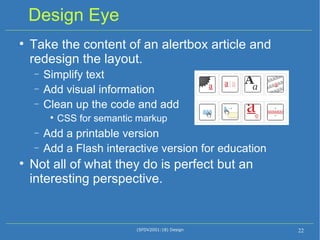
Design Eye Take the content of an alertbox article and redesign the layout. Simplify text Add visual information Clean up the code and add  CSS for semantic markup Add a printable version Add a Flash interactive version for education Not all of what they do is perfect but an interesting perspective. (SFDV2001:18) Design
Simplification (SFDV2001:18) Design Don’t underline any text that’s not a link, even if your links aren’t underlined.  Reserve underlining for links . Because underlines provide a strong perceived affordance of clickability, users will be confused and disappointed if underlined text doesn’t have an actual affordance to match this perception. Use bold or italics for emphasis with text that’s not a link . If you are going to use underlines, reserve the technique for links. Underlines on the web have a general expectation to act like links, and users will be confused or disappointed if underlined text doesn’t match this expectation.
Group Dynamics Technical people and artistic people have different ways of communicating and very different approaches to problems. Respect is perhaps the most important concept to keep in mind. Do not tell other people that their ideas suck. Do not state things in a negative way, restate in a positive way or as a question. Communication techniques and a firm leader are important. (SFDV2001:18) Design
Who is in charge Technical:  I make the page so I am in charge Design:  I design the page so I am in charge Truth: depends on the boss/client You have to work together. Somebody needs to have the final say. (SFDV2001:18) Design
Design is a Craft Competence vs skill Every adult can learn, to some level of competence, any discipline.  You can learn to sing, play an instrument, draw, program, design, act, and speak in public.  But you probably can't learn to be a star. Natural talents Easy to learn some things and have a flare for a particular activity. Great design requires more than following a set of rules. You can learn to paint a house, but can you create a beautiful mural? (SFDV2001:18) Design
Practical Considerations Know your own skills “ KISS – Keep It Simple Stupid” “ Above the fold” Adding things “because they are cool” is almost always a mistake If you design a page make it: Simple / clear Consistent Usable Maintainable (SFDV2001:18) Design

Lecture11 A Image

  • 1.
    SFDV2001 – WebDevelopment Lecture 11 A: Design
  • 2.
    What is DesignDesign is not art, it is not manufacturing or construction. Design is about the customer not the designer. Design is the process of finding solutions to problems. For the web these problems usually start with the need to convey information, and produce a visually appealing page that people will return to. (SFDV2001:18) Design Design is the art of gradually applying constraints until only one solution remains
  • 3.
    Style vs ContentThere is a debate between style and content. Some designers: believe that style is more important than the content. want to show off, making “cool” websites. Some tech people believe: presentation is irrelevant. that more information is always better. Large organisation have rules about types of content. style of presentation. No simple solution to this argument. (SFDV2001:18) Design
  • 4.
    Quotations Questions aboutwhether design is necessary or affordable are quite beside the point: design is inevitable. The alternative to good design is bad design, not no design at all. (SFDV2001:18) Design Form follows function - that has been misunderstood. Form and function should be one, joined in a spiritual union. No matter how beautiful, no matter how cool your interface, it would be better if there were less of it. Douglas Martin Frank Lloyd Wright Alan Cooper
  • 5.
    Not Print DesignMuch of the work on visual design, has a tradition in print design But there are some very distinct differences: Paper Web edges of paper scrolling balance resizing flow of the eye just part of display grid based layouts areas font control few fonts colour control colours vary (SFDV2001:18) Design
  • 6.
    Similarities Although webdesign is not print design there are similar concepts. Visual hierarchy Indexing Structure of information Flow of information Consistency Font size Ink to content ratios Balanced graphics ..... (SFDV2001:18) Design
  • 7.
    Design Principle Usability Lecture 3: Morag Navigation Lecture 4: Morag Consistency Hierarchy Maintainability Aesthetic (SFDV2001:18) Design
  • 8.
    Process Design isa process (SFDV2001:18) Design
  • 9.
    Usability Jacob Nielsen– “The usability guy” Usability as the principle design constraint. Clean, consistent, easy to use. "Ultimately, users visit your website for its content. Everything else is just the backdrop.“ Conveying information is the principle goal of 95% of web pages. The interface has to be usable to find content Usability testing. Usability is the key concept to keep in mind while balancing other constraints. (SFDV2001:18) Design
  • 10.
    Navigation Linking andindexing where to put links, breadcrumbs. visited links: using a colour theme. colour pallet for a site. Roll-over effects. Icons link to organisations. People ignore banner ads. (SFDV2001:18) Design
  • 11.
    Consistency Cognitive load.The mental cost of working out something new. Familiarity detectors linked to pleasure centres in the brain. More efficient is not always better. Keyboards – Qwerty vs Dvorák Consistency vs performance Coherence of site. Meeting expectations. (SFDV2001:18) Design 99% of the time, people are on other web sites
  • 12.
    Efficient vs consistentNote the vowels are all under the fingers as are common letters htns Consistency has won out over efficiency. (SFDV2001:18) Design
  • 13.
    Hierarchy Humans loveto group things Animals, people, objects, ... Improves understanding. Improves recovery of information. Humans find it easy to learn things provided in a hierarchy. Broad and shallow Web sites need to be shallow as depth takes time. Sitemap. Breadcrumbs. Sibling links viewable, usually on the left. (SFDV2001:18) Design
  • 14.
    Hierarchy (SFDV2001:18) Designa b c m o n p r q a – n – q : Breadcrumbs
  • 15.
    Grids and AlignmentLining things up Humans have vertical and horizontal line detectors in our brains Alignment familiar from word processors Grid layout - print media Most print media has a strong grid Discord If things are out of alignment people feel unsure about relationships Proximity and alignment used as hints to the hierarchy (SFDV2001:18) Design
  • 16.
    Maintainability Not aone off Websites are updated regularly Design for flexibility and expansion Do not optimize to much for current content Minimal time requirement for adding content Think about structure early Allow for more links, pages, images, content Comment your HTML CSS and well commented HTML is a good start (SFDV2001:18) Design
  • 17.
    KISS Keep itSimple Stupid If you are unsure, make it as simple as possible Boredom is not a reason to change everything (SFDV2001:18) Design Simplicity is the ultimate sophistication. Leonardo da Vinci The simplest explanation is usually the best. Ockham's Razor Make everything as simple as possible, but not simpler. Albert Einstein
  • 18.
    Principle applied toPage Size Page size is crucial for websites. Length and width important, for printing and viewing. When deciding think about each of the principles: Usability too long or wide is unusable Consistency keep pages about the same length on the whole site, if possible. Hierarchy long pages do not conform to a hierarchical breakdown. Navigation fragment links and easy to find content Maintainability updating by adding a page rather than rewriting parts of a large document (SFDV2001:18) Design
  • 19.
    Page Dimensions Neverrequire horizontal scrolling. Page length, 2-3 screenfuls. more than 2-3 pages perhaps break up into multiple pages, unless primary role is printing fragment links for internal navigation Above the fold Never require horizontal scrolling. Pages will be resized, avoid fixed width tables. (SFDV2001:18) Design
  • 20.
    Above the FoldPrinting term from newspapers First 410 pixels of a website Must convey the key message Users will “bounce” off your site if they do not think it has the information they need Remember the “4 second” rule (SFDV2001:18) Design fold / bottom of screen
  • 21.
    Aesthetic Design eyeProcess of design / redesign Part of function is to be pleasurable to use beauty is part of pleasure some things do the job, but are ugly and so people do not use them Car design F1 cars – all about function – beautiful form Lada – functional but not very pretty, perhaps (SFDV2001:18) Design
  • 22.
    Design Eye Takethe content of an alertbox article and redesign the layout. Simplify text Add visual information Clean up the code and add CSS for semantic markup Add a printable version Add a Flash interactive version for education Not all of what they do is perfect but an interesting perspective. (SFDV2001:18) Design
  • 23.
    Simplification (SFDV2001:18) DesignDon’t underline any text that’s not a link, even if your links aren’t underlined. Reserve underlining for links . Because underlines provide a strong perceived affordance of clickability, users will be confused and disappointed if underlined text doesn’t have an actual affordance to match this perception. Use bold or italics for emphasis with text that’s not a link . If you are going to use underlines, reserve the technique for links. Underlines on the web have a general expectation to act like links, and users will be confused or disappointed if underlined text doesn’t match this expectation.
  • 24.
    Group Dynamics Technicalpeople and artistic people have different ways of communicating and very different approaches to problems. Respect is perhaps the most important concept to keep in mind. Do not tell other people that their ideas suck. Do not state things in a negative way, restate in a positive way or as a question. Communication techniques and a firm leader are important. (SFDV2001:18) Design
  • 25.
    Who is incharge Technical: I make the page so I am in charge Design: I design the page so I am in charge Truth: depends on the boss/client You have to work together. Somebody needs to have the final say. (SFDV2001:18) Design
  • 26.
    Design is aCraft Competence vs skill Every adult can learn, to some level of competence, any discipline. You can learn to sing, play an instrument, draw, program, design, act, and speak in public. But you probably can't learn to be a star. Natural talents Easy to learn some things and have a flare for a particular activity. Great design requires more than following a set of rules. You can learn to paint a house, but can you create a beautiful mural? (SFDV2001:18) Design
  • 27.
    Practical Considerations Knowyour own skills “ KISS – Keep It Simple Stupid” “ Above the fold” Adding things “because they are cool” is almost always a mistake If you design a page make it: Simple / clear Consistent Usable Maintainable (SFDV2001:18) Design