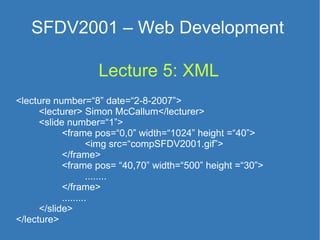
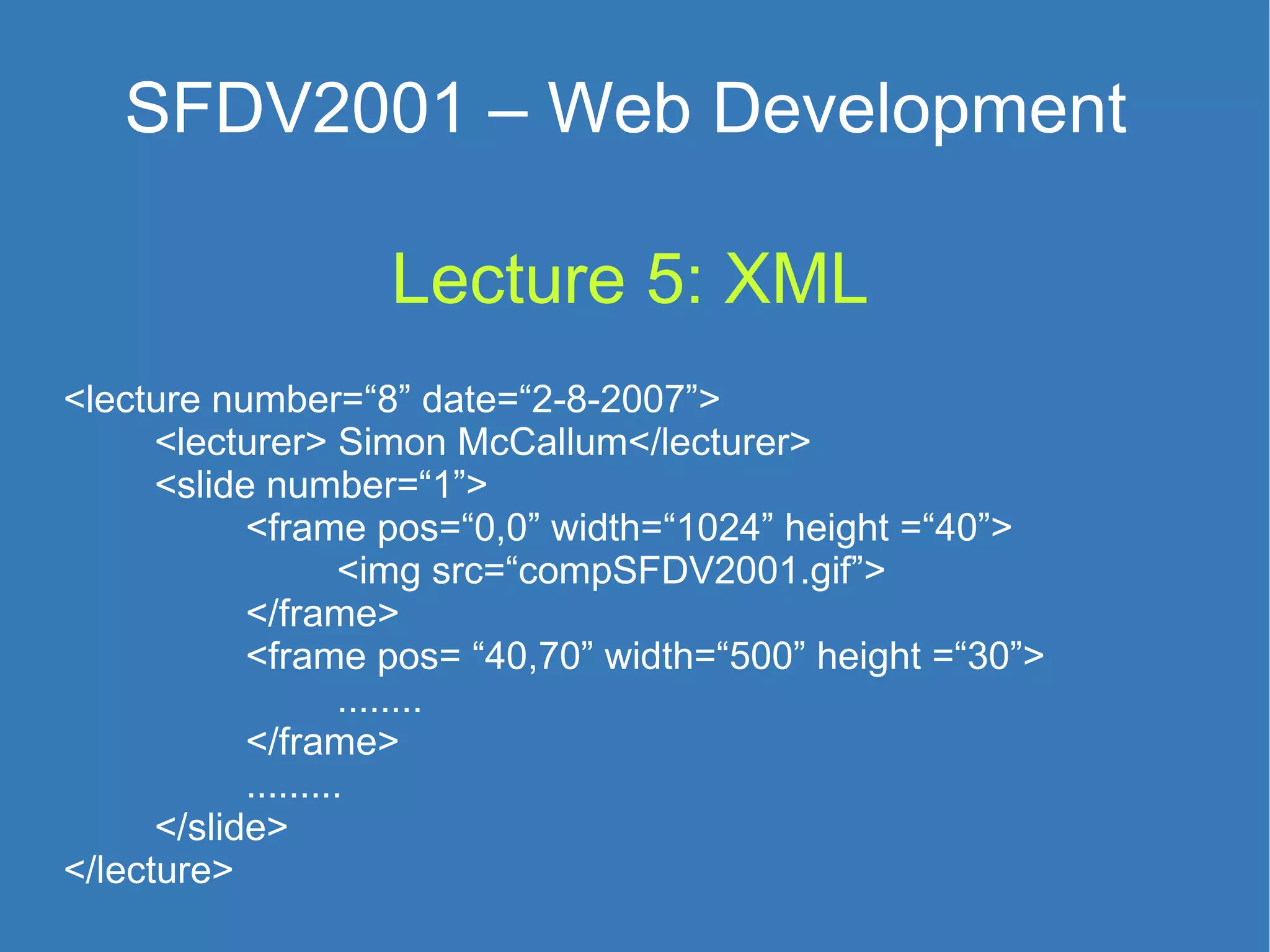
Lecture 5: XML <lecture number=“8” date=“2-8-2007”> <lecturer> Simon McCallum</lecturer> <slide number=“1”> <frame pos=“0,0” width=“1024” height =“40”>  <img src=“compSFDV2001.gif”> </frame> <frame pos= “40,70” width=“500” height =“30”> ........ </frame> ......... </slide> </lecture> SFDV2001 – Web Development
Markup Marking information  more than the text that you see General concept is meta-information Plays – Mark what the actors do 11/09/07 (SFDV2001:8)XML HORATIO. Peace! Who comes here? [Enter young Osric, a courtier.] OSRIC. Your lordship is right welcome back to Denmark. HAMLET. I humbly thank you, sir.  [Aside to Horatio]  Dost know this waterfly?
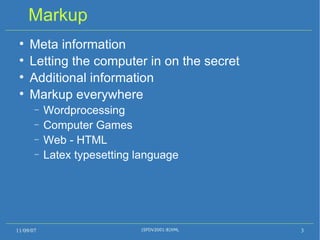
Markup Meta information Letting the computer in on the secret Additional information Markup everywhere Wordprocessing Computer Games Web - HTML Latex typesetting language 11/09/07 (SFDV2001:8)XML
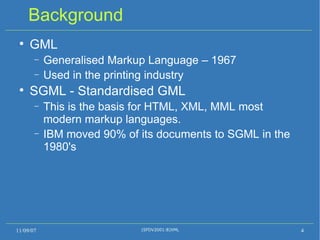
Background GML Generalised Markup Language – 1967 Used in the printing industry SGML - Standardised GML This is the basis for HTML, XML, MML most modern markup languages. IBM moved 90% of its documents to SGML in the 1980's 11/09/07 (SFDV2001:8)XML
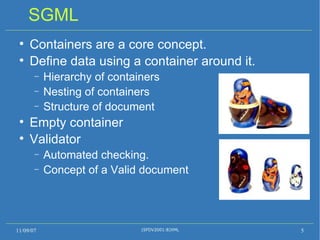
SGML Containers are a core concept.  Define data using a container around it. Hierarchy of containers Nesting of containers Structure of document Empty container Validator Automated checking. Concept of a Valid document 11/09/07 (SFDV2001:8)XML
HTML 1991 – HTML A markup for displaying on computer screens Combines instructions about display with data Very limited subset of SGML Easy to learn HTML too limited for general documents SGML too complex for most people XML 11/09/07 (SFDV2001:8)XML
XML e X tensible  M arkup  L anguage.  Subset of SGML Allows the user to define their own markup. All your information is marked-up.  Defining your own tags.  < name >John Smith</ name > < addr >22 Any Street</ addr > < wine >Chard Farm Riesling</ wine > 11/09/07 (SFDV2001:8)XML
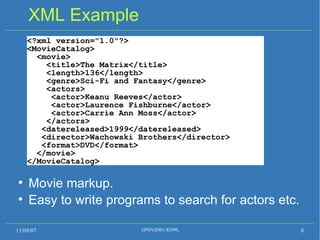
XML Example Movie markup. Easy to write programs to search for actors etc. 11/09/07 (SFDV2001:8)XML <?xml version=&quot;1.0&quot;?> <MovieCatalog> <movie> <title>The Matrix</title> <length>136</length> <genre>Sci-Fi and Fantasy</genre> <actors> <actor>Keanu Reeves</actor> <actor>Laurence Fishburne</actor> <actor>Carrie Ann Moss</actor> </actors> <datereleased>1999</datereleased> <director>Wachowski Brothers</director> <format>DVD</format> </movie> </MovieCatalog>
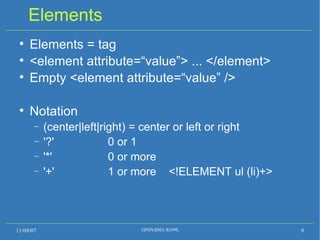
Elements Elements = tag <element attribute=“value”> ... </element> Empty <element attribute=“value” /> Notation (center|left|right) = center or left or right '?' 0 or 1 '*' 0 or more '+' 1 or more  <!ELEMENT ul (li)+> 11/09/07 (SFDV2001:8)XML
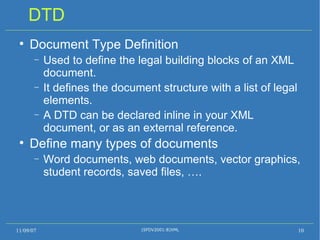
DTD Document Type Definition  Used to define the legal building blocks of an XML document.  It defines the document structure with a list of legal elements.  A DTD can be declared inline in your XML document, or as an external reference. Define many types of documents Word documents, web documents, vector graphics, student records, saved files, …. 11/09/07 (SFDV2001:8)XML
DTD Example 11/09/07 (SFDV2001:8)XML <?xml version=&quot;1.0&quot;?> <?xml-stylesheet href=“list.xsl&quot; type=&quot;text/xsl&quot;?> <!DOCTYPE bookcatalog [ <!ELEMENT book  (author , title, publisher, year)> <!ELEMENT author  (#PCDATA)> <!ELEMENT title (#PCDATA)> <!ELEMENT publisher  (#PCDATA)> <!ELEMENT year (#PCDATA)>  ]> <bookcatalog> <book> <author>Joel Sklar</author> <title>Princeples of Web Design</title> <publisher>THOMSOM</publisher> <year>2006</year> </book>  </bookcatalog>
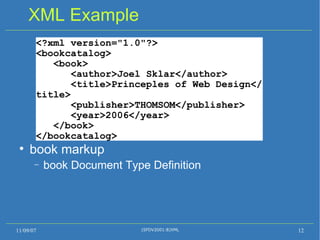
XML Example book markup  book Document Type Definition 11/09/07 (SFDV2001:8)XML <?xml version=&quot;1.0&quot;?> <bookcatalog> <book> <author>Joel Sklar</author> <title>Princeples of Web Design</title> <publisher>THOMSOM</publisher> <year>2006</year> </book>  </bookcatalog>
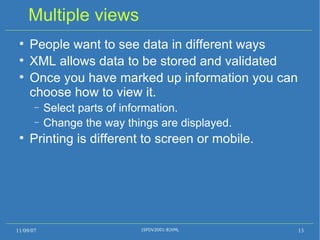
Multiple views People want to see data in different ways XML allows data to be stored and validated Once you have marked up information you can choose how to view it. Select parts of information. Change the way things are displayed. Printing is different to screen or mobile. 11/09/07 (SFDV2001:8)XML
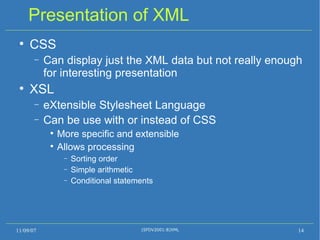
Presentation of XML CSS Can display just the XML data but not really enough for interesting presentation XSL eXtensible Stylesheet Language Can be use with or instead of CSS More specific and extensible Allows processing Sorting order Simple arithmetic  Conditional statements 11/09/07 (SFDV2001:8)XML
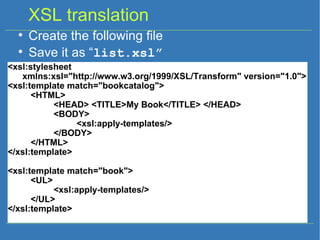
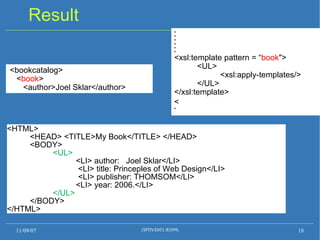
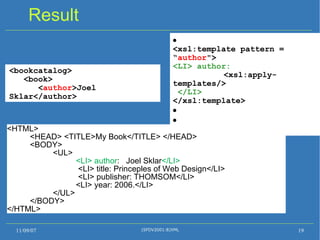
XSL translation Create the following file  Save it as “ list.xsl” <xsl:stylesheet  xmlns:xsl=&quot;http://www.w3.org/1999/XSL/Transform&quot; version=&quot;1.0&quot;> <xsl:template match=&quot;bookcatalog&quot;> <HTML> <HEAD> <TITLE>My Book</TITLE> </HEAD> <BODY> <xsl:apply-templates/> </BODY> </HTML> </xsl:template> <xsl:template match=&quot;book&quot;> <UL> <xsl:apply-templates/> </UL> </xsl:template>
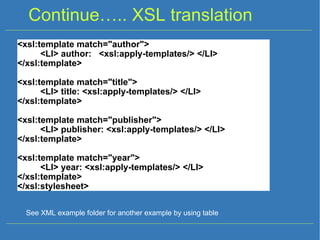
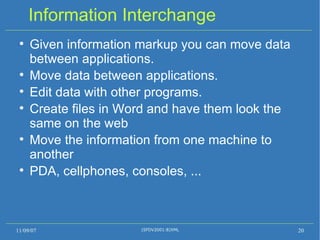
Continue…..  XSL translation <xsl:template match=&quot;author&quot;> <LI> author:  <xsl:apply-templates/> </LI> </xsl:template> <xsl:template match=&quot;title&quot;> <LI> title: <xsl:apply-templates/> </LI> </xsl:template> <xsl:template match=&quot;publisher&quot;> <LI> publisher: <xsl:apply-templates/> </LI> </xsl:template> <xsl:template match=&quot;year&quot;> <LI> year: <xsl:apply-templates/> </LI> </xsl:template> </xsl:stylesheet> See XML example folder for another example by using table
Result 11/09/07 (SFDV2001:8)XML <HTML> <HEAD> <TITLE>My Book</TITLE> </HEAD> <BODY> <UL>   <LI> author:  Joel Sklar</LI>   <LI> title: Princeples of Web Design</LI>   <LI> publisher: THOMSOM</LI> <LI> year: 2006.</LI> </UL> </BODY> </HTML> <bookcatalog> <book> <author>Joel Sklar</author> <xsl:template pattern = “ bookcatalog   &quot;> <HTML> <HEAD> <TITLE>My book</TITLE> </HEAD> <BODY> <xsl:apply-templates/> </BODY> </HTML> </xsl:template> 
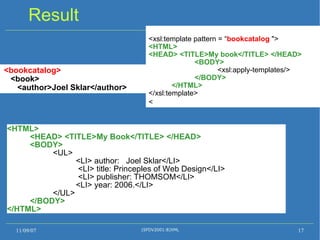
Result 11/09/07 (SFDV2001:8)XML <bookcatalog> < book > <author>Joel Sklar</author>       <xsl:template pattern = “ book &quot;> <UL> <xsl:apply-templates/> </UL> </xsl:template>   <HTML> <HEAD> <TITLE>My Book</TITLE> </HEAD> <BODY> <UL>   <LI> author:  Joel Sklar</LI>   <LI> title: Princeples of Web Design</LI>   <LI> publisher: THOMSOM</LI> <LI> year: 2006.</LI> </UL> </BODY> </HTML>
Result 11/09/07 (SFDV2001:8)XML <bookcatalog> <book> < author >Joel Sklar</author>  <xsl:template pattern = “ author &quot;> <LI> author:     <xsl:apply-templates/> </LI> </xsl:template>   <HTML> <HEAD> <TITLE>My Book</TITLE> </HEAD> <BODY> <UL>   <LI> author :  Joel Sklar </LI>   <LI> title: Princeples of Web Design</LI>   <LI> publisher: THOMSOM</LI> <LI> year: 2006.</LI> </UL> </BODY> </HTML>
Information Interchange Given information markup you can move data between applications. Move data between applications. Edit data with other programs. Create files in Word and have them look the same on the web Move the information from one machine to another PDA, cellphones, consoles, ... 11/09/07 (SFDV2001:8)XML
XML Disadvantages To many DTDs lead to a lack of consistency. Poor implementations lead to inconsistent recognition. Very precise.  Browsers are not able to recover from errors as they do for HTML. Separate files are usually used for the XML document, the DTD and the presentation.  Bloated documents if you just need a specific part of the information 11/09/07 (SFDV2001:8)XML
MS and XML “ Office 12” to be fully XML based. Why?  Officially the short answer is because  improved file and data management, improved interoperability, and  a published file-format specification  This is what customers and governments have asked us for. More likely Laws being passed about open formats for public documents. Office will print PDF for similar reasons 11/09/07 (SFDV2001:8)XML Steven Sinofsky
XPS BUT..... Microsoft still wants control so XPS - XML Paper Specification, the rules on interpreting the XML format. They have created a licence to use their XML definitions Licence incompatible with other Open Source Software licences As it is not a community developed format they can change it without warning and still want control over how it is implemented Open Office has been XML for several years 11/09/07 (SFDV2001:8)XML
XHTML The implementation of HTML as an XML application -  Readily viewed, edited, and validated with standard XML tools.  XHTML documents can be written to operate as well or better in existing HTML 4-conforming browsers. XHTML documents can utilize applications that rely upon either the HTML Document Object Model or the XML Document Object Model. XHTML more likely to be interoperable in the future. XHTML more extendable than HTML. 11/09/07 (SFDV2001:8)XML
HTML - XHTML differences You will notice All tags must have an ending  <p> must have </p>  empty tags such as <br> become <br /> <img ..... /> All attribute values must be quoted. eg size=“3” Makes using the DOM easy Everything is encapsulated with no ambiguity. NOTE : your first project is in HTML  NOT  XHTML 11/09/07 (SFDV2001:8)XML
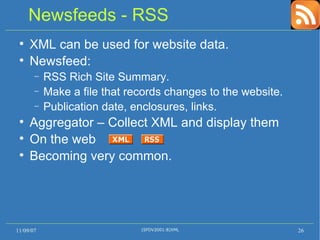
Newsfeeds - RSS XML can be used for website data. Newsfeed:  RSS Rich Site Summary. Make a file that records changes to the website. Publication date, enclosures, links. Aggregator – Collect XML and display them On the web Becoming very common. 11/09/07 (SFDV2001:8)XML
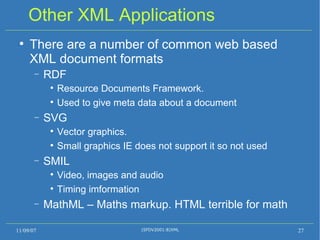
Other XML Applications There are a number of common web based XML document formats RDF  Resource Documents Framework. Used to give meta data about a document SVG Vector graphics. Small graphics IE does not support it so not used SMIL  Video, images and audio Timing imformation MathML – Maths markup. HTML terrible for math 11/09/07 (SFDV2001:8)XML
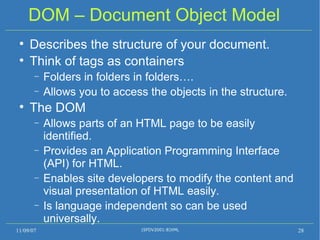
DOM – Document Object Model Describes the structure of your document. Think of tags as containers Folders in folders in folders…. Allows you to access the objects in the structure. The DOM Allows parts of an HTML page to be easily identified.  Provides an Application Programming Interface (API) for HTML. Enables site developers to modify the content and visual presentation of HTML easily. Is language independent so can be used universally. 11/09/07 (SFDV2001:8)XML
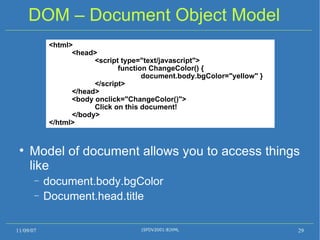
DOM – Document Object Model Model of document allows you to access things like  document.body.bgColor Document.head.title 11/09/07 (SFDV2001:8)XML <html>  <head>  <script type=&quot;text/javascript&quot;>  function ChangeColor() {  document.body.bgColor=&quot;yellow&quot; }  </script>  </head>  <body onclick=&quot;ChangeColor()&quot;>  Click on this document! </body> </html>
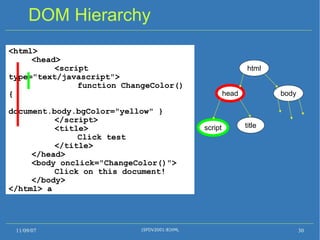
DOM Hierarchy 11/09/07 (SFDV2001:8)XML <html>  <head>  <script type=&quot;text/javascript&quot;>  function ChangeColor() {  document.body.bgColor=&quot;yellow&quot; }  </script> <title> Click test </title>  </head>  <body onclick=&quot;ChangeColor()&quot;>  Click on this document! </body> </html> a html head body script title

Lecture 5 XML

  • 1.
    Lecture 5: XML<lecture number=“8” date=“2-8-2007”> <lecturer> Simon McCallum</lecturer> <slide number=“1”> <frame pos=“0,0” width=“1024” height =“40”> <img src=“compSFDV2001.gif”> </frame> <frame pos= “40,70” width=“500” height =“30”> ........ </frame> ......... </slide> </lecture> SFDV2001 – Web Development
  • 2.
    Markup Marking information more than the text that you see General concept is meta-information Plays – Mark what the actors do 11/09/07 (SFDV2001:8)XML HORATIO. Peace! Who comes here? [Enter young Osric, a courtier.] OSRIC. Your lordship is right welcome back to Denmark. HAMLET. I humbly thank you, sir. [Aside to Horatio] Dost know this waterfly?
  • 3.
    Markup Meta informationLetting the computer in on the secret Additional information Markup everywhere Wordprocessing Computer Games Web - HTML Latex typesetting language 11/09/07 (SFDV2001:8)XML
  • 4.
    Background GML GeneralisedMarkup Language – 1967 Used in the printing industry SGML - Standardised GML This is the basis for HTML, XML, MML most modern markup languages. IBM moved 90% of its documents to SGML in the 1980's 11/09/07 (SFDV2001:8)XML
  • 5.
    SGML Containers area core concept. Define data using a container around it. Hierarchy of containers Nesting of containers Structure of document Empty container Validator Automated checking. Concept of a Valid document 11/09/07 (SFDV2001:8)XML
  • 6.
    HTML 1991 –HTML A markup for displaying on computer screens Combines instructions about display with data Very limited subset of SGML Easy to learn HTML too limited for general documents SGML too complex for most people XML 11/09/07 (SFDV2001:8)XML
  • 7.
    XML e Xtensible M arkup L anguage. Subset of SGML Allows the user to define their own markup. All your information is marked-up. Defining your own tags. < name >John Smith</ name > < addr >22 Any Street</ addr > < wine >Chard Farm Riesling</ wine > 11/09/07 (SFDV2001:8)XML
  • 8.
    XML Example Moviemarkup. Easy to write programs to search for actors etc. 11/09/07 (SFDV2001:8)XML <?xml version=&quot;1.0&quot;?> <MovieCatalog> <movie> <title>The Matrix</title> <length>136</length> <genre>Sci-Fi and Fantasy</genre> <actors> <actor>Keanu Reeves</actor> <actor>Laurence Fishburne</actor> <actor>Carrie Ann Moss</actor> </actors> <datereleased>1999</datereleased> <director>Wachowski Brothers</director> <format>DVD</format> </movie> </MovieCatalog>
  • 9.
    Elements Elements =tag <element attribute=“value”> ... </element> Empty <element attribute=“value” /> Notation (center|left|right) = center or left or right '?' 0 or 1 '*' 0 or more '+' 1 or more <!ELEMENT ul (li)+> 11/09/07 (SFDV2001:8)XML
  • 10.
    DTD Document TypeDefinition Used to define the legal building blocks of an XML document. It defines the document structure with a list of legal elements. A DTD can be declared inline in your XML document, or as an external reference. Define many types of documents Word documents, web documents, vector graphics, student records, saved files, …. 11/09/07 (SFDV2001:8)XML
  • 11.
    DTD Example 11/09/07(SFDV2001:8)XML <?xml version=&quot;1.0&quot;?> <?xml-stylesheet href=“list.xsl&quot; type=&quot;text/xsl&quot;?> <!DOCTYPE bookcatalog [ <!ELEMENT book (author , title, publisher, year)> <!ELEMENT author (#PCDATA)> <!ELEMENT title (#PCDATA)> <!ELEMENT publisher (#PCDATA)> <!ELEMENT year (#PCDATA)> ]> <bookcatalog> <book> <author>Joel Sklar</author> <title>Princeples of Web Design</title> <publisher>THOMSOM</publisher> <year>2006</year> </book> </bookcatalog>
  • 12.
    XML Example bookmarkup book Document Type Definition 11/09/07 (SFDV2001:8)XML <?xml version=&quot;1.0&quot;?> <bookcatalog> <book> <author>Joel Sklar</author> <title>Princeples of Web Design</title> <publisher>THOMSOM</publisher> <year>2006</year> </book> </bookcatalog>
  • 13.
    Multiple views Peoplewant to see data in different ways XML allows data to be stored and validated Once you have marked up information you can choose how to view it. Select parts of information. Change the way things are displayed. Printing is different to screen or mobile. 11/09/07 (SFDV2001:8)XML
  • 14.
    Presentation of XMLCSS Can display just the XML data but not really enough for interesting presentation XSL eXtensible Stylesheet Language Can be use with or instead of CSS More specific and extensible Allows processing Sorting order Simple arithmetic Conditional statements 11/09/07 (SFDV2001:8)XML
  • 15.
    XSL translation Createthe following file Save it as “ list.xsl” <xsl:stylesheet xmlns:xsl=&quot;http://www.w3.org/1999/XSL/Transform&quot; version=&quot;1.0&quot;> <xsl:template match=&quot;bookcatalog&quot;> <HTML> <HEAD> <TITLE>My Book</TITLE> </HEAD> <BODY> <xsl:apply-templates/> </BODY> </HTML> </xsl:template> <xsl:template match=&quot;book&quot;> <UL> <xsl:apply-templates/> </UL> </xsl:template>
  • 16.
    Continue….. XSLtranslation <xsl:template match=&quot;author&quot;> <LI> author: <xsl:apply-templates/> </LI> </xsl:template> <xsl:template match=&quot;title&quot;> <LI> title: <xsl:apply-templates/> </LI> </xsl:template> <xsl:template match=&quot;publisher&quot;> <LI> publisher: <xsl:apply-templates/> </LI> </xsl:template> <xsl:template match=&quot;year&quot;> <LI> year: <xsl:apply-templates/> </LI> </xsl:template> </xsl:stylesheet> See XML example folder for another example by using table
  • 17.
    Result 11/09/07 (SFDV2001:8)XML<HTML> <HEAD> <TITLE>My Book</TITLE> </HEAD> <BODY> <UL> <LI> author: Joel Sklar</LI> <LI> title: Princeples of Web Design</LI> <LI> publisher: THOMSOM</LI> <LI> year: 2006.</LI> </UL> </BODY> </HTML> <bookcatalog> <book> <author>Joel Sklar</author> <xsl:template pattern = “ bookcatalog &quot;> <HTML> <HEAD> <TITLE>My book</TITLE> </HEAD> <BODY> <xsl:apply-templates/> </BODY> </HTML> </xsl:template> 
  • 18.
    Result 11/09/07 (SFDV2001:8)XML<bookcatalog> < book > <author>Joel Sklar</author>       <xsl:template pattern = “ book &quot;> <UL> <xsl:apply-templates/> </UL> </xsl:template>   <HTML> <HEAD> <TITLE>My Book</TITLE> </HEAD> <BODY> <UL> <LI> author: Joel Sklar</LI> <LI> title: Princeples of Web Design</LI> <LI> publisher: THOMSOM</LI> <LI> year: 2006.</LI> </UL> </BODY> </HTML>
  • 19.
    Result 11/09/07 (SFDV2001:8)XML<bookcatalog> <book> < author >Joel Sklar</author>  <xsl:template pattern = “ author &quot;> <LI> author: <xsl:apply-templates/> </LI> </xsl:template>   <HTML> <HEAD> <TITLE>My Book</TITLE> </HEAD> <BODY> <UL> <LI> author : Joel Sklar </LI> <LI> title: Princeples of Web Design</LI> <LI> publisher: THOMSOM</LI> <LI> year: 2006.</LI> </UL> </BODY> </HTML>
  • 20.
    Information Interchange Giveninformation markup you can move data between applications. Move data between applications. Edit data with other programs. Create files in Word and have them look the same on the web Move the information from one machine to another PDA, cellphones, consoles, ... 11/09/07 (SFDV2001:8)XML
  • 21.
    XML Disadvantages Tomany DTDs lead to a lack of consistency. Poor implementations lead to inconsistent recognition. Very precise. Browsers are not able to recover from errors as they do for HTML. Separate files are usually used for the XML document, the DTD and the presentation. Bloated documents if you just need a specific part of the information 11/09/07 (SFDV2001:8)XML
  • 22.
    MS and XML“ Office 12” to be fully XML based. Why? Officially the short answer is because improved file and data management, improved interoperability, and a published file-format specification This is what customers and governments have asked us for. More likely Laws being passed about open formats for public documents. Office will print PDF for similar reasons 11/09/07 (SFDV2001:8)XML Steven Sinofsky
  • 23.
    XPS BUT..... Microsoftstill wants control so XPS - XML Paper Specification, the rules on interpreting the XML format. They have created a licence to use their XML definitions Licence incompatible with other Open Source Software licences As it is not a community developed format they can change it without warning and still want control over how it is implemented Open Office has been XML for several years 11/09/07 (SFDV2001:8)XML
  • 24.
    XHTML The implementationof HTML as an XML application - Readily viewed, edited, and validated with standard XML tools. XHTML documents can be written to operate as well or better in existing HTML 4-conforming browsers. XHTML documents can utilize applications that rely upon either the HTML Document Object Model or the XML Document Object Model. XHTML more likely to be interoperable in the future. XHTML more extendable than HTML. 11/09/07 (SFDV2001:8)XML
  • 25.
    HTML - XHTMLdifferences You will notice All tags must have an ending <p> must have </p> empty tags such as <br> become <br /> <img ..... /> All attribute values must be quoted. eg size=“3” Makes using the DOM easy Everything is encapsulated with no ambiguity. NOTE : your first project is in HTML NOT XHTML 11/09/07 (SFDV2001:8)XML
  • 26.
    Newsfeeds - RSSXML can be used for website data. Newsfeed: RSS Rich Site Summary. Make a file that records changes to the website. Publication date, enclosures, links. Aggregator – Collect XML and display them On the web Becoming very common. 11/09/07 (SFDV2001:8)XML
  • 27.
    Other XML ApplicationsThere are a number of common web based XML document formats RDF Resource Documents Framework. Used to give meta data about a document SVG Vector graphics. Small graphics IE does not support it so not used SMIL Video, images and audio Timing imformation MathML – Maths markup. HTML terrible for math 11/09/07 (SFDV2001:8)XML
  • 28.
    DOM – DocumentObject Model Describes the structure of your document. Think of tags as containers Folders in folders in folders…. Allows you to access the objects in the structure. The DOM Allows parts of an HTML page to be easily identified. Provides an Application Programming Interface (API) for HTML. Enables site developers to modify the content and visual presentation of HTML easily. Is language independent so can be used universally. 11/09/07 (SFDV2001:8)XML
  • 29.
    DOM – DocumentObject Model Model of document allows you to access things like document.body.bgColor Document.head.title 11/09/07 (SFDV2001:8)XML <html> <head> <script type=&quot;text/javascript&quot;> function ChangeColor() { document.body.bgColor=&quot;yellow&quot; } </script> </head> <body onclick=&quot;ChangeColor()&quot;> Click on this document! </body> </html>
  • 30.
    DOM Hierarchy 11/09/07(SFDV2001:8)XML <html> <head> <script type=&quot;text/javascript&quot;> function ChangeColor() { document.body.bgColor=&quot;yellow&quot; } </script> <title> Click test </title> </head> <body onclick=&quot;ChangeColor()&quot;> Click on this document! </body> </html> a html head body script title