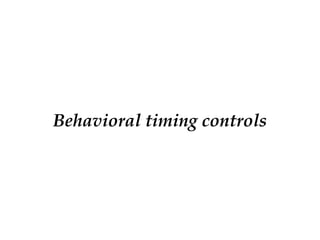
Procedural timing controls
•Delay based timing control
• Event based timing control
• Level sensitive timing control
3.
Delay based timingcontrol
• Regular delay control
• Intra assignment delay control
• Zero delay control
4.
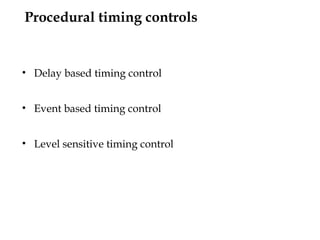
Regular delay control
Format:
#<delay_value><target> = RHS expression;
• It is used to delay the execution of the corresponding
procedural statement by the defined delay value.
• Regular delays defer the execution of the entire
assignment.
e.g. : #10 c = a + b;
#(2:4:6,3:5:7) or_out = a | b;
5.
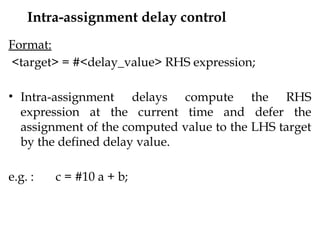
Intra-assignment delay control
Format:
<target>= #<delay_value> RHS expression;
• Intra-assignment delays compute the RHS
expression at the current time and defer the
assignment of the computed value to the LHS target
by the defined delay value.
e.g. : c = #10 a + b;
6.
Zero delay control
•Statements with zero
delay execute at the end
of the current simulation
time, when all other
statements in the current
simulation time have
executed.
initial
begin
a = 1’b1;
b = 1’b0;
end
initial
begin
#0 a = 1’b0;
#0 b = 1’b1;
end
7.
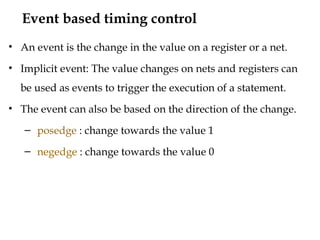
Event based timingcontrol
• An event is the change in the value on a register or a net.
• Implicit event: The value changes on nets and registers can
be used as events to trigger the execution of a statement.
• The event can also be based on the direction of the change.
– posedge : change towards the value 1
– negedge : change towards the value 0
8.
Types of eventbased timing control
• Regular event control
• Named event control
• Event or control
Named event control
•Events can be declared with an identifier.
• The declared can be triggered conditionally or
unconditionally, & these doesn’t hold any data.
• The triggered events can be made to execute the a block of
statements / assignments waiting for this trigger.
• Event is declared by keyword: event event_name;
• Event triggered as: -> event_name;
• Usage: @ <event_name>
11.
Example of namedevent control
module ex1(out, sig);
output out;
input sig;
reg out;
wire sig;
event shoot;
always @(negedge sig)
begin
if (sig == 1’b0)
-> shoot;
else
out = 1’b0;
end
always @(shoot)
//if (shoot == 1’b1)
out = 1’b1;
12.
Event or control
•The logical or of any number of events can be expressed such
that the occurrence of any one of the events triggers the
execution of the procedural statement that follows it.
Format:
always @ (event1 or event2 or event3)
always @ (posedge event1 or negedge event2)
13.
Event or control-Example
always @ (posedge clk_in or
negedge set_in_n)
begin
if (set_in_n == 1’b0)
q_out = 1’b1;
else
q_out = d_in;
end
always @ (in1 or in0 or
sel_in)
begin
if (sel_in == 1’b0)
mux_out = in0;
else
mux_out = in1;
end
14.
Level sensitive control
•Execution of statements will be delayed (wait) till a
condition becomes true.
• The nature of the wait statement is level-sensitive, as
opposed to basic event control (specified by the @
character), which is edge-sensitive.
Format:
wait (condition) <statement>
15.
Level sensitive control- Example
module lat(d_in, ena_in_n, q_out);
output q_out;
input d_in, ena_in_n;
reg q_out;
wire d_in, ena_in_n;
always @(d_in or ena_in_n)
begin
wait (ena_in_n == 1’b0)
q_out = d_in;
end
endmodule
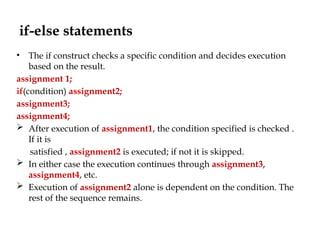
if-else statements
• Theif construct checks a specific condition and decides execution
based on the result.
assignment 1;
if(condition) assignment2;
assignment3;
assignment4;
After execution of assignment1, the condition specified is checked .
If it is
satisfied , assignment2 is executed; if not it is skipped.
In either case the execution continues through assignment3,
assignment4, etc.
Execution of assignment2 alone is dependent on the condition. The
rest of the sequence remains.
18.
if-else and if-elseif-elsestatements
if (<expression>)
begin
true_statements;
end
if (<expression 1>)
begin
true_statements 1;
end
:
:
else if (<expression n>)
begin
true_statements n;
end
else
begin
default_statements;
end
if (<expression>)
begin
true_statements;
end
else
begin
false statements;
end
19.
Conditional statement -Examples
if (!ena = 1’b1)
begin
out = in1 & in2;
end
if (in1 == 1’b0 && in2 == 1’b0)
dec_o1 = 1’b1;
else if (in1 == 1’b0 && in2 == 1’b1)
dec_o2 = 1’b1;
else if (in1 == 1’b1 && in2 == 1’b0)
dec_o3 = 1’b1;
else
dec_o4 = 1’b1;
if (sel == 1’b0)
begin
mux_out = in0;
end
else
begin
mux_out = in1;
end
20.
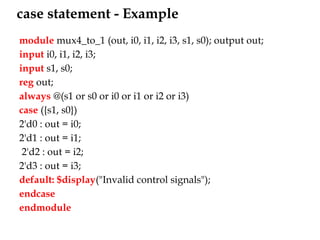
case statement
case (expression)
alternative1:begin
end
alternative 2:begin
end
alternative 3:begin
end
default: begin
end
endcase
•This is a multiway decision
statement that tests whether
an expression matches one of
a number of other alternatives.
•Doesn’t treat ‘x’ & ‘z’ as don’t
cares.
21.
case statement -Example
module mux4_to_1 (out, i0, i1, i2, i3, s1, s0); output out;
input i0, i1, i2, i3;
input s1, s0;
reg out;
always @(s1 or s0 or i0 or i1 or i2 or i3)
case ({s1, s0})
2'd0 : out = i0;
2'd1 : out = i1;
2'd2 : out = i2;
2'd3 : out = i3;
default: $display("Invalid control signals");
endcase
endmodule
22.
casez statements
• casez:same as case statement but treats ‘z’ as
don’t cares.
• All bit positions with ‘z’ can also be represented
by ‘?’
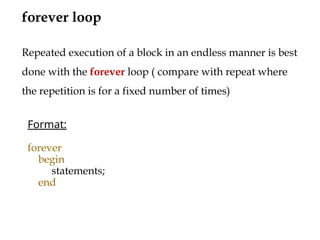
Looping statements
• Executesthe statements for zero, one or more number of
times.
• Four types of looping statements.
– while
– for
– repeat
– forever
27.
for loop construct
Thefor loop in Verilog is quite similar to the for loop in C
Format:
for (initialization; expression; inr/dcr)
begin
statements
end
The sequence of execution as follows
1. Execute initialization
2. Evaluate expression
3. If the expression evaluates to the true state(1), carry out
statements. Go to step 5.
4. If the expression evaluates to false state (0), exit the loop.
5. Execute incr/dcr. Go to step 2.
28.
for loop -Example
module addfor (s,co,a,b,cin,en);
output [7:0] s;
output co;
input [7:0] a,b;
input en,cin;
reg [8:0] c;
reg co;
reg [7:0] s;
integer i;
always @ (posedge en)
begin
c[0] = cin;
for (i=0; i<=7; i=i+1)
begin
{c[i+1],s[i]} = (a[i] + b[i] +
c[i]);
end
co=c[8]
end
endmodule
29.
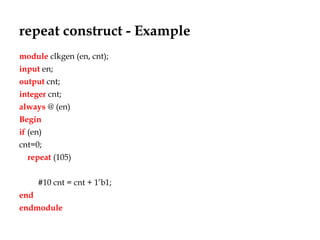
repeat construct
The repeatconstruct is used to repeat specified block a specified
number of times.
The format is show below , the quantity ‘a ‘ can be a number or an
expression evaluated to a number.
As soon as the repeat statement is encountered, a is evaluated, the
block will be executed ‘a’ times.
If ‘a’ evaluates to 0 or x or z, the block is not executed.
Format:
repeat (a)
begin
statements
end
30.
repeat construct -Example
module clkgen (en, cnt);
input en;
output cnt;
integer cnt;
always @ (en)
Begin
if (en)
cnt=0;
repeat (105)
#10 cnt = cnt + 1’b1;
end
endmodule
31.
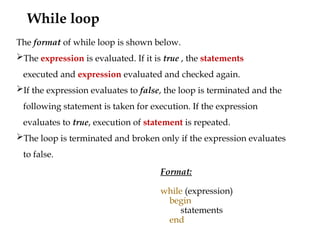
While loop
Format:
while (expression)
begin
statements
end
Theformat of while loop is shown below.
The expression is evaluated. If it is true , the statements
executed and expression evaluated and checked again.
If the expression evaluates to false, the loop is terminated and the
following statement is taken for execution. If the expression
evaluates to true, execution of statement is repeated.
The loop is terminated and broken only if the expression evaluates
to false.
32.
While loop -Example
module while2 (b,n,en,clk);
input [7:0] n;
input clk,en;
output b;
reg [7:0] a;
reg b;
always@(posedge en)
begin
a=n;
while(|a)
begin
b=1’b1;
@(posedge clk)
a=a-1’b1;
end
b=1’b0;
end
initial
b=1’b0;
endmodule






![casez - Examples
module
casez_ex(counter,cmd);
input[0:3] counter;
output cmd;
reg cmd;
always@(counter)
casez(counter)
4'b???1:cmd=0;
4'b??10:cmd=1;
4'b?100:cmd=2;
4'b1000:cmd=3;
default : cmd=0;
endcase
endmodule](https://image.slidesharecdn.com/lecture-5behavioraltimingcontrols-250710172452-c1776b65/85/Lecture-5-Behavioral-timing-controls-pptx-23-320.jpg)

![module casex_ex(sel,Bitposition);
input [5:1] sel;
output [2:0] Bitposition;
reg [2:0] Bitposition;
always @ (sel)
casex(sel)
5'bxxxx1 : Bitposition=1 ;
5'bxxx1x : Bitposition=2;
5'bxx1xx : Bitposition=3;
5'bx1xxx : Bitposition=4;
5'b1xxxx : Bitposition=5;
default : Bitposition=0;
endcase
endmodule
casex - Example](https://image.slidesharecdn.com/lecture-5behavioraltimingcontrols-250710172452-c1776b65/85/Lecture-5-Behavioral-timing-controls-pptx-25-320.jpg)

![for loop - Example
module addfor (s,co,a,b,cin,en);
output [7:0] s;
output co;
input [7:0] a,b;
input en,cin;
reg [8:0] c;
reg co;
reg [7:0] s;
integer i;
always @ (posedge en)
begin
c[0] = cin;
for (i=0; i<=7; i=i+1)
begin
{c[i+1],s[i]} = (a[i] + b[i] +
c[i]);
end
co=c[8]
end
endmodule](https://image.slidesharecdn.com/lecture-5behavioraltimingcontrols-250710172452-c1776b65/85/Lecture-5-Behavioral-timing-controls-pptx-28-320.jpg)

![While loop - Example
module while2 (b,n,en,clk);
input [7:0] n;
input clk,en;
output b;
reg [7:0] a;
reg b;
always@(posedge en)
begin
a=n;
while(|a)
begin
b=1’b1;
@(posedge clk)
a=a-1’b1;
end
b=1’b0;
end
initial
b=1’b0;
endmodule](https://image.slidesharecdn.com/lecture-5behavioraltimingcontrols-250710172452-c1776b65/85/Lecture-5-Behavioral-timing-controls-pptx-32-320.jpg)