Color
Space/Models
Color Space/Models
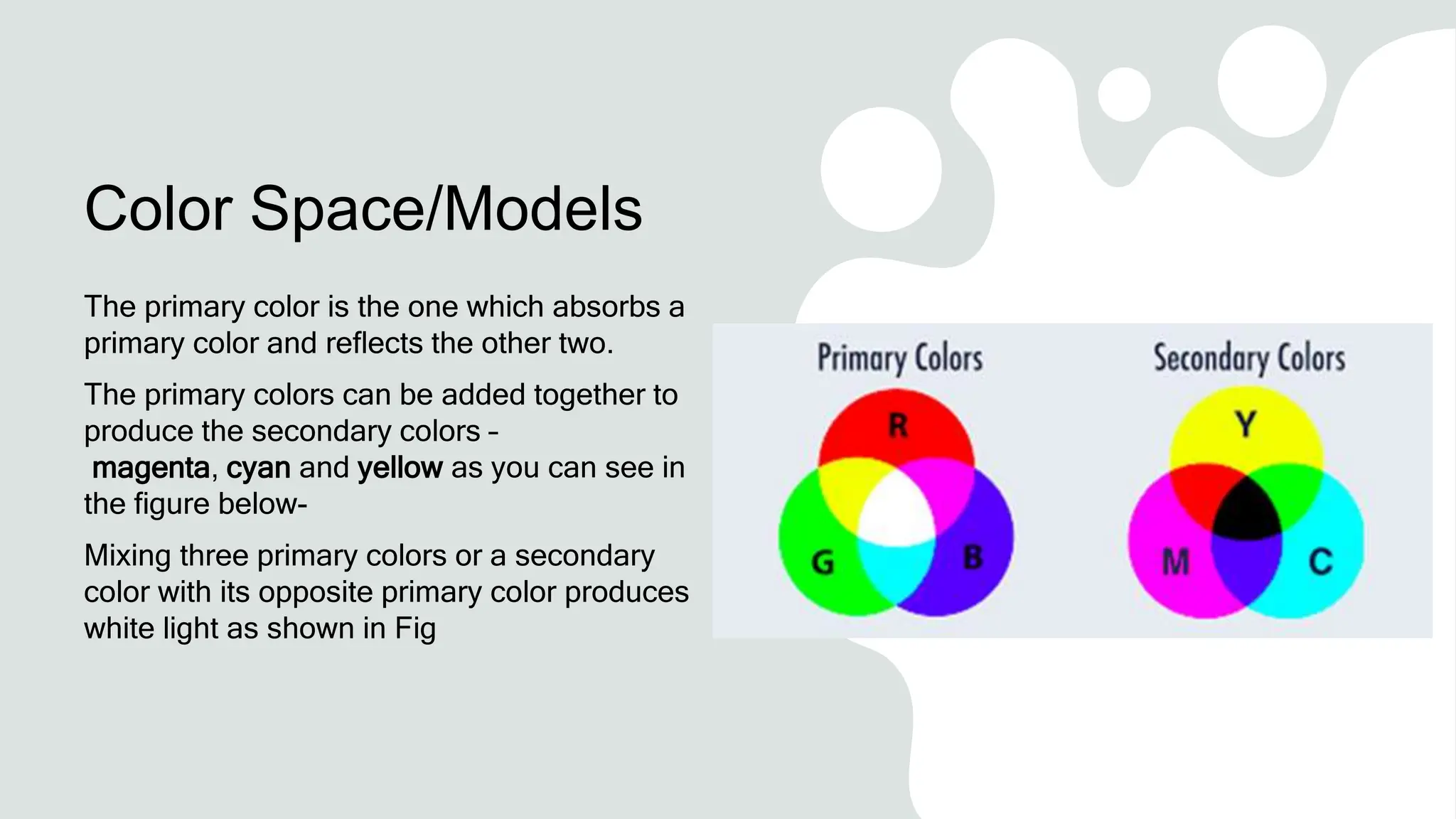
The primary color is the one which absorbs a
primary color and reflects the other two.
The primary colors can be added together to
produce the secondary colors –
magenta, cyan and yellow as you can see in
the figure below-
Mixing three primary colors or a secondary
color with its opposite primary color produces
white light as shown in Fig
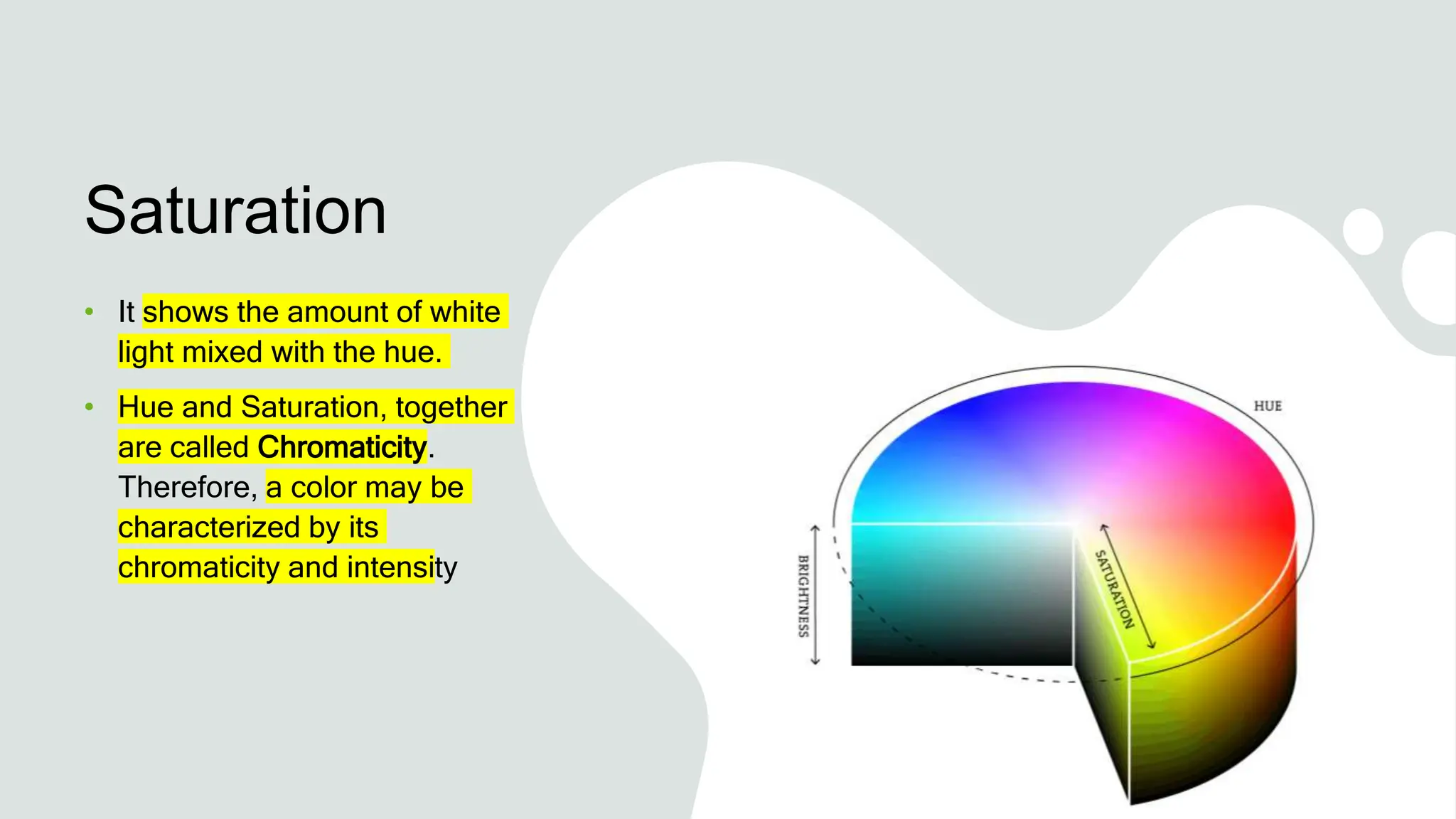
Brightness
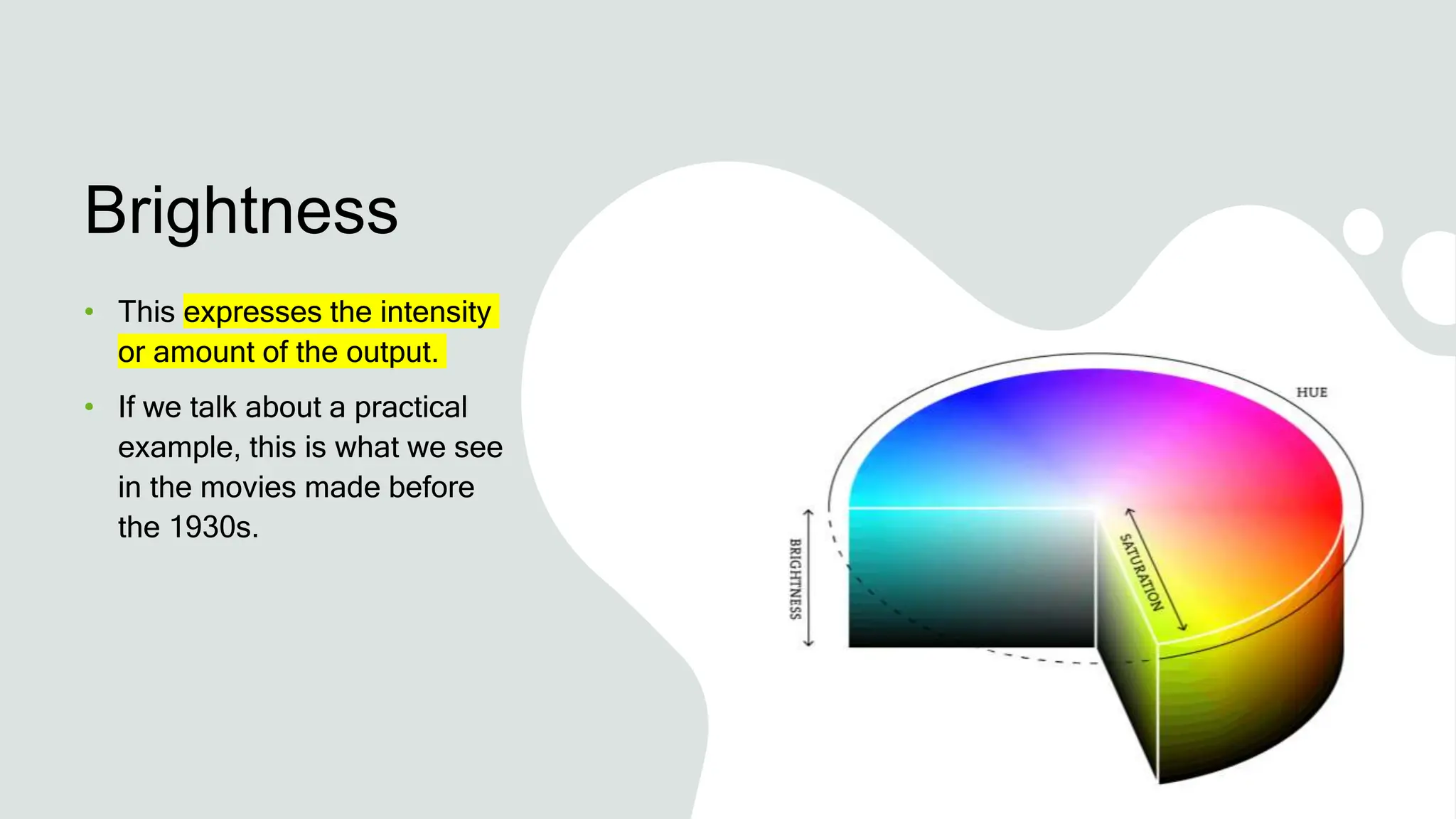
• This expresses the intensity
or amount of the output.
• If we talk about a practical
example, this is what we see
in the movies made before
the 1930s.
Hue
• As we know visible light has energy which is
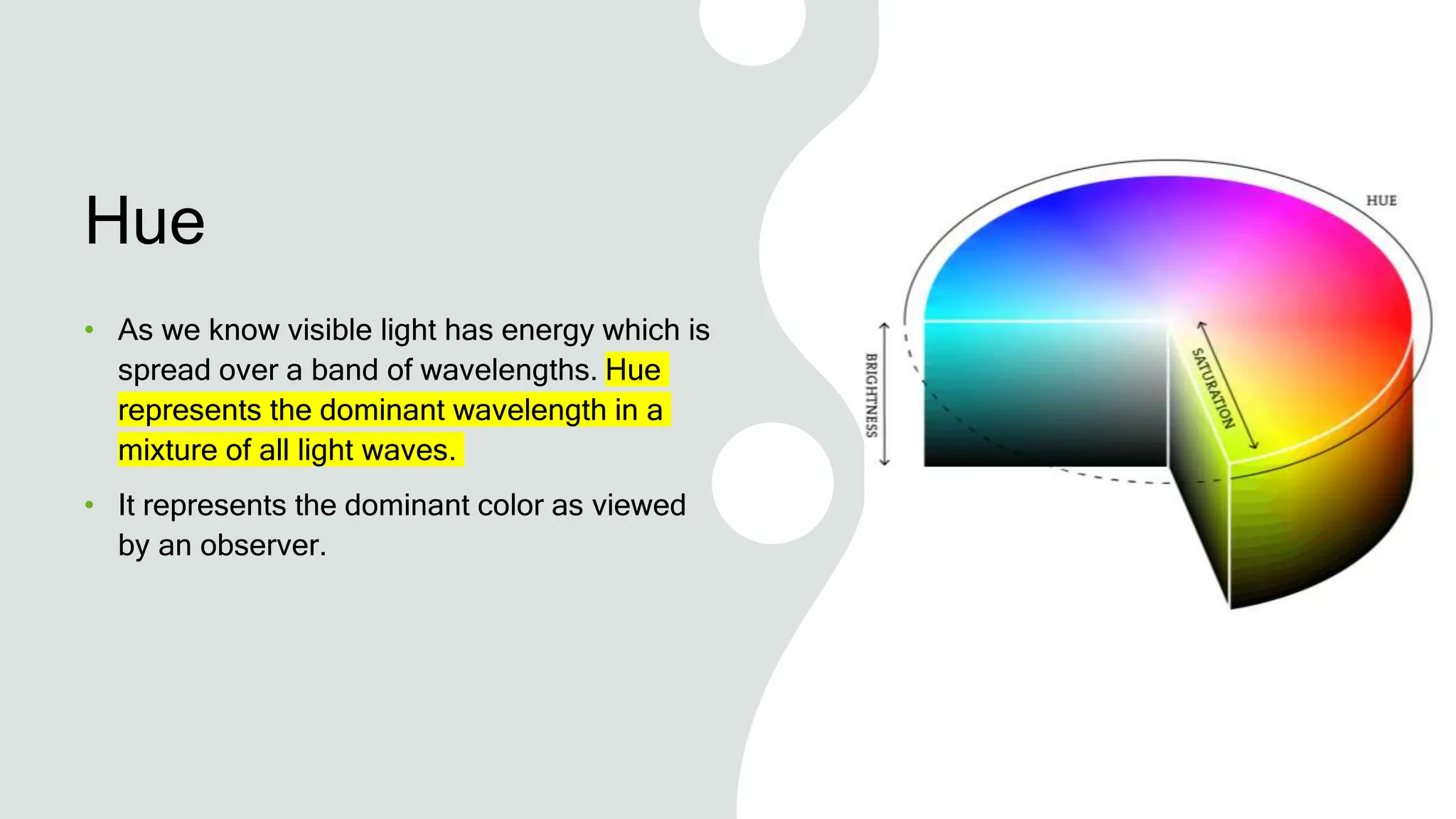
spread over a band of wavelengths. Hue
represents the dominant wavelength in a
mixture of all light waves.
• It represents the dominant color as viewed
by an observer.
Saturation
• It shows the amount of white
light mixed with the hue.
• Hue and Saturation, together
are called Chromaticity.
Therefore, a color may be
characterized by its
chromaticity and intensity
What is a Color
Model?
A color model is an abstract mathematical model that describes how
colors can be represented as a set of numbers (e.g., a triple in RGB or a
quad in CMYK). Color models can usually be described using a
coordinate system, and each color in the system is represented by a
single point in the coordinate space.
For a given color model, to interpret a tuple or quad as a color, we can
define a set of rules and definitions used to accurately calibrate and
generate colors, i.e. a mapping function. A color space identifies a
specific combination of color models and mapping functions. Identifying
the color space automatically identifies the associated color model. For
example, Adobe RGB and sRGB are two different color spaces, both
based on the RGB color model.
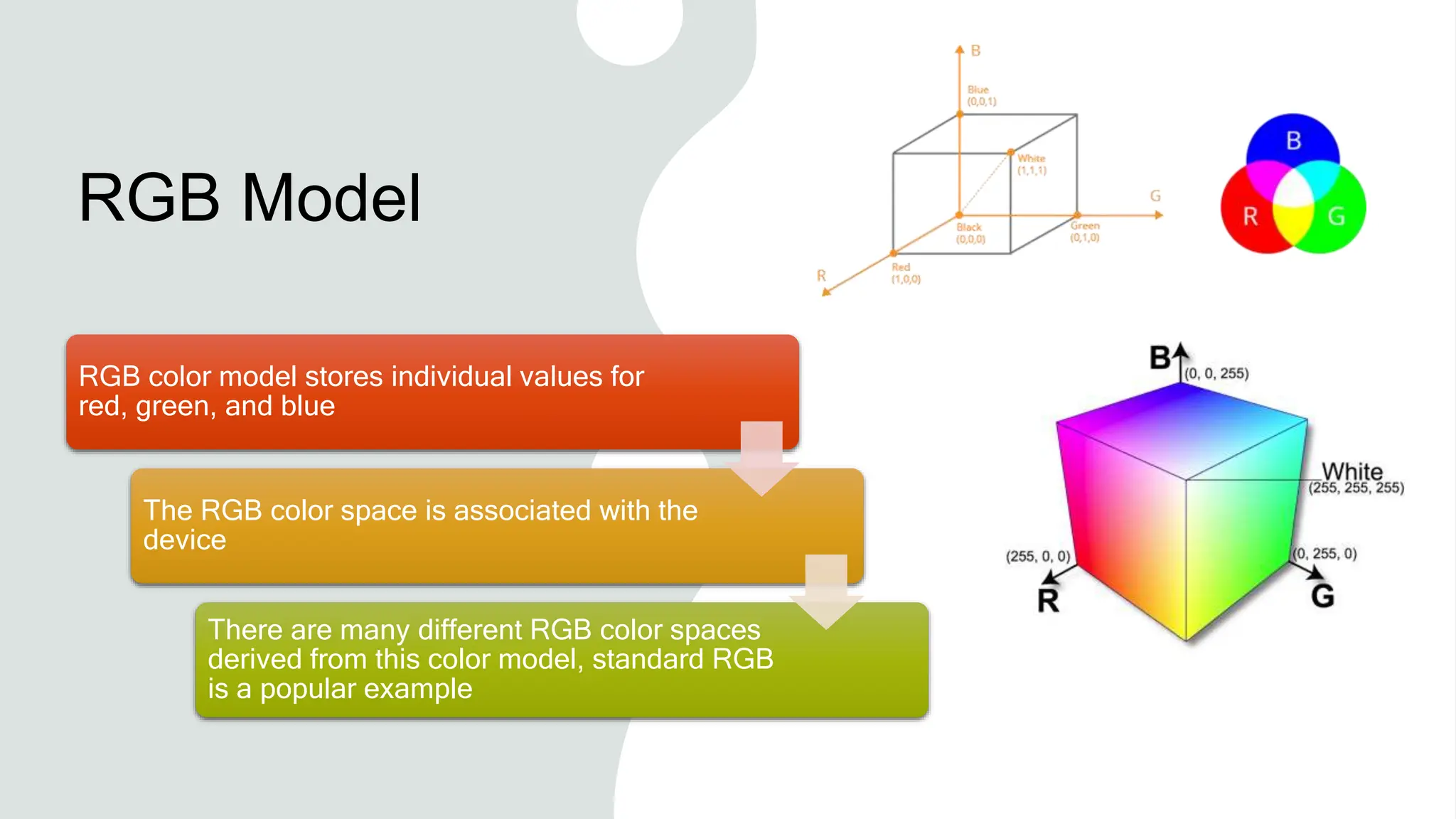
RGB Model
RGB color model stores individual values for
red, green, and blue
The RGB color space is associated with the
device
There are many different RGB color spaces
derived from this color model, standard RGB
is a popular example
Application
The RGB model is widely
used in the representation
and display of images in
electronic systems like
computers and televisions
It is also used in
conventional photography
as well
Image scanner which
scans images and
converts it to a digital
image mostly supports
RGB color
It is used in web graphics
CMY Model
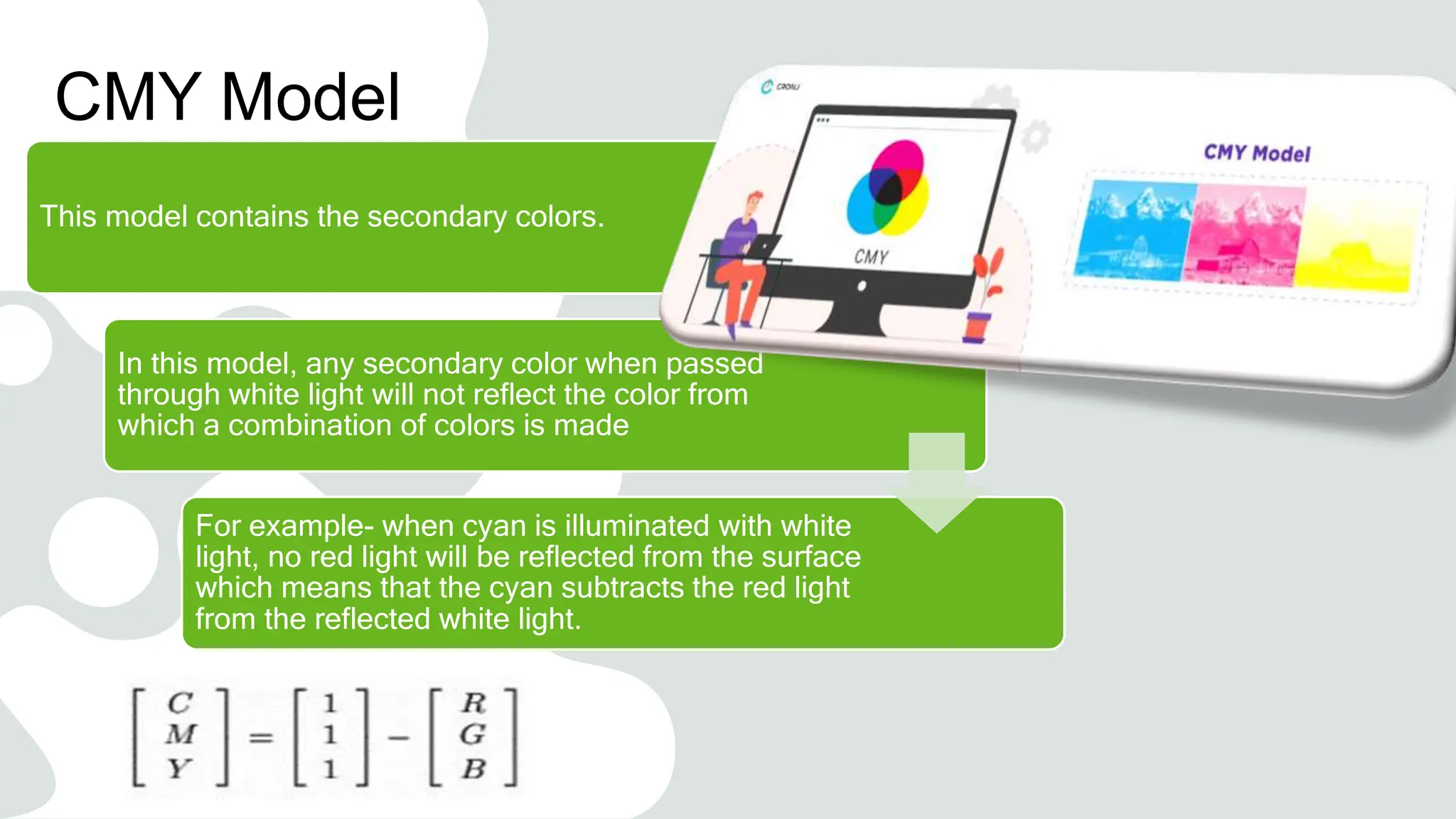
This model contains the secondary colors.
In this model, any secondary color when passed
through white light will not reflect the color from
which a combination of colors is made
For example- when cyan is illuminated with white
light, no red light will be reflected from the surface
which means that the cyan subtracts the red light
from the reflected white light.
CMY Model
The formula given in equation 1 is for inter-
conversion of RGB and CMY models:
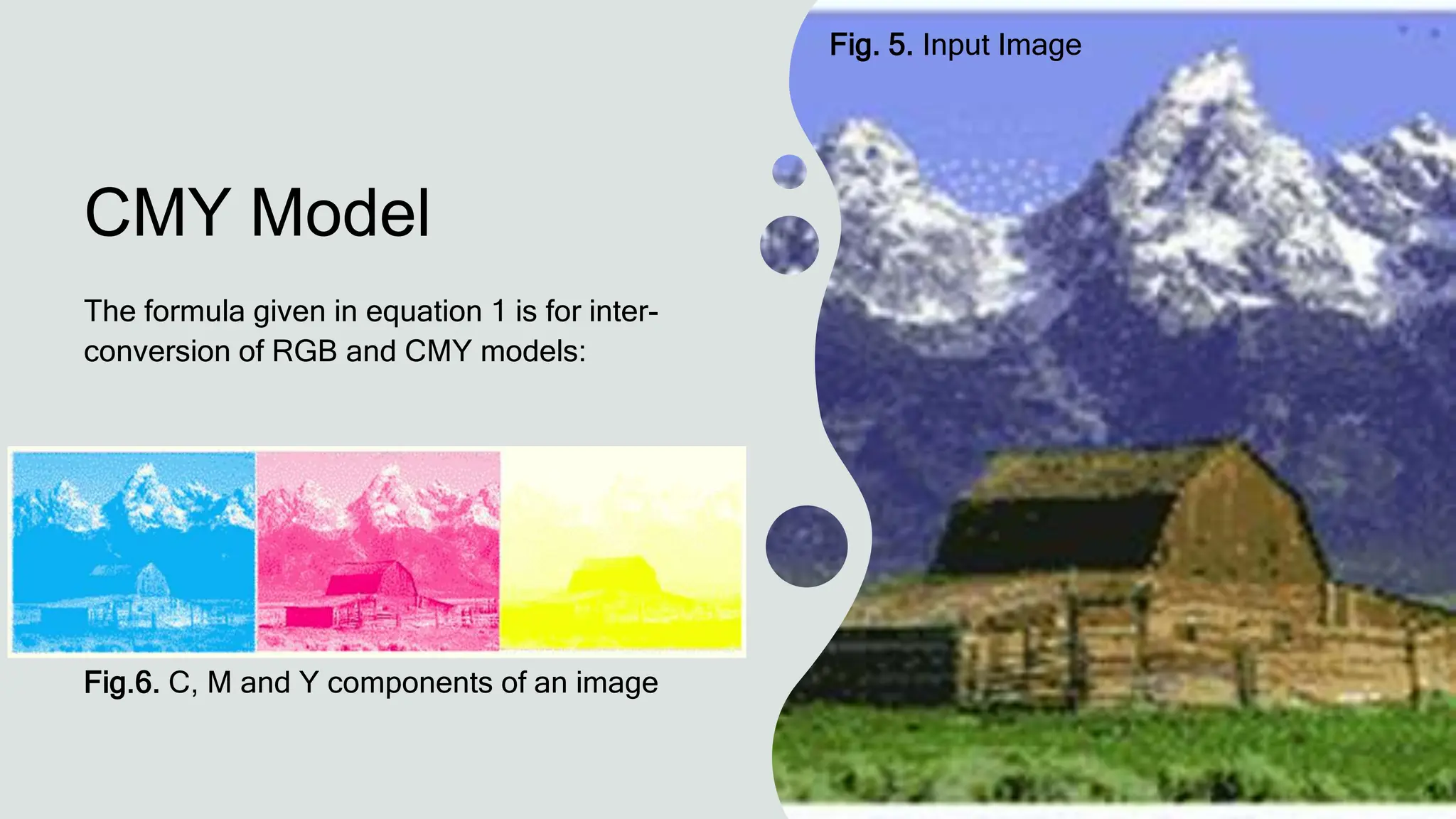
Fig.6. C, M and Y components of an image
Fig. 5. Input Image
Application
IT IS USED IN
COLOR PRINTING
AS IT USES
COLORED INKS
IT IS USED IN MOST
COMMERCIAL
PRINTING LIKE
MAGAZINES,
BOOKS, ETC
HSV
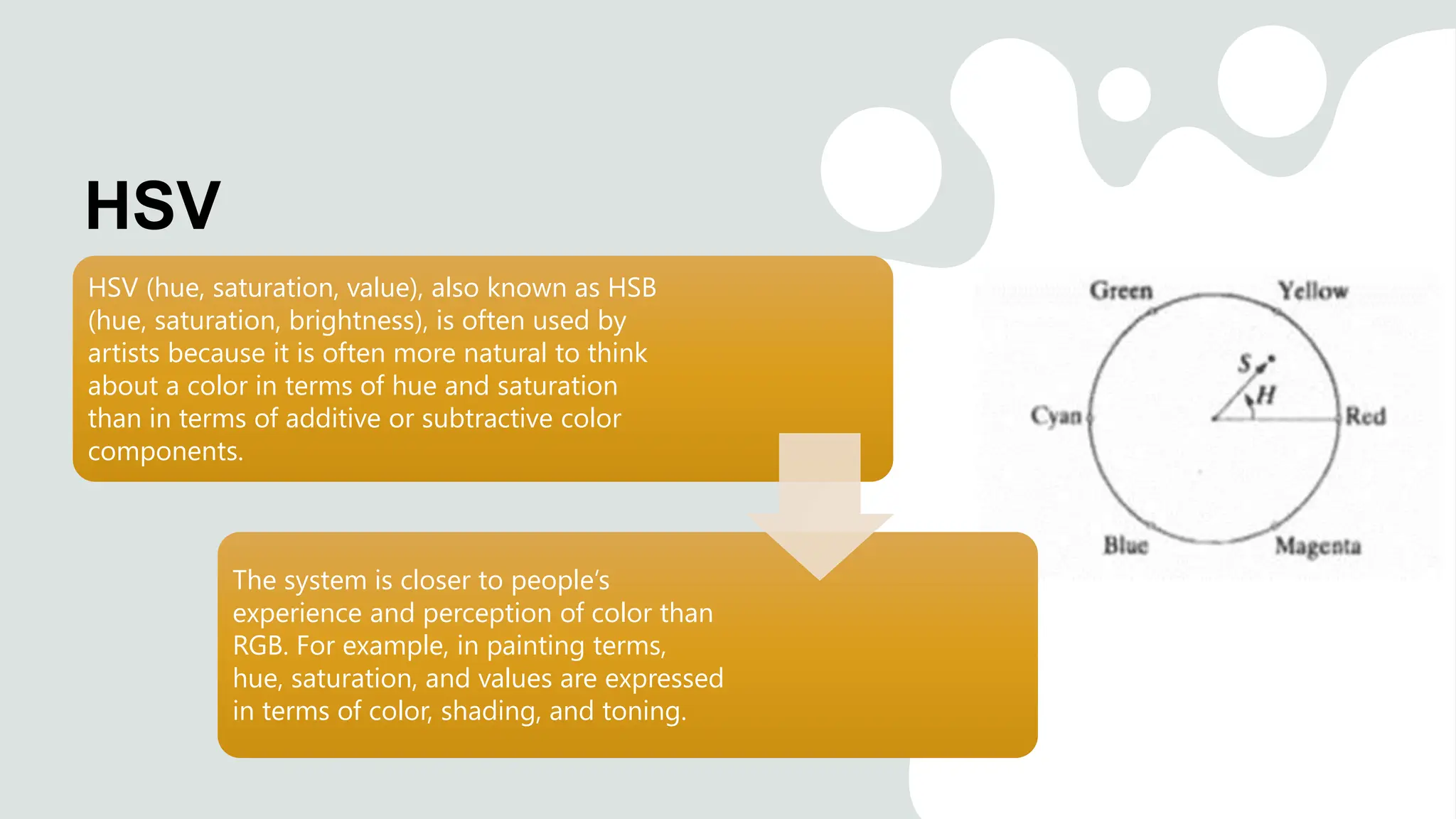
HSV (hue, saturation, value), also known as HSB
(hue, saturation, brightness), is often used by
artists because it is often more natural to think
about a color in terms of hue and saturation
than in terms of additive or subtractive color
components.
The system is closer to people’s
experience and perception of color than
RGB. For example, in painting terms,
hue, saturation, and values are expressed
in terms of color, shading, and toning.
Hue is a color component that describes a pure color
Red Green Blue
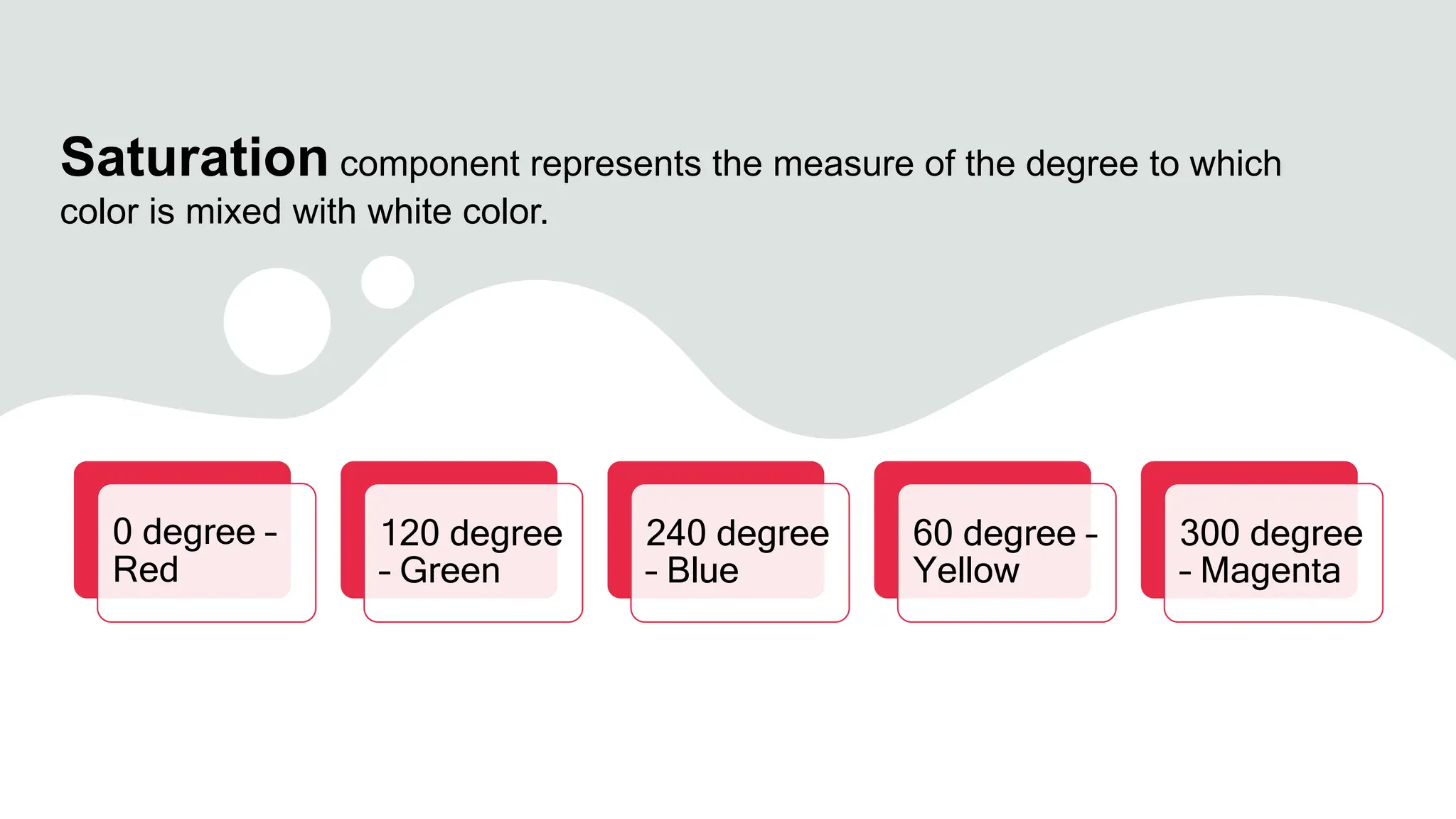
Saturation component represents the measure of the degree to which
color is mixed with white color.
0 degree –
Red
120 degree
– Green
240 degree
– Blue
60 degree –
Yellow
300 degree
– Magenta
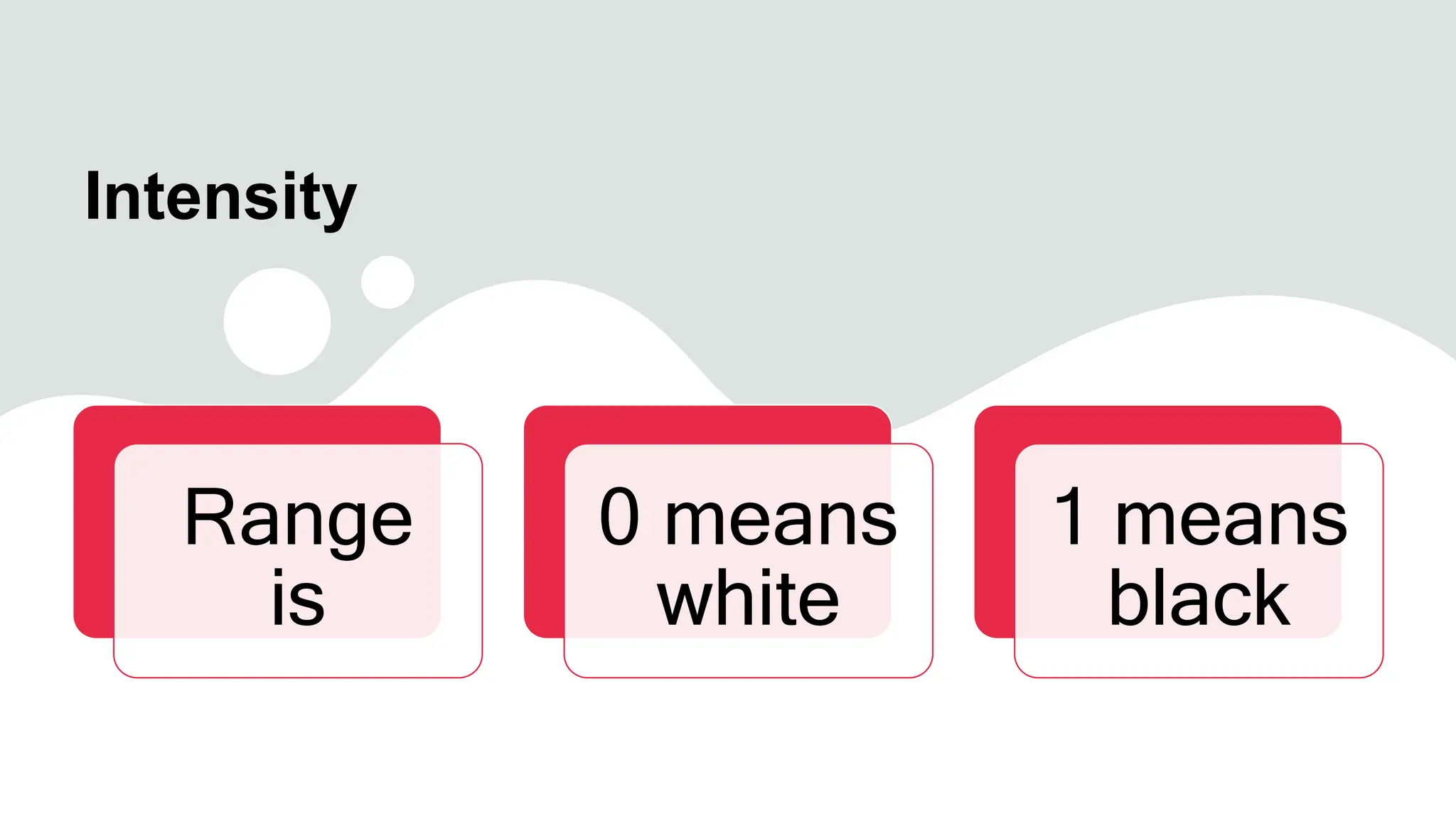
Intensity
Range
is
0 means
white
1 means
black
HSI Model
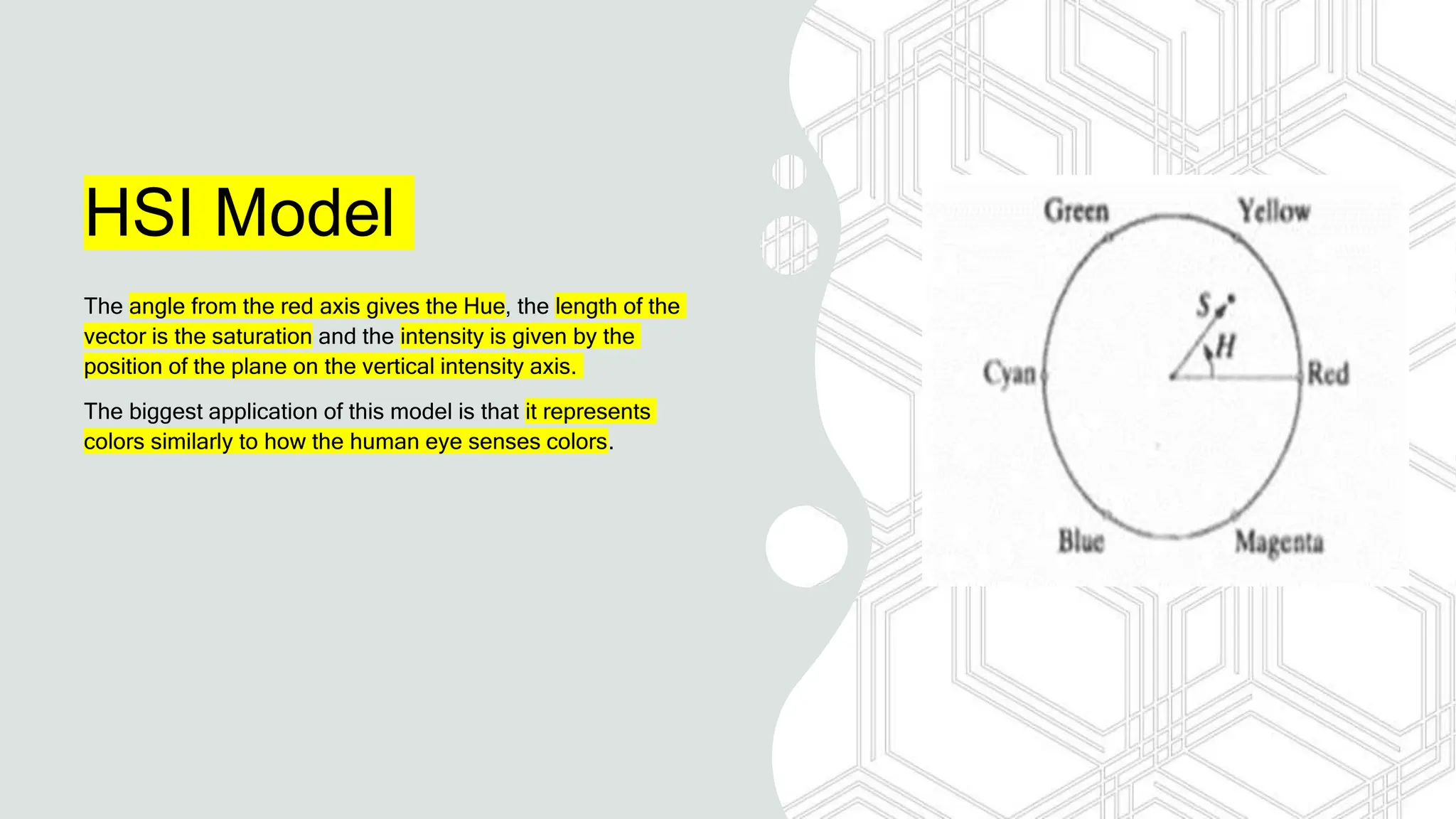
The angle from the red axis gives the Hue, the length of the
vector is the saturation and the intensity is given by the
position of the plane on the vertical intensity axis.
The biggest application of this model is that it represents
colors similarly to how the human eye senses colors.
HSI Model
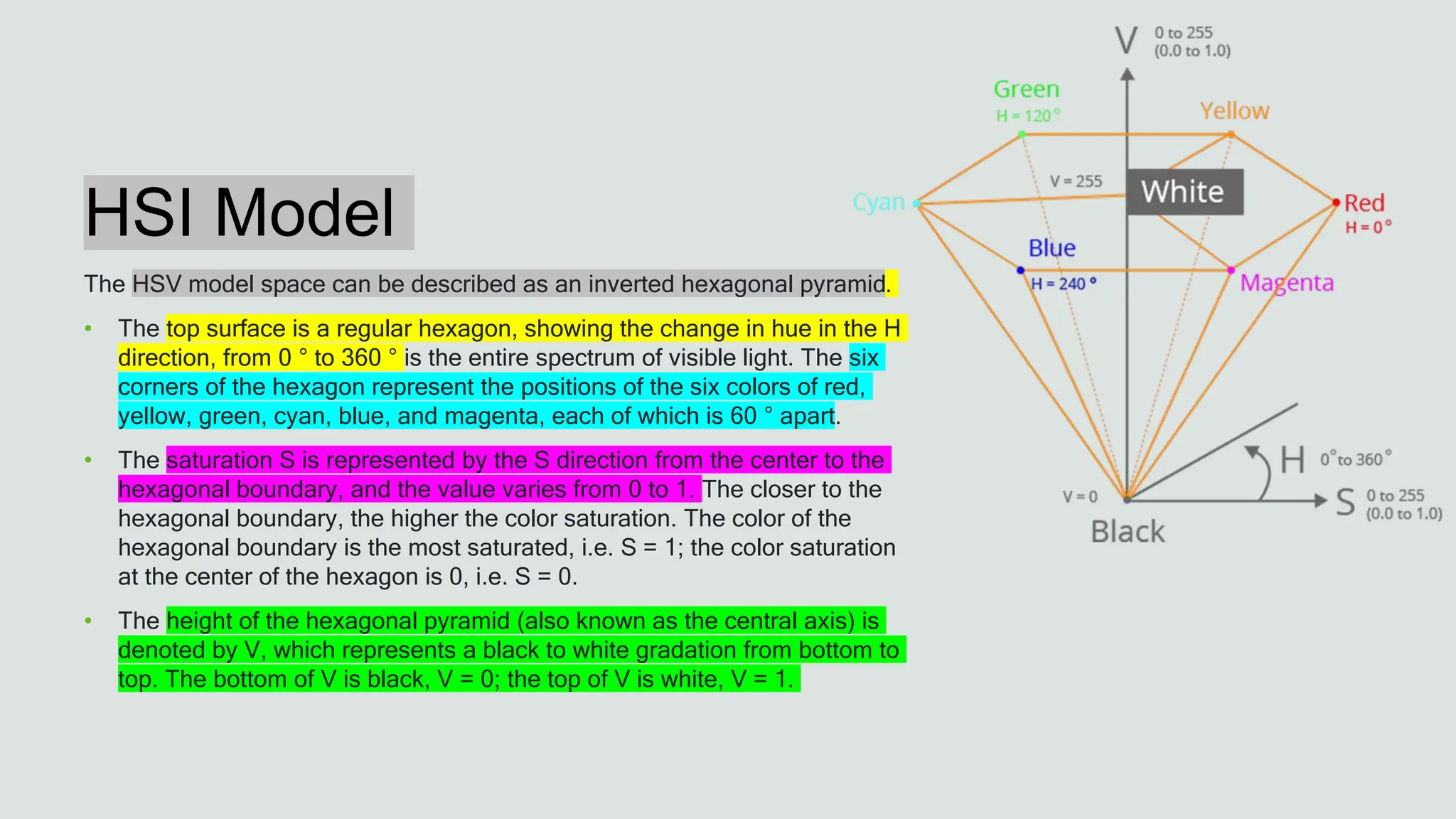
The HSV model space can be described as an inverted hexagonal pyramid.
• The top surface is a regular hexagon, showing the change in hue in the H
direction, from 0 ° to 360 ° is the entire spectrum of visible light. The six
corners of the hexagon represent the positions of the six colors of red,
yellow, green, cyan, blue, and magenta, each of which is 60 ° apart.
• The saturation S is represented by the S direction from the center to the
hexagonal boundary, and the value varies from 0 to 1. The closer to the
hexagonal boundary, the higher the color saturation. The color of the
hexagonal boundary is the most saturated, i.e. S = 1; the color saturation
at the center of the hexagon is 0, i.e. S = 0.
• The height of the hexagonal pyramid (also known as the central axis) is
denoted by V, which represents a black to white gradation from bottom to
top. The bottom of V is black, V = 0; the top of V is white, V = 1.
YUV
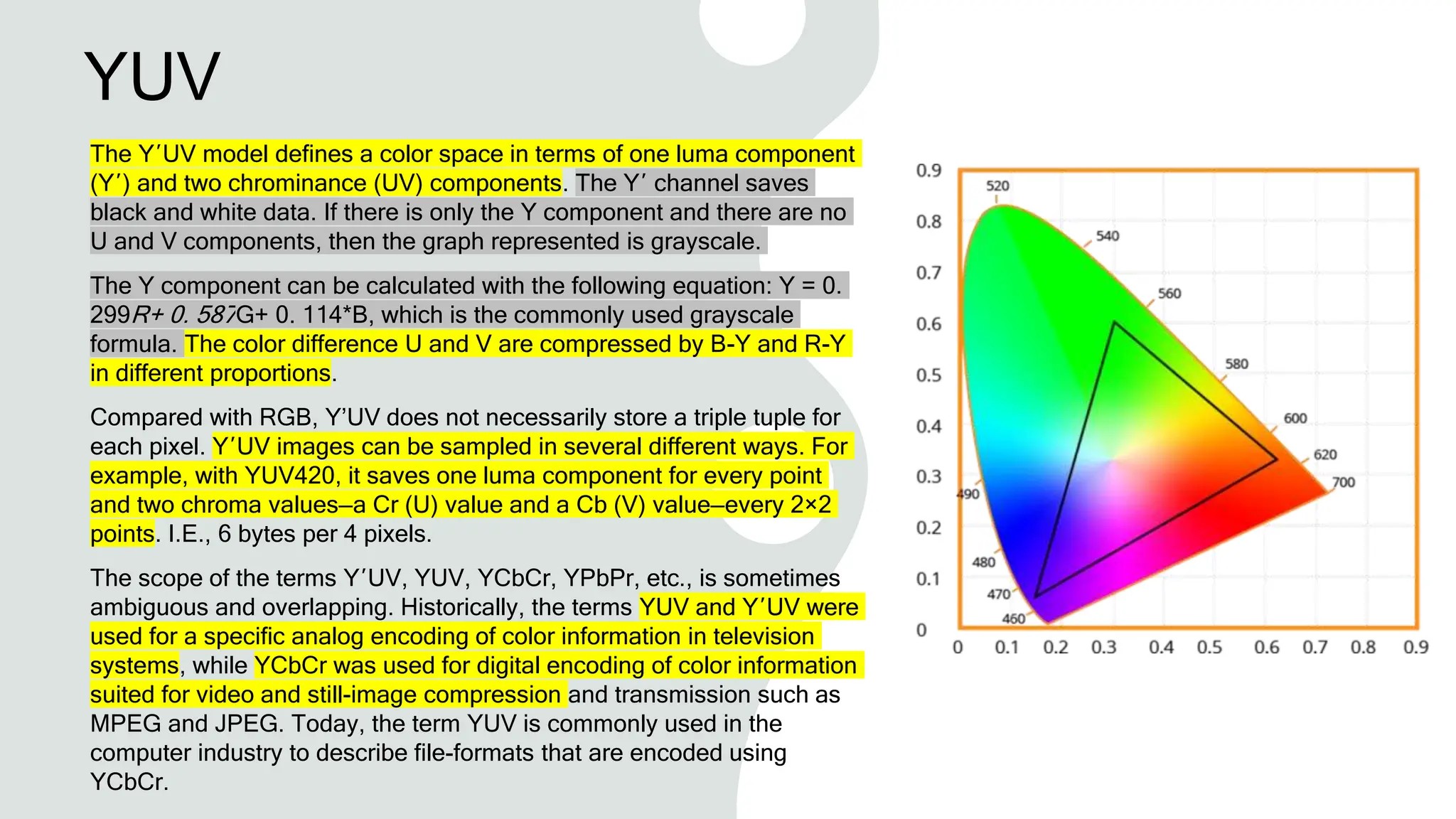
The Y′UV model defines a color space in terms of one luma component
(Y′) and two chrominance (UV) components. The Y′ channel saves
black and white data. If there is only the Y component and there are no
U and V components, then the graph represented is grayscale.
The Y component can be calculated with the following equation: Y = 0.
299R+ 0. 587G+ 0. 114*B, which is the commonly used grayscale
formula. The color difference U and V are compressed by B-Y and R-Y
in different proportions.
Compared with RGB, Y’UV does not necessarily store a triple tuple for
each pixel. Y′UV images can be sampled in several different ways. For
example, with YUV420, it saves one luma component for every point
and two chroma values—a Cr (U) value and a Cb (V) value—every 2×2
points. I.E., 6 bytes per 4 pixels.
The scope of the terms Y′UV, YUV, YCbCr, YPbPr, etc., is sometimes
ambiguous and overlapping. Historically, the terms YUV and Y′UV were
used for a specific analog encoding of color information in television
systems, while YCbCr was used for digital encoding of color information
suited for video and still-image compression and transmission such as
MPEG and JPEG. Today, the term YUV is commonly used in the
computer industry to describe file-formats that are encoded using
YCbCr.
1. Color to
Grayscale
Conversion
1.1 RGB to
Grayscale
There are a number of commonly used
methods to convert an RGB image to a
grayscale image, such as average method
and weighted method
Average Method
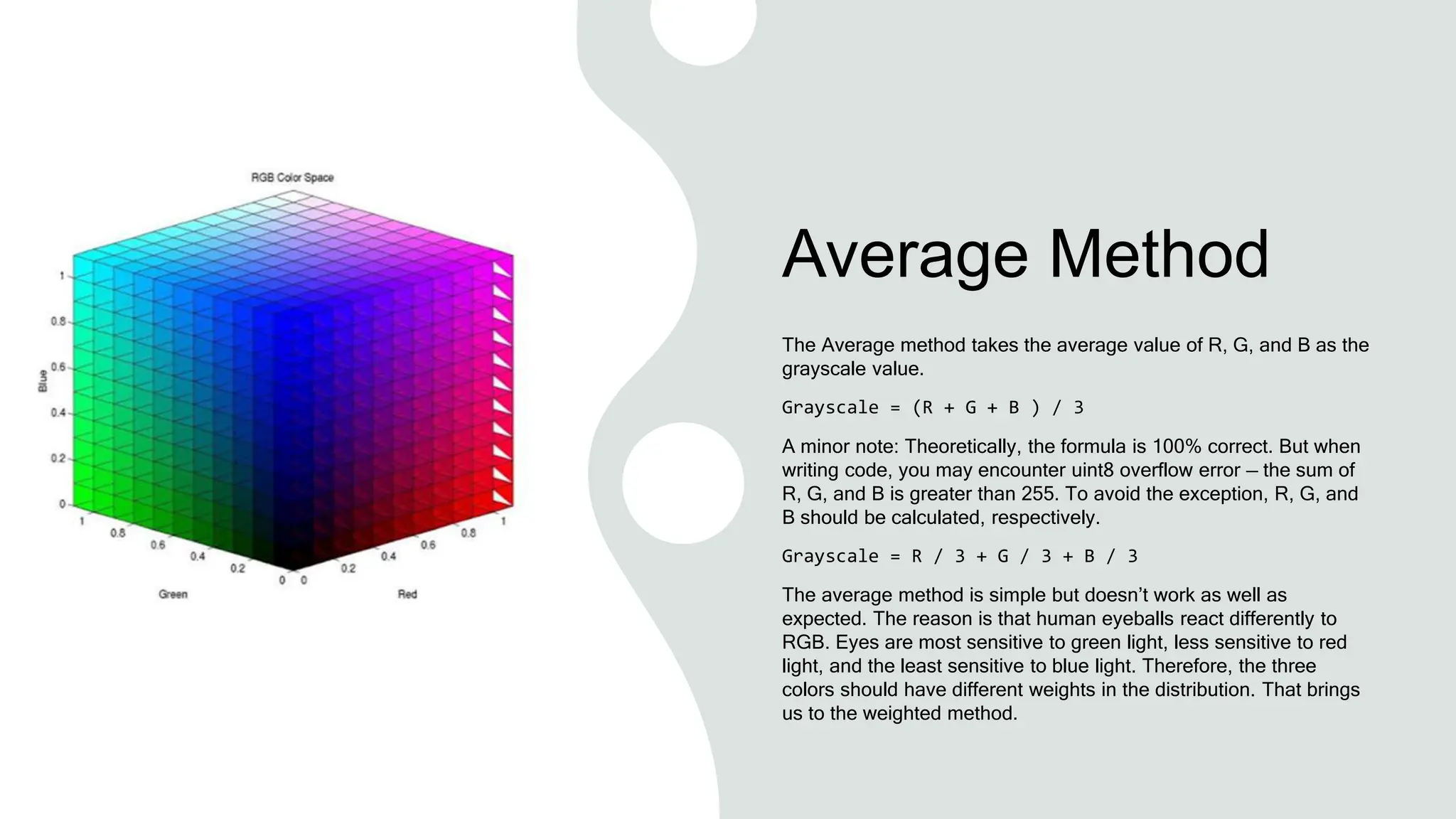
The Average method takes the average value of R, G, and B as the
grayscale value.
Grayscale = (R + G + B ) / 3
A minor note: Theoretically, the formula is 100% correct. But when
writing code, you may encounter uint8 overflow error — the sum of
R, G, and B is greater than 255. To avoid the exception, R, G, and
B should be calculated, respectively.
Grayscale = R / 3 + G / 3 + B / 3
The average method is simple but doesn’t work as well as
expected. The reason is that human eyeballs react differently to
RGB. Eyes are most sensitive to green light, less sensitive to red
light, and the least sensitive to blue light. Therefore, the three
colors should have different weights in the distribution. That brings
us to the weighted method.
The Weighted Method
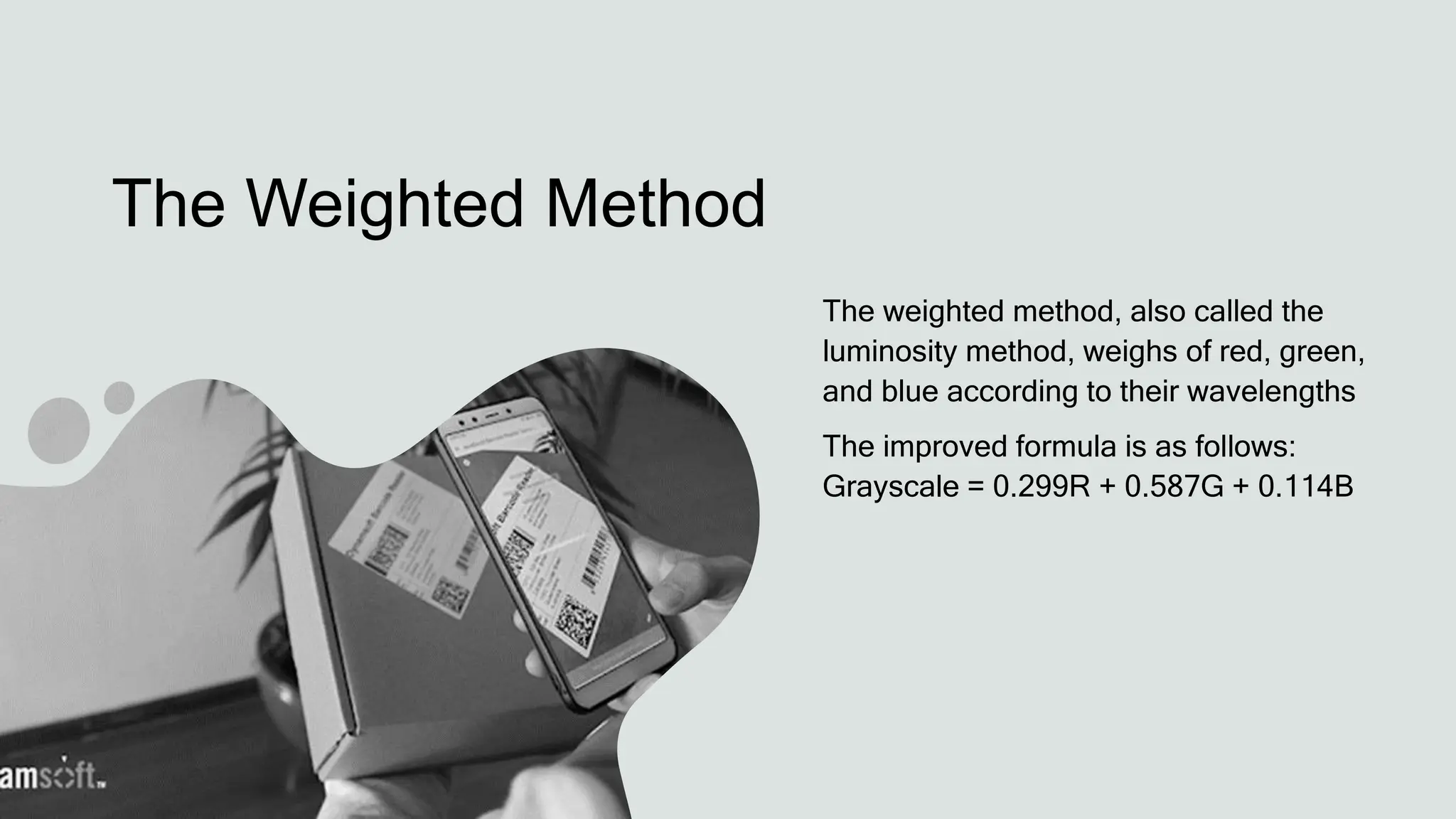
The weighted method, also called the
luminosity method, weighs of red, green,
and blue according to their wavelengths
The improved formula is as follows:
Grayscale = 0.299R + 0.587G + 0.114B
1.2 YUV to
Grayscale
YUV is a color encoding system used for analog television
The YUV color model represents the human perception of
color more closely than the standard RGB model used in
computer graphics hardware and is more size-efficient
RGB to YUV Conversion:
Y = 0.299R + 0.587G + 0.114B
U'= (B-Y)*0.565
V'= (R-Y)*0.713
The Grayscale Value
The formula for converting RGB to Y is the
same as the formula for converting RGB to
grayscale. Therefore:
Grayscale = Y
1.3 HSV to
Grayscale
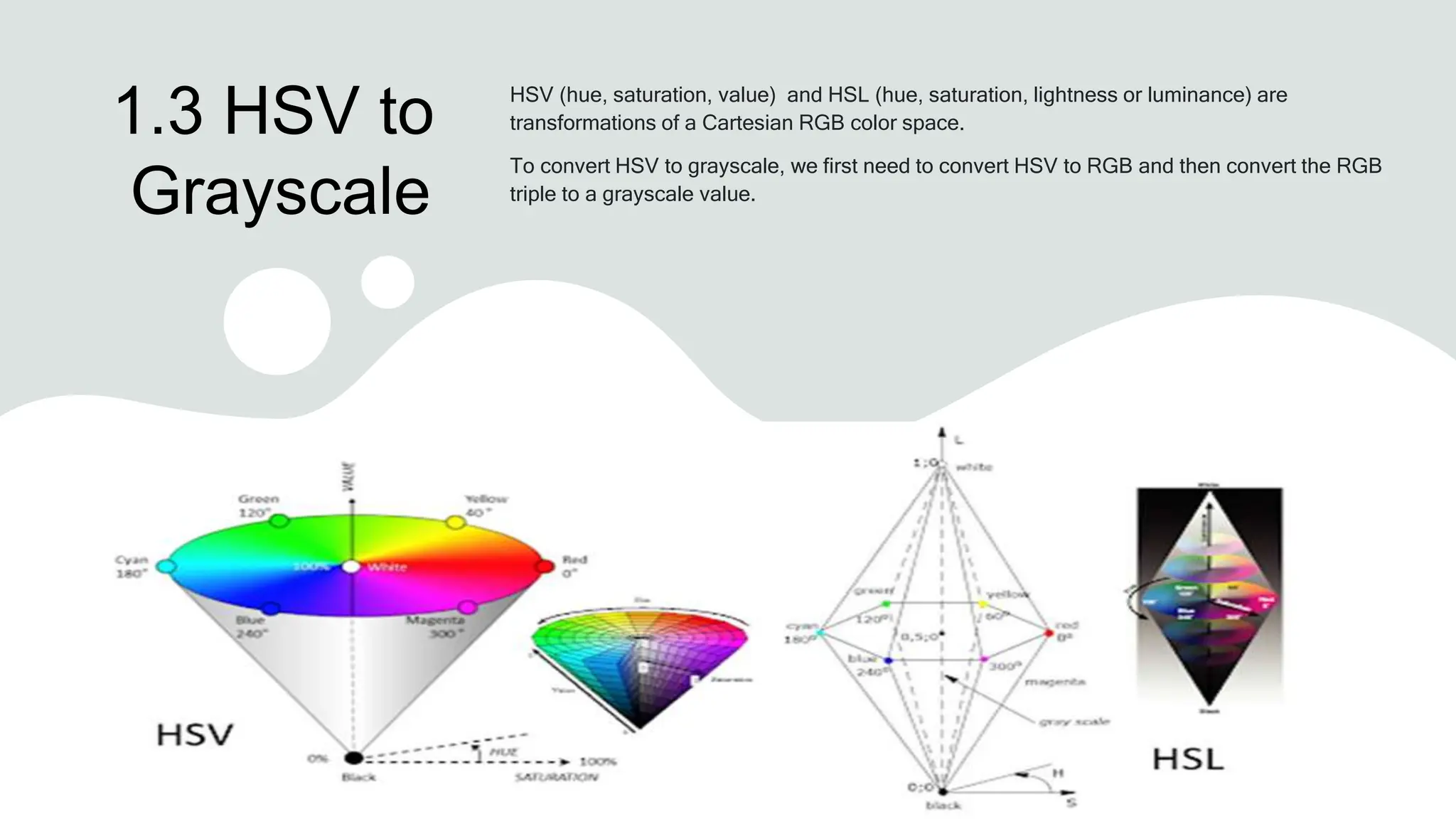
HSV (hue, saturation, value) and HSL (hue, saturation, lightness or luminance) are
transformations of a Cartesian RGB color space.
To convert HSV to grayscale, we first need to convert HSV to RGB and then convert the RGB
triple to a grayscale value.
The Grayscale Value
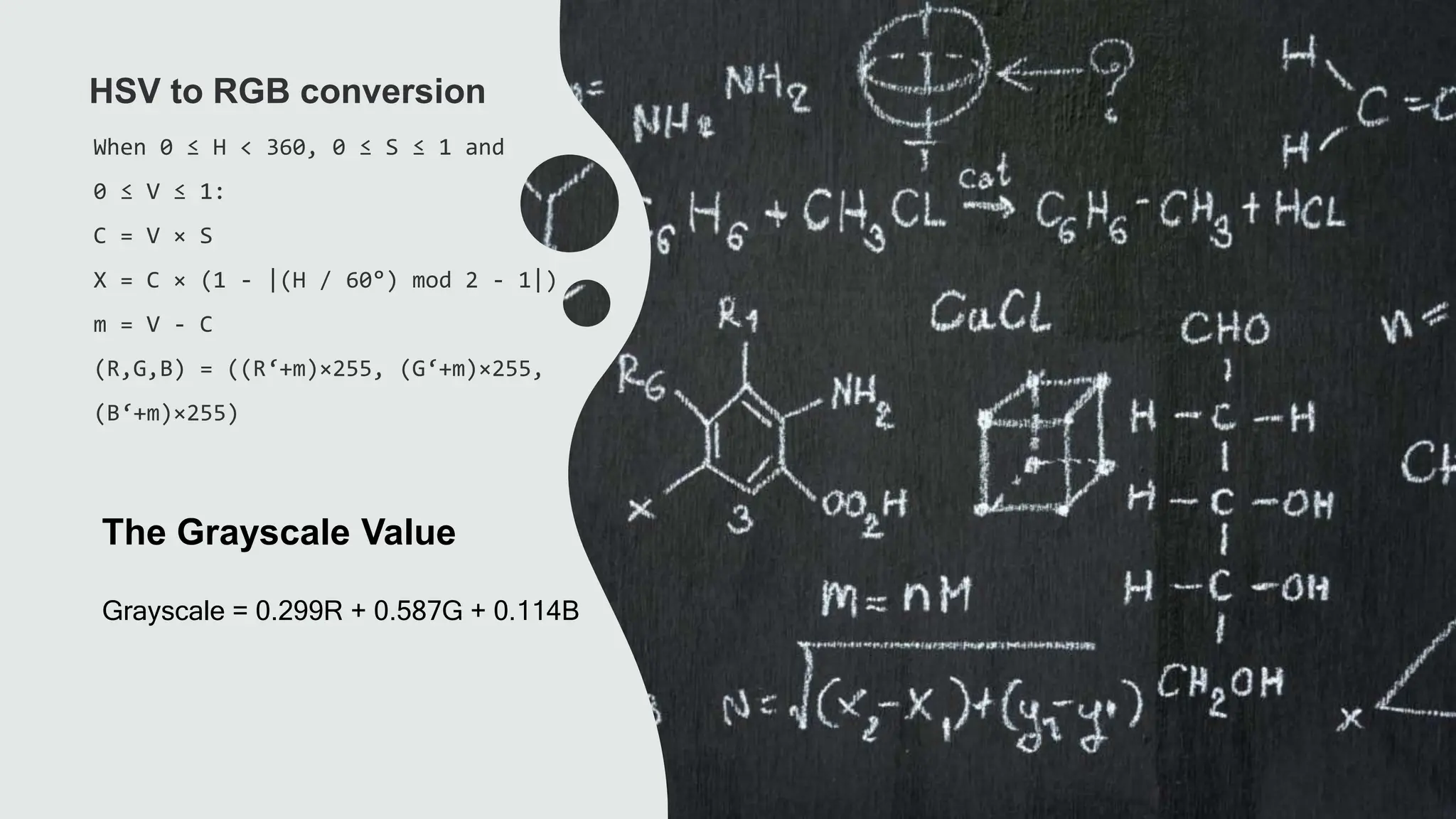
When 0 ≤ H < 360, 0 ≤ S ≤ 1 and
0 ≤ V ≤ 1:
C = V × S
X = C × (1 - |(H / 60°) mod 2 - 1|)
m = V - C
(R,G,B) = ((R‘+m)×255, (G‘+m)×255,
(B‘+m)×255)
HSV to RGB conversion
Grayscale = 0.299R + 0.587G + 0.114B
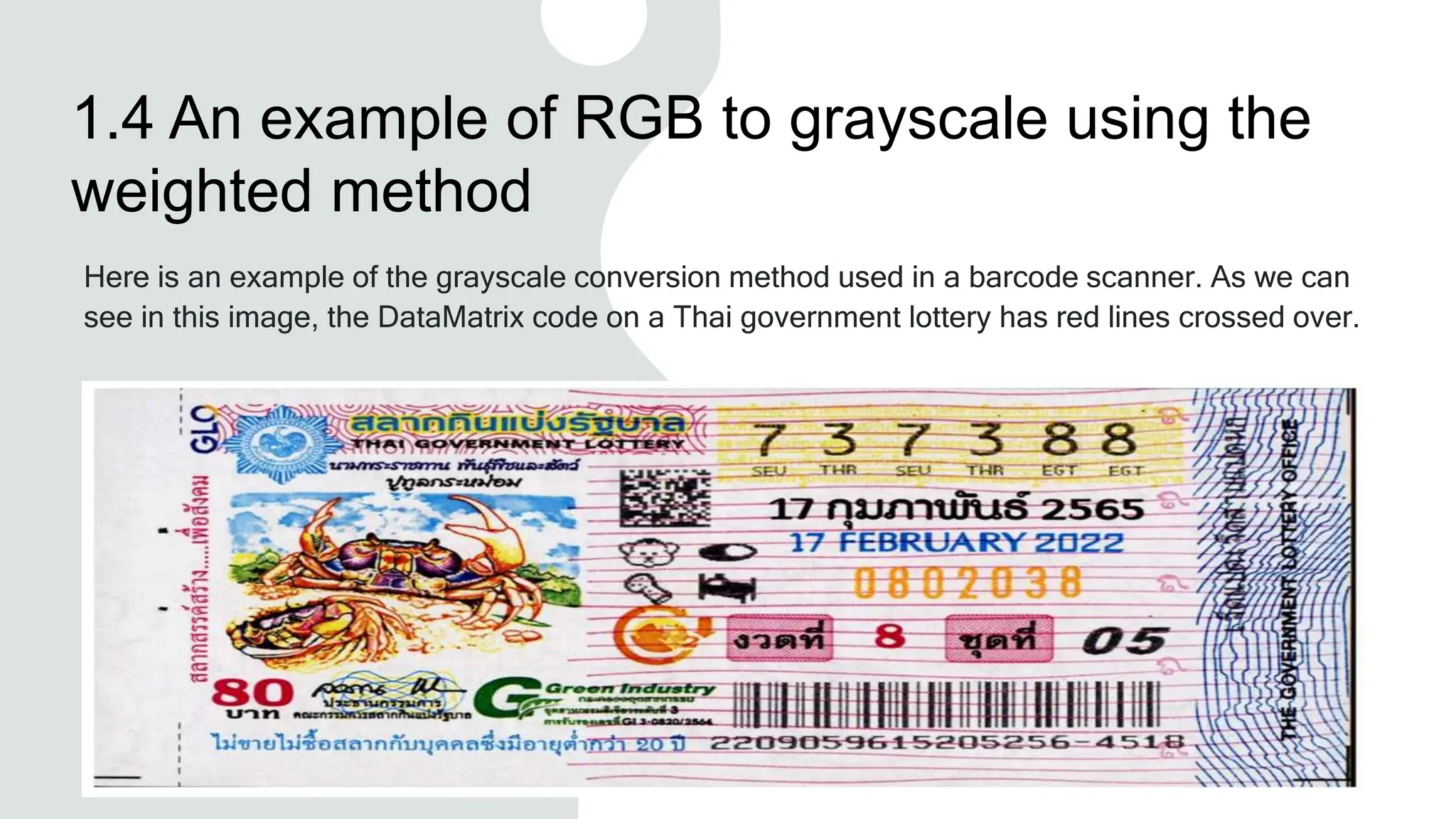
1.4 An example of RGB to grayscale using the
weighted method
Here is an example of the grayscale conversion method used in a barcode scanner. As we can
see in this image, the DataMatrix code on a Thai government lottery has red lines crossed over.
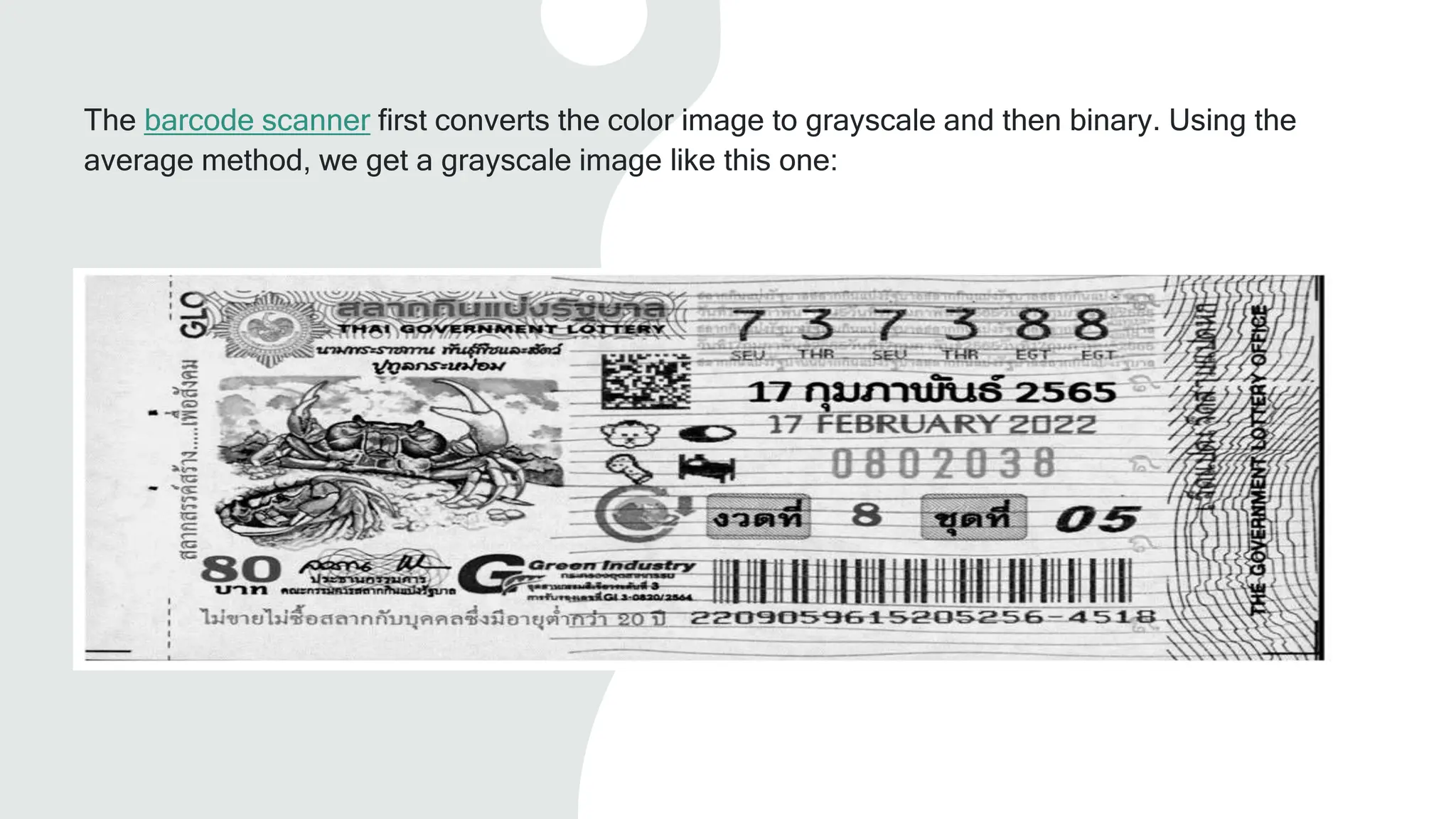
The barcode scanner first converts the color image to grayscale and then binary. Using the
average method, we get a grayscale image like this one:
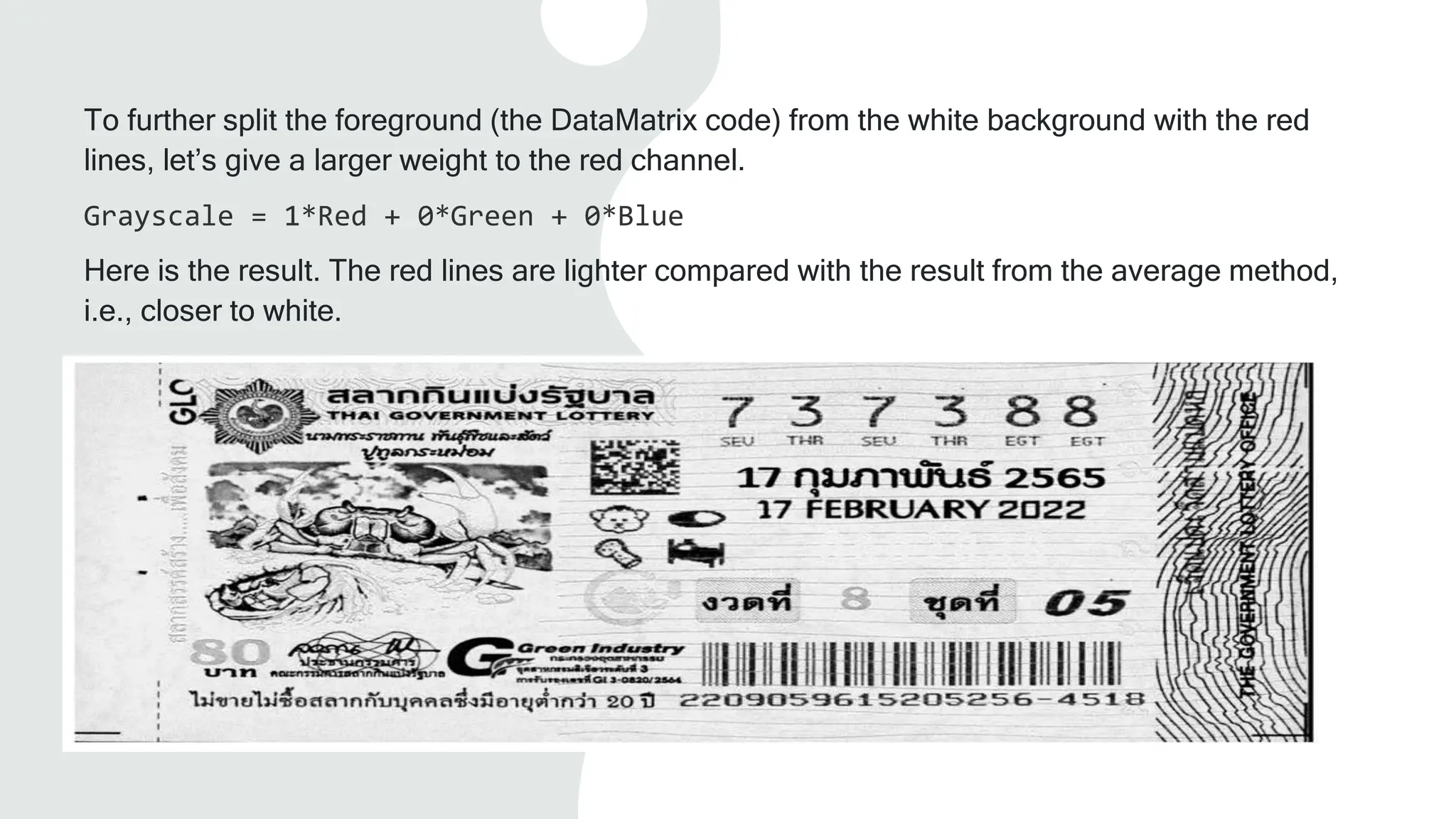
To further split the foreground (the DataMatrix code) from the white background with the red
lines, let’s give a larger weight to the red channel.
Grayscale = 1*Red + 0*Green + 0*Blue
Here is the result. The red lines are lighter compared with the result from the average method,
i.e., closer to white.
Source code used for testing
import cv2 RGB_image = cv2.imread("thai-government-lottery.png")
blue = RGB_image[:,:,0]
green = RGB_image[:,:,1]
red = RGB_image[:,:,2]
Average_Gray = blue/3+green/3+red/3
Weighted_Gray = (0 * blue) + (0* green) + (1 * red)
2. Binarization: Grayscale to black/white Conversion
LOCAL THRESHOLDING — CALCULATES
THE THRESHOLD PIXEL BY PIXEL
GLOBAL THRESHOLDING — CALCULATES
THE THRESHOLD ONCE FOR ALL PIXELS
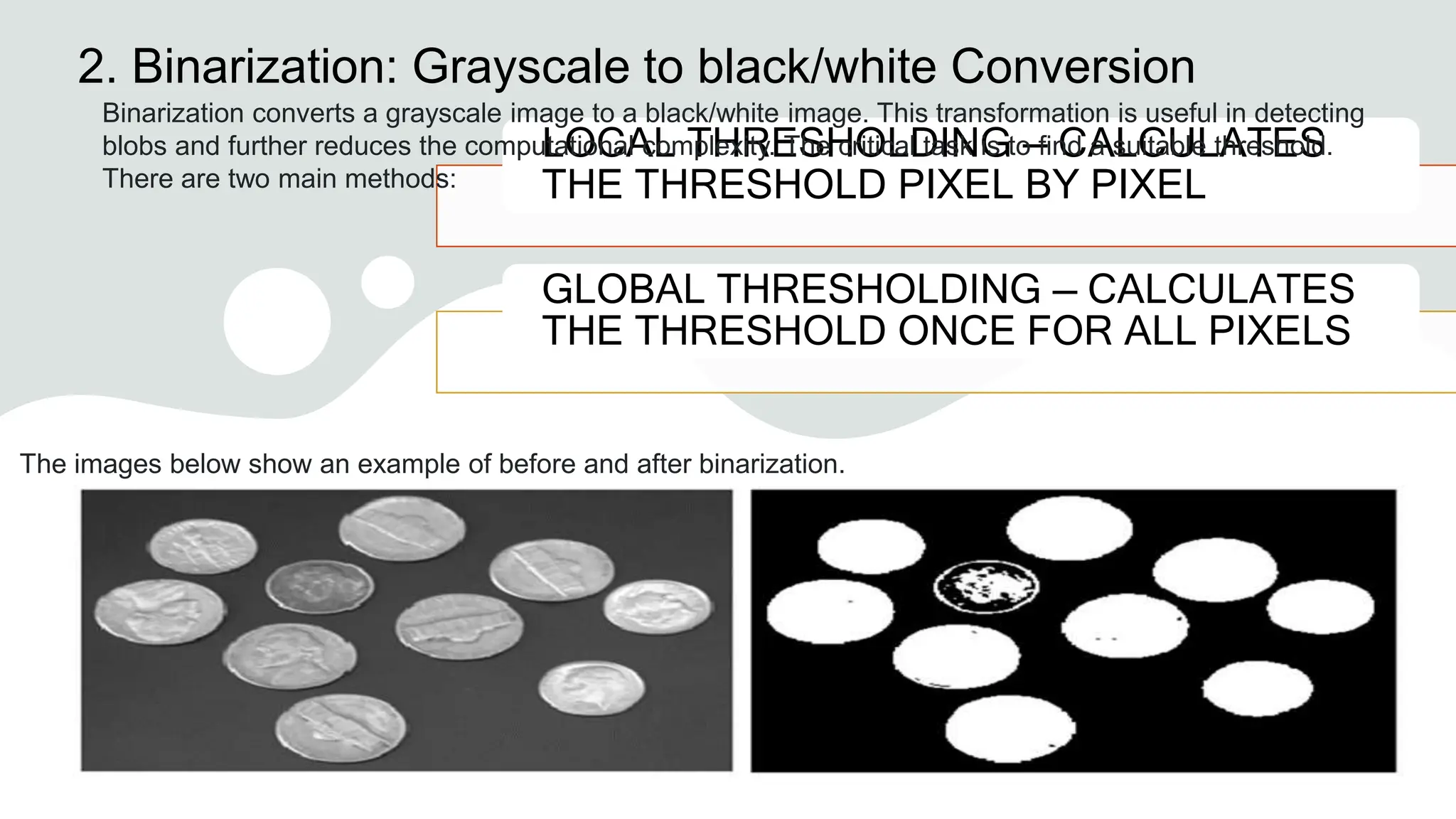
Binarization converts a grayscale image to a black/white image. This transformation is useful in detecting
blobs and further reduces the computational complexity. The critical task is to find a suitable threshold.
There are two main methods:
The images below show an example of before and after binarization.
2.1 Local
Thresholding Method
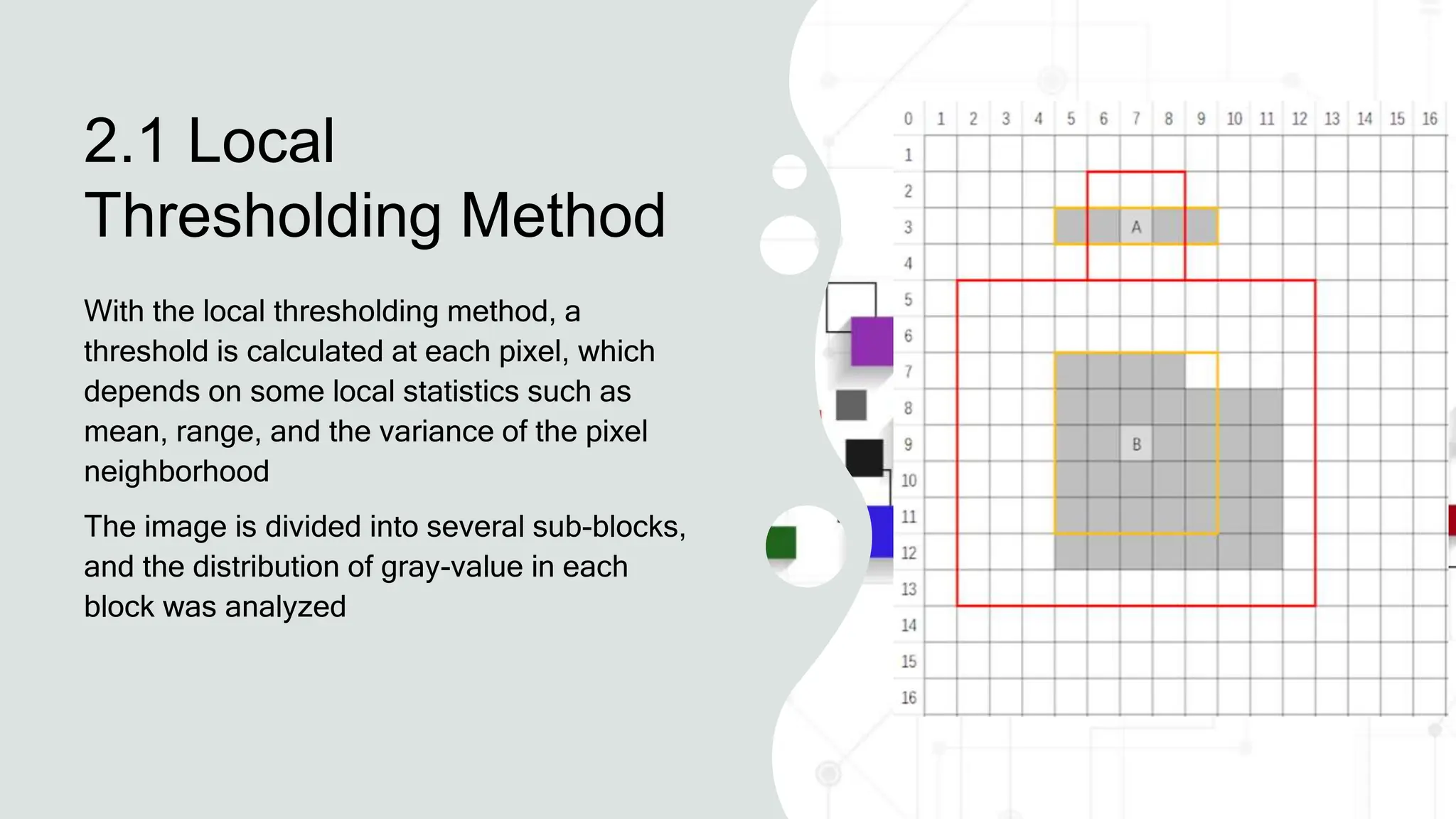
With the local thresholding method, a
threshold is calculated at each pixel, which
depends on some local statistics such as
mean, range, and the variance of the pixel
neighborhood
The image is divided into several sub-blocks,
and the distribution of gray-value in each
block was analyzed
2.2 Global
Thresholding Method
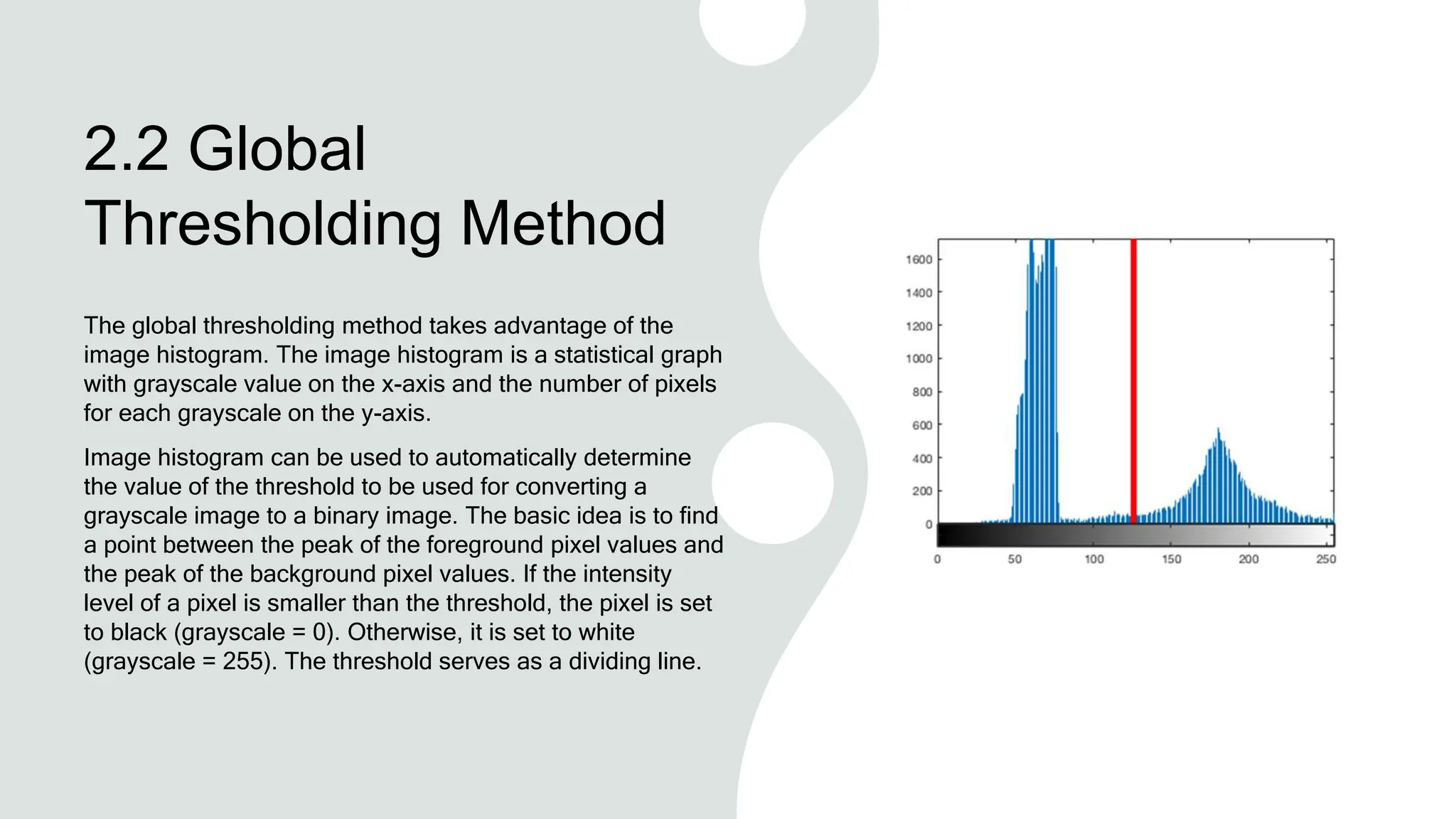
The global thresholding method takes advantage of the
image histogram. The image histogram is a statistical graph
with grayscale value on the x-axis and the number of pixels
for each grayscale on the y-axis.
Image histogram can be used to automatically determine
the value of the threshold to be used for converting a
grayscale image to a binary image. The basic idea is to find
a point between the peak of the foreground pixel values and
the peak of the background pixel values. If the intensity
level of a pixel is smaller than the threshold, the pixel is set
to black (grayscale = 0). Otherwise, it is set to white
(grayscale = 255). The threshold serves as a dividing line.
Different Ways to Convert
Image to Grayscale in
Python
1. Input Image.
2. Image Grayscale Conversion with Skimage
(Scikit Image) – color. rgb2gray()
3. Image Grayscale Conversion with Pillow (PIL) –
convert()
4. Image Grayscale Conversion with OpenCV –
cv2. imread()
5. Image Grayscale Conversion with OpenCV –
cv2. cvtColor()
Image Grayscale
Conversion with Pillow –
convert
Pillow is another image processing library of
Python which can be used to convert image
to grayscale with its img.convert function
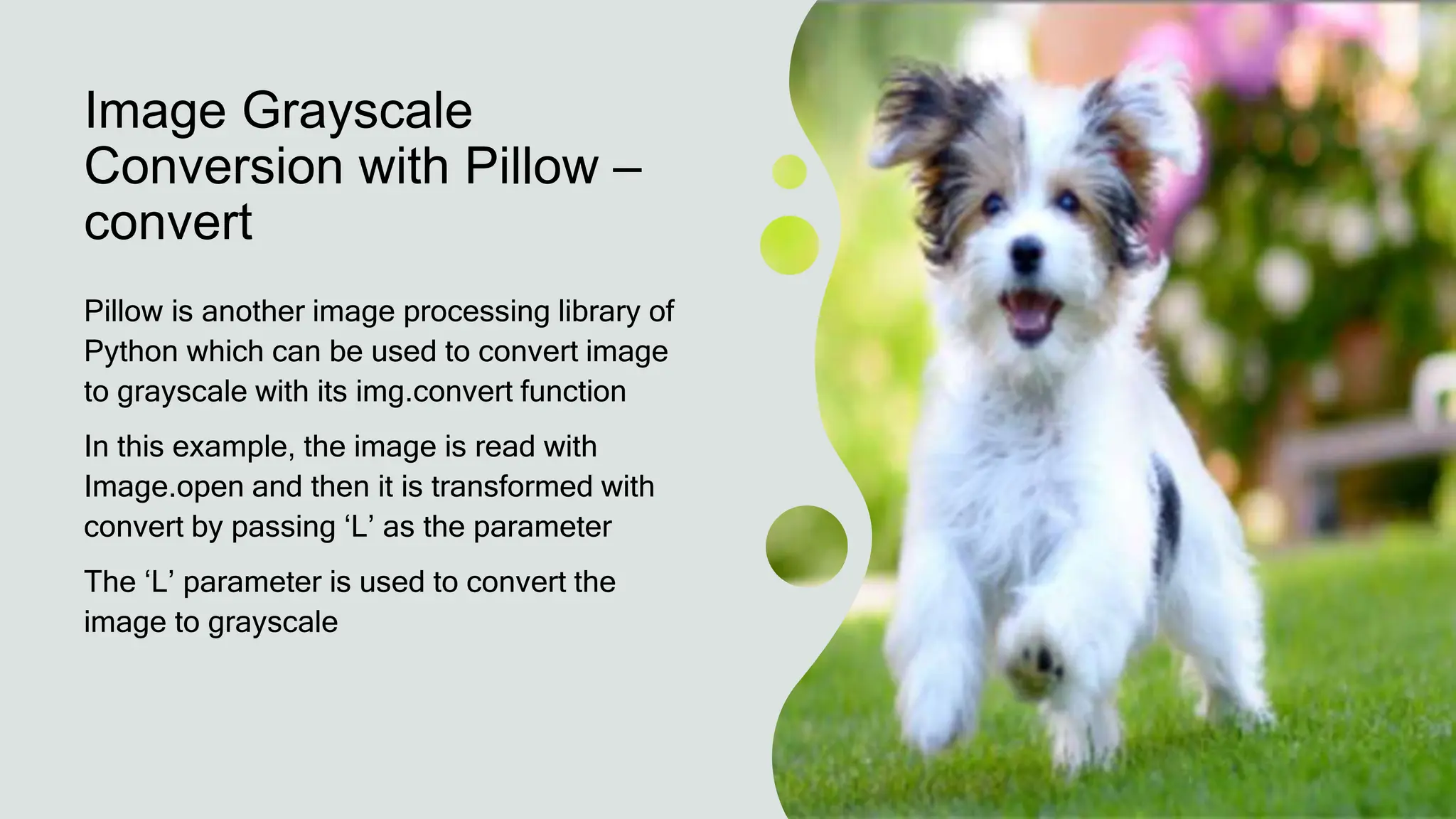
In this example, the image is read with
Image.open and then it is transformed with
convert by passing ‘L’ as the parameter
The ‘L’ parameter is used to convert the
image to grayscale
In [1]:
from PIL import Image
img = Image.open('dog.jpg')
imgGray = img.convert('L')
imgGray.show()
Out[1]:
window_name='Grayscale Conversion OpenCV'
cv2.namedWindow(window_name,
cv2.WINDOW_NORMAL)
cv2.imshow(window_name,img_gray)
cv2.waitKey(0)
cv2.destroyAllWindows()

Lecnoninecolorspacemodelindigitalimageprocess

  • 1.
  • 2.
    Color Space/Models The primarycolor is the one which absorbs a primary color and reflects the other two. The primary colors can be added together to produce the secondary colors – magenta, cyan and yellow as you can see in the figure below- Mixing three primary colors or a secondary color with its opposite primary color produces white light as shown in Fig
  • 3.
    Brightness • This expressesthe intensity or amount of the output. • If we talk about a practical example, this is what we see in the movies made before the 1930s.
  • 4.
    Hue • As weknow visible light has energy which is spread over a band of wavelengths. Hue represents the dominant wavelength in a mixture of all light waves. • It represents the dominant color as viewed by an observer.
  • 5.
    Saturation • It showsthe amount of white light mixed with the hue. • Hue and Saturation, together are called Chromaticity. Therefore, a color may be characterized by its chromaticity and intensity
  • 6.
    What is aColor Model? A color model is an abstract mathematical model that describes how colors can be represented as a set of numbers (e.g., a triple in RGB or a quad in CMYK). Color models can usually be described using a coordinate system, and each color in the system is represented by a single point in the coordinate space. For a given color model, to interpret a tuple or quad as a color, we can define a set of rules and definitions used to accurately calibrate and generate colors, i.e. a mapping function. A color space identifies a specific combination of color models and mapping functions. Identifying the color space automatically identifies the associated color model. For example, Adobe RGB and sRGB are two different color spaces, both based on the RGB color model.
  • 7.
    RGB Model RGB colormodel stores individual values for red, green, and blue The RGB color space is associated with the device There are many different RGB color spaces derived from this color model, standard RGB is a popular example
  • 8.
    Application The RGB modelis widely used in the representation and display of images in electronic systems like computers and televisions It is also used in conventional photography as well Image scanner which scans images and converts it to a digital image mostly supports RGB color It is used in web graphics
  • 9.
    CMY Model This modelcontains the secondary colors. In this model, any secondary color when passed through white light will not reflect the color from which a combination of colors is made For example- when cyan is illuminated with white light, no red light will be reflected from the surface which means that the cyan subtracts the red light from the reflected white light.
  • 10.
    CMY Model The formulagiven in equation 1 is for inter- conversion of RGB and CMY models: Fig.6. C, M and Y components of an image Fig. 5. Input Image
  • 11.
    Application IT IS USEDIN COLOR PRINTING AS IT USES COLORED INKS IT IS USED IN MOST COMMERCIAL PRINTING LIKE MAGAZINES, BOOKS, ETC
  • 12.
    HSV HSV (hue, saturation,value), also known as HSB (hue, saturation, brightness), is often used by artists because it is often more natural to think about a color in terms of hue and saturation than in terms of additive or subtractive color components. The system is closer to people’s experience and perception of color than RGB. For example, in painting terms, hue, saturation, and values are expressed in terms of color, shading, and toning.
  • 13.
    Hue is acolor component that describes a pure color Red Green Blue
  • 14.
    Saturation component representsthe measure of the degree to which color is mixed with white color. 0 degree – Red 120 degree – Green 240 degree – Blue 60 degree – Yellow 300 degree – Magenta
  • 15.
  • 16.
    HSI Model The anglefrom the red axis gives the Hue, the length of the vector is the saturation and the intensity is given by the position of the plane on the vertical intensity axis. The biggest application of this model is that it represents colors similarly to how the human eye senses colors.
  • 17.
    HSI Model The HSVmodel space can be described as an inverted hexagonal pyramid. • The top surface is a regular hexagon, showing the change in hue in the H direction, from 0 ° to 360 ° is the entire spectrum of visible light. The six corners of the hexagon represent the positions of the six colors of red, yellow, green, cyan, blue, and magenta, each of which is 60 ° apart. • The saturation S is represented by the S direction from the center to the hexagonal boundary, and the value varies from 0 to 1. The closer to the hexagonal boundary, the higher the color saturation. The color of the hexagonal boundary is the most saturated, i.e. S = 1; the color saturation at the center of the hexagon is 0, i.e. S = 0. • The height of the hexagonal pyramid (also known as the central axis) is denoted by V, which represents a black to white gradation from bottom to top. The bottom of V is black, V = 0; the top of V is white, V = 1.
  • 18.
    YUV The Y′UV modeldefines a color space in terms of one luma component (Y′) and two chrominance (UV) components. The Y′ channel saves black and white data. If there is only the Y component and there are no U and V components, then the graph represented is grayscale. The Y component can be calculated with the following equation: Y = 0. 299R+ 0. 587G+ 0. 114*B, which is the commonly used grayscale formula. The color difference U and V are compressed by B-Y and R-Y in different proportions. Compared with RGB, Y’UV does not necessarily store a triple tuple for each pixel. Y′UV images can be sampled in several different ways. For example, with YUV420, it saves one luma component for every point and two chroma values—a Cr (U) value and a Cb (V) value—every 2×2 points. I.E., 6 bytes per 4 pixels. The scope of the terms Y′UV, YUV, YCbCr, YPbPr, etc., is sometimes ambiguous and overlapping. Historically, the terms YUV and Y′UV were used for a specific analog encoding of color information in television systems, while YCbCr was used for digital encoding of color information suited for video and still-image compression and transmission such as MPEG and JPEG. Today, the term YUV is commonly used in the computer industry to describe file-formats that are encoded using YCbCr.
  • 19.
  • 20.
    1.1 RGB to Grayscale Thereare a number of commonly used methods to convert an RGB image to a grayscale image, such as average method and weighted method
  • 21.
    Average Method The Averagemethod takes the average value of R, G, and B as the grayscale value. Grayscale = (R + G + B ) / 3 A minor note: Theoretically, the formula is 100% correct. But when writing code, you may encounter uint8 overflow error — the sum of R, G, and B is greater than 255. To avoid the exception, R, G, and B should be calculated, respectively. Grayscale = R / 3 + G / 3 + B / 3 The average method is simple but doesn’t work as well as expected. The reason is that human eyeballs react differently to RGB. Eyes are most sensitive to green light, less sensitive to red light, and the least sensitive to blue light. Therefore, the three colors should have different weights in the distribution. That brings us to the weighted method.
  • 22.
    The Weighted Method Theweighted method, also called the luminosity method, weighs of red, green, and blue according to their wavelengths The improved formula is as follows: Grayscale = 0.299R + 0.587G + 0.114B
  • 23.
    1.2 YUV to Grayscale YUVis a color encoding system used for analog television The YUV color model represents the human perception of color more closely than the standard RGB model used in computer graphics hardware and is more size-efficient RGB to YUV Conversion: Y = 0.299R + 0.587G + 0.114B U'= (B-Y)*0.565 V'= (R-Y)*0.713
  • 24.
    The Grayscale Value Theformula for converting RGB to Y is the same as the formula for converting RGB to grayscale. Therefore: Grayscale = Y
  • 25.
    1.3 HSV to Grayscale HSV(hue, saturation, value) and HSL (hue, saturation, lightness or luminance) are transformations of a Cartesian RGB color space. To convert HSV to grayscale, we first need to convert HSV to RGB and then convert the RGB triple to a grayscale value.
  • 26.
    The Grayscale Value When0 ≤ H < 360, 0 ≤ S ≤ 1 and 0 ≤ V ≤ 1: C = V × S X = C × (1 - |(H / 60°) mod 2 - 1|) m = V - C (R,G,B) = ((R‘+m)×255, (G‘+m)×255, (B‘+m)×255) HSV to RGB conversion Grayscale = 0.299R + 0.587G + 0.114B
  • 27.
    1.4 An exampleof RGB to grayscale using the weighted method Here is an example of the grayscale conversion method used in a barcode scanner. As we can see in this image, the DataMatrix code on a Thai government lottery has red lines crossed over.
  • 28.
    The barcode scannerfirst converts the color image to grayscale and then binary. Using the average method, we get a grayscale image like this one:
  • 29.
    To further splitthe foreground (the DataMatrix code) from the white background with the red lines, let’s give a larger weight to the red channel. Grayscale = 1*Red + 0*Green + 0*Blue Here is the result. The red lines are lighter compared with the result from the average method, i.e., closer to white.
  • 30.
    Source code usedfor testing import cv2 RGB_image = cv2.imread("thai-government-lottery.png") blue = RGB_image[:,:,0] green = RGB_image[:,:,1] red = RGB_image[:,:,2] Average_Gray = blue/3+green/3+red/3 Weighted_Gray = (0 * blue) + (0* green) + (1 * red)
  • 31.
    2. Binarization: Grayscaleto black/white Conversion LOCAL THRESHOLDING — CALCULATES THE THRESHOLD PIXEL BY PIXEL GLOBAL THRESHOLDING — CALCULATES THE THRESHOLD ONCE FOR ALL PIXELS Binarization converts a grayscale image to a black/white image. This transformation is useful in detecting blobs and further reduces the computational complexity. The critical task is to find a suitable threshold. There are two main methods: The images below show an example of before and after binarization.
  • 32.
    2.1 Local Thresholding Method Withthe local thresholding method, a threshold is calculated at each pixel, which depends on some local statistics such as mean, range, and the variance of the pixel neighborhood The image is divided into several sub-blocks, and the distribution of gray-value in each block was analyzed
  • 33.
    2.2 Global Thresholding Method Theglobal thresholding method takes advantage of the image histogram. The image histogram is a statistical graph with grayscale value on the x-axis and the number of pixels for each grayscale on the y-axis. Image histogram can be used to automatically determine the value of the threshold to be used for converting a grayscale image to a binary image. The basic idea is to find a point between the peak of the foreground pixel values and the peak of the background pixel values. If the intensity level of a pixel is smaller than the threshold, the pixel is set to black (grayscale = 0). Otherwise, it is set to white (grayscale = 255). The threshold serves as a dividing line.
  • 34.
    Different Ways toConvert Image to Grayscale in Python 1. Input Image. 2. Image Grayscale Conversion with Skimage (Scikit Image) – color. rgb2gray() 3. Image Grayscale Conversion with Pillow (PIL) – convert() 4. Image Grayscale Conversion with OpenCV – cv2. imread() 5. Image Grayscale Conversion with OpenCV – cv2. cvtColor()
  • 35.
    Image Grayscale Conversion withPillow – convert Pillow is another image processing library of Python which can be used to convert image to grayscale with its img.convert function In this example, the image is read with Image.open and then it is transformed with convert by passing ‘L’ as the parameter The ‘L’ parameter is used to convert the image to grayscale
  • 36.
    In [1]: from PILimport Image img = Image.open('dog.jpg') imgGray = img.convert('L') imgGray.show() Out[1]: window_name='Grayscale Conversion OpenCV' cv2.namedWindow(window_name, cv2.WINDOW_NORMAL) cv2.imshow(window_name,img_gray) cv2.waitKey(0) cv2.destroyAllWindows()