Welcome to OurToday's Presentation slide
Presentation
Roll No:5017 ,
5039
Submitted
To:Dr. Iqra
Muneer
Class:MS-CS (B)
Submitted
By:Mubashir
Amin , Ali Raza
2.
Table of contents
ColorImage Types and Models
Why Color Models?
Pros & Cons of Color Image
Examples of Color Image Types
Major Color Models
Examples of CMYK
HSV/HSB (Hue, Saturation, Value/Brightness)
YCbCr
How to Choose a Model?
Summary Table of Models
Untitled
3.
Color Image Typesand Models
Understanding how colors are
represented and processed is
fundamental in digital imaging.
4.
Why Color Models?
Acolor model is a system for creating a full range of colors from a small set of primary colors.
Different models serve different purposes, such as display, printing, or analysis.
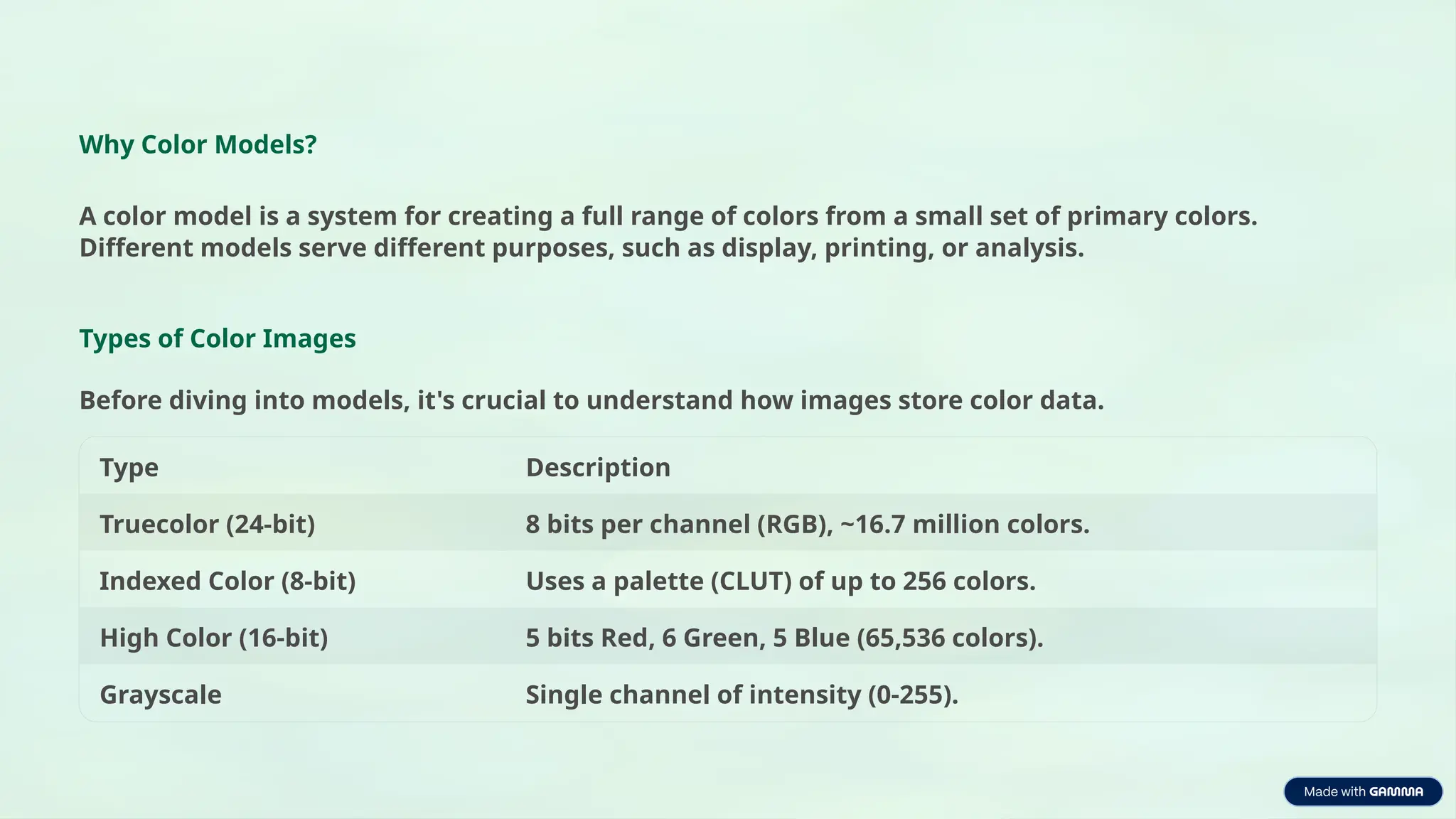
Types of Color Images
Before diving into models, it's crucial to understand how images store color data.
Type Description
Truecolor (24-bit) 8 bits per channel (RGB), ~16.7 million colors.
Indexed Color (8-bit) Uses a palette (CLUT) of up to 256 colors.
High Color (16-bit) 5 bits Red, 6 Green, 5 Blue (65,536 colors).
Grayscale Single channel of intensity (0-255).
5.
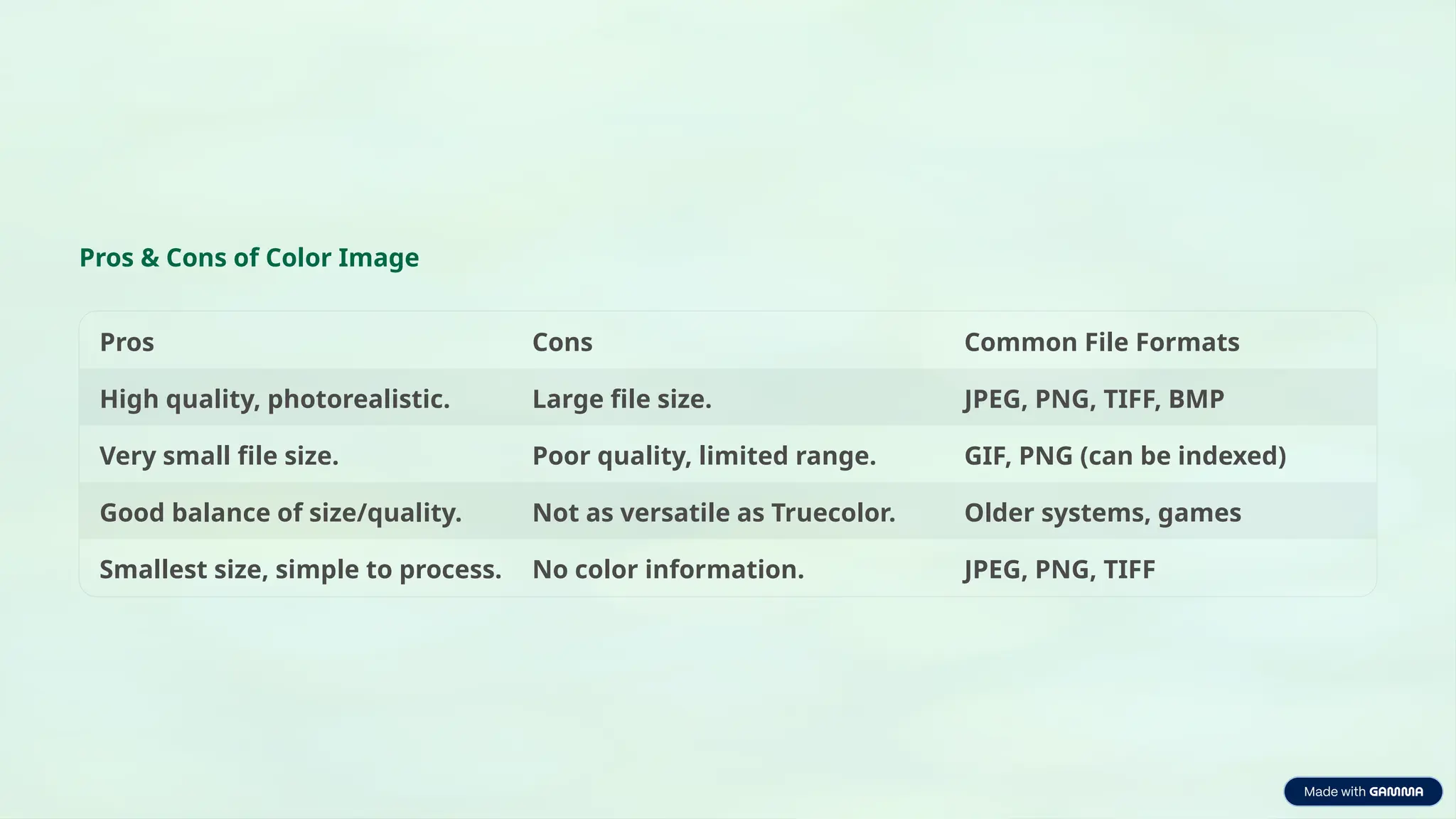
Pros & Consof Color Image
Pros Cons Common File Formats
High quality, photorealistic. Large file size. JPEG, PNG, TIFF, BMP
Very small file size. Poor quality, limited range. GIF, PNG (can be indexed)
Good balance of size/quality. Not as versatile as Truecolor. Older systems, games
Smallest size, simple to process. No color information. JPEG, PNG, TIFF
6.
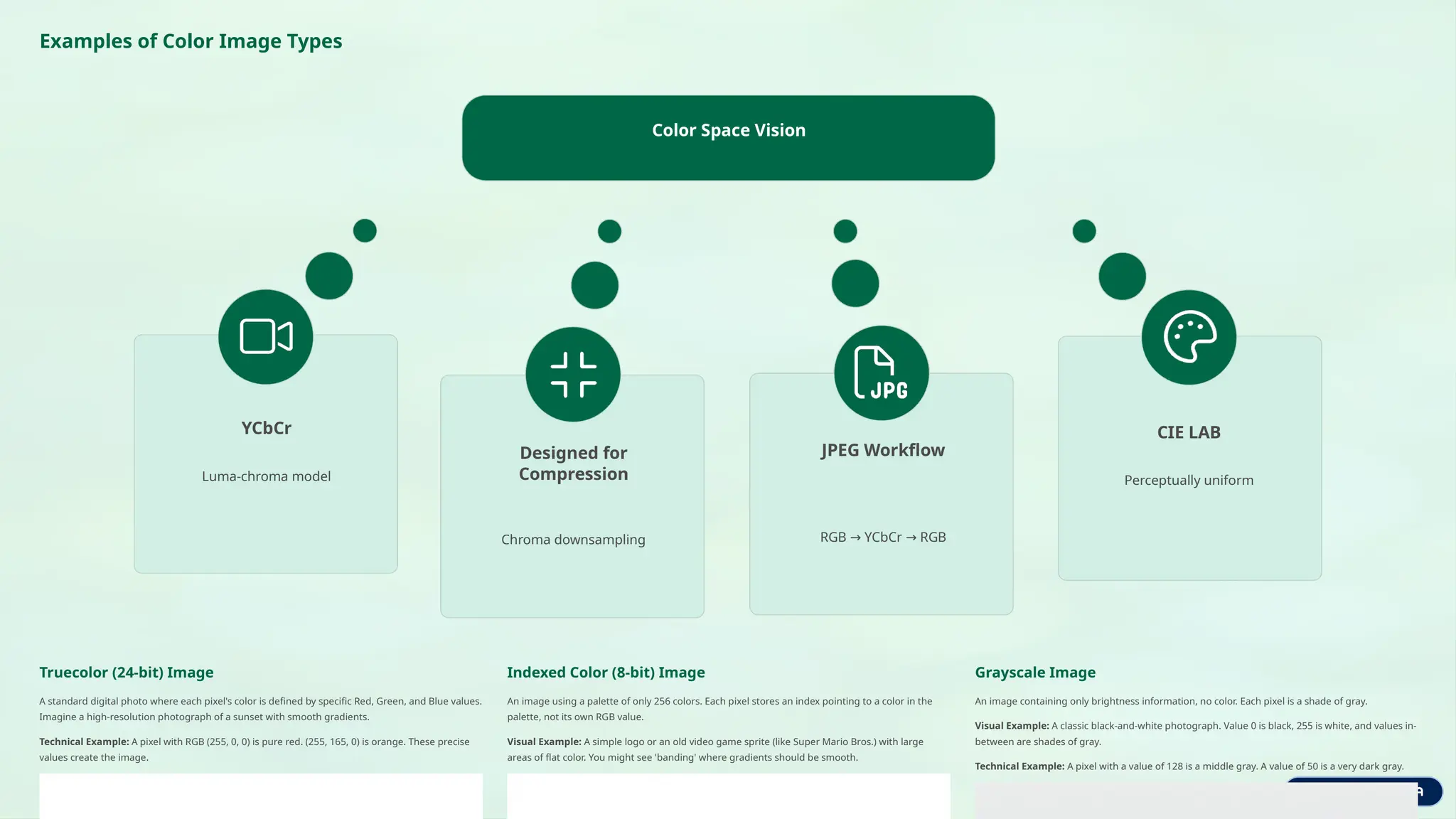
Examples of ColorImage Types
Color Space Vision
YCbCr
Luma-chroma model
CIE LAB
Perceptually uniform
Designed for
Compression
Chroma downsampling
JPEG Workflow
RGB YCbCr RGB
→ →
Truecolor (24-bit) Image
A standard digital photo where each pixel's color is defined by specific Red, Green, and Blue values.
Imagine a high-resolution photograph of a sunset with smooth gradients.
Technical Example: A pixel with RGB (255, 0, 0) is pure red. (255, 165, 0) is orange. These precise
values create the image.
Indexed Color (8-bit) Image
An image using a palette of only 256 colors. Each pixel stores an index pointing to a color in the
palette, not its own RGB value.
Visual Example: A simple logo or an old video game sprite (like Super Mario Bros.) with large
areas of flat color. You might see 'banding' where gradients should be smooth.
Grayscale Image
An image containing only brightness information, no color. Each pixel is a shade of gray.
Visual Example: A classic black-and-white photograph. Value 0 is black, 255 is white, and values in-
between are shades of gray.
Technical Example: A pixel with a value of 128 is a middle gray. A value of 50 is a very dark gray.
7.
Major Color Models
RGB(Red, Green, Blue)
Type: Additive model. Colors are created by adding light from red, green, and blue sources.
• Channels: 3 (R, G, B)
• How it works: Black is absence of light (0,0,0); white is full intensity (255,255,255).
• Applications: Displays, cameras, web, video.
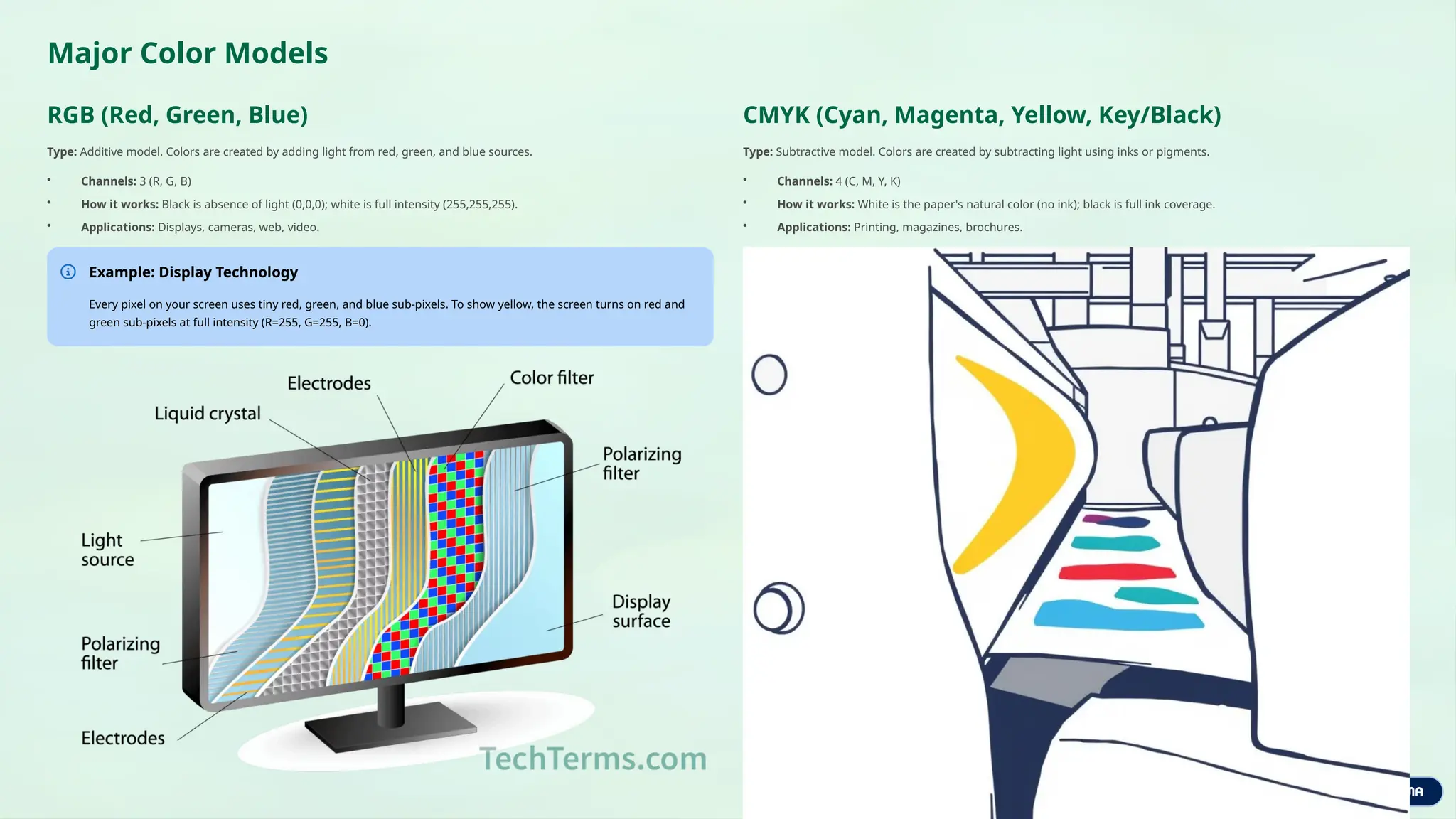
Example: Display Technology
Every pixel on your screen uses tiny red, green, and blue sub-pixels. To show yellow, the screen turns on red and
green sub-pixels at full intensity (R=255, G=255, B=0).
CMYK (Cyan, Magenta, Yellow, Key/Black)
Type: Subtractive model. Colors are created by subtracting light using inks or pigments.
• Channels: 4 (C, M, Y, K)
• How it works: White is the paper's natural color (no ink); black is full ink coverage.
• Applications: Printing, magazines, brochures.
8.
Examples of CMYK
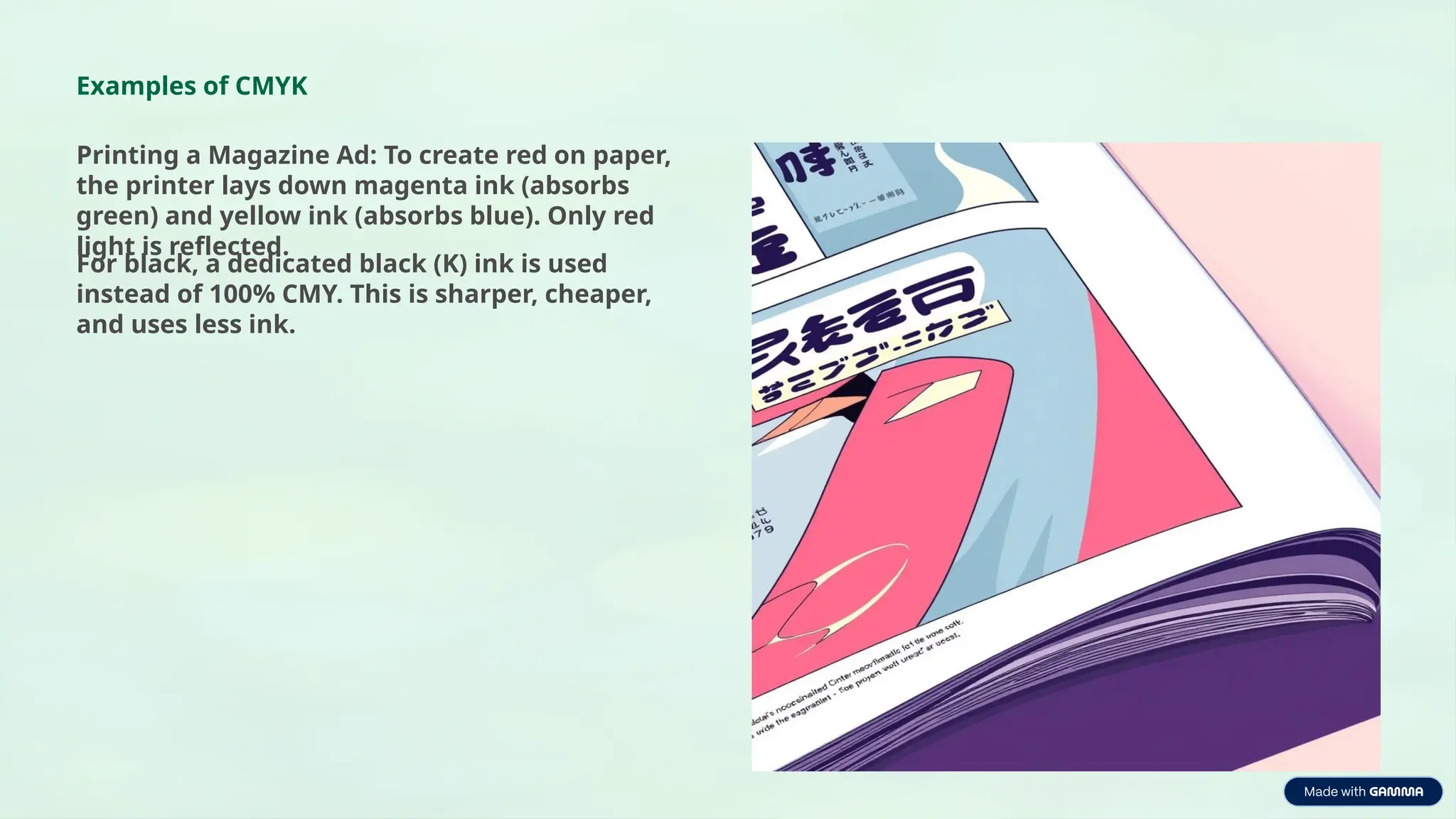
Printinga Magazine Ad: To create red on paper,
the printer lays down magenta ink (absorbs
green) and yellow ink (absorbs blue). Only red
light is reflected.
For black, a dedicated black (K) ink is used
instead of 100% CMY. This is sharper, cheaper,
and uses less ink.
9.
HSV/HSB (Hue, Saturation,
Value/Brightness)
Type:Perceptual or User-oriented model. Describes colors in a way that is more
intuitive to humans.
• Hue: Dominant color (0°-360°).
• Saturation: Intensity (0%-100%).
• Value: Brightness (0%-100%).
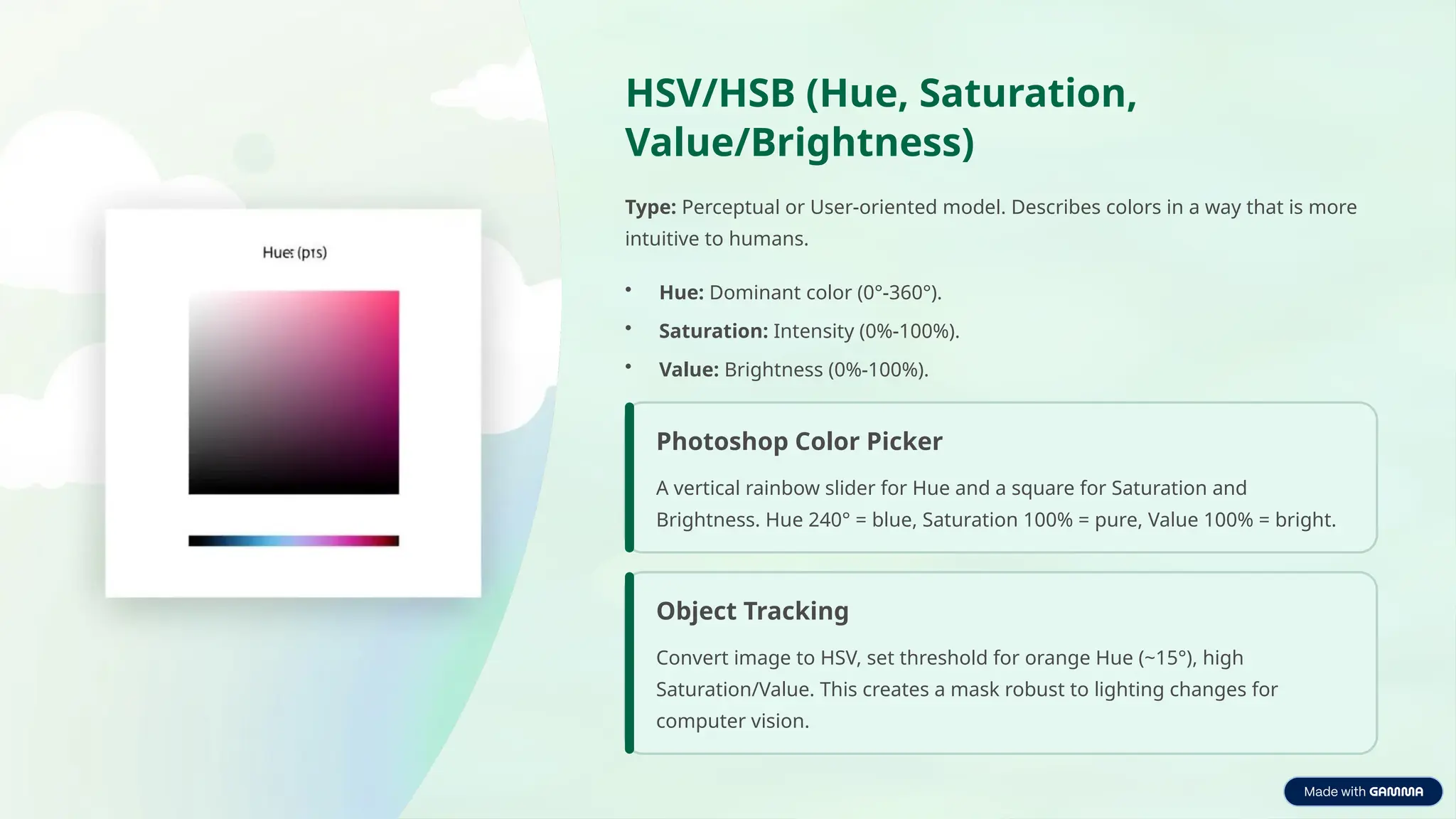
Photoshop Color Picker
A vertical rainbow slider for Hue and a square for Saturation and
Brightness. Hue 240° = blue, Saturation 100% = pure, Value 100% = bright.
Object Tracking
Convert image to HSV, set threshold for orange Hue (~15°), high
Saturation/Value. This creates a mask robust to lighting changes for
computer vision.
10.
YCbCr
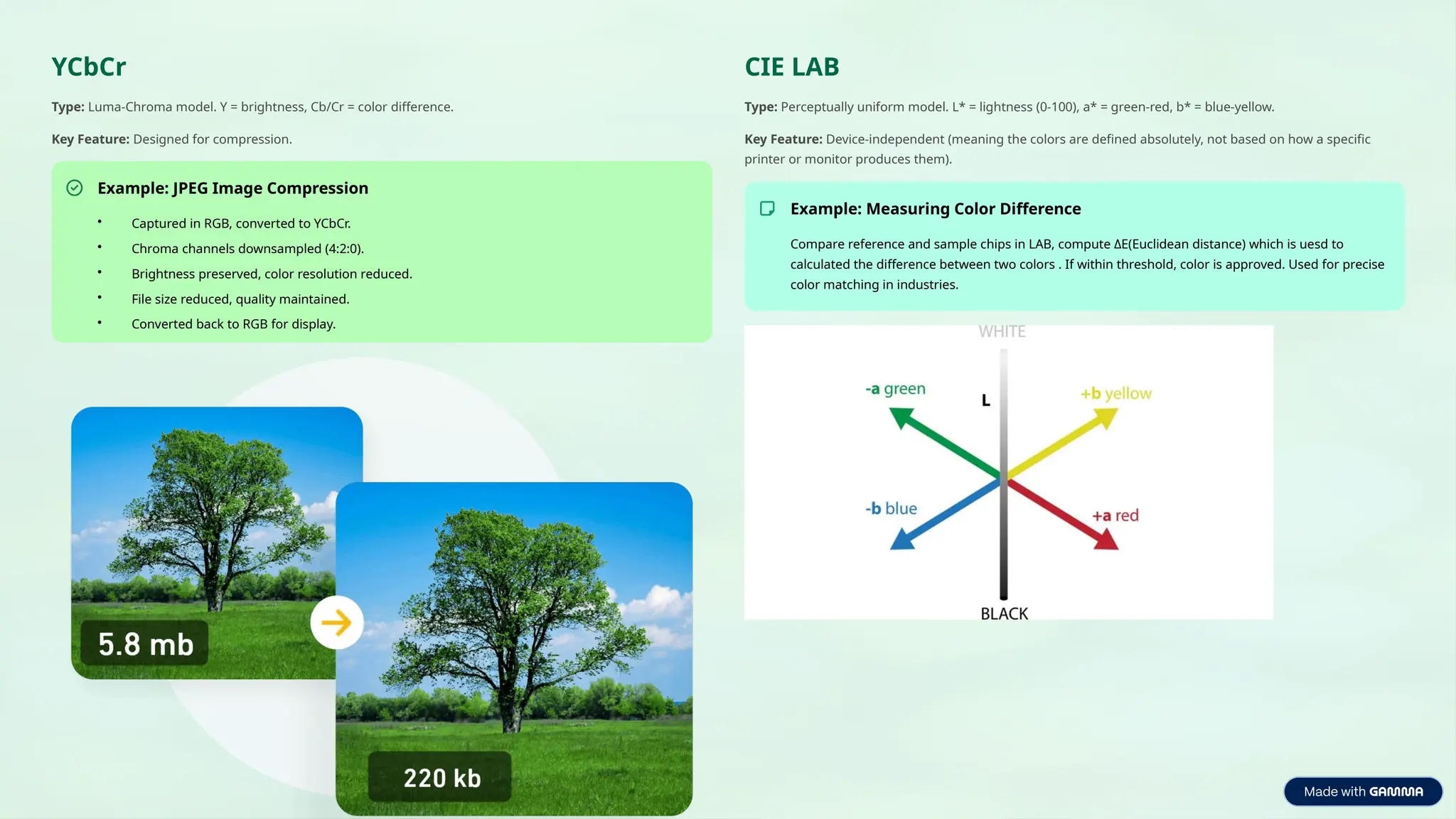
Type: Luma-Chroma model.Y = brightness, Cb/Cr = color difference.
Key Feature: Designed for compression.
Example: JPEG Image Compression
• Captured in RGB, converted to YCbCr.
• Chroma channels downsampled (4:2:0).
• Brightness preserved, color resolution reduced.
• File size reduced, quality maintained.
• Converted back to RGB for display.
CIE LAB
Type: Perceptually uniform model. L* = lightness (0-100), a* = green-red, b* = blue-yellow.
Key Feature: Device-independent (meaning the colors are defined absolutely, not based on how a specific
printer or monitor produces them).
Example: Measuring Color Difference
Compare reference and sample chips in LAB, compute ΔE(Euclidean distance) which is uesd to
calculated the difference between two colors . If within threshold, color is approved. Used for precise
color matching in industries.
11.
How to Choosea Model?
Display or Capture
Use RGB.
Printing
Use CMYK.
Color-based Editing
Use HSV.
Compression
Use YCbCr.
Precise Analysis
Use CIE LAB.
12.
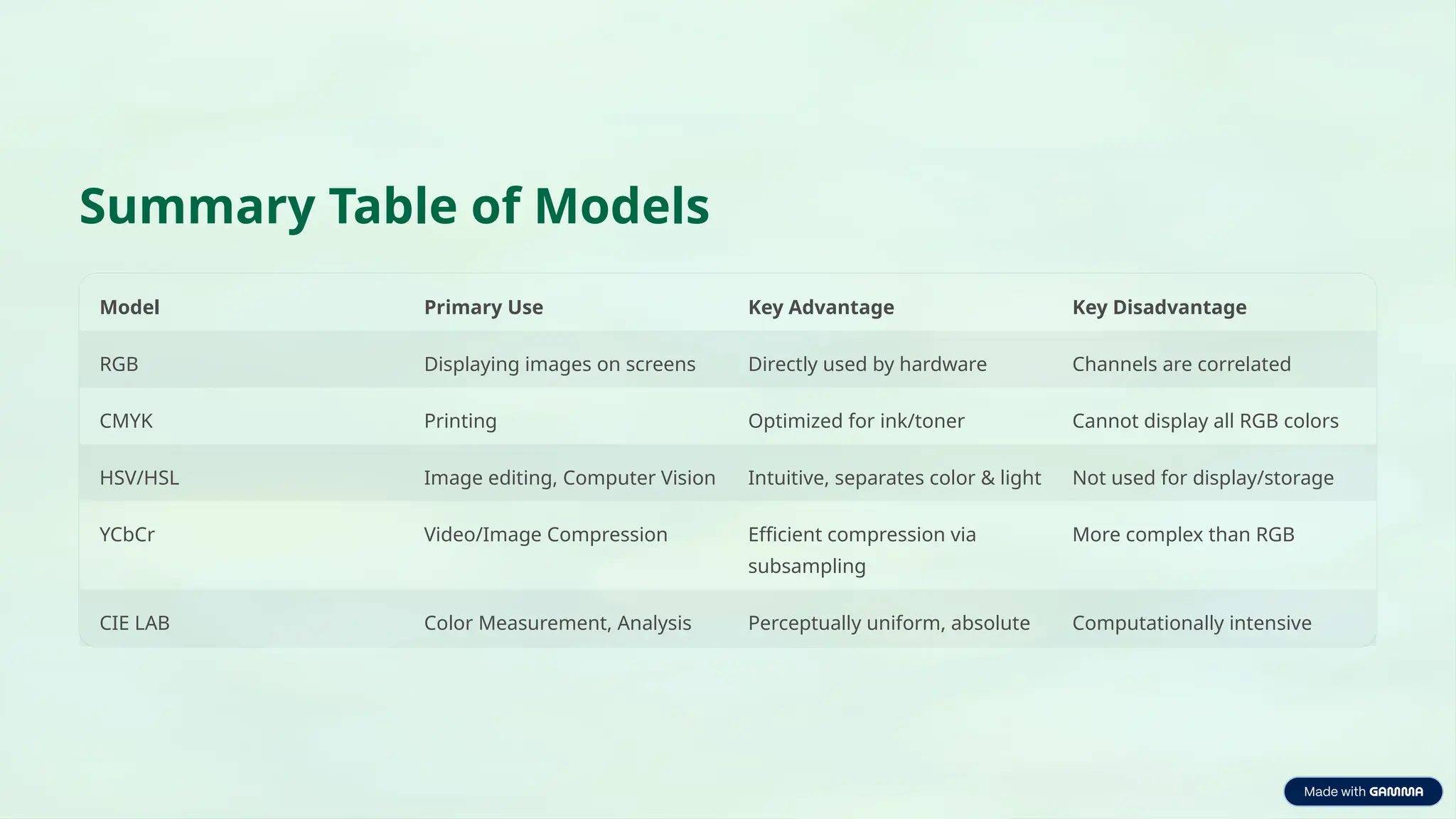
Summary Table ofModels
Model Primary Use Key Advantage Key Disadvantage
RGB Displaying images on screens Directly used by hardware Channels are correlated
CMYK Printing Optimized for ink/toner Cannot display all RGB colors
HSV/HSL Image editing, Computer Vision Intuitive, separates color & light Not used for display/storage
YCbCr Video/Image Compression Efficient compression via
subsampling
More complex than RGB
CIE LAB Color Measurement, Analysis Perceptually uniform, absolute Computationally intensive



![[BROCHURE] Italy Tour Project | @SlideON](https://cdn.slidesharecdn.com/ss_thumbnails/brochure8-251215152319-2805af68-thumbnail.jpg?width=640&height=640&fit=bounds)


