
Learning from hybrid app
testing on iPad
- Jijesh Mohan
Application
!   Book reader
!   Supports only tablets
!   Hybrid application
!   Current release for iPad
Technology Stack
!   Phonegap (Cordova)
!   Html 5 & Css 3
!   Objective – C
! Ember.js
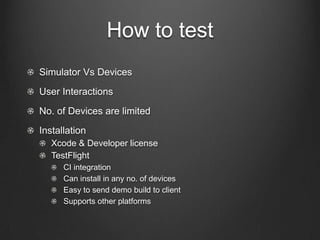
How to test
!   Simulator Vs Devices
!   User Interactions
!   No. of Devices are limited
!   Installation
! Xcode & Developer license
! TestFlight
!   CI integration
!   Can install in any no. of devices
!   Easy to send demo build to client
!   Supports other platforms
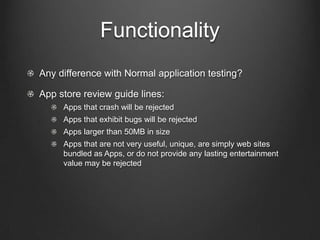
Functionality
!   Any difference with Normal application testing?
!   App store review guide lines:
!   Apps that crash will be rejected
!   Apps that exhibit bugs will be rejected
!   Apps larger than 50MB in size
!   Apps that are not very useful, unique, are simply web sites bundled
as Apps, or do not provide any lasting entertainment value may be
rejected
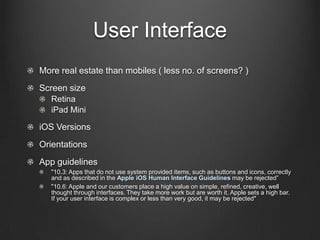
User Interface
!   Screen size
!   Retina
!   iPad Mini
! iOS Versions
!   More real estate than mobiles ( less no. of screens? )
!   Orientations
!   App guidelines
!   "10.3: Apps that do not use system provided items, such as buttons and icons, correctly and
as described in the Apple iOS Human Interface Guidelines may be rejected”
!   "10.6: Apple and our customers place a high value on simple, refined, creative, well thought
through interfaces. They take more work but are worth it. Apple sets a high bar. If your
user interface is complex or less than very good, it may be rejected"
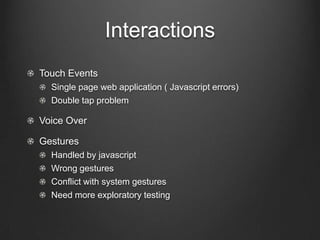
Interactions
!   Touch Events
!   Single page web application ( Javascript errors)
!   Double tap problem
!   Voice Over
!   Gestures
!   Handled by javascript
!   Wrong gestures
!   Conflict with system gestures
!   Need more exploratory testing
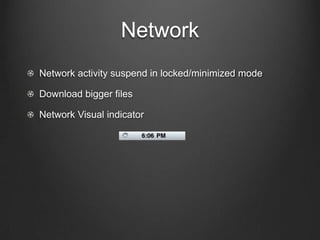
Network
!   Network activity suspend in locked/minimized mode
!   Download bigger files
!   Network Visual indicator
Network
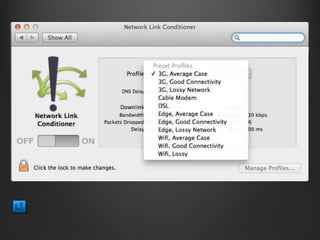
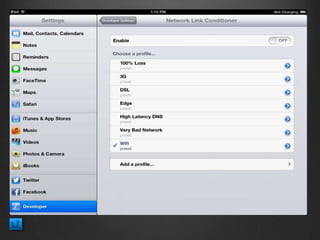
!   Test in different speed
!   Limit the bandwidth of the server ( e.g nginx)
!   Network link Conditioner
!   Device – Developer tools
Performance & Memory
!   Gatling for Server
!   User experience matters in devices
!   Memory
!   Memory limit
!   Profiling app using instruments
Automation
!   Selenium / Calabash / Frank
!   BDD Style of testing
!   Minimal support on Hybrid application
!   No iFrame Support !
!   Actual Device testing
!   33 Scenarios automated
Mobile Grid
!   Automation testing in multiple devices.
!   Consolidation of reports & history
!   Automatic Discovery of devices
!   Report & Trend Analysis
Demo
Conclusion
!   Test in actual devices
!   More exploratory testing on user interactions
!   Memory leaks!
!   App Review guide lines & Human interface guidelines
!   Network
!   Automation
Q & A
Thank You..
Learnings from Hybrid App Testing Jijesh Mohan

Learnings from Hybrid App Testing Jijesh Mohan

  • 1.
    Learning from hybridapp testing on iPad - Jijesh Mohan
  • 2.
    Application !   Bookreader !   Supports only tablets !   Hybrid application !   Current release for iPad
  • 3.
    Technology Stack !  Phonegap (Cordova) !   Html 5 & Css 3 !   Objective – C ! Ember.js
  • 4.
    How to test !  Simulator Vs Devices !   User Interactions !   No. of Devices are limited !   Installation ! Xcode & Developer license ! TestFlight !   CI integration !   Can install in any no. of devices !   Easy to send demo build to client !   Supports other platforms
  • 5.
    Functionality !   Anydifference with Normal application testing? !   App store review guide lines: !   Apps that crash will be rejected !   Apps that exhibit bugs will be rejected !   Apps larger than 50MB in size !   Apps that are not very useful, unique, are simply web sites bundled as Apps, or do not provide any lasting entertainment value may be rejected
  • 6.
    User Interface !  Screen size !   Retina !   iPad Mini ! iOS Versions !   More real estate than mobiles ( less no. of screens? ) !   Orientations !   App guidelines !   "10.3: Apps that do not use system provided items, such as buttons and icons, correctly and as described in the Apple iOS Human Interface Guidelines may be rejected” !   "10.6: Apple and our customers place a high value on simple, refined, creative, well thought through interfaces. They take more work but are worth it. Apple sets a high bar. If your user interface is complex or less than very good, it may be rejected"
  • 7.
    Interactions !   TouchEvents !   Single page web application ( Javascript errors) !   Double tap problem !   Voice Over !   Gestures !   Handled by javascript !   Wrong gestures !   Conflict with system gestures !   Need more exploratory testing
  • 8.
    Network !   Networkactivity suspend in locked/minimized mode !   Download bigger files !   Network Visual indicator
  • 9.
    Network !   Testin different speed !   Limit the bandwidth of the server ( e.g nginx) !   Network link Conditioner !   Device – Developer tools
  • 10.
    Performance & Memory !  Gatling for Server !   User experience matters in devices !   Memory !   Memory limit !   Profiling app using instruments
  • 11.
    Automation !   Selenium/ Calabash / Frank !   BDD Style of testing !   Minimal support on Hybrid application !   No iFrame Support ! !   Actual Device testing !   33 Scenarios automated
  • 12.
    Mobile Grid !  Automation testing in multiple devices. !   Consolidation of reports & history !   Automatic Discovery of devices !   Report & Trend Analysis
  • 13.
  • 14.
    Conclusion !   Testin actual devices !   More exploratory testing on user interactions !   Memory leaks! !   App Review guide lines & Human interface guidelines !   Network !   Automation
  • 15.
  • 16.