Best Practices for Mobile CI
April 28, 2015
© Sauce Labs, Inc.
Presenters
Kevin Rohling
Co-founder / VP of Product at Emberlight
Founder/CEO of cisimple now Ship.io
kevin@kevinrohling.com
Kristian Meier
Sales Engineer at Sauce Labs
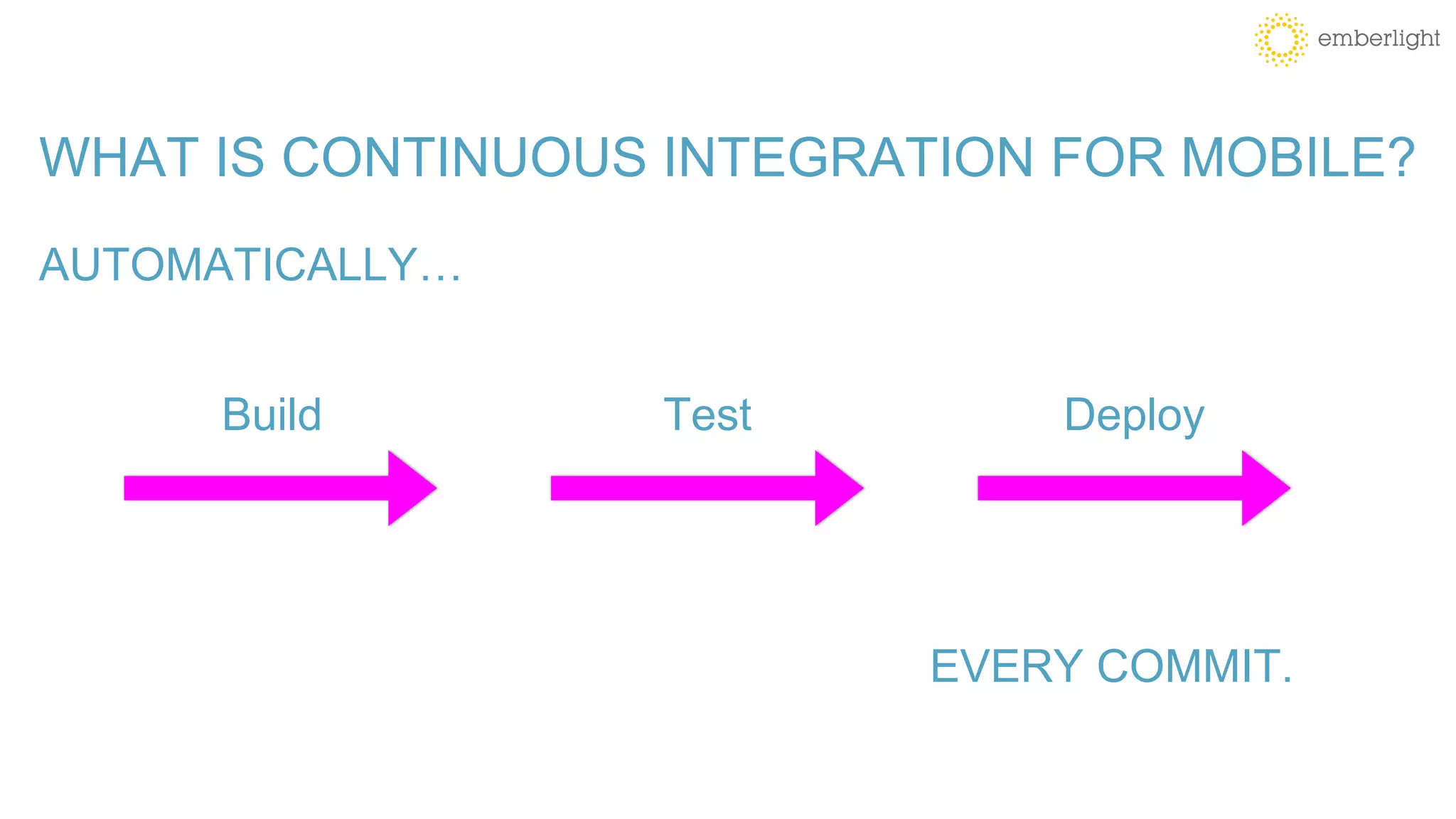
WHAT IS CONTINUOUS INTEGRATION FOR MOBILE?
AUTOMATICALLY…
Build Test Deploy
EVERY COMMIT.
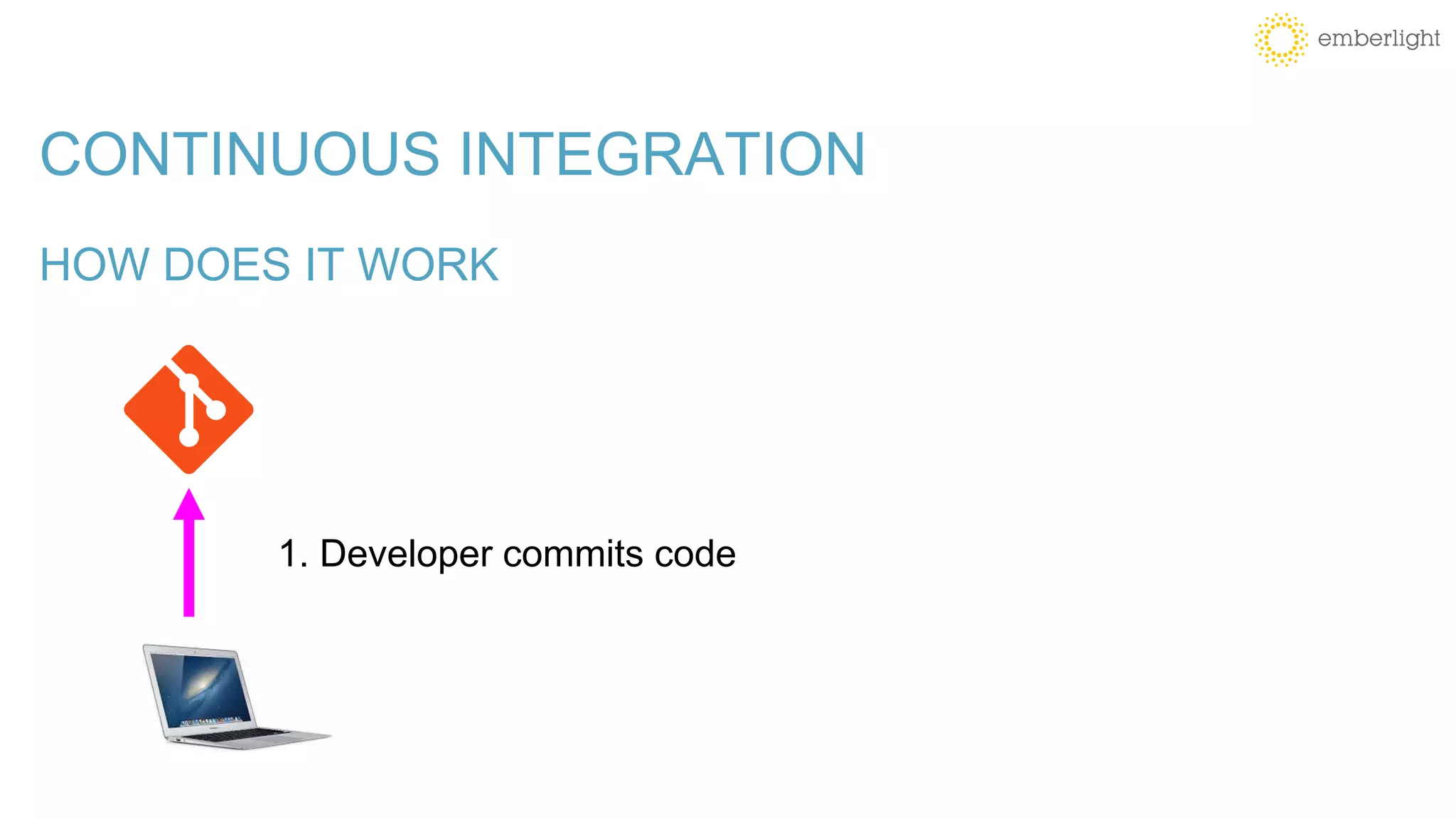
CONTINUOUS INTEGRATION
HOW DOES IT WORK
1. Developer commits code
CONTINUOUS INTEGRATION
HOW DOES IT WORK
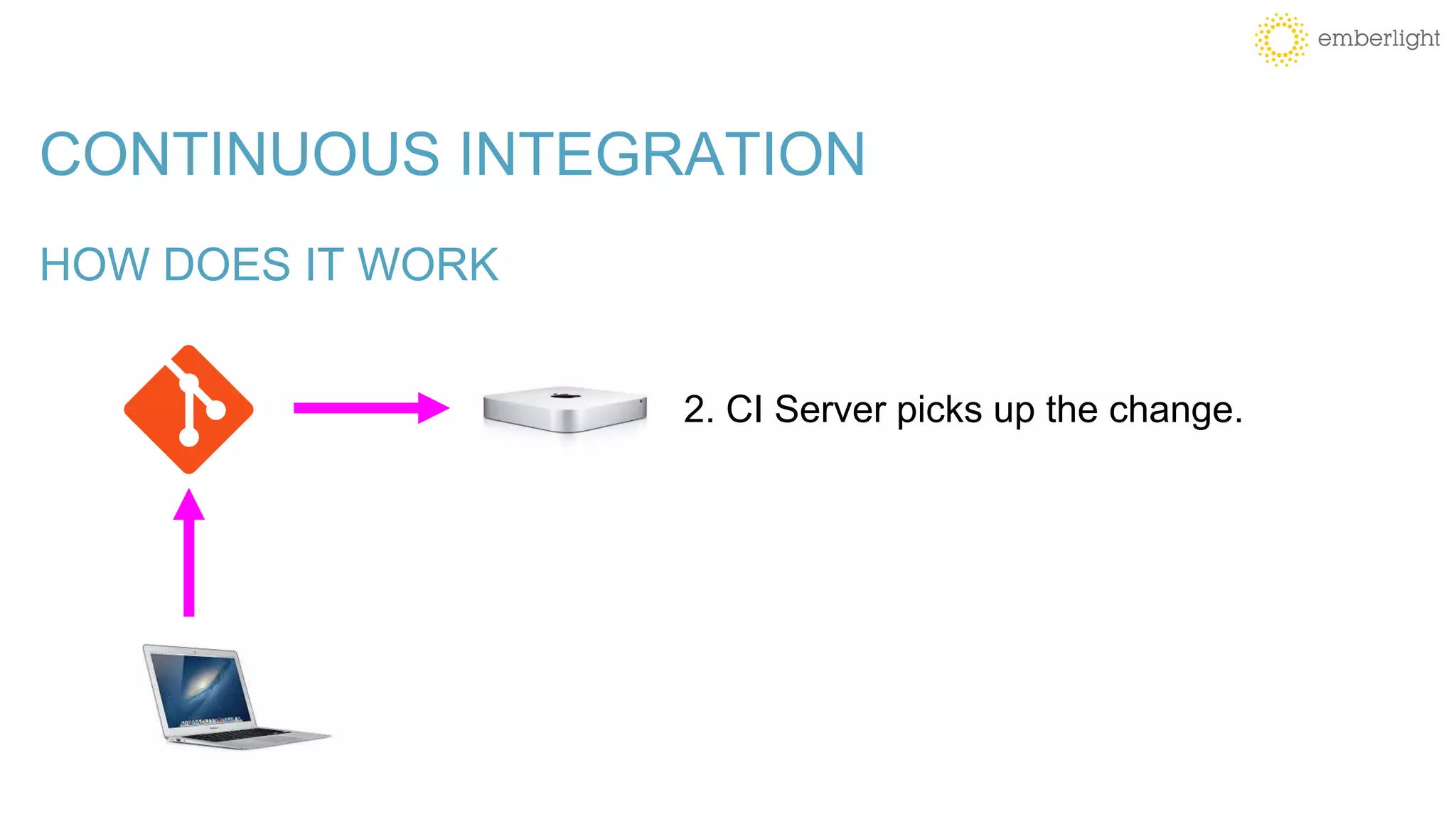
2. CI Server picks up the change.
CONTINUOUS INTEGRATION
HOW DOES IT WORK
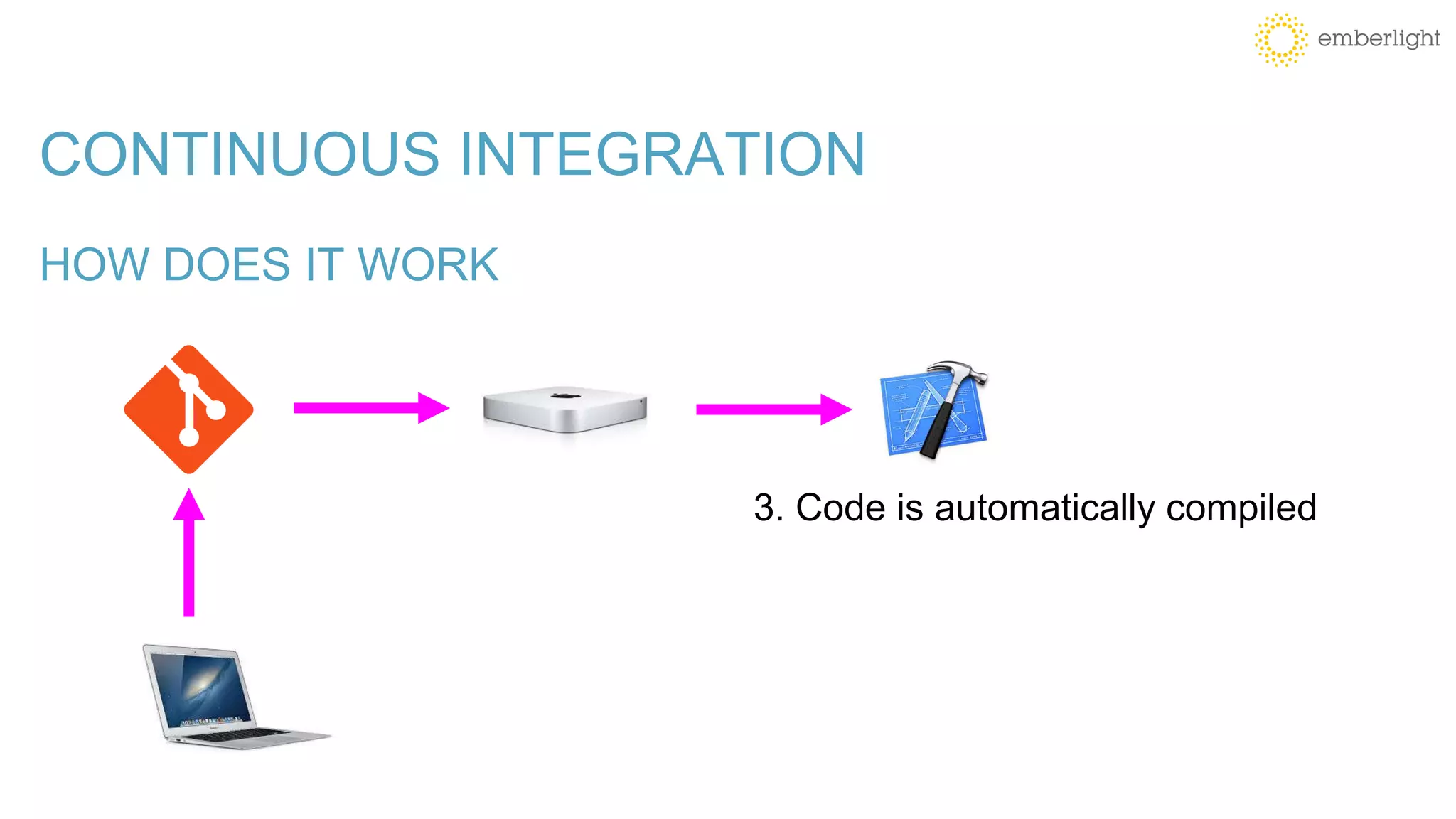
3. Code is automatically compiled
CONTINUOUS INTEGRATION
HOW DOES IT WORK
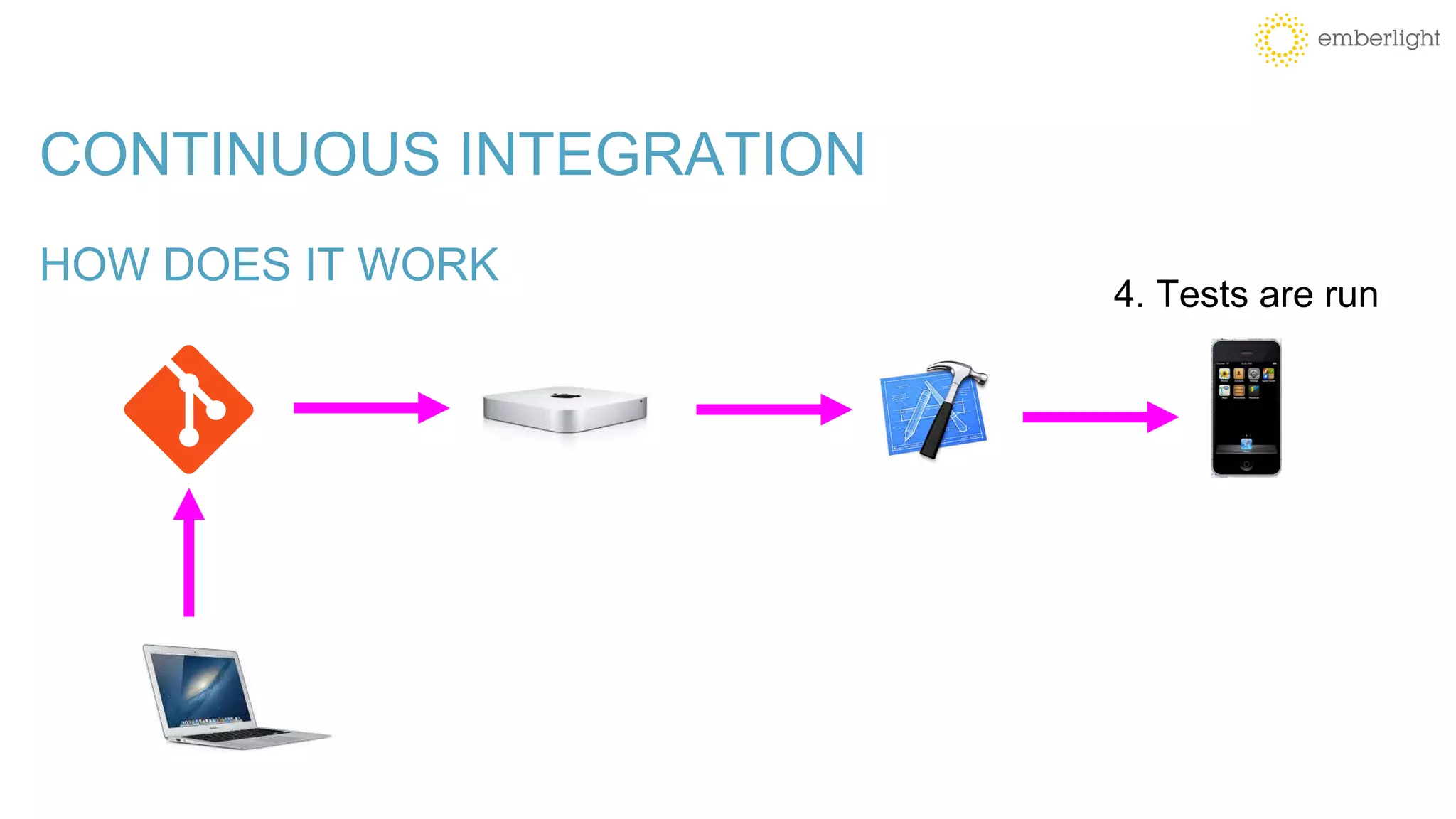
4. Tests are run
CONTINUOUS INTEGRATION
HOW DOES IT WORK
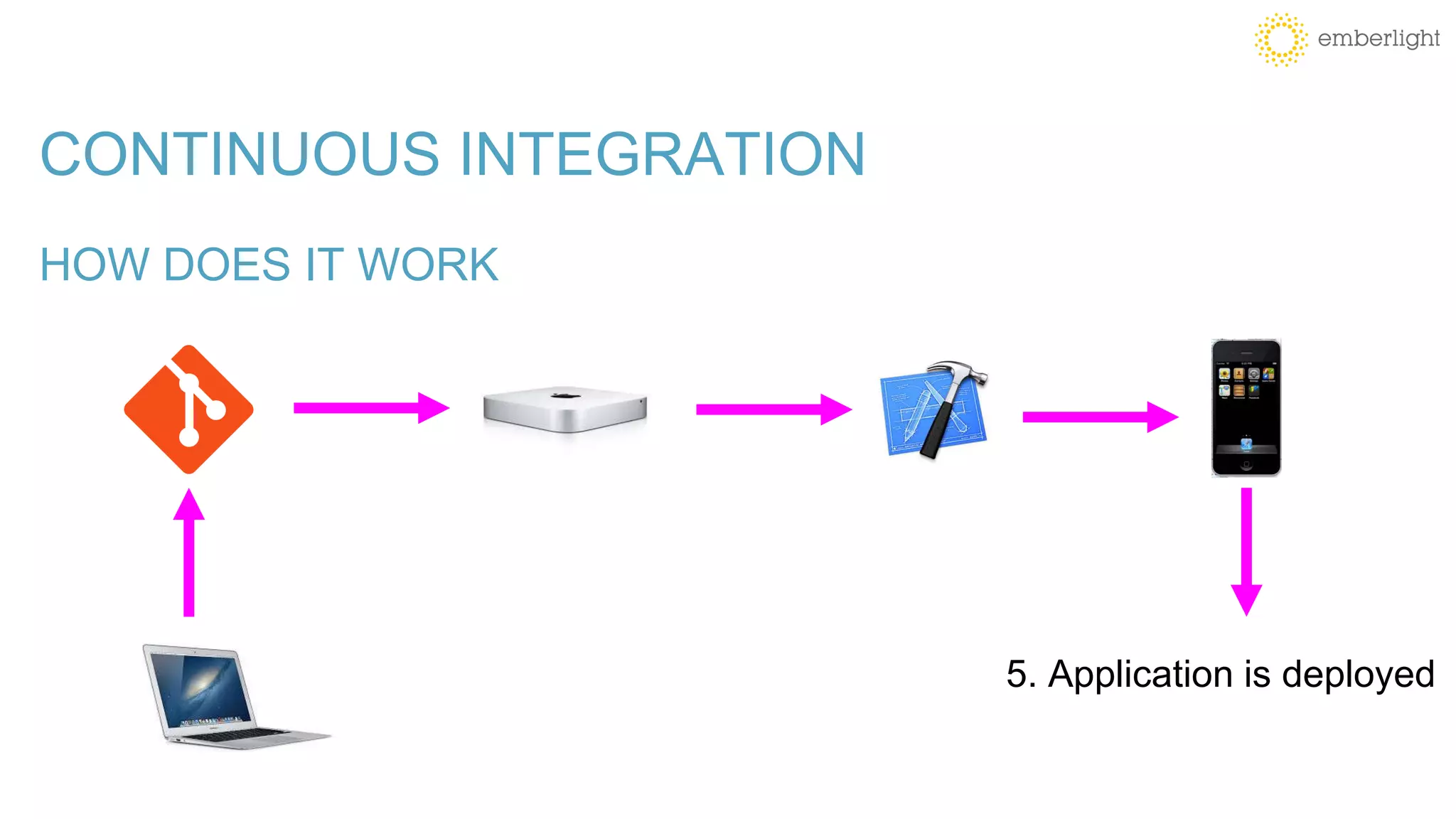
5. Application is deployed
CONTINUOUS INTEGRATION
WHY?
• Reduce the need for human-based testing
• Faster Feedback
• Automate EVERYTHING
WHY DO I USE CI?
• No Touch Configuration
WHY DO I USE CI?
• No Touch Configuration
• Automated OTA Distribution
WHY DO I USE CI?
• No Touch Configuration
• Automated OTA Distribution
• Code Validation: Automated Builds and Tests
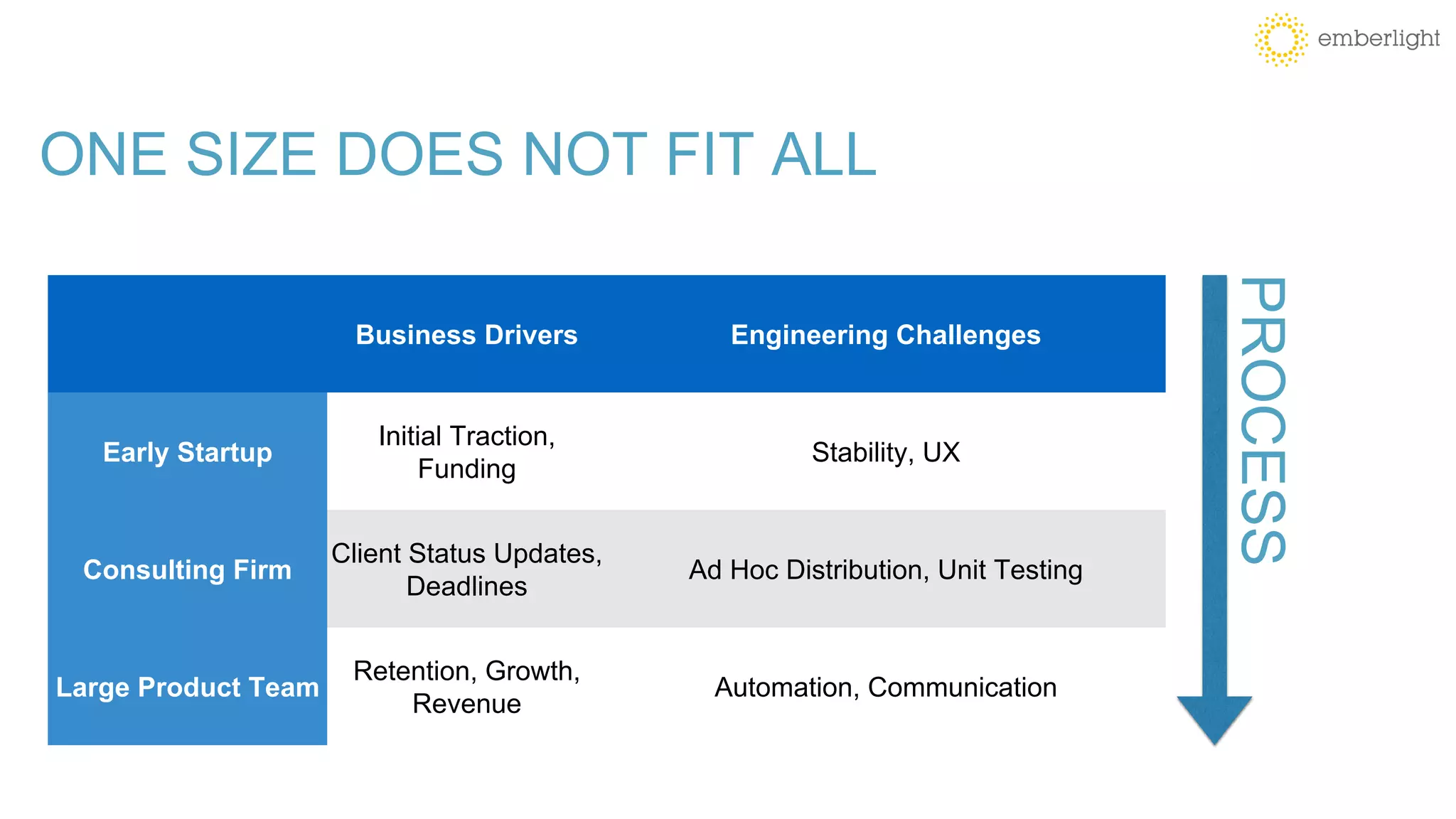
ONE SIZE DOES NOT FIT ALL
Business Drivers Engineering Challenges
Early Startup
Initial Traction,
Funding
Stability, UX
Consulting Firm
Client Status Updates,
Deadlines
Ad Hoc Distribution, Unit Testing
Large Product Team
Retention, Growth,
Revenue
Automation, Communication
PROCESS
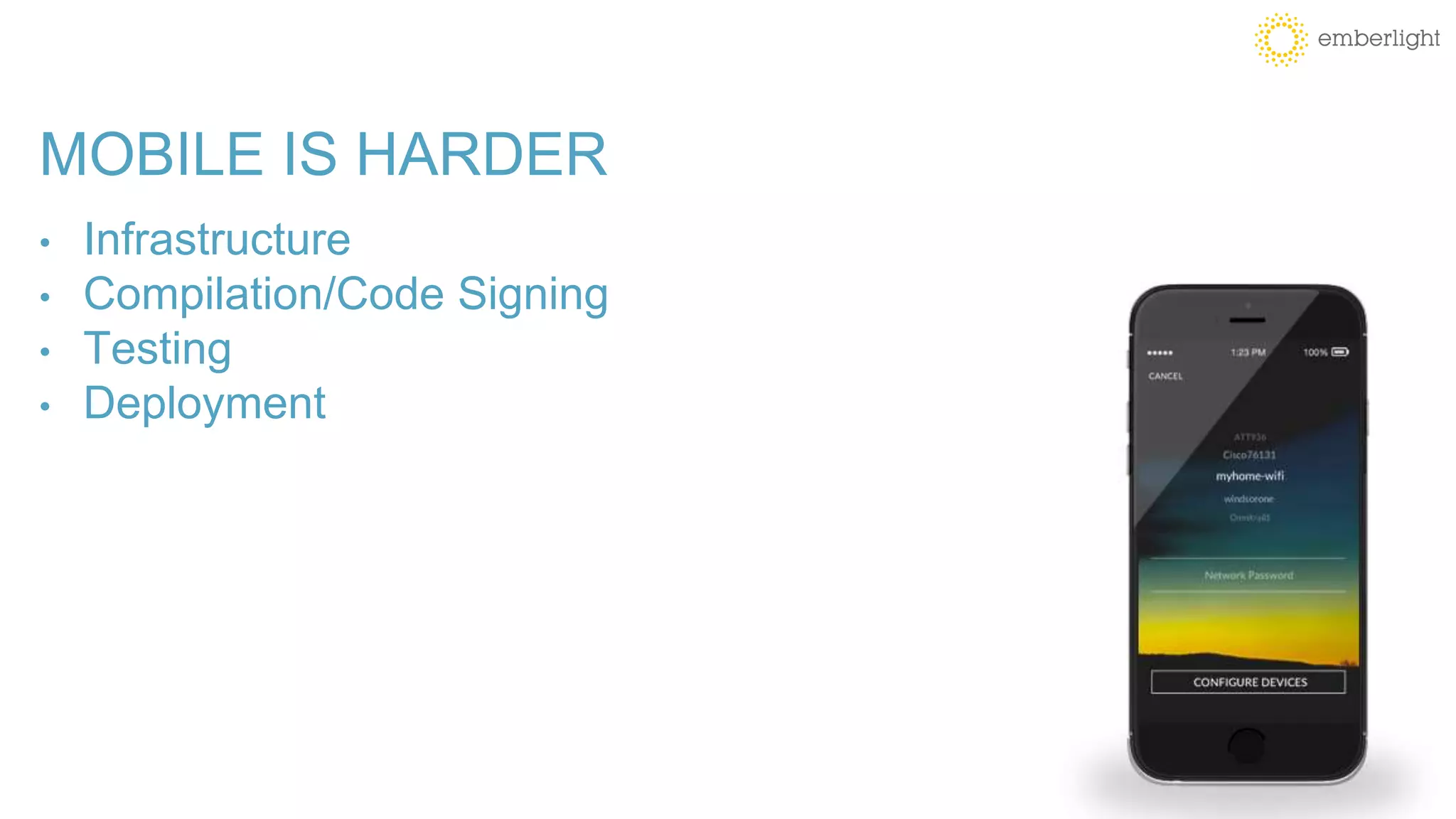
MOBILE IS HARDER
• Infrastructure
MOBILE IS HARDER
• Infrastructure
• Compilation/Code Signing
MOBILE IS HARDER
• Infrastructure
• Compilation/Code Signing
• Testing
MOBILE IS HARDER
• Infrastructure
• Compilation/Code Signing
• Testing
• Deployment
SIMULATORS/EMULATORS vs DEVICES
SIMULATORS:
• Used by iOS, included w/ Xcode
• Execute i386 instruction set, not ARM
• Very fast compared to Emulators
• Do not have access to certain hardware functions
• (GPS, Bluetooth Radio, Accelerometers, etc)
SIMULATORS/EMULATORS vs DEVICES
EMULATORS:
• Used by Android, included w/ Android SDKs
• Execute ARM (or native device instruction set)
• Very slow compared to Simulators
• Do not have access to certain hardware functions
• (GPS, Bluetooth Radio, Accelerometers, etc)
SIMULATORS/EMULATORS vs DEVICES
DEVICES:
• Reproduces the actual performance experienced by your users
• The only way to catch manufacturer/OEM bugs
• Very expensive to configure and maintain compared
• Full access to hardware functions:
• (GPS, Bluetooth Radio, Accelerometers, etc)
WHEN TO USE DEVICES vs SIMULATORS/EMULATORS?
• Simulators and Emulators are an excellent solution for running automated tests
during development. They are inexpensive and will reliably catch most problems.
• Physical Devices can be used on a lower frequency (i.e. pre-release, weekly,
daily, etc.). They are the only way to catch performance problems, test certain
hardware features and find OEM issues. In the least, devices should be used
before every release.
UNIT TESTING
According to a recent survey:
-77% of developers said app quality is “very important or mission critical”
-80% of mobile developers test their apps manually
-Only 13% of mobile developers use automated testing
UNIT vs FUNCTIONAL TESTING
• Unit Testing - testing small pieces of code
• Functional Testing - testing button clicks and UI interaction
UNIT/FUNCTIONAL TESTING
BENEFITS:
• Instant Gratification (GREEN is good!)
• Repeatable
• Can automatically test every commit
UNIT/FUNCTIONAL TESTING
CHALLENGES:
• Unit Tests are not users
• LOTs of work to write and maintain them
• Which framework to use?
• What language/framework do your developers know?
• Open Source/Community Support
• 3rd Party Framework requirements
UNIT/FUNCTIONAL TESTING FRAMEWORKS
WHICH ONE TO USE?
CI TOOLS/SERVICES FOR MOBILE
Good: Open Source, Lots of plugins
Bad: Self-Hosted, DIY solution
Jenkins
CI TOOLS/SERVICES FOR MOBILE
Good: Hosted solution, OS X support, Lots of plugins
Bad: Tedious setup process
Travis CI
CI TOOLS/SERVICES FOR MOBILE
Good: Hosted solution, Designed specifically for mobile, Easy setup
Bad: Less flexible than other solutions
Ship.io
CI TOOLS/SERVICES FOR MOBILE
Good: Integrated w/ Xcode, Apple-Supported
Bad: Self-Hosted, iOS Only
Xcode CI
Using the Sauce Labs Cloud with CI
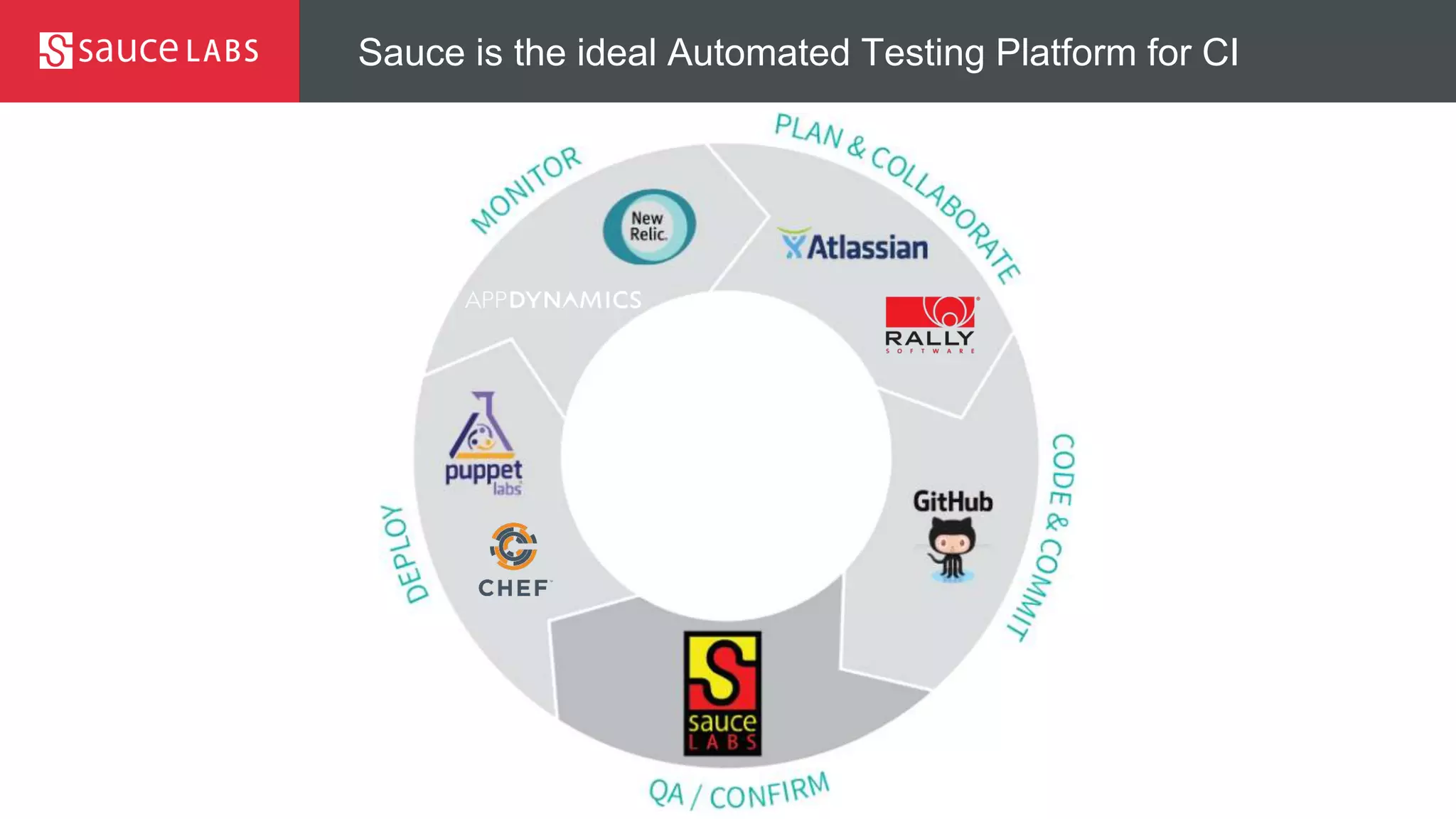
Sauce is the ideal Automated Testing Platform for CI
© Sauce Labs, Inc.
Appium
• “Selenium for mobile apps” - uses the
WebDriver spec to simulate user actions on
iOS and Android
• Leverage your existing Selenium test
architecture to help speed apps to market
• Maximize test code reuse across platforms
makes developers more productive
• Development led by Sauce Labs
Appium is an open
source framework
that automates
testing of native,
hybrid and mobile
web apps.
© Sauce Labs, Inc.
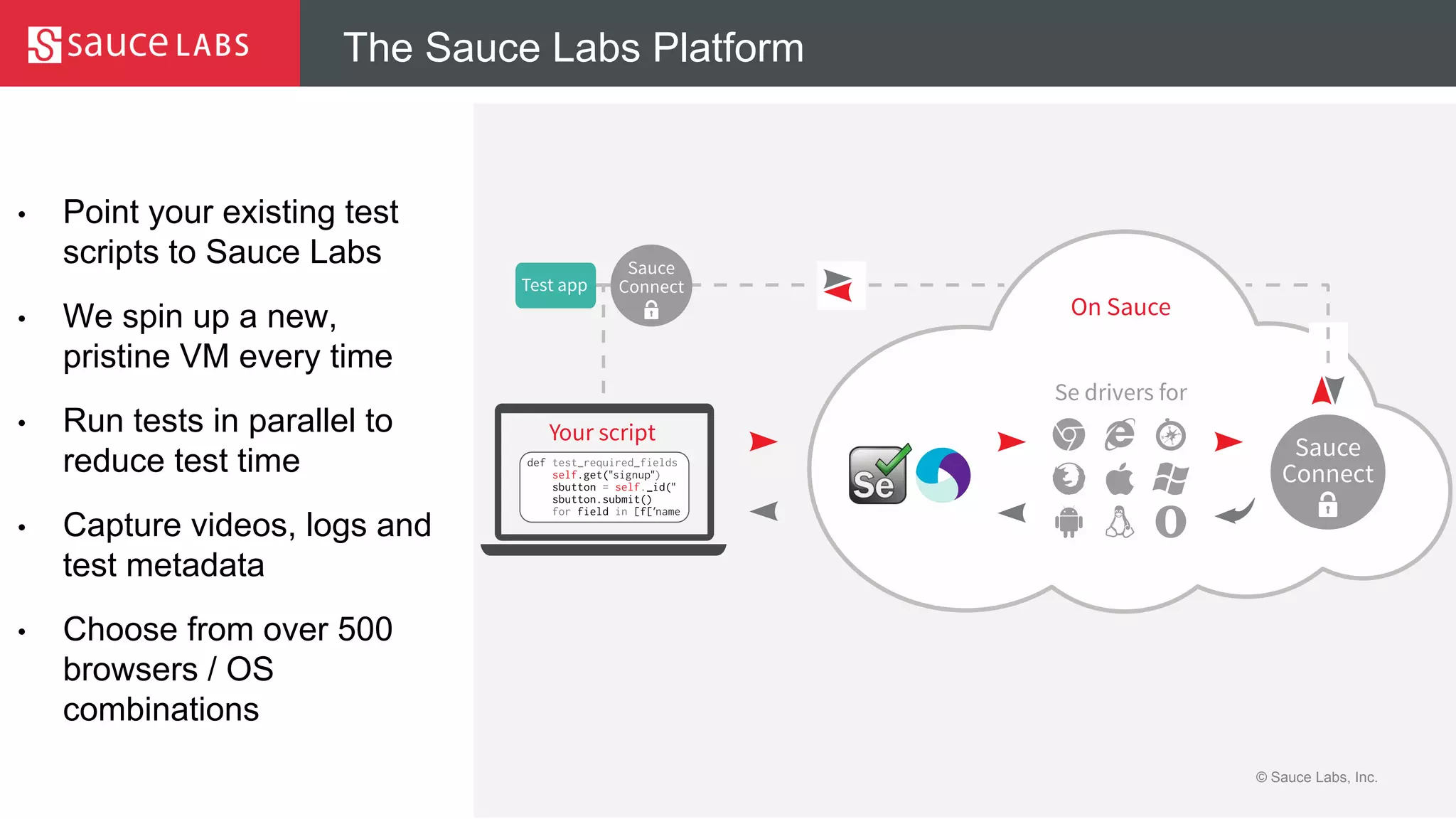
The Sauce Labs Platform
• Point your existing test
scripts to Sauce Labs
• We spin up a new,
pristine VM every time
• Run tests in parallel to
reduce test time
• Capture videos, logs and
test metadata
• Choose from over 500
browsers / OS
combinations
Demo
© Sauce Labs, Inc.
Learn more about Sauce Labs
• Sign up for a free trial of Sauce
Labshttps://saucelabs.com/signup/trial
• Watch a video
https://www.youtube.com/user/saucelabs

Best Practices in Mobile CI (webinar)

  • 1.
    Best Practices forMobile CI April 28, 2015
  • 2.
    © Sauce Labs,Inc. Presenters Kevin Rohling Co-founder / VP of Product at Emberlight Founder/CEO of cisimple now Ship.io kevin@kevinrohling.com Kristian Meier Sales Engineer at Sauce Labs
  • 3.
    WHAT IS CONTINUOUSINTEGRATION FOR MOBILE? AUTOMATICALLY… Build Test Deploy EVERY COMMIT.
  • 4.
    CONTINUOUS INTEGRATION HOW DOESIT WORK 1. Developer commits code
  • 5.
    CONTINUOUS INTEGRATION HOW DOESIT WORK 2. CI Server picks up the change.
  • 6.
    CONTINUOUS INTEGRATION HOW DOESIT WORK 3. Code is automatically compiled
  • 7.
    CONTINUOUS INTEGRATION HOW DOESIT WORK 4. Tests are run
  • 8.
    CONTINUOUS INTEGRATION HOW DOESIT WORK 5. Application is deployed
  • 9.
    CONTINUOUS INTEGRATION WHY? • Reducethe need for human-based testing • Faster Feedback • Automate EVERYTHING
  • 10.
    WHY DO IUSE CI? • No Touch Configuration
  • 11.
    WHY DO IUSE CI? • No Touch Configuration • Automated OTA Distribution
  • 12.
    WHY DO IUSE CI? • No Touch Configuration • Automated OTA Distribution • Code Validation: Automated Builds and Tests
  • 13.
    ONE SIZE DOESNOT FIT ALL Business Drivers Engineering Challenges Early Startup Initial Traction, Funding Stability, UX Consulting Firm Client Status Updates, Deadlines Ad Hoc Distribution, Unit Testing Large Product Team Retention, Growth, Revenue Automation, Communication PROCESS
  • 14.
    MOBILE IS HARDER •Infrastructure
  • 15.
    MOBILE IS HARDER •Infrastructure • Compilation/Code Signing
  • 16.
    MOBILE IS HARDER •Infrastructure • Compilation/Code Signing • Testing
  • 17.
    MOBILE IS HARDER •Infrastructure • Compilation/Code Signing • Testing • Deployment
  • 18.
    SIMULATORS/EMULATORS vs DEVICES SIMULATORS: •Used by iOS, included w/ Xcode • Execute i386 instruction set, not ARM • Very fast compared to Emulators • Do not have access to certain hardware functions • (GPS, Bluetooth Radio, Accelerometers, etc)
  • 19.
    SIMULATORS/EMULATORS vs DEVICES EMULATORS: •Used by Android, included w/ Android SDKs • Execute ARM (or native device instruction set) • Very slow compared to Simulators • Do not have access to certain hardware functions • (GPS, Bluetooth Radio, Accelerometers, etc)
  • 20.
    SIMULATORS/EMULATORS vs DEVICES DEVICES: •Reproduces the actual performance experienced by your users • The only way to catch manufacturer/OEM bugs • Very expensive to configure and maintain compared • Full access to hardware functions: • (GPS, Bluetooth Radio, Accelerometers, etc)
  • 21.
    WHEN TO USEDEVICES vs SIMULATORS/EMULATORS? • Simulators and Emulators are an excellent solution for running automated tests during development. They are inexpensive and will reliably catch most problems. • Physical Devices can be used on a lower frequency (i.e. pre-release, weekly, daily, etc.). They are the only way to catch performance problems, test certain hardware features and find OEM issues. In the least, devices should be used before every release.
  • 22.
    UNIT TESTING According toa recent survey: -77% of developers said app quality is “very important or mission critical” -80% of mobile developers test their apps manually -Only 13% of mobile developers use automated testing
  • 23.
    UNIT vs FUNCTIONALTESTING • Unit Testing - testing small pieces of code • Functional Testing - testing button clicks and UI interaction
  • 24.
    UNIT/FUNCTIONAL TESTING BENEFITS: • InstantGratification (GREEN is good!) • Repeatable • Can automatically test every commit
  • 25.
    UNIT/FUNCTIONAL TESTING CHALLENGES: • UnitTests are not users • LOTs of work to write and maintain them • Which framework to use?
  • 26.
    • What language/frameworkdo your developers know? • Open Source/Community Support • 3rd Party Framework requirements UNIT/FUNCTIONAL TESTING FRAMEWORKS WHICH ONE TO USE?
  • 27.
    CI TOOLS/SERVICES FORMOBILE Good: Open Source, Lots of plugins Bad: Self-Hosted, DIY solution Jenkins
  • 28.
    CI TOOLS/SERVICES FORMOBILE Good: Hosted solution, OS X support, Lots of plugins Bad: Tedious setup process Travis CI
  • 29.
    CI TOOLS/SERVICES FORMOBILE Good: Hosted solution, Designed specifically for mobile, Easy setup Bad: Less flexible than other solutions Ship.io
  • 30.
    CI TOOLS/SERVICES FORMOBILE Good: Integrated w/ Xcode, Apple-Supported Bad: Self-Hosted, iOS Only Xcode CI
  • 31.
    Using the SauceLabs Cloud with CI
  • 32.
    Sauce is theideal Automated Testing Platform for CI
  • 33.
    © Sauce Labs,Inc. Appium • “Selenium for mobile apps” - uses the WebDriver spec to simulate user actions on iOS and Android • Leverage your existing Selenium test architecture to help speed apps to market • Maximize test code reuse across platforms makes developers more productive • Development led by Sauce Labs Appium is an open source framework that automates testing of native, hybrid and mobile web apps.
  • 34.
    © Sauce Labs,Inc. The Sauce Labs Platform • Point your existing test scripts to Sauce Labs • We spin up a new, pristine VM every time • Run tests in parallel to reduce test time • Capture videos, logs and test metadata • Choose from over 500 browsers / OS combinations
  • 35.
  • 36.
    © Sauce Labs,Inc. Learn more about Sauce Labs • Sign up for a free trial of Sauce Labshttps://saucelabs.com/signup/trial • Watch a video https://www.youtube.com/user/saucelabs

Editor's Notes

  • #22 Frequency for physical devices is very much based on budget
  • #23 JUnit is the corresponding “Out Of The Box” solution for Android developers. Similiarly it is tightly integrated with Eclipse but can also be run from the command line using Ant. Test runs are quite slow because of the dependency on a running emulator.
  • #34 Dubbed ‘Selenium for mobile apps”, Appium is an open source , cross-platform automation tool that enables you to write mobile tests in any language or framework. It interfaces directly with native automation frameworks so there’s no SDK to include, and the code you test is the same code you release. Appium allows you to use many of your Selenium scripts and tests to speed testing for mobile devices meaning you can test more apps more quickly and get them to market faster. When we wanted to enter into mobile testing. We found iOS auto – a one man project – and added our own effort, renamed it Appium and added Android support. We made this open source and now have seen huge adoption of this as big test framework. Released in June 2014 as v1.o 718k downloads in first year, Developed and supported by Sauce – 5 of top 6 contributors are sauce FTE
  • #35 The customer’s CI server runs scripts which kick off tests that run on Sauce via our API. We use ‘Sauce connect’ to bridge between our cloud and the customer’s applications using a connector piece using Sauce Connect. This works very well with Se as you just point your tests to the Sauce cloud to do the tests. We believe we have the largest cloud for automated testing! We are not just another platform but rather we produce nice test reports, screen shots, logs and videos – all these tools help speed your de-bugging time (such as quickly seeing that a screen didn’t render properly etc) We integrated with the WC3 draft standards. We have an enterprise SLA – 99.9% uptime Develop a slide of benefits of parallelization in CI – Forrest! This is often lost in the discussion – helps get to the 100 VM conversation
  • #37 There is a lot to learn so browse to our resources page to understand the latest about Sauce Labs. We offer a free 14 day trial that gives you access to our full automation platform – up to 8: 8 concurrent VMs 90 hours of automated testing Unlimited manual testing Access to all reporting tools including Screen shots Videos Logs and metadata