Learning in 140 Characters...
by @MandyVasek
While you are waiting….
Go to Twitter and log in. Using the hashtag #TweetOH2TX , introduce
yourself by telling me what you do on your campus. Also...answer this
question in that post…
What superhero reminds you most of yourself? Add an image if you know how.
I have an example, which I have added using TweetDeck. I was able to pre-set
this tweet to post at 8:00 AM today and again at 12:00 PM. How can you use
this feature in your classroom?
5 mins.
Flipagram @MandyVasek
Today’s Meet…
Use this social platform to build collaboration
into any experience during a classroom activity
or a faculty meeting.
#TweetOH2TX Meeting Link
Self-Branding/Professional
Digiprint
Google your name and handle(s) to find out WHO you are in the virtual world...that’s
more important today than the real world.
1)Click on all links at the top: images, videos, webpages, etc.
2)In a brief summary, describe who you are on Padlet using this link… (if you are
comfortable with sharing)
3)Talk to someone around you about what you can do to enhance or clean up
your digital footprint.
Storify Your Story
Hashtag all your tweets if you want to make them into a story! This is a great
way to capture events of your life or school. #Awesome
https://storify.com/
Click on the link above to create an account, which
can link to your Twitter account(s).
More from Storify...
Let Them Be Little (Opt Out of Standardized Testing)
Washington D.C. National Trends (Mandy's Doc program)
Twitter Link- Directs to #EDThink chat from Oct. 19, 2015
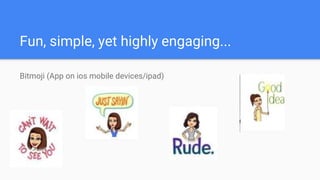
Fun, simple, yet highly engaging...
Bitmoji (App on ios mobile devices/ipad)
Fun! Fun! Fun! #Engagement
Video Shortener (upload to YouTube) Perfect when you just need a small clip from a larger video
TellagamiEDU- TwitterPD Great for leaving sub plans, asking questions, reading, giving directions, etc.
ChatterPix providing information home, Covering rules on announcements, Another way to ask questions as a
formative check
Mission Impossible- Periscope to YouTube #DigitalCitizenship- Persicope is a live web-
based tool that allows for live streaming.
Other Apps/Software/Links...
Staff Meetings Flipped w/ Screen-Cast-O-Matic- record yourself for teachers to view prior to
faculty meetings. Instant flipped training!
Plickers - Great for quick checks
Kahoot! Use for quick, fun formative assessments or to increase faculty meeting engagements
Helpful Links from Google Doc created by @MandyVasek
Google Translate
Parent Communication Tool/Student Project
Tool on Social Platforms:
All About Me!
https://twitter.com/ASCD/status/648867901928292352

Learning in 140 characters...

  • 1.
    Learning in 140Characters... by @MandyVasek
  • 2.
    While you arewaiting…. Go to Twitter and log in. Using the hashtag #TweetOH2TX , introduce yourself by telling me what you do on your campus. Also...answer this question in that post… What superhero reminds you most of yourself? Add an image if you know how. I have an example, which I have added using TweetDeck. I was able to pre-set this tweet to post at 8:00 AM today and again at 12:00 PM. How can you use this feature in your classroom? 5 mins.
  • 3.
  • 4.
    Today’s Meet… Use thissocial platform to build collaboration into any experience during a classroom activity or a faculty meeting. #TweetOH2TX Meeting Link
  • 6.
    Self-Branding/Professional Digiprint Google your nameand handle(s) to find out WHO you are in the virtual world...that’s more important today than the real world. 1)Click on all links at the top: images, videos, webpages, etc. 2)In a brief summary, describe who you are on Padlet using this link… (if you are comfortable with sharing) 3)Talk to someone around you about what you can do to enhance or clean up your digital footprint.
  • 7.
    Storify Your Story Hashtagall your tweets if you want to make them into a story! This is a great way to capture events of your life or school. #Awesome https://storify.com/ Click on the link above to create an account, which can link to your Twitter account(s).
  • 8.
    More from Storify... LetThem Be Little (Opt Out of Standardized Testing) Washington D.C. National Trends (Mandy's Doc program) Twitter Link- Directs to #EDThink chat from Oct. 19, 2015
  • 9.
    Fun, simple, yethighly engaging... Bitmoji (App on ios mobile devices/ipad)
  • 10.
    Fun! Fun! Fun!#Engagement Video Shortener (upload to YouTube) Perfect when you just need a small clip from a larger video TellagamiEDU- TwitterPD Great for leaving sub plans, asking questions, reading, giving directions, etc. ChatterPix providing information home, Covering rules on announcements, Another way to ask questions as a formative check Mission Impossible- Periscope to YouTube #DigitalCitizenship- Persicope is a live web- based tool that allows for live streaming.
  • 11.
    Other Apps/Software/Links... Staff MeetingsFlipped w/ Screen-Cast-O-Matic- record yourself for teachers to view prior to faculty meetings. Instant flipped training! Plickers - Great for quick checks Kahoot! Use for quick, fun formative assessments or to increase faculty meeting engagements Helpful Links from Google Doc created by @MandyVasek Google Translate
  • 12.
    Parent Communication Tool/StudentProject Tool on Social Platforms:
  • 14.

Editor's Notes