DON’T WORRY TO CHAT
Name : World Chat
Type : Software Chatting Aplication
Spesification
TheFunction of The
Application
1. Provide a service of chatting Outomatically
2. Improve the user’s skill on all language
3. Pass the user’s time to learn language
4. Train the user’s ability on whole language
5. Educate all the people around the world
6. Provide Written chat and Voice chat to ease the user’s eloquence
on a whole language
7. Corrected your wrong words or voice while you were chatting.
• 1. The Provide Voice and Write Chat
• 2. Train you how to speak, write the right
words of the whole language
• 3. Provide the language choice, so you can choose one
language that you want
• 4. With an interesting looks
• 5. You Can choose with whom you want to chat. With
Boy or girl
• 6. recheck your wrong phrase and words
that would make you more careful to write or speak
• 7. Totally help you to improve your
language skills
TheAdvantageof The
Application
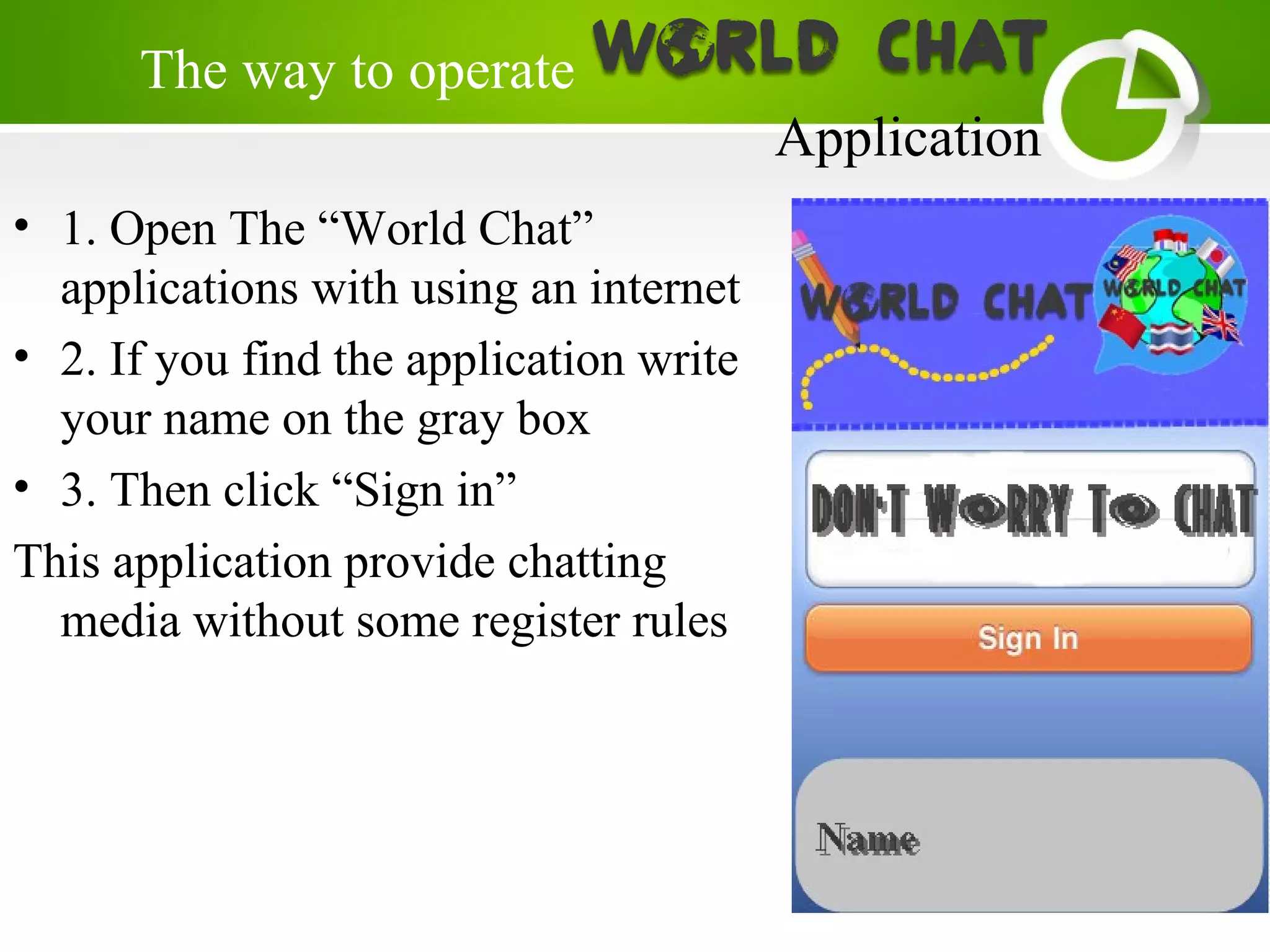
• 1. Open The “World Chat”
applications with using an internet
• 2. If you find the application write
your name on the gray box
• 3. Then click “Sign in”
This application provide chatting
media without some register rules
The way to operate
Application
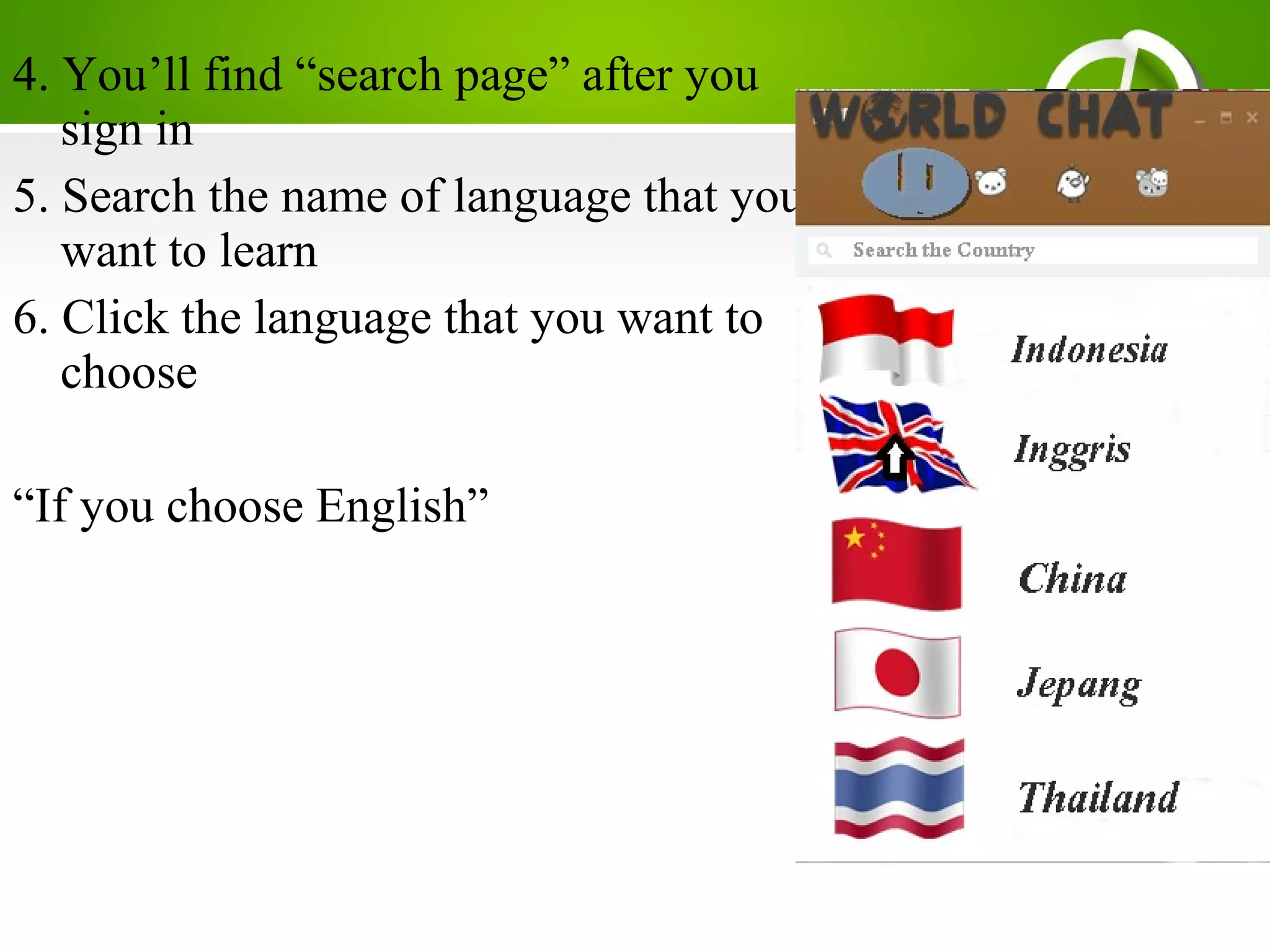
4. You’ll find “search page” after you
sign in
5. Search the name of language that you
want to learn
6. Click the language that you want to
choose
“If you choose English”
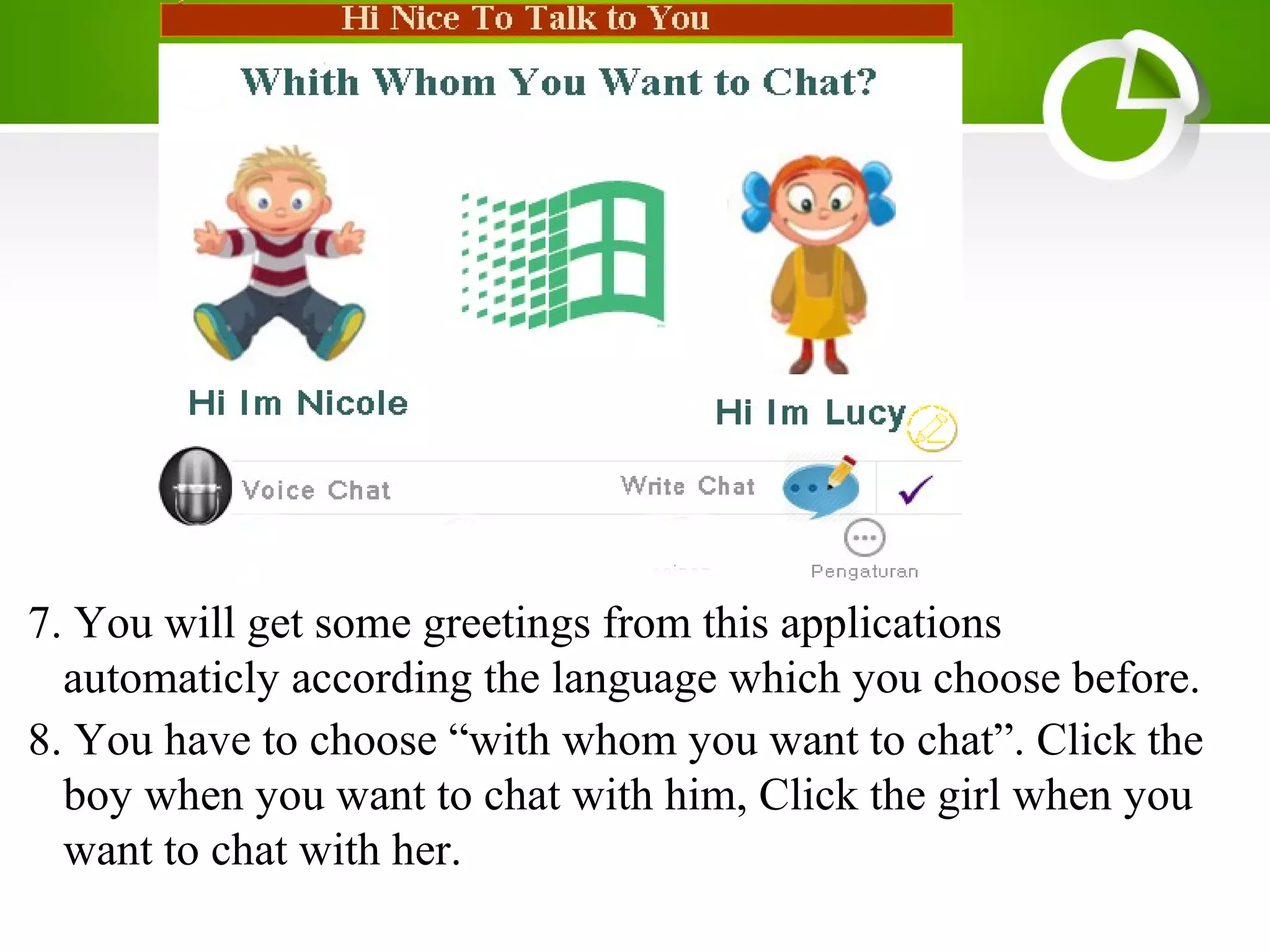
7. You will get some greetings from this applications
automaticly according the language which you choose before.
8. You have to choose “with whom you want to chat”. Click the
boy when you want to chat with him, Click the girl when you
want to chat with her.
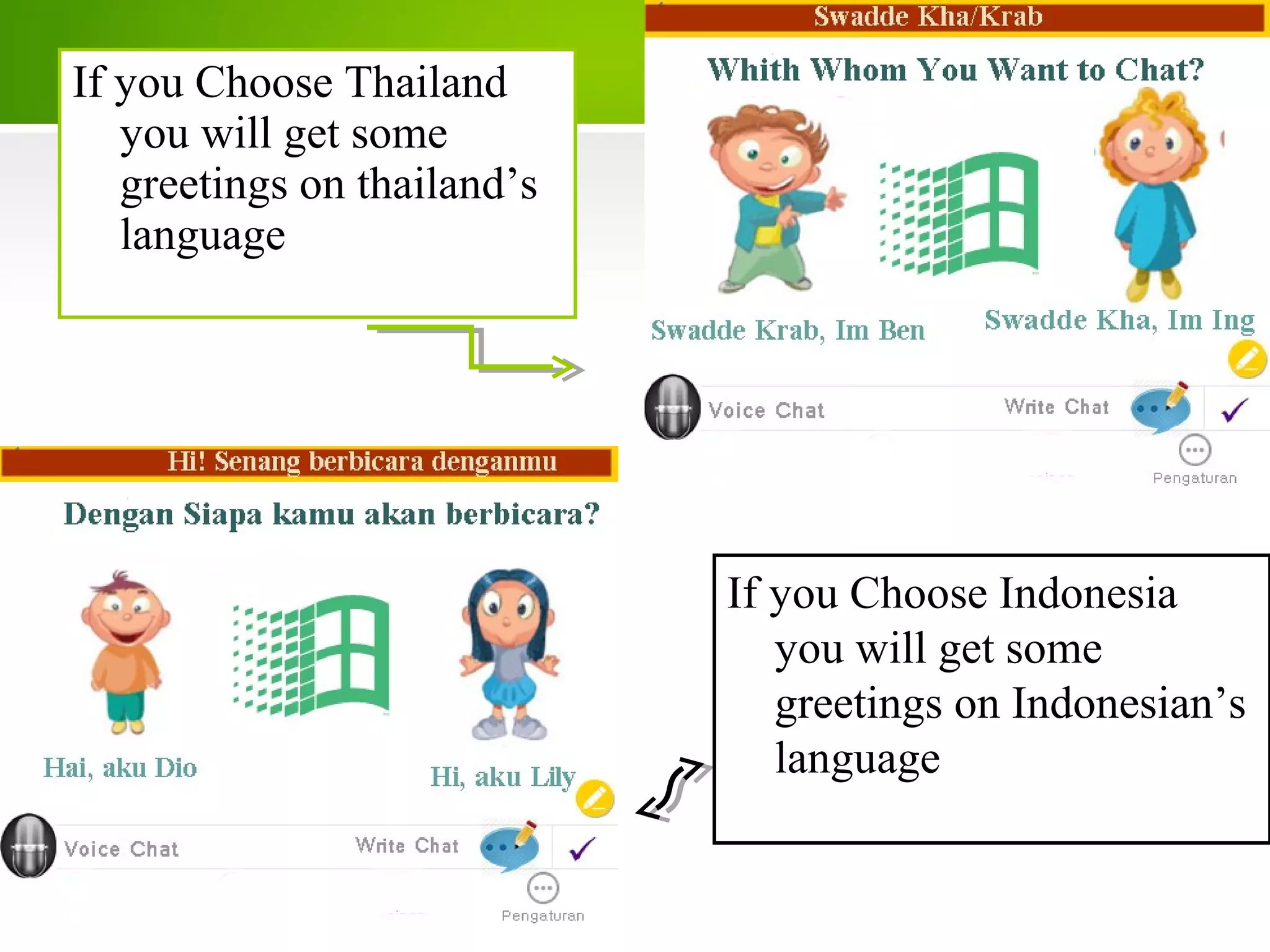
If you Choose Thailand
you will get some
greetings on thailand’s
language
If you Choose Indonesia
you will get some
greetings on Indonesian’s
language
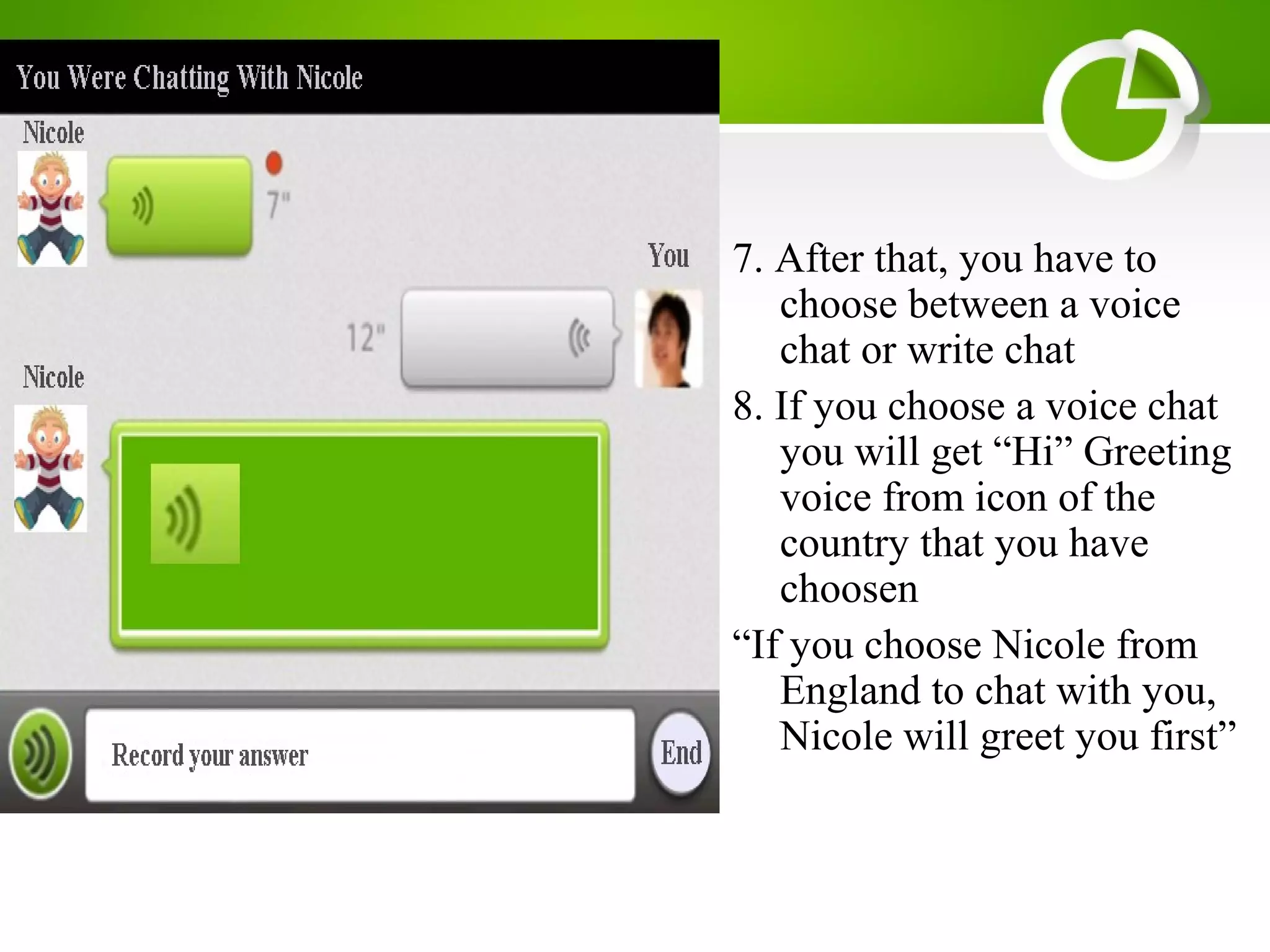
7. After that, you have to
choose between a voice
chat or write chat
8. If you choose a voice chat
you will get “Hi” Greeting
voice from icon of the
country that you have
choosen
“If you choose Nicole from
England to chat with you,
Nicole will greet you first”
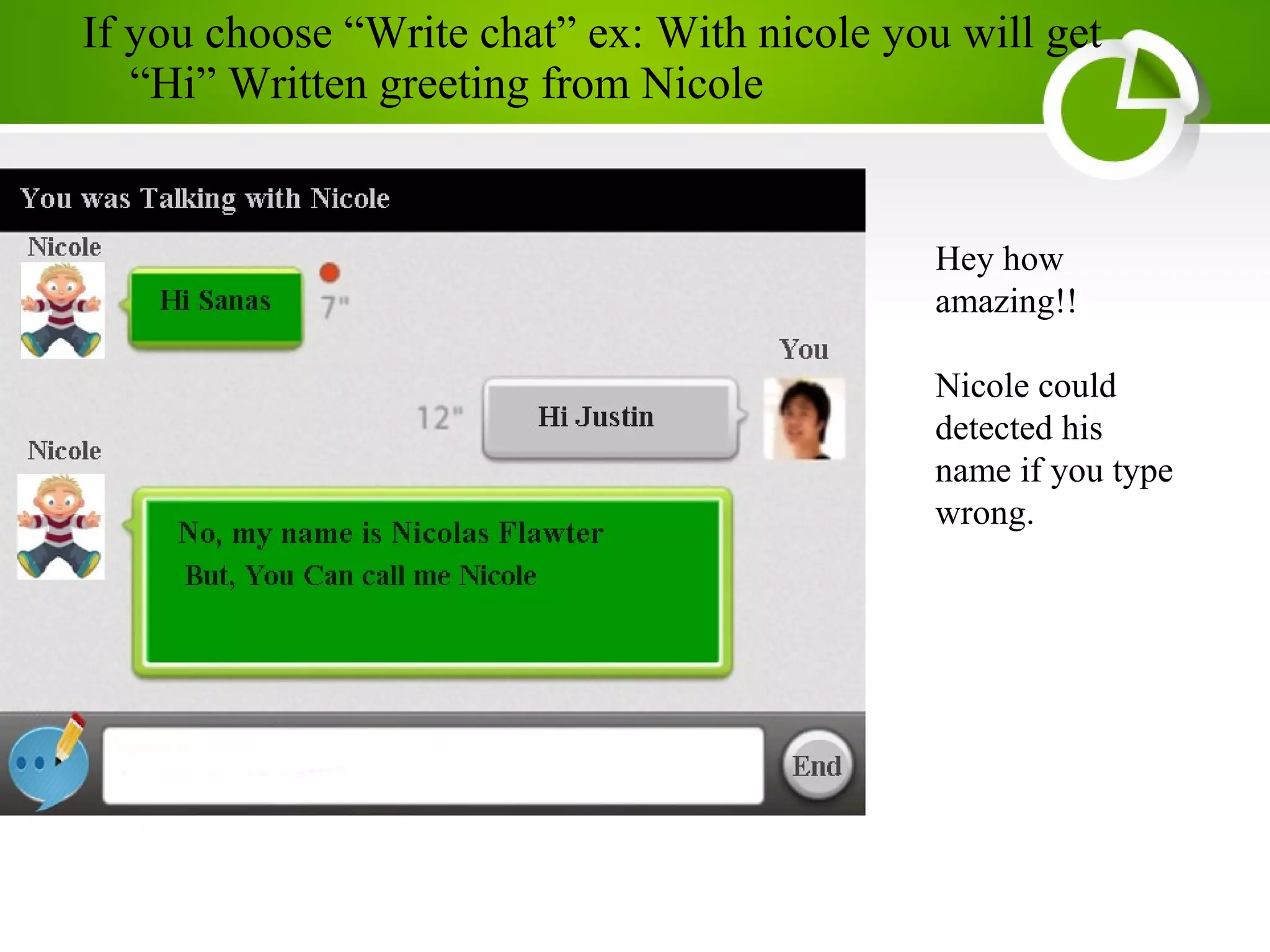
If you choose “Write chat” ex: With nicole you will get
“Hi” Written greeting from Nicole
Hey how
amazing!!
Nicole could
detected his
name if you type
wrong.
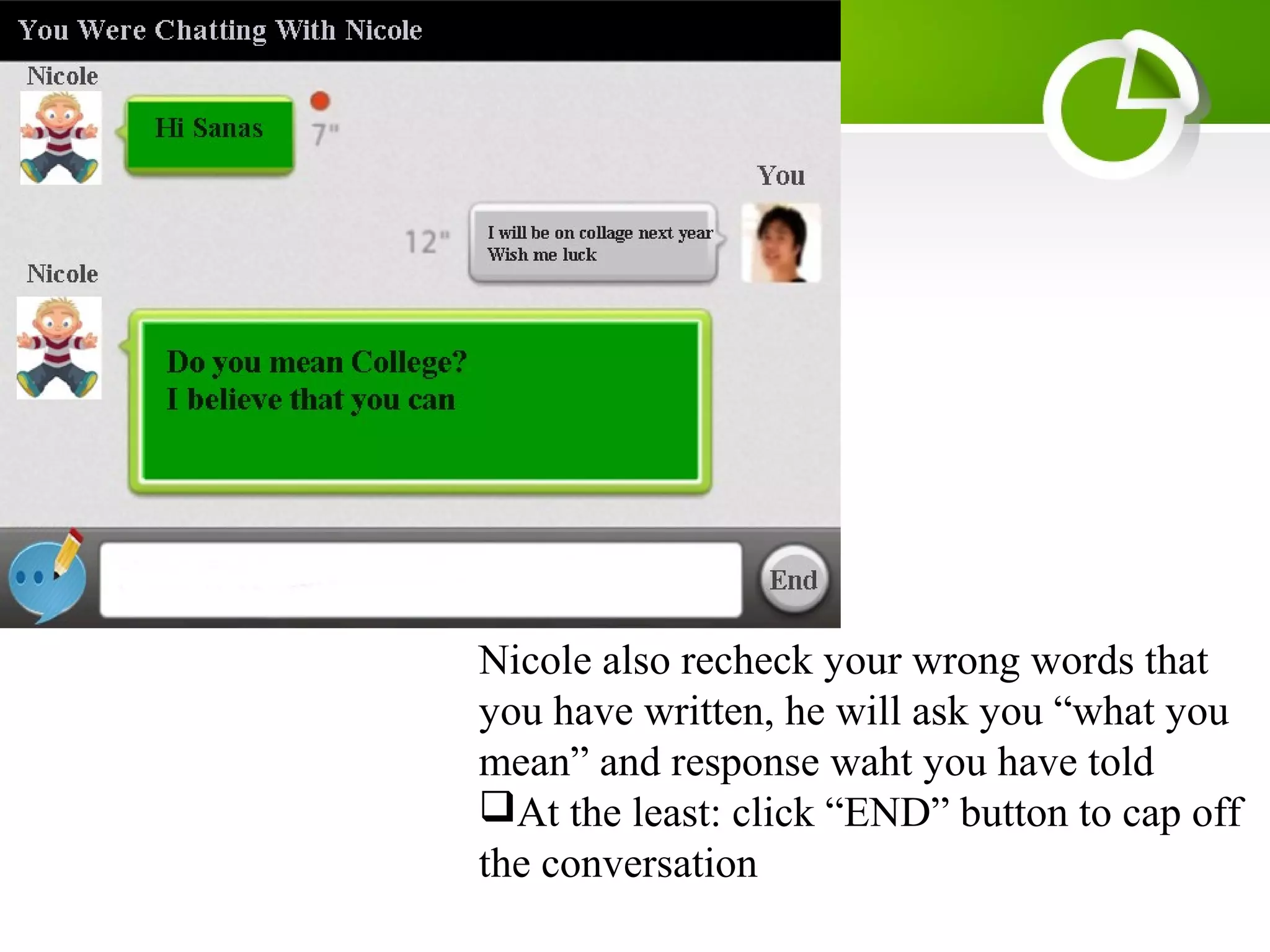
Nicole also recheck your wrong words that
you have written, he will ask you “what you
mean” and response waht you have told
At the least: click “END” button to cap off
the conversation
Will available on
GooglePlay For an android users
iTunes For an iPhone/apple users
Also available to download for personal computer
and can be accessed by online mode
Application

LEARN HOW TO PRESENTATE SOFTWARE (SOFTWARE PRESENTATION )

  • 1.
  • 2.
    Name : WorldChat Type : Software Chatting Aplication Spesification
  • 4.
    TheFunction of The Application 1.Provide a service of chatting Outomatically 2. Improve the user’s skill on all language 3. Pass the user’s time to learn language 4. Train the user’s ability on whole language 5. Educate all the people around the world 6. Provide Written chat and Voice chat to ease the user’s eloquence on a whole language 7. Corrected your wrong words or voice while you were chatting.
  • 5.
    • 1. TheProvide Voice and Write Chat • 2. Train you how to speak, write the right words of the whole language • 3. Provide the language choice, so you can choose one language that you want • 4. With an interesting looks • 5. You Can choose with whom you want to chat. With Boy or girl • 6. recheck your wrong phrase and words that would make you more careful to write or speak • 7. Totally help you to improve your language skills TheAdvantageof The Application
  • 6.
    • 1. OpenThe “World Chat” applications with using an internet • 2. If you find the application write your name on the gray box • 3. Then click “Sign in” This application provide chatting media without some register rules The way to operate Application
  • 7.
    4. You’ll find“search page” after you sign in 5. Search the name of language that you want to learn 6. Click the language that you want to choose “If you choose English”
  • 8.
    7. You willget some greetings from this applications automaticly according the language which you choose before. 8. You have to choose “with whom you want to chat”. Click the boy when you want to chat with him, Click the girl when you want to chat with her.
  • 9.
    If you ChooseThailand you will get some greetings on thailand’s language If you Choose Indonesia you will get some greetings on Indonesian’s language
  • 10.
    7. After that,you have to choose between a voice chat or write chat 8. If you choose a voice chat you will get “Hi” Greeting voice from icon of the country that you have choosen “If you choose Nicole from England to chat with you, Nicole will greet you first”
  • 11.
    If you choose“Write chat” ex: With nicole you will get “Hi” Written greeting from Nicole Hey how amazing!! Nicole could detected his name if you type wrong.
  • 12.
    Nicole also recheckyour wrong words that you have written, he will ask you “what you mean” and response waht you have told At the least: click “END” button to cap off the conversation
  • 13.
    Will available on GooglePlayFor an android users iTunes For an iPhone/apple users Also available to download for personal computer and can be accessed by online mode Application