Apache Shiro
Prepared By: Smita Prasad
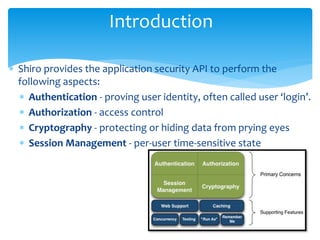
 Shiro provides the application security API to perform the
following aspects:
 Authentication - proving user identity, often called user ‘login’.
 Authorization - access control
 Cryptography - protecting or hiding data from prying eyes
 Session Management - per-user time-sensitive state
Introduction
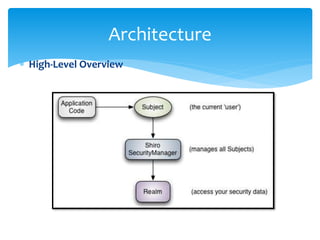
 High-Level Overview
Architecture
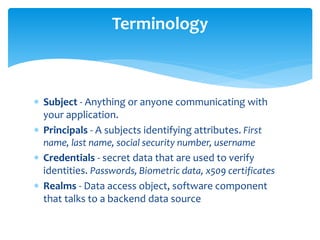
 Subject - Anything or anyone communicating with
your application.
 Principals - A subjects identifying attributes. First
name, last name, social security number, username
 Credentials - secret data that are used to verify
identities. Passwords, Biometric data, x509 certificates
 Realms - Data access object, software component
that talks to a backend data source
Terminology
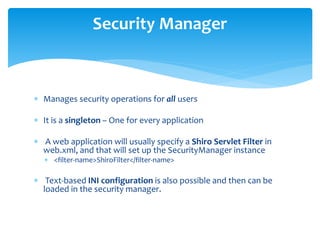
 Manages security operations for all users
 It is a singleton – One for every application
 A web application will usually specify a Shiro Servlet Filter in
web.xml, and that will set up the SecurityManager instance
 <filter-name>ShiroFilter</filter-name>
 Text-based INI configuration is also possible and then can be
loaded in the security manager.
Security Manager
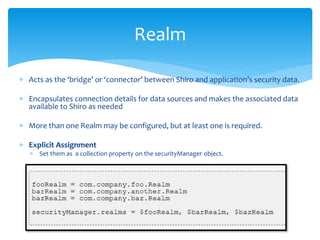
 Acts as the ‘bridge’ or ‘connector’ between Shiro and application’s security data.
 Encapsulates connection details for data sources and makes the associated data
available to Shiro as needed
 More than one Realm may be configured, but at least one is required.
 Explicit Assignment
 Set them as a collection property on the securityManager object.
Realm
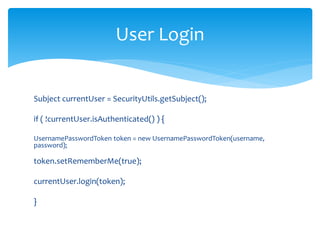
Subject currentUser = SecurityUtils.getSubject();
if ( !currentUser.isAuthenticated() ) {
UsernamePasswordToken token = new UsernamePasswordToken(username,
password);
token.setRememberMe(true);
currentUser.login(token);
}
User Login
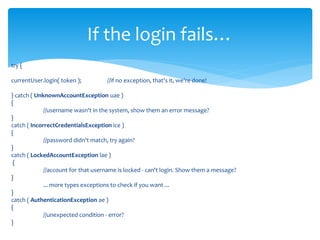
try {
currentUser.login( token ); //if no exception, that's it, we're done!
} catch ( UnknownAccountException uae )
{
//username wasn't in the system, show them an error message?
}
catch ( IncorrectCredentialsException ice )
{
//password didn't match, try again?
}
catch ( LockedAccountException lae )
{
//account for that username is locked - can't login. Show them a message?
}
... more types exceptions to check if you want ...
}
catch ( AuthenticationException ae )
{
//unexpected condition - error?
}
If the login fails…
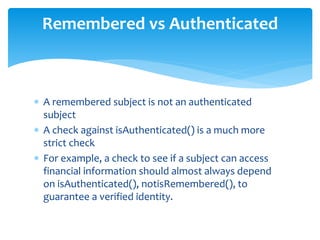
 A remembered subject is not an authenticated
subject
 A check against isAuthenticated() is a much more
strict check
 For example, a check to see if a subject can access
financial information should almost always depend
on isAuthenticated(), notisRemembered(), to
guarantee a verified identity.
Remembered vs Authenticated
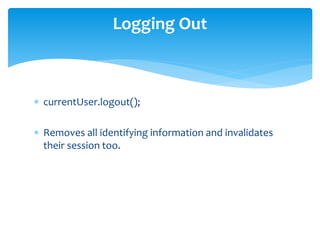
 currentUser.logout();
 Removes all identifying information and invalidates
their session too.
Logging Out
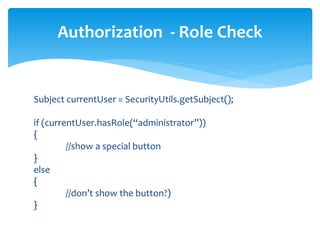
Subject currentUser = SecurityUtils.getSubject();
if (currentUser.hasRole(“administrator”))
{
//show a special button
}
else
{
//don’t show the button?)
}
Authorization - Role Check
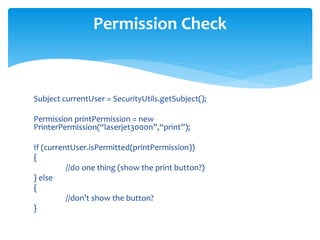
Subject currentUser = SecurityUtils.getSubject();
Permission printPermission = new
PrinterPermission(“laserjet3000n”,“print”);
If (currentUser.isPermitted(printPermission))
{
//do one thing (show the print button?)
} else
{
//don’t show the button?
}
Permission Check
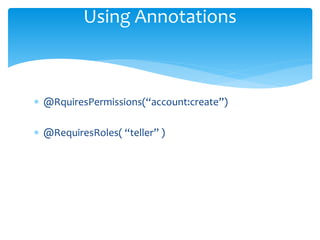
 @RquiresPermissions(“account:create”)
 @RequiresRoles( “teller” )
Using Annotations
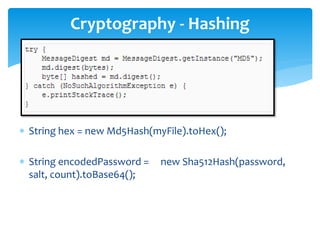
 String hex = new Md5Hash(myFile).toHex();
 String encodedPassword = new Sha512Hash(password,
salt, count).toBase64();
Cryptography - Hashing
 Thank You

Learn Apache Shiro

  • 1.
  • 2.
     Shiro providesthe application security API to perform the following aspects:  Authentication - proving user identity, often called user ‘login’.  Authorization - access control  Cryptography - protecting or hiding data from prying eyes  Session Management - per-user time-sensitive state Introduction
  • 3.
  • 4.
     Subject -Anything or anyone communicating with your application.  Principals - A subjects identifying attributes. First name, last name, social security number, username  Credentials - secret data that are used to verify identities. Passwords, Biometric data, x509 certificates  Realms - Data access object, software component that talks to a backend data source Terminology
  • 5.
     Manages securityoperations for all users  It is a singleton – One for every application  A web application will usually specify a Shiro Servlet Filter in web.xml, and that will set up the SecurityManager instance  <filter-name>ShiroFilter</filter-name>  Text-based INI configuration is also possible and then can be loaded in the security manager. Security Manager
  • 6.
     Acts asthe ‘bridge’ or ‘connector’ between Shiro and application’s security data.  Encapsulates connection details for data sources and makes the associated data available to Shiro as needed  More than one Realm may be configured, but at least one is required.  Explicit Assignment  Set them as a collection property on the securityManager object. Realm
  • 7.
    Subject currentUser =SecurityUtils.getSubject(); if ( !currentUser.isAuthenticated() ) { UsernamePasswordToken token = new UsernamePasswordToken(username, password); token.setRememberMe(true); currentUser.login(token); } User Login
  • 8.
    try { currentUser.login( token); //if no exception, that's it, we're done! } catch ( UnknownAccountException uae ) { //username wasn't in the system, show them an error message? } catch ( IncorrectCredentialsException ice ) { //password didn't match, try again? } catch ( LockedAccountException lae ) { //account for that username is locked - can't login. Show them a message? } ... more types exceptions to check if you want ... } catch ( AuthenticationException ae ) { //unexpected condition - error? } If the login fails…
  • 9.
     A rememberedsubject is not an authenticated subject  A check against isAuthenticated() is a much more strict check  For example, a check to see if a subject can access financial information should almost always depend on isAuthenticated(), notisRemembered(), to guarantee a verified identity. Remembered vs Authenticated
  • 10.
     currentUser.logout();  Removesall identifying information and invalidates their session too. Logging Out
  • 11.
    Subject currentUser =SecurityUtils.getSubject(); if (currentUser.hasRole(“administrator”)) { //show a special button } else { //don’t show the button?) } Authorization - Role Check
  • 12.
    Subject currentUser =SecurityUtils.getSubject(); Permission printPermission = new PrinterPermission(“laserjet3000n”,“print”); If (currentUser.isPermitted(printPermission)) { //do one thing (show the print button?) } else { //don’t show the button? } Permission Check
  • 13.
  • 14.
     String hex= new Md5Hash(myFile).toHex();  String encodedPassword = new Sha512Hash(password, salt, count).toBase64(); Cryptography - Hashing
  • 15.