Simple Application Security
                   Les Hazlewood
         Apache Shiro Project Chair
About Me

Les Hazlewood
  Apache Shiro Project Chair

  JSecurity Founder

  Katasoft Founder & CTO
What is Apache Shiro?
• Application security library

• Quick and easy

• Simplifies security concepts
About Shiro
•   Started in 2003, JSecurity in 2004
•   Simplify or replace JAAS
•   Dynamic changes at runtime
•   Sessions - Heterogeneous Clients
•   Reduce Design Flaws
•   ‘One stop shop’
•   Apache Top Level, September
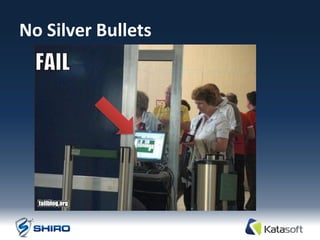
Reduce Design Flaws
No Silver Bullets
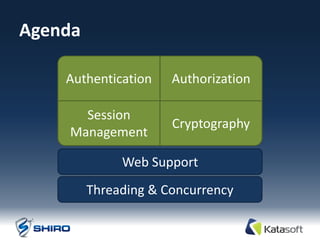
Agenda

    Authentication    Authorization

      Session
                      Cryptography
    Management

              Web Support
         Threading & Concurrency
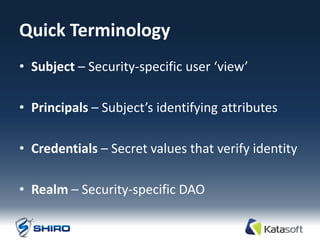
Quick Terminology
• Subject – Security-specific user ‘view’

• Principals – Subject’s identifying attributes

• Credentials – Secret values that verify identity

• Realm – Security-specific DAO
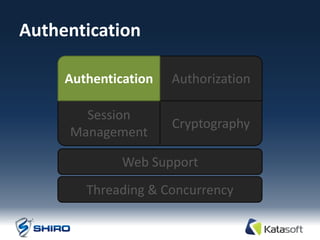
Authentication

     Authentication   Authorization

       Session
                      Cryptography
     Management

              Web Support
        Threading & Concurrency
Authentication Defined

Identity verification:

Proving a user is who he says he is
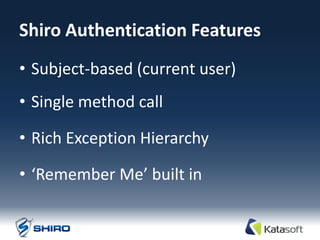
Shiro Authentication Features
• Subject-based (current user)
• Single method call

• Rich Exception Hierarchy

• ‘Remember Me’ built in
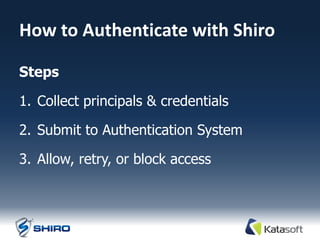
How to Authenticate with Shiro

Steps

1. Collect principals & credentials

2. Submit to Authentication System

3. Allow, retry, or block access
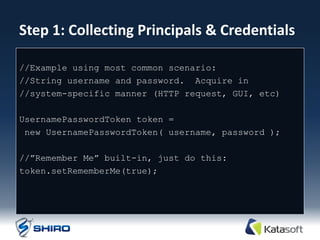
Step 1: Collecting Principals & Credentials

//Example using most common scenario:
//String username and password. Acquire in
//system-specific manner (HTTP request, GUI, etc)

UsernamePasswordToken token =
 new UsernamePasswordToken( username, password );

//”Remember Me” built-in, just do this:
token.setRememberMe(true);
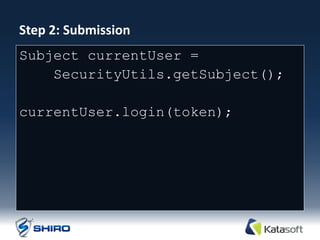
Step 2: Submission
Subject currentUser =
    SecurityUtils.getSubject();

currentUser.login(token);
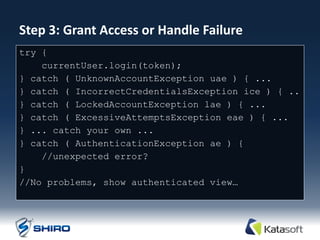
Step 3: Grant Access or Handle Failure
try {
    currentUser.login(token);
} catch ( UnknownAccountException uae ) { ...
} catch ( IncorrectCredentialsException ice ) { ..
} catch ( LockedAccountException lae ) { ...
} catch ( ExcessiveAttemptsException eae ) { ...
} ... catch your own ...
} catch ( AuthenticationException ae ) {
    //unexpected error?
}
//No problems, show authenticated view…
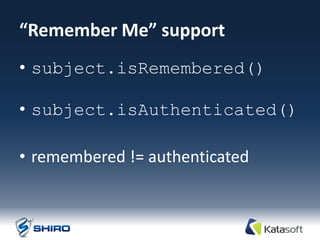
“Remember Me” support
• subject.isRemembered()

• subject.isAuthenticated()

• remembered != authenticated
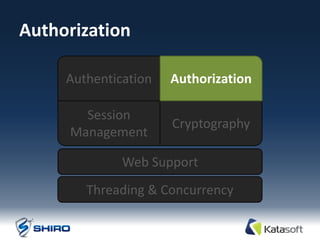
Authorization

     Authentication   Authorization

       Session
                      Cryptography
     Management

              Web Support
        Threading & Concurrency
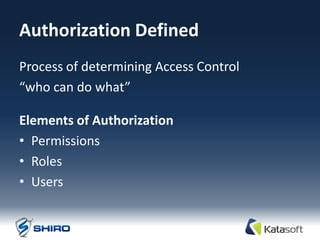
Authorization Defined
Process of determining Access Control
“who can do what”

Elements of Authorization
• Permissions
• Roles
• Users
Permissions Defined
• The “what” of an application
• Most atomic security element

• Describes resource types and their behavior

• Does not define “who”
Roles Defined
• Implicit or Explicit construct
• Implicit: Name only

• Explicit: A named collection of Permissions
   Allows behavior aggregation

   Enables dynamic (runtime) alteration of user abilities.
Users Defined
• The “who” of the application

• What each user can do is defined by their
  association with Roles or Permissions

Example: User’s roles imply PrinterPermission
Authorization Features
• Subject-centric (current user)

• Checks based on roles or permissions

• Powerful out-of-the-box WildcardPermission

• Any data model – Realms decide
How to Authorize with Shiro
Multiple means of checking access control:
• Programmatically

• JDK 1.5 annotations

• JSP/GSP TagLibs (web support)
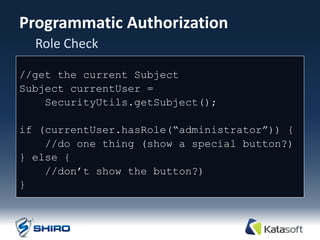
Programmatic Authorization
  Role Check

//get the current Subject
Subject currentUser =
    SecurityUtils.getSubject();

if (currentUser.hasRole(“administrator”)) {
    //do one thing (show a special button?)‫‏‬
} else {
    //don‟t show the button?)‫‏‬
}
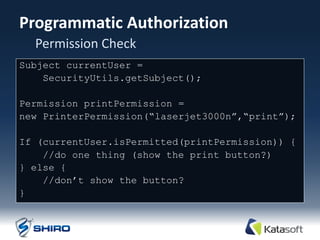
Programmatic Authorization
  Permission Check
Subject currentUser =
    SecurityUtils.getSubject();

Permission printPermission =
new PrinterPermission(“laserjet3000n”,“print”);

If (currentUser.isPermitted(printPermission)) {
    //do one thing (show the print button?)‫‏‬
} else {
    //don‟t show the button?
}
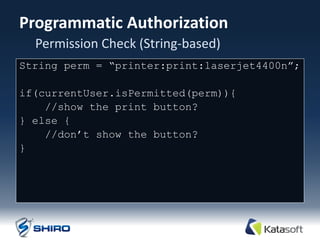
Programmatic Authorization
  Permission Check (String-based)
String perm = “printer:print:laserjet4400n”;

if(currentUser.isPermitted(perm)){
    //show the print button?
} else {
    //don‟t show the button?
}
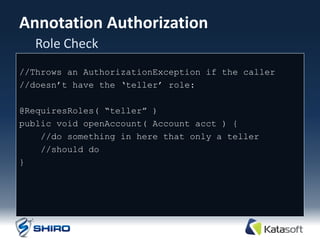
Annotation Authorization
  Role Check
//Throws an AuthorizationException if the caller
//doesn‟t have the „teller‟ role:

@RequiresRoles( “teller” )
public void openAccount( Account acct ) {
    //do something in here that only a teller
    //should do
}
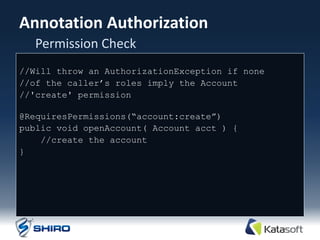
Annotation Authorization
  Permission Check
//Will throw an AuthorizationException if none
//of the caller‟s roles imply the Account
//'create' permission

@RequiresPermissions(“account:create”)‫‏‬
public void openAccount( Account acct ) {
    //create the account
}
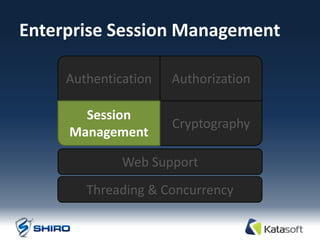
Enterprise Session Management

     Authentication   Authorization

       Session
                      Cryptography
     Management

              Web Support
        Threading & Concurrency
Session Management Defined
Managing the lifecycle of Subject-specific
 temporal data context
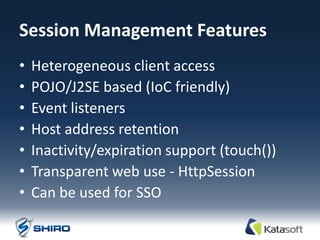
Session Management Features
•   Heterogeneous client access
•   POJO/J2SE based (IoC friendly)
•   Event listeners
•   Host address retention
•   Inactivity/expiration support (touch())
•   Transparent web use - HttpSession
•   Can be used for SSO
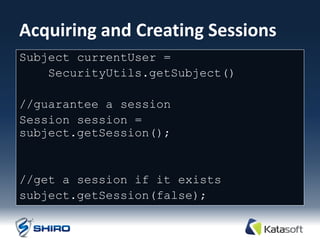
Acquiring and Creating Sessions
Subject currentUser =
    SecurityUtils.getSubject()

//guarantee a session
Session session =
subject.getSession();


//get a session if it exists
subject.getSession(false);
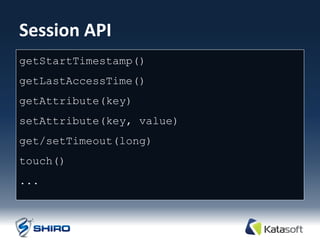
Session API
getStartTimestamp()
getLastAccessTime()
getAttribute(key)
setAttribute(key, value)
get/setTimeout(long)
touch()
...
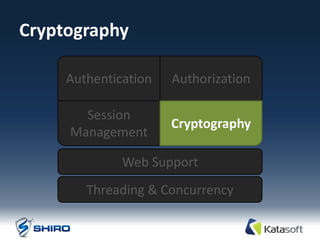
Cryptography

     Authentication   Authorization

       Session
                      Cryptography
     Management

              Web Support
        Threading & Concurrency
Cryptography Defined
Protecting information from undesired access by
hiding it or converting it into nonsense.

Elements of Cryptography
• Ciphers
• Hashes
Ciphers Defined
Encryption and decryption data based on
public/private keys.

• Symmetric Cipher - same key for encryption
  and decryption.

• Asymmetric Cipher - different keys for
  encryption and decryption
Hashes Defined
A one-way, irreversible conversion of an input
source (a.k.a. Message Digest)
Used for:
• Credentials transformation
• Data with underlying byte array
  Files, Streams, etc
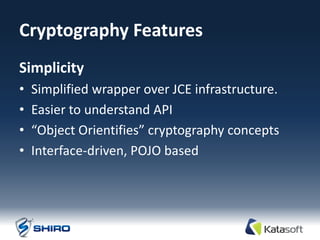
Cryptography Features
Simplicity
•   Simplified wrapper over JCE infrastructure.
•   Easier to understand API
•   “Object Orientifies” cryptography concepts
•   Interface-driven, POJO based
Cipher Features
• OO Hierarchy
  JcaCipherService, AbstractSymmetricCipherService,
    DefaultBlockCipherService, etc

• Just instantiate a class
  No “Transformation String”/Factory methods

• More secure default settings
  Initialization Vectors, et. al.
Shiro’s CipherService Interface
public interface CipherService {

   ByteSource encrypt( byte[] raw, byte[]
key);

   void encrypt(InputStream in,
OutputStream out, byte[] key);

   ByteSource decrypt( byte[] cipherText,
byte[] key);

   void decrypt(InputStream in,
OutputStream out, byte[] key);
}
Hash Features
• Default interface implementations
   MD5, SHA1, SHA-256, et. al.

• Built in Hex & Base64 conversion

• Built-in support for Salts and repeated hashing
Shiro’s Hash Interface
public interface Hash {

    byte[] getBytes();

    String toHex();

    String toBase64();

}
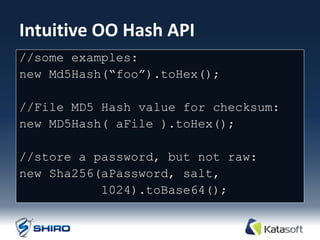
Intuitive OO Hash API
//some examples:
new Md5Hash(“foo”).toHex();

//File MD5 Hash value for checksum:
new MD5Hash( aFile ).toHex();

//store a password, but not raw:
new Sha256(aPassword, salt,
           1024).toBase64();
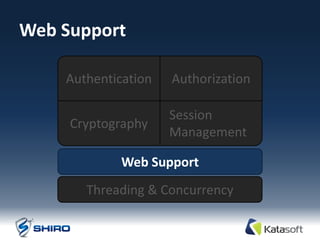
Web Support

    Authentication   Authorization

                     Session
     Cryptography
                     Management

             Web Support
       Threading & Concurrency
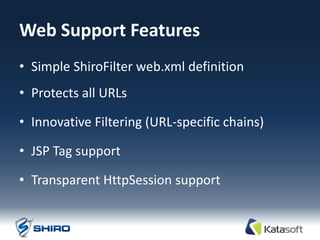
Web Support Features
• Simple ShiroFilter web.xml definition
• Protects all URLs

• Innovative Filtering (URL-specific chains)

• JSP Tag support

• Transparent HttpSession support
web.xml
<filter>
  <filter-name>ShiroFilter</filter-name>
  <filter-class>org.apache.shiro.web.servlet.IniShiroFilter</filter-
class>
  <init-param><param-name>config</param-name><param-value>
  [main]
    realm = com.my.custom.realm.Implementation
    securityManager.realm = $realm
  [urls]
    /account/** = authc
    /remoting/** = authc, roles[b2bClient], ...
  </param-value></init-param>
</filter>

<filter-mapping>
  <filter-name>ShiroFilter</filter-name>
  <url-pattern>/*</url-pattern>
</filter-mapping>
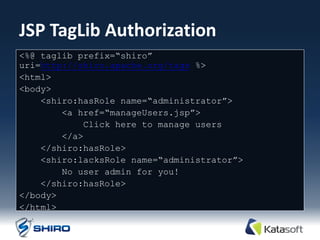
JSP TagLib Authorization
<%@ taglib prefix=“shiro”
uri=http://shiro.apache.org/tags %>
<html>
<body>
    <shiro:hasRole name=“administrator”>
        <a href=“manageUsers.jsp”>
            Click here to manage users
        </a>
    </shiro:hasRole>
    <shiro:lacksRole name=“administrator”>
        No user admin for you!
    </shiro:hasRole>
</body>
</html>
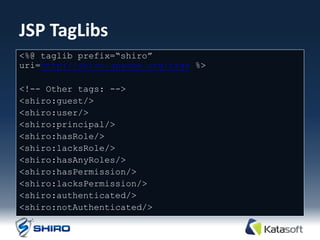
JSP TagLibs
<%@ taglib prefix=“shiro”
uri=http://shiro.apache.org/tags %>

<!-- Other tags: -->
<shiro:guest/>
<shiro:user/>
<shiro:principal/>
<shiro:hasRole/>
<shiro:lacksRole/>
<shiro:hasAnyRoles/>
<shiro:hasPermission/>
<shiro:lacksPermission/>
<shiro:authenticated/>
<shiro:notAuthenticated/>
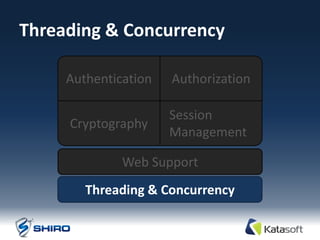
Threading & Concurrency

     Authentication   Authorization

                      Session
     Cryptography
                      Management

              Web Support
        Threading & Concurrency
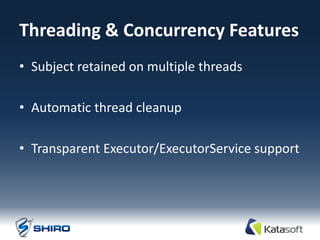
Threading & Concurrency Features
• Subject retained on multiple threads

• Automatic thread cleanup

• Transparent Executor/ExecutorService support
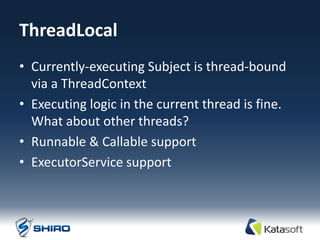
ThreadLocal
• Currently-executing Subject is thread-bound
  via a ThreadContext
• Executing logic in the current thread is fine.
  What about other threads?
• Runnable & Callable support
• ExecutorService support
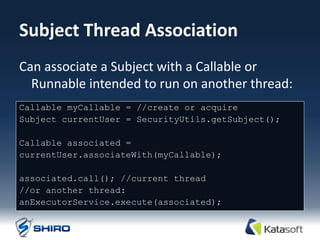
Subject Thread Association
Can associate a Subject with a Callable or
  Runnable intended to run on another thread:
Callable myCallable = //create or acquire
Subject currentUser = SecurityUtils.getSubject();

Callable associated =
currentUser.associateWith(myCallable);

associated.call(); //current thread
//or another thread:
anExecutorService.execute(associated);
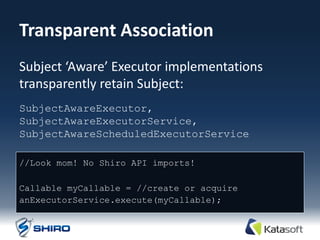
Transparent Association
Subject ‘Aware’ Executor implementations
transparently retain Subject:
SubjectAwareExecutor,
SubjectAwareExecutorService,
SubjectAwareScheduledExecutorService

//Look mom! No Shiro API imports!

Callable myCallable = //create or acquire
anExecutorService.execute(myCallable);
MISCELLANEOUS
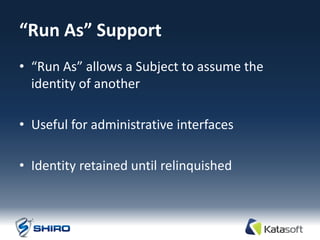
“Run As” Support
• “Run As” allows a Subject to assume the
  identity of another

• Useful for administrative interfaces

• Identity retained until relinquished
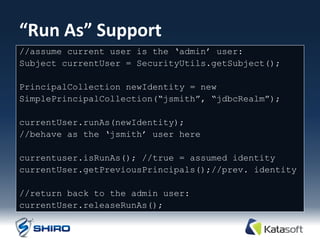
“Run As” Support
//assume current user is the „admin‟ user:
Subject currentUser = SecurityUtils.getSubject();

PrincipalCollection newIdentity = new
SimplePrincipalCollection(“jsmith”, “jdbcRealm”);

currentUser.runAs(newIdentity);
//behave as the „jsmith‟ user here

currentuser.isRunAs(); //true = assumed identity
currentUser.getPreviousPrincipals();//prev. identity

//return back to the admin user:
currentUser.releaseRunAs();
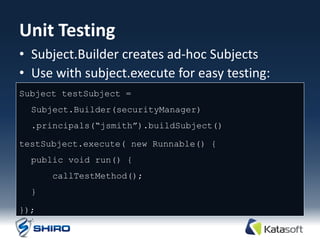
Unit Testing
• Subject.Builder creates ad-hoc Subjects
• Use with subject.execute for easy testing:
Subject testSubject =
  Subject.Builder(securityManager)
  .principals(“jsmith”).buildSubject()

testSubject.execute( new Runnable() {
  public void run() {
      callTestMethod();
  }

});
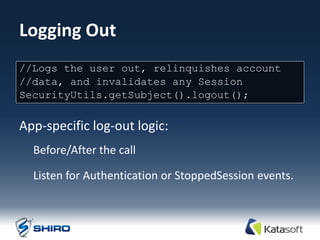
Logging Out
One method: user out, relinquishes account
//Logs the
//data, and invalidates any Session
SecurityUtils.getSubject().logout();


App-specific log-out logic:
  Before/After the call

  Listen for Authentication or StoppedSession events.
APACHE SHIRO DEMO
Thank You!
• les@katasoft.com
• http://www.katasoft.com

• Seeking engineering talent

• Seeking product feedback

Super simple application security with Apache Shiro

  • 1.
    Simple Application Security Les Hazlewood Apache Shiro Project Chair
  • 2.
    About Me Les Hazlewood Apache Shiro Project Chair JSecurity Founder Katasoft Founder & CTO
  • 3.
    What is ApacheShiro? • Application security library • Quick and easy • Simplifies security concepts
  • 4.
    About Shiro • Started in 2003, JSecurity in 2004 • Simplify or replace JAAS • Dynamic changes at runtime • Sessions - Heterogeneous Clients • Reduce Design Flaws • ‘One stop shop’ • Apache Top Level, September
  • 5.
  • 6.
  • 7.
    Agenda Authentication Authorization Session Cryptography Management Web Support Threading & Concurrency
  • 8.
    Quick Terminology • Subject– Security-specific user ‘view’ • Principals – Subject’s identifying attributes • Credentials – Secret values that verify identity • Realm – Security-specific DAO
  • 9.
    Authentication Authentication Authorization Session Cryptography Management Web Support Threading & Concurrency
  • 10.
  • 11.
    Shiro Authentication Features •Subject-based (current user) • Single method call • Rich Exception Hierarchy • ‘Remember Me’ built in
  • 12.
    How to Authenticatewith Shiro Steps 1. Collect principals & credentials 2. Submit to Authentication System 3. Allow, retry, or block access
  • 13.
    Step 1: CollectingPrincipals & Credentials //Example using most common scenario: //String username and password. Acquire in //system-specific manner (HTTP request, GUI, etc) UsernamePasswordToken token = new UsernamePasswordToken( username, password ); //”Remember Me” built-in, just do this: token.setRememberMe(true);
  • 14.
    Step 2: Submission SubjectcurrentUser = SecurityUtils.getSubject(); currentUser.login(token);
  • 15.
    Step 3: GrantAccess or Handle Failure try { currentUser.login(token); } catch ( UnknownAccountException uae ) { ... } catch ( IncorrectCredentialsException ice ) { .. } catch ( LockedAccountException lae ) { ... } catch ( ExcessiveAttemptsException eae ) { ... } ... catch your own ... } catch ( AuthenticationException ae ) { //unexpected error? } //No problems, show authenticated view…
  • 16.
    “Remember Me” support •subject.isRemembered() • subject.isAuthenticated() • remembered != authenticated
  • 17.
    Authorization Authentication Authorization Session Cryptography Management Web Support Threading & Concurrency
  • 18.
    Authorization Defined Process ofdetermining Access Control “who can do what” Elements of Authorization • Permissions • Roles • Users
  • 19.
    Permissions Defined • The“what” of an application • Most atomic security element • Describes resource types and their behavior • Does not define “who”
  • 20.
    Roles Defined • Implicitor Explicit construct • Implicit: Name only • Explicit: A named collection of Permissions Allows behavior aggregation Enables dynamic (runtime) alteration of user abilities.
  • 21.
    Users Defined • The“who” of the application • What each user can do is defined by their association with Roles or Permissions Example: User’s roles imply PrinterPermission
  • 22.
    Authorization Features • Subject-centric(current user) • Checks based on roles or permissions • Powerful out-of-the-box WildcardPermission • Any data model – Realms decide
  • 23.
    How to Authorizewith Shiro Multiple means of checking access control: • Programmatically • JDK 1.5 annotations • JSP/GSP TagLibs (web support)
  • 24.
    Programmatic Authorization Role Check //get the current Subject Subject currentUser = SecurityUtils.getSubject(); if (currentUser.hasRole(“administrator”)) { //do one thing (show a special button?)‫‏‬ } else { //don‟t show the button?)‫‏‬ }
  • 25.
    Programmatic Authorization Permission Check Subject currentUser = SecurityUtils.getSubject(); Permission printPermission = new PrinterPermission(“laserjet3000n”,“print”); If (currentUser.isPermitted(printPermission)) { //do one thing (show the print button?)‫‏‬ } else { //don‟t show the button? }
  • 26.
    Programmatic Authorization Permission Check (String-based) String perm = “printer:print:laserjet4400n”; if(currentUser.isPermitted(perm)){ //show the print button? } else { //don‟t show the button? }
  • 27.
    Annotation Authorization Role Check //Throws an AuthorizationException if the caller //doesn‟t have the „teller‟ role: @RequiresRoles( “teller” ) public void openAccount( Account acct ) { //do something in here that only a teller //should do }
  • 28.
    Annotation Authorization Permission Check //Will throw an AuthorizationException if none //of the caller‟s roles imply the Account //'create' permission @RequiresPermissions(“account:create”)‫‏‬ public void openAccount( Account acct ) { //create the account }
  • 29.
    Enterprise Session Management Authentication Authorization Session Cryptography Management Web Support Threading & Concurrency
  • 30.
    Session Management Defined Managingthe lifecycle of Subject-specific temporal data context
  • 31.
    Session Management Features • Heterogeneous client access • POJO/J2SE based (IoC friendly) • Event listeners • Host address retention • Inactivity/expiration support (touch()) • Transparent web use - HttpSession • Can be used for SSO
  • 32.
    Acquiring and CreatingSessions Subject currentUser = SecurityUtils.getSubject() //guarantee a session Session session = subject.getSession(); //get a session if it exists subject.getSession(false);
  • 33.
  • 34.
    Cryptography Authentication Authorization Session Cryptography Management Web Support Threading & Concurrency
  • 35.
    Cryptography Defined Protecting informationfrom undesired access by hiding it or converting it into nonsense. Elements of Cryptography • Ciphers • Hashes
  • 36.
    Ciphers Defined Encryption anddecryption data based on public/private keys. • Symmetric Cipher - same key for encryption and decryption. • Asymmetric Cipher - different keys for encryption and decryption
  • 37.
    Hashes Defined A one-way,irreversible conversion of an input source (a.k.a. Message Digest) Used for: • Credentials transformation • Data with underlying byte array Files, Streams, etc
  • 38.
    Cryptography Features Simplicity • Simplified wrapper over JCE infrastructure. • Easier to understand API • “Object Orientifies” cryptography concepts • Interface-driven, POJO based
  • 39.
    Cipher Features • OOHierarchy JcaCipherService, AbstractSymmetricCipherService, DefaultBlockCipherService, etc • Just instantiate a class No “Transformation String”/Factory methods • More secure default settings Initialization Vectors, et. al.
  • 40.
    Shiro’s CipherService Interface publicinterface CipherService { ByteSource encrypt( byte[] raw, byte[] key); void encrypt(InputStream in, OutputStream out, byte[] key); ByteSource decrypt( byte[] cipherText, byte[] key); void decrypt(InputStream in, OutputStream out, byte[] key); }
  • 41.
    Hash Features • Defaultinterface implementations MD5, SHA1, SHA-256, et. al. • Built in Hex & Base64 conversion • Built-in support for Salts and repeated hashing
  • 42.
    Shiro’s Hash Interface publicinterface Hash { byte[] getBytes(); String toHex(); String toBase64(); }
  • 43.
    Intuitive OO HashAPI //some examples: new Md5Hash(“foo”).toHex(); //File MD5 Hash value for checksum: new MD5Hash( aFile ).toHex(); //store a password, but not raw: new Sha256(aPassword, salt, 1024).toBase64();
  • 44.
    Web Support Authentication Authorization Session Cryptography Management Web Support Threading & Concurrency
  • 45.
    Web Support Features •Simple ShiroFilter web.xml definition • Protects all URLs • Innovative Filtering (URL-specific chains) • JSP Tag support • Transparent HttpSession support
  • 46.
    web.xml <filter> <filter-name>ShiroFilter</filter-name> <filter-class>org.apache.shiro.web.servlet.IniShiroFilter</filter- class> <init-param><param-name>config</param-name><param-value> [main] realm = com.my.custom.realm.Implementation securityManager.realm = $realm [urls] /account/** = authc /remoting/** = authc, roles[b2bClient], ... </param-value></init-param> </filter> <filter-mapping> <filter-name>ShiroFilter</filter-name> <url-pattern>/*</url-pattern> </filter-mapping>
  • 47.
    JSP TagLib Authorization <%@taglib prefix=“shiro” uri=http://shiro.apache.org/tags %> <html> <body> <shiro:hasRole name=“administrator”> <a href=“manageUsers.jsp”> Click here to manage users </a> </shiro:hasRole> <shiro:lacksRole name=“administrator”> No user admin for you! </shiro:hasRole> </body> </html>
  • 48.
    JSP TagLibs <%@ taglibprefix=“shiro” uri=http://shiro.apache.org/tags %> <!-- Other tags: --> <shiro:guest/> <shiro:user/> <shiro:principal/> <shiro:hasRole/> <shiro:lacksRole/> <shiro:hasAnyRoles/> <shiro:hasPermission/> <shiro:lacksPermission/> <shiro:authenticated/> <shiro:notAuthenticated/>
  • 49.
    Threading & Concurrency Authentication Authorization Session Cryptography Management Web Support Threading & Concurrency
  • 50.
    Threading & ConcurrencyFeatures • Subject retained on multiple threads • Automatic thread cleanup • Transparent Executor/ExecutorService support
  • 51.
    ThreadLocal • Currently-executing Subjectis thread-bound via a ThreadContext • Executing logic in the current thread is fine. What about other threads? • Runnable & Callable support • ExecutorService support
  • 52.
    Subject Thread Association Canassociate a Subject with a Callable or Runnable intended to run on another thread: Callable myCallable = //create or acquire Subject currentUser = SecurityUtils.getSubject(); Callable associated = currentUser.associateWith(myCallable); associated.call(); //current thread //or another thread: anExecutorService.execute(associated);
  • 53.
    Transparent Association Subject ‘Aware’Executor implementations transparently retain Subject: SubjectAwareExecutor, SubjectAwareExecutorService, SubjectAwareScheduledExecutorService //Look mom! No Shiro API imports! Callable myCallable = //create or acquire anExecutorService.execute(myCallable);
  • 54.
  • 55.
    “Run As” Support •“Run As” allows a Subject to assume the identity of another • Useful for administrative interfaces • Identity retained until relinquished
  • 56.
    “Run As” Support //assumecurrent user is the „admin‟ user: Subject currentUser = SecurityUtils.getSubject(); PrincipalCollection newIdentity = new SimplePrincipalCollection(“jsmith”, “jdbcRealm”); currentUser.runAs(newIdentity); //behave as the „jsmith‟ user here currentuser.isRunAs(); //true = assumed identity currentUser.getPreviousPrincipals();//prev. identity //return back to the admin user: currentUser.releaseRunAs();
  • 57.
    Unit Testing • Subject.Buildercreates ad-hoc Subjects • Use with subject.execute for easy testing: Subject testSubject = Subject.Builder(securityManager) .principals(“jsmith”).buildSubject() testSubject.execute( new Runnable() { public void run() { callTestMethod(); } });
  • 58.
    Logging Out One method:user out, relinquishes account //Logs the //data, and invalidates any Session SecurityUtils.getSubject().logout(); App-specific log-out logic: Before/After the call Listen for Authentication or StoppedSession events.
  • 59.
  • 60.
    Thank You! • les@katasoft.com •http://www.katasoft.com • Seeking engineering talent • Seeking product feedback