Spring Security
Basic Steps & Configuration
Sumit Sinhmar Gole
Spring Security
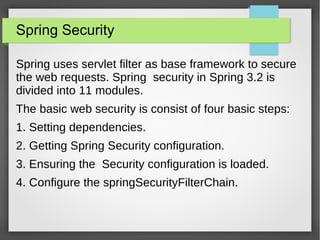
Spring uses servlet filter as base framework to secure
the web requests. Spring security in Spring 3.2 is
divided into 11 modules.
The basic web security is consist of four basic steps:
1. Setting dependencies.
2. Getting Spring Security configuration.
3. Ensuring the Security configuration is loaded.
4. Configure the springSecurityFilterChain.
Spring Security
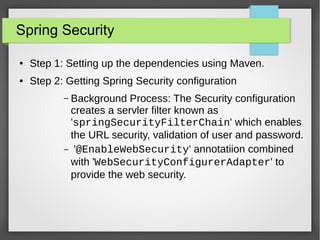
● Step 1: Setting up the dependencies using Maven.
● Step 2: Getting Spring Security configuration
– Background Process: The Security configuration
creates a servler filter known as
'springSecurityFilterChain' which enables
the URL security, validation of user and password.
– '@EnableWebSecurity' annotatiion combined
with 'WebSecurityConfigurerAdapter' to
provide the web security.
Spring Security
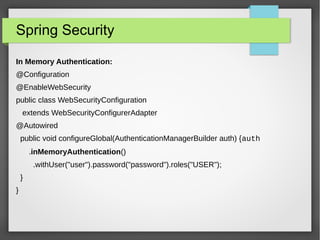
In Memory Authentication:
@Configuration
@EnableWebSecurity
public class WebSecurityConfiguration
extends WebSecurityConfigurerAdapter
@Autowired
public void configureGlobal(AuthenticationManagerBuilder auth) {auth
.inMemoryAuthentication()
.withUser("user").password("password").roles("USER");
}
}
Spring Security
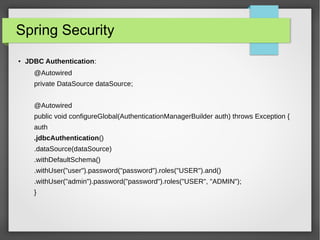
● JDBC Authentication:
@Autowired
private DataSource dataSource;
@Autowired
public void configureGlobal(AuthenticationManagerBuilder auth) throws Exception {
auth
.jdbcAuthentication()
.dataSource(dataSource)
.withDefaultSchema()
.withUser("user").password("password").roles("USER").and()
.withUser("admin").password("password").roles("USER", "ADMIN");
}
Spring Security
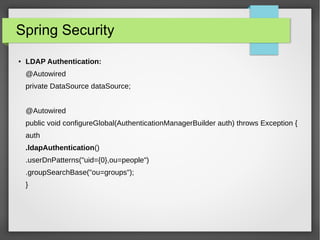
● LDAP Authentication:
@Autowired
private DataSource dataSource;
@Autowired
public void configureGlobal(AuthenticationManagerBuilder auth) throws Exception {
auth
.ldapAuthentication()
.userDnPatterns("uid={0},ou=people")
.groupSearchBase("ou=groups");
}
Spring Security
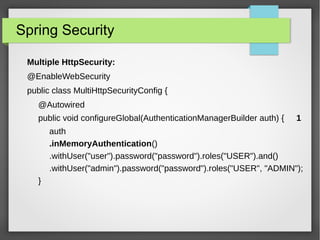
Multiple HttpSecurity:
@EnableWebSecurity
public class MultiHttpSecurityConfig {
@Autowired
public void configureGlobal(AuthenticationManagerBuilder auth) { 1
auth
.inMemoryAuthentication()
.withUser("user").password("password").roles("USER").and()
.withUser("admin").password("password").roles("USER", "ADMIN");
}
Spring Security
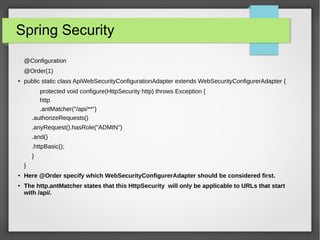
@Configuration
@Order(1)
● public static class ApiWebSecurityConfigurationAdapter extends WebSecurityConfigurerAdapter {
protected void configure(HttpSecurity http) throws Exception {
http
.antMatcher("/api/**")
.authorizeRequests()
.anyRequest().hasRole("ADMIN")
.and()
.httpBasic();
}
}
● Here @Order specify which WebSecurityConfigurerAdapter should be considered first.
● The http.antMatcher states that this HttpSecurity will only be applicable to URLs that start
with /api/.
Spring Security
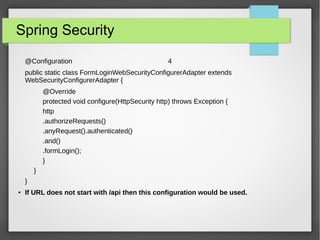
@Configuration 4
public static class FormLoginWebSecurityConfigurerAdapter extends
WebSecurityConfigurerAdapter {
@Override
protected void configure(HttpSecurity http) throws Exception {
http
.authorizeRequests()
.anyRequest().authenticated()
.and()
.formLogin();
}
}
}
● If URL does not start with /api then this configuration would be used.
Spring Security
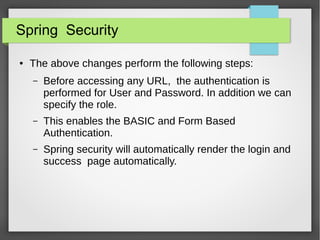
● The above changes perform the following steps:
– Before accessing any URL, the authentication is
performed for User and Password. In addition we can
specify the role.
– This enables the BASIC and Form Based
Authentication.
– Spring security will automatically render the login and
success page automatically.
Spring Security
●
Step 3: Ensuring the Security configuration is loaded. This can be done by
including 'WebSecurityConfiguration' in applicationContext. In other
words register the springSecurityFilterChain with the war.
● In Java: (without Existing Spring)
public class SpringWebMvcInitializer extends
AbstractAnnotationConfigDispatcherServletInitializer {
@Override
protected Class<?>[] getRootConfigClasses() {
return new Class[] { WebSecurityConfiguration.class };
}
...
}
Spring Security
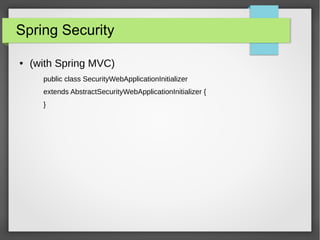
● (with Spring MVC)
public class SecurityWebApplicationInitializer
extends AbstractSecurityWebApplicationInitializer {
}
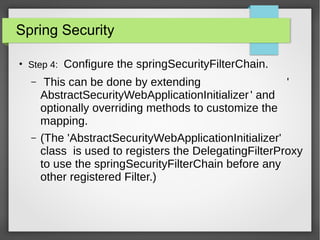
Spring Security
●
Step 4: Configure the springSecurityFilterChain.
– This can be done by extending '
AbstractSecurityWebApplicationInitializer' and
optionally overriding methods to customize the
mapping.
– (The 'AbstractSecurityWebApplicationInitializer'
class is used to registers the DelegatingFilterProxy
to use the springSecurityFilterChain before any
other registered Filter.)
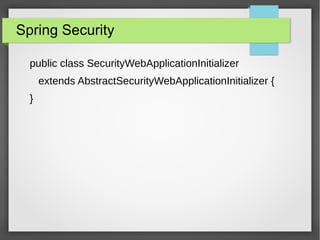
Spring Security
public class SecurityWebApplicationInitializer
extends AbstractSecurityWebApplicationInitializer {
}

Spring Security

  • 1.
    Spring Security Basic Steps& Configuration Sumit Sinhmar Gole
  • 2.
    Spring Security Spring usesservlet filter as base framework to secure the web requests. Spring security in Spring 3.2 is divided into 11 modules. The basic web security is consist of four basic steps: 1. Setting dependencies. 2. Getting Spring Security configuration. 3. Ensuring the Security configuration is loaded. 4. Configure the springSecurityFilterChain.
  • 3.
    Spring Security ● Step1: Setting up the dependencies using Maven. ● Step 2: Getting Spring Security configuration – Background Process: The Security configuration creates a servler filter known as 'springSecurityFilterChain' which enables the URL security, validation of user and password. – '@EnableWebSecurity' annotatiion combined with 'WebSecurityConfigurerAdapter' to provide the web security.
  • 4.
    Spring Security In MemoryAuthentication: @Configuration @EnableWebSecurity public class WebSecurityConfiguration extends WebSecurityConfigurerAdapter @Autowired public void configureGlobal(AuthenticationManagerBuilder auth) {auth .inMemoryAuthentication() .withUser("user").password("password").roles("USER"); } }
  • 5.
    Spring Security ● JDBCAuthentication: @Autowired private DataSource dataSource; @Autowired public void configureGlobal(AuthenticationManagerBuilder auth) throws Exception { auth .jdbcAuthentication() .dataSource(dataSource) .withDefaultSchema() .withUser("user").password("password").roles("USER").and() .withUser("admin").password("password").roles("USER", "ADMIN"); }
  • 6.
    Spring Security ● LDAPAuthentication: @Autowired private DataSource dataSource; @Autowired public void configureGlobal(AuthenticationManagerBuilder auth) throws Exception { auth .ldapAuthentication() .userDnPatterns("uid={0},ou=people") .groupSearchBase("ou=groups"); }
  • 7.
    Spring Security Multiple HttpSecurity: @EnableWebSecurity publicclass MultiHttpSecurityConfig { @Autowired public void configureGlobal(AuthenticationManagerBuilder auth) { 1 auth .inMemoryAuthentication() .withUser("user").password("password").roles("USER").and() .withUser("admin").password("password").roles("USER", "ADMIN"); }
  • 8.
    Spring Security @Configuration @Order(1) ● publicstatic class ApiWebSecurityConfigurationAdapter extends WebSecurityConfigurerAdapter { protected void configure(HttpSecurity http) throws Exception { http .antMatcher("/api/**") .authorizeRequests() .anyRequest().hasRole("ADMIN") .and() .httpBasic(); } } ● Here @Order specify which WebSecurityConfigurerAdapter should be considered first. ● The http.antMatcher states that this HttpSecurity will only be applicable to URLs that start with /api/.
  • 9.
    Spring Security @Configuration 4 publicstatic class FormLoginWebSecurityConfigurerAdapter extends WebSecurityConfigurerAdapter { @Override protected void configure(HttpSecurity http) throws Exception { http .authorizeRequests() .anyRequest().authenticated() .and() .formLogin(); } } } ● If URL does not start with /api then this configuration would be used.
  • 10.
    Spring Security ● Theabove changes perform the following steps: – Before accessing any URL, the authentication is performed for User and Password. In addition we can specify the role. – This enables the BASIC and Form Based Authentication. – Spring security will automatically render the login and success page automatically.
  • 11.
    Spring Security ● Step 3:Ensuring the Security configuration is loaded. This can be done by including 'WebSecurityConfiguration' in applicationContext. In other words register the springSecurityFilterChain with the war. ● In Java: (without Existing Spring) public class SpringWebMvcInitializer extends AbstractAnnotationConfigDispatcherServletInitializer { @Override protected Class<?>[] getRootConfigClasses() { return new Class[] { WebSecurityConfiguration.class }; } ... }
  • 12.
    Spring Security ● (withSpring MVC) public class SecurityWebApplicationInitializer extends AbstractSecurityWebApplicationInitializer { }
  • 13.
    Spring Security ● Step 4:Configure the springSecurityFilterChain. – This can be done by extending ' AbstractSecurityWebApplicationInitializer' and optionally overriding methods to customize the mapping. – (The 'AbstractSecurityWebApplicationInitializer' class is used to registers the DelegatingFilterProxy to use the springSecurityFilterChain before any other registered Filter.)
  • 14.
    Spring Security public classSecurityWebApplicationInitializer extends AbstractSecurityWebApplicationInitializer { }