Laverna
A tangential explanation of Laverna
You are Here Laverna
Markdown
Crypto Pbkdf2
Unnecesssary
Visualization
PBKDF2 For Blue
Synchronization RemoteStorage.io
Markdown.md
Installation
Conclusions
Remotestorage.0wn
.su
What are these words
• Laverna and Etherpad are note taking services
• I won’t talk about Etherpad because
• Self-hosted alternatives to cloud apps like Evernote
• Security and encryption are the focus here
Laverna
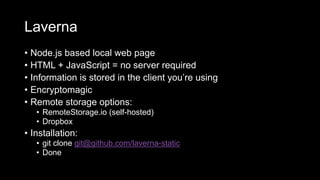
• Node.js based local web page
• HTML + JavaScript = no server required
• Information is stored in the client you’re using
• Encryptomagic
• Remote storage options:
• RemoteStorage.io (self-hosted)
• Dropbox
• Installation:
• git clone git@github.com/laverna-static
• Done
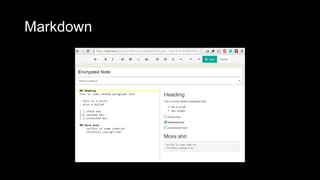
Markdown
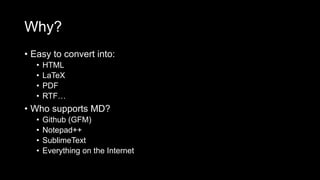
Why?
• Easy to convert into:
• HTML
• LaTeX
• PDF
• RTF…
• Who supports MD?
• Github (GFM)
• Notepad++
• SublimeText
• Everything on the Internet
Live Demo! MarkDown!!!!
http://dillinger.io/
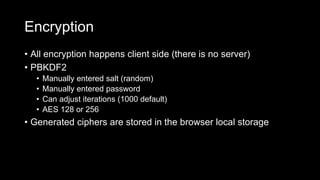
Encryption
• All encryption happens client side (there is no server)
• PBKDF2
• Manually entered salt (random)
• Manually entered password
• Can adjust iterations (1000 default)
• AES 128 or 256
• Generated ciphers are stored in the browser local storage
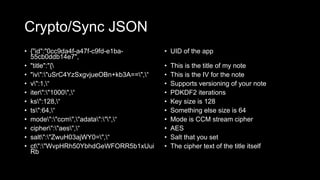
Crypto/Sync JSON
• {"id":"0cc9da4f-a47f-c9fd-e1ba-
55cb0ddb14e7",
• "title":"{
• "iv":"uSrC4YzSxgvjueOBn+kb3A==",“
• v":1,“
• iter":"1000",“
• ks":128,“
• ts":64,“
• mode":"ccm","adata":"",“
• cipher":"aes",“
• salt":"ZwuH03ajWY0=",“
• ct":"WvpHRh50YbhdGeWFORR5b1xUui
Rb
• UID of the app
• This is the title of my note
• This is the IV for the note
• Supports versioning of your note
• PDKDF2 iterations
• Key size is 128
• Something else size is 64
• Mode is CCM stream cipher
• AES
• Salt that you set
• The cipher text of the title itself
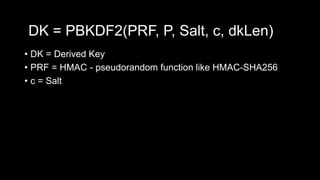
• DK = Derived Key
• PRF = HMAC - pseudorandom function like HMAC-SHA256
• c = Salt
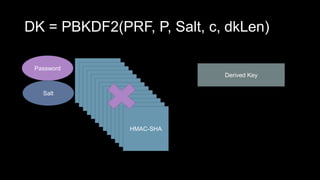
DK = PBKDF2(PRF, P, Salt, c, dkLen)
Password
Salt
HMAC-SHA
HMAC-SHA
HMAC-SHA
HMAC-SHA
HMAC-SHA
HMAC-SHA
HMAC-SHA
HMAC-SHA
HMAC-SHA
HMAC-SHA
HMAC-SHA
HMAC-SHA
HMAC-SHA
Derived Key
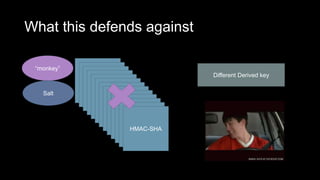
What this defends against
“monkey”
Salt
HMAC-SHA
HMAC-SHA
HMAC-SHA
HMAC-SHA
HMAC-SHA
HMAC-SHA
HMAC-SHA
HMAC-SHA
HMAC-SHA
HMAC-SHA
HMAC-SHA
HMAC-SHA
HMAC-SHA
Different Derived key
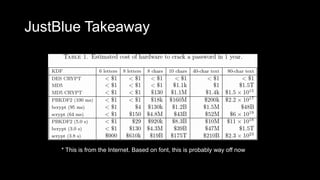
JustBlue Takeaway
* This is from the Internet. Based on font, this is probably way off now
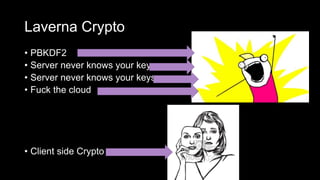
Laverna Crypto
• PBKDF2
• Server never knows your key
• Server never knows your keys
• Fuck the cloud
• Client side Crypto
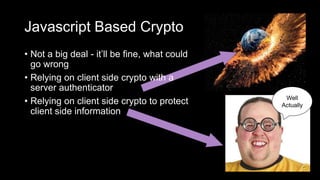
Javascript Based Crypto
• Not a big deal - it’ll be fine, what could
go wrong
• Relying on client side crypto with a
server authenticator
• Relying on client side crypto to protect
client side information
Well
Actually
Back to Laverna
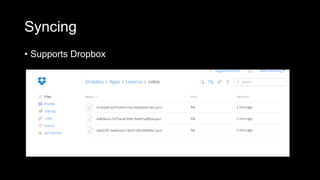
Syncing
• Supports Dropbox
Syncing
• Support RemoteStorage.io
• Self-hosted remote storage similar to dropbox
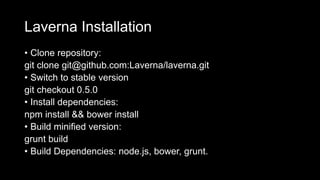
Laverna Installation
• Clone repository:
git clone git@github.com:Laverna/laverna.git
• Switch to stable version
git checkout 0.5.0
• Install dependencies:
npm install && bower install
• Build minified version:
grunt build
• Build Dependencies: node.js, bower, grunt.
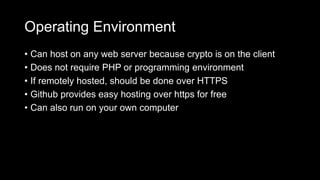
Operating Environment
• Can host on any web server because crypto is on the client
• Does not require PHP or programming environment
• If remotely hosted, should be done over HTTPS
• Github provides easy hosting over https for free
• Can also run on your own computer
Wait have I done a demo yet?
https://laverna.cc/index.html#notes
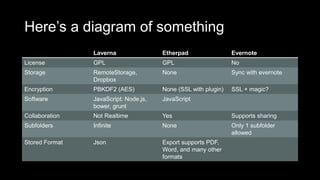
Here’s a diagram of something
Laverna Etherpad Evernote
License GPL GPL No
Storage RemoteStorage,
Dropbox
None Sync with evernote
Encryption PBKDF2 (AES) None (SSL with plugin) SSL + magic?
Software JavaScript: Node.js,
bower, grunt
JavaScript
Collaboration Not Realtime Yes Supports sharing
Subfolders Infinite None Only 1 subfolder
allowed
Stored Format Json Export supports PDF,
Word, and many other
formats
Conclusion
• Fuck the cloud
• Use laverna
• Use markdown
• Use PBKDF2
• Use RemoteStorage.io (remotestorage.0wn.su?)
Laverna vs etherpad

Laverna vs etherpad

  • 1.
  • 2.
    You are HereLaverna Markdown Crypto Pbkdf2 Unnecesssary Visualization PBKDF2 For Blue Synchronization RemoteStorage.io Markdown.md Installation Conclusions Remotestorage.0wn .su
  • 3.
    What are thesewords • Laverna and Etherpad are note taking services • I won’t talk about Etherpad because • Self-hosted alternatives to cloud apps like Evernote • Security and encryption are the focus here
  • 4.
    Laverna • Node.js basedlocal web page • HTML + JavaScript = no server required • Information is stored in the client you’re using • Encryptomagic • Remote storage options: • RemoteStorage.io (self-hosted) • Dropbox • Installation: • git clone git@github.com/laverna-static • Done
  • 5.
  • 6.
    Why? • Easy toconvert into: • HTML • LaTeX • PDF • RTF… • Who supports MD? • Github (GFM) • Notepad++ • SublimeText • Everything on the Internet
  • 7.
  • 8.
    Encryption • All encryptionhappens client side (there is no server) • PBKDF2 • Manually entered salt (random) • Manually entered password • Can adjust iterations (1000 default) • AES 128 or 256 • Generated ciphers are stored in the browser local storage
  • 9.
    Crypto/Sync JSON • {"id":"0cc9da4f-a47f-c9fd-e1ba- 55cb0ddb14e7", •"title":"{ • "iv":"uSrC4YzSxgvjueOBn+kb3A==",“ • v":1,“ • iter":"1000",“ • ks":128,“ • ts":64,“ • mode":"ccm","adata":"",“ • cipher":"aes",“ • salt":"ZwuH03ajWY0=",“ • ct":"WvpHRh50YbhdGeWFORR5b1xUui Rb • UID of the app • This is the title of my note • This is the IV for the note • Supports versioning of your note • PDKDF2 iterations • Key size is 128 • Something else size is 64 • Mode is CCM stream cipher • AES • Salt that you set • The cipher text of the title itself
  • 10.
    • DK =Derived Key • PRF = HMAC - pseudorandom function like HMAC-SHA256 • c = Salt DK = PBKDF2(PRF, P, Salt, c, dkLen)
  • 11.
    DK = PBKDF2(PRF,P, Salt, c, dkLen) Password Salt HMAC-SHA HMAC-SHA HMAC-SHA HMAC-SHA HMAC-SHA HMAC-SHA HMAC-SHA HMAC-SHA HMAC-SHA HMAC-SHA HMAC-SHA HMAC-SHA HMAC-SHA Derived Key
  • 12.
    What this defendsagainst “monkey” Salt HMAC-SHA HMAC-SHA HMAC-SHA HMAC-SHA HMAC-SHA HMAC-SHA HMAC-SHA HMAC-SHA HMAC-SHA HMAC-SHA HMAC-SHA HMAC-SHA HMAC-SHA Different Derived key
  • 13.
    JustBlue Takeaway * Thisis from the Internet. Based on font, this is probably way off now
  • 14.
    Laverna Crypto • PBKDF2 •Server never knows your key • Server never knows your keys • Fuck the cloud • Client side Crypto
  • 15.
    Javascript Based Crypto •Not a big deal - it’ll be fine, what could go wrong • Relying on client side crypto with a server authenticator • Relying on client side crypto to protect client side information Well Actually
  • 16.
  • 17.
  • 18.
    Syncing • Support RemoteStorage.io •Self-hosted remote storage similar to dropbox
  • 19.
    Laverna Installation • Clonerepository: git clone git@github.com:Laverna/laverna.git • Switch to stable version git checkout 0.5.0 • Install dependencies: npm install && bower install • Build minified version: grunt build • Build Dependencies: node.js, bower, grunt.
  • 20.
    Operating Environment • Canhost on any web server because crypto is on the client • Does not require PHP or programming environment • If remotely hosted, should be done over HTTPS • Github provides easy hosting over https for free • Can also run on your own computer
  • 21.
    Wait have Idone a demo yet? https://laverna.cc/index.html#notes
  • 22.
    Here’s a diagramof something Laverna Etherpad Evernote License GPL GPL No Storage RemoteStorage, Dropbox None Sync with evernote Encryption PBKDF2 (AES) None (SSL with plugin) SSL + magic? Software JavaScript: Node.js, bower, grunt JavaScript Collaboration Not Realtime Yes Supports sharing Subfolders Infinite None Only 1 subfolder allowed Stored Format Json Export supports PDF, Word, and many other formats
  • 23.
    Conclusion • Fuck thecloud • Use laverna • Use markdown • Use PBKDF2 • Use RemoteStorage.io (remotestorage.0wn.su?)