KiwiRail Behavioural Socialisation Deck Introduction to new practises and behaviours for making CRM work April 2010 page   • Intilecta Confidential
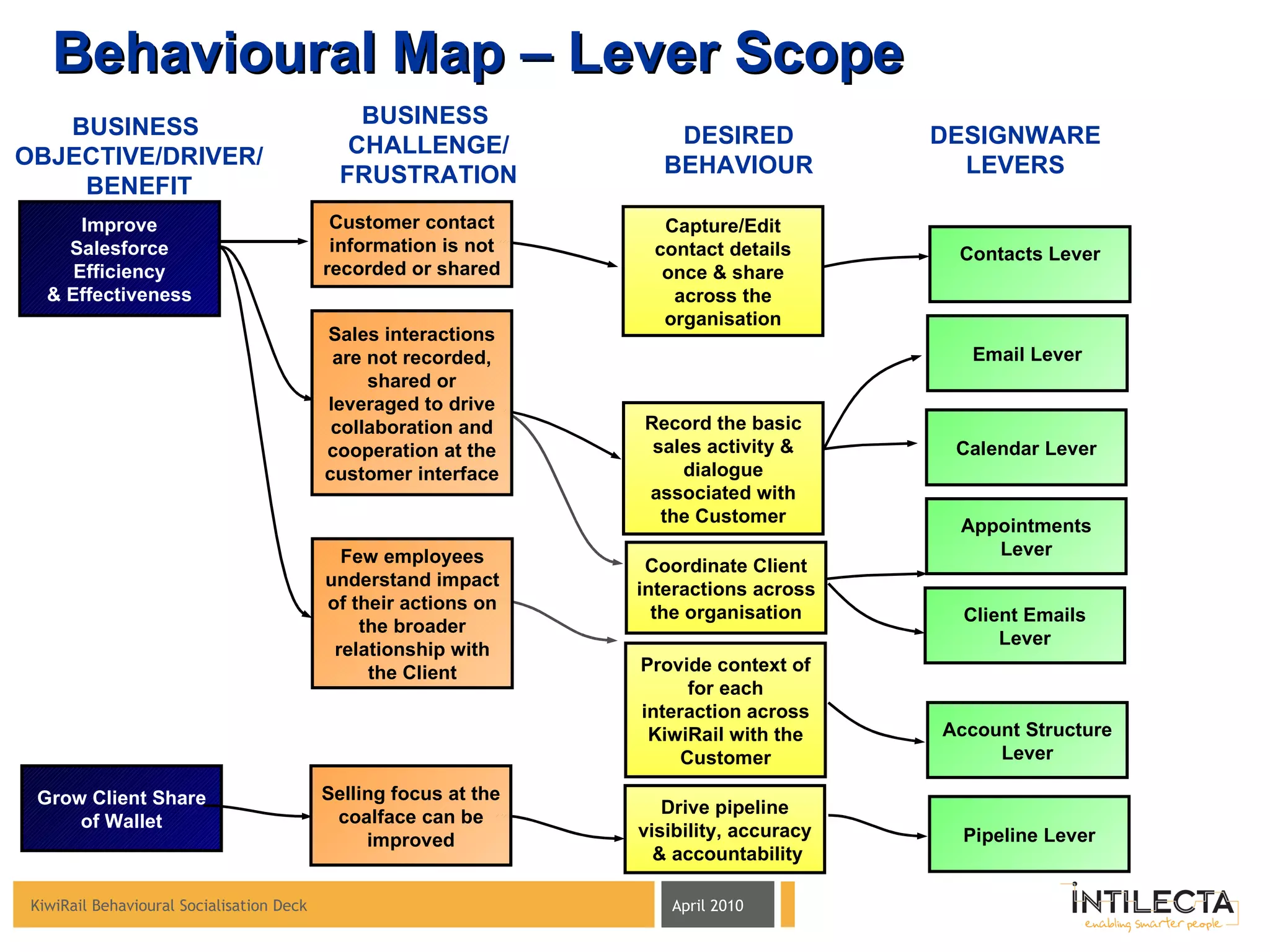
Behavioural Map – Lever Scope BUSINESS  CHALLENGE/ FRUSTRATION DESIRED BEHAVIOUR DESIGNWARE LEVERS BUSINESS  OBJECTIVE/DRIVER/ BENEFIT Improve Salesforce Efficiency & Effectiveness Contacts Lever Capture/Edit contact details once & share across the organisation Customer contact information is not recorded or shared Few employees understand impact of their actions on the broader relationship with the Client Appointments Lever Calendar Lever Record the basic sales activity & dialogue associated with the Customer Provide context of for each interaction across KiwiRail with the Customer Sales interactions are not recorded, shared or leveraged to drive collaboration and cooperation at the customer interface Account Structure Lever Coordinate Client interactions across the organisation Email Lever Client Emails Lever Pipeline Lever Grow Client Share of Wallet Drive pipeline visibility, accuracy  & accountability Selling focus at the coalface can be improved
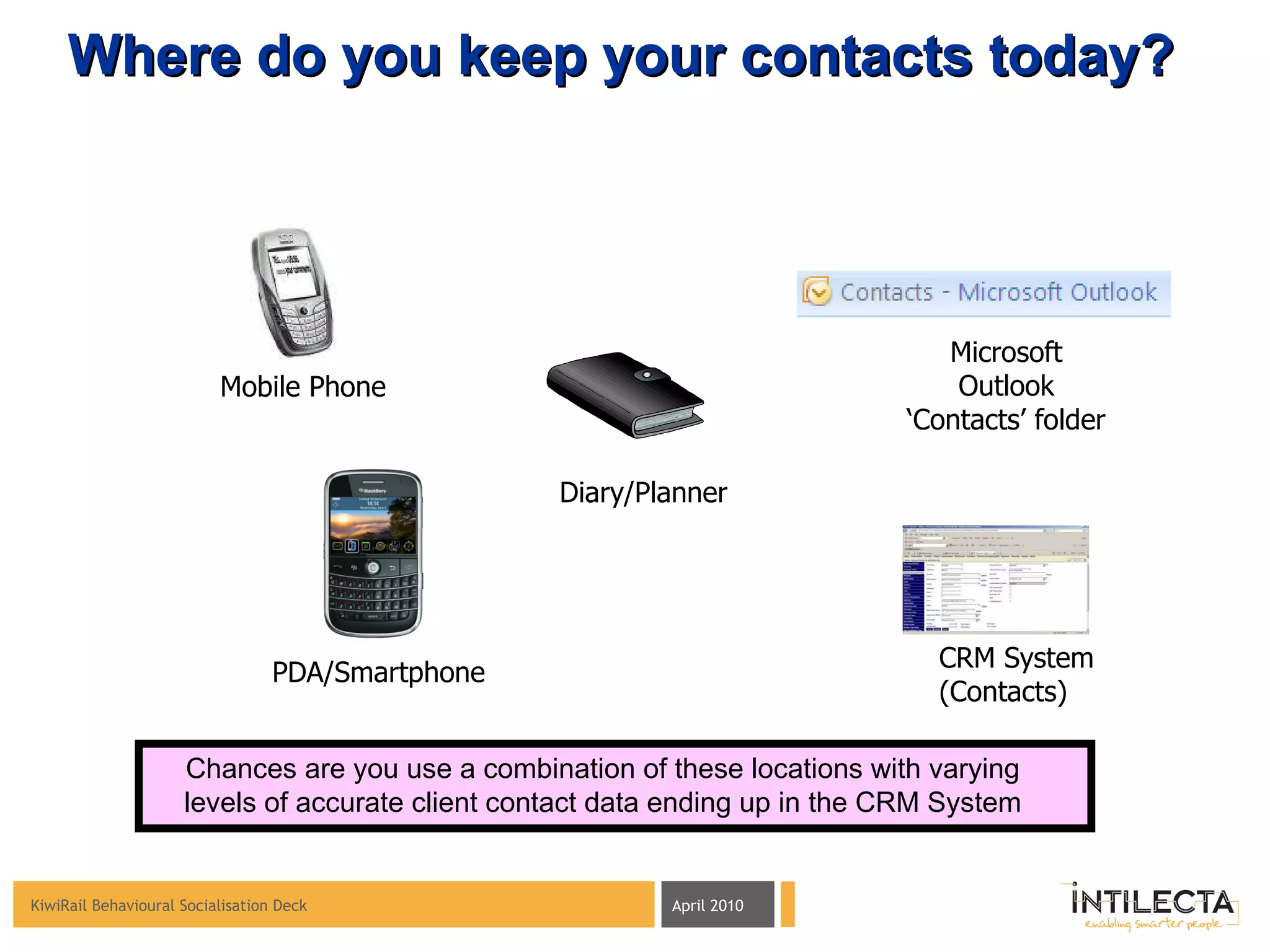
Mobile Phone Diary/Planner CRM System (Contacts) PDA/Smartphone Where do you keep your contacts today? Microsoft Outlook ‘ Contacts’ folder Chances are you use a combination of these locations with varying levels of accurate client contact data ending up in the CRM System
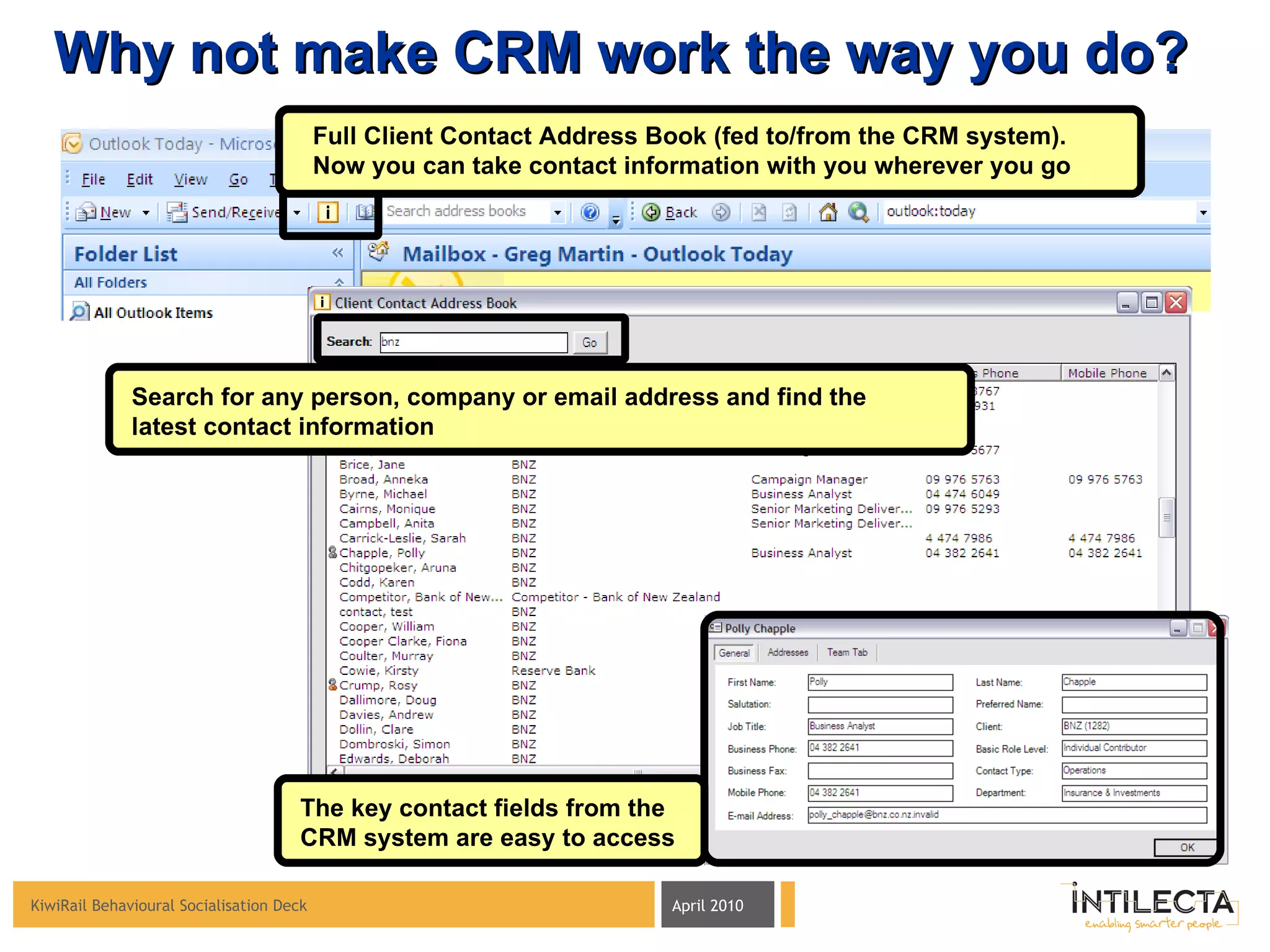
Why not make CRM work the way you do? Full Client Contact Address Book (fed to/from the CRM system).  Now you can take contact information with you wherever you go Search for any person, company or email address and find the latest contact information The key contact fields from the CRM system are easy to access
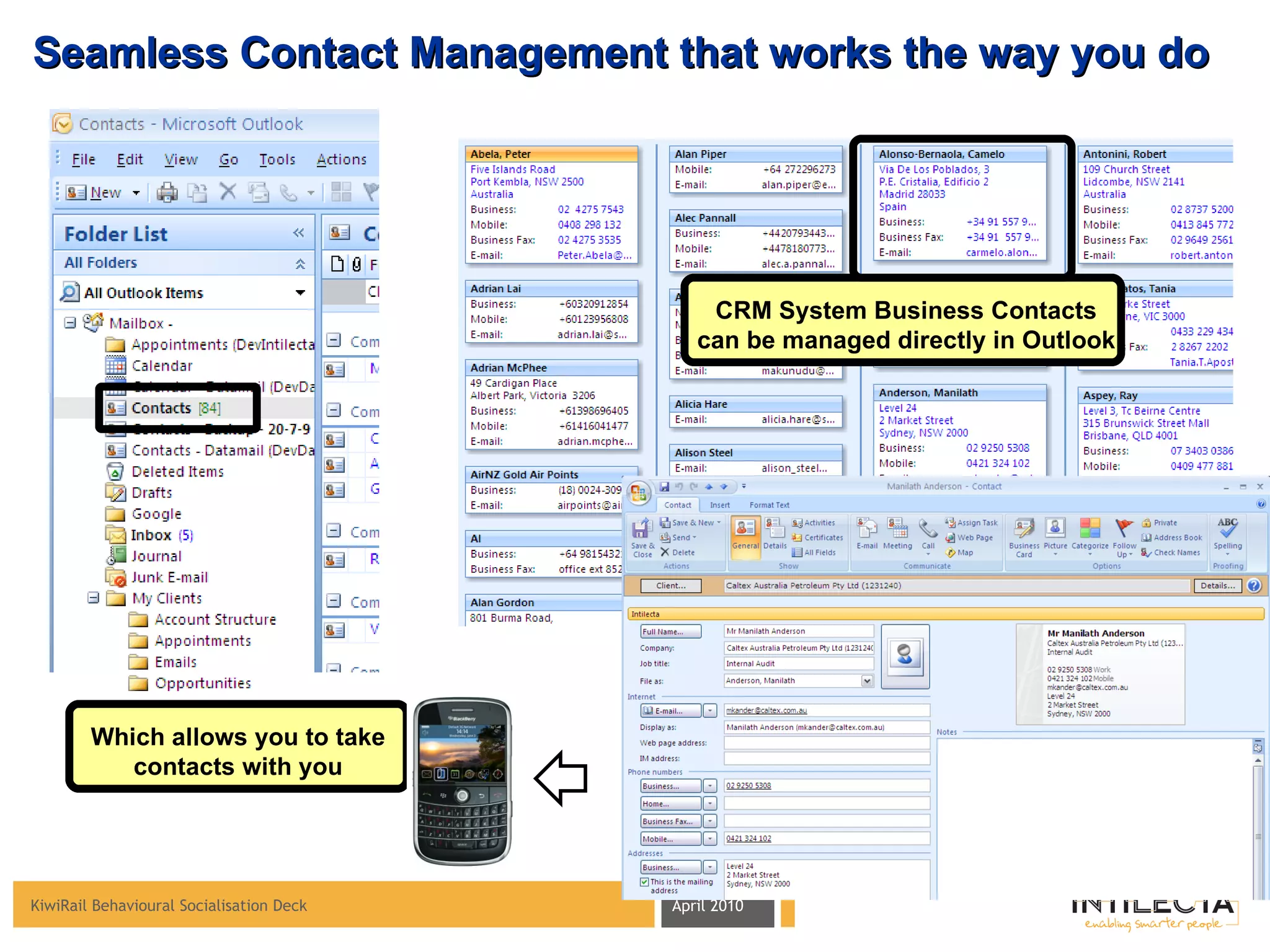
Seamless Contact Management that works the way you do CRM System Business Contacts can be managed directly in Outlook Which allows you to take contacts with you
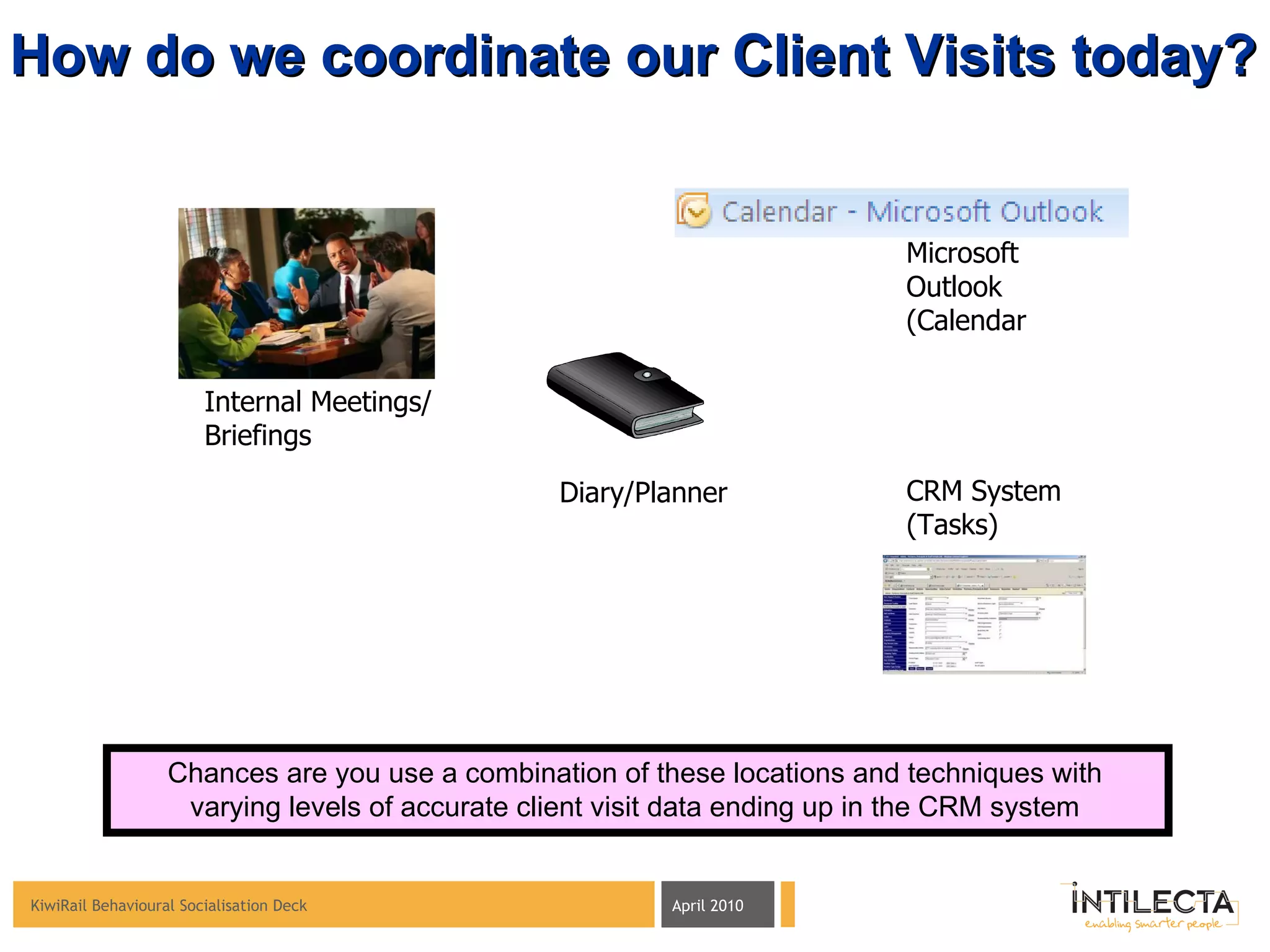
Internal Meetings/ Briefings Diary/Planner CRM System (Tasks) How do we coordinate our Client Visits today? Microsoft Outlook (Calendar Chances are you use a combination of these locations and techniques with varying levels of accurate client visit data ending up in the CRM system
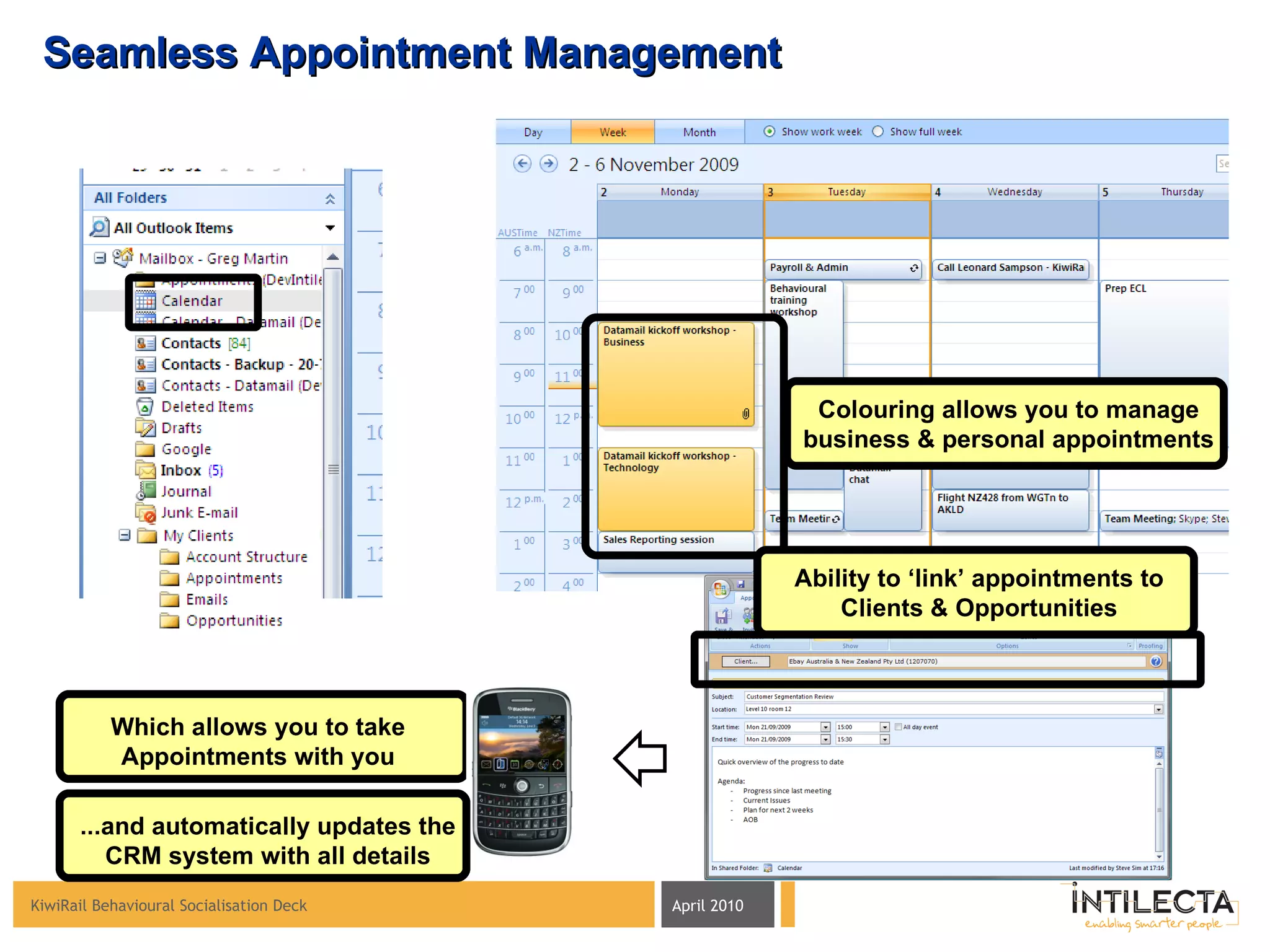
Seamless Appointment Management Colouring allows you to manage business & personal appointments Ability to ‘link’ appointments to Clients & Opportunities Which allows you to take Appointments with you ...and automatically updates the CRM system with all details
Capturing individual email exchanges with the Client for the benefit of playing back to the entire KiwiRail Sales organisation
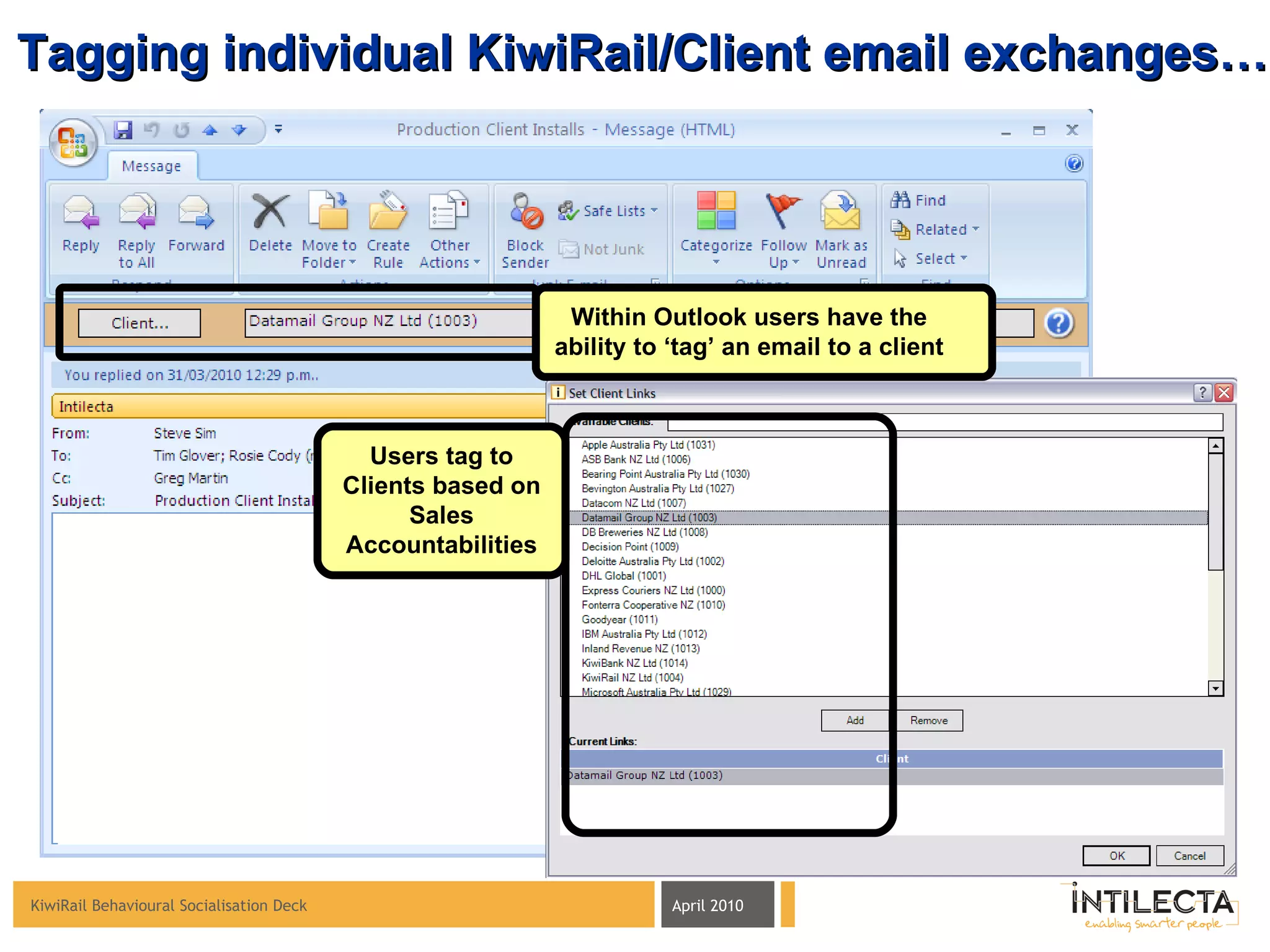
Tagging individual KiwiRail/Client email exchanges… Within Outlook users have the ability to ‘tag’ an email to a client Users tag to Clients based on Sales Accountabilities
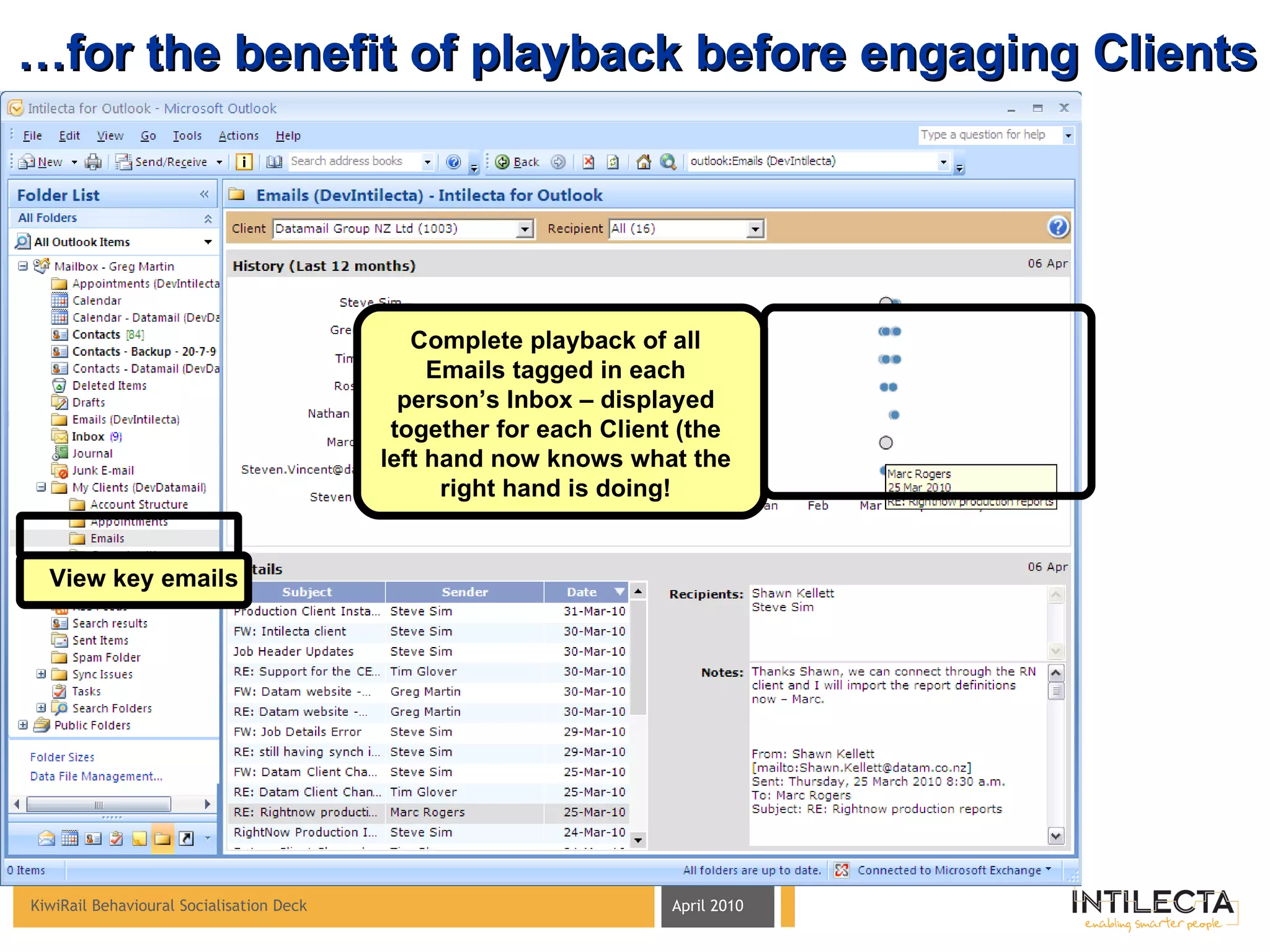
… for the benefit of playback before engaging Clients Complete playback of all Emails tagged in each person’s Inbox – displayed together for each Client (the left hand now knows what the right hand is doing! View key emails
Understanding KiwiRail’s go-to-market representation model and how to manage Client representation within a matrix organization
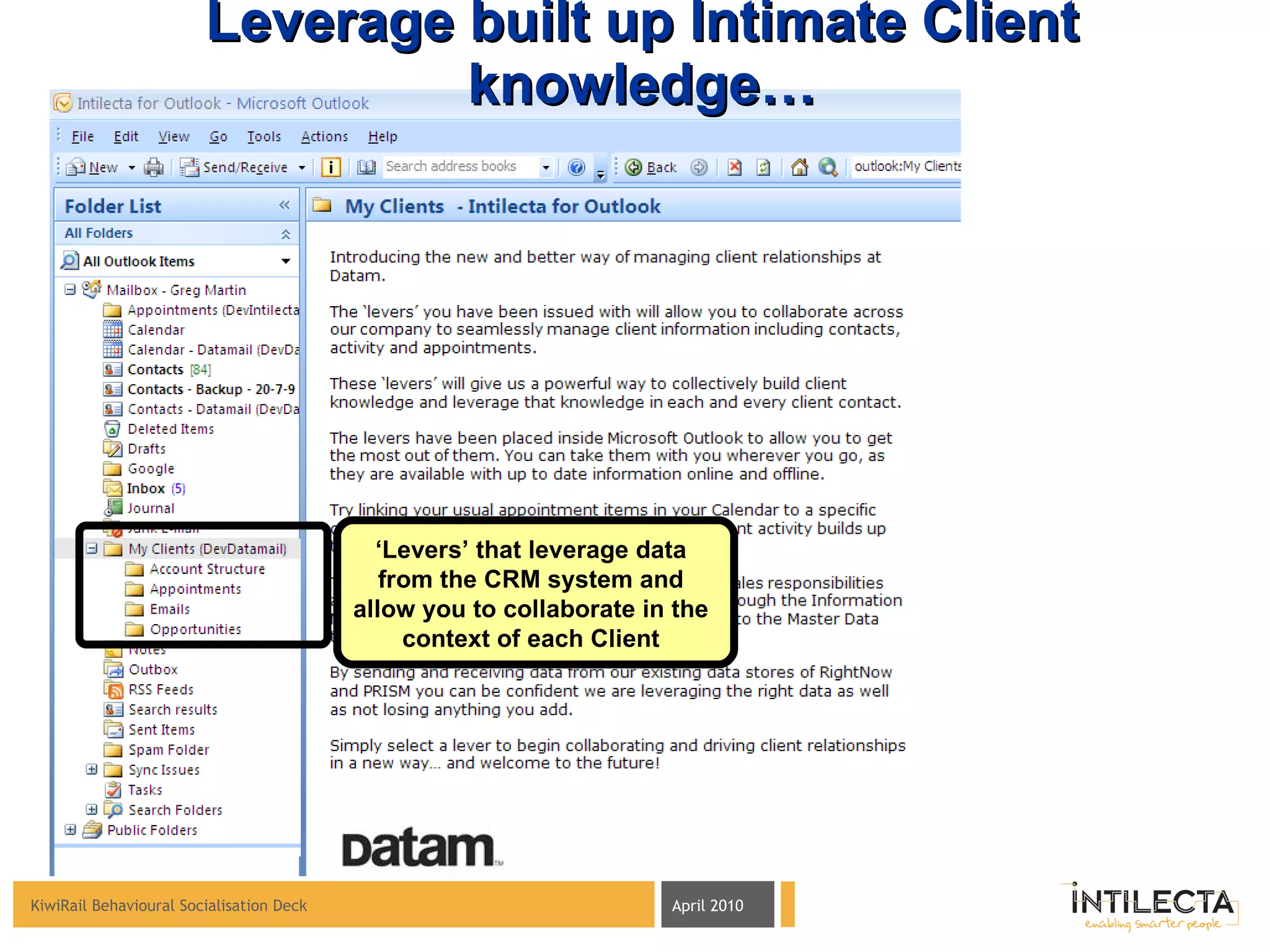
Leverage built up Intimate Client knowledge… ‘ Levers’ that leverage data from the CRM system and allow you to collaborate in the context of each Client
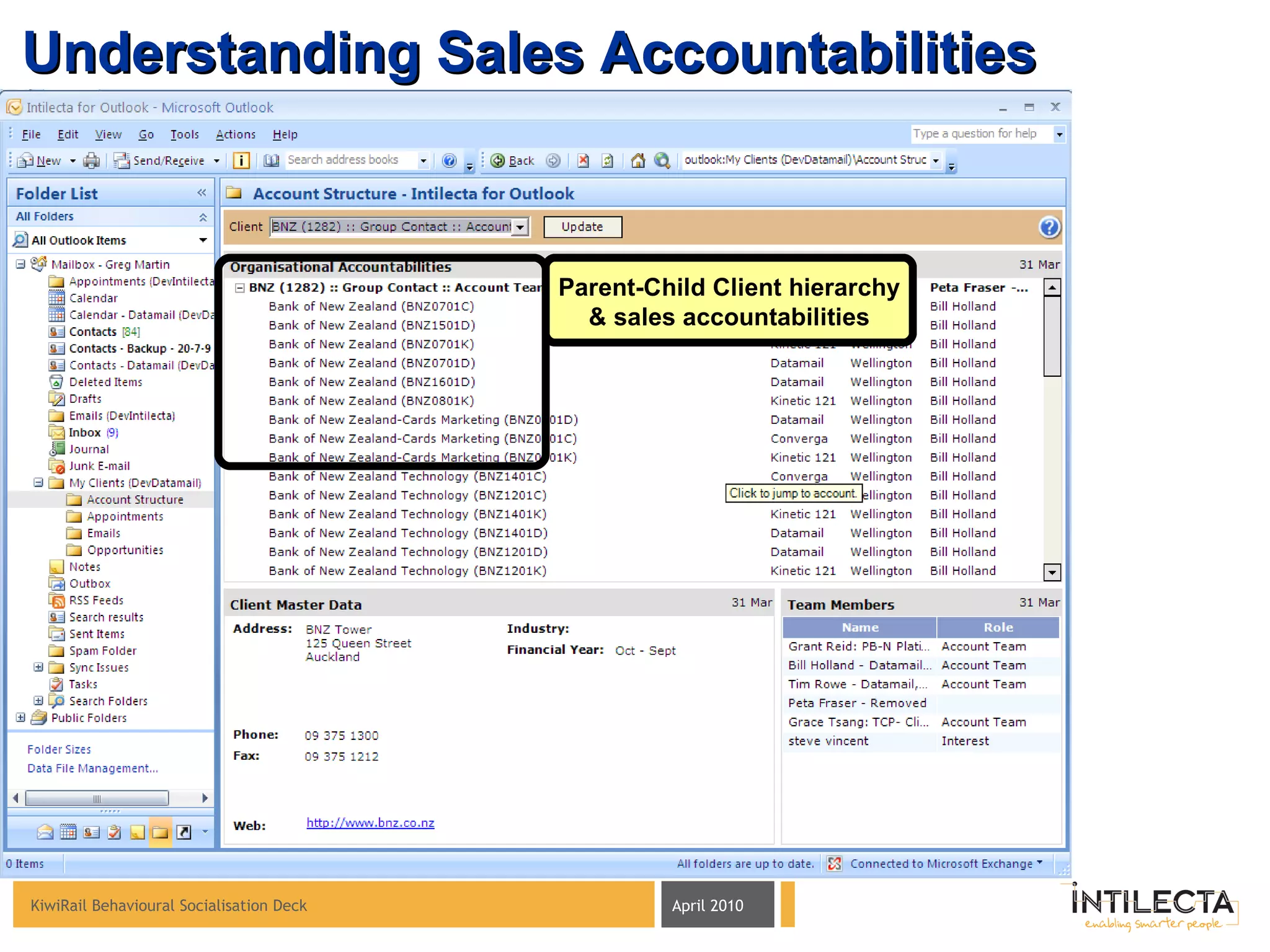
Understanding Sales Accountabilities Parent-Child Client hierarchy & sales accountabilities
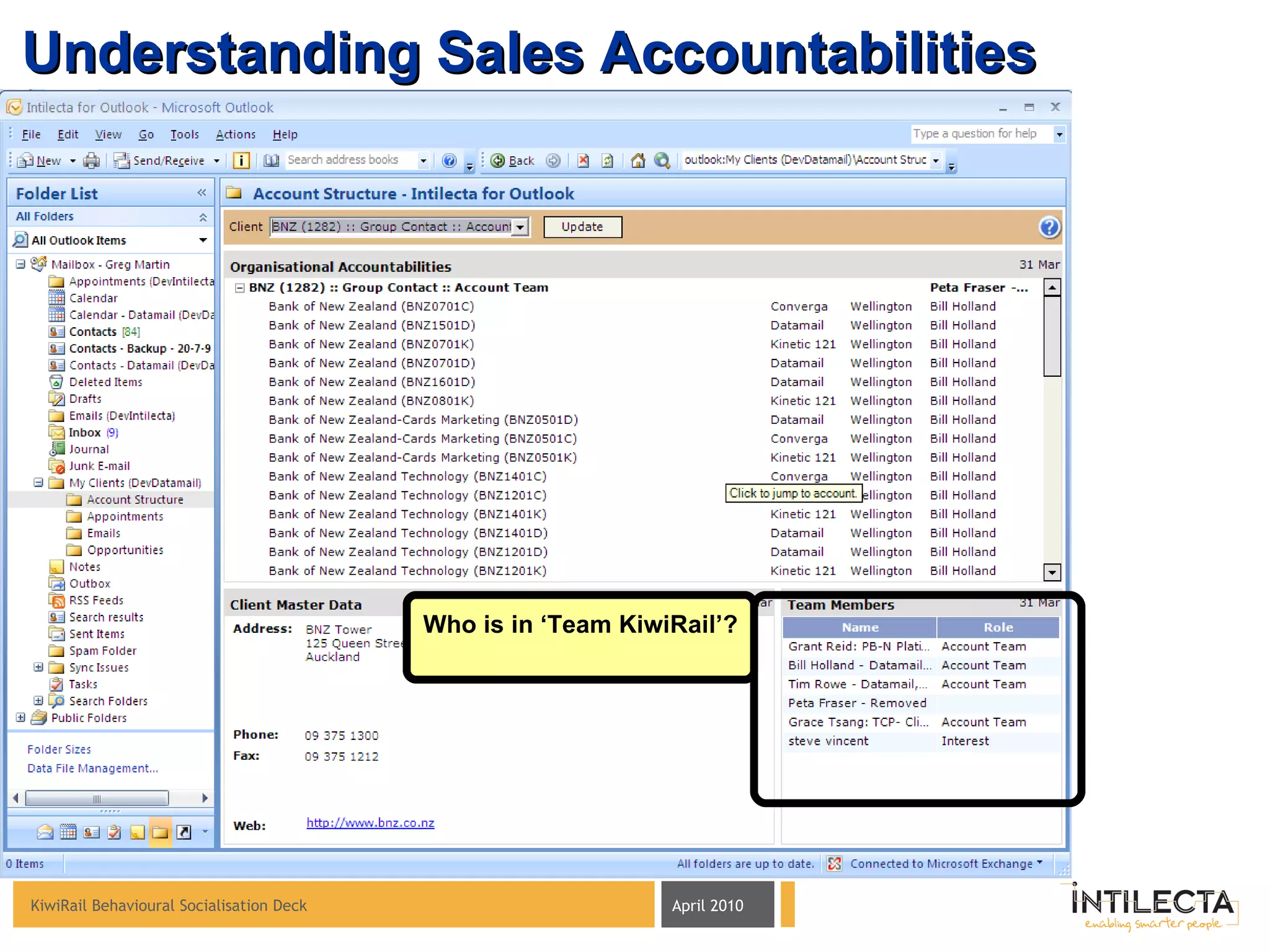
Understanding Sales Accountabilities Who is in ‘Team KiwiRail’?
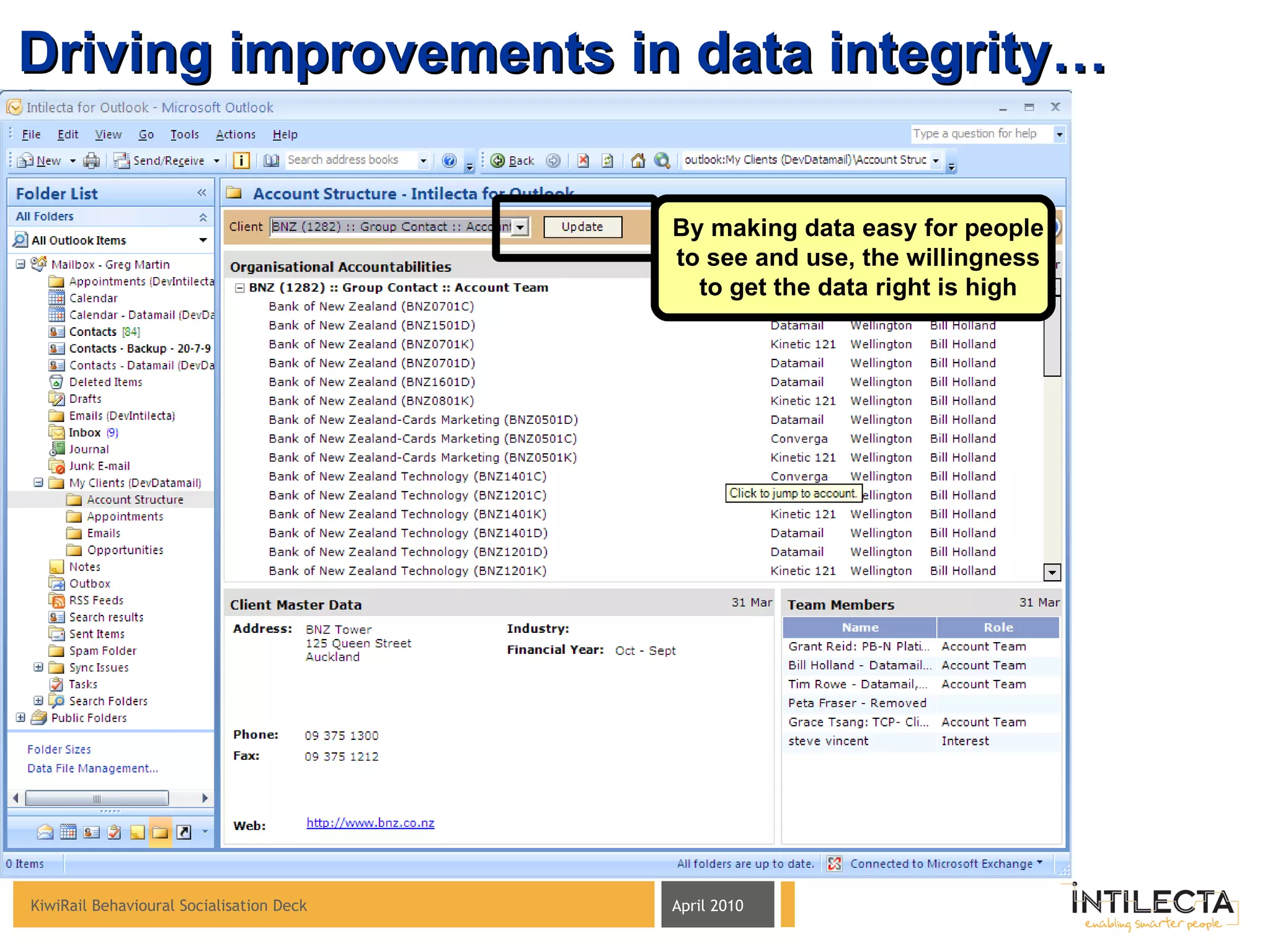
Driving improvements in data integrity… By making data easy for people to see and use, the willingness to get the data right is high
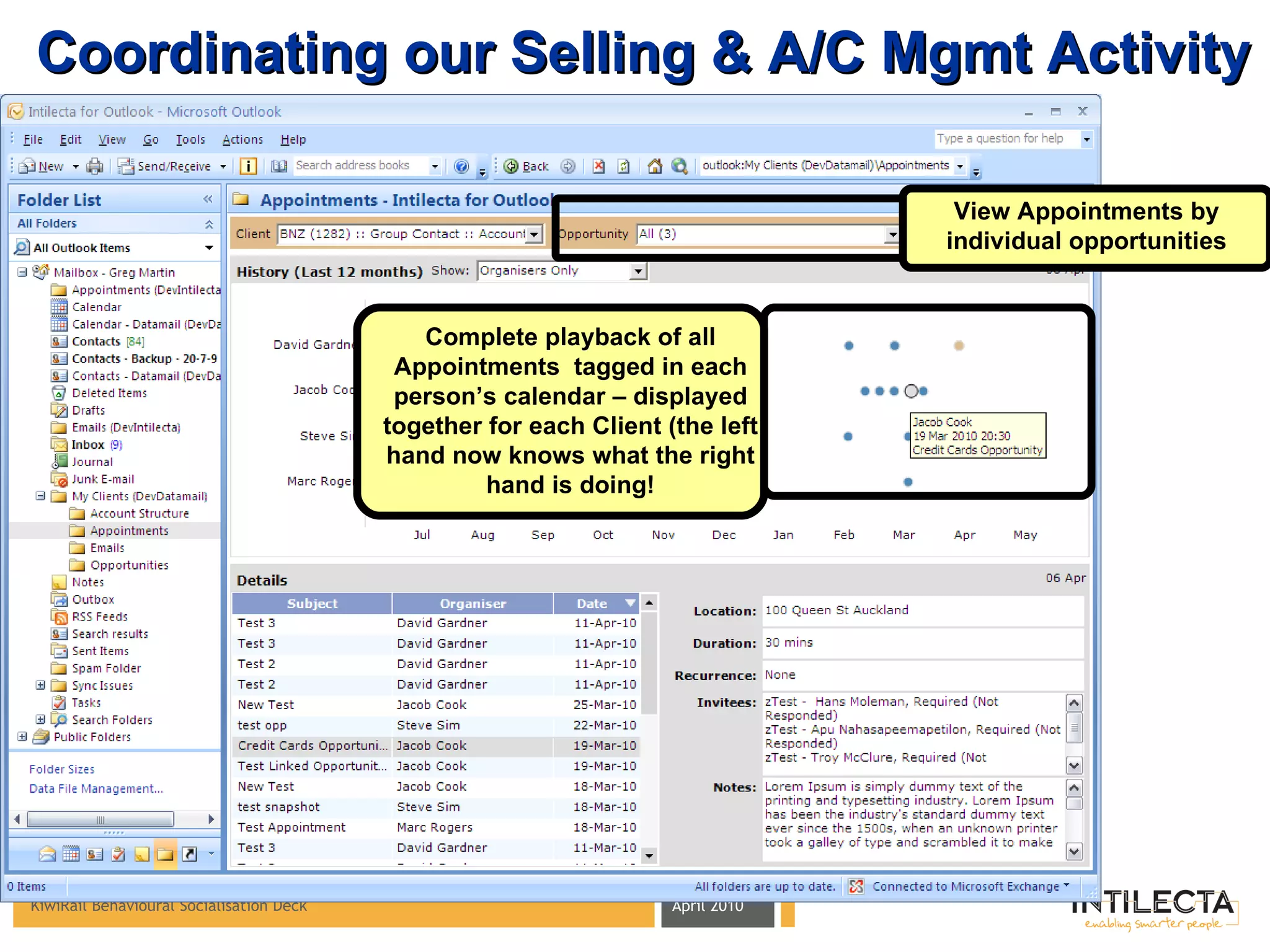
Coordinating our Selling & A/C Mgmt Activity Complete playback of all Appointments  tagged in each person’s calendar – displayed together for each Client (the left hand now knows what the right hand is doing! View Appointments by individual opportunities
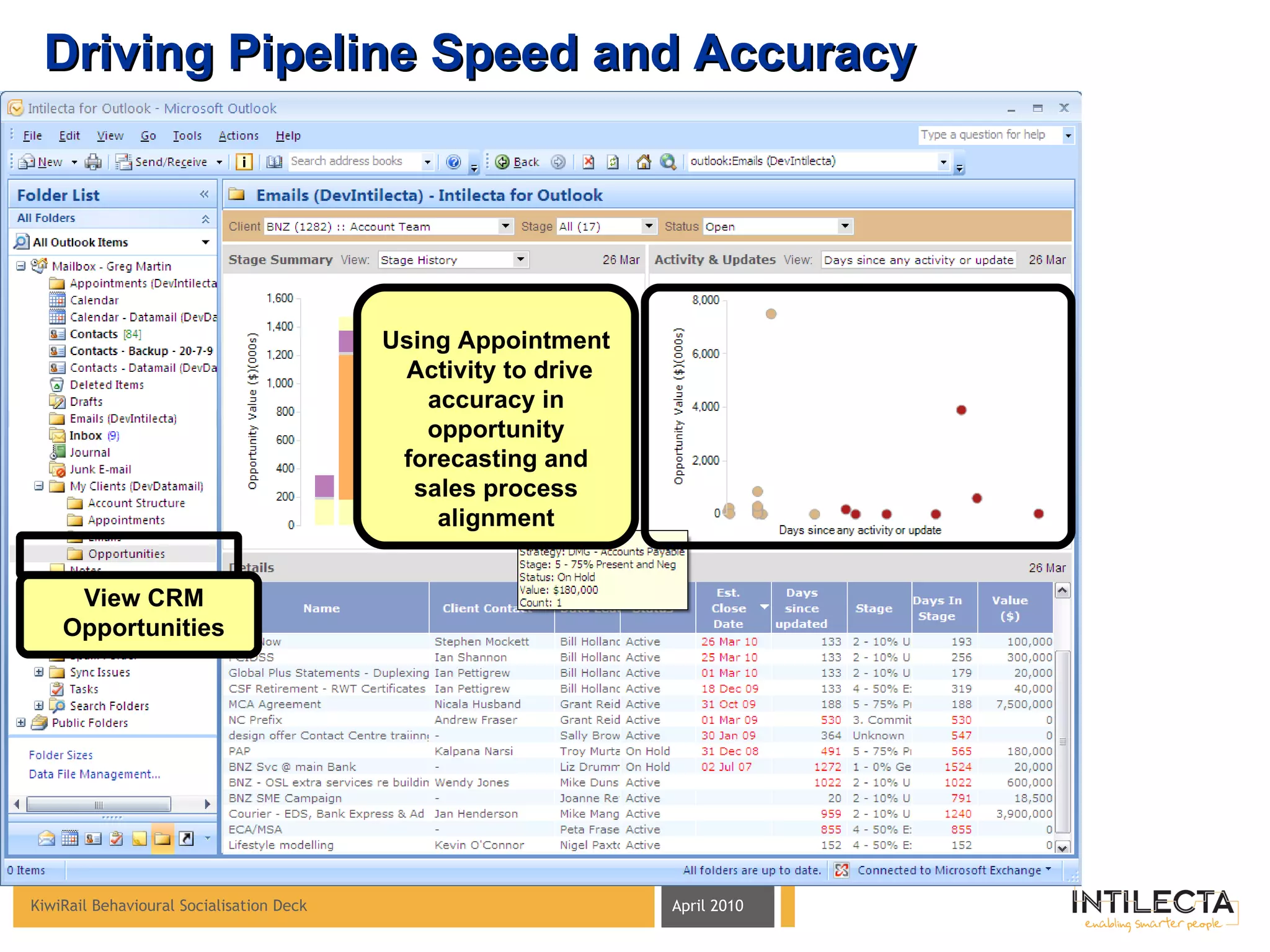
Driving Pipeline Speed and Accuracy Using Appointment  Activity to drive accuracy in opportunity forecasting and sales process alignment View CRM Opportunities
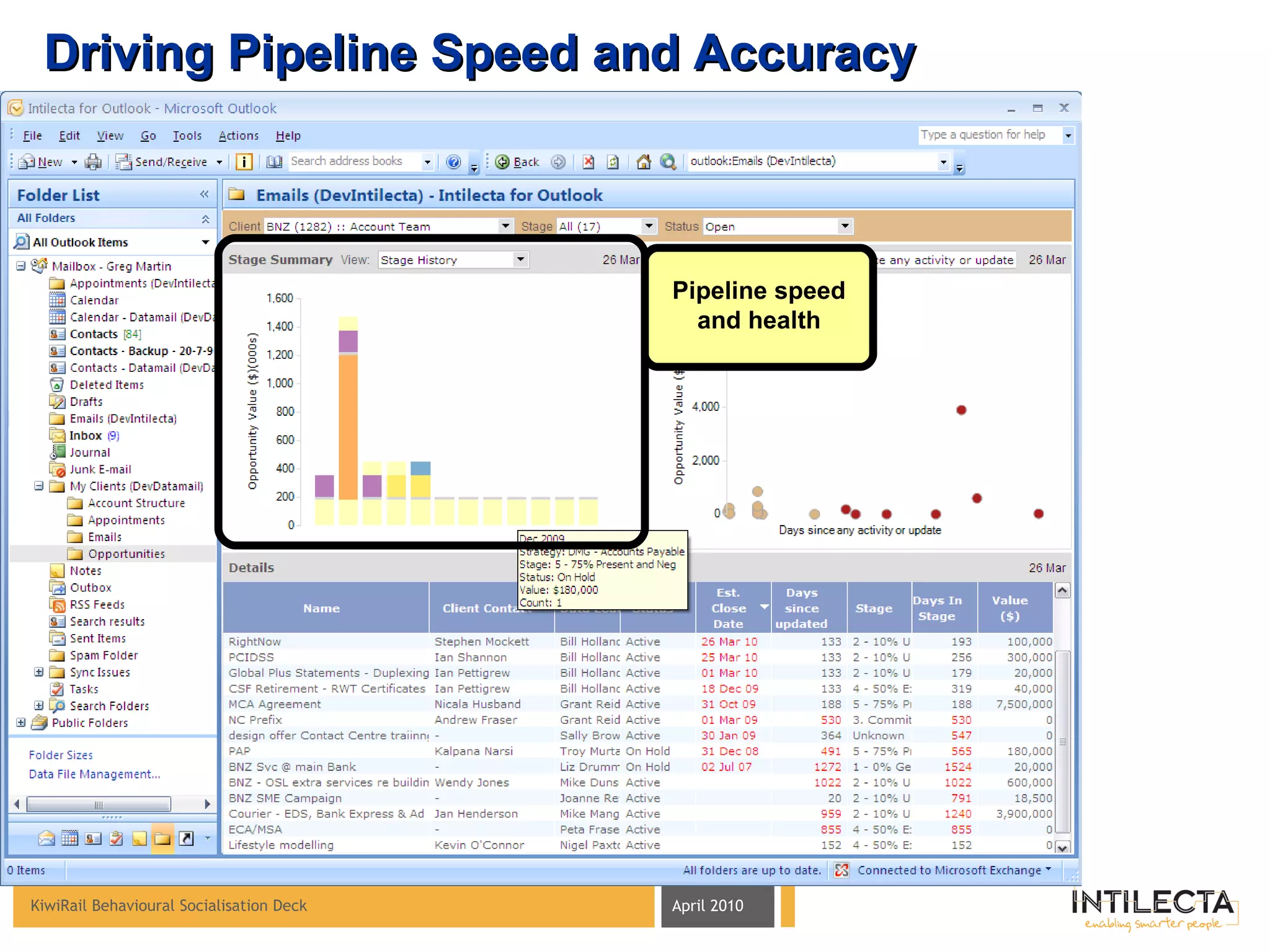
Driving Pipeline Speed and Accuracy Pipeline speed and health
page   • Intilecta Confidential Please contact the following information owner to get approval for disclosing, duplicating, or using, in whole or in part, the information submitted in this document. Greg W Martin Director DDI (NZ): +64 21 790 246 Email: greg.martin@intilecta.com

Kiwi Rail Behavioural Socialisation Deck V2 6 4 10

  • 1.
    KiwiRail Behavioural SocialisationDeck Introduction to new practises and behaviours for making CRM work April 2010 page • Intilecta Confidential
  • 2.
    Behavioural Map –Lever Scope BUSINESS CHALLENGE/ FRUSTRATION DESIRED BEHAVIOUR DESIGNWARE LEVERS BUSINESS OBJECTIVE/DRIVER/ BENEFIT Improve Salesforce Efficiency & Effectiveness Contacts Lever Capture/Edit contact details once & share across the organisation Customer contact information is not recorded or shared Few employees understand impact of their actions on the broader relationship with the Client Appointments Lever Calendar Lever Record the basic sales activity & dialogue associated with the Customer Provide context of for each interaction across KiwiRail with the Customer Sales interactions are not recorded, shared or leveraged to drive collaboration and cooperation at the customer interface Account Structure Lever Coordinate Client interactions across the organisation Email Lever Client Emails Lever Pipeline Lever Grow Client Share of Wallet Drive pipeline visibility, accuracy & accountability Selling focus at the coalface can be improved
  • 3.
    Mobile Phone Diary/PlannerCRM System (Contacts) PDA/Smartphone Where do you keep your contacts today? Microsoft Outlook ‘ Contacts’ folder Chances are you use a combination of these locations with varying levels of accurate client contact data ending up in the CRM System
  • 4.
    Why not makeCRM work the way you do? Full Client Contact Address Book (fed to/from the CRM system). Now you can take contact information with you wherever you go Search for any person, company or email address and find the latest contact information The key contact fields from the CRM system are easy to access
  • 5.
    Seamless Contact Managementthat works the way you do CRM System Business Contacts can be managed directly in Outlook Which allows you to take contacts with you
  • 6.
    Internal Meetings/ BriefingsDiary/Planner CRM System (Tasks) How do we coordinate our Client Visits today? Microsoft Outlook (Calendar Chances are you use a combination of these locations and techniques with varying levels of accurate client visit data ending up in the CRM system
  • 7.
    Seamless Appointment ManagementColouring allows you to manage business & personal appointments Ability to ‘link’ appointments to Clients & Opportunities Which allows you to take Appointments with you ...and automatically updates the CRM system with all details
  • 8.
    Capturing individual emailexchanges with the Client for the benefit of playing back to the entire KiwiRail Sales organisation
  • 9.
    Tagging individual KiwiRail/Clientemail exchanges… Within Outlook users have the ability to ‘tag’ an email to a client Users tag to Clients based on Sales Accountabilities
  • 10.
    … for thebenefit of playback before engaging Clients Complete playback of all Emails tagged in each person’s Inbox – displayed together for each Client (the left hand now knows what the right hand is doing! View key emails
  • 11.
    Understanding KiwiRail’s go-to-marketrepresentation model and how to manage Client representation within a matrix organization
  • 12.
    Leverage built upIntimate Client knowledge… ‘ Levers’ that leverage data from the CRM system and allow you to collaborate in the context of each Client
  • 13.
    Understanding Sales AccountabilitiesParent-Child Client hierarchy & sales accountabilities
  • 14.
    Understanding Sales AccountabilitiesWho is in ‘Team KiwiRail’?
  • 15.
    Driving improvements indata integrity… By making data easy for people to see and use, the willingness to get the data right is high
  • 16.
    Coordinating our Selling& A/C Mgmt Activity Complete playback of all Appointments tagged in each person’s calendar – displayed together for each Client (the left hand now knows what the right hand is doing! View Appointments by individual opportunities
  • 17.
    Driving Pipeline Speedand Accuracy Using Appointment Activity to drive accuracy in opportunity forecasting and sales process alignment View CRM Opportunities
  • 18.
    Driving Pipeline Speedand Accuracy Pipeline speed and health
  • 19.
    page • Intilecta Confidential Please contact the following information owner to get approval for disclosing, duplicating, or using, in whole or in part, the information submitted in this document. Greg W Martin Director DDI (NZ): +64 21 790 246 Email: greg.martin@intilecta.com

Editor's Notes

  • #20 -that concludes a brief introduction to behavioural intelligence If you would like to learn more please visit one of the URLs displayed here Thank you for listening!