At the end of the lesson, the
students will be able to:
3. write well-stated instructional
objectives;
4. evaluate the technique of using a
multi-media presentation.
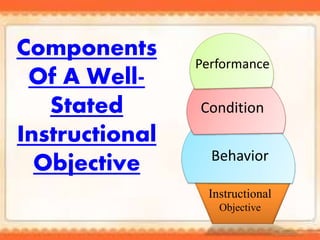
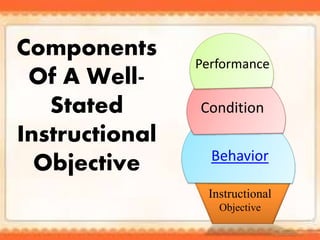
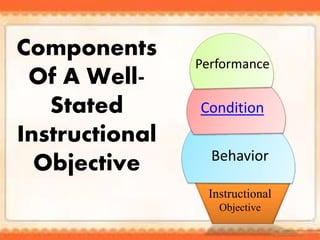
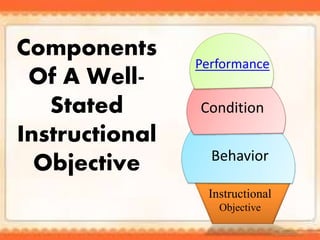
Components
Of A Well-
Stated
Instructional
Objective
Instructional
Objective
Behavior
Condition
Performance
Audience
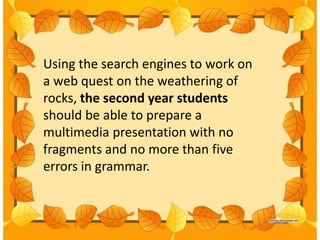
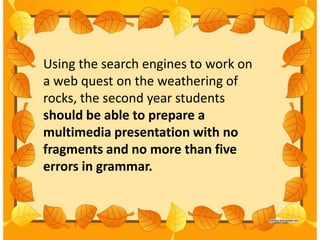
Using the search engines to work on
a web quest on the weathering of
rocks, the second year students
should be able to prepare a
multimedia presentation with no
fragments and no more than five
errors in grammar.
Components
Of A Well-
Stated
Instructional
Objective
Instructional
Objective
Behavior
Condition
Performance
The behavior component contains the
specific actions students is expected to
show or demonstrate. These are called
as illustrative verbs ( Sambrano and
Rivera, 1995)
Using the search engines to work on
a web quest on the weathering of
rocks, the second year students
should be able to prepare a
multimedia presentation with no
fragments and no more than five
errors in grammar.
Components
Of A Well-
Stated
Instructional
Objective
Instructional
Objective
Behavior
Condition
Performance
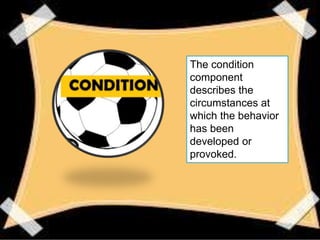
The condition
component
describes the
circumstances at
which the behavior
has been
developed or
provoked.
Using the search engines to work on
a web quest on the weathering of
rocks, the second year students
should be able to prepare a
multimedia presentation with no
fragments and no more than five
errors in grammar.
Components
Of A Well-
Stated
Instructional
Objective
Instructional
Objective
Behavior
Condition
Performance
Performance
The third is the level of
performance , which is the end
result of teaching and learning
activity.
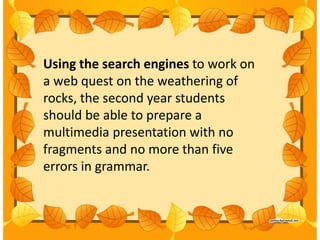
Using the search engines to work on
a web quest on the weathering of
rocks, the second year students
should be able to prepare a
multimedia presentation with no
fragments and no more than five
errors in grammar.
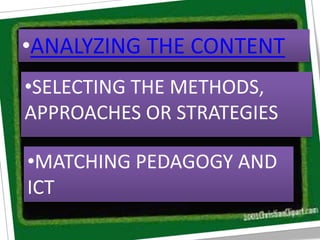
•ANALYZING THE CONTENT
•SELECTING THE METHODS,
APPROACHES OR STRATEGIES
•MATCHING PEDAGOGY AND
ICT
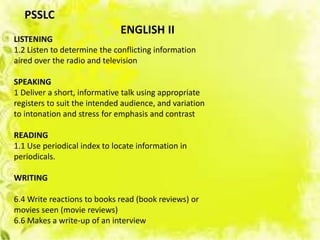
LISTENING
1.2 Listen to determine the conflicting information
aired over the radio and television
SPEAKING
1 Deliver a short, informative talk using appropriate
registers to suit the intended audience, and variation
to intonation and stress for emphasis and contrast
READING
1.1 Use periodical index to locate information in
periodicals.
WRITING
6.4 Write reactions to books read (book reviews) or
movies seen (movie reviews)
6.6 Makes a write-up of an interview
PSSLC
ENGLISH II
•ANALYZING THE CONTENT
•SELECTING THE METHODS,
APPROACHES OR STRATEGIES
•MATCHING PEDAGOGY AND
ICT
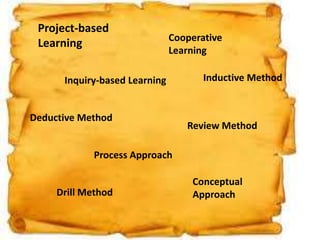
Project-based
Learning
Inquiry-based Learning
Cooperative
Learning
Inductive Method
Deductive Method
Process Approach
Conceptual
Approach
Review Method
Drill Method
•ANALYZING THE CONTENT
•SELECTING THE METHODS,
APPROACHES OR STRATEGIES
•MATCHING PEDAGOGY AND
ICT
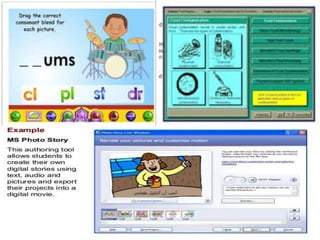
Instructional Software Tools
-drill and practice, tutorial, simulation, instructional games,
problem solving course ware.
Software Tools- word processing, spreadsheet , database,
desktop publishing, data collecting tools, concept-mapping tools,
music editors and synthesizers, modeling tools, electronic
encyclopedia, clip art and sound clips.
Multi-media / hypermedia packages, web browser, internet,
search engines, e-mail and other distance resources.
Instructional Software Tools
-drill and practice, tutorial, simulation, instructional games,
problem solving course ware.
Software Tools- word processing, spreadsheet , database,
desktop publishing, data collecting tools, concept-mapping tools,
music editors and synthesizers, modeling tools, electronic
encyclopedia, clip art and sound clips.
Multi-media / hypermedia packages, web browser, internet,
search engines, e-mail and other distance resources.
Instructional Software Tools
-drill and practice, tutorial, simulation, instructional games,
problem solving course ware.
Software Tools- word processing, spreadsheet , database,
desktop publishing, data collecting tools, concept-mapping tools,
music editors and synthesizers, modeling tools, electronic
encyclopedia, clip art and sound clips.
Multi-media / hypermedia packages, web browser, internet,
search engines, e-mail and other distance resources.
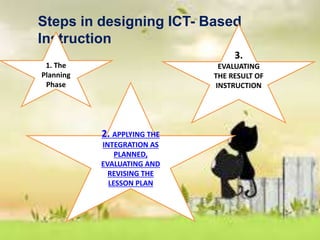
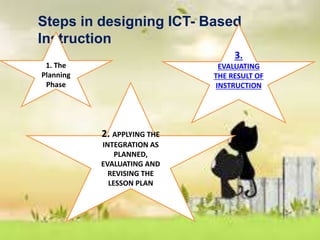
Steps in designing ICT- Based
Instruction
1. The
Planning
Phase
2. APPLYING THE
INTEGRATION AS
PLANNED,
EVALUATING AND
REVISING THE
LESSON PLAN
3.
EVALUATING
THE RESULT OF
INSTRUCTION
Is it good to have 35 or more slides
in a class? Is 2-3 slides
appropriate?
As teachers, why do we need to
have a good layout that
determines its attractiveness in
our presentation?
TECHNIQUE IN USING A
MULTI-MEDIA PRESENTATION
•Length of the slides
•Good layout determines the
attractiveness of the material
•In animated the speed of motion and
motion path must be considered
•Undergo controlled try-out
Steps in designing ICT- Based
Instruction
1. The
Planning
Phase
2. APPLYING THE
INTEGRATION AS
PLANNED,
EVALUATING AND
REVISING THE
LESSON PLAN
3.
EVALUATING
THE RESULT OF
INSTRUCTION
EVALUATING THE RESULT OF INSTRUCTION
The focus is determining which path of
the integration worked well and what needs
to be improved.
Did the technology engaged the students?
Were they focused on the activity and did
they develop high level thinking skills?
 We need to come up with an authentic
assessment to evaluate the material.
Assessing instruction as a whole must
be the goal of evaluating the
instructional technology.
Did the technology facilitate the
achievement of the instructional objectives?
Did it develop in the students the will to
learn?
Did the instructional material use promote
the development of 21st century skills?
Did the teacher find ease and comfort in
setting it up and in manipulating it? Was
learning impressive?
Write one well-stated
instructional objective
which promote higher
order thinking skills.
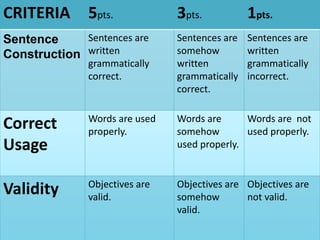
CRITERIA 5pts. 3pts. 1pts.
Sentence
Construction
Sentences are
written
grammatically
correct.
Sentences are
somehow
written
grammatically
correct.
Sentences are
written
grammatically
incorrect.
Correct
Usage
Words are used
properly.
Words are
somehow
used properly.
Words are not
used properly.
Validity Objectives are
valid.
Objectives are
somehow
valid.
Objectives are
not valid.
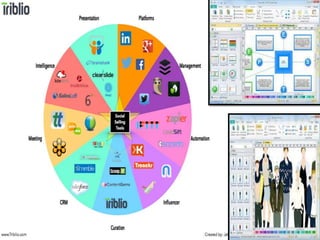
Analyze and identify the
technique present in the multi-
media presentation below
using a graphic organizer and
make a remarks afterwards.

Kimberly joyce m. mendeja

  • 2.
    At the endof the lesson, the students will be able to: 3. write well-stated instructional objectives; 4. evaluate the technique of using a multi-media presentation.
  • 3.
  • 4.
  • 5.
    Using the searchengines to work on a web quest on the weathering of rocks, the second year students should be able to prepare a multimedia presentation with no fragments and no more than five errors in grammar.
  • 6.
  • 7.
    The behavior componentcontains the specific actions students is expected to show or demonstrate. These are called as illustrative verbs ( Sambrano and Rivera, 1995)
  • 9.
    Using the searchengines to work on a web quest on the weathering of rocks, the second year students should be able to prepare a multimedia presentation with no fragments and no more than five errors in grammar.
  • 10.
  • 11.
    The condition component describes the circumstancesat which the behavior has been developed or provoked.
  • 12.
    Using the searchengines to work on a web quest on the weathering of rocks, the second year students should be able to prepare a multimedia presentation with no fragments and no more than five errors in grammar.
  • 13.
  • 14.
    Performance The third isthe level of performance , which is the end result of teaching and learning activity.
  • 15.
    Using the searchengines to work on a web quest on the weathering of rocks, the second year students should be able to prepare a multimedia presentation with no fragments and no more than five errors in grammar.
  • 16.
    •ANALYZING THE CONTENT •SELECTINGTHE METHODS, APPROACHES OR STRATEGIES •MATCHING PEDAGOGY AND ICT
  • 17.
    LISTENING 1.2 Listen todetermine the conflicting information aired over the radio and television SPEAKING 1 Deliver a short, informative talk using appropriate registers to suit the intended audience, and variation to intonation and stress for emphasis and contrast READING 1.1 Use periodical index to locate information in periodicals. WRITING 6.4 Write reactions to books read (book reviews) or movies seen (movie reviews) 6.6 Makes a write-up of an interview PSSLC ENGLISH II
  • 18.
    •ANALYZING THE CONTENT •SELECTINGTHE METHODS, APPROACHES OR STRATEGIES •MATCHING PEDAGOGY AND ICT
  • 19.
    Project-based Learning Inquiry-based Learning Cooperative Learning Inductive Method DeductiveMethod Process Approach Conceptual Approach Review Method Drill Method
  • 20.
    •ANALYZING THE CONTENT •SELECTINGTHE METHODS, APPROACHES OR STRATEGIES •MATCHING PEDAGOGY AND ICT
  • 21.
    Instructional Software Tools -drilland practice, tutorial, simulation, instructional games, problem solving course ware. Software Tools- word processing, spreadsheet , database, desktop publishing, data collecting tools, concept-mapping tools, music editors and synthesizers, modeling tools, electronic encyclopedia, clip art and sound clips. Multi-media / hypermedia packages, web browser, internet, search engines, e-mail and other distance resources.
  • 23.
    Instructional Software Tools -drilland practice, tutorial, simulation, instructional games, problem solving course ware. Software Tools- word processing, spreadsheet , database, desktop publishing, data collecting tools, concept-mapping tools, music editors and synthesizers, modeling tools, electronic encyclopedia, clip art and sound clips. Multi-media / hypermedia packages, web browser, internet, search engines, e-mail and other distance resources.
  • 25.
    Instructional Software Tools -drilland practice, tutorial, simulation, instructional games, problem solving course ware. Software Tools- word processing, spreadsheet , database, desktop publishing, data collecting tools, concept-mapping tools, music editors and synthesizers, modeling tools, electronic encyclopedia, clip art and sound clips. Multi-media / hypermedia packages, web browser, internet, search engines, e-mail and other distance resources.
  • 27.
    Steps in designingICT- Based Instruction 1. The Planning Phase 2. APPLYING THE INTEGRATION AS PLANNED, EVALUATING AND REVISING THE LESSON PLAN 3. EVALUATING THE RESULT OF INSTRUCTION
  • 28.
    Is it goodto have 35 or more slides in a class? Is 2-3 slides appropriate? As teachers, why do we need to have a good layout that determines its attractiveness in our presentation?
  • 29.
    TECHNIQUE IN USINGA MULTI-MEDIA PRESENTATION •Length of the slides •Good layout determines the attractiveness of the material •In animated the speed of motion and motion path must be considered •Undergo controlled try-out
  • 30.
    Steps in designingICT- Based Instruction 1. The Planning Phase 2. APPLYING THE INTEGRATION AS PLANNED, EVALUATING AND REVISING THE LESSON PLAN 3. EVALUATING THE RESULT OF INSTRUCTION
  • 31.
    EVALUATING THE RESULTOF INSTRUCTION The focus is determining which path of the integration worked well and what needs to be improved. Did the technology engaged the students? Were they focused on the activity and did they develop high level thinking skills?  We need to come up with an authentic assessment to evaluate the material.
  • 32.
    Assessing instruction asa whole must be the goal of evaluating the instructional technology. Did the technology facilitate the achievement of the instructional objectives? Did it develop in the students the will to learn? Did the instructional material use promote the development of 21st century skills? Did the teacher find ease and comfort in setting it up and in manipulating it? Was learning impressive?
  • 33.
    Write one well-stated instructionalobjective which promote higher order thinking skills.
  • 34.
    CRITERIA 5pts. 3pts.1pts. Sentence Construction Sentences are written grammatically correct. Sentences are somehow written grammatically correct. Sentences are written grammatically incorrect. Correct Usage Words are used properly. Words are somehow used properly. Words are not used properly. Validity Objectives are valid. Objectives are somehow valid. Objectives are not valid.
  • 35.
    Analyze and identifythe technique present in the multi- media presentation below using a graphic organizer and make a remarks afterwards.