Key Consideration in
productionizing
Streaming Application
Vikram Agrawal, Prateek Srivastava
00Copyright 2018 © Qubole
â—Ź Stream Processing Paradigm
â—Ź Deep-dive into Structured Streaming
â—Ź Productionizing Streaming Application
â—Ź Streaming Lens
Agenda
00Copyright 2018 © Qubole
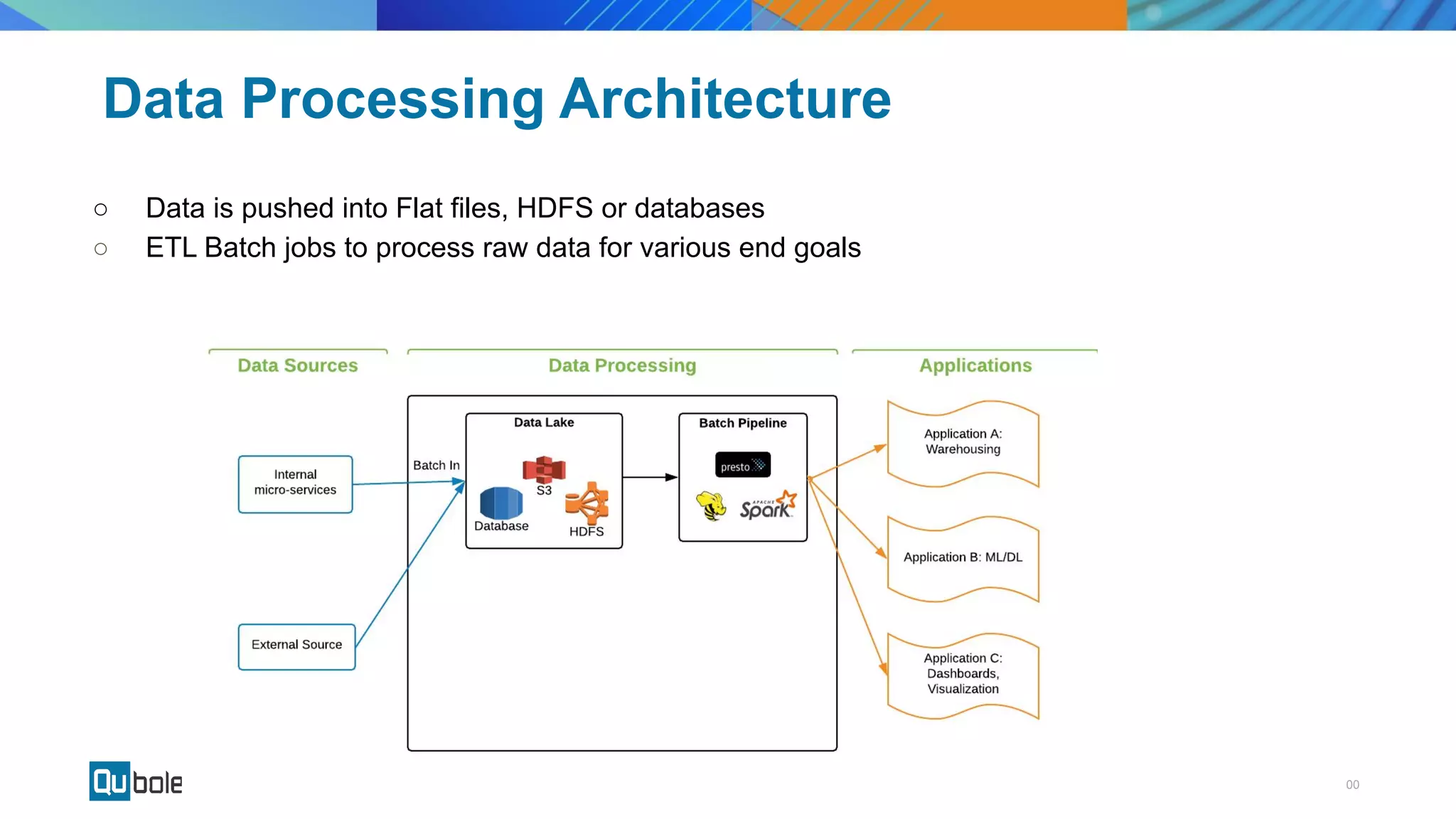
Data Processing Architecture
â—‹ Data is pushed into Flat files, HDFS or databases
â—‹ ETL Batch jobs to process raw data for various end goals
00Copyright 2018 © Qubole
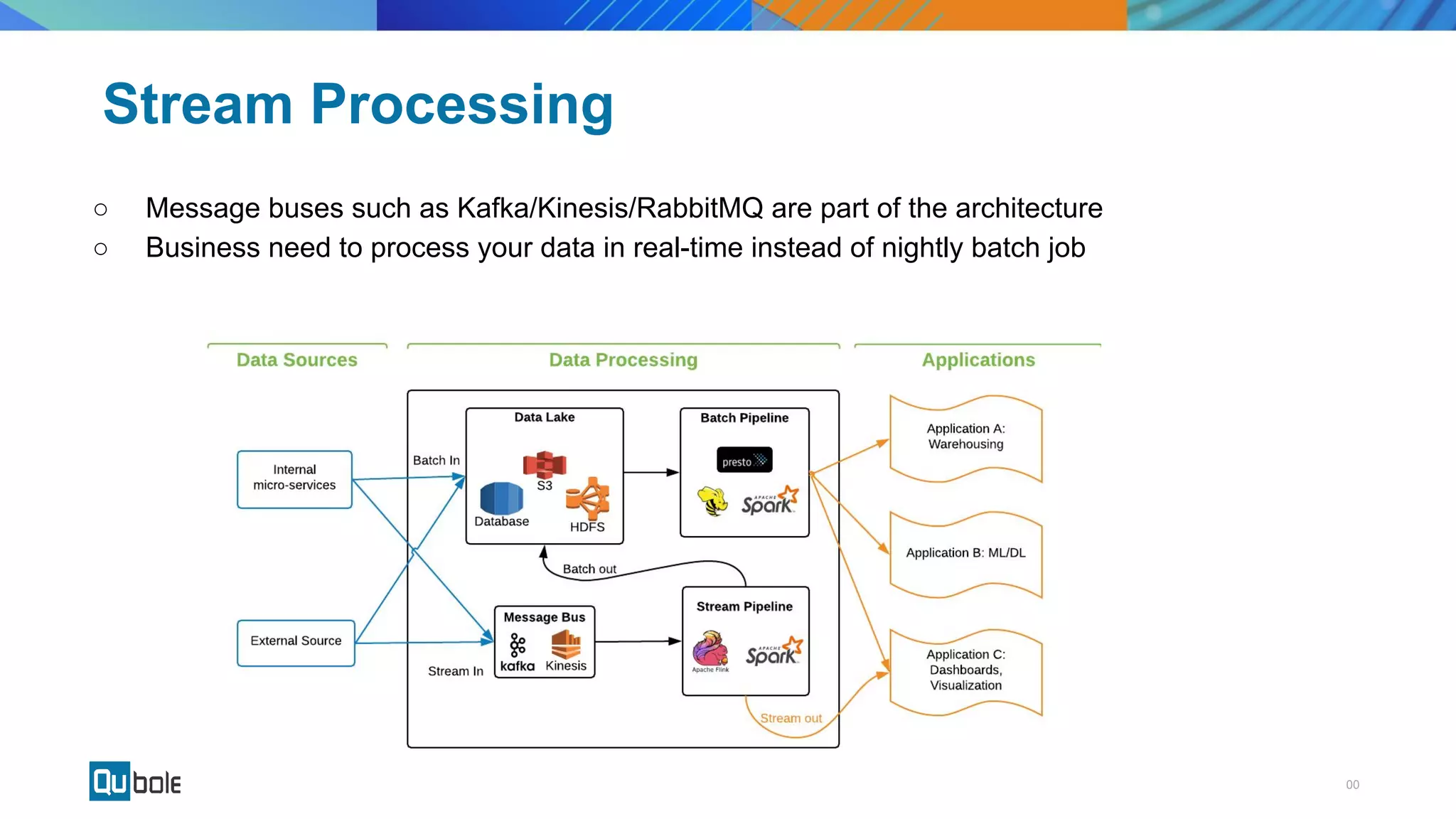
Stream Processing
â—‹ Message buses such as Kafka/Kinesis/RabbitMQ are part of the architecture
â—‹ Business need to process your data in real-time instead of nightly batch job
00Copyright 2018 © Qubole
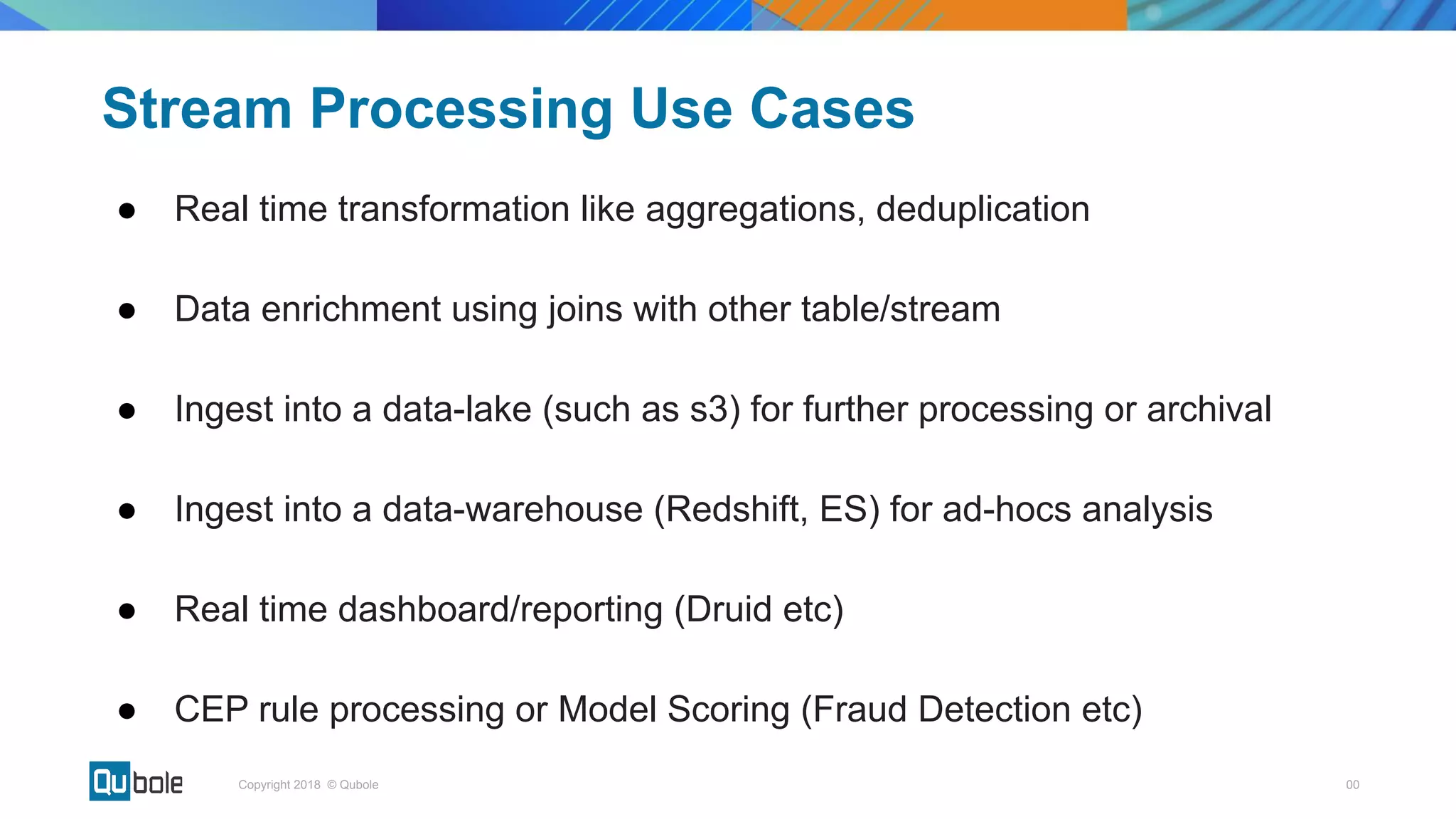
Stream Processing Use Cases
â—Ź Real time transformation like aggregations, deduplication
â—Ź Data enrichment using joins with other table/stream
â—Ź Ingest into a data-lake (such as s3) for further processing or archival
â—Ź Ingest into a data-warehouse (Redshift, ES) for ad-hocs analysis
â—Ź Real time dashboard/reporting (Druid etc)
â—Ź CEP rule processing or Model Scoring (Fraud Detection etc)
00Copyright 2018 © Qubole
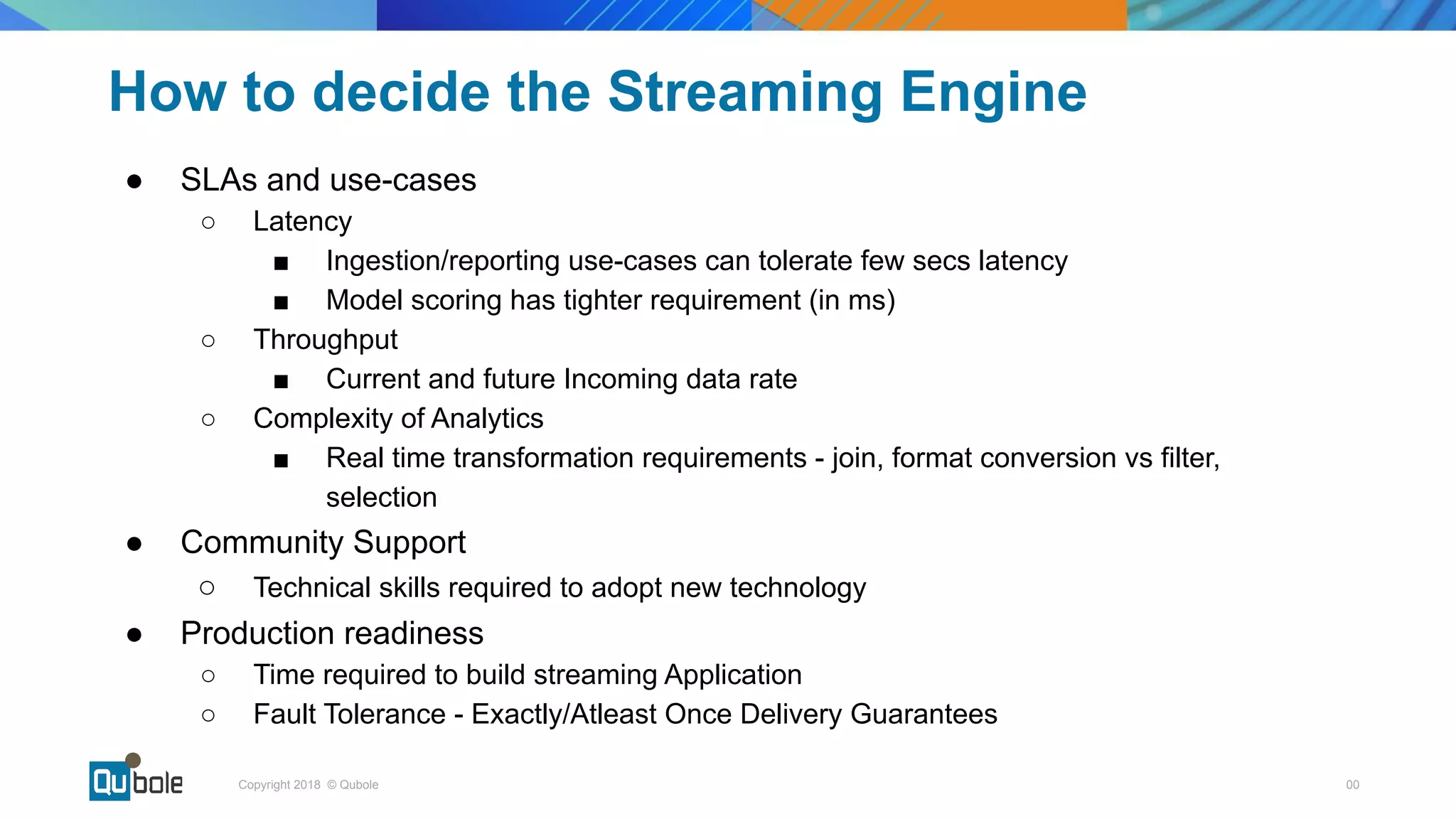
How to decide the Streaming Engine
â—Ź SLAs and use-cases
â—‹ Latency
â–  Ingestion/reporting use-cases can tolerate few secs latency
â–  Model scoring has tighter requirement (in ms)
â—‹ Throughput
â–  Current and future Incoming data rate
â—‹ Complexity of Analytics
â–  Real time transformation requirements - join, format conversion vs filter,
selection
â—Ź Community Support
â—‹ Technical skills required to adopt new technology
â—Ź Production readiness
â—‹ Time required to build streaming Application
â—‹ Fault Tolerance - Exactly/Atleast Once Delivery Guarantees
â—Ź
00Copyright 2018 © Qubole
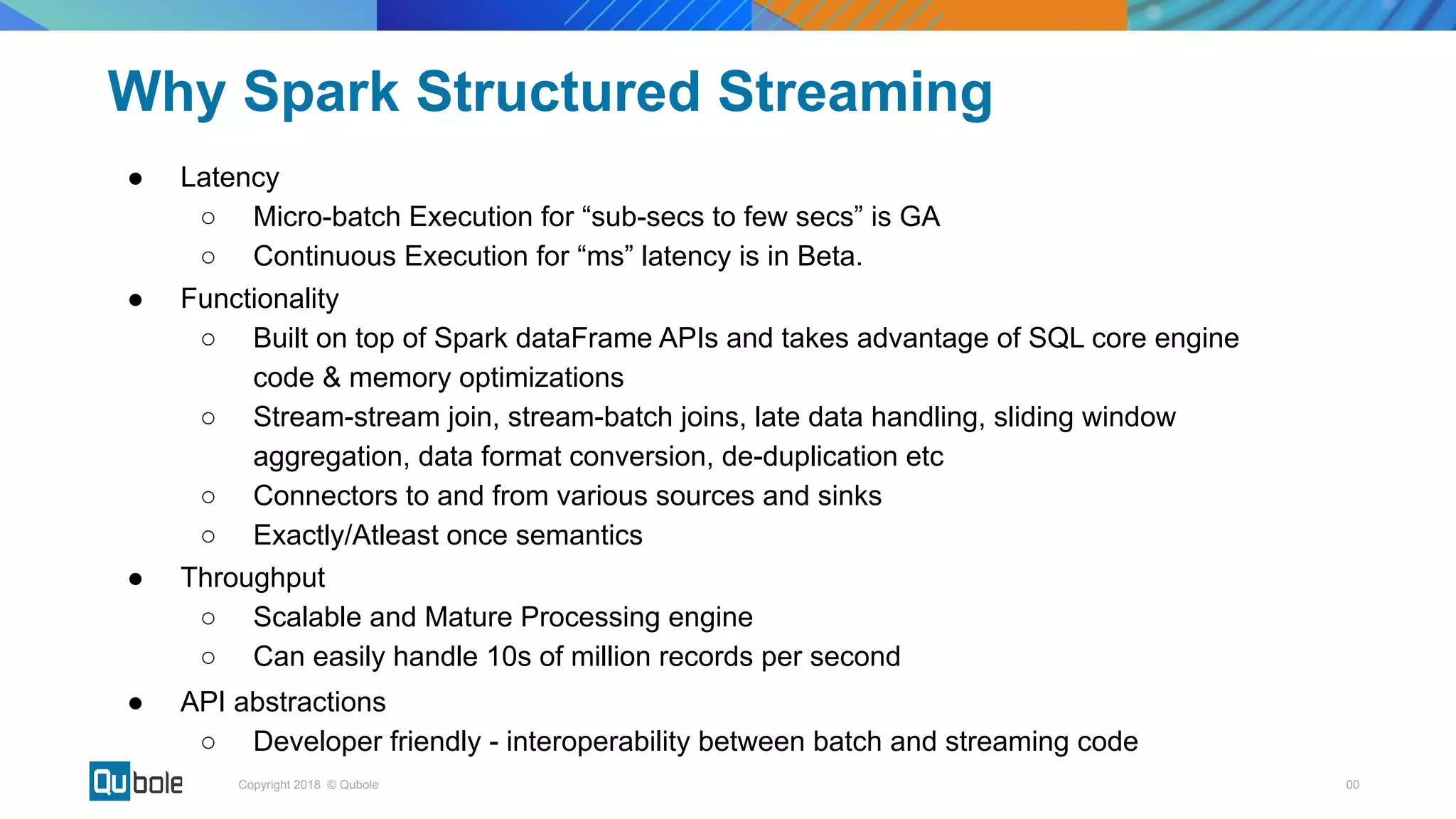
Why Spark Structured Streaming
â—Ź Latency
○ Micro-batch Execution for “sub-secs to few secs” is GA
○ Continuous Execution for “ms” latency is in Beta.
â—Ź Functionality
â—‹ Built on top of Spark dataFrame APIs and takes advantage of SQL core engine
code & memory optimizations
â—‹ Stream-stream join, stream-batch joins, late data handling, sliding window
aggregation, data format conversion, de-duplication etc
â—‹ Connectors to and from various sources and sinks
â—‹ Exactly/Atleast once semantics
â—Ź Throughput
â—‹ Scalable and Mature Processing engine
â—‹ Can easily handle 10s of million records per second
â—Ź API abstractions
â—‹ Developer friendly - interoperability between batch and streaming code
Structured Streaming
00Copyright 2018 © Qubole
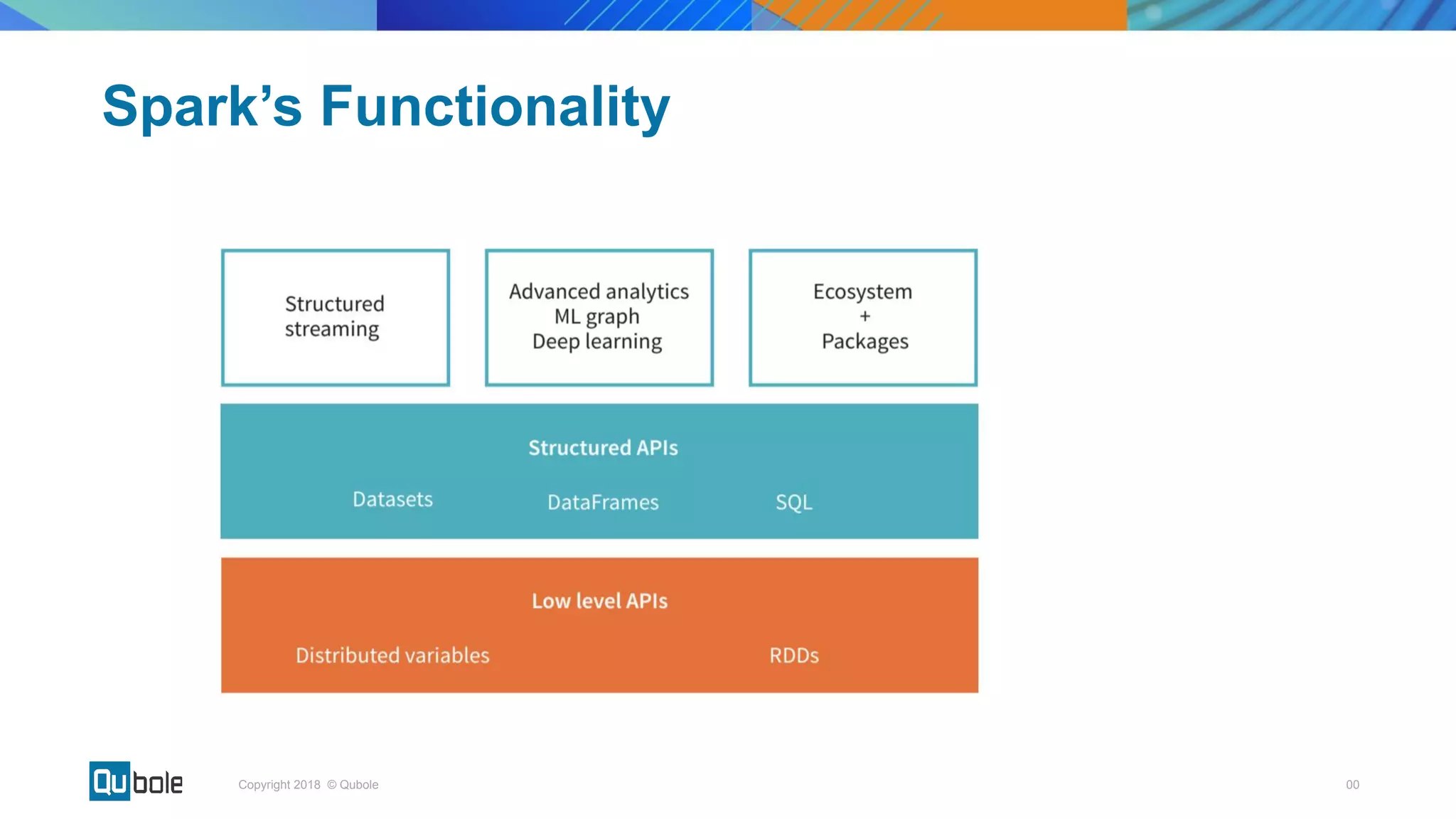
Spark’s Functionality
00Copyright 2018 © Qubole
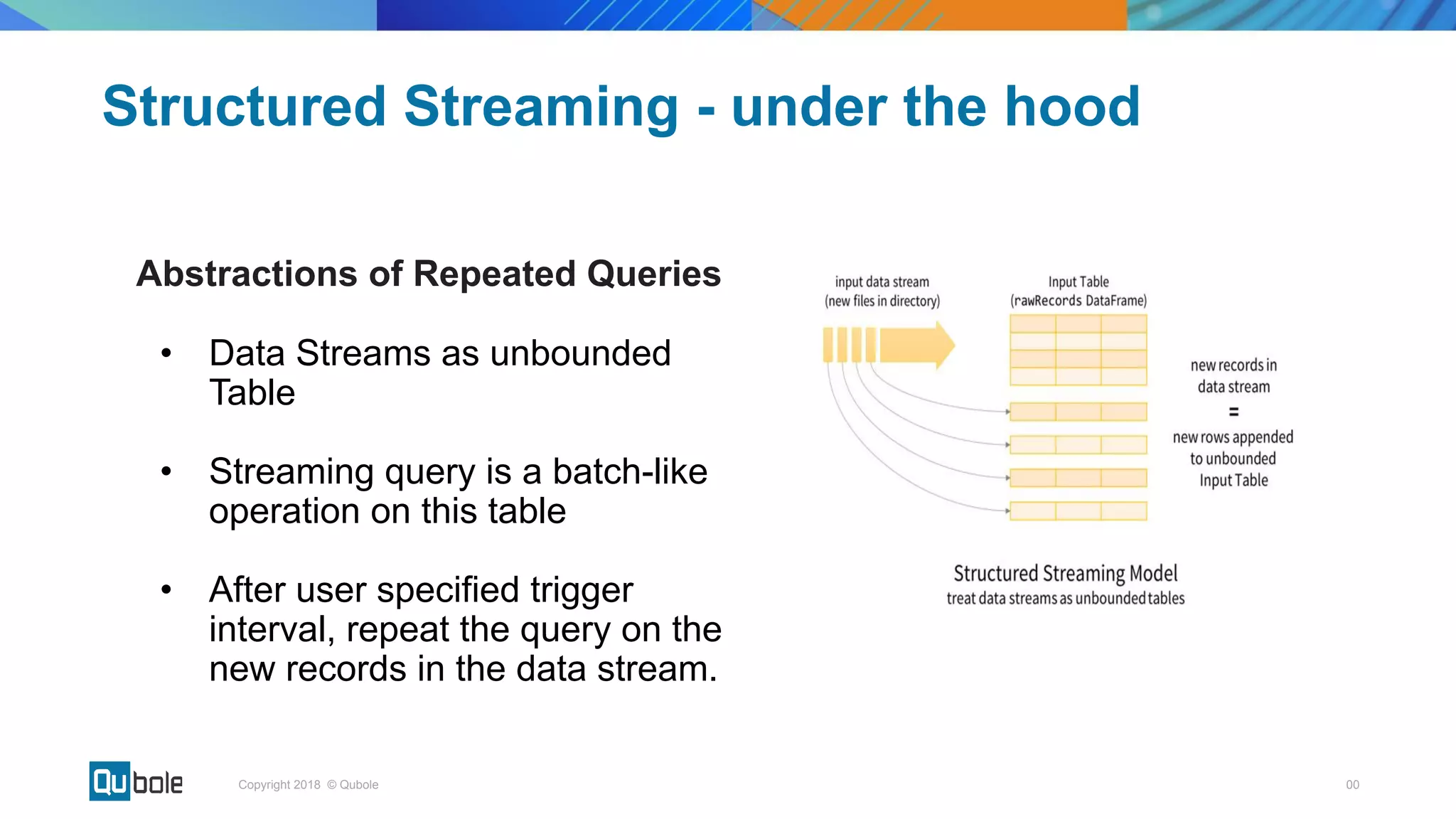
Structured Streaming - under the hood
Abstractions of Repeated Queries
• Data Streams as unbounded
Table
• Streaming query is a batch-like
operation on this table
• After user specified trigger
interval, repeat the query on the
new records in the data stream.
00Copyright 2018 © Qubole
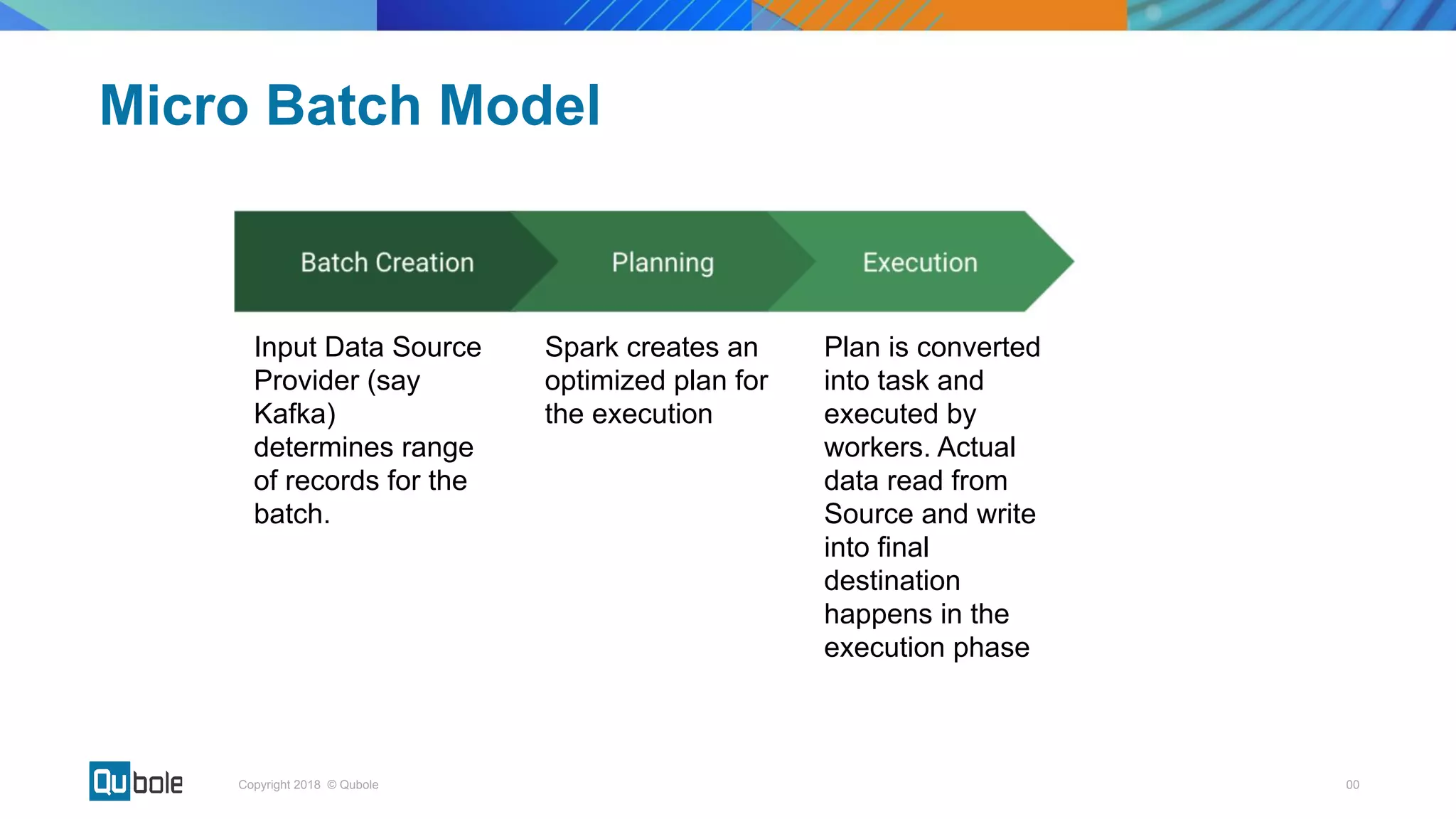
Micro Batch Model
Input Data Source
Provider (say
Kafka)
determines range
of records for the
batch.
Spark creates an
optimized plan for
the execution
Plan is converted
into task and
executed by
workers. Actual
data read from
Source and write
into final
destination
happens in the
execution phase
00Copyright 2018 © Qubole
Stateless Streaming - Ingest in S3
Batch 1
Batch 2
Batch 3
[1-4]
[5-8]
[9-10]
File 1
File 2
File 3
Micro batch consist of new records in each batch
00Copyright 2018 © Qubole
Micro batch consists of New Input Records & Previous micro-batches’ sum saved in
a state store
Stateful Streaming - Running Sum
Batch 1
Batch 2
Batch 3
State
= 10
[1-4]
[5-8]
[9-10]
State
= 36
State
= 55
00Copyright 2018 © Qubole
Productionizing Streaming Applications
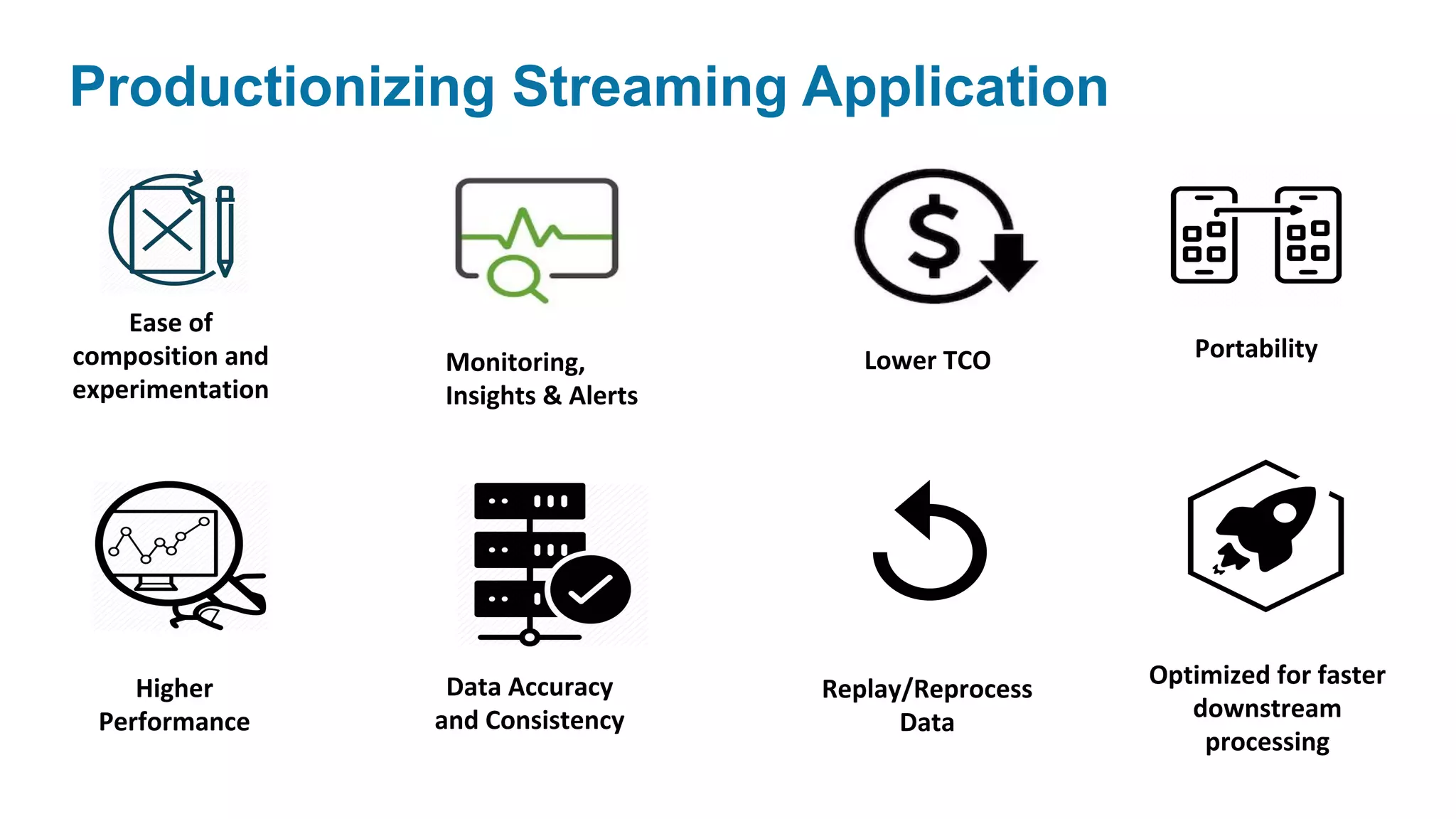
Productionizing Streaming Application
Ease of
composition and
experimentation
Data Accuracy
and Consistency
Higher
Performance
Replay/Reprocess
Data
Lower TCO
Optimized for faster
downstream
processing
PortabilityMonitoring,
Insights & Alerts
00Copyright 2018 © Qubole
â—Ź What should be the right cluster configuration for my streaming job?
â—Ź Data Ingestion rate is variable. How can I autoscale my cluster?
â—Ź How can I know if my streaming application is healthy?
â—Ź How should I partition my input data source?
â—Ź Time lag between the last processed event and tip of the input stream is
increasing. What can I do?
Problem Statement
00Copyright 2018 © Qubole
â—Ź Performance tuning tool for Apache Spark
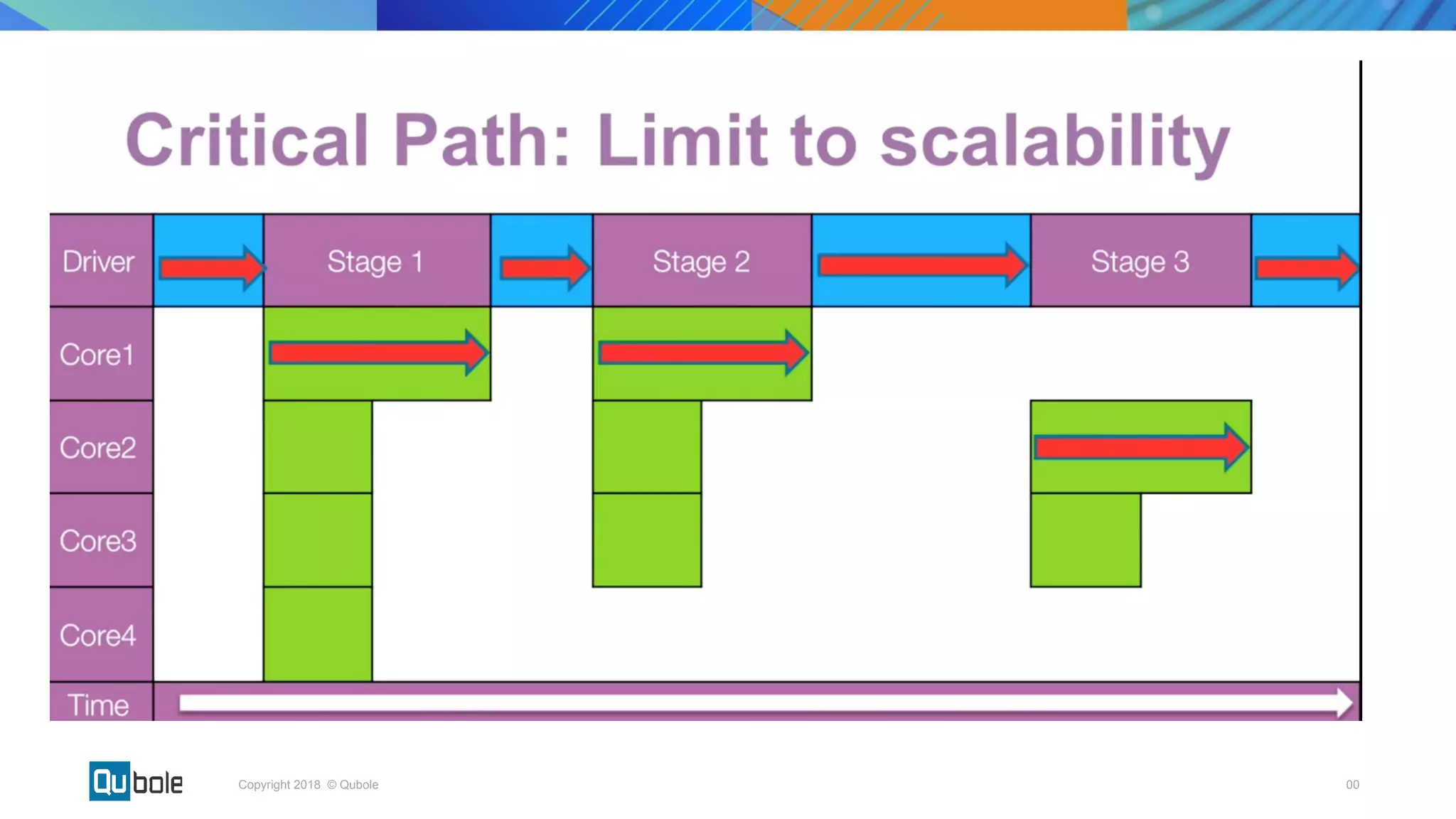
â—Ź Introduced a concept of critical path of a spark job to understand its
scalability limit
â—Ź Open-sourced by Qubole
â—Ź https://github.com/qubole/sparklens
Spark Lens
00Copyright 2018 © Qubole
Spark Lens in Structured Streaming =
Streaming Lens
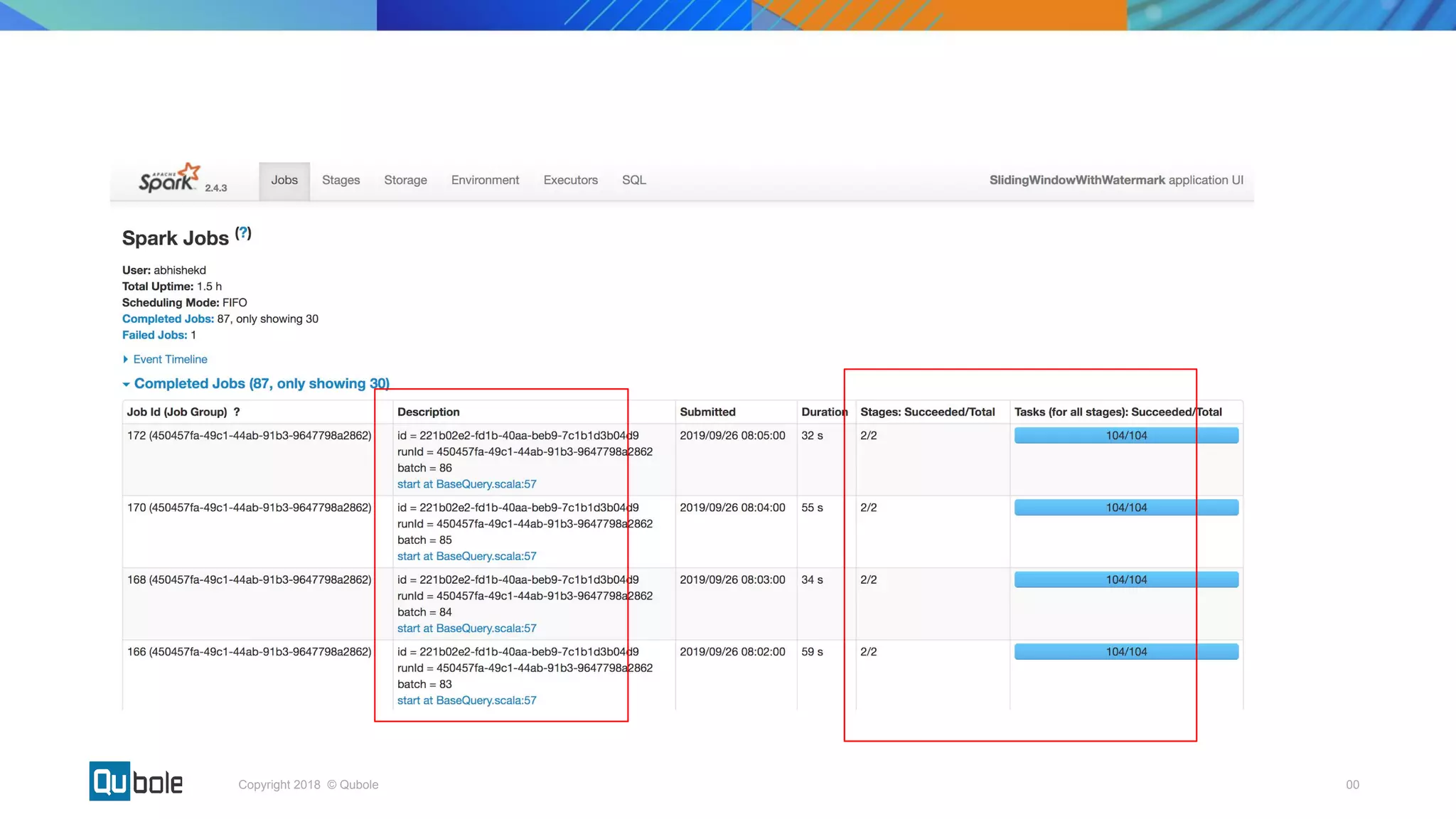
â—Ź Batch Running Time: Actual Time taken to process a micro batch
â—Ź Trigger Interval: Specified by the user while writing streaming query. Can
be proxied as SLA.
â—Ź Critical Path Time: Time to complete the microbatch if we had
provisioned infinite executors.
00Copyright 2018 © Qubole
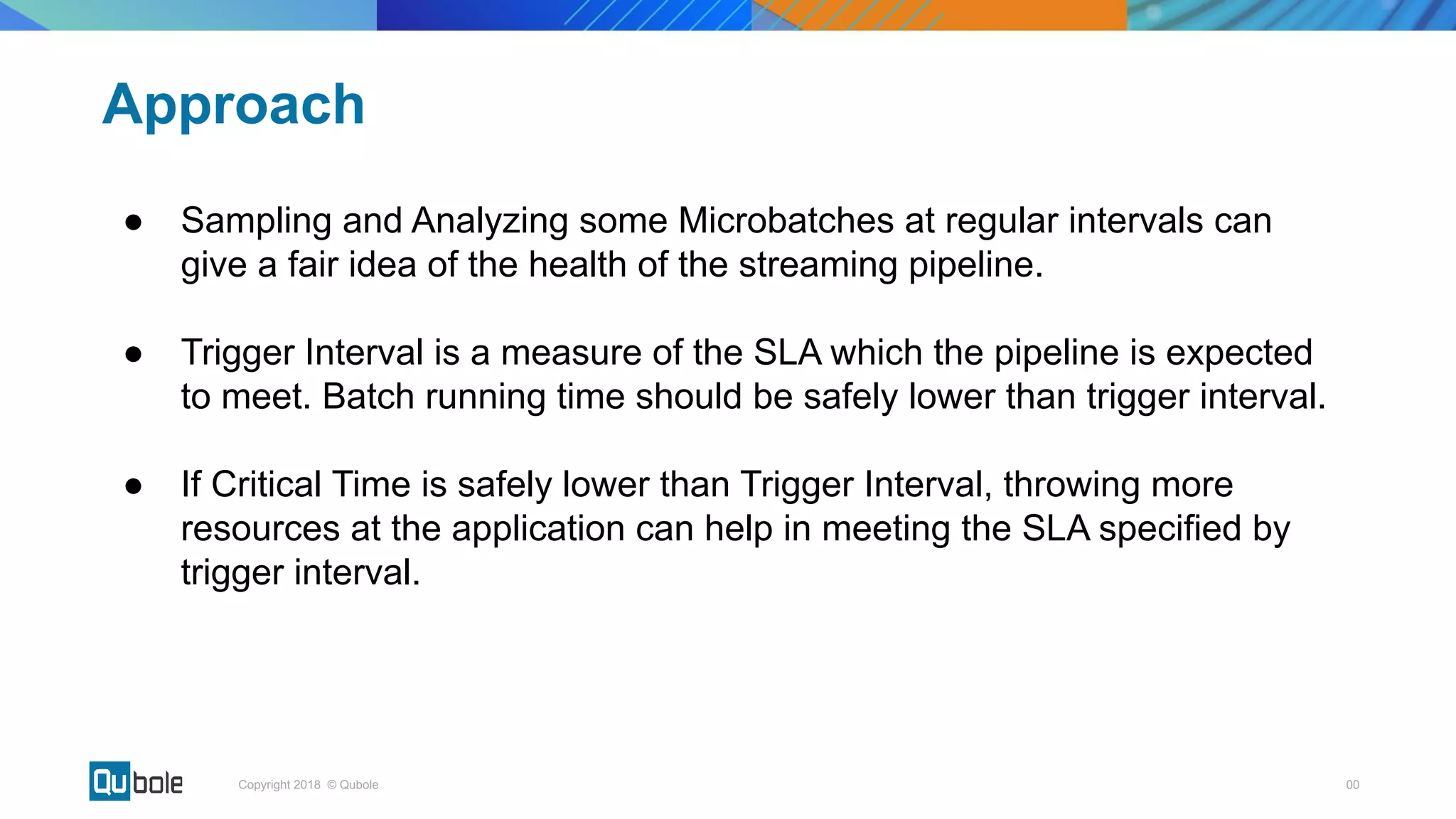
Approach
â—Ź Sampling and Analyzing some Microbatches at regular intervals can
give a fair idea of the health of the streaming pipeline.
â—Ź Trigger Interval is a measure of the SLA which the pipeline is expected
to meet. Batch running time should be safely lower than trigger interval.
â—Ź If Critical Time is safely lower than Trigger Interval, throwing more
resources at the application can help in meeting the SLA specified by
trigger interval.
00Copyright 2018 © Qubole
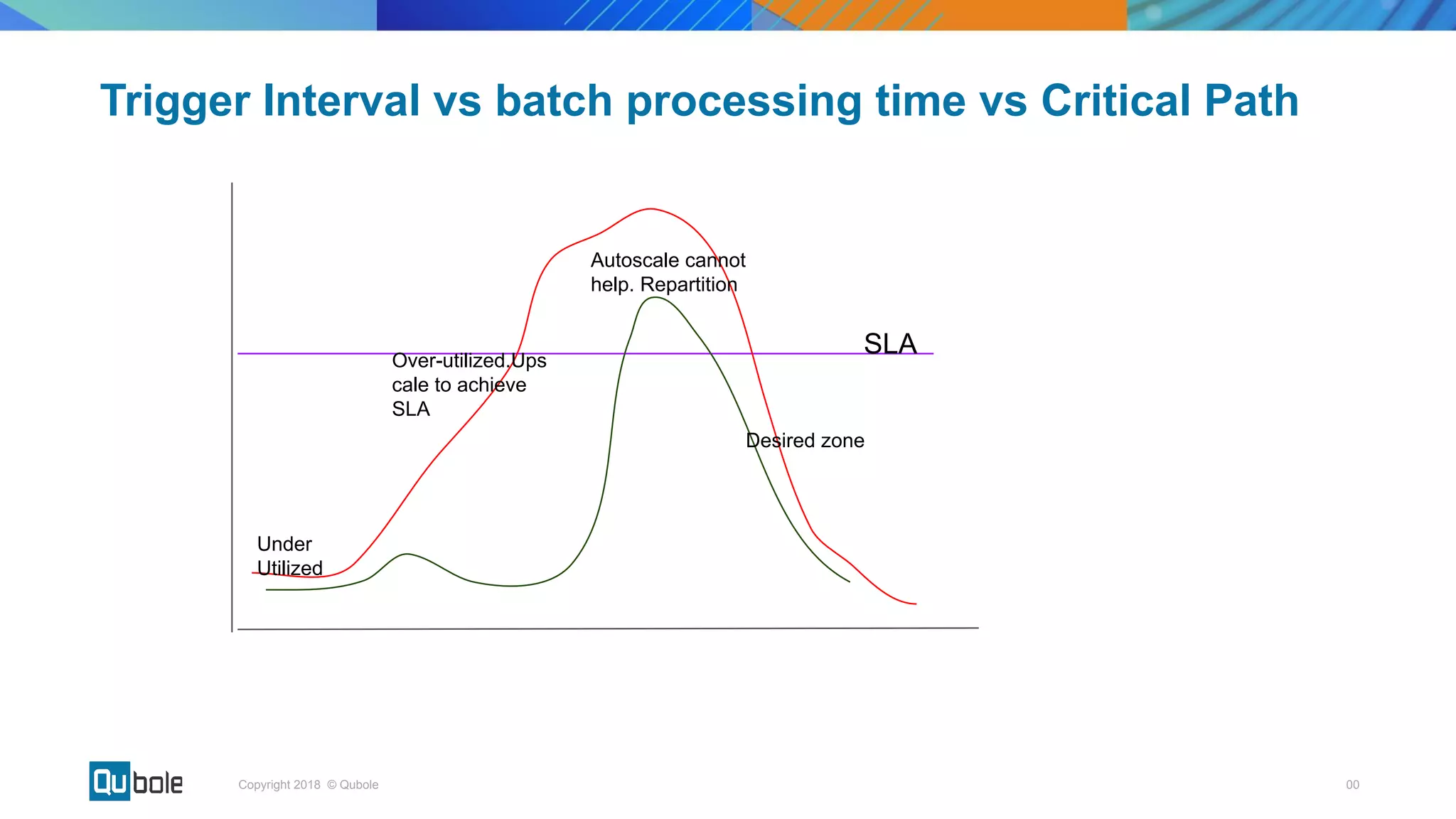
Trigger Interval vs batch processing time vs Critical Path
SLA
Under
Utilized
Over-utilized.Ups
cale to achieve
SLA
Autoscale cannot
help. Repartition
Desired zone
00Copyright 2018 © Qubole
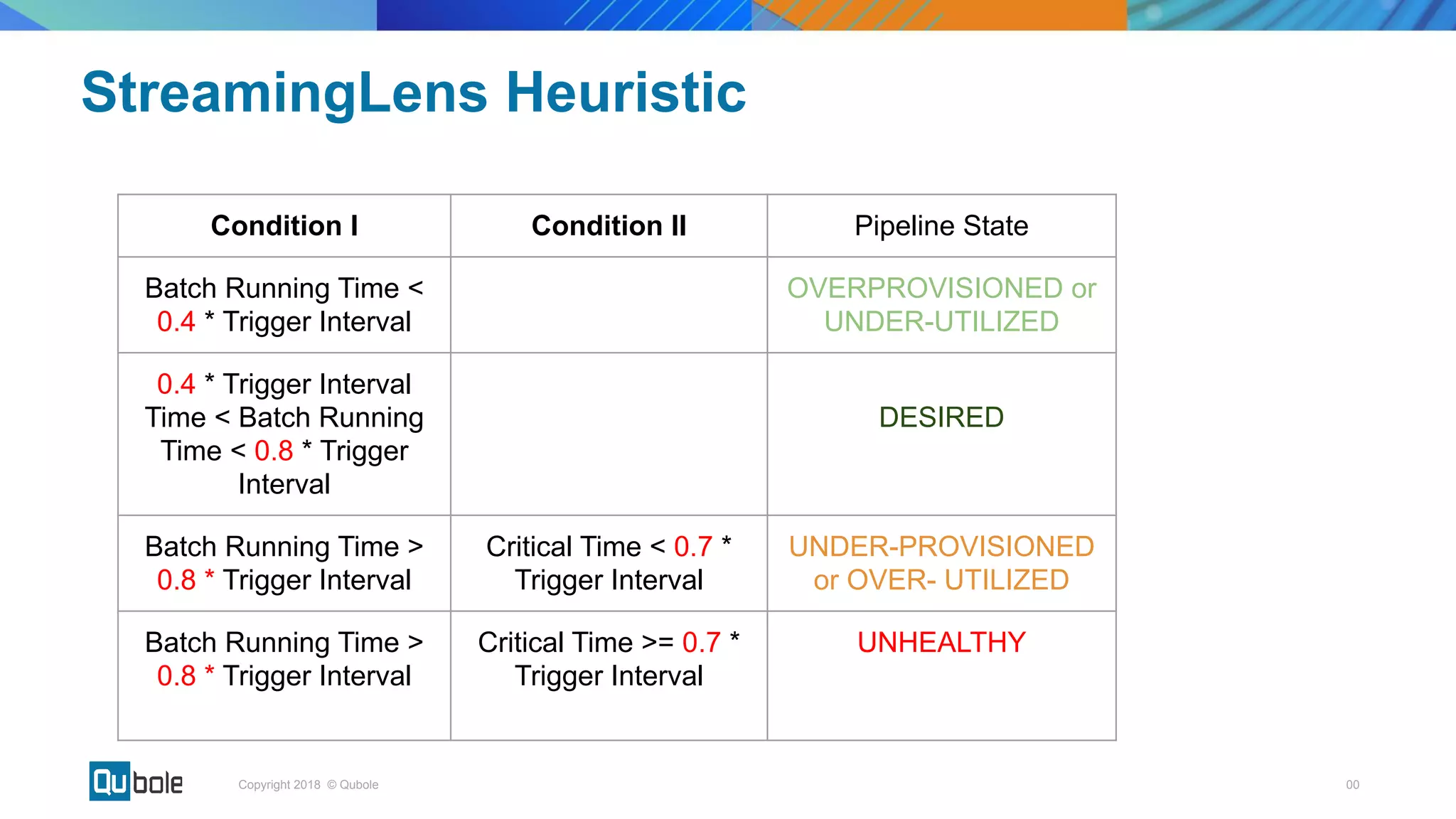
Condition I Condition II Pipeline State
Batch Running Time <
0.4 * Trigger Interval
OVERPROVISIONED or
UNDER-UTILIZED
0.4 * Trigger Interval
Time < Batch Running
Time < 0.8 * Trigger
Interval
DESIRED
Batch Running Time >
0.8 * Trigger Interval
Critical Time < 0.7 *
Trigger Interval
UNDER-PROVISIONED
or OVER- UTILIZED
Batch Running Time >
0.8 * Trigger Interval
Critical Time >= 0.7 *
Trigger Interval
UNHEALTHY
StreamingLens Heuristic
00Copyright 2018 © Qubole
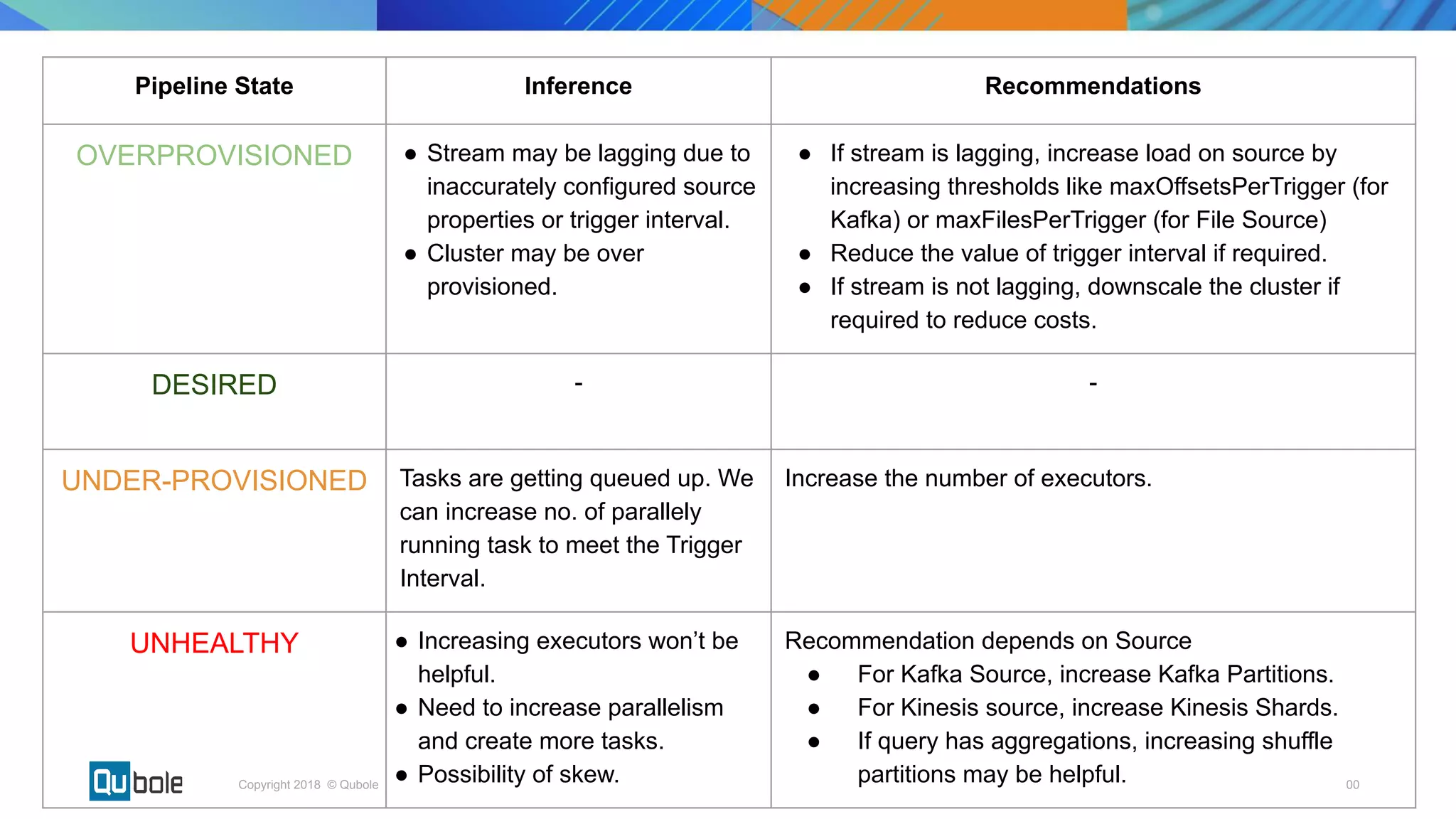
Pipeline State Inference Recommendations
OVERPROVISIONED â—Ź Stream may be lagging due to
inaccurately configured source
properties or trigger interval.
â—Ź Cluster may be over
provisioned.
â—Ź If stream is lagging, increase load on source by
increasing thresholds like maxOffsetsPerTrigger (for
Kafka) or maxFilesPerTrigger (for File Source)
â—Ź Reduce the value of trigger interval if required.
â—Ź If stream is not lagging, downscale the cluster if
required to reduce costs.
DESIRED - -
UNDER-PROVISIONED Tasks are getting queued up. We
can increase no. of parallely
running task to meet the Trigger
Interval.
Increase the number of executors.
UNHEALTHY ● Increasing executors won’t be
helpful.
â—Ź Need to increase parallelism
and create more tasks.
â—Ź Possibility of skew.
Recommendation depends on Source
â—Ź For Kafka Source, increase Kafka Partitions.
â—Ź For Kinesis source, increase Kinesis Shards.
â—Ź If query has aggregations, increasing shuffle
partitions may be helpful.
Experiments
00Copyright 2018 © Qubole
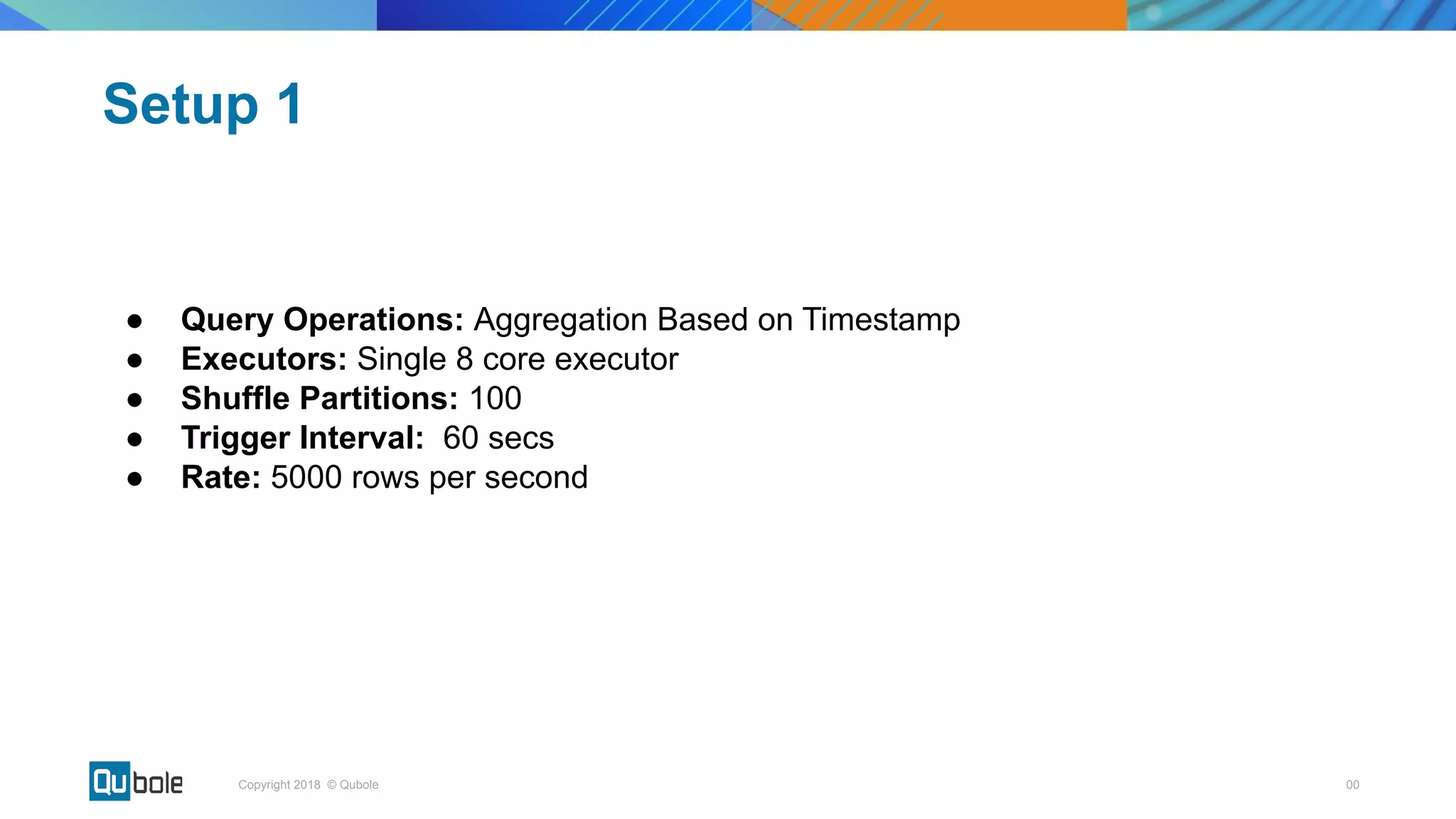
â—Ź Query Operations: Aggregation Based on Timestamp
â—Ź Executors: Single 8 core executor
â—Ź Shuffle Partitions: 100
â—Ź Trigger Interval: 60 secs
â—Ź Rate: 5000 rows per second
Setup 1
00Copyright 2018 © Qubole
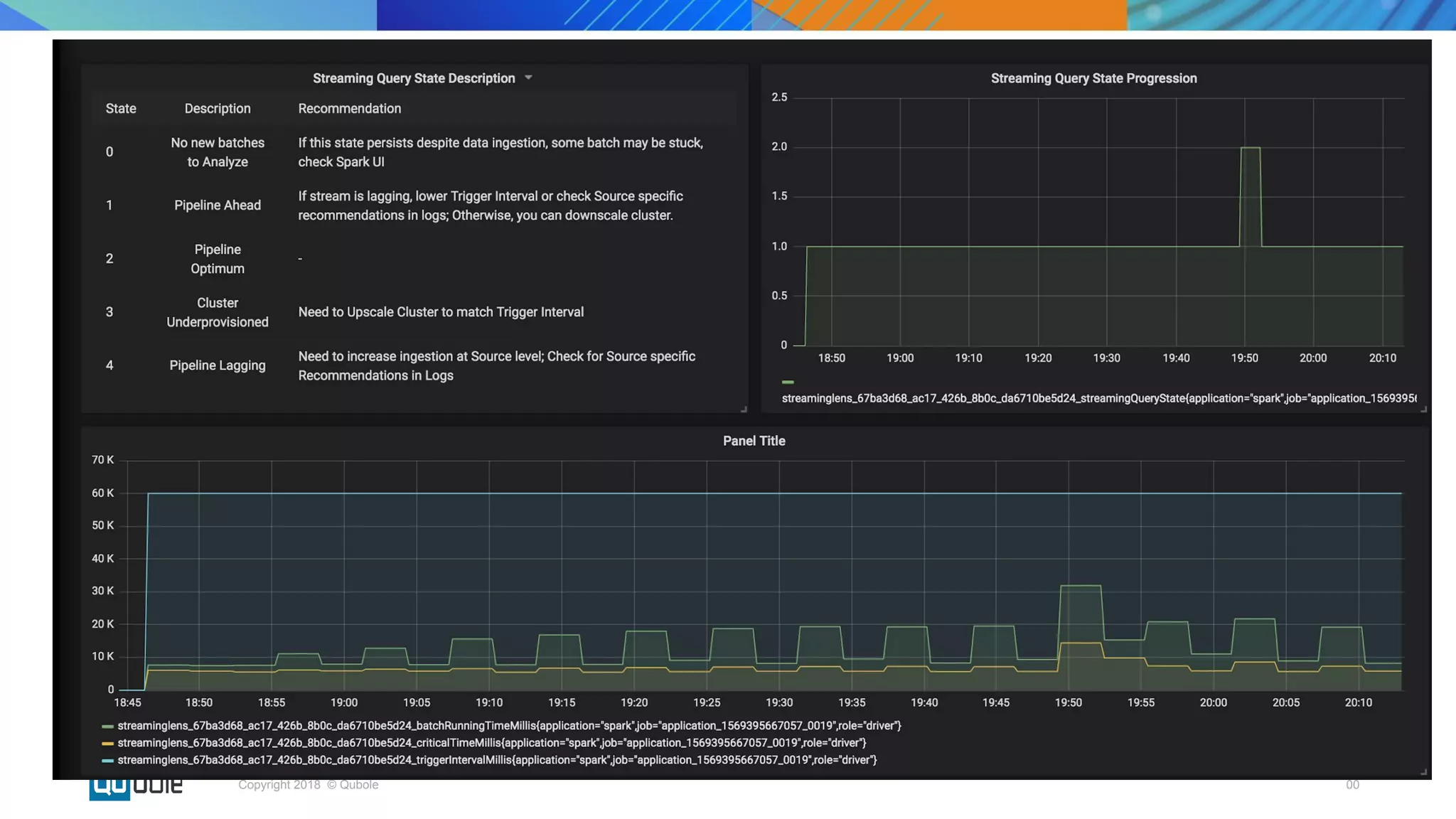
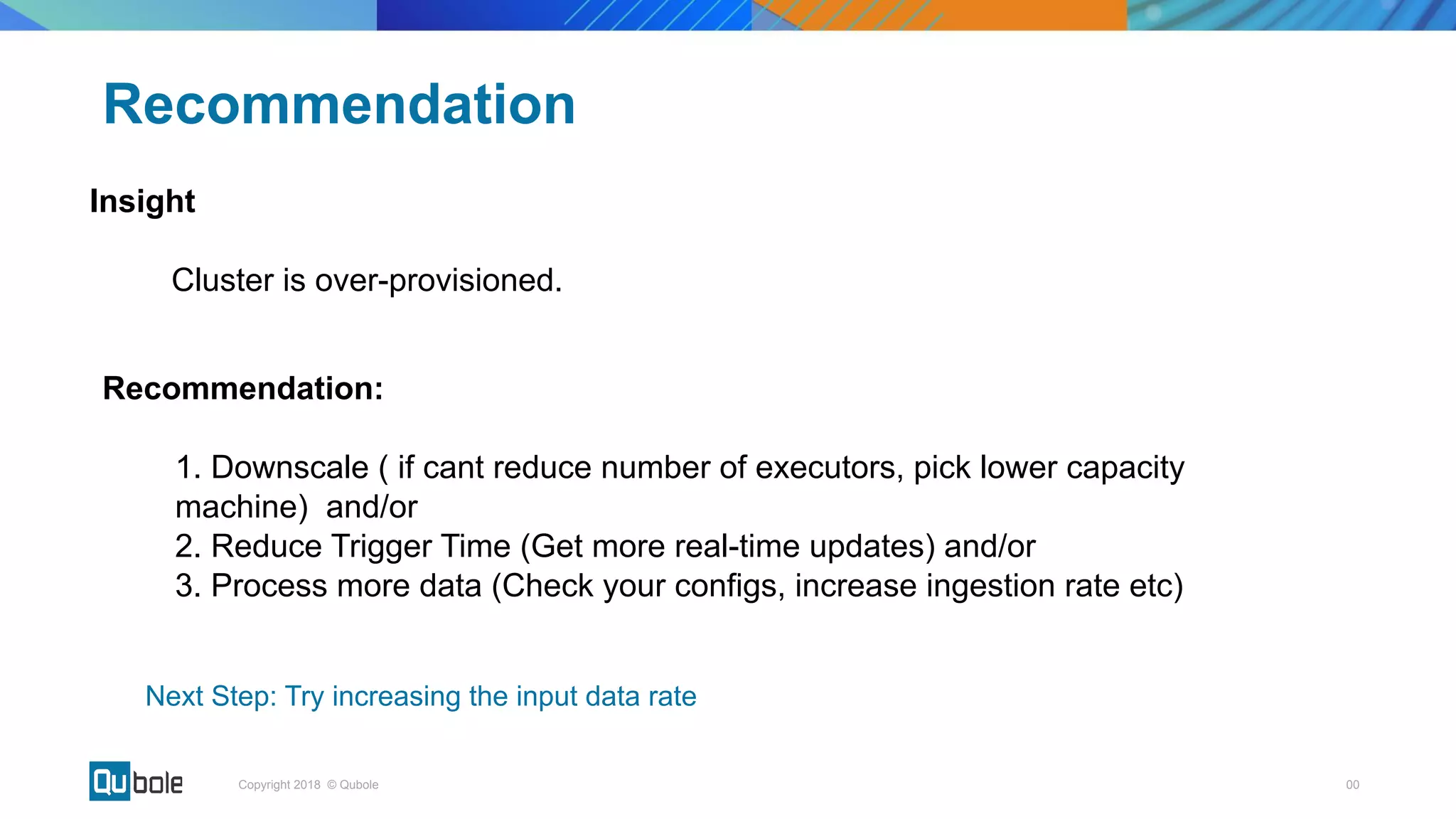
Insight
Cluster is over-provisioned.
Recommendation
Recommendation:
1. Downscale ( if cant reduce number of executors, pick lower capacity
machine) and/or
2. Reduce Trigger Time (Get more real-time updates) and/or
3. Process more data (Check your configs, increase ingestion rate etc)
Next Step: Try increasing the input data rate
00Copyright 2018 © Qubole
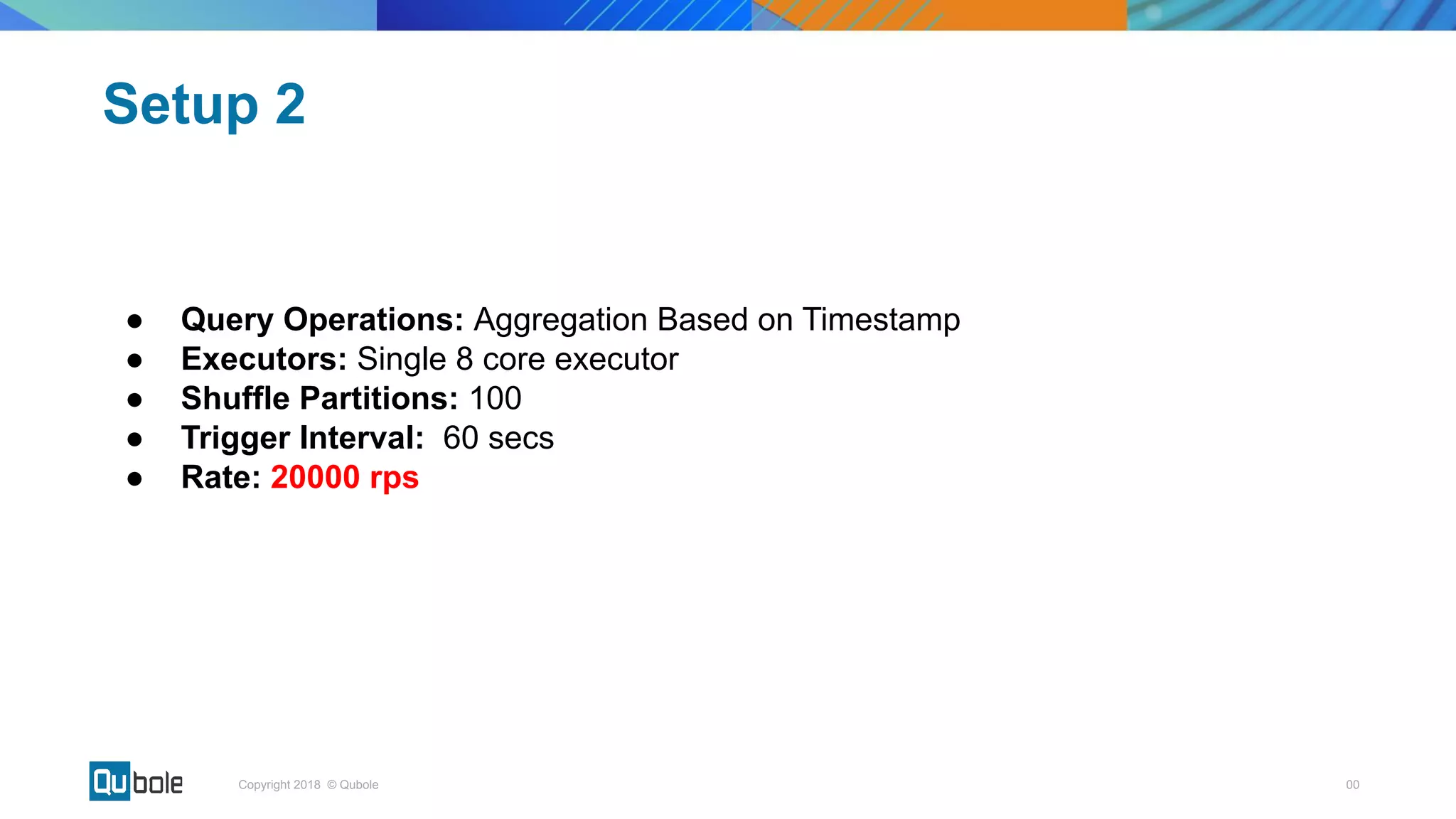
â—Ź Query Operations: Aggregation Based on Timestamp
â—Ź Executors: Single 8 core executor
â—Ź Shuffle Partitions: 100
â—Ź Trigger Interval: 60 secs
â—Ź Rate: 20000 rps
Setup 2
00Copyright 2018 © Qubole
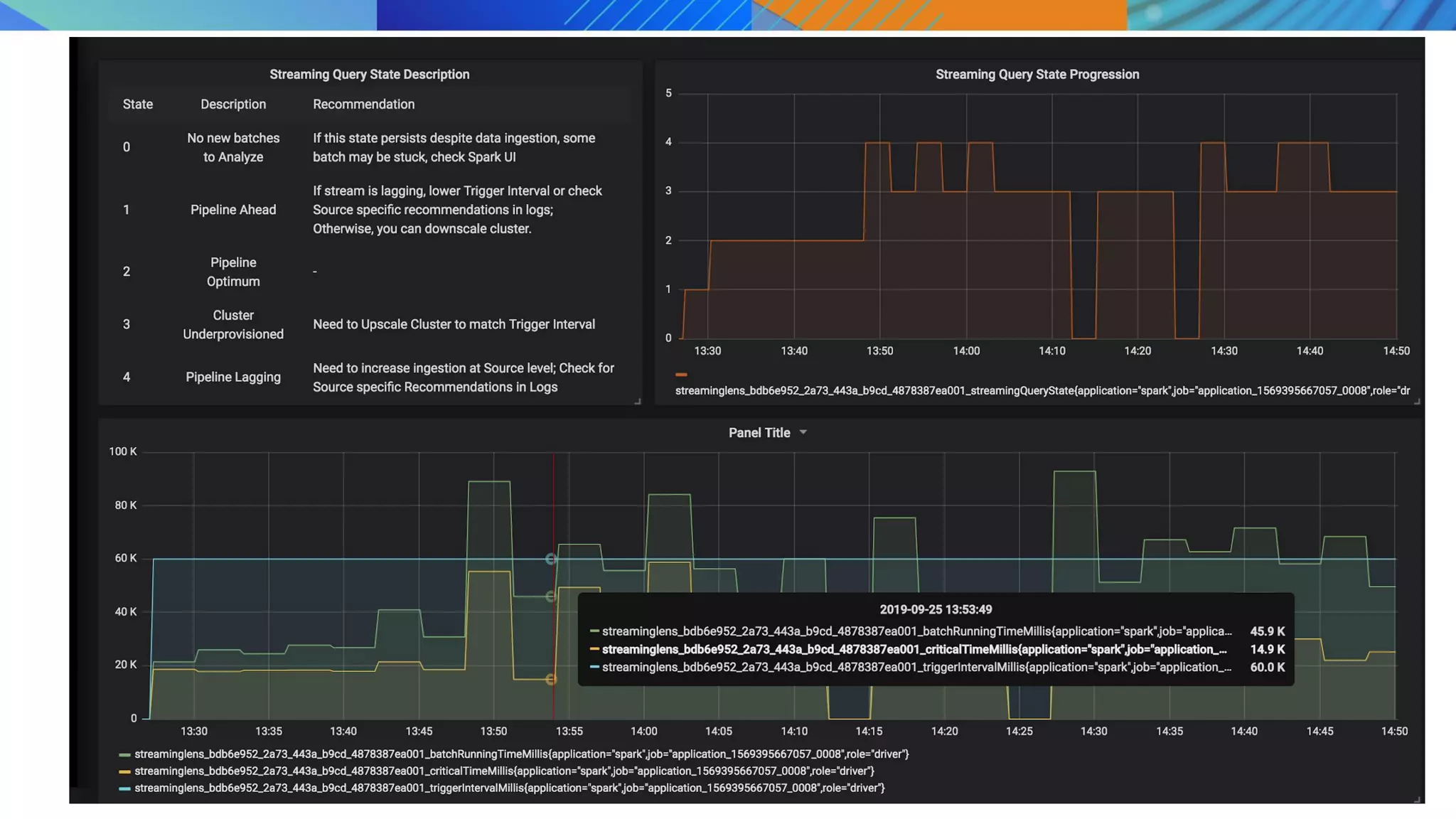
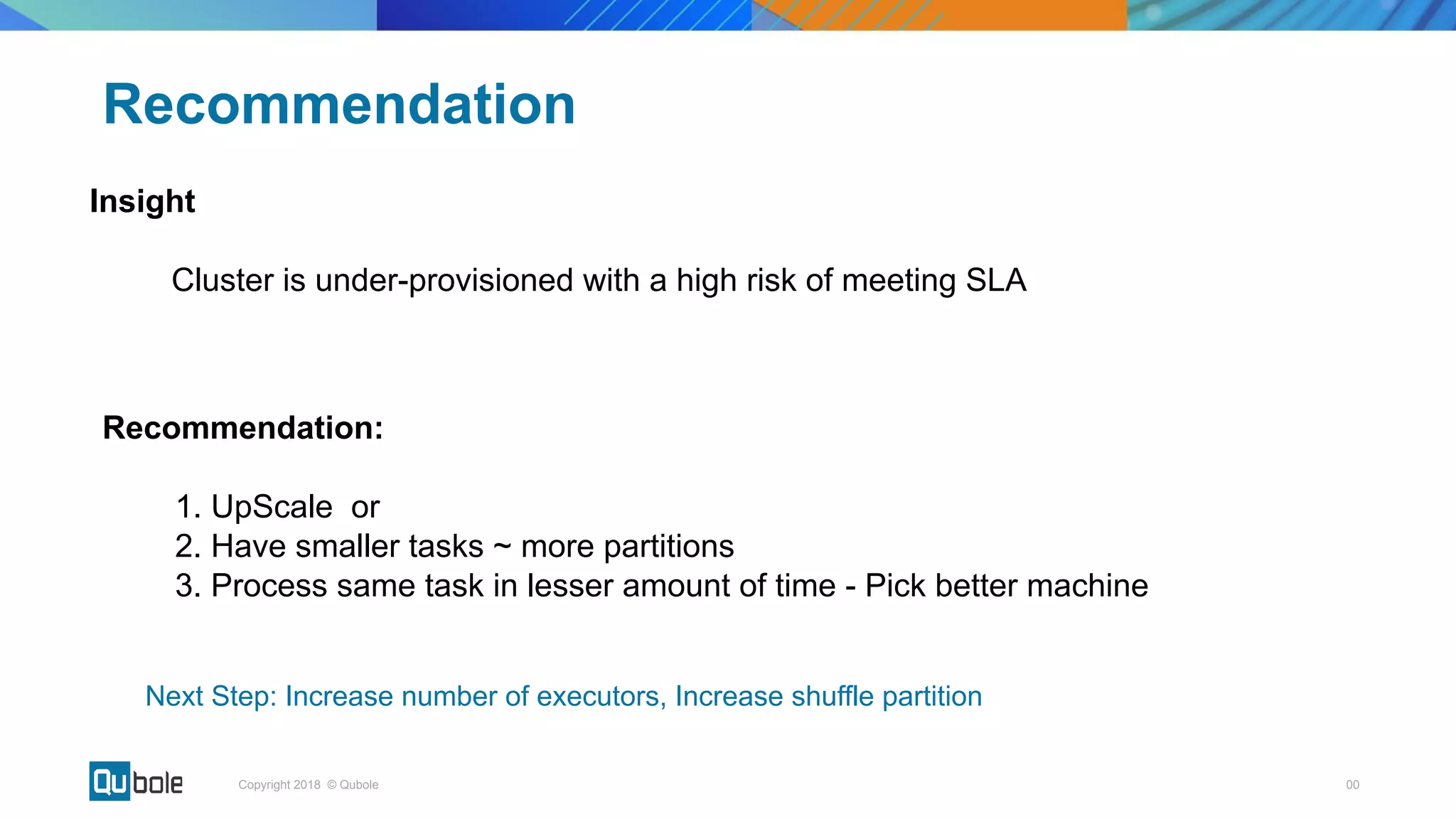
Insight
Cluster is under-provisioned with a high risk of meeting SLA
Recommendation
Recommendation:
1. UpScale or
2. Have smaller tasks ~ more partitions
3. Process same task in lesser amount of time - Pick better machine
Next Step: Increase number of executors, Increase shuffle partition
00Copyright 2018 © Qubole
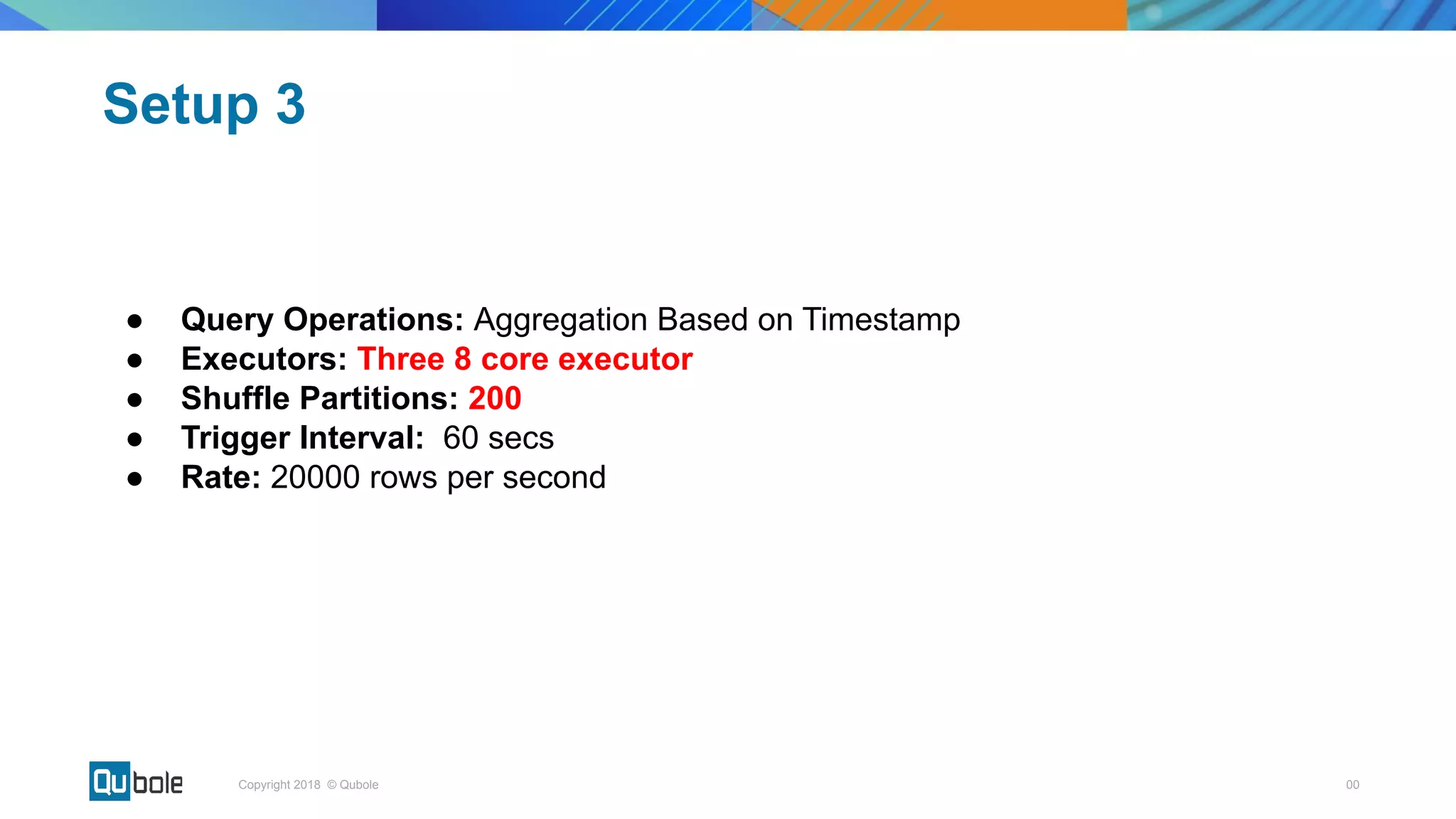
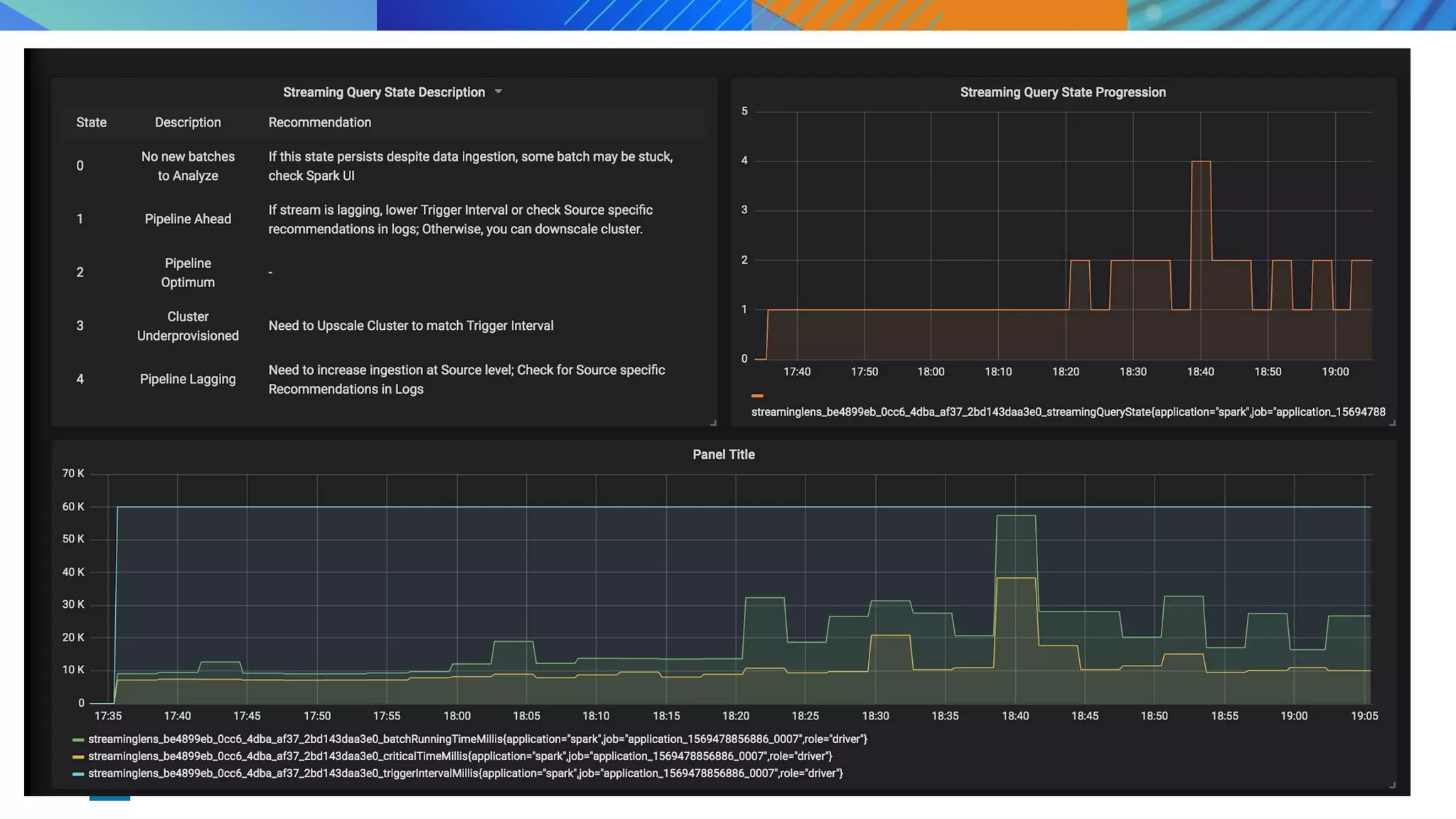
â—Ź Query Operations: Aggregation Based on Timestamp
â—Ź Executors: Three 8 core executor
â—Ź Shuffle Partitions: 200
â—Ź Trigger Interval: 60 secs
â—Ź Rate: 20000 rows per second
Setup 3
00Copyright 2018 © Qubole
â—Ź Open Source StreamingLens
â—Ź Things to do
○ Incorporate “time lag” in our recommendation
○ Convert Recommendation → Action by implementing SLA aware streaming
autoscaling for better cost control
Next steps
Contributions will be welcome
00Copyright 2018 © Qubole
â—Ź Spark Lens - https://github.com/qubole/sparklens
â—Ź Kinesis Data Source - https://github.com/qubole/kinesis-sql
â—Ź S3-SQS Input Data Source for Better Performance -
https://github.com/apache/bahir/pull/91
â—Ź RocksDb State Storage - https://github.com/itsvikramagr/rocksdb-state-storage
Other open source contributions
Thank you!

Key considerations in productionizing streaming applications

  • 1.
    Key Consideration in productionizing StreamingApplication Vikram Agrawal, Prateek Srivastava
  • 2.
    00Copyright 2018 ©Qubole ● Stream Processing Paradigm ● Deep-dive into Structured Streaming ● Productionizing Streaming Application ● Streaming Lens Agenda
  • 3.
    00Copyright 2018 ©Qubole Data Processing Architecture ○ Data is pushed into Flat files, HDFS or databases ○ ETL Batch jobs to process raw data for various end goals
  • 4.
    00Copyright 2018 ©Qubole Stream Processing ○ Message buses such as Kafka/Kinesis/RabbitMQ are part of the architecture ○ Business need to process your data in real-time instead of nightly batch job
  • 5.
    00Copyright 2018 ©Qubole Stream Processing Use Cases ● Real time transformation like aggregations, deduplication ● Data enrichment using joins with other table/stream ● Ingest into a data-lake (such as s3) for further processing or archival ● Ingest into a data-warehouse (Redshift, ES) for ad-hocs analysis ● Real time dashboard/reporting (Druid etc) ● CEP rule processing or Model Scoring (Fraud Detection etc)
  • 6.
    00Copyright 2018 ©Qubole How to decide the Streaming Engine ● SLAs and use-cases ○ Latency ■ Ingestion/reporting use-cases can tolerate few secs latency ■ Model scoring has tighter requirement (in ms) ○ Throughput ■ Current and future Incoming data rate ○ Complexity of Analytics ■ Real time transformation requirements - join, format conversion vs filter, selection ● Community Support ○ Technical skills required to adopt new technology ● Production readiness ○ Time required to build streaming Application ○ Fault Tolerance - Exactly/Atleast Once Delivery Guarantees ●
  • 7.
    00Copyright 2018 ©Qubole Why Spark Structured Streaming ● Latency ○ Micro-batch Execution for “sub-secs to few secs” is GA ○ Continuous Execution for “ms” latency is in Beta. ● Functionality ○ Built on top of Spark dataFrame APIs and takes advantage of SQL core engine code & memory optimizations ○ Stream-stream join, stream-batch joins, late data handling, sliding window aggregation, data format conversion, de-duplication etc ○ Connectors to and from various sources and sinks ○ Exactly/Atleast once semantics ● Throughput ○ Scalable and Mature Processing engine ○ Can easily handle 10s of million records per second ● API abstractions ○ Developer friendly - interoperability between batch and streaming code
  • 8.
  • 9.
    00Copyright 2018 ©Qubole Spark’s Functionality
  • 10.
    00Copyright 2018 ©Qubole Structured Streaming - under the hood Abstractions of Repeated Queries • Data Streams as unbounded Table • Streaming query is a batch-like operation on this table • After user specified trigger interval, repeat the query on the new records in the data stream.
  • 11.
    00Copyright 2018 ©Qubole Micro Batch Model Input Data Source Provider (say Kafka) determines range of records for the batch. Spark creates an optimized plan for the execution Plan is converted into task and executed by workers. Actual data read from Source and write into final destination happens in the execution phase
  • 12.
    00Copyright 2018 ©Qubole Stateless Streaming - Ingest in S3 Batch 1 Batch 2 Batch 3 [1-4] [5-8] [9-10] File 1 File 2 File 3 Micro batch consist of new records in each batch
  • 13.
    00Copyright 2018 ©Qubole Micro batch consists of New Input Records & Previous micro-batches’ sum saved in a state store Stateful Streaming - Running Sum Batch 1 Batch 2 Batch 3 State = 10 [1-4] [5-8] [9-10] State = 36 State = 55
  • 14.
  • 15.
  • 16.
    Productionizing Streaming Application Easeof composition and experimentation Data Accuracy and Consistency Higher Performance Replay/Reprocess Data Lower TCO Optimized for faster downstream processing PortabilityMonitoring, Insights & Alerts
  • 17.
    00Copyright 2018 ©Qubole ● What should be the right cluster configuration for my streaming job? ● Data Ingestion rate is variable. How can I autoscale my cluster? ● How can I know if my streaming application is healthy? ● How should I partition my input data source? ● Time lag between the last processed event and tip of the input stream is increasing. What can I do? Problem Statement
  • 18.
    00Copyright 2018 ©Qubole ● Performance tuning tool for Apache Spark ● Introduced a concept of critical path of a spark job to understand its scalability limit ● Open-sourced by Qubole ● https://github.com/qubole/sparklens Spark Lens
  • 19.
  • 20.
    00Copyright 2018 ©Qubole Spark Lens in Structured Streaming = Streaming Lens ● Batch Running Time: Actual Time taken to process a micro batch ● Trigger Interval: Specified by the user while writing streaming query. Can be proxied as SLA. ● Critical Path Time: Time to complete the microbatch if we had provisioned infinite executors.
  • 21.
    00Copyright 2018 ©Qubole Approach ● Sampling and Analyzing some Microbatches at regular intervals can give a fair idea of the health of the streaming pipeline. ● Trigger Interval is a measure of the SLA which the pipeline is expected to meet. Batch running time should be safely lower than trigger interval. ● If Critical Time is safely lower than Trigger Interval, throwing more resources at the application can help in meeting the SLA specified by trigger interval.
  • 22.
    00Copyright 2018 ©Qubole Trigger Interval vs batch processing time vs Critical Path SLA Under Utilized Over-utilized.Ups cale to achieve SLA Autoscale cannot help. Repartition Desired zone
  • 23.
    00Copyright 2018 ©Qubole Condition I Condition II Pipeline State Batch Running Time < 0.4 * Trigger Interval OVERPROVISIONED or UNDER-UTILIZED 0.4 * Trigger Interval Time < Batch Running Time < 0.8 * Trigger Interval DESIRED Batch Running Time > 0.8 * Trigger Interval Critical Time < 0.7 * Trigger Interval UNDER-PROVISIONED or OVER- UTILIZED Batch Running Time > 0.8 * Trigger Interval Critical Time >= 0.7 * Trigger Interval UNHEALTHY StreamingLens Heuristic
  • 24.
    00Copyright 2018 ©Qubole Pipeline State Inference Recommendations OVERPROVISIONED ● Stream may be lagging due to inaccurately configured source properties or trigger interval. ● Cluster may be over provisioned. ● If stream is lagging, increase load on source by increasing thresholds like maxOffsetsPerTrigger (for Kafka) or maxFilesPerTrigger (for File Source) ● Reduce the value of trigger interval if required. ● If stream is not lagging, downscale the cluster if required to reduce costs. DESIRED - - UNDER-PROVISIONED Tasks are getting queued up. We can increase no. of parallely running task to meet the Trigger Interval. Increase the number of executors. UNHEALTHY ● Increasing executors won’t be helpful. ● Need to increase parallelism and create more tasks. ● Possibility of skew. Recommendation depends on Source ● For Kafka Source, increase Kafka Partitions. ● For Kinesis source, increase Kinesis Shards. ● If query has aggregations, increasing shuffle partitions may be helpful.
  • 25.
  • 26.
    00Copyright 2018 ©Qubole ● Query Operations: Aggregation Based on Timestamp ● Executors: Single 8 core executor ● Shuffle Partitions: 100 ● Trigger Interval: 60 secs ● Rate: 5000 rows per second Setup 1
  • 27.
  • 28.
    00Copyright 2018 ©Qubole Insight Cluster is over-provisioned. Recommendation Recommendation: 1. Downscale ( if cant reduce number of executors, pick lower capacity machine) and/or 2. Reduce Trigger Time (Get more real-time updates) and/or 3. Process more data (Check your configs, increase ingestion rate etc) Next Step: Try increasing the input data rate
  • 29.
    00Copyright 2018 ©Qubole ● Query Operations: Aggregation Based on Timestamp ● Executors: Single 8 core executor ● Shuffle Partitions: 100 ● Trigger Interval: 60 secs ● Rate: 20000 rps Setup 2
  • 30.
  • 31.
    00Copyright 2018 ©Qubole Insight Cluster is under-provisioned with a high risk of meeting SLA Recommendation Recommendation: 1. UpScale or 2. Have smaller tasks ~ more partitions 3. Process same task in lesser amount of time - Pick better machine Next Step: Increase number of executors, Increase shuffle partition
  • 32.
    00Copyright 2018 ©Qubole ● Query Operations: Aggregation Based on Timestamp ● Executors: Three 8 core executor ● Shuffle Partitions: 200 ● Trigger Interval: 60 secs ● Rate: 20000 rows per second Setup 3
  • 33.
  • 34.
    00Copyright 2018 ©Qubole ● Open Source StreamingLens ● Things to do ○ Incorporate “time lag” in our recommendation ○ Convert Recommendation → Action by implementing SLA aware streaming autoscaling for better cost control Next steps Contributions will be welcome
  • 35.
    00Copyright 2018 ©Qubole ● Spark Lens - https://github.com/qubole/sparklens ● Kinesis Data Source - https://github.com/qubole/kinesis-sql ● S3-SQS Input Data Source for Better Performance - https://github.com/apache/bahir/pull/91 ● RocksDb State Storage - https://github.com/itsvikramagr/rocksdb-state-storage Other open source contributions
  • 36.