Virtual Computer Labs Learning Technology Presentation - Kati Hoover
Objectives Definition History Purpose Benefits Considerations Leading Tools Photo: http://virtuallab.files.wordpress.com/2007/07/j0402013.jpg
Definition “Virtual labs combine technology resources,  reusable software environments, and automation, along with tried and true  training concepts, to enable  hands-on  training that can be delivered to anyone,  anywhere, anytime .” (Greenberg 2004)  www.billfrymire.com/blog/2009/10/
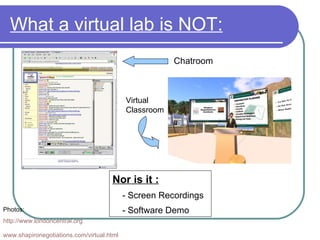
What a virtual lab is NOT: Photos: http:// www.londoncentral.org www.shapironegotiations.com/virtual.html   Chatroom Virtual Classroom Nor is it : - Screen Recordings - Software Demo
History Not much… Still in infancy stage of implementation Some colleges have implemented virtual labs Wiley Technology and Microsoft Photo: www.goodhurts.blogspot.com
Purpose Remote Learners Lab sessions before, during, or after classes Can offer one-on-one assistance during labs Photos: sussexscuba.co.uk & mindhacks.com
Purpose (cont’d) Gives learners ability to try software programs first-hand Gives access to a different desktop Photo: www.techblissonline.com
Benefits Considerably less expensive than true labs More effective training in less time Less dependency of IT personnel Easier to create/alter courses to ensure goals are met Photos: http://richardwiseman.wordpress.com/2009/06/08/which-job-would-you-take/ featuresblogs.chicagotribune.com /
Benefits Extend area of services Align training and software upgrades Use student input/experiences to guide courses/instruction Learner gets hands-on experience Photos:  www.awalkinthewoods.us  &  www.jonessoda.com
Considerations Cost Usability for beginning learners Training environment is in sync with the application environment Photos:  www.siliconsolar.com  & www.beaverpromotions.co.uk
More Considerations Initial significant complexity to distribute and maintain “Need specialized capabilities to manage, control and ultimately ‘orchestrate’ lab resources.” (Greenberg 2004)
Leading Tools WebEx
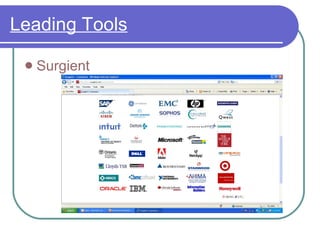
Leading Tools Surgient
Leading Tools Microsoft Softgrid -  Softgrid  Demo Wizard RealVNC

Kati's Virtual Computer Lab Presentation

  • 1.
    Virtual Computer LabsLearning Technology Presentation - Kati Hoover
  • 2.
    Objectives Definition HistoryPurpose Benefits Considerations Leading Tools Photo: http://virtuallab.files.wordpress.com/2007/07/j0402013.jpg
  • 3.
    Definition “Virtual labscombine technology resources, reusable software environments, and automation, along with tried and true training concepts, to enable hands-on training that can be delivered to anyone, anywhere, anytime .” (Greenberg 2004) www.billfrymire.com/blog/2009/10/
  • 4.
    What a virtuallab is NOT: Photos: http:// www.londoncentral.org www.shapironegotiations.com/virtual.html Chatroom Virtual Classroom Nor is it : - Screen Recordings - Software Demo
  • 5.
    History Not much…Still in infancy stage of implementation Some colleges have implemented virtual labs Wiley Technology and Microsoft Photo: www.goodhurts.blogspot.com
  • 6.
    Purpose Remote LearnersLab sessions before, during, or after classes Can offer one-on-one assistance during labs Photos: sussexscuba.co.uk & mindhacks.com
  • 7.
    Purpose (cont’d) Giveslearners ability to try software programs first-hand Gives access to a different desktop Photo: www.techblissonline.com
  • 8.
    Benefits Considerably lessexpensive than true labs More effective training in less time Less dependency of IT personnel Easier to create/alter courses to ensure goals are met Photos: http://richardwiseman.wordpress.com/2009/06/08/which-job-would-you-take/ featuresblogs.chicagotribune.com /
  • 9.
    Benefits Extend areaof services Align training and software upgrades Use student input/experiences to guide courses/instruction Learner gets hands-on experience Photos: www.awalkinthewoods.us & www.jonessoda.com
  • 10.
    Considerations Cost Usabilityfor beginning learners Training environment is in sync with the application environment Photos: www.siliconsolar.com & www.beaverpromotions.co.uk
  • 11.
    More Considerations Initialsignificant complexity to distribute and maintain “Need specialized capabilities to manage, control and ultimately ‘orchestrate’ lab resources.” (Greenberg 2004)
  • 12.
  • 13.
  • 14.
    Leading Tools MicrosoftSoftgrid - Softgrid Demo Wizard RealVNC

Editor's Notes

  • #2 Aep feedback Great opening graphic. It’s also a good practice to put the date on the presentation title screen
  • #3 -aep feedback Some imagery here would be nice . . . Going from the opening screen to this screen is a little anti-climactic
  • #4 -aep feedback As you saw when we did the practice, none of the transitions come through in Elluminate.
  • #5 -aep feedback - Good use of visuals!
  • #6 -aep feedback - Imagery could be used here as well . . . Something like a small plant or a seed to indicate that the concept is fledgling . . . Even a photo of a “baby” would work . . . And babies win people over!
  • #7 Aep feedback Again, imagery of someone at their desktop working with a clock image on screen also could represent this . . . And be more “interesting” than the text
  • #9 Aep feedback - I like the images you chose. You could present them much larger though and take out the text . . . Or minimize the text - One of the benefits of presenting in a virtual classroom (without web cam) is that you can easily reference your slide/presentation notes (shhh . . . Trade secret 8-)
  • #13 -aep feedback Consider removing the text and linking out through the image. That way you can move your image into the boundaries of your design/theme. Or, reduce the size of the image. The image going over the boundary line looks “sloppy”
  • #14 -aep feedback Consider removing the text and linking out through the image. That way you can move your image into the boundaries of your design/theme. Or, reduce the size of the image. The image going over the boundary line looks “sloppy”
  • #15 -aep feedback The image going over the boundary line looks “sloppy”