Advanced Java Programming - Unit IV Roy Antony Arnold G Sr. Lecturer Einstein College of Engineering Tirunelveli, Tamilnadu, India
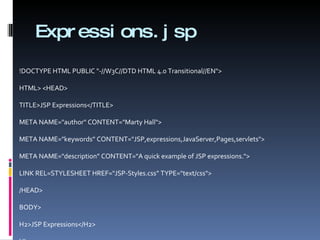
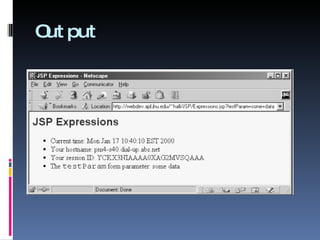
Expressions.jsp <!DOCTYPE HTML PUBLIC &quot;-//W3C//DTD HTML 4.0 Transitional//EN&quot;> <HTML> <HEAD> <TITLE>JSP Expressions</TITLE> <META NAME=&quot;author&quot; CONTENT=&quot;Marty Hall&quot;> <META NAME=&quot;keywords” CONTENT=&quot;JSP,expressions,JavaServer,Pages,servlets&quot;> <META NAME=&quot;description” CONTENT=&quot;A quick example of JSP expressions.&quot;> <LINK REL=STYLESHEET HREF=&quot;JSP-Styles.css” TYPE=&quot;text/css&quot;> </HEAD> <BODY> <H2>JSP Expressions</H2> <UL> <LI>Current time:  <%= new java.util.Date() %> <LI>Your hostname:  <%= request.getRemoteHost() %> <LI>Your session ID:  <%= session.getId() %> <LI>The <CODE>testParam</CODE> form parameter:  <%= request.getParameter(&quot;testParam&quot;) %> </UL> </BODY> </HTML>
Output
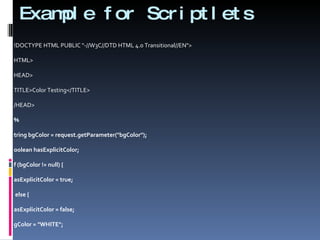
Example for Scriptlets <!DOCTYPE HTML PUBLIC &quot;-//W3C//DTD HTML 4.0 Transitional//EN&quot;> <HTML> <HEAD> <TITLE>Color Testing</TITLE> </HEAD> <% String bgColor = request.getParameter(&quot;bgColor&quot;); boolean hasExplicitColor; if (bgColor != null) { hasExplicitColor = true; } else { hasExplicitColor = false; bgColor = &quot;WHITE&quot;; } %> <BODY BGCOLOR=&quot; <%= bgColor %>&quot;> <H2 ALIGN=&quot;CENTER&quot;>Color Testing</H2> <% if (hasExplicitColor) { out.println(&quot;You supplied an explicit background color of &quot; + bgColor + &quot;.&quot;); } else { out.println(&quot;Using default background color of WHITE. &quot; + &quot;Supply the bgColor request attribute to try a standard color, an RRGGBB value, or to see &quot; + &quot;if your browser supports X11 color names.&quot;); } %> </BODY> </HTML>
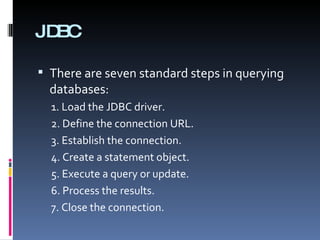
JDBC There are seven standard steps in querying databases: 1. Load the JDBC driver. 2. Define the connection URL. 3. Establish the connection. 4. Create a statement object. 5. Execute a query or update. 6. Process the results. 7. Close the connection.
1. Load the JDBC Driver try { Class.forName(&quot;connect.microsoft.MicrosoftDriver&quot;); Class.forName(&quot;oracle.jdbc.driver.OracleDriver&quot;); Class.forName(&quot;com.sybase.jdbc.SybDriver&quot;); }  catch(ClassNotFoundException cnfe) { System.err.println(&quot;Error loading driver: &quot; + cnfe); }
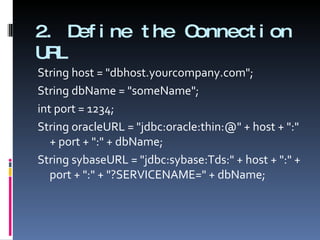
2. Define the Connection URL String host = &quot;dbhost.yourcompany.com&quot;; String dbName = &quot;someName&quot;; int port = 1234; String oracleURL = &quot;jdbc:oracle:thin:@&quot; + host + &quot;:&quot; + port + &quot;:&quot; + dbName; String sybaseURL = &quot;jdbc:sybase:Tds:&quot; + host + &quot;:&quot; + port + &quot;:&quot; + &quot;?SERVICENAME=&quot; + dbName;
3. Establish the Connection String username = “sample&quot;; String password = &quot;secret&quot;; Connection connection = DriverManager.getConnection(oracleURL, username, password); DatabaseMetaData dbMetaData = connection.getMetaData(); String productName = dbMetaData.getDatabaseProductName(); System.out.println(&quot;Database: &quot; + productName); String productVersion = dbMetaData.getDatabaseProductVersion(); System.out.println(&quot;Version: &quot; + productVersion);
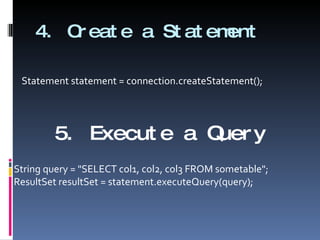
4. Create a Statement Statement statement = connection.createStatement(); 5. Execute a Query String query = &quot;SELECT col1, col2, col3 FROM sometable&quot;; ResultSet resultSet = statement.executeQuery(query);
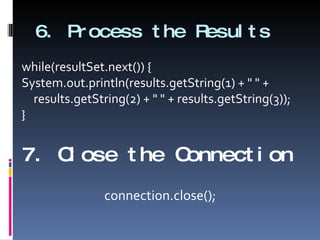
6. Process the Results while(resultSet.next()) { System.out.println(results.getString(1) + &quot; &quot; + results.getString(2) + &quot; &quot; + results.getString(3)); } 7. Close the Connection connection.close();
Example 1 import java.sql.*; /** A JDBC example that connects to either an Oracle or a Sybase database and prints out the values of predetermined columns in the &quot;fruits&quot; table. */ public class FruitTest { public static void main(String[] args) { if (args.length < 5) { printUsage(); return; } String vendorName = args[4]; int vendor = DriverUtilities.getVendor(vendorName); if (vendor == DriverUtilities.UNKNOWN) { printUsage(); return; }
String driver = DriverUtilities.getDriver(vendor); String host = args[0]; String dbName = args[1]; String url = DriverUtilities.makeURL(host, dbName, vendor); String username = args[2]; String password = args[3]; showFruitTable(driver, url, username, password); } /** Get the table and print all the values. */ public static void showFruitTable(String driver, String url, String username, String password) {
try { // Load database driver if not already loaded. Class.forName(driver); // Establish network connection to database. Connection connection = DriverManager.getConnection(url, username, password); // Look up info about the database as a whole. DatabaseMetaData dbMetaData = connection.getMetaData(); String productName = dbMetaData.getDatabaseProductName(); System.out.println(&quot;Database: &quot; + productName); String productVersion = dbMetaData.getDatabaseProductVersion(); System.out.println(&quot;Version: &quot; + productVersion + &quot;\n&quot;); System.out.println(&quot;Comparing Apples and Oranges\n&quot; + &quot;================&quot;); Statement statement = connection.createStatement();
String query = &quot;SELECT * FROM fruits&quot;; // Send query to database and store results. ResultSet resultSet = statement.executeQuery(query); // Look up information about a particular table. ResultSetMetaData resultsMetaData = resultSet.getMetaData(); int columnCount = resultsMetaData.getColumnCount(); // Column index starts at 1 (a la SQL) not 0 (a la Java). for(int i=1; i<columnCount+1; i++) { System.out.print(resultsMetaData.getColumnName(i) +&quot; &quot;); } System.out.println(); // Print results. while(resultSet.next()) {
// Quarter System.out.print(&quot; &quot; + resultSet.getInt(1)); // Number of Apples System.out.print(&quot; &quot; + resultSet.getInt(2)); // Apple Sales System.out.print(&quot; $&quot; + resultSet.getFloat(3)); // Top Salesman System.out.println(&quot; &quot; + resultSet.getString(4)); } } catch(ClassNotFoundException cnfe) { System.err.println(&quot;Error loading driver: &quot; + cnfe); } catch(SQLException sqle) { System.err.println(&quot;Error connecting: &quot; + sqle); } } private static void printUsage() { System.out.println(&quot;Usage: FruitTest host dbName &quot; + &quot;username password oracle|sybase.&quot;); } } Java FruitTest db.ece fruitsale student xxxx oracle
Example 2 import java.sql.*; /** Connect to Oracle or Sybase and print &quot;employees&quot; table. */ public class EmployeeTest { public static void main(String[] args) { if (args.length < 5) { printUsage(); return; } String vendorName = args[4]; int vendor = DriverUtilities.getVendor(vendorName); if (vendor == DriverUtilities.UNKNOWN) { printUsage(); return; } String driver = DriverUtilities.getDriver(vendor); String host = args[0]; String dbName = args[1]; String url = DriverUtilities.makeURL(host, dbName, vendor); String username = args[2]; String password = args[3]; DatabaseUtilities.printTable(driver, url, username, password, &quot;employees&quot;, 12, true); } private static void printUsage() { System.out.println(&quot;Usage: EmployeeTest host dbName &quot; + &quot;username password oracle|sybase.&quot;); } }

Jsp And Jdbc

  • 1.
    Advanced Java Programming- Unit IV Roy Antony Arnold G Sr. Lecturer Einstein College of Engineering Tirunelveli, Tamilnadu, India
  • 2.
    Expressions.jsp <!DOCTYPE HTMLPUBLIC &quot;-//W3C//DTD HTML 4.0 Transitional//EN&quot;> <HTML> <HEAD> <TITLE>JSP Expressions</TITLE> <META NAME=&quot;author&quot; CONTENT=&quot;Marty Hall&quot;> <META NAME=&quot;keywords” CONTENT=&quot;JSP,expressions,JavaServer,Pages,servlets&quot;> <META NAME=&quot;description” CONTENT=&quot;A quick example of JSP expressions.&quot;> <LINK REL=STYLESHEET HREF=&quot;JSP-Styles.css” TYPE=&quot;text/css&quot;> </HEAD> <BODY> <H2>JSP Expressions</H2> <UL> <LI>Current time: <%= new java.util.Date() %> <LI>Your hostname: <%= request.getRemoteHost() %> <LI>Your session ID: <%= session.getId() %> <LI>The <CODE>testParam</CODE> form parameter: <%= request.getParameter(&quot;testParam&quot;) %> </UL> </BODY> </HTML>
  • 3.
  • 4.
    Example for Scriptlets<!DOCTYPE HTML PUBLIC &quot;-//W3C//DTD HTML 4.0 Transitional//EN&quot;> <HTML> <HEAD> <TITLE>Color Testing</TITLE> </HEAD> <% String bgColor = request.getParameter(&quot;bgColor&quot;); boolean hasExplicitColor; if (bgColor != null) { hasExplicitColor = true; } else { hasExplicitColor = false; bgColor = &quot;WHITE&quot;; } %> <BODY BGCOLOR=&quot; <%= bgColor %>&quot;> <H2 ALIGN=&quot;CENTER&quot;>Color Testing</H2> <% if (hasExplicitColor) { out.println(&quot;You supplied an explicit background color of &quot; + bgColor + &quot;.&quot;); } else { out.println(&quot;Using default background color of WHITE. &quot; + &quot;Supply the bgColor request attribute to try a standard color, an RRGGBB value, or to see &quot; + &quot;if your browser supports X11 color names.&quot;); } %> </BODY> </HTML>
  • 5.
    JDBC There areseven standard steps in querying databases: 1. Load the JDBC driver. 2. Define the connection URL. 3. Establish the connection. 4. Create a statement object. 5. Execute a query or update. 6. Process the results. 7. Close the connection.
  • 6.
    1. Load theJDBC Driver try { Class.forName(&quot;connect.microsoft.MicrosoftDriver&quot;); Class.forName(&quot;oracle.jdbc.driver.OracleDriver&quot;); Class.forName(&quot;com.sybase.jdbc.SybDriver&quot;); } catch(ClassNotFoundException cnfe) { System.err.println(&quot;Error loading driver: &quot; + cnfe); }
  • 7.
    2. Define theConnection URL String host = &quot;dbhost.yourcompany.com&quot;; String dbName = &quot;someName&quot;; int port = 1234; String oracleURL = &quot;jdbc:oracle:thin:@&quot; + host + &quot;:&quot; + port + &quot;:&quot; + dbName; String sybaseURL = &quot;jdbc:sybase:Tds:&quot; + host + &quot;:&quot; + port + &quot;:&quot; + &quot;?SERVICENAME=&quot; + dbName;
  • 8.
    3. Establish theConnection String username = “sample&quot;; String password = &quot;secret&quot;; Connection connection = DriverManager.getConnection(oracleURL, username, password); DatabaseMetaData dbMetaData = connection.getMetaData(); String productName = dbMetaData.getDatabaseProductName(); System.out.println(&quot;Database: &quot; + productName); String productVersion = dbMetaData.getDatabaseProductVersion(); System.out.println(&quot;Version: &quot; + productVersion);
  • 9.
    4. Create aStatement Statement statement = connection.createStatement(); 5. Execute a Query String query = &quot;SELECT col1, col2, col3 FROM sometable&quot;; ResultSet resultSet = statement.executeQuery(query);
  • 10.
    6. Process theResults while(resultSet.next()) { System.out.println(results.getString(1) + &quot; &quot; + results.getString(2) + &quot; &quot; + results.getString(3)); } 7. Close the Connection connection.close();
  • 11.
    Example 1 importjava.sql.*; /** A JDBC example that connects to either an Oracle or a Sybase database and prints out the values of predetermined columns in the &quot;fruits&quot; table. */ public class FruitTest { public static void main(String[] args) { if (args.length < 5) { printUsage(); return; } String vendorName = args[4]; int vendor = DriverUtilities.getVendor(vendorName); if (vendor == DriverUtilities.UNKNOWN) { printUsage(); return; }
  • 12.
    String driver =DriverUtilities.getDriver(vendor); String host = args[0]; String dbName = args[1]; String url = DriverUtilities.makeURL(host, dbName, vendor); String username = args[2]; String password = args[3]; showFruitTable(driver, url, username, password); } /** Get the table and print all the values. */ public static void showFruitTable(String driver, String url, String username, String password) {
  • 13.
    try { //Load database driver if not already loaded. Class.forName(driver); // Establish network connection to database. Connection connection = DriverManager.getConnection(url, username, password); // Look up info about the database as a whole. DatabaseMetaData dbMetaData = connection.getMetaData(); String productName = dbMetaData.getDatabaseProductName(); System.out.println(&quot;Database: &quot; + productName); String productVersion = dbMetaData.getDatabaseProductVersion(); System.out.println(&quot;Version: &quot; + productVersion + &quot;\n&quot;); System.out.println(&quot;Comparing Apples and Oranges\n&quot; + &quot;================&quot;); Statement statement = connection.createStatement();
  • 14.
    String query =&quot;SELECT * FROM fruits&quot;; // Send query to database and store results. ResultSet resultSet = statement.executeQuery(query); // Look up information about a particular table. ResultSetMetaData resultsMetaData = resultSet.getMetaData(); int columnCount = resultsMetaData.getColumnCount(); // Column index starts at 1 (a la SQL) not 0 (a la Java). for(int i=1; i<columnCount+1; i++) { System.out.print(resultsMetaData.getColumnName(i) +&quot; &quot;); } System.out.println(); // Print results. while(resultSet.next()) {
  • 15.
    // Quarter System.out.print(&quot;&quot; + resultSet.getInt(1)); // Number of Apples System.out.print(&quot; &quot; + resultSet.getInt(2)); // Apple Sales System.out.print(&quot; $&quot; + resultSet.getFloat(3)); // Top Salesman System.out.println(&quot; &quot; + resultSet.getString(4)); } } catch(ClassNotFoundException cnfe) { System.err.println(&quot;Error loading driver: &quot; + cnfe); } catch(SQLException sqle) { System.err.println(&quot;Error connecting: &quot; + sqle); } } private static void printUsage() { System.out.println(&quot;Usage: FruitTest host dbName &quot; + &quot;username password oracle|sybase.&quot;); } } Java FruitTest db.ece fruitsale student xxxx oracle
  • 16.
    Example 2 importjava.sql.*; /** Connect to Oracle or Sybase and print &quot;employees&quot; table. */ public class EmployeeTest { public static void main(String[] args) { if (args.length < 5) { printUsage(); return; } String vendorName = args[4]; int vendor = DriverUtilities.getVendor(vendorName); if (vendor == DriverUtilities.UNKNOWN) { printUsage(); return; } String driver = DriverUtilities.getDriver(vendor); String host = args[0]; String dbName = args[1]; String url = DriverUtilities.makeURL(host, dbName, vendor); String username = args[2]; String password = args[3]; DatabaseUtilities.printTable(driver, url, username, password, &quot;employees&quot;, 12, true); } private static void printUsage() { System.out.println(&quot;Usage: EmployeeTest host dbName &quot; + &quot;username password oracle|sybase.&quot;); } }