JavaScript - Placement in HTML File
Brought to you by www.SiryMedia.in
• There is a flexibility given to include JavaScript code anywhere in
an HTML document. However the most preferred ways to include
JavaScript in an HTML file are as follows −
• Script in <head>...</head> section.
• Script in <body>...</body> section.
• Script in <body>...</body> and <head>...</head> sections.
• Script in an external file and then include in <head>...</head>
section.
• In the following section, we will see how we can place JavaScript
in an HTML file in different ways.
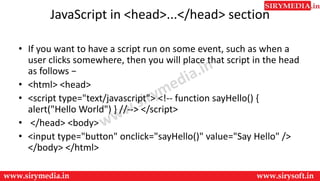
JavaScript in <head>...</head> section
• If you want to have a script run on some event, such as when a
user clicks somewhere, then you will place that script in the head
as follows −
• <html> <head>
• <script type="text/javascript"> <!-- function sayHello() {
alert("Hello World") } //--> </script>
• </head> <body>
• <input type="button" onclick="sayHello()" value="Say Hello" />
</body> </html>
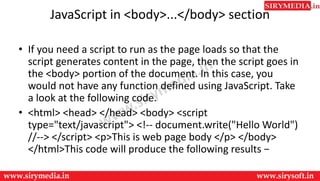
JavaScript in <body>...</body> section
• If you need a script to run as the page loads so that the
script generates content in the page, then the script goes in
the <body> portion of the document. In this case, you
would not have any function defined using JavaScript. Take
a look at the following code.
• <html> <head> </head> <body> <script
type="text/javascript"> <!-- document.write("Hello World")
//--> </script> <p>This is web page body </p> </body>
</html>This code will produce the following results −
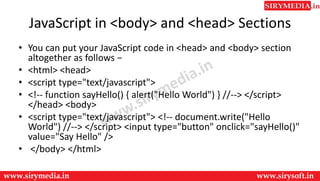
JavaScript in <body> and <head> Sections
• You can put your JavaScript code in <head> and <body> section
altogether as follows −
• <html> <head>
• <script type="text/javascript">
• <!-- function sayHello() { alert("Hello World") } //--> </script>
</head> <body>
• <script type="text/javascript"> <!-- document.write("Hello
World") //--> </script> <input type="button" onclick="sayHello()"
value="Say Hello" />
• </body> </html>
JavaScript in External File
• As you begin to work more extensively with JavaScript, you will be
likely to find that there are cases where you are reusing identical
JavaScript code on multiple pages of a site.
• You are not restricted to be maintaining identical code in multiple
HTML files. The script tag provides a mechanism to allow you to store
JavaScript in an external file and then include it into your HTML files.
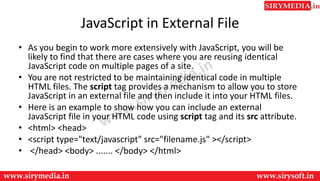
• Here is an example to show how you can include an external
JavaScript file in your HTML code using script tag and its src attribute.
• <html> <head>
• <script type="text/javascript" src="filename.js" ></script>
• </head> <body> ....... </body> </html>
• To use JavaScript from an external file source, you need to
write all your JavaScript source code in a simple text file
with the extension ".js" and then include that file as shown
above.
• For example, you can keep the following content
in filename.js file and then you can use sayHello function in
your HTML file after including the filename.js file.
• function sayHello() { alert("Hello World") }
Thank You
For more updates subscribe to our YouTube channel
SiryMedia
To watch more videos visit our website
www.sirymedia.in

Js placement

  • 1.
    JavaScript - Placementin HTML File Brought to you by www.SiryMedia.in
  • 2.
    • There isa flexibility given to include JavaScript code anywhere in an HTML document. However the most preferred ways to include JavaScript in an HTML file are as follows − • Script in <head>...</head> section. • Script in <body>...</body> section. • Script in <body>...</body> and <head>...</head> sections. • Script in an external file and then include in <head>...</head> section. • In the following section, we will see how we can place JavaScript in an HTML file in different ways.
  • 3.
    JavaScript in <head>...</head>section • If you want to have a script run on some event, such as when a user clicks somewhere, then you will place that script in the head as follows − • <html> <head> • <script type="text/javascript"> <!-- function sayHello() { alert("Hello World") } //--> </script> • </head> <body> • <input type="button" onclick="sayHello()" value="Say Hello" /> </body> </html>
  • 4.
    JavaScript in <body>...</body>section • If you need a script to run as the page loads so that the script generates content in the page, then the script goes in the <body> portion of the document. In this case, you would not have any function defined using JavaScript. Take a look at the following code. • <html> <head> </head> <body> <script type="text/javascript"> <!-- document.write("Hello World") //--> </script> <p>This is web page body </p> </body> </html>This code will produce the following results −
  • 5.
    JavaScript in <body>and <head> Sections • You can put your JavaScript code in <head> and <body> section altogether as follows − • <html> <head> • <script type="text/javascript"> • <!-- function sayHello() { alert("Hello World") } //--> </script> </head> <body> • <script type="text/javascript"> <!-- document.write("Hello World") //--> </script> <input type="button" onclick="sayHello()" value="Say Hello" /> • </body> </html>
  • 6.
    JavaScript in ExternalFile • As you begin to work more extensively with JavaScript, you will be likely to find that there are cases where you are reusing identical JavaScript code on multiple pages of a site. • You are not restricted to be maintaining identical code in multiple HTML files. The script tag provides a mechanism to allow you to store JavaScript in an external file and then include it into your HTML files. • Here is an example to show how you can include an external JavaScript file in your HTML code using script tag and its src attribute. • <html> <head> • <script type="text/javascript" src="filename.js" ></script> • </head> <body> ....... </body> </html>
  • 7.
    • To useJavaScript from an external file source, you need to write all your JavaScript source code in a simple text file with the extension ".js" and then include that file as shown above. • For example, you can keep the following content in filename.js file and then you can use sayHello function in your HTML file after including the filename.js file. • function sayHello() { alert("Hello World") }
  • 8.
    Thank You For moreupdates subscribe to our YouTube channel SiryMedia To watch more videos visit our website www.sirymedia.in