Free enabling technologies
supporting staff and students
Margaret McKay
Advisor: Inclusion
JISC RSC Scotland
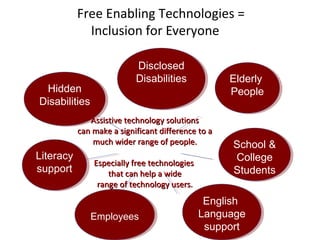
Free Enabling Technologies =
Inclusion for Everyone

Hidden
Hidden
Disabilities
Disabilities

Disclosed
Disclosed
Disabilities
Disabilities

Elderly
Elderly
People
People

Assistive technology solutions
can make a significant difference to a
much wider range of people.

Literacy
Literacy
support
support

Especially free technologies
that can help a wide
range of technology users.

Employees
Employees

School &
School &
College
College
Students
Students

English
English
Language
Language
support
support
These slides will provide you with
information on a range of free and open
source enabling technologies which have
the capacity to support a wide range of
users (not just those with disabilities).
As well as providing links to sources of
where to find these resources, links will
take you to short video/audio clips of
students and staff talking about how they
have used these technologies.
Feel free to copy this presentation onto a
pen drive if you want to take it away and
investigate further.
Free enabling technology for all
case study
South Lanarkshire College
Lecturers views on using free enabling
technologies to support all learners
(not just those with disclosed additional support needs)

Listen Teaching Staff at South Lanarkshire College
http://bit.ly/SLC_STAFF
Students views on using free enabling
technologies
(not just students with disabilities)

Listen Students at South
Lanarkshire College
http://bit.ly/slc_students
Implementing a Cross Institutional Approach to
Embedding Free Inclusive Technologies on all
Computers
Read the full case study at:
http://bit.ly/slc-staff-students
Strategic approach to integrating free
enabling technologies across an institution
(for the benefit of all staff and for all learners)

Listen to Managers at South Lanarkshire College

http://bit.ly/m42dgO
Text to Speech
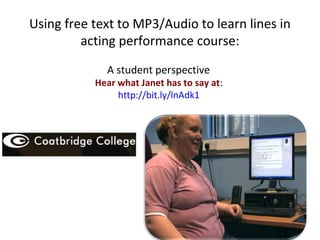
Using free text to MP3/Audio to learn lines in
acting performance course:
A student perspective

Hear what Janet has to say at:
http://bit.ly/lnAdk1
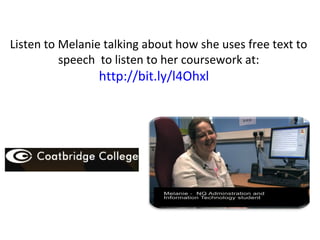
Listen to Melanie talking about how she uses free text to
speech to listen to her coursework at:

http://bit.ly/l4Ohxl
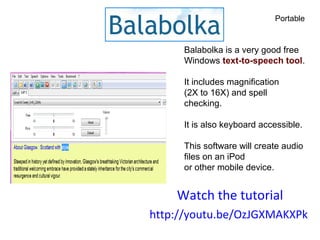
Portable

Balabolka is a very good free
Windows text-to-speech tool.
It includes magnification
(2X to 16X) and spell
checking.
It is also keyboard accessible.
This software will create audio
files on an iPod
or other mobile device.

Watch the tutorial
http://youtu.be/OzJGXMAKXPk
Other Free Text to Speech Software

Follow these links for more information and to watch
video demonstrations

WordTalk
(a free text to speech plug in for MS Word)

http://youtu.be/SicL4gkIR5g
http://www.wordtalk.org.uk/Home/
Reading and Writing Support
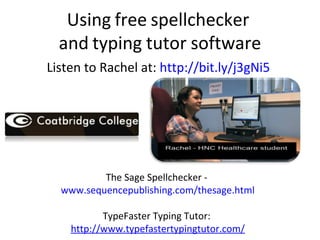
Using free spellchecker
and typing tutor software
Listen to Rachel at: http://bit.ly/j3gNi5

The Sage Spellchecker www.sequencepublishing.com/thesage.html
TypeFaster Typing Tutor:
http://www.typefastertypingtutor.com/
Free Spellchecking Software
Follow these links for more information
and to watch video demonstrations
Ginger Grammar and Spellchecker
http://youtu.be/XJqc5JIiDCI
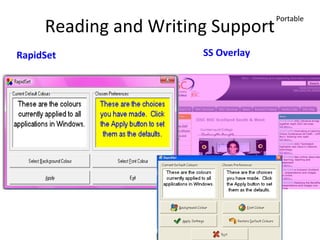
Reading and Writing Support
RapidSet

SS Overlay

Portable
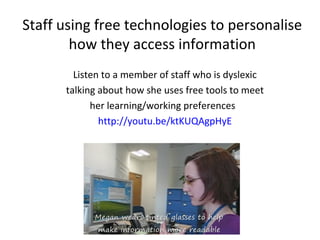
Staff using free technologies to personalise
how they access information
Listen to a member of staff who is dyslexic
talking about how she uses free tools to meet
her learning/working preferences
http://youtu.be/ktKUQAgpHyE
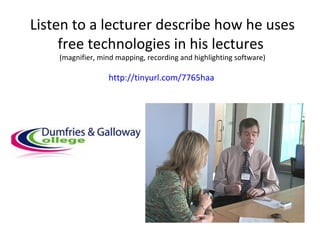
Listen to a lecturer describe how he uses
free technologies in his lectures
(magnifier, mind mapping, recording and highlighting software)

http://tinyurl.com/7765haa
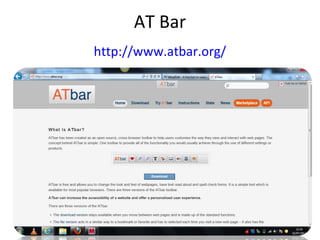
AT Bar
http://www.atbar.org/
•Surf the Web Your Way
•Effortlessly change the appearance of
webpages, or have pages read aloud to you.
Built-in referencing, dictionary and spelling tools
make online reading and writing a snap.
Mind Mapping
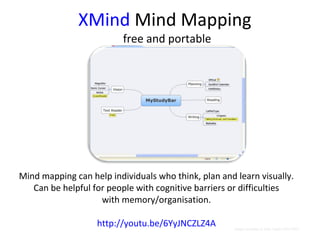
XMind Mind Mapping
free and portable

Mind mapping can help individuals who think, plan and learn visually.
Can be helpful for people with cognitive barriers or difficulties
with memory/organisation.
http://youtu.be/6YyJNCZLZ4A
Go to View > Header & Footer to edit

Image courtesy of Julia Taylor JISC RSC
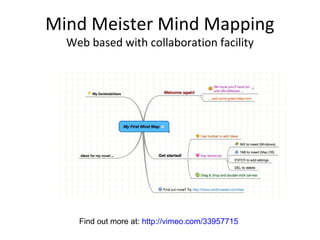
Mind Meister Mind Mapping
Web based with collaboration facility

Find out more at: http://vimeo.com/33957715
Visual Impairment
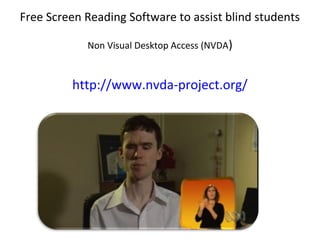
Free Screen Reading Software to assist blind students
Non Visual Desktop Access (NVDA)

http://www.nvda-project.org/
Listen to a student talk about how
she uses Non Visual Desktop Access
NVDA

http://tinyurl.com/Jade-NVDA
How NVDA rescues the most
expensive on the
market

Follow this link to find out more about how NVDA
Inclusive society
http://inclusivesociety.wordpress.com
RoboBraille
Web based text to speech
http://www.robobraille.org/online
Watch a video about RoboBraille
http://bit.ly/abkbz6 *
Learn now to convert pictures to words and
text to sound using RoboBraille
http://bit.ly/p9nqZc
With RoboBraille you can save to MP3 or Digtial Talking Book/DAISY Format
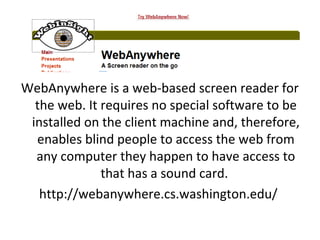
WebAnywhere is a web-based screen reader for
the web. It requires no special software to be
installed on the client machine and, therefore,
enables blind people to access the web from
any computer they happen to have access to
that has a sound card.
http://webanywhere.cs.washington.edu/
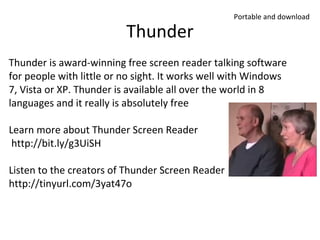
Thunder

Portable and download

Thunder is award-winning free screen reader talking software
for people with little or no sight. It works well with Windows
7, Vista or XP. Thunder is available all over the world in 8
languages and it really is absolutely free
Learn more about Thunder Screen Reader
http://bit.ly/g3UiSH
Listen to the creators of Thunder Screen Reader
http://tinyurl.com/3yat47o
Enable Ireland
Low cost screen readers
http://youtu.be/a8Gsan0ArZQ
Free Enabling Technologies
supporting staff and students

Margaret McKay
Advisor: Inclusion
JISC RSC Scotland

Jisc RSC Eastern eFair 2012 'Free enabling technologies'

  • 1.
    Free enabling technologies supportingstaff and students Margaret McKay Advisor: Inclusion JISC RSC Scotland
  • 2.
    Free Enabling Technologies= Inclusion for Everyone Hidden Hidden Disabilities Disabilities Disclosed Disclosed Disabilities Disabilities Elderly Elderly People People Assistive technology solutions can make a significant difference to a much wider range of people. Literacy Literacy support support Especially free technologies that can help a wide range of technology users. Employees Employees School & School & College College Students Students English English Language Language support support
  • 3.
    These slides willprovide you with information on a range of free and open source enabling technologies which have the capacity to support a wide range of users (not just those with disabilities).
  • 4.
    As well asproviding links to sources of where to find these resources, links will take you to short video/audio clips of students and staff talking about how they have used these technologies.
  • 5.
    Feel free tocopy this presentation onto a pen drive if you want to take it away and investigate further.
  • 6.
    Free enabling technologyfor all case study South Lanarkshire College
  • 7.
    Lecturers views onusing free enabling technologies to support all learners (not just those with disclosed additional support needs) Listen Teaching Staff at South Lanarkshire College http://bit.ly/SLC_STAFF
  • 8.
    Students views onusing free enabling technologies (not just students with disabilities) Listen Students at South Lanarkshire College http://bit.ly/slc_students
  • 9.
    Implementing a CrossInstitutional Approach to Embedding Free Inclusive Technologies on all Computers Read the full case study at: http://bit.ly/slc-staff-students
  • 10.
    Strategic approach tointegrating free enabling technologies across an institution (for the benefit of all staff and for all learners) Listen to Managers at South Lanarkshire College http://bit.ly/m42dgO
  • 11.
  • 12.
    Using free textto MP3/Audio to learn lines in acting performance course: A student perspective Hear what Janet has to say at: http://bit.ly/lnAdk1
  • 13.
    Listen to Melanietalking about how she uses free text to speech to listen to her coursework at: http://bit.ly/l4Ohxl
  • 14.
    Portable Balabolka is avery good free Windows text-to-speech tool. It includes magnification (2X to 16X) and spell checking. It is also keyboard accessible. This software will create audio files on an iPod or other mobile device. Watch the tutorial http://youtu.be/OzJGXMAKXPk
  • 15.
    Other Free Textto Speech Software Follow these links for more information and to watch video demonstrations WordTalk (a free text to speech plug in for MS Word) http://youtu.be/SicL4gkIR5g http://www.wordtalk.org.uk/Home/
  • 16.
  • 17.
    Using free spellchecker andtyping tutor software Listen to Rachel at: http://bit.ly/j3gNi5 The Sage Spellchecker www.sequencepublishing.com/thesage.html TypeFaster Typing Tutor: http://www.typefastertypingtutor.com/
  • 18.
    Free Spellchecking Software Followthese links for more information and to watch video demonstrations Ginger Grammar and Spellchecker http://youtu.be/XJqc5JIiDCI
  • 19.
    Reading and WritingSupport RapidSet SS Overlay Portable
  • 20.
    Staff using freetechnologies to personalise how they access information Listen to a member of staff who is dyslexic talking about how she uses free tools to meet her learning/working preferences http://youtu.be/ktKUQAgpHyE
  • 21.
    Listen to alecturer describe how he uses free technologies in his lectures (magnifier, mind mapping, recording and highlighting software) http://tinyurl.com/7765haa
  • 22.
    AT Bar http://www.atbar.org/ •Surf theWeb Your Way •Effortlessly change the appearance of webpages, or have pages read aloud to you. Built-in referencing, dictionary and spelling tools make online reading and writing a snap.
  • 23.
  • 24.
    XMind Mind Mapping freeand portable Mind mapping can help individuals who think, plan and learn visually. Can be helpful for people with cognitive barriers or difficulties with memory/organisation. http://youtu.be/6YyJNCZLZ4A Go to View > Header & Footer to edit Image courtesy of Julia Taylor JISC RSC
  • 25.
    Mind Meister MindMapping Web based with collaboration facility Find out more at: http://vimeo.com/33957715
  • 26.
  • 27.
    Free Screen ReadingSoftware to assist blind students Non Visual Desktop Access (NVDA) http://www.nvda-project.org/
  • 28.
    Listen to astudent talk about how she uses Non Visual Desktop Access NVDA http://tinyurl.com/Jade-NVDA
  • 29.
    How NVDA rescuesthe most expensive on the market Follow this link to find out more about how NVDA Inclusive society http://inclusivesociety.wordpress.com
  • 30.
    RoboBraille Web based textto speech http://www.robobraille.org/online Watch a video about RoboBraille http://bit.ly/abkbz6 * Learn now to convert pictures to words and text to sound using RoboBraille http://bit.ly/p9nqZc With RoboBraille you can save to MP3 or Digtial Talking Book/DAISY Format
  • 31.
    WebAnywhere is aweb-based screen reader for the web. It requires no special software to be installed on the client machine and, therefore, enables blind people to access the web from any computer they happen to have access to that has a sound card. http://webanywhere.cs.washington.edu/
  • 32.
    Thunder Portable and download Thunderis award-winning free screen reader talking software for people with little or no sight. It works well with Windows 7, Vista or XP. Thunder is available all over the world in 8 languages and it really is absolutely free Learn more about Thunder Screen Reader http://bit.ly/g3UiSH Listen to the creators of Thunder Screen Reader http://tinyurl.com/3yat47o
  • 33.
    Enable Ireland Low costscreen readers http://youtu.be/a8Gsan0ArZQ
  • 34.
    Free Enabling Technologies supportingstaff and students Margaret McKay Advisor: Inclusion JISC RSC Scotland

Editor's Notes

  • #3 In many organisations accessibility is associated with a particular group of people (disabled learners) and a particular group of staff (learner support or disability officers). This perception is unhelpful for two reasons: It may fail to recognise the spectrum of accessibility needs which goes beyond learners with declared disabilities. It may fail to recognise the very significant role that well informed teaching and learning staff e.g. lecturers, trainer, tutors, librarians or technicians, can bring to the learner’s experience.
  • #15 Balabolka is a Russian word that means “chatterer”.  Balabolka is also very good free text-to-speech software for the PC, running in all versions of Windows–from  Windows 2000 through Windows 7.  There are two versions of the program, one that is installed on a host computer, and a portable version that will run from a USB flash drive. Balabolka is available in the following 15 languages:  English; Bulgarian; Chinese, Czech; Dutch; French; German; Hungarian; Italian; Polish; Brazilian Portuguese; Romanian; Russian; Spanish; Ukrainian.
  • #20 Rapidset and SS Overlay
  • #23 Surf the Web Your Way Effortlessly change the appearance of webpages, or have pages read aloud to you. Built-in referencing, dictionary and spelling tools make online reading and writing a snap.
  • #25 Mind Mapping the Benefits Non- linear Use Colour for meaning xMind can help individuals who think, plan and learn visually. Can be helpful For people with cognitive barriers & difficulties with memory & organisation.
  • #32 WebAnywhere is a web-based screen reader for the web. It requires no special software to be installed on the client machine and, therefore, enables blind people to access the web from any computer they happen to have access to that has a sound card. http://webanywhere.cs.washington.edu/
  • #33 Non Visual Desktop Access is another free screen reading software available to download. Comparison of NVDA and Thunder August 2011 Issue Volume 12 Number 8 http://www.afb.org/afbpress/pub.asp?DocID=aw120803 Thunder is award-winning free screen reader talking software for people with little or no sight. It works well with Windows 7, Vista or XP. Thunder is available all over the world in 8 languages and it really is absolutely free Learn more about Thunder Screen Reader http://bit.ly/g3UiSH Listen to the creators of Thunder Screen Reader http://tinyurl.com/3yat47o