DESIGN + BENEFITS
How Game Mechanics, Consumer Psychology, 

And Design Thinking Are Revolutionizing 

Health Benefits Engagement
By James Currier, Jiff, Founder & Chairman

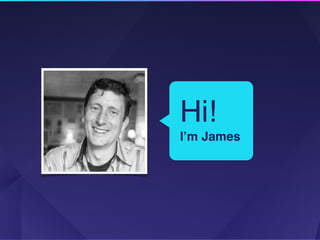
Hi!

I’m James
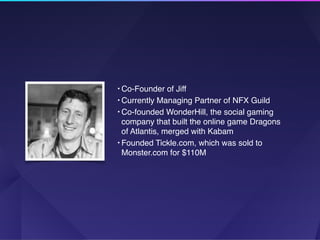
• Co-Founder of Jiff
• Currently Managing Partner of NFX Guild
• Co-founded WonderHill, the social gaming
company that built the online game Dragons 

of Atlantis, merged with Kabam
• Founded Tickle.com, which was sold to
Monster.com for $110M
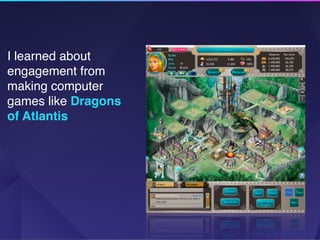
I learned about
engagement from
making computer
games like Dragons
of Atlantis

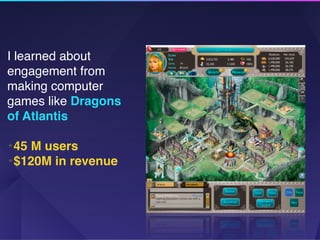
I learned about
engagement from
making computer
games like Dragons
of Atlantis

•45 M users
•$120M in revenue
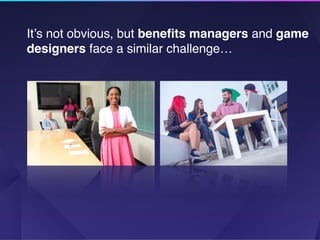
It’s not obvious, but benefits managers and game
designers face a similar challenge…
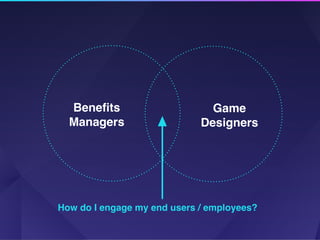
Game
Designers
Benefits

Managers
How do I engage my end users / employees?
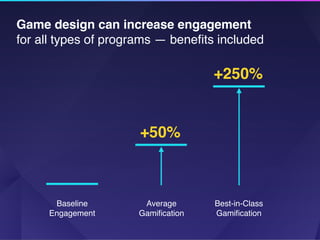
Game design can increase engagement 

for all types of programs — benefits included
+50%
+250%
Baseline
Engagement
Average
Gamification
Best-in-Class
Gamification
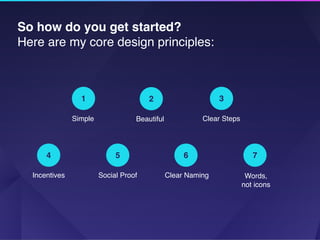
So how do you get started? 

Here are my core design principles:
1
Simple
2
Beautiful
3
Clear Steps
4
Incentives
5
Social Proof
6
Clear Naming
7
Words, 

not icons
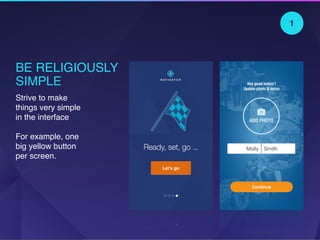
BE RELIGIOUSLY
SIMPLE
Strive to make
things very simple
in the interface


For example, one
big yellow button
per screen.
Let’s go
Continue
1
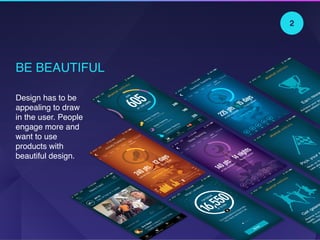
BE BEAUTIFUL
Design has to be
appealing to draw
in the user. People
engage more and
want to use
products with
beautiful design.
2
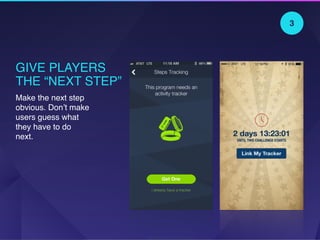
GIVE PLAYERS 

THE “NEXT STEP”
Make the next step
obvious. Don’t make
users guess what
they have to do
next.
3
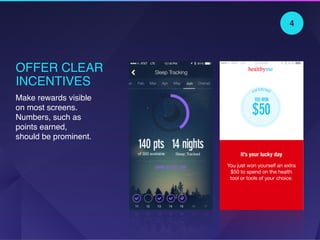
OFFER CLEAR
INCENTIVES
Make rewards visible
on most screens.
Numbers, such as
points earned,
should be prominent.
4
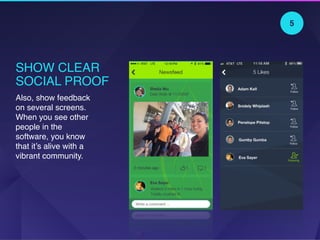
SHOW CLEAR
SOCIAL PROOF
Also, show feedback
on several screens.
When you see other
people in the
software, you know
that it’s alive with a
vibrant community.
5
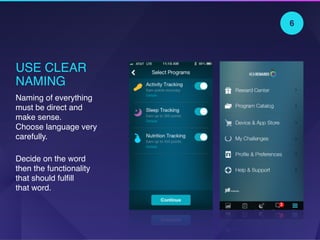
USE CLEAR
NAMING
Naming of everything
must be direct and
make sense. 

Choose language very
carefully.
Decide on the word
then the functionality
that should fulfill 

that word.
6
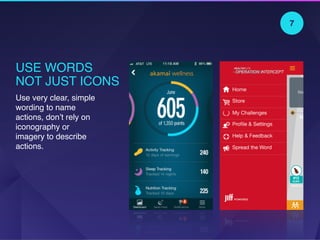
USE WORDS
NOT JUST ICONS
Use very clear, simple
wording to name
actions, don’t rely on
iconography or
imagery to describe
actions.
7
Now that we’ve
covered design,
let’s talk about
‘gamification’
gamification

noun, gā-mə-fə-ˈkā-shən


1) The act of putting game mechanics in
the heart of digital products
2) Implementing a set of company
operating principles that support
gamified products*
*These have been developed over the last 7 years by online, real-time,
browser based social gaming companies, which are likely the most
advanced consumer engagement and monitoring systems on the
planet.
Here are some gamification tactics 

to live by:
1
First User 

Experience
2
Identity

Blocks
3
Progress

Bars
4
Hooray

Experiences
5
Countdowns
6
Feedback

Loops
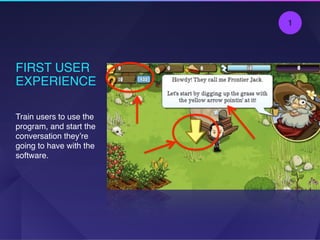
FIRST USER
EXPERIENCE

Train users to use the
program, and start the
conversation they’re
going to have with the
software.
1
USE
IDENTITY
BLOCKS
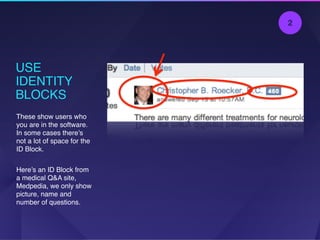
These show users who
you are in the software.
In some cases there’s
not a lot of space for the
ID Block.
Here’s an ID Block from
a medical Q&A site,
Medpedia, we only show
picture, name and
number of questions.
2
IDENTITY
BLOCKS
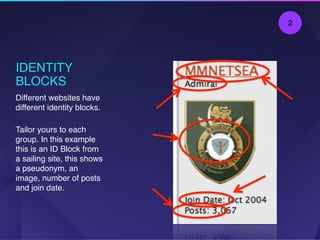
Different websites have
different identity blocks.
Tailor yours to each
group. In this example
this is an ID Block from
a sailing site, this shows
a pseudonym, an
image, number of posts
and join date.
2
USE 

PROGRESS 

BARS
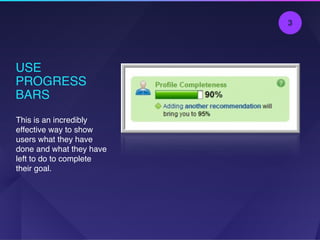
This is an incredibly
effective way to show
users what they have
done and what they have
left to do to complete
their goal.
3
CIRCULAR
PROGRESS BAR
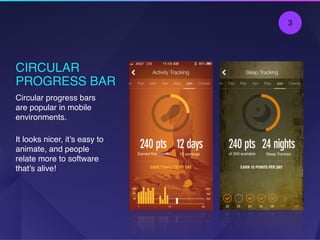
Circular progress bars
are popular in mobile
environments.
It looks nicer, it’s easy to
animate, and people
relate more to software
that’s alive!
3
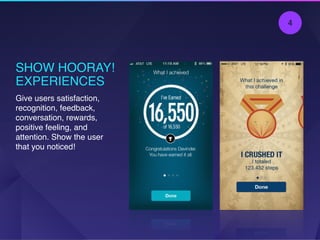
SHOW HOORAY!
EXPERIENCES
Give users satisfaction,
recognition, feedback,
conversation, rewards,
positive feeling, and
attention. Show the user
that you noticed!
4
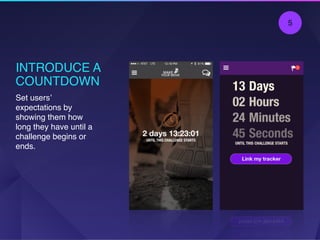
INTRODUCE A
COUNTDOWN
Set users’
expectations by
showing them how
long they have until a
challenge begins or
ends.
5
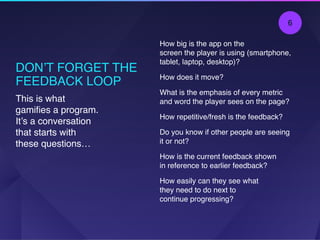
DON’T FORGET THE
FEEDBACK LOOP
How big is the app on the 

screen the player is using (smartphone,
tablet, laptop, desktop)?
How does it move?
What is the emphasis of every metric
and word the player sees on the page?
How repetitive/fresh is the feedback?
Do you know if other people are seeing
it or not?
How is the current feedback shown 

in reference to earlier feedback?
How easily can they see what 

they need to do next to 

continue progressing?
This is what
gamifies a program.
It’s a conversation
that starts with
these questions…
6
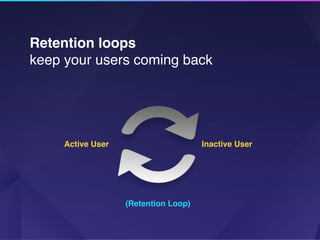
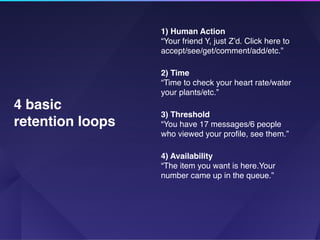
Retention loops 

keep your users coming back
Active User Inactive User
(Retention Loop)
1) Human Action
“Your friend Y, just Z’d. Click here to
accept/see/get/comment/add/etc.”
2) Time
“Time to check your heart rate/water
your plants/etc.”
3) Threshold
“You have 17 messages/6 people
who viewed your profile, see them.”
4) Availability
“The item you want is here.Your
number came up in the queue.”
4 basic
retention loops
Want to learn more?
Click Here 

View more resources from Jiff

Jiff Design + Benefits Webinar

  • 1.
    DESIGN + BENEFITS HowGame Mechanics, Consumer Psychology, 
 And Design Thinking Are Revolutionizing 
 Health Benefits Engagement By James Currier, Jiff, Founder & Chairman

  • 2.
  • 3.
    • Co-Founder ofJiff • Currently Managing Partner of NFX Guild • Co-founded WonderHill, the social gaming company that built the online game Dragons 
 of Atlantis, merged with Kabam • Founded Tickle.com, which was sold to Monster.com for $110M
  • 4.
    I learned about engagementfrom making computer games like Dragons of Atlantis

  • 5.
    I learned about engagementfrom making computer games like Dragons of Atlantis
 •45 M users •$120M in revenue
  • 6.
    It’s not obvious,but benefits managers and game designers face a similar challenge…
  • 7.
    Game Designers Benefits
 Managers How do Iengage my end users / employees?
  • 8.
    Game design canincrease engagement 
 for all types of programs — benefits included +50% +250% Baseline Engagement Average Gamification Best-in-Class Gamification
  • 9.
    So how doyou get started? 
 Here are my core design principles: 1 Simple 2 Beautiful 3 Clear Steps 4 Incentives 5 Social Proof 6 Clear Naming 7 Words, 
 not icons
  • 10.
    BE RELIGIOUSLY SIMPLE Strive tomake things very simple in the interface
 
 For example, one big yellow button per screen. Let’s go Continue 1
  • 11.
    BE BEAUTIFUL Design hasto be appealing to draw in the user. People engage more and want to use products with beautiful design. 2
  • 12.
    GIVE PLAYERS 
 THE“NEXT STEP” Make the next step obvious. Don’t make users guess what they have to do next. 3
  • 13.
    OFFER CLEAR INCENTIVES Make rewardsvisible on most screens. Numbers, such as points earned, should be prominent. 4
  • 14.
    SHOW CLEAR SOCIAL PROOF Also,show feedback on several screens. When you see other people in the software, you know that it’s alive with a vibrant community. 5
  • 15.
    USE CLEAR NAMING Naming ofeverything must be direct and make sense. 
 Choose language very carefully. Decide on the word then the functionality that should fulfill 
 that word. 6
  • 16.
    USE WORDS NOT JUSTICONS Use very clear, simple wording to name actions, don’t rely on iconography or imagery to describe actions. 7
  • 17.
    Now that we’ve covereddesign, let’s talk about ‘gamification’ gamification
 noun, gā-mə-fə-ˈkā-shən 
 1) The act of putting game mechanics in the heart of digital products 2) Implementing a set of company operating principles that support gamified products* *These have been developed over the last 7 years by online, real-time, browser based social gaming companies, which are likely the most advanced consumer engagement and monitoring systems on the planet.
  • 18.
    Here are somegamification tactics 
 to live by: 1 First User 
 Experience 2 Identity
 Blocks 3 Progress
 Bars 4 Hooray
 Experiences 5 Countdowns 6 Feedback
 Loops
  • 19.
    FIRST USER EXPERIENCE
 Train usersto use the program, and start the conversation they’re going to have with the software. 1
  • 20.
    USE IDENTITY BLOCKS These show userswho you are in the software. In some cases there’s not a lot of space for the ID Block. Here’s an ID Block from a medical Q&A site, Medpedia, we only show picture, name and number of questions. 2
  • 21.
    IDENTITY BLOCKS Different websites have differentidentity blocks. Tailor yours to each group. In this example this is an ID Block from a sailing site, this shows a pseudonym, an image, number of posts and join date. 2
  • 22.
    USE 
 PROGRESS 
 BARS Thisis an incredibly effective way to show users what they have done and what they have left to do to complete their goal. 3
  • 23.
    CIRCULAR PROGRESS BAR Circular progressbars are popular in mobile environments. It looks nicer, it’s easy to animate, and people relate more to software that’s alive! 3
  • 24.
    SHOW HOORAY! EXPERIENCES Give userssatisfaction, recognition, feedback, conversation, rewards, positive feeling, and attention. Show the user that you noticed! 4
  • 25.
    INTRODUCE A COUNTDOWN Set users’ expectationsby showing them how long they have until a challenge begins or ends. 5
  • 26.
    DON’T FORGET THE FEEDBACKLOOP How big is the app on the 
 screen the player is using (smartphone, tablet, laptop, desktop)? How does it move? What is the emphasis of every metric and word the player sees on the page? How repetitive/fresh is the feedback? Do you know if other people are seeing it or not? How is the current feedback shown 
 in reference to earlier feedback? How easily can they see what 
 they need to do next to 
 continue progressing? This is what gamifies a program. It’s a conversation that starts with these questions… 6
  • 27.
    Retention loops 
 keepyour users coming back Active User Inactive User (Retention Loop)
  • 28.
    1) Human Action “Yourfriend Y, just Z’d. Click here to accept/see/get/comment/add/etc.” 2) Time “Time to check your heart rate/water your plants/etc.” 3) Threshold “You have 17 messages/6 people who viewed your profile, see them.” 4) Availability “The item you want is here.Your number came up in the queue.” 4 basic retention loops
  • 29.
    Want to learnmore? Click Here 
 View more resources from Jiff