輕鬆學Google的雲端開發 -
Google App Engine入門
Simon Su & Sunny Hu
JCConf 2015
http://goo.gl/VoMoU7
Google App Engine also DevOps enabled
- Cloud Logging
- Cloud Debug
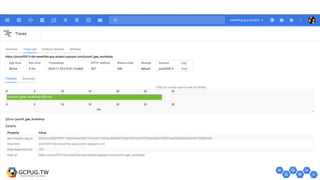
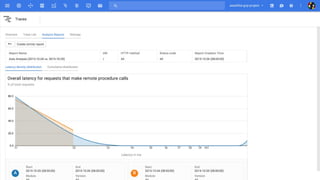
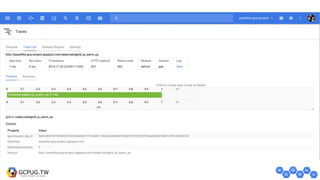
- Cloud Tracing
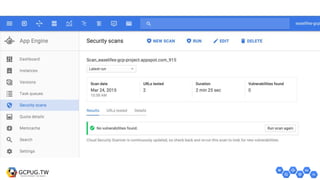
- Security Scan
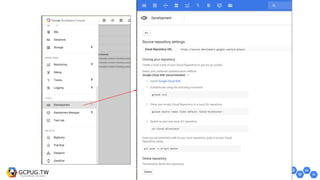
- Push to Deploy
Cloud Logging
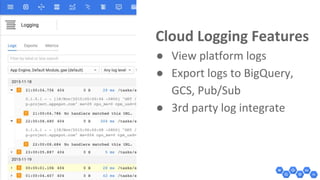
Cloud Logging Features
● View platform logs
● Export logs to BigQuery,
GCS, Pub/Sub
● 3rd party log integrate
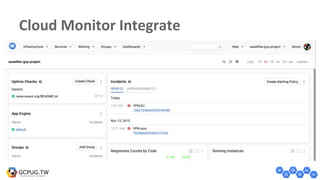
Cloud Monitor Integrate
Cloud Debugging
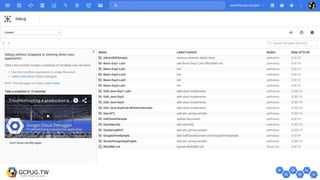
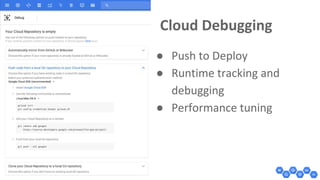
Cloud Debugging
● Push to Deploy
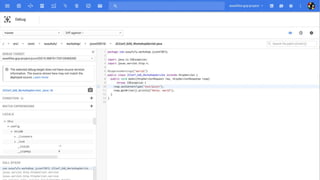
● Runtime tracking and
debugging
● Performance tuning
Cloud Traces
Security Scan
Push to Deploy
Architectures inside GAE
Modules & Managed VM
GAE Modules
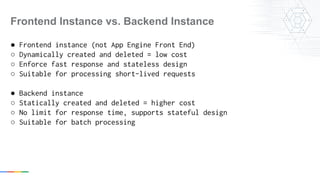
● Frontend instance (not App Engine Front End)
○ Dynamically created and deleted = low cost
○ Enforce fast response and stateless design
○ Suitable for processing short-lived requests
● Backend instance
○ Statically created and deleted = higher cost
○ No limit for response time, supports stateful design
○ Suitable for batch processing
Frontend Instance vs. Backend Instance
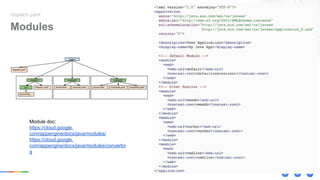
Modules
dispatch.yaml
Module doc:
https://cloud.google.
com/appengine/docs/java/modules/
https://cloud.google.
com/appengine/docs/java/modules/convertin
g
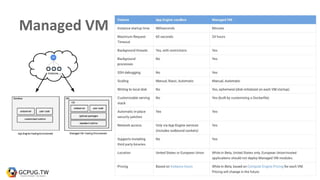
GAE Managed VM
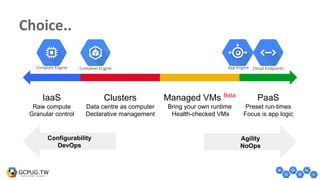
Choice..
IaaS
Raw compute
Granular control
PaaS
Preset run-times
Focus is app logic
Clusters
Data centre as computer
Declarative management
Managed VMs Beta
Bring your own runtime
Health-checked VMs
Agility
NoOps
Configurability
DevOps
Compute Engine App EngineContainer Engine Cloud Endpoints
Managed VM
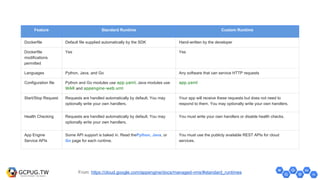
From: https://cloud.google.com/appengine/docs/managed-vms/#standard_runtimes
Feature Standard Runtime Custom Runtime
Dockerfile Default file supplied automatically by the SDK Hand-written by the developer
Dockerfile
modifications
permitted
Yes Yes
Languages Python, Java, and Go Any software that can service HTTP requests
Configuration file Python and Go modules use app.yaml, Java modules use
WAR and appengine-web.xml
app.yaml
Start/Stop Request Requests are handled automatically by default. You may
optionally write your own handlers.
Your app will receive these requests but does not need to
respond to them. You may optionally write your own handlers.
Health Checking Requests are handled automatically by default. You may
optionally write your own handlers.
You must write your own handlers or disable health checks.
App Engine
Service APIs
Some API support is baked in. Read thePython, Java, or
Go page for each runtime.
You must use the publicly available REST APIs for cloud
services.
MVM - Standard Runtime
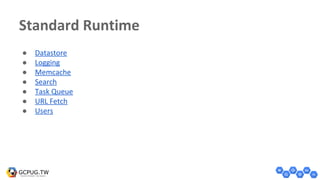
Standard Runtime
● Datastore
● Logging
● Memcache
● Search
● Task Queue
● URL Fetch
● Users
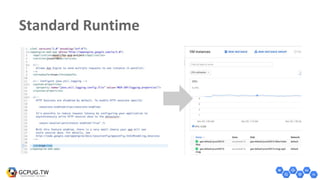
Standard Runtime
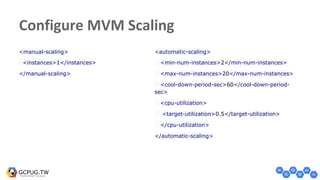
Configure MVM Scaling
<manual-scaling>
<instances>1</instances>
</manual-scaling>
<automatic-scaling>
<min-num-instances>2</min-num-instances>
<max-num-instances>20</max-num-instances>
<cool-down-period-sec>60</cool-down-period-
sec>
<cpu-utilization>
<target-utilization>0.5</target-utilization>
</cpu-utilization>
</automatic-scaling>
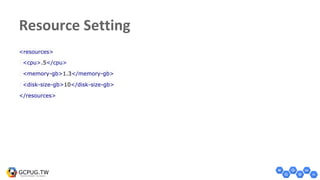
Resource Setting
<resources>
<cpu>.5</cpu>
<memory-gb>1.3</memory-gb>
<disk-size-gb>10</disk-size-gb>
</resources>
Node.js Standard
MVM Runtime
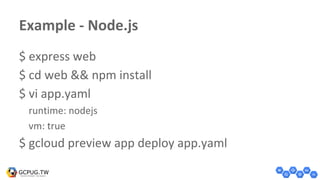
Example - Node.js
$ express web
$ cd web && npm install
$ vi app.yaml
runtime: nodejs
vm: true
$ gcloud preview app deploy app.yaml
Deploy your App Engine project to
MVM Standard Runtime
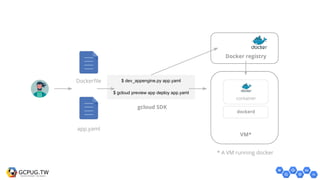
MVM - Custom Runtime
Dockerfile
app.yaml
$ dev_appengine.py app.yaml
$ gcloud preview app deploy app.yaml
gcloud SDK
Docker registry
container
dockerd
VM*
* A VM running docker
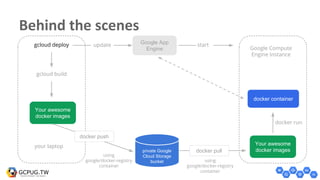
gcloud deploy
gcloud build
Your awesome
docker images
your laptop
Google App
Engine
Your awesome
docker images
docker container
private Google
Cloud Storage
bucket
update start
Google Compute
Engine Instance
using
google/docker-registry
container
docker run
using
google/docker-registry
container
docker push
docker pull
Behind the scenes
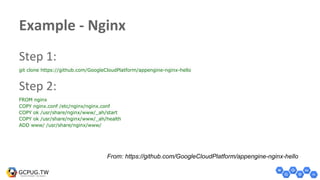
Example - Nginx
Step 1:
git clone https://github.com/GoogleCloudPlatform/appengine-nginx-hello
Step 2:
FROM nginx
COPY nginx.conf /etc/nginx/nginx.conf
COPY ok /usr/share/nginx/www/_ah/start
COPY ok /usr/share/nginx/www/_ah/health
ADD www/ /usr/share/nginx/www/
From: https://github.com/GoogleCloudPlatform/appengine-nginx-hello
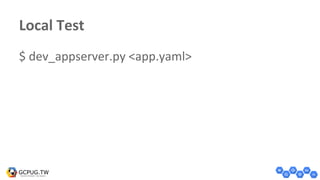
Local Test
$ dev_appserver.py <app.yaml>
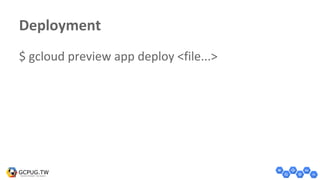
Deployment
$ gcloud preview app deploy <file...>
if Node.js...
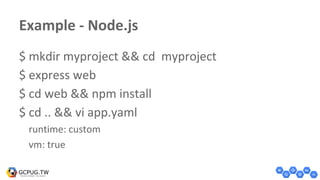
Example - Node.js
$ mkdir myproject && cd myproject
$ express web
$ cd web && npm install
$ cd .. && vi app.yaml
runtime: custom
vm: true
Example - Dockerfile
FROM google/debian:wheezy
RUN apt-get update -y && apt-get install --no-install-recommends -y -q curl python build-essential git ca-
certificates libfreetype6 libfontconfig1
RUN mkdir /nodejs && curl http://nodejs.org/dist/v0.12.1/node-v0.12.1-linux-x64.tar.gz | tar xvzf - -C /nodejs
--strip-components=1
ENV PATH $PATH:/nodejs/bin
WORKDIR /app
ADD web/ /app/
RUN npm install
ENTRYPOINT ["/nodejs/bin/npm", "start"]
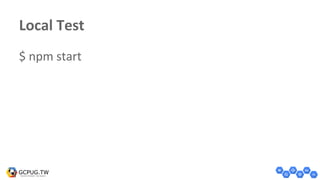
Local Test
$ npm start
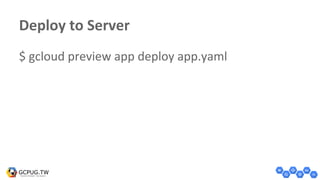
Deploy to Server
$ gcloud preview app deploy app.yaml
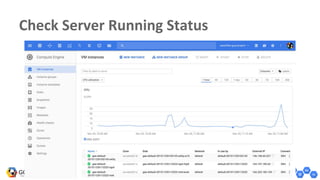
Check Server Running Status
● Special maintain
● Debug
● Testing
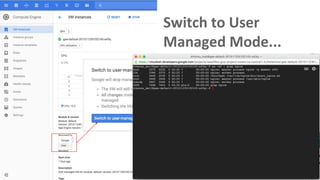
Switch to User
Managed Mode...
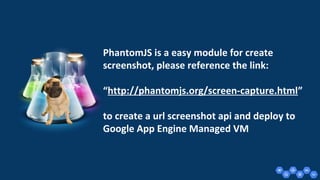
PhantomJS is a easy module for create
screenshot, please reference the link:
“http://phantomjs.org/screen-capture.html”
to create a url screenshot api and deploy to
Google App Engine Managed VM
Answer: https://github.com/gcpug-tw/mvm-nodejs-
webcapture
Cloud Endpoint
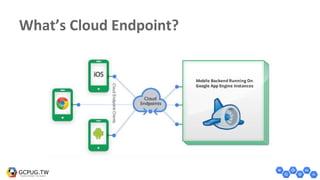
What’s Cloud Endpoint?
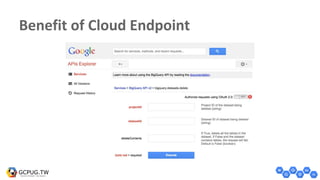
Benefit of Cloud Endpoint
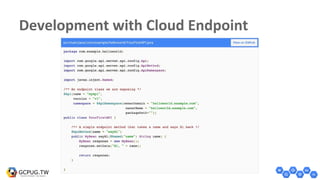
Development with Cloud Endpoint
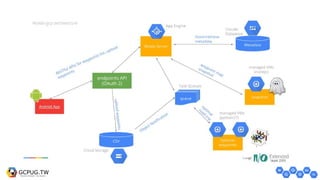
GAE Architecture
in Advance
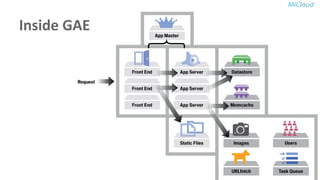
Inside GAE
[Web Application]
[Real Time Bidding]
[Mobile Apps and Games]
[Real Time Stream Processing - Internet of Things]
Where is your Architecture?
Let’s discuss in GCPUG.TW~
Q & A

JCConf 2015 - 輕鬆學google的雲端開發 - Google App Engine入門(下)