Java Beans Unit 4
(Part 2)
BY:SURBHI SAROHA
SYLLABUS
• Creating Java Bean class with events.
• Supplying additional Java Bean information.
• Providing a custom property editor.
• Creating a Java Bean class with Bean information.
• Creating a Java Bean class that uses the Bean Context API.
Creating Java Bean class with events.
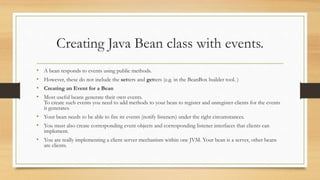
• A bean responds to events using public methods.
• However, these do not include the setters and getters (e.g. in the BeanBox builder tool. )
• Creating an Event for a Bean
• Most useful beans generate their own events.
To create such events you need to add methods to your bean to register and unregister clients for the events
it generates.
• Your bean needs to be able to fire its events (notify listeners) under the right circumstances.
• You must also create corresponding event objects and corresponding listener interfaces that clients can
implement.
• You are really implementing a client server mechanism within one JVM. Your bean is a server, other beans
are clients.
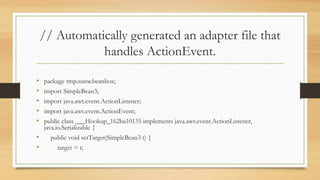
// Automatically generated an adapter file that
handles ActionEvent.
• package tmp.sunw.beanbox;
• import SimpleBean3;
• import java.awt.event.ActionListener;
• import java.awt.event.ActionEvent;
• public class ___Hookup_162ba10135 implements java.awt.event.ActionListener,
java.io.Serializable {
• public void setTarget(SimpleBean3 t) {
• target = t;
Cont…
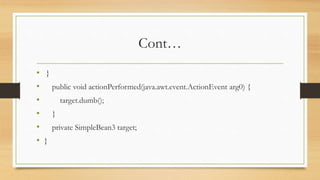
• }
• public void actionPerformed(java.awt.event.ActionEvent arg0) {
• target.dumb();
• }
• private SimpleBean3 target;
• }
Supplying additional Java Bean information
• JavaBeans Components
• JavaBeans components are Java classes that can be easily reused and
composed together into applications. Any Java class that follows certain
design conventions is a JavaBeans component.
• JavaServer Pages technology directly supports using JavaBeans components
with standard JSP language elements. You can easily create and initialize
beans and get and set the values of their properties.
JavaBeans Component Design
Conventions
JavaBeans component design conventions govern the properties of the class and
govern the public methods that give access to the properties.
A JavaBeans component property can be:
•Read/write, read-only, or write-only
•Simple, which means it contains a single value, or indexed, which means it represents
•an array of values
A property does not have to be implemented by an instance variable.
It must simply be accessible using public methods that conform to the following conventions:
Cont….
•For each readable property, the bean must have a method of the form:
PropertyClass getProperty() { ... }
•For each writable property, the bean must have a method of the form:
setProperty(PropertyClass pc) { ... }
In addition to the property methods, a JavaBeans component must define a
constructor that takes no parameters.
Providing a custom property editor.
• Customization provides a means for modifying the appearance and behavior of a bean within an application
builder so it meets your specific needs.
• There are several levels of customization available for a bean developer to allow other developers to get
maximum benefit from a bean's potential functionality.
• A bean's appearance and behavior can be customized at design time within beans-compliant builder tools.
There are two ways to customize a bean:
• By using a property editor. Each bean property has its own property editor. The NetBeans GUI Builder usually
displays a bean's property editors in the Properties window. The property editor that is associated with a
particular property type edits that property type.
• By using customizers. Customizers give you complete GUI control over bean customization. Customizers are
used where property editors are not practical or applicable. Unlike a property editor, which is associated with
a property, a customizer is associated with a bean.
Property Editors
• A property editor is a tool for customizing a particular property type. Property
editors are activated in the Properties window.
• This window determines a property's type, searches for a relevant property editor,
and displays the property's current value in a relevant way.
• Property editors must implement the PropertyEditor interface, which provides
methods to specify how a property should be displayed in a property sheet.
• The following figure represents the Properties window containing myBean1
properties:
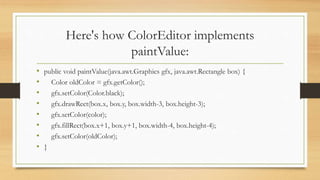
Here's how ColorEditor implements
paintValue:
• public void paintValue(java.awt.Graphics gfx, java.awt.Rectangle box) {
• Color oldColor = gfx.getColor();
• gfx.setColor(Color.black);
• gfx.drawRect(box.x, box.y, box.width-3, box.height-3);
• gfx.setColor(color);
• gfx.fillRect(box.x+1, box.y+1, box.width-4, box.height-4);
• gfx.setColor(oldColor);
• }
Property Editors
Customizers
• All customizers must:
• Extend java.awt.Component or one of its subclasses.
• Implement the java.beans.Customizer interface This means implementing methods
to register PropertyChangeListener objects, and firing property change events at
those listeners when a change to the target bean has occurred.
• Implement a default constructor.
• Associate the customizer with its target class via BeanInfo.getBeanDescriptor.
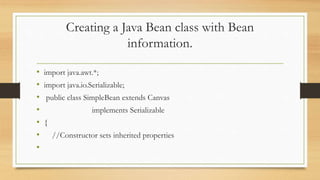
Creating a Java Bean class with Bean
information.
• import java.awt.*;
• import java.io.Serializable;
• public class SimpleBean extends Canvas
• implements Serializable
• {
• //Constructor sets inherited properties
•
Cont….
• public SimpleBean(){
• setSize(60,40);
• setBackground(Color.red);
• }
• }
Creating a Java Bean class that uses the Bean
Context API.
• JavaBeans technology is a component architecture for the Java 2 Platform,
Standard Edition (J2SE).
• JavaBean components are known as beans.
• Beans are reusable software programs that you can develop and assemble
easily to create sophisticated applications.
• JavaBeans technology is based on the JavaBeans specification.
Cont…
• Package java.beans.beancontext provides classes and interfaces relating to
bean context.
• A bean context is a container for beans and defines the execution
environment for the beans it contains.
• There can be several beans in a single bean context, and a bean context can
be nested within another bean context.
• This package also contains events and listener interface for beans being
added and removed from a bean context
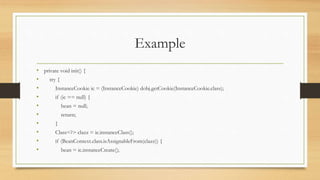
Example
• private void init() {
• try {
• InstanceCookie ic = (InstanceCookie) dobj.getCookie(InstanceCookie.class);
• if (ic == null) {
• bean = null;
• return;
• }
• Class<?> clazz = ic.instanceClass();
• if (BeanContext.class.isAssignableFrom(clazz)) {
• bean = ic.instanceCreate();
Cont…
• } else if (BeanContextProxy.class.isAssignableFrom(clazz)) {
• bean = ((BeanContextProxy) ic.instanceCreate()).getBeanContextProxy();
• } else {
• bean = null;
• }
• } catch (Exception ex) {
• bean = null;
Cont…
• Exceptions.printStackTrace(ex);
• }
• if (bean != null) {
• // attaches a listener to the bean
• ((BeanContext) bean).addBeanContextMembershipListener (contextL);
• }
• updateKeys();
• }
Thank You 

Java Beans Unit 4(part 2)

  • 1.
    Java Beans Unit4 (Part 2) BY:SURBHI SAROHA
  • 2.
    SYLLABUS • Creating JavaBean class with events. • Supplying additional Java Bean information. • Providing a custom property editor. • Creating a Java Bean class with Bean information. • Creating a Java Bean class that uses the Bean Context API.
  • 3.
    Creating Java Beanclass with events. • A bean responds to events using public methods. • However, these do not include the setters and getters (e.g. in the BeanBox builder tool. ) • Creating an Event for a Bean • Most useful beans generate their own events. To create such events you need to add methods to your bean to register and unregister clients for the events it generates. • Your bean needs to be able to fire its events (notify listeners) under the right circumstances. • You must also create corresponding event objects and corresponding listener interfaces that clients can implement. • You are really implementing a client server mechanism within one JVM. Your bean is a server, other beans are clients.
  • 4.
    // Automatically generatedan adapter file that handles ActionEvent. • package tmp.sunw.beanbox; • import SimpleBean3; • import java.awt.event.ActionListener; • import java.awt.event.ActionEvent; • public class ___Hookup_162ba10135 implements java.awt.event.ActionListener, java.io.Serializable { • public void setTarget(SimpleBean3 t) { • target = t;
  • 5.
    Cont… • } • publicvoid actionPerformed(java.awt.event.ActionEvent arg0) { • target.dumb(); • } • private SimpleBean3 target; • }
  • 6.
    Supplying additional JavaBean information • JavaBeans Components • JavaBeans components are Java classes that can be easily reused and composed together into applications. Any Java class that follows certain design conventions is a JavaBeans component. • JavaServer Pages technology directly supports using JavaBeans components with standard JSP language elements. You can easily create and initialize beans and get and set the values of their properties.
  • 7.
    JavaBeans Component Design Conventions JavaBeanscomponent design conventions govern the properties of the class and govern the public methods that give access to the properties. A JavaBeans component property can be: •Read/write, read-only, or write-only •Simple, which means it contains a single value, or indexed, which means it represents •an array of values A property does not have to be implemented by an instance variable. It must simply be accessible using public methods that conform to the following conventions:
  • 8.
    Cont…. •For each readableproperty, the bean must have a method of the form: PropertyClass getProperty() { ... } •For each writable property, the bean must have a method of the form: setProperty(PropertyClass pc) { ... } In addition to the property methods, a JavaBeans component must define a constructor that takes no parameters.
  • 9.
    Providing a customproperty editor. • Customization provides a means for modifying the appearance and behavior of a bean within an application builder so it meets your specific needs. • There are several levels of customization available for a bean developer to allow other developers to get maximum benefit from a bean's potential functionality. • A bean's appearance and behavior can be customized at design time within beans-compliant builder tools. There are two ways to customize a bean: • By using a property editor. Each bean property has its own property editor. The NetBeans GUI Builder usually displays a bean's property editors in the Properties window. The property editor that is associated with a particular property type edits that property type. • By using customizers. Customizers give you complete GUI control over bean customization. Customizers are used where property editors are not practical or applicable. Unlike a property editor, which is associated with a property, a customizer is associated with a bean.
  • 10.
    Property Editors • Aproperty editor is a tool for customizing a particular property type. Property editors are activated in the Properties window. • This window determines a property's type, searches for a relevant property editor, and displays the property's current value in a relevant way. • Property editors must implement the PropertyEditor interface, which provides methods to specify how a property should be displayed in a property sheet. • The following figure represents the Properties window containing myBean1 properties:
  • 11.
    Here's how ColorEditorimplements paintValue: • public void paintValue(java.awt.Graphics gfx, java.awt.Rectangle box) { • Color oldColor = gfx.getColor(); • gfx.setColor(Color.black); • gfx.drawRect(box.x, box.y, box.width-3, box.height-3); • gfx.setColor(color); • gfx.fillRect(box.x+1, box.y+1, box.width-4, box.height-4); • gfx.setColor(oldColor); • }
  • 12.
  • 13.
    Customizers • All customizersmust: • Extend java.awt.Component or one of its subclasses. • Implement the java.beans.Customizer interface This means implementing methods to register PropertyChangeListener objects, and firing property change events at those listeners when a change to the target bean has occurred. • Implement a default constructor. • Associate the customizer with its target class via BeanInfo.getBeanDescriptor.
  • 14.
    Creating a JavaBean class with Bean information. • import java.awt.*; • import java.io.Serializable; • public class SimpleBean extends Canvas • implements Serializable • { • //Constructor sets inherited properties •
  • 15.
    Cont…. • public SimpleBean(){ •setSize(60,40); • setBackground(Color.red); • } • }
  • 16.
    Creating a JavaBean class that uses the Bean Context API. • JavaBeans technology is a component architecture for the Java 2 Platform, Standard Edition (J2SE). • JavaBean components are known as beans. • Beans are reusable software programs that you can develop and assemble easily to create sophisticated applications. • JavaBeans technology is based on the JavaBeans specification.
  • 17.
    Cont… • Package java.beans.beancontextprovides classes and interfaces relating to bean context. • A bean context is a container for beans and defines the execution environment for the beans it contains. • There can be several beans in a single bean context, and a bean context can be nested within another bean context. • This package also contains events and listener interface for beans being added and removed from a bean context
  • 18.
    Example • private voidinit() { • try { • InstanceCookie ic = (InstanceCookie) dobj.getCookie(InstanceCookie.class); • if (ic == null) { • bean = null; • return; • } • Class<?> clazz = ic.instanceClass(); • if (BeanContext.class.isAssignableFrom(clazz)) { • bean = ic.instanceCreate();
  • 19.
    Cont… • } elseif (BeanContextProxy.class.isAssignableFrom(clazz)) { • bean = ((BeanContextProxy) ic.instanceCreate()).getBeanContextProxy(); • } else { • bean = null; • } • } catch (Exception ex) { • bean = null;
  • 20.
    Cont… • Exceptions.printStackTrace(ex); • } •if (bean != null) { • // attaches a listener to the bean • ((BeanContext) bean).addBeanContextMembershipListener (contextL); • } • updateKeys(); • }
  • 21.