JavaBeans

   An introduction to component-based
    development in general
   Introduction to JavaBeans
    –   Java components
    –   client-side
   Working with the BDK
   The beans development life cycle
   Writing simple and advanced beans
                Copyright © 2001 Qusay H. Mahmoud
Software Components

   All engineering discplines use components to
    build systems. In SE we rely on line-by-line SD.
   We have class libraries
    –   create objects from class libraries
    –   we still need to write a large amount of code
    –   objects are not enough


                  Copyright © 2001 Qusay H. Mahmoud
Software Components

   They are like Integrated Circuit (IC)
    components
   Over 20 years ago, hardware vendors learned
    how to package transistors
   Hardware Engineers integrate ICs to make a
    board of chips
   In SE, we are where hardware engineers were
    20 years ago
   We are building software routines
              Copyright © 2001 Qusay H. Mahmoud
Java Components

   Instead of worrying about rotuines, we can buy
    routines and use/reuse them in our
    applications (assemble applications)
   JavaBeans -- portable, platform-independent
    component model
   Java components are known as beans
   A bean: a reusable software component that
    can be manipulated visually in a builder tool

              Copyright © 2001 Qusay H. Mahmoud
JavaBeans vs. Class Libraries

   Beans are appropriate for software
    components that can be visually manipulated

   Class libraries are good for providing
    functionality that is useful to programmers, and
    doesn’t benefit from visual manipulation


               Copyright © 2001 Qusay H. Mahmoud
JavaBeans Concepts

   A component is a self-contained reusable
    software unit
   Components expose their features (public
    methods and events) to builder tools
   A builder tool maintains Beans in a palette or
    toolbox.


               Copyright © 2001 Qusay H. Mahmoud
Concepts...

   You can select a bean from the toolbox, drop it
    in a form, and modify its appearance and
    behavior.
   Also, you can define its interaction with other
    beans
   ALL this without a line of code.


               Copyright © 2001 Qusay H. Mahmoud
JavaBean Characteristics

   a public class with 0-argument constuctor
   it has properties with accessory methods
   it has events
   it can customized
   its state can be saved
   it can be analyzed by a builder tool


               Copyright © 2001 Qusay H. Mahmoud
Key Concepts

   A builder tool discover a bean’s features by a
    process known as introspection.
    –   Adhering to specific rules (design pattern) when
        naming Bean features.
    –   Providing property, method, and event information
        with a related Bean Information class.
   Properties (bean’s appearance and behavior
    characteristics) can be changed at design-time.

                 Copyright © 2001 Qusay H. Mahmoud
Key Concepts….

   Properties can be customized at design-time.
    Customization can be done:
    –   using property editor
    –   using bean customizers
   Events are used when beans want to
    intercommunicate
   Persistence: for saving and restoring the state
   Bean’s methods are regular Java methods.

                 Copyright © 2001 Qusay H. Mahmoud
Security Issues

   JavaBeans are sbject to the standard Java
    security model
   The security model has neither extended nor
    relaxed.
   If a bean runs as an untrusted applet then it will
    be subject to applet security
   If a bean runs as a stand-alone application
    then it will be treated as a normal Java
    application.
               Copyright © 2001 Qusay H. Mahmoud
JavaBeans and Threads

   Assume your beans will be running in a multi-
    threaded environment
   It is your responsibility (the developer) to make
    sure that their beans behave properly under
    multi-threaded access
   For simple beans, this can be handled by
    simply making all methods …...


               Copyright © 2001 Qusay H. Mahmoud
Beans Development Kit (BDK)

   To start the BeanBox:
    –   run.bat (Windows)
    –   run.sh (Unix)


                 Copyright © 2001 Qusay H. Mahmoud
BDK

   ToolBox contains the beans available
   BeanBox window is the form where you
    visually wire beans together.
   Properties sheet: displays the properties for the
    Bean currently selected within the BeanBox
    window.


               Copyright © 2001 Qusay H. Mahmoud
MyFirstBean

   import java.awt.*;
   import java.io.Serializable;
   public class FirstBean extends Canvas implements
    Serializable {
      public FirstBean() {
       setSize(50,30);
       setBackground(Color.blue);
     }
   }
                Copyright © 2001 Qusay H. Mahmoud
First Bean

   Compile: javac FirstBean.java
   Create a manifest file:
   manifest.txt
    –   Name: FirstBean.class
    –   Java-Bean: True
   Create a jar file:
   jar cfm FirstBean.jar mani.txt FirstBean.class


                 Copyright © 2001 Qusay H. Mahmoud
Using Beans in hand-written app

   Use Beans.instantiate
      Frame f;
      f = new Frame("Testing Beans");
      try {
       ClassLoader cl = this.getClass().getClassLoader();
       fb =(FirstBean)Beans.instantiate(cl,"FirstBean");
      } catch(Exception e) {
        e.printStackTrace();
      }
     f.add(fb);

                 Copyright © 2001 Qusay H. Mahmoud
Properties

   Bean’s appearance and behavior --
    changeable at design time.
   They are private values
   Can be accessed through getter and setter
    methods
   getter and setter methods must follow some
    rules -- design patterns (documenting
    experience)

              Copyright © 2001 Qusay H. Mahmoud
Properties

   A builder tool can:
    –   discover a bean’s properties
    –   determine the properties’ read/write attribute
    –   locate an appropriate “property editor” for each type
    –   display the properties (in a sheet)
    –   alter the properties at design-time


                  Copyright © 2001 Qusay H. Mahmoud
Types of Properties

   Simple
   Index: multiple-value properties
   Bound: provide event notification when value
    changes
   Constrained: how proposed changes can be
    okayed or vetoed by other object


              Copyright © 2001 Qusay H. Mahmoud
Simple Properties

   When a builder tool introspect your bean it
    discovers two methods:
    –   public Color getColor()
    –   public void setColor(Color c)
   The builder tool knows that a property named
    “Color” exists -- of type Color.
   It tries to locate a property editor for that type
    to display the properties in a sheet.

                  Copyright © 2001 Qusay H. Mahmoud
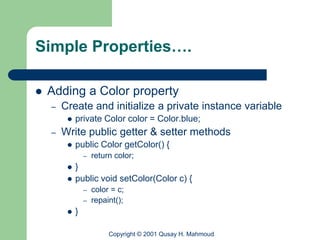
Simple Properties….

   Adding a Color property
    –   Create and initialize a private instance variable
            private Color color = Color.blue;
    –   Write public getter & setter methods
            public Color getColor() {
                 –   return color;
            }
            public void setColor(Color c) {
                 –   color = c;
                 –   repaint();
            }

                          Copyright © 2001 Qusay H. Mahmoud
Events “Introspection”

   For a bean to be the source of an event, it
    must implement methods that add and remove
    listener objects for the type of the event:
    –   public void add<EventListenerType>(<EventListenerType> elt);
    –   same thing for remove
   These methods help a source Bean know
    where to fire events.


                    Copyright © 2001 Qusay H. Mahmoud
Events “Introspection”

   Source Bean fires events at the listeners using
    method of those interfaces.
   Example: if a source Bean register
    ActionListsener objects, it will fire events at
    those objects by calling the actionPerformed
    method on those listeners


               Copyright © 2001 Qusay H. Mahmoud
Events “using BeanInfo”

   Implementing the BeanInfo interface allows
    you to explicitly publish the events a Bean fires


               Copyright © 2001 Qusay H. Mahmoud
BeanInfo interface

   Question: how does a Bean exposes its
    features in a property sheet?
   Answer: using java.beans.Introspector class
    (which uses Core Reflection API)
   The discovery process is named “introspection”
   OR you can associate a class that implements
    the BeanInfo with your bean


              Copyright © 2001 Qusay H. Mahmoud
BeanInfo interface….

   Why use BeanInfo then?
   Using BeanInfo you can:
    –   Expose features that you want to expose


                 Copyright © 2001 Qusay H. Mahmoud
Bean Customization

   The appearance and behavior of a bean can
    be customized at design time.
   Two ways to customize a bean:
    –   using a property editor
            each bean property has its own editor
            a bean’s property is displayed in a property sheet
    –   using customizers
            gives you complete GUI control over bean customization
            used when property editors are not practical

                     Copyright © 2001 Qusay H. Mahmoud
Property Editors

   A property editor is a user interface for editing
    a bean property. The property must have both,
    read/write accessor methods.
   A property editor must implement the
    PropertyEditor interface.
   PropertyEditorSupport does that already, so
    you can extend it.


               Copyright © 2001 Qusay H. Mahmoud
Property Editors

   If you provide a custom property editor class,
    then you must refer to this class by calling
    PropertyDescriptor.setPropertyEditorClass in a
    BeanInfo class.
   Each bean may have a BeanInfo class which
    customizes how the bean is to appear.
    SimpleBeanInfo implements that interface


              Copyright © 2001 Qusay H. Mahmoud
How to be a good bean?

   JavaBeans are just the start of the Software
    Components industry.
   This market is growing in both, quantity and
    quality.
   To promote commercial quality java beans
    components and tools, we should strive to
    make our beans as reusable as possible.
   Here are a few guidelines...

               Copyright © 2001 Qusay H. Mahmoud
How to be a good bean?

   Creating beans
    –   Your bean class must provide a zero-argument
        constructor. So, objects can be created using
        Bean.instantiate();
    –   The bean must support persistence
            implement Serializable or Externalizable


                     Copyright © 2001 Qusay H. Mahmoud

Javabeans

  • 1.
    JavaBeans  An introduction to component-based development in general  Introduction to JavaBeans – Java components – client-side  Working with the BDK  The beans development life cycle  Writing simple and advanced beans Copyright © 2001 Qusay H. Mahmoud
  • 2.
    Software Components  All engineering discplines use components to build systems. In SE we rely on line-by-line SD.  We have class libraries – create objects from class libraries – we still need to write a large amount of code – objects are not enough Copyright © 2001 Qusay H. Mahmoud
  • 3.
    Software Components  They are like Integrated Circuit (IC) components  Over 20 years ago, hardware vendors learned how to package transistors  Hardware Engineers integrate ICs to make a board of chips  In SE, we are where hardware engineers were 20 years ago  We are building software routines Copyright © 2001 Qusay H. Mahmoud
  • 4.
    Java Components  Instead of worrying about rotuines, we can buy routines and use/reuse them in our applications (assemble applications)  JavaBeans -- portable, platform-independent component model  Java components are known as beans  A bean: a reusable software component that can be manipulated visually in a builder tool Copyright © 2001 Qusay H. Mahmoud
  • 5.
    JavaBeans vs. ClassLibraries  Beans are appropriate for software components that can be visually manipulated  Class libraries are good for providing functionality that is useful to programmers, and doesn’t benefit from visual manipulation Copyright © 2001 Qusay H. Mahmoud
  • 6.
    JavaBeans Concepts  A component is a self-contained reusable software unit  Components expose their features (public methods and events) to builder tools  A builder tool maintains Beans in a palette or toolbox. Copyright © 2001 Qusay H. Mahmoud
  • 7.
    Concepts...  You can select a bean from the toolbox, drop it in a form, and modify its appearance and behavior.  Also, you can define its interaction with other beans  ALL this without a line of code. Copyright © 2001 Qusay H. Mahmoud
  • 8.
    JavaBean Characteristics  a public class with 0-argument constuctor  it has properties with accessory methods  it has events  it can customized  its state can be saved  it can be analyzed by a builder tool Copyright © 2001 Qusay H. Mahmoud
  • 9.
    Key Concepts  A builder tool discover a bean’s features by a process known as introspection. – Adhering to specific rules (design pattern) when naming Bean features. – Providing property, method, and event information with a related Bean Information class.  Properties (bean’s appearance and behavior characteristics) can be changed at design-time. Copyright © 2001 Qusay H. Mahmoud
  • 10.
    Key Concepts….  Properties can be customized at design-time. Customization can be done: – using property editor – using bean customizers  Events are used when beans want to intercommunicate  Persistence: for saving and restoring the state  Bean’s methods are regular Java methods. Copyright © 2001 Qusay H. Mahmoud
  • 11.
    Security Issues  JavaBeans are sbject to the standard Java security model  The security model has neither extended nor relaxed.  If a bean runs as an untrusted applet then it will be subject to applet security  If a bean runs as a stand-alone application then it will be treated as a normal Java application. Copyright © 2001 Qusay H. Mahmoud
  • 12.
    JavaBeans and Threads  Assume your beans will be running in a multi- threaded environment  It is your responsibility (the developer) to make sure that their beans behave properly under multi-threaded access  For simple beans, this can be handled by simply making all methods …... Copyright © 2001 Qusay H. Mahmoud
  • 13.
    Beans Development Kit(BDK)  To start the BeanBox: – run.bat (Windows) – run.sh (Unix) Copyright © 2001 Qusay H. Mahmoud
  • 14.
    BDK  ToolBox contains the beans available  BeanBox window is the form where you visually wire beans together.  Properties sheet: displays the properties for the Bean currently selected within the BeanBox window. Copyright © 2001 Qusay H. Mahmoud
  • 15.
    MyFirstBean  import java.awt.*;  import java.io.Serializable;  public class FirstBean extends Canvas implements Serializable {  public FirstBean() {  setSize(50,30);  setBackground(Color.blue);  }  } Copyright © 2001 Qusay H. Mahmoud
  • 16.
    First Bean  Compile: javac FirstBean.java  Create a manifest file:  manifest.txt – Name: FirstBean.class – Java-Bean: True  Create a jar file:  jar cfm FirstBean.jar mani.txt FirstBean.class Copyright © 2001 Qusay H. Mahmoud
  • 17.
    Using Beans inhand-written app  Use Beans.instantiate  Frame f;  f = new Frame("Testing Beans");  try {  ClassLoader cl = this.getClass().getClassLoader();  fb =(FirstBean)Beans.instantiate(cl,"FirstBean");  } catch(Exception e) {  e.printStackTrace();  }  f.add(fb); Copyright © 2001 Qusay H. Mahmoud
  • 18.
    Properties  Bean’s appearance and behavior -- changeable at design time.  They are private values  Can be accessed through getter and setter methods  getter and setter methods must follow some rules -- design patterns (documenting experience) Copyright © 2001 Qusay H. Mahmoud
  • 19.
    Properties  A builder tool can: – discover a bean’s properties – determine the properties’ read/write attribute – locate an appropriate “property editor” for each type – display the properties (in a sheet) – alter the properties at design-time Copyright © 2001 Qusay H. Mahmoud
  • 20.
    Types of Properties  Simple  Index: multiple-value properties  Bound: provide event notification when value changes  Constrained: how proposed changes can be okayed or vetoed by other object Copyright © 2001 Qusay H. Mahmoud
  • 21.
    Simple Properties  When a builder tool introspect your bean it discovers two methods: – public Color getColor() – public void setColor(Color c)  The builder tool knows that a property named “Color” exists -- of type Color.  It tries to locate a property editor for that type to display the properties in a sheet. Copyright © 2001 Qusay H. Mahmoud
  • 22.
    Simple Properties….  Adding a Color property – Create and initialize a private instance variable  private Color color = Color.blue; – Write public getter & setter methods  public Color getColor() { – return color;  }  public void setColor(Color c) { – color = c; – repaint();  } Copyright © 2001 Qusay H. Mahmoud
  • 23.
    Events “Introspection”  For a bean to be the source of an event, it must implement methods that add and remove listener objects for the type of the event: – public void add<EventListenerType>(<EventListenerType> elt); – same thing for remove  These methods help a source Bean know where to fire events. Copyright © 2001 Qusay H. Mahmoud
  • 24.
    Events “Introspection”  Source Bean fires events at the listeners using method of those interfaces.  Example: if a source Bean register ActionListsener objects, it will fire events at those objects by calling the actionPerformed method on those listeners Copyright © 2001 Qusay H. Mahmoud
  • 25.
    Events “using BeanInfo”  Implementing the BeanInfo interface allows you to explicitly publish the events a Bean fires Copyright © 2001 Qusay H. Mahmoud
  • 26.
    BeanInfo interface  Question: how does a Bean exposes its features in a property sheet?  Answer: using java.beans.Introspector class (which uses Core Reflection API)  The discovery process is named “introspection”  OR you can associate a class that implements the BeanInfo with your bean Copyright © 2001 Qusay H. Mahmoud
  • 27.
    BeanInfo interface….  Why use BeanInfo then?  Using BeanInfo you can: – Expose features that you want to expose Copyright © 2001 Qusay H. Mahmoud
  • 28.
    Bean Customization  The appearance and behavior of a bean can be customized at design time.  Two ways to customize a bean: – using a property editor  each bean property has its own editor  a bean’s property is displayed in a property sheet – using customizers  gives you complete GUI control over bean customization  used when property editors are not practical Copyright © 2001 Qusay H. Mahmoud
  • 29.
    Property Editors  A property editor is a user interface for editing a bean property. The property must have both, read/write accessor methods.  A property editor must implement the PropertyEditor interface.  PropertyEditorSupport does that already, so you can extend it. Copyright © 2001 Qusay H. Mahmoud
  • 30.
    Property Editors  If you provide a custom property editor class, then you must refer to this class by calling PropertyDescriptor.setPropertyEditorClass in a BeanInfo class.  Each bean may have a BeanInfo class which customizes how the bean is to appear. SimpleBeanInfo implements that interface Copyright © 2001 Qusay H. Mahmoud
  • 31.
    How to bea good bean?  JavaBeans are just the start of the Software Components industry.  This market is growing in both, quantity and quality.  To promote commercial quality java beans components and tools, we should strive to make our beans as reusable as possible.  Here are a few guidelines... Copyright © 2001 Qusay H. Mahmoud
  • 32.
    How to bea good bean?  Creating beans – Your bean class must provide a zero-argument constructor. So, objects can be created using Bean.instantiate(); – The bean must support persistence  implement Serializable or Externalizable Copyright © 2001 Qusay H. Mahmoud