



Apps for AAC

Kate Ahern, M.S.Ed.
Easter Seals
Massachusetts
AAC on an iPad
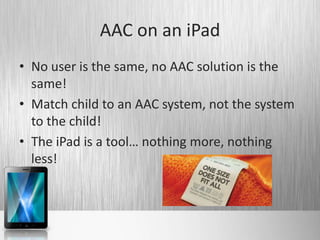
• No user is the same, no AAC solution is the
  same!
• Match child to an AAC system, not the system
  to the child!
• The iPad is a tool… nothing more, nothing
  less!
How to Find AAC Apps
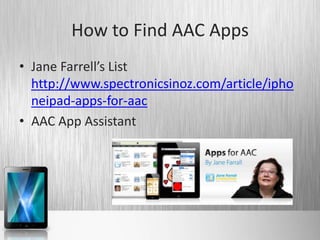
• Jane Farrell’s List
  http://www.spectronicsinoz.com/article/ipho
  neipad-apps-for-aac
• AAC App Assistant
How to Choose an AAC App
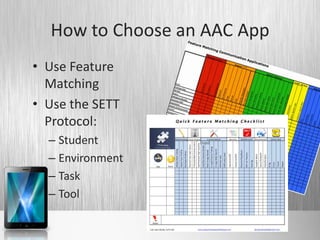
• Use Feature
  Matching
• Use the SETT
  Protocol:
  – Student
  – Environment
  – Task
  – Tool
Student
•   Strengths/Needs        •   Social skills
•   Cognition              •   Vision
•   Language development   •   Hearing
•   Motor skills           •   Culture
•   Behavior               •   _________
Environment
• Where does the student   • “fitting in”/social
  go? What are the           acceptance
  needs in each setting    • Speed of
  for:                       communication
• Volume                   • Literacy
• Durability               • Flexibility of messages
Task
• What does the student         • To whom?
  need to be able to say?            –   Family
   –   Personal information          –   Friends
   –   Greet/take leave              –   Teachers
   –   Comment                       –   Medical staff
   –   Respond                       –   Personal care givers
   –   Question                      –   Community members
   –   Exchange ideas                –   Emergency personnel
   –   Give direction                –   ________
       ___________
Tool
• What potential tools     • If, and only if, the iPad
  meet all needs for         meets needs as a
  student, environment       platform, then consider
  and tasks?                 apps which also meet
                             needs. Which apps
                             meet needs?
AAC Assessment Process
• Use SETT and other        • When you need help
  processes to determine      – Family may decide to
  system to trial               utilize medical model
                                such as Children’s
• Trial a system and
                                Hospital
  collect data
                              – School may decide to
• Analyze data and decide       bring in an AAC
  next steps                    Specialist through an
                                agency like Easter Seals
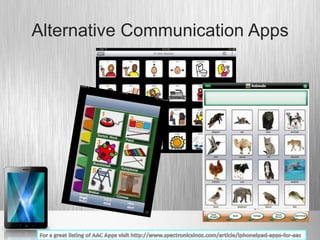
Alternative Communication Apps
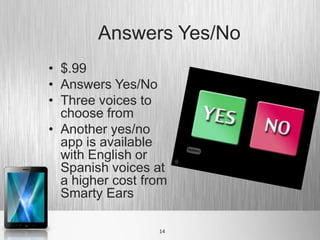
Answers Yes/No
• $.99
• Answers Yes/No
• Three voices to
  choose from
• Another yes/no
  app is available
  with English or
  Spanish voices at
  a higher cost from
  Smarty Ears

                  14
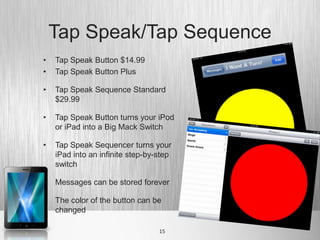
Tap Speak/Tap Sequence
•   Tap Speak Button $14.99
•   Tap Speak Button Plus

•   Tap Speak Sequence Standard
    $29.99

•   Tap Speak Button turns your iPod
    or iPad into a Big Mack Switch

•   Tap Speak Sequencer turns your
    iPad into an infinite step-by-step
    switch

•   Messages can be stored forever

•   The color of the button can be
    changed

                                  15
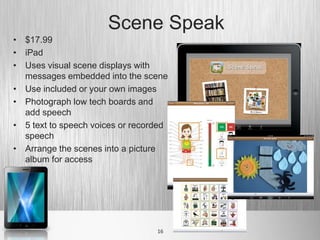
Scene Speak
• $17.99
• iPad
• Uses visual scene displays with
  messages embedded into the scene
• Use included or your own images
• Photograph low tech boards and
  add speech
• 5 text to speech voices or recorded
  speech
• Arrange the scenes into a picture
  album for access


                                  16
Options for Emerging to
Advanced Users of Symbol
  Based Communication
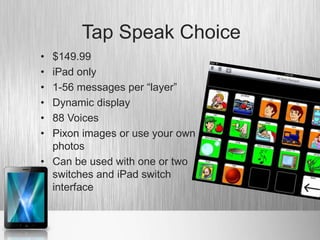
Tap Speak Choice
• $149.99
• iPad only
• 1-56 messages per “layer”
• Dynamic display
• 88 Voices
• Pixon images or use your own
  photos
• Can be used with one or two
  switches and iPad switch
  interface
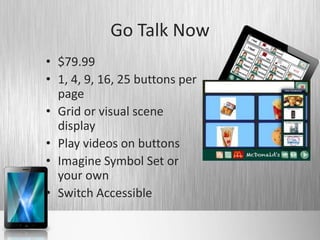
Go Talk Now
• $79.99
• 1, 4, 9, 16, 25 buttons per
  page
• Grid or visual scene
  display
• Play videos on buttons
• Imagine Symbol Set or
  your own
• Switch Accessible
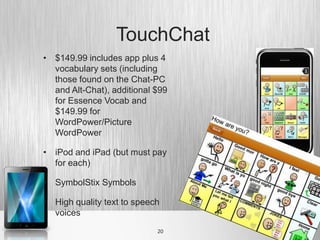
TouchChat
• $149.99 includes app plus 4
  vocabulary sets (including
  those found on the Chat-PC
  and Alt-Chat), additional $99
  for Essence Vocab and
  $149.99 for
  WordPower/Picture
  WordPower

• iPod and iPad (but must pay
  for each)

• SymbolStix Symbols

• High quality text to speech
  voices
                            20
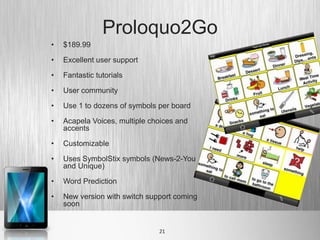
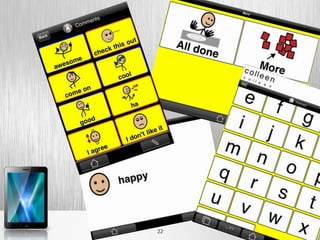
Proloquo2Go
•   $189.99

•   Excellent user support

•   Fantastic tutorials

•   User community

•   Use 1 to dozens of symbols per board

•   Acapela Voices, multiple choices and
    accents

•   Customizable

•   Uses SymbolStix symbols (News-2-You
    and Unique)

•   Word Prediction

•   New version with switch support coming
    soon


                               21
22
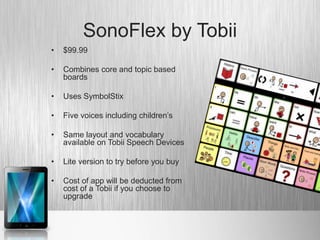
SonoFlex by Tobii
•   $99.99

•   Combines core and topic based
    boards

•   Uses SymbolStix

•   Five voices including children’s

•   Same layout and vocabulary
    available on Tobii Speech Devices

•   Lite version to try before you buy

•   Cost of app will be deducted from
    cost of a Tobii if you choose to
    upgrade
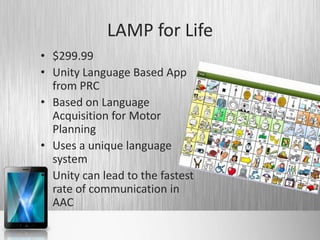
LAMP for Life
• $299.99
• Unity Language Based App
  from PRC
• Based on Language
  Acquisition for Motor
  Planning
• Uses a unique language
  system
• Unity can lead to the fastest
  rate of communication in
  AAC
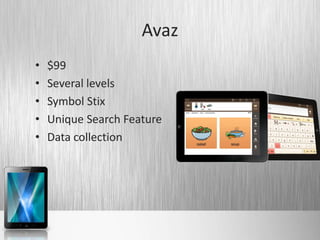
Avaz
•   $99
•   Several levels
•   Symbol Stix
•   Unique Search Feature
•   Data collection
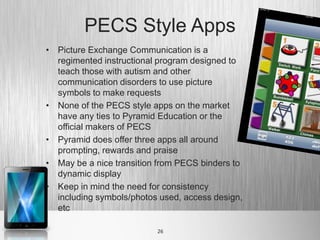
PECS Style Apps
• Picture Exchange Communication is a
  regimented instructional program designed to
  teach those with autism and other
  communication disorders to use picture
  symbols to make requests
• None of the PECS style apps on the market
  have any ties to Pyramid Education or the
  official makers of PECS
• Pyramid does offer three apps all around
  prompting, rewards and praise
• May be a nice transition from PECS binders to
  dynamic display
• Keep in mind the need for consistency
  including symbols/photos used, access design,
  etc

                          26
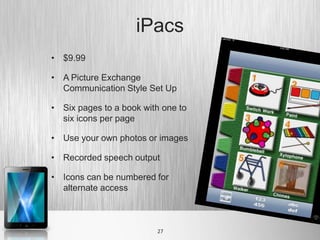
iPacs
• $9.99

• A Picture Exchange
  Communication Style Set Up

• Six pages to a book with one to
  six icons per page

• Use your own photos or images

• Recorded speech output

• Icons can be numbered for
  alternate access


                         27
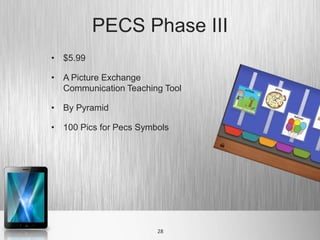
PECS Phase III
• $5.99

• A Picture Exchange
  Communication Teaching Tool

• By Pyramid

• 100 Pics for Pecs Symbols


                        28
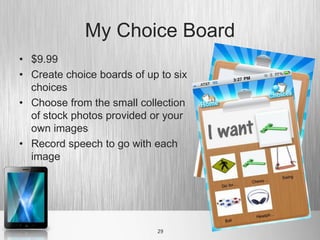
My Choice Board
• $9.99
• Create choice boards of up to six
  choices
• Choose from the small collection
  of stock photos provided or your
  own images
• Record speech to go with each
  image


                            29
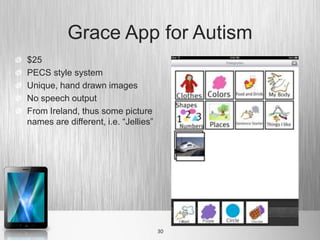
Grace App for Autism
$25
PECS style system
Unique, hand drawn images
No speech output
From Ireland, thus some picture
names are different, i.e. “Jellies”


                                      30
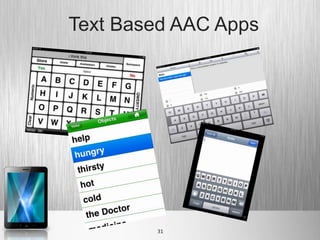
Text Based AAC Apps


        31
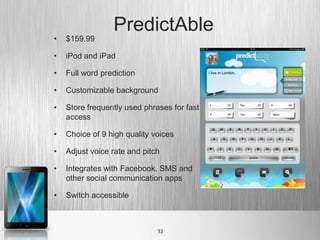
PredictAble
•   $159.99

•   iPod and iPad

•   Full word prediction

•   Customizable background

•   Store frequently used phrases for fast
    access

•   Choice of 9 high quality voices

•   Adjust voice rate and pitch

•   Integrates with Facebook, SMS and
    other social communication apps

•   Switch accessible


                              32
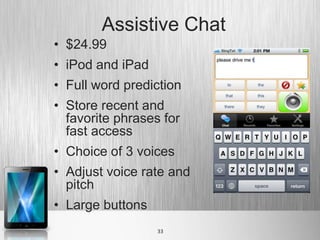
Assistive Chat
• $24.99
• iPod and iPad
• Full word prediction
• Store recent and
  favorite phrases for
  fast access
• Choice of 3 voices
• Adjust voice rate and
  pitch
• Large buttons
                  33
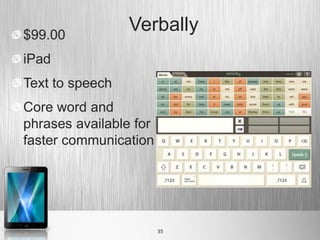
$99.00
                 Verbally
iPad
Text to speech
Core word and
phrases available for
faster communication


                        35

iPad AAC

  • 1.
    Apps for AAC KateAhern, M.S.Ed. Easter Seals Massachusetts
  • 3.
    AAC on aniPad • No user is the same, no AAC solution is the same! • Match child to an AAC system, not the system to the child! • The iPad is a tool… nothing more, nothing less!
  • 6.
    How to FindAAC Apps • Jane Farrell’s List http://www.spectronicsinoz.com/article/ipho neipad-apps-for-aac • AAC App Assistant
  • 7.
    How to Choosean AAC App • Use Feature Matching • Use the SETT Protocol: – Student – Environment – Task – Tool
  • 8.
    Student • Strengths/Needs • Social skills • Cognition • Vision • Language development • Hearing • Motor skills • Culture • Behavior • _________
  • 9.
    Environment • Where doesthe student • “fitting in”/social go? What are the acceptance needs in each setting • Speed of for: communication • Volume • Literacy • Durability • Flexibility of messages
  • 10.
    Task • What doesthe student • To whom? need to be able to say? – Family – Personal information – Friends – Greet/take leave – Teachers – Comment – Medical staff – Respond – Personal care givers – Question – Community members – Exchange ideas – Emergency personnel – Give direction – ________ ___________
  • 11.
    Tool • What potentialtools • If, and only if, the iPad meet all needs for meets needs as a student, environment platform, then consider and tasks? apps which also meet needs. Which apps meet needs?
  • 12.
    AAC Assessment Process •Use SETT and other • When you need help processes to determine – Family may decide to system to trial utilize medical model such as Children’s • Trial a system and Hospital collect data – School may decide to • Analyze data and decide bring in an AAC next steps Specialist through an agency like Easter Seals
  • 13.
  • 14.
    Answers Yes/No • $.99 •Answers Yes/No • Three voices to choose from • Another yes/no app is available with English or Spanish voices at a higher cost from Smarty Ears 14
  • 15.
    Tap Speak/Tap Sequence • Tap Speak Button $14.99 • Tap Speak Button Plus • Tap Speak Sequence Standard $29.99 • Tap Speak Button turns your iPod or iPad into a Big Mack Switch • Tap Speak Sequencer turns your iPad into an infinite step-by-step switch • Messages can be stored forever • The color of the button can be changed 15
  • 16.
    Scene Speak • $17.99 •iPad • Uses visual scene displays with messages embedded into the scene • Use included or your own images • Photograph low tech boards and add speech • 5 text to speech voices or recorded speech • Arrange the scenes into a picture album for access 16
  • 17.
    Options for Emergingto Advanced Users of Symbol Based Communication
  • 18.
    Tap Speak Choice •$149.99 • iPad only • 1-56 messages per “layer” • Dynamic display • 88 Voices • Pixon images or use your own photos • Can be used with one or two switches and iPad switch interface
  • 19.
    Go Talk Now •$79.99 • 1, 4, 9, 16, 25 buttons per page • Grid or visual scene display • Play videos on buttons • Imagine Symbol Set or your own • Switch Accessible
  • 20.
    TouchChat • $149.99 includesapp plus 4 vocabulary sets (including those found on the Chat-PC and Alt-Chat), additional $99 for Essence Vocab and $149.99 for WordPower/Picture WordPower • iPod and iPad (but must pay for each) • SymbolStix Symbols • High quality text to speech voices 20
  • 21.
    Proloquo2Go • $189.99 • Excellent user support • Fantastic tutorials • User community • Use 1 to dozens of symbols per board • Acapela Voices, multiple choices and accents • Customizable • Uses SymbolStix symbols (News-2-You and Unique) • Word Prediction • New version with switch support coming soon 21
  • 22.
  • 23.
    SonoFlex by Tobii • $99.99 • Combines core and topic based boards • Uses SymbolStix • Five voices including children’s • Same layout and vocabulary available on Tobii Speech Devices • Lite version to try before you buy • Cost of app will be deducted from cost of a Tobii if you choose to upgrade
  • 24.
    LAMP for Life •$299.99 • Unity Language Based App from PRC • Based on Language Acquisition for Motor Planning • Uses a unique language system • Unity can lead to the fastest rate of communication in AAC
  • 25.
    Avaz • $99 • Several levels • Symbol Stix • Unique Search Feature • Data collection
  • 26.
    PECS Style Apps •Picture Exchange Communication is a regimented instructional program designed to teach those with autism and other communication disorders to use picture symbols to make requests • None of the PECS style apps on the market have any ties to Pyramid Education or the official makers of PECS • Pyramid does offer three apps all around prompting, rewards and praise • May be a nice transition from PECS binders to dynamic display • Keep in mind the need for consistency including symbols/photos used, access design, etc 26
  • 27.
    iPacs • $9.99 • APicture Exchange Communication Style Set Up • Six pages to a book with one to six icons per page • Use your own photos or images • Recorded speech output • Icons can be numbered for alternate access 27
  • 28.
    PECS Phase III •$5.99 • A Picture Exchange Communication Teaching Tool • By Pyramid • 100 Pics for Pecs Symbols 28
  • 29.
    My Choice Board •$9.99 • Create choice boards of up to six choices • Choose from the small collection of stock photos provided or your own images • Record speech to go with each image 29
  • 30.
    Grace App forAutism $25 PECS style system Unique, hand drawn images No speech output From Ireland, thus some picture names are different, i.e. “Jellies” 30
  • 31.
  • 32.
    PredictAble • $159.99 • iPod and iPad • Full word prediction • Customizable background • Store frequently used phrases for fast access • Choice of 9 high quality voices • Adjust voice rate and pitch • Integrates with Facebook, SMS and other social communication apps • Switch accessible 32
  • 33.
    Assistive Chat • $24.99 •iPod and iPad • Full word prediction • Store recent and favorite phrases for fast access • Choice of 3 voices • Adjust voice rate and pitch • Large buttons 33
  • 34.
    $99.00 Verbally iPad Text to speech Core word and phrases available for faster communication 35