How a Computer
Processes Data
• Unit 1 – Computer Basics
Learning
Objectives
1. Identify computer system
components.
2. Explain how the CPU works
3. Differentiate between RAM and
ROM
4. Describe how data is represented.
Computer Systems
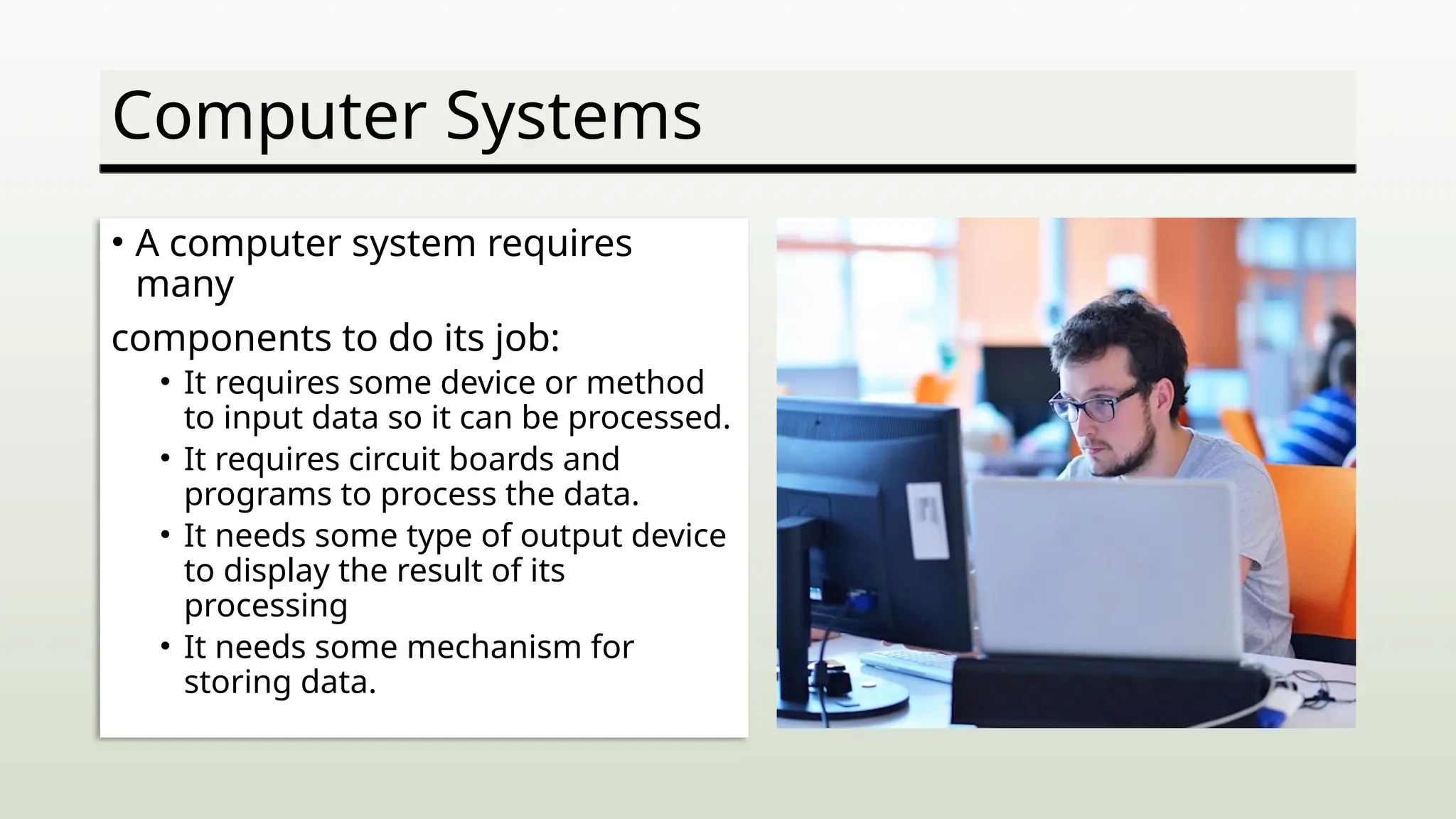
• A computer system requires
many
components to do its job:
• It requires some device or method
to input data so it can be processed.
• It requires circuit boards and
programs to process the data.
• It needs some type of output device
to display the result of its
processing
• It needs some mechanism for
storing data.
Common System Components
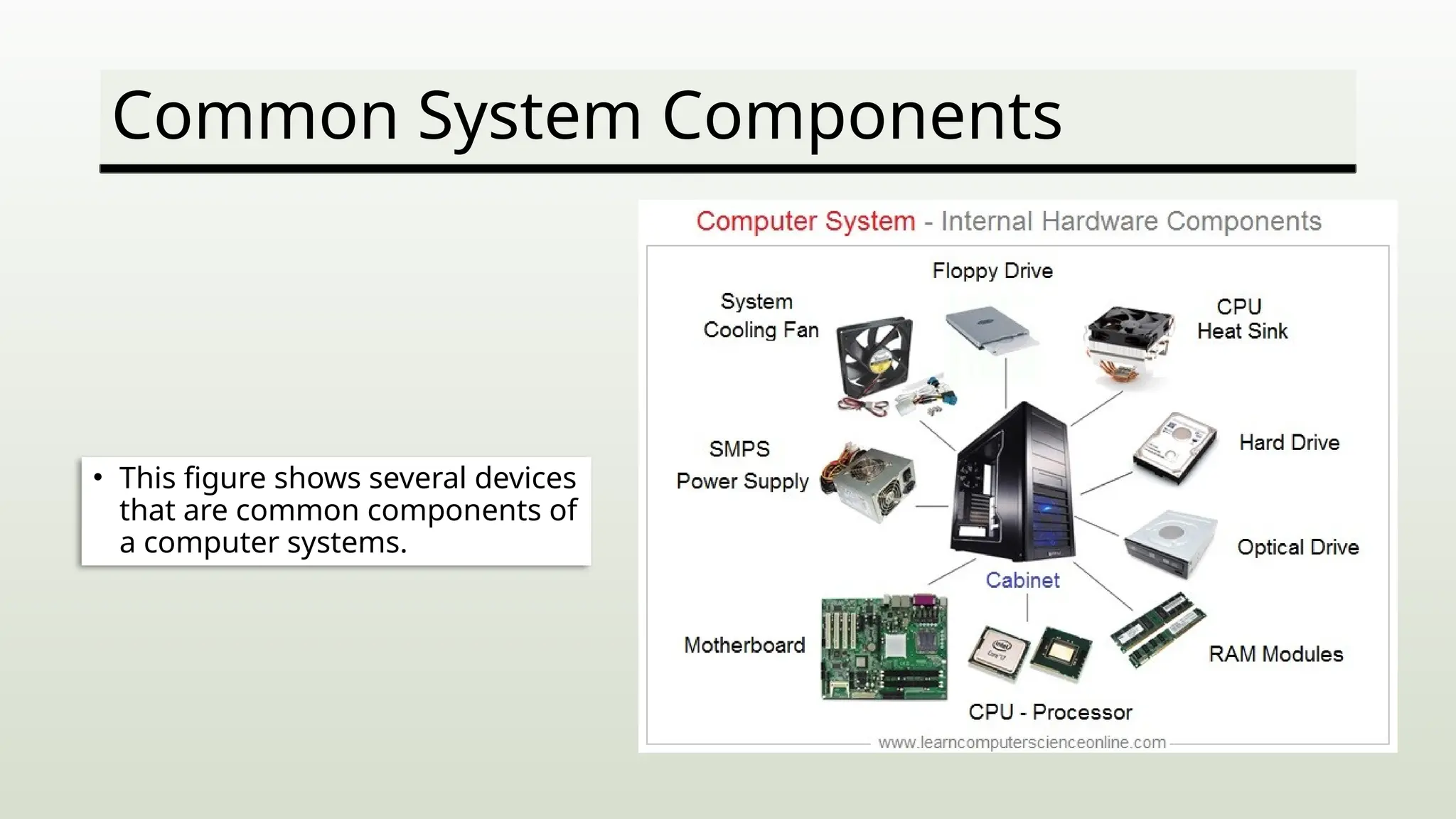
• This figure shows several devices
that are common components of
a computer systems.
System Motherboard
• The motherboard contains the electronic circuitry of the
computer.
• Components found on the motherboards include:
• The primary processing chip (CPU) – Central Processing Unit
• Memory Chips
• Expansion slots for system interface cards.
System Motherboard
• Components found on a motherboard (cont)
• Ports for connecting external devices
• BIOS chips that control system startup
• The circuitry that enables all of these components to communicate
Example of a Motherboard
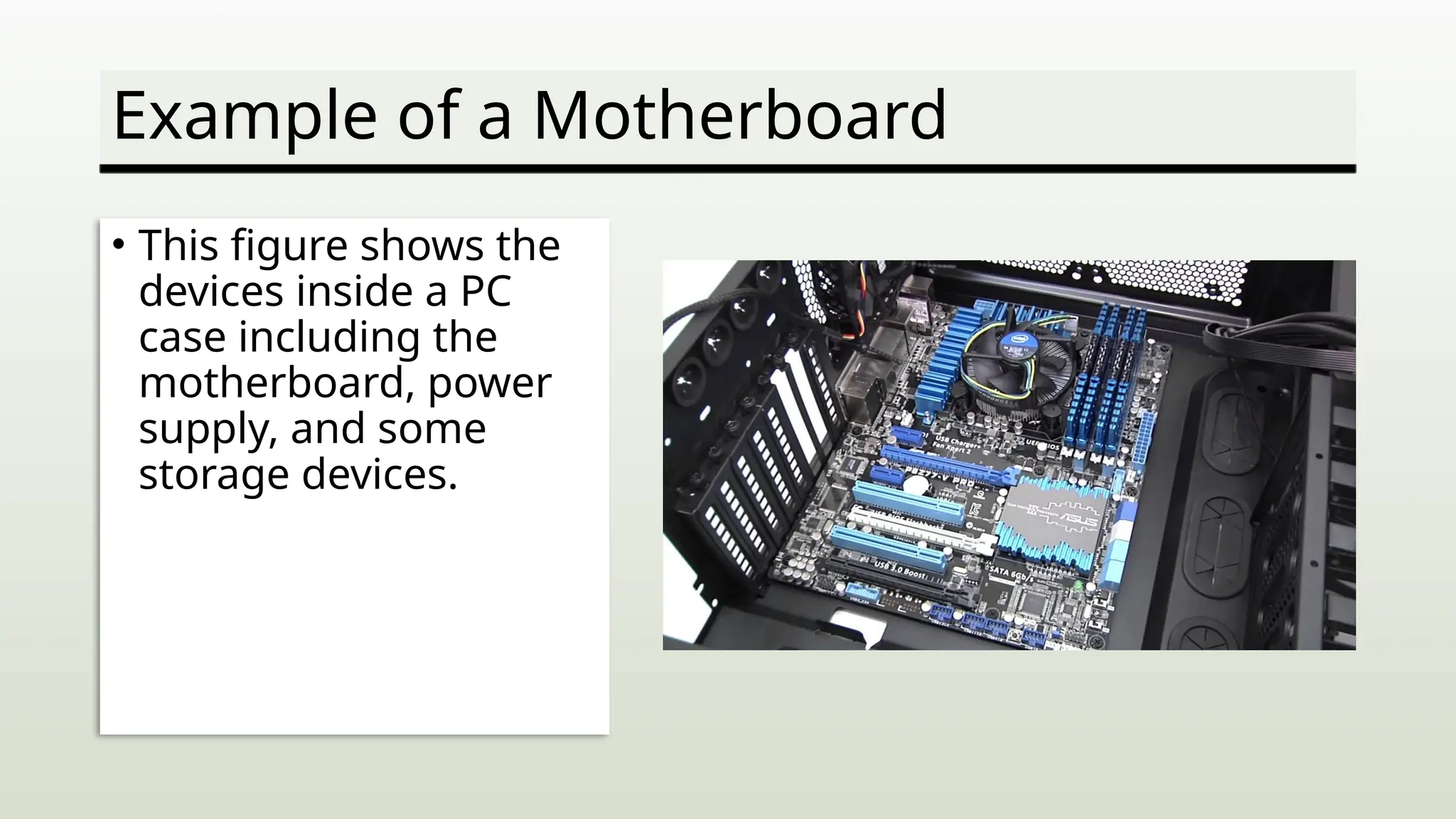
• This figure shows the
devices inside a PC
case including the
motherboard, power
supply, and some
storage devices.
The Central Processing Unit
• The CPU is the brains of a computer system.
• The CPU is housed on a silicon chip that contains millions of
switches and circuits.
The Central Processing Unit (cont.)
• The CPU has two primary sections:
• Arithmetic/logic unit (ALU)
• This section performs arithmetic and logical operations.
• Control unit
• This section is the boss of the CPU and
• coordinates all activity within the CPU.
• It uses programming instructions o control
• what actions the CPU performs and when it
• performs them.
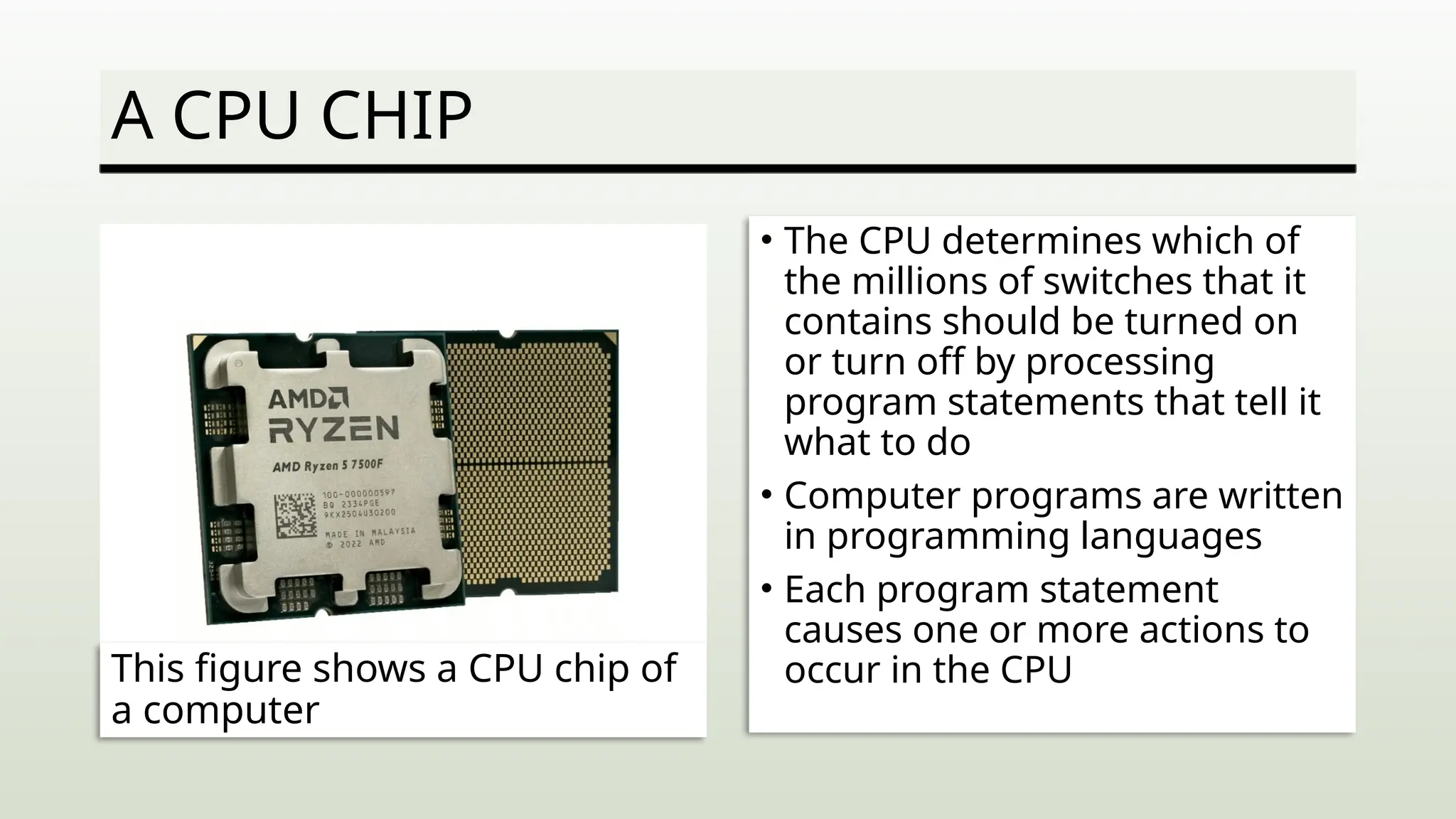
A CPU CHIP
• The CPU determines which of
the millions of switches that it
contains should be turned on
or turn off by processing
program statements that tell it
what to do
• Computer programs are written
in programming languages
• Each program statement
causes one or more actions to
occur in the CPU
This figure shows a CPU chip of
a computer
Computer Memory
• Data being processed by a CPU is stored in system memory.
• Memory consists of addressable locations within the
machine that the computer can access directly.
• Data stored in memory is volatile.
• If the power fails, everything in memory is lost
• Data must be stored on disk or some other device when not
being processed so it is not lost each time the computer
shuts down.
Types of Memory
• RAM – Random Access
Memory
• RAM is short-term memory
in which data is processed
while a program is running.
• Data stored here can be
accessed and modified as
needed.
• This type of memory loses
any data it holds If the
computer s shut down.
• ROM – Read-Only Memory
• ROM is memory placed on the
motherboard by e
manufacturer and contains
instructions that tell the
computer how to start itself.
• This data cannot be accessed
or modified by application
programs.
• The contents of this memory
are not lost when the computer
is shut down.
The Instruction and Execution Cycles
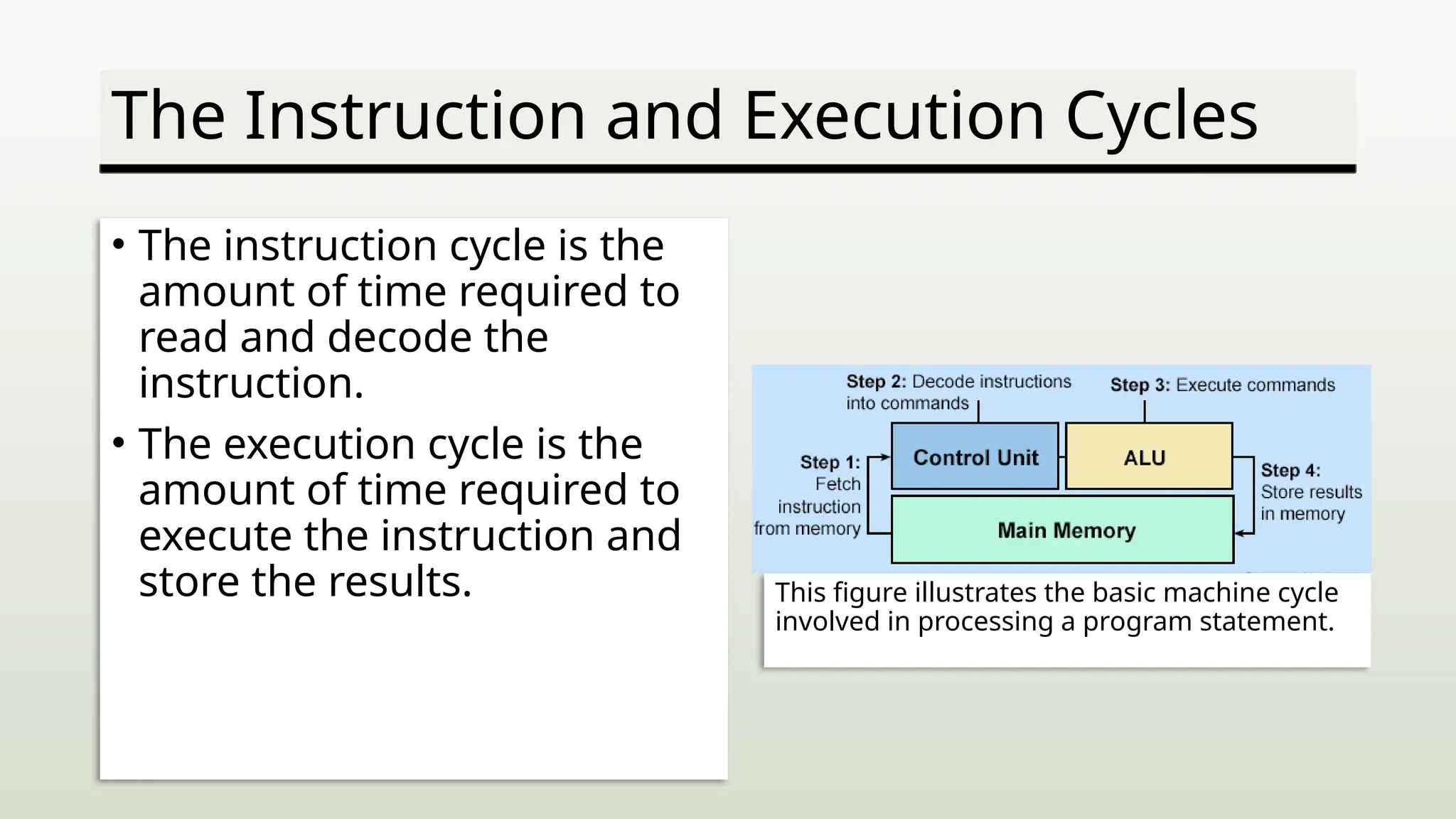
• The instruction cycle is the
amount of time required to
read and decode the
instruction.
• The execution cycle is the
amount of time required to
execute the instruction and
store the results. This figure illustrates the basic machine cycle
involved in processing a program statement.
CPU Scheduling
• It is a process that allows one process to use the CPU while
the execution of another process is on hold (in waiting state)
due to unavailability of any resource like I/O etc., thereby
making full use of CPU. The aim of CPU scheduling is to
make the system efficient, fast, and fair.
Computer System Controllers
• A PC motherboard contains several controllers.
• Controllers are devices that control the transfer of data
between the computer and peripheral devices.
• Common peripheral devices include a mouse, monitor,
printer, keyboard, and so on.
• Controllers usually are found on a single chip that can
handle all common devices.
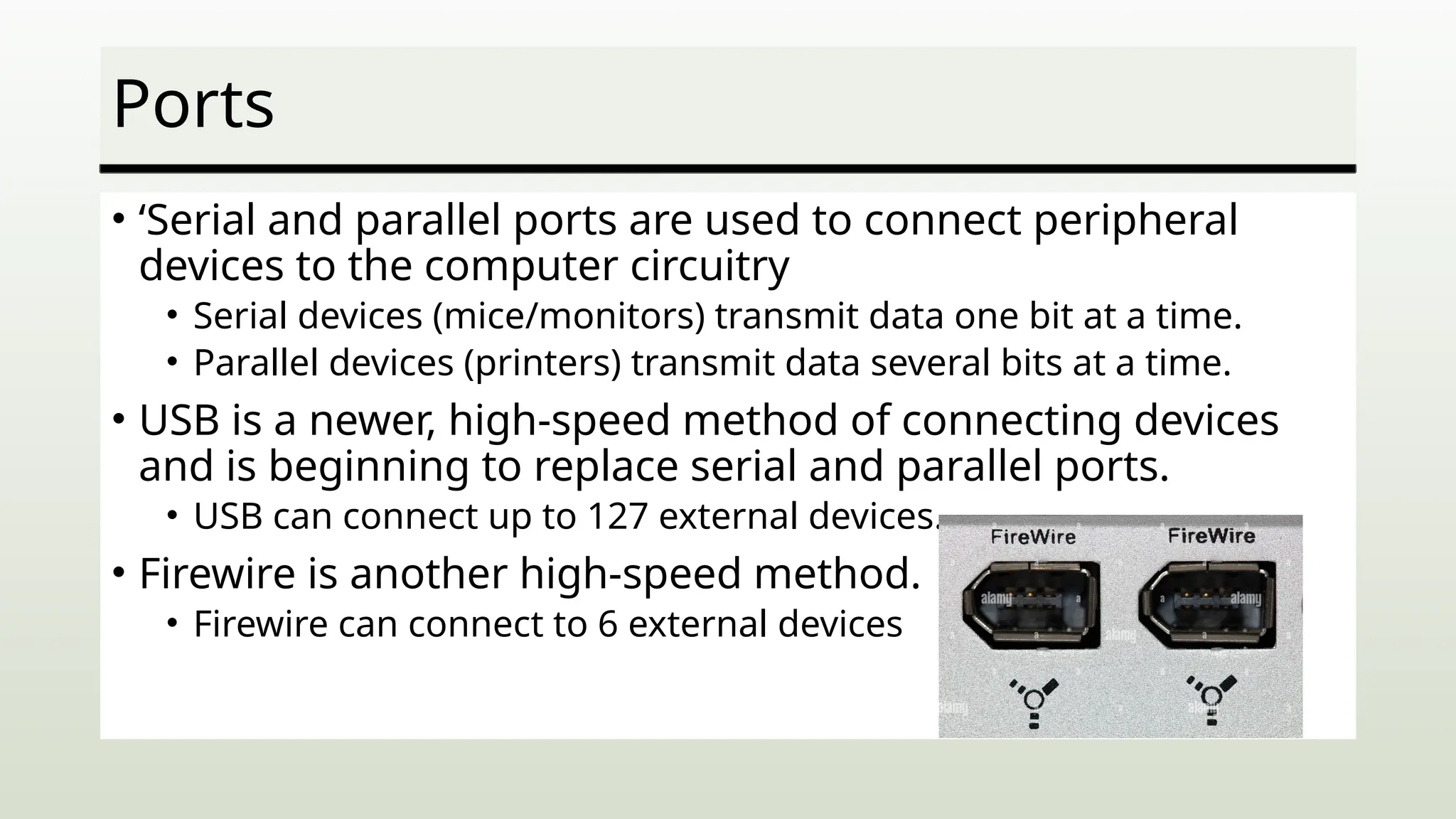
Ports
• ‘Serial and parallel ports are used to connect peripheral
devices to the computer circuitry
• Serial devices (mice/monitors) transmit data one bit at a time.
• Parallel devices (printers) transmit data several bits at a time.
• USB is a newer, high-speed method of connecting devices
and is beginning to replace serial and parallel ports.
• USB can connect up to 127 external devices.
• Firewire is another high-speed method.
• Firewire can connect to 6 external devices
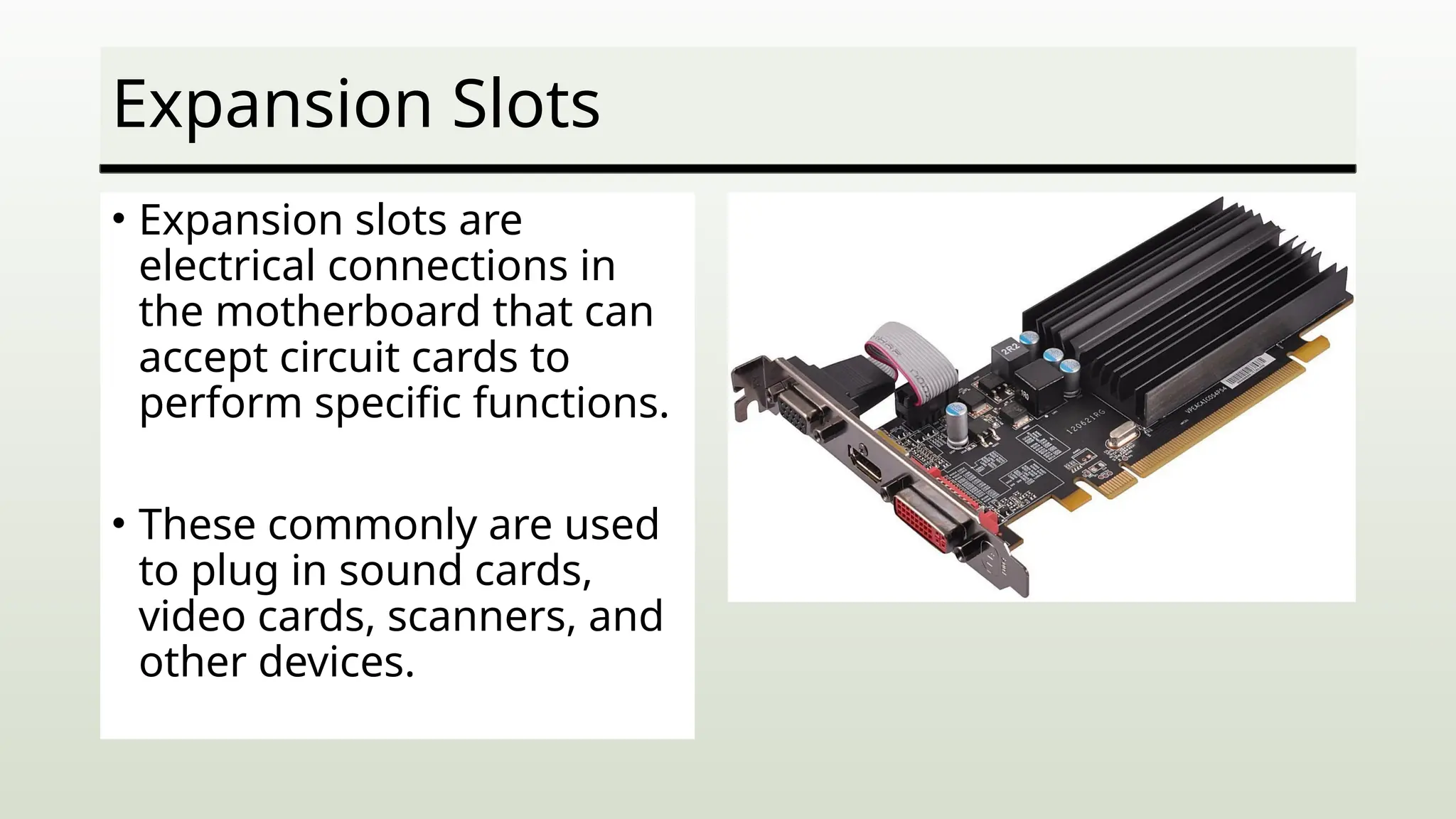
Expansion Slots
• Expansion slots are
electrical connections in
the motherboard that can
accept circuit cards to
perform specific functions.
• These commonly are used
to plug in sound cards,
video cards, scanners, and
other devices.
Data Representation
• Data is stored in a computer in binary format as a series of
1s and 0s.
• Computers use standardized coding systems (such as ASCII)
to determine what character or number is represented by
what series of binary digits.
• Data s stored in a series of 8-bit combinations called a byte.
• Every letter, number, punctuation mark, or symbol has its
own unique combination of 1s and 0s.
Summary
• Just about all computers
perform the same general
options: input, processing,
output, and storage.
• Input, output, and processing
devices grouped together
represent a computer system.
• The motherboard is the
center of all processing.
• The motherboard contains the
CPU, memory, and basic
controllers for the system.
• The motherboard also contains
ports and expansion slots.
• The central processing unit is
the brains of the computer.
• The computer is given
instructions through computer
programs.
Summary (cont.)
• The CPU has two main
sections —the arithmetic
logic unit and the control
unit.
• All calculations and
comparisons take place in
the ALU.
• The control unit coordinates
the CPU activities.
• The motherboard contains
different types of memory.
• The machine cycle is made up
of the instruction cycle and the
execution cycle.
• Random access memory is
volatile and is used to store
instructions, data, and
information temporarily.
• Read-only memory is
nonvolatile and is used to store
permanent instructions needed
for computer operations.
Summary (cont.)
• A controller is used to
control the transfer of data
between the computer and
peripheral devices.
• Expansion slots contain
expansion boards.
• Expansion boards are used
to connect specialized
peripheral devices or to add
more memory to the
computer.
• Peripheral devices are
connected to the computer
through serial and parallel
ports.
• The Universal Serial Bus is a
newer standard expected to
replace serial and parallel
ports.
• FireWire is a type of external
bus that can connect up to
63 external devices.
Summary (cont.)
• SCSI, IrDA, and Bluetooth are special-purpose ports.
• The ASCII and EBCDIC codes are standard codes used to
represent the alphabet, numbers, symbols, andpunctuation
marks.
IntroductionToComputing-Week3.pptx 1st semester on college_

  • 1.
    How a Computer ProcessesData • Unit 1 – Computer Basics
  • 2.
    Learning Objectives 1. Identify computersystem components. 2. Explain how the CPU works 3. Differentiate between RAM and ROM 4. Describe how data is represented.
  • 3.
    Computer Systems • Acomputer system requires many components to do its job: • It requires some device or method to input data so it can be processed. • It requires circuit boards and programs to process the data. • It needs some type of output device to display the result of its processing • It needs some mechanism for storing data.
  • 4.
    Common System Components •This figure shows several devices that are common components of a computer systems.
  • 5.
    System Motherboard • Themotherboard contains the electronic circuitry of the computer. • Components found on the motherboards include: • The primary processing chip (CPU) – Central Processing Unit • Memory Chips • Expansion slots for system interface cards.
  • 6.
    System Motherboard • Componentsfound on a motherboard (cont) • Ports for connecting external devices • BIOS chips that control system startup • The circuitry that enables all of these components to communicate
  • 7.
    Example of aMotherboard • This figure shows the devices inside a PC case including the motherboard, power supply, and some storage devices.
  • 8.
    The Central ProcessingUnit • The CPU is the brains of a computer system. • The CPU is housed on a silicon chip that contains millions of switches and circuits.
  • 9.
    The Central ProcessingUnit (cont.) • The CPU has two primary sections: • Arithmetic/logic unit (ALU) • This section performs arithmetic and logical operations. • Control unit • This section is the boss of the CPU and • coordinates all activity within the CPU. • It uses programming instructions o control • what actions the CPU performs and when it • performs them.
  • 10.
    A CPU CHIP •The CPU determines which of the millions of switches that it contains should be turned on or turn off by processing program statements that tell it what to do • Computer programs are written in programming languages • Each program statement causes one or more actions to occur in the CPU This figure shows a CPU chip of a computer
  • 11.
    Computer Memory • Databeing processed by a CPU is stored in system memory. • Memory consists of addressable locations within the machine that the computer can access directly. • Data stored in memory is volatile. • If the power fails, everything in memory is lost • Data must be stored on disk or some other device when not being processed so it is not lost each time the computer shuts down.
  • 12.
    Types of Memory •RAM – Random Access Memory • RAM is short-term memory in which data is processed while a program is running. • Data stored here can be accessed and modified as needed. • This type of memory loses any data it holds If the computer s shut down. • ROM – Read-Only Memory • ROM is memory placed on the motherboard by e manufacturer and contains instructions that tell the computer how to start itself. • This data cannot be accessed or modified by application programs. • The contents of this memory are not lost when the computer is shut down.
  • 13.
    The Instruction andExecution Cycles • The instruction cycle is the amount of time required to read and decode the instruction. • The execution cycle is the amount of time required to execute the instruction and store the results. This figure illustrates the basic machine cycle involved in processing a program statement.
  • 14.
    CPU Scheduling • Itis a process that allows one process to use the CPU while the execution of another process is on hold (in waiting state) due to unavailability of any resource like I/O etc., thereby making full use of CPU. The aim of CPU scheduling is to make the system efficient, fast, and fair.
  • 15.
    Computer System Controllers •A PC motherboard contains several controllers. • Controllers are devices that control the transfer of data between the computer and peripheral devices. • Common peripheral devices include a mouse, monitor, printer, keyboard, and so on. • Controllers usually are found on a single chip that can handle all common devices.
  • 16.
    Ports • ‘Serial andparallel ports are used to connect peripheral devices to the computer circuitry • Serial devices (mice/monitors) transmit data one bit at a time. • Parallel devices (printers) transmit data several bits at a time. • USB is a newer, high-speed method of connecting devices and is beginning to replace serial and parallel ports. • USB can connect up to 127 external devices. • Firewire is another high-speed method. • Firewire can connect to 6 external devices
  • 17.
    Expansion Slots • Expansionslots are electrical connections in the motherboard that can accept circuit cards to perform specific functions. • These commonly are used to plug in sound cards, video cards, scanners, and other devices.
  • 18.
    Data Representation • Datais stored in a computer in binary format as a series of 1s and 0s. • Computers use standardized coding systems (such as ASCII) to determine what character or number is represented by what series of binary digits. • Data s stored in a series of 8-bit combinations called a byte. • Every letter, number, punctuation mark, or symbol has its own unique combination of 1s and 0s.
  • 19.
    Summary • Just aboutall computers perform the same general options: input, processing, output, and storage. • Input, output, and processing devices grouped together represent a computer system. • The motherboard is the center of all processing. • The motherboard contains the CPU, memory, and basic controllers for the system. • The motherboard also contains ports and expansion slots. • The central processing unit is the brains of the computer. • The computer is given instructions through computer programs.
  • 20.
    Summary (cont.) • TheCPU has two main sections —the arithmetic logic unit and the control unit. • All calculations and comparisons take place in the ALU. • The control unit coordinates the CPU activities. • The motherboard contains different types of memory. • The machine cycle is made up of the instruction cycle and the execution cycle. • Random access memory is volatile and is used to store instructions, data, and information temporarily. • Read-only memory is nonvolatile and is used to store permanent instructions needed for computer operations.
  • 21.
    Summary (cont.) • Acontroller is used to control the transfer of data between the computer and peripheral devices. • Expansion slots contain expansion boards. • Expansion boards are used to connect specialized peripheral devices or to add more memory to the computer. • Peripheral devices are connected to the computer through serial and parallel ports. • The Universal Serial Bus is a newer standard expected to replace serial and parallel ports. • FireWire is a type of external bus that can connect up to 63 external devices.
  • 22.
    Summary (cont.) • SCSI,IrDA, and Bluetooth are special-purpose ports. • The ASCII and EBCDIC codes are standard codes used to represent the alphabet, numbers, symbols, andpunctuation marks.
Editor's Notes

  • #17 Peripheral Component Interconnect - Express